
SJ-F1526E0I-EU - Refrigerator SHARP - Free user manual and instructions
Find the device manual for free SJ-F1526E0I-EU SHARP in PDF.
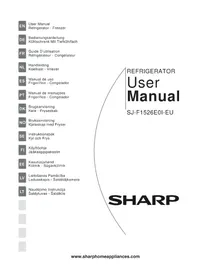


| Product type | Combined refrigerator-freezer |
| Brand | Sharp |
| Model | SJ-F1526E0I-EU |
| Dimensions (W x H x D) | 79.5 x 178.0 x 72.0 cm |
| Net weight | 75 kg |
| Power supply | 220-240 V, 50 Hz |
| Energy class | E (previous class A+) |
| Refrigerator volume | 275 L |
| Freezer volume | 125 L |
| Cooling technology | No Frost (fan-assisted) |
| Main functions | Holiday mode, digital display, LED lighting, door alarm |
| Maintenance and cleaning | Automatic defrost, interior cleaning with soft cloth and soapy water |
| Safety | Child lock, automatic shutdown in case of overheating |
| Spare parts and repairability | Repairability index 7.9/10, parts available for 5 years |
| General information | Refrigerant R600a, noise level 42 dB(A), climate class SN-T |
Frequently Asked Questions - SJ-F1526E0I-EU SHARP
User questions about SJ-F1526E0I-EU SHARP
0 question about this device. Answer the ones you know or ask your own.
Ask a new question about this device
Download the instructions for your Refrigerator in PDF format for free! Find your manual SJ-F1526E0I-EU - SHARP and take your electronic device back in hand. On this page are published all the documents necessary for the use of your device. SJ-F1526E0I-EU by SHARP.
USER MANUAL SJ-F1526E0I-EU SHARP
EN User Manual Refrigerator - Freezer
CHAPTER -3: USING YOUR FRIDGE FREEZER....6
CHAPTER -4: FOOD STORAGE GUIDE....9
CHAPTER -5: TROUBLESHOOTING ....10
CHAPTER -6: TIPS FOR SAVING ENERGY ....11
Your fridge freezer conforms to current safety requirements. Inappropriate use can lead to personal injury and damage to property. To avoid the risk of damage, read this manual carefully before using your fridge freezer for the first time. It contains important safety information on the installation, safety, use, and maintenance of your fridge freezer. Retain this manual for future use.
CHAPTER -1: GENERAL WARNINGS
WARNING: Keep the ventilation openings of the fridge freezer clear from obstruction.
WARNING: Do not use mechanical devices or other means to accelerate the defrosting process.
WARNING: Do not use other electrical appliances inside the fridge freezer.
WARNING: Do not damage the refrigerant circuit.
WARNING: To avoid personal injury or damage, this appliance must be installed in accordance with the manufacturer's instructions.
The small quantity of refrigerant used in this fridge freezer is eco-friendly R600a (an isobutene) and is flammable and explosive if ignited in enclosed conditions.
* While carrying and positioning the fridge, do not damage the cooler gas circuit. * Do not store any containers with flammable materials, such as spray cans or fire extinguisher refill cartridges, in the vicinity of the fridge freezer. * This appliance is intended to be used in household and similar applications such as: - staff kitchen areas in shops, offices, and other working environments; - farm houses and by clients in hotels, motels, and other residential type environments; - bed and breakfast type environments; - catering and similar non-retail applications.
* Your fridge freezer requires a 220-240V, 50Hz mains supply. Do not use any other supply. Before connecting your fridge freezer, ensure that the information on the data plate (voltage and connected load) matches the mains electricity supply. If in doubt, consult a qualified electrician.
* This appliance can be used by children aged from 8 years and above and persons with reduced physical, sensory or mental capabilities or lack of experience and knowledge if they have been given supervision or instruction concerning use of the appliance in a safe way and understand the
CHAPTER -1: GENERAL WARNINGS
hazard involved. Children shall not play with the appliance. Cleaning and user maintenance, shall not be made by children without supervision.
* A damaged power cord /plug can cause fire or give you an electric shock. When damaged it must be replaced, this should only be done by qualified personnel.
Disposal
- All packaging and materials used are environmentally friendly and recyclable. Please dispose of any packaging in an environmentally friendly manner. Consult your local council for further details.
- When the appliance is to be scrapped, cut off the electrical supply cable and destroy the plug and cable. Disable the door catch in order to prevent children becoming trapped inside.
- A cut off plug inserted into a 16 amp socket is a serious safety (shock) hazard. Please ensure the cut off plug is disposed of safely.
Disposal of your old appliance

This symbol on the product or package implies that the product should not be treated as domestic waste. Instead, it should be delivered to applicable waste collection places recycling electrical and electronic equipment. Recycling materials will help natural resources be preserved. For more detailed information regarding recycling of this product, please contact local authority, domestic waste disposal service or the shop you have purchased the product from.
Please ask your local authority about the disposal of the WEEE for the reuse, recycle and recovery purposes.
Notes:
- Please read the instruction manual carefully before installing and using your appliance. We are not responsible for the damage occurred due to misuse.
- Follow all instructions on your appliance and instruction manual, and keep this manual in a safe place to resolve the problems that may occur in the future.
- This appliance is produced to be used in homes and it can only be used in domestic environments and for the specified purposes. It is not suitable for commercial or common use. Such use will cause the guarantee of the appliance to be cancelled and our company will not be responsible for the losses to be occurred.
- This appliance is produced to be used in houses and it is only suitable for cooling / storing foods. It is not suitable for commercial or common use and/or for storing substances except for food. Our company is not responsible for the losses to be occurred in the contrary case.

Safety warnings
- Do not connect your Fridge Freezer to the mains electricity supply using an extension lead.
- A damaged power cord / plug can cause fire or give you an electric shock. When damaged it must be replaced, this should only be done by qualified personnel.
- Never bend the power cord excessively.
- Never touch the power cord / plug with wet hands as this could cause a short circuit or electric shock.
- Do not place glass bottles or beverage cans in the freezer department. Bottles or cans may explode.
- When taking ice made in the freezer department, do not touch it, ice may cause ice burns and/or cuts.
- Do not remove items from the freezer if your hands are damp or wet. This could cause skin abrasions or frost / freezer burns.
- Do not refreeze food once it has thawed out.
Installation Information
Before unpacking and manoeuvring your fridge freezer please take some time to familiarise yourself with the following points.
- Position away from direct sunlight and away from any heat source such as a radiator.
- Your appliance should be at least 50 cm away from stoves, Gas ovens and heater cores, and should be at least 5 cm away from electrical ovens.
- Do not expose your fridge freezer to moisture or rain.
- Your fridge freezer should be positioned at least 20mm away from another freezer.
- Clearance of at least 150 mm is required at the top and back of your fridge freezer. Do not place anything on top of your fridge freezer.
- For safe operation it is important that your fridge freezer is safe and balanced. The adjustable feet are used to level your fridge freezer. Make sure that your appliance is level before placing any foodstuffs inside it.
- We recommend that you wipe all shelving and trays with a cloth soaked in warm water mixed with a teaspoon of bicarbonate of soda before use. After cleaning rinse with warm water and dry.
• Install using the plastic distance guides, which can be found at the rear of the appliance. Turn 90 degrees (as shown in the diagram). This will keep the condenser from touching the wall.
- Refrigerator should be placed against a wall with a free distance not exceeding 75 mm.

Before Using your Fridge

- Before setting up your fridge freezer, check for any visible damage. Do not install or use your fridge freezer if it is damaged
- When using your fridge freezer for the first time, keep it in an upright position for at least 3 hours before plugging into the mains. This will allow efficient operation and prevents damage to the compressor.
- You may notice a light odour when using your fridge freezer for the first time. This is perfectly normal and will fade away as the fridge starts to cool.
CHAPTER -1: GENERAL WARNINGS
NO FROST technology
Differs from many other standard fridge freezers. Other appliances may experience ice in the freezer compartment due to the opening of the doors and humidity caused by the food. In such appliances defrosting is required. They have to be turned off periodically, the food inside moved and the ice removed.
Your "no frost" fridge freezer prevents such problems by evenly distributing in the fridge and freezer compartments through the use of a fan. This cools your food evenly and uniformly, preventing humidity and freezing.

Blue arrows: Blow cold air
Red arrows: Returning hot air
CHAPTER -2: YOUR FRIDGE FREEZER
A) Fridge compartment B) Fridge / Freezer compartment B1. Zone-1 / B2. Zone-2 1) Fridge compartment shelves 2) Chiller compartment 3) Crispers 4) Cheese-Butter shelf covers 5) Cheese, butter shelf 6) Door shelves 7) Eggcups 8) Door bottle shelves 9) Iceboxes 10) Fridge / Freezer top baskets 11) Fridge / Freezer bottom baskets 12) Adjustable feet
This figure has been drawn for information purposes to show the various parts and accessories in the appliance. Parts may vary according to the model of the appliance.
General features of your appliance
The LED lights are designed to come on gradually and will take a few seconds to reach 100% brightness.
Electronic display
- Fridge Compartment Temperature indicator
- Left Freezer Compartment Temperature indicator
- Right Freezer Compartment Temperature indicator
- Super cooling light
- Super freezing light
- Qdrink alarm counter
- Nutrifresh mode
- Economy mode
- Holiday mode
- Qdrink light
- Night sensor
- Child lock
- Demo mode
- Low voltage warning
- Alarm
- Screensaver button
- Zone 2 (Right freezer) button
- Mode button
- Cooler button
- Qdrink mode button
- Zone 1 (Left freezer) button

The values on the screen indicate temperature values specified by the consumer. The display is designed to avoid error if unintentionally touched. To interact with the display, touch and hold the button for 2 seconds; an audible beep will sound to indicate it is ready for use.
Cooling beverages [q.drink]
To activate q.drink mode, press the q.drink button. The time is set in increments of 5 minutes (up to a maximum of 30). The selected time is shown in the q.drink alarm counter - when the time has completed, an audible beep will sound.
Important: It should not be confused with the cooling mode.
Please adjust the time according to the number of bottles you are placing in the freezer compartment. You can extend the time of the feature if the temperature of the bottles is not cool enough, but it is important to check the temperature of the bottles regularly as they may explode if left too long.
Economic mode [eco]
Ensures that your refrigerator runs within ideal temperatures. To activate "ECO" mode, just press the [mode] button until "eco and e" light is on.
Holiday mode (H)
(Umbrella & Sun Icon) Use this mode if you are going away for a period of time and do not need to use the fridge compartment. Press the holiday mode button until the holiday icon and H light appear.
Quick freezing (sf / super freeze)
Designed to quickly freeze meals and large amounts of food. Press the freezer button until "sf" is displayed on the screen and you hear an audible beep. Please note this mode will automatically revert to the standard set temperature after 24 hours if not deactivated before - or when the freezer has reached the sufficient temperature.
Quick cooling (sc / super cool)
Quick Cooling is designed to cool large amounts of food quickly when placed in the fridge section. Press the cooler button until you see the "sc" letters in the display and you hear an audible beep. This mode will automatically revert to the standard temperature setting after a period of 4-6 hours or when the refrigerator has reached the required temperature.
Cooler [cooler]
Sets the fridge temperature in values of 1 from 2 - 8 Celsius.
Freezer / Cooler 1 [ZONE 1]
It is the temperature setting button for the bottom-left compartment. By pressing the [zone 1] button, the freezing value of the bottom-left part can be set as -16, -17, -18, -19, -20, -21, -22, -23, -24 Celsius temperature values. If you do not want to use the bottom-left part as a cooler, press the [zone1] button for 3 seconds to switch to this mode, and set to 2, 3, 4, 5, 6, 7, 8 Celsius temperature values.
Freezer / Cooler 2 [ZONE 2]
This is the temperature setting button for the bottom-right compartment. By pressing the [zone 2] button, the freezing value of the bottom-right part can be set to -16, -17, -18, -19, -20, -21, -22, -23, -24 degrees Celsius. If you do not want to use the bottom-right part as a cooler, press the [zone 2] button for 3 seconds to switch to this mode, and set it to 2, 3, 4, 5, 6, 7, 8 degrees Celsius.
CHAPTER -3: USING YOUR FRIDGE FREEZER
Child lock
Activate the Child Lock by pressing the cooler and freezer buttons simultaneously; this will deactivate the display. To remove the Child Lock, repeat the process.
Screensaver [s.saver]
Use the Screensaver mode to save energy. Hold the [s.saver] button down for 3 seconds; to deactivate, repeat the process.
Night sensor
Press the [mode] and [s.saver] buttons for 3 seconds to activate. This will turn the fridge lights off and save energy. To deactivate, repeat the process.
Alarm
If the alarm light comes on, it means there is something wrong with the fridge freezer and you will need to contact the Sharp service team. This indicator will continue to show until a qualified service engineer has seen the product.
Compartment On-Off mode
In order to save energy, you can turn off zones that you do not require.
To turn the zone 1 compartment off: Press the mode and Zone 1 buttons simultaneously for at least 5 seconds until the image indicating the zone on the Control Panel disappears. Repeat to turn it back on.
Zone 2 & Refrigerator: Press the mode and Zone 2 buttons simultaneously for at least 5 seconds until the image indicating the zone on the Control Panel disappears. Repeat to turn it back on.
Refrigerator: Press the mode and cooler buttons simultaneously for at least 5 seconds until the image indicating the zone on the Control Panel disappears. Repeat to turn it back on.
Changing the Use of Your Fridge Freezer
Zones 1 & 2 can be independently changed to work either as a refrigerator or freezer compartment.
Please Note: If you require more refrigerator space we recommend you use zone 1 for this purpose.
- To toggle between freezer and refrigerator usage for zones 1 & 2: Press either the Zone 1 or Zone 2 button (depending on the zone you wish to change) for a minimum of 3 seconds, until the temperature range changes on the Control Panel. In refrigeration mode the available temperatures will range from 2 - 8 degrees C and in the freezer mode from -16 to -24 degrees C.
- If you are changing a zone from a freezer to a refrigerator, empty the zone completely and leave the door open for 4 hours before refilling and using.
- If you are changing a zone from a refrigerator to a freezer, empty the zone completely and leave the door open for 2 hours before refilling and using.
Please note: If you have set Zone 1 or Zone 2 for use as a refrigerator they will not be affected by Eco or holiday mode:
- Do not use Zone 2 as a refrigerator in ambient temperatures above 38 degrees C. • We do not recommend that you use your Fridge Freezer in environments colder than 10 degrees C.
NUTRIFRESH mode
Nutrifresh works to protect the flavor and texture of food. By maintaining ideal temperature and humidity levels we create the conditions for a longer shelf life. To switch the appliance to Nutrifresh mode press (mode) button until the Nutrifresh symbol light comes on. Zone 1 button will be off and you cannot change the Zone 1 compartment temperature. If Zone 1 is being used as a freezer, observe the following rules before using Nutrifresh mode:
Important: The Zone 1 / Zone 2 compartment will be converted from freezer to cooler. Empty the food in the related compartment, then leave the door closed for 4 hours. After that, baskets and / or shelves removed from the compartment should be re-fitted and the food placed in the relevant compartment.
Notes:
- Nutrifresh mode should not be activated if Zone 1 is being used as a freezer.
- Food should not be put in front of the fan.
Warnings for temperature settings
- Your temperature adjustments will not be deleted when an energy breakdown occurs.
- The ambient temperature, temperature of the freshly stored food and how often the door is opened, affects the temperature in the refrigerator compartment. If required, change the temperature setting.
- It is not recommended that you operate your fridge in environments colder than 10°C .
- The thermostat setting should be set by taking into consideration how often the fresh food and freezer doors are opened and closed, how much food is stored in the refrigerator and the environment in which and the positioning of the appliance.
- We recommend that when first using the fridge freezer it should be left running for 24 hours uninterrupted to ensure it is completely cooled. Do not open the fridge doors, or put food inside for this period.
- Your fridge freezer has a 5 minute built in delay function, designed to prevent damage to the compressor. When power is applied to your fridge freezer, it will begin to operate normally after 5 minutes.
CHAPTER -3: USING YOUR FRIDGE FREEZER
- Your fridge is designed to operate in the ambient temperature intervals stated in the standards, according to the climate class stated in the information label. It is not recommended that your fridge is operated in the environments which are out of the stated temperature intervals in terms of cooling efficiency.
Note: If the ambient temperature is higher than 38° C, the compartment temperature cannot be set to -22° C, -23° C or -24° C. It can only be set to -16° C, -17° C, -18° C, -19° C, -20° C or -21° C.
| Climate Class Ambient Temperature °C | |
| T Between 16 and 43 (°C) | |
| ST Between 16 and 38 (°C) | |
| N Between 16 and 32 (°C) | |
| SN Between 10 and 32 (°C) |
Temperature indicator
In order to help you better set your refrigerator, we have equipped it with a temperature indicator located in the coldest area.
To better store the food in your refrigerator, especially in the coldest area, make sure the message "OK" appears on the temperature indicator. If « OK » does not appear, this means temperature has not been set properly
It may be difficult to see the indicator, make sure it is properly lit. Each time the temperature setting device is changed, wait for the stabilisation of the temperature inside the appliance before proceeding, if necessary,
with a new temperature setting. Please change the position of the temperature setting device progressively and wait at least 12 hours before starting a new check and potential change.
NOTE: Following repeated openings (or prolonged opening) of the door or after putting fresh food into the appliance, it is normal for the indication "OK" not to appear in the temperature setting indicator. If there is an abnormal build up of ice crystals (bottom wall of the appliance) on the refrigerator compartment, evaporator (overloaded appliance, high room temperature, frequent door openings), put the temperature setting device on a lower position until compressor off periods are obtained again.
Store food in the coldest area of the refrigerator.

Your foods will be better stored if you put them in the most appropriate cooling area. The coldest area is just above the crisper.
The following symbol indicates the coldest area of your refrigerator.
To be sure to have a low temperature in this area, make sure the shelf is located at the level of this symbol, as shown in the illustration.
The upper limit of the coldest area is indicated by the lower side of the sticker (head of the arrow). The coldest area upper shelf must be at the same level with the arrow head. The coldest area is below this level.
As these shelves are removable, make sure they are always at the same level with these zone limits described on the stickers, in order to guarantee temperatures in this area.

Accessories
Chiller Compartment
This section can be used as a 0 degrees compartment (chiller), ideal for keeping meat and fish at optimum temperatures. Please note this is not a freezer compartment.

CHAPTER -3: USING YOUR FRIDGE FREEZER
Crisper air flow adjustment
If the salad crispers are full turn the knob (located between the chiller and the crisper) to the open position. This will increase the air flow and ensure food stays fresher for longer.

Visual and text descriptions on the accessories section may vary according which model you have.
Cleaning
• Before cleaning your fridge freezer, turn your mains supply off and remove the plug from the socket. - Do not wash your fridge freezer by pouring water on to it. - Use a warm, soapy cloth or sponge to wipe the interior and exterior of your fridge freezer. - Carefully remove all shelves and drawers by sliding upwards or outwards and clean with soapy water. Do not wash in a washing machine or dishwasher. - Do not use solvents, abrasive cleaners, glass cleaners or all purpose cleaning agents to clean your fridge freezer. This may cause damage to the plastic surfaces and other components with the chemicals they contain. - Clean the condenser at the back of your fridge freezer at least once a year with a soft brush or vacuum cleaner.
Make sure that your fridge is unplugged while cleaning.
Cleaning evaporation bowl
Your fridge defrosts automatically. Water produced by defrosting flows to the evaporating container passing through the water collecting groove, and vaporizes here by itself.
Replacing LED Lighting
If your fridge freezer has LED lighting contact the Sharp help desk as this should be changed by authorized personnel only.
CHAPTER -4: FOOD STORAGE GUIDE
• Take care when storing tropical fruit such as pineapples as they can quickly deteriorate in lower temperatures. - Divide and separate food into smaller pieces before storage. - Cover or wrap food to prevent odours. We recommend that you store meat loosely covered as this allows air to circulate around the meat causing the surface to dry slightly, helping to prevent the growth of bacteria. - Do not store food close so that it blocks the crisper air adjustment button.
The table below is a quick guide, showing you the most efficient way to store the major food groups in your refrigerator compartment.
Food Storage Duration Location
| Fruits and Vegetables 1 week Loose in Vegetable Holder | |
| Fish and Meat 2-3 Days Wrapped on Glass Shelf | |
| Fresh Cheese 3-4 Days Top Door Shelf | |
| Butter and Margarine 1 Week Top Door Shelf | |
| Bottles, Yogurt and Milk Refer to Packaging Top Door Shelf | |
| Eggs 1 month In Egg Holder |
CHAPTER -4: FOOD STORAGE GUIDE
The Freezer Compartment:
You should use the freezer compartments for storing food for long periods and making ice. Aim to freeze fresh food as quickly as possible so that it keeps its taste and appearance. We recommend that you place food you would like to freeze in the upper tray of the freezer compartment for 24 hours before placing it next to other frozen foods. It is important that you do not exceed the maximum freezing capacity of your Fridge Freezer, this will help to ensure that your food freezes as quickly as possible. The maximum freezing capacity for freezing within a 24 hour period is 18 kg. The storage durations of frozen food can be changed by a variety of factors, such as; the frequency of the doors opening and closing, thermostat settings, food types and the period of time that elapsed from when the food was acquired to the time it entered the freezer. It is important that you follow the packaging on frozen foods and do not exceed the storage duration. The table below contains some recommendations on freezing.
| Food Preparation | Storage Duration (Months) | Thawing Period at Room Temperature (Hours) | |
| Beef Steak Cut into single | le Portions 6-10 1-2 or until completely thawed | ||
| Lamb Cut into single Portions | 6-8 1-2 or until completely thawed | ||
| Minced Meat | Packed in convenient Portions | 1-3 2-3 or until completely thawed | |
| Sausage Must be packed | 1-2 Until completely thawed | ||
| Chicken and Turkey | Packed in convenient portions | 1-2 10-12 or until completely thawed | |
| Freshwater Fish (such as trout) | Cleaned well inside and scaled. Washed and dried. Cut off head and tail where necessary | 2 Until completely thawed | |
| Lean Fish (such as Sea Bass) | 4-8 Until completely thawed | ||
| Fatty fish (such as Mackerel) | 2-4 Until completely thawed | ||
| Peas Shelled and washed | 12 May Be Used From Frozen | ||
WARNING: Do not re-freeze frozen food once it has thawed. It may be a danger to your health.
CHAPTER -5: TROUBLESHOOTING
Your Fridge Freezer is equipped with a built-in fault detection system, which is able to give you guidance should your fridge freezer not operate as expected. In the event of an error, a symbol will be displayed on the control panel. The most common error symbols are shown below. If your fridge freezer displays a symbol not shown below, contact the Sharp help-desk.
| ERROR DISPLAY ERROR TYPE | REMARK | DO's | |
 and audible warning and audible warning | Error warning | Part of your Fridge Freezer may not be working properly, or there could be a cooling problem. | Contact the Sharp Help-desk |
 | Freezer compartment is not cold enough. | This could be the result of a power supply disruption or failure of the cooling equipment. | Use the SUPERFREEZE mode, or set the freezer compartment to a lower temperature until the warning symbol disappears. Do not place fresh food in the freezer compartment when this warning symbol is showing. |
 | Fridge compartment is not cold enough | This could be the result of a power supply disruption or failure of the cooling equipment. | Use the SUPERCOOL mode or set the refrigerator to a lower temperature until the warning symbol disappears. Do not open the door while the warning system is displayed. |
 | The refrigerator compartment is too cool. | Food in the refrigerator is at risk of being frozen. | Cancel the SUPERCOOL function if it is active. Decrease the temperature of the fridge compartment. |
CHAPTER -5: TROUBLESHOOTING
ERROR DISPLAY ERROR TYPE REMARK DO'S
 | The supply voltage has dropped below 170V. | This symbol is intended for advice and to act as a precaution. It will disappear once the supply voltage rises above 170V. | - |
Troubleshooting information
If your Fridge Freezer is not operating as expected, you may find a simple solution listed in the table below. If your Fridge Freezer has developed a fault not covered in this manual, please contact the authorized service.
| Fault Possible Cause Solution | ||
| Your Fridge Freezer does not operate. | It is switched off at the mains. | Check that your Fridge Freezer is plugged in and turned on at the mains. |
| The different compartments of your Fridge Freezer do not get cold enough. | The temperature is set too high. | Set the temperature to a lower value. |
| The doors are opened and closed too frequently. | Try to reduce the number of times the doors are opened and closed. | |
| The door seals are faulty. Contact the Sharp helpdesk. | ||
| The refrigerator compartment is overfilled. | Check that there is enough space between items to allow air circulation. Make sure that no items are food are blocking the air vents. | |
| Food in the Freezer compartment is colder than necessary. | The temperature setting may be too low. | Select a higher value for the temperature setting. |
| Your Fridge Freezer is noisy. | Your Fridge Freezer may not be level. | Adjust the feet to level your Fridge Freezer. |
| Please note that certain noises may heard from your Fridge Freezer during use. They are perfectly normal from a frost free Fridge Freezer and are not damaging your Fridge Freezer. Contact the Sharp helpdesk if you have any concerns. | ||
| There is moisture on the inner parts of your Fridge Freezer. | The doors are opened and closed too frequently. | Try to reduce the number of times the doors are opened and closed. |
| The doors do not close properly. | Items of food may prevent them from closing. | Make sure that the doors are free from obstruction. |
| The shelves and drawers are not correctly in position. | Check that the shelves and drawers are properly placed in position. | |
| The door seal is damaged. Contact the Sharp helpdesk. | ||
| Your Fridge Freezer is not level. | Adjust the feet to level your Fridge Freezer. | |
Conformity Information
- This appliance is designed for use at an ambient temperature within the 16°C - 43°C range. The appliance is designed in compliance with the IEC60335-1 / IEC60335-2-24, 2004/108/EC standards.
CHAPTER -6: TIPS FOR SAVING ENERGY
- Always allow foodstuffs to cool before storing in the appliance.
- Thaw food in the fridge compartment; this helps save energy.


Accessories
PART 3: USING THE APPLIANCE
CHAPTER 2: PARTS AND PIECES OF YOUR REFRIGERATOR

the figure.
CHAPTER 2: YOUR REFRIGERATOR

in the figure.
CHAPTER 2: YOUR REFRIGERATOR

A) Refrigerator compartment B) Refrigerator/freezer compartment B1. Zone-1 / B2. Zone-2 1) Shelves of the refrigerator compartment 2) Refrigerator compartment (breakfast) 3) Vegetables 4) Covers of the cheese-butter shelf 5) Butter-cheese shelf 6) Door shelves 7) Egg holder 8) Door shelves for bottles 9) Ice trays 10) Upper baskets of the freezer/refrigerator 11) Lower baskets of the freezer/refrigerator 12) Adjustable straps
Accessories
Refrigerator section
Blue arrows: Blow cold air Red arrows: Return warm air
CHAPTER 2: YOUR COMBI FRIDGE
Quick freezing (sf / super freeze)
Accessories
Cooler
Installation information
Blue arrows: Blowing cold air
CHAPTER -3: USING YOUR REFRIGERATOR AND FREEZER
Child lock
CHAPTER -3: USING YOUR REFRIGERATOR AND FREEZER
Accessories
Cooling compartment
CHAPTER -3: USING YOUR REFRIGERATOR AND FREEZER

CHAPTER 5: TROUBLESHOOTING
Accessories
Cooling section
A) Refrigerator compartment
Accessories
3. SECTION. USING THE REFRIGERATOR WITH FREEZER
Adjusting the air flow in the fruit and vegetable compartment
5. CHAPTER. PROBLEM SOLVING
5. CHAPTER. PROBLEM SOLVING
ERROR DISPLAY ERROR TYPE NOTE ACTIONS TO TAKE
Appendices
Cooling chamber
- CHAPTER -1: GENERAL WARNINGS
- DISPOSAL
- DISPOSAL OF YOUR OLD APPLIANCE
- NOTES
- SAFETY WARNINGS
- INSTALLATION INFORMATION
- BEFORE USING YOUR FRIDGE
- NO FROST TECHNOLOGY
- GENERAL FEATURES OF YOUR APPLIANCE
- ELECTRONIC DISPLAY
- COOLING BEVERAGES [Q.DRINK]
- ECONOMIC MODE [ECO]
- HOLIDAY MODE (H)
- QUICK FREEZING (SF / SUPER FREEZE)
- QUICK COOLING (SC / SUPER COOL)
- COOLER [COOLER]
- FREEZER / COOLER 1 [ZONE 1]
- FREEZER / COOLER 2 [ZONE 2]
- CHAPTER -3: USING YOUR FRIDGE FREEZER
- CHILD LOCK
- SCREENSAVER [S.SAVER]
- NIGHT SENSOR
- ALARM
- COMPARTMENT ON-OFF MODE
- CHANGING THE USE OF YOUR FRIDGE FREEZER
- NUTRIFRESH MODE
- WARNINGS FOR TEMPERATURE SETTINGS
- TEMPERATURE INDICATOR
- STORE FOOD IN THE COLDEST AREA OF THE REFRIGERATOR
- ACCESSORIES
- CHILLER COMPARTMENT
- CRISPER AIR FLOW ADJUSTMENT
- CLEANING
- CLEANING EVAPORATION BOWL
- REPLACING LED LIGHTING
- CHAPTER -4: FOOD STORAGE GUIDE
- THE FREEZER COMPARTMENT
- CHAPTER -5: TROUBLESHOOTING
- TROUBLESHOOTING INFORMATION
- CONFORMITY INFORMATION
- CHAPTER -6: TIPS FOR SAVING ENERGY
- PART 3: USING THE APPLIANCE
- CHAPTER 2: PARTS AND PIECES OF YOUR REFRIGERATOR
- CHAPTER 2: YOUR REFRIGERATOR
- IN THE FIGURE
- REFRIGERATOR SECTION
- COOLER
- CHAPTER -3: USING YOUR REFRIGERATOR AND FREEZER
- COOLING COMPARTMENT
- CHAPTER 5: TROUBLESHOOTING
- COOLING SECTION
- SECTION. USING THE REFRIGERATOR WITH FREEZER
- ADJUSTING THE AIR FLOW IN THE FRUIT AND VEGETABLE COMPARTMENT
- CHAPTER. PROBLEM SOLVING
- APPENDICES
- COOLING CHAMBER
Brand : SHARP
Model : SJ-F1526E0I-EU
Category : Refrigerator