
WK-8000 - Electronic keyboard CASIO - Free user manual and instructions
Find the device manual for free WK-8000 CASIO in PDF.


User questions about WK-8000 CASIO
0 question about this device. Answer the ones you know or ask your own.
Ask a new question about this device
Download the instructions for your Electronic keyboard in PDF format for free! Find your manual WK-8000 - CASIO and take your electronic device back in hand. On this page are published all the documents necessary for the use of your device. WK-8000 by CASIO.
USER MANUAL WK-8000 CASIO
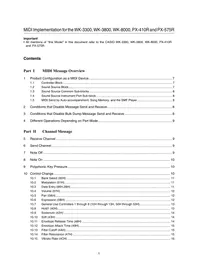
- All mentions of "this Model" in this document refer to the CASIO WK-3300, WK-3800, WK-8000, PX-410R and PX-575R.
Contents
Part I MIDI Message Overview
1 Product Configuration as a MIDI Device 7
1.1 Controller Block 7 1.2 Sound Source Block 7 1.3 Sound Source Common Sub-blocks 8 1.4 Sound Source Instrument Part Sub-block 8 1.5 MIDI Send by Auto-accompaniment, Song Memory, and the SMF Player 8
2 Conditions that Disable Message Send and Receive 8 3 Conditions that Disable Bulk Dump Message Send and Receive 8 4 Different Operations Depending on Part Mode 9
Part II Channel Message
5 Receive Channel 9 6 Send Channel 9 7 Note Off 9 8 Note On 10 9 Polyphonic Key Pressure 10
10 Control Change 10
10.1 Bank Select (00H) 11 10.2 Modulation (01H) 11 10.3 Data Entry (06H,26H) 11 10.4 Volume (07H) 12 10.5 Pan (0AH) 12 10.6 Expression (0BH) 12 10.7 General Use Controllers 1 through 8 (10H through 13H, 50H through 53H) 13 10.8 Hold1 (40H) 13 10.9 Sostenuto (42H) 14 10.10 Soft (43H) 14 10.11 Envelope Release Time (48H) 14 10.12 Envelope Attack Time (49H) 15 10.13 Filter Cutoff (4AH) 15 10.14 Filter Resonance (47H) 15 10.15 Vibrato Rate (4CH) 16
10.16 Vibrato Depth (4DH) 16 10.17 Vibrato Delay (4EH) 16 10.18 Reverb Send (5BH) 17 10.19 Chorus Send (5DH) 17 10.20 NRPN (62H,63H) 17
10.20.1 Filter Cutoff 17 10.20.2 Filter Resonance 18 10.20.3 Drawbar Position 18 10.20.4 Drawbar Organ Click 19 10.20.5 Drawbar Organ 2nd Percussion 19 10.20.6 Drawbar Organ 3rd Percussion 19 10.20.7 Percussion Decay Time 20
10.21 RPN (64H,65H) 20
10.21.1 Pitch Bend Sensitivity 20 10.21.2 Fine Tune 21 10.21.3 Coarse Tune 21 10.21.4 Modulation Depth 21 10.21.5 Null 22
10.22 All Sound Off (78H) 22 10.23 Reset All Controllers (79H) 22
11 Mode Message 23
11.1 All Notes Off (7BH) 23 11.2 Omni Off (7CH) 23 11.3 Omni On (7DH) 23 11.4 Mono (7EH) 23 11.5 Poly (7FH) 23
12 Program Change 24 12.1 About the Part Mode 24 13 Channel Aftertouch 24 14 Pitch Bend 25
Part III System Message
15 Active Sensing 25 16 System Exclusive Message 26
16.1 Universal Realtime System Exclusive Message 26
16.1.1 Master Volume 26 16.1.2 Master Balance 26 16.1.3 Master Fine Tuning 27 16.1.4 Master Coarse Tuning 27 16.1.5 Reverb Parameter 27 16.1.6 Chorus Parameter 28 16.1.7 GM System Message 30 16.1.8 GS Message 30
16.2 This Model's System Exclusive Message 30
Part IV This Model's System Exclusive Messages
17 Format 31
17.1 Message Classifications 31 17.2 Message Structures 32
17.2.1 1...SYSEX: System Exclusive message Status 32 17.2.2 2...MAN: Manufacturer's ID 32 17.2.3 3...MOD: Model ID 32 17.2.4 4...dev: MIDI Device ID 00H through 1FH, 7FH 32 17.2.5 5...act: Action 33 17.2.6 6...cat: Category 33 17.2.7 7...prm: Parameter ID 34 17.2.8 8...ilen/dlen: index length / data length 35 17.2.9 9...ps: Parameter Set Number 35 17.2.10 10...index: Parameter Index Number 36 17.2.11 11...data: Parameter Data 37 17.2.12 12...sum: Check Sum 38 17.2.13 14...EOX: End of System Exclusive Message 38
18 Parameter Operations 39
19 Parameter Set Transfer Protocols 39
19.1 Communication Protocols 39
19.1.1 One-way and Handshake 39 19.1.2 Session and Subsession 40
19.2 One-way Protocol Communication Flow 40 19.3 Handshake Protocol Communication Flow 41
Part V Parameter Lists
20 Command Parameters 44
20.1 System Parameter List 44 20.2 Data Management Command Parameter List 45 20.3 Command Parameter List 47
21 Patch Parameter 48
21.1 Patch Common Parameter List 48 21.2 Patch Part Parameter List 53
22 Wave Data Parameters 56 22.1 Wave Data Information 56
23 Song Data Parameter 57
23.1 Song Data Information 57
24 Rhythm Data Parameters 58
24.1 Rhythm Data Information 58
25 SMF Data Parameters 59
25.1 SMF Data Information 59
Part VI Parameter Set List
26 User Tone Parameter Set 60 27 User Timbre Parameter Set 60 28 User Drum Parameter Set 61 29 User Voice Parameter Set 61 30 User Instrument Parameter Set 62 31 User Wave Parameter Set 62 32 User Wave Data 63 33 User DSP Parameter Set 63 34 Song Data 64 35 User Rhythm Pattern 64 36 Registration Data 65 37 User Drawbar Parameter Set 66 38 SMF Parameter Set 66 39 Flash Memory Image Parameter Set 67 40 About Parameter Set (PS) numbers 68
40.1 WK-3300/WK-3800/WK-8000 68
40.2 PX-410R/PX-575R 68
Part VII DSP Parameter List
41 DSP Algorithm List (Single Effect) 69
41.1 Algorithm 00 (OOH) : Auto Pan 69 41.2 Algorithm 01 (01H) : Tremolo 69 41.3 Algorithm 02 (02H) : 2BandEQ 69 41.4 Algorithm 03 (03H) : 3BandEQ 69 41.5 Algorithm 04 (04H): LFO Wah 69 41.6 Algorithm 05 (05H) : Auto Wah 69 41.7 Algorithm 06 (06H) : Compressor 70 41.8 Algorithm 07 (07H) : Limiter 70 41.9 Algorithm 08 (08H) : Distortion 70 41.10 Algorithm 09 (09H) : Stereo Phaser 70 41.11 Algorithm 10 (0AH) : Phaser 70 41.12 Algorithm 11 (0BH) : Rotary 70 41.13 Algorithm 12 (0CH) : Overdrive Rotary 70 41.14 Algorithm 13 (0DH) : Enhancer 70 41.15 Algorithm 14 (0EH) : Ring Modulator 71 41.16 Algorithm 15 (0FH): LoFi 71 41.17 Algorithm 16 (10H) : 1-Phase Chorus 71
41.18 Algorithm 17 (11H) : Sin 2-Phase Chorus 71 41.19 Algorithm 18 (12H) : 3-Phase Chorus 71 41.20 Algorithm 19 (13H) : Tri 2-Phase Chorus 71 41.21 Algorithm 20 (14H) : Stereo Delay 1 71 41.22 Algorithm 21 (15H) : Stereo Delay 2 71 41.23 Algorithm 22 (16H) : 3-Tap Delay 72 41.24 Algorithm 23 (17H) : Gate Reverb 72 41.25 Algorithm 24 (18H) : Reverse Gate Reverb 72 41.26 Algorithm 25 (19H) : Reflection 72 41.27 Algorithm 26 (1AH) : Flanger 72 41.28 Algorithm 27 (1BH) : Reverb 72 41.29 Algorithm 28 (1CH) : 2-Tap Delay 72 41.30 Algorithm 29 (1DH) : Acoustic Resonance (PX-410R/PX-575R) 72
42 DSP Algorithm List (Multi Effect) 73
42.1 Algorithm M00 (20H): Multi00 73 42.2 Algorithm M01 (21H): Multi01 73 42.3 Algorithm M02 (22H): Multi02 73 42.4 Algorithm M03 (23H): Multi03 73 42.5 Algorithm M04 (24H): Multi04 74 42.6 Algorithm M05 (25H): Multi05 74 42.7 Algorithm M06 (26H): Multi06 74 42.8 Algorithm M07 (27H): Multi07 74 42.9 Algorithm M08 (28H): Multi08 74 42.10 Algorithm M09 (29H): Multi09 74 42.11 Algorithm M10 (2AH): Multi10 74 42.12 Algorithm M11 (2BH): Multi11 75 42.13 Algorithm M12 (2CH): Multi12 75 42.14 Algorithm M13 (2DH): Multi13 75 42.15 Algorithm M14 (2EH): Multi14 75 42.16 Algorithm M15 (2FH): Multi15 75 42.17 Algorithm M16 (30H): Multi16 76 42.18 Algorithm M17 (31H): Multi17 76 42.19 Algorithm M18 (32H): Multi18 76 42.20 Algorithm M19 (33H): Multi19 76 42.21 Algorithm M20 (34H): Multi20 76 42.22 Algorithm M21 (35H): Multi21 77 42.23 Algorithm M22 (36H): Multi22 77 42.24 Algorithm M23 (37H): Multi23 77 42.25 Algorithm M24 (38H): Multi24 77 42.26 Algorithm M25 (39H): Multi25 77 42.27 Algorithm M26 (3AH): Multi26 78 42.28 Algorithm M27 (3BH): Multi27 78 42.29 Algorithm M28 (3CH): Multi28 78 42.30 Algorithm M29 (3DH): Multi29 78 42.31 Algorithm M30 (3EH): Multi30 78 42.32 Algorithm M31 (3FH): Multi31 79
Part VIII Setting Values and Send/Receive Values
43 Setting Value Table 80
43.1 Off/On Setting Value Table 80 43.2 Slow/Fast Setting Value Table 80 43.3 Rotate/Break Setting Value Table 80 43.4 -24 to 0 to 24 Setting Value Table 80 43.5 -64 to 0 to 63 Setting Value Table 80 43.6 Pan Setting Value Table 80 43.7 -99 to 0 to 99 Setting Value Table 80 43.8 Type 0 to Type 7 Setting Value Table 80 43.9 Master EQ Type Setting Value Table 80 43.10 Reverb Type Setting Value Table 81 43.11 Chorus Type Setting Value Table 81 43.12 Equalizer Low Frequency Setting Value Table 81 43.13 Equalizer Mid Frequency Setting Value Table 81 43.14 Equalizer High Frequency Setting Value Table 81 43.15 Equalizer Gain Setting Value Table 82 43.16 DSP Algorithm ID Table 82 43.17 Drawbar Position Setting Value Table 82 43.18 Drawbar Percussion Setting Table 82
Part IX MIDI Implementation Notation
43.19 Hexadecimal Notation 83 43.20 Binary Notation 83
Part I
MIDI Message Overview
1 Product Configuration as a MIDI Device
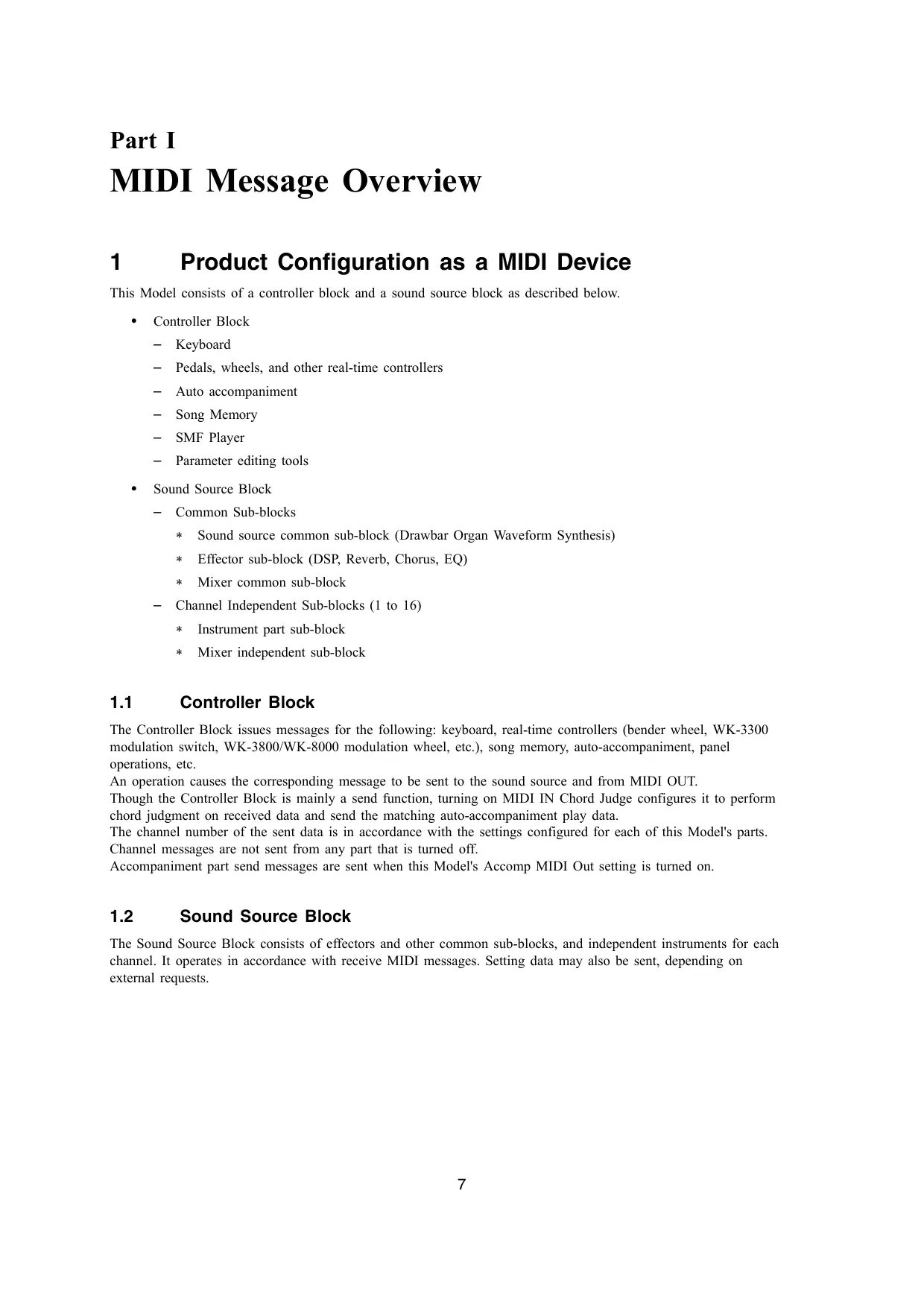
This Model consists of a controller block and a sound source block as described below.
Controller Block
Keyboard - Pedals, wheels, and other real-time controllers - Auto accompaniment Song Memory SMF Player Parameter editing tools
Sound Source Block
Common Sub-blocks
- Sound source common sub-block (Drawbar Organ Waveform Synthesis)
- Effector sub-block (DSP, Reverb, Chorus, EQ)
- Mixer common sub-block
- Channel Independent Sub-blocks (1 to 16)
- Instrument part sub-block
- Mixer independent sub-block
1.1 Controller Block
The Controller Block issues messages for the following: keyboard, real-time controllers (bender wheel, WK-3300 modulation switch, WK-3800/WK-8000 modulation wheel, etc.), song memory, auto-accompaniment, panel operations, etc.
An operation causes the corresponding message to be sent to the sound source and from MIDI OUT.
Though the Controller Block is mainly a send function, turning on MIDI IN Chord Judge configures it to perform chord judgment on received data and send the matching auto-accompaniment play data.
The channel number of the sent data is in accordance with the settings configured for each of this Model's parts.
Channel messages are not sent from any part that is turned off.
Accompaniment part send messages are sent when this Model's Accomp MIDI Out setting is turned on.
1.2 Sound Source Block
The Sound Source Block consists of effectors and other common sub-blocks, and independent instruments for each channel. It operates in accordance with received MIDI messages. Setting data may also be sent, depending on external requests.
1.3 Sound Source Common Sub-blocks
The Sound Source Common Sub-blocks include sound source settings that are not dependent on sound source parts; namely effectors, a mixer, and a drawbar organ waveform synthesizer.
Basically, common sub-block parameters can be controlled using System Exclusive messages, but a number of parameters can be controlled using Channel messages.
DSP Sub-block: The effector DSP sub-block can be used to change DSP settings in accordance with the Channel messages associated with the channel number specified by the MIDI Global Channel (see "MIDI Channel Number" in section 10.7).
Drawbar Organ Waveform Synthesis Sub-block: The drawbar organ waveform synthesis sub-block can be used to change settings in accordance with the Channel messages associated with one of the channel numbers when drawbar organ is selected.
1.4 Sound Source Instrument Part Sub-block
The parts of the sound source can be operated and their settings can be changed with System Exclusive messages and Channel messages. The following table shows the fixed relationships between the part numbers and Channel numbers of Channel messages.
| Part | 1 | 2 | 3 | 4 | 5 | 6 | 7 | 8 | 9 | 10 | 11 | 12 | 13 | 14 | 15 | 16 |
| Channel | 1 | 2 | 3 | 4 | 5 | 6 | 7 | 8 | 9 | 10 | 11 | 12 | 13 | 14 | 15 | 16 |
1.5 MIDI Send by Auto-accompaniment, Song Memory, and the SMF Player
This document provides information about which operations are sent by each message. Note however, that when an auto-accompaniment, Song Memory, or SMF Player operation is performed, MIDI messages may be sent as part of playback data. Such data is not covered here.
Also note that auto-accompaniment and Song Memory play data is sent only when the Transpose/Function menu's Accomp/Song MIDI Out item is turned on.
SMF player play data is sent only when SMF player settings are configured with MIDI as the output destination.
2 Conditions that Disable Message Send and Receive
All MIDI message send and receive is temporarily disabled while any one of the following processes is in progress.
- System Initialization
- FD formatting (WK-3800 only)
- SD memory card formatting
3 Conditions that Disable Bulk Dump Message Send and Receive
Bulk dump message send and receive is disabled while any one of the following processes is in progress. See "19 Parameter Set Transfer Protocols" for information about bulk dump.
- SMF data playback from an SD card or floppy diskette; parameter data loading from an SD card or floppy diskette; parameter data writing to an SD card or floppy diskette.
4 Different Operations Depending on Part Mode
Each Part Mode (see 12.1 "About the Part Mode"), which is the sound source operational mode, has different messages for performing operations upon receipt. Each message is explained in the applicable message sections of this document.
Part II
Channel Message
5 Receive Channel
The channel number of Channel messages received by each part is in accordance with each part's receive channel setting, which is configured on this Model. Turning off the setting disabled Channel message receipt for that part.
The MIDI Channel of messages that can change DSP settings is determined by the Global Channel, which is described under "10.7 MIDI Channel Number".
6 Send Channel
Basically, the MIDI Channel of the Channel message that is sent when play data or parameter setting is changed is the value that corresponds to the part that is playing or the parameter that was changed. When the performance part or part for which the parameter setting is changed is Part 1, however, the value depends on the Transpose/Function Keyboard Channel value.
The MIDI Channel of the message that is sent when the DSP setting is changed depends on the Global Channel, which is described under "10.7 MIDI Channel Number".
7 Note Off
Format
| Message Format: | 9nH kkH 00H 8nH kkH **H (Receive only) |
| n: | MIDI Channel Number |
| kk: | Key Number |
| **: | Ignored |
Send
Sent when something is played on the keyboard.
Receive
Received over MIDI Channels that correspond to each part. Any part whose mixer channel is turned off is not received.
The velocity value is ignored.
8 Note On
Format
| Message Format: | 9nH kkH vvH |
| n: | MIDI Channel Number |
| kk: | Key Number |
| vv: | Velocity |
Send
Sent when something is played on the keyboard.
Receive
Received over MIDI Channels that correspond to each part. Any part whose mixer channel is turned off is not received.
9 Polyphonic Key Pressure
Format
| Message Format: | AnH kkH vvH |
| n: | MIDI Channel Number |
| kk: | Key Number |
| vv: | Pressure Value |
Send Operation
This message is not sent.
Receive Operation
This message is not received.
10 Control Change
Format
| Message Format: | BnH ccH vvH |
| n: | MIDI Channel Number |
| cc: | Control Number |
| vv: | Value |
Send
Sent when this Model's modulation button (WK-3300 only), modulation wheel (WK-3800/WK-8000 only), or pedal is operated, and when a parameter is changed with a control panel operation.
Receive
Receipt changes this Model's performance control status or the corresponding parameter.
Drawbar Organ Operation
Independent drawbar organ settings cannot be configured for each part, but multiple parts can use the same drawbar organ settings. At this time, the drawbar organ related Control Change Message (NRPN) is recognized by the MIDI Channels of all parts that are using the drawbar organ tone.
When Drawbar Organ is selected by Part 1 and Part 2, for example, the same parameters are applied to MIDI Channels 1 and 2.
10.1 Bank Select (00H)
Format
| Message Format: | BnH 00H vvH (MSB) |
| BnH 20H **H (LSB) | |
| n: | MIDI Channel Number |
| vv: | Value |
| **: | Ignored |
Send
Sent when a tone is selected. See the separate Appendix that accompanies this Model for details.
Receive
Receipt causes a change in the tone bank number stored in this Model's memory, but the tone is not actually changed until Program Change is received. For details, see "12 Program Change" in this document, and the separate Appendix A that accompanies this Model.
10.2 Modulation (01H)
Format
| Message Format: | BnH 01H vvH |
| n: | MIDI Channel Number |
| vv: | Value |
Send (WK-3300/WK-3800/WK-8000)
Sent when WK-3300 modulation button or WK-3800/WK-8000 modulation wheel, which is assigned to the vibrato function, is operated. A fixed value of 85 is always sent when the WK-3300 modulation button is operated.
Receive
Receipt adds vibrato of a depth specified by the value to the tone being sounded. In the case of a tone that already has vibrato applied, receipt of this message increases the vibrato depth.
10.3 Data Entry (06H,26H)
Format
| Message Format: | BnH 06H vvH (MSB) |
| BnH 26H vvH (LSB) | |
| n: | MIDI Channel Number |
| vv: | Value |
Send
Sent when there is a change in the parameters assigned to NRPN and RPN.
Receive
Receipt changes the parameters assigned to NRPN and RPN.
10.4 Volume (07H)
Format
| Message Format: | BnH 07H vvH |
| n: | MIDI Channel Number |
| vv: | Value (Note 1) |
Note 1:
The setting value matches the value that is sent and received.
Send
Sent when the volume of Mixer Part 1 through 16 is changed.
Receive
Receipt changes the Mixer Part Volume.
10.5 Pan (0AH)
Format
| Message Format: | BnH 0AH vvH |
| n: | MIDI Channel Number |
| vv: | Value (Note 1) |
Note 1:
For information about the relationship between setting values and send/receive values, see "43.6 Pan Setting Value Table" in "Part VIII Setting Values and Send/Receive Values".
Send
Sent when the pan setting of mixer parts 1 through 16 is changed.
Receive
Receipt changes the Mixer part pan setting.
10.6 Expression (OBH)
Format
| Message Format: | BnH 0BH vvH |
| n: | MIDI Channel Number |
| vv: | Value (Note 1) |
Note 1:
The setting value matches the value that is sent and received.
Send
Sent when there is a change in the Expression value by an accompaniment function.
Receive
Receipt changes the Expression value.
10.7 General Use Controllers 1 through 8 (10H through 13H, 50H through 53H)
Format
| Message Format: | BnH 10H vvH | DSP Parameter 0 |
| BnH 11H vvH | DSP Parameter 1 | |
| BnH 12H vvH | DSP Parameter 2 | |
| BnH 13H vvH | DSP Parameter 3 | |
| BnH 50H vvH | DSP Parameter 4 | |
| BnH 51H vvH | DSP Parameter 5 | |
| BnH 52H vvH | DSP Parameter 6 | |
| BnH 53H vvH | DSP Parameter 7 | |
| n:MIDI Channel Number (Note 1) | ||
| vv:Value (Note 2) |
Note 1: MIDI Channel Number
The MIDI Channel for manipulating DSP parameters with control change messages is called the "Global Channel". The initial factory default Global Channel is Channel 1.
The Global Channel cannot be changed with a control panel operation. You need to use a System Exclusive Message to change the Global Channel. For details about messages, see "Global Channel" under "21.1 Patch Common Parameter List".
Note 2: Value
The range for a value that can be sent by any of the parameters is 0 to 127. Note, however, that the parameter values that can actually be set and the corresponding send value depend on the parameter.
Send
Sent when the WK-3300 modulation button or WK-3800/WK-8000 modulation wheel assigned to a DSP Parameter is operated, and when this Model's DSP edit function is used to change the DSP Parameter value.
Receive
Receipt changes the DSP Parameter value. Any message received that corresponds to a parameter whose number exceeds the number of parameters for the currently selected DSP is ignored.
10.8 Hold1 (40H)
Format
| Message Format: | BnH 40H vvH |
| n: | MIDI Channel Number |
| vv: | Value (Note 1) |
Note 1:
For information about the relationship between setting values and send/receive values, see the "43.1 Off/On Setting Value Table" in "Part VIII Setting Values and Send/Receive Values."
Send
Sent when the assignable jack is configured for sustain and the connected pedal is operated.
Receive
Receipt performs an operation equivalent to a sustain pedal operation.
Piano Tone Operations (PX-410R/PX-575R)
Only in cases when a piano tone is selected (Part Mode set to Piano Mode), the operation that corresponds to the value assigned to Hold1 continually changes the release time. It does not toggle sustain off and on.
Acoustic Resonance Operations (PX-410R/PX-575R)
When the Acoustic Resonance effect is selected, resonance characteristics continually change in accordance with value assigned to Hold1.
For information about the relationship between setting values and send/receive values, see the "43.1 Off/On Setting Value Table" in "Part VIII Setting Values and Send/Receive Values."
Send
Sent when the assignable jack is configured for sostenuto and the connected pedal is operated. With the PX-410R and PX-575R, this message is sent when the dedicated sostenuto pedal is operated.
Receive
Receipt performs an operation equivalent to a sostenuto pedal operation.
10.10 Soft (43H)
Format
| Message Format: | BnH 43H vvH |
| n: | MIDI Channel Number |
| vv: | Value (Note 1) |
Note 1:
For information about the relationship between setting values and send/receive values, see the "43.1 Off/On Setting Value Table" in "Part VIII Setting Values and Send/Receive Values."
Send
Sent when the assignable jack is configured for soft and the connected pedal is operated. With the PX-410R and PX-575R, this message is sent when the dedicated soft pedal is operated.
Receive
Receipt performs an operation equivalent to a soft pedal operation.
10.11 Envelope Release Time (48H)
Format
| Message Format: | BnH 48H vvH |
| n: | MIDI Channel Number |
| vv: | Value (Note 1) |
Note 1:
For information about the relationship between setting values and send/receive values, see "43.5 -64 to 0 to 63 Setting Value Table" in "Part VIII Setting Values and Send/Receive Values".
Send
Sent when Release Time is changed.
Receive
Receipt changes Release Time.
10.12 Envelope Attack Time (49H)
Format
| Message Format: | BnH 49H vvH |
| n: | MIDI Channel Number |
| vv: | Value (Note 1) |
Note 1:
For information about the relationship between setting values and send/receive values, see "43.5 -64 to 0 to 63 Setting Value Table" in "Part VIII Setting Values and Send/Receive Values".
Send
Sent when Attack Time is changed with the synthesizer function.
Receive
Receipt changes Attack Time.
10.13 Filter Cutoff (4AH)
Format
| Message Format: | BnH 4AH vvH |
| n: | MIDI Channel Number |
| vv: | Value (Note 1) |
Note 1:
For information about the relationship between setting values and send/receive values, see "43.5 -64 to 0 to 63 Setting Value Table" in "Part VIII Setting Values and Send/Receive Values".
Send
Sent when Filter Cutoff is changed with the synthesizer function.
Receive
Receipt changes Filter Cutoff.
10.14 Filter Resonance (47H)
Format
| Message Format: | BnH 47H vvH |
| n: | MIDI Channel Number |
| vv: | Value (Note 1) |
Note 1:
For information about the relationship between setting values and send/receive values, see "43.5 -64 to 0 to 63 Setting Value Table" in "Part VIII Setting Values and Send/Receive Values".
Send
Sent when Filter Resonance is changed with the synthesizer function.
Receive
Receipt changes Filter Resonance.
10.15 Vibrato Rate (4CH)
Format
| Message Format: | BnH 4CH vvH |
| n: | MIDI Channel Number |
| vv: | Value (Note 1) |
Note 1:
For information about the relationship between setting values and send/receive values, see "43.5 -64 to 0 to 63 Setting Value Table" in "Part VIII Setting Values and Send/Receive Values".
Send
Sent when Vibrato Rate is changed with the synthesizer function.
Receive
Receipt changes Vibrato Rate of Tone Parameter.
10.16 Vibrato Depth (4DH)
Format
| Message Format: | BnH 4DH vvH |
| n: | MIDI Channel Number |
| vv: | Value (Note 1) |
Note 1:
For information about the relationship between setting values and send/receive values, see "43.5 -64 to 0 to 63 Setting Value Table" in "Part VIII Setting Values and Send/Receive Values".
Send
Sent when Vibrato Depth is changed with the synthesizer function.
Receive
Receipt changes Vibrato Depth of Tone Parameter.
10.17 Vibrato Delay (4EH)
Format
| Message Format: | BnH 4EH vvH |
| n: | MIDI Channel Number |
| vv: | Value (Note 1) |
Note 1:
For information about the relationship between setting values and send/receive values, see "43.5 -64 to 0 to 63 Setting Value Table" in "Part VIII Setting Values and Send/Receive Values".
Send
Sent when Vibrato Delay is changed with the synthesizer function.
Receive
Receipt changes Vibrato Delay of Tone Parameter.
10.18 Reverb Send (5BH)
Format
| Message Format: | BnH 5BH vvH |
| n: | MIDI Channel Number |
| vv: | Value (Note 1) |
Note 1:
The setting value matches the value that is sent and received.
Send
Sent when Reverb Send of Mixer Part 1 through 16 is changed.
Receive
Receipt changes Reverb Send of Mixer Part 1 through 16.
10.19 Chorus Send (5DH)
Format
| Message Format: | BnH 5DH vvH |
| n: | MIDI Channel Number |
| vv: | Value (Note 1) |
Note 1:
The setting value matches the value that is sent and received.
Send
Sent when Chorus Send of Mixer Part 1 through 16 is changed.
Receive
Receipt changes Chorus Send of Mixer Part 1 through 16.
10.20 NRPN (62H,63H)
Format
| Message Format: | BnH 62H vvH (LSB) |
| BnH 63H vvH (MSB) | |
| n: | MIDI Channel Number |
| vv: | Value |
10.20.1 Filter Cutoff
Format
| Message Format: | BnH 62H 20H 63H 01H 06H mmH 26H **H |
| n: | MIDI Channel Number |
| mm: | Value (Note 1) |
| **: | Ignored |
Note 1:
For information about the relationship between setting values and send/receive values, see "43.5 -64 to 0 to 63 Setting Value Table" in "Part VIII Setting Values and Send/Receive Values".
Send
This message is never sent.
Receive
Receipt changes Filter Cutoff of Tone Parameter.
10.20.2 Filter Resonance
Format
| Message Format: | BnH 62H 21H 63H 01H 06H mmH 26H **H |
| n: | MIDI Channel Number |
| mm: | Value (Note 1) |
| **: | Ignored |
Note 1:
For information about the relationship between setting values and send/receive values, see "43.5 -64 to 0 to 63 Setting Value Table" in "Part VIII Setting Values and Send/Receive Values".
Send
This message is never sent.
Receive
Receipt changes the filter resonance of the tone parameter.
10.20.3 Drawbar Position
Format
| Message Format: | BnH 62H ffH 63H 40H 06H mmH 26H **H |
| n: | MIDI Channel Number |
| ff: | Drawbar Foot(Feet) (Note 1) |
| mm: | Value (Note 2) |
| **: | Ignored |
Note 1:
The table below shows the relationship between the Drawbar Foot value and the position of the foot bar.
| ff | Foot Bar |
| 0 | Ft16' |
| 1 | Ft5 1/3' |
| 2 | Ft8' |
| 3 | Ft4' |
| 4 | Ft2 1/3' |
| 5 | Ft2' |
| 6 | Ft1 3/5' |
| 7 | Ft1 1/3' |
| 8 | Ft1' |
Note 2:
For information about the relationship between setting values and send/receive values, see "43.17 Drawbar Position Setting Value Table" in "Part VIII Setting Values and Send/Receive Values".
Send
Sent when the Drawbar Organ Parameter is changed on this model.
Receive
Receipt changes the drawbar position in accordance with the message contents.
10.20.4 Drawbar Organ Click
Format
| Message Format: | BnH 62H 09H 63H 40H 06H mmH 26H **H |
| n: | MIDI Channel Number |
| mm: | Value (Note 1) |
| **: | Ignored |
Note 1:
For information about the relationship between setting values and send/receive values, see the "43.1 Off/On Setting Value Table" in "Part VIII Setting Values and Send/Receive Values."
Send
Sent when Click of Drawbar Organ Parameter is edited.
Receive
Receipt changes Click of Drawbar Organ Parameter.
10.20.5 Drawbar Organ 2nd Percussion
Format
| Message Format: | BnH 62H 0AH 63H 40H 06H mmH 26H **H |
| n: | MIDI Channel Number |
| mm: | Value (Note 1) |
| **: | Ignored |
Note 1:
For information about the relationship between setting values and send/receive values, see the "43.1 Off/On Setting Value Table" in "Part VIII Setting Values and Send/Receive Values."
Send
Sent when 2nd Percussion of Drawbar Organ Parameter is changed on this Model.
Receive
Receipt changes 2nd Percussion of Drawbar Organ Parameter.
10.20.6 Drawbar Organ 3rd Percussion
Format
| Message Format: | BnH 62H 0BH 63H 40H 06H mmH 26H **H |
| n: | MIDI Channel Number |
| mm: | Value (Note 1) |
| **: | Ignored |
Note 1:
For information about the relationship between setting values and send/receive values, see the "43.1 Off/On Setting Value Table" in "Part VIII Setting Values and Send/Receive Values."
Send
Sent when 3rd Percussion of Drawbar Parameter is changed on this Model.
Receive
Receipt changes 3rd Percussion the Drawbar Organ Parameter.
10.20.7 Percussion Decay Time
Format
| Message Format: | BnH 62H 0CH 63H 40H 06H mmH 26H **H |
| n: | MIDI Channel Number |
| mm: | Value (Note 1) |
| **: | Ignored |
Note 1:
The setting value matches the value that is sent and received.
Send
Sent when Percussion Decay Time of Drawbar Parameter is changed on this Model.
Receive
Receipt changes Decay Time of Drawbar Parameter.
10.21 RPN (64H,65H)
Format
| Message Format: | BnH 64H vvH (LSB) |
| BnH 65H vvH (MSB) | |
| n: | MIDI Channel Number |
| vv: | Value |
10.21.1 Pitch Bend Sensitivity
Format
| Message Format: | BnH 64H 00H 65H 00H 06H mmH 26H **H |
| n: | MIDI Channel Number |
| mm: | Value 0-24 (Note 1) |
| **: | Ignored |
Note 1:
The setting value matches the value that is sent and received.
Send
Same value sent over channels 1 through 5 when the Bend Range parameter of Transpose/Function is changed.
Receive
Receipt changes Pitch Bend Sensitivity.
10.21.2 Fine Tune
Format
| Message Format: | BnH 64H 01H 65H 00H 06H mmH 26H l1H |
| n: | MIDI Channel Number |
| mm: | Value MSB (Note 1) |
| l1: | Value LSB (Note 1) |
Note 1:
For information about the relationship between setting values and send/receive values, see "43.7 -99 to 0 to 99 Setting Value Table" in "Part VIII Setting Values and Send/Receive Values".
Send
Sent when Fine Tune of Mixer Part 1 through 16 is by operation of this Model.
Receive
Receipt changes Fine Tune of Mixer Part 1 through 16.
10.21.3 Coarse Tune
Format
| Message Format: | BnH 64H 02H 65H 00H 06H mmH 26H 00H |
| n: | MIDI Channel Number |
| mm: | Value (Note 1) |
Note 1:
For information about the relationship between setting values and send/receive values, see "43.4 -24 to 0 to 24 Setting Value Table" in "Part VIII Setting Values and Send/Receive Values".
Send
Sent when Coarse Tune of Mixer Part 1 through 16 is changed by operation of this Model.
Receive
Receipt changes Coarse Tune of Mixer Part 1 through 16.
10.21.4 Modulation Depth
Format
| Message Format: | BnH 64H 05H 65H 00H 06H mmH 26H 00H |
| n: | MIDI Channel Number |
| mm: | Value (Note 1) |
Note 1:
The setting value matches the value that is sent and received.
Send
This message is never sent.
Receive
Receipt changes Vibrato depth.
10.21.5 Null
Format
| Message Format: | BnH 64H 7FH 65H 7F |
| n: | MIDICHannelNumber |
Send
This message is never sent.
Receive
Receipt deselects RPN.
10.22 All Sound Off (78H)
Format
| Message Format: | BnH 78H 00H |
| n: | MIDICHannelNumber |
Send
This message is never sent.
Receive
Receipt stops all voices that are sounding.
10.23 Reset All Controllers (79H)
Format
| Message Format: | BnH 79H 00H |
| n: | MIDIChannelNumber |
Send
Sent when the song function is used.
Receive
Receipt initializes controller values as shown below.
| Message | Number | Controller | Value |
| Control Change | 01H | Modulation | 00H |
| 02H | Breath Controller | 00H | |
| 04H | Foot Controller | 00H | |
| 0BH | Expression | 7FH | |
| 40H | Hold1 | 00H | |
| 42H | Sostenuto | 00H | |
| 43H | Soft | 00H | |
| 65H/64H | RPN MSB/LSB | 7FH/7FH | |
| 63H/62H | NRPN MSB/LSB | 7FH/7FH | |
| Channel Pressure | 00H | ||
| Pitch Bend Change | 40H/00H |
11 Mode Message
11.1 All Notes Off (7BH)
Format
| Message Format: | BnH 7BH 00H |
| n: | MIDICHannelNumber |
11.2 Omni Off (7CH)
Format
| Message Format: | BnH 7CH 00H |
| n: | MIDIChannelNumber |
11.3 Omni On (7DH)
Format
| Message Format: | BnH 7DH 00H |
| n: | MIDICHannelNumber |
11.4 Mono (7EH)
Format
| Message Format: | BnH 7EH 00H |
| n: | MIDIChannelNumber |
11.5 Poly (7FH)
Format
| Message Format: | BnH 7FH 00H |
| n: | MIDIChannelNumber |
Send
These messages are never sent.
Receive
Receipt of any of these messages releases (same as releasing the keyboard key) the currently sounding voice.
12 Program Change
Format
| Message Format: | CnH ppH |
| n: | MIDIChannelNumber |
| pp: | Program Number |
Send
Sent when a tone is selected. See the separate Appendix that accompanies this Model for details about program numbers.
Receive
Receipt changes the tone of the part corresponding to the MIDI Channel.
The selected tone is determined by the program value of this message and the Bank Select message value received prior to this message. See the separate Appendix that accompanies this Model for information about actually selecting tones, etc.
Also note that receipt of this message may also change the Part Mode parameter at the same time. For more information, see "12.1 About the Part Mode" below.
12.1 About the Part Mode
Each part of this model has a parameter called "Part Mode," which can be set to Normal Mode, Drum Mode, or Drawbar Organ Mode. Melody tones are set to Melody Mode, rhythm tones that use the drum map are set to Drum Mode, and drawbar organ tones are set to Drawbar Organ Mode.
13 Channel Aftertouch
Format
| Message Format: | DnH vvH |
| n: | MIDIChannelNumber |
| vv: | Value |
Send
These messages are never sent.
Receive
Receipt of this message adds vibrato to the voice that is sounding. Details of the effect differ according to the tone setting.
14 Pitch Bend
Format
| Message Format: | EnH 11H mmH |
| n: | MIDICHannelNumber |
| ll: | Value LSB |
| mm: | Value MSB |
Send
Sent when the bender wheel is operated.
Also sent when play data or auto-accompaniment data that includes bender wheel data is played back.
Receive
Receipt changes the pitch of the currently sounding note. The width of the change depends on the setting of the Transpose/Function's Bend Range parameter and the Pitch Bend Sensitivity, whose setting is configured by RPN.
System Message
15 Active Sensing
Format
| Message Format: | FEH |
Send
This message is never sent.
Receive
When this message is received once, the Active Sensing mode is entered. If no MIDI Message is received for a particular amount of time, voices being sounded by this Model's sound source are released, controller is reset, and Active Sensing mode is exited.
16 System Exclusive Message
Format
| Message Format: | FOH...F7H |
This Model can send and receive Universal System Exclusive Messages, as well as System Exclusive Messages that have a format that is unique to this Model.
16.1 Universal Realtime System Exclusive Message
Format
| Message Format: | F0H 7FH...F7H |
16.1.1 Master Volume
Format
| Message Format: | F0H 7FH 7FH 04H 01H llH mmH F7H |
| ll: | Value LSB (Note 1) |
| mm: | Value MSB (Note 1) |
Note 1:
The setting value matches the value that is sent and received.
Send
This message is never sent.
Receive
Receipt changes the Master Volume parameter. Note that the Master Volume parameter cannot be changed with an operation of this Model.
16.1.2 Master Balance
Format
| Message Format: | FOH 7FH 7FH 04H 02H 11H mmH F7H |
| ll: | Value LSB (Note 1) |
| mm: | Value MSB (Note 1) |
Note 1:
For information about the relationship between setting values and send/receive values, see "43.6 Pan Setting Value Table" in "Part VIII Setting Values and Send/Receive Values".
Send
This message is never sent.
Receive
Receipt changes the Master Pan parameter. Note that the Master Pan parameter cannot be changed with an operation of this Model.
16.1.3 Master Fine Tuning
Format
| Message Format: | FOH 7FH 7FH 04H 03H 00H mmH F7H |
| mm: | Value MSB(Note 1) |
Note 1:
For information about the relationship between setting values and send/receive values, see "43.7 -99 to 0 to 99 Setting Value Table" in "Part VIII Setting Values and Send/Receive Values".
Send
Sent when the Fine Tune parameter of Transpose/Function is changed.
Receive
Receipt changes the Fine Tune parameter.
Acoustic Resonance Operations (PX-410R/PX-575R)
When Acoustic Resonance used by piano tones is selected, the Fine Tune of the piano string for which resonance is simulated is also changed in accordance with the Master Fine Tune value that is set. Because of this, receipt of this message may cause the resonance interval to change temporarily.
16.1.4 Master Coarse Tuning
Format
| Message Format: | FOH 7FH 7FH 04H 04H l1H mmH F7H |
| ll: | Value LSB (Note 1) |
| mm: | Value MSB (Note 1) |
Note 1:
For information about the relationship between setting values and send/receive values, see "43.4 -24 to 0 to 24 Setting Value Table" in "Part VIII Setting Values and Send/Receive Values".
Send
Sent when the Transpose parameter of Transpose/Function is changed.
Receive
Receipt changes the Transpose parameter.
16.1.5 Reverb Parameter
Format
| Message Format: | FOH 7FH 7FH 04H 05H 01H 01H 01H 01H ppH vvH F7H |
| pp: | Parameter |
| vv: | Value |
Type Format
| Message Format: | FOH 7FH 7FH 04H 05H 01H 01H 01H 01H 00H vvH F7H |
| vv: | Value (Note 1) |
Note 1:
For information about the relationship between setting values and send/receive values, see "43.10 Reverb Type Setting Value Table" in "Part VIII Setting Values and Send/Receive Values."
Send
Sent when the Reverb Type parameter of System Reverb is changed.
Receive
Receipt changes the Reverb Type parameter.
Time Format
| Message Format: | FOH 7FH 7FH 04H 05H 01H 01H 01H 01H 01H vvH F7H |
| vv: | Value (Note 1) |
Note 1:
The setting value matches the value that is sent and received.
Send
Sent when the Reverb Time parameter of System Reverb is changed.
Receive
Receipt changes the Reverb Time parameter.
16.1.6 Chorus Parameter
Format
| Message Format: | FOH 7FH 7FH 04H 05H 01H 01H 01H 01H 02H ppH vvH F7H |
| pp: | Parameter |
| vv: | Value |
Type Format
| Message Format: | FOH 7FH 7FH 04H 05H 01H 01H 01H 02H 00H vvH F7H |
| vv: | Value (Note 1) |
Note 1:
For information about the relationship between setting values and send/receive values, see "43.11 Chorus Type Setting Value Table" in "Part VIII Setting Values and Send/Receive Values."
Send
Sent when the Chorus Type parameter of System Chorus is changed.
Receive
Receipt changes the System Chorus Type parameter.
Rate Format
| Message Format: | FOH 7FH 7FH 04H 05H 01H 01H 01H 02H 01H vvH F7H |
| vv: | Value (Note 1) |
Note 1:
The setting value matches the value that is sent and received.
Send
Sent when the Chorus Rate parameter of System Chorus is changed.
Receive
Receipt changes the Chorus Rate parameter of System Chorus.
Depth Format
| Message Format: | FOH 7FH 7FH 04H 05H 01H 01H 01H 02H 02H vvH F7H |
| vv: | Value (Note 1) |
Note 1:
The setting value matches the value that is sent and received.
Send
Sent when the Chorus Depth parameter of System Chorus is changed.
Receive
Receipt changes the Chorus Depth parameter of System Chorus.
Feedback Format
| Message Format: | FOH 7FH 7FH 04H 05H 01H 01H 01H 02H 03H vvH F7H |
| vv: | Value (Note 1) |
Note 1:
The setting value is the same as the value that is sent.
Send
This message is never sent.
Receive
Receipt changes the Chorus Feedback parameter. The Chorus Feedback parameter cannot be changed with an operation of this Model.
Send To Reverb Format
| Message Format: | FOH 7FH 7FH 04H 05H 01H 01H 01H 02H 04H vvH F7H |
| vv: | Value (Note 1) |
Note 1:
The setting value is the same as the value that is sent.
Send
This message is never sent.
Receive
Receipt changes the Chorus Send To Reverb parameter. The Chorus Send to Reverb parameter cannot be changed with an operation of this Model.
16.1.7 GM System Message
GM System On Format
| Message Format: | F0H 7EH 7FH 09H 01H F7H |
Send
This message is never sent.
Receive
Receipt puts the sound source into a GM sound source mode.
GM System Off Format
| Message Format: | F0H 7EH 7FH 09H 02H F7H |
Send
This message is never sent.
Receive
Receipt returns the sound source to its normal mode.
GM2 System On Format
| Message Format: | F0H 7EH 7FH 09H 03H F7H |
Send
This message is never sent.
Receive
Though this Model does not support GM2, receipt of the GM2 System On message has the same result as receipt of the GM System On message.
16.1.8 GS Message
| Message Format: | FOH 41H 10H 42H 12H 40H 00H 7FH 00H 41H F7H |
Send
This message is never sent.
Receive
Receipt performs the same operation as when the GM System On message is received.
16.2 This Model's System Exclusive Message
Format
| Message Format: | FOH 44H 12H 02H...F7H |
These messages can control most of this Model's parameters, as well as user data send/receive with Flash memory and some commands.
For more information, see "Part IV This Model's System Exclusive Messages".
Part IV
This Model's System Exclusive Messages
17 Format
17.1 Message Classifications
This Model's SysEx operations are classified as Parameter type for send and receive of an individual Parameter, and Parameter Set type for Bulk send and receive of a set of parameters. These SysEx types can be further broken down into parameter categories according to the item being transferred.
| This Model's System Exclusive Messages | |||
| Individual Parameter Transfer | Command | Status and Commands | |
| Patch | Common | MIDI Tune/Mix Sys Chorus Sys Reverb Master EQ DSP | |
| Part | Basic Tune/Mix Tone Drawbar Vibrato | ||
| Wave Data Information | |||
| Song Data Information | |||
| Rhythm Data Information | |||
| SMF Data Information | |||
| Parameter Set Bulk Transfer | User Tone | ||
| User Timbre | |||
| User Drum | |||
| User Instrument | |||
| User Wave Parameter | |||
| User Wave Data | |||
| User DSP | |||
| Song | |||
| User Rhythm Pattern | |||
| Registration | |||
| User Drawbar | |||
| SMF | |||
The operation classification of a message is determined in accordance with the value of the "Action" field of this Model's SysEx message. The basic format for all operation type messages is described in "17.2 Message Structure", below.
17.2 Message Structures
This Model's System Exclusive Messages is formed of the 13 fields shown below. Whether or not a particular field is included in a message and the length of each field depends on the message.
The minimum unit for the length of each field is bytes. If two values are contained within the same byte, they are separated by a slash (/).
| 1 | 2 | 3 | 4 | 5 | 6 | 7 | 8 | 9 | 10 | 11 | 12 | 13 |
| SYSEX | MAN | MOD | dev | act | cat | prm | ilen/dlen | ps | index | data | sum | EOX |
The "act" field describes the action that the message performs. The meanings of the "index" and "data" fields differ according to the content of the act field. The following describes each of the fields in detail.
17.2.1 1...SYSEX:SystemExclusiveMessageStatus
| Format: | 11110000B |
System Exclusive message Status = F0H
17.2.2 2...MAN : Manufacturer's ID
| Format: | 01000100B |
CASIO Manufacturer's ID = 44H
17.2.3 3...MOD : Model ID
| Format: | 00010001B (MSB) | 00000010B (LSB) |
Model ID MSB = 11H, LSB = 02H
The Model ID of the series to which the Instrument belongs is shown by two consecutive bytes (MSB, LSB). In order to provide compatibility for SMF data, the same Model ID is used for the following models.
CTK-691, WK-3000, WK-3100, WK-3500, CTK-900, WK-3200, WK-3700, WK-3300, WK-3800, WK-8000, PX-410R, PX-575R
Almost all of the parameters of these models are interchangeable. In order to distinguish between these models, it is necessary to reference the "Model Version ID" parameter, which is described under "20 Command Parameter", in the sub-section "20.1 System Parameter List".
17.2.4 4...dev : MIDI Device ID 00H through 1FH, 7FH
| Format: | 0dddddd |
The contents of this field in a received message are compared with the Model's MIDI Device ID, and receipt of the incoming message is allowed only when the two IDs match. The default value for this field is 10H. When a message containing 7FH is received, receipt of the message is always allowed, regardless of MIDI Device ID setting.
MIDI Device ID is a Patch Parameter, and it can be changed with a System Exclusive Message. When changing this setting, make the System Exclusive Message device ID 7FH.
17.2.5 5...act : Action
Format: 00000aaaB
aaaB = Action (3bit)
This field indicates the operation of the System Exclusive Message.
| aaaB | Message Type |
| 00H | IPC Individual Parameter Change |
| 01H | IPR Individual Parameter Request |
| 02H | BDR Oneway Parameter Set Bulk Send |
| 03H | BDR Oneway Parameter Set Bulk Request |
| 04H | HDS Handshake Parameter Set Bulk Send |
| 05H | HDR Handshake Parameter Set Bulk Request |
| 06H | Reserved |
| 07H | Communication Control for Handshake (EOD, HDA, HDJ, HDE, BSY, EOS, NOP) |
17.2.6 6...cat : Category
Format: 0000ccccB
0ccccccCB = Category (7bit)
The category indicates the type of data handled by the System Exclusive Message. The ID number (ID) of the Category is indicated on the left, while the communication operation (Action) is indicated on the right.
| Category | Action(act) | |||||||
| ID(c) | Parameter Set | IPC | IPR | BDS | BDR | HDS | HDR | Control |
| 00H | Command | A | R | - | - | - | - | - |
| 01H | Patch | A | R | - | - | - | - | - |
| 02H | Tone | A | R | - | - | A | R | A |
| 03H | Timbre | - | - | - | - | A | R | A |
| 04H | Drum | - | - | - | - | A | R | A |
| 05H | Voice | - | - | - | - | A | R | A |
| 06H | Instrument | - | - | - | - | A | R | A |
| 07H | Wave Parameter | - | - | - | - | A | R | A |
| 08H | Wave Data | T | - | - | - | A | R | A |
| 09H | DSP | A | R | - | - | A | R | A |
| 0AH | Song Data | A | - | - | - | A | R | A |
| OBH | Rhythm Pattern | T | - | - | - | A | R | A |
| OCH | Registration | - | - | - | - | A | R | A |
| ODH | Drawbar | -(Note 1) | - | - | A | A | A | |
| OEH | Reserved | - | - | - | - | - | - | - |
| OFH | Reserved | - | - | - | - | - | - | - |
| 10H | SMF | T | - | - | - | A | R | A |
| 11H | Flash Memory Image | - | - | - | - | A | R | A |
| 12H | Reserved | - | - | - | - | - | - | - |
A...Available (Includes cases where parameters are only partially available.) R...Receive Only T...Transmit Only -...Not Available Note 1...The drawbar parameter involved with the current sound production operation is provided inside Patch Parameter. To manipulate this parameter individually, manipulate Drawbar Parameter within Patch Parameter.
17.2.7 7...prm : Parameter ID
Format: 0pppppppB
The Parameter ID field indicates the parameter type. When transferring parameters (see "Part V Parameter List" below) individually (as opposed to bulk transfer), this field is used to identify the parameter being transferred by its parameter ID. Any other time, this field is filled with the value 00H.
17.2.8 8...ilen/dlen : index length / data length
| Format: | 0iiddddddB |
This field indicates the size of the "11...index" field and the "12...data" field.
iiB (Binary) = index length
"index length (iiB)" indicates the index field length, which is always the following, regardless of the "act" (Action) value.
iiB.....index byte size - 1
| "act" Value | Message Type | iiB |
| 00, 01 | IPC, IPR | index byte size - 1 (Example: When 4 bytes = 3 |
| 02, 04 | BDS, HDS | 2 = 10B (Packet Number = 3 bytes) |
| 03, 05 | BDR, HDR | 0 = 00B (This field is empty, but its length is indicated as 0.) |
| 07 | Control | 0 = 00B (The length of this filed is 1 byte.) |
ddddB (Binary) = data length
"data length (ddddB)" indicates the size of each data unit (parameter) in the "data" field.
The data length differs according to Message Type, as shown below.
| "act" Value | Message Type | ddddB |
| 00 | IPC | data bit size - 1 (If 1 bit = 00000B; if 32 bits = 11111B) |
| 02, 04 | BDS, HDS | data bit size - 1 = 01111B (Since transfer is in 16-bit data, this data length is always used.) |
| 01, 03, 05, 07 | IPR, BDR, HDRorControl | 0 |
17.2.9 9....ps : Parameter Set Number
| Format: | 0nnnnnnB (LSB) | 0mmmmmmb (MSB) |
This field is a 2-byte (LSB, MSB) value indicating the number of the parameter set (00mmmmmmmnnnnnB (Binary)) being transferred.
17.2.10 10...index Parameter Index Number
When act = 00(IPC) or 01(IPR)
| Format: | 0iiiiiiB | (0jjjjjjB) | (0kkkkkkB) | (0llllllllB) |
This field contains a supplementary number that points to data when parameters are arrayed. This means that each parameter has a different number, and the length of the number is anywhere from one to four bytes.
Even when parameters have the same IDs, for example, the parameters also have preset numbers, part numbers, and key numbers, and so the parameters can be distinguished by specifying these values with an "index".
When act = 02(BDS) or 04(HDS)
| Format: | 0nnnnnnB | 0NNNNNNNB | 0LLLLLLLLB |
In this case, "index" is a 3-byte fixed field. When transferring one parameter set, it indicates the divided packet serial number (starting with 00) and the size of the "data" field that immediately follows this field.
i[0]...0nnnnnnB Packet Number LSB (NNNNNNNnnnnnnnB = Packet Number) i[1]...ONNNNNNNNB Packet Number MSB
As detailed in the "data" field explanation, up to 128 bytes of data can be sent in one packet. When sending data in excess of 128 bytes, it is divided into 128-byte packets (final packet can be less than 128 bytes), and received data is stored at the address equivalent to:
ParameterSet Start Address + PacketNumber × 128
i[2]...0LLLLLLLLB data length / 3
The data length is the data length indicated here, multiplied by 3. This means that the data length is always a multiple of 3.
When act = 03(BDR) or 05(HDR)
| Format: | - |
This field is always empty.
When act = 7 (EOD, HDA, HDJ, HDE, BSY, EOS, NOP)
| Format: | 0000ccccB |
In this case, the "index" field length is fixed at 1 byte, and it indicates the control messages used for handshaking as shown below. See "19 Parameter Set Transfer Protocols" for more information.
ccccB Control Message
0000B EOD Oneway/Handshake Bulk Dump End of Data (Parameter set transfer complete)
0001B HDA Handshake Bulk Dump Acknowledge (Handshake receive successful)
0010B HDJ Handshake Bulk Dump Reject (Handshake rejected/stopped)
0011B HDE Handshake Bulk Dump Error (Handshake Error)
0100B BSY Handshake Bulk Dump Busy (Handshake Busy)
0101B EOS Oneway/Handshake Bulk Dump End of Package (Parameter set package complete)
:
1111B NOP No Operation (No operation)
17.2.11 11...data Parameter Data
When act = 1(IPR), 03(BDR), 05(HDR) or 7 (EOD, HDA, HDJ, HDE, BSY, EOS, NOP)
Format: | -
This field is always empty.
When act = 00(IPC)
| Format: | 0ddddddddB | (0eeeeeeB) | (0FFFFFFB) | (0gggggggB) | (0hhhhhhB) |
Indicates the value of the parameter itself. The length varies in accordance with the data size indicated by the "dlen" field, as shown below. This field is not included for a parameter request.
| ddddB + 1 | Number of Data |
| 1 - 7 | 1 |
| 8 - 14 | 2 |
| 15 - 21 | 3 |
| 22 - 28 | 4 |
| 29 - 32 | 5 |
Each block of data is packed from the lowest order byte first. In the case of multiple-byte data, the least significant bit is the LSB of the first "data" block, and the most significant bit is the MSB of the final "data" block.
The following shows an example of how data would be divided for transfer in the case of 32-bit data.
| 7 | 6 | 5 | 4 | 3 | 2 | 1 | 0 | |
| data0: | 0 | [bit06] | [bit05] | [bit04] | [bit03] | [bit02] | [bit01] | [bit00] |
| data1: | 0 | [bit13] | [bit12] | [bit11] | [bit10] | [bit09] | [bit08] | [bit07] |
| data2: | 0 | [bit20] | [bit19] | [bit18] | [bit17] | [bit16] | [bit15] | [bit14] |
| data3: | 0 | [bit27] | [bit26] | [bit25] | [bit24] | [bit23] | [bit22] | [bit21] |
| data4: | 0 | 0 | 0 | 0 | [bit31] | [bit30] | [bit29] | [bit28] |
| Format: | 0ddddddB | 0ccccccB | 000000abB |
For a bulk data transfer operation, the Parameter Set data to be transferred is read sequentially in 16-bit data starting from the top address. Read values are divided into 3-byte segments as shown below, and then sent in sequence.
The following is the conversion format, which is the same as the individual parameter 16-bit transfer detailed above.
16-bit Memory Image
MSB: abccccccB
LSB: cccccddB
↓
data0: 0ddddddB
data1: 0ccccccB
data2: 00000abB
Note, however, that a parameter set of 128 bytes or less can be sent using a single packet, and anything greater than 128 bytes is divided among multiple packets.
This means that the maximum length "data" field is 128/2 × 3 = 192 bytes.
Only one parameter set can be transferred per session, and data from different parameter sets cannot be mixed within a single packet, even when sending multiple parameter sets. Different parameter sets are always divided into separate packets.
17.2.12 12...sum Check Sum
When act = 00(IPC), 01(IPR), 03(BDR), 05(HDR) or 7(EOD, HDA, HDJ, HDE, BSY, EOS, NOP)
Format: -
This field is always empty.
When act = 02(BDS) or 04(HDS)
Format: 0ssssssB
In this case, the "sum" field contains a value, which, when added to the total value of the "data" field, makes the lower seven bits 0. The receiving side checks if this is true, and performs error handling (re-request, etc.) if it is not.
17.2.13 EOX: End of System Exclusive Message
Format: 11110111B
(End of System Exclusive message Status = F7H)
18 Parameter Operations
There are two parameter operations: Individual Parameter Transfer and Individual Parameter Request.
A single session is concluded when this Model sends an IPC (Individual Parameter Change) in response to an IPR (Individual Parameter Request) from an external device, or when an IPC is sent by an external device or this Model on its own (not in response to an IPR). Receipt of an IPC by this Model causes the corresponding parameter to be changed.
An Individual Parameter Change can also be used to issue some command to this Model, and the Individual Parameter Request can be used to check this Model's status information.

See "Part V Parameter List" for information about what kinds of parameters are actually sent.
19 Parameter Set Transfer Protocols
19.1 Communication Protocols
19.1.1 One-way and Handshake
Parameter Sets can be transferred by bulk dump using the message exchange types described below.
One-way mode Parameter Set send/receive One-way mode Parameter Set send request send/receive - Handshake mode Parameter Set send/receive - Handshake mode Parameter Set send request, receive rejected, error notification send/receive
With the one-way mode, the sending device sends data and ends the session without regard to the response of the receiving device. This mode is best for one-way transfers from a sequencer or similar device. With the handshake mode, the sending device sends the data and then waits for a response from the receiving device before advancing to the next session. This is a high-speed mode in which there is no time wasted waiting.
Important!
Though the one-way mode format is defined, there is no Parameter Set category that corresponds to this Model. This is because the time required to write to flash memory is indefinite, which makes it necessary to maintain a very long interval between packets and makes communication impossible for all practical purposes.
See "VI Parameter Set List" for information about how Parameter Sets are actually allocated. In order to ensure maximum speed for bulk dumping of Parameter Sets, the data format is different from the data format used for Individual Parameter Change. Data is transferred as-is, using the Model's memory image.
19.1.2 Session and Subsession
Subsession
One Parameter Set can be transferred per subsection. Subsection transfers one Parameter Set or data that is broken down into multiple packets for transfer, with EOD (End of data) sent at the end to terminate the send. Data is broken down into multiple packets when a single Parameter Set is larger than a certain size. The Packet Number in the packet's index field is used to indicate the sequential position of a packet relative to the other packets. Even if Parameter Sets are small, they cannot be grouped together and sent as a single packet. A Parameter Set delimiter is always treated as a packet delimiter for transfer.
Session
One Parameter Set or multiple Parameter Sets can be transferred by one session. A session can consist of one subsession or multiple subsessions, with EOS (End of session) sent at the end to terminate the send. Regardless of whether there is a single Parameter Set or multiple Parameter sets, an actual bulk dump always takes the form of a session, never a subsession only.
19.2 One-way Protocol Communication Flow
A session starts with the receiving device sending a request using a BDR, or with the sending device sending BDS data. The session ends after transfer of all the data in the parameter set being transferred by the sending device is complete.
Data is divided into multiple packets of 256 bytes or less each, and transfers them at fixed intervals (20 msec).
A final EOD informs the receiving device when the session is ended.
Data Receiver Data Sender Operation BDR → Send Request (Optional) ← BDS Data Transfer (20 msec or greater interval) ← BDS Data Transfer (20 msec or greater interval) ← BDS Data Transfer (20 msec or greater interval) : EOD Data End Other subsessions EOS End of session
19.3 Handshake Protocol Communication Flow
A session starts with the receiving device sending a request using an HDR or with the sending device sending HDS data.
The sending device does not send the next packet until it receives an ACK from the receiving device. The maximum wait time of at least 2000 msec is reserved. Failure of a response to arrive within the wait time (at least 2000 msec) is treated as a timeout error, and data communication is terminated.
The sending device resends the last data if the receiving device returns an HDE (error) due to checksum mismatch, incompatible data structure, or some other reason. If an error repeats a number of times (undefined), either the sending device or the receiving device sends an HDJ to terminate the session.
A session ends after the sending device sends all the parameter sets, and sends a final EOD in response to an HAD (ACK) from the sending device.
Data Receiver Data Sender Operation
HDR → Send Request (Optional)
← HDS Data Send
HDA → Acknowledge
← HDS Data Send
HDA → Acknowledge
:
:
HDA → Acknowledge
← EOD Data End
:
Other subsessions
:
← EOS End of session
The same packet is resent when a checksum mismatch or incompatible data structure error is detected.
Data Receiver Data Sender Operation
HDR → Send Request (Optional)
← HDS Data Send
HDA → Acknowledge
← HDS Data Send
HDE → Error
← HDS Data Resend
:
:
HDE → Error
← EOD Data End
:
Other subsessions
:
← EOS End of session
Data send is canceled when no acknowledgement (ACK) is received.
| Data Receiver | Data Sender | Operation |
| HDR → | Send Request (Optional) | |
| ← HDS | Data Send | |
| HDA → | Acknowledge | |
| ← HDS | Data Send | |
| HDJ → | Rejection | |
| (Send Canceled) | ||
The session can be canceled for any reason by sending an HDJ. The HDJ can be sent by the sending device or the receiving device. The bulk dump session is terminated immediately upon receipt of an HDJ.
| Data Receiver | Data Sender | Operation | |
| HDR → | Send Request (Optional) | ||
| ← HDS | Data Send | ||
| HDA → | Acknowledge | ||
| ← HDS | Data Send | ||
| : | |||
| : | |||
| HDJ → | Data Receive Rejected | ||
| (Send Canceled) | |||
| Data Receiver | Data Sender | Operation |
| HDR → | Send Request (Optional) | |
| HDA → | Acknowledge | |
| ← HDS | Data Send | |
| HDA → | Acknowledge | |
| ← HDS | Data Send | |
| : | ||
| : | ||
| ← HDJ | Data Send Rejected | |
| (Send Canceled) |
For example, when a communication request is received from an external source while the Instrument's SD card is being accessed, BSY is returned to an external device that sends BDS, BDR, HDS, HDR. When the BSY is received, the receiver must wait until this Model enters a session-enabled mode, or use a Prepare for Data Management parameter (see "20.2 Data Management Command List") to change to a communication-enabled mode.
| Data Receiver | Data Sender | Operation | |
| BDR → | Send Request | ||
| ← BSY | Busy | ||
| (Send Canceled) | |||
| Data Receiver | Data Sender | Operation | |
| BDS → | Data Send | ||
| ← BSY | Busy | ||
| (Send Canceled) | |||
| Data Receiver | Data Sender | Operation | |
| HDR → | Send Request | ||
| ← BSY | Busy | ||
| (Send Canceled) | |||
| Data Receiver | Data Sender | Operation | |
| HDS → | Data Send | ||
| ← BSY | Busy | ||
| (Send Canceled) | |||
The same packet is resent when a checksum mismatch or incompatible data structure error is detected.
Part V
Parameter Lists
These lists show the parameters that can be transferred individually using System Exclusive Messages.
- Note 1: Any parameter that has "r" to the right of its Parameter ID number is a read-only parameter that can be used for obtaining status information only. A parameter with "w" next to its Parameter ID is a write-only parameter, which is used for commands, etc. Note 2: All values in the System Exclusive Format table are hexadecimal. Except for the "Setting Value" column, all values in the Parameter Lists are hexadecimal, unless specifically noted otherwise. Note 3: Receipt of a value outside a specified range causes the value marked "Default" to be used instead.
20 Command Parameters
The parameters defined here mainly execute commands and indicate statuses. Values indicate the pointer to a command or a status.
20.1 System Parameter List
System Exclusive Format
| Field | Value | |
| 01 | SYSEX | F0 |
| 02 | MAN | 44 |
| 03 | MOD | 11,02 |
| 04 | dev | Either 00 to 1F, or 7F |
| 05 | act | 00(IPC), 01(IPR) |
| 06 | cat | Command = 0 |
| 07 | prm | 00-7F |
| 08 | ilen/dlen | 0 / bit size - 1 |
| 09 | ps | LSB,MSB = 00, 00 |
| 10 | index | 00 |
| 11 | data | See the ParameterList |
| 12 | sum | None |
| 13 | EOX | F7 |
System Parameter List
| ParamID | Parameter | ps | index | bit | Value | Default | Setting (Decimal) | Value |
| 00r | Model Version ID (Note 1) | 0000 | 00 | 0E | 05 | 0 | 0000 = reserved | |
| 0001 = CTK-691 | ||||||||
| 0002 = WK-3000/ | ||||||||
| WK-3100 | ||||||||
| 0003 = WK-3500 | ||||||||
| 0004 = reserved | ||||||||
| 0005 = CTK-900 | ||||||||
| 0006 = WK-3200 | ||||||||
| 0007 = WK-3700 | ||||||||
| 0008 = reserved | ||||||||
| 0009 = WK-3300 | ||||||||
| 000A = WK-3800 | ||||||||
| 000B = WK-8000 | ||||||||
| 000C = PX-410R/ | ||||||||
| PX-575R | ||||||||
| 03 | DSP Bypass (Note 2) | 0000 | 00 | 10 | 0-FFFF | 0 | Bit0...Part1 | |
| Bit1...Part2 | ||||||||
| : | ||||||||
| Bit15...Part16 | ||||||||
| 0...Nop | ||||||||
| 1...DSP cancel |
Note 1:
This is the version number of models with the same System Exclusive Model ID = 11-02. This value is used to specify the model for a parameter send request from an external source.
Note 2:
This is a request to look up and cancel the tone status of parts whose bits are set. It does this by canceling the DSP Line selection of the parts whose corresponding bit is 1.
20.2 Data Management Command Parameter List
System Exclusive Format
| Field | Value | |
| 01 | SYSEX | F0 |
| 02 | MAN | 44 |
| 03 | MOD | 11,02 |
| 04 | dev | Either 00 to 1F, or 7F |
| 05 | act | 00(IPC), 01(IPR) |
| 06 | cat | Command = 0 |
| 07 | prm | 00-7F |
| 08 | ilen/dlen | 0 / bit size - 1 |
| 09 | ps | 0 |
| 10 | index | 0 |
| 11 | data | (See the Parameter List) |
| 12 | sum | None |
| 13 | EOX | F7 |
Data Management Command List
| ParamID | Parameter | ps | index | bit | Value | Default | Setting Value (Decimal) |
| 20w | Prepare for Data Management (Note 1) | 0 | 00 | 07 | 0-127 | 0 | 0...Prepare |
| 21r | Free Size of Song (Note 2) | 0 | 00 | 20 | 0-FFFFFF | 0 | Free size (bytes) |
| 22r | Free Size of SMF/ Wave/Rhythm (Note 3) | 0 | 00 | 20 | 0-FFFFFF | 0 | Free size (bytes) |
| 23w | Delete Song | 0 | 0 | 10 | 0-FFFF | 0 | Song Number |
| 24w | Delete Rhythm | 0 | 0 | 10 | 0-FFFF | 0 | Rhythm Number |
| 25w | DeleteTone/Wave | 0 | 0 | 10 | 0-FFFF | 0 | Tone Number |
| 26w | DeleteDrum/Wave | 0 | 0 | 10 | 0-FFFF | 0 | Drum Number |
| 27w | Delete SMF | 0 | 0 | 14 | 0-FFFF | 0 | SMF Number |
| 28w | Store | 0 | 0 | 32 | 0-FFFFFF | - | Part/Category/Number (Note 4) |
| 29w | Initialize | 0 | 00 | 07 | 00-7F | - | 0...Mixer (Note 5)1...Parameters (Note 6)2...System (Note 7) |
| 2Aw | Console Command | 0 | 0 | 10 | 0-FFFF | - | 0000...Update DSP LED |
Note 1:
Receipt of this parameter causes this Model to terminate all music and note play, and enter a mode that is optimized for bulk dump.
Note 2:
This parameter stores a value, in bytes, that indicates the remaining free Song area memory.
Note 3:
This parameter stores a value, in bytes, that indicates the remaining free SMF/Wave/Rhythm area memory.
Note 4:
The 32-bit value of this message indicates the part number (Tone and Drawbar parameter set categories only), parameter set category, and the parameter set being written to, as shown in the table below.
| Bit Field | Content |
| 24-31 | Part (Tone, Drawbar) |
| 16-23 | Parameter Set Category |
| 0-15 | Destination Parameter Set Number |
See "40 About Parameter Set (PS) Numbers" for details about user parameter set numbers.
Note 5:
The initialization target is all parameters that can be modified by the Mixer edit mode.
Note 6:
The initialization target is the temporary area being influenced by operation of the current device, but does not include previously stored user parameter sets or song data. This means that all Mixer parameters are included. The LCD contrast setting is not affected.
Note 7:
The initialization target is the entire Flash memory, which is returned to its initial factory default state.
20.3 Command Parameter List
System Exclusive Format
| Field | Value | |
| 01 | SYSEX | F0 |
| 02 | MAN | 44 |
| 03 | MOD | 11,02 |
| 04 | dev | Either 00 to 1F, or 7F |
| 05 | act | 00(IPC), 01(IPR) |
| 06 | cat | Command = 0 |
| 07 | prm | 00-7F |
| 08 | ilen/dlen | 0 / bit size - 1 |
| 09 | ps | LSB,MSB = 00,00 |
| 10 | index | Part |
| 11 | data | See the Parameter List |
| 12 | sum | None |
| 13 | EOX | F7 |
Setup Parameter List
| ParamID | Parameter | ps | index | bit | Value | Default | Setting Value (Decimal) |
| 30 | Touch Response | 0000 | 00 | 02 | 0-3 | 1 | 0...Off 1...Type1 2...Type2 3...Type3 |
| 31 | Transpose | 0000 | 00 | 07 | 28 to 40 to 58 | 40 | -24 to 0 to +24 |
| 32 | Jack Mode | 0000 | 00 | 02 | 0-3 | 0 | 0...Sustain 1...Sostenuto 2...Soft 3...Rhythm |
| 33 | LCD Contrast | 0000 | 00 | 04 | 0-12 | 6 | 0 to 6 to 12 |
| 34 | Mixer Hold | 0000 | 00 | 01 | 0-1 | 0 | 0...Off 1...On |
| 35 | AuotHarmonize | 0000 | 00 | 04 | 0-9 | 0 | 0-9 Type |
MIDI Parameter List
| ParamID | Parameter | ps | index | bit | Value | Default | Setting Value (Decimal) |
| 36 | KeyboardMIDIChannel | 0000 | 00 | 04 | 00-0F | 0 | 1-16Channel |
| 37 | MIDI Chord judge | 0000 | 00 | 01 | 0-1 | 0 | 0...Off 1...On |
| 38 | Accomp MIDI Out | 0000 | 00 | 01 | 0-1 | 0 | 0...Off 1...On |
| 39 | Local Control | 0000 | 00 | 01 | 0-1 | 1 | 0...Off 1...On |
| 3A | Echo (PX-410R/PX-575R) | 0000 | 00 | 01 | 0-1 | 1 | 0...Off 1...On |
| 3B | Half-Damper Depth (PX-410R/PX-575R) | 0000 | 00 | 07 | 00-7F | 72 | 0-127 |
21 Patch Parameter
The patch parameter is a temporary area that controls the sound source operation mode. Mixer settings, synthesizer function, DSP function and other editable parameters are also included in these areas.
The content of this area is rewritten whenever preset data or user data is selected and manipulated. The parameters in this area are written into the user area whenever data is written into any user data area.
21.1 Patch Common Parameter List
This list shows setting parameters that are common for each part.
System Exclusive Format
| Field | Value | |
| 01 | SYSEX | F0 |
| 02 | MAN | 44 |
| 03 | MOD | 11,02 |
| 04 | dev | Either 00 to 1F, or 7F |
| 05 | act | 00(IPC), 01(IPR) |
| 06 | cat | Patch = 01 |
| 07 | prm | 00-7F |
| 08 | ilen/dlen | 0 / bit size - 1 |
| 09 | ps | LSB,MSB = 00, 00 |
| 10 | index | Indicates Bar Number in the case of Drawbar Bar Position. 0 in any other case. |
| 11 | data | See the Parameter List |
| 12 | sum | None |
| 13 | EOX | F7 |
MIDI Parameter List
| ParamID | Parameter | bit | Value | Default | SettingValue (Decimal) |
| 00 | MIDI Device ID (Note 1) | 07 | 00-1F | 10 | 0-31 |
| 01 | MIDI Global Channel | 04 | 00-0F | 00 | 1-16 |
Note 1:
This parameter sets the SysEx Device ID.
Tune / Mix Parameter
| ParamID | Parameter | bit | Value | Default | SettingValue (Decimal) |
| 04 | Master Fine Tune (Note 1) | 08 | 00-FF | 80 | -100 to 0 to 99cent |
| 05 | Master Coarse Tune (Note 2) | 07 | 28-58 | 40 | -24 to 0 to 24semi |
| 08 | Master Volume | 07 | 00-7F | 7F | 0-127 |
| 09 | Master Pan (Note 3) | 07 | 00-7F | 40 | -64 to 0 to +63 |
| 0A | Chorus Send To Reverb (Note 4) | 07 | 00-7F | 00 | 0-127 |
| 0B | DSP Line Bypass (Note 5) | 01 | 0-1 | 0 | 0...Effect |
| 1...DSP Bypass |
Note 1:
See "43.7 -99 to 0 to 99 Setting Value Table".
Note 2:
See "43.4 -24 to 0 to 24 Setting Value Table".
Note 3:
See "43.6 Pan Setting Value Table".
Note 4:
This specifies the volume of data sent from System Chorus to System Reverb.
Note 5:
When "DSP Bypass" is specified for "DSP Line Bypass," the DSP Line Select settings of all parts are cancelled, and all DSP lines are treated as if they are turned off. This means that notes that are currently sounding are not affected.
Drawbar Parameter
| ParamID | Parameter | index | bit | Value | Default | Setting Value (Decimal) |
| OC | Bar Position | Bar Num (Note 1) | 02 | 0-3 | 0 | 0-3 |
| OD | Percussion | 0 | 02 | 00-03 (Note 2) | 00 | off,2nd,3rd,2nd+3rd |
| OE | Percussion Decay Time | 0 | 07 | 00-7F | 28 | 0-12.7sec |
| OF | Click | 0 | 01 | 0-1 | 00 | 0...Off 1...On |
Note 1:
See "10.20.3 Drawbar Position" for information about index numbers.
Note 2:
See "43.18 Drawbar Percussion Setting Table" for information about percussion setting values.
System Chorus
| ParamID | Parameter | bit | Value | Default | SettingValue (Decimal) |
| 10 | Chorus Macro Num (Note 1) | 05 | 00-0F | 02 | 0-15 |
| 11 | Chorus Level | 07 | 00-7F | 40 | 0-127 |
| 12 | Chorus Rate | 07 | 00-7F | 03 | 0-127 |
| 13 | Chorus Depth | 07 | 00-7F | 13 | 0-127 |
| 14 | Chorus Feedback (Note 2) | 07 | 00-7F | 00 | 0-127 |
| 15 | Chorus Tone (Note 3) | 07 | 00-7F | 7F | 0-127 |
Note 1:
Selects the System Chorus preset type. Receipt of GM/GS Reset selects Chorus3. The other System Chorus parameters are changed to preset values in accordance with this type value. See "43.11 Chorus Type Setting Value Table."
Note 2:
Sets the System Chorus feedback volume.
Note 3:
Adjusts the System Chorus timbre.
System Reverb
| ParamID | Parameter | bit | Value | Default | SettingValue (Decimal) |
| 18 | Reverb Macro Num (Note 1) | 05 | 00-0F | 04 | 0-15 |
| 19 | Reverb Level | 07 | 00-7F | 40 | 0-127 |
| 1A | Reverb Time/Del Feedback | 07 | 00-7F | 40 | 0-127 |
| 1B | Reverb ER Level | 07 | 00-7F | 40 | 0-127 |
| 1C | Reverb Hi Damp | 07 | 00-7F | 40 | 0-127 |
| 1D | Reverb Tone | 07 | 00-7F | 7F | 0-127 |
Note 1:
Selects the System Reverb preset type. Receipt of GM/GS Reset selects Hall2. The other System Reverb parameters are changed to preset values in accordance with this type value. See "43.10 Reverb Type Setting Value Table."
Master Equalizer
| ParamID | Parameter | bit | Value | Default | SettingValue (Decimal) |
| 20 | MasterEQMacroNum (Note 1) | 05 | 00-09 | 00 | 0-9 |
| 21 | MasEq Lo Freq (Note 2) | 07 | 00-7F | 40 | 0-2 |
| 22 | MasEq Lo Gain (Note 3) | 07 | 00 to 40 to 7F | 40 | -12 to 0 to +12 |
| 23 | MasEqMid-LoFreq (Note4) | 07 | 00-7F | 40 | 0-7 |
| 24 | MasEqMid-LoGain (Note5) | 07 | 00 to 40 to 7F | 40 | -12 to 0 to +12 |
| 25 | MasEqMid-HiFreq (Note6) | 07 | 00-7F | 40 | 0-7 |
| 26 | MasEqMid-HiGain (Note7) | 07 | 00 to 40 to 7F | 40 | -12 to 0 to +12 |
| 27 | MasEq Hi Freq (Note 8) | 07 | 00-7F | 40 | 0-9 |
| 28 | MasEq Hi Gain (Note 9) | 07 | 00 to 40 to 7F | 40 | -12 to 0 to +12 |
Note 1:
Selects the Master EQ preset type. Receipt of GM/GS Reset selects Standard. The other Master Equalizer parameters are changed to preset values in accordance with this type value. See "43.9 Master EQ Type Setting Value Table".
Note 2:
Selects the Master EQ low-range cutoff frequency. See "43.12 Equalizer Low Frequency Setting Value Table".
Note 3:
Selects the Master EQ low-range gain. See "43.15 Equalizer Gain Setting Value Table".
Note 4:
Selects the Master EQ mid-low frequency. See "43.13 Equalizer Mid Frequency Setting Value Table".
Note 5:
Selects the Master EQ mid-low-range gain. See "43.15 Equalizer Gain Setting Value Table".
Note 6:
Selects the Master EQ mid-high frequency type. See "43.13 Equalizer Mid Frequency Setting Value Table".
Note 7:
Selects the Master EQ mid-high range gain. See "43.15 Equalizer Gain Setting Value Table".
Note 8:
Selects the Master EQ high-range cutoff frequency. See "43.14 Equalizer High Frequency Setting Value Table".
Note 9:
Selects the Master EQ high-range gain. See "43.15 Equalizer Gain Setting Value Table".
DSP Patch Parameter
The values of this parameter do not change when DSP Type and Tone Values are changed.
| ParamID | Parameter | bit | Value | Default | SettingValue (Decimal) |
| 2C | DSP Type Number (Note 1) | 08 | 00-C8 | 0E | 0-99 Preset 100-199 User 200 DSP of Tone |
| 2D | DSP Hold | 01 | 0-1 | 0 | 0...Off 1...On |
| 2E | DSP Level | 07 | 00-7F | 64 | 0-127 |
| 2F | DSP Pan (Note 2) | 07 | 00-7F | 40 | -64 to 0 to +63 |
Note 1:
Selects the DSP Type. Receipt of GM/GS Reset selects 014 Delay. 200 is stored when a tone-associated DSP is read into the DSP area.
Note 2:
See "43.6 Pan Setting Value Table".
DSP Type parameter
The value of this block's parameter is rewritten whenever the DSP type or tone is changed.
| ParamID | Parameter | bit | Value | Default | SettingValue (Decimal) | ||
| 30 | DSP | Name | A (Note 1) | 20 | 0-FFFFFFF | 556e7469 | MSB is leading character. |
| 31 | DSP | Name | B (Note 1) | 20 | 0-FFFFFFF | 746c6564 | MSB is leading character. |
| 32r | DSP Algorithm ID (Note 2) | 07 | 00-3F | 00 | 0-63 | ||
| 33 | DSP | Chorus | Send | 07 | 00-7F | 40 | 0-127 |
| 34 | DSP | Reverb | Send | 07 | 00-7F | 40 | 0-127 |
Note 1:
These parameters change the DSP name. One character is indicated by each byte.
Note 2:
This value is the DSP algorithm ID, which cannot be changed directly. Changing the DSP type or tone number causes the algorithm ID of the original DSP to be copied automatically to this parameter. See "43.16 DSP Algorithm ID Table".
DSP Type Independent Parameters
The first eight parameters listed below are DSP User Parameters whose settings can be configured from this Model's control panel. The next 16 parameters are Internal Parameters that cannot be changed on this Model's control panel. The range of these parameter values is 0 to 127, regardless of the DSP algorithm. However, the number of parameter types depends on the DSP algorithm, which means that not all User Parameters and Internal Parameters are necessarily available as a particular DSP's parameters. See the "Part VII DSP Parameter List" for details about parameter types and contents.
| ParamID | Parameter | bit | Value | Default | SettingValue (Decimal) | ||
| 38 | DSP | User | Parameter0 | 07 | 00-7F | - | 0-127 |
| 39 | DSP | User | Parameter1 | 07 | 00-7F | - | 0-127 |
| 3A | DSP | User | Parameter2 | 07 | 00-7F | - | 0-127 |
| 3B | DSP | User | Parameter3 | 07 | 00-7F | - | 0-127 |
| 3C | DSP | User | Parameter4 | 07 | 00-7F | - | 0-127 |
| 3D | DSP | User | Parameter5 | 07 | 00-7F | - | 0-127 |
| 3E | DSP | User | Parameter6 | 07 | 00-7F | - | 0-127 |
| 3F | DSP | User | Parameter7 | 07 | 00-7F | - | 0-127 |
| 40 | DSP | Internal | Param00 | 07 | 00-7F | - | 0-127 |
| 41 | DSP | Internal | Param01 | 07 | 00-7F | - | 0-127 |
| 42 | DSP | Internal | Param02 | 07 | 00-7F | - | 0-127 |
| 43 | DSP | Internal | Param03 | 07 | 00-7F | - | 0-127 |
| 44 | DSP | Internal | Param04 | 07 | 00-7F | - | 0-127 |
| 45 | DSP | Internal | Param05 | 07 | 00-7F | - | 0-127 |
| 46 | DSP | Internal | Param06 | 07 | 00-7F | - | 0-127 |
| 47 | DSP | Internal | Param07 | 07 | 00-7F | - | 0-127 |
| 48 | DSP | Internal | Param08 | 07 | 00-7F | - | 0-127 |
| 49 | DSP | Internal | Param09 | 07 | 00-7F | - | 0-127 |
| 4A | DSP | Internal | Param10 | 07 | 00-7F | - | 0-127 |
| 4B | DSP | Internal | Param11 | 07 | 00-7F | - | 0-127 |
| 4C | DSP | Internal | Param12 | 07 | 00-7F | - | 0-127 |
| 4D | DSP | Internal | Param13 | 07 | 00-7F | - | 0-127 |
| 4E | DSP | Internal | Param14 | 07 | 00-7F | - | 0-127 |
| 4F | DSP | Internal | Param15 | 07 | 00-7F | - | 0-127 |
21.2 Patch Part Parameter List
This list shows setting parameters that are specific for each part.
System Exclusive Format
| Field | Value | |
| 01 | SYSEX | F0 |
| 02 | MAN | 44 |
| 03 | MOD | 11,02 |
| 04 | dev | Either 00 to 1F, or 7F |
| 05 | act | 00(IPC), 01(IPR) |
| 06 | cat | Patch = 01 |
| 07 | prm | 00-7F |
| 08 | ilen/dlen | 0 / bit size - 1 |
| 09 | ps | LSB,MSB = 00, 00 |
| 10 | index | Part Number - 1 (00-1F) |
| 11 | data | See the Parameter List |
| 12 | sum | None |
| 13 | EOX | F7 |
Basic Parameter List
| ParamID | Parameter | bit | Value | Default | SettingValue (Decimal) | ||
| 50 | Tone | Number | (Note 1) | 0E | 000 | 000-FFF | |
| 51 | Part | Octave | Shift | 03 | 2-6 | 4 | -2 to 0 to +2 Oct |
| 52 | Part | Enable | 01 | 0-1 | 1 | 0...Disable (Off)1...Enable (On) | |
| 53 | Part | Mode | (Note 2) | 04 | 0-4 | 0 | 0...Normal1...Rhythm2...Drawbar |
Note 1:
Number of the tone allocated to this part.
Note 2:
Sets the Normal, Drum and Drawbar Organ modes of the part play operation. For detailed operations, see "12.1 About the Part Mode".
Tune / Mix parameter
| ParamID | Parameter | bit | Value | Default | SettingValue (Decimal) |
| 54 | Pitch Fine Tune | 08 | 00-FF | 80 | -99 to 0 to +99cent |
| 55 | Pitch Coarse Tune | 07 | 28-58 | 40 | -24 to 0 to +24 semi |
| 56 | Volume | 07 | 00-7F | 7F | 0-127 |
| 57 | Accomp Volume | 07 | 00-FF | 7F | 0-127 |
| 58 | Bend Range | 07 | 00-18 | 02 | 0-+24 |
| 59 | Pan | 07 | 00-7F | 40 | -64 to 0 to +63 |
Tone parameter
| ParamID | Parameter | bit | Value | Default | SettingValue (Decimal) | ||
| 60 | Tone | Name | A (Note 1) | 20 | 0-FFFFFFF | 556e7469 | MSB is leading character. |
| 61 | Tone | Name | B (Note 1) | 20 | 0-FFFFFFF | 746c6564 | MSB is leading character. |
| 64 | Line | Select | 01 | 0-1 | 0 | 0...Thru | |
| 1...DSP | |||||||
| 65 | Tone | Octave | Shit | 03 | 2-6 | 4 | -2 to 0 to +2 Oct |
| 66 | Tone | Attack | Time | 07 | 00-7F | 40 | -64 to 0 to +63 |
| 67 | Tone | Release | Time | 07 | 00-7F | 40 | -64 to 0 to +63 |
| 68 | Tone | DCF | Cutoff | 07 | 00-7F | 40 | -64 to 0 to +63 |
| 69 | Tone | DCF | Resonance | 07 | 00-7F | 40 | -64 to 0 to +63 |
| 6A | Chorus | Send | 07 | 00-7F | 00 | 0-127 | |
| 6B | Reverb | Send | 07 | 00-7F | 32 | 0-127 | |
| 6C | Tone | Level | 07 | 00-7F | 7F | 0-127 | |
| 6D | Tone | Touch | Sens | 07 | 00-7F | 7F | -64 to 0 to +63 |
Note 1:
Change the tone name. One character is indicated by each byte.
Assignable Controller Parameter
| ParamID | Parameter | bit | Value | Default | SettingValue (Decimal) |
| 70 | Modulation Assign | 04 | 0-9 | 0 | Function 0...Off 1...Modulation 2...DSP Parameter0 3...DSP Parameter1 4...DSP Parameter2 5...DSP Parameter3 6...DSP Parameter4 7...DSP Parameter5 8...DSP Parameter6 9...DSP Parameter7 |
| 71-73 | Reserved | ||||
| 74 | Modulation Depth (Note 1) | 07 | 00-7F | 127 | 0-127 |
| 75-77 | Reserved |
Note 1:
When Vibrato is selected for Modulation Assign, this parameter specifies the depth of the vibrato effect to be applied relative to the modulation button, modulation wheel, and received Modulation message value. This parameter does not affect the value sent by the Modulation message when the modulation button or modulation wheel is operated.
When Modulation Assign is any setting from DSP Parameter0 to DSP Parameter7, the DSP Parameter0 to DSP Parameter7 value and MIDI send value when the modulation button is operated is in accordance with the setting of this parameter. This setting does not affect modulation wheel operation. When the Modulation message is received, vibrato depth is in accordance with Vibrato Modulation Sens, which is explained below.
Vibrato Parameter
| ParamID | Parameter | bit | Value | Default | Setting Value (Decimal) |
| 7A | Vibrato Type | 04 | 0-3 | 0 | Vibrato Waveform 0....Triangle 1....Saw Up 2....Pulse 3....Sin |
| 7B | Vibrato Delay | 07 | 00-7F | 40 | -64 to 0 to +63 |
| 7C | Vibrato Rate | 07 | 00-7F | 40 | -64 to 0 to +63 |
| 7D | Vibrato Pitch Depth | 07 | 00-7F | 40 | -64 to 0 to +63 |
| 7E | Vibrato Modulation Sens (Note 1) | 07 | 00-7F | 00 | 0-127 |
| 7F | Vibrato Aftertouch Sens (Note 2) | 07 | 00-7F | 00 | 0-127 |
Note 1:
When Modulation Assign is any setting other than Vibrato, Vibrato depth is adjusted when a Modulation message (MIDI Control Change) is received.
Note 2:
This parameter adjusts the depth of the Vibrato effect when MIDI Channel Aftertouch is received.
22 Wave Data Parameters
Wave Data Parameters contain address and size information about expanded waveform data.
22.1 Wave Data Information
System Exclusive Format
| Field | Value | |
| 01 | SYSEX | F0 |
| 02 | MAN | 44 |
| 03 | MOD | 11,02 |
| 04 | dev | Either 00 to 1F, or 7F |
| 05 | act | 00(IPC), 01(IPR) |
| 06 | cat | Wave Data = 08 |
| 07 | prm | 00-7F |
| 08 | ilen/dlen | 0 / bit size - 1 |
| 09 | ps | LSB,MSB = wave number For details, see "40 About Parameter Set (PS) numbers". |
| 10 | index | 0 |
| 11 | data | See the Parameter List |
| 12 | sum | None |
| 13 | EOX | F7 |
Parameter List
| ParamID | Parameter | bit | Value | Default | Setting Value (Hexadecimal) |
| 00 | Data Existence | 01 | 0-1 | 0 | 0...No Data 1...Exists |
| 01 | Data Address Hi | 0F | 0-7FFF | 00 | |
| 02 | Data Address Lo | 10 | 0-FFFF | 0000 | |
| 03 | Data Size | 20 | 0-FFFFFF | 00000000 |
23 Song Data Parameter
Song Data Parameters contain address, size, and name information about song sequencer data.
23.1 Song Data Information
System Exclusive Format
| Field | Value | |
| 01 | SYSEX | F0 |
| 02 | MAN | 44 |
| 03 | MOD | 11,02 |
| 04 | dev | Either 00 to 1F, or 7F |
| 05 | act | 00(IPC), 01(IPR) |
| 06 | cat | Song = 0A |
| 07 | prm | 00-7F |
| 08 | ilen/dlen | 0 / bit size - 1 |
| 09 | ps | LSB,MSB = Song number For details, see "40 About Parameter Set (PS) numbers". |
| 10 | index | 0 |
| 11 | data | See the Parameter List |
| 12 | sum | None |
| 13 | EOX | F7 |
Parameter List
| ParamID | Parameter | bit | Value | Default | Setting Value (Hexadecimal) | |
| 00 | Data | Existence | 01 | 0-1 | 0 | 0...No data 1...Data present |
| 01 | Data | Address Hi | 0F | 00-7FFF | 00 | |
| 02 | Data | Address Lo | 10 | 0-FFFF | 0000 | |
| 03 | Data | Size | 20 | 0-FFFFFF | 00000000 | |
| 04 | Name | A | 20 | 0-FFFFFF | 556e7469 | MSB is leading character. |
| 05 | Name | B | 20 | 0-FFFFFF | 746c6564 | MSB is leading character. |
24 Rhythm Data Parameters
Rhythm Data Parameters contain address, size, and name information about expanded rhythm data.
24.1 Rhythm Data Information
System Exclusive Format
| Field | Value | |
| 01 | SYSEX | F0 |
| 02 | MAN | 44 |
| 03 | MOD | 11,02 |
| 04 | dev | Either 00 to 1F, or 7F |
| 05 | act | 00(IPC), 01(IPR) |
| 06 | cat | Rhythm = 0B |
| 07 | prm | 00-7F |
| 08 | ilen/dlen | 0 / bit size - 1 |
| 09 | ps | LSB,MSB = SMF Data number For details, see "40 About Parameter Set (PS) numbers". |
| 10 | index | 0 |
| 11 | data | See the Parameter List |
| 12 | sum | None |
| 13 | EOX | F7 |
Parameter List
| ParamID | Parameter | bit | Value | Default | Setting Value (Hexadecimal) | |
| 00 | Data | Existence | 01 | 0-1 | 0 | 0...No data 1...Data present |
| 01 | Data | Address Hi | 0F | 00-7FFF | 00 | |
| 02 | Data | Address Lo | 10 | 0-FFFF | 0000 | |
| 03 | Data | Size | 20 | 0-FFFFFF | 00000000 | |
| 04 | Name | A | 20 | 0-FFFFFF | 556e7469 | MSB is leading character. |
| 05 | Name | B | 20 | 0-FFFFFF | 746c6564 | MSB is leading character. |
25 SMF Data Parameters
SMF Data Parameters contain address, size, and name information about SMF data.
25.1 SMF Data Information
System Exclusive Format
| Field | Value | |
| 01 | SYSEX | F0 |
| 02 | MAN | 44 |
| 03 | MOD | 11,02 |
| 04 | dev | Either 00 to 1F, or 7F |
| 05 | act | 00(IPC), 01(IPR) |
| 06 | cat | SMF = 10 |
| 07 | prm | 00-7F |
| 08 | ilen/dlen | 0 / bit size - 1 |
| 09 | ps | LSB,MSB = SMF Data number For details, see "40 About Parameter Set (PS) numbers". |
| 10 | index | 0 |
| 11 | data | See the Parameter List |
| 12 | sum | None |
| 13 | EOX | F7 |
Parameter List
| ParamID | Parameter | bit | Value | Default | Setting Value (Hexadecimal) | |
| 00 | Data | Existence | 01 | 0-1 | 0 | 0... No data 1... Data present |
| 01 | Data | Address Hi | 0F | 00-7FFF | 00 | |
| 02 | Data | Address Lo | 10 | 0-FFFF | 0000 | |
| 03 | Data | Size | 20 | 0-FFFFFF | 00000000 | |
| 04 | Name | A | 20 | 0-FFFFFF | 556e7469 | MSB is leading character. |
| 05 | Name | B | 20 | 0-FFFFFF | 746c6564 | MSB is leading character. |
Part VI
Parameter Set List
This list shows the parameter sets that can be transferred using System Exclusive Message Bulk Dump.
26 User Tone Parameter Set
System Exclusive Format
| Field | Value | |
| 01 | SYSEX | F0 |
| 02 | MAN | 44 |
| 03 | MOD | 11,02 |
| 04 | dev | Either 00 to 1F, or 7F |
| 05 | act | 04(HDS), 05(HDR), 07(Control) |
| 06 | cat | Tone = 02 |
| 07 | prm | 00-7F |
| 08 | ilen/dlen | See "IV This Model's System Exclusive Messages". |
| 09 | ps | Indicates the tone number being transferred. For details, see "40 About Parameter Set (PS) numbers". |
| 10 | index | See "IV This Model's System Exclusive Messages". |
| 11 | data | See "IV This Model's System Exclusive Messages". |
| 12 | sum | See "IV This Model's System Exclusive Messages". |
| 13 | EOX | F7 |
27 User Timbre Parameter Set
This is the parameter set that is associated with and sent with Tone.
System Exclusive Format
| Field | Value | |
| 01 | SYSEX | F0 |
| 02 | MAN | 44 |
| 03 | MOD | 11,02 |
| 04 | dev | Either 00 to 1F, or 7F |
| 05 | act | 04(HDS), 05(HDR), 07(Control) |
| 06 | cat | Timbre = 03 |
| 07 | prm | 00-7F |
| 08 | ilen/dlen | See "IV This Model's System Exclusive Messages". |
| 09 | ps | Indicates the timbre number being transferred. For details, see "40 About Parameter Set (PS) numbers". |
| 10 | index | See "IV This Model's System Exclusive Messages". |
| 11 | data | See "IV This Model's System Exclusive Messages". |
| 12 | sum | See "IV This Model's System Exclusive Messages". |
| 13 | EOX | F7 |
28 User Drum Parameter Set
This is the drum set parameter set.
System Exclusive Format
| Field | Value | |
| 01 | SYSEX | F0 |
| 02 | MAN | 44 |
| 03 | MOD | 11,02 |
| 04 | dev | Either 00 to 1F, or 7F |
| 05 | act | 04(HDS), 05(HDR), 07(Control) |
| 06 | cat | Drum = 04 |
| 07 | prm | 00-7F |
| 08 | ilen/dlen | See "IV This Model's System Exclusive Messages". |
| 09 | ps | Indicates the drum number being transferred.For details, see "40 About Parameter Set (PS) numbers". |
| 10 | index | See "IV This Model's System Exclusive Messages". |
| 11 | data | See "IV This Model's System Exclusive Messages". |
| 12 | sum | See "IV This Model's System Exclusive Messages". |
| 13 | EOX | F7 |
29 User Voice Parameter Set
This is the parameter set that is associated with and sent with Timbre. Four voices are associated with one timbre.
System Exclusive Format
| Field | Value | |
| 01 | SYSEX | F0 |
| 02 | MAN | 44 |
| 03 | MOD | 11,02 |
| 04 | dev | Either 00 to 1F, or 7F |
| 05 | act | 04(HDS), 05(HDR), 07(Control) |
| 06 | cat | Voice = 05 |
| 07 | prm | 00-7F |
| 08 | ilen/dlen | See "IV This Model's System Exclusive Messages". |
| 09 | ps | Indicates the voice number being transferred. For details, see "40 About Parameter Set (PS) numbers". |
| 10 | index | See "IV This Model's System Exclusive Messages". |
| 11 | data | See "IV This Model's System Exclusive Messages". |
| 12 | sum | See "IV This Model's System Exclusive Messages". |
| 13 | EOX | F7 |
30 User Instrument Parameter Set
This is the parameter set that is associated with and sent with Drum.
All key numbers are supported, so one drum set is associated with 128 instruments.
System Exclusive Format
| Field | Value | |
| 01 | SYSEX | F0 |
| 02 | MAN | 44 |
| 03 | MOD | 11,02 |
| 04 | dev | Either 00 to 1F, or 7F |
| 05 | act | 04(HDS), 05(HDR), 07(Control) |
| 06 | cat | Instrument = 06 |
| 07 | prm | 00-7F |
| 08 | ilen/dlen | See "IV This Model's System Exclusive Messages". |
| 09 | ps | Indicates the inst number being transferred.For details, see "40 About Parameter Set (PS) numbers". |
| 10 | index | See "IV This Model's System Exclusive Messages". |
| 11 | data | See "IV This Model's System Exclusive Messages". |
| 12 | sum | See "IV This Model's System Exclusive Messages". |
| 13 | EOX | F7 |
31 User Wave Parameter Set
This is the parameter set that is associated with and sent with Voice or Instrument.
16 waves are associated with Voice, and one wave with Instrument.
System Exclusive Format
| Field | Value | |
| 01 | SYSEX | F0 |
| 02 | MAN | 44 |
| 03 | MOD | 11,02 |
| 04 | dev | Either 00 to 1F, or 7F |
| 05 | act | 04(HDS), 05(HDR), 07(Control) |
| 06 | cat | Wave Parameter = 07 |
| 07 | prm | 00-7F |
| 08 | ilen/dlen | See "IV This Model's System Exclusive Messages". |
| 09 | ps | Indicates the wave number being transferred.For details, see "40 About Parameter Set (PS) numbers". |
| 10 | index | See "IV This Model's System Exclusive Messages". |
| 11 | data | See "IV This Model's System Exclusive Messages". |
| 12 | sum | See "IV This Model's System Exclusive Messages". |
| 13 | EOX | F7 |
32 User Wave Data
This is the actual wave that is sent along with each wave parameter.
System Exclusive Format
| Field | Value | |
| 01 | SYSEX | F0 |
| 02 | MAN | 44 |
| 03 | MOD | 11,02 |
| 04 | dev | Either 00 to 1F, or 7F |
| 05 | act | 04(HDS), 05(HDR), 07(Control) |
| 06 | cat | Wave Data = 08 |
| 07 | prm | 00-7F |
| 08 | ilen/dlen | See "IV This Model's System Exclusive Messages". |
| 09 | ps | Indicates the wave number being transferred. For details, see "40 About Parameter Set (PS) numbers". |
| 10 | index | See "IV This Model's System Exclusive Messages". |
| 11 | data | See "IV This Model's System Exclusive Messages". |
| 12 | sum | See "IV This Model's System Exclusive Messages". |
| 13 | EOX | F7 |
33 User DSP Parameter Set
System Exclusive Format
| Field | Value | |
| 01 | SYSEX | F0 |
| 02 | MAN | 44 |
| 03 | MOD | 11,02 |
| 04 | dev | Either 00 to 1F, or 7F |
| 05 | act | 04(HDS), 05(HDR), 07(Control) |
| 06 | cat | DSP = 09 |
| 07 | prm | 00-7F |
| 08 | ilen/dlen | See "IV This Model's System Exclusive Messages". |
| 09 | ps | Indicates the DSP number being transferred. For details, see "40 About Parameter Set (PS) numbers". |
| 10 | index | See "IV This Model's System Exclusive Messages". |
| 11 | data | See "IV This Model's System Exclusive Messages". |
| 12 | sum | See "IV This Model's System Exclusive Messages". |
| 13 | EOX | F7 |
34 Song Data
System Exclusive Format
| Field | Value | |
| 01 | SYSEX | F0 |
| 02 | MAN | 44 |
| 03 | MOD | 11,02 |
| 04 | dev | Either 00 to 1F, or 7F |
| 05 | act | 04(HDS), 05(HDR), 07(Control) |
| 06 | cat | Song = 0A |
| 07 | prm | 00 |
| 08 | ilen/dlen | See "IV This Model's System Exclusive Messages". |
| 09 | ps | Indicates the song number being transferred. For details, see "40 About Parameter Set (PS) numbers". |
| 10 | index | See "IV This Model's System Exclusive Messages". |
| 11 | data | See "IV This Model's System Exclusive Messages". |
| 12 | sum | See "IV This Model's System Exclusive Messages". |
| 13 | EOX | F7 |
35 User Rhythm Pattern
System Exclusive Format
| Field | Value | |
| 01 | SYSEX | F0 |
| 02 | MAN | 44 |
| 03 | MOD | 11,02 |
| 04 | dev | Either 00 to 1F, or 7F |
| 05 | act | 04(HDS), 05(HDR), 07(Control) |
| 06 | cat | User Rhythm = 0B |
| 07 | prm | 00 |
| 08 | ilen/dlen | See "IV This Model's System Exclusive Messages". |
| 09 | ps | Indicates the rhythm number being transferred. For details, see "40 About Parameter Set (PS) numbers". |
| 10 | index | See "IV This Model's System Exclusive Messages". |
| 11 | data | See "IV This Model's System Exclusive Messages". |
| 12 | sum | See "IV This Model's System Exclusive Messages". |
| 13 | EOX | F7 |
36 Registration Data
System Exclusive Format Note 1:
| Field | Value | |
| 01 | SYSEX | F0 |
| 02 | MAN | 44 |
| 03 | MOD | 11,02 |
| 04 | dev | Either 00 to 1F, or 7F |
| 05 | act | 04(HDS), 05(HDR), 07(Control) |
| 06 | cat | Registration = 0C |
| 07 | prm | 00 |
| 08 | ilen/dlen | See "IV This Model's System Exclusive Messages". |
| 09 | ps | Indicates the registration number being transferred. For details, see "40 About Parameter Set (PS) numbers". |
| 10 | index | See "IV This Model's System Exclusive Messages". |
| 11 | data | See "IV This Model's System Exclusive Messages". |
| 12 | sum | See "IV This Model's System Exclusive Messages". |
| 13 | EOX | F7 |
The relationship between the "Bank", "Number" and "ps (parameter set)" are as shown below.
| Bank | Number | ps | Bank | Number | ps |
| 1 | 1 | 0020H | 5 | 1 | 0030H |
| 1 | 2 | 0021H | 5 | 2 | 0031H |
| 1 | 3 | 0022H | 5 | 3 | 0032H |
| 1 | 4 | 0023H | 5 | 4 | 0033H |
| 2 | 1 | 0024H | 6 | 1 | 0034H |
| 2 | 2 | 0025H | 6 | 2 | 0035H |
| 2 | 3 | 0026H | 6 | 3 | 0036H |
| 2 | 4 | 0027H | 6 | 4 | 0037H |
| 3 | 1 | 0028H | 7 | 1 | 0038H |
| 3 | 2 | 0029H | 7 | 2 | 0039H |
| 3 | 3 | 002AH | 7 | 3 | 003AH |
| 3 | 4 | 002BH | 7 | 4 | 003BH |
| 4 | 1 | 002CH | 8 | 1 | 003CH |
| 4 | 2 | 002DH | 8 | 2 | 003DH |
| 4 | 3 | 002EH | 8 | 3 | 003EH |
| 4 | 4 | 002FH | 8 | 4 | 003FH |
37 User Drawbar Parameter Set
System Exclusive Format
| Field | Value | |
| 01 | SYSEX | F0 |
| 02 | MAN | 44 |
| 03 | MOD | 11,02 |
| 04 | dev | Either 00 to 1F, or 7F |
| 05 | act | 04(HDS), 05(HDR), 07(Control) |
| 06 | cat | Drawbar = 0D |
| 07 | prm | 00 |
| 08 | ilen/dlen | See "IV This Model's System Exclusive Messages". |
| 09 | ps | Indicates the drawbar number being transferred. For details, see "40 About Parameter Set (PS) numbers". |
| 10 | index | See "IV This Model's System Exclusive Messages". |
| 11 | data | See "IV This Model's System Exclusive Messages". |
| 12 | sum | See "IV This Model's System Exclusive Messages". |
| 13 | EOX | F7 |
38 SMF Parameter Set
System Exclusive Format
| Field | Value | |
| 01 | SYSEX | F0 |
| 02 | MAN | 44 |
| 03 | MOD | 11,02 |
| 04 | dev | Either 00 to 1F, or 7F |
| 05 | act | 04(HDS), 05(HDR), 07(Control) |
| 06 | cat | SMF = 10 |
| 07 | prm | 00-7F |
| 08 | ilen/dlen | See "IV This Model's System Exclusive Messages". |
| 09 | ps | Indicates the SMF number being transferred.For details, see "40 About Parameter Set (PS) numbers". |
| 10 | index | See "IV This Model's System Exclusive Messages". |
| 11 | data | See "IV This Model's System Exclusive Messages". |
| 12 | sum | See "IV This Model's System Exclusive Messages". |
| 13 | EOX | F7 |
Data Format
Bulk dumping SMF data transfers the data with a 128-byte header appended as shown below. The header data starts with an 8-byte file name, which is displayed by this Model after receipt.
| Header 128Bytes | Name 8Bytes |
| Reserved 120Bytes | |
| SMF Data | |
39 Flash Memory Image Parameter Set
This Parameter Set is used for dumping flash memory contents. One Parameter Set corresponds to an image block of 2 Mbytes of flash memory. The 4 Mbytes of flash memory of this Model is made up of two blocks, so two Parameter Sets are used.
System Exclusive Format
| Field | Value | |
| 01 | SYSEX | F0 |
| 02 | MAN | 44 |
| 03 | MOD | 11,02 |
| 04 | dev | 00 to 1F, or 7F |
| 05 | act | 04(HDS), 05(HDR), 07(Control) |
| 06 | cat | Flash Memory Image = 11 |
| 07 | prm | 00 |
| 08 | ilen/dlen | See "IV This Model's System Exclusive Message". |
| 09 | ps | Indicates the Flash Image Block Number being transferred. For details, see "40 About Parameter Set (PS) numbers". |
| 10 | index | See "IV This Model's System Exclusive Message". |
| 11 | data | See "IV This Model's System Exclusive Message". |
| 12 | sum | See "IV This Model's System Exclusive Message". |
| 13 | EOX | F7 |
40 About Parameter Set (PS) numbers
When using a system exclusive message to transfer user Parameter Sets or user Parameter Set parameters, the specified Parameter Set numbers do not necessarily need to start from zero when the Parameter Set numbers are located after the preset Parameter Set. Refer to the table below for user area Parameter Set numbers for each category.
40.1 WK-3300/WK-3800/WK-8000
| PS Category | User PS Header (Decimal) | Number of User PS (Decimal) |
| Tone | 967 | 100 |
| Tone with wave | 1067 | 20 |
| Timbre | 590 | 20 |
| Drum | 22 | 4 |
| Voice | 1070 | 80 |
| Instrument | 330 | 512 |
| Wave Parameter | 1080 | 1792 |
| Wave Data | 1080 | 1792 |
| Rhythm | 166 | 16 |
| Song | 0 | 5 |
| SMF | 0 | 200 |
| DrawbarOrgan | 100 | 100 |
| Registration | 32 (See "36 Registration Data".) | 32 |
| FlashMemoryImage | 0 | 2 |
40.2 PX-410R/PX-575R
| PS Category | User PS Header (Decimal) | Number of User PS (Decimal) |
| Tone | 967 | 100 |
| Tone with wave | 1067 | 20 |
| Timbre | 590 | 20 |
| Drum | 22 | 4 |
| Voice | 1270 | 80 |
| Instrument | 330 | 512 |
| Wave Parameter | 1180 | 1792 |
| Wave Data | 1180 | 1792 |
| Rhythm | 166 | 16 |
| Song | 0 | 5 |
| SMF | 0 | 200 |
| DrawbarOrgan | 100 | 100 |
| Registration | 32 (See "36 Registration Data".) | 32 |
| FlashMemoryImage | 0 | 2 |
Part VII
DSP Parameter List
This list shows the parameters for each of the DSP algorithms.
U0 to U7 indicate User Parameters 0 to 7, while I00 to I15 indicate Internal Parameters 00 to 15.
Parameters for which no setting range is indicated, receipt of a value from 0 to 127 is assigned as-is to the parameter.
41 DSP Algorithm List (Single Effect)
These are effects that are configured of a single module.
41.1 Algorithm 00 (00H) : Auto Pan
| Number | Parameter | Notes |
| U0 | Rate | - |
| U1 | Depth | - |
41.2 Algorithm 01 (01H) : Tremolo
| Number | Parameter | Notes |
| U0 | Rate | - |
| U1 | Depth | - |
41.3 Algorithm 02 (02H) : 2BandEQ
| Number | Parameter | Notes |
| U0 | Low Frequency | Note 1 |
| U1 | Low Gain | Note 2 |
| U2 | Hi Frequency | Note 3 |
| U3 | Hi Gain | Note 2 |
Note 1: See "43.12 Equalizer Low Frequency Setting Value Table".
Note 2: See "43.15 Equalizer Gain Setting Value Table".
Note 3: See "43.14 Equalizer High Frequency Setting Value Table".
41.4 Algorithm 03 (03H) : 3BandEQ
| Number | Parameter | Notes |
| U0 | Low Frequency | Note 1 |
| U1 | Low Gain | Note 2 |
| U2 | Mid Frequency | Note 3 |
| U3 | Mid Gain | Note 4 |
| U4 | High Frequency | Note 5 |
| U5 | High Gain | Note 6 |
Note 1: See "43.12 Equalizer Low Frequency Setting Value Table".
Note 2: See "43.15 Equalizer Gain Setting Value Table".
Note 3: See "43.13 Equalizer Mid Frequency Setting Value Table".
Note 4: See "43.15 Equalizer Gain Setting Value Table".
Note 5: See "43.14 Equalizer High Frequency Setting Value Table".
Note 6: See "43.15 Equalizer Gain Setting Value Table".
41.5 Algorithm 04 (04H) : LFO Wah
| Number | Parameter | Notes |
| U0 | Input Level | - |
| U1 | Resonance | - |
| U2 | Manual | - |
| U3 | LFO Rate | - |
| U4 | LFO Depth | - |
41.6 Algorithm 05 (05H) : Auto Wah
| Number | Parameter | Notes |
| U0 | Input Level | - |
| U1 | Resonance | - |
| U2 | Manual | - |
| U3 | Depth | Note 1 |
| I00 | Sensitivity | - |
Note 1: See the "43.5 -64 to 0 to 63 Setting Value Table."
41.7 Algorithm 06 (06H) : Compressor
| Number | Parameter | Notes |
| U0 | Depth | - |
| U1 | Attack | - |
| U2 | Release | - |
| U3 | Level | - |
| I00 | Threshold | Note 1 |
Note 1: This algorithm adjusts the level at which the compressor effect starts.
41.8 Algorithm 07 (07H) : Limiter
| Number | Parameter | Notes |
| U0 | Limit | - |
| U1 | Attack | - |
| U2 | Release | - |
| U3 | Level | - |
41.9 Algorithm 08 (08H) : Distortion
| Number | Parameter | Notes |
| U0 | Gain | - |
| U1 | Low | - |
| U2 | High | - |
| U3 | Level | - |
41.10 Algorithm 09 (09H) : Stereo Phaser
| Number | Parameter | Notes |
| U0 | Resonance | - |
| U1 | Manual Note 1 | - |
| U2 | Rate | - |
| U3 | Depth | - |
| U4 | Wet Level | - |
Note 1: See the "43.5 -64 to 0 to 63 Setting Value Table."
41.11 Algorithm 10 (0AH) : Phaser
| Number | Parameter | Notes |
| U0 | Resonance | - |
| U1 | Manual | Note 1 |
| U2 | Rate | - |
| U3 | Depth | - |
| U4 | Wet Level | - |
Note 1: See the "43.5 -64 to 0 to 63 Setting Value Table."
41.12 Algorithm 11 (0BH) : Rotary
| Number | Parameter | Notes |
| U0 | Speed | - |
| U1 | Break | Note 1 |
| U2 | Fall Accel | - |
| U3 | Rise Accel | - |
| U4 | Slow Rate | - |
| U5 | Fast Rate | - |
Note 1: See "43.3 Rotate/Break Setting Value Table".
41.13 Algorithm 12 (0CH) : Overdrive Rotary
| Number | Parameter | Notes |
| U0 | Overdrive Gain | - |
| U1 | Overdrive Level | - |
| U2 | Speed | Note 1 |
| U3 | Break | Note 2 |
| U4 | Fall Accel | - |
| U5 | Rise Accel | - |
| U6 | Slow Rate | - |
| U7 | Fast Rate | - |
Note 1: See "43.2 Slow/Fast Setting Value Table". Note 2: See "43.3 Rotate/Break Setting Value Table".
41.14 Algorithm 13 (0DH) : Enhancer
| Number | Parameter | Notes |
| U0 | Low Frequency | - |
| U1 | Low Gain | - |
| U2 | High Frequency | - |
| U3 | High Gain | - |
41.15 Algorithm 14 (0EH) : Ring Modulator
| Number | Parameter | Notes |
| U0 | OSC Frequency | - |
| U1 | LFO Rate | - |
| U2 | LFO Depth | - |
| U3 | Wet Level | - |
| U4 | Dry Level | - |
41.16 Algorithm 15 (0FH) : LoFi
| Number | Parameter | Notes |
| U0 | Noise Level 1 | - |
| U1 | Noise Density 1 | - |
| U2 | Noise Level 2 | - |
| U3 | Noise Density 2 | - |
| U4 | Tone | - |
| U5 | Resonance | - |
| U6 | Bass | Note 1 |
| U7 | Level | - |
Note 1: See the "43.5 -64 to 0 to 63 Setting Value Table."
41.17 Algorithm 16 (10H) : 1-Phase Chorus
| Number | Parameter | Notes |
| U0 | LFO Rate | - |
| U1 | LFO Depth | - |
| U2 | Feedback | Note 1 |
| U3 | Wet Level | - |
Note 1: See the "43.5 -64 to 0 to 63 Setting Value Table."
41.18 Algorithm 17 (11H): Sin 2-Phase Chorus
| Number | Parameter | Notes |
| U0 | LFO Rate | - |
| U1 | LFO Depth | - |
| U2 | Feedback | Note 1 |
| U3 | Wet Level | - |
Note 1: See the "43.5 -64 to 0 to 63 Setting Value Table."
41.19 Algorithm 18 (12H) : 3-Phase Chorus
| Number | Parameter | Notes |
| U0 | Rate1 | - |
| U1 | Depth1 | - |
| U2 | Rate2 | - |
| U3 | Depth2 | - |
| U4 | Wet Level | - |
41.20 Algorithm 19 (13H): Tri 2-Phase Chorus
| Number | Parameter | Notes |
| U0 | LFO Rate | - |
| U1 | LFO Depth | - |
| U2 | Feedback | Note 1 |
| U3 | Wet Level | - |
Note 1: See the "43.5 -64 to 0 to 63 Setting Value Table."
41.21 Algorithm 20 (14H): Stereo Delay 1
| Number | Parameter | Notes |
| U0 | Delay Time | - |
| U1 | Wet Level | - |
| U2 | Feedback | - |
| U3 | High Damp | - |
| U4 | Ratio L | - |
| U5 | Ratio R | - |
41.22 Algorithm 21 (15H): Stereo Delay 2
| Number | Parameter | Notes |
| U0 | Delay Time | - |
| U1 | Wet Level | - |
| U2 | Feedback | - |
| U3 | High Damp | - |
| U4 | Ratio L | - |
| U5 | Ratio R | - |
41.23 Algorithm 22 (16H) : 3-Tap Delay
| Number | Parameter | Notes |
| U0 | Delay Time | - |
| U1 | Wet Level | - |
| U2 | Feedback | - |
| U3 | High Damp | - |
| U4 | Ratio L | - |
| U5 | Ratio C | - |
| U6 | Ratio R | - |
41.24 Algorithm 23 (17H): Gate Reverb
| Number | Parameter | Notes |
| U0 | LPF | - |
| U1 | HPF | - |
| U2 | Feedback | - |
| U3 | High-Damp | - |
| U4 | Diffusion | - |
| U5 | Wet Level | - |
| U6 | Dry Level | - |
41.25 Algorithm 24 (18H): Reverse Gate Reverb
| Number | Parameter | Notes |
| U0 | LPF | - |
| U1 | HPF | - |
| U2 | Feedback | - |
| U3 | High-Damp | - |
| U4 | Diffusion | - |
| U5 | Wet Level | - |
| U6 | Dry Level | - |
41.26 Algorithm 25 (19H): Reflection
| Number | Parameter | Notes |
| U0 | Type | Note 1 |
| U1 | Wet Level | - |
| U2 | Feedback | - |
| U3 | Tone | - |
Note 1: See "43.8 Type0 to Type7 Setting Value Table".
41.27 Algorithm 26 (1AH) : Flanger
| Number | Parameter | Notes |
| U0 | LFO Rate | - |
| U1 | LFO Depth | - |
| U2 | Feedback | Note 1 |
| U3 | Wet Level | - |
Note 1: See the "43.5 -64 to 0 to 63 Setting Value Table."
41.28 Algorithm 27 (1BH): Reverb
| Number | Parameter | Notes |
| U0 | Tone | - |
| U1 | Time | - |
| U2 | High-Damp | - |
| U3 | ER Level | - |
| U4 | Wet Level | - |
41.29 Algorithm 28 (1CH): 2-Tap Delay
| Number | Parameter | Notes |
| U0 | Delay Time | - |
| U1 | Wet Level | - |
| U2 | Feedback | - |
| U3 | High Damp | - |
| U4 | Ratio L | - |
| U5 | Ratio R | - |
41.30 Algorithm 29 (1DH): Acoustic Resonance (PX-410R/PX-575R)
| Number | Parameter | Notes |
| U0 | Low Frequency | Note1 |
| U1 | Low Gain | Note2 |
| U2 | Low-Mid Frequency | Note3 |
| U3 | Low-Mid Gain | Note4 |
| U4 | Mid-High Frequency | Note3 |
| U5 | Mid-High Gain | Note4 |
| U6 | High Frequency | Note5 |
| U7 | High Gain | Note6 |
Note 1: See "43.12 Equalizer Low Frequency Setting Value Table".
Note 2: See "43.15 Equalizer Gain Setting Value Table".
Note 3: See "43.13 Equalizer Mid Frequency Setting Value Table".
Note 4: See "43.15 Equalizer Gain Setting Value Table".
Note 5: See "43.14 Equalizer High Frequency Setting Value Table".
Note 6: See "43.15 Equalizer Gain Setting Value Table".
42 DSP Algorithm List (Multi Effect)
The multi-algorithms (M00 to M31) listed below are combinations of the algorithms described above. Parameter operations and other details are the same as the previous algorithms, so there is no separate explanation provided here.
42.1 Algorithm M00 (20H): Multi00
| Number | Parameter | Notes |
| U0 | Chorus Rate | - |
| U1 | Chorus Depth | - |
| U2 | Chorus Feedback | - |
| U3 | Chorus Wet Level | - |
| U4 | Delay Delay Time | - |
| U5 | Delay Wet Level | - |
| U6 | Delay Feedback | - |
| U7 | Delay High-Damp | - |
42.2 Algorithm M01 (21H): Multi01
| Number | Parameter | Notes |
| U0 | Chorus Fast Rate | - |
| U1 | Chorus Fast Depth | - |
| U2 | Chorus Slow Rate | - |
| U3 | Chorus Slow Depth | - |
| U4 | Chorus Wet Level | - |
| U5 | Delay Time | - |
| U6 | Delay Wet Level | - |
| U7 | Delay Feedback | - |
| I03 | Delay High-Damp | - |
| I04 | Delay Ratio L | - |
| I05 | Delay Ratio C | - |
| I06 | Delay Ratio R | - |
42.3 Algorithm M02 (22H): Multi02
| Number | Parameter | Notes |
| U0 | Phaser Resonance | - |
| U1 | Phaser Manual | - |
| U2 | Phaser Rate | - |
| U3 | Phaser Depth | - |
| U4 | Chorus Rate 1 | - |
| U5 | Chorus Depth 1 | - |
| U6 | Chorus Rate 2 | - |
| U7 | Chorus Depth 2 | - |
| I03 | Phaser Wet Level | - |
42.4 Algorithm M03 (23H): Multi03
| Number | Parameter | Notes |
| U0 | Flanger LFO Rate | - |
| U1 | Flanger LFO Depth | - |
| U2 | Flanger Feedback | - |
| U3 | Flanger Wet Level | - |
| U4 | Delay Time | - |
| U5 | Delay Wet Level | - |
| U6 | Delay Feedback | - |
| U7 | Delay High-Damp | - |
| I06 | Delay Ratio L | - |
| I07 | Delay Ratio R | - |
42.5 Algorithm M04 (24H): Multi04
| Number | Parameter | Notes |
| U0 | Phaser Resonance | - |
| U1 | Phaser Manual | - |
| U2 | Phaser Rate | - |
| U3 | Phaser Depth | - |
| U4 | Phaser Wet Level | - |
| U5 | Delay Time | - |
| U6 | Delay Wet Level | - |
| U7 | Delay Feedback | - |
| I05 | Delay High-Damp | - |
| I06 | Delay Ratio L | - |
| I07 | Delay Ratio R | - |
42.6 Algorithm M05 (25H): Multi05
| Number | Parameter | Notes |
| U0 | Enhancer Low Frequency | - |
| U1 | Enhancer Low Gain | - |
| U2 | Enhancer High Frequency | - |
| U3 | Enhancer High Gain | - |
| U4 | Chorus LFO Rate | - |
| U5 | Chorus LFO Depth | - |
| U6 | Chorus Feedback | - |
| U7 | Chorus Wet Level | - |
42.7 Algorithm M06 (26H): Multi06
| Number | Parameter | Notes |
| U0 | Enhancer Low Frequency | - |
| U1 | Enhancer Low Gain | - |
| U2 | Enhancer High Frequency | - |
| U3 | Enhancer High Gain | - |
| U4 | Delay Time | - |
| U5 | Delay Wet Level | - |
| U6 | Delay Feedback | - |
| U7 | Delay High-Damp | - |
42.8 Algorithm M07 (27H): Multi07
| Number | Parameter | Notes |
| U0 | Enhancer Low Frequency | - |
| U1 | Enhancer Low Gain | - |
| U2 | Enhancer High Frequency | - |
| U3 | Enhancer High Gain | - |
| U4 | Flanger LFO Rate | - |
| U5 | Flanger LFO Depth | - |
| U6 | Flanger Feedback | - |
| U7 | Flanger Wet Level | - |
| I06 | Flanger Delay Time L | - |
| I07 | Flanger Delay Time R | - |
42.9 Algorithm M08 (28H): Multi08
| Number | Parameter | Notes |
| U0 | Chorus LFO Rate | - |
| U1 | Chorus LFO Depth | - |
| U2 | Chorus Feedback | - |
| U3 | Chorus Wet Level | - |
| U4 | Flanger LFO Rate | - |
| U5 | Flanger LFO Depth | - |
| U6 | Flanger Feedback | - |
| U7 | Flanger Wet Level | - |
42.10 Algorithm M09 (29H): Multi09
| Number | Parameter | Notes |
| U0 | Chorus LFO Rate | - |
| U1 | Chorus LFO Depth | - |
| U2 | Chorus Feedback | - |
| U3 | Chorus Wet Level | - |
| U4 | Tremolo Rate | - |
| U5 | Tremolo Depth | - |
42.11 Algorithm M10 (2AH): Multi10
| Number | Parameter | Notes |
| U0 | Phaser Resonance | - |
| U1 | Phaser Manual | - |
| U2 | Phaser Rate | - |
| U3 | Phaser Depth | - |
| U4 | Phaser Wet Level | - |
| U5 | Auto Pan Rate | - |
| U6 | Auto Pan Depth | - |
42.12 Algorithm M11 (2BH): Multi11
| Number | Parameter | Notes |
| U0 | Compressor Depth | - |
| U1 | Compressor Attack | - |
| U2 | Compressor Level | - |
| U3 | Lo-Fi Noise 1 | - |
| U4 | Lo-Fi Noise 2 | - |
| U5 | Lo-Fi Tone | - |
| U6 | Lo-Fi Resonance | - |
| U7 | Lo-Fi Bass | - |
| I01 | Compressor Release | - |
| I02 | Lo-Fi Noi1 Density | - |
| I03 | Lo-Fi Noi2 Density | - |
| I04 | Lo-Fi Level | - |
42.13 Algorithm M12 (2CH): Multi12
| Number | Parameter | Notes |
| U0 | Ring OSC Frequency | - |
| U1 | Ring LFO Rate | - |
| U2 | Ring LFO Depth | - |
| U3 | Ring Wet Level | - |
| U4 | Ring Dry Level | - |
| U5 | Chorus LFO Depth | - |
| U6 | Delay Time | - |
| U7 | Delay Wet Level | - |
| I00 | Chorus LFO Rate | - |
| I01 | Chorus Feedback | - |
| I02 | Chorus Wet Level | - |
| I09 | Delay Feedback | - |
| I10 | Delay High-Damp | - |
| I11 | Delay Ratio L | - |
| I12 | Delay Ratio R | - |
42.14 Algorithm M13 (2DH): Multi13
| Number | Parameter | Notes |
| U0 | Ring OSC Frequency | - |
| U1 | Ring LFO Rate | - |
| U2 | Ring LFO Depth | - |
| U3 | Ring Wet Level | - |
| U4 | Ring Dry Level | - |
| U5 | Distortion Gain | - |
| U6 | Distortion Tone | - |
| U7 | Distortion Level | - |
42.15 Algorithm M14 (2EH): Multi14
| Number | Parameter | Notes |
| U0 | Lo-Fi Noise 1 | - |
| U1 | Lo-Fi Noise 2 | - |
| U2 | Lo-Fi Tone | - |
| U3 | Lo-Fi Resonance | - |
| U4 | Reflection Type | - |
| U5 | Reflection Wet Level | - |
| U6 | Reflection Feedback | - |
| U7 | Reflection Tone | - |
| I00 | Lo-Fi Noi1 Dens | - |
| I01 | Lo-Fi Noi2 Dens | - |
| I02 | Lo-Fi Bass | - |
| I03 | Lo-Fi Level | - |
42.16 Algorithm M15 (2FH): Multi15
| Number | Parameter | Notes |
| U0 | Distortion Gain | - |
| U1 | Distortion Low | - |
| U2 | Distortion Tone | - |
| U3 | Distortion Level | - |
| U4 | Lo-Fi Noise1 | - |
| U5 | Lo-Fi Noise2 | - |
| U6 | Lo-Fi Tone | - |
| U7 | Lo-Fi Resonance | - |
| I12 | Lo-Fi Noi1 Dens | - |
| I13 | Lo-Fi Noi2 Dens | - |
| I14 | Lo-Fi Bass | - |
| I15 | Lo-Fi Level | - |
42.17 Algorithm M16 (30H): Multi16
| Number | Parameter | Notes |
| U0 | Od Gain | - |
| U1 | Od Level | - |
| U2 | Rot Speed | - |
| U3 | Rot Slow Rate | - |
| U4 | Rot Fast Rate | - |
| U5 | Reflection Wet Level | - |
| U6 | Reflection Feedback | - |
| U7 | Reflection Tone | - |
| I09 | Rot Fall Accel | - |
| I10 | Rot Rise Accel | - |
| I11 | Rot Break | - |
| I12 | Reflection Type | - |
42.18 Algorithm M17 (31H): Multi17
| Number | Parameter | Notes |
| U0 | Rot Speed | - |
| U1 | Rot Break | - |
| U2 | Rot Slow Rate | - |
| U3 | Rot Fast Rate | - |
| U4 | Reflection Wet Level | - |
| U5 | Reflection Feedback | - |
| U6 | Reflection Tone | - |
| I10 | Rot Fall Accel | - |
| I11 | Rot Rise Accel | - |
| I12 | Reflection Type | - |
42.19 Algorithm M18 (32H): Multi18
| Number | Parameter | Notes |
| U0 | Compressor Depth | - |
| U1 | Compressor Attack | - |
| U2 | Compressor Level | - |
| U3 | Enhancer Low Gain | - |
| U4 | Enhancer High Gain | - |
| U5 | Delay Delay Time | - |
| U6 | Delay Wet Level | - |
| U7 | Delay Feedback | - |
| I06 | Enhancer Low Frequency | - |
| I07 | Enhancer High Frequency | - |
| I10 | Delay High-Damp | - |
| I11 | Delay Ratio L | - |
| I12 | Delay Ratio R | - |
42.20 Algorithm M19 (33H): Multi19
| Number | Parameter | Notes |
| U0 | Compressor Depth | - |
| U1 | Compressor Attack | - |
| U2 | Compressor Release | - |
| U3 | Compressor Level | - |
| U4 | Delay Delay Time | - |
| U5 | Delay Wet Level | - |
| U6 | Delay Feedback | - |
| U7 | Delay High-Damp | - |
| I03 | Delay Ratio L | - |
| I04 | Delay Ratio R | - |
42.21 Algorithm M20 (34H): Multi20
| Number | Parameter | Notes |
| U0 | Phaser Resonance | - |
| U1 | Phaser Manual | - |
| U2 | Phaser Rate | - |
| U3 | Phaser Depth | - |
| U4 | Chorus LFO Rate | - |
| U5 | Chorus LFO Depth | - |
| U6 | Auto Pan Rate | - |
| U7 | Auto Pan Depth | - |
42.22 Algorithm M21 (35H): Multi21
| Number | Parameter | Notes |
| U0 | Wah Resonance | - |
| U1 | Wah Manual | - |
| U2 | Wah Depth | - |
| U3 | Chorus LFO Rate | - |
| U4 | Chorus LFO Depth | - |
| U5 | Delay Delay Time | - |
| U6 | Delay Wet Level | - |
| U7 | Delay Feedback | - |
| I10 | Delay High-Damp | - |
| I11 | Delay Ratio L | - |
| I12 | Delay Ratio R | - |
42.23 Algorithm M22 (36H): Multi22
| Number | Parameter | Notes |
| U0 | Wah Resonance | - |
| U1 | Wah Manual | - |
| U2 | Wah LFO Rate | - |
| U3 | Wah LFO Depth | - |
| U4 | Chorus LFO Depth | - |
| U5 | Delay Time | - |
| U6 | Delay Wet Level | - |
| U7 | Delay Feedback | - |
| I09 | Delay High-Damp | - |
| I10 | Delay Ratio L | - |
| I11 | Delay Ratio R | - |
42.24 Algorithm M23 (37H): Multi23
| Number | Parameter | Notes |
| U0 | Compressor Depth | - |
| U1 | Compressor Attack | - |
| U2 | Compressor Level | - |
| U3 | Chorus LFO Rate | - |
| U4 | Chorus LFO Depth | - |
| U5 | Reflection Wet Level | - |
| U6 | Reflection Feedback | - |
| U7 | Reflection Tone | - |
42.25 Algorithm M24 (38H): Multi24
| Number | Parameter | Notes |
| U0 | Distortion Gain | - |
| U1 | Distortion Low | - |
| U2 | Distortion Hi | - |
| U3 | Distortion Level | - |
| U4 | Chorus LFO Depth | - |
| U5 | Delay Delay Time | - |
| U6 | Delay Wet Level | - |
| U7 | Delay Feedback | - |
| I09 | Delay High-Damp | - |
| I10 | Delay Ratio L | - |
| I11 | Delay Ratio R | - |
42.26 Algorithm M25 (39H): Multi25
| Number | Parameter | Notes |
| U0 | Compressor Depth | - |
| U1 | Distortion Gain | - |
| U2 | Distortion Low | - |
| U3 | Distortion Hi | - |
| U4 | Distortion Level | - |
| U5 | Delay Delay Time | - |
| U6 | Delay Wet Level | - |
| U7 | Delay Feedback | - |
| I01 | Compressor Attack | - |
| I02 | Compressor Release | - |
| I03 | Compressor Level | - |
| I07 | Delay High-Damp | - |
| I08 | Delay Ratio L | - |
| I09 | Delay Ratio R | - |
42.27 Algorithm M26 (3AH): Multi26
| Number | Parameter | Notes |
| U0 | Wah Manual | - |
| U1 | Wah Depth | - |
| U2 | Distortion Gain | - |
| U3 | Distortion Tone | - |
| U4 | Distortion Level | - |
| U5 | Delay Delay Time | - |
| U6 | Delay Wet Level | - |
| U7 | Delay Feedback | - |
| I04 | Wah Resonance | - |
| I09 | Delay High-Damp | - |
| I10 | Delay Ratio L | - |
| I11 | Delay Ratio R | - |
42.28 Algorithm M27 (3BH): Multi27
| Number | Parameter | Notes |
| U0 | Wah Manual | - |
| U1 | Wah LFO Rate | - |
| U2 | Wah LFO Depth | - |
| U3 | Distortion Gain | - |
| U4 | Distortion Level | - |
| U5 | Delay Delay Time | - |
| U6 | Delay Wet Level | - |
| U7 | Delay Feedback | - |
| I02 | Wah Resonance | - |
| I08 | Delay High-Damp | - |
| I09 | Delay Ratio L | - |
| I10 | Delay Ratio R | - |
42.29 Algorithm M28 (3CH): Multi28
| Number | Parameter | Notes |
| U0 | Distortion Gain | - |
| U1 | Distortion Low | - |
| U2 | Distortion Tone | - |
| U3 | Distortion Level | - |
| U4 | Delay Time | - |
| U5 | Delay Wet Level | - |
| U6 | Delay Feedback | - |
| U7 | Delay High-Damp | - |
| I12 | Delay Ratio L | - |
| I13 | Delay Ratio C | - |
| I14 | Delay Ratio R | - |
42.30 Algorithm M29 (3DH): Multi29
| Number | Parameter | Notes |
| U0 | Distortion Gain | - |
| U1 | Distortion Low | - |
| U2 | Distortion Tone | - |
| U3 | Distortion Level | - |
| U4 | Phaser Resonance | - |
| U5 | Phaser Manual | - |
| U6 | Phaser Rate | - |
| U7 | Phaser Depth | - |
| I12 | Phaser Input Level | - |
| I15 | Phaser Wet Level | - |
42.31 Algorithm M30 (3EH): Multi30
| Number | Parameter | Notes |
| U0 | Distortion Gain | - |
| U1 | Distortion Low | - |
| U2 | Distortion Tone | - |
| U3 | Distortion Level | - |
| U4 | Chorus LFO Rate | - |
| U5 | Chorus LFO Depth | - |
| U6 | Chorus Feedback | - |
| U7 | Chorus Wet Level | - |
42.32 Algorithm M31 (3FH): Multi31
| Number | Parameter | Notes |
| U0 | Distortion Gain | - |
| U1 | Distortion Low | - |
| U2 | Distortion Tone | - |
| U3 | Distortion Level | - |
| U4 | Flanger LFO Rate | - |
| U5 | Flanger LFO Depth | - |
| U6 | Flanger Feedback | - |
| U7 | Flanger Wet Level | - |
Part VIII
Setting Values and Send/Receive Values
43 Setting Value Table
43.1 Off/On Setting Value Table
| Value | Transmit | Receive |
| Off | 00H | 00H-3FH |
| On | 7FH | 40H-7FH |
43.2 Slow/Fast Setting Value Table
| Value | Transmit | Receive |
| Slow | 00H | 00H-3FH |
| Fast | 7FH | 40H-7FH |
43.3 Rotate/Break Setting Value Table
| Value | Transmit | Receive |
| Rotate | 00H | 00H-3FH |
| Break | 7FH | 40H-7FH |
43.4 -24 to 0 to 24 Setting Value Table
| Value | Transmit/Receive |
| -24 | 28H |
| : | : |
| 0 | 40H |
| : | : |
| 24 | 58H |
43.5 -64 to 0 to 63 Setting Value Table
| Value | Transmit/Receive |
| -64 | 00H |
| -63 | 01H |
| : | : |
| 0 | 40H |
| : | : |
| 62 | 7EH |
| 63 | 7FH |
43.6 Pan Setting Value Table
| Value | Transmit/Receive |
| Left | 00H |
| : | : |
| Center | 40H |
| : | : |
| Right | 7FH |
43.7 -99 to 0 to 99 Setting Value Table
| Value | Transmit/Receive |
| (MSB-LSB) | |
| -99 | 00H-40H |
| : | : |
| 0 | 40H-00H |
| : | : |
| 99 | 7FH-00H |
43.8 Type 0 to Type 7 Setting Value Table
| Value | Transmit | Receive |
| Type0 | 00H | 00H-0FH |
| Type1 | 10H | 10H-1FH |
| Type2 | 20H | 20H-2FH |
| Type3 | 30H | 30H-3FH |
| Type4 | 40H | 40H-4FH |
| Type5 | 50H | 50H-5FH |
| Type6 | 60H | 60H-6FH |
| Type7 | 70H | 70H-7FH |
43.9 Master EQ Type Setting Value Table
| Value | Transmit/Receive |
| Standard | 00H |
| Bass + | 01H |
| Treble + | 02H |
| Loudness | 03H |
| Mellow | 04H |
| Bright | 05H |
| Rock | 06H |
| Dance | 07H |
| Jazz | 08H |
| Classic | 09H |
43.10 Reverb Type Setting Value Table
| Value | Transmit/Receive |
| Room1 | 00H |
| Room2 | 01H |
| Room3 | 02H |
| Hall1 | 03H |
| Hall2 | 04H |
| Plate1 | 05H |
| Delay | 06H |
| Panning Delay | 07H |
| Plate2 | 08H |
| Plate3 | 09H |
| Large Room1 | 0AH |
| Large Room2 | 0BH |
| Stadium1 | 0CH |
| Stadium2 | 0DH |
| Long Delay | 0EH |
| Long Panning Delay | 0FH |
43.11 Chorus Type Setting Value Table
| Value | Transmit/Receive |
| Chorus1 | 00H |
| Chorus2 | 01H |
| Chorus3 | 02H |
| Chorus4 | 03H |
| Feedback Chorus | 04H |
| Flanger1 | 05H |
| Short Delay | 06H |
| Short Delay FB | 07H |
| Soft Chorus | 08H |
| Bright Chorus | 09H |
| Deep Chorus | 0AH |
| Flanger2 | 0BH |
| Flanger3 | 0CH |
| Flanger4 | 0DH |
| Short Delay Modulation | 0EH |
| Short Delay Modulation FB | 0FH |
43.12 Equalizer Low Frequency Setting Value Table
| Value | Transmit | Receive |
| 0(200Hz) | 00H | 00H-2AH |
| 1(400Hz) | 40H | 2BH-55H |
| 2(800Hz) | 7FH | 56H-7FH |
43.13 Equalizer Mid Frequency Setting Value Table
| Value | Transmit | Rceive |
| 0(1.0KHz) | 00H | 00H-0FH |
| 1(1.3KHz) | 10H | 10H-1FH |
| 2(1.6KHz) | 20H | 20H-2FH |
| 3(2.0KHz) | 30H | 30H-3FH |
| 4(3.0KHz) | 40H | 40H-4FH |
| 5(4.0KHz) | 50H | 50H-5FH |
| 6(6.0KHz) | 60H | 60H-6FH |
| 7(8.0KHz) | 70H | 70H-7FH |
43.14 Equalizer High Frequency Setting Value Table
| Value | Transmit | Receive |
| 0(6.0KHz) | 00H | 00H-2AH |
| 1(8.0KHz) | 40H | 2BH-55H |
| 2(10.0KHz) | 7FH | 56H-7FH |
43.15 Equalizer Gain Setting Value Table
| Value | Transmit | Receive |
| -12 | 00H | 00H-04H |
| -11 | 05H | 05H-09H |
| -10 | 0AH | 0AH-0EH |
| -9 | 0FH | 0FH-13H |
| -8 | 14H | 14H-18H |
| -7 | 19H | 19H-1DH |
| -6 | 1EH | 1EH-22H |
| -5 | 23H | 23H-27H |
| -4 | 28H | 28H-2CH |
| -3 | 2DH | 2DH-31H |
| -2 | 32H | 32H-36H |
| -1 | 37H | 37H-3BH |
| 0 | 3CH | 3CH-43H |
| +1 | 44H | 44H-48H |
| +2 | 49H | 49H-4DH |
| +3 | 4EH | 4EH-52H |
| +4 | 53H | 53H-57H |
| +5 | 58H | 58H-5CH |
| +6 | 5DH | 5DH-61H |
| +7 | 62H | 62H-66H |
| +8 | 67H | 67H-6BH |
| +9 | 6CH | 6CH-70H |
| +10 | 71H | 71H-75H |
| +11 | 76H | 76H-7AH |
| +12 | 7BH | 7BH-7FH |
The parameter value is not equivalent to dB (decibels).
43.16 DSP Algorithm ID Table
| Algorithm | ID |
| 00 | 00H |
| 01 | 01H |
| 02 | 02H |
| 03 | 03H |
| : | : |
| 28 | 1CH |
| M00 | 20H |
| M01 | 21H |
| M02 | 22H |
| M03 | 23H |
| : | : |
| M31 | 3FH |
43.17 Drawbar Position Setting Value Table
| Value | Transmit | Receive |
| 0 | 00H | 00H-1FH |
| 1 | 20H | 20H-3FH |
| 2 | 40H | 40H-5FH |
| 3 | 60H | 60H-7FH |
43.18 Drawbar Percussion Setting Table
| Value | Setting |
| 0 | 0 All off |
| 1 | 2nd only on |
| 2 | 3rd only on |
| 3 | 2nd and 3rd both on |
Part IX
MIDI Implementation Notation
43.19 Hexadecimal Notation
MIDI implementation sometimes requires that data be expressed in hexadecimal format. Hexadecimal values are indicated by the letter "H" after the value. The hexadecimal equivalents of decimal values 10 through 15 are expressed as the letters A through F. The following table shows the hexadecimal equivalents for the most commonly used values (0 to 127).
| Decimal | Hexadecimal | Decimal | Hexadecimal | Decimal | Hexadecimal | Decimal | Hexadecimal |
| 0 | 00H | 32 | 20H | 64 | 40H | 96 | 60H |
| 1 | 01H | 33 | 21H | 65 | 41H | 97 | 61H |
| 2 | 02H | 34 | 22H | 66 | 42H | 98 | 62H |
| 3 | 03H | 35 | 23H | 67 | 43H | 99 | 63H |
| 4 | 04H | 36 | 24H | 68 | 44H | 100 | 64H |
| 5 | 05H | 37 | 25H | 69 | 45H | 101 | 65H |
| 6 | 06H | 38 | 26H | 70 | 46H | 102 | 66H |
| 7 | 07H | 39 | 27H | 71 | 47H | 103 | 67H |
| 8 | 08H | 40 | 28H | 72 | 48H | 104 | 68H |
| 9 | 09H | 41 | 29H | 73 | 49H | 105 | 69H |
| 10 | 0AH | 42 | 2AH | 74 | 4AH | 106 | 6AH |
| 11 | 0BH | 43 | 2BH | 75 | 4BH | 107 | 6BH |
| 12 | 0CH | 44 | 2CH | 76 | 4CH | 108 | 6CH |
| 13 | 0DH | 45 | 2DH | 77 | 4DH | 109 | 6DH |
| 14 | 0EH | 46 | 2EH | 78 | 4EH | 110 | 6EH |
| 15 | 0FH | 47 | 2FH | 79 | 4FH | 111 | 6FH |
| 16 | 10H | 48 | 30H | 80 | 50H | 112 | 70H |
| 17 | 11H | 49 | 31H | 81 | 51H | 113 | 71H |
| 18 | 12H | 50 | 32H | 82 | 52H | 114 | 72H |
| 19 | 13H | 51 | 33H | 83 | 53H | 115 | 73H |
| 20 | 14H | 52 | 34H | 84 | 54H | 116 | 74H |
| 21 | 15H | 53 | 35H | 85 | 55H | 117 | 75H |
| 22 | 16H | 54 | 36H | 86 | 56H | 118 | 76H |
| 23 | 17H | 55 | 37H | 87 | 57H | 119 | 77H |
| 24 | 18H | 56 | 38H | 88 | 58H | 120 | 78H |
| 25 | 19H | 57 | 39H | 89 | 59H | 121 | 79H |
| 26 | 1AH | 58 | 3AH | 90 | 5AH | 122 | 7AH |
| 27 | 1BH | 59 | 3BH | 91 | 5BH | 123 | 7BH |
| 28 | 1CH | 60 | 3CH | 92 | 5CH | 124 | 7CH |
| 29 | 1DH | 61 | 3DH | 93 | 5DH | 125 | 7DH |
| 30 | 1EH | 62 | 3EH | 94 | 5EH | 126 | 7EH |
| 31 | 1FH | 63 | 3FH | 95 | 5FH | 127 | 7FH |
43.20 Binary Notation
When a MIDI implementation data value is expressed in binary, the letter "B" (for "binary") is affixed at the end of the value. The following table shows the binary equivalents for some of the values in the most commonly used range (0 to 127).
| Decimal | Hexadecimal | Binary |
| 0 | 00H | 00000000B |
| 1 | 01H | 00000001B |
| 2 | 02H | 00000010B |
| 3 | 03H | 00000011B |
| 4 | 04H | 00000100B |
| 5 | 05H | 00000101B |
| 6 | 06H | 00000110B |
| 7 | 07H | 00000111B |
| 8 | 08H | 00001000B |
| 9 | 09H | 00001001B |
| 10 | 0AH | 00001010B |
| 11 | 0BH | 00001011B |
| 12 | 0CH | 00001100B |
| 13 | 0DH | 00001101B |
| 14 | 0EH | 00001110B |
| 15 | 0FH | 00001111B |
| 16 | 10H | 00010000B |
| : | : | |
| 125 | 7DH | 01111101B |
| 126 | 7EH | 01111110B |
| 127 | 7FH | 01111111B |
CASIO
CASIO COMPUTER CO.,LTD.
6-2, Hon-machi 1-chome
Shibuya-ku, Tokyo 151-8543, Japan
- CONTENTS
- PART I MIDI MESSAGE OVERVIEW
- PART II CHANNEL MESSAGE
- PART III SYSTEM MESSAGE
- PART IV THIS MODEL'S SYSTEM EXCLUSIVE MESSAGES
- FORMAT
- PARAMETER OPERATIONS
- PARAMETER SET TRANSFER PROTOCOLS
- PART V PARAMETER LISTS
- PART VI PARAMETER SET LIST
- PART VII DSP PARAMETER LIST
- DSP ALGORITHM LIST (MULTI EFFECT)
- PART VIII SETTING VALUES AND SEND/RECEIVE VALUES
- SETTING VALUE TABLE
- PART IX MIDI IMPLEMENTATION NOTATION
- PART I
- MIDI MESSAGE OVERVIEW
- PRODUCT CONFIGURATION AS A MIDI DEVICE
- CONTROLLER BLOCK
- SOUND SOURCE BLOCK
- SOUND SOURCE COMMON SUB-BLOCKS
- SOUND SOURCE INSTRUMENT PART SUB-BLOCK
- MIDI SEND BY AUTO-ACCOMPANIMENT, SONG MEMORY, AND THE SMF PLAYER
- CONDITIONS THAT DISABLE MESSAGE SEND AND RECEIVE
- CONDITIONS THAT DISABLE BULK DUMP MESSAGE SEND AND RECEIVE
- DIFFERENT OPERATIONS DEPENDING ON PART MODE
- PART II
- CHANNEL MESSAGE
- RECEIVE CHANNEL
- SEND CHANNEL
- NOTE OFF
- SEND
- RECEIVE
- NOTE ON
- POLYPHONIC KEY PRESSURE
- SEND OPERATION
- RECEIVE OPERATION
- CONTROL CHANGE
- DRAWBAR ORGAN OPERATION
- BANK SELECT (00H)
- MODULATION (01H)
- SEND (WK-3300/WK-3800/WK-8000)
- DATA ENTRY (06H,26H)
- VOLUME (07H)
- NOTE
- PAN (0AH)
- EXPRESSION (OBH)
- GENERAL USE CONTROLLERS 1 THROUGH 8 (10H THROUGH 13H, 50H THROUGH 53H)
- NOTE 1: MIDI CHANNEL NUMBER
- NOTE 2: VALUE
- HOLD1 (40H)
- PIANO TONE OPERATIONS (PX-410R/PX-575R)
- ACOUSTIC RESONANCE OPERATIONS (PX-410R/PX-575R)
- SOFT (43H)
- ENVELOPE RELEASE TIME (48H)
- ENVELOPE ATTACK TIME (49H)
- FILTER CUTOFF (4AH)
- FILTER RESONANCE (47H)
- VIBRATO RATE (4CH)
- VIBRATO DEPTH (4DH)
- VIBRATO DELAY (4EH)
- REVERB SEND (5BH)
- CHORUS SEND (5DH)
- NRPN (62H,63H)
- FILTER CUTOFF
- FILTER RESONANCE
- DRAWBAR POSITION
- DRAWBAR ORGAN CLICK
- DRAWBAR ORGAN 2ND PERCUSSION
- DRAWBAR ORGAN 3RD PERCUSSION
- PERCUSSION DECAY TIME
- RPN (64H,65H)
- PITCH BEND SENSITIVITY
- FINE TUNE
- COARSE TUNE
- MODULATION DEPTH
- NULL
- ALL SOUND OFF (78H)
- RESET ALL CONTROLLERS (79H)
- MODE MESSAGE
- ALL NOTES OFF (7BH)
- OMNI OFF (7CH)
- OMNI ON (7DH)
- MONO (7EH)
- POLY (7FH)
- PROGRAM CHANGE
- ABOUT THE PART MODE
- CHANNEL AFTERTOUCH
- PITCH BEND
- SYSTEM MESSAGE
- ACTIVE SENSING
- SYSTEM EXCLUSIVE MESSAGE
- UNIVERSAL REALTIME SYSTEM EXCLUSIVE MESSAGE
- MASTER VOLUME
- MASTER BALANCE
- MASTER FINE TUNING
- MASTER COARSE TUNING
- REVERB PARAMETER
- CHORUS PARAMETER
- GM SYSTEM MESSAGE
- GM SYSTEM ON FORMAT
- GM SYSTEM OFF FORMAT
- GM2 SYSTEM ON FORMAT
- GS MESSAGE
- THIS MODEL'S SYSTEM EXCLUSIVE MESSAGE
- PART IV
- THIS MODEL'S SYSTEM EXCLUSIVE MESSAGES
- MESSAGE CLASSIFICATIONS
- MESSAGE STRUCTURES
- SYSEX:SYSTEMEXCLUSIVEMESSAGESTATUS
- MAN : MANUFACTURER'S ID
- MOD : MODEL ID
- DEV : MIDI DEVICE ID 00H THROUGH 1FH, 7FH
- ACT : ACTION
- CAT : CATEGORY
- PRM : PARAMETER ID
- ILEN/DLEN : INDEX LENGTH / DATA LENGTH
- IIB (BINARY) = INDEX LENGTH
- DDDDB (BINARY) = DATA LENGTH
- PS : PARAMETER SET NUMBER
- INDEX PARAMETER INDEX NUMBER
- WHEN ACT = 00(IPC) OR 01(IPR)
- WHEN ACT = 02(BDS) OR 04(HDS)
- WHEN ACT = 03(BDR) OR 05(HDR)
- WHEN ACT = 7 (EOD, HDA, HDJ, HDE, BSY, EOS, NOP)
- DATA PARAMETER DATA
- SUM CHECK SUM
- EOX: END OF SYSTEM EXCLUSIVE MESSAGE
- COMMUNICATION PROTOCOLS
- ONE-WAY AND HANDSHAKE
- IMPORTANT
- SESSION AND SUBSESSION
- SUBSESSION
- SESSION
- ONE-WAY PROTOCOL COMMUNICATION FLOW
- HANDSHAKE PROTOCOL COMMUNICATION FLOW
- PART V
- PARAMETER LISTS
- COMMAND PARAMETERS
- SYSTEM PARAMETER LIST
- DATA MANAGEMENT COMMAND PARAMETER LIST
- SYSTEM EXCLUSIVE FORMAT
- COMMAND PARAMETER LIST
- PATCH PARAMETER
- PATCH COMMON PARAMETER LIST
- DSP PATCH PARAMETER
- DSP TYPE PARAMETER
- DSP TYPE INDEPENDENT PARAMETERS
- PATCH PART PARAMETER LIST
- WAVE DATA PARAMETERS
- WAVE DATA INFORMATION
- SONG DATA PARAMETER
- SONG DATA INFORMATION
- RHYTHM DATA PARAMETERS
- RHYTHM DATA INFORMATION
- SMF DATA PARAMETERS
- SMF DATA INFORMATION
- PART VI
- PARAMETER SET LIST
- USER TONE PARAMETER SET
- USER TIMBRE PARAMETER SET
- USER DRUM PARAMETER SET
- USER VOICE PARAMETER SET
- USER INSTRUMENT PARAMETER SET
- USER WAVE PARAMETER SET
- USER WAVE DATA
- USER DSP PARAMETER SET
- SONG DATA
- USER RHYTHM PATTERN
- REGISTRATION DATA
- USER DRAWBAR PARAMETER SET
- SMF PARAMETER SET
- DATA FORMAT
- FLASH MEMORY IMAGE PARAMETER SET
- ABOUT PARAMETER SET (PS) NUMBERS
- WK-3300/WK-3800/WK
- PX-410R/PX-575R
- PART VII
- DSP PARAMETER LIST
- DSP ALGORITHM LIST (SINGLE EFFECT)
- ALGORITHM 00 (00H) : AUTO PAN
- ALGORITHM 01 (01H) : TREMOLO
- ALGORITHM 02 (02H) : 2BANDEQ
- ALGORITHM 03 (03H) : 3BANDEQ
- ALGORITHM 04 (04H) : LFO WAH
- ALGORITHM 05 (05H) : AUTO WAH
- ALGORITHM 06 (06H) : COMPRESSOR
- ALGORITHM 07 (07H) : LIMITER
- ALGORITHM 08 (08H) : DISTORTION
- ALGORITHM 09 (09H) : STEREO PHASER
- ALGORITHM 10 (0AH) : PHASER
- ALGORITHM 11 (0BH) : ROTARY
- ALGORITHM 12 (0CH) : OVERDRIVE ROTARY
- ALGORITHM 13 (0DH) : ENHANCER
- ALGORITHM 14 (0EH) : RING MODULATOR
- ALGORITHM 15 (0FH) : LOFI
- ALGORITHM 16 (10H) : 1-PHASE CHORUS
- ALGORITHM 17 (11H): SIN 2-PHASE CHORUS
- ALGORITHM 18 (12H) : 3-PHASE CHORUS
- ALGORITHM 19 (13H): TRI 2-PHASE CHORUS
- ALGORITHM 20 (14H): STEREO DELAY
- ALGORITHM 21 (15H): STEREO DELAY
- ALGORITHM 22 (16H) : 3-TAP DELAY
- ALGORITHM 23 (17H): GATE REVERB
- ALGORITHM 24 (18H): REVERSE GATE REVERB
- ALGORITHM 25 (19H): REFLECTION
- ALGORITHM 26 (1AH) : FLANGER
- ALGORITHM 27 (1BH): REVERB
- ALGORITHM 28 (1CH): 2-TAP DELAY
- ALGORITHM 29 (1DH): ACOUSTIC RESONANCE (PX-410R/PX-575R)
- ALGORITHM M04 (24H): MULTI
- ALGORITHM M05 (25H): MULTI
- ALGORITHM M06 (26H): MULTI
- ALGORITHM M07 (27H): MULTI
- ALGORITHM M08 (28H): MULTI
- ALGORITHM M09 (29H): MULTI
- ALGORITHM M10 (2AH): MULTI
- PART VIII
- SETTING VALUES AND SEND/RECEIVE VALUES
- OFF/ON SETTING VALUE TABLE
- SLOW/FAST SETTING VALUE TABLE
- ROTATE/BREAK SETTING VALUE TABLE
- TO 0 TO 24 SETTING VALUE TABLE
- TO 0 TO 63 SETTING VALUE TABLE
- PAN SETTING VALUE TABLE
- TO 0 TO 99 SETTING VALUE TABLE
- TYPE 0 TO TYPE 7 SETTING VALUE TABLE
- MASTER EQ TYPE SETTING VALUE TABLE
- REVERB TYPE SETTING VALUE TABLE
- CHORUS TYPE SETTING VALUE TABLE
- EQUALIZER LOW FREQUENCY SETTING VALUE TABLE
- EQUALIZER MID FREQUENCY SETTING VALUE TABLE
- EQUALIZER HIGH FREQUENCY SETTING VALUE TABLE
- EQUALIZER GAIN SETTING VALUE TABLE
- DSP ALGORITHM ID TABLE
- DRAWBAR POSITION SETTING VALUE TABLE
- DRAWBAR PERCUSSION SETTING TABLE
- PART IX
- MIDI IMPLEMENTATION NOTATION
- HEXADECIMAL NOTATION
- BINARY NOTATION
- CASIO
Brand : CASIO
Model : WK-8000
Category : Electronic keyboard