
BSS 4817 - Docking Station AEG - Free user manual and instructions
Find the device manual for free BSS 4817 AEG in PDF.


| Product type | Docking station |
| Brand | AEG |
| Model | BSS 4817 |
| Dimensions (approx.) | 30 x 20 x 5 cm |
| Weight (approx.) | 1 kg |
| Power supply | AC adapter (not included) |
| Input voltage | 100-240 V, 50/60 Hz |
| Main functions | Charging AEG devices, connecting peripherals |
| Compatibility | Specific AEG devices (see manual) |
| Connection ports | USB, jack socket, proprietary connector |
| Care and cleaning | Soft dry cloth, avoid solvents |
| Safety precautions | Do not expose to moisture or heat |
| Spare parts available | AC adapter, cables |
| Repairability | Repairability index not specified |
| Warranty | 2 years (except wear parts) |
| Country of origin | Not specified |
| Color | Black |
Frequently Asked Questions - BSS 4817 AEG
User questions about BSS 4817 AEG
0 question about this device. Answer the ones you know or ask your own.
Ask a new question about this device
Download the instructions for your Docking Station in PDF format for free! Find your manual BSS 4817 - AEG and take your electronic device back in hand. On this page are published all the documents necessary for the use of your device. BSS 4817 by AEG.
USER MANUAL BSS 4817 AEG
D Bluetooth Sound System
NL Bluetooth Sound System
CE
Overview of the Components......Page 3
Instruction Manual...... Page 46
Technical Specifications ...... Page 54
Overview of the Components
46 English Instruction Manual
Thank you for choosing our product. We hope you will enjoy using the appliance.
Symbols in these Instructions for Use
Important information for your safety is specially marked. It is essential to comply with these instructions in order to avoid accidents and prevent damage to the machine:

WARNING:
This warns you of dangers to your health and indicates possible injury risks.

CAUTION:
This refers to possible hazards to the machine or other objects.

NOTE: This highlights tips and information.
Safety instructions
Read the operating instructions carefully before putting the appliance into operation and keep the instructions including the warranty, the receipt and, if possible, the box with the internal packing. If you give this device to other people, please also pass on the operating instructions.
- The appliance is designed exclusively for private use and for the envisaged purpose. This appliance is not fit for commercial use.
- Do not use the device with wet hands.
- To minimize the risk of fire or electrical shock, subject the device neither to rain nor to humidity. Do not operate the device in the direct proximity of water (e.g. bathroom, swimming pool).
- Keep the device away from heat, direct sunlight and sharp edges.
- Keep the device away from naked flames.
- Do not subject the battery to a hard impact or pressure.
- Do not insert any metal objects into the device. Risk of short circuit!
- Do not use the device in an extremely humid or muggy environment. To avoid a static charge, do not utilize the device in an extremely dry climate.
English
- The device needs to be examined regularly for signs of damage or material fatigue. If damage is noticed, the device may no longer be used.
- Do not repair the unit yourself but contact an authorised specialist.
- Do not use the device in locations that are extremely hot, cold, dusty or moist.
- Select a suitable location for the radio recorder, such as a dry, flat, non-slip surface on which it is easy to operate the machine.
- Ensure that the radio recorder is sufficiently ventilated!
- Do not cover any ventilation slits with objects such as magazines, tablecloths, curtains etc.
Children and Frail Individuals
In order to ensure your children's safety, please keep all packaging (plastic bags, boxes, polystyrene etc.) out of their reach.

WARNING!
Caution! Do not allow small children to play with the foil as there is a danger of suffocation!
Special safety instructions for this system

WARNING:
Avoid damage to your ears by turning the volume up too high.

CAUTION:
- Do not touch the loudspeaker membranes with your hands or with other objects as this will damage them.
- Do not overload the unit.
Overview of the components
1 On / Off ( 2 Charging indicator light / Bluetooth indicator light 3 3.5 mm socket (AUX IN) 4 Micro-B USB charging socket (DC IN)

48 English
5 Microphone
6 Pause / Accept/end call / calling last number ( ▶ II/ )
Supplied parts (not shown)
1 Charger cable (Type A USB to Micro-B USB)
Charging the integrated battery
The device is operated via the integrated lithium battery. Charge the battery as follows:
- Plug the micro B USB plug of the charging cable into the jack (4) of the device. Connect the USB plug to a powered-on computer. The indicator lamp lights up red and the battery charges.
- If the battery is completely charged, the indicator light (2) will turn off.
- Remove the charger cable from the speaker and PC.

CAUTION:
Never leave the unit unattended when it is charging.

NOTE:
- Make sure that the USB socket at the PC has a maximum output of 5 V DC, 500 mA only. This also applies when using an external USB power adaptor. • The battery is only charged while the PC is switched on.
- Do not connect the player for a long period of time to a laptop computer disconnected from mains power. Otherwise the laptop computer's battery may be discharged. • The charging time varies according to battery use.
- Should you not use the device for longer than half a year, charge the battery at least every 6 to 12 months. The battery will also constantly discharge when switched off.
- If the battery charge is nearing its end, the charging indicator light (2) will blink during playback.
Location
Select a suitable location for the unit. A dry, even, non-slip surface on which you can easily operate the unit is suitable.
Use
You have two ways to use the device: By cable or cordless via Bluetooth.
By cable
- Connect the 3.5 mm stereo RCA cable to an external audio source. If required, use a suitable adapter (not included).
- Insert the other end of the cable into the AUX IN jack (3) on the unit.
- Turn on the loudspeaker by pressing the ✕ button (1). The charging indicator light (2) will light up green.
- Adjust the volume on the external audio source.
Cordless via Bluetooth

NOTE:
If an audio cable is connected to the AUX IN jack (3), a connection via Bluetooth is not possible.
Bluetooth is a technology for wireless radio connection of devices over a short distance. Devices with Bluetooth standard transmit between 2.402 and 2.480 GHz in the ISM band (Industrial, Scientific and Medical). Interferences can however be caused by WLANs, networks, wireless telephones, or microwave ovens, for example, which operate in the same frequency band.
This device offers you the possibility to use a Bluetooth-enabled device. The functional radius is limited to approx. 15 metres depending on the surroundings and the unit used.
50 English
If your playing device supports the A2DP profile (Advanced Audio Distribution Profile) and has a music-player function, then you can also wirelessly transfer music to the device. The A2DP profile involves a multi-vendor Bluetooth profile. By streaming, stereo-audio signals are wirelessly transferred between the playing device (source) and the receiving device. To be able to operate the source by remote control, the player needs to support the AVRCP profile (Audio Video Remote Control Profile).
Due to the different device manufacturers, models, and software versions, a full functionality cannot be guaranteed.
Logging on devices (Pairing)
Before you listen to music via the unit, you must pair the devices.
- Ensure that the Bluetooth function is activated in your player (e.g. mobile phone). For this, refer to the operation manual of your player.
- Turn on the volume by briefly pressing the ⚠ button (1). The indicator light (2) will start to flash rapidly after a short time. The device is now set to the pairing mode.
- Choose the Bluetooth menu in your player and register the device in your player. For this, refer to the operation manual of your player. The device "BSS 4817" will show in your player as a selection.
- Now enter the password "0000" in your player, depending on the device manufacturers, model, and software version.
If the playback device was recognized, the Bluetooth indicator light (2) will blink slowly. After successful registration, you can hear a signal and the Bluetooth indicator light (2) will blink slowly.
NOTE:
- Depending on the device manufacturer, you may need to perform the registration (pairing) again to connect the devices.
- If you encounter problems with the pairing of a playback device, deactivate the WiFi and mobile data functions on your playback device.
- Bluetooth compatibility cannot be guaranteed for devices (e.g., mobile phones) released in the future.
- To ensure an optimal connection, make sure that the battery of your player is fully charged.
NOTE:
- Some mobile phone brands have an energy-saving mode. Deactivate the energy-saving mode, as it can otherwise cause problems during data transfer via Bluetooth.
- To be able to transfer audio data, Bluetooth must remain activated on your player. Refer to the operation manual of your player.
- If a mobile phone on which you are playing music receives a call, the music will be interrupted. Press the ▶ button (6) to accept the call. The sound is played through the loudspeaker. Speak into the microphone on the device or transfer the conversation to your mobile phone. To do this, follow the instructions on the mobile phone's display. After you end the call, the devices will reconnect and playback will resume.
Operation
The device is equipped with multi-functional buttons. For different functions, press the respective button briefly or press and hold.
On/Off (1)
- Turn on the loudspeaker by pressing button (1). The charging indicator light / Bluetooth indicator light (2) will start to blink.
NOTE: Automatic connection
If supported by your player (e.g., mobile phone), the devices will connect automatically. The prerequisites for this are:
• The devices were already connected to each other. - Bluetooth is activated on your player.
Keep the ✕ button (1) pressed for about 2 seconds to turn off the loudspeakers again. The units are disconnected.
NOTE:
To save the battery, switch off the speaker when not in use. If no suitable playback device is recognized in Bluetooth mode within 5 minutes, the device will automatically switch to standby.
▶ II/Pause (6)
- Briefly press the button to pause playback.
- Press the button again to continue playback.
NOTE:
Depending on the device manufacturers, models, and software versions, you may need to start the music playback in your player.
Adjust Volume
To adjust the volume, you must use the external audio device.
NOTE:
The volume on the playback device should not be set too low or too high. Otherwise, it could result in background noises.
Accepting / Ending call
- Press the ▶Ⅱ/7 (6) button to accept an incoming call. To end the call, press the button again.
NOTE:
During an incoming phone call, the music playback will stop. After ending the phone call, the track will continue to play.
Calling the last dialed number
Press the ▶ II/3 button (6) for 3 seconds. The number you last called with your mobile phone will be called. To end the conversation, press the ▶ II/3 button (6).
NOTE:
Your mobile phone must support this function.
Maintenance and Cleaning

CAUTION: Never immerse the unit in water!
• There are no parts inside the device which can be maintained by the user. - Clean the speaker with a slightly damp cloth without cleaning agent.
Troubleshooting
| Symptoms Possible | cause Solution | |
| Cannot switch the speaker on | Battery empty Charging the integrated battery (→ Page 48) | |
| No audio signal during playback through AUX | Volume of the external audio source is too low. | Increase the volume of the external audio source. |
| No audio signal during Bluetooth connection | Speaker is switched off Switch the speaker on. | |
| Speaker is not paired to the audio source. | Check whether the connection exists. If necessary, pair the speaker to the audio source again. | |
| Audio cable is connected. Remove the cable. | ||
| Volume too low Increase the volume on the audio source. | ||
| Cannot connect speaker | Pairing does not work Check, with whether the audio source supports the A2DP protocol. | |
| Audio source is turned off Turn the audio source on | ||
| Bluetooth is turned off on the audio source. | Turn the Bluetooth function on in the audio source. | |
| Bluetooth version is not supported. | Use another playback unit. | |
54 English Technical Specifications
Model: BSS 4817
Audio connection: 3.5 mm stereo jack plug
Net weight: approx. 0.078 kg
Power supply:......DC 5 V
Battery: 3.7 V, 350 mAh lithium-ion
Charging time: approx. 1.7 hours
Operating time: approx. 7 hours (at 50% volume)
Bluetooth
Bluetooth support: V 3.0 + EDR
Range: approx. 10 meters
Transmitting frequency: 2.4 GHz – 2.480 GHz
Protocols: A2DP, AVRCP
The right to make technical and design modifications in the course of continuous product development remains reserved.
This device has been tested according to all relevant current CE guidelines, such as electromagnetic compatibility and low voltage directives, and has been constructed in accordance with the latest safety regulations.
Disposal
Battery disposal
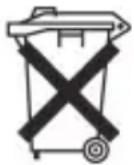
The device has a rechargeable battery. Used batteries and accumulators do not belong in the household waste.
The batteries / accumulators must be removed before the product goes into the waste disposal. For this, consult qualified specialized personnel. To do this, contact qualified specialist personnel.
Environmental protection

Do not dispose of the device at the end of its service life with normal household waste. Bring it to the official collection point for recycling. By doing this, you help protect the environment.
Polish
User manual
CTC Clatronic Sp. z o.o

- ENGLISH INSTRUCTION MANUAL
- SYMBOLS IN THESE INSTRUCTIONS FOR USE
- WARNING
- CAUTION
- SAFETY INSTRUCTIONS
- ENGLISH
- CHILDREN AND FRAIL INDIVIDUALS
- SPECIAL SAFETY INSTRUCTIONS FOR THIS SYSTEM
- OVERVIEW OF THE COMPONENTS
- CHARGING THE INTEGRATED BATTERY
- NOTE
- LOCATION
- USE
- BY CABLE
- CORDLESS VIA BLUETOOTH
- LOGGING ON DEVICES (PAIRING)
- OPERATION
- ON/OFF (1)
- NOTE: AUTOMATIC CONNECTION
- II/PAUSE (6)
- ADJUST VOLUME
- ACCEPTING / ENDING CALL
- CALLING THE LAST DIALED NUMBER
- MAINTENANCE AND CLEANING
- CAUTION: NEVER IMMERSE THE UNIT IN WATER
- ENGLISH TECHNICAL SPECIFICATIONS
- BLUETOOTH
- DISPOSAL
- BATTERY DISPOSAL
- ENVIRONMENTAL PROTECTION
- POLISH
- USER MANUAL
Brand : AEG
Model : BSS 4817
Category : Docking Station