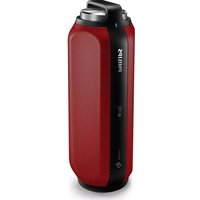
PHILIPS BT6600R - Docking Station

BT6600R - Docking Station PHILIPS - Free user manual and instructions

Find the device manual for free BT6600R PHILIPS in PDF.

📄 18 pages English EN Download 💬 AI Question 10 questions ⚙️ Specs
Notice PHILIPS BT6600R - page 1
Pick your language and provide your email: we'll send you a specifically translated version.
Product type Docking station / Bluetooth speaker
Brand Philips
Model BT6600R
Dimensions (approx.) 200 x 64 x 70 mm
Weight (approx.) 500 g
Power supply Rechargeable Li-ion battery, charging via micro USB cable
Battery life Up to 8 hours of playback
Connectivity Bluetooth, NFC, 3.5mm audio input
Main functions Wireless audio playback, hands-free function, NFC pairing, stereo speaker
Care and cleaning Wipe with a soft, dry cloth; avoid any liquid
Safety Do not expose to water, do not open the device, use only the supplied charger
Spare parts USB cable, power adapter (depending on version), quick start guide
Repairability Contact a Philips authorized service center for any repair
General information Compatible with smartphones and tablets, ideal for on-the-go use

Frequently Asked Questions - BT6600R PHILIPS

How do I pair my smartphone with the Philips BT6600R via Bluetooth?
Enable Bluetooth on your smartphone, then press and hold the Bluetooth button on the speaker until the indicator flashes. Look for the device in your phone's Bluetooth list and select Philips BT6600R.
Can the BT6600R be used as a hands-free kit?
Yes, the Philips BT6600R has a built-in microphone and a hands-free function. When the speaker is connected to a phone via Bluetooth, you can answer calls and speak normally.
What is the battery life of the BT6600R?
The speaker offers a battery life of up to 8 hours of continuous playback, depending on the volume level and the type of music being played.
How do I charge the BT6600R speaker?
Connect the supplied micro USB cable to the speaker and to a power source (power adapter or computer). The LED indicator shows the charging status. A full charge takes about 3 hours.
Is the Philips BT6600R speaker waterproof?
No, the BT6600R is not designed to be waterproof. Avoid any contact with water, rain, or liquids to prevent damage to the internal components.
How do I reset the BT6600R if I have connection issues?
To reset the speaker, turn it off completely, then hold down the Volume + and Bluetooth buttons simultaneously for about 5 seconds until the indicator flashes red and white. The speaker will return to factory settings.
What should I do if the sound is distorted or saturated?
Check that the volume on the speaker and your phone are not at maximum. Reduce the volume slightly. Make sure no objects are blocking the speakers. If the problem persists, disconnect and then reconnect the Bluetooth source.
Can I connect multiple Philips speakers together?
The BT6600R does not support multipoint connection or dual stereo mode. You cannot connect multiple speakers of this model simultaneously.
How do I clean the Philips BT6600R?
Use a soft, dry cloth to wipe the surface of the speaker. Never use abrasive products or solvents. For the grilles, remove dust with a soft brush.
Can the BT6600R be used with a TV or game console?
Yes, if your TV or console has a Bluetooth output or a 3.5mm audio output (optional cable). Plug the cable into the AUX input of the speaker for a wired connection.

User questions about BT6600R PHILIPS

0 question about this device. Answer the ones you know or ask your own.

Ask a new question about this device

Your email remains private: it is only used to notify you if someone answers your question.

No questions yet. Be the first to ask one.

Download the instructions for your Docking Station in PDF format for free! Find your manual BT6600R - PHILIPS and take your electronic device back in hand. On this page are published all the documents necessary for the use of your device. BT6600R by PHILIPS.

USER MANUAL BT6600R PHILIPS

Εγχειρίδιο χρήσης

PHILIPS

1 PHILIPS 2 Direct for help you Show your personal Short User Manual PHILIPS

Diagram showing a plug inserted into a bottle connected to a cable with a power plug (no text or symbols present)

2015 © Gibson Innovations Limited. All rights reserved.

This product has been manufactured by, and is sold under the responsibility of Gibson Innovations Ltd., and Gibson Innovations Ltd. is the warrantor in relation to this product.

Philips and the Philips Shield Emblem are registered trademarks of Koninklijke Philips N.V. and are used under license from Koninklijke Philips N.V.

Manual assistant
Powered by Anthropic
Waiting for your message
Product information

Brand : PHILIPS

Model : BT6600R

Category : Docking Station