
VB-S800VE - Surveillance Camera CANON - Free user manual and instructions
Find the device manual for free VB-S800VE CANON in PDF.


| Product Type | Surveillance Camera |
| Model | VB-S800VE |
| Brand | Canon |
| Dimensions (W x H x D) | 105 x 65 x 65 mm |
| Weight | 450 g |
| Power Supply | Power over Ethernet (PoE) IEEE 802.3af |
| Max Resolution | 1920 x 1080 (Full HD) |
| Frame Rate | Up to 30 fps |
| Night Vision | Yes, IR LEDs up to 20 m |
| Field of View | Horizontal: 90°, Vertical: 50° |
| Compression | H.264, MJPEG |
| Audio | Two-way audio via built-in microphone and speaker |
| Storage | MicroSD card up to 128 GB, NAS, or cloud |
| Network Interface | 10/100 Base-T Ethernet |
| Wireless | Not available |
| Motion Detection | Yes, configurable zones |
| Weatherproof Rating | IP66 |
| Operating Temperature | -10°C to 50°C |
| Maintenance | Clean lens with dry cloth; check cable connections periodically |
| Safety | Do not expose to rain or moisture; use PoE injector with surge protection |
| Spare Parts & Repairability | Contact authorized service center for repairs; spare parts available through Canon support |
| General Information | Supports ONVIF Profile S; compatible with Canon and third-party VMS |
Frequently Asked Questions - VB-S800VE CANON
User questions about VB-S800VE CANON
0 question about this device. Answer the ones you know or ask your own.
Ask a new question about this device
Download the instructions for your Surveillance Camera in PDF format for free! Find your manual VB-S800VE - CANON and take your electronic device back in hand. On this page are published all the documents necessary for the use of your device. VB-S800VE by CANON.
USER MANUAL VB-S800VE CANON
Before Reading the Operation Guide
Notice on New Functions and Changes
This notice describes new functions and specification changes with the latest firmware, and the latest information such as changes to the "Operation Guide" on P. ii to P. xvii.
For those already using this product For the latest information on the firmware update, please read P. ii to P. xvii.
For those using this product for the first time Please read P. ii to P. xvii in conjunction with P. 1 and onwards of the "Operation Guide".


Updating to the latest firmware enables new functions and specification changes. For information on checking the firmware version and updating the firmware, see the next page.
"Before Reading the Operation Guide" Checking and Updating the Firmware Version....P. ii New Functions and Specification Changes....P. iii Information on Other Changes....P. xiii "Operation Guide"...P. 1
Checking and Updating the Firmware Version
Use the Camera Management Tool to check and update the firmware version of the camera.
Download the latest firmware from the Canon website and update the firmware of the camera, as required.
For details on using the Camera Management Tool, please refer to "Camera Management Tool User Manual".
Latest Firmware Versions
| Camera Model Firmware Version | |
| VB-H45, VB-H45B*1, VB-M44, VB-M44B*1 | 1.1.x |
| VB-H730F Mk II | |
| VB-S30D Mk II, VB- S31D Mk II | |
| VB-S800D Mk II, VB-S900F Mk II | |
| VB-S805D Mk II, VB-S905F Mk II | |
| VB-S30VE, VB-S800VE, VB-S910F 1.1.x | |
| VB-R13VE (H2)*2, VB-R13VE, VB-R13, VB-R11VE (H2)*2, VB-R11VE, VB-R11 | 1.2.x |
| VB-R12VE (H2)*2, VB-R12VE, VB-R10VE (H2)*2, VB-R10VE | |
| VB-M50B | |
| VB-H652LVE, VB-H651VE, VB-H651V | |
| VB-M641VE, VB-M641V, VB-M640VE, VB-M640V | |
| VB-H761LVE (H2)*2, VB-H761LVE-H, VB-H761LVE, VB-H760VE (H2)*2, VB-H760VE | |
| VB-H751LE (H2)*2, VB-H751LE-H, VB-H751LE | |
| VB-M741LE (H2)*2, VB-M741LE-H, VB-M741LE, VB-M740E (H2)*2, VB-M740E |
*1 The difference between VB-H45 and VB-H45B, as well as VB-M44 and VB-M44B is the external color only. *2 The only difference between VB-H761LVE (H2), VB-H760VE (H2), VB-H751LE (H2), VB-M741LE (H2), VB-M740E (H2), VB-R13VE (H2), VB-R12VE (H2), VB-R11VE (H2), VB-R10VE (H2) and VB-H761LVE, VB-H760VE, VB-H751LE, VB-M741LE, VB-M740E, VB-R13VE, VB-R12VE, VB-R11VE, VB-R10VE is with/without hydrophilic coating.
The "Operation Guide" is written for firmware versions earlier than those indicated in the above table.
Please read the following pages for information on the new functions and specification changes of the latest firmware version.
New Functions and Specification Changes
Target Models
The new functions and specification changes of the new firmware are indicated below.
Screenshots on this notice may differ from the actual screens, depending on the model you are using.
●: Supported with the latest firmware ○: Already supported
| New Functions and Specification Changes | Target Models | |||
| VB-H45, VB-M44VB-H730F Mk IIVB-S30D Mk IIVB-S31D Mk IIVB-S800D Mk IIVB-S900F Mk IIVB-S805D Mk IIVB-S905F Mk II | VB-S30VEVB-S800VEVB-S910F | VB-R13VE (H2), VB-R13VEVB-R13, VB-R11VE (H2)VB-R11VE, VB-R11VB-R12VE (H2), VB-R12VEVB-R10VE (H2), VB-R10VEVB-M50B, VB-H652LVEVB-H651VE, VB-H651VVB-M641VE, VB-M641VVB-M640VE, VB-M640VVB-H761LVE (H2)VB-H761LVE-H, VB-H761LVEVB-H760VE (H2), VB-H760VEVB-H751LE (H2)VB-H751LE-H, VB-H751LEVB-M741LE (H2)VB-M741LE-H, VB-M741LEVB-M740E (H2), VB-M740E | ||
| Operating Environment:Updating the PC environment/mobile device information | ● | ● | ● | |
| Configuring Initial Camera Settings:Administrator account registration added | ○ | ○ | 4 ● | P. vi |
| Camera Viewer:[One-shot AF] button added*1 | ● | ● | ● | |
| Camera Viewer:Snapshot saving format changed | ● | ● | ● | |
| Setting Page:Entering the confirmation password for the authorized user | ○ | ● | ● | |
| Setting Page:[Simple Camera Settings] recommended values changed and performance improved | ○ | ○ | ● | |
| Setting Page:Preset selection added to the [ADSR] and[Privacy Mask] settings*2 | ○ | ● | ○ | |
| Setting Page:Number of input characters for [On-screen display] changed | ○ | ● | ○ | |
| Setting Page:Items added to [General Audio]*3 | ○ | ○ | ● | |
| Setting Page:Changed the saving items when initializing | ○ | ● | ● | |
| Factory Default Settings:Setting values changed (IPv4, Administrator Account, Focus) | ○ | ○ | 5 ● | P. xii |
| Factory Default Settings:Setting values changed (DNS, Camera Name, Day/ Night, Memory Card Operations) | ○ | ● | ● | |
| Factory Default Settings:Setting values changed (User Authority) | ● | ● | ● | |
| Setting Name:Displaying of bit rate control | ○ | ● | ● | |
*1 Only for models with the auto focus function *2 Only for models with optical zoom *3 Only for models with the audio transmission/reception function *4 Only for VB-R11VE (H2), VB-R11VE, VB-R11, VB-R10VE (H2), VB-R10VE, VB-M641VE, VB-M641V, VB-M640VE, VB-M640V, VB-M741LE (H2), VB-M741LE-H, VB-M741LE, VB-M740E (H2), and VB-M740E *5 IPv4, Administrator Account: Only for VB-R11VE (H2), VB-R11VE, VB-R11, VB-R10VE (H2), VB-R10VE, VB-M641VE, VB-M641V, VB-M640VE, VB-M640V, VB-M741LE (H2), VB-M741LE-H, VB-M741LE, VB-M740E (H2), and VB-M740E Focus: Only for VB-H651VE, VB-H651V, VB-M641VE, VB-M641V, VB-M640VE, and VB-M640V
The operating environment for the latest firmware is described below.
■ PC Environment Details
| CPU(Recommended) | Intel Core i7-2600 or higher | |
| Graphics Board(Recommended) | Not specified | |
| Memory(Recommended) | 2 GB or higher | |
| Viewer Display(Recommended) | 1920 x 1080 or higher | |
| OS and Compatible Web Browser | Windows 7 Ultimate/Windows 7 Professional/Windows 7 Enterprise/Windows 7 Home Premium SP1 32/64-bit | Internet Explorer 11 32/64-bit, Chrome 65*2 |
| Windows 8.1/Windows 8.1 Pro/Windows 8.1 Enterprise 32/64-bit*1 | Internet Explorer 11 32/64-bit, Chrome 65*2 | |
| Windows 10 Pro/Windows 10 Enterprise/Windows 10 Education/Windows 10 Home 32/64-bit | Internet Explorer 11 32/64-bit, Microsoft Edge *2 , Chrome 65*2 | |
| Windows Server 2008 Standard SP2 32/64-bit Internet Explorer 9 32-bit | ||
| Windows Server 2008 R2 Standard SP1 64-bit Internet Explorer 11 32/64-bit, Chrome 65*2 | ||
| Windows Server 2012 Standard 64-bit*1 | Internet Explorer 10 32/64-bit, Chrome 65*2 | |
| Windows Server 2012 R2 Standard 64-bit*1 | Internet Explorer 11 32/64-bit, Chrome 65*2 | |
| Windows Server 2016 Standard 64-bit Internet Explorer 11 64-bit, Chrome 65*2 | ||
| – Must be configured to allow use of JavaScript, IFRAME (html tag), and web storage– For Camera Viewer only, cookies must be enabled | ||
| Operating System Language | Setting Page, Camera Viewer, Mobile Camera Viewer:German/English/Spanish/French/Italian/Polish/Russian/Turkish/Thai/Korean/Chinese (Simplified) /Japanese | |
*1 Cannot be started from the Windows start screen
*2 Does not support playback of Video (H.264) or audio transmission/reception
■ Verified Mobile Devices (Setting Page, Camera Viewer, Mobile Camera Viewer) – As of April 2018
| Mobile Devices OS Compatible Web Browser | ||
| Surface 3 | Windows 10 Home 64-bit Internet Explorer 11, Microsoft Edge*1 | |
| - Must be configured to allow use of JavaScript, and web storage- For Camera Viewer only, cookies must be enabled | ||
| iPad Pro 12.9-inch | iOS 10.3.3 | Safari*1 |
| iPad Pro 10.5-inch | iOS 11.3 | |
| iPhone 7*2 | - Must be configured to allow use of JavaScript, and web storage- For Camera Viewer only, cookies must be enabled | |
| iPhone 8 Plus*2 | ||
| iPhone X*2 | ||
| Nexus 9 Android 7.1.1 Chrome 65* | 1 | |
| Galaxy Tab S 8.4 Android 4.4.2 Chrome 65* | 1 | |
| Nexus 6P*2 | Android 8.1 Chrome 65* | 1 |
| Galaxy S8*2 | Android 8.0 Chrome 65* | 1 |
*1 Does not support playback of Video (H.264) or audio transmission/reception *2 Setting Page and Camera Viewer are not supported
Configuring Initial Camera Settings
The fields for [Administrator Account] are now blank as a default. When restoring the factory default settings after updating the firmware, it is necessary to set [Administrator Name] and [Password] to access the camera for the first time. This change has been made in firmware version 1.1.8 or later.

The default screen displayed when accessing from the web browser for the first time
When using the Camera Management Tool to configure the initial settings, see "Camera Management Tool User Manual".
■ Adjusting Video > Focusing
One-shot AF operations are now also possible in the Camera Viewer.

ONE SHOT [One-shot AF] button
Use when [Focus] is set to [Manual]. When you click ONE SHOT, the camera will focus once using autofocus and then switch to manual.
Important
For precautions on focusing and the focus range, please refer to "Operation Guide".
■ Saving Snapshots
The following "Note" has been changed.
Before Change
• The snapshot is saved as a JPEG file.
After Change
• The saving format of the snapshot depends on the web browser being used.
■ [Basic] > [User Management]
It is now necessary to enter a confirmation password when setting the password for an authorized user.

[Confirm Password]
Enter the same password as above for confirmation.
■ [Camera] > [Initial Settings]
Recommended values have been changed for [Exposure], [Shutter Speed Limit (Lower)], [Shutter Speed Limit (Upper)], and [Shutter Speed], which are displayed when [Motion Priority] in [Simple Camera Settings] is selected. The notes regarding [Motion Priority] and [Depth Priority] in [Simple Camera Settings] have been changed according to the improved performance.

[Simple Camera Settings]
| Type Motion Priority | |
| [Exposure] Auto | |
| [Shutter Speed Limit (Lower)] 1/1000 (sec.) | |
| [Shutter Speed Limit (Upper)] 1/16000 (sec.) | |
| [Shutter Speed] - |
![CANON VB-S800VE - ■ [Camera] > [Initial Settings] - 2](/content/2026/06/1289953/images/59c60cf962fd875a169a070b91851f23a976c27fe1ec79003be4de19c4f1048c.jpg)
Important
Note the following regarding [Simple Camera Settings].
[Motion Priority]
- Flickering may occur due to fluorescent lighting, etc.
- In low-light conditions, video may become comparatively darker than [Standard Settings], and noise may increase.
[Depth Priority]
- In low-light conditions, video may become comparatively darker than [Standard Settings], and noise may increase.
■ [Video and Audio] > [ADSR] / [Video and Audio] > [Privacy Mask]
When changing the camera angle in the settings for specifying the ADSR area and privacy mask area, presets can now be selected from a preset selection box in addition to slider operations.


■ [Video and Audio] > [On-screen display]
The maximum number of characters that can be entered for [Text string display] has been increased to 40 when [Display designated string] is selected in [Text display].

![CANON VB-S800VE - ■ [Video and Audio] > [On-screen display] - 2](/content/2026/06/1289953/images/9eb5e5e459d5800d2237dc84f0fc85ab367873595d6cbcd091f2796e724a44ac.jpg)
Note
- Setting the [Text display], [Date display], and [Time display] to the same position may result in not displaying all of the information. In such case, items set with [Upper right] or [Lower right] for [Position of text display] are prioritized for display.
- All of the texts may not be displayed depending on the video size, text length, and text position. Check the display after changing the video size and on-screen display settings.
■ [Video and Audio] > [Audio]
Whether to use [Audio Input], and [Audio Communication Method] can now be selected. [Current Volume Level] can become displayed for audio input.

[Audio Input]
Select whether to use audio input from the microphone. If you select [Enable], you can use functions related to audio input such as [Audio Server] > [Audio Transmission from the Camera] or [Event] > [Audio Detection] > [Volume Detection Event].
If you select [Disable] and click [Apply], the following settings are locked and audio input functions are disabled.
- [Audio Server] > [Audio Transmission from the Camera] > [Disable]
- [Server] > [RTP Server] > [RTP Stream 1] - [RTP Stream 5] > [Audio Transmission] > [Disable]
- [Event] > [Audio Detection] > [Volume Detection] > [Volume Detection Event] > [Disable]
- [Event] > [Audio Detection] > [Scream Detection] > [Scream Detection Event] > [Disable]
[Current Volume Level]
When [Audio Input] is set to [Enable], the current volume level is displayed on the status bar.
[Audio Communication Method]
Select the audio transmission/reception method.
[Half Duplex]
You can prevent howling that occurs when the microphone and speaker are placed nearby. However, there is no sound sent from the camera to the viewer while the camera is receiving audio from the viewer or while an audio file is being played back. Therefore, even if the [Audio Reception] button of the viewer is active (purple), audio input from the microphone cannot be received.
[Full Duplex]
Audio can be transmitted from the camera to the viewer even while the camera is receiving audio from the viewer.
■ [Maintenance] > [General]
The underlined items are now saved when [Initialization] > [Network Settings] > [Save] is selected.

[Network Settings]
If you set this to [Save], the following settings are retained when initializing.
- Administrator Name
- Administrator Password • Network Settings
- NTP Server
- HTTP Server
- Host Access Restrictions
- Time Zone • Certificates
- Private Key · IPsec
If you set this to [Do not save], the above settings are also initialized.
Since the administrator account is also initialized, you will become unable to connect to the camera. Use the Camera Management Tool to configure the initial settings.
Management Tool to configure the initial settings.
■ [Maintenance] > [Update Firmware]
By selecting [Update Firmware] > [Restore Default Settings] > [Restore], the items saved have been updated to the same as the list above ([Initialization] > [Network Settings] > [Save]).
■ List of Factory Default Settings
The setting values for the factory default settings are changed as indicated below.
| Item Before Change After Change | ||
| • I P v 4IPv4 Address Settings Method | Manual Auto (DHCP) | |
| • DNSSet Name Server Address Automatically | Disable Use DHCP/DHCPv6 | |
| • Administrator AccountAdministrator NamePassword | With setting values Without setting values | |
| • User AuthorityGuest User Camera Control | Video distribution andCamera control | No access privileges |
| • User AuthorityGuest User Audio Distribution | Yes No | |
| • Camera NameCamera Name (alphanumeric characters) | Camera Model Name (Example) VB-M50B | |
| • Camera SettingsFocus | Manual Auto | |
| • Camera SettingsDay/Night | Day Mode Auto | |
| • Memory Card OperationsOverwrite videos | Disable Enable | |

Note
Since cameras with the factory default settings are configured to obtain an IP address from the DHCP server, detect the camera by Camera Management Tool using a DHCP environment or an IPv6 environment. If you configure the settings using other environments, please refer to "Operation Guide" > "Setting up the network without a DHCP server".
■ Setting Name Changes

Note
Setting names other than the following may also have been changed, depending on the model you are using.
The setting name of [Bit Rate Control] has been changed in [Basic] > [Video] > [H.264(1)] and [H.264(2)].
- [Use bit rate control] changed to [Use bit rate control (constant bit rate)]
- [Do not use bit rate control] changed to [Do not use bit rate control (variable bit rate)]
Information on Other Changes
In addition to the changes due to the firmware update, the following changes have also been made to the descriptions in the "Operation Guide".
The target models for these changes are indicated below.
| Changed Information | Target Models | |||
| VB-H45, VB-M44VB-H730F Mk IIVB-S30D Mk IIVB-S31D Mk IIVB-S800D Mk IIVB-S900F Mk IIVB-S805D Mk IIVB-S905F Mk II | VB-S30VEVB-S800VEVB-S910F | VB-R13VE (H2), VB-R13VEVB-R13, VB-R11VE (H2)VB-R11VE, VB-R11VB-R12VE (H2), VB-R12VEVB-R10VE (H2), VB-R10VEVB-M50B, VB-H652LVEVB-H651VE, VB-H651VVB-M641VE, VB-M641VVB-M640VE, VB-M640VVB-H761LVE (H2)VB-H761LVE-H, VB-H761LVEVB-H760VE (H2), VB-H760VEVB-H751LE (H2)VB-H751LE-H, VB-H751LEVB-M741LE (H2)VB-M741LE-H, VB-M741LEVB-M740E (H2), VB-M740E | ||
| Discontinuation of the RM Series | ● | ● | ● | P. xiv |
| Discontinuation of the Setup CD-ROM | ● | ● | P. xiv | |
| Routine Maintenance (formerly: "Cleaning the Camera") | ● | ● | ● | |
| Revision to the Operation Guide: Privileges Required for Operating the Camera Viewer | ● | ● | ● | |
| Revision to the Operation Guide: [Video Record] > [Upload] | ● | ● | ● | |
| Revision to the Operation Guide: [Event] > [Timer] | ● | ● | ● | |
| Revision to the Operation Guide: [Fixed at Infinity] | ● | ● | ● | |
| Revision to the Operation Guide: Troubleshooting | ● | ● | ● | |
| Revision to the Operation Guide: Viewer Messages | ● | ● | ● | |
| Revision to the Operation Guide: List of Factory Default Settings | ● | ● | ||
The Network Video Recording Software RM Series has been discontinued.
The RM-Lite video recording software is no longer provided.
Discontinuation of the Setup CD-ROM
The setup CD-ROM has no longer been included with the camera.
The distribution of files such as the software, user manuals, and License Agreement of Software that were stored on the setup CD-ROM has been changed as indicated below.
| Type Name Distribution | ||
| Software | Network Video Recording Software RM-Lite No longer provided | |
| Camera Management Tool | Download from the Canon website Installer name: VBToolsInstall.exe | |
| Recorded Video Utility | ||
| On-screen Display Assist Tool*1 | ||
| License | License Agreement of Software | |
| Open Source Software | Displayed on the Setting Page [Maintenance] > [General] > [Tool] > [View License] | |
| User manual | Operation Guide | Download from the Canon website |
| Specifications | ||
| Mobile Camera Viewer Operation Guide | ||
| Camera Management Tool User Manual | ||
| Recorded Video Utility User Manual | ||
| On-screen Display Assist Tool User Manual*1 | ||
| Sample audio files Sound samples*2 | ||
*1 Only for models and languages that are supported by the On-screen Display Assist Tool *2 Only for models with the audio transmission/reception function
Routine Maintenance (formerly: "Cleaning the Camera")
The former section title, "Cleaning the Camera" has been changed to, "Routine Maintenance" due to the "■ Confirmation of Video Image" section being added and the explanation on how to clean the camera has been revised in the "■ Cleaning Method" section.
■ Confirmation of Video Image
Regularly check to make sure the set capture area is not misaligned, and is still in focus.
If necessary, re-adjust.
Cleaning Method
Before beginning any work, turn off the power.
Cleaning the Dome Cover, Top Cover, and Lens Protector
1. Wash off foreign substances such as dust and sand using clean water*.
* Since indoor cameras (VB-H730F Mk II, VB-S30D Mk II, VB-S800D Mk II, VB-S805D Mk II, VB-R13, VB-R11, VB-H651V, VB-M641V, and VB-M640V) cannot be directly washed with water, wipe them clean with a soft cloth that has been dampened with clean water.
2. If the lens protector is dirty with something that cannot be removed with water, such as fingerprints or oil, gently wipe the lens protector clean with a soft sponge or cloth dampened with a neutral dishwashing detergent diluted to approximately 1% with water.
3. Wipe them clean with a soft cloth that has been dampened with clean water to ensure that water droplets and detergent do not remain**.
** For the VB-H761LVE-H, VB-H751LE-H, VB-M741LE-H, use clean water (water from the faucet, etc.) to rinse off the detergent and let it dry naturally.

Important
By performing an incorrect cleaning method, the dome cover or top cover, or lens protector could become scratched and will need to be replaced for a fee. Therefore, follow the next set of instructions carefully.
- Because of dust, dirt, or fingerprints etc. the auto focus may not work properly or the reflection of backlight or infrared light causes the image to become white and cloudy. In order to preserve the level of image quality, it is necessary to regularly clean the protective window.
- Do not wipe with a dry cloth. Never wipe with a cloth especially without removing the attached grime. This may result in scratches to the dome cover, top cover and/or lens protector.
- Use caution for the following points for the hydrophilic coating models.
- Sponges and cloths used for cleaning, even if new, can have impurities adhered to it and can lower the effect of the coating. Therefore, use it after washing the sponge or cloth with a neutral dishwashing detergent.
Spraying with spray bottles can deteriorate the coating effect due to impurities such as lubricants. Therefore, we advise not to use spray bottles.
The hydrophilic coating models have a "hydrophilic coating model label" attached on the product's exterior cover.

Cleaning the Lens
Use a commercial lens cleaner to remove grime on the lens surface.
• Scratches on the lens surface may result in poor video capture. - Auto focus functionality may be degraded if the lens surface is dusty or dirty.
■ Privileges Required for Operating the Camera Viewer
The following menu and buttons can be used even if all the privileges of an authorized user or a guest user are disabled.

[Main] Menu
- [Language] Button
- [Switch Users]
- [Settings Page]
- [Mobile Camera Viewer]
![CANON VB-S800VE - [Main] Menu - 1](/content/2026/06/1289953/images/722c7cc8688077e38f6b1e99ba5247e41a953d07e2da6ea3c6bfba9dcdd24fa4.jpg)
[Reconnect] Button
Information Display
■ [Video Record] > [Upload]
![CANON VB-S800VE - ■ [Video Record] > [Upload] - 1](/content/2026/06/1289953/images/91d92fc83e428b023297a9eb14d67f6fb8c33e4002832919750b6d6acf033f00.jpg)
If the destination for HTTP or FTP upload, or e-mail notification is set for a Windows operating system, IPsec communication is not supported.
■ [Event] > [Timer]
The description of timer events has been revised.
[24-Hour Continuous Settings]
When set to [Enable], and [Repeat Interval] is set to an option other than [None], the timer event will be repeated at the interval specified in [Repeat Interval], irrespective of the [Start Time] setting. If [Repeat Interval] is set to [None], the timer event will be triggered only at the time set in [Start Time].
Note that when set to [Enable], only [Video Record] operations can be performed.
■ [Fixed at Infinity]
The description of the [Fixed at Infinity] focus setting has been revised.
[Fixed at Infinity]
Move the focus position to near infinity.
When needing to focus more precisely, select [Manual] setting and adjust the focus.
Troubleshooting
Countermeasures have been added for the following problems.
| Problem Countermeasures | |
| Cannot connect to the camera.Video is not displayed.There is no audio.*The viewer gets disconnected. | · Configure to exclude the camera, or the software where the problem occurred, in your security software. |
| The Camera Viewer will not launch. | · Use one of the following procedures, when you launch the Camera Viewer and a file block security warning is displayed because of an unverified publisher.- Launch the Camera Viewer after executing Windows Update to the latest version, when using the camera in an internet connection environment.- Download the root certificate installer from the Canon download site on a connectable computer and install it in the target environment, when in an environment not connectable to the internet. |
| Cannot use some functions of the Camera Viewer. | · Follow the procedure in "Adding the Camera IP Address as a Trusted Site" in the "Operation Guide" to add this website to [Trusted sites] in the [Security] settings, and disable the protected mode for the trusted sites (when not using Windows Server, also disable the protected mode in a similar manner).· If you are using a web browser other than Internet Explorer or if the Canon Network Camera Addon Module is not correctly installed when using Internet Explorer, the following functions cannot be used.- Receiving/transmitting audio*-Receiving/playing H.264 video |
* Only for models with the audio transmission/reception function
■ List of Viewer Messages > Warning Message
The description has been revised for the following item.
| Message Explanation | |
| ActiveX is disabled. | ActiveX is disabled in the web browser settings or system functions cannot be accessed from ActiveX due to security settings.Even though ActiveX is enabled, if this message is displayed in the environment where the proxy server is used, select [Control Panel] > [Network and Internet] > [Internet options] > the [Connections] tab > [LAN settings] > the [Use a proxy server for your LAN] checkbox in [Proxy server] > select [Advanced] > specify the camera IP address in [Exceptions]. |
■ List of Factory Default Settings
The setting value has been revised for the following item.
| Item Setting | |
| • Camera SettingsShutter Speed | 1/100 |
THIS PRODUCT IS LICENSED UNDER THE AVC PATENT PORTFOLIO LICENSE FOR THE PERSONAL USE OF A CONSUMER OR OTHER USES IN WHICH IT DOES NOT RECEIVE REMUNERATION TO (i) ENCODE VIDEO IN COMPLIANCE WITH THE AVC STANDARD ("AVC VIDEO") AND/OR (ii) DECODE AVC VIDEO THAT WAS ENCODED BY A CONSUMER ENGAGED IN A PERSONAL ACTIVITY AND/OR WAS OBTAINED FROM A VIDEO PROVIDER LICENSED TO PROVIDE AVC VIDEO. NO LICENSE IS GRANTED OR SHALL BE IMPLIED FOR ANY OTHER USE. ADDITIONAL INFORMATION MAY BE OBTAINED FROM MPEG LA, L.L.C. SEE HTTP://WWW.MPEGLA.COM
Only for European Union and EEA (Norway, Iceland and Liechtenstein)

These symbols indicate that this product is not to be disposed of with your household waste, according to the WEEE Directive (2012/19/EU), the Battery Directive (2006/66/EC) and/or national legislation implementing those Directives. If a chemical symbol is printed beneath the symbol shown above, in accordance with the Battery Directive, this indicates that a heavy metal (Hg = Mercury, Cd = Cadmium, Pb = Lead) is present in this battery or accumulator at a concentration above an applicable threshold specified in the Battery Directive.
This product should be handed over to a designated collection point, e.g., on an authorized one-for-one basis when you buy a new similar product or to an authorized collection site for recycling waste electrical and electronic equipment (EEE) and batteries and accumulators. Improper handling of this type of waste could have a possible impact on the environment and human health due to potentially hazardous substances that are generally associated with EEE. Your cooperation in the correct disposal of this product will contribute to the effective usage of natural resources.
For more information about the recycling of this product, please contact your local city office, waste authority, approved scheme or your household waste disposal service or visit www.canon-europe.com/sustainability/approach/.
Only for the United Kingdom

These symbols indicate that this product is not to be disposed of with your household waste, according to the UK Waste Electrical and Electronic Equipment Regulations and the UK Batteries and Accumulators Regulations.
If a chemical symbol is printed beneath the symbol shown above, in accordance with the UK Batteries and Accumulators Regulations, this indicates that a heavy metal (Hg = Mercury, Cd = Cadmium, Pb = Lead) is present in this battery or accumulator at a concentration above an applicable threshold specified in the UK Batteries and Accumulators Regulations.
This product should be handed over to a designated collection point, e.g., on an authorized one-for-one basis when you buy a new similar product or to an authorized collection site for recycling waste electrical and electronic equipment (EEE) and batteries and accumulators. Improper handling of this type of waste could have a possible impact on the environment and human health due to potentially hazardous substances that are generally associated with EEE. Your cooperation in the correct disposal of this product will contribute to the effective usage of natural resources.
For more information about the recycling of this product, please contact your local city office, waste authority, approved scheme or your household waste disposal service or visit www.canon-europe.com/sustainability/approach/.
Canon
Network Camera
Operation Guide

VB-S30VE
VB-S800VE
VB-S910F
Introduction
Thank you for purchasing a Canon Network Camera (hereafter referred to as the camera)*.
This "Operation Guide" explains the camera settings and operations. Read this guide carefully before using the camera to ensure correct use. Also, be sure to read the files in the LICENSE folder on the Setup CD-ROM.
* The cameras described in this manual may include models not available in your country and/or region.
For the latest information on this product (firmware and included software, user manuals, operating environment, etc.), please refer to the Canon website.
Precautions for Use (Disclaimer)
Disclaimer
To the full extent permitted by laws and regulations, neither Canon Inc. nor any of its subsidiaries or affiliates shall be responsible for any financial losses that may be incurred as a result of the loss of recorded information or images, regardless of the internal or external cause of the loss.
EXCEPT AS SET FORTH IN THE LIMITED WARRANTY ACCOMPANYING THE CAMERA AND WITHOUT DETRACTING FROM ANY RIGHTS A CONSUMER MAY BE ENTITLED TO, AND TO THE FULL EXTENT PERMITTED BY LAWS AND REGULATIONS: (1) NEITHER CANON INC. NOR ANY OF ITS SUBSIDIARIES OR AFFILIATES MAKE ANY WARRANTY OF ANY KIND, EXPRESS OR IMPLIED, WITH REGARD TO THE MATERIAL IN THIS MANUAL OR WITH REGARD TO THE USE OF THE CAMERA INCLUDING, WITHOUT LIMITATION, IMPLIED WARRANTIES AS TO MARKETABILITY, MERCHANTABILITY, FITNESS FOR A PARTICULAR PURPOSE OR USE, OR NON-INFRINGEMENT AND (2) NEITHER CANON INC. NOR ANY OF ITS SUBSIDIARIES OR AFFILIATES SHALL BE LIABLE FOR ANY DIRECT, INCIDENTAL, OR CONSEQUENTIAL DAMAGES OF ANY NATURE RESULTING FROM THE USE OF THIS MATERIAL OR THE CAMERA.
Network Security
The user is responsible for the network security of this product and its use.
Take appropriate network security measures to avoid security breaches. To the full extent permitted by laws and regulations, neither Canon Inc. nor any of its subsidiaries or affiliates shall be liable for any losses, direct, incidental or consequential damages, or liabilities that may be incurred as a result of network security incidents such as unauthorized accesses.
- Change the password of the camera periodically.
- Change the HTTP or HTTPS port number of the camera.
- Limit access to the camera by network devices.
LEGAL NOTICE
The user is responsible for compliance with all applicable laws and regulations governing privacy protection and publicity rights implicated by the use of this product. In some cases, camera and/or audio monitoring or recording may be restricted or prohibited by the law or regulation, the details of which differ by country and region. Before installing the product, users should consult the laws and regulations of their country and region, including state and/or local laws and regulations in such country and region, to ensure that the product is installed in a manner compliant with all applicable legal requirements. The microphone should not be used if required by local law or regulation. Do not install the product in any spaces where occupants or visitors may reasonably have an expectation of privacy, such as bedrooms, dressing rooms and rest rooms.
The product should be installed in such a manner that it is clearly visible to all persons whose images and voices are monitored by the product. In addition, signage prominently displayed in close proximity to the product and clearly
visible to all persons monitored by the product should inform such persons that the product records both their images and their conversations.
Please be advised that Canon shall not be liable in any way in the event of a dispute between any user and any third party concerning the installation of the product or camera and/or audio monitoring or recording.
Copyright
Videos, images or sounds recorded with your camera may not be utilized or published without consent of copyright holders, if any, except in such a way as permitted for personal use under the relevant copyright law.
■ Use of Included RM-Lite Software
Flaws or other problems with RM-Lite may result in recording failure or destruction or loss of recorded data. Canon shall have no liability whatsoever for any loss or damages incurred by the user as a result of such problems.
License Agreement for Included Software
For information on the License Agreement for Included Software, refer to the following files in the BundledSoftware folder in the Included Setup CD-ROM LICENSE folder.
| Software Type File Name | |
| Camera Management Tool | VBTools-E.txt |
| Recorded Video Utility | |
| Network Video Recording Software RM-Lite RM-Lite-E.txt |
This product is licensed under AT&T patents for the MPEG-4 standard and may be used for encoding MPEG-4 compliant video and/or decoding MPEG-4 compliant video that was encoded only (1) for a personal and non-commercial purpose or (2) by a video provider licensed under the AT&T patents to provide MPEG-4 compliant video. No license is granted or implied for any other use for MPEG-4 standard.
Trademarks
- Microsoft, Windows, Windows Vista, Internet Explorer, Windows Server, Microsoft Edge, Surface and ActiveX are trademarks or registered trademarks of Microsoft Corporation in the United States and other countries.
- Windows is legally recognized as the Microsoft Windows Operating System.
- This product comes with exFAT, a licensed file system technology from Microsoft.
- iPhone, iPad, iPad mini, iPad Air and Safari are trademarks of Apple Inc.
- microSD, microSDHC and microSDXC logos are trademarks of SD-3C, LLC. • O N 📋 is a trademark of Onvif, Inc.
- All other company or product names used in this manual are trademarks or registered trademarks of their respective holders.
Open Source Software
The product (camera and included RM-Lite) contains Open Source Software modules. For details, please refer to "ThirdPartySoftware-E.pdf" in the OpenSourceSoftware folder in the LICENSE folder on the Setup CD-ROM. Each module's license conditions are also available in the same folder.
Software under GPL and LGPL
If you would like to obtain the source code under GPL/LGPL, please contact us at nvsossg@mail.canon and provide the following information in English or Japanese:
- Product name and firmware version.
- Name of the software module or modules you would like to obtain.
You can obtain the source code for at least three years from the day you purchased this product. Please note we may bill you for any costs we incur in providing you the source code.
Security Export Control
This product is subject to security export control. Therefore, to export or carry it overseas may require an authorization by governmental agencies.
User Manuals
Types of User Manuals
The following describes the different camera user manuals. When you are instructed to reference another manual, its name will be listed as shown below.
Included User Manuals
Installation Guide
This describes precautions and procedures for installing the camera.
Guides Included on the Setup CD-ROM
Operation Guide (This Guide)
This explains the camera initial settings, camera angle settings, camera viewer operations, settings on the Setting Page, and troubleshooting, etc.
Mobile Camera Viewer Operation Guide
This explains details on how to use the Mobile Camera Viewer.
Appendix – Specifications
This lists the camera specifications.
Camera Management Tool User Manual
This explains details on how to use the Camera Management Tool.
Recorded Video Utility User Manual
This explains details on how to use the Recorded Video Utility.
Network Video Recording Software RM Series Administrator Manual
This explains details on how to use the RM-Lite video recording software (P. 20).
Notes
- Any unauthorized reproduction of this guide is prohibited.
- The contents of this guide are subject to change without any prior notice.
- This document has been prepared with the utmost attention to accuracy. If you have any comments, however, please contact a Canon sales representative.
- Canon shall assume no liability for any outcome of using this product, notwithstanding items 2 and 3 above.
How to Use This Operation Guide
The assumed reading format of this operation guide is on a computer screen.
Software Screenshots
The software screenshots samples shown in this guide are for illustration only. The screenshots may differ from the actual screens displayed.
Descriptions use Windows 8.1 for the operating system, Internet Explorer 11 for the web browser, and the VB-S30VE for sample screens.
The video size set selected for explanations is [1920 × 1080 / 960 × 540 / 480 × 270]. If using a different video size set, substitute those sizes.
Symbols Indicating Camera Models
Explanations that differ depending on the camera model are indicated by the camera name and the following symbols.
| Symbol Camera | Model |
| S30VE | VB-S30VE |
| S800VE | VB-S800VE |
| S910F | VB-S910F |
Symbols Indicating Safety Precautions
This section explains the symbols used in this guide. The following symbols used in this guide indicate information for safe use of the product, as well as important and supplemental information the user should know. Be sure to read and understand this information when using the product.
| Symbol Meaning | ||
 | Warning | Failure to follow the instructions indicated by this symbol may result in death or serious injury. Be sure to follow these warnings to ensure safety. |
 | Caution | Failure to follow the instructions indicated by this symbol may result in injury. Be sure to follow these precautions to ensure safety. |
| Caution | Failure to follow the instructions indicated by this symbol may result in property damage. Be sure to follow these precautions. | |
 | Important | Cautions and restrictions during operation. Make sure to read these carefully. |
| [CK08] | Note | Supplementary descriptions and reference information. |
Safety Precautions
This section explains precautions that must be followed when using the camera.
If they are not followed, injury, death and/or property damage may occur. Read the following information carefully and be sure to follow the precautions.

Important Warnings

Caution
TO REDUCE THE RISK OF ELECTRIC SHOCK, DO NOT REMOVE COVER (OR BACK). NO USER-SERVICEABLE PARTS INSIDE. REFER SERVICING TO QUALIFIED SERVICE PERSONNEL.
FDA regulation
This Network Camera has not been evaluated by the Food and Drug Administration (FDA) for use as a medical device. When incorporated into a system with medical applications, FDA regulations may apply. Therefore, please consult your legal advisor to determine whether FDA regulations apply.
FCC NOTICE
Network Camera, Model Name: VB-S30VE, VB-S800VE, VB-S910F
This device complies with Part 15 of the FCC Rules. Operation is subject to the following two conditions: (1) This device may not cause harmful interference, and (2) this device must accept any interference received, including interference that may cause undesired operation.
Note: This equipment has been tested and found to comply with the limits for a Class B digital device, pursuant to Part 15 of the FCC Rules. These limits are designed to provide reasonable protection against harmful interference in a residential installation.
This equipment generates, uses and can radiate radio frequency energy and, if not installed and used in accordance with the instructions, may cause harmful interference to radio communications.
However, there is no guarantee that interference will not occur in a particular installation. If this equipment does cause harmful interference to radio or television reception, which can be determined by turning the equipment off and on, the user is encouraged to try to correct the interference by one or more of the following measures:
- Reorient or relocate the receiving antenna.
- Increase the separation between the equipment and receiver.
- Connect the equipment to an outlet on a circuit different from that to which the receiver is connected.
- Consult the dealer or an experienced radio/TV technician for help.
Do not make any changes or modifications to the equipment unless otherwise specified in the manual. If such changes or modifications should be made, you could be required to stop operation of the equipment.
Canon U.S.A., Inc.
One Canon Park, Melville, New York 11747, U.S.A.
Tel No. 1-800-OK-CANON (1-800-652-2666)
European Union regulatory notice:
Network Camera, Model Name: VB-S30VE, VB-S800VE
Use of shielded network cable is required to comply with Class B limits in EN55032.
Camera Precautions
| Warning |
| If you discover defective conditions such as smoke, strange sounds, heat or strange odors, immediately stop using the camera and contact your nearest dealer.Fire or electric shock may result from continued use. |
| Failure to do the following may result in fire or electric shock.If thunder starts, stop installation or inspection etc. and do not touch the camera or continue connecting the cable.Do not disassemble or modify the camera.Do not spray the camera with water, or otherwise make it wet.S910FPlease do not insert objects like water or metal objects within the camera housing.Do not use flammable sprays near the camera.Do not leave LAN cables connected when the camera is not in use for long periods.Do not damage the connecting cable. |
| This camera should not be used with medical devices or other life-support systems.Depending on the computer and network environment, high-precision video transmission cannot be guaranteed due to video lag or loss.Canon will assume no liability for any accident or damage resulting from use of the camera under the conditions above. |
| Caution |
| Failure to do the following may result in camera malfunction.Do not capture the sun, halogen lamps, and other very bright light sources or subjects.Do not expose the camera to strong impact or vibration.Do not touch the head or lens of the camera.Do not forcibly turn the rotating parts of the camera by hand. S30VE |
■ Precautions for Built-In Camera Functions and Included Software
| Caution |
| Do not use the following built-in camera functions or included software in situations requiring high reliability:– Intelligent Function– Network Video Recording Software RM-LiteThese do not guarantee high-precision capture and cannot support applications beyond their intended range of use.Canon will assume no liability for any accident or damage resulting from the use of these functions or software. |
■ Maintenance Precautions
| Warning |
| Do not use flammable solvents such as alcohol, paint thinner or benzine when cleaning the camera.Use of these may result in fire or electric shock. |
| Caution |
| Periodically inspect the parts and screws for rust and loosening.For inspections, please contact the dealer where you purchased the product.Failure to follow these precautions could result in injuries and equipment damage due to falling items. |
Turn off the power before cleaning the camera.
Cleaning the Exterior
1 Dampen a soft cloth with water or diluted neutral detergent and gently wipe away any grime. 2 Wipe with a dry cloth.

Important
Grime on the top cover and lens protector may result in focusing problems and/or reduction of image quality. It is recommended that the cover be cleaned on a regular basis.
Cleaning the Lens
Use a commercial lens cleaner to remove grime on the lens surface.
- Scratches on the lens surface may result in poor video capture.
- Auto focus functionality may be degraded if the lens surface is dusty or dirty.
Camera Disposal
Dispose of the camera in accordance with local laws and regulations. Be sure to remove the memory card from the camera before the disposal.
Table of Contents
Introduction....2
Precautions for Use (Disclaimer) 2
License Agreement for Included Software 3
Trademarks 3
Open Source Software....3
Security Export Control 4
User Manuals....5
Types of User Manuals 5
How to Use This Operation Guide 5
Symbols Indicating Camera Models....6
Safety Precautions....7
Precautions 8
Cleaning the Camera....9
Camera Disposal 9
Chapter 1 Before Use
Functions of the Network Camera 18
Camera Software 19
Camera Operations and Settings 19
Software Included on the Setup CD-ROM 19
Additional Software/Licenses (Sold Separately) 20
Operating Environment....22
PC Environment Details 22
Verified Mobile Devices (Setting Page, Camera Viewer, Mobile Camera Viewer) - As of May 2016....23
Steps for Setting Up the Camera.... 24
Step 1 Preparing to Install the camera 24
Step 2 Checking the Camera Connection .... 24
Step 3 Installing the Camera....24
Step 4 Using the Camera Viewers....24
Step 5 Adjusting Advanced Settings According to its Use 25
Troubleshooting 25
Chapter 2 Camera Setup
Installing Software 28
Necessary Software 28
Software Installation 28
Checking/Configuring Security Settings.... 31
Checking Firewall Settings....31
Adding the Camera IP Address as a Trusted Site....32
Settings When Using Windows Server....33
Configuring Initial Camera Settings.... 36
Launching the Camera Management Tool 36
Searching for Cameras 36
Setting up Networks.... 38
Adding the Camera's IP Address to Trusted Sites 39
Checking the Video....39
Accessing the Camera from Web Browser 40
Chapter 3 Camera Viewer
Viewing Video with the Camera Viewer 44
Launching the Camera Viewer....44
Switching to the Administrator or an Authorized User 46
Camera Viewer Screen 49
Checking Information....54
Changing the Reception Video Size and Display Screen Size 55
Changing the Reception Video Size/Format and Display Screen Size 55
Displaying in Full Screen Mode 56
Operating the Camera....59
Obtaining Camera Control Privileges 59
Using Pan/Tilt/Zoom....60
Adjusting Video....64
Using Backlight Compensation 65
Using Presets or the Home Position 65
Viewer PTZ and Digital PTZ 67
Magnifying and Display Part of Video (Viewer PTZ) 67
Cropping and Displaying Part of an Image (Digital PTZ) 68
Saving Snapshots....71
Recording Video to a Memory Card....72
Recording Videos Manually....72
Confirming Recorded Video 73
Receiving/Transmitting Audio....74
Receiving Audio....74
Transmitting Audio....74
Checking the Status of Event Detection.... 76
Operating External Device Output 76
Checking the Status of Event Detection 76
Chapter 4 Setting Page
How to Use The Setting Page.... 80
Accessing the Setting Page 80
Common Setting Page Operations 81
Operating the Video Display Area 82
About Each Setting Page 84
[Basic] > [Network]
Configuring Network Settings 87
LAN 87
IPv4 87
IPv6 88
DNS 89
mDNS 90
[Basic] > [User Management] Configuring Accounts and Privileges 91 Administrator Account 91 Authorized User Account 91 User Authority 92
[Basic] > [Date and Time] Setting the Date/Time 93 Current Date and Time 93 Setting 93
[Basic] > [Video] Setting Video Size and Quality 95 All Videos 95 JPEG 96 H.264(1) 96 H.264(2) 97
[Basic] > [Viewer] Configuring the Viewer 98 General 98 Viewer Settings 98
[Camera] > [Camera] Setting General Camera Controls 100 Camera Name 100 Camera Control 100 Day/Night (When Auto Is Set) 101 Installation Conditions 101 Camera Position Control 101 External Input Device 101 External Output Device 102
[Camera] > [Initial Setting] Setting Initial Video Settings 103 Camera Position 103 Camera Settings 104
[Camera] > [Panorama] Creating a Panorama Image 110 Creating a Panorama Image 110 Saving the Panorama Image as an Image File/Opening the Image File 112 Capture Settings 113
[Camera] > [Restrict View] Setting View Restriction 114 Configuring View Restrictions 115
[Camera] > [Preset] Registering Presets 118 Registering a Preset 118
[Camera] > [Preset Tour] Setting the Preset Tour Route 121 Screen Composition....121 Tour Route Settings.... 122
[Video and Audio] > [ADSR] Reducing Data Size by Lowering Video Quality in Specific Areas ..... 124 Specified Area ..... 124 ADSR..... 125
[Video and Audio] > [On-screen display] Displaying Date, Time and Text on the Video....127 On-Screen Display....127
[Video and Audio] > [Privacy Mask] Setting Privacy Mask.... 129 Registering Privacy Masks.... 129 Changing/Deleting a Privacy Mask.... 131
[Video and Audio] > [Audio] Setting Audio Input/Output.... 132 General Sound.... 132 Audio Server.... 133 Sound Clip Upload 1 to 3.... 133
[Server] > [Server] HTTP, SNMP and FTP Server Settings.... 135 HTTP Server.... 135 SNMP Server.... 135 SNMP v1 and v2c Server.... 136 SNMP v3 Server.... 136 FTP Server.... 136 WS-Security.... 137
[Server] > [Video Server] Video Transmission Settings.... 138 Video Server.... 138
[Server] > [RTP Server] RTP Settings.....139 RTP Server.....139 Audio Multicast.....139 RTP Streaming 1 to 5.....140
[Video Record] > [Upload] HTTP and FTP Upload Settings....141 Video Record Setting....141 General Upload....141 HTTP Upload....142 FTP Upload....143
[Video Record] > [E-mail Notification] Setting E-mail Notification.... 145 E-mail Notification.... 145
[Event] > [External Device] External Device Input Triggered Operation Settings ..... 147 External Device Output..... 147 External Device Input..... 148
[Event] > [Audio Detection] Abnormal Audio Input Triggered Operation Settings .... 150 Volume Detection.... 150
[Event] > [Timer] Timer Triggered Operation Settings....152 Timer 1 to 4....152
[Event] > [Intelligent Function] - Overview -.... 154 Intelligent Function.... 154 Notes on Intelligent Function Settings and Operations.... 157 Registering Presets.... 158
[Event] > [Intelligent Function] - Video Detection - 159 Steps for Configuring Video Detection 159 Configuring Detection Criteria ([Detection Criteria] Tab) 163 Configuring Operations for "Detected" ([Event] Tab) 173 Checking Event Status 173 Displaying Settings for Detection Areas/Detection Lines, Non-Detection Area and Detection Results (Display Options) 174 Reducing Effects of Lighting Change (Detections Settings) 174 Context Menu 175
[Event] > [Intelligent Function] - Shared Operations - 176 Configuring Operations for "Detected" ([Event] Tab) 176 Restarting Intelligent Function 177
[Event] > [Switch Day/Night] Executing Presets When Switching Day/Night Mode .... 178 Day/Night Mode Switching .... 178
[Event] > [Linked Event] Using Event Combinations.... 179 Linked Event 1 to 4.... 179 Linked Event Operation Examples.... 181
[Security] > [Host Restrictions] Setting Access Restrictions 183 IPv4 Host Access Restrictions 183 IPv6 Host Access Restrictions 184
[Security] > [SSL/TLS] Setting HTTP Communication Encryption .... 185 Certificates.... 185 Certificate Management.... 186 Encrypted Communications.... 186
[Security] > [802.1X] Network Port Authentication Settings.... 188 802.1X Authentication.... 188 Authentication Method.... 188
[Security] > [IPsec] Setting IPsec 190 IPsec 190 Auto Key Exchange Settings 191 IPsec Set 1 to 5....191
[Memory Card] Memory Card Operations and Information Display 194 Video Record Setting....194 Memory Card Operations 194 Memory Card Information 196
[Maintenance] > [General] Displaying Camera Device Information and Perform Maintenance.... 197
Device Information....197
Tool 197
Initialization 197
[Maintenance] > [Backup / Restore] Saving/Restoring Camera Settings 199 Backup / Restore 199
[Maintenance] > [Update Firmware] Updating the Camera Firmware.... 200
Device Information....200
Updating Firmware 200
[Maintenance] > [Log] Checking/Sending Camera Log Information.... 201
View Logs....201
Log Notifications 201
Chapter 5 Appendix
Modifiers 204
Troubleshooting....206
List of Log Messages 208
Log Messages on the Camera....208
Error Log 208
Warning log....213
Notification log 216
List of Viewer Messages....220
Messages Displayed in the Information Display....220
Restoring Factory Default Settings 222
Restoring the Initial Settings from a Web Browser 222
Restoring Factory Default Settings with the Reset Switch on the Camera 222
List of Factory Default Settings.... 224
Index....234
Chapter
1
Before Use
This chapter explains the camera functions, software and operating environment. It also describes the flow from preparation and setup through to actual use.
Functions of the Network Camera
A network camera not only enables you to operate the camera, but also allows you to record and upload the video, and perform monitoring using the various intelligent functions of the camera.
However, the functions that can be used differ depending on the model. For the difference in functions by model, please refer to the table below.
![graph TD A["Uploading video"] --> B["Recording to memory card*"] B --> C["Inputting audio"] C --> D["Outputting audio"] D --> E["Using external devices"] E --> F["Monitoring by intelligent functions"] F --> G["Monitoring by guards, etc."] H["Operation and setup by administrator"] --> I["Operation by…](/content/2026/06/1289953/images/670b6d22afa5086aee2bb5031f5c2037c6b0a5988b1282207b5f2e17f0976ea2.jpg)
* In this guide, "memory card" refers to the memory cards that can be used by the cameras.

Table of Function Compatibility by Model
The functions for which availability differs depending on the model are shown below.
| S30VE | S800VE | S910F | |
| Pan/Tilt √ - - | |||
| Zoom √ - √ | |||
| Focus √ - √ | |||
| Preset Tour - √ - | |||
| Event triggered preset movement √ - √ | |||
| Panorama Creation √ - - | |||
| View Restriction Setting √ - √ | |||
| Rotate Video Display - √ √ | |||
| Maximum number of registered presets 65 21 | |||
Camera Software
The following software is available for efficiently configuring and operating the camera.
Camera Operations and Settings
Camera operations are performed using the Camera Viewer/Mobile Camera Viewer. Camera settings are specified from the Setting Page.
■ Camera Viewer (P. 43) /Mobile Camera Viewer
Controls the camera, and monitors video and various events.
You can use the Camera Viewer (mainly for computers) and the Mobile Camera Viewer (mainly for devices with a screen size of 7 inches or less).
The functions available in the Viewer differ according to the user authority (P. 47).

For details on using Mobile Camera Viewer, please refer to "Mobile Camera Viewer Operation Guide".
Setting Page (P. 79)
The Setting Page is for the administrator to configure and manage the camera.
Software Included on the Setup CD-ROM
To use the software on the included setup CD-ROM, install the software on the computer.

Note
.NET Framework 3.5 SP1 (when using Internet Explorer 9) or .NET Framework 4.5 (when using Internet Explorer 10/11) is necessary to use Camera Management Tool and Recorded Video Utility.
If it is not installed on the computer, it will be automatically installed when using the installer (P. 28).
■ Camera Management Tool (P. 36)
This tool is used for batch managing multiple cameras, from initial settings to performing maintenance. The Camera Management Tool can perform the following tasks.
- Detecting cameras
- Set various camera settings.
- Display the Viewer and the Setting Page.
- Update firmware, back up/restore settings, perform memory card and other operations, as well as camera maintenance.
This guide explains how to use this tool to configure the initial settings for cameras (P. 36). For details on other uses and functions, please refer to "Camera Management Tool User Manual".
The Camera Management Tool can be installed from the installer.
Installer location: Setup CD-ROM > [Applications] folder > VBToolsInstall.exe
Recorded Video Utility
This utility is used for viewing and managing the videos recorded on the memory card mounted in the camera. The Recorded Video Utility enables you to perform the following operations on recorded videos.
- Displaying a list of videos
- Playing and deleting videos
- Downloading videos to a computer
For details on using the utility and its functions, please refer to "Recorded Video Utility User Manual".
The Recorded Video Utility can be installed from the installer.
Installer location: Setup CD-ROM > the [Applications] folder > VBToolsInstall.exe
RM-Lite
This software displays, records and plays back video from up to four cameras via a network.
Software location: Setup CD-ROM > [Applications] folder > RMLiteInstall.exe
RM-Lite Software
| Type Overview | |
| RM-Lite Storage Server Up | to four cameras can be registered to record video (JPEG). |
| RM-Lite Viewer | Plays video recorded in the storage server and displays live video (JPEG/H.264) from the camera.Up to four cameras can be registered for the viewer. |
| RM-Lite Manager Use to register cameras and configure recording schedules. | |
RM-Lite Viewer RM-Lite Storage Server![graph TD A["Camera"] -->|Flow of recorded video| B["Monitor"] C["Server"] -->|Flow of recorded video| B B --> D["Network"] style A fill:#f9f,stroke:#333 style C fill:#f9f,stroke:#333 style B fill:#ccf,stroke:#333 style D fill:#cff,stroke:#333](/content/2026/06/1289953/images/83fd70015a02a32c1d6634585644364321f52b6e15eba1b12f951344a5df2791.jpg)
Important
To add the RM-Lite Viewer or RM-Lite Manager, you must purchase RM-Lite-V (sold separately).
Note
For details on the usage, operating environment, and functions of RM-Lite, please refer to "Administrator Manual".
Additional Software/Licenses (Sold Separately)
You can purchase additional software and licenses as necessary.
Canon H.264 Additional User License AUL-VB
Additional license for viewing H.264 video with multiple computers via the Viewer or Recorded Video Utility. Each camera includes one license. Additional licenses are necessary for multiple computers to view H.264 video from a single camera.
RM-64/RM-25/RM-9
This software allows network cameras to be used for multipoint surveillance, and for displaying, recording and playing back videos from the camera.
The number of cameras that can be registered with RM-64/RM-25/RM-9 varies: 64, 25, or 9 cameras respectively can be registered. By using multiple Storage Servers, you can construct a surveillance system supporting up to 512 cameras.
Note
Licenses for upgrading from RM-9 to RM-25 or RM-64, and from RM-25 to RM-64 are also available.
RM-V
This additional license lets you install the RM-64/RM-25/RM-9 RM Manager and RM Viewer on multiple computers. Purchase the license to be able to view video from the camera from multiple locations and for other similar purposes.
RM-Lite-V
This additional license lets you install the RM-Lite Viewer or RM-Lite Manager on multiple computers.
Purchase the license to be able to view video from the camera from multiple locations and for other similar purposes.
Operating Environment
For the latest information on this product (firmware and included software, user manual, operating environment, etc.), please refer to the Canon website.
PC Environment Details
| CPU(Recommended) | Intel Core i7-2600 or higher | |
| Graphics Board(Recommended) | Not specified | |
| Memory(Recommended) | 2 GB or higher | |
| Viewer Display(Recommended) | 1920 x 1080 or higher | |
| OS and Compatible Web Browser | Windows Vista Ultimate/Business/Enterprise/Home Premium SP2 32/64-bit | Internet Explorer 9 32-bit |
| Windows 7 Ultimate/Professional/Enterprise/Home Premium SP1 32/64-bit | Internet Explorer 11 32/64-bit, Chrome 50*2 | |
| Windows 8.1/Windows 8.1 Pro/Windows 8.1 Enterprise 32/64-bit*1 | Internet Explorer 11 32/64-bit, Chrome 50*2 | |
| Windows 10 Pro/Windows 10 Enterprise/Windows 10 Education/Windows 10 Home 32/64-bit | Internet Explorer 11 32/64-bit, Microsoft Edge *2 , Chrome 50*2 | |
| Windows Server 2008 Standard SP2 32/64-bit Internet Explorer 9 32-bit | ||
| Windows Server 2008 R2 Standard SP1 64-bit Internet Explorer 11 32/64-bit, Chrome 50*2 | ||
| Windows Server 2012 Standard 64-bit*1 | Internet Explorer 10 32/64-bit, Chrome 50*2 | |
| Windows Server 2012 R2 Standard 64-bit*1 | Internet Explorer 11 32/64-bit, Chrome 50*2 | |
| – Must be configured to allow use of JavaScript, IFRAME (html tag), and web storage– For Camera Viewer only, cookies must be enabled | ||
| Operating System Language | Setting Page, Camera Viewer, Mobile Camera Viewer:German/English/Spanish/French/Italian/Russian/Thai/Turkish/Chinese (Simplified) /Japanese | |
*1 Cannot be started from the start screen *2 Does not support playback of Video (H.264) or audio transmission/reception

Note
- For details on the operating environment of the Camera Management Tool, please refer to "Camera Management Tool User Manual".
- For information on the operating environment of the Recorded Video Utility, please refer to "Recorded Video Utility User Manual".
Verified Mobile Devices (Setting Page, Camera Viewer, Mobile Camera Viewer)
- As of May 2016
| Mobile Devices OS Compatible | Web Browser | |
| Surface 3 | Windows 10 Pro/Windows 10 Enterprise/Windows 10 Education/Windows 10 Home 64-bit- Must be configured to allow use of JavaScript, and web storage- For Camera Viewer only, cookies must be enabled | Internet Explorer 11, Microsoft Edge*1 |
| iPad mini 3/iPad mini 4/iPad Air/iPad Air 2/iPhone 6/iPhone 6 Plus/iPhone 6s/iPhone 6s Plus | iOS 8.4.1iOS 9.3.2- Must be configured to allow use of JavaScript, IFRAME (html tag), and web storage- For Camera Viewer only, cookies must be enabled- Setting Page and Camera Viewer is not supported on the iPhone | Safari*1 |
| Nexus 9 Android 6.0.1 Chrome | 47* | 1 |
| Galaxy Tab S 8.4 Android 4 | 4.2 Chrome 46* | 1 |
| Galaxy Tab S 10.5 Android | 4.4.2 Chrome 46* | 1 |
| Nexus 6*2 | Android 6.0.1 Chrome 50* | 1 |
| Galaxy S6*2 | Android 6.0.1 Chrome 50* | 1 |
*1 Does not support playback of Video (H.264) or audio transmission/reception
*2 Setting Page and Camera Viewer is not supported
Steps for Setting Up the Camera
Step 1 Preparing to Install the camera
Make preparations to use the camera via a network.
Install the necessary software
→ "Installing Software" (P. 28)
Check/configure the computer and web browser security settings
→ "Checking/Configuring Security Settings" (P. 31)
Use the Camera Management Tool to configure initial camera settings.
→ "Configuring Initial Camera Settings" (P. 36)

Camera Management Tool
Step 2: Checking the Camera Connection
Access the camera with a computer to ensure preparations have been properly completed.
Accessing the Camera to Check Videos
→ Accessing the camera from the Camera Management Tool (P. 39) → Entering an IP Address from a web browser to access the camera (P. 44)

Camera Viewer
Step 3: Installing the Camera
Install the camera to suit the environment it will be used in.
→ "Installation Guide"
Step 4: Using the Camera Viewers
Operate the camera while viewing the video in the Viewer.
→ "Camera Viewer" (P. 43)

Camera Viewer
Step 5: Adjusting Advanced Settings According to its Use
Advanced settings can be made in the Setting Menu, such as for camera control and security, according to how the camera will be used.
Advanced settings can also be made using the Camera Management Tool. For details, please refer to "Camera Management Tool User Manual".
→ "Setting Page" (P. 79)

Setting Page
Troubleshooting
Please refer to "Appendix" (P. 203), in case of error messages or problems.
Chapter
2
Camera Setup
To prepare the camera for use, install the necessary software on the computer, and configure the initial settings for web browser security and the camera.
When initial settings are complete, access the camera and check if video can be viewed.
Installing Software
Use the setup CD-ROM included with the camera to install the necessary software.
Necessary Software
You will need the following software:
• Camera Management Tool (P. 36) - Recorded Video Utility - .NET Framework 3.5 SP1/.NET Framework 4.5 (unnecessary if already installed on computer)

Note
If .NET Framework 3.5 SP1/.NET Framework 4.5 is not installed on the computer, the installer will automatically install the version appropriate for the version of Internet Explorer used on the computer.
Software Installation
Installation Methods
The software can be installed together using [Easy Installation], or you can select which software to install using [Custom Installation].
Installing Software
1. Insert the setup CD-ROM into the drive on the computer. 2. Confirm that all other applications have been closed. 3. Double-click the CD-ROM icon > [Applications] folder > [VBToolsInstall.exe].

VBToolsInstall.exe
The installation screen is displayed.

Note
If the [User Account Control] screen is displayed, click [Yes] or [Continue].
4. Select the installation method.

5. Confirm or select the software that will be installed.
If you select [Easy Installation], confirm the software that will be installed and click [Next].

If you select [Custom Installation], select the software to be installed and click [Next].

The User License Agreement screen is displayed.
6 Read through the user license agreement and click [Yes] if you accept it.

Installation starts.
7 Click [Exit] or [Reboot].

The Camera Management Tool icon and Recorded Video Utility icon will be displayed on the desktop.
![CANON VB-S800VE - Click [Exit] or [Reboot]. - 2](/content/2026/06/1289953/images/68441b29a1d57177a5078475330ca38cccec2f20a777e7ec0dfcaa80913129a8.jpg)
Camera Management Tool
![CANON VB-S800VE - Click [Exit] or [Reboot]. - 3](/content/2026/06/1289953/images/c509bfdf51871f59e14f04f6cef92bfc697e4682a8739ee4b9972dfac32f05f4.jpg)
Recorded Video Utility
Checking/Configuring Security Settings
Camera configuration and operation may be blocked, depending on the security functions of the operating system and web browser.
Change or check security settings beforehand.
Checking Firewall Settings
To use the software included on the setup CD-ROM on computers where Windows Firewall is enabled, you may need to add each software as an application allowed to communicate via the firewall.

Note
Even if you do not perform the following steps, you can still add the each software with the [Windows Security Alert] dialog box that is displayed when you launch the software included on the setup CD-ROM.
1 Click [System and Security] > [Windows Firewall] in [Control Panel]. 2 Click [Allow an app or feature through Windows Firewall].

3 Click [Change settings] > [Allow another app].

4 Select the software to use, such as [Camera Management Tool], and click [Add].

Adding the Camera IP Address as a Trusted Site
When the security level for internet sites and intranet sites is set to [High], it is necessary to add the IP address of the camera to the list of trusted sites.

Note
- Set the camera IP address with the Camera Management Tool (P. 38).
- The IP address of the camera can also be added as a trusted site using the Camera Management Tool (P. 39).
1 Click [Network and Internet] > [Internet Options] in [Control Panel]. 2 Click the [Security] tab.

Click [Trusted sites] > [Sites].

The [Trusted sites] dialog box is displayed.
4 Enter the IP address of the camera under [Add this website to the zone], then click [Add].


Note
- Clear the [Require server verification (https:) for all sites in this zone] checkbox if it is selected. The camera's IP address will be added to the [Websites] list.

- You can add IP addresses for multiple cameras by using a wildcard (*) when entering the IP address. For example, if you enter "192.160.1.*", all cameras that share the "192.160.1" portion of the address will be added as trusted sites.
Settings When Using Windows Server
- Adding "about:internet" and the Camera Host Name
The Viewer and the Setting Page will not launch when IE ESC (Internet Explorer Enhanced Security Configuration) is enabled in Windows Server 2008/Windows Server 2012.
Before using the tools, add "about:internet" and the host name for the connected camera in the Internet Explorer "local intranet" or "trusted sites" list.


Important
When "about:internet" is added, the security level in Windows 7 is the same as when using Internet Explorer. After using the Viewer and the Setting Page, it is recommended that you remove "about:internet" and the camera host name as necessary and restore the original security level.
■ Security Settings When Using an SSL/TLS Connection
When an SSL/TLS connection to the camera is made from a web browser (Internet Explorer 9/10/11) in Windows Server 2008/Windows Server 2012, the following operations may cause the blocked content dialog box to display, and prevent further operation.
• The launching of the Viewer and the Setting Page • Audio reception from the Viewer
This occurs when Internet Explorer Enhanced Security Configuration (IE ESC) is enabled in Internet Explorer 9/10/11. Use the procedures below to change this setting.
1 Click [Network and Internet] > [Internet Options] in [Control Panel]. 2 Click the [Advanced] tab. 3 Clear the [Do not save encrypted pages to disk] checkbox in [Security].

Important
Note that when Internet Explorer Enhanced Security Configuration is turned back on, the [Do not save encrypted pages to disk] checkbox also becomes enabled.
Sound Settings for Using the Audio Functions
In Windows Server 2008/Windows Server 2012, the sound function is disabled by default. To use audio functions with the viewer, follow the steps below to enable the sound function.
1 Open [Control Panel] and click [Hardware].

2 Click [Sound].

The [Audio Service Not Running] dialog box is displayed.
3 Click [Yes].

The [Sound] dialog box is displayed.
4 Click the [Playback] tab to confirm that an audio device has been installed.
If no audio device is installed, refer to your computer manual.
Configuring Initial Camera Settings
To use a camera, it is necessary to first set the administrator account for the camera, then configure the network settings, and then connect the camera and computer via the network. Use the Camera Management Tool to configure these settings. This section describes the procedure for configuring the initial settings for a camera with the factory default settings, such as the administrator account and the network settings using the Camera Management Tool.

Note
For details on using the Camera Management Tool, please refer to "Camera Management Tool User Manual".
Launching the Camera Management Tool
Launch the Camera Management Tool that was installed onto the computer from the setup CD-ROM.
1 Connect the camera and computer to the same network and turn on the power. 2 Double-click the [Camera Management Tool] icon on the desktop.
Camera Management Tool
The Camera Management Tool launches and the main screen is displayed.

Searching for Cameras
Search for cameras connected to the same network as the computer in which the Camera Management Tool is installed, and add them to the camera list.

Note
Cameras with the factory default settings are configured to obtain an IP address from the DHCP server. Detect the camera using a DHCP environment or an IPv6 environment.
If you configure the settings using other environments, please refer to "Accessing the Camera from Web Browser" (P. 40).
1 Click the [Search Cameras] icon.

The [Search Cameras] dialog box is displayed.
2 Click [Search].

Detected cameras will be displayed in the camera list.
When a dialog indicating that a camera requiring an administrator to be registered has been found, click [OK].

Note
If a camera is not detected, even though it is connected to the same network, click again to perform detection.
Registering the Administrator Account
Register the administrator account for cameras with [Admin Required] displayed for [Connection Status].
1 Select a camera in the camera list and click the [Camera Settings] > [Register Administrator Account]. Alternatively, double-click [Admin Required] for [Connection Status].

The [Register Administrator Account] dialog box is displayed.
2 Set the Administrator Name and Administrator Password.

(1) [Administrator Name] Enter the administrator name using only alphanumeric characters, hyphens, and underscores. (2) [Administrator Password] Enter the administrator password. (3) [Confirm Administrator Password] Enter the administrator password again for confirmation.
3 Click [OK].
A dialog confirming whether you want to reboot the camera is displayed.
Click [OK] to reboot the camera.
[Connection Status] will change to [Connectable] after the camera is rebooted.

Setting up Networks
Configure the network settings of the camera.
Select the camera in the camera list, click [Network] in [Camera Settings] > [Basic Camera Settings], and configure the settings.
The Camera Management Tool also enables you to select multiple cameras from the camera list to configure.

Adding the Camera's IP Address to Trusted Sites
When the security level for internet sites and intranet sites is set to [High] in Internet Explorer, it is necessary to add the IP address of the camera to the list of trusted sites.
1 Select a camera from the camera list. 2 Click the [Maintenance] menu > [Add to Trusted Sites]. A confirmation message is displayed. 3 Click [Yes]. The camera will be added as a trusted site for Internet Explorer.
Note
The added information will be loaded when Internet Explorer is restarted. Close and restart Internet Explorer if it is running.
Checking the Video
After configuring the initial settings of the camera, access the camera to check whether video is displayed correctly.
1. Launch the Camera Management Tool (P. 36). 2. Select the camera to open the Viewer in the camera list. 3. Click [Viewer].

The authentication screen for the Viewer is displayed (P. 45).
4. Enter the administrator name and administrator password (P. 37), and click [OK].
The web browser starts and the Camera Viewer is displayed.


Note
The web browser only starts when [Connectable] or [Connectable (error)] is displayed for [Connection Status].
Accessing the Camera from Web Browser
Cameras with the factory default settings are configured to obtain an IP address from the DHCP server. However, you can access a camera connected to a network environment without a response from the DHCP server by entering a specific IP address (192.168.100.1).

Important
- You can only access a camera 30 seconds after connecting the camera to the network environment without a response from the DHCP server using the 192.168.100.1 IP address.
- If there is a response from the DHCP server after 30 seconds has elapsed, the camera switches to the address assigned by the DHCP server.
- When accessing a camera by entering 192.168.100.1 in a web browser, set the computer to an IP address with the same subnet (255.255.255.0).
- If multiple cameras with the factory default settings exist on the same network, the cameras cannot be accessed.
1 Launch the web browser.
2 Enter 192.168.100.1, and press the Enter key.
The [Initial Settings] top page will be displayed.

3 Enter the administrator name and administrator password, and click [Apply].
After the camera reboots, the Setting Page is displayed and you can configure the settings.
Chapter
3
Camera Viewer
Use the web browser to access the Viewer in the camera to perform camera operations, view live video, and check the status of events.
Viewing Video with the Camera Viewer
You can start the Camera Viewer to switch users and check/configure the status of the camera as well as the video display.

Note
If you open another window or tab to access the camera while an authenticated web page is displayed, the authentication information of the displayed web page may be discarded.
In this case, enter the authentication information again.
Launching the Camera Viewer
You can enter the IP address set with the Camera Management Tool (P. 38) directly into a web browser to display the Setting Page of the camera, and start the Viewer from the Setting Page.

Note
For details on settings in the Camera Management Tool, please refer to "Camera Management Tool User Manual".
1 Launch the web browser. 2 Enter the IP address, and press the Enter key. The authentication screen for Setting Page will be displayed. 3 Enter the Administrator Name and Administrator Password (P. 37) and click [OK].

The Setting Menu is displayed.
Note
You can set [Basic] > [Viewer] > [General] > [Default Page] to [Display Viewer] in the setting menu to set the Viewer as the default page (P. 98).

Click [Viewer].

The authentication screen for the Viewer is displayed.
5 Enter the administrator name and administrator password (P. 37), and click [OK].

The Camera Viewer is displayed.

User Authentication
When you use the Viewer and the Setting page, an authentication screen is displayed, and you are prompted to enter a user name and password.
If you enter the wrong user name or password, you will not be able to connect to the camera. Enter the correct user name and password and connect to the camera.
When [Basic] > [Viewer] > [Viewer Settings] > [User Authentication] on the Setting Page is set to [Do not authenticate], the authentication screen is not displayed when connecting the Viewer.


Authentication screen for the Setting Page Authentication screen for the Viewer
The administrator name and administrator password are set using the Camera Management Tool (P. 37).

Important
- Change the administrator password periodically to enhance system security. Do not forget the new password.
- Restore factory default settings if you have forgotten the administrator account (P. 222). However, you will become unable to connect to the camera because the administrator account is also initialized. Use the Camera Management Tool to configure the initial settings (P. 36).
- It is strongly recommended that you clear the [Remember my credentials] checkbox when an authorized user shares a Viewer on the same computer.

Note
- Only administrators can connect to a camera using the Setting Page.
- When IE ESC (Internet Explorer Enhanced Security Configuration) is enabled in Windows Server 2008/Windows Server 2012, the blocked content dialog box may be displayed when attempting to access the Setting Page or the viewer. If this happens, please register the camera IP address as a trusted site (P. 32).

Switching to the Administrator or an Authorized User
If [Basic] > [Viewer] > [Viewer Settings] > [User Authentication] is set to [Do not authenticate] on the Setting Page, an authentication screen is not displayed when connecting to the Viewer, and you can use the Viewer as a guest user. Guest users cannot perform some operations with the Viewer, but you can also switch the user in order to use the Viewer as an administrator or authorized user.

Click the [Main] button.

The [Main] menu will be displayed.

Click [Switch Users].

The user authentication window is displayed.
3 Enter a user name and password and click [OK].

The Viewer for the user entered for user authentication is displayed.
Note
In environments without a proxy server, select [Network and Internet] > [Internet Options] > the [Connections] tab > [LAN settings], and clear the [Automatically detect settings] checkbox in [Control Panel].
■ Camera Viewer Access Restrictions
You can set authorized users, which require user authentication, and guest users, which do not require authentication.
The functions that each user can use in the Camera Viewer depend on the privileges assigned to the user (P. 92).
Administrator:
The user assigned all privileges.
Access the Viewer using the administrator name and password registered for the administrator account (P. 37).
The administrator can disable all the privileges of an authorized user or a guest user, and completely prohibit authorized users and guest users from accessing the camera.
Authorized user:
An authorized user has higher privileges than a guest user.
It is necessary to register the user name and password (P. 91).
Guest user:
This user can only use a limited set of functions.
Can access the Viewer without performing user authentication.
The four types of privileges for using the Viewers are privileged camera control, camera control, video distribution and audio distribution.
The scope of each privilege and whether it can be granted to a user is shown below.
| Privilege | Privileged Camera Control | Camera Control Video | Distribution Audio Distribution | |
| Scope of Privilege | Can perform the most operations after the administrator. | Can perform some Viewer operations. | View Video with the Viewer | Receive Audio with the Viewer |
| Grant to Authorized Users | Yes Yes Yes Yes | |||
| Grant to Guest Users | No Yes Yes Yes | |||
If an item in [Privileged Camera Control], [Camera Control], or [Video Distribution] is set to [Enable], the items above and to the right of that item are also set to [Enable]. If an item is set to [Disable], the items below and to the left of that item are also set to [Disable].
In the rows, more powerful privileges are on the left and less powerful privileges are on the right. However, audio distribution can be set separately.
In the columns, authorized users have higher privileges than guest users.

Important
- Multiple computers cannot connect to a single camera at the same time using the same administrator account. An authorized user or a guest user can connect to the camera from multiple computers at the same time. However, when controlling the camera, authorized users are given priority of the camera control, and guest users are placed in a queue.
- [Basic] > [Viewer] > [General] > [Default Page] must be set to [Display Viewer] to enable authorized users and guest users to connect to the camera.

Note
- With the factory default settings, authorized users are assigned privileges for camera control.
- With the factory default settings, guest users are assigned privileges for camera control, video distribution, and audio distribution.
The privileges required for operating the Viewer are indicated with the following symbols.
| ★ | Administrator Privileges |
| ● | Privileged Camera Control or higher privileges |
| ■ | Camera Control or higher privileges |
| No Symbol Video Distribution or higher privileges | |
| ◎ | Audio Distribution privileges |


(1) Video Display Area
Displays video received from the camera.
(2) [Reconnect] Button
Reconnects to the camera. Can be operated when the Viewer is not connected to the camera.
(3) [Full Screen Mode] Button
Video is displayed in full screen mode (P. 56).
(4) [Switch Area Zoom/Drag to Move] Button
S30VE
Switch between Area Zoom and Drag to Move functions for dragging in the video display area (P. 61).
(5) [BLC] (Back Light Compensation) Button
Turns on/off backlight compensation. This control is effective when the video is dark due to backlight (P. 65).
(6) [Memory Card Recording] Button
Start and stop video recording to a memory card (P. 72).
(7) [Obtain/Release Camera Control Privileges] Button
Obtain and release the camera control privileges (P. 59).
(8) [Snapshot] Button
Open the snapshot panel and display a still image of the moment you clicked the button in the control display area (P. 71).
(9) [Viewer PTZ] Button
Starts/stops the Viewer PTZ. When started, the Viewer PTZ panel is displayed in the control display area (P. 67).
(10) [Digital PTZ] Button
Starts/stops the Digital PTZ. When started, the Digital PTZ panel is displayed in the control display area (P. 68).
(11) [Panorama Display] Button
S30VE
Displays the panorama display panel in the control display area (P. 63).
(12) [Close] Button
Closes the panels displayed in the control display area.
(13) Snapshot Tab
Click this to switch the control display area to the snapshot panel (P. 71).
(14) Viewer PTZ/Digital PTZ Tab
Click this to switch the control display area to the Viewer PTZ/Digital PTZ panel (P. 67).
Click this to switch the control display area to the panorama display panel (P. 63).
(16) Control Display Area
Click (13), (14), or (15) to display the snapshot panel, Viewer PTZ/Digital PTZ panel, or panorama display panel.
(17) [Main] Menu
Switches the language or user, and switches the Setting Page or Mobile Camera Viewer.

(A) [Language] Button
Switches the display language.
(B) [Switch Users]
Use this to log in as an administrator or authorized user (P. 46).
(C) [Setting Page]
The screen switches to the Setting Page (P. 80).
(D) [Mobile Camera Viewer]
Switches the connection to the Mobile Camera Viewer. For details on Mobile Camera Viewer, please refer to "Mobile Camera Viewer Operation Guide".
(18) [Video and Audio] Menu
Configures the video display size and audio transmission/reception of the Viewer.

(E) Video Size
Select the video reception size and video format from the camera (P. 55).
(F) H.264 Reception
Selects whether to enable or disable H.264 video reception (P. 55).
For guest users, [H.264] is displayed if [Enable] is set in [Basic] > [Viewer] > [Viewer Settings] > [H.264 for Guest Users] on the Setting Page (P. 99).
(G) Display Size
Select the video display size for the screen (P. 55).
(H) Maximum Frame Rate
Select the maximum frame rate for JPEG video (P. 56).
(I) Audio Reception
Start/stop audio reception from the camera and set the volume (P. 74).
(J) Audio Transmission
Start/stop audio transmission from the camera, and set the volume and transmission time (P. 74).
(19) [Camera Operation] Menu
Sets the pan/tilt/zoom, focus, exposure, and day/night switch of the camera.

(K) Pan/Tilt S30VE
Operate a button to move the angle in the direction of the arrow (P. 63).
(L) Pan/Tilt Speed S30VE
Select the operating speed for the pan/tilt buttons (P. 63).
(M) Zoom S30VE S910F
Operate a button to zoom in and zoom out (P. 63).
(N) Zoom Speed S30VE S910F
Select the operation speed for the zoom button (P. 63).
(O) Focus S30VE S910F
Sets the camera to focus on the subject (P. 64).
(P) Exposure Compensation
Corrects the exposure according to the brightness of the subject (P. 64).
(Q) Day/Night
Set a capture mode suited to the brightness of the camera installation environment (P. 65).
(20) [Event and Input/Output] Menu
Enables you to check the output operations and input status of an external device, the detection status of the intelligent function and the status of linked events.

(R) External Device Output
Use external device output (P. 76).
(S) External Device Input
Displays the status of the external device input signal for each input source (P. 76).
(T) Intelligent Function (Video Detection)
Displays the status of video detection by the intelligent function for each detection setting number (P. 76).
(U) Intelligent Function (Audio Detection)
Displays the status of [Volume Detection] (P. 77).
(V) Linked Events
Displays the status of linked events (P. 77).
(21) Information Display
Information, warning and error messages are displayed (P. 54).
(22) Pan/Tilt Slider S30VE S800VE
Drag the sliders to pan (horizontally) or tilt (vertically) the camera (P. 60).
(23) Zoom Slider
Turn the knob to operate the zoom in (telephoto)/zoom out (wide-angle) function of the camera (P. 60).
(24) Preset Selection Menu
Selects a preset registered in the camera in advance (P. 65).
(25) [Home Position] Button
Move the camera angle to the home position (P. 65).
Checking Information
Information, such as the frame rate, camera pan/tilt/zoom values and descriptions of each function, is displayed in the Information Display.
Warning and error messages will also be displayed here if there are problems with camera operations or systems.

For details on the information displayed, please refer to "List of Viewer Messages" (P. 220).
Changing the Reception Video Size and Display Screen Size
You can set the size and format of the video received from the camera and the size of the display screen on the computer.
Changing the Reception Video Size/Format and Display Screen Size
Open the [video and Audio] menu and configure the video received from the camera.

(1) Video Size Setting
Select the size and format of video received from the camera.
The sizes that can be selected depend on the setting in [Basic] > [Video] > [All Videos] > [Video Size Set] on the Setting Page (P. 95).
| [Video Size Set] Setting | Selectable Video Size | |
| JPEG H.264* | ||
| 1920 x 1080 / 960 x 540 / 480 x 270 | 480 x 270960 x 5401920 x 1080 | The sizes set with [Video Size] in [Basic] > [Video] > [H.264(1)] or [H.264(2)] on the Setting Page (P. 96), determine the sizes displayed in the menu.When [H.264(2)] is set to [Enable] in [Basic] > [Video] > [H.264(2)] on the Setting Page (P. 97), both the [H.264(1)] and [H.264(2)] video sizes are displayed in the menu. |
| 1280 x 720 / 640 x 360 / 320 x 180 | 320 x 180640 x 3601280 x 720 | |
| 1280 x 960 / 640 x 480 / 320 x 240 | 320 x 240640 x 4801280 x 960 | |
* If you enable [H.264] (make it purple), the H.264 video size is added to the menu.
(2) H.264
Enable this (make it purple) to receive the H.264 video.
If you click this when it is disabled (gray), the [CANON SOFTWARE LICENSE AGREEMENT] dialog box is displayed.
Click [Yes] to accept the terms of the license agreement. The decoder is downloaded from the camera, enabling
H.264 video reception. The [CANON SOFTWARE LICENSE AGREEMENT] dialog box is not displayed for a guest user.
(3) Display Size Setting
The sizes that can be configured depend on the setting in [Basic] > [Video] > [All Videos] > [Video Size Set] on the Setting Page (P. 95).
| [Video Size Set] Setting Selectable Screen | Green Size Remarks | |
| 1920 x 1080 / 960 x 540 / 480 x 270 | Actual Pixels480 x 270960 x 5401920 x 1080Fit to Window | [Actual Pixels] displays the video at the size at which it is being captured.[Fit to Window] displays the video at the maximum size possible in the web browser window. |
| 1280 x 720 / 640 x 360 / 320 x 180 | Actual Pixels480 x 270640 x 3601280 x 720Fit to Window | |
| 1280 x 960 / 640 x 480 / 320 x 240 | Actual Pixels480 x 360640 x 4801280 x 960Fit to Window |
(4) Max. Frame Rate (JPEG)
You can select the maximum frame rate for JPEG video.
The setting is not selectable when displaying H.264 video in the video display area.
Displaying in Full Screen Mode
You can display the video display area in full screen mode by clicking the [Full Screen Mode] button in the upper right of the Viewer.

Menus
When the full screen view is used, the menu panels required for controlling the camera are displayed on the bottom of the screen, as with the Camera Viewer screen.
The privileges required for operating the menu panel are indicated with the following symbols.
| ★ | Administrator Privileges |
| ● | Privileged Camera Control or higher privileges |
| ■ | Camera Control or higher privileges |
| No Symbol Video Distribution or higher privileges | |
| ◎ | Audio Distribution privileges |

(1) Menu Area Display Switch Button
Switches between displaying and hiding the menu bar.
(2) [Reconnect] Button
Reconnects to the camera. Can be operated when the Viewer is not connected to the camera.
(3) Full Screen Mode Switch Button
Returns the video display area to the regular view.
(4) [Video and Audio] Menu
Configures the video display size and audio transmission/reception of the Viewer.

(A) Video Size
Sets the reception video size from the camera (P. 55).
(B) H.264
Selects whether to enable/disable H.264 video reception (P. 55).
(C) Maximum Frame Rate
Selects the maximum frame rate for JPEG video (P. 55).
(D) Audio Reception
Plays/stops the received audio and sets the volume (P. 74).
(E) Audio Transmission
Plays/stops the transmitted audio and sets the volume and audio transmission time (P. 74).
(5) Camera Operation Menu
Performs the basic settings and operations of the camera.

(F) Preset
Selects a preset registered in the camera in advance (P. 65).
(G) Focus S30VE S910F
Sets the camera to focus on the subject (P. 64).
(H) Exposure Compensation
Corrects the exposure according to the brightness of the subject (P. 64).
(I) Day/Night
Set a capture mode suited to the brightness of the camera installation environment (P. 65).
(J) Switch Area Zoom/Drag to Move
Switch between Area Zoom and Drag to Move functions for dragging in the video display area (P. 61).
(K) Pan/Tilt/Zoom
If you enable this button (make it purple), the pan/tilt sliders and the zoom slider are displayed on the screen to perform operations.
The pan slider is displayed on the bottom of the screen, the tilt slider on the left edge of the screen, and the zoom slider on the right edge of the screen.
(L) BLC (Back Light Compensation)
Turns on/off backlight compensation (P. 65).
(M) Home Position
Move the camera angle to the home position (P. 65).
(N) Obtain/Release Camera Control Privileges
Obtain and release the camera control privileges (P. 59).
(6) Event and Input/Output Menu
Use external device output (P. 76).

(7) Snapshot
Displays the still image shown when the button was clicked by opening the snapshot panel (P. 71).
(8) Memory Card Recording
Start and stop video recording to a memory card (P. 72).
(9) Information Display
Information, warning, and error messages are displayed (P. 54).
Operating the Camera
This section describes the operations and configuration required for using the camera, such as obtaining camera control privileges, setting the angle, and focusing.

Important
It is necessary to obtain the camera control privileges to perform the operations and configuration as first described in this section.
Obtaining Camera Control Privileges
To use the camera, you must obtain control privileges with the Viewer.
If you have not yet obtained camera control privileges, click the [Obtain/Release Camera Control Privileges] button.

You will obtain control privileges and be able to use the buttons on the Viewer.
The center of the [Obtain/Release Camera Control Privileges] button turns green while you have control privileges.


Camera Control Privilege Status Indicator
Depending on the camera control privilege status, the [Obtain/Release Camera Control Privileges] button appearance changes as follows.
| Appearance | Control Privilege Status Explanation | |
 | Control privileges not obtained | Camera control privileges have not been obtained. |
 | Waiting for control privileges | When a guest user is waiting to obtain camera control privileges, the remaining time is counted down. |
 | Control privileges obtained | Camera control privileges have been obtained. |
 | Control privileges obtained (remaining control time) | After a guest user has obtained camera control privileges, the time that the user can retain control privileges in priority over other guest users is counted down. |

Important
- Multiple users cannot obtain control privileges simultaneously.
- The Obtain/Release Camera Control Privileges button is displayed for authorized users and guest users if [Camera Control] is selected in [Basic] > [User Management] > [User Authority] on the Setting Page.
- Administrators can take away camera control privileges from authorized users or guest users. Authorized users can also take away camera control privileges from guest users. A user with lower privileges cannot obtain camera control privileges while a user with higher privileges has camera control privileges. Once finished, the administrator should always exit the Viewer or click the [Obtain/Release Camera Control Privileges] button to release the control privileges.
Using Pan/Tilt/Zoom
You can pan, tilt and zoom the camera to set the camera angle.

Important S30VE
The camera is designed to last for a total of 50,000 round-trip pan/tilt operations.
For example, the camera will last for approximately six years if it performs 25 round-trip operations per day.
If the durability limit for pan/tilt operations is exceeded, the camera may not be able to perform focus and zoom operations correctly.

Note
- Camera operations using clicking and dragging, do not offer a high precision control of the camera.
- The administrator can operate the camera regardless of view restrictions. Authorized and guest users can only operate the camera within the restricted view. S30VE S910F
- Clicking on the Video Display Area or Use the Sliders
Moving by Clicking on the Video Display Area
If you click in the video display area, the camera angle will change to center on the mouse pointer location. If the camera angle does not center on the desired location with a single click, repeat the operation.

Note
- Click operations are not available in the video display area while using the Viewer PTZ or Digital PTZ. S30VE
- Click operations in the video display area become available after starting the Viewer PTZ or Digital PTZ. S800VE S910F
Moving Using the Sliders
Drag the pan and tilt sliders to pan and tilt the camera. S30VE S800VE
Drag the zoom slider to zoom the camera.
The slider can also move by clicking directly on the slider bar.


Note
S800VE
Slider operations cannot be performed unless you start the Viewer PTZ or Digital PTZ.
Sliders Used for Digital Zoom S30VE S910F
If you set [Camera] > [Camera] > [Camera Control] > [Digital Zoom] to [Enable] on the Setting Page (P. 100), the digital zoom range (orange) will be displayed on the zoom slider and you will be able to use digital zoom.

Note
- The zoom ratio (digital zoom ratio) is displayed in the information display.
- With digital zoom, image quality is reduced as the zoom ratio increases.


Using Area Zoom/Drag to Move
S30VE
You can drag on the video display area to zoom in and out, and change the camera angle.

Note
You cannot use Area Zoom or Drag to Move when using Viewer PTZ or Digital PTZ.
Using Area Zoom to Zoom In and Out
1 Click the [Switch Area Zoom/Drag to Move] button to enter (Area Zoom) mode.


Drag out a frame in the video display area.
Drag left-to-right to define an area to zoom in on.
Drag right-to-left to draw out a frame in which will appear a preview of the video display area that will be zoomed out to.


When operating in Area Zoom mode, an icon (zoom in: ☐oom out: ) is 🌘 played in the frame. To stop Area Zoom, right-click with the left mouse button held down, and the frame is displayed.
3 Release the mouse button.
When dragged left-to-right, the camera will zoom in until the area in the frame fills the video display area. When dragged right-to-left, the camera will zoom out, centered around the area in the frame.
Using Drag to Move to Change the Camera Angle
1 Click the [Switch Area Zoom/Drag to Move] button to enter (Drag to Move) mode.

2 In the video display area, drag in the direction you would like to change the camera angle. An arrow will be displayed.

The camera angle will move in the direction of the arrow.
The maximum length of the arrow is half the width and height of the video display area, and movement speed increases with the length of the area.
Note
When using Drag to Move, the pan/tilt sliders will not move.
3 Release the mouse button.
The camera will stop.
■ Using [Pan/Tilt/Zoom] in the [Camera Control] Menu
S30VE S910F
Open the [Camera Operation] menu and perform camera pan, tilt, and zoom operations.

(1) [Pan/Tilt] S30VE
The camera angle will move in the direction of each arrow. Movement will continue while you hold the button down, and stop when you release it.
Click the center button to move the camera angle to the midpoint of the pan/tilt range of motion. However, if a view restriction is set (P. 115) and the midpoint is outside the restrict view area, the camera angle moves to the edge of the restrict view area.
(2) Pan/Tilt Speed S30VE
Set the operation speed using the [Pan/Tilt] button.
(3) [Zoom]
Click the buttons to zoom in and out. Movement will continue while you hold the button down, and stop when you release it.
(4) Zoom Speed
Set the operation speed using the [Zoom] button.
Note
Even if you change the pan/tilt speed or zoom speed setting, the speed of pan/tilt/zoom operations on the slider or panorama does not change.
- Operating the Camera with the Panorama Display Panel
S30VE
You can operate the camera using the frames within the panorama display panel.
To display a panorama image in the panorama display panel, you must create the image and save it to the camera (P. 110).
1 Click the [Panorama Display] button.

The [Panorama Display] panel is shown in the control display area.
2 Use the frame in the panorama display panel to pan/tilt/zoom the camera.
The frame indicates the area being captured by the current camera.

Move or Zoom by Dragging
Click inside the frame and drag it to pan and tilt the camera.
If you click and drag outside the frame, a new frame will be drawn. The camera will pan/tilt/zoom to capture the area in the frame.
If you drag an edge of the frame to change its size, the camera will zoom in or out to capture the area in the frame.
Move by Clicking
If you click outside the frame, the frame will move and center on that point, panning and tilting the camera.
Adjusting Video
Open the [Camera Operation] menu to operate focus, exposure compensation, and day/night function.
Focusing
Focus on the subject.

[Auto]
Focusing is performed automatically.
[Manual]
You can click and hold the 📁 (Near) and ▲ (Far) buttons to adjust the focus in the near and far directions.
[Fixed at infinity]
You can set the focus so that it is fixed near infinity.
Note
- For cautions on using Focus, see the "Important" section on P. 105.
- For information on the range of focus, please refer to the table on P. 105.
Setting the Exposure Compensation
Adjust the brightness of the video.
Move the slider to a negative value to make the video darker or a positive value to make the video lighter.


Important
- Cannot be set when [Exposure] is set to [Manual] on the Setting Page (P. 105).
- Cannot be set when [Smart Shade Control] is set to [Auto] on the Setting Page (P. 107).
Switching Day/Night
Set the shooting mode according to the brightness of the installation environment of the camera.

For details on this function, see [Day/Night] on "Setting Page" (P. 109).

Important
- Day/night can be set by the administrator and authorized users with privileged camera control.
- For cautions on using Day/Night, see the "Important" section on P. 109.
Using Backlight Compensation
Click [BLC] to brighten video that is dark due to backlight.

The backlight compensation button becomes active (purple) while backlight compensation is being performed. Click the button again to cancel backlight compensation.

Important
- You cannot use the [BLC] button if [Smart Shade Control] is set to [Auto] on the Setting Page.
- You cannot use the [BLC] button if [Exposure] is set to [Manual] on the Setting Page.

Note
If bright areas are overexposed, use [Smart Shade Control] on the Setting Page.
Using Presets or the Home Position
It is possible to control the camera using a preset or home position registered to the camera in advance.
When you click the preset selection menu and select a preset from the list that is displayed, the camera will switch to the registered settings of the selected preset.
Clicking the [Home Position] button will move the camera angle to the registered settings of the home position.
![[Home Position] Button, Preset Selection Menu, Select a preset, Home: home, 1: preset 1, 2: preset 2, 3: preset 3](/content/2026/06/1289953/images/62068b025a697b569491347e62d8c7530f3656d8b5b9a822f880a9f01af18bd0.jpg)

Note
Register preset/home positions in advance in [Camera] > [Preset] > [Preset Registration] (P. 118) on the Setting Page. The registered preset is displayed in the preset selection menu.
Viewer PTZ and Digital PTZ
Viewer PTZ and Digital PTZ are both functions which allow easy panning, tilting and zooming using the digital zoom.
| Viewer PTZ Digital PTZ | |
| Enlarges the specified part of the video transmitted from the camera and then displays it in the viewer. | Transmits only the cropped part of the entire area that can be captured by the camera. |
| The size of the received data is large. The size of the received data is small. | |
| Camera control is not required. Camera control is required. | |
| PTZ operation can be performed independently for each Viewer. | Independent operation cannot be performed by each Viewer. If multiple Viewers are connected, the same Digital PTZ display is applied to the other Viewers. |
| Custom trim size Five levels of trim size | |
Magnifying and Display Part of Video (Viewer PTZ)
You can use the Viewer PTZ to magnify part of a video (using digital zoom) without moving the camera.
This feature does not use the camera's pan, tilt, or zoom features, making it useful for situations like the use of the intelligent function, where you do not want to change the camera position.

Important
S30VE
You cannot perform camera operations by clicking/dragging in the video display area while using the Viewer PTZ.

Note
- You cannot record the video magnified with the Viewer PTZ.
- You can display the magnified video in full screen mode when using the Viewer PTZ.
1 Click the [Viewer PTZ] button.

The [Viewer PTZ] button changes active (purple), and the Viewer PTZ panel is displayed in the control display area.
Initially, the preview frame (light blue) surrounds the entire video.
2 In the Viewer PTZ panel, drag an edge of the preview frame to make it smaller.
The video of the area inside the preview frame is magnified to fill the video display area.

3 Move the frame to the area you would like to magnify and resize the frame as desired.
Move or Resize by Dragging
Press the mouse button inside the frame and drag it to move the preview frame.
If you press the mouse button and drag outside the frame, a new preview frame will be drawn.
You can resize the preview frame by dragging an edge of the frame.
Move by Clicking
If you click outside the frame, the preview frame will move and center on that point.
Move or Resize Using the Sliders S800VE
You can use the pan/tilt sliders in the video display area to move the preview frame. You can use the zoom slider to resize the preview frame.
Note
The Viewer PTZ uses digital zoom, so the higher the digital zoom ratio, the lower the quality of the video.
Exiting Viewer PTZ
The Viewer PTZ exits if you perform one of the following operations.
- Click the Viewer PTZ button to disable it.
- Click the Digital PTZ button to start the Digital PTZ.
Note
You can also perform the following operations to retain the zoomed view of the video display area without exiting the Viewer PTZ while the Viewer PTZ button is active (purple).
- Click the [Close] button on the control display area to close the Viewer PTZ panel.
- Click the snapshot tab or panorama display tab to switch the panel in the control display area.
Cropping and Displaying Part of an Image (Digital PTZ)
You can use the Digital PTZ panel to crop and display part of a camera image in the image display area.

Note
If you enable Digital PTZ while receiving H.264 video, the received video is switched to JPEG.
Cropping Video With Digital PTZ Panel
1 Click the [Digital PTZ] button.

The [Digital PTZ] button changes active (purple), and the Digital PTZ panel is shown in the control display area.
2 In the Digital PTZ panel, move and resize the preview frame.
The preview frame operations are the same as with the Viewer PTZ (P. 67).
The preview frame size can be set to any of 5 sizes. The screen sizes according to the setting in [Basic] > [Video] > [All Videos] > [Video Size Set] (P. 95) on the Setting Page.
- When the aspect ratio 16:9 is selected: 640 × 360 , 512 × 288 , 384 × 216 , 256 × 144 , 128 × 72
- When the aspect ratio 4:3 is selected: 640 × 480 , 512 × 384 , 384 × 288 , 256 × 192 , 128 × 96
Note
The preview frame will move in steps. Fine-tuned movement is not possible.
The video of the area inside the manipulated preview frame is magnified to fill the video display area.

Important S30VE S910F
Even if the camera angle is changed due to a slider operation or preset, the position of the preview frame on the Digital PTZ panel is fixed.

Note
The Digital PTZ uses digital zoom, so the higher the digital zoom ratio, the lower the video quality.
Using Presets or the Home Position S800VE
You can use a registered preset or home position to specify the range for Digital PTZ.
If you select a preset, the preview frame on the Digital PTZ panel moves to the preset position, and the video inside the frame is displayed in the video display area.

Note
Register presets in advance in [Camera] > [Preset] > [Preset Registration] on the Setting Page (P. 118).
Exiting Digital PTZ
The Digital PTZ exits if you perform one of the following operations.
- Click the [Digital PTZ] button to disable it.
- Click the [Viewer PTZ] button to start the Viewer PTZ.

Note
You can perform the following operations to continue Digital PTZ while the [Digital PTZ] button is active (purple).
- Click the [Close] button on the control display area to close the Digital PTZ panel.
- Click the snapshot tab or panorama display tab, which is in the control display area.
Saving Snapshots
You can take snapshots while checking the video in the video display area.
1 Click the [Snapshot] button at the moment you want to capture a still image.

The snapshot panel is opened in the control display area and the still image from the instant that the button was clicked is displayed.
If you click the [Snapshot] button again, the image displayed in the Snapshot panel will be updated.
2 To save the snapshot, right-click on the Snapshot panel.

3 Click [Save picture as] in the menu that is displayed.
4 Enter the desired file name and save the snapshot.
Note
- The snapshot is saved as a JPEG file.
- The saved snapshots are the same size as the reception video size.
Recording Video to a Memory Card
Manually record video being displayed in the video display area to a memory card inserted in the camera.

Note
- You can manually record video if the following conditions have been met.
- The memory card inserted in the camera is mounted.
- [Operation Settings] is set to [Save Logs and Videos] in [Memory Card] > [Memory Card Operations] (P. 194) on the Setting Page.
- The format and size of the video recorded to a memory card depends on the settings configured on the Setting Page.
- Video format: [Memory Card] > [Memory Card Operations] > [Video Format] (P. 195)
- Video size: JPEG [Basic] > [Video] > [JPEG] > [Video Size: Upload / Memory card]
H.264 [Basic] > [Video] > [H.264(1)] or [H.264(2)] > [Video Size]
Recording Videos Manually
1. If you have not obtained camera control privileges, click the [Obtain/Release Camera Control Privileges] button to obtain the privileges. 2. Click the [Memory Card Recording] button.

The display of the [Memory Card Recording] button will change during video recording.

Recording

Recording (while camera control privileges are not obtained)

Not recording (while camera control privileges are obtained)

Not recording (while camera control privileges are not obtained, or when no memory card is mounted to the camera)
3. To stop video recording, click the [Memory Card Recording] button again.

Important
• Video manually recorded to the memory card will automatically be terminated after 300 seconds of recording. - When recording manually, do not change the settings in the [Setting Page]. Doing so may result in the termination of the manual recording. - While manually recording to the memory card, you can continue to record even if you release camera control privileges or disconnect the camera.
Confirming Recorded Video
Use the Recorded Video Utility to confirm and play back the video manually recorded to a memory card. For details, please refer to "Recorded Video Utility User Manual".
3
Receiving/Transmitting Audio
Open the [Video and Audio] menu to set the audio reception from the camera, the audio transmission from the Viewer and the corresponding volumes.
Receiving Audio
Receive audio from the built-in microphone and play it back in the Viewer.
1. In the [Video and Audio] menu, click the [Audio Reception] button.

Audio reception starts.
The [Audio Reception] button icon will change to active (purple) while receiving audio.
2. In [Output Volume], adjust the volume to an appropriate level using the slider.
Note
- To receive audio, you must set [Video and Audio] > [Audio] > [General Sound] > [Audio Input] to [Enable] (P. 132) and set [Video and Audio] > [Audio] > [Audio Server] > [Audio Transmission from the Camera] to [Enable] (P. 133) on the Setting Page.
- While the icon is active (purple), audio is constantly received even if you close the [Video and Audio] menu.
However, even if the icon is active (purple), audio input from the microphone will not be received because there is no sound sent from the camera in the following cases.
- While the camera is performing a pan/tilt operation when [Mute During Pan/Tilt] is set to [Mute] in [Video and Audio] > [Audio] > [General Sound] on the Setting Page (P. 133) S30VE
- While the administrator is transmitting audio when [Audio Communication Method] is set to [Half Duplex] in [Video and Audio] > [Audio] > [General Sound] on the Setting Page (P. 133)
- To use the audio function in environments that use a proxy server, select [Use a proxy server for your LAN] in [Network and Internet] > [Internet options] > [Connections] tab > [LAN settings] > [Proxy server] in [Control Panel], then specify the camera IP address in [Advanced] > [Exceptions].
Transmitting Audio
You can transmit audio received from an external device connected to the computer to a speaker with an amplifier connected to the camera.
1 In the [Video and Audio] menu, select the maximum audio transmission time.

2 Click the [Audio Transmission] button.
Audio transmission starts.
The [Audio Transmission] button icon will change to active (purple) while transmitting audio.
![CANON VB-S800VE - Click the [Audio Transmission] button. - 1](/content/2026/06/1289953/images/c7be90442802a9e9cd16bb41f6add2398bd1dee7de669a0a63ce8e83f007f636.jpg)
3 In [Input Volume], adjust the volume to an appropriate level using the slider.
![CANON VB-S800VE - In [Input Volume], adjust the volume to an appropriate level using the slider. - 1](/content/2026/06/1289953/images/2feee5c74cba7ce050e8206ec286f7da513cf0e4af285dcd9c0f1984c37f83f8.jpg)
Note
- To transmit audio, you must first set [Video and Audio] > [Audio] > [Audio Server] > [Audio Reception from Viewer] to [Enable] on the Setting Page (P. 133).
- While the icon is active (purple), audio is constantly transmitted even if you close the [Video and Audio] menu.
- To use the audio function in environments that use a proxy server, select [Use a proxy server for your LAN] in [Internet options] > [Connections] tab > [LAN settings] > [Proxy server] in the Internet Explorer, then specify the camera IP address in [Advanced] > [Exceptions].
- Only the Administrator can transmit audio from the Viewer.
- If [Audio Communication Method] is set to [Half Duplex] in [Video and Audio] > [Audio] > [General Sound] on the Setting Page (P. 133), there is no sound sent from the camera to other users while the administrator is transmitting audio. Therefore, even if the [Audio Reception] button (P. 74) is active (purple), audio input from the microphone cannot be received.
Checking the Status of Event Detection
In the [Event and Input/Output] menu, you can operate the output of an external device and check the status of input of the external device, detection of intelligent functions, and occurrence of linked events.
Operating External Device Output
You can operate output for the external device set in [Event] > [External Device] (P. 147) on the Setting Page. Click the icon to switch between the active (purple)/inactive (gray) status.

Output: Output active

Note
To operate the [External Device Output] output, it is necessary to obtain camera control privileges.
Checking the Status of Event Detection

(1) [External Device Input]
Displays the input status of the external device set in [Event] > [External Device] (P. 148) on the Setting Page. When a contact input signal is received from an external device, input will be activated and the icon becomes green. Example:
![CANON VB-S800VE - [External Device Input] - 1](/content/2026/06/1289953/images/8b6b723650b3010eaf209b9d1fb3f1c81e962e4400e59f8694ef8487c50f10af.jpg)
Input: Input active
(2) [Intelligent Function (Video Detection)]
The status of video detection set in [Event] > [Intelligent Function] > [Video Detection] (P. 159) is displayed for each detection setting number. When the detection settings configured in Intelligent Function (Moving Object Detection, Abandoned Object Detection, Removed Object Detection, Camera Tampering Detection, Passing Detection, or Intrusion Detection) are triggered, the corresponding icon will turn green. If a name is entered in [Detection Settings Name] in [Event] > [Intelligent Function] on the Setting Page (P. 164), that name is displayed in [Setting 1] - [Setting 15]. Example:
![CANON VB-S800VE - [Intelligent Function (Video Detection)] - 1](/content/2026/06/1289953/images/f2957629e40ba217803394bd4004452f487118064327d599e196b83c027b6bf0.jpg)
Setting 1: Video Detection status ON
Other settings: Video Detection status OFF
![CANON VB-S800VE - [Intelligent Function (Video Detection)] - 2](/content/2026/06/1289953/images/56364b3a01bd0b1f8e7456bb9f28af83c4c449d3771f6c521f530faa4440056a.jpg)
Note
The icon indicating the detection status will be displayed for a maximum of five minutes (except for Moving Object Detection).
(3) [Intelligent Function (Audio Detection)]
Displays the status of [Volume Detection] set in [Event] > [Audio Detection] (P. 150) on the Setting Page. If detection is triggered, the icon will turn green.
Example:
![CANON VB-S800VE - [Intelligent Function (Audio Detection)] - 1](/content/2026/06/1289953/images/106c01a0cd4f8ab16fe232e9565fce729329106f58f903384545085b8f392eb3.jpg)
Volume: Volume Detection status ON
(4) [Linked Events]
Displays the status of linked events set with [Event] > [Linked Events] (P. 179) on the Setting Page. If a linked event is triggered, the icon will turn green.
Example:
![CANON VB-S800VE - [Linked Events] - 1](/content/2026/06/1289953/images/96069bf1bc4d44ac696ea73ab75335286b7a1b26cb7577dd7561699f7715cd5a.jpg)
Setting 2: Linked Event status ON
Other settings: Linked Event status OFF
![CANON VB-S800VE - [Linked Events] - 2](/content/2026/06/1289953/images/56e92c205680e4f019b1de7b29cd9e911d7c7c064f9032533758873d1ba1f449.jpg)
Chapter
4
Setting Page
The Setting Page enables you to configure all the settings required for using the camera. Please configure the settings on the Setting page according to how the camera will be used, before you use the camera.
The Setting Page also provides menus for when the camera is in operation; for example, camera maintenance.
How to Use The Setting Page
This section explains operations up to displaying the Setting Page, and common Setting Page operations.

Note
- The Setting Page can only be operated by administrators.
- Use the Camera Management Tool in advance to configure the administrator account and network settings (P. 37).
Accessing the Setting Page
Directly enter the IP address set in the Camera Management Tool (P. 38) to display the Setting Page of the camera.

Note
You can also access the Setting Page from the Camera Management Tool. For details, please refer to "Camera Management Tool User Manual".
1. Launch the web browser. 2. Enter the IP address, and press the Enter key. The user authentication window is displayed. 3. Enter the Administrator Name and Administrator Password (P. 37) and click [OK]. The Setting Page is displayed.

Note
The Viewer is displayed when [Basic] > [Viewer] > [General] > [Default Page] is set to [Display Viewer] in the setting menu (P. 98).
Setting Menu

(1) [Viewer] Button: Start the Camera Viewer (P. 45). (2) Language Switch Button: Set the language to display on the screen.
(3) Setting Menus
If you click one of these items, its submenu (P. 84) will be displayed (excluding the [Memory Card] and [User Page] menus). Click a submenu to navigate to its Setting Page.

Important
- If you open another window or tab to access the camera while an authenticated web page is displayed, the authentication information of the displayed web page may be discarded. In this case, enter the authentication information again.
- To ensure security, exit the web browser after completing settings on the Setting Page and after using the Camera Viewer.
- Do not open multiple Setting Pages at one time and try to change the settings of a single camera.
Common Setting Page Operations
This section explains basic Setting Page operations, and operations common to all Setting Pages.

Note
If you have enabled settings in your web browser to not display dialog boxes, you may be unable to perform operations on the Setting Page. If this happens, exit your web browser and launch it again.
■ Applying Changes to Settings
If you change a setting on the Setting Page, the [Apply] button on the upper right or lower right of the screen is no longer grayed out and can be clicked.

Click [Apply] in this state to apply the changed settings.
Click [Clear] to revert to the previous settings.
Setting Changes Requiring Rebooting
Items that require the camera to be rebooted in order to apply the changed settings are indicated with an orange symbol to their right.

When any item indicated with an orange symbol is changed, [Apply] displayed at the upper right and lower right of each Setting Page changes to [Apply and reboot].

Click [Apply and reboot] to apply the changed settings and reboot the camera.
Click [Clear] to revert to the previous settings.

Important
Setting changes will be lost if you navigate to another Setting Page without clicking [Apply] or [Apply and reboot]. Be sure to click [Apply] or [Apply and reboot] to apply the changed settings. However, changes for [Initial Setting] are saved even if you navigate to another page without clicking [Apply], so click [Clear] if you want to discard those settings.
■ Return to the Setting Menu
Click [Settings menu] at the upper right of each Setting Page to return to the setting menu.


Important
Do not use the [Back] or [Forward] buttons in the web browser to navigate Setting Pages. The changed settings may revert to the original settings or unwanted setting changes may be applied.
Help
Click [Help] at the beginning of any setting item to display a detailed explanation of that setting item.
Setting Ranges and Character Limits
For settings where you must enter numerical values or characters, the setting range or limits on the number of characters will be displayed.
Please enter the settings within the displayed limits.


Operating the Video Display Area
Some Setting Pages such as [Initial Setting], [Preset] and [Intelligent Function] can be configured using the video display area.

Note
- The displayed items will change depending on the Setting Page.
- Other users cannot access the Viewer while video is being displayed on the Setting Page. Also, video cannot be displayed or configured while the administrator is connected to the Viewer.


(1) Video Display Area
Camera video is displayed here.
Use the mouse to set the areas, etc. The operations on the video display area are the same as in the Viewer.
S30VE
You can perform the following operations while the cursor is in the video display area for some Setting Pages.
- Centering the camera angle to the position you click (P. 60)
– Area zoom operations (P. 61)
(2) Pan/Tilt Slider S30VE S800VE
Pan and tilt operations are the same as in the viewer (P. 60).
(3) Zoom Slider
Zoom operations are the same as in the viewer (P. 60).
(4) Panorama Screen /FS30VFew Screen
S800VE S910F
Displays the full range of motion of the camera. You can set areas, etc. using mouse operations for some Setting Pages.
If a panorama image is registered in the camera (P. 110), the panorama image is displayed.
(5) [Snapshot] Button
Open the snapshot window and display a still image of the moment you clicked the button (P. 71).
(6) [Reconnect] Button
Reconnects to the camera. You can use this when not connecting to the camera.
(7) [Screen Resize] Button
The size of the video display area is switched each time this button is clicked.
(8) [Switch Mouse Operation] Button
Click this button to perform camera pan/tilt operations on the video display area using the mouse while the button is purple.
(9) [Obtain/Release Camera Control Privileges] Button
Click this to obtain and release the camera control privileges (P. 59).
This section will give an overview of each item in the Setting Menu and each submenu.
Each of the [Basic], [Video and Audio], [Video], and [Video Record] menus has a [Video] submenu, but the functions are all common. The functions can be set in any of the menus and the settings will be reflected in all of the [Video] submenus.
![graph TD A["Basic"] --> B["Camera"] B --> C["Video and Audio"] C --> D["Server"] D --> E["Video Record"] E --> F["Event"] F --> G["Security"] G --> H["Memory Card"] H --> I["Maintenance"] I --> J["User Page"] K["Basic"] --> L["▶ Network"] L --> M["User Management"] L --> N["Date and Time"] L --> O["…](/content/2026/06/1289953/images/26da157bc418a01250e0fbda74b0d0497bc52ec11ee82418c165f306213ea4a1.jpg)
• Network (P. 87) Network settings for connecting to the camera. - User Management (P. 91) Use this to change administrator account information, add/delete authorized users and set privileges for users. The settings of this item are the same as those in [Security] > [User Management]. Settings configured on one page are also reflected on the other. - Date and Time (P. 93) Camera date and time settings. - Video (P. 95) General video settings, such as the size and quality of video transmitted from the camera. - Viewer (P. 98) Configure the startup, authorization, and view of the Viewer.
Camera • Camera (P. 100)
Settings for the camera name and external input/output devices, and for use and installation of the camera.
- Initial Setting (P. 103) Sets initial settings, such as video quality compensation, at camera start up.
- Panorama (P. 110) S30VE Configure the creation and management of panorama images.
- Restrict View (P. 114) S30VE S910F Set the range that the camera can capture.
- Preset (P. 118) Register a series of settings as a preset.
- Preset Tour (P. 121) S800VE Configure the settings for automatically touring with multiple presets registered in advance.

Server • Server (P. 135)
Video Record • Video (P. 95)
- ADSR (P. 124)
ADSR is an abbreviation for Area-specific Data Size Reduction.
Reduces the data size of transmitted H.264 video by reducing the video quality of unspecified area.
• On-screen display (P. 127)
Displays the date and time, camera name and other text on the Viewer.
- Privacy Mask (P. 129)
Configure a mask for the areas of the camera video you want to mask.
- Audio (P. 132)
Settings for transmission of audio input from the built-in microphone, reception of audio output from the Viewer and playback of a sound clip.
The setting items in [Audio Server] are the same as those in [Server] > [Audio Server]. Settings configured on one page are also reflected on the other.
Settings for HTTP server, SNMP server, FTP server usage or WS-Security time checks.
• Video Server (P. 138)
Settings for clients that can be connected to a video server.
• Audio Server (P. 133)
Settings for audio transmission from the camera to the computer, and audio reception from the computer to the camera.
The settings of this item are the same as those in [Video and Audio] > [Audio] > [Audio Server]. Settings configured on one page are also reflected on the other.
Settings for RTP streaming.
- Upload (P. 141)
Settings for uploading video via HTTP or FTP when an event is triggered.
• Memory Card (P. 194)
Perform memory card operations or configure settings. The settings of this item are the same as those of the [Memory Card] menu. Settings configured on one page are also reflected on the other.
• E-mail Notification (P. 145)
Settings for sending an e-mail notification to a specified recipient when an event is triggered.
![graph TD A["Basic"] --> B["Camera"] B --> C["Video and Audio"] C --> D["Server"] D --> E["Video Record"] E --> F["Event"] F --> G["Security"] G --> H["Memory Card"] H --> I["Maintenance"] I --> J["User Page"] K["Event"] --> L["External Device"] L --> M["Audio Detection"] L --> N["Timer"] L --> O["In…](/content/2026/06/1289953/images/098a114abc29a09b56d605cf52b11dac05300e51e3cd5b183042babeb7f3338f.jpg)
- External Device (P. 147) Operation settings for external device output and for external device input triggered events. • Audio Detection (P. 150) Detected changes in audio input from the built-in microphone can trigger operations such as video recording or e-mail notification.
- Timer (P. 152) The timer function can generate events that can trigger operations, such as video recording and e-mail notifications, at regular intervals. • Intelligent Function (P. 154) Configure the intelligent functions such as moving object detection, camera tampering detection, and intrusion detection.
- Switch Day/Night (P. 178) The camera angle can be moved to preset positions when Day Mode and Night Mode are switched.
- Linked Event (P. 179) By linking two types of events, a single event is triggered.
- User Management (P. 91) The settings of this item are the same as those of the [User Management] in [Basic] menu. Settings configured on one page are also reflected on the other.
- Host Restrictions (P. 183) Separate access control from IPv4 and IPv6 addresses can be set.
- SSL/TLS (P. 185) Certificate creation and management, and encrypted communication settings. • 802.1X (P. 188) Settings for 802.1X authentication and authentication status display, and for certificate management. • IPsec (P. 190) Settings for using IPsec. Settings for recording video to a memory card when an event is triggered. The settings of this item are the same as those in [Video Record] > [Memory Card]. Settings configured on one page are also reflected on the other.
- General (P. 197) Check the device information/settings, and licenses, and reboot and initialize the device, etc.
- Backup / Restore (P. 199) Perform backup and restoration.
- Update Firmware (P. 200) Perform firmware updates.
- Log (P. 201) Display logs and configure log notification.
Security
= Security
User Management
Host Restrictions
SSL/TLS
802.1X
IPsec
Memory Card (P. 194)
Memory Card
Maintenance
Maintenance
General
Backup / Restore
Update Firmware
Log
User Page
Link to web page customized by the user.
For information on the User Page, contact a Canon Customer Service Center.
[Basic] > [Network] Configuring Network Settings
Network settings for connecting to the camera.

The following settings can be configured here.
• LAN - IPv4 • IPv6 • DNS • mDNS

![CANON VB-S800VE - [Basic] > [Network] Configuring Network Settings - 3](/content/2026/06/1289953/images/41e985cdb399ab146930b207056ba6de7aefad88295bec03a7bf3a0add0c0668.jpg)
Important
If any network settings are changed, the camera may become inaccessible from the active web browser. In this case, a confirmation dialog box will be displayed when you click [Apply] or [Apply and reboot]. Click [OK] to apply the new settings. If you reboot the camera after changing settings and cannot connect to the camera from the web browser, any available URI for connecting to the camera will be displayed in a message. If you cannot connect to the camera through the displayed URI, contact your system administrator.
LAN
Set the LAN communication method and size of video transmitted from the camera.
[LAN Interface]
Select the interface suited to the device for connecting to the camera. Generally use [Auto].
[Maximum Packet Size]
Enter the maximum packet size to be transmitted by the camera. Normally there is no need to change the default setting of 1500.
A setting of 1280 or greater is necessary when using IPv6.
When using ADSL, setting a slightly lower value may increase transmission efficiency.
IPv4
Settings for using IPv4 to connect to the camera. The IPv4 address can be assigned by the DHCP server automatically or set manually.

Important
- Contact your System Administrator for the [IPv4 Address], [Subnet Mask] and [IPv4 Default Gateway Address] if you set the IPv4 address manually.
- If any of the [IPv4 Address], [Subnet Mask] or [IPv4 Default Gateway Address] settings are wrong, the camera may become inaccessible via the network. If this occurs, use the Camera Management Tool to reset the address (P. 38).
[IPv4 Address Setting Method]
Select the method for setting the IPv4 address.
For [Manual], enter a fixed IPv4 address into [IPv4 Address].
For [Auto (DHCP)], the settings acquired from the DHCP server will be automatically entered in [IPv4 Address], [Subnet Mask] and [IPv4 Default Gateway Address].
![CANON VB-S800VE - [IPv4 Address Setting Method] - 1](/content/2026/06/1289953/images/c908a9dc9581abf076eaf6ceb82c65091a6dc147912d91d9e310b32f5264737e.jpg)
Important
If [Auto (DHCP)] is selected as the IPv4 address setting method, the IPv4 address may not be assigned correctly in certain environments, such as when a router is present between the DHCP server and the camera. If this occurs, select [Manual] and enter a fixed IPv4 address.
[IPv4 Address]
When [IPv4 Address Setting Method] is set to [Manual], enter a fixed IPv4 address.
The IP address cannot start with 127., such as 127.0.0.1.
[Subnet Mask]
When [IPv4 Address Setting Method] is set to [Manual], enter the designated subnet mask values for each network.
[IPv4 Default Gateway Address]
When [IPv4 Address Setting Method] is set to [Manual], enter a default gateway IP address. Be sure to set this when connecting the camera to a different subnet from that of the Viewer.
[AutoIP]
Select this to enable or disable AutoIP.
[IPv4 Address (AutoIP)]
When [AutoIP] is set to [Enable], an automatically set IPv4 address is displayed.
IPv6
Settings for using IPv6 to connect to the camera. The IPv6 address can be assigned by the RA or DHCPv6 server automatically or set manually.

Important
Contact your System Administrator for the [IPv6 Address (Manual)], [Prefix Length] and [IPv6 Default Gateway Address] if you set the IPv6 address manually.
[IPv6]
Select this to enable or disable IPv6.
[Auto (RA)]
Select [Enable] to set an address automatically using RA (Router Advertisement, network information automatically transmitted from a router).
[Auto (DHCPv6)]
Select [Enable] to use DHCPv6 to set an address automatically.
[IPv6 Address (Manual)]
Enter a fixed IPv6 address if you set the address manually.
[Prefix Length]
Enter a prefix length if [Disable] is specified in [Auto (RA)].
[IPv6 Default Gateway Address]
Enter a default gateway address if [Disable] is specified in [Auto (RA)]. Be sure to set this when connecting the camera to a different subnet from that of the Viewer.
[IPv6 Address (Auto)]
If [Enable] is specified in [IPv6] and [Enable] is specified in [Auto (RA)] and [Auto (DHCPv6)], then the automatically acquired address will be displayed.
![CANON VB-S800VE - [IPv6 Address (Auto)] - 1](/content/2026/06/1289953/images/718b98b70cf277f66fc73a08b87421bbd72c84591053c9a57035c61b2bd52049.jpg)
Note
In an environment where IPv6 cannot be used, and IPv6/Auto is set to [Enable], then only the link-local address will be displayed in the [IPv6 Address (Auto)] field.
DNS
Set the DNS server address. The DNS server address can be set manually or automatically assigned by a DHCP/DHCPv6 server.
[Name Server Address 1], [Name Server Address 2]
Enter the name server address you want to register. To register only one address, keep the [Name Server Address 2] field blank.
![CANON VB-S800VE - [Name Server Address 1], [Name Server Address 2] - 1](/content/2026/06/1289953/images/bdaee45f454d26190fc4dbb782f62800eded2a5133e93fffe4bf19c3671c1462.jpg)
Note
If [Name Server Address 1] is unavailable, [Name Server Address 2] will be accessed. However, [Name Server Address 2] must be set in advance.
[Auto-Setting of Name Server Address]
Select the server to use for automatically setting the name server address.
To set [Use DHCP], select [Auto (DHCP)] in [IPv4 Address Setting Method] (P. 88).
To set [Use DHCPv6], select [Enable] in [IPv6], then select [Enable] in [Auto (DHCPv6)] (P. 88).
[Name Server Address (DHCP)]
Select [Use DHCP] or [Use DHCP/DHCPv6] in [Auto-Setting of Name Server Address] to display the name server address acquired from the DHCP server.
[Name Server Address (DHCPv6)]
Select [Use DHCPv6] or [Use DHCP/DHCPv6] in [Auto-Setting of Name Server Address] to display the name server address acquired from the DHCPv6 server.
[Host Name]
You can register the camera host name in the name server using alphanumeric characters.
Do not use “_” (underscore) in the host name in Internet Explorer 9/10/11.
[Host Name Registration with DDNS]
When you enter a name into [Host Name] and select [Enable], the host name will be registered in the name server.
Registering the host name to DDNS is useful when operating with [IPv4 Address Setting Method] set to [Auto (DHCP)] (P. 88). DNS server registration settings must be set in advance. Contact your system administrator for the DNS server settings.
[Search Domain]
Enter a domain name and click [Add] to add the domain name to the Search Domain List.
Specify the host name without specifying a domain name for a server, such as the upload server, to search domains in the form "host name + domain name", when the domain names are specified in the Search Domain List.
Do not use “_” (underscore) in the domain name in Internet Explorer 9/10/11.
[Search Domain List]
A list of domain names added using [Search Domain].
The function queries the DNS server for each domain name starting from the top of the list.
Use the ▲▼ buttons on the right to change the order of the domain names.
To delete a domain name, select one from the list and then click [Delete].
This will configure settings for using multicast DNS. If you use mDNS, the IP address and host name of the camera will be broadcast to other hosts on the network.
[Use mDNS]
Select this to enable or disable mDNS.
[Basic] > [User Management] Configuring Accounts and Privileges
You can change the administrator account, add new authorized users, and set the privileges for authorized users and guest users.
For details on user privileges, please refer to "Camera Viewer Access Restrictions" (P. 47).
[User Management] is the same as [Security] > [User Management]. Settings configured on one [User Management] page are also reflected on the other.

The following settings can be configured here.
- Administrator Account • Authorized User Account
- User Authority
Administrator Account
Set this when changing the account information for the administrator.

Important
- To ensure system security, change the administrator password periodically. Do not forget the new password.
- If you forget the administrator password, restore the factory default settings (P. 222). Note, however, that this will reset all camera settings to factory default settings including the administrator account, the network information, date and time.
[Administrator Name]
Enter the administrator name using alphanumeric characters, hyphens (-), and underscores (_).
[Password]
Enter the administrator password in alphanumeric characters.
If the Camera Viewer, etc., are connected, terminate the connection before changing the password.
[Confirm Password]
Enter the same password as above for confirmation.
Authorized User Account
Add authorized users.
[User Name], [Password]
To add the authorized user, enter the user name and password, then click [Add].
Enter the user name using alphanumeric characters, hyphens (-), and underscores (_).
Enter the password in alphanumeric characters.
Up to 50 authorized users can be added.
[User List]
Displays a list of added authorized users.
The order of the list can be changed with the ▲▼ buttons on the right.
To delete an authorized user from the list, select the user and click [Delete].
User Authority
Set the privileges for authorized users and guest users. This setting enables you to set access restrictions for the Camera Viewer (P. 47).
[Privileged Camera Control], [Camera Control], [Video Distribution], [Audio Distribution]
Select the items for granting users privileges.
An authorized user has higher privileges than a guest user.
[Basic] > [Date and Time]
Setting the Date/Time
Camera date and time settings.

The following settings can be configured here.
- Current Date and Time
- Setting
Current Date and Time
The date and time set in the camera are displayed.
Setting
Set the date and time setting method, time zone and daylight saving time for the camera.
[Setting Method]
Select the date and time setting method.
[Set manually]
Set the desired date and time in [Date] and [Time].
Set the time in 24-hour format in order.
[Synchronize with NTP server]
Select the setting method displayed in [Auto-Setting of NTP Server].
[Disable]
Enter the IP address or host name of the NTP server in [NTP Server].
[Use DHCP]
The camera time is synchronized with the time of the NTP server at the address acquired from the DHCP server. The acquired NTP server address is displayed in [NTP Server (DHCP)].
In order to set [Use DHCP], you must change [Network] > [IPv4] > [IPv4 Address Setting Method] to [Auto (DHCP)] (P. 88).
[Use DHCPv6]
The camera time is synchronized with the time of the NTP server at the address acquired from the DHCPv6 server. The acquired NTP server address is displayed in [NTP Server (DHCPv6)].
In order to set [Use DHCPv6], you must change [Network] > [IPv6] > [IPv6] to [Enable], then set [Auto (DHCPv6)] to [Enable] (P. 88).
[Use DHCP/DHCPv6]
The camera time is synchronized with the time of the NTP server at the address acquired from the DHCP server or DHCPv6 server.
If the NTP server address can be acquired from both the DHCP server (IPv4) and DHCPv6 server, the NTP server address acquired from the DHCP server (IPv4) will be used.
[Synchronization Interval (minutes)]
Enter the synchronization interval for the specified NTP server.
[Last Sync Time]
The time last synchronized with the specified NTP server will be displayed.
[Synchronize with computer time]
The date and time will be synchronized with that of the computer currently accessing the camera. After clicking [Apply], [Setting Method] will change to [Set manually].
[Time Zone] is not automatically selected, so set it if necessary.
![CANON VB-S800VE - [Synchronize with computer time] - 1](/content/2026/06/1289953/images/c75e5541e29de3370ca97313712a2cfcaacae9e79bf6fb798ad339c65ddf3e89.jpg)
Note
- If the NTP server IP address is incorrect or a connection with the NTP server cannot otherwise be established, [Last Sync Time] will not be updated, or will be blank.
- Synchronization will take time if there is a large difference between the time of the camera and the time of the NTP server.
[Time Zone]
Select the appropriate time zone.
If you change the time zone and click [Apply], the date and time display will be updated automatically according to the specified time zone.
[Daylight Saving Time]
Select whether to automatically adjust for daylight saving time to suit the time zone.
[Basic] > [Video] Setting Video Size and Quality
General video settings, such as the size and quality of JPEG and H.264 video transmitted from the camera.
[Video] is common with [Video] found in [Video and Audio] and [Video Record]. A setting configured in any of the [Video] submenus will be reflected in the other [Video] submenus as well.


![CANON VB-S800VE - [Basic] > [Video] Setting Video Size and Quality - 4](/content/2026/06/1289953/images/8bdc074612ba44ab75f15668bd2e46cd263d0a1c0bd3d209484bceb9e2d3e364.jpg)
Important
- The following may occur if video size, video quality and target bit rate are set higher, as this increases network load and data size per frame.
- JPEG: The frame rate may drop – H.264: Video may be temporarily disrupted
- In case of H.264 video, block noise may become noticeable if a large video size and low target bit rate are set.
- The data size may increase depending on the type or movement of the subject. If the frame rate remains low or other undesirable conditions continue for a prolonged period, lower the video size or quality setting.
- The included RM-Lite can only record JPEG video.
All Videos
Set the video size sets used by the camera.
All options in the [Video] submenu and the size sets that can be selected in [Video Size] in all of the Setting Pages are determined by the video size set selected here.
This also determines the video sizes and screen sizes that can be selected by each Viewer.
[Video Size Set]
Categories and aspect ratios vary according to each video size set.
| [Video Size Set] Category Aspect Ratio | |
| [1920 x 1080 / 960 x 540 / 480 x 270] 1080p 16:9 | |
| [1280 x 720 / 640 x 360 / 320 x 180] 720p 16:9 | |
| [1280 x 960 / 640 x 480 / 320 x 240] 4:3 4:3 |
![CANON VB-S800VE - [Video Size Set] - 1](/content/2026/06/1289953/images/e3c5fed857c130785042c3fc4c3ac423216ab72da031fd47d0ea9857c0915c90.jpg)
Important
Changing the [Video Size Set] selection and clicking [Apply and reboot] will disconnect all connections and then change all the video sizes. Consequently, users connected to the camera must reconnect.
If the [Video Size Set] selection is changed, review the following settings and check the operation.
- ADSR (P. 125)
- Privacy Mask (P. 129)
- Intelligent Function (P. 154)
- Preset (P. 118)
- View Restriction (P. 115) S30VE S910F
JPEG
You can configure settings for the quality and size of JPEG video transmitted from the camera, as well as, the video size when recording the camera video.
The video sizes that can be set or selected depend on the [Video Size Set] setting.
[Video Quality]
Select the video quality transmitted from the camera for each size in a video size set.
Greater values have higher quality.
[Video Quality: Digital PTZ]
Select the video quality for digital PTZ.
[Video Size: Video Transmission]
Select the default video size transmitted from the camera when no video size has been specified by the Viewer.
[Maximum Frame Rate: Video Transmission]
Limit the maximum frame rate per second transmitted to reduce the viewer load. Up to 30 frames per second can be set.
[Video Size: Upload / Memory Card]
Select the size of video when using the upload function (P. 141) or when recording to a memory card (P. 194).
Set whether to upload a video or record it to a memory card with [Video Record] > [Upload] or [Memory Card] > [Video Record Action] (P. 141).
H.264(1)
Settings for H.264(1) video transmitted from the camera.
The video sizes that can be selected depend on the [Video Size Set] setting.
[Video Size]
Select the size of the video transmitted from the camera.
[Bit Rate Control]
Set the video bit rate.
If you select [Use bit rate control], please set [Target Bit Rate (kbps)]. If you select [Do not use bit rate control], please set [Video Quality].
[Target Bit Rate (kbps)]
You can select the target bit rate if [Bit Rate Control] is set to [Use bit rate control].
[Video Quality]
You can select the video quality if [Bit Rate Control] is set to [Do not use bit rate control].
Greater values have higher quality.
[Frame Rate (fps)]
Select the video frame rate.
[I Frame Interval (sec)]
Select the I frame interval (sec) for H.264 video.
![CANON VB-S800VE - [I Frame Interval (sec)] - 1](/content/2026/06/1289953/images/fc19fde508dce1cb3ef0570649564770e0306ce223daba7bd6440615d56a3e0a.jpg)
Important
- When [H.264(1)] or [H.264(2)] video is used for memory card recording and upload, the following restrictions apply to the setting. – [Bit Rate Control]: [Use bit rate control] only – [Target Bit Rate (kbps)]: [3072] or less
- [I Frame Interval (sec)]: either [0.5], [1], or [1.5]
- When dual streaming H.264 videos, setting the video size for H.264(1) and H.264(2) to the following combinations restricts the frame rate to a maximum of 15 fps. For all other combinations, a frame rate of up to 30 fps can be selected.
| H.264(1) H.264(2) | |
| 1920 x 1080 All sizes | |
| All sizes 1920 x 1080 | |
| 1280 x 960 1280 x 960 | |
| 1280 x 720 1280 x 720 |
H.264(2)
Settings for H.264(2) video transmitted from the camera.
The video sizes that can be selected depend on the [Video Size Set] setting.
[H.264(2)]
Select [Enable] to dual stream H.264 video.
[Video Size], [Bit Rate Control], [Target Bit Rate (kbps)], [Video Quality], [Frame Rate (fps)], [I Frame Interval (sec)]
Please refer to each setting in "H.264(1)".
[Basic] > [Viewer] Configuring the Viewer
Configure the startup, authorization, and view of the Viewer.

The following settings can be configured here.
- General
- Viewer Settings
General
[Default Page]
Sets the Setting Page or the Viewer as the first page to display when the camera is connected.
If users other than the administrator use the Viewer, set [Default Page] to [Display Viewer].
Viewer Settings
[User Authentication]
Displays the user authentication screen when the camera is connected to the Viewer (P. 45). If you select [Authenticate], only the administrator or an authorized user (P. 91) can connect.
[Rotate Video Display] S800VE S910F
If you select [Rotate clockwise 90 degrees] or [Rotate counterclockwise 90 degrees], video is displayed in portrait orientation in the Camera Viewer. Use this to rotate the camera 90 degrees to capture video in portrait orientation.

Camera Viewer video when [Rotate clockwise 90 degrees] is set
![CANON VB-S800VE - [Rotate Video Display] S800VE S910F - 2](/content/2026/06/1289953/images/3af342c143416e1c873161b4c241021b1c3970c1843e24e822a2a079f3dba436.jpg)
Note
- Rotation of the video display only affects the Viewer. The video in the video display area of the Setting Page is not rotated. Uploads and video stored on the memory card are not rotated.
- If you rotate the video display, the on-screen display is also rotated.
[H.264 for Guest Users]
Set whether guest users may receive H.264 video. If you select [Enable], the [H.264] button will be displayed even when a guest user connects to the viewer (P. 51).
If you select [Enable], the [CANON SOFTWARE LICENSE AGREEMENT] dialog box is displayed. Click [Yes] to accept the terms of the license agreement.
![CANON VB-S800VE - [H.264 for Guest Users] - 1](/content/2026/06/1289953/images/edc0f9561c9e69a72cb28944e639bebb5c66de0ae284c5ffae9d6f8e37fef572.jpg)
Important
Additional H.264 licenses are required to receive H.264 video on multiple computers (P. 20). Select [Disable] for environments in which license management cannot be performed, such as environments in which multiple unspecified users access the camera.
4
[Camera] > [Camera] Setting General Camera Controls
Settings for the camera name and external input/output devices, and for camera use and installation settings.


Camera Name
Set the camera name.
[Camera Name]
Enter any camera name. Be sure to enter a name in [Camera Name].
Camera Control
Set various controls for easier viewing of video.
[Digital Zoom] S30VE S910F
Select this to enable or disable digital zoom.
If [Enable] is selected, the area indicating digital zoom will be displayed next to the zoom slider in the Viewer (P. 61). Unlike optical zoom, the higher the digital zoom ratio, the lower the video quality.
[Smart Shade Control Strength (Auto)]
Select the control strength when [Smart Shade Control] (P. 107) is set to [Auto].
• [Mild]: Select if noise is noticeable. • [Medium]: Recommended setting for Auto mode (default setting) • [Strong]: Select to increase visibility in dark areas.
[Haze Compensation Strength (Auto)]
Select the strength of compensation when [Haze Compensation] (P. 108) is set to [Auto].
![CANON VB-S800VE - [Haze Compensation Strength (Auto)] - 1](/content/2026/06/1289953/images/8fc75786b38dba45a893606c1e9d01bf481a7828750d3bb86aaa6faabde2387d.jpg)
Note
When [Haze Compensation] is set to [Auto] and [Haze Compensation Strength (Auto)] is set to [Strong], contrast may be strong if the subject is not obscured by haze. If this happens, set [Haze Compensation Strength (Auto)] to [Mild].
[Motion-Adaptive Noise Reduction]
When [Enable] is selected, noise reduction is automatically adjusted according to movement. For scenes in which there is little movement, noise reduction is increased and data size decreases.
![CANON VB-S800VE - [Motion-Adaptive Noise Reduction] - 1](/content/2026/06/1289953/images/d350d7832a620c652a551ec59447c60d5f6a18cc20c236103f65e762bb2db113.jpg)
Important
The intended effect may not be achievable, depending on the size and movement speed of the subject.
[Pan/Tilt Speed Control] S30VE
Select the pan/tilt control mode.
If [Control by zoom position] is selected, the pan/tilt speed will be slower in telephoto, and faster in wide-angle.
Day/Night (When Auto Is Set)
Set conditions for switching Day Mode and Night Mode when [Day/Night] is set to [Auto].
[Switching Brightness]
Select the brightness for switching Day/Night Mode when [Day/Night] is set to [Auto].
Select [Darker] if you want to capture video in color as much as possible.
Select [Brighter] to reduce noise. Note that this mode switches to monochrome sooner.
[Response (sec.)]
Select the number of seconds for determining when to switch Day/Night Mode, when [Day/Night] is set to [Auto]. Day/Night Mode switches when the brightness continues to exceed or fall below the brightness set in [Switching Brightness] for the number of seconds selected.
Select [30] or [60] if brightness changes frequently, such as when a light source passes in front of the camera. Select [5] or [10] if change in brightness is minimal.
Installation Conditions
Configure settings for camera use suitable for the location the camera will be installed.
[LED Setting]
Select whether to turn on the LED indicating the camera operation status.
If you select [Turn On], the LED will light up when turning on the power, when rebooting, and during normal use.
If you select [Turn Off], the LED will light up for several seconds during startup, and then turn off.
Regardless of the setting, the LED will flash when initializing settings.
[Image Flip]
Select whether to vertically flip the video.
Select the setting suited to the camera installation method, such as ceiling mounting or placing on a desk.
Camera Position Control
Settings for camera use when there are no camera control restrictions for users or requests for camera control privileges.
[Restricted to Presets] S30VE S910F
Restricts camera control of the camera angle, such as with Camera Viewer, to presets, including the home position, for users other than administrators.
[Camera Position without Control]
Select the camera operation when there are no users with camera control privileges.
If [Return to Home Position] has been selected, the home position of the camera must be set in advance with [Camera] > [Preset] > [Preset Registration] (P. 118).
External Input Device
Enter each device name in order to identify the corresponding external input device being connected.
[Device Name]
Enter the name of the device connected to the external input device terminal.
Enter each device name in order to identify the corresponding external output device being connected.
[Device Name]
Enter the name of the device connected to the external output device terminal.
[Camera] > [Initial Setting] Setting Initial Video Settings
Sets initial settings, such as video quality compensation, at camera start up. If you change settings, the changes are immediately reflected in the video display area and Viewer, even if you do not click [Apply].
A message confirms whether you want to display the current camera status as the initial settings if the current camera status differs from the settings registered as the initial settings when you access [Initial Setting].
If you click [OK], the current camera status is displayed as the initial settings. If you click [Cancel], the current camera status is ignored and the settings registered as the initial settings are displayed.

The following settings can be configured here.
- Camera position
- Camera Settings

Camera Position
Sets the camera position at camera start up.
[Pan/Tilt/Zoom position] S30VE
Register the present pan, tilt, and zoom positions as the initial setting. You can operate the frame on the panorama screen or the video display area to perform pan, tilt, and zoom operations.
If you select [Unregister], the camera angle will move to the home position the next time it is booted. If you have not specified the home position, the camera angle will move to the factory default setting. For information on specifying the home position, please refer to P. 118.
![CANON VB-S800VE - [Pan/Tilt/Zoom position] S30VE - 1](/content/2026/06/1289953/images/3cb57d82763c105c081cece44c8901fc5a6057ab9a8474df505a7c0f9e6ae057.jpg)
Note S30VE
When [Digital PTZ Position] is set to [Unregister], you can perform pan, tilt, and zoom operations on the video display area using Area Zoom (P. 61).
[Zoom Position] S910F
Register the current zoom positions as the initial setting. You can operate the zoom position using the slider or the full-view screen on the right side of the screen.
If you select [Unregister], the camera will return to the zoom positions that were set when the camera was turned off the next time it is booted.
[Digital PTZ Position]
Register the current digital PTZ position as the initial setting.
If you select [Register], a yellow frame is displayed in the video display area. Operate the frame to specify the Digital PTZ trim position during startup.
![CANON VB-S800VE - [Digital PTZ Position] - 1](/content/2026/06/1289953/images/7b4a88cf5c307ee2f5a1b479d510c4b30b3fb05307a2c6bfdfd2f2e218df577f.jpg)
Note
The Digital PTZ trim frame (yellow) displayed during startup can be set to incremental sizes. The sizes that can be set are the same as the Digital PTZ of the Viewer (P. 69).
Camera Settings
Sets the camera settings at camera startup.
[Simple Camera Settings]
Recommended settings for [Camera Settings] are displayed according to the selected type. You can also change the recommended settings as required and click [Apply].
| Type | Motion Priority | Low Light Visibility | Data Size Reduction | Standard Setting |
| Usage scenario | Reduces vibrations for moving subjects. | Brightens by raising the sensitivity for dark subjects. | Reduces the data size in low-light conditions. | Cancels the scenario settings and restores the factory default settings. |
| [Exposure] Auto Auto Auto Auto | ||||
| [A] | G | C | L | i |
| [Shutter Speed Limit (Lower)] 1 | /250 (sec.) 1/8 (sec.) | /8 (sec.) 1/30 (sec.) | ||
| [Shutter Speed Limit (Upper)] 1 | /16000 (sec.) 1/16000 | (sec.) 1/16000 (sec.) 1 | /16000 (sec.) | |
| [Smart Shade Control] | Disable | Disable | Disable | Disable |
| [Noise Reduction] | Mild | Strong | Strong | Standard |
| [Sharpness] | 3 | 3 | 3 | 3 |
| [Color Saturation] | 4 | 4 | 2 | 4 |
| [Haze Compensation] | Disable | Disable | Disable | Disable |
![CANON VB-S800VE - [Simple Camera Settings] - 1](/content/2026/06/1289953/images/c21ea5c6add4afa75e72ab20cdcfc3b20344c68098ee4a3370d1d1310eb56e2a.jpg)
Important
Note the following regarding [Simple Camera Settings].
- [Motion Priority]: In low-light conditions, video may become comparatively darker than [Standard Setting], and noise may increase. Flickering may occur due to fluorescent lighting, etc. – [Low Light Visibility]: Residual images may appear for moving subjects in dark situations. – [Data Size Reduction]: Residual images may appear for moving subjects in dark situations.
[Focus]
Selects the focus.
[Auto]
Automatically adjusts the focus.
[Manual]
You can click and hold the [Near] and [Far] buttons in [Adjust Focus] to adjust the focus in the near and far directions. When you click [Exec] in [One-shot AF], the camera will focus once using autofocus and then switch to manual mode.
[Fixed at infinity]
You can set the focus so that it is fixed near infinity.
![CANON VB-S800VE - [Fixed at infinity] - 1](/content/2026/06/1289953/images/6ece3313ec2e47676c3290b9c9639598573a3aec210affcea4ab449411a2d80f.jpg)
• The focus you set is also applied to other users. - Depending on the lighting used, focus may not be maintained when switching between [Day Mode] and [Night Mode]. - If you select [Manual] in [Exposure] and set the shutter speed to [1/1 sec], the camera will be out of focus if [Auto] is set. In this case, adjust the focus with [Manual]. - If you set the focus [Manual], it will remain fixed.
- In conditions where an outdoor scene is captured from an indoor location through a glass window, the camera may focus on the glass if there is dust or water on the surface. Install the camera at the shortest possible distance from the glass surface.
![CANON VB-S800VE - [Fixed at infinity] - 2](/content/2026/06/1289953/images/21b3dd0c78c130ba61e1c0c83341eed8674abea7f1d337e6a887aa1dda71b04b.jpg)
- Focusing may be difficult for the following types of subjects when using [Auto].
Difficult to Focus Subjects
A white wall or other subject lacking bright/dark contrast
A slanting subject
A subject reflecting strong light
A subject consisting of only slant lines or horizontal stripes
A subject having no form, such as flame or smoke
A subject seen through glass
A fast moving subject
A dark area or night view
Subjects both near and far
- It is recommended that you check that the camera is focused whenever you reboot the camera.
- The estimated focus ranges depending on the [Day/Night] setting are shown in the following table.
| Focus | Day Mode/Night Mode | |
| Max. Wide-Angle Max. Telephoto | ||
| Auto/Manual 0.3 m (12 in.) – infinity 0.3 | m (12 in.) – infinity | |
| Fixed at Infinity Fixed near infinity | ||
[One-shot AF] S30VE S910F
Use when [Focus] is set to [Manual]. When you click [Exec], the camera will focus once using autofocus and then switch to manual.
[Adjust Focus] S30VE S910F
If the [Focus] is set to [Manual], you can click and hold the [Near] and [Far] buttons to adjust the focus in the near and far directions.
[Exposure]
Selects an exposure mode.
![CANON VB-S800VE - [Exposure] - 1](/content/2026/06/1289953/images/b7955aa14e1ed74a39491c355521faa42c9e24b1eba6548e904cd53d897e3de5.jpg)
Note
If [Auto] is selected in [Day/Night], select either [Auto], [Auto (Flickerless)], [Auto (Flickerless2)] or [Auto (Shutter-priority AE)] for [Exposure].
[Auto]
Automatically controls the exposure.
[Auto (Flickerless)]
Video flickering caused by fluorescent lights, etc., is reduced. Automatically adjusts the shutter speed according to the brightness of the usage environment.
[Auto (Flickerless2)]
Use this mode if you cannot achieve the desired flickering reduction even after selecting [Auto (Flickerless)]. However, the appropriate exposure level may not be applied (causing excessive brightness) because the range of automatic shutter speed adjustment cannot exceed 1/100 seconds while using this mode.
[Auto (Shutter-priority AE)]
Automatically adjusts the gain according to the specified [Shutter Speed].
[Manual]
Manually set [Shutter Speed] and [Gain].
Cannot be set when [Smart Shade Control] is set to [Auto].
![CANON VB-S800VE - [Manual] - 1](/content/2026/06/1289953/images/6df32511311d20eb4f0b612aabb46aeace4fd8e6180c6cbcb26503a85eafbbe3.jpg)
Important
Unstable light sources may still cause flickering on the screen, even if you have selected [Auto (Flickerless)] or [Auto (Flickerless2)].
[AGC Limit]
Select the Auto Gain Control (AGC) limit value for increasing gain to brighten video in low light conditions.
The greater the value, the higher the sensitivity will become, but video noise will increase.
![CANON VB-S800VE - [AGC Limit] - 1](/content/2026/06/1289953/images/dbcad74249f6c62046a2a0547ff5dcdcae5d8eac6dd7b9e824aa1fe4ef3bcbac.jpg)
Important
- [AGC Limit] will not function if [Exposure] is set to [Manual], [Auto (Flickerless)] or [Auto (Flickerless2)].
- Minimum subject illumination may change when [AGC Limit] is set.
[Shutter Speed Limit (Lower)]
If [Exposure] is set to [Auto], [Auto (Flickerless)], or [Auto (Flickerless2)], a minimum shutter speed can be selected.
[Shutter Speed Limit (Upper)]
If [Exposure] is set to [Auto] or [Auto (Flickerless)], a maximum shutter speed can be selected.
[Shutter Speed]
If [Exposure] is set to [Auto (Shutter-priority AE)] or [Manual], you can fix the shutter speed.
![CANON VB-S800VE - [Shutter Speed] - 1](/content/2026/06/1289953/images/897ab9618cace6b6d3666a8175283129db9afe1a7e887bd6c32e77f468519110.jpg)
Note
- Slower shutter speeds generate residual images in video when capturing a moving subject.
- When capturing a moving subject, selecting a higher shutter speed can reduce blurry video capture.
The table below describes the selectable range of shutter speed according to the setting for [Exposure].
| [Exposure] | [Shutter Speed Limit (Lower)] | [Shutter Speed Limit (Upper)] | [Shutter Speed] |
| [Auto] 1/2 – 1/16000 (sec.) 1/2 – 1/16000 (sec.)* - | |||
| [Auto (Flickerless)] 1/2 – 1/50 (sec.) 1/100 – 1/16000 (sec.) - | |||
| [Auto (Flickerless2)] 1/2 – 1/50 (sec.) - - | |||
| [Auto (Shutter-priority AE)] - - | 1/2 – 1/16000 (sec.) | ||
| [Manual] | - - | 1/1 – 1/16000 (sec.) |
* You cannot select a speed lower than [Shutter Speed Limit (Lower)].

Important
- If a traffic signal, electronic scoreboard, etc. is captured the video may flicker. In this case, try changing [Exposure] to [Auto (Shutter-priority AE)] and then select a shutter speed lower than 1/100 seconds so that the condition improves.
- Setting a slow shutter speed may prevent the intelligent function from working correctly. Select a shutter speed that suits the capture conditions and purpose.
[Gain]
If [Manual] is selected for [Exposure], set the sensitivity to affect brightness.
Moving the slider to the left darkens the video, and moving it to the right brightens video.
[Exposure Compensation]
When [Exposure] is set other than [Manual], you can adjust the brightness of the video by selecting the [Exposure Compensation].
![CANON VB-S800VE - [Exposure Compensation] - 1](/content/2026/06/1289953/images/d0620f0dae92e790561cb83a41f8103d42296f338883b12d20cf684d67e5170f.jpg)
Important
The setting is not available if [Smart Shade Control] is set to [Auto].
[Metering Mode]
When [Exposure] is set a value other than [Manual], you can selects a metering mode.
[Center-Weighted]
Performs photometry with the entire screen center-weighted.
Even if there is a slight difference in light and dark around the screen, subjects near the center will have the appropriate exposure.
Use this when the subject is near the center of the screen.
[Average]
Performs photometry with the average of the entire screen.
This enables stable exposure to be obtained even in environments with large differences in light and dark on the screen. Use this to stabilize the exposure for scenes when cars are passing or people are entering and exiting.
[Spot]
Performs photometry with the center of the screen.
This enables the appropriate exposure to be obtained for subjects in the center of the screen, regardless of differences in light and dark around the screen.
Use this to match the exposure with the center of the screen when the subject is hit by spotlights or backlit.
[Smart Shade Control]
If the background is bright and the subject is hard to see, this function brightens dark areas without affecting bright areas to make the subject easier to see.
This is different from Backlight Compensation (P. 65). This function suppresses over-exposure of highlights while compensating for under-exposure in dark areas of the video.
![CANON VB-S800VE - [Smart Shade Control] - 1](/content/2026/06/1289953/images/d5cc6065b59b292f3a6cbf0518c4a94da5b9572e72aaffa31b3bae27395fac16.jpg)
Important
- [Auto] cannot be selected for [Smart Shade Control] if [Exposure] is set to [Manual].
- [Smart Shade Control] is not available if [Haze Compensation] is set to [Auto] or [Manual].
[Manual]
Set the level of compensation in [Smart Shade Control Level].
[Auto]
Performs automatic control with both smart shade control function and exposure compensation functions to prevent blocked up under-exposure and over-exposure.
[Smart Shade Control Level]
When [Smart Shade Control] is set to [Manual], set a compensation level.
![CANON VB-S800VE - [Smart Shade Control Level] - 1](/content/2026/06/1289953/images/8f52a7a2f01d6838cfec37bff8d2cf30f083f810adfb310e5cf884c5fadb9dba.jpg)
Note
- The video data size increases if you set [Auto] or [Manual] for [Smart Shade Control].
- Screen noise may increase if you set [Smart Shade Control] to [Manual] and the control level to strong. Set the control level to mild to reduce the noise.
[White Balance]
Select the white balance according to the light source to achieve natural color in the video.
![CANON VB-S800VE - [White Balance] - 1](/content/2026/06/1289953/images/243ba13b8b9885c6d8f8ab75acc2387aadb422647d4d1ed6facee18ff1ffc6e8.jpg)
Important
- When the subject has only one color, is under low light conditions, or when sodium lamps, mercury lamps or certain other fluorescent lighting is used, [Auto] may not adjust colors appropriately.
- If [Auto] is set, and the subject appears greenish under mercury lamps, select [Mercury Lamp]. If the colors of the screen are not appropriate under a mercury lamp even when you select [Mercury Lamp], select [Manual] and use [One-shot WB].
- Since the light source selection options are based on representative characteristics, appropriate colors may not be achieved depending on the available light source. If this occurs, select [Manual] and use the [One-shot WB].
[Auto]
Automatically adjusts the white balance.
[Manual]
Operate [One-shot WB], [R Gain], and [B Gain] to manually set the white balance.
[Daylight Fluorescent] (Approx. 6100K - 6600K)
Select this when capturing under a daylight fluorescent lamp.
[White Fluorescent] (Approx. 4100K - 5000K)
Select this when capturing under a daylight fluorescent lamp or white fluorescent lamp.
[Warm Fluorescent] (Approx. 2500K - 3000K)
Select this when capturing under a warm fluorescent lamp.
[Mercury Lamp] (Approx. 4300K)
Select this when capturing under a mercury lamp.
[Sodium Lamp] (Approx. 2000K)
Select this when capturing under an orange sodium lamp.
[Halogen Lamp] (Approx. 2700K - 3200K)
Select this when capturing under a halogen lamp or incandescent lamp.
[One-shot WB]
If you set white balance to [Manual], this will force the white balance to match the light source and lock the setting.
Setting Method Example:
Illuminate a white subject (white paper, etc.) using the light source, making sure the subject fills the entire screen, and then click [Exec].
[R Gain]
If you set white balance to [Manual], set the Red gain values.
[B Gain]
If you set white balance to [Manual], set the Blue gain values.
![CANON VB-S800VE - [B Gain] - 1](/content/2026/06/1289953/images/27abc511143345302122f3c5099b112bb6fedfe386e45fc8d411dcd4d0d504b8.jpg)
Important
- When [Day/Night] is set to [Night Mode] (including when it is set to [Auto] and Night Mode is judged to be applicable), the white balance function cannot be used.
- If a subject that seldom changes is captured in a location where the light source changes gradually, such as when capturing a subject continuously day and night, appropriate colors may not be achieved. In this case, appropriate colors can be achieved by changing the captured video with settings such as [One shot WB].
[Noise Reduction]
Select a noise reduction level. This setting is generally more effective in low-light conditions.
When set to [Strong], the noise reduction effect is increased, but residual images are more likely to appear.
When set to [Mild], the noise reduction effect is decreased and resolution is increased, but the video file size becomes larger.
[Sharpness]
Select a sharpness level.
When set toward [Strong] the video becomes sharper, and when set toward [Mild] the video becomes softer.
When set toward [Strong] the video file size becomes larger.
[Color Saturation]
Select a color saturation level.
[Haze Compensation]
If the subject is obscured by haze, this adjusts contrast in the video to improve subject visibility.
[Manual]
Set the level of compensation in [Haze Compensation Level].
[Auto]
Automatically performs haze compensation. Select the compensation strength in [Haze Compensation Strength (Auto)] (P. 100).
![CANON VB-S800VE - [Auto] - 1](/content/2026/06/1289953/images/216c79d0db4714b587fbc0d8d11e9fc3910200b1386a8b3a8178cd03a03d6b01.jpg)
Important
[Haze Compensation] cannot be used if [Smart Shade Control] is set to [Auto] or [Manual].

Note
- When [Auto] or [Manual] is selected for [Haze Compensation], the video data size may increase.
- If using [Haze Compensation] causes a strong difference in video brightness, set [Haze Compensation] to [Manual] and set [Haze Compensation Level] weaker.
[Haze Compensation Level]
When Haze Compensation is set to [Manual], set the compensation level.
[Day/Night]
Select a capture mode according to the brightness of the installation environment.
[Auto]
The camera automatically determines ambient brightness and switches to Day Mode or Night Mode.
[Day Mode]
Captures normal color video.
[Night Mode]
Video turns to monochrome.
![CANON VB-S800VE - [Day/Night] - 1](/content/2026/06/1289953/images/69c4523350bd064d5c0089dd598132860d2563ae13a700b27c895e15a3974e0e.jpg)
Important
- If you use [Auto], conduct a thorough operation test beforehand to check the effectiveness of the setting.
- When [Auto] is selected, set [Exposure] to [Auto], [Auto (Flickerless)], [Auto (Flickerless2)] or [Auto (Shutter-priority AE)]. However even if you set [Day/Night] to [Auto], the night mode may not be enabled, depending on the shutter speed when [Auto (Shutter-priority AE)] is set.
- If you exit the Viewer while [Day Mode] or [Night Mode] is set, these will remain in effect, even if [Day/Night] is set to [Auto]. To enable [Auto] Day/Night Mode, set [Day/Night] to [Auto] before exiting the Viewer.
- The camera is equipped with an IR-cut filter, but infrared illumination is not possible because the camera does not have a feature enabling it to swap the filter.
[Camera] > [Panorama] Creating a Panorama Image
S30VE
You can create a panorama image that captures the entire area that can be captured by the camera.
Created panorama images are displayed in the Viewer and part of the Setting Page.

The following settings can be configured here.
• Panorama Creation Area - Panorama Screen - Capture Settings

![CANON VB-S800VE - [Camera] > [Panorama] Creating a Panorama Image - 3](/content/2026/06/1289953/images/663b332943b3a418e85913909e12f6ad7083499db44a3d728c3891d93a7336e9.jpg)
Important
- If you change the privacy mask settings in [Privacy Mask], it is recommended that you create the panorama image again to reflect the new privacy mask settings in the panorama image.
- If you have changed the camera installation method settings, recapture the panorama image.
Creating a Panorama Image
A panorama image can be used in the Viewer and for a privacy mask by clicking [Apply] to save it to the camera after capturing.

Note
- The following users will be disconnected while creating a panorama image.
- All users except for administrators
- Users not connected via RTP
- When a small value is entered for [Maximum Frame Rate: Video Transmission] (P. 96) in [Video] > [JPEG], panorama capture is slowed down.

Set [Panorama Creation Area]
Set the range for panorama creation. This enables the panorama creation time to be reduced.

[Specify the panorama creation area]
If you select [Specified], the panorama image is created within a set area that can be captured by the camera. If you select [Not specified], the panorama image is created within the entire area that can be captured by the camera.
If you selected [Not specified], proceed to step 3.
2 Set the panorama creation area using the video display area.
Operate the camera angle to get the positioning value in the video display area, and specify the panorama creation range.

[Upper Limit]/[Lower Limit]/[Left Limit]/[Right Limit]
Operate the camera angle to the upper limit, lower limit, left limit, and right limit to set in the video display area. Click [Get value] in each position to reflect the values to the panorama creation range frame. Click [Preview] in [Upper Limit]/[Lower Limit]/[Left Limit]/[Right Limit] to move the preview frame to the upper limit, lower limit, left limit, and right limit of the current panorama creation range frame and display it in the video display area.
Two types of frames are displayed for panorama images.

(1) Panorama creation area frame (red frame)
Indicates the capture area of the panorama image. You can also drag the panorama creation area frame to set the capture range for the panorama image.

Note
If the preview frame is positioned outside the panorama creation area frame you have changed, the camera position is moved inside the panorama creation area frame.
(2) Preview frame (blue frame)
Indicates the current position displayed in the video display area.
3 Set [Capture Settings] as necessary.

For details on the settings, please refer to "Capture Settings" (P. 113).
[Capture Settings] are applied when panorama capture is started, and the previous settings are restored after panorama capture is complete.
4 In [Start], click [Exec].

Capturing starts, and the panorama image is created.
Click [Cancel] to cancel capturing.
To recapture part of the image:
A lattice frame is displayed on the created panorama image.
Right-click with the mouse pointer over the area to recapture and select [Recapture] to recapture that area only.

To capture the entire panorama image again:
Click [Exec] of [Start] again.
5 In [Finish], click [Exec].
The created image is not yet saved in the camera.

6 Click [Apply].
The panorama image is saved in the camera and reflected in the other settings.
■ Deleting a Panorama Image from the Camera
You can delete a panorama image saved in the camera.
1 Click [Exec] of [Delete].
The displayed panorama image is cleared.
2 Click [Apply].
The confirmation message is displayed.
3 Click [OK].
The panorama image saved in the camera is deleted.
Saving the Panorama Image as an Image File/Opening the Image File
The captured panorama image can be saved as an image file, and image files can be opened as panorama images. Only image files in the JPEG format can be used.
Saving the Panorama Image as an Image File
1. After creating the panorama image, click [Exec] in [Save to file].
2. In the displayed dialog box, select the folder to save the file in, and enter the file name.
3. Click [Save].
The image file is saved in the specified location.
Opening the Image File
1. In [Load from file], click [Exec].
2. In the displayed dialog box, select the image file to use and click [Open].
The panorama image is displayed.
Capture Settings
These settings will be applied at the panorama image capture start time and will revert back to their previous settings once capture is completed.
[Exposure Lock]
The exposure for the selected position will be automatically adjusted and locked during capture.
[White Balance Lock]
The white balance for the selected position will be automatically adjusted and locked during capture.
[Focus Lock]
The focus for the selected position will be automatically adjusted and locked for the entire scene during capture.
[Camera] > [Restrict View]
Setting View Restriction
S30VE S910F
Set the range that the camera can capture.
You can use this, for example, to limit zoom or the angle of view to a certain range when publishing live video.

The following settings can be configured here.
- Restrict View

Scope of View Restriction Settings
Restrictions set by the view restriction function are applied in the following cases.
- When the Camera Viewer is accessed with authorized user or guest user privileges.
- When accessed via RM-Lite.
- For presets or functions that move to preset positions.

Note
Even when view restrictions are set, an area outside the view restriction may still be displayed momentarily when the camera is controlled near the boundary of the view restriction.
Set a restrict view area and click [Apply] to restrict the capture range of the Camera Viewer.

Important
- If you have changed how the camera is installed, reconfigure the view restriction settings.
- Check view restrictions again if you change the [Basic] > [Video] > [All Videos] > [Video Size Set] settings on the Setting Page.
- When [Camera] > [Camera] > [Camera Control] > [Digital Zoom] is changed on the Setting Page, check the view restriction settings again.
1 Select [Enable] in [View Restrictions].

Note
To delete view restriction settings, select [Disable], and click [Apply].
2 Use the frame on the video display area or the panorama screen to configure the view restrictions.
Operate the camera angle in the video display area to get the positioning value, and specify the restrict view area.

[Upper Limit]/[Lower Limit]/[Left Limit]/[Right Limit] S30VE
Operate the camera angle to the upper limit, lower limit, left limit, and right limit to set in the video display area. Click [Get value] in each position to reflect the values to the pan/tilt preview frame.
Click [Preview] in [Upper Limit]/[Lower Limit]/[Left Limit]/[Right Limit] to move the preview frame to the upper limit, lower limit, left limit, and right limit of the current pan/tilt preview frame, respectively, and display it in the video display area.
[Telephoto]/[Wide-angle]
Operate the camera angle to the wide-angle/telephoto limit to set in the video display area.
Click [Get value] in each position to reflect the values to the wide-angle preview frame/telephoto preview frame. Click [Preview] in [Telephoto]/[Wide-angle] to move the preview frame to the telephoto/wide-angle limit of the current wide-angle preview frame/telephoto preview frame and display it in the video display area.
You can also set the telephoto/wide-angle limit range by directly moving the operation knob on the zoom slider up and down. This also moves each preview frame to the telephoto/wide-angle limit of the current wide-angle preview frame/telephoto preview frame and displays it in the video display area.
If you dragged the telephoto knob to the upper limit and the wide-angle knob to the lower limit, the view restriction is disabled for each edge (there is no restriction).

Drag the frames displayed on the panorama screen to set the restrict view area.

(1) Pan/Tilt Preview Frame (Red Frame) S30VE
Displays the vertical and horizontal range the camera can move. You can directly change the restrict view area by dragging the pan/tilt preview frame.
If you dragged the pan/tilt preview frame to the outer frame of the panorama area, the view restriction is disabled for each edge (there is no restriction).
(2) Wide-Angle Preview Frame (Green Frame)
Indicates the maximum wide-angle view possible within the pan/tilt preview frame. You can directly change the position of the frame by dragging the wide-angle preview frame, but the aspect ratio cannot be changed.
(3) Telephoto Preview Frame (Yellow Frame)
Indicates the maximum telephoto view possible within the wide-angle preview frame. You can directly change the position of the frame by dragging the telephoto preview frame, but the aspect ratio cannot be changed.
(4) Preview Frame (Blue Frame) S30VE
Indicates the current position displayed in the video display area.
Note S30VE
- If the preview frame (blue frame) is positioned outside the pan/tilt preview frame (red frame) you have changed, the camera position is moved inside the restricted view.
- If you change the pan/tilt preview frame, the preview frame moves to the limit of the edges that were changed. Additionally, if you change the position of the wide-angle/telephoto preview frame, the wide-angle/telephoto end of the preview frame is also changed.
3 Click [Apply].
The settings are saved to the camera.
Important S30VE
The panorama screen may be slightly different from the actual image. After you have configured view restrictions, be sure to use the Camera Viewer to confirm they have been reflected correctly. View restrictions are not applied to the video display area of the restrict view setting.
Note S30VE
- The controllable range and range that can be captured are as follows.

- The pan and tilt ranges vary depending on the zoom ratio (view angle).
Setting view restrictions automatically restricts the camera operating angle.
When using wide-angle, the camera operating angle would allow capture outside the view restrictions if the angle remained the same. Therefore, it is narrowed automatically.


- If the view restriction will be exceeded as a result of zooming toward wide-angle, the camera will first pan and tilt to a position where the maximum wide-angle zoom will be within the viewing restriction area. Wide-angle zoom control will then be enabled within the view restriction area.
![graph LR A["Captured video"] --> B["Restricted view angle"] B --> C["First, the center of the maximum wide-angle zoom is panned and tilted."] C --> D["After panning and tilting, wide-angle zoom control is enabled within the view restriction."] D --> E["Zoom out"]](/content/2026/06/1289953/images/1af7c614cd15f135327cdc317c4a9edc18aa23567c210ba6668cb1f986659306.jpg)
- Narrowing the view restriction may also reduce the zoom range.
[Camera] > [Preset] Registering Presets
By registering settings as presets, such as camera angles and camera settings (e.g., exposure), the presets can be easily called up by viewers to apply the settings.

The following settings can be configured here.
- Camera Settings
- Preset Registration

![CANON VB-S800VE - [Camera] > [Preset] Registering Presets - 3](/content/2026/06/1289953/images/a42f577dd03f2abfd113442f726a1f451ffb2fca794f209ef1ca9aca34cc2d4b.jpg)
Important
- It is strongly recommended that you register as presets the positions that the Intelligent Function will use for the camera.
- If you use a preset registered with the digital zoom, the camera position at registration may not be reproduced with a high degree of accuracy. Therefore, it is recommended that you use a preset registered in the optical zoom area for the Intelligent Function. S30VE S910F
- Reconfigure the presets if you change the [Camera] > [Camera] > [Installation Conditions] > [Image Flip] (P. 101) settings on the Setting Page.
- Reconfigure the presets if you change [Video] > [All Videos] > [Video Size Set] (P. 95) settings on the Setting Page.
Using Presets
In addition to immediate execution of registered camera angles and camera settings such as exposure when operating the viewer, you can use presets as follows.
- Execute the presets during switches between Day Mode and Night Mode (P. 178).
- Automatically cycle through multiple presets at a set time and in a predetermined sequence (Preset Tour) (P. 121). S800VE
- When using the Intelligent Function, lock the monitoring position at a preset camera angle (P. 159).
Registering a Preset
The camera angle and camera settings can be registered as a preset.
The number of presets you can register are as follows.
• Maximum 65 presets (including the home position).
S30VE
• Maximum 21 presets (including the home position).
S800VE S910F
1 Operate the panorama image to set the angle you want to register as the preset.
The camera angle can also be operated from the following screens.

2 Click [Camera Settings] to set the items as necessary.
Set the items to apply in the preset. For a description of each item, please refer to "Camera Settings" (P. 104).
3 Set the items of preset registration.

[Pan/Tilt/Zoom position] / [Position] / [Digit Position]
S800VE
Select [Register] to register the current camera angle as a preset.

If you selected [Home] (home position) in the preset list, [Pan/Tilt/Zoom position]/[Zoom Position]/[Digital PTZ Position] is always registered.
[Camera Settings]
Select [Register] to register the current camera settings as a preset.
[Preset Name]
Enter a preset name. Be sure to enter a preset name in [Preset Name].
[Show in Viewers]
Select [Enable] to allow the Camera Viewers to use the preset.
4 Click [Register].
Note S30VE S910F
If the preset position is outside the restrict view area, ⚠ (a warning icon) is displayed on the left.
5 To register multiple presets, repeat steps 1 - 4.
6 Click [Apply].
The preset is saved in the camera.
Note
Click [Clear] to discard the settings and restore the settings saved in the camera. However, note that presets only registered to the preset list by clicking [Register] are all discarded.
- Deleting a Preset
Select the preset to delete in the preset list, and click [Delete]. Click [Apply] to delete the preset from the camera. [Home] (home position) cannot be deleted.
■ Previewing a Preset
Select a preset in the preset list, and click [Preview]. The preset settings are displayed in the video display area.
- Checking Advanced Preset Information
Displays the information of the presets registered in the camera.
Select the preset to check the advanced information from the preset list, and click [Show Detailed Information].

Check the detailed information, and click [OK].
[Camera] > [Preset Tour] Setting the Preset Tour Route
S800VE
You can have the camera automatically tour multiple registered presets to allow monitoring.

The following settings can be configured here.
- Route
- Edit Tour Route
![CANON VB-S800VE - [Camera] > [Preset Tour] Setting the Preset Tour Route - 2](/content/2026/06/1289953/images/c275bf142775f69d8b4eb2a10ebda32ba5f6151e51817a250f91ef0277e36725.jpg)
Note
- Preset tour is not performed while the camera control privileges are obtained in the Camera Viewer or the video is displayed on the Setting Page.
- Preset tour is not performed when control privileges are obtained by RM-Lite.
Screen Composition
The screen composition differs as follows, according to the camera model.

(1) Tour Condition Settings
Set the conditions for touring (P. 122).
(2) [Edit Tour Route]
Displays a list of the presets to tour. The presets are toured from the top of the list.
You can change the order of the presets and set the time to stop at the preset positions, etc.
(3) Video Display Area
Displays the current camera video.
(4) Full-View Screen
Displays the full video obtained by the camera when starting [Preset Tour].

(a) Preview Frame (Blue Frame)
Indicates the current camera angle in the video display area
(b) Preset Preview Frame (White Frame)
Indicates the preset/home position that is currently selected.
Tour Route Settings
The number of presets that can be toured per route is maximum 20 presets.
1 Specify the settings for tour route usage.

[Effective Conditions]
Select the conditions to perform a preset tour.
[Not used]
Preset tour is not performed.
[Viewers Connected]
Preset tour is performed when a Viewer is connected to the camera.
[Always]
Preset tour is always performed.
Note
When [Not used] is selected, the following preset tour route settings cannot be configured.
[Specify Active Time]
Select [Specified] to configure a preset tour at a predetermined time, and enter the start time and end time for the preset tour.
If [Viewers Connected] is set for [Effective Conditions], the preset tour operates when the Viewer is connected to the camera at the tour start time. If [Always] is set for [Effective Conditions], the preset tour always operates.
2 Click [Add] in [Edit Tour Route].
3 Select a preset to tour from the [Preset List].
You can select multiple presets.

4 Click [Add].
The preset is added to the [Edit Tour Route].
Select a preset in [Edit Tour Route] and click the [▲] or [▼] to change its position in the list.
If you select a preset in [Edit Tour Route] and then click [Delete], the preset will be deleted.
Select a preset name in the [Preset List] or [Edit Tour Route] list, and click [Preview]. The preset settings can be checked in the video display area and the full-view screen.
Note
If a preset has already been added to [Edit Tour Route] when another preset is added from [Preset List], the added preset will be displayed below the preset selected in [Edit Tour Route].
5 Configure the preset pause duration.
Select the preset to configure in [Edit Tour Route] and set the tour operation.

[Pause (sec)]
Enter the time the camera pauses at the preset position.
6 Click [Apply].
Click [Apply] after configuring the route. The setting will be saved to the camera.
Note
Click [Clear] to set the route again. The settings saved in the camera are restored. However, note that presets only added to the [Edit Tour Route] by clicking [Add] are all discarded.
Reduces the size of transmitted H.264 video by reducing the video quality of non-target areas, such as ceilings and the sky. ADSR is an abbreviation for Area-specific Data Size Reduction.
The following settings can be configured here.
- Specified Area • A D S R
Important
Some image scenes and settings for selected areas may not be able to reduce data size using ADSR. Please test the ADSR feature in the environment before use.
Note
- The image quality of the specified area depends on the [Bit Rate Control] setting in [Video] > [H.264(1)] or [H.264(2)].
- When [Use bit rate control] is set: The image quality is adjusted according to the situation to match the target bit rate.
- When [Do not use bit rate control] is set: The setting in [Video] > [H.264(1)] or [H.264(2)] is retained.
- The image quality for areas outside the specified area will be reduced according to [Data Size Reduction Level].
- Even if the camera pans, tilts, or zooms (zoom only), the specified area follows the movement of the camera.
- Specified areas can only be configured within view restrictions.
Specified Area
Specify the area where video quality is not to be lowered.
You can specify up to eight areas with different colored frames.

Important
- If you change the [Image Flip] setting in [Camera] > [Installation Conditions], review the specified area settings.
- Reconfigure the specified area if you change the [Video] > [All Videos] > [Video Size Set] settings.
S30VE S910F
- Configure the specified area to a slightly larger size.
- Specified areas may deviate slightly from the specified position depending on the zoom position.
- The selected area can only be set within the optical zoom range, and cannot be set using the digital zoom range (P. 61).
1 Select [Enable] for the area with the frame color to use for the specified area.
The frame for the specified area is displayed on the video display area.

2 Set the specified area.
Set the specified area as follows within the display area.
- Drag out a frame and move it to the area you want to specify.
- Change the size of the frame by dragging any of the eight handles (■).
- If you want to change the camera angle, use the sliders. S30VE S910F
3 Click [Apply].
The settings are saved to the camera.
![CANON VB-S800VE - Click [Apply]. - 1](/content/2026/06/1289953/images/3e6b5b61ff021a7180076a23f312ba5835171501874a822fb8b3195df520fe0f.jpg)
You can use the Camera Viewer to check video with ADSR settings applied. Video outside the specified area will deteriorate according to the amount of applied data reduction.
[Preview] S30VE
The camera will move to a specified area if you click [Preview] for that area.
![CANON VB-S800VE - [Preview] S30VE - 1](/content/2026/06/1289953/images/890fd216972d7c852540e0276323f59dcfba316ea5425848654958fd0343909f.jpg)
If you change the camera angle before operating the area frame, the area frame may become hidden. To display the area frame again, either click the [Preview] for the target specified area, or use the slider to move the camera angle to a position in which the entire area frame is displayed.
ADSR
Set the data size reduction of outside areas set with [Specified Area].
[Enable in H.264(1)]
Select [Enable] to lower video quality of outside areas set with [Specified Area] in H.264(1) video.
[Enable in H.264(2)]
Select [Enable] to lower video quality of outside areas set with [Specified Area] in H.264(2) video.
[Data Size Reduction Level]
Set the data size reduction level for the outside area of [Specified Area]. If you select [Low], the data size reduction effect is lower. If you select [High], the data size reduction effect is higher.
[Video and Audio] > [On-screen display] Displaying Date, Time and Text on the Video
Displays the date and time, camera name and other text on the video.

The following settings can be configured here.
- On-screen display
![CANON VB-S800VE - [Video and Audio] > [On-screen display] Displaying Date, Time and Text on the Video - 2](/content/2026/06/1289953/images/8d4c61ef6eed5bb7730ff2adbff5eb1338f7ec35e343ad4760e80fdbfb1a6ef2.jpg)
Important
The on-screen time display is not suitable for usage where high reliability is required. Only use it as reference information on systems where utmost and constant reliability is required for surveillance.

Note
- Depending on video quality settings, the on-screen display may become difficult to decipher. Set it after confirming appearance on actual video.
- When using digital PTZ, on-screen display will not be displayed if the cropped video has a horizontal size of 384 pixels or less.
On-Screen Display
[Date display]
Select whether to display the date on the video.
[Position of date display]
Select position for date display on the video.
[Format of date display]
Select the year, month and day display order.
[Time display]
Select whether to display the time on the video.
[Position of time display]
Select position for time display on the video.
[Text display]
Select the text strings to display on the video.
[Display designated string]
Displays the text string entered in [Text string display] below.
[Display camera name]
Displays the camera name entered in [Camera Name] (P. 100).
[Position of text display]
Select position for text display on the video.
[Text string display]
If [Text display] is set to [Display designated string], enter the text string to be displayed in alphanumeric characters.
[Color of text]
Select from eight colors for the text color.
[Background color]
Select from eight colors for the background color.
[Color depth of text and background]
Select a color depth combination (Filling, Transparence, Translucence) for the text and background color.
[Video and Audio] > [Privacy Mask] Setting Privacy Mask
Mask any areas of the camera video. You can check the camera video and set up to eight privacy masks.
When the camera is panned, tilted, or zoomed, the privacy mask areas follow the camera video. S30VE S910F

The following settings can be configured here.
- Privacy Mask
- Mask area
- All privacy masks
![CANON VB-S800VE - [Video and Audio] > [Privacy Mask] Setting Privacy Mask - 2](/content/2026/06/1289953/images/c930bb7d733db1d0264b6f84baacb381d832d8245c6ed3bdbba075fac94e4588.jpg)
Important
- Privacy masks are applied to all video transmitted from the camera (live video, uploaded video, recorded video and video recorded to a memory card).
- Privacy masks are not available in the following situations.
- When the camera is launched immediately after being turned on.
- While a panorama image is being created.
- Intelligent Function detection also works in the privacy mask areas. The [Intelligence Function] Setting Page displays the profile line of detected objects, etc., so you may be able to tell the movement of subjects even if a mask is applied.
Registering Privacy Masks
Use the mouse to position and size the privacy mask areas, then save the settings to the camera.
1 Display the area which you want to add as a mask area on the video display area.
Use the sliders to operate the camera angle.
You can perform the following operations while the mouse operation switch button is purple after clicking it.
- Centering the camera angle to the position you click in the video display area (P. 60)
– Area zoom operations (P. 61)

The preview frame is not shown on the video display area while the mouse operation switch button is purple.

2 In [Add mask area], click [Add].
The preview frame attached with the area number is displayed on the video display area. The privacy mask area for the corresponding number is also displayed on the privacy mask registration area.

3 Set the size and position for the preview frame in the video display area.
Drag the preview frame displayed in the video display area to the position you want to mask. Change the size of the preview frame by dragging the handles (☐) positioned on its four sides.

Important S30VE S910F
Set the privacy mask area to a slightly larger size than the area you want to hide.
4 Set [Mask area] to [Enable].
The settings for the privacy mask area is enabled.
Set [Mask area] to [Disable] to temporarily disable a privacy mask area without deleting it. The disabled privacy mask area of the registration area will be displayed with a crossed out frame.
5 Change the color for the privacy mask area with [Color] as necessary.
The color selected here is reflected to all the preview frames and privacy mask areas.
6 To add privacy mask areas, repeat steps 1 to 5.
You can save up to eight privacy masks.
7 Click [Apply].
The privacy mask area is saved to the camera.
Saved privacy mask areas are shown in the video display area and the privacy mask registration area.
![CANON VB-S800VE - Click [Apply]. - 1](/content/2026/06/1289953/images/7a1e6a0e8e0eea0ba2ba2f36f7ee745c5c8f12d4bb945662fc96455c00c9a564.jpg)
Important
- Check privacy mask settings again if you change the [Basic] > [Video] > [All Videos] > [Video Size Set] settings.
- You will need to set the position of the privacy mask again if you change the [Image Flip] setting in [Camera] > [Camera] > [Installation Conditions].
- After registering a privacy mask, pan, tilt and zoom (S910F zoom only) the camera to confirm the areas you want to mask do not become visible when the camera angle is altered. S30VE
- Privacy masks may deviate slightly from the specified position depending on the zoom position. S30VE S910F
- If you change the privacy mask settings after saving a panorama image using the panorama function, you must use the panorama function to recreate the panorama image (P. 110). S30VE
■ Privacy Mask Registration Area
This shows the positions of privacy mask areas in the entire area that can be captured by the camera.

(1) Entire Area That Camera Can Capture
This shows the area that can physically be captured.
S30VE
If a panorama image is registered in the camera, the panorama image is displayed here.
(2) View Restriction Area S30VE
Appears in gray if view restrictions have been configured (P. 114).
(3) Privacy Mask Areas
Privacy mask areas with [Mask area] set to [Enable] (P. 130) are filled in.
Privacy mask areas with [Mask area] set to [Disable] (P. 130) have diagonal lines displayed in them.
(4) Preview Frame S30VE
Indicates the current position of the camera displayed in the video display area.
■ Changing Mask Position and Size
How to Select a Privacy Mask
The following methods are available for selecting the privacy mask area.
- Click the privacy mask area you want to change in the privacy mask registration area.
- Click [Preview] in the mask area you want to display.
- Click the privacy mark area displayed in the video display area.
1 Select the privacy mask area you want to change.
2 Change the position and size of the privacy mask area.
Move the preview frame by dragging it and change its size by dragging the handles (☐) positioned on its four sides.
Note
To discard changes and restore settings saved to the camera, click [Clear]. However, note that mask area settings that have not been saved in the camera by clicking [Apply] are all discarded.
3 Click [Apply].
The changed privacy mask area is saved to the camera.
■ Deleting a Privacy Mask from the Camera
Click [Delete] for [Mask area] in the privacy mask that you want to delete, then click [Apply].
The selected privacy mask area is deleted from the camera.
[Video and Audio] > [Audio]
Setting Audio Input/Output
Settings for audio input from the built-in microphone and audio output from the Viewer. The output sound clip used when an event is triggered can also be registered.
[Audio Server] is the same as [Server] > [Audio Server]. Settings configured on one [Audio Server] page are also reflected on the other.

The following settings can be configured here.
- General Sound • Audio Server • Sound Clip Upload 1 to 3

Important
- Video and audio can be distributed to up to 30 clients. However, when there are many clients or they are connected to the camera over an SSL/TLS connection, the video frame rate may slow down and the sound may drop out if audio reception from the camera is enabled.
- The video and audio may not be synchronized.
- If the [Input Volume] setting is changed after setting volume detection (P. 150), check the detection setting again.
- If the [Low-Cut Filter] setting is changed after setting volume detection (P. 150), check the detection setting again.
- The audio may be temporarily interrupted, depending on the performance of the computer and the network environment.
- The audio may be interrupted if anti-virus software is enabled.
- Communication may be temporarily interrupted, cutting off the audio, if the LAN cable is unplugged and plugged in again. If this occurs, reconnect from the Viewer.
- Use a speaker with an amplifier to connect to the camera (please refer to "Installation Guide").
General Sound
Set the audio input/output volume and the operation of audio input from the built-in microphone.
[Audio Input]
Select whether to use audio input from the built-in microphone. If you select [Enable], you can use functions related to audio input such as [Audio Server] > [Audio Transmission from the Camera] (P. 133) or [Event] > [Audio Detection] > [Volume Detection Event] (P. 150).
If you select [Disable] and click [Apply], the following settings are locked and audio input functions are disabled.
- [Video and Audio] > [Audio] > [Audio Server] > [Audio Transmission from the Camera] > [Disable]
- [Server] > [RTP Server] > [RTP Streaming 1] - [RTP Streaming 5] > [Audio Transmission] > [Disable]
- [Event] > [Audio Detection] > [Volume Detection] > [Volume Detection Event] > [Disable]
[Input Volume]
Set the input volume from the built-in microphone when [Audio Input] is set to [Enable].
This is applied when [Audio Server] > [Audio Transmission from the Camera] (P. 133) is set to [Enable].
[Current Volume Level]
When [Audio Input] is set to [Enable], the current volume level is displayed on the status bar.
[Low-Cut Filter]
If [Audio Input] is set to [Enable], select whether to use the function to cut out low-frequency audio input. If you select [Enable], low frequency sound, such as wind noise generated when wind reaches the microphone, is reduced, which makes it easier to hear people talking.
If you select [Disable], the audio of ambient sounds such as traffic and crowds is input with greater fidelity.
[Mute During Pan/Tilt] S30VE
Specify this setting when [Audio Input] is set to [Enable]. If you select [Mute], audio input is muted during pan/tilt operations.
[Output Volume]
Set the output volume from the Viewer to the speaker connected to the camera.
This is applied when [Audio Server] > [Audio Reception from Viewer] (P. 133) is set to [Enable].
[Audio Communication Method]
Select the audio transmission/reception method.
[Half Duplex]
You can prevent howling that occurs when the microphone and speaker are placed nearby. However, there is no sound sent from the camera to the viewer while the camera is receiving audio from the viewer or while an audio file is being played back.
[Full Duplex]
Audio can be transmitted from the camera to the viewer even while the camera is receiving audio from the viewer.
Audio Server
Settings for audio transmission from the built-in microphone, and audio reception from the Viewer to the camera.
[Audio Transmission from the Camera]
Select [Enable] to transmit audio from the microphone built in the camera to the Viewer.
[Enable] cannot be selected if [Video and Audio] > [Audio] > [General Sound] > [Audio Input] is set to [Disable].
![graph LR A["Speaker"] --> B["Computer"] B --> C["Network Audio"] C --> D["Audio Output"]](/content/2026/06/1289953/images/a8bbb43db367cfa28e4655d891e0976a6e9c0417cd0b69b785222dbed1b44a9b.jpg)
[Voice Activity Detection]
Select whether to detect when there is no sound coming from the microphone.
When set to [Enable], audio data transmission will pause while there is no sound input from the camera. This can reduce the load on the network used.
[Audio Reception from Viewer]
Select to receive audio from Camera Viewer and RM Viewer.
Received audio can be output from a speaker with an amplifier connected to the camera.
![graph LR A["Device"] --> B["Computer"] B --> C["Network"] C --> D["Speaker"] D --> E["Output"]](/content/2026/06/1289953/images/a69b152f45df4fe81d0f35ac77ccb9c3f1886029948e323d557ed2c52611558f.jpg)
Sound Clip Upload 1 to 3
You can upload up to three sound clips for playback when an event is triggered.

Note
The sound clip is used when audio playback is set in [Event] > [External Device Input] (P. 148) or [Event] > [Intelligent Function] > the [Event] tab (P. 176).
[Browse File]
Specify the sound clip to upload and click [Add].
To be able to upload a sound clip, it must satisfy the following requirements.
- Playback length: Less than 20 seconds
- File Format: ".wav" (μ-law PCM 8bit. Sampling frequency 8000 Hz, monaural)
A sample sound clip is included on the Setup CD-ROM in the SOUND folder.
If it is blank when you click [Apply], the sound clip registered in the camera will be deleted.
To delete an uploaded sound clip, click [Delete] next to the name of the sound clip.
[Sound Clip Name]
Enter the name of the sound clip to upload.
Be sure to enter the sound clip name.
[Server] > [Server] HTTP, SNMP and FTP Server Settings
Settings for HTTP server, SNMP server, FTP server usage or WS-Security time checks.


HTTP Server
Set the authentication method and HTTP port number.

Important
If the setting of [HTTP Port] or [HTTPS Port] is changed and the camera may become inaccessible from the active web browser, a confirmation dialog box will be displayed. Click [OK] to apply the new setting. If you reboot the camera and cannot connect to the camera from the web browser, any available URI for connecting to the camera will be displayed in a message. If you cannot connect to the camera through the displayed URI, contact your system administrator.
[Authentication Method]
Select an authentication method for use by the HTTP server.
[HTTP Port]
Enter an HTTP port number.
Normally use [80] (factory default setting).
[HTTPS Port]
Enter an HTTPS port number.
Normally use [443] (factory default setting).
SNMP Server
Configure the necessary settings to use SNMP.

Note
- The camera information referenced from the SNMP manager is read-only.
- Use an SNMP Manager that supports SNMP MIB2 (supporting RFC1213).
[Use SNMP v1 and v2c]
If you select [Enable], you can use SNMP v1 and v2c to browse the camera information from an SNMP manager.
[Use SNMP v3]
If you select [Enable], you can use SNMP v3 to browse the camera information from an SNMP manager.
[Administrator Contact Information]
Enter contact information (e-mail address, etc.) for the administrator of the camera. Setting information can be referenced by the SNMP manager.
[Administration Function Name]
Enter the camera name used for administration. Setting information can be referenced by the SNMP manager.
If left blank, the camera model name will be used.
[Installation Location]
Enter information regarding the installation location of this camera. Setting information can be referenced by the SNMP manager.
SNMP v1 and v2c Server
[Community Name]
If you select [Enable] for [Use SNMP v1 and v2c], enter the community name to use for SNMPv1 and v2c. The factory default setting is blank.
SNMP v3 Server
[User Name]
If you selected [Enable] for [Use SNMP v3], set the user name to use with SNMP v3.
[Security Level]
Select the security level to use for SNMP v3.
[Authentication Algorithm]
If you selected [Authentication but no encryption] or [Authentication and encryption] for [Security Level], select the authentication algorithm.
[Authentication Password]
If you selected [Authentication but no encryption] or [Authentication and encryption] for [Security Level], set the authentication password.
[Encryption Algorithm]
If you selected [Authentication and encryption] for [Security Level], select the encryption algorithm.
[Encryption Password]
If you selected [Authentication and encryption] for [Security Level], set the encryption password.
FTP Server
[Use FTP Server]
The settings for using an FTP server.
[User Name]
Set the name of the user to allow FTP connections for.
[Password]
Set the password of the user to allow FTP connections for.
![CANON VB-S800VE - [Password] - 1](/content/2026/06/1289953/images/a5aa33bd7a013f3e183247e0f25fb4c9836deeef0d2713cfd260e201521bc7c5.jpg)
Important
- Canon will assume no liability for any accident or damage resulting from use of FTP software.
- When changing the user name, make sure to also change the password.
- If you set the same user name as a user name used in the system, the message "User name is invalid." is displayed. In this case, set another user name.
[Check Time on Authentication]
Select whether to check the time information of data transmitted by the client.
4
[Server] > [Video Server] Video Transmission Settings
Settings for clients that can connect to a video server.

The following settings can be configured here.
- Video Server
Video Server
[Maximum Number of Clients]
Enter the maximum number of clients that can be connected to the camera at the same time.
If set to [0], only administrators will be able to connect.
![CANON VB-S800VE - [Maximum Number of Clients] - 1](/content/2026/06/1289953/images/7847fbcea1d726102f16070e6b381f1d8d3b6dfcb37674e8bd9ddaaa1afb808a.jpg)
Important
When there are many clients or they are connected to the camera over an SSL/TLS connection, the video frame rate may slow down and the sound may drop out if audio reception from the camera is enabled.
[Camera Control Queue Length]
Enter the maximum queue length for clients requesting camera control privileges from the Camera Viewer.
If set to [0], only administrators can queue for camera control.
[Maximum Connection Time (sec.)]
Enter the maximum time in seconds during which an individual client can connect to the camera.
If set to [0], the connection time is unlimited.
[Camera Control Time (sec.)]
Enter the maximum time Camera Viewer can retain camera control privileges.
[Server] > [RTP Server] RTP Settings
Set the video and audio transmission using RTP.

The following settings can be configured here.
- RTP Server
- Audio Multicast
- RTP Streaming 1 to 5
RTP Server
Enable RTP, and set the RTSP authentication method and port number.
[RTP]
Select this to enable or disable RTP.
[RTSP Authentication Method]
Select an authentication method for RTSP. Since the RTSP authentication method is configured independently of the HTTP authentication method, you need to configure each authentication method.
[RTSP Port]
Enter the RTSP port number.
Normally use [554] (factory default setting).
Audio Multicast
Set multicast for audio transmission.
[Multicast Address]
Enter the multicast address for audio transmission as follows.
IPv4: Range from 224.0.0.0 to 239.255.255.255.
IPv6: Address starting with ff00::/8
Set IPv4 to [0.0.0.0] and IPv6 to [:0 (::)] to disable multicast.
[Multicast Port]
Enter the multicast port number for audio transmission.
If set to [0], multicast is disabled.
[Multicast TTL]
Enter the effective range for multicast transmission.
If set to [0], multicast is disabled.
The TTL (Time To Live), representing the effective range for multicast transmission, is decremented each time the signal passes through a router. When the value reaches 0, the signal can no longer pass through the router and be transmitted.
For example, if TTL is set to [1], multicast transmission is confined to the local segment only and cannot pass through the router to be transmitted.
You can set each stream for RTP stream transmission in an RTP Streaming 1 to RTP Streaming 5 session.
[Video Size]
Select the video format (JPEG or H.264) and video size for the RTP stream.
The video sizes for JPEG will vary depending on the [Video Size Set] settings (P. 95).
The video sizes for H.264 will be determined according to the [H.264(1)] and [H.264(2)] settings in [Video] (P. 96).
In addition, [H.264(2)] cannot be set for multiple RTP streams.
[Frame Rate]
Enter the frame rate if the RTP stream is JPEG video.
This cannot be set for H.264 video. The [Frame Rate] setting in [Video] > [H.264(1)] or [H.264(2)] will be used.
[Multicast Address]
Enter the multicast address for RTP streaming as follows.
IPv4: Range from 224.0.0.0 to 239.255.255.255.
IPv6: Address starting with ff00::/8
Enter [0.0.0.0] for IPv4 and [::0(:):] for IPv6 to disable multicast.
[Multicast Port]
Enter the multicast port number for RTP streaming.
If set to [0], multicast is disabled.
[Multicast TTL]
Enter the effective range for multicast transmission of RTP streams.
If set to [0], multicast is disabled.
The TTL (Time To Live), representing the effective range for multicast transmission, is decremented each time the signal passes through a router. When the value reaches 0, the signal can no longer pass through the router and be transmitted. For example, if TTL is set to [1], multicast transmission is confined to the local segment only and cannot pass through the router to be transmitted.
[Audio Transmission]
Select whether to use audio transmission for RTP streaming.
[Enable] cannot be selected if [Video and Audio] > [Audio] > [General Sound] > [Audio Input] is set to [Disable].
![CANON VB-S800VE - [Audio Transmission] - 1](/content/2026/06/1289953/images/837cc382aaf0e25057c11533c49520d9732bcf773bfd4e3dcc94d4e6d6870a00.jpg)
Note
- RTP Streaming URL
rtsp://IP Address:Port Number/rtpstream/config1(to 5)=rlulm
[=rlulm] is optional and can be omitted. If specified, specify only one option.
r: Requests RTP over TCP
u: Requests RTP over UDP
m: Requests multicast
Example: RTP Streaming 1 request using RTP over TCP
rtsp://192.168.100.1:554/rtpstream/config1=r
Caution: Note that the actual operation is dependent on the RTP client application, so the URL does not necessarily specify the method used for transmission.
- When H.264 is selected, bit rate control and video quality are each set with [Video] (P. 96).
- The [Video Distribution] and [Audio Distribution] settings in [Basic] > [User Management] > [User Authority] are not used for RTP.
- RTP streaming video may not be viewable on systems using a proxy server or firewall. If this occurs, contact your system administrator.
- If Host Access Restrictions are applied to a client while it is streaming using RTP over UDP, it may take from a few to tens of seconds until streaming ceases.
- Regardless of the [Video and Audio] > [Audio] > [Audio Server] > [Audio Transmission from the Camera] setting, RTP streaming audio will be used.
[Video Record] > [Upload] HTTP and FTP Upload Settings
Settings for uploading video via HTTP or FTP when an event is triggered.
Use [Server] > [Server] (P. 135) to configure HTTP server and FTP server settings for uploading.


Important
- When using the upload function or recording to a memory card, the following settings are required according to each event.
- [Video Record] settings configured with [Event] > [Timer].
- [Video Record] settings configured with each of the [Event] > [External Device], [Audio Detection] and [Linked Events].
- The setting in the [Event] tab of the Intelligent Function (P. 176).
- When using the upload function, or recording to the memory card, do not change the settings in the [Setting Page]. Doing so may result in the upload function or the recording to memory card to stop.
- If you are using either HTTP or FTP upload together with e-mail notification by text and video, set [Video] > [JPEG] > [Video Size: Upload / Memory card] (P. 96) to a small size.
- HTTP upload does not support SSL/TLS.
- If the camera is set to upload or send e-mail notification continuously, not all video or e-mails may be sent depending on the video size and the network condition to the server. If this occurs, a message is written to the log (P. 201).
- If the destination for HTTP or FTP upload, or e-mail notification is set for a Windows operating system, IPsec communication is not supported.
Video Record Setting
When an event is triggered, you can set whether to upload camera video with HTTP or FTP or to record the video to a memory card.
This item can also be set with the [Memory Card] submenu (P. 194) and will be reflected in [Video Record Setting] here.
[Video Record Action]
Select [Upload] to upload video.
General Upload
Set the upload method and video format for upload.
[Upload]
Select whether to upload with HTTP or FTP.
[Video Format]
Select the video format for upload.
Video size and quality of the uploaded video follow the settings in [Video] (P. 95).
![CANON VB-S800VE - [Video Format] - 1](/content/2026/06/1289953/images/323ae083019912eef08576eb01469c42e60bc0cf0446597b9a1066455ed53d2f.jpg)
Important
- For H.264(1) or H.264(2), the following settings must be configured in [Video] > [H.264(1)] (P. 96) or [H.264(2)] (P. 97). – [Bit Rate Control]: [Use bit rate control] – [Target Bit Rate (kbps)]: [3072] or less – [I Frame Interval (sec)]: [0.5], [1] or [1.5]
- You cannot select a different H.264 format from that in [Memory Card] > [Memory Card Operations] > [Video Format] (P. 195).
[Frame Rate]
Enter the maximum frame rate of video to be uploaded when [Video Format] is set to [JPEG].
[Pre-event Buffer (number of frames)] (JPEG)/ [Pre-event Buffer (sec)] (H.264)
Enter the number of frames or seconds of video to be buffered before the event.
Enter the maximum number of frames for [JPEG] or the maximum number of seconds for [H.264(1)] or [H.264(2)] in [Video Format].
[Post-event Buffer (number of frames)] (JPEG)/ [Post-event Buffer (sec)] (H.264)
Enter the number of frames or seconds of video to be buffered after the event.
Enter the maximum number of frames for [JPEG] or the maximum number of seconds for [H.264(1)] or [H.264(2)] in [Video Format].
![CANON VB-S800VE - [Post-event Buffer (number of frames)] (JPEG)/ [Post-event Buffer (sec)] (H.264) - 1](/content/2026/06/1289953/images/ccad009e449958d1ce0deeade6ea189063a1883fff939ae517eddda610ebcd65.jpg)
Important
The maximum video buffer size capacity is approx. 5 MB. If a large video size is set, the Frame Rate, Pre-event Buffer and Post-event Buffer may not be achieved as specified. If buffering cannot be achieved as specified, a message is written to the log (P. 201). Confirm that no messages are displayed in the log.

Note
If the server or network load increases due to the upload settings, the video frame rate may drop. If this occurs, reconfigure the following settings to reduce the size and frequency of uploaded data.
- Set a lower value for [Video Size: Upload / Memory card] for [JPEG] (P. 96).
- Reduce the number of frames or seconds in [Pre-event Buffer] or [Post-event Buffer].
- If [Volume Detection Event] is enabled, disable [ON Event Operation], [OFF Event Operation] or [Ongoing ON Event Operation] (P. 150).
- From the Intelligent Function [Event] tab, disable [ON Event Operation], [OFF Event Operation] or [Detected mode Operation] (P. 176).
- If [External Device Input Event] is enabled, disable [Active Event Operation], [Inactive Event Operation] or [Ongoing Active Event Operation] (P. 148).
- If [Timer Event] is enabled, increase the value in [Repeat Interval] (P. 152).
HTTP Upload
Settings for the HTTP upload function when [Upload] is set to [HTTP Upload].
The HTTP upload function sends notifications via HTTP or via HTTP with attached images, depending on the network camera event.
For information about the HTTP upload function and settings, contact your nearest Canon Customer Service Center.
[Notification]
Select whether to send event information notifications only or notifications with attached videos when using HTTP upload.
[URI]
Enter the HTTP server URI to which to upload.
[User Name], [Password]
Enter the user name and password required for authentication.
Digest authentication is not supported.
[Proxy Server]
If using a proxy server, enter the host name or IP address of the proxy server.
[Proxy Port]
If using a proxy server, enter the port number of the proxy server.
[Proxy User Name], [Proxy Password]
Enter to use a user name and password for the proxy server.
Digest authentication is not supported.
[Parameter (query string)]
Enter the request parameters.
Parameters can be specified using the “%” character (P. 204).
[HTTP Upload Test]
Clicking [Exec] initiates an upload test based on the settings currently entered.
Only a single JPEG image will be uploaded, but it is not necessary to click [Apply] at that time. After entering a password, first click [Exec], then click [Apply].
![CANON VB-S800VE - [HTTP Upload Test] - 1](/content/2026/06/1289953/images/5dc1218700f613e528b5d2f3684110112c86c166df4293791a1152bd94e89a57.jpg)
Important
Enter [Proxy Server], [Proxy Port], [Proxy User Name] and [Proxy Password] if connecting via a proxy server.
FTP Upload
Settings for the FTP upload function when [Upload] is set to [FTP Upload].
[Notification]
This is set to [Video data upload with FTP].
[FTP Server]
Enter the host name or IP address of the FTP server.
[User Name], [Password]
Enter the user name and password required for authentication.
[PASV Mode]
Select whether to use PASV mode when connecting to an FTP server.
[File Upload Path]
Enter a remote path (directory name) for video files to be uploaded to.
[File Naming]
Select a file naming rule for the upload file.
[YYYYMMDDHHMMSSms]
Video is uploaded according to the file name format of "{year}{month}{day}{hour}{minute}{second}{ms}.jpg".
(Example: 20160123112122000.jpg)
[YYYYMMDD Directory/HHMMSSms]
A subdirectory named "{year}{month}{day}" is created first, and then the video is uploaded using the file name "{hour}{minute}{second}{ms}.jpg".
(Example: 20160123/112122000.jpg)
[Loop]
Video is loaded with a file name numbered in sequence from 0000 up to the value set in [Maximum Number of Loops].
(Example: 0000.jpg, 0001.jpg) The number will return to 0000 when the maximum number of loops is reached.
Since the way FTP servers manage the upload of files with existing file names differs as follows, be sure to check the FTP server specifications before configuring this setting.
• Overwrite the existing file name - Automatically save the file with a different name - Generate an error
[Maximum Number of Loops]
If [Loop] is set under [File Naming], enter the maximum number of loops.
[User Setting]
Video is uploaded according to the file naming method specified in [Subdirectory Name to Create] and [File Name to Create].
[Subdirectory Name to Create], [File Name to Create]
If [File Naming] is set to [User Setting], enter the subdirectory name to be created as well as the name of the created file. Parameters can be specified in the entry with the “%” character (P. 204).
[FTP Upload Test]
Clicking [Exec] initiates an upload test based on the settings currently entered.
Only a single JPEG will be uploaded, but it is not necessary to click [Apply] at that time. After entering a password, first click [Exec], then click [Apply].
[Video Record] > [E-mail Notification] Setting E-mail Notification
Settings for sending an e-mail notification to a specified recipient when an event is triggered.

The following settings can be configured here.
• E-mail Notification
E-mail Notification
Set the mail server to be used for e-mail notifications and the content of the e-mail to be sent.
[Notification]
[Subject] and [Message Body] are text.
If you set [Text with Image], an image (JPEG format) captured immediately before the event will be attached.
[Copy E-mail Settings]
Copy the e-mail settings used in [Maintenance] > [Log] > [Log Notifications] (P. 201). However, the password is not copied.
[Mail Server Name]
Enter the host name or IP address of the SMTP server.
[Mail Server Port]
Enter the port number for the SMTP server.
[Sender (From)]
Enter the e-mail address of the sender.
[Recipient (To)]
Enter the e-mail address of the recipient.
[Authentication]
Select an authentication method suited to the destination SMTP server.
[User Name], [Password], [POP Server]
Enter the user name and password needed for authentication, and the POP server host name or IP address when e-mail authentication is set to [POP before SMTP].
[User Name], [Password]
Enter the user name and password needed for authentication when e-mail authentication is set to [SMTP-AUTH].
[Subject]
Enter the subject of the e-mail in alphanumeric characters.
[Message Body]
Enter the message body (text) of the e-mail in alphanumeric characters.
Parameters can be specified in the text using the “%” character (P. 204).
[E-mail Notification Test]
Clicking [Exec] initiates an e-mail notification test based on the settings currently entered.
It is not necessary to click [Apply]. After entering a password, first click [Exec], then click [Apply].
[Event] > [External Device] External Device Input Triggered Operation Settings
Operation settings for external device output and for external device input triggered events.

The following settings can be configured here.
• External Device Output - External Device Input
External Device Output
Set the operation for output to the external device.

Note
The output for an external device can be switched between active and inactive with [External Device Output] of the Camera Viewer (P. 76).
[Operation Mode]
Select whether the output terminals are normally open or closed.
If you set [Normally Open], an active event occurs when the output terminal connection closes, and an inactive event occurs when the output terminal connection opens.
If you set [Normally Close], an active event occurs when the output terminal connection opens, and an inactive event occurs when the output terminal connection closes.

[Active Output Format]
Select the output format when the external device output is active.
[Pulse Output Time (sec)]
Enter the output duration time (sec.) when [Active Output Format] is set to [Pulse].
![CANON VB-S800VE - [Pulse Output Time (sec)] - 1](/content/2026/06/1289953/images/02ca6c3bcafd6a0e4ed644aaf7e62607563db8a6fce01b66e73ed5377ce8df47.jpg)
Important
When [Active Output Format] is set to [Pulse] and a timer is used (P. 152), contact output is controlled only once when the timer starts.
You can set the operation to be performed when an event is triggered by input from an external device.

Note
An icon in the [Event and Input/Output] menu of the Camera Viewer will indicate when there is an external device input event (P. 76).
[External Device Input Event]
Select whether to use the input from an external device, such as a connected sensor, as an event.
[Operation Mode]
Select the circuit condition to suit the signal input from the connected external device.
When [Normally Open] is set, an active event occurs when the terminals of the external device close, and an inactive event occurs when the terminals open.
When [Normally Close] is set, an active event occurs when the terminals of the external device open, and an inactive event occurs when the terminals close.
[Active Event Operation]
Select the operation to be performed when an active event is triggered.
If [Enable] is set, [Preset], [Video Record] and [E-mail Notification] will be executed according to their settings when an active event is triggered.
[Inactive Event Operation]
Select the operation to be performed when an inactive event is triggered.
If [Enable] is set, [Preset], [Video Record] and [E-mail Notification] will be executed according to their settings when an inactive event is completed.
[Ongoing Active Event Operation]
Select the operation to be performed during an active event. This can only be set when [Active Event Operation] is set to [Enable].
If [Enable] is set, [Video Record] and [E-mail Notification] will be executed according to their settings during the active event.
[Preset] S30VE S910F
If you specify a preset, the camera angle will automatically move to the preset location when an external device input event is triggered.
It is necessary to set presets beforehand with [Camera] > [Preset] (P. 118).
![CANON VB-S800VE - [Preset] S30VE S910F - 1](/content/2026/06/1289953/images/c5695999577de1f62fa6774e7e703a2228a9c28cdd488d1f756c37ecd62002e8.jpg)
Important S30VE S910F
When the camera is moved to a preset position specified in the [Preset] settings, camera control privileges are released, even if the user has obtained those camera control privileges using the Camera Viewer or other camera control applications.
[Video Record]
Select whether to record video depending on the event.
If you select [Enable] and an external device input event is triggered, video will be transmitted to the recording destination specified in [Video Record] > [Upload] > [Video Record Action] (P. 141).
[E-mail Notification]
Select whether to send an e-mail notification depending on the event.
If [Enable] is selected, e-mail notification will be performed when an external device input event is triggered.
To use e-mail notification, you must set [Video Record] > [E-mail Notification] (P. 145) beforehand.
[External Device Output for Active Event]
Select whether external device output is active or inactive when an active event is triggered.
[External Device Output for Inactive Event]
Select whether external device output is active or inactive when an inactive event is triggered.
[Audio Playback at Active Event]
If you select [Enable], the sound clip specified in [Sound Clip] will play back at active events for the external device input.
[Audio Playback at Inactive Event]
If you select [Enable], the sound clip specified in [Sound Clip] will play back at inactive events for the external device input.
[Sound Clip]
Select the sound clip when [Audio Playback at Active Event] or [Audio Playback at Inactive Event] has been set to [Enable].
You must register the sound clip with Sound Clip Upload 1 to 3 (P. 133) in [Video and Audio] > [Audio] in advance.
[Volume]
Enter the volume for the sound clip.
[Switch Day/Night]
Select the Day/Night Mode switching behavior when an external device input event is triggered.
When [Switch to Day Mode] is set, switches to Day Mode when an active event is triggered, and switches to Night Mode when an inactive event is triggered.
When [Switch to Night Mode] is set, switches to Night Mode when an active event is triggered, and switches to Day Mode when an inactive event is triggered.
![CANON VB-S800VE - [Switch Day/Night] - 1](/content/2026/06/1289953/images/e5af9805554d6b92db40dac1015e13ece10273eb8b80163db7ef75cee4638f4e.jpg)
Important
- When [Camera] > [Initial Setting] > [Day/Night] is set to [Auto] (P. 109), [Switch Day/Night] will not happen when an external device input event is triggered.
- When the [Switch Day/Night] settings switch Day/Night Mode, camera control privileges are released, even if the user has obtained those camera control privileges using the Camera Viewer or other camera control applications.
[Event] > [Audio Detection] Abnormal Audio Input Triggered Operation Settings
Audio input from the built-in microphone, such as loud noises or screams, or when expected audio input ceases, can trigger operations such as video recording or e-mail notification.

The following settings can be configured here.
• Volume Detection
![CANON VB-S800VE - [Event] > [Audio Detection] Abnormal Audio Input Triggered Operation Settings - 2](/content/2026/06/1289953/images/f64837ec94df7a0b87f27c42adb69a7f799e2a48840405f5fdb21cc1aea6c95b.jpg)
Important
For notes on use of audio detection, please refer to "Precautions for Built-In Camera Functions and Included Software" (P. 8) in "Safety Precautions".

Note
You can check the audio detection status on the [Event and Input/Output] menu of the Camera Viewer (P. 77).
Volume Detection
A volume detection event will be triggered when audio input volume is detected exceeding or falling below the reference volume setting.
Set the conditions for triggering a volume detection event and the operations to perform according to an event.

Important
• Volume detection is temporarily disabled when an event causes the playback of a sound clip or when audio is transmitted from the Viewer. - When [Video and Audio] > [Audio] > [General Sound] > [Mute During Pan/Tilt] is set to [Mute], volume detection is temporarily disabled. S30VE
[Volume Detection Event]
Select whether to use volume detection event.
[Enable] cannot be selected if [Video and Audio] > [Audio] > [General Sound] > [Audio Input] is set to [Disable].
[Detect Criteria]
Select the criteria for triggering a volume detection event.
[Reference Volume Level]
Enter the reference volume level to be used for detection.
Set the reference volume level by performing an actual test while checking [Current Volume Level] before configuring the setting.
![CANON VB-S800VE - [Reference Volume Level] - 1](/content/2026/06/1289953/images/da56fb6ce9cb029abc24b352550af0e630f3299ea8ce64ea0ffc9e3964eef9ac.jpg)
Note
- Reconfigure [Reference Volume Level] settings if you change [Video and Audio] > [Audio] > [General Sound] > [Low-Cut Filter] (P. 133) settings on the Setting Page.
- If a low setting is specified for [Reference Volume Level], the camera may erroneously detect the sound generated by zoom or focus operations. S30VE S910F
[Current Volume Level]
The current volume level is displayed on the status bar.
The level set in [Reference Volume Level] is indicated by a red mark. Volume below the reference level is displayed in blue, that above the reference level is displayed in red.
[Detect Criteria Duration (sec)]
When the status meeting the volume detection criteria has continued for the specified duration or longer, an ON event is triggered.
[ON Event Operation]
If [Enable] is set, [Preset], [Video Record] and [E-mail Notification] will be executed according to their settings when a volume detection event is triggered (ON event).
[OFF Event Operation]
If [Enable] is set, [Preset], [Video Record] and [E-mail Notification] will be executed according to their settings when a volume detection event is completed (OFF event).
[Ongoing ON Event Operation]
Select the operation to be performed during an ON event. This can be set when [ON Event Operation] is set to [Enable]. If [Enable] is selected, [Video Record] and [E-mail Notification] will be executed according to their settings during the volume detection event.
[Preset] S30VE S910F
If you specify a preset, the camera angle will automatically move to the preset location when a volume detection event is triggered.
It is necessary to set presets beforehand with [Camera] > [Preset] (P. 118).
![CANON VB-S800VE - [Preset] S30VE S910F - 1](/content/2026/06/1289953/images/52a8fe4304fed0583c7526c14ad77914e584c413dbccc1d333c6c9c01697daa5.jpg)
Important S30VE S910F
When the camera is triggered by a volume detection event and moved to a preset position specified in the [Preset] settings, camera control privileges are released, even if the user has obtained those camera control privileges using the Camera Viewer or other camera control applications.
[Video Record]
Select whether to record video depending on the volume detection event.
If you select [Enable] and a volume detection event is triggered, video will be transmitted to the recording destination specified in [Video Record] > [Upload] > [Video Record Action] (P. 141).
[E-mail Notification]
Select whether to send an e-mail notification depending on the volume detection event.
If you select [Enable] and a volume detection event is triggered, an e-mail notification will be sent.
To use e-mail notification, you must set [Video Record] > [E-mail Notification] (P. 145) beforehand.
[External Device Output for ON Event]
Select the operation of the external device output when an ON event is triggered.
[External Device Output for OFF Event]
Select the operation of the external device output when an OFF event is triggered.
[Event] > [Timer] Timer Triggered Operation Settings
The timer function can generate events that can trigger operations, such as video recording and e-mail notifications, at regular intervals.
You can set the following two types of timers.
• 24 hours continuous from specified time - Within specified time only
Either type can be set to trigger timer events at regular intervals.

The following settings can be configured here.
- Timer 1 to 4 • Operation

Timer 1 to 4
You can register up to four timer events.
[Timer Event]
Select whether to use a timer event.
[24-Hour Continuous Setting]
When set to [Enable], the timer event will be repeated at the interval in [Repeat Interval] for 24 hours, starting from the time specified in [Start Time].
When set to [Enable], only [Video Record] operations can be performed.
[Start Time]
Enter the start time of the timer event in 24-hour format. The timer event will be triggered at the start time.
[End Time]
When [24-Hour Continuous Setting] is set to [Disable], enter the end time for the timer event in the 24-hour format.
[Repeat Interval]
Select a repeat interval for timer events. The timer event will be triggered at the selected intervals.
Operation
Set the operations to be performed when timer events are triggered.
[Start Time Preset] S30VE S910F
When [24-Hour Continuous Setting] is set to [Disable] and you specify a preset, the camera angle will automatically move to the preset location at the time set in [Start Time].
It is necessary to set presets beforehand with [Camera] > [Preset] (P. 118).
![CANON VB-S800VE - [Start Time Preset] S30VE S910F - 1](/content/2026/06/1289953/images/b7f64d5d296e06dc211ba18a37afdf9270746d0e914249ffca3690a2a60872a8.jpg)
Important S30VE S910F
When the camera is moved to a preset position specified in the [Start Time Preset] settings, camera control privileges are released, even if the user has obtained those camera control privileges using the Camera Viewer or other camera control applications.
[Video Record]
Select whether to record video depending on the timer event.
If you select [Enable] and a timer event is triggered, video will be transmitted to the recording destination specified in [Video Record] > [Upload] > [Video Record Action] (P. 141).
[E-mail Notification]
When [24-Hour Continuous Setting] is set to [Disable], select whether to send an e-mail notification depending on the timer event.
If [Enable] is selected, e-mail notification is performed when a timer event is triggered.
To use e-mail notification, you must set [Video Record] > [E-mail Notification] (P. 145) beforehand.
[External Device Output]
When [24-Hour Continuous Setting] is set to [Disable], set whether external device output is active or inactive at [Start Time] and [End Time] of a timer.
[Repeat Interval] is not supported.
[Switch Day/Night]
When [24-Hour Continuous Setting] is set to [Disable], select the Day/Night Mode switching behavior when a timer event is triggered. This can only be set with [Timer 1].
Select [Switch to Day Mode] to switch to Day Mode at the start time, and Night Mode at the end time.
Select [Switch to Night Mode] to switch to Night Mode at the start time, and Day Mode at the end time.
[Repeat Interval] is not supported.
![CANON VB-S800VE - [Switch Day/Night] - 1](/content/2026/06/1289953/images/888966137269deab4d40fabeeb91829367fee90e446bd51ba77e00c141848f4b.jpg)
Important
- If you set [Start Time] and [End Time] and select a preset with [Start Time Preset], the Day/Night setting in [Camera] > [Preset] > [Camera Settings] > [Day/Night] (P. 118) is given priority. Therefore, even if you set [Switch Day/Night] to [Switch to Day Mode] or [Switch to Night Mode], the [Switch Day/Night] setting will be disabled if the opposite setting has been configured in [Preset] > [Camera Settings].
- When [Day/Night] in [Camera] > [Initial Setting] is set to [Auto] (P. 109), [Switch Day/Night] will not happen when a timer event is triggered.
- When the [Switch Day/Night] settings switch Day/Night Mode, camera control privileges are released, even if the user has obtained those camera control privileges using the Camera Viewer or other camera control applications.
[Event] > [Intelligent Function] - Overview -
Intelligent Function
The Intelligent Function records video, sends e-mail notifications, plays audio and starts other operations when it detects changes in the video due to subject movement.
The Intelligent Function has the following modes.
- Video Detection • Audio Detection
![graph TD A["Camera"] --> B["Network"] C["E-mail Notification"] --> B D["Video Recording on Storage Server"] --> B E["Upload to FTP Server/HTTP Server"] --> B F["Camera Viewer RM Viewer"] --> B G["Audio Detection"] --> A H["Passing Detection"] --> A I["Abandoned Object Detection"] --> A J["Intrusion…](/content/2026/06/1289953/images/f55fd581326e46f4a3d759a7f1d25a069d0a29a047d85f9eebdb5d7c965bcbdc.jpg)
| Notes on Use of This Camera |
| The Intelligent Function is not suitable for applications where high reliability is required. If constant and maximum reliability is required for surveillance it is not recommended that you use this function. Canon shall assume no liability for any accident, loss or other undesirable outcomes resulting from Intelligent Function operations. |
Video Detection
Detects changes to video in a specified area. There are six types of detection to suit your needs.
Moving Object Detection
Detects moving objects. This function can be used to detect visitors or suspicious individuals. Moving object detection is triggered while moving objects are inside the detection area.
![graph LR A["Background Video Generated"] --> B{Change in Designated Area Analysis Moving Object Detected} B --> C["Detection begins when a moving object enters the designated area"] C --> D["Moving object enters/leaves area"] D --> E["Detected"]](/content/2026/06/1289953/images/3e344991b8607b9a768ba66a2628d65877814db859ddec396d331fe26cc3c2b3.jpg)

Abandoned Object Detection
Detect objects that are carried in and abandoned for a certain duration. This function can be used to detect suspicious objects that have been left behind. Abandoned object detection is triggered when an object is left in the detection area for a specified duration.
![graph LR A["Background Video Generated"] --> B{The object is abandoned and detection begins after specified duration.} B --> C["Object abandoned"] C --> D["Detected"] style A fill:#f9f,stroke:#333 style B fill:#ccf,stroke:#333 style C fill:#cfc,stroke:#333 style D fill:#fcc,stroke:#333](/content/2026/06/1289953/images/998ca09246e903a6b6dc9e7da67f2bb0c4a8951d38b9772b0c6bf31d0d833a23.jpg)
Removed Object Detection
Detect objects that have been removed. This can be used to detect actions such as the taking away of valuables. Removed object detection is triggered when an object is removed from the detection area for a specified duration.
![graph LR A["Background Video Generated"] --> B["Change in Designated Area Analysis Object Removal Detected"] B --> C["Removing an object"] C --> D["Detected"]](/content/2026/06/1289953/images/cc93be61793d1720c57480a80b9bc221915f608977483650da1d71b37c936b58.jpg)
Camera Tampering Detection
Detect when capture is being disrupted. This can be used to detect when the camera orientation is changed or the video display is obscured with spray, etc. Camera tampering detection is triggered when an area exceeding a specified ratio of change is continuously altered.
![graph LR A["Background Video Generated"] --> B["Video Changes Analysis Camera Tampering"] B --> C["Tampering Detected"] D["Detection begins when the ratio of change in a video exceeds a specified amount."] --> E["Image with plant icon"] E --> F["Image with human head"] F --> G["Image with pixelated…](/content/2026/06/1289953/images/f88fab48a21e0613112c9b96be79e1641db394835b0724397e8479a53ae63135.jpg)
Passing Detection
Detect when a person or moving object crosses a specified line.
This determines that an object is passing when the decision point of the object detection frame crosses a detection line.
![graph LR A["Background Video Generated"] --> B["Video Changes"] B --> C["Passing Detected"] C --> D["Detection Frame"] D --> E["Decision Point"] E --> F["Detection begins when the decision point crosses the specified detection line."]](/content/2026/06/1289953/images/83c745ccd055d16c112729414d47481a87f6769c0bc29c26e100a450ff9fd74e.jpg)
Intrusion Detection
Detect when a person or moving object crosses a specified area. This can be used to detect actions such as when someone climbs over a barrier and enters a restricted area in a museum, etc. This determines that an object is entering when the decision point of the object detection frame enters the detection area and the specified duration has elapsed.
![graph LR A["Background Video Generated"] --> B["Video Changes Analysis Intrusion"] B --> C["Detected"] D["Detection begins when the decision point enters the detection area."] --> E["Intrusion Frame"] E --> F["Decision Point"] F --> G["Detected"]](/content/2026/06/1289953/images/28d1357e858a25fa558aa1c9aeb1867077d221f92cff6e98461f10763328b9d0.jpg)
Audio Detection
Detects audio input to the camera.
These are set with [Event] > [Audio Detection] (P. 150), not with [Intelligent Function].
[Volume Detection]: Detects when volume level exceeds or falls below a reference volume.
Notes on Intelligent Function Settings and Operations
- When setting the Intelligent Function, do an actual detection test to confirm that detection will be performed correctly.
- If a sudden change in lightness or darkness occurs within the entire screen, proper detection may not be possible for up to five minutes.
- Detection will not be performed while the Intelligent Function is restarting.
- If the camera is operated while configuring or using the Intelligent Function, [Restarting intelligent function. Please wait.] is displayed and the Intelligent Function will restart.
- If the display switches between Day mode and Night mode, [Restarting intelligent function. Please wait.] is displayed and intelligent function will restart.
- If [Basic] > [Video] > [All Videos] > [Video Size Set] settings on the Setting Page are changed, be sure to change the preset position settings (S30VE S910F) and Intelligent Function settings, and check operations. The Intelligent Function may not operate, depending on the settings.
S30VE S910F
- When the image is zoomed in (telephoto), detection may not work as expected.
- Please set the Intelligent Function again if the angle of view has changed through camera operation, or the preset/home position has changed.
- If [Status] in [Detection Settings] has [Enabled] when the camera position is fixed, control privileges cannot be obtained by the Viewer connected by the user without privileges for privileged camera control or RM Viewer.
- If you use a preset registered with the digital zoom, the camera position at registration may not be able to be reproduced with a high degree of accuracy. Therefore, it is recommended that you use a preset registered in the optical zoom area for the intelligent function.
Difficult-to-Detect Subjects
The following subjects may not be detected, or may result in erroneous detection.
- Objects or areas where there is little contrast in color or brightness with the background may not be detected.
- Small objects and changes on the screen may not be detected.
- Partial or entire changes in brightness on the screen may trigger detection.
- Objects or areas where there is little contrast in color or brightness with the background may not be detected. - Small objects and changes on the screen may not be detected. - Partial or entire changes in brightness on the screen may trigger detection.
- When there are multiple overlapping objects, there may be a change in detection. For example, objects passing may either not be detected or the timing of detection may be incorrect.
- When there are large numbers of objects in the scene, objects may not be properly detected.
Registering Presets
S30VES910F
It is strongly recommended that you register the camera angle as a preset in advance and lock the camera to that position when using video detection. It is also recommended that the angle of view that captures targeted objects at a larger ratio be used.
For details on preset registration, please refer to “[Camera] > [Preset] Registering Presets” (P. 118).
[Event] > [Intelligent Function] - Video Detection -
In video detection, select the type to detect, and set the tracking area for video changes while checking images on the camera. You should also set which operations (e-mail notification, record video, playing audio from the speaker connected to the camera) should be carried out when changes are detected.

The following settings can be configured here.
• Detection Settings (List) • Non-detection Area Settings (List) - Display Options - Camera Position Settings • Detection Settings (Details) • Non-detection Area Settings (Details)
Steps for Configuring Video Detection
Set an area where changes in video are detected and an area where changes in video are not detected (non-detection area) as necessary.
- Configuring the Detection Area
The following are the basic steps for configuring a detection area. For details on settings for each type of detection, please refer to "Configuring Detection Criteria ([Detection Criteria] Tab)" (P. 163).
1 Select [Lock camera position] in [Camera Position Settings], then select a preset. S30VE S910F
For details on how to adjust presets, please refer to “[Camera] > [Preset] Registering Presets” (P. 118).

Note
You can select presets that meet the following conditions.
– Presets configured within the view restrictions - Presets with pan, tilt and zoom setting values (not blank) configured in [Preset Registration] (P. 119) S30VE - Presets with zoom setting values (not blank) configured in [Preset Registration] (P. 119) S910F
2 Click [Add] in [Detection Settings].

3 Select [Detection Setting Number] (1 to 15) and [Detection Type] for the detection setting to be added.

Note
You can register up to 15 detection settings.
4 Click [OK].
The detection settings added to [Detection Settings] are displayed and [Enable these detection settings] is selected.

Note
- To disable the detection settings, clear the [Enable these detection settings] checkbox.
- Enter the [Detection Settings Name] if necessary (P. 164).
- To delete detection area settings, select the detection area settings to delete and click [Delete] in Detection Settings (List).
5 Configure the detection criteria.
Set criteria in the video display area or [Detection Criteria] tab (P. 163). The detection criteria differ according to the detection type.

6 Configure event settings.
Set which operations to carry out for video detection in the [Event] tab (P. 176).

7 To register multiple detection settings, repeat steps 2 to 6.
8 Click [Apply].
The settings are saved to the camera.
Note
To restore settings, click [Clear] before applying. This discards the settings you have specified and restores the settings saved in the camera. However, note that detection settings only added to the detection setting area by clicking [Add] are all discarded.
9 Check the detection result.
You can check the detection status of the specified detection settings in video display area, the [Event] column in [Detection Settings] or the [Event and Input/Output] menu in the Camera Viewer (P. 76).
Setting a Non-Detection Area
You can set an area where changes are not detected, to prevent mis-detection and non-detection.
Important
- The non-detection area set in the non-detection area settings is reflected in all detection settings.
- If the area in the detection settings and the area in the non-detection area settings overlap, the non-detection settings are prioritized.
1 Click [Non-detection Area Settings] to display the list of non-detection area settings.

2 Click [Add].

The non-detection area settings added in [Non-detection Area Settings] are displayed and [Enable non-detection area] is selected.

Note
- Up to five non-detection area settings can be registered.
- To disable non-detection area settings, clear the [Enable non-detection area] checkbox.
- To delete non-detection area settings, select the non-detection area settings to delete and click [Delete] in Non-detection Area Settings (List).
3 Set a non-detection area in the video display area.
Click the mouse to create a polygon. For information on the creation method, please refer to "Using [Polygonal]" (P. 164).


Note
- You can create a polygonal area with a maximum of 32 vertices. You cannot set a non-detection area with only a straight line.
- Click [Clear Area] to set the non-detection area again.
- Enter [Non-detection Area Name (within 64 half-width alphanumeric characters)] as necessary.
- The non-detection area is displayed in the video display area in black. The display color cannot be selected.

To register multiple non-detection areas, repeat steps 2 and 3.

Click [Apply].
The settings are saved in the camera.

Note
Click [Clear] to discard the settings and restore the settings saved in the camera. However, note that non-detection areas only added to the non-detection areas by clicking [Add] are all discarded.

Check the detection result.
The status of the specified non-detection settings can be checked in the video display area and the [Status] column in [Non-detection Area Settings]. If [Enable non-detection area] is cleared, [Disabled] is displayed for the [Status] column in [Non-detection Area Settings], and the non-detection area is not displayed in the video display area.

Important
- Make sure to check the video display area to see whether the detection area and non-detection area are unintentionally overlapped.
- If you set the detection area and non-detection area close to each other, detection may be performed incorrectly.
Configuring Detection Criteria ([Detection Criteria] Tab)
Detection criteria is controlled and set in the video display area for each type of detection.
![CANON VB-S800VE - Configuring Detection Criteria ([Detection Criteria] Tab) - 1](/content/2026/06/1289953/images/da9a2a9a6ed02c91035442ffbb00d2ff7124a0a461b5f7ff777623bc7f754fcd.jpg)
Important
It is recommended that you configure the detection criteria in conditions as close as possible to the actual conditions in which you will use the camera.
Settings Common to Each Detection Type

(1) [Detection Settings Name (within 64 half-width alphanumeric characters)]
Enter a detection name. Be sure to enter a name in [Detection Settings Name (within 64 half-width alphanumeric characters)].
(2) [Area Shape]
Configure whether the detection area is a rectangle or a free-shape polygon.

Note
You cannot select [Area Shape] for camera tampering detection.
Using [Rectangular]
Configure the detection area by moving, resizing or changing the shape of the rectangle that is displayed in the video display area.

Drag the area to move it, and drag the vertices to resize it.
Using [Polygonal]
Click the video display area to place a vertex for the polygon at the clicked position.
Place the vertices in order, then either click the first vertex again or double-click the last vertex to set the polygon detection area.

Drag the area to move it, and drag the vertices to resize it.
You can specify polygonal areas with a maximum of 32 vertices.

Note
If you change the shape of a detection area you have already configured, the area is deleted and you switch to configuring a new area.
[Clear Area]
The detection area configured with [Polygonal] is deleted.
(3) [Display Color]
Select the color for detection areas and detection lines.
How to Configure Moving Object Detection
Set the area you want to detect a moving object in as a detection area.

1 Select [Rectangular] or [Polygonal]. 2 In the video display area, draw the area in which you would like to detect moving objects (P. 164). 3 Configure the size of the object needed for triggering detection in [Object Size (%)].
This determines how large the moving object must be in relation to the detection area you set in step 2 for motion detection to be triggered.
When the setting values or slider is changed, an indicator representing the object size is displayed for one second in the center of the video display area allowing you to check the size ratio while specifying the setting.

Detection Status for Moving Object Detection
All moving objects detected are displayed with profile lines.
If a moving object is smaller than [Object Size (%)], its profile lines are white.
If the moving object is larger than [Object Size (%)], its profile lines take on the same color as the detection area indicating “detected” status has been triggered.

Profile Lines of Detected Moving Object

Note
If an object is placed in or removed from the moving object detection area, “detected” status will be triggered for Moving Object Detection.
How to Configure Abandoned Object Detection
Set the area you want to detect an abandoned object in as a detection area.

1 Select [Rectangular] or [Polygonal]. 2 In the video display area, draw the area in which you would like to detect abandoned objects (P. 164). 3 Configure the size of the object needed for detection in [Object Size (%)].
This determines how large the abandoned object must be in the detection area you set in step 2 to detect as an abandoned object.
When the setting values or slider is changed, an indicator representing the object size is displayed for one second in the center of the video display area allowing you to check the size ratio while setting.

4 Configure [Duration (Sec)] for the time required for an object to be detected as an abandoned object.
Detection Status for Abandoned Object Detection
All moving objects detected are displayed with profile lines.
If [Object Size (%)] and [Duration (Sec)] are not met, profile lines are white.
If both [Object Size (%)] and [Duration (Sec)] are exceeded, the profile lines take on the same color as the detection area, indicating that “detected” mode has been triggered.

Profile lines of detected abandoned object
How to Configure Removed Object Detection
Set an area around the target objects, for Removed Object Detection. The following methods are available for configuring removed object detection.
- Setting a broad area for detecting the removal of objects
- Specifying the profile lines of objects for removal detection
If you cannot detect the intended objects using one of these methods, use the other method.
Setting a Broad Area for Detecting Removed Objects

Configure the following settings with the [Specify a profile and detect] checkbox cleared.
1. Select [Rectangular] or [Polygonal]. 2. In the video display area, draw a broad area to detect removed objects (P. 164).

3. Configure the size of the object needed for triggering detection in [Object Size (%)].
Set how large an object that is removed must be to trigger removed object detection in the detection area set in step 2.
When the setting values or slider is changed, an indicator representing the object size is displayed for one second in the center of the video display area allowing you to check the size ratio while specifying the setting. A removed object is detected when the setting value in [Object Size (%)] is exceeded.
4. Configure [Duration (Sec)] for time required for an object to be detected as a removed object.
5. Click [Apply].

Important
- A removed object may not be detected in the following cases:
- When long and thin objects are removed
- When the same object is placed continuously and some of the objects are removed
- When objects of the same shape are placed together and some of the objects are removed
- If the video inside the detection area changes without an object being removed, it may be misdetected as a removed object.
Specifying the Profile Lines of Objects for Removal Detection
1. Select [Specify a profile and detect].

2. Select [Rectangular] or [Polygonal].
3. Use the video display area to configure an area along the profile lines of the object you do not want removed (P. 164).
Alternatively, set the profile lines automatically using the following procedure.
Temporarily remove the target object for removed object detection from the video display area.
Click [Restart intelligent function] (P. 177).
The background image is generated.
Return the target object to its original position.
Click [Automatic Profile Settings].
A profile line of the object is drawn using a polygon with up to 32 vertices.
If there are multiple objects detected, the profile lines are drawn around the object occupying the largest area.

Click [Restart intelligent function] again.

Important
Set detection areas so that they precisely match the profile lines of the target object. Influence from the target object's shadow or adjacent objects may result in the target object being recognized as larger than it actually is and may not trigger removed object detection. If this occurs, reconfigure the detection area to outline the recognized target object.
4 Follow steps 4–5 in "Setting a Broad Area for Detecting Removed Objects" (P. 168).
Detection Status for Removed Object Detection
All moving objects detected are displayed with profile lines.
If you set [Object Size (%)] and [Duration (Sec)], the following occurs.
- If [Object Size (%)] and [Duration (Sec)] are not met, the profile line is displayed with a white line.
- If both [Object Size (%)] and [Duration (Sec)] are exceeded, the profile line is displayed in the same color as the detection area to indicate that something has been detected.
If removed object detection is set in [Specify a profile and detect], the following occurs.
- As long as [Duration (Sec)] is not exceeded, profile lines are white.
- When [Duration (Sec)] is exceeded, profile lines take on the same color as the detection area, indicating that an object has been removed.

Profile lines of detected removed object
How to Configure Camera Tampering Detection
For [Camera Tampering Detection], the entire video display area is the detection area. The area cannot be changed.

In [Change Ratio (%)], you can set the ratio of screen change for the entire video display area to determine as tampering detection.
When the setting values or slider is changed, an indicator representing the ratio of the entire video display area is displayed for one second in the center of the video display area allowing you to check while specifying the setting.

Detection Status for Camera Tampering Detection
Moving objects detected are displayed with profile lines.
If an object is smaller than [Change Ratio (%)], its profile lines are white.
If the obscured area in the video exceeds [Change Ratio (%)], profile lines take on the same color as the detection area, indicating that the camera has "detected" tampering.


Note
Detection will not be possible for three seconds after the change ratio for camera tampering detection is changed, or when switching to camera tampering detection settings from settings for another detection mode.
How to Configure Passing Detection
The detection line for passing moving objects is determined by setting the passing direction and object decision point.

1. Follow the steps below to configure the passing detection line in the video display area.
In the video display area, click the start point of the detection line.
▼
Click another point.
The passing detection line will be set between the start point and next point you clicked.

To configure a polygonal detection line, click the vertices of the line in order.

You can configure a polygonal detection line with a maximum of 32 vertices.
Click any of the set vertices.
The detection line is determined.

Note
- Even after configuring a detection line, you can drag each vertex to change the shape of the detection line and the lines between vertices to move the entire detection line.
- Click [Clear Line] to delete a detection line.
2 In [Passing Direction], select the direction for moving objects to pass the detection line.
If a moving object crosses the detection line in the selected direction, it will be detected as 'passed'. A preview display shows the selected passing direction on the detection line in the video display area.

3 In [Decision Point], select the point of a moving object that will be used for triggering passing detection when the moving object crosses a detection line.
If the selected decision point crosses the detection line, it will be detected as 'passed'. The decision point is indicated by a cross on the detection frame of the moving object.

4 Configure the size of the moving object needed for triggering detection in [Object Size (%)].
Set the size ratio of moving objects for the entire screen. If the moving object exceeds the set value for [Object Size (%)], it will be targeted for passing detection. When the setting values or slider is changed, an indicator representing the object size is displayed for one second in the center of the video display area allowing you to check the size ratio while specifying the setting.


Note
A ratio of up to 30% can be set in [Object Size (%)] for passing detection.
Detection Status for Passing Detection
All moving objects detected are displayed with white profile lines.
When the [Decision Point] of a moving object that meets the [Object Size (%)] setting crosses a detection line in the direction specified in [Passing Direction], the profile line changes to the same color as the detection line, and the status becomes "detected".
Notification of a passing detection event occurs only when the decision line is crossed. Take care in setting the operation to be performed when an event occurs.

Important
Perform a detection test after configuring passing detection to make sure the detection frame of a moving object continues to be displayed.

How to Configure Intrusion Detection
Set the area for which you want to detect intrusions.

1 In the video display area, draw the area in which you would like to detect intruding objects (P. 164). 2 Configure [Duration (Sec)] for the time required for an object to enter a detection area, and be detected as an intrusion. 3 In [Decision Point], select the point of a moving object that will be used for triggering intrusion detection when the moving object enters a detection area.
The decision point is indicated by a cross on the detection frame of the moving object.

4 Configure the size of the moving object needed to trigger detection in [Object Size (%)].
Set the size ratio of moving objects for the entire screen.
When the setting values or slider is changed, an indicator representing the object size is displayed for one second in the center of the video display area allowing you to check the size ratio while specifying the setting.

Detection Status for Intrusion Detection
All moving objects detected are displayed with profile lines.
When [Decision Point] of a moving object larger than [Object Size (%)] enters a detection area and exceeds [Duration (Sec)], its profile lines take on the same color as the detection area, indicating that "detected" mode has been triggered.


Important
After the Intrusion Detection is set, please confirm that the system continues to show profile lines of the detected moving object.
Configuring Operations for "Detected" ([Event] Tab)
Set operations to be performed upon detection of changes in a subject.
For details on settings, please refer to "Configuring Operations for "Detected" ([Event] Tab)" (P. 176).
Checking Event Status
If the intelligent function (moving object detection, abandoned object detection, removed object detection, camera tampering detection, passing detection, and intrusion detection) detects something, the event icon in that row turns green. The detection status of auto tracking can also be checked in the Event and Input/Output menu of the Camera Viewer (P. 76).

No.1: Video Detection Status is ON No.2 and 3: Video Detection Status is OFF
Displaying Settings for Detection Areas/Detection Lines, Non-Detection Area and Detection Results (Display Options)
Configure the detection area/line, non-detection area, and detection results displayed in the video display area.

You can select the following for either [Detection Area/Line] or [Detection Results].
[Selected Detection Settings Only]
Show the detection areas/lines or detection results only for those detection settings selected in Detection Settings (List).
[All Detection Settings]
Show the detection areas/lines or detection results for all detection settings in Detection Settings (List).
[Detection Settings of the Same Type]
Show the detection areas/lines or detection results for the same types of detection settings as those selected in Detection Settings (List).
[Do not display]
No detection areas/lines or detection results are displayed.
The following settings can be selected for [Non-Detection Area].
[Only selected non-detection areas]
Only the non-detection areas selected in the Non-detection Area Settings (List) are displayed.
[All non-detection areas]
All the non-detection areas in the Non-detection Area Settings (List) are displayed.
[Only enabled non-detection areas]
Only the non-detection areas with the [status] as [enabled] in the Non-detection Area Settings (List), are displayed.
[Do not display]
No non-detection areas are displayed.
Reducing Effects of Lighting Change (Detections Settings)
The Intelligent Function may not work when the entire screen is exposed to sudden changes in brightness, for example, when indoor lights are turned on or off. Changing the detection settings may reduce this effect.
1 Click [Detection Settings].
![CANON VB-S800VE - Click [Detection Settings]. - 1](/content/2026/06/1289953/images/c4dccbbfbb1c2fbea4e5ad8fffe86794bf409d3b3d5d5004948d8bdeb41e228d.jpg)
2 Select [Reduce effects of lighting change] checkbox.

3 Click [Save settings].
The settings are saved and the Intelligent Function restarts.
![CANON VB-S800VE - Click [Save settings]. - 1](/content/2026/06/1289953/images/0a234a985a35084f38547998e390839fc2a3b15f6c58f098a413196fbb28a661.jpg)
Important
- It takes several seconds for the Intelligent Function to restart. No detection is performed while restarting.
- Settings in [Reduce effects of lighting change] may not work depending on the operating environment. Repeated sudden changes in brightness may also have the same effect. Perform a detection test to check whether settings work correctly.
Context Menu
Right-click on the video display area, Detection Settings (List) and Non-Detection Settings (List) to display a menu that allows you to use the following functions. Unavailable functions will be grayed out when you right-click.
[Copy detection area/line]
Copy the detection area/line of the selected detection setting to the clipboard.
[Paste detection area/line]
Paste the copied detection area/line from the clipboard to the detection setting being configured. Paste cannot be used with camera tampering detection.
Pasting a detection line is possible only when setting passing detection in the copy source and the paste target.
[Clear detection area/line]
Delete the detection area/line of the selected detection setting. If the shape of the area is rectangular, or the area is a camera tampering detection area, the area cannot be deleted.
[Copy detection criteria settings]
Copy the detection criteria of the selected detection setting to the clipboard. The detection settings name and display color are not copied.
[Paste detection criteria settings]
Paste the copied detection criteria from the clipboard to the detection setting being configured. Pasting is possible only if the source and the target are the same detection type.
[Copy event settings]
Copy the event settings of the selected detection setting to the clipboard.
[Paste event settings]
Paste the copied event settings from the clipboard to the detection setting being configured.
[Copy non-detection area]
Copies a non-detection area that has been set to the clipboard.
[Paste non-detection area]
Pastes a non-detection area copied to the clipboard to the non-detection area that is being set.
[Clear non-detection area]
Deletes the non-detection area that is being set.
[Event] > [Intelligent Function] - Shared Operations -
This explains functions common to video detection.
Configuring Operations for "Detected" ([Event] Tab)
Set operations to be performed upon detection of changes in a subject.

(1) Specify Operation Timing (Multiple Selections Possible)
[ON Event Operation]
When selected, the operations set in (2) are performed when the mode becomes "detected".
[OFF Event Operation]
When selected, the operations set in (2) are performed when "detected" mode ends.
[Detected mode Operation]
When selected, the operations set in (2) are performed while "detected" mode is active.
(2) Specify Event Operation (Multiple Selections Possible)
[E-mail Notification]
When selected, e-mail notification is sent according to the timing set in (1). [Video Record] > [E-mail Notification] on the Setting Page must be set in advance (P. 145).
[Video Record]
When selected, video recording begins according to the timing specified in (1). [Video Record] > [Upload] (P. 141) or [Memory Card] > [Video Record Setting] (P. 194) on the Setting Page must be set in advance.
(3) Specify Audio Playback Timing
[Audio Playback at ON Event]
When selected, the sound clip specified in (4) is played back when the mode becomes "detected".
[Audio Playback at OFF Event]
When selected, the sound clip specified in (4) is played back when "detected" mode ends.
(4) Sound Clip Settings
[Sound Clip Name]
Select the sound clip to be played back. You must register the sound clip with Sound Clip Upload 1 to 3 (P. 133) in [Video and Audio] > [Audio] on the Setting Page in advance.
[Volume]
Set the volume for the sound clip.
(5) External Device Output Operations
[External Device Output for ON Event]
Select this to start or pause output to an external device when the mode becomes "detected", and to select the operation (active or inactive).
[External Device Output for OFF Event]
Select this to start or pause output to an external device when "detected" mode ends, and to select the operation (active or inactive).
Restarting Intelligent Function
If the background video has changed while you were specifying settings, or if detection results are not as specified, restart the Intelligent Function.
1. If you have not yet obtained the camera control privileges, click the [Obtain/Release Camera Control Privileges] button and obtain the control privileges. 2. Click [Restart intelligent function].
Restart intelligent function

Important
It takes several tens of seconds for the Intelligent Function to restart. No detection is performed while restarting.
[Event] > [Switch Day/Night]
Executing Presets When Switching Day/Night Mode
When events trigger the switching of Day/Night Mode, presets registered in advance can be executed, such as changing the camera angle or video quality settings.

The following settings can be configured here.
• Day/Night Mode Switching
Day/Night Mode Switching
[Preset when Switching to Day Mode]
Executes the preset when switched to Day Mode.
[Preset when Switching to Night Mode]
Executes the preset when switched to Night Mode.

Important
When the user has camera control privileges, the presets for [Preset when Switching to Day mode] and [Preset when Switching to Night Mode] will not run.

Note
- It is necessary to set presets beforehand with [Camera] > [Preset] (P. 118).
- You can set the timing for event-triggered Day/Night Mode switching in [Switch Day/Night] in [External Device Input] (P. 148) or [Timer] (P. 152).
[Event] > [Linked Event] Using Event Combinations
By linking two types of events, a single event is triggered. Select AND/OR for the event linking method.
You can set the operations to perform, such as recording video or sending e-mail notifications, when a linked event is triggered.


![CANON VB-S800VE - [Event] > [Linked Event] Using Event Combinations - 4](/content/2026/06/1289953/images/ab87caa9d22bfa83be2f9e6e18a1535255f30996ec6c7fdd7827d0968a9dae22.jpg)
Note
You can check the linked event status on the [Event and Input/Output] menu of the Camera Viewer (P. 77).
Linked Event 1 to 4
You can register up to four linked events.
You can link the following events: [Volume Detection], [External Device Input], [Timer] and [Intelligent Function].
[Linked Event]
Select whether to use a linked event.
[Event Linking Method]
Select the event linking conditions.
[AND]: A new linked event is triggered if both event types selected with [Event 1] and [Event 2] are triggered. Set [Event Order] and [Event Gap] for this.
[OR]: A new linked event is triggered if either event type selected with [Event 1] or [Event 2] is triggered.
[Event Order]
You can select the order two events must be triggered when [Event Linking Method] is set to [AND].
If set to [None], the order will not be considered.
[Event Gap (seconds)]
Enter the interval between two events that must be triggered when [Event Linking Method] is set to [AND].
A new linked event is triggered if the second event triggers within the specified interval after the first event was triggered.
Event 1, 2
Specify the two events to be linked. The settings are the same for both.
[Event Type]
Select the event type for linking.
[Volume Detection]
Select whether an ON event or OFF event triggers a linked event in [Volume Detection Status].
[External Device Input]
Select an active event or inactive event to trigger a linked event in [External Device Input Status].
[Timer]
Select the timer event number to use in [Timer].
[Intelligent Function]
Select the Intelligent Function detection setting number (P. 160) to use in [Intelligent Function], then select whether an ON event or OFF event triggers a linked event in [Intelligent Function Status].
![CANON VB-S800VE - [Intelligent Function] - 1](/content/2026/06/1289953/images/4fd271d1b5d5b7423a5c27dae2a479ee7aeb96ca4effafa54ce9228c1453e972.jpg)
Note
You cannot set the same event type for [Event 1] and [Event 2]. However, a combination of [Timer 1] to [Timer 4] can be set for [Timer].
Operation
Set the operations to be performed when linked events are triggered.
[ON Event Operation]
If [Enable] is set, [Preset] S30VE S910F, [Video Record] and [E-mail Notification] will be executed according to their settings when a linked event is triggered (ON event).
[OFF Event Operation]
If [Enable] is set, [Preset] S30VE S910F, [Video Record] and [E-mail Notification] will be executed according to their settings when a linked event is completed (OFF event).
[Ongoing ON Event Operation]
Select the operations to be performed during an ON event.
If [Enable] is selected, [Video Record] and [E-mail Notification] will be executed according to their settings during the linked event.
[Preset] S30VE S910F
If you specify a preset, the camera angle will automatically move to the preset location when a linked event is triggered.
It is necessary to set presets beforehand with [Camera] > [Preset] (P. 118).
![CANON VB-S800VE - [Preset] S30VE S910F - 1](/content/2026/06/1289953/images/01423eb6f89a5da1cb4c3daaab6c70b6400ff4b5cd5cd9cbbe870a5582d8e701.jpg)
Note S30VE S910F
[Preset] cannot be configured when [Intelligent Function] is included in [Event Type].
[Video Record]
Select whether to record video depending on the linked event.
If you select [Enable] and a linked event is triggered, video will be transmitted to the recording destination specified in [Video Record] > [Upload] > [Video Record Action] (P. 141).
[E-mail Notification]
Select whether to send an e-mail notification depending on the linked event.
If you select [Enable] and a linked event is triggered, an e-mail notification will be sent.
To use e-mail notification, you must set [Video Record] > [E-mail Notification] (P. 145) beforehand.
[External Device Output for ON Event]
Select the operation of the external device output when an ON event is triggered.
[External Device Output for OFF Event]
Select the operation of the external device output when an OFF event is triggered.
[Audio Playback at ON Event]
If you select [Enable], the sound clip specified in [Sound Clip] will play back when a linked event is triggered.
[Audio Playback at OFF Event]
If you select [Enable], the sound clip specified in [Sound Clip] will play back when a linked event completes.
![CANON VB-S800VE - [Audio Playback at OFF Event] - 1](/content/2026/06/1289953/images/1d3bf81effb7058ea604b082c3fb905e51081f1728e32be693b022b211455c28.jpg)
Note
[Audio Playback at ON Event] and [Audio Playback at OFF Event] can only be set when both [External Device Input] and [Intelligent Function] are selected in [Event Type] of [Event 1] and [Event 2].
[Sound Clip]
Select the sound clip when [Audio Playback at ON Event] or [Audio Playback at OFF Event] has been set to [Enable].
You must register the sound clip with Sound Clip Upload 1 to 3 (P. 133) in [Video and Audio] > [Audio] in advance.
[Volume]
Enter the volume for the sound clip.
Linked Event Operation Examples
This shows linked event status examples according to the ON/OFF combinations for Event 1 and Event 2. In the examples below, [Event Gap] is four seconds and each cell in the graphs below represents one second.
■ [Event Linking Method] Set to [OR]
Only One Event ON
Both Events ON
[Event Linking Method] is Set to [AND], [Event Order] is Specified
This shows examples when [Event Order] is set to [Event 1 -> 2].
When [Event Order] is set to [None] and [Event Linking Method] is set to [AND], linked events will be as in the examples, even if Event 1 and Event 2 are switched.
When Events Occur in Order 1 -> 2
When Events Occur in Order 2->1 ->2
Event 2 Triggered but Event Gap Setting ([4] sec.) Exceeded![Event Gap (4 Sec. in This Example) Event 1 ON OFF Event 2 ON OFF Consolidated State ON OFF The gap between the occurrence of event 2 after the occurrence of event 1 exceeds the value specified for the [Event Gap] setting. Therefore, a linked event does not occur.](/content/2026/06/1289953/images/722caf391dc6219ca295bbb5860c2d8f6c092a186c16f97b86ee39c6e6443188.jpg)
[Status] of Event 1 Set to [OFF], ON States Do Not Coincide
One Event Switches Between ON/OFF
[Security] > [Host Restrictions]
Setting Access Restrictions
Separate access control can be set for IPv4 and IPv6 addresses.

The following settings can be configured here.
• IPv4 Host Access Restrictions • IPv6 Host Access Restrictions


Important
- To prohibit access via a proxy server in HTTP connections, a proxy server address must be set.
- If host access restrictions are set incorrectly, access to the Setting Pages themselves may be prohibited, in which case restoring the factory default settings will become the only means of recovery.

Note
If the same address is duplicated, the address policy that is displayed highest on the list will be applied.
IPv4 Host Access Restrictions
Specify the hosts from which IPv4 access is permitted and prohibited.
[Apply Host Access Restrictions]
Select whether to use IPv4 host access restrictions.
[Default Policy]
Select whether to allow or block access from IPv4 addresses that have not been specified in [Network Address / Subnet].
[Network Address / Subnet]
Enter IPv4 addresses into the list and select [Yes] or [No] for access for each address.
You can specify the subnet to set access restrictions by network or host.
If set to [No], access to all ports is blocked.
Specify the hosts from which IPv6 access is permitted and prohibited.
[Apply Host Access Restrictions]
Select whether to use IPv6 host access restrictions.
[Default Policy]
Select whether to allow or block access from IPv6 addresses that have not been specified in [Prefix / Prefix Length].
[Prefix / Prefix Length]
Enter IPv6 addresses (prefixes) into the list and select [Yes] or [No] for access for each address.
You can specify the prefix length to set access restriction by network or host.
If set to [No], access to all ports is blocked.
[Security] > [SSL/TLS] Setting HTTP Communication Encryption
Certificate creation and management, and encrypted communication settings.


Certificates
Create an SSL/TLS certificate.

Important
Use a self-signed certificate when complete security does not need to be ensured, such as through operation tests. For system operation, it is recommended that you acquire and install a certificate issued by a CA.
[Create Self-Signed Certificate]
Enter the following items, click [Apply], and click [Exec] to create a self-signed certificate.
Follow the displayed message and reboot. The certificate created will take effect after rebooting.
![CANON VB-S800VE - [Create Self-Signed Certificate] - 1](/content/2026/06/1289953/images/9e8ad0eb0645d7639b40f50f935f306df48505fa0c8ffeb7d91c5ffc3dfc8f11.jpg)
Note
Creating a certificate takes time, so it is recommended that you stop video transmission and upload processes.
[Certificate Status]
If no certificate is installed, [Not Installed] will be displayed. If a certificate is installed, the validity period for the certificate will be displayed.
[Country (C)]
Enter the ISO3166-1 alpha-2 country code.
[State/Province (ST)], [Locality (L)], [Organization (O)], [Organizational Unit (OU)], [Common Name (CN)]
Enter state/province name, locality, organization name, organizational unit and common name in alphanumeric characters (spaces or printable characters).
Enter an FQDN format host name, etc. to set the common name (required).
[Validity Period Start Date], [Validity Period End Date]
Set the validity period of the certificate to be created (required when creating a self-signed certificate).
Manage the SSL/TLS certificate.
[Generate Certificate Signing Request]
Click [Exec] to create a server private key and generate a certificate signing request.
Once processed, the certificate signing request will be displayed in a separate window.
![CANON VB-S800VE - [Generate Certificate Signing Request] - 1](/content/2026/06/1289953/images/aec8024d3d442f65f9712bee7b129f3e75dc90324fbb201fc9ea30a880da0ffa.jpg)
Note
Generating a certificate signing request takes time, so it is recommended that you stop video transmission and upload processes.
[Display Certificate Signing Request]
Click [Exec] to view the details of the certificate signing request.
[Install Server Certificate]
Perform this operation to install a server certificate.
Specify the certificate file to be installed using [Browse] and click [Exec].
The certificate installed will take effect after rebooting.
[Install Intermediate Certificate]
Perform this operation to install an intermediate certificate.
Specify the certificate file to be installed using [Browse] and click [Exec].
The certificate installed will take effect after rebooting.
![CANON VB-S800VE - [Install Intermediate Certificate] - 1](/content/2026/06/1289953/images/8afc4b9dc062f32f3224aa44a5463ca7cefe23056261ab7328a7d4739fdd0332.jpg)
Note
To install an intermediate certificate and a cross root certificate, use a text editor or similar software to place them in the same file and install them as an intermediate certificate.
[Delete Server Certificate]
Click [Exec] to delete the server certificate.
However, if SSL/TLS communications are enabled, the certificate cannot be deleted. Set [HTTPS Connection Policy] to [HTTP] before deleting a certificate.
The deletion will take effect after rebooting.
[Delete Intermediate Certificate]
Click [Exec] to delete the intermediate certificate along with the cross root certificate.
However, if SSL/TLS communications are enabled, the certificate cannot be deleted. Set [HTTPS Connection Policy] to
[HTTP] before deleting a certificate.
The deletion will take effect after rebooting.
[Display Server Certificate Details]
Click [Exec] to view the details of the server certificate.
[Display Self CA Certificate]
Used for the purpose of testing SSL/TLS communications, but otherwise not normally used.
[Backup]
Click [Exec] to perform a backup of the certificates and private key. This can only be performed when [HTTPS] or [HTTP and HTTPS] is set for [HTTPS Connection Policy] to perform SSL/TLS communication.
[Restore]
Installs the certificates and private key from backup.
Click [Browse] to specify the backup file, then click [Exec]. This can only be performed when [HTTPS] or [HTTP and HTTPS] is set for [HTTPS Connection Policy] to perform SSL/TLS communication.
The restored certificate will take effect after rebooting.
Encrypted Communications
Set encrypted communications.
[HTTPS Connection Policy]
Set SSL/TLS communication with HTTPS connections.
Select [HTTP] if you do not want to perform SSL/TLS communication.
Select [HTTPS] or [HTTP and HTTPS] if you want to perform SSL/TLS communication. Connections using SSL/TLS are enabled after rebooting.
If you select [HTTPS], HTTP access is also redirected to HTTPS to perform SSL/TLS communication.
![CANON VB-S800VE - [HTTPS Connection Policy] - 1](/content/2026/06/1289953/images/f9aee9ea4071388b98525c4498457339606ad52592de0bd18ebf5ba792339baa.jpg)
Important
- Even if you set SSL/TLS communication here, SSL/TLS communication is not performed unless you install a certificate.
- Video distribution performance decreases when performing SSL/TLS communication. If you set [HTTPS], you cannot connect with the RM.

Note
- It may take a few minutes to generate an SSL/TLS key.
- Depending on the type of the certificate being installed on the camera, a dialog box may be displayed indicating that the web browser has accepted the certificate and a connection can be made. If the dialog box is not displayed, register the CA certificate in the web browser.
[Security] > [802.1X] Network Port Authentication Settings
Settings for 802.1X authentication and authentication status display, and for certificate management.

| The following settings can be configured here.802.1X AuthenticationAuthentication MethodCertificate InformationCertificate Management |
802.1X Authentication
Display the 802.1X authentication enable/disable control and status.
[802.1X Authentication]
Select this to enable or disable 802.1X authentication.
[Authentication Status]
Display the status of 802.1X authentication. There are three types of status: [Authenticated], [Unauthenticated], and [Stop].
Authentication Method
Set the authentication method used for 802.1X authentication.
[Authentication Method]
Select [EAP-MD5], [EAP-TLS], [EAP-TTLS], or [EAP-PEAP] as the authentication method to use for 802.1X authentication.
[User Name]
Enter the user name used for authentication.
[Password]
Enter the required password for authentication.
This is displayed only when [Authentication Method] is set to [EAP-MD5], [EAP-TTLS], or [EAP-PEAP].
Certificate Information
This is displayed only when [Authentication Method] is set to [EAP-TLS], [EAP-TTLS], or [EAP-PEAP].
[CA Certificate Status]
If no CA certificate is installed, [Not Installed] is displayed. If a CA certificate is installed, the validity period of the certificate is displayed.
[Client Certificate Status]
If no client certificate is installed, [Not Installed] is displayed. If a client certificate is installed, the validity period of the certificate is displayed.
This is displayed only when [Authentication Method] is set to [EAP-TLS].
[Client Private Key Status]
If no client private key is installed, [Not Installed] is displayed. If a client private key is installed, [Installed] is displayed.
This is displayed only when [Authentication Method] is set to [EAP-TLS].
Certificate Management
This is displayed only when [Authentication Method] is set to [EAP-TLS], [EAP-TTLS], or [EAP-PEAP].

Important
- If any CA certificates, client certificates, and client private keys already exist when installing certificates, they are discarded and new versions are installed.
- An error occurs if the format of the certificate or private key to be installed is incorrect.
- Client certificates and client private keys are checked as a pair when installing, and an error occurs if they do not match.
- The certificate and private key used for 802.1X authentication must be installed as separate items, irrespective of the installation status of certificates for SSL/TLS.
[Install CA Certificate]
Installs a CA certificate.
Specify the certificate file to be installed using [Browse] and click [Exec].
[Install Client Certificate]
Installs a client certificate.
Specify the certificate file to be installed using [Browse] and click [Exec].
This is displayed only when [Authentication Method] is set to [EAP-TLS].
[Install Client Private Key]
Installs a client private key.
Specify the private key file to be installed using [Browse] and click [Exec].
This is displayed only when [Authentication Method] is set to [EAP-TLS].
[Client Private Key Password]
Enter the password for the client private key.
Required when a password has been configured for the private key.
This is displayed only when [Authentication Method] is set to [EAP-TLS].
[Delete Certificate]
Deletes all installed CA certificates, client certificates, and client private keys.
Only "CA Certificate" is displayed when [Authentication Method] is set to [EAP-TTLS] or [EAP-PEAP], but any installed client certificates and client private keys are also deleted.
[Security] > [IPsec]
Setting IPsec
Settings for using IPsec.

The following settings can be configured here.
- IPsec • Auto Key Exchange Settings
- IPsec Set 1 to 5


Important
- To run this camera with IPsec, the communicating devices and network must be set beforehand. Contact your system administrator for these settings.
- When connecting with IPsec, set the camera IP address manually. For IPv4 addresses, use addresses with [IPv4 Address Setting Method] set to [Manual] in [Basic] > [Network] > [IPv4]. For IPv6 addresses, use addresses set with [IPv6 Address (Manual)] in [Basic] > [Network] > [IPv6].
- If the IPsec setting is changed and the camera may become inaccessible from the active web browser, a confirmation dialog box will be displayed. Click [OK] to apply the new settings. If you reboot the camera and cannot connect to the camera from the web browser, any available URI for connecting to the camera will be displayed in a message. If you cannot connect to the camera through the displayed URI, contact your system administrator.

Note
If IPsec is used, video transmission performance drops.
IPsec
[IPsec]
Select the key exchange method when using IPsec.
Auto Key Exchange Settings
[IPsec SA Encryption Algorithm]
Select the IPsec SA encryption algorithm.
The specified algorithm will be checked for an applicable encryption algorithm starting from the left.
[IPsec SA Authentication Algorithm]
Select the IPsec SA authentication algorithm.
The specified algorithm will be checked for an applicable authentication algorithm starting from the left.
[IPsec SA Validity Period (min)]
Enter the duration of validity for IPsec SA.
[ISAKMP SA Encryption Algorithm]
Select the SA encryption algorithm for use with auto key exchange protocol IKE.
[ISAKMP SA Authentication Algorithm]
Select the SA authentication algorithm for use with auto key exchange protocol IKE.
[DH Group]
Select the key generation information that will be used in the DH algorithm for key exchange via auto key exchange protocol IKE. The higher the group number, the stronger security will be.
[ISAKMP SA Validity Period (min)]
Enter the duration of validity for ISAKMP SA.
IPsec Set 1 to 5
IP security can be specified through auto key exchange or manual setting with up to five communicating devices.
Auto Key Exchange

Important
If the camera is rebooted during auto key exchange communication, a connection error may result after rebooting. If this occurs, connect again.

Note
If auto key exchange is used, it will take approximately 5 to 10 seconds before communication with the camera starts.
[IPsec Set]
Select which IPsec sets the camera will use; IPv4, IPv6, or neither.
[IPsec Mode]
Select the IPsec mode.
[Destination IPv4 Address], [Destination IPv6 Address]
Enter the IP address of the connection destination.
[Source IPv4 Address], [Source IPv6 Address]
Enter the IP address of the source.
[Security Protocol]
Select the IPsec protocol.
If you select [ESP], enter only the setting items relating to ESP.
If you select [AH], enter only the setting items relating to AH.
If you select [ESP and AH], enter all setting items.
[Security Gateway IPv4 Address], [Security Gateway IPv6 Address]
Enter the IP address of the security gateway if [IPsec Mode] is set to [Tunnel Mode].
[Destination Subnet Mask Length], [Destination Prefix Length]
Enter the subnet mask (IPv4) or prefix length (IPv6) when [IPsec Mode] is set to [Tunnel Mode].
[IKE Pre-Shared Key]
Enter the pre-shared key for IKE (auto key exchange).
Manual
[IPsec Set]
Select which IPsec sets the camera will use; IPv4, IPv6, or neither.
[IPsec Mode]
Select the IPsec mode.
[Destination IPv4 Address], [Destination IPv6 Address]
Enter the IP address of the connection destination.
[Source IPv4 Address], [Source IPv6 Address]
Enter the IP address of the source.
[Security Protocol]
Select the IPsec protocol.
If you select [ESP], enter only the setting items relating to ESP.
If you select [AH], enter only the setting items relating to AH.
If you select [ESP and AH], enter all setting items.
[Security Gateway IPv4 Address], [Security Gateway IPv6 Address]
Enter the IP address of the security gateway if [IPsec Mode] is set to [Tunnel Mode].
[Destination Subnet Mask Length], [Destination Prefix Length]
Enter the subnet mask (IPv4) or prefix length (IPv6) when [IPsec Mode] is set to [Tunnel Mode].
If the Setting in [Security Protocol] Includes "ESP"
[SA ESP Encryption Algorithm]
Set the ESP encryption algorithm to suit the encryption algorithm supported by the device to connect to.
Normally [AES] or [3DES] is recommended.
[SA ESP Authentication Algorithm]
Set the ESP authentication algorithm to suit the authentication algorithm supported by the device to connect to.
If [ESP] is used alone, [No Authentication] cannot be selected.
[SA ESP Encryption Key (outbound)]
Enter the SA encryption key for outbound.
If [AES], [3DES] or [DES] was selected in [SA ESP Encryption Algorithm], set a 128-bit, 192-bit or 64-bit hexadecimal number, respectively. This item need not be set if [NULL] was selected.
[SA ESP Authentication Key (outbound)]
Enter the SA authentication key for outbound.
If [HMAC_SHA1_96] or [HMAC_MD5_96] was selected in [SA ESP Authentication Algorithm], set a 160-bit or 128-bit hexadecimal number, respectively. This item need not be set if [No Authentication] was selected.
[SA ESP SPI (outbound)]
Enter the SA SPI value for outbound.
Set a desired value in the range of 256 to 4294967295.
[SA ESP Encryption Key (inbound)]
Enter the SA encryption key for inbound.
If [AES], [3DES] or [DES] was selected in [SA ESP Encryption Algorithm], set a 128-bit, 192-bit or 64-bit hexadecimal number, respectively. This item need not be set if [NULL] was selected.
[SA ESP Authentication Key (inbound)]
Enter the SA authentication key for inbound.
If [HMAC_SHA1_96] or [HMAC_MD5_96] was selected in [SA ESP Authentication Algorithm], set a 160-bit or 128-bit hexadecimal number, respectively. This item need not be set if [No Authentication] was selected.
[SA ESP SPI (inbound)]
Enter the SA SPI value for inbound.
Set a desired value in the range of 256 to 4294967295.
Since this setting is used as an ID for identifying the SA, be careful not to specify an inbound SPI whose value is already used in another ESP's SPI.
If the Setting in [Security Protocol] Includes "AH"
[SA AH Authentication Algorithm]
Set the AH authentication algorithm to suit the authentication algorithm supported by the device to connect to.
[SA AH Authentication Key (outbound)]
Enter the SA authentication key for outbound.
If [HMAC_SHA1_96] or [HMAC_MD5_96] was selected in [SA AH Authentication Algorithm], set a 160-bit or 128-bit hexadecimal number, respectively.
[SA AH SPI (outbound)]
Enter the SA SPI value for outbound.
Set a desired value in the range of 256 to 4294967295.
[SA AH Authentication Key (inbound)]
Enter the SA authentication key for inbound.
If [HMAC_SHA1_96] or [HMAC_MD5_96] was selected in [SA AH Authentication Algorithm], set a 160-bit or 128-bit hexadecimal number, respectively.
[SA AH SPI (inbound)]
Enter the SA SPI value for inbound.
Set a desired value in the range of 256 to 4294967295.
Since this setting is used as an ID for identifying the SA, be careful not to specify an inbound SPI whose value is already used in another AH's SPI.
[Memory Card]
Memory Card Operations and Information Display
Settings for recording video to a memory card inserted in the camera. You can also see the status of the memory card. [Memory Card] is the same as [Video Record] > [Memory Card]. Settings configured on one [Memory Card] page are also reflected on the other.

The following settings can be configured here.
• Video Record Setting • Memory Card Operations • Memory Card Information


Important
Information recorded to the memory card may be regarded as "personal information". Take sufficient precautions for handling this information when releasing the camera to third parties for disposal, transfer or repair.

Note
- Memory card videos can be viewed and managed using the Recorded Video Utility. For information on operating the Recorded Video Utility and its downloaded data, please refer to "Recorded Video Utility User Manual".
- When a large number of files have been recorded onto a memory card, the Recorded Video Utility can take a considerable amount of time to process the video list (the greater the number of files, the longer it will take). Please reduce the number of days saved in [Auto Video Delete], or manually delete unneeded files with the Recorded Video Utility, on a regular basis.
The number of files saved on the memory card can greatly be reduced, by using H.264 as the video format, instead of JPEG.
• The following memory cards can be used.
- microSD memory card, microSDHC memory card, microSDXC memory card
- For inserting and removing the memory card, please refer to "Installation Guide".
- If you are using the memory card in the camera for the first time, format the memory card after inserting it into the camera (P. 196).
Video Record Setting
Sets whether to record video from the camera to a memory card or upload it with HTTP or FTP.
These can also be set with [Video Record] > [Upload] (P. 141) and will be reflected in [Video Record Setting] here.
[Video Record Action]
Select [Record to Memory Card] to record to a memory card.
Memory Card Operations
The setting items will change depending on the memory card status (unmounted/mounted).

Important
Be sure to perform the unmount process when turning off the power to the camera or removing the memory card. Failing to unmount first may result in management file problems or the memory card becoming inaccessible.
You can use the Camera Management Tool (P. 19) to batch mount/unmount memory cards from multiple cameras.
The memory card will be automatically mounted when you insert it into the memory card slot. It will also be automatically mounted if it has been inserted in the memory card slot when the camera starts up.
[Mount/Unmount]
Click [Unmount] to unmount the memory card.
Be sure to unmount the memory card when turning off the power to the camera or removing the memory card.
Also click [Mount] with the memory card inserted to mount the memory card.
[Operation Settings]
Select the data to save to the memory card.
When [Save Logs and Videos] has been set, the following data is saved automatically.
- Image files of recording-mode stream that could not be distributed due to a network error • Video files when HTTP or FTP upload failed • Video files manually recorded by the user from the Camera Viewer • Video files recorded by [External Device Input], [Volume Detection] and [Intelligent Function] when an event occurs • Video files recorded using a timer
- Log • Video recorded with ONVIF
![CANON VB-S800VE - [Operation Settings] - 1](/content/2026/06/1289953/images/ecc05d8cc4b208c9c7df639a5bfdd98c176f1e4d9e399d485cec9e36eb506c46.jpg)
Note
New files cannot be saved to the memory card if there is no free space. When [Overwrite videos] is set to [Enable], old video can be deleted to save new video (P. 195).
[Video Format]
Select the video format to record to a memory card.
Video is recorded in this format when [Video Record Action] is set to [Record to Memory Card].
Video size and quality of the recorded video follow the settings in [Video] (P. 95).
![CANON VB-S800VE - [Video Format] - 1](/content/2026/06/1289953/images/f0b94033b2c9e2d0fe4925567eea68ab6920d5b01a34c5ce8fac9ad0eb7781b1.jpg)
Important
- For [H.264(1)] or [H.264(2)], the following settings must be configured in [Video] > [H.264(1)] (P. 96), H.264(2) (P. 97). – [Bit Rate Control]: [Use bit rate control] – [Target Bit Rate (kbps)]: [3072] or less
- [I Frame Interval (sec)]: [0.5], [1] or [1.5]
- You cannot select a different H.264 format from that in [Video Record] > [Upload] > [General Upload] > [Video Format] (P. 142).

Note
- When set to [JPEG] and an upload error occurs, the frame rate of video recorded in JPEG format is always 1 fps.
- When a network error occurs interrupting the transmission of recording-mode stream video, video is saved in the JPEG format regardless of the [Video Format] setting (the frame rate is fixed at 1 fps).
[Pre-event Buffer (number of frames)] (JPEG)/ [Pre-event Buffer (sec)] (H.264)
Enter the number of frames or seconds of video to be buffered before the event.
Enter the maximum number of frames for [JPEG] or the maximum number of seconds for [H.264(1)] or [H.264(2)] in [Video Format].
Depending on conditions, however, saving the set number of frames or seconds may not be possible.
[Post-event Buffer (number of frames)] (JPEG)/ [Post-event Buffer (sec)] (H.264)
Enter the number of frames or seconds of video to be buffered after the event.
Enter the maximum number of frames for [JPEG] or the maximum number of seconds for [H.264(1)] or [H.264(2)] in [Video Format].
Depending on conditions, however, saving the set number of frames or seconds may not be possible.
[Overwrite videos]
Select whether to allow overwriting data when the available space on the memory card becomes too low while recording video to a memory card due to an event being triggered.
If you select [Enable], videos recorded due to an event, timer or ONVIF will be overwritten starting from the oldest file.
If you select [Disable], use the Recorded Video Utility to delete unnecessary videos. For information on the procedure, please refer to "Recorded Video Utility User Manual."
[Auto Video Delete]
Select to automatically delete video from the memory card that has exceeded the [Days Saved] setting.
If you select [Enable], set [Days Saved] and [Delete Time].
[Days Saved]
Enter the number of days for which video recorded to the memory card should be saved.
[Delete Time]
Enter the time to delete video that has exceeded the [Days Saved] setting.
[Recreate Video Management Information]
If you click [Exec], the management information file for recorded video will be recreated on the memory card.
The memory card cannot be accessed during this process. It is also recommended that users not upload or stream video from the camera.
When recreating video management information files, the more files you recreate, the longer the process will take; it may require several hours.
[Format]
Click [Exec] to format the memory card.
Formatting erases all files and directories on the memory card.
![CANON VB-S800VE - [Format] - 1](/content/2026/06/1289953/images/fb2287384de5229c034341976484b62a098ac6e1f6b72501ba7f317b06bd2819.jpg)
Note
Formatting is performed using a quick format.
Memory Card Information
Displays the status of the memory card inserted in the camera and information about card capacity.
[Memory Card Recognition]
Displays the current status of the memory card.
[Memory Card Operation Status]
Displays the operation status of the memory card.
[Operable]: All operations are possible.
[Recreating video management information]: This status indicates that video management information is being recreated. Other operations cannot be performed.
[Deleting videos]: This status indicates that videos are being deleted. Other operations cannot be performed.
[Video Management Information Status]
Displays the status of the video management information.
[Normal]: This status indicates that video management information is normal.
[Video Management Information Recreation Required]: This status indicates that management files are corrupted or not consistent with saved video files.
It is necessary to click [Exec] in [Recreate Video Management Information] to recreate the management file.
If the management files are not recreated even when [Recreate Video Management Information] is used, [Format] (P. 196) must be used.
[Video Saving]
Displays whether videos can be saved to the memory card.
[Cannot Save] may occur for the following reasons.
• Memory card is not mounted.
- The video management file is corrupted.
- The memory card is full and [Overwrite videos] is set to [Disable].
[Memory Card Capacity]
Displays the current capacity of the memory card.
[Used Capacity]
Displays the current used capacity of the memory card.
[Maintenance] > [General] Displaying Camera Device Information and Perform Maintenance
Check camera information, such as the firmware version, and perform maintenance on the camera system.

The following settings can be configured here.
• Device Information - Tool - Initialization
Device Information
[Model Name], [Firmware Version], [Serial Number], [Build Number] and [MAC address]
Displays information about the camera.
Tool
You can configure/reboot the camera and display licenses.
[View Current Settings]
Display a list of current settings for the Setting Page.
[View License]
Display information on the third-party software licenses.
[Reboot]
Reboot the camera.
Initialization
Initialize the camera.
Caution
- You must not turn off the camera while [Revert to Initial Settings] is in operation. Turning off the camera at this stage may result in disabling its ability to boot correctly.
- Once [OK] is clicked, you can no longer stop the process of restoring the default settings.
[Network Settings]
If you set this to [Save], the following settings are retained when initializing.
- Administrator Name
- Password • Network Settings
- Time Zone
- Certificates
- Private Key
If you set this to [Do not save], the above settings are also initialized.
Since the administrator account is also initialized, you will become unable to connect to the camera. Use the Camera Management Tool to configure the initial settings (P. 36).
[Revert to Initial Settings]
The initial settings are restored according to the selection in [Network Settings] after rebooting.
![CANON VB-S800VE - [Revert to Initial Settings] - 1](/content/2026/06/1289953/images/ec63d74a8b376ad8987c26dc79be40ae31439dc595573f8dd70e4496dcce714e.jpg)
Note
- It is recommended that you back up each current setting before you click [Exec] in [Revert to Initial Settings].
- The camera can also be restored to factory default settings using the reset switch. Note, however, that this will reset all camera settings to factory default settings except for date and time (P. 222).
[Maintenance] > [Backup / Restore] Saving/Restoring Camera Settings
You can save/restore all the camera settings.

The following settings can be configured here.
- Backup / Restore
Backup / Restore
Configure the settings regarding backup and restoring.
Caution
You must not turn off the camera while [Back Up Settings] or [Restore Settings] are in operation. Turning off the camera at this stage may result in disabling its ability to boot correctly.
[Save Destination]
Select the destination for saving the camera settings when backing up.
[Back Up Settings]
All settings, except date and time, will be backed up. The administrator account, certificates used by SSL/TLS and 802.1X and private key will also be backed up.
[Restore Settings]
Restores all settings, except date and time, from the backup file created with [Back Up Settings].
If [PC] is selected in [Save Destination], click [Browse] to specify the backup file.
The administrator account, IP address, certificates used by SSL/TLS and 802.1X and private key will also be restored.
After restore is completed, the camera will be rebooted.
![CANON VB-S800VE - [Restore Settings] - 1](/content/2026/06/1289953/images/7f799ef252f56781fd64071d896d1c452dabf46dae94350a64d05af769aeabcf.jpg)
Important
- Take care when restoring from the backup file of another camera, as problems such as not being able to connect to the camera may occur due to the network address conflicting or the administrator password being overwritten.
- When restoring the settings, do not use a backup file created with a firmware version newer than that of the camera to restore.
[Encryption Password]
Set the password to use when backing up and restoring. This is the password for encrypting the backup data itself. When restoring from encrypted backup data, enter the password set when backing up.
![CANON VB-S800VE - [Encryption Password] - 1](/content/2026/06/1289953/images/2619a9b6ba9f1fec3687bdc5d826c3c7b9e86b1c1066ceb787ee0aeb108b9d08.jpg)
Note
The settings are not restored if the password set when backing up and the password set when restoring do not match.
[Maintenance] > [Update Firmware] Updating the Camera Firmware
You can update the firmware.

The following settings can be configured here.
- Update Firmware
Device Information
[Model Name], [Firmware Version]
Displays the information about the connected camera.
Updating Firmware
Configure the settings related to firmware updates.
Caution
You must not turn off the camera while it is performing the [Update Firmware] operation. Turning off the camera at this stage may result in disabling its ability to boot correctly.
The initial settings are restored when the firmware is updated.
If you set this to [Restore], the following settings are retained when initializing.
- Administrator Name
- Password
- Network Settings
- Time Zone
- Certificates
- Private Key
[Update Firmware]
Click [Browse], specify a firmware file for update, and click [Exec]. When the confirmation message is displayed, click [OK] to start the firmware update.
The camera is rebooted after the firmware is updated.
[Maintenance] > [Log] Checking/Sending Camera Log Information
You can check the camera operations and connection history, and set log message e-mail transmission.

The following settings can be configured here.
• View Logs - Log Notifications
View Logs
Display a history of camera operations and connections.
[View Logs]
If you click [View], the log messages saved since the camera was started are displayed. For details on log messages, please refer to "List of Log Messages" (P. 208).
Log Notifications
Set the mail server and e-mail address to use for log notification.
[Use log notifications]
If you select [Enable], the following setting items for log notification are displayed.
[Notification Level]
Select the log notification level.
For details on levels of log messages, please refer to "Log Messages on the Camera" (P. 208).
[Copy E-mail Settings]
Copies the e-mail settings used in [Video Record] > [E-mail Notification] (P. 145). However, [Password] is not copied.
[Mail Server Name]
Enter the host name or IP address of the SMTP server.
[Mail Server Port]
Enter the port number for the SMTP server (factory default setting is [25]).
[Sender (From)]
Enter the e-mail address of the sender.
[Recipient (To)]
Enter the e-mail address of the recipient.
[Authentication]
Select an authentication method suited to the destination SMTP server.
[User Name], [Password], [POP Server]
Enter the user name and password needed for authentication, and the POP server host name or IP address when e-mail authentication is set to [POP before SMTP].
Enter the user name and password needed for authentication when e-mail authentication is set to [SMTP-AUTH].
[Subject]
Enter the subject of the e-mail in alphanumeric characters.
[Log Notification Test]
Clicking [Exec] initiates an e-mail notification test based on the settings currently entered.
If something other than [None] is selected for [Authentication], click [Exec] before clicking [Apply] after entering the [Password].
Chapter
5
Appendix
This chapter provides supplementary information on camera functions, and explains the measures to take when trouble occurs or a message is displayed during camera use. It also explains how to reset the camera to the factory default setting state.
Modifiers
According to the setting item, you can specify parameters using modifier "% characters".
| Modifiers | Meaning Description | of character string entered |
| %n | Reason for capture (number) | 0 (test) | 1 (External device input) | 33 (Timer 1) | 34 (Timer 2) | 35 (Timer 3) | 36 (Timer 4) | 145 (Volume detection) | 161 (Intelligent Function Detection Setting 1) | 162 (Intelligent Function Detection Setting 2) | 163 (Intelligent Function Detection Setting 3) | 164 (Intelligent Function Detection Setting 4) | 165 (Intelligent Function Detection Setting 5) | 166 (Intelligent Function Detection Setting 6) | 167 (Intelligent Function Detection Setting 7) | 168 (Intelligent Function Detection Setting 8) | 169 (Intelligent Function Detection Setting 9) | 170 (Intelligent Function Detection Setting 10) | 171 (Intelligent Function Detection Setting 11) | 172 (Intelligent Function Detection Setting 12) | 173 (Intelligent Function Detection Setting 13) | 174 (Intelligent Function Detection Setting 14) | 175 (Intelligent Function Detection Setting 15) | 201 (Linked Event 1) | 202 (Linked Event 2) | 203 (Linked Event 3) | 204 (Linked Event 4) |
| %N Reason for capture(character string) | <External input device name (alphanumeric characters) > | Intelligent Function Detection Setting name | NULL (blank entry or interval timer test) | |
| %O Reason for capture (ON/OFF) OFF | ON | ||
| %X Width | of image Number of pixels in horizontal direction | |
| %Y Height | of image Number of pixels in vertical direction | |
| %C Camera number 1 | ||
| %D Camera Name Setting for [Camera Name (alphanumeric characters)] | ||
| %P Pan position -175.00 - 175.00 0 | S30VE S800VE S910F | |
| %T Till position | S30VE -90.00 - 0.00 S800VE S910F | |
| %Z Zoom | position 0.01 - | 300.00 |
| %R | Rotation position | 0 |
| %V Camera server | VB-S3 | 0VE/VB-S800VE/VB-S910F |
| %y | Year of capture time | 2001 - 2031 |
| %m | Month of capture time | 01 - 12 |
| %d Day of capture time | 01 - 31 | |
| %w Day of week of capture time | 0 - 6 (Sunday to Saturday) | |
| %H Hours of capture time | 00 - 23 | |
| %M | Minutes of capture time | 00 - 59 |
| %S Seconds of capture time | 00 - 59 | |
| %s | Milliseconds of capture time | 000 - 999 |
| %z | Time zone of capture time | -1200 - +1300 |
| %a Weekday name of capture time | Sun | Mon | Tue | Wed | Thu | Fri | Sat | |
| %b | Month name of capture time | Jan | Feb | Mar | Apr | May | Jun | Jul | Aug | Sep | Oct | Nov | Dec |
| %h Host Name | ||

Note
- A runtime error will occur if the specified name does not match.
- If this modifier is not defined, “%” will be deleted.
Available Modifiers
The modifiers that can be used for each setting item are specified below.
[HTTP Upload] (P. 142)
[Parameter (query string)]
All modifiers can be used.
[FTP Upload] (P. 143)
[Subdirectory Name to Create]
Only the modifiers %y, %m, %d, %w, %H, %h, %n can be used.
[File Name to Create]
Only the modifiers %y, %m, %d, %w, %H, %M, %S, %s, %n can be used.
[E-mail Notification] (P. 145)
[Message Body]
All modifiers can be used.
Troubleshooting
Before contacting the dealer from whom you purchased the product or Canon Customer Service Center, check the following items. If a log message is displayed, check the details of the message and the corresponding countermeasures in the log message list.

Note
For information on troubleshooting for the Camera Management Tool, Recorded Video Utility, and Mobile Camera Viewer, please refer to each manual.
| Problem Countermeasures | |
| The camera does not launch. • Check if the LAN cable is connected correctly.• Turn the camera off and on again (please refer to “Installation Guide”). | |
| Cannot connect to the camera. • Check if the LAN cable is connected correctly.• Check if the network to which the camera is connected is set up correctly. In particular, check if the IP address, subnet mask and default gateway address are set within the ranges supported by the applicable network.• If you have changed the IP address, the new address will not become effective until the camera is rebooted.• Check if the correct URI (camera IP address) is entered in your web browser (P. 38).• Check whether the connection is from a computer whose access is blocked in [Security] > [Host Restrictions] (P. 183) on the Setting Page.• Ask your system administrator whether the authentication method set in [Security] > [802.1X] (P. 188) on the Setting Page and the combination of [User Name], [Password] and certificates match the rules of the network to connect to. | |
| The Camera Viewer will not launch. | • If the message “Your web browser is not supported.” is displayed, use Internet Explorer 9 or greater, or a version of Chrome that is guaranteed to operate.• If the message “JavaScript is not available or disabled on your web browser.” is displayed, click [Network and Internet] > [Internet Options] > [Security] > [Custom level] in [Control Panel], and set [Active scripting] to [Enable].• To enable authorized users and guest users to use the Camera Viewer, specify the following settings on the Setting Page.- Assign [Camera Control] or [Video Distribution] to authorized users/guest users in [Basic] > [User Management] > [User Authority].- Set [Basic] > [Viewer] > [General] > [Default Page] to [Display Viewer].- To also enable guest users to use the Camera Viewer, set [Basic] > [Viewer] > [Viewer Settings] > [User Authentication] to [Do not authenticate]. |
| Cannot use some functions of the Camera Viewer. | • Follow the procedure in “Adding the Camera IP Address as a Trusted Site” (P. 32) to add this website to [Trusted sites] in the [Security] settings.• If you are using a web browser other than Internet Explorer or if the Canon Network Camera Addon Module is not correctly installed when using Internet Explorer, the following functions cannot be used.- Receiving/transmitting audio- Receiving/playing H.264 video |
| Video is not displayed. | • The number of Viewers that can access the camera at the same time is restricted by the setting in [Maximum Number of Clients] in [Server] > [Video Server] (a maximum of 30 can be specified). If this restriction is exceeded, a message is displayed and video is not displayed.• Video can only be displayed by authorized users and guest users if [Video Distribution] privileges are assigned. Ask your administrator to assign [Video Distribution] privileges in [Basic] > [User Management] > [User Authority].• If the Viewer is opened with Internet Explorer 10 or 11 on a 64-bit operating system, H.264 video may not be able to be received or played if the camera is added to the list of trusted sites and the enhanced protected mode is enabled. In this case, add the camera to the list of trusted sites and disable the protected mode of trusted sites. |
| There is no audio. • If there is no audio, check | the settings in [Video and Audio] > [Audio] on the SettingPage as well as the sound and audio device settings for the computer.If the Camera Viewer is used with administrator privileges, check whether the Viewer using audio with the administrator privileges of RM Viewer, etc. is connected to the camera.Audio can only be used by authorized users and guest users if [Audio Distribution] privileges are assigned. Ask your administrator to assign [Audio Distribution] privileges in [Basic] > [User Management] > [User Authority].If the Viewer is opened with Internet Explorer 10 or 11 on a 64-bit operating system, the audio may not be able to be received or transmitted if the enhanced protected mode is enabled. In this case, add the camera to the list of trusted sites and disable the protected mode of trusted sites.Audio input from the microphone will not be received because there is no sound sent from the camera in the following cases.- While the camera is performing a pan/tilt operation when [Mute During Pan/Tilt] is set to [Mute] in [Video and Audio] > [Audio] > [General Sound] on the Setting PageS30VE- While audio is being transmitted from the viewer to the camera or while an audio file is being played back when [Audio Communication Method] is set to [Half Duplex] in [Video and Audio] > [Audio] > [General Sound] on the Setting Page |
| The camera cannot be controlled. | • If you connect the Camera Viewer as an administrator, you will have exclusive possession of the camera control privileges. If you connect to the Viewer as an authorized user or guest user, you cannot control the camera unless the administrator releases camera control. Consult the administrator (P. 47).• If the durability limit for pan/tilt operations is exceeded, the camera may not be able to perform pan/tilt, focus, or zoom operations correctly (P. 60). S30VE |
| The viewer gets disconnected. • Check the network and computer for abnormality.Reboot the computer and connect again.Connections from authorized users and guest users are disconnected while creating a panorama image. S30VE | |
| You forgot the administrator password. | • You can initialize all settings of the camera excluding date and time using the reset switch (P. 222). After performing initialization, use the Camera Management Tool to register the administrator account again. The IP address and subnet mask, etc. also need to be set again because the network settings are initialized. |
| Data cannot be uploaded. | • Check that the upload destination of [Video Record] > [Upload] and the upload operation upon an event of the [Event] menu are both set correctly.The settings for an upload destination that has been applied can be checked by executing a server upload test in [Video Record] > [Upload] on the Setting Page (P. 141).Check [Maintenance] > [Log] > [View Logs] or logs on the server to check the detailed operating environment. For details on [View Logs], please refer to "Uploader error" (P. 211), "Uploader warning" (P. 214), or "Uploader notification" (P. 218) of "List of Log Messages". Also please refer to "Important" on P. 141.For the server settings, contact your system administrator. |
| Video cannot be recorded on a memory card. | • Check [Memory Card] > [Memory Card Information] on the Setting Page (P. 196).Video cannot be recorded if the memory card has insufficient space and [Memory Card] > [Memory Card Operations] > [Overwrite videos] is set to [Disable] on the Setting Page (P. 195). Set [Overwrite videos] to [Enable] or use the Recorded Video Utility to delete unnecessary videos.To record video to a memory card when an event occurs, check the [Video Record Action] settings under [Memory Card] > [Video Record Setting] on the Setting Page. When [Video Record Action] is set to [Upload], change it to [Record to Memory Card].When recording-mode stream video that could not be transmitted due to network errors or video for which the HTTP/FTP upload failed is not stored on the memory card, check [Operation Settings] under [Memory Card] > [Memory Card Operations] on the Setting Page. When [Operation Settings] is set to [Save Log], change it to [Save Logs and Videos].To manually save recordings to a memory card, obtain camera control privileges. |
| Files cannot be saved. | • Windows prohibits saving to certain folders. Accordingly, an attempt to save a file may fail. Specify [Documents], [Pictures] and other folders. |
List of Log Messages
Log Messages on the Camera
The list of log messages displayed in [View Logs] in [Maintenance] > [Log] > [View Logs] on the Setting Page (P. 201). Log messages are classified into the following types.
| Category Level | Code Fault | level | |
| crit Error 4xx S | Software-level failure | (Task operations will stop) | |
| err Error 3xx O | Operational error | (Operations will continue) | |
| warning Warning | 2xx Non-operational error | ||
| notice Warning | 1xx Error external to the system | ||
| info Information | 0xx Information on normal operation | ||

Note
If no content is recorded in a log for approximately two hours, “-- MARK --” will be recorded in the message area.
Error Log
System Error
S302 Error on saving settings [err]
| Description Can't update system settings (S302) | |
| Meaning An error generated while the system was saving a setting. Setting could not be saved. | |
| Countermeasure Provide enough memory space by deleting unnecessary files in the user memory area, etc. |
S303 Error on saving settings [err]
| Description Can't update files of system settings (S303) |
| Meaning An error generated while the system was saving a setting. Setting could not be saved. |
| Countermeasure Provide enough memory space by deleting unnecessary files in the user memory area, etc. |
S307 Error on saving settings [err]
| Description (vbadmin.c XXX) Can't update system settings (S307) |
| Meaning An error generated while the settings were saved by the setup protocol. Setting could not be saved. |
| Countermeasure Provide enough memory space by deleting unnecessary files in the user memory area, etc. |
S310 Working error in event service [err]
| Description cannot | work event [%1][%2][%3](S310) |
| %1 | Error number |
| %2 | Cause of error |
| %3 | Error information |
| Meaning An error occurred while the event service was running. | |
| Countermeasure If | the problem persists after rebooting, the camera is faulty. Arrange for servicing. |
S311 Working error in external input/output service [err]
| Description cannot | work extio [%1][%2][%3](S311) |
| %1 Error number | |
| %2 Cause of error | |
| %3 Error information | |
| Meaning An error of | occurred while the external input/output device service was running. |
| Countermeasure If | the problem persists after rebooting, the camera is faulty. Arrange for servicing. |
S312 Working error in timer service [err]
| Description cannot | work timer [%1][%2][%3](S312) |
| %1 Error number | |
| %2 Cause of error | |
| %3 Error information | |
| Meaning An internal | error occurred in the timer service. |
| Countermeasure If | the problem persists after rebooting, the camera is faulty. Arrange for servicing. |
S320 PAN/TILT operation error [err]
| Description %1 error occurred. [%2] (S320) | |
| %1 PAN I TILT | |
| %2 Warning details | |
| Meaning An error occurred during operation or stopping of PAN/TILT. | |
| Countermeasure Check that the camera is not touching the dome, etc.If the error is not caused by problems such as contact with peripheral items, the camera is faulty. Arrange for servicing. | |
S410 Event service initialization error [crit]
| Description event initialization error [%1][%2](S410) | |
| %1 Error number | |
| %2 Cause of error | |
| Meaning An error occurred in the initialization of the event service. | |
| Countermeasure If the problem persists after rebooting, the camera is faulty. Arrange for servicing. | |
S411 External input/output service initialization error [crit]
| Description extio initialization error [%1][%2](S411) | |
| %1 Error number | |
| %2 Cause of error | |
| Meaning An error occurred in the initialization of the external input/output device service. | |
| Countermeasure If the problem persists after rebooting, the camera is faulty. Arrange for servicing. | |
S412 Timer service initialization error [crit]
| Description timer in | initialization error [%1][%2](S412) |
| %1 Error number | |
| %2 Cause of error | |
| Meaning An error c | ccurred in the initialization ofthe timer service. |
| Countermeasure If | the problem persists after rebooting,the camera is faulty. Arrange forservicing. |
S413 Timer service runtime error [crit]
| Description timer working error [%1] (S413) | |
| %1 Error number | |
| Meaning An error occurred while the timer service was running. | |
| Countermeasure If the problem persists after rebooting, the camera is faulty. Arrange for servicing. | |
S420 External IO controller has failed [crit]
| Description external io controller is broken.(S420) |
| Meaning The external IO controller has failed. |
| Countermeasure The external IO controller firmware must be updated. If the problem persists after updating the firmware, the camera is faulty. Arrange for servicing. |
Audio server error
B301 Audio device error [err]
| Description cannot | use audio device for %1[%2:%3] (B301) |
| %1 Send/Receive type (rx | tx) | |
| %2 Error type (open | write | flush) | |
| %3 Error number | |
| Meaning Detected | an error in the audio device |
| Countermeasure If | the problem persists, please arrange for servicing. |
B402 Audio server initialization failed [err]
| Description wvaudio | initialization error [%1] (B402) |
| %1 Error number | |
| Meaning The audio | server could not be initialized. The audio server stops. |
| Countermeasure If | the problem persists after rebooting, the camera is faulty. Arrange for servicing. |
B403 Settings change failed [err]
| Description cannot | set config [%1:%2] (B403) |
| %1 Error notification number | |
| %2 Error number | |
| Meaning The settings could not be updated.The audio server stops. | |
| Countermeasure If | the problem persists after rebooting,the camera is faulty. Arrange for servicing. |
Video error
V300 Video input error [err]
| Description video %1 warning - %2 (V300) | |
| %1 Video number | |
| %2 Error number | |
| Meaning An error in the video input was detected that may adversely affect the operation of the camera. | |
| Countermeasure If the problem persists after rebooting, the camera is faulty. Arrange for servicing. | |
V320 Internal error in intelligent service [err]
| Description cannot | work intelligent [%1][%2][%3]. (V320) |
| %1 Error number | |
| %2 Cause of error | |
| %3 Error information | |
| Meaning An internal error occurred in intelligent service. | |
| Countermeasure If | the problem persists after rebooting, the camera is faulty. Arrange for servicing. |
V321 Pseudo mode setting error in intelligent service [err]
| Description pseudo mode setting fail. (V321) | |
| Meaning An error c | ccurred in the pseudo mode setting of intelligent service. |
| Countermeasure If | the problem persists after rebooting, the camera is faulty. Arrange for servicing. |
V400 Video input initialization error [crit]
| Description video %1 initialization failure - %2(%3) (V400) | |
| %1 Video number | |
| %2 Process description | |
| %3 Error details | |
| Meaning The video input function was stopped because the video input system could not be initialized. | |
| Countermeasure If the problem persists after rebooting, the camera is faulty. Arrange for servicing. | |
V401 Video input command error [crit]
| Description video %1 command error - %2(%3) (V401) | |
| %1 Video number | |
| %2 Process description | |
| %3 Error details | |
| Meaning The video input function was stopped because a video input command could not be processed. | |
| Countermeasure If the problem persists after rebooting, the camera is faulty. Arrange for servicing. | |
V402 Video input frozen [crit]
| Description video %1 stalled (V402) | |
| %1 Video number | |
| Meaning The video | input function was stopped because video generation stopped. |
| Countermeasure If | the problem persists after rebooting, the camera is faulty. Arrange for servicing. |
V403 Video input error [crit]
| Description video %1 fatal error - %2 (V403) | |
| %1 Video number | |
| %2 Error number | |
| Meaning The video input function was stopped because an error that does not permit recovery of the video input system was detected. | |
| Countermeasure If the problem persists after rebooting, the camera is faulty. Arrange for servicing. | |
V420 Could not start intelligent service [crit]
| Description intelligent initialization error [%1][%2]. (V420) | |
| %1 Error number | |
| %2 Cause of error | |
| Meaning Failed to initialize intelligent service. | |
| Countermeasure If the problem persists after rebooting, the camera is faulty. Arrange for servicing. | |
V421 Intelligent service error [crit]
| Description intelligent working error [%1][%2]. (V421) | |
| %1 Error number | |
| %2 Cause of error | |
| Meaning An error that does not permit recovery occurred while intelligent service was running. | |
| Countermeasure If the problem persists after rebooting, the camera is faulty. Arrange for servicing. | |
- Uploader error
A470 Uploader initialization failed [crit]
| Description uploader | er initialization failure - %1 (A470) |
| %1 Error number | |
| Meaning The uploader | der could not be initialized. |
| Countermeasure If | the problem persists after rebooting, the camera is faulty. Arrange for servicing. |
■ Memory card error
M301 Memory card control module error [err]
| Description %1 process failure (M301) |
| %1 mount or unmount |
| Meaning Mount or unmount process failed. |
M302 Cannot remove invalid file [err]
| Description Invalid | file (%1) can not remove. (M302) |
| %1 Name of removed file | |
| Meaning The invalid | file could not be removed. |
M303 Cannot process directory [err]
| Description Can not | open directory(%1)(M303) |
| %1 Directory name | |
| Meaning Could not | open directory to be processed. |
M304 Failed to recreate management information [err]
| Description Fail updating management file(%1)(M304) |
| %1 Management information identification number |
| Meaning Process to recreate management information failed. |
M305 Error when writing a video file [err]
| Description write error %1 (%2) (M305) | |
| %1 Video file path | |
| %2 Reason for error | |
| Meaning An error occurred when writing a video file. | |
M400 Failed to initialize a memory card [crit]
| Description Fail SD | card initialization(%1).(M400) |
| %1 Card initialization | NG (det), power supplies control NG (proc) |
| Meaning Process to | initialize a memory card failed. |
ONVIF error (RTP)
R301 Distribution communication error [err]
| Description message | queue open error. %1 (R301) |
| %1 Modules that generate errors | |
| Meaning A communication error occurred between modules. | |
| Countermeasure If the problem persists after repeated attempts and rebooting, the camera may be faulty. Arrange for servicing. | |
R302 Parameter acquisition failure [err]
| Description cannot | get parameter: %1 (R302) |
| %1 user_account: | User accountIP_address: IP address of the camera profile_media_configuration:MediaConfiguration informationRTSP_port_number: RTSP port number |
| Meaning Parameter | acquisition has failed. |
R303 Metadata distribution initialization failure [err]
| Description metadata | initialization error (R303) |
| Meaning Metadata | distribution initialization has failed. |
R304 Abnormal termination of client [err]
| Description delete session from some kind of error:client_IP=%1, session_ID=%2 (R304) |
| %1 Client IP address |
| %2 Session ID |
| Meaning The client session terminatedabnormally. |
R304 Client disconnected [err]
| Description connection reset by peer: client_IP=%1 (R304) |
| %1 Client IP address |
| Meaning Disconnected from client. |
R304 Client disconnected [err]
| Description RTP/H | TP connection closed by client (R304) |
| Meaning Disconnected from client. | |
R305 RTSP processing error [err]
| Description RTSP | Error: error_code=500: Internal Server Error (R305) |
| Meaning An RTSP | processing error occurred. |
System warning
S220 PAN/TILT operation warning [warning]
| Description %1 warning detected. [%2] (S220) | |
| %1 PAN I TILT | |
| %2 Warning details | |
| Meaning An error occurred during operation or stopping of PAN/TILT. | |
| Countermeasure Check that the camera is not touching the dome, etc. | |
HTTP server warning
H143 User name specification error [notice]
| Description (http_auth.c.XXX) get_password failed, IP:%1 (H143) |
| %1 IP address |
| Meaning An unknown user was specified in user authentication. This log message may also be displayed during normal operations when using a web browser other than Internet Explorer/Microsoft Edge. |
H144 Password specification error [notice]
| Description (http_auth.c.XXX) password doesn't match for %1 username%2, IP:%3 (H144) |
| %1 URL XSS vulnerability countermeasure implementation (process equivalent to ftpd) |
| %2 User Name |
| %3 IP address |
| Meaning A wrong password was specified in user authentication. |
H201 Timeout disconnect [warning]
| Description a request for %1 timed out after writing %d seconds (H201) | |
| %1 Request URI | |
| %d 360 (Timeout time) | |
| Meaning Disconnected due to HTTP server timeout (360 sec.). | |
■ wvhttp warning
W101 Invalid user name [notice]
| Description user <User name> not found (W101) | |
| Meaning The camera | era was accessed by an unauthorized user. |
W102 Invalid password [notice]
| Description user <User name> password mismatch (W102) |
| Meaning The password is invalid. |
W130 Buffer recovered [notice]
| Description stream | buffer recovered (W130) |
| Meaning Image buffer for stream recording has recovered. | |
W201 Invalid panorama image [warning]
| Description corrupt | panorama image - ignored (W201) |
| Meaning Panorama | image information acquisition failed. |
W230 Buffer overflow [warning]
| Description stream | buffer overflowed (W230) |
| Meaning The image | buffer for the stream recording overflowed and images were discarded. |
Audio server warning
B101 Received unusual request [notice]
| Description %1 unusual request[%2] (B101) | |
| %1 Client host's IP | address |
| %2 Unusual type (400 | 404) | |
| Meaning Refused due to command error (400) and parameter error (404). | |
B102 Client connection denied [notice]
| Description %1 request denied[%2] (B102) | |
| %1 Client host IP address | |
| %2 Denial type (41 | 43 | ...) | |
| Meaning Client connection was denied due to an authentication error (41), time specification error (42), insufficient resource (43), specification of unsupported codec (45), specification of unpermitted user level (47), too many clients (49) or invalid operation mode (4a). | |
| Countermeasure 4: | Check user name, password or user list used when connecting.42: Check playtime or maximum connection time settings used when connecting.43: Reconnect or restart.45: Use supported client software.47: Check user level used when connecting.49: Check client number settings.4a: Check if usage of audio server is enabled. |
B103 Client forcibly disconnected [notice]
| Description %1 access denied[%2] (B103) |
| %1 Client host IP address |
| %2 Denial type (41 | 42 | 4a) |
| Meaning Connection was initially permitted, but the setting has subsequently been changed to prohibit access, thereby triggering a forced disconnection (the denial type is the same with B102). |
B201 Event notification failure [warning]
| Description cannot | notify %1 event [%2] (B201) |
| %1 Event type (ald) | |
| %2 Error number | |
| Meaning Failed to notify event. | |
B202 Event receive failure [warning]
| Description cannot | recv event [%1] (B202) |
| %1 Error number | |
| Meaning Failed to receive event. | |
B203 Audio message send failure [warning]
| Description audio message send error %1 [%2] (B203) | |
| %1 Message type | |
| %2 Error number | |
| Meaning Failed to send audio message. | |
B204 Audio message receive error [warning]
| Description audio message recv error [%1:%2] (B204) |
| %1 Error number |
| %2 Reason for error |
| Meaning Failed to receive audio message. |
■ Camera application warning
C201 Day/Night Mode switching warning [warning]
| Description Can't switch Day/Night mode, because current mode is Auto.(C201) |
| Meaning Day/Night Mode could not be switched. |
| Countermeasure Set Day/Night Mode to manual. |
C211 Camera control command overflow [warning]
| Description command | queue overflowed (C211) |
| Meaning The camera | a control command queue overflowed, and some commands were discarded. |
| Countermeasure A | low a longer interval (200 ms) for sending the camera control command. |
Video warning
V200 Video input warning [warning]
| Description video %1 warning - %2 (V200) | |
| %1 Video number | |
| %2 Error number | |
| Meaning An error that permits recovery of the video input system was detected. | |
| Countermeasure Change video size or video quality, or decrease data size for each JPEG image. | |
- Uploader warning
A120 Resolution of upload destination name failed [notice]
| Description uploader | er cannot resolve the server name (A120) |
| Meaning The name | of the upload destination could not be resolved. |
A121 Connection to upload destination failed [notice]
| Description uploader cannot connect to the server (A121) |
| Meaning Execution of connect to upload destination failed. |
A122 Connection to upload destination failed [notice]
| Description uploader cannot connect to the server (A122) |
| Meaning The upload destination could not be connected due to a reason other than A120 and A121. |
A134 Invalid upload setting (FTP/HTTP mode) [notice]
| Description ftp/http | mode invalid. uploader setforcibly (A134) |
| Meaning The upload mode setting is invalid. The upload function was forcibly disabled. | |
A135 Invalid upload setting (FTP PORT/PASV mode) [notice]
| Description ftp port | /pasv mode invalid. uploader setforcibly (A135) |
| Meaning The PORT | /PASV mode setting in connection with FTP upload is invalid. The PASV mode was forcibly set. |
A136 Invalid upload setting (HTTP notification only/image mode) [notice]
| Description http notice/image mode invalid.uploader setforcibly (A136) |
| Meaning The notification only/image mode setting in connection with HTTP upload is invalid. The image mode was forcibly set. |
A137 Invalid upload setting (E-mail notification) [notice]
| Description mode invalid. uploader setforcibly (A137) | |
| Meaning The e-mail | notification setting is invalid.Email notification was forcibly disabled. |
A138 Invalid upload setting (E-mail notification authentication mode) [notice]
| Description authentication mode invalid. uploader setforcibly (A138) |
| Meaning The setting for e-mail notification authentication mode is invalid. "SMTP_AUTH" was forcibly set. |
A274 Event buffer for upload overflowed [warning]
| Description event queue is full (A274) |
| Meaning Event buffer for upload overflowed. |
| Countermeasure Make adjustments to reduce the number of event occurrences. |
A275 Image buffer for upload overflowed [warning]
| Description buffer queue is full (A275) |
| Meaning Image buffer for upload overflowed. |
| Countermeasure Make adjustments to reduce the number of event occurrences. Also adjust the video quality, video size and frame rate for upload. |
■ Memory card warning
M203 Not enough space on memory card [warning]
| Description There is not available space (M203) |
| Meaning Insufficient memory card capacity. |
M204 Invalid file removed [warning]
| Description Invalid | file (%1) was removed. (M204) |
| %1 Name of removed file | |
| Meaning An invalid | file was removed. |
M205 Checking management information file [warning]
| Description %1 checking management file (M205) | |
| %1 Start I Finish | |
| Meaning The memory card may have been removed without being unmounted.Start/finish checking management information file. | |
M206 Invalid management information removed [warning]
| Description Invalid | db information(%1)(%2) was removed(M206) |
| %1 Name of management information file containing invalid information | |
| %2 ID of invalid information | |
| Meaning Invalid management information was removed. | |
M207 Memory card removed without unmounting [warning]
| Description Memory | card was pulled before unmount. (M207) |
| Meaning Memory card | card was removed when mounted. |
ONVIF warning (RTP)
R101 RTP session timeout [notice]
| Description session | timeout: session ID=%1 (R101) |
| %1 Session ID | |
| Meaning RTP session has timed out. | |
R102 Information acquisition failure (RTP payload size) [notice]
| Description cannot | get parameter: RTP_payload_size (R102) |
| Meaning Information | acquisition has failed (RTP payload size). |
R102 Information acquisition failure (IP address) [notice]
| Description cannot | get parameter: IP_address (R102) |
| Meaning Information | acquisition has failed (IP address). |
R103 RTSP authentication failure [notice]
| Description RTSP authorization error (R103) |
| Meaning RTSP authentication has failed. |
R107 RTSP connection failure [notice]
| Description RTSP Error: error_code=%d: ServiceUnavailable (R107) |
| %d 400: Value used for RTSP is invalid.401: RTSP authentication failure or missing valid authentication information.457: Playback time for RTSP is invalid.501: An invalid RTSP option was used.503: Failure to offer service, due to insufficient resources.The number of maximum RTP sessions, has passed the limit. |
| Meaning RTSP connection has failed. |
Notification log
System notification
S001 System started [info]
| Description starting | paramd (S001) |
| Meaning Parameter | management module started. |
S002 System settings changed [info]
| Description Updated | system settings. (S002) |
| Meaning Settings not requiring rebooting were changed. | |
S010 Event service started [info]
| Description starting event (S010) | |
| Meaning The event service was started. |
S011 Event service shut down [info]
| Description shutdown event (S011) |
| Meaning The event service was shut down. |
S012 External device service started [info]
| Description starting extio (S012) |
| Meaning The external device input/output service was started. |
S013 External device service shut down [info]
| Description shutdown extio (S013) |
| Meaning The external device input/output service was shut down. |
S014 Timer service started [info]
| Description starting | timer (S014) |
| Meaning The timer | service was started. |
S015 Timer service shut down [info]
| Description shutdown timer (S015) |
| Meaning The timer service was shut down. |
S017 qtimer service started or shut down [info]
| Description %1 qtimer (S017) |
| %1 (starting) or (stopping) |
| Meaning The qtimer service was started or shut down. |
S070 Change to certificate [info]
| Description %1: succeeded to %2 certificate (S070) | |
| %1 ssl or 802.1X | |
| %2 generate I load | delete I restore | |
| Meaning A certificate was generated/loaded/deleted/restored | |
■ wvhttp notification
W001 Starting and stopping of system [info]
| Description %1 webview (W001) |
| %1 Starting or stopping |
| Meaning wvhttp server (webview) has started or stopped. |
W030 Startup and shutdown of WebView Livescope Client [info]
| Description %1%2 | host=, user=, prio=(W030) |
| %1 W: WebView session, V: Session-less video client, N: Session-less event client | |
| %2 +: Connect, -: Disconnect | |
| Meaning The camera | a server client was connected or disconnected. |
W031 Transmitted video data size [info]
| Description %1= host=, user=, video=:<Number of frames> (W031) |
| 1% W: WebView session, V: Session-less video client |
| Meaning When a client disconnected, the total data that was sent to the client is displayed in number of frames. |
W040 Clearing to external memory [info]
| Description %1 the | image storing - %2 (W040) |
| %1 Starting or stopping | |
| %2 Reason for starting/stopping | |
| Meaning Started or | stopped clearing stream recording to external memory. |
Audio server notification
B001 Starting and stopping of audio server [info]
| Description %1 audio. (B001) | |
| %1 starting I stopping | |
| Meaning The audio | server was started/shut down. |
B011 Audio client connected [info]
| Description [%1] %2 connected n=%3 (B011) |
| %1 Client type (send I recv) |
| %2 Client host IP address |
| %3 Total number of clients |
| Meaning An audio client was connected. |
B012 Audio client closed [info]
| Description [%1] %2 closed n=%3 (B012) |
| %1 Client type (send I recv) |
| %2 Client host IP address |
| %3 Total number of clients |
| Meaning An audio client was disconnected. |
■ Camera application notification
C001 Starting and stopping of camera control module [info]
| Description %1 camerad (C001) |
| %1 starting I stopping |
| Meaning The camera control module started/stopped. |
C002 Camera application started and stopped [info]
| Description starting | cameraappl (C002) |
| Meaning The camera | application started. |
Video notification
V001 Starting and stopping of video server [info]
| Description %1 video (V001) | |
| %1 Starting or stopping | |
| Meaning The video | server was started/stopped. |
V020 Starting intelligent service [info]
| Description starting | intelligent. (V020) |
| Meaning Intelligent | service was started. |
V021 Shutting down intelligence service [info]
| Description shutdown intelligent. (V021) |
| Meaning Intelligent service was shut down. |
- Uploader notification
A004 Starting and stopping of uploader [info]
| Description %1 uploader (A004) |
| %1 Starting or stopping |
| Meaning The uploader was started or stopped. |
A040 Number of uploads (MAIL) [info]
| Description uploader mail: normal=%1 test=%2 (A040) |
| %1 Number of normal uploads. |
| %2 Number of test uploads. |
| Meaning Shows the number of uploads executed. |
A041 Number of uploads (FTP) [info]
| Description uploader ftp: normal=%1 test=%2 (A041) |
| %1 Number of normal uploads. |
| %2 Number of test uploads. |
| Meaning Shows the number of uploads executed. |
A042 Number of uploads (HTTP) [info]
| Description uploader http: normal=%1 test=%2 (A042) |
| %1 Number of normal uploads. |
| %2 Number of test uploads. |
| Meaning Shows the number of uploads executed. |
■ Memory card notification
M001 Starting and stopping of memory card control module [info]
| Description %1 sdctrl (M001) | |
| %1 Starting or stopping | |
| Meaning The memory card control module(sdctrl) has started or stopped. |
M002 Valid management information inserted [info]
| Description Valid db | information (%1)(%2)(%3) was inserted (M002) |
| %1 Name of management information file with inserted valid information | |
| %2 Directory number of valid information | |
| %3 File number of valid information | |
| Meaning Added to management information as it appears to be a valid video file. | |
M003 Started/finished recreation of management information [info]
| Description %1 updating management file(%2)(M003) | |
| %1 Start I Finish | |
| %2 Management information identification number | |
| Meaning Process to recreate management information finished. | |
ONVIF notification (RTP)
R001 Startup of RTP distribution module [info]
| Description starting | media_plane (R001) |
| Meaning RTP distribution module started. | |
R002 Stopping of RTP distribution module [info]
| Description stopping media_plane (R002) |
| Meaning RTP distribution module stopped. |
R003 RTSP PLAY request received [info]
| Description PLAY received: client_IP=%1, profile=%2, num_of_sessions=%3(V=%4, A=%5, M=%6,BC=%7) (R003) |
| %1 Client IP address |
| %2 Profile name of requested PLAY |
| %3 Total number of client sessions |
| %4 Total distribution count of Video stream |
| %5 Total distribution count of Audio stream |
| %6 Total distribution count of Metadata stream |
| %7 Total distribution count of AudioBackChannel |
| Meaning RTSP PLAY request was received. |
R004 RTSP TEARDOWN request received [info]
| Description TEARDOWN received: client_IP=%1, profile=%2, num_of_sessions=%3(V=%4, A=%5, M=%6,BC=%7) (R004) |
| %1 Client IP address |
| %2 Profile name of requested TEARDOWN |
| %3 Total number of client sessions |
| %4 Total distribution count of Video stream |
| %5 Total distribution count of Audio stream |
| %6 Total distribution count of Metadata stream |
| %7 Total distribution count of AudioBackChannel |
| Meaning RTSP TEARDOWN request was received. |
R005 Starting multicast [info]
| Description start multicast: profile=%1, num_of_sessions=%2(V=%3, A=%4, M=%5,BC=%6) (R005) |
| %1 Client IP address |
| %2 Profile name of requested MulticastStreaming START |
| %3 Total distribution count of Video stream |
| %4 Total distribution count of Audio stream |
| %5 Total distribution count of Metadata stream |
| %6 Total distribution count of AudioBackChannel |
| Meaning Multicast was started. |
R006 Stopping multicast [info]
| Description stop multicast: profile=%1,num_of_sessions=%2(V=%3, A=%4,M=%5,BC=%6) (R006) |
| %1 Client IP address |
| %2 Profile name of requested MulticastStreaming STOP |
| %3 Total distribution count of Video stream |
| %4 Total distribution count of Audio stream |
| %5 Total distribution count of Metadata stream |
| %6 Total distribution count of AudioBackChannel |
| Meaning Multicast was stopped. |
List of Viewer Messages
Messages Displayed in the Information Display
Messages displayed in the information display of the Camera Viewer are classified into the following three types.
| Icon Category Explanation | ||
 | Information Message Displays help messages related to various buttons, pull-down lists, etc., as well as frame rate and other information. | |
 | Warning Message Displays a message urging caution to the user when camera control privileges cannot be obtained, the audio session stops, etc. | |
 | Error Message Displayed when a system error occurs in the viewer. | |
Warning Message
| Message Explanation | |
| The camera is busy. The connection limit was exceeded. | |
| Failed to get camera control privileges. | The request for camera control privileges was denied because the camera was being used by the administrator, etc. |
| You are not connected to the camera. An attempt was made to operate the camera when the camera was not connected. | |
| Please get camera control privileges. | An attempt was made to operate the camera without camera control privileges. |
| Another user is already connected as an administrator. | The administrator is already connected to the camera. |
| No audio device. The [Audio Reception] button or [Audio Transmission] button was clicked while the computer audio device was unavailable or disabled. | |
| Insufficient memory card capacity. An attempt was made to manually record to a memory card with insufficient capacity. | |
| Recording to memory card is not allowed. | Recording to the memory card failed because [Memory Card Operations] > [Operation Settings] was not set to [Save Logs and Videos]. |
| You cannot control the camera unless you exit Digital PTZ and Viewer PTZ. S30VE | The video display area was clicked with the Digital PTZ or Viewer PTZ enabled. |
| Start Digital PTZ or Viewer PTZ. S800VE S910F | You clicked the pan/tilt slider, zoom slider, or video display area with the Digital PTZ and Viewer PTZ disabled. |
| Waiting for control privileges. | A general user is waiting to obtain control. |
| Recreating video management information. | The video management information on the memory card is being recreated. |
| User authentication failed. | User authentication failed, or the [Audio Transmission] button was clicked with [Audio Distribution] cleared for an authorized user in [User Authority] when connecting as an authorized user. |
| Failed to initialize the ActiveX plugin. | When the ActiveX plug-in is not installed after starting the Camera Viewer, the Camera Viewer waits 10 seconds for the plug-in to be installed, but the plug-in was not installed after 10 seconds. |
| JavaScript is not available or disabled on your web browser. | JavaScript could not be used in the web browser. |
| Currently in the process of starting or ending audio transmission and receiving. | Attempted to start or stop audio transmission while already processing starting or stopping of audio transmission and reception. |
| Cannot be controlled, because it is set to fixed at infinity mode. S30VE S910F | You tried to operate the focus when [Focus] was set to [Fixed at infinity]. |
| Cannot be controlled, because it is set to manual mode. | You tried to operate the Back Light Compensation button or exposure compensation when [Exposure] was set to [Manual], or [Smart Shade Control] was set to [Auto]. |
| You do not have video reception permission. | A user without video reception privileges tried to connect to the camera. |
| Audio reception is restricted. You clicked the audio | reception button when [Video and Audio] > [Audio] > [Audio Server] > [Audio Transmission from the Camera] was set to [Disable]. You clicked the [Audio Distribution] button while receiving audio when [Audio Communication Method] was set to [Half Duplex]. |
| Audio transmission is restricted. | You clicked the audio transmission button when [Video and Audio] > [Audio] > [Audio Server] > [Audio Reception from Viewer] was set to [Disable]. You clicked the [Audio Distribution] button while receiving audio when [Audio Communication Method] was set to [Half Duplex]. |
| Your web browser is not supported. | You started the Camera Viewer with an unsupported web browser. |
| ActiveX is disabled. | ActiveX is disabled in the web browser settings or system functions cannot be accessed from ActiveX due to security settings. |
| Cannot be controlled, because the smart shade control is set to auto. | You tried to operate the [BLC] button when [Smart Shade Control] was set to [Auto]. |
Restoring Factory Default Settings
If you have forgotten the settings and want to set the camera from the beginning, restore the factory default settings first. It is recommended that you use [Setting Page] > [Maintenance] > [Backup / Restore] to create a backup file before restoring the factory default settings (P. 199).

Important
If you restore default settings, you will become unable to connect to the camera because the administrator account is also initialized. Use the Camera Management Tool to configure the initial settings (P. 36).

Note
- Settings can also be backed up using the Camera Management Tool. For details on using the Camera Management Tool, please refer to "Camera Management Tool User Manual".
- For factory default settings, please refer to P. 224.
Restoring the Initial Settings from a Web Browser
Use [Maintenance] > [General] > [Initialization] > [Network Settings] > [Do not save] on the Setting Page (P. 197).
Restoring Factory Default Settings with the Reset Switch on the Camera
If you have forgotten or do not know the IP address of the camera or your Administrator password, you cannot operate the camera via the network. In this case, reset the camera. Prepare the camera for being reset in advance.
1 Remove the top cover. S30VE S800VE
For top cover removal, please refer to the "Installation Guide" included with the camera.
2 Turn the camera off.
The camera does not have a power switch. Turn the camera on and off by plugging in or unplugging the LAN cable (PoE power supply).
3 Turn on the power while pushing the reset switch, confirm that the LED lights up, and then release the reset switch after five seconds.
The reset switch is located in a recessed area. Push the switch using the tip of a slender object such as a clip. The reset process is complete when the LED stops flashing and remains lit up. All settings of the camera, except for the date and time, are restored to factory default settings.


4 Attach the top cover. S30VE S800VE
For top cover attachment, please refer to the "Installation Guide" included with the camera.
List of Factory Default Settings
| Item Setting | |
| LANLAN Interface AutoMaximum Packet Size 1500IPv4 Address Setting Method Auto (DHCP)IPv4 Address 192.168.100.1Subnet Mask 255.255.255.0IPv4 Default Gateway AddressAutoIP EnableIPv4 Address (AutoIP)IPv6 EnableAuto (RA) EnableAuto (DHCPv6) EnableIPv6 Address (Manual)Prefix Length 64IPv6 Default Gateway AddressIPv6 Address (Auto)DNSName Server Address 1Name Server Address 2Auto-Setting of Name Server AddressHost NameHost Name Registration with DDNSSearch DomainSearch Domain ListmDNSUse mDNS Enable | DisableDisable |
| Administrator AccountAdministrator NameUser AuthorityAuthorized User Camera Control Video Distribution and Privileged Camera ControlGuest User Camera ControlAuthorized User Audio Distribution Guest User Audio Distribution | Video Distribution and Camera ControlYesYes |
| Current Date and Time |
| Item Setting | |
| Setting | |
| Setting Method | Set manually |
| Auto-Setting of NTP Server Disable | |
| NTP Server | |
| Synchronization Interval(minutes) | 5 |
| Last Sync Time | |
| Time zone (GMT+09:00) Osaka,Daylight Saving Time | Sapporo, TokyoDisable |
| All Videos | |
| Video Size Set | 1920 x 1080 / 960 x 540 / 480 x 270 |
| J P E G | |
| Video Quality: 480 x 270 | 6 |
| Video Quality: 960 x 540 | 6 |
| Video Quality: 1920 x 1080 | 6 |
| Video Quality: Digital PTZ | 6 |
| Video Size: video Transmission | 1920 x 1080 |
| Maximum Frame Rate: VideoTransmission | 15.0 |
| Video Size: Upload / Memory card | 480 x 270 |
| H.264(1) | |
| Video Size | 1920 x 1080 |
| Bit Rate Control | Use bit rate control |
| Target Bit Rate (kbps) 3072 | |
| Video Quality | 6 |
| Frame Rate (fps) | 15 |
| I Frame Interval (sec) | 1 |
| H.264(2) | |
| Enable in H.264(2) | Disable |
| Video Size | 480 x 270 |
| Bit Rate Control | Use bit rate control |
| Target Bit Rate (kbps) 1024 | |
| Video Quality | 6 |
| Frame Rate (fps) | 15 |
| I Frame Interval (sec) | 1 |
| General | |
| Default Page | Display Setting Page |
| Viewer Settings | |
| User Authentication | Authenticate |
| Item | Setting |
| Rotate Video Display Do not rotateS800VES910FH.264 for Guest Users Disable | |
| Camera NameCamera Name (alphanumeric characters)Camera ControlDigital Zoom S30VEle S910FSmart Shade Control Strength (Auto)Haze Compensation Strength (Auto)Motion-Adaptive Noise Reduction DisablePan/Tilt Speed Control S30VE by zoom Day/Night (when Auto is set)Switching Brightness Standard Response (sec.) 20Installation ConditionsLED Setting Turn OnImage Flip DisableCamera Position ControlRestricted to Presets No RestrictionS30VES910FCamera Position without Control Do not return to Home PositionExternal Input DeviceDevice Name (alphanumeric characters)External Output DeviceDevice Name (alphanumeric characters) | |
| Camera positionPan/Tilt/Zoom position S30VEerZoom Position S910FlerDigital PTZ Position UnregisterCamera SettingsFocus S30VES910FExposureAGC LimitShutter Speed Limit (Lower)Shutter Speed Limit (Upper)Shutter SpeedGainExposure CompensationMetering Mode | AutoAuto61/301/160001/10090Center-Weighted |
| Item | Setting |
| Smart Shade Control | Disable |
| Smart Shade Control Level | 1 (Mild) |
| White Balance | Auto |
| R Gain | 255 |
| B Gain | 255 |
| Noise Reduction | Standard |
| Sharpness | 3 |
| Color Saturation | 4 |
| Haze Compensation | Disable |
| Haze Compensation Level | 4 |
| Day/Night | Day Mode |
| Panorama Creation Area S30VE | |
| Specify the panorama creation area | Not specified |
| Capture Settings S30VE | |
| Exposure Lock | Center |
| White Balance Lock | Do not lock |
| Focus Lock | Do not lock |
| Restrict View S30VE S910F | |
| View Restrictions | Disable |
| Preset Registration | |
| Pan/Tilt/Zoom position S30VEer | |
| Zoom Position S910Fer | |
| Digital PTZ Position S800VE | Register |
| Camera Settings | Register |
| Preset Name | preset 1 |
| Show in Viewers | Enable |
| S800VE | |
| Route List/Route | |
| Effective Conditions | Not used |
| Specify Active Time | Not specified |
| Start Time | 00:00 |
| End Time | 00:00 |
| Edit Tour Route | |
| Pause Duration | 1 |
| Specified Area | |
| Area 1 (Pink) | Disable |
| Area 2 (Purple) | Disable |
| Area 3 (Blue) | Disable |
| Area 4 (Cyan) | Disable |
| Area 5 (Green) | Disable |
| Area 6 (Yellow) | Disable |
| Area 7 (Orange) | Disable |
| Area 8 (White) Disable | |
| • A D S REnable in H.264(1) DisableEnable in H.264(2) DisableData Size Reduction Level High | |
| • On-screen displayDate display DisablePosition of date display Upper leftFormat of date display YYYY/MM/DDTime display DisablePosition of time display Upper leftText display Display nothingPosition of text display Upper leftText string displayColor of text WhiteBackground color BlackColor depth of text and background | Fill text and background color |
| • Mask areaArea EnableAll privacy masksColor Black | |
| • General SoundAudio Input DisableInput VolumeLow-Cut FilterMute During Pan/TiltS30VEOutput VolumeAudio Communication Method• Audio ServerAudio Transmission from the CameraVoice Activity DetectionAudio Reception from Viewer• Sound Clip Upload 1Sound Clip Name• Sound Clip Upload 2Sound Clip Name• Sound Clip Upload 3Sound Clip Name | 50EnableDo Not Mute50Full DuplexDisableDisableDisableDisable |
| • HTTP ServerAuthentication MethodHTTP Port | Digest Authentication80 |
| Item | Setting |
| HTTPS Port | 443 |
| • SNMP Server | |
| Use SNMP v1 and v2c | Disable |
| Use SNMP v3 | Disable |
| Administrator Contact Information | |
| Administration Function Name | S30VEVB-S30VE |
| S800VEVB-S800VE | |
| S910FVB-S910F | |
| Installation Location | |
| Security Level | No authentication and no encryption |
| Authentication Algorithm | MD5 |
| Encryption Algorithm | DES |
| • SNMP v1 and v2c Server | |
| Community Name | |
| • SNMP v3 Server | |
| User Name | |
| Security Level | No authentication and no encryption |
| Authentication Algorithm | MD5 |
| Encryption Algorithm | DES |
| • FTP Server | |
| Use FTP Server | Disable |
| User Name | |
| • W S - Security | |
| Check Time on Authentication | Check |
| • Video Server | |
| Maximum Number of Clients | 30 |
| Camera Control Queue Length | 30 |
| Maximum Connection Time (sec.) | 0 |
| Camera Control Time (sec.) | 20 |
| • Audio Server | |
| Audio Transmission from the Camera | Disable |
| Voice Activity Detection | Disable |
| Audio Reception from Viewer | Disable |
| • RTP Server | |
| RTP | Enable |
| RTSP Authentication Method | Digest Authentication |
| RTSP Port | 554 |
| • Audio Multicast | |
| Item Setting | |
| Multicast Address 0.0.0.0Multicast Port 0Multicast TTL 1RTP Streaming 1Video Size 480 x 270 JPEGFrame Rate 5Multicast Address 0.0.0.0Multicast Port 0Multicast TTL 1Audio Transmission DisableRTP Streaming 2Video Size 480 x 270 JPEGFrame Rate 10Multicast Address 0.0.0.0Multicast Port 0Multicast TTL 1Audio Transmission DisableRTP Streaming 3Video Size 480 x 270 JPEGFrame Rate 15Multicast Address 0.0.0.0Multicast Port 0Multicast TTL 1Audio Transmission DisableRTP Streaming 4Video Size 480 x 270 JPEGFrame Rate 30Multicast Address 0.0.0.0Multicast Port 0Multicast TTL 1Audio Transmission DisableRTP Streaming 5Video Size H.264(1)Frame rate 5Multicast Address 0.0.0.0Multicast Port 0Multicast TTL 1Audio Transmission Disable | |
| Video Record SettingVideo Record Action UploadGeneral UploadUpload Upload Disabled |
| Item Setting | |
| Video Format JPEGFrame Rate 1Pre-event Buffer (number of frames)Post-event Buffer (number of frames)Pre-event Buffer (sec) 0Post-event Buffer (sec) 0• HTTP UploadNotification Notification Only with URIUser NameProxy ServerProxy Port 80Proxy User NameParameter (query string)• FTP UploadNotification Video data upload with FTP ServerUser NamePASV ModeFile Upload PathFile NamingMaximum Number of LoopsSubdirectory Name to CreateFile Name to CreateFile Name to Create | 00HTTPFTPEnableYYYYMMDDHHMMSSms0image.jpgvideo.mov |
| • E-mail NotificationNotification Text OnlyMail Server NameMail Server PortSender (From)Recipient (To)AuthenticationUser NamePOP ServerSubjectMessage Body | 25None |
| • External Device OutputOperation ModeActive Output Format | Normally OpenContinuous |
| Item | Setting |
| Pulse Output Time (sec) 1External Device InputExternal Device Input Event EnableOperation Mode Normally OpenActive Event Operation DisableInactive Event Operation DisableOngoing Active Event Operation DisablePreset S30VE S910FVideo Record DisableE-mail Notification DisableExternal Device Output for Active EventExternal Device Output for Inactive EventAudio Playback at Active Event DisableAudio Playback at Inactive Event DisableSound ClipVolume 50Switch Day/Night Disable | DisableDisable |
| Volume DetectionVolume Detection Event DisableDetect Criteria The reference volumellev or aboveReference Volume LevelDetect Criteria Duration (sec)ON Event OperationOFF Event OperationOngoing ON Event OperationPreset S30VE S910FVideo Record DisableE-mail NotificationExternal Device Output for ON EventExternal Device Output for OFF Event | 500DisableDisableDisableNoneDisableDisableDisable |
| Timer 1Timer Event24-Hour Continuous SettingStart TimeEnd TimeRepeat IntervalOperationStart Time PresetS30VE S910F | DisableDisable00:0000:00None |
| Item | Setting |
| Video Record Disable | |
| E-mail Notification | Disable |
| External Device Output | Disable |
| Switch Day/Night | Disable |
| Timer 2 | |
| Timer Event | Disable |
| 24-Hour Continuous Setting | Disable |
| Start Time | 00:00 |
| End Time | 00:00 |
| Repeat Interval | None |
| Operation | |
| Start Time PresetS30VE S910F | None |
| Video Record Disable | |
| E-mail Notification | Disable |
| External Device Output | Disable |
| Timer 3 | |
| Timer Event | Disable |
| 24-Hour Continuous Setting | Disable |
| Start Time | 00:00 |
| End Time | 00:00 |
| Repeat Interval | None |
| Operation | |
| Start Time PresetS30VE S910F | None |
| Video Record Disable | |
| E-mail Notification | Disable |
| External Device Output | Disable |
| Timer 4 | |
| Timer Event | Disable |
| 24-Hour Continuous Setting | Disable |
| Start Time | 00:00 |
| End Time | 00:00 |
| Repeat Interval | None |
| Operation | |
| Start Time PresetS30VE S910F | None |
| Video Record Disable | |
| E-mail Notification | Disable |
| External Device Output | Disable |
| Display Options | |
| Detection Area/Line | Selected Detection Settings Only |
| Non-detection Area Only enabled non-detection areasDetection Results Selected DetectionSettings OnlyCamera Position SettingsS30VE S910FLock camera position Cleared | |
| Day/Night Mode SwitchingPreset when Switching to Day ModePreset when Switching to Night Mode | NoneNone |
| Linked Event 1Linked Event DisableEvent Linking Method ANDEvent Order NoneEvent Gap (seconds) 2Event 1Event Type External Device InputExternal Device Input Status ActiveEvent 2Event Type Intelligent FunctionIntelligent Function Setting 1Intelligent Function Status OnOperationON Event Operation DisableOFF Event Operation DisableOngoing ON Event Operation DisablePreset S30VE S910FVideo Record DisableE-mail NotificationExternal Device Output for ON EventExternal Device Output for OFF EventAudio Playback at ON EventAudio Playback at OFF EventSound ClipVolumeLinked Event 2Linked Event DisableEvent Linking Method ANDEvent Order NoneEvent Gap (seconds) 2Event 1 | NoneDisableDisableDisableDisableDisableDisable50 |
| Item | Setting |
| Event Type External Device InputExternal Device Input Status ActiveEvent 2Event Type Intelligent FunctionIntelligent Function Setting 1Intelligent Function Status OnOperationON Event Operation DisableOFF Event Operation DisableOngoing ON Event Operation DisablePreset S30VE S910FVideo Record DisableE-mail NotificationExternal Device Output for ON EventExternal Device Output for OFF EventAudio Playback at ON EventAudio Playback at OFF EventSound ClipVolume• Linked Event 3Linked Event DisableEvent Linking Method ANDEvent Order NoneEvent Gap (seconds) 2Event 1Event Type External Device InputExternal Device Input Status ActiveEvent 2Event Type Intelligent FunctionIntelligent Function Setting 1Intelligent Function Status OnOperationON Event Operation DisableOFF Event Operation DisableOngoing ON Event Operation DisablePreset S30VE S910FVideo Record DisableE-mail NotificationExternal Device Output for ON EventExternal Device Output for OFF Event | NoneDisableDisableDisableDisableDisable50 |
| Audio Playback at ON Event Disable | |
| Audio Playback at OFF Event Disable | |
| Sound Clip | |
| Volume 50 | |
| • Linked Event 4 | |
| Linked Event Disable | |
| Event Linking Method AND | |
| Event Order None | |
| Event Gap (seconds) 2 | |
| Event 1 | |
| Event Type External Device Input | |
| External Device Input Status Active | |
| Event 2 | |
| Event Type Intelligent Function | |
| Intelligent Function Setting 1 | |
| Intelligent Function Status On | |
| Operation | |
| ON Event Operation Disable | |
| OFF Event Operation Disable | |
| Ongoing ON Event Operation Disable | |
| Preset S30VE S910F | None |
| Video Record Disable | |
| E-mail Notification | Disable |
| External Device Output for ON Event | Disable |
| External Device Output for OFF Event | Disable |
| Audio Playback at ON Event Disable | |
| Audio Playback at OFF Event Disable | |
| Sound Clip | |
| Volume 50 | |
| • IPv4 Host Access Restrictions | |
| Apply Host Access Restrictions | Disable |
| Default Policy Authorize Access | |
| Network Address / Subnet | 01: / 32 Yes |
| 02: / 32 Yes | |
| 03: / 32 Yes | |
| 04: / 32 Yes | |
| 05: / 32 Yes | |
| 06: / 32 Yes | |
| 07: / 32 Yes | |
| 08: / 32 Yes | |
| 09: / 32 Yes |
| Item | Setting |
| 10: / 32 Yes | |
| 11: / 32 Yes | |
| 12: / 32 Yes | |
| 13: / 32 Yes | |
| 14: / 32 Yes | |
| 15: / 32 Yes | |
| 16: / 32 Yes | |
| 17: / 32 Yes | |
| 18: / 32 Yes | |
| 19: / 32 Yes | |
| 20: / 32 Yes | |
| • IPv6 Host Access RestrictionsApply Host Access RestrictionsDefault Policy Authorize AccessPrefix / Prefix Length | Disable |
| 01: / 128 Yes | |
| 02: / 128 Yes | |
| 03: / 128 Yes | |
| 04: / 128 Yes | |
| 05: / 128 Yes | |
| 06: / 128 Yes | |
| 07: / 128 Yes | |
| 08: / 128 Yes | |
| 09: / 128 Yes | |
| 10: / 128 Yes | |
| 11: / 128 Yes | |
| 12: / 128 Yes | |
| 13: / 128 Yes | |
| 14: / 128 Yes | |
| 15: / 128 Yes | |
| 16: / 128 Yes | |
| 17: / 128 Yes | |
| 18: / 128 Yes | |
| 19: / 128 Yes | |
| 20: / 128 Yes | |
| • CertificatesCertificate StatusCountry (C)State/Province (ST)Locality (L)Organization (O)Organizational Unit (OU)Common Name (CN) | Not Installed |
| Validity Period Start Date | |
| Validity Period End Date | |
| Encrypted Communications | |
| HTTPS Connection Policy HTTP | |
| 802.1X Authentication | |
| 802.1X Authentication Disable | |
| Authentication Status Stop | |
| Authentication Method | |
| Authentication Method EAP-MD5 | |
| User Name | |
| IPsec | |
| IPsec Auto Key Exchange | |
| Auto Key Exchange Settings | |
| IPsec SA Encryption Algorithm AES->3DES | |
| IPsec SA Authentication Algorithm HMAC_SHA1_96 | |
| IPsec SA Validity Period (min) 480 | |
| ISAKMP SA Encryption Algorithm AES->3DES | |
| ISAKMP SA Authentication Algorithm SHA1 | |
| DH Group Group 14->Group 5->Group 2 | |
| ISAKMP SA Validity Period (min) 480 | |
| IPsec Set 1 | |
| IPsec Set Disable | |
| IPsec Mode | Tunnel Mode |
| Destination IPv4 Address | |
| Destination IPv6 Address | |
| Source IPv4 Address | |
| Source IPv6 Address | |
| Security Protocol | ESP |
| Security Gateway IPv4 Address | |
| Security Gateway IPv6 Address | |
| Destination Subnet Mask Length | 16 |
| Destination Prefix Length | 16 |
| IKE Pre-Shared Key | |
| SA ESP Encryption Algorithm | AES |
| SA ESP Authentication Algorithm | HMAC_SHA1_96 |
| SA ESP Encryption Key (outbound) | |
| SA ESP Authentication Key(outbound) | |
| SA ESP SPI (outbound) | |
| SA ESP Encryption Key (inbound) | |
| SA ESP Authentication Key(inbound) |
| Item | Setting |
| SA ESP SPI (inbound) | |
| SA AH Authentication Algorithm | HMAC_SHA1_96 |
| SA AH Authentication Key(outbound) | |
| SA AH SPI (outbound) | |
| SA AH Authentication Key(inbound) | |
| SA AH SPI (inbound) | |
| IPsec Set 2 | |
| IPsec Set Disable | |
| IPsec Mode | Tunnel Mode |
| Destination IPv4 Address | |
| Destination IPv6 Address | |
| Source IPv4 Address | |
| Source IPv6 Address | |
| Security Protocol | ESP |
| Security Gateway IPv4 Address | |
| Security Gateway IPv6 Address | |
| Destination Subnet Mask Length | 16 |
| Destination Prefix Length | 16 |
| IKE Pre-Shared Key | |
| SA ESP Encryption Algorithm | AES |
| SA ESP Authentication Algorithm | HMAC_SHA1_96 |
| SA ESP Encryption Key (outbound) | |
| SA ESP Authentication Key(outbound) | |
| SA ESP SPI (outbound) | |
| SA ESP Encryption Key (inbound) | |
| SA ESP Authentication Key(inbound) | |
| SA ESP SPI (inbound) | |
| SA AH Authentication Algorithm | HMAC_SHA1_96 |
| SA AH Authentication Key(outbound) | |
| SA AH SPI (outbound) | |
| SA AH Authentication Key(inbound) | |
| SA AH SPI (inbound) | |
| IPsec Set 3 | |
| IPsec Set Disable | |
| IPsec Mode | Tunnel Mode |
| Destination IPv4 Address | |
| Destination IPv6 Address | |
| Source IPv4 Address | |
| Item Setting | |
| Source IPv6 Address | |
| Security Protocol ESP | |
| Security Gateway IPv4 Address | |
| Security Gateway IPv6 Address | |
| Destination Subnet Mask Length 16 | |
| Destination Prefix Length 16 | |
| IKE Pre-Shared Key | |
| SA ESP Encryption Algorithm AES | |
| SA ESP Authentication Algorithm HMAC_SHA1_96 | |
| SA ESP Encryption Key (outbound) | |
| SA ESP Authentication Key (outbound) | |
| SA ESP SPI (outbound) | |
| SA ESP Encryption Key (inbound) | |
| SA ESP Authentication Key (inbound) | |
| SA ESP SPI (inbound) | |
| SA AH Authentication Algorithm HMAC_SHA1_96 | |
| SA AH Authentication Key (outbound) | |
| SA AH SPI (outbound) | |
| SA AH Authentication Key (inbound) | |
| SA AH SPI (inbound) | |
| • IPsec Set 4 | |
| IPsec Set Disable | |
| IPsec Mode Tunnel Mode | |
| Destination IPv4 Address | |
| Destination IPv6 Address | |
| Source IPv4 Address | |
| Source IPv6 Address | |
| Security Protocol ESP | |
| Security Gateway IPv4 Address | |
| Security Gateway IPv6 Address | |
| Destination Subnet Mask Length 16 | |
| Destination Prefix Length 16 | |
| IKE Pre-Shared Key | |
| SA ESP Encryption Algorithm AES | |
| SA ESP Authentication Algorithm HMAC_SHA1_96 | |
| SA ESP Encryption Key (outbound) | MAC_SHA1_96 |
| SA ESP Authentication Key (outbound) | |
| SA ESP SPI (outbound) | |
| SA ESP Encryption Key (inbound) |
| Item Setting | |
| SA ESP Authentication Key (inbound) | |
| SA ESP SPI (inbound) | |
| SA AH Authentication Algorithm HMAC_SHA1_96 | |
| SA AH Authentication Key (outbound) | |
| SA AH SPI (outbound) | |
| SA AH Authentication Key (inbound) | |
| SA AH SPI (inbound) | |
| • IPsec Set 5 | |
| IPsec Set Disable | |
| IPsec Mode Tunnel Mode | |
| Destination IPv4 Address | |
| Destination IPv6 Address | |
| Source IPv4 Address | |
| Source IPv6 Address | |
| Security Protocol ESP | |
| Security Gateway IPv4 Address | |
| Security Gateway IPv6 Address | |
| Destination Subnet Mask Length 16 | |
| Destination Prefix Length 16 | |
| IKE Pre-Shared Key | |
| SA ESP Encryption Algorithm AES | |
| SA ESP Authentication Algorithm HMAC_SHA1_96 | |
| SA ESP Encryption Key (outbound) | |
| SA ESP Authentication Key (outbound) | |
| SA ESP SPI (outbound) | |
| SA ESP Encryption Key (inbound) | |
| SA ESP Authentication Key (inbound) | |
| SA ESP SPI (inbound) | |
| SA AH Authentication Algorithm HMAC_SHA1_96 | |
| SA AH Authentication Key (outbound) | |
| SA AH SPI (outbound) | |
| SA AH Authentication Key (inbound) | |
| SA AH SPI (inbound) | |
| • Video Record Setting | |
| Video Record Action Upload | |
| • Memory Card Operations | |
| Operation Settings Save Logs and Videos | |
| Video Format JPEG | |
| Pre-event Buffer (number of frames) | 0 |
| Post-event Buffer (number of frames) | 0 |
| Pre-event Buffer (sec) 0 | |
| Post-event Buffer (sec) 0 | |
| Overwrite videos Disable | |
| Auto Video Delete Disable | |
| Days Saved 30 | |
| Delete Time 00:00 | |
| • Initialization | |
| Network Settings Save | |
| • Backup / Restore | |
| Save Destination Memory Card | |
| • Update Firmware | |
| Restore Default Settings Do Not Restore | |
| • Log Notifications | |
| Use log notifications Disable | |
| Notification Level Error | |
| Mail Server Name | |
| Mail Server Port 25 | |
| Sender (From) | |
| Recipient (To) | |
| Authentication None | |
| User Name | |
| POP Server | |
| Subject |
Index
Numerics
802.1X Authentication 188
A
Abandoned Object Detection 155, 166
Access Restrictions 47
Adjust Focus 105
Administrator 47
Administrator Account 37, 91
Administrator Password 38, 91
ADSR 124
AGC Limit 106
Area Zoom 61
Audio Communication Method 133
Audio Detection 77, 150, 157
Audio Distribution 47, 92
Audio Input 132
Audio Multicast 139
Audio Reception 74, 133
Audio Server 133
Audio Transmission 74, 133
Authentication Method 135, 188
Authority 92
Authorized User 47, 91
Auto Key Exchange 191
Auto Video Delete 196
AutoIP 88
B
Back Light Compensation 65
Back Up Settings 199
Backup 199
Basic Camera Settings 38
Bit Rate Control 96
C
Camera Control 47, 92
Camera Control Privileges 59
Camera Control Queue Length 138
Camera Control Time 138
Camera Management Tool 19,36
Camera Name 100
Camera Operation
Day/Night 65
Exposure Compensation 64
Focus 64
Pan/Tilt 63
Pan/Tilt Speed 63
Zoom 63
Zoom Speed 63
Camera Position 103
Camera Tampering Detection 156, 169
Camera Viewer 43
Certificate Information 188
Certificate Management 186, 189
Client 138, 188
Client Certificate 188
Color Saturation 108
Control Privileges 59
Current Settings 197
Current Volume Level 133
Custom Installation 29
D
Data Size Reduction Level 126
Date 93
Day Mode 65,109
Day/Night 65,101,109
Daylight Saving Time 94
Default Gateway Address 88, 89
Default Page 98
Detection Area 159, 174
Detection Criteria 150, 163
Detection Lines 170, 174
Detection Type 155, 160
Detections Settings 174
Device Information 197
Device Name 101, 102
DHCP 87
DHCPv6 88
Digital PTZ 68
Digital Zoom 61, 100
Display Options 174
Display Size 55
DNS 89
Drag to Move 62
E
Easy Installation 29
E-mail Notification .... 145, 148, 151, 153, 176, 180
Encrypted Communications 186
Error Message 220
Event and Input/Output
Audio Detection 77
External Device Input 76
External Device Output 76
Image Detection 76
Linked Events 77
Event Display 76,173
Exposure 105
Exposure Compensation 64, 106
External Device Input 76,148
External Device Output 147
External Input Device 101
External Output Device 102
F
Factory Default Settings 222, 224
Firewall 31
Firmware 197
Focus 64,104
Format 196
Frame Rate 96, 140, 142
FTP Server 136
FTP Upload 143
Full Screen Display 56
G
Gain 106, 108
Guest User 47,92
H
H.264 Video 20, 55, 124
H.264(1) 96
H.264(2) 97
Haze Compensation 108
Haze Compensation Level 109
Haze Compensation Strength 100
Home Position 65,118
Host Access Restrictions 183, 184
HTTP Port 135
HTTP Server 135
HTTP Upload 142
HTTPS Connection Policy 186
HTTPS Port 135
I Frame Interval 96
Image Detection 76
Image Flip 101
Information Display 54
Information Message 220
Initial Setting 36, 103
Initialization 197
Input Volume 133
Installation 28
Installation Guide 5
Intelligent Function
Detections Settings 174
Display Options 174
Event 176
Restart 177
Video Detection 159
Intrusion Detection 157, 172
IPsec 190
IPv4 87
IPv4 Address 88
IPv6 88
J
JPEG 55,96
L
LAN 87
Language Switch Button 80
LED 101
License 197
Linked Event 77,179
Lock camera position 159
Log 201
Log Messages 208
Low-Cut Filter 133
M
Main
Language 51
Mobile Camera Viewer 51
Setting Page 51
Switch Users 51
Maintenance 197
Maximum Connection Time 138
Maximum Frame Rate 56, 96
Maximum Number of Clients 138
Maximum Packet Size 87
mDNS 90
Memory Card 194
Memory Card Capacity 196
Memory Card Information 196
Message
Error Message 220
Information Message 220
Log Message 208
Warning Message 220
Metering Mode 107
Mobile Camera Viewer 5, 19, 23
Modifier 204
Motion-Adaptive Noise Reduction 100
Mounted 194
Moving Object Detection 155, 165
Multicast DNS 90
Mute During Pan/Tilt 133
N
Name Server Address 89
Network 87
Network Address / Subnet 183
Night Mode 65,109
Noise Reduction 108
Non-Detection Area 161, 174
Notification 142, 143, 145
NTP Server 93
O
One-shot AF 105
One-shot WB 108
On-screen display 127
Operation Mode 147, 148
Operation Settings 195
Output Volume 133
Overwrite videos 195
P
Pan 60, 62
Panorama 110
Panorama Display Panel 63
Panorama Screen 83
Parameter 204
Passing Detection 156, 170
Password 45, 91
Post-event Buffer 142, 195
Pre-event Buffer 142, 195
Prefix 88, 184
Preset 65, 70, 118, 148, 151, 180
Start Time Preset 152
When switching Day/Night Mode 178
Preset Name 119
Preset Selection Menu 65
Preset Tour 121
Privacy Mask 129
Privileged Camera Control 47, 92
Pulse 147
R
Reboot 197
Reconnect 50,83
Recorded Video Utility 5, 19, 73
Recording Manually 72
Recording to a Memory Card 72
Reference Volume Level 150
Removed Object Detection 155, 167
Reset Switch 222
Restore 199
Revert to Initial Settings 198
RM-Lite 20
Rotate Video Display 98
RTP 139
RTSP 139
S
Self-Signed Certificate 185
Setting Menus 80, 84
Setting Page 79
Setup CD-ROM 5,19
Sharpness 108
Shutter Speed 106
Shutter Speed Limit 106
Simple Camera Setting 104
Smart Shade Control 107
Smart Shade Control Level 107
Smart Shade Control Strength 100
Snapshot 71,83
SNMP Server 135
Sound Clip Upload 133
SSL/TLS Certificate 185
Still Image 71
Subnet Mask 88
Switch Day/Night 149, 153, 178
Switch Users 46
T
Target Bit Rate 96
Tilt 60, 62
Time 93
Time Zone 94
Timer 152
Tour Route Settings 122
Troubleshooting 206
Trusted Sites 32, 39
U
Unmounted 194
Update Firmware 200
Upload 141
User Account 91
User Authentication 45, 98
User Authority 92
User List 91
User Management 91
User Name 45, 91
User Page 86
V
Video and Audio
Audio Reception 74
Audio Transmission 74
Display Size Setting 55
H.264 55
Maximum Frame Rate 56
Video Size 55
Video Detection 155, 159
Video Display Area 50,82
Video Distribution 47, 92
Video Format 142, 195
Video Management Information 196
Video Quality 96
Video Record 148, 151, 152, 180
Video Record Action 141, 194
Video Saving 196
Video Server 138
Video Size 55, 96, 140
Video Size Set 95
Viewer
Camera Viewer 19,43
Mobile Camera Viewer 5,19
RM-Lite Viewer 20
Viewer Message 220
Viewer PTZ 67
Voice Activity Detection 133
Volume 74, 75, 149, 177
Volume Detection 150
W
Warning Message 220
White Balance 107
WS-Security 137
Zoom 60, 62


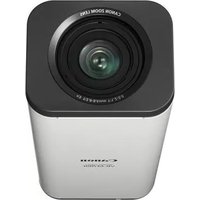

- BEFORE READING THE OPERATION GUIDE
- CHECKING AND UPDATING THE FIRMWARE VERSION
- NEW FUNCTIONS AND SPECIFICATION CHANGES
- TARGET MODELS
- CONFIGURING INITIAL CAMERA SETTINGS
- ADJUSTING VIDEO > FOCUSING
- ONE SHOT [ONE-SHOT AF] BUTTON
- IMPORTANT
- SAVING SNAPSHOTS
- [BASIC] > [USER MANAGEMENT]
- [CONFIRM PASSWORD]
- [CAMERA] > [INITIAL SETTINGS]
- [VIDEO AND AUDIO] > [ADSR] / [VIDEO AND AUDIO] > [PRIVACY MASK]
- [VIDEO AND AUDIO] > [ON-SCREEN DISPLAY]
- NOTE
- [VIDEO AND AUDIO] > [AUDIO]
- [AUDIO INPUT]
- [CURRENT VOLUME LEVEL]
- [AUDIO COMMUNICATION METHOD]
- [HALF DUPLEX]
- [FULL DUPLEX]
- [MAINTENANCE] > [GENERAL]
- [NETWORK SETTINGS]
- [MAINTENANCE] > [UPDATE FIRMWARE]
- LIST OF FACTORY DEFAULT SETTINGS
- SETTING NAME CHANGES
- INFORMATION ON OTHER CHANGES
- DISCONTINUATION OF THE SETUP CD-ROM
- ROUTINE MAINTENANCE (FORMERLY: "CLEANING THE CAMERA")
- CONFIRMATION OF VIDEO IMAGE
- CLEANING METHOD
- CLEANING THE DOME COVER, TOP COVER, AND LENS PROTECTOR
- CLEANING THE LENS
- PRIVILEGES REQUIRED FOR OPERATING THE CAMERA VIEWER
- [MAIN] MENU
- [RECONNECT] BUTTON
- [VIDEO RECORD] > [UPLOAD]
- [EVENT] > [TIMER]
- [24-HOUR CONTINUOUS SETTINGS]
- [FIXED AT INFINITY]
- TROUBLESHOOTING
- LIST OF VIEWER MESSAGES > WARNING MESSAGE
- ONLY FOR EUROPEAN UNION AND EEA (NORWAY, ICELAND AND LIECHTENSTEIN)
- ONLY FOR THE UNITED KINGDOM
- CANON
- OPERATION GUIDE
- INTRODUCTION
- PRECAUTIONS FOR USE (DISCLAIMER)
- DISCLAIMER
- NETWORK SECURITY
- LEGAL NOTICE
- COPYRIGHT
- USE OF INCLUDED RM-LITE SOFTWARE
- LICENSE AGREEMENT FOR INCLUDED SOFTWARE
- TRADEMARKS
- OPEN SOURCE SOFTWARE
- SOFTWARE UNDER GPL AND LGPL
- SECURITY EXPORT CONTROL
- USER MANUALS
- TYPES OF USER MANUALS
- NOTES
- HOW TO USE THIS OPERATION GUIDE
- SOFTWARE SCREENSHOTS
- SYMBOLS INDICATING CAMERA MODELS
- SYMBOLS INDICATING SAFETY PRECAUTIONS
- SAFETY PRECAUTIONS
- IMPORTANT WARNINGS
- FDA REGULATION
- FCC NOTICE
- CAMERA PRECAUTIONS
- PRECAUTIONS FOR BUILT-IN CAMERA FUNCTIONS AND INCLUDED SOFTWARE
- MAINTENANCE PRECAUTIONS
- CLEANING THE EXTERIOR
- CAMERA DISPOSAL
- TABLE OF CONTENTS
- CHAPTER 1 BEFORE USE
- CHAPTER 2 CAMERA SETUP
- CHAPTER 3 CAMERA VIEWER
- CHAPTER 4 SETTING PAGE
- CHAPTER 5 APPENDIX
- CHAPTER
- BEFORE USE
- FUNCTIONS OF THE NETWORK CAMERA
- TABLE OF FUNCTION COMPATIBILITY BY MODEL
- CAMERA SOFTWARE
- CAMERA OPERATIONS AND SETTINGS
- CAMERA VIEWER (P. 43) /MOBILE CAMERA VIEWER
- SETTING PAGE (P. 79)
- SOFTWARE INCLUDED ON THE SETUP CD-ROM
- CAMERA MANAGEMENT TOOL (P. 36)
- RECORDED VIDEO UTILITY
- RM-LITE
- ADDITIONAL SOFTWARE/LICENSES (SOLD SEPARATELY)
- CANON H.264 ADDITIONAL USER LICENSE AUL-VB
- RM-64/RM-25/RM
- RM-V
- RM-LITE-V
- OPERATING ENVIRONMENT
- VERIFIED MOBILE DEVICES (SETTING PAGE, CAMERA VIEWER, MOBILE CAMERA VIEWER)
- STEPS FOR SETTING UP THE CAMERA
- STEP 1 PREPARING TO INSTALL THE CAMERA
- STEP 2: CHECKING THE CAMERA CONNECTION
- STEP 3: INSTALLING THE CAMERA
- STEP 4: USING THE CAMERA VIEWERS
- STEP 5: ADJUSTING ADVANCED SETTINGS ACCORDING TO ITS USE
- CAMERA SETUP
- INSTALLING SOFTWARE
- NECESSARY SOFTWARE
- SOFTWARE INSTALLATION
- INSTALLATION METHODS
- SELECT THE INSTALLATION METHOD
- CONFIRM OR SELECT THE SOFTWARE THAT WILL BE INSTALLED
- READ THROUGH THE USER LICENSE AGREEMENT AND CLICK [YES] IF YOU ACCEPT IT
- CLICK [EXIT] OR [REBOOT]
- CHECKING/CONFIGURING SECURITY SETTINGS
- CHECKING FIREWALL SETTINGS
- CLICK [CHANGE SETTINGS] > [ALLOW ANOTHER APP]
- SELECT THE SOFTWARE TO USE, SUCH AS [CAMERA MANAGEMENT TOOL], AND CLICK [ADD]
- ADDING THE CAMERA IP ADDRESS AS A TRUSTED SITE
- SETTINGS WHEN USING WINDOWS SERVER
- ADDING "ABOUT:INTERNET" AND THE CAMERA HOST NAME
- SECURITY SETTINGS WHEN USING AN SSL/TLS CONNECTION
- SOUND SETTINGS FOR USING THE AUDIO FUNCTIONS
- CLICK [SOUND]
- CLICK [YES]
- CLICK THE [PLAYBACK] TAB TO CONFIRM THAT AN AUDIO DEVICE HAS BEEN INSTALLED
- LAUNCHING THE CAMERA MANAGEMENT TOOL
- SEARCHING FOR CAMERAS
- CLICK THE [SEARCH CAMERAS] ICON
- CLICK [SEARCH]
- REGISTERING THE ADMINISTRATOR ACCOUNT
- SET THE ADMINISTRATOR NAME AND ADMINISTRATOR PASSWORD
- CLICK [OK]
- SETTING UP NETWORKS
- ADDING THE CAMERA'S IP ADDRESS TO TRUSTED SITES
- CHECKING THE VIDEO
- ACCESSING THE CAMERA FROM WEB BROWSER
- CAMERA VIEWER
- VIEWING VIDEO WITH THE CAMERA VIEWER
- LAUNCHING THE CAMERA VIEWER
- CLICK [VIEWER]
- USER AUTHENTICATION
- SWITCHING TO THE ADMINISTRATOR OR AN AUTHORIZED USER
- ENTER A USER NAME AND PASSWORD AND CLICK [OK]
- CAMERA VIEWER ACCESS RESTRICTIONS
- ADMINISTRATOR
- AUTHORIZED USER
- GUEST USER
- [LANGUAGE] BUTTON
- [SWITCH USERS]
- [SETTING PAGE]
- [MOBILE CAMERA VIEWER]
- [VIDEO AND AUDIO] MENU
- VIDEO SIZE
- H.264 RECEPTION
- DISPLAY SIZE
- MAXIMUM FRAME RATE
- AUDIO RECEPTION
- AUDIO TRANSMISSION
- [CAMERA OPERATION] MENU
- PAN/TILT S30VE
- PAN/TILT SPEED S30VE
- ZOOM S30VE S910F
- ZOOM SPEED S30VE S910F
- FOCUS S30VE S910F
- EXPOSURE COMPENSATION
- DAY/NIGHT
- [EVENT AND INPUT/OUTPUT] MENU
- EXTERNAL DEVICE OUTPUT
- EXTERNAL DEVICE INPUT
- INTELLIGENT FUNCTION (VIDEO DETECTION)
- INTELLIGENT FUNCTION (AUDIO DETECTION)
- LINKED EVENTS
- INFORMATION DISPLAY
- PAN/TILT SLIDER S30VE S800VE
- ZOOM SLIDER
- PRESET SELECTION MENU
- [HOME POSITION] BUTTON
- CHECKING INFORMATION
- CHANGING THE RECEPTION VIDEO SIZE AND DISPLAY SCREEN SIZE
- CHANGING THE RECEPTION VIDEO SIZE/FORMAT AND DISPLAY SCREEN SIZE
- VIDEO SIZE SETTING
- H
- DISPLAY SIZE SETTING
- MAX. FRAME RATE (JPEG)
- DISPLAYING IN FULL SCREEN MODE
- MENUS
- SWITCH AREA ZOOM/DRAG TO MOVE
- PAN/TILT/ZOOM
- BLC (BACK LIGHT COMPENSATION)
- HOME POSITION
- OBTAIN/RELEASE CAMERA CONTROL PRIVILEGES
- EVENT AND INPUT/OUTPUT MENU
- SNAPSHOT
- MEMORY CARD RECORDING
- OPERATING THE CAMERA
- OBTAINING CAMERA CONTROL PRIVILEGES
- CAMERA CONTROL PRIVILEGE STATUS INDICATOR
- USING PAN/TILT/ZOOM
- IMPORTANT S30VE
- CLICKING ON THE VIDEO DISPLAY AREA OR USE THE SLIDERS
- MOVING BY CLICKING ON THE VIDEO DISPLAY AREA
- MOVING USING THE SLIDERS
- S800VE
- SLIDERS USED FOR DIGITAL ZOOM S30VE S910F
- USING AREA ZOOM/DRAG TO MOVE
- S30VE
- USING AREA ZOOM TO ZOOM IN AND OUT
- RELEASE THE MOUSE BUTTON
- USING DRAG TO MOVE TO CHANGE THE CAMERA ANGLE
- CLICK THE [SWITCH AREA ZOOM/DRAG TO MOVE] BUTTON TO ENTER (DRAG TO MOVE) MODE
- IN THE VIDEO DISPLAY AREA, DRAG IN THE DIRECTION YOU WOULD LIKE TO CHANGE THE CAMERA ANGLE. AN ARROW WILL BE DISPLAYED
- USING [PAN/TILT/ZOOM] IN THE [CAMERA CONTROL] MENU
- [PAN/TILT] S30VE
- [ZOOM]
- ZOOM SPEED
- OPERATING THE CAMERA WITH THE PANORAMA DISPLAY PANEL
- CLICK THE [PANORAMA DISPLAY] BUTTON
- USE THE FRAME IN THE PANORAMA DISPLAY PANEL TO PAN/TILT/ZOOM THE CAMERA
- ADJUSTING VIDEO
- FOCUSING
- SETTING THE EXPOSURE COMPENSATION
- SWITCHING DAY/NIGHT
- USING BACKLIGHT COMPENSATION
- USING PRESETS OR THE HOME POSITION
- VIEWER PTZ AND DIGITAL PTZ
- MAGNIFYING AND DISPLAY PART OF VIDEO (VIEWER PTZ)
- EXITING VIEWER PTZ
- CROPPING AND DISPLAYING PART OF AN IMAGE (DIGITAL PTZ)
- CROPPING VIDEO WITH DIGITAL PTZ PANEL
- CLICK THE [DIGITAL PTZ] BUTTON
- IN THE DIGITAL PTZ PANEL, MOVE AND RESIZE THE PREVIEW FRAME
- IMPORTANT S30VE S910F
- USING PRESETS OR THE HOME POSITION S800VE
- EXITING DIGITAL PTZ
- RECORDING VIDEO TO A MEMORY CARD
- RECORDING VIDEOS MANUALLY
- CONFIRMING RECORDED VIDEO
- RECEIVING/TRANSMITTING AUDIO
- RECEIVING AUDIO
- TRANSMITTING AUDIO
- CLICK THE [AUDIO TRANSMISSION] BUTTON
- IN [INPUT VOLUME], ADJUST THE VOLUME TO AN APPROPRIATE LEVEL USING THE SLIDER
- CHECKING THE STATUS OF EVENT DETECTION
- OPERATING EXTERNAL DEVICE OUTPUT
- [EXTERNAL DEVICE INPUT]
- [INTELLIGENT FUNCTION (VIDEO DETECTION)]
- [INTELLIGENT FUNCTION (AUDIO DETECTION)]
- [LINKED EVENTS]
- SETTING PAGE
- HOW TO USE THE SETTING PAGE
- ACCESSING THE SETTING PAGE
- SETTING MENU
- COMMON SETTING PAGE OPERATIONS
- APPLYING CHANGES TO SETTINGS
- SETTING CHANGES REQUIRING REBOOTING
- RETURN TO THE SETTING MENU
- HELP
- SETTING RANGES AND CHARACTER LIMITS
- OPERATING THE VIDEO DISPLAY AREA
- VIDEO DISPLAY AREA
- ADSR (P. 124)
- ON-SCREEN DISPLAY (P. 127)
- PRIVACY MASK (P. 129)
- AUDIO (P. 132)
- VIDEO SERVER (P. 138)
- AUDIO SERVER (P. 133)
- UPLOAD (P. 141)
- MEMORY CARD (P. 194)
- E-MAIL NOTIFICATION (P. 145)
- SECURITY
- MEMORY CARD
- MAINTENANCE
- USER PAGE
- [BASIC] > [NETWORK] CONFIGURING NETWORK SETTINGS
- LAN
- [LAN INTERFACE]
- [MAXIMUM PACKET SIZE]
- IPV
- [IPV4 ADDRESS SETTING METHOD]
- [IPV4 ADDRESS]
- [SUBNET MASK]
- [IPV4 DEFAULT GATEWAY ADDRESS]
- [AUTOIP]
- [IPV4 ADDRESS (AUTOIP)]
- [IPV6]
- [AUTO (RA)]
- [AUTO (DHCPV6)]
- [IPV6 ADDRESS (MANUAL)]
- [PREFIX LENGTH]
- [IPV6 DEFAULT GATEWAY ADDRESS]
- [IPV6 ADDRESS (AUTO)]
- DNS
- [NAME SERVER ADDRESS 1], [NAME SERVER ADDRESS 2]
- [AUTO-SETTING OF NAME SERVER ADDRESS]
- [NAME SERVER ADDRESS (DHCP)]
- [NAME SERVER ADDRESS (DHCPV6)]
- [HOST NAME]
- [HOST NAME REGISTRATION WITH DDNS]
- [SEARCH DOMAIN]
- [SEARCH DOMAIN LIST]
- [BASIC] > [USER MANAGEMENT] CONFIGURING ACCOUNTS AND PRIVILEGES
- ADMINISTRATOR ACCOUNT
- [ADMINISTRATOR NAME]
- [PASSWORD]
- AUTHORIZED USER ACCOUNT
- [USER NAME], [PASSWORD]
- [USER LIST]
- USER AUTHORITY
- [BASIC] > [DATE AND TIME]
- SETTING THE DATE/TIME
- CURRENT DATE AND TIME
- SETTING
- [SETTING METHOD]
- [SET MANUALLY]
- [SYNCHRONIZE WITH NTP SERVER]
- [DISABLE]
- [USE DHCP]
- [USE DHCPV6]
- [USE DHCP/DHCPV6]
- [SYNCHRONIZATION INTERVAL (MINUTES)]
- [LAST SYNC TIME]
- [SYNCHRONIZE WITH COMPUTER TIME]
- [TIME ZONE]
- [DAYLIGHT SAVING TIME]
- [BASIC] > [VIDEO] SETTING VIDEO SIZE AND QUALITY
- ALL VIDEOS
- [VIDEO SIZE SET]
- JPEG
- [VIDEO QUALITY]
- [VIDEO QUALITY: DIGITAL PTZ]
- [VIDEO SIZE: VIDEO TRANSMISSION]
- [MAXIMUM FRAME RATE: VIDEO TRANSMISSION]
- [VIDEO SIZE: UPLOAD / MEMORY CARD]
- H.264(1)
- [VIDEO SIZE]
- [BIT RATE CONTROL]
- [TARGET BIT RATE (KBPS)]
- [FRAME RATE (FPS)]
- [I FRAME INTERVAL (SEC)]
- H.264(2)
- [BASIC] > [VIEWER] CONFIGURING THE VIEWER
- GENERAL
- [DEFAULT PAGE]
- VIEWER SETTINGS
- [USER AUTHENTICATION]
- [ROTATE VIDEO DISPLAY] S800VE S910F
- [H.264 FOR GUEST USERS]
- [CAMERA] > [CAMERA] SETTING GENERAL CAMERA CONTROLS
- CAMERA NAME
- [CAMERA NAME]
- CAMERA CONTROL
- [DIGITAL ZOOM] S30VE S910F
- [SMART SHADE CONTROL STRENGTH (AUTO)]
- [HAZE COMPENSATION STRENGTH (AUTO)]
- [MOTION-ADAPTIVE NOISE REDUCTION]
- [PAN/TILT SPEED CONTROL] S30VE
- DAY/NIGHT (WHEN AUTO IS SET)
- [SWITCHING BRIGHTNESS]
- [RESPONSE (SEC.)]
- INSTALLATION CONDITIONS
- [LED SETTING]
- [IMAGE FLIP]
- CAMERA POSITION CONTROL
- [RESTRICTED TO PRESETS] S30VE S910F
- [CAMERA POSITION WITHOUT CONTROL]
- EXTERNAL INPUT DEVICE
- [DEVICE NAME]
- [CAMERA] > [INITIAL SETTING] SETTING INITIAL VIDEO SETTINGS
- CAMERA POSITION
- [PAN/TILT/ZOOM POSITION] S30VE
- NOTE S30VE
- [ZOOM POSITION] S910F
- [DIGITAL PTZ POSITION]
- CAMERA SETTINGS
- [SIMPLE CAMERA SETTINGS]
- [FOCUS]
- [AUTO]
- [MANUAL]
- DIFFICULT TO FOCUS SUBJECTS
- [ONE-SHOT AF] S30VE S910F
- [ADJUST FOCUS] S30VE S910F
- [EXPOSURE]
- [AUTO (FLICKERLESS)]
- [AUTO (FLICKERLESS2)]
- [AUTO (SHUTTER-PRIORITY AE)]
- [AGC LIMIT]
- [SHUTTER SPEED LIMIT (LOWER)]
- [SHUTTER SPEED LIMIT (UPPER)]
- [SHUTTER SPEED]
- [GAIN]
- [EXPOSURE COMPENSATION]
- [METERING MODE]
- [CENTER-WEIGHTED]
- [AVERAGE]
- [SPOT]
- [SMART SHADE CONTROL]
- [SMART SHADE CONTROL LEVEL]
- [WHITE BALANCE]
- [DAYLIGHT FLUORESCENT] (APPROX. 6100K - 6600K)
- [WHITE FLUORESCENT] (APPROX. 4100K - 5000K)
- [WARM FLUORESCENT] (APPROX. 2500K - 3000K)
- [MERCURY LAMP] (APPROX. 4300K)
- [SODIUM LAMP] (APPROX. 2000K)
- [HALOGEN LAMP] (APPROX. 2700K - 3200K)
- [ONE-SHOT WB]
- [R GAIN]
- [B GAIN]
- [NOISE REDUCTION]
- [SHARPNESS]
- [COLOR SATURATION]
- [HAZE COMPENSATION]
- [HAZE COMPENSATION LEVEL]
- [DAY/NIGHT]
- [CAMERA] > [PANORAMA] CREATING A PANORAMA IMAGE
- CREATING A PANORAMA IMAGE
- SET [PANORAMA CREATION AREA]
- [SPECIFY THE PANORAMA CREATION AREA]
- SET THE PANORAMA CREATION AREA USING THE VIDEO DISPLAY AREA
- [UPPER LIMIT]/[LOWER LIMIT]/[LEFT LIMIT]/[RIGHT LIMIT]
- PANORAMA CREATION AREA FRAME (RED FRAME)
- PREVIEW FRAME (BLUE FRAME)
- SET [CAPTURE SETTINGS] AS NECESSARY
- IN [START], CLICK [EXEC]
- DELETING A PANORAMA IMAGE FROM THE CAMERA
- SAVING THE PANORAMA IMAGE AS AN IMAGE FILE/OPENING THE IMAGE FILE
- SAVING THE PANORAMA IMAGE AS AN IMAGE FILE
- OPENING THE IMAGE FILE
- CAPTURE SETTINGS
- [CAMERA] > [RESTRICT VIEW]
- SETTING VIEW RESTRICTION
- SCOPE OF VIEW RESTRICTION SETTINGS
- [TELEPHOTO]/[WIDE-ANGLE]
- PAN/TILT PREVIEW FRAME (RED FRAME) S30VE
- WIDE-ANGLE PREVIEW FRAME (GREEN FRAME)
- TELEPHOTO PREVIEW FRAME (YELLOW FRAME)
- PREVIEW FRAME (BLUE FRAME) S30VE
- CLICK [APPLY]
- [CAMERA] > [PRESET] REGISTERING PRESETS
- USING PRESETS
- REGISTERING A PRESET
- DELETING A PRESET
- PREVIEWING A PRESET
- CHECKING ADVANCED PRESET INFORMATION
- [CAMERA] > [PRESET TOUR] SETTING THE PRESET TOUR ROUTE
- SCREEN COMPOSITION
- FULL-VIEW SCREEN
- TOUR ROUTE SETTINGS
- SPECIFY THE SETTINGS FOR TOUR ROUTE USAGE
- [EFFECTIVE CONDITIONS]
- [SPECIFY ACTIVE TIME]
- CLICK [ADD] IN [EDIT TOUR ROUTE]
- SELECT A PRESET TO TOUR FROM THE [PRESET LIST]
- CLICK [ADD]
- CONFIGURE THE PRESET PAUSE DURATION
- SPECIFIED AREA
- S30VE S910F
- SELECT [ENABLE] FOR THE AREA WITH THE FRAME COLOR TO USE FOR THE SPECIFIED AREA
- SET THE SPECIFIED AREA
- [PREVIEW] S30VE
- ADSR
- [DATA SIZE REDUCTION LEVEL]
- [VIDEO AND AUDIO] > [ON-SCREEN DISPLAY] DISPLAYING DATE, TIME AND TEXT ON THE VIDEO
- ON-SCREEN DISPLAY
- [DATE DISPLAY]
- [POSITION OF DATE DISPLAY]
- [FORMAT OF DATE DISPLAY]
- [TIME DISPLAY]
- [POSITION OF TIME DISPLAY]
- [TEXT DISPLAY]
- [DISPLAY DESIGNATED STRING]
- [DISPLAY CAMERA NAME]
- [POSITION OF TEXT DISPLAY]
- [TEXT STRING DISPLAY]
- [COLOR OF TEXT]
- [BACKGROUND COLOR]
- [COLOR DEPTH OF TEXT AND BACKGROUND]
- [VIDEO AND AUDIO] > [PRIVACY MASK] SETTING PRIVACY MASK
- REGISTERING PRIVACY MASKS
- IN [ADD MASK AREA], CLICK [ADD]
- SET THE SIZE AND POSITION FOR THE PREVIEW FRAME IN THE VIDEO DISPLAY AREA
- SET [MASK AREA] TO [ENABLE]
- CHANGE THE COLOR FOR THE PRIVACY MASK AREA WITH [COLOR] AS NECESSARY
- TO ADD PRIVACY MASK AREAS, REPEAT STEPS 1 TO
- PRIVACY MASK REGISTRATION AREA
- CHANGING MASK POSITION AND SIZE
- HOW TO SELECT A PRIVACY MASK
- DELETING A PRIVACY MASK FROM THE CAMERA
- SETTING AUDIO INPUT/OUTPUT
- GENERAL SOUND
- [INPUT VOLUME]
- [LOW-CUT FILTER]
- [MUTE DURING PAN/TILT] S30VE
- [OUTPUT VOLUME]
- AUDIO SERVER
- [AUDIO TRANSMISSION FROM THE CAMERA]
- [VOICE ACTIVITY DETECTION]
- [AUDIO RECEPTION FROM VIEWER]
- SOUND CLIP UPLOAD 1 TO
- [BROWSE FILE]
- [SOUND CLIP NAME]
- [SERVER] > [SERVER] HTTP, SNMP AND FTP SERVER SETTINGS
- HTTP SERVER
- [AUTHENTICATION METHOD]
- [HTTP PORT]
- [HTTPS PORT]
- SNMP SERVER
- [USE SNMP V1 AND V2C]
- [USE SNMP V3]
- [ADMINISTRATOR CONTACT INFORMATION]
- [ADMINISTRATION FUNCTION NAME]
- [INSTALLATION LOCATION]
- SNMP V1 AND V2C SERVER
- [COMMUNITY NAME]
- SNMP V3 SERVER
- [USER NAME]
- [SECURITY LEVEL]
- [AUTHENTICATION ALGORITHM]
- [AUTHENTICATION PASSWORD]
- [ENCRYPTION ALGORITHM]
- [ENCRYPTION PASSWORD]
- FTP SERVER
- [USE FTP SERVER]
- [SERVER] > [VIDEO SERVER] VIDEO TRANSMISSION SETTINGS
- VIDEO SERVER
- [MAXIMUM NUMBER OF CLIENTS]
- [CAMERA CONTROL QUEUE LENGTH]
- [MAXIMUM CONNECTION TIME (SEC.)]
- [CAMERA CONTROL TIME (SEC.)]
- [SERVER] > [RTP SERVER] RTP SETTINGS
- RTP SERVER
- [RTP]
- [RTSP AUTHENTICATION METHOD]
- [RTSP PORT]
- AUDIO MULTICAST
- [MULTICAST ADDRESS]
- [MULTICAST PORT]
- [MULTICAST TTL]
- [FRAME RATE]
- [AUDIO TRANSMISSION]
- [VIDEO RECORD] > [UPLOAD] HTTP AND FTP UPLOAD SETTINGS
- VIDEO RECORD SETTING
- GENERAL UPLOAD
- [VIDEO FORMAT]
- [PRE-EVENT BUFFER (NUMBER OF FRAMES)] (JPEG)/ [PRE-EVENT BUFFER (SEC)] (H.264)
- [POST-EVENT BUFFER (NUMBER OF FRAMES)] (JPEG)/ [POST-EVENT BUFFER (SEC)] (H.264)
- HTTP UPLOAD
- [NOTIFICATION]
- [URI]
- [PROXY SERVER]
- [PROXY PORT]
- [PROXY USER NAME], [PROXY PASSWORD]
- [PARAMETER (QUERY STRING)]
- [HTTP UPLOAD TEST]
- FTP UPLOAD
- [FTP SERVER]
- [PASV MODE]
- [FILE UPLOAD PATH]
- [FILE NAMING]
- [YYYYMMDDHHMMSSMS]
- [YYYYMMDD DIRECTORY/HHMMSSMS]
- [LOOP]
- [MAXIMUM NUMBER OF LOOPS]
- [USER SETTING]
- [SUBDIRECTORY NAME TO CREATE], [FILE NAME TO CREATE]
- [FTP UPLOAD TEST]
- [VIDEO RECORD] > [E-MAIL NOTIFICATION] SETTING E-MAIL NOTIFICATION
- E-MAIL NOTIFICATION
- [COPY E-MAIL SETTINGS]
- [MAIL SERVER NAME]
- [MAIL SERVER PORT]
- [SENDER (FROM)]
- [RECIPIENT (TO)]
- [AUTHENTICATION]
- [USER NAME], [PASSWORD], [POP SERVER]
- [SUBJECT]
- [MESSAGE BODY]
- [E-MAIL NOTIFICATION TEST]
- [EVENT] > [EXTERNAL DEVICE] EXTERNAL DEVICE INPUT TRIGGERED OPERATION SETTINGS
- [OPERATION MODE]
- [ACTIVE OUTPUT FORMAT]
- [PULSE OUTPUT TIME (SEC)]
- [EXTERNAL DEVICE INPUT EVENT]
- [ACTIVE EVENT OPERATION]
- [INACTIVE EVENT OPERATION]
- [ONGOING ACTIVE EVENT OPERATION]
- [PRESET] S30VE S910F
- [VIDEO RECORD]
- [E-MAIL NOTIFICATION]
- [EXTERNAL DEVICE OUTPUT FOR ACTIVE EVENT]
- [EXTERNAL DEVICE OUTPUT FOR INACTIVE EVENT]
- [AUDIO PLAYBACK AT ACTIVE EVENT]
- [AUDIO PLAYBACK AT INACTIVE EVENT]
- [SOUND CLIP]
- [VOLUME]
- [SWITCH DAY/NIGHT]
- [EVENT] > [AUDIO DETECTION] ABNORMAL AUDIO INPUT TRIGGERED OPERATION SETTINGS
- VOLUME DETECTION
- [VOLUME DETECTION EVENT]
- [DETECT CRITERIA]
- [REFERENCE VOLUME LEVEL]
- [DETECT CRITERIA DURATION (SEC)]
- [ON EVENT OPERATION]
- [OFF EVENT OPERATION]
- [ONGOING ON EVENT OPERATION]
- [EXTERNAL DEVICE OUTPUT FOR ON EVENT]
- [EXTERNAL DEVICE OUTPUT FOR OFF EVENT]
- [EVENT] > [TIMER] TIMER TRIGGERED OPERATION SETTINGS
- TIMER 1 TO
- [TIMER EVENT]
- [24-HOUR CONTINUOUS SETTING]
- [START TIME]
- [END TIME]
- [REPEAT INTERVAL]
- OPERATION
- [START TIME PRESET] S30VE S910F
- [EXTERNAL DEVICE OUTPUT]
- [EVENT] > [INTELLIGENT FUNCTION] - OVERVIEW
- INTELLIGENT FUNCTION
- VIDEO DETECTION
- MOVING OBJECT DETECTION
- ABANDONED OBJECT DETECTION
- REMOVED OBJECT DETECTION
- CAMERA TAMPERING DETECTION
- PASSING DETECTION
- INTRUSION DETECTION
- AUDIO DETECTION
- NOTES ON INTELLIGENT FUNCTION SETTINGS AND OPERATIONS
- DIFFICULT-TO-DETECT SUBJECTS
- REGISTERING PRESETS
- [EVENT] > [INTELLIGENT FUNCTION] - VIDEO DETECTION
- STEPS FOR CONFIGURING VIDEO DETECTION
- CONFIGURING THE DETECTION AREA
- CLICK [ADD] IN [DETECTION SETTINGS]
- SELECT [DETECTION SETTING NUMBER] (1 TO 15) AND [DETECTION TYPE] FOR THE DETECTION SETTING TO BE ADDED
- CONFIGURE THE DETECTION CRITERIA
- CONFIGURE EVENT SETTINGS
- TO REGISTER MULTIPLE DETECTION SETTINGS, REPEAT STEPS 2 TO
- CHECK THE DETECTION RESULT
- SETTING A NON-DETECTION AREA
- CLICK [NON-DETECTION AREA SETTINGS] TO DISPLAY THE LIST OF NON-DETECTION AREA SETTINGS
- SET A NON-DETECTION AREA IN THE VIDEO DISPLAY AREA
- CONFIGURING DETECTION CRITERIA ([DETECTION CRITERIA] TAB)
- SETTINGS COMMON TO EACH DETECTION TYPE
- [CLEAR AREA]
- [DISPLAY COLOR]
- HOW TO CONFIGURE MOVING OBJECT DETECTION
- DETECTION STATUS FOR MOVING OBJECT DETECTION
- HOW TO CONFIGURE ABANDONED OBJECT DETECTION
- DETECTION STATUS FOR ABANDONED OBJECT DETECTION
- HOW TO CONFIGURE REMOVED OBJECT DETECTION
- SETTING A BROAD AREA FOR DETECTING REMOVED OBJECTS
- SPECIFYING THE PROFILE LINES OF OBJECTS FOR REMOVAL DETECTION
- FOLLOW STEPS 4–5 IN "SETTING A BROAD AREA FOR DETECTING REMOVED OBJECTS" (P. 168)
- DETECTION STATUS FOR REMOVED OBJECT DETECTION
- HOW TO CONFIGURE CAMERA TAMPERING DETECTION
- DETECTION STATUS FOR CAMERA TAMPERING DETECTION
- HOW TO CONFIGURE PASSING DETECTION
- DETECTION STATUS FOR PASSING DETECTION
- HOW TO CONFIGURE INTRUSION DETECTION
- CONFIGURE THE SIZE OF THE MOVING OBJECT NEEDED TO TRIGGER DETECTION IN [OBJECT SIZE (%)]
- DETECTION STATUS FOR INTRUSION DETECTION
- CONFIGURING OPERATIONS FOR "DETECTED" ([EVENT] TAB)
- CHECKING EVENT STATUS
- DISPLAYING SETTINGS FOR DETECTION AREAS/DETECTION LINES, NON-DETECTION AREA AND DETECTION RESULTS (DISPLAY OPTIONS)
- [SELECTED DETECTION SETTINGS ONLY]
- [ALL DETECTION SETTINGS]
- [DETECTION SETTINGS OF THE SAME TYPE]
- [DO NOT DISPLAY]
- [ONLY SELECTED NON-DETECTION AREAS]
- [ALL NON-DETECTION AREAS]
- [ONLY ENABLED NON-DETECTION AREAS]
- REDUCING EFFECTS OF LIGHTING CHANGE (DETECTIONS SETTINGS)
- CLICK [DETECTION SETTINGS]
- SELECT [REDUCE EFFECTS OF LIGHTING CHANGE] CHECKBOX
- CLICK [SAVE SETTINGS]
- CONTEXT MENU
- [COPY DETECTION AREA/LINE]
- [PASTE DETECTION AREA/LINE]
- [CLEAR DETECTION AREA/LINE]
- [COPY DETECTION CRITERIA SETTINGS]
- [PASTE DETECTION CRITERIA SETTINGS]
- [COPY EVENT SETTINGS]
- [PASTE EVENT SETTINGS]
- [COPY NON-DETECTION AREA]
- [PASTE NON-DETECTION AREA]
- [CLEAR NON-DETECTION AREA]
- [EVENT] > [INTELLIGENT FUNCTION] - SHARED OPERATIONS
- EXTERNAL DEVICE OUTPUT OPERATIONS
- RESTARTING INTELLIGENT FUNCTION
- [EVENT] > [SWITCH DAY/NIGHT]
- EXECUTING PRESETS WHEN SWITCHING DAY/NIGHT MODE
- DAY/NIGHT MODE SWITCHING
- [EVENT] > [LINKED EVENT] USING EVENT COMBINATIONS
- LINKED EVENT 1 TO
- [LINKED EVENT]
- [EVENT LINKING METHOD]
- [EVENT ORDER]
- [EVENT GAP (SECONDS)]
- EVENT
- [EVENT TYPE]
- [VOLUME DETECTION]
- [TIMER]
- [INTELLIGENT FUNCTION]
- NOTE S30VE S910F
- [AUDIO PLAYBACK AT ON EVENT]
- [AUDIO PLAYBACK AT OFF EVENT]
- LINKED EVENT OPERATION EXAMPLES
- [EVENT LINKING METHOD] SET TO [OR]
- [EVENT LINKING METHOD] IS SET TO [AND], [EVENT ORDER] IS SPECIFIED
- [SECURITY] > [HOST RESTRICTIONS]
- SETTING ACCESS RESTRICTIONS
- IPV4 HOST ACCESS RESTRICTIONS
- [SECURITY] > [SSL/TLS] SETTING HTTP COMMUNICATION ENCRYPTION
- CERTIFICATES
- [CREATE SELF-SIGNED CERTIFICATE]
- [CERTIFICATE STATUS]
- [COUNTRY (C)]
- [VALIDITY PERIOD START DATE], [VALIDITY PERIOD END DATE]
- [GENERATE CERTIFICATE SIGNING REQUEST]
- [DISPLAY CERTIFICATE SIGNING REQUEST]
- [INSTALL SERVER CERTIFICATE]
- [INSTALL INTERMEDIATE CERTIFICATE]
- [DELETE SERVER CERTIFICATE]
- [DELETE INTERMEDIATE CERTIFICATE]
- [DISPLAY SERVER CERTIFICATE DETAILS]
- [DISPLAY SELF CA CERTIFICATE]
- [BACKUP]
- [RESTORE]
- ENCRYPTED COMMUNICATIONS
- [HTTPS CONNECTION POLICY]
- [SECURITY] > [802.1X] NETWORK PORT AUTHENTICATION SETTINGS
- X AUTHENTICATION
- [802.1X AUTHENTICATION]
- [AUTHENTICATION STATUS]
- AUTHENTICATION METHOD
- CERTIFICATE INFORMATION
- [CA CERTIFICATE STATUS]
- [CLIENT CERTIFICATE STATUS]
- [CLIENT PRIVATE KEY STATUS]
- CERTIFICATE MANAGEMENT
- [INSTALL CA CERTIFICATE]
- [INSTALL CLIENT CERTIFICATE]
- [INSTALL CLIENT PRIVATE KEY]
- [CLIENT PRIVATE KEY PASSWORD]
- [DELETE CERTIFICATE]
- [SECURITY] > [IPSEC]
- SETTING IPSEC
- IPSEC
- [IPSEC]
- AUTO KEY EXCHANGE SETTINGS
- IPSEC SET 1 TO
- AUTO KEY EXCHANGE
- MANUAL
- IF THE SETTING IN [SECURITY PROTOCOL] INCLUDES "ESP
- IF THE SETTING IN [SECURITY PROTOCOL] INCLUDES "AH
- [SA AH AUTHENTICATION ALGORITHM]
- [SA AH AUTHENTICATION KEY (OUTBOUND)]
- [SA AH SPI (OUTBOUND)]
- [SA AH AUTHENTICATION KEY (INBOUND)]
- [SA AH SPI (INBOUND)]
- [MEMORY CARD]
- MEMORY CARD OPERATIONS AND INFORMATION DISPLAY
- MEMORY CARD OPERATIONS
- [MOUNT/UNMOUNT]
- [OPERATION SETTINGS]
- [OVERWRITE VIDEOS]
- [AUTO VIDEO DELETE]
- [DAYS SAVED]
- [DELETE TIME]
- [RECREATE VIDEO MANAGEMENT INFORMATION]
- [FORMAT]
- MEMORY CARD INFORMATION
- [MEMORY CARD RECOGNITION]
- [MEMORY CARD OPERATION STATUS]
- [VIDEO MANAGEMENT INFORMATION STATUS]
- [VIDEO SAVING]
- [MEMORY CARD CAPACITY]
- [USED CAPACITY]
- [MAINTENANCE] > [GENERAL] DISPLAYING CAMERA DEVICE INFORMATION AND PERFORM MAINTENANCE
- DEVICE INFORMATION
- TOOL
- INITIALIZATION
- CAUTION
- [REVERT TO INITIAL SETTINGS]
- [MAINTENANCE] > [BACKUP / RESTORE] SAVING/RESTORING CAMERA SETTINGS
- BACKUP / RESTORE
- [SAVE DESTINATION]
- [BACK UP SETTINGS]
- [RESTORE SETTINGS]
- [MAINTENANCE] > [UPDATE FIRMWARE] UPDATING THE CAMERA FIRMWARE
- UPDATING FIRMWARE
- [UPDATE FIRMWARE]
- [MAINTENANCE] > [LOG] CHECKING/SENDING CAMERA LOG INFORMATION
- VIEW LOGS
- [VIEW LOGS]
- LOG NOTIFICATIONS
- [USE LOG NOTIFICATIONS]
- [NOTIFICATION LEVEL]
- [LOG NOTIFICATION TEST]
- APPENDIX
- MODIFIERS
- AVAILABLE MODIFIERS
- LIST OF LOG MESSAGES
- LOG MESSAGES ON THE CAMERA
- ERROR LOG
- SYSTEM ERROR
- AUDIO SERVER ERROR
- VIDEO ERROR
- UPLOADER ERROR
- MEMORY CARD ERROR
- ONVIF ERROR (RTP)
- SYSTEM WARNING
- HTTP SERVER WARNING
- WVHTTP WARNING
- AUDIO SERVER WARNING
- CAMERA APPLICATION WARNING
- VIDEO WARNING
- UPLOADER WARNING
- ONVIF WARNING (RTP)
- NOTIFICATION LOG
- SYSTEM NOTIFICATION
- WVHTTP NOTIFICATION
- AUDIO SERVER NOTIFICATION
- CAMERA APPLICATION NOTIFICATION
- VIDEO NOTIFICATION
- UPLOADER NOTIFICATION
- MEMORY CARD NOTIFICATION
- ONVIF NOTIFICATION (RTP)
- LIST OF VIEWER MESSAGES
- MESSAGES DISPLAYED IN THE INFORMATION DISPLAY
- WARNING MESSAGE
- RESTORING FACTORY DEFAULT SETTINGS
- RESTORING THE INITIAL SETTINGS FROM A WEB BROWSER
- RESTORING FACTORY DEFAULT SETTINGS WITH THE RESET SWITCH ON THE CAMERA
- ATTACH THE TOP COVER. S30VE S800VE
- INDEX
- NUMERICS
- A
- B
- C
- D
- E
- F
- G
- J
- L
- M
- N
- O
- P
- R
- S
- T
- U
- V
- W
Brand : CANON
Model : VB-S800VE
Category : Surveillance Camera