
BDP2300 - Blu-ray player PHILIPS - Free user manual and instructions
Find the device manual for free BDP2300 PHILIPS in PDF.


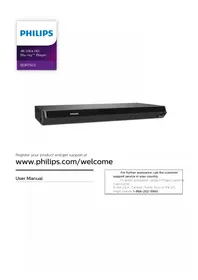
| Type of product | Blu-ray Disc player |
| Brand | Philips |
| Model | BDP2300 |
| Colour | Black |
| Dimensions (W x H x D) | 310 x 40 x 210 mm |
| Weight | 1.1 kg |
| Power supply | 220-240 V, 50/60 Hz |
| Power consumption (operating) | 10 W (approx.) |
| Power consumption (standby) | < 0.3 W |
| Disc playback | BD, BD-R/RE, DVD, DVD±R/RW, CD, CD-R/RW |
| Video output | HDMI |
| Video functions | Full HD 1080p, 24p, upscaling to 1080p, DivX Plus HD |
| Audio output | HDMI |
| Audio decoders | Dolby Digital, Dolby Digital Plus, DTS |
| Connectivity | Ethernet (for BD-Live and firmware updates) |
| USB port | 1 x USB 2.0 |
| Supported video formats | DivX, MKV, AVI, MP4 |
| Supported audio formats | MP3, WMA, AAC |
| Supported image formats | JPEG, PNG, BMP |
| BD-Live | Yes (with Ethernet connection) |
| Maintenance | Clean with a soft dry cloth. Do not use liquid cleaners or solvents. Keep the player away from dust. |
| Safety | Disconnect the power before cleaning. Do not open the casing. Avoid moisture and direct sunlight. |
| Spare parts and repairability | Contact Philips authorized service partners for spare parts and repairs. Disposal must follow local e-waste regulations. |
Frequently Asked Questions - BDP2300 PHILIPS
User questions about BDP2300 PHILIPS
0 question about this device. Answer the ones you know or ask your own.
Ask a new question about this device
Download the instructions for your Blu-ray player in PDF format for free! Find your manual BDP2300 - PHILIPS and take your electronic device back in hand. On this page are published all the documents necessary for the use of your device. BDP2300 by PHILIPS.
USER MANUAL BDP2300 PHILIPS
Εγχειρίδιο χρήσης
PHILIPS
Be responsible Respect copyrights
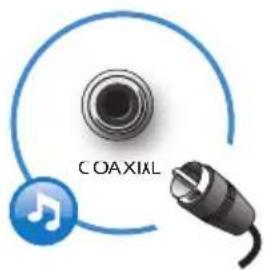
3
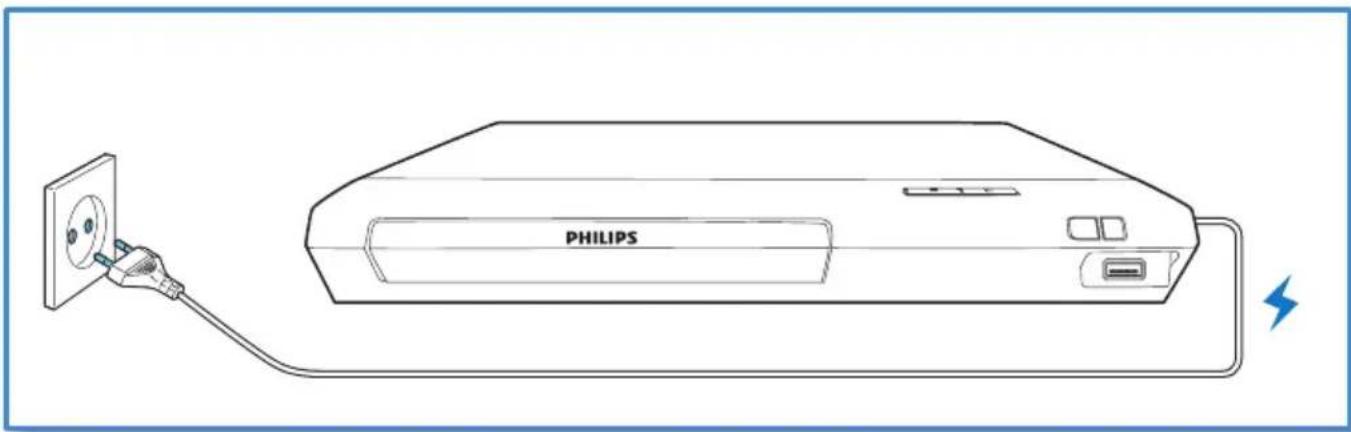
4
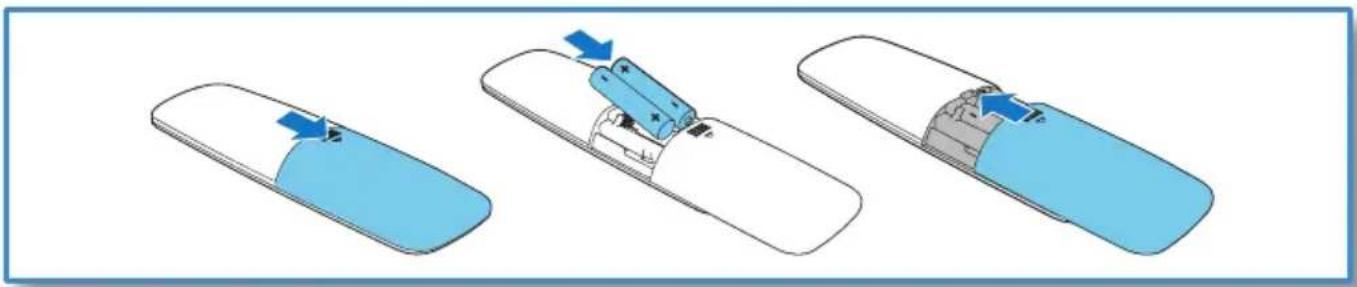
5

6

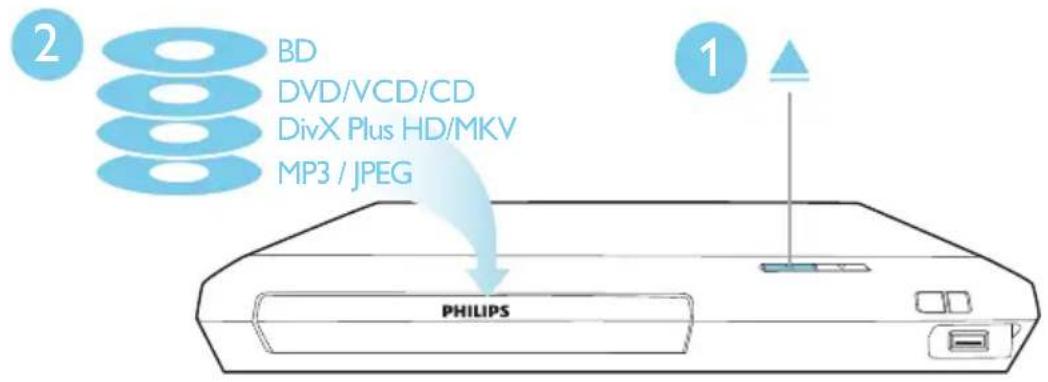

'Blu-ray Disc™' and 'Blu-ray Disc™ logo are the trademarks of Blu-ray Disc Association.

HDMI, and HDMI logo and High-Definition Multimedia Interface are trademarks or registered trademarks of HDMI licensing LLC in the United States and other countries.

Dolby, Pro Logic, and the double-D symbol are registered trademarks of Dolby Laboratories.

This DivX Certified ® device has passed rigorous testing to ensure it plays DivX ® video.
To play purchased DivX movies, first register your device at vod.divx.com. Find your registration code in the DivX VOD section of your device setup menu.
DivX Certified ® to play DivX ® and DivX Plus ® HD (H.264/MKV) video up to 1080p HD, including premium content.
DivX ® , DivX Certified ® , DivX Plus ® HD and associated logos are trademarks of DivX, LLC and are used under license.
Covered by one or more of the following U.S. patents: 7,295,673; 7,460,668; 7,515,710; 7,519,274; 8,301,793; 8,649,669; 8,656,183.

For DTS patents, see http://patents.dts.com. Manufactured under license from DTS Licensing Limited. DTS, the Symbol, & DTS and the Symbol together are registered trademarks, and DTS 2.0+Digital Out is a trademark of DTS, Inc. © DTS, Inc. ALL Rights Reserved.
BONUSVIEW™
'BD LIVE TM' and 'BONUSVIEW TM' are trademarks of Blu-ray Disc Association.

'DVD Video' is a trademark of DVD Format/Logo Licensing Corporation.

Netflix and the Netflix logo are trademarks or registered trademarks of Netflix, Inc.

Oracle and Java are registered trademarks of Oracle and/or its affiliates. Other names may be trademarks of their respective owners.
| Abkhazian | 6566 | |
| Afar | 6565 | |
| Afrikaans | 6570 | |
| Amharic | 6577 | |
| Arabic | 6582 | |
| Armenian | 7289 | |
| Assamese | 6583 | |
| Avestan | 6569 | |
| Aymara | 6589 | |
| Azerhaijani | 6590 | |
| Bahasa Melayu | 7783 | |
| Bashkir | 6665 | |
| Belarusian | 6669 | |
| Bengali | 6678 | |
| Bihari | 6672 | |
| Bislama | 6673 | |
| Bokmål, Norwegian | 7866 | |
| Bosanski | 6683 | |
| Brezhoneg | 6682 | |
| Bulgarian | 6671 | |
| Burmese | 7789 | |
| Castellano, Español | 6983 | |
| Catalán | 6765 | |
| Chamorro | 6772 | |
| Chechen | 6769 | |
| Chewa; Chichewa; Nyanja | 7889 | |
| 中文 | 9072 | |
| Chuang; Zhuang | 9065 | |
| Church Slavic; Slavonic | 6785 | |
| Chuvash | 6786 | |
| Corsican | 6779 | |
| Česky | 6783 | |
| Dansk | 6865 | |
| Deutsch | 6869 | |
| Dzongkha | 6890 | |
| English | 6978 | |
| Esperanto | 6979 | |
| Estonian | 6984 | |
| Euskara | 6985 | |
| Ελληνικά | 6976 | |
| Faroese | 7079 | |
| Français | 7082 | |
| Frysk | 7089 | |
| Fijian | 7074 | |
| Gaelic; Scottish Gaelic | 7168 | |
| Gallegan | 7176 | |
| Georgian | 7565 | |
| Gikuyu; Kikuyu | 7573 | |
| Guarani | 7178 | |
| Gujarati | 7185 | |
| Hausa | 7265 | |
| Herero | 7290 | |
| Hindi | 7273 | |
| Hiri Motu | 7279 | |
| Hrwatski | 6779 | |
| Ido | 7379 | |
| Interlingua (International) | 7365 | |
| Interlingue | 7365 | |
| Inuktitut | 7385 |
| Inupiaq | 7375 | |
| Irish | 7165 | |
| Íslenska | 7383 | |
| Italiano | 7384 | |
| Ivrit | 7269 | |
| Japanese | 7465 | |
| Javanese | 7486 | |
| Kalaallisut | 7576 | |
| Kannada | 7578 | |
| Kashmiri | 7583 | |
| Kazakh | 7575 | |
| Kernewek | 7587 | |
| Khmer | 7577 | |
| Kinyarwanda | 8287 | |
| Kirghiz | 7589 | |
| Komi | 7586 | |
| Korean | 7579 | |
| Kuanyama; Kwanyama | 7574 | |
| Kurdish | 7585 | |
| Lao | 7679 | |
| Latina | 7665 | |
| Latvian | 7686 | |
| Letzeburgesch; | 7666 | |
| Limburgan; Limburger | 7673 | |
| Lingala | 7678 | |
| Lithuanian | 7684 | |
| Luxembourgish; 7666 | ||
| Macedonian | 7775 | |
| Malagasy | 7771 | |
| Magyar | 7285 | |
| Malayalam | 7776 | |
| Maltese | 7784 | |
| Manx | 7186 | |
| Maori | 7773 | |
| Marathi | 7782 | |
| Marshallese | 7772 | |
| Moldavian | 7779 | |
| Mongolian | 7778 | |
| Nauru | 7865 | |
| Navaho; Navajo | 7886 | |
| Ndebele, North | 7868 | |
| Ndebele, South | 7882 | |
| Ndonga | 7871 | |
| Nederlands | 7876 | |
| Nepali | 7869 | |
| Norsk | 7879 | |
| Northern Sami | 8369 | |
| North Ndebele | 7868 | |
| Norwegian Nynorsk; 7878 | ||
| Occitan; Provencal | 7967 | |
| Old Bulgarian; Old Slavonic | 6785 | |
| Oriya | 7982 | |
| Oromo | 7977 | |
| Ossetian; Ossetic | 7983 | |
| Pali | 8073 | |
| Panjabi | 8065 | |
| Persian | 7065 | |
| Polski | 8076 | |
| Português | 8084 | |
| Pushto | 8083 | |
| Russian | 8285 | |
| Quechua | 8185 | |
| Raeto-Romance | 8277 | |
| Romanian | 8279 | |
| Rundi | 8278 | |
| Samoan | 8377 | |
| Sango | 8371 | |
| Sanskrit | 8365 | |
| Sardinian | 8367 | |
| Serbian | 8382 | |
| Shona | 8378 | |
| Shqip | 8381 | |
| Sindhi | 8368 | |
| Sinhalese | 8373 | |
| Slovensky | 8373 | |
| Slovenian | 8376 | |
| Somali | 8379 | |
| Sotho; Southern | 8384 | |
| South Ndebele | 7882 | |
| Sundanese | 8385 | |
| Suomi | 7073 | |
| Swahili | 8387 | |
| Swati | 8383 | |
| Svenska | 8386 | |
| Tagalog | 8476 | |
| Tahitian | 8489 | |
| Tajik | 8471 | |
| Tamil | 8465 | |
| Tatar | 8484 | |
| Telugu | 8469 | |
| Thai | 8472 | |
| Tibetan | 6679 | |
| Tigrinya | 8473 | |
| Tonga (Tonga Islands) | 8479 | |
| Tsonga | 8483 | |
| Tswana | 8478 | |
| Türkçe | 8482 | |
| Turkmen | 8475 | |
| Twi | 8487 | |
| Uighur | 8571 | |
| Ukrainian | 8575 | |
| Urdu | 8582 | |
| Uzbek | 8590 | |
| Vietnamese | 8673 | |
| Volapuk | 8679 | |
| Walloon | 8765 | |
| Welsh | 6789 | |
| Wolof | 8779 | |
| Xhosa | 8872 | |
| Yiddish | 8973 | |
| Yoruba | 8979 | |
| Zulu | 9085 | |

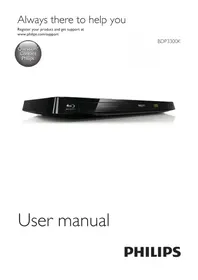
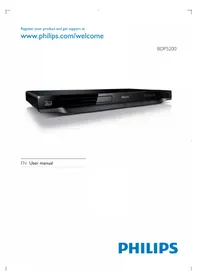
Brand : PHILIPS
Model : BDP2300
Category : Blu-ray player