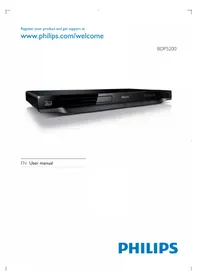
BDP5200X - Blu-ray player PHILIPS - Free user manual and instructions
Find the device manual for free BDP5200X PHILIPS in PDF.


Pick your language and provide your email: we'll send you a specifically translated version.
| Product Type | Blu-ray player |
| Brand | Philips |
| Model | BDP5200X |
| Dimensions (W x D x H) | 435 x 230 x 42 mm |
| Weight | 2.1 kg |
| Power Supply | AC 220-240 V, 50/60 Hz |
| Power Consumption | 25 W max, <0.5 W in standby |
| Disc Types | BD-ROM, BD-R/RE, DVD, DVD±R/RW, CD, CD-R/RW |
| Video Output Resolution | 1080p, 720p, 480p/576p |
| Upscaling | Yes, up to 1080p from standard definition |
| Connectivity | HDMI output, composite video output, digital coaxial audio output, USB port |
| Media Format Support | AVI, MKV, MP4, JPEG, MP3, DivX HD, WMV |
| Audio Decoders | Dolby TrueHD, DTS-HD Master Audio |
| Network Features | No built-in network connectivity (standalone player) |
| Maintenance and Cleaning | Wipe with a soft dry cloth; avoid chemical cleaners |
| Safety Notes | Do not expose to moisture; use only the supplied power cord |
| Spare Parts / Repairability | Laser and internal components are not user-serviceable; contact professional service |
| General Information | Compatible with HD TVs; includes remote control |
Frequently Asked Questions - BDP5200X PHILIPS
How do I connect the Philips BDP5200X to my TV?
Use an HDMI cable to connect the player's HDMI OUT port to the TV's HDMI IN port. For older TVs without HDMI, use the composite video (yellow) and stereo audio cables.
The player does not read a disc. What should I do?
First, check that the disc is inserted correctly and that its surface is clean and free of scratches. For BD-ROM, ensure the disc is region-compatible. Try a different disc to rule out a hardware issue.
Can this player support 3D Blu-ray discs?
No, the BDP5200X is not 3D-capable. It plays standard 2D Blu-ray discs and upscales DVDs to near HD quality.
How can I play media files from a USB drive?
Insert a USB drive into the USB port on the front or rear. Use the remote to select 'USB' as the source, then navigate through folders to select video, photo, or audio files.
Why is there no picture or sound on the TV after HDMI connection?
Check that the HDMI cable is firmly connected to both the player and TV. Make sure the TV is set to the correct HDMI input source. Try a different HDMI port or cable to isolate the issue.
How do I switch the video resolution?
Press the RESOLUTION button on the remote to cycle through available output resolutions such as 1080p, 720p, or 576p. Select the one that matches your TV's native capability.
Does the BDP5200X support Dolby TrueHD and DTS-HD Master Audio?
Yes, the player supports Dolby TrueHD and DTS-HD Master Audio bitstream output over HDMI, allowing a compatible AV receiver to decode the high-definition audio.
Can I play content from other regions' DVDs/Blu-rays?
This player is typically locked to a specific region code. Consult the manual or packaging for the region code. Generally, DVDs are region-locked and Blu-rays may be locked as well, so cross-region discs may not play.
How do I care for the player and clean it safely?
Unplug the player before cleaning. Use a soft, dry microfiber cloth to wipe the exterior. Never use liquid cleaners, abrasive pads, or solvents.
Is the firmware updatable?
The BDP5200X supports firmware updates via USB or disc. Check the Philips support website for the latest firmware to improve compatibility and add features.
User questions about BDP5200X PHILIPS
0 question about this device. Answer the ones you know or ask your own.
Ask a new question about this device
No questions yet. Be the first to ask one.
Download the instructions for your Blu-ray player in PDF format for free! Find your manual BDP5200X - PHILIPS and take your electronic device back in hand. On this page are published all the documents necessary for the use of your device. BDP5200X by PHILIPS.
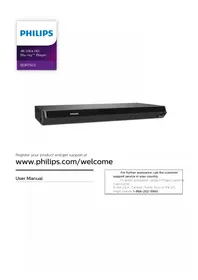
USER MANUAL BDP5200X PHILIPS

Manual assistant
Powered by Anthropic
Waiting for your message
Product information
Brand : PHILIPS
Model : BDP5200X
Category : Blu-ray player