PHILIPS BTB1370 - Hi-Fi System

BTB1370 - Hi-Fi System PHILIPS - Free user manual and instructions

Find the device manual for free BTB1370 PHILIPS in PDF.

📄 28 pages English EN Download 💬 AI Question 10 questions ⚙️ Specs
Notice PHILIPS BTB1370 - page 1
Pick your language and provide your email: we'll send you a specifically translated version.
Product type Hi-Fi micro system
Brand Philips
Model BTB1370
Output power 20 W RMS (10 W per channel)
Disc player CD, CD-R, CD-RW
Supported formats Audio CD, MP3-CD
Tuner PLL FM stereo with RDS
Wireless connectivity Bluetooth 2.1 EDR, range up to 10 m
Connections 3.5 mm audio input, USB port, FM antenna
USB function Playback of MP3/WMA files from USB stick
Speakers 2 two-way speakers, bass reflex
Remote control Yes, included
Display LCD screen with clock
Power supply 230 V AC, 50 Hz
Power consumption 30 W in operation, < 0.5 W in standby
Dimensions (W x H x D) 200 x 250 x 120 mm (main unit)
Weight 2.8 kg (main unit)
Maintenance Clean with a soft, dry cloth; do not use abrasive products
Safety Do not expose to moisture or splashes
Spare parts Remote control, CR2025 battery, speakers available via after-sales service
Repairability Repair recommended by an approved professional

Frequently Asked Questions - BTB1370 PHILIPS

How do I connect my smartphone via Bluetooth?
Enable Bluetooth on your smartphone, then press and hold the SOURCE button on the device until BT flashes. Select "Philips BTB1370" from the list of detected devices. The connection is established when the indicator light becomes steady.
How do I manually tune radio stations?
Press the TUNER button to select the FM band, then use the +/- buttons to manually tune. You can memorize a station by pressing and holding the PROG button until the preset number flashes, then choose a location.
What should I do if the CD player does not read discs?
Check that the disc is inserted with the label facing up and that it is not scratched or dirty. Clean it with a soft cloth from the center to the edge. Use only 12 cm or 8 cm CDs without an adapter. If the problem persists, turn off the device for 30 seconds and restart it.
How do I play MP3 files from a USB stick?
Insert the USB stick into the port on the front, then press USB to select this source. The device automatically plays MP3 and WMA files. Use the PRESET/ALBUM buttons to navigate and change folders.
How do I connect an external audio player?
Use a 3.5 mm male-to-male audio cable to connect the headphone output of your player to the AUX input on the back of the device. Then select the AUX source by pressing the corresponding button.
How do I set the clock and alarms?
In standby, press and hold the CLOCK button until the digits flash. Set the hours and minutes with the +/- buttons, then confirm again with CLOCK. For an alarm, use the TIMER button and follow the same procedure.
What is the output power of the system?
The system delivers a total of 20 W RMS, or 10 W per channel, which is sufficient for quality listening in a medium-sized room.
How do I maintain and clean the device safely?
Always unplug the device before cleaning. Use a soft, dry cloth for the exterior. Never use liquids, aerosols, or abrasive products. For the speakers, gently dust the grille with a soft brush.
What should I do if the remote control no longer works?
Check the CR2025 battery in the compartment on the back of the remote control. If it is worn out, replace it, respecting the polarity. Make sure no obstacle blocks the infrared sensor and that you are within 6 meters of the device.
How do I save energy in standby?
Enable the Eco standby function via the configuration menu (depending on the model). In standby mode, consumption is less than 0.5 W. For maximum savings, turn off the device completely with the main switch if available.

User questions about BTB1370 PHILIPS

0 question about this device. Answer the ones you know or ask your own.

Ask a new question about this device

Your email remains private: it is only used to notify you if someone answers your question.

No questions yet. Be the first to ask one.

Download the instructions for your Hi-Fi System in PDF format for free! Find your manual BTB1370 - PHILIPS and take your electronic device back in hand. On this page are published all the documents necessary for the use of your device. BTB1370 by PHILIPS.

USER MANUAL BTB1370 PHILIPS

Εγχειρίδιο χρήσης

PHILIPS

Σύνδεση κεραίας FM

Σύνδεση στο ρεύμα

PHILIPS BTB1370 - Σύνδεση στο ρεύμα - 1

Προσοχή

2015 © Gibson Innovations Limited. All rights reserved.

This product has been manufactured by, and is sold under the responsibility of Gibson Innovations Ltd., and Gibson Innovations Ltd. is the warrantor in relation to this product.

Philips and the Philips Shield Emblem are registered trademarks of Koninklijke Philips N.V. and are used under license from Koninklijke Philips N.V.

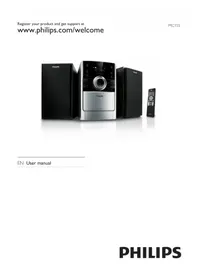
Table of contents Click a title to access it
Manual assistant
Powered by Anthropic
Waiting for your message
Product information

Brand : PHILIPS

Model : BTB1370

Category : Hi-Fi System