
Sun 35.1133.01 - Weather Station TFA - Free user manual and instructions
Find the device manual for free Sun 35.1133.01 TFA in PDF.


| Product type | Indoor/outdoor weather station |
| Brand | TFA |
| Model | Sun 35.1133.01 |
| Dimensions (approx) | 150 x 100 x 20 mm |
| Weight (approx) | 200 g |
| Power supply | 2 AAA batteries (1.5 V) or mains adapter (not included) |
| Outdoor sensor | Wireless, range up to 100 m (line of sight) |
| Indoor temperature | -10°C to +60°C |
| Outdoor temperature | -30°C to +60°C |
| Indoor humidity | 20% to 95% RH |
| Outdoor humidity | 20% to 95% RH |
| Display | Backlit LCD |
| Functions | Weather forecast, trend, moon phase, alarm, date and time |
| Memory | Min/max temperature and humidity recording |
| Care and cleaning | Clean with a soft, dry cloth. Do not use solvents. |
| Safety | Do not expose to direct moisture or extreme temperatures. |
| Spare parts and repairability | Outdoor sensor and adapter available via TFA after-sales service. |
| Warranty | 2 years |
Frequently Asked Questions - Sun 35.1133.01 TFA
User questions about Sun 35.1133.01 TFA
0 question about this device. Answer the ones you know or ask your own.
Ask a new question about this device
Download the instructions for your Weather Station in PDF format for free! Find your manual Sun 35.1133.01 - TFA and take your electronic device back in hand. On this page are published all the documents necessary for the use of your device. Sun 35.1133.01 by TFA.
USER MANUAL Sun 35.1133.01 TFA
SUN - Wireless weather station

Thank you for choosing this instrument from TFA.
1. Before you start using it
- Please make sure to read the instruction manual carefully.
- Following and respecting the instructions in your manual will prevent damage to your instrument and loss of your statutory rights arising from defects due to incorrect use.
- We shall not be liable for any damage occurring as a result of non following of these instructions. Likewise, we take no responsibility for any incorrect readings and for any consequences which may result from them.
- Please take particular note of the safety advice!
- Please keep this instruction manual for future reference.
2. For your safety
• This product should only be used as described within these instructions.
- Unauthorized repairs, modifications or changes to the product are prohibited.

Caution! Risk of electrocution!
- Plug the basic device only into a socket installed in regulation manner and with a mains voltage of 230V!
- The basic device and the mains adapter must not come into contact with water or moisture. It should be operated in dry interiors.
- Do not use the device if the housing or the mains adapter are damaged.
- Keep the device out of reach of persons (including children) who cannot fully appreciate the potential risks of handling electrical equipment.
- Pull the plug out of the socket immediately if any fault occurs or if the unit is not used for a long period of time.
- Only use the supplied mains adapter.
SUN - Wireless weather station


Caution! Risk of injury:
- Keep this instrument and the batteries out of the reach of children.
- Batteries must not be thrown into a fire, short-circuited, taken apart or recharged. Risk of explosion!
- Batteries contain harmful acids. Low batteries should be changed as soon as possible to prevent damage caused by leaking.
- Never use a combination of old and new batteries together, nor batteries of different types. Wear chemical-resistant protective gloves and safety glasses when handling leaking batteries.

Important information on product safety!
- Do not place your product near extreme temperatures, vibrations or shocks.
• The outdoor transmitter is protected against splash water, but is not watertight.
Choose a shady and dry position for the outdoor transmitter. - Protect it from moisture.
3. Elements and buttons
3.1 Basic station
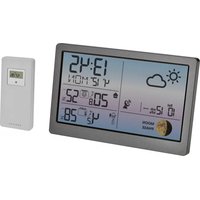
Display (Fig. 1)
A1: Weather forecast with weather symbols
A2: Outdoor temperature and reception symbol
A3: Maximum and minimum value for outdoor temperature
A4: Battery symbol for outdoor transmitter
A5: Indoor temperature and humidity
A6: Radio controlled clock with seconds, weekday and calendar
A7: Snooze and alarm symbol
A8: DCF reception symbol, DST and PM symbol
SUN - Wireless weather station
Buttons front (Fig. 1)
B1: Light and snooze button
Buttons back (Fig. 2)
B2: MODE button
B3: ALARM button
B4: ▲ button
B5: ▼ button
B6: WAVE button
B7: LIGHT/SNZ button
Housing (Fig. 2)
C1: Wall mounting hole
C2: Battery compartment
C3: Connecting power supply
C4: Stand (fold out)
-
Getting started
-
Place the basic station and the outdoor transmitter on a desk with a distance of approximately 1.5 meter. Avoid getting close to possible interference sources (Electronic devices and radio installations).
- Open the battery compartment of the outdoor transmitter.
- Insert two new batteries 1,5 V AAA into the battery compartment of the outdoor transmitter. Make sure the polarities are correct.
- Remove the protecting foil from the display of the basic station.
- Connect the basic station to the attached power adapter. Insert the adapter into the jack at the basic station and connect the power adapter to a wall socket. Important! Make sure that your household voltage is 230V! Otherwise your device may be damaged.
- The device will alert you with a beep and all LCD segments will be displayed for a short moment.
- The backlight is activated permanently.

SUN - Wireless weather station

- The indoor temperature will be displayed on the basic station and the basic station will scan the outdoor temperature and the reception symbol will be flashing.
- If the reception of the outdoor temperature fails, “-” appears on the display. Check if there is any source of interference. After the reception of the radio-controlled time you can start the initialization for the outdoor transmitter manually. Press and hold ▼ button for 3 seconds. The basic station will scan the outdoor temperature.
4.1. Radio-controlled time reception
- The clock will now scan the DCF frequency signal and the DCF symbol will be flashing. When the time code is received successfully after 3-7 minutes, the radio-controlled time and the DCF symbol are displayed steadily in the display. During the DCF time reception period, no outdoor temperature will be transmitted.
- If there is no reception possible, manual initialization can be helpful.
- Press the WAVE button.
• The DCF symbol will be flashing. - Interrupt the reception by pressing the WAVE button again. The DCF symbol disappears.
- The DCF reception always take place at 1:00 o'clock in the morning until 5.00 o'clock. If the reception is not successfully received at 5:00 o'clock, further attempts will be made again at 1:00 clock in the morning.
- If the clock cannot detect the DCF-signal (for example due to disturbances, transmitting distance, etc.), the time can be set manually. The DCF symbol disappears and the clock will then work as a normal quartz clock. (see: Manual setting of the clock and calendar).
4.1.1 Note for radio-controlled time DCF
The time base for the radio-controlled time is a caesium atomic clock operated by the Physikalisch Technische Bundesanstalt Braunschweig. It has a time deviation of less than one second in one million years. The time is coded and transmitted from Mainflingen near Frankfurt via frequency signal DCF-77 (77.5 kHz) and has a transmitting
range of approximately 1,500 km. Changeover from summer time or winter time is automatic. In Daylight Saving Time "DST" is shown on the LCD. The quality of the reception depends mainly on the geographic location. Normally there should be no reception problems within a 1,500 km radius around Frankfurt.
Please take note of the following:
- The recommended distance to any interfering sources like computer monitors or TV sets is at least 1.5 - 2 meters.
- Inside ferro-concrete rooms (basements, superstructures), the received signal is naturally weakened. In extreme cases, please place the unit close to a window to improve the reception.
- During nighttime, the atmospheric interference is usually less severe and reception is possible in most cases. A single daily reception is adequate to keep the accuracy deviation under 1 second.
4.2 Inserting the batteries in the basic station
- Open the battery compartment of the basic station.
- Insert two new batteries 1,5 V AAA. Make sure the polarities are correct.
- Close the battery compartment again.
- For a permanent backlight and to conserve battery power, use the supplied power adapter.
• The batteries will operate as a backup power source in case of power failure.
4.3 Backlight
- Attention: Backlight in continuous operation only works with power adapter.
- To temporarily activate the backlight, press the light button on the front or the LIGHT/SNZ button on the back.
5. Operation
- Important: During the reception of the signal for the outdoor temperature and the time the buttons will not function.
SUN - Funk-Wetterstation

- During the operation, all successful settings will be confirmed by a brief beep tone.
- The instrument will automatically quit the setting mode if no button is pressed for a long period of time.
- Press and hold ▲ or ▼ button in the setting mode for fast running.
5.1 Manual setting of the clock and calendar
- Press and hold the MODE button to get into the setting mode.
• The year indication (2014 default) will be flashing. - Press the ▲ or ▼ button to adjust the year.
- Press the MODE button and the setting sequence is shown as follows: Month, day, date, month/day sequence (American version) or day/month (European version), the language for the weekday (GE - default), the time zone (00 - default), 12 (PM appears on the display after 12 h) or 24 hours display (24 hr - default), hours and minutes. Press the ▲ or ▼ button to adjust them.
- The manually set time will be overwritten by the DCF time when the signal is received successfully.
5.1.1 Setting of the time zone
- In the setting mode you can make the time zone correction (-12 / + 12) .
- The time zone correction is needed for countries where the DCF signal can be received but the time zone is different from the German time (e.g. +1=one hour later).
- Press the ▲ or ▼ button.
- Confirm the setting with the button MODE.
5.1.2 Day-of-the week language
- Day-of-the week language: German (GE - default), French (FR), Italian (IT), Spanish (SP), Dutch (DU), Danish (DA) and English (EN).
SUN - Wireless weather station

5.2 Setting of the alarm
- Press and hold the ALARM button.
- AL and 6:00 (default) appear on the display.
- The hour digits will be flashing. Press the ▲ or ▼ button to adjust the hours.
- Press the ALARM button again and you can adjust the minutes with the ▲ or ▼ button.
- Confirm the setting with the ALARM button.
- On the display the symbol for snooze and 10 (default) will be flashing.
- Press the ▲ or ▼ button to adjust the minutes (0-60) for the snooze interval in the same way.
- Confirm the setting with the ALARM button.
• The current time appears on the display. - Press the ALARM button again, to activate the alarm.
• The alarm symbol appears on the display. - When the alarm time is reached, the alarm signal will sound.
• The alarm symbol will be flashing. - Press any button to stop the alarm.
- If the alarm is not stopped manually, the alarm will automatically turn off after one minute and will be reactivated at the same time.
- When the alarm signal sounds, press the light button on the front or the LIGHT/SNZ button at the back and the snooze function will be activated.
- Zz and the alarm symbol will be flashing on the display.
- The alarm is interrupted for the duration of your set minutes for the snooze interval.
- Press the ALARM button and the snooze function is deactivated
- Press the Alarm button again and the alarm function is deactivated.
5.3 Display
- Press the MODE button, to show the alarm time.
SUN - Wireless weather station

5.4 Setting of the temperature unit
- Press the ▼ button to change between °C (Celsius) or °F (Fahrenheit) as temperature unit.
5.5 Reset of the max-min values
- Press and hold the ▲ button for three seconds to reset the maximum and minimum values on the current outdoor temperature.
6. Weather forecast symbols (Fig. 3)
• There are 4 different weather symbols (sunny, partly cloudy, cloudy, rainy)
- The weather forecast relates to a range of 12 to 24 hours and indicates only a general weather trend. For example, if the current weather is cloudy and the rain icon is displayed, it does not mean the product is faulty because it is not raining. It simply means that the air pressure has dropped and the weather is expected to get worse but not necessarily rainy.
• The sun symbol also appears at night if there is a starry night.
7. Positioning and fixing of the basic station and the outdoor transmitter
- Choose a shady and dry position for the outdoor transmitter. (Direct sunshine falsifies the measurement and continuous humidity strains the electronic components needlessly).
- Place the basic station in the living room with the table stand (fold out). With the suspension device you can fix it on a wall. Avoid the vicinity of any interfering field like computer monitors or TV sets and solid metal objects.
- Check the transmission of the signal from the outdoor transmitter to the basic station (transmission range of up to 60 m free field). Within ferro-concrete rooms (basements, superstructures), the received signal is naturally weakened.
- If necessary choose another position for the outdoor transmitter and/or basic station.
- Is the transmission successful, you can wall mount the transmitter.
SUN - Wireless weather station

- The outdoor transmitter can be hung with the suspension at the back of the device on a wall, or you can place the device on a flat surface.
8. Care and maintenance
- Clean the devices with a soft damp cloth. Do not use solvents or scouring agents.
- Remove the batteries and pull out the plug of the socket, if you do not use the product for a long period of time.
- Keep the devices in a dry place.
8.1 Battery replacement
- As soon as the battery symbol appears on the display of the basic station beside the outdoor temperature, change the batteries of the outdoor transmitter.
- Open the battery compartment of the outdoor transmitter and pull the lid down.
- Insert two new batteries 1,5 V AAA. Make sure the polarities are correct.
- If you use the basic station only with batteries, change the batteries when the functions of the basic station become weak.
- Open the battery compartment of the basic station.
- Insert two new batteries 1,5 V AAA. Make sure the polarities are correct.
- Please note:
When the batteries are changed, the contact between outdoor transmitter and basic station must be restored – so always insert new batteries into both devices or start a manual transmitter search.
9. Troubleshooting
Problems Solution
No indication at the basic station → By mains operation:
Connect the device to mains adapter
→ By battery operation:
Ensure that the batteries polarities are correct
SUN - Wireless weather station

Change the batteries
No reception of the outdoor
transmitter Display
→ No outdoor transmitter is installed
batteries of external transmitter
(do not use rechargeable batteries!)
→ Restart the outdoor transmitter and the basic station according to the manual
→ Start the manual search for the outdoor transmitter: Press and hold the ▼ button
→ Choose another place for the outdoor transmitter and/or the basic station
→ Reduce the distance between the outdoor transmitter and the basic station
→ Check if there is any source of interference
No DCF reception → Press the WAVE button and start the initialization manually
→ Wait for attempted reception during the night
→ Choose another place for your product
→ Manual setting of the clock
→ Check if there is any source of interference.
→ Restart the device according to the manual
Incorrect indication → Change the batteries
10. Waste disposal
This product has been manufactured using high-grade materials and components which can be recycled and reused.
SUN - Wireless weather station


Never dispose of empty batteries and rechargeable batteries in household waste.
As a consumer, you are legally required to take them to your retail store or to an appropriate collection site depending on national or local regulations in order to protect the environment.
The symbols for the heavy metals contained are: Cd=cadmium, Hg=mercury; Pb=lead

This instrument is labelled in accordance with the EU Waste Electrical and Electronic Equipment Directive (WEEE).
Please do not dispose of this instrument in household waste. The user is obligated to take end-of-life devices to a designated collection point for the disposal of electrical and electronic equipment, in order to ensure environmentally-compatible disposal.
11. Specifications
Basic station
Measuring range indoor
Temperature 0 °C... +50 °C (+32 °F ... +122 °F)
Resolution 0,1 °C
Humidity 20%...95%
Resolution 1 %
Power consumption Power adapter: 230 V\~50 Hz (inclusive)
Batteries 2 x 1,5 V AAA (not included)
Housing dimension 120 x 25 (70) x 120 mm
Weight 168 g (instrument only)
SUN - Wireless weather station

Outdoor transmitter
Measuring range outdoor
Temperature -20 °C... +60 °C (-4 °F ...+140°F)
Resolution 0,1 °C
Indication HHHILLL Outside measuring range
Range max. 60 m (free field)
Transmission frequency 433 MHz
Power consumption Batteries 2 x 1,5 V AAA (not included)
Housing dimension 40 x 24 x 92 mm
Weight 29 g (instrument only)
No part of this manual may be reproduced without written consent of TFA Dostmann. The technical data are correct at the time of going to print and may change without prior notice. The latest technical data and information about your product can be found by entering your product number on our homepage.
DECLARATION OF CONFORMITY
Herewith we declare, that this wireless transmission device does comply with the essentials requirements of R&TTE Directive 1999/5/EC.
A copy of the signed and dated Declaration of Conformity is available on request via info@tfadostmann.de.
www.tfa-dostmann.de 11/14
EU- DÉCLARATION DE CONFORMITÉ


- SUN - WIRELESS WEATHER STATION
- BEFORE YOU START USING IT
- FOR YOUR SAFETY
- CAUTION! RISK OF ELECTROCUTION
- CAUTION! RISK OF INJURY
- IMPORTANT INFORMATION ON PRODUCT SAFETY
- ELEMENTS AND BUTTONS
- 3.1 BASIC STATION
- DISPLAY (FIG. 1)
- PLEASE TAKE NOTE OF THE FOLLOWING
- 4.2 INSERTING THE BATTERIES IN THE BASIC STATION
- 4.3 BACKLIGHT
- OPERATION
- SUN - FUNK-WETTERSTATION
- 5.1 MANUAL SETTING OF THE CLOCK AND CALENDAR
- 5.1.1 SETTING OF THE TIME ZONE
- 5.1.2 DAY-OF-THE WEEK LANGUAGE
- 5.2 SETTING OF THE ALARM
- 5.3 DISPLAY
- 5.4 SETTING OF THE TEMPERATURE UNIT
- 5.5 RESET OF THE MAX-MIN VALUES
- WEATHER FORECAST SYMBOLS (FIG. 3)
- POSITIONING AND FIXING OF THE BASIC STATION AND THE OUTDOOR TRANSMITTER
- CARE AND MAINTENANCE
- 8.1 BATTERY REPLACEMENT
- TROUBLESHOOTING
- PROBLEMS SOLUTION
- CHANGE THE BATTERIES
- WASTE DISPOSAL
- SPECIFICATIONS
- BASIC STATION
- OUTDOOR TRANSMITTER
Brand : TFA
Model : Sun 35.1133.01
Category : Weather Station