
35.1088 - Weather Station TFA - Free user manual and instructions
Find the device manual for free 35.1088 TFA in PDF.


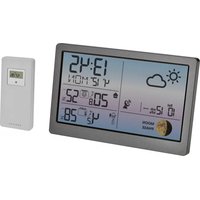
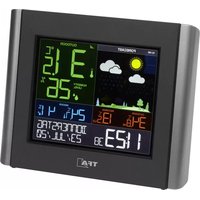
| Product type | Indoor/outdoor weather station |
| Brand | TFA |
| Model | 35.1088 |
| Display | Backlit LCD |
| Indoor unit dimensions | 10 x 10 x 3 cm |
| Weight | 200 g |
| Indoor unit power supply | 2 AAA 1.5V batteries |
| Outdoor sensor | Wireless sensor included |
| Transmission range | 30 meters in open field |
| Main functions | Indoor/outdoor temperature, humidity, weather forecast, clock, alarm, min/max memory |
| Maintenance and cleaning | Clean with a soft dry cloth. Do not use solvents. |
| Safety | Use only recommended batteries. Do not expose to excessive moisture. |
| Spare parts and repairability | Parts available from the manufacturer. Repair by a professional recommended. |
Frequently Asked Questions - 35.1088 TFA
User questions about 35.1088 TFA
0 question about this device. Answer the ones you know or ask your own.
Ask a new question about this device
Download the instructions for your Weather Station in PDF format for free! Find your manual 35.1088 - TFA and take your electronic device back in hand. On this page are published all the documents necessary for the use of your device. 35.1088 by TFA.
USER MANUAL 35.1088 TFA
Meteotime Star – Weather Forecast Center

1. Introduction
The Meteotime Star Weather Forecast Center provides a professional weather forecast for the current and the next three days. The weather forecasts are made by professional meteorologists and are sent out with the radio-time signal generator DCF77 in Germany and HBG in Switzerland and can be received in almost all of Europe. The reception area for the radio-time signal generator is divided into a total of 90 meteorological regions (60 regions with 4 day forecast, 30 regions with 2 day forecast). The desired city is simply selected and the respectively current weather forecast for the region is shown on the display. This gives you a quick overview of the weather situation for the following days at any time. Updating the weather data is done every day.
This weather station allows the reception of weather data of the private provider Meteotime via DCF or HGB signal without time limit and additional costs.
Meteotime is responsible for the dispatch and the correctness of the transmitted data.
60 regions with 4 days forecast (390 cities)
30 regions with 2 days forecast (80 cities)
Please read the operating instructions carefully and completely before using for the first time, to prevent function errors and incorrect operation. Keep the instructions handy for consulting.
1.1 Content
• Display Station
- Sensor
- Manual
1.2 Features
• Professional weather forecast (day/night) with expected highest and lowest temperatures for 90 meteorological regions in Europe
• Daily transmission via DCF signal
• Text display for critical weather situations
- Rain probability
• Wind velocity and direction
• Time for sun rising and setting
- Outdoor temperature and humidity via transmitter
- Indoor temperature and humidity
• Radio controlled clock with date
- For wall mounting or table standing
2. Elements
2.1 Receiver (Display unit) Fig. 1
Display
- Weather forecast today
- Day/night
- Weekday
- Time reception signal
- Reception indicator for weather data today
- Wind direction and strength today
- Probability of rain today
- Maximum temperature (today)/ Minimum temperature (tonight)
- Reception indicator for Meteotime signal
Meteotime Star – Weather Forecast Center

- Temperature/humidity indoor/outdoor
- Day 2, 3 + 4: Weather forecast
- Day 2, 3 + 4: Reception indicator for weather data
- Day 2, 3 + 4: Maximum temperature (day)/ Minimum temperature (night)
- Information window
Clock with date
City
Sun rising and setting
Critical weather situations
Buttons
SET
• Selected City → Time + Date ← Sunrise + Sunset
- Press and HOLD [ SET ] for 3 second to select your <1> Country, <2> Time Zone, <3> Language, <4> Contrast of the LCD display
DAY/NIGHT
• Critical Weather Information – Day/Night Weather Status Change
。
- Increase the value during setting
- Choose one of the pre-selected cities
。
• Decrease the value during setting - Choose one of the pre-selected cities
MEM
• Displays the maximum and minimum measured temperature in record
- Press and hold for 3 second to clear all the Max. and Min. record
TEST √
• Find the place for the device which has a good reception
- Add your desired city into your personal list OR remove a city out of your personal list
• Edit your home town
IN/OUT
- Switch to read indoor thermo-hygrometer .. outdoor thermo-hygrometer
- Press and hold for 3 seconds to search for the outdoor sensor
Housing Fig. 2
B1: Wall mount hole
B2: Battery compartment
B3: Foldout stand
2.2. Sensor unit (Transmitter) Fig. 3
C1: Transmission indication LED
C2: Wall mount hole
C3: Battery compartment
Meteotime Star – Weather Forecast Center

3. Getting started
3.1 Insert battery
- Open the battery compartment of the transmitter (screwed) and the display unit and place both instruments on a desk with a distance of approximately 1.5 meter. Check that no other electronic devices are close.
- Insert the batteries (2 x 1.5 V AA) first into the battery compartment of the transmitter and immediately afterwards in the display unit (2 x 1.5 V AA), observing the correct polarity.
3.2 Reception of time
- The time and date appear within a few minutes. Reception indicator for radio-time signal generator: Symbol flashing . Initial reception of date and time Symbol on → Time and date are current Symbol off . Time and date have not been updated
3.3 Reception of outdoor temperature
- After the reception of time the display unit automatically starts scanning the signal of the transmitter and the reception signal is flashing ⚙. Press | INIOUT | in case of changing to outdoor temperature and humidity display.
- If the reception of outdoor values fails, “ 6 -- °C -- rH%” appears on the display. Check the batteries and try it again. Check if there is any source of interference.
- Manual initialization can be helpful. Press [ INIOUT ] button for 3 seconds, until the reception signal is flashing ⚙. Press "RESET" button in the battery compartment of the transmitter with a pointed object to transmit outdoor values to the main unit manually e.g. for testing or when the transmitter signal got lost.
• The signal appears when the signal is received successfully.
3.4 Reception of weather data
- The transfer of larger quantities of data for the forecast takes much longer: In order to receive all data, the station requires 24 hours after start-up.
Reception indicator for weather data
Symbol ☐ Weather data completely received
Symbol □ → Weather data incomplete
3.5 Choosing the installation location
- Similar to a mobile telephone network or radio/TV reception, the reception of the radio-time receiver may not be perfect in all locations. Just a couple of notes to make sure that your device works with no problems.
3.5.1 Reception test
- The location of the weather station is very important. This is the reason for the new test function that allows the quality of reception to be checked in the surrounding area and to position the device in a location that has the best possible conditions.
- Switch on all potential sources of interference (e.g. television) in the area where you want to install the station during the test!
- Position the device in the location, oriented as you prefer, but at least one meter from the possible source of interference.
- Press the [TEST √] button to activate the test for the reception of weather data. The text SCAN is shown on the display. The reception indicator for the weather data shows the quality of reception.
Meteotime Star – Weather Forecast Center

The reception is good if the indicator ☒ is flashing, otherwise a new location must be found for installing the weather station.
- The reception test is either ended after approx. 1 minute automatically or by actuating the [TEST √] button.
3.5.2 Possible sources of interference
Interferences as with a radio transmitter can occur and could be caused by the following influences: - In buildings with a lot of concrete, metal parts and electrical systems, reception problems can occur (e.g. malls).
- Electrical devices such as television, computer, house-hold devices, etc. or transformers, land lines, radio transmitters and railways are possible direct sources of interference.
- Atmospheric influences and geographical features (mountains, etc.) can affect the propagation of the radio waves.
- The distance from the transmitter does also influence the reception. Areas such as Southern Italy or Northern Scandinavia are also critical areas because of the great distances from the transmitter.
- In all regions, so-called "dead spots" can occur making reception impossible.
- Weak batteries in the device decrease the quality of reception.
3.6 Set time zone, language and contrast
- After installing the batteries the weather station is searching automatically for the time signal and Meteotime reception signal (SUCHE SIG./ SEARCH SIG). If the Meteotime signal is received successfully, in the information window/LAND EINST. / COUNTRY is shown.
- Press [SET] again, then ZONE + 00 H is shown in the information window, press [▲] or [▼] key to adjust the time zone. Note!
The time received from the radio-time signal generator DCF or HBG is Central European Time (CET, CEST). Setting the time zone is therefore only required for other time zones (e.g. in Portugal or Great Britain).
- Press [ SET ] again, then the language will be shown in the information window, press [ ▲ ] or [ ▼ ] key to select your desired language. There are seven languages for selection, German, English, Spanish, French, Italian, Dutch, Swedish.
- Press [ SET ] again, then CONTRAST is shown in the information window, press [ ▲ ] or [ ▼ ] key to adjust the LCD contrast level.
- Press [ SET ] again and EXIT will be shown in the information window. After 4 seconds, it will go automatically to the City-Date-Time Mode.
REMARK: If you do not have any selection into the setup mode up to 60 seconds, it will automatically exit the setup mode.
3.7 Select the country and city/cities
- Press and Hold [SET] for 3 seconds, COUNTRY is shown in the information window. - Press [▲] or [▼] key to select the country. For example, you have selected the country name D/GER (Germany). Press [SET] key to confirm the country, and then the information window will show CITY.
- Press [▲] or [▼] key to select the city, and the city name will be shown in the information window, for example FRANKFURT. (Frankfurt-on-Main).
- If the city FRANKFURT.N is your selection, then press I TEST √ j key to confirm. A √ will be shown on top of your selected city, and 'Frankfurt-on-Main' will be stored into your personal memory list.
Meteotime Star – Weather Forecast Center

- Then, you are able to press [ ▲ ] or [ ▼ ] key to select more cities, and then press [ TEST √ ] key to confirm. You are able to select maximum 5 cities to display. If you want to add more cities, then NEMFULL will be shown in the information window.
- Press [TEST √] key to remove the √, and this city is removed out of your list of preference cities you have selected.
- Press [SET] key to quit, and EXIT will be shown in the information window.
REMARK: If you haven't chosen a city in the first time you power up the unit, the product will default select Frankfurt am Main as your selected city.
4. How to operate
4.1 Switch CITY ↔ SUNRISE & SUNSET TIME ↔ TIME & DATE
- Press [SET] to switch from the display of the City to Sunrise & Sunset time OR Time & Date for your selected city.
FRANKFURT. m ← [SET] →^ SUNNAT 6: 1 9 ^ SUNSET 1 9: 3 8 ← [SET] → 1 4: 2 3 ^ ° 5 ^
4.2 Switch INDOOR / OUTDOOR TEMPERATURE AND HUMITIDY READING
- Press [ INiOUT ] keys to switch the reading of indoor or outdoor temperature and humidity reading.
12.7°C 48 % ← [INIOUT]→ 3.2°C 23%
- Press [MEM] key to read the record of the maximum and minimum temperature - Press and hold [MEM] key to CLEAR the record of the maximum and minimum temperature
4.3 Switch DAY WEATHER INFORMATION ↔ NIGHT WEATHER INFORMATION
- The unit is preset to show DAY-WEATHER after sunrise time, and NIGHT-WEATHER after SUNSET time. If the NIGHT-WEATHER is currently shown, the user can press the [DAY/NIGHT] button to see the DAY-Weather (for 10-second period) or vice versa.
4.4 Display of more cities
- If you have selected more than one city, for example Frankfurt am Main, Köln and Münster in your desired city list, then you are able to press [ ▲ ] or [ ▼ ] key when the information window shows the CITY NAME (Press [ SET ] until it displays the city name).
FRANKFURT. M ← [ / ] → KOLN ← [ / ] → MUNSTER
- When you selected another city, the sunrise and sunset time and weather information will be of this selected city.
4.5 How to personalize a city name
- Press and Hold [SET] for 3 seconds. In the information window, COUNTRY is shown, and then press [▲] or [▼] key to select the country, for example: D/GER for Germany.
- Press [SET] key to confirm the Country and the information window will show CITY.
- Then, press [▲] or [▼] key to select the city, and the city name will be shown in the information window such as FRANKFURT.¶, and you would like to enter a new city name which is near the region of Frankfurt am Main.
- Press the [MEM] key; a cursor flashes on the first position of the information window
Meteotime Star – Weather Forecast Center

- Use the following keys for data entry: KEY Function
'▲' or▼'
Selection of a letter
SET <1> Accept the selected letter and jumps to the next position.
OR
<2> If you have not entered any letter (in other words, if only the cursor is flashing at the last position), confirm the entry with this key and your place will also be included in the memory with immediate effect.
TEST One position back in the data entry process
** The place that you have selected to enter your own description will still exist under its own name.
- Press [SET] key to confirm and exit
4.6 Critical weather information
- The Meteotime weather signal contains critical weather information such as gust, frozen rain, heavy snow, thunder, strong UV, dense fog etc. for today and the coming three days.
- A critical weather alert signal will be turned on in case that day has critical weather that the user must know.
- Sometimes there is more than one critical weather information in the 4-days. Press [DAYINIGHT] key to read the critical weather information one by one. The special icon of the day will flash when you read the information.
- Press [ SET ] key to go back to the display of CITY ↔ SUNRISE & SUNSET TIME ↔ TIME & DATE.
- If no key is pressed, the critical weather information will toggle to make sure you are aware of the critical weather details.
5. Positioning of transmitter
- Choose a shady and dry position for the transmitter. (Direct sunshine falsifies the measurement and continuous humidity strains the electronic components needlessly)
- Check the transmission of the signal from the transmitter to the display unit (transmission range 30 m free field). Within ferro-concrete rooms (basements, superstructures), the received signal is naturally weakened.
- If necessary choose another position for transmitter and/or display unit.
- Fix the transmitter by using the wall mount hole.
6. Intended usage, exclusion of warranty, and safety information
- This weather station is intended for private usage as an indicator for future weather. The forecasts of this device are to be used as orientation values and do not represent absolute, precise forecasts.
- The manufacturer or distributor of this weather station assumes no responsibility for incorrect values or any results that may occur because of these values.
• The weather station is not intended for medical purposes or for the information to the public. - The manufacturer or distributor has no influence on the transferred weather data or forecasts
- The capabilities of the weather station depend on the operational functionality of the transmission media, which the manufacturer or distributor has no influence on. Failures in the transmission media cannot be ruled out.
- This device is not a toy and contains breakable and small parts. Install the device out of the reach of children.
- Improper handling or unauthorized opening of the device voids the guarantee.
- These instructions are not to be reproduced in whole or in part without the written authorization of TFA Dostmann.
Meteotime Star – Weather Forecast Center

7. Battery replacement
- Use alkaline batteries only. Observe correct polarity. Low batteries should be changed soon to avoid the damage resulting from a leaking battery. Batteries contain harmful acids. Wear protective glasses and gloves when handling with leaked batteries.
Do not dispose off the device as part of household garbage!
Electronic devices are to be disposed of in accordance with the guidelines concerning electrical and electronic devices via the local collecting point for old electronic devices! Observe battery regulations
According to the regulations pertaining to batteries, you are required to send used or defective batteries back to us or to hand them in to the respective local business or battery collection point. Batteries do not belong in the household waste!

8. Technical specifications
Measuring range:
Temperature: -40 °C to 70 °C
Operating range:
Indoor sensor: -5 °C to 50 °C
Transmitter: -20°C to 60 °C
Temperature resolution: 0.1 °C
Temperature accuracy: ± 1 °C
Measuring range: Humidity:
Humidity resolution:
Humidity accuracy:
RF Transmission frequency:
RF Transmission range:
Batteries (inclusive)
Display unit:
Transmitter:
1% to 99% R.H.
1%
±5% (within 25% - 80%)
433 MHz
Maximum 30 meters (open area)
2 x AA 1.5V LR6 Alkaline
2 x AA 1.5V LR6 Alkaline
- Transmission journalière via signal DCF
The image is too blurry to recognize any text content.
B1: Suspension murale
B3: Support (rabattable)
This Radio Controlled Weather Data Receiver is suitable for the reception of weather data emitted by the firm Meteorime.
Object of the sales contract is this Radio Controlled Weather Data Receiver including the license for weather data reception. Generation and transmission of weather data as well as liability for the integrity of data solitary results on the firm Metecetime as private vendor. Detailed information hereeto can be obtained via Internet under www.metecetime.com. The reception of data depends on the emission by the firm Metecetime. This Radio Controlled Weather Data Receiver is unsuitable for reception of weather data from any other provider.
• Manufacturer and/or responsible vendor cannot accept any responsibility for any incorrect readings or any consequences that occur should an incorrect reading take place.
• Manufacturer and/or responsible vendor do not have any influence on transmitted weather data and processes.
- Applicability of this weather station depends on the operational conditions of the transmission media, on which the manufacturer responsible vendor times have no influence. Random failures of the transmission media cannot be foreclosed.
- Weather predictions are being transmitted by the time code senders DCF (location Germany) and MBG (location Swiss). With this product provisions have been made to create nearly optimal reception conditions, MBG and DCF are long wave transmiters with high transmission ranges. Nevertheless interferences are possible. They do not indicate a malfunction of the device.
AVIS IMPORTANT


- METEOTIME STAR – WEATHER FORECAST CENTER
- INTRODUCTION
- 1.1 CONTENT
- 1.2 FEATURES
- ELEMENTS
- 2.1 RECEIVER (DISPLAY UNIT) FIG. 1
- DISPLAY
- BUTTONS
- SET
- DAY/NIGHT
- MEM
- TEST √
- IN/OUT
- HOUSING FIG. 2
- SENSOR UNIT (TRANSMITTER) FIG. 3
- GETTING STARTED
- 3.1 INSERT BATTERY
- 3.2 RECEPTION OF TIME
- 3.3 RECEPTION OF OUTDOOR TEMPERATURE
- 3.4 RECEPTION OF WEATHER DATA
- 3.5 CHOOSING THE INSTALLATION LOCATION
- 3.5.1 RECEPTION TEST
- 3.5.2 POSSIBLE SOURCES OF INTERFERENCE
- 3.6 SET TIME ZONE, LANGUAGE AND CONTRAST
- 3.7 SELECT THE COUNTRY AND CITY/CITIES
- HOW TO OPERATE
- 4.1 SWITCH CITY ↔ SUNRISE & SUNSET TIME ↔ TIME & DATE
- 4.2 SWITCH INDOOR / OUTDOOR TEMPERATURE AND HUMITIDY READING
- 4.3 SWITCH DAY WEATHER INFORMATION ↔ NIGHT WEATHER INFORMATION
- 4.4 DISPLAY OF MORE CITIES
- 4.5 HOW TO PERSONALIZE A CITY NAME
- 4.6 CRITICAL WEATHER INFORMATION
- POSITIONING OF TRANSMITTER
- INTENDED USAGE, EXCLUSION OF WARRANTY, AND SAFETY INFORMATION
- BATTERY REPLACEMENT
- TECHNICAL SPECIFICATIONS
- BATTERIES (INCLUSIVE)
- AVIS IMPORTANT
Brand : TFA
Model : 35.1088
Category : Weather Station