
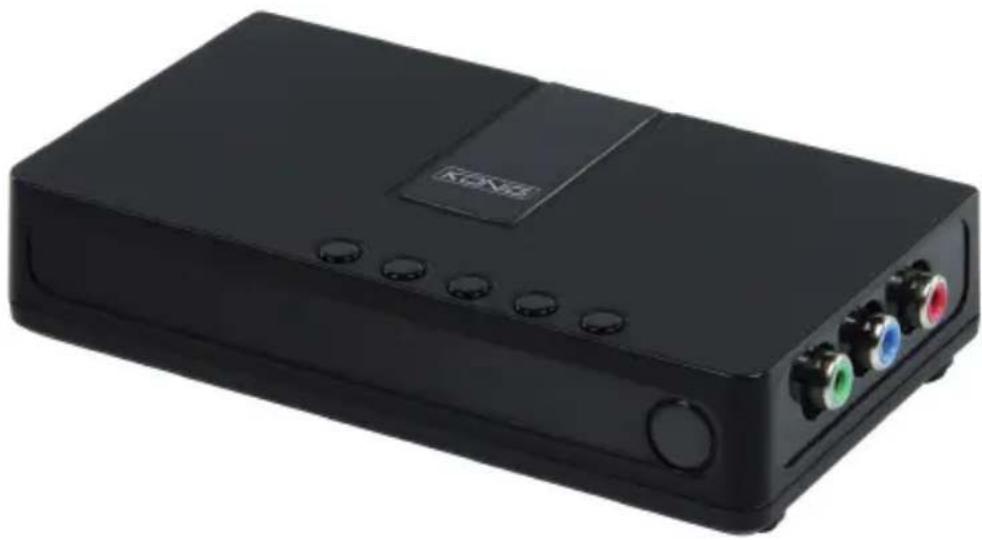
CMP-VGACONV13 - Audio/video converter KONIG - Free user manual and instructions
Find the device manual for free CMP-VGACONV13 KONIG in PDF.


| Product type | VGA to AV audio/video converter |
| Brand | Konig |
| Model | CMP-VGACONV13 |
| Dimensions (L x W x H) | 10 cm x 5 cm x 2 cm |
| Weight | 120 g |
| Power supply | USB 5V (micro-USB cable included) |
| Power consumption | 3 W max |
| Video input | VGA (female HD15) |
| Video output | Composite RCA (yellow) |
| Audio input | 3.5 mm stereo jack |
| Audio output | Stereo RCA (white/red) |
| Maximum resolution | 1920 x 1080 @ 60 Hz |
| Supported video formats | PAL, NTSC (auto-detection) |
| Compatibility | Computers, projectors, DVD players with VGA output |
| Housing material | ABS plastic |
| Operating temperature | 0 °C to 40 °C |
| Included accessories | USB power cable, user manual |
| Care and cleaning | Disconnect before cleaning; use a soft, dry cloth. Do not use abrasive products. |
| Safety | Do not expose to humidity or extreme temperatures. Indoor use only. |
| Repairability | Spare parts are not available individually; the device must be replaced in case of failure. |
| Warranty | 2 years (see manufacturer's conditions) |
Frequently Asked Questions - CMP-VGACONV13 KONIG
User questions about CMP-VGACONV13 KONIG
0 question about this device. Answer the ones you know or ask your own.
Ask a new question about this device
Download the instructions for your Audio/video converter in PDF format for free! Find your manual CMP-VGACONV13 - KONIG and take your electronic device back in hand. On this page are published all the documents necessary for the use of your device. CMP-VGACONV13 by KONIG.
USER MANUAL CMP-VGACONV13 KONIG
CMP-VGACONV13
MANUAL (p. 2)
AV to VGA converter
MODE D'EMPLOI (p. 5)
MANUAL DE USO (p. 9)
1. Connecting the device

A. Speakers G. Audio out
B. PC H. Audio in
C. LCD/CRT I. VGA in
D. DVD J. VGA out
E. Game console K. Power adapter
F. Video in
2. Buttons definition
| Location | 1 | 2 | 3 | 4 | 5 | 6 |
| Define 1 Input | Resolution | Menu | Volume down | Volume up | LED (light on when device is powered on) | |
| Define 2 | Exit | Enter | Up | Down | ||
| Define 3 | Back | Enter | Left | Right |
Safety precautions:



To reduce risk of electric shock, this product should ONLY be opened by an authorized technician when service is required. Disconnect the product from mains and other equipment if a problem should occur. Do not expose the product to water or moisture.
Maintenance:
Clean only with a dry cloth. Do not use cleaning solvents or abrasives.
Warranty:
No guarantee or liability can be accepted for any changes and modifications of the product or damage caused due to incorrect use of this product.
General:
- Designs and specifications are subject to change without notice.
- All logos brands and product names are trademarks or registered trademarks of their respective holders and are hereby recognized as such.
- This manual was produced with care. However, no rights can be derived. König Electronic can not accept liability for any errors in this manual or their consequences.
- Keep this manual and packaging for future reference.
Attention:

This product is marked with this symbol. It means that used electrical and electronic products should not be mixed with general household waste. There is a separate collections system for these products.
DEUTSCH
A. Luidsprekers. G. Audio-uitgang
B. PC H. Audio-ingang
C. LCD / CRT I. VGA-ingang
D. DVD J. VGA-uitgang
E. Spelconsole K. Voedingsadaptor
F. Video-ingang
2. Toetsen definities
A. Difuzoare G. leşire audio
B. PC H. Intrare audio
C. LCD/CRT I. Intrare VGA
D. DVD J. leşire VGA
E. Consolă joc K. Adaptor de putere
F. Intrare video
2.Definitiile butoanelor
A. Højttalere G. Audio out
B. PC H. Audio in
C. LCD/CRT I. VGA in
D. DVD J. VGA out
E. Spillekonsol K. Strømadapter
F. Video in
2. Knapdefinitioner
A. Høyttalere G. Lyd ut
B. PC H. Lyd inn
C. LCD/CRT I. VGA inn
D. DVD J. VGA ut
E. Spillkonsoll K. Strømadapter
F. Video inn
Description: AV to VGA converter

Brand : KONIG
Model : CMP-VGACONV13
Category : Audio/video converter