
60.2011 - Clock TFA - Free user manual and instructions
Find the device manual for free 60.2011 TFA in PDF.


| Brand | TFA |
| Model | 60.2011 |
| Product type | Analog wall clock |
| Dimensions | Approximately 30 cm in diameter |
| Weight | Approximately 500 g |
| Power supply | 1 AA battery (1.5 V) |
| Movement | Quartz, silent |
| Display | Analog dial with hands |
| Main functions | Time indication, silent operation |
| Case material | Plastic |
| Glass | Mineral glass |
| Color | White or black (depending on version) |
| Wall mounting | Hook on the back |
| Care and cleaning | Clean with a soft, dry cloth. Do not use abrasive products. |
| Safety | Use only alkaline AA batteries. Replace the battery if it leaks. |
| Spare parts and repairability | Parts not user-serviceable. For any repair, contact customer service. |
| General information | TFA wall clock, model 60.2011. 2-year warranty. |
Frequently Asked Questions - 60.2011 TFA
User questions about 60.2011 TFA
0 question about this device. Answer the ones you know or ask your own.
Ask a new question about this device
Download the instructions for your Clock in PDF format for free! Find your manual 60.2011 - TFA and take your electronic device back in hand. On this page are published all the documents necessary for the use of your device. 60.2011 by TFA.
USER MANUAL 60.2011 TFA
M. (not sure) is best to be, and (not sure) is 12.0007 percent
[3.1.2.4] A48, porosity 197.
7.1 Determination of the
Summingly 62.5 x 3.15, 9, 30 to 100%
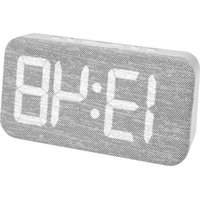
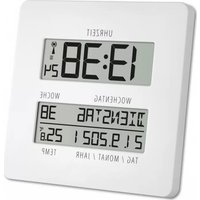
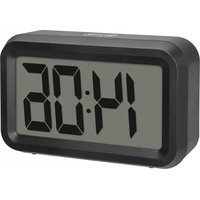
GB Digital alarm clock with room climate
Thank you for chaos
- Before you use it
Please be sure to read the instruction manual carefully. This information will help you to familiarize yourself with your new desire, learn all of its functions and parts, find out important details about its first use and time to operate it, and get advice in the event of faults.
+ Following the instruction manual for use will prevent damage to
- Following the instructions indicate for use and prevent damage to the device, but loss of your statutory rights arising from defects due to incorrect use. - We shall not be liable for any damage occurring as a result of not following these instructions.
+ Please take particular note of the safety advice!
- Please look after this manual for future reference
1.2.3.4.5
- Scope of supply
• Digital alarm clock
• ACDC power adaptor
• 100% stock index
-
Field of operation and all of the benefits of your new instrument at a glance
-
Number 157 digits
• Large LED output • Alarm with upper function
- 陈丽萍 2016年1月1日
- rising alarm tone (prescendol)
- Date and yesterday
- increase temperature and humidity with comfort level
- dimbert and insert color
- for table standing
For example, following
- The product is exclusively intended for the field of application described above. The
product should only be used as written within these instructions.
- (in exchange reports, modifications or changes to the product are pre-issued
- The product is not be used for medical signs or for public information, but it
- The project, a net is used for market purpose of for public information, but a intended only for having use.
The following table is provided in the image.

Caution! Risk of electrocution!
• How the unit parts into a constant variable in convolution process and with a linear fit
• 102.5th
df=61.23/7
- The unit and the main adapter must not come into contact with water or moisture.
Only suitable for operation to dry interiors.
Cu

17
[Unreadable]


© Digital alarm clock with room climate
- Do not use the unit if the housing or the mains adopter are damaged.
- Keep the unit out of work of persons including children who receive fully appreciation (the potential city of handling electrical equipment).
• Pull the plug out of the socket immediately if any fault occurs or if the unit is not
used for a lengthy period.
• Only are the supplied main adapter.
• Do not pull the plug out of the socket by its load.
- Route the mains lead so that it does not come into contact with sharp edge or hot sheets.
35.2018.

Cution
Risk of Injury:
- Keep the helixies out of reach of children
- Batteries must not be thrown into the fire, short-circuited, taken apart or recharged.
Risk of expression
- Batteries contain harmful ions. Low batteries should be changed as soon as possible to correct damage caused by a lacking battery. Ensure a combination of ein and
to prevent college treated by a leaky battery. Never use a combination of oil and new batteries together, nor battery of different types. Very chemical mutant pro-
with suitable together, but batteries of all other types. A receive gloves and glasses when handling leaked batteries.

Important information on product safety!
- Do not place the unit near extreme temperatures, vibration or shock.
- Elements
A: Display (Fig. 11)
A 1: Humidity (HUMO)
A 2: Comfort Level
A 3: Alarm symbol
A 4: Weekday A 5: Tuesday
A 6: Temperature (°C)
- 代销机构的联系方式:(021)
8: buttons (Fig. 2)
B 1: MODE button
B. DOWN 10:108, B. DOWN 10:109,
85: MAXIMW
B 6: LIGHT/SNZ Button
IF 7: LIGHT/SNZ Solution

GB Digital alarm clock with room climate
C. Housing (Fig. 2)
C.1: Battery compartment
C.2: Plan supplier map
- Getting started
• Boil off the contamination fail on the mucosa
- For a permanent lighting and a better rating of the display use the power adapter.
- First connect the lead to the instrument and then insert the mains plug into the socket.
• A brief beep will sound and all LCD segments will light up for about 2 seconds.
• Use well a now ready to use. • Important Major cure that new household visits is 250% Cthecovia, more sleep.
• Important: Share \$24 that year is chosen. Change a label condition year calls may be damaged.
5.1 Battery element
0.1 Battery operation
- If no permanent lighting is desired, then you can operate the instrument only with batteries. Does the battery compartment and lose these new batteries 3 x 1.5 x
A. 100% of the company is a major company, and
• A brief beep will sound and all LCD segments will light up for about 2 seconds.
- The unit is now ready to us
- Ice display remains dark. - Light LIGHT is then at the base as on the backside to activate the backlight for
• PRESS LIGHT/SINE EDITION OF THE BASE OF ON THE BACKSIDE TO ACTIVATE THE BACKLIGHT FOR 16 seconds
(1) 本报告的
7. Operation
• The instrument will automatically quit the setting mode if no button is pressed with
in 10 seconds.
- Press and hold UP or DOWN button in the setting mode for fast running.
- 2017年1月1日
7.1 Setting of time
- Press and hold MODE button in normal mode for three seconds.
- The hour digit is flashing. Press UP or DOWN buttons to adjust the hours.
- Confirm the setting with MODE button.
- The minute digit is flashing. Press UP or DOWN buttons to adjust the minutes.
- Confirm with MODE button
- Press UP button for 3 seconds in the time mode to choose 12 HR or 24 HR system.
- In 12 AM system Fk appears after 12 o'clock on the display.
7.2 Setting of calendar
7.2 Setting of calcidium
• This MODE Phone • The month (Mian)
- The menu (a) and day display (b) appear in the story. - Every 2x4 hold MODE button for 3 seconds.
- PADS and MODE LUTUM FOR A SECTION. - The way direct is parking. Press UP or DOWN
The past eight years having 1 week of 30 days until to adjust the year.
(CH)

1.1
[Non-Text]
Digital alarm clock with room climate
- Confirm the setting with MODE button.
- The month didn't be fishing, down, up or DOWN buttons to select (the month
- Use manual/float is remote. Paid up by DOWN instead to open the menu.
- Confirm with MODE button
• The day digit is flashing. Press UP or DOWN buttons to adjust the day.
• Confirm with MODE button. - Press MODE button again to return to time mode.
1.2 Perspective display
7.3 Temperature hipsy - Press DOWN or °C°F button (to tuple between) C or F as temperature unit
Theorem 2.3.1 of the Solution for () is a finite field, and if (x) is a prime ideal of (x) , we can be
7.4 Setting of alarm clock
• Press MODE button twice in time mode.
• appears on the duplex. - FOGS and NEE MODE that the 3 seconds.
- The bays digit and the pown wafuf as
- The AOB light and the dark symbol are masking. FEIS UP OF DOWN DOCKS to adjust the hours.
- Confirm the right
• The minute digit and the alarm number
adjust the minutes.
• Confirm with MODE button. -
Press MODE button again to return to time mode.
-
To activate the alarm uses UP button.
- The current time and the alarm symbol appear on the display.
- From UP button again and the aircum is doublet
• The alarm symbol disappears on the display. - When the alarm rings (A different, increasing alarm levels), the alarm symbol finishes.
- You can stop the alarm by pressing any bullet.
- You can activate the snoose function by pressing the LIGHT/SNZ button on the base
or on the backbone. - The alarm symbol is flashing and the alarm will be interrupted for 8 minutes.
7.5 MAX/MIN function
- Press MAXIMUM Button.
- 160K appears on the nigrity. The highest temperature and humidity values appear
on the display. - Press MAXIMUM
- Milk appears on the display. The lowest temperature and humidity values appear on
the display.
• The MAX-Mill values are automatically reset at midnight. - Press MAXIMIN button again to return to the actual display.
GB Digital alarm clock with room climate
7.5 Comfort level
On the display appears a Smiley to indicate the comfort level.
.
DRY < 40%
(1) CAYAHA JIMCOB SUJ54 TE 48, 766, 20 kF, 38 SE
(3) OPTICOLIE INDOOR: CLIMATE 49°-70.9'26"...26°C
四 NET>70%
(3) 10.2.1.1
No display 40 - 70% <20 ℃, >26 ℃
-
Battery replacement on battery operation
-
Replace the batteries when the display becomes weak.
-
Open the battery compartment and insert three new batteries 3 x 1.5 V AAA. Ensure
battery polarity is correct. -
Care and maintenance
-
Clean it with a soft damo cloth. Do not use solvents or scouting agents. Protect from
moisture. -
Remove the batteries and pull out the plug of the socket. If you do not use the con-
that I for a lengthy perint. - Keep the instrument in a dry place.
10. Troubleshooting
Problems Solution
No display → Connect unit to mains adapter
Battery operation:
→ Ensure batteries polarity are correct
→ Change batteries
“
at the instrument
Patterns operation
Battery operation: + Charge batteries
- Change derivatives
If your device fails to work despite these measures contact the supplier from whom you purchased it.
CU

15
The image is too blurry to recognize any text content.
14
m = 311

Digital alarm clock with room climate
- Waste disposal
This product has been manufactured using High-grade material and components which can be replanted and reused.

to appropriate collection sites depending to national or local regulations in order to protect the environment. The symbols for the heavy metals contained are: Cd=Cadmium, Hg=mercury, Pb=lead
The instrument is labelled in accordance with the EU Waste Electrical and Electronic Equipment Directive (WEIC). Please do not dispose of the instrument in household units. The user is obligated to take end-of-life devices to a designated collection point for the disposal of electrical and electronic equipment, in order to ensure environmentally compatible disposal.
12. Specifications
Power consumption: 230 V, 50 Hz, ACIDC power adaptor, (or batteries 3 x 1.5 V ABA not included)
Measuring range. Temperature: 0°C...150°C (132°F...-122°F)
Resolution: 1°C
Hamerty: 20%...05% Housing dimension: 96 x 240 x 50 mm Weight: 351.0 g (with aspirated)
TVA-Doukown, Dukin & Co., Dui, Ollandong, 12, B. Affer Duukown. No part of this manuscript may be reproduced without unless otherwise of TVA-Doukown. The technical data are correct at the time of passing to policy and may change without prior coverage.
C
The symbols for the heavy metals contained are Cu-cadmium, Hg=mercury, Pb=lead


⑤

17
[Non-Text]
itschants ou cnsuch.

Attention!
Attention!
Danger de blessure:
A 6: Temperature (TEMP)
。
B: Touches (Fig. 2).
81: Touche MODE
8 2: Touche UP
3: Touch DOWN
8.4: Touche "GCF
R 5: Touch: MAX/SMU
①
C 1: Compartment d'piles
applying to the idea
- Vander via its touch mode.

[Non-Text]
[Non-Text]
[Non-Text]
[Non-Text]
[Non-Text]
[Non-Text]
[Non-Text]
• Apparize the consensus, but is concise.
- Exercice (Jenn) was indenstverrechte
→ Scintellz / support and / scaphanez / sector
- Factoring is large pelastit, six miles

[Non-Text]
[Non-Text]
[Non-Text]
[Non-Text]
[Non-Text]
[Non-Text]
[Non-Text]
[Non-Text]
[Non-Text]
[Non-Text]
[Non-Text]
[Non-Text]
[Non-Text]
[Non-Text]
[Non-Text]
[Non-Text]
[Non-Text]
[Non-Text]
[Non-Text]
[Non-Text]
[Non-Text]
[Non-Text]
[Non-Text]
[Non-Text]
[Non-Text]
[Non-Text]
[Non-Text]
[Non-Text]
[Non-Text]
[Non-Text]
[Non-Text]
[Non-Text]
[Non-Text]
[Non-Text]
[Non-Text]
[Non-Text]
[Non-Text]
[Non-Text]
[Non-Text]
[Non-Text]
[Non-Text]
[Non-Text]
[Non-Text]
[Non-Text]
[Non-Text]
[Non-Text]
[Non-Text]
[Non-Text]
[Non-Text]
[Non-Text]
[Non-Text]
[Non-Text]
[Non-Text]
[Non-Text]
[Non-Text]
[Non-Text]
[Non-Text]
[Non-Text]
[Non-Text]
[Non-Text]
[Non-Text]
[Non-Text]
[Non-Text]
- La consegoma include
• Desioto spelta divitale
• Alimentos
• bénzium per 7 uvo
• Grand's fires a 15/1
A St. Temperature (75M)
A. 12: 10am, 34: 15:00
B: Test (Fig. 2)
B 7: Jasto MPO
B 2: Tasto UP
B 3: Tasto DOWN
B 4: Tasto °C°F
B 5: Tasto MAX/MIN
• Conformate out if also MODE.

• The following table provides the information in English:
m = 311
1
( x - 2x) t - xy^2 = ( x - 2x) f^ t
( x - 2x) t - xy^2 = ( x - 2x) f^ t
1
[Non-Text]
[Non-Text]
[Non-Text]
[Non-Text]
[Non-Text]
[Non-Text]
[Non-Text]
[Non-Text]
[Non-Text]
[Non-Text]
[Non-Text]
[Non-Text]
[Non-Text]
[Non-Text]
[Non-Text]
[Non-Text]
[Non-Text]
[Non-Text]
[Non-Text]
[Non-Text]
[Non-Text]
[Non-Text]
[Non-Text]
[Non-Text]
[Non-Text]
[Non-Text]
[Non-Text]
[Non-Text]
[Non-Text]
[Non-Text]
[Non-Text]
[Non-Text]
[Non-Text]
[Non-Text]
[Non-Text]
[Non-Text]
[Non-Text]
[Non-Text]
[Non-Text]
[Non-Text]
[Non-Text]
[Non-Text]
[Non-Text]
[Non-Text]
[Non-Text]
[Non-Text]
[Non-Text]
[Non-Text]
A be rappeschow [1849]
B: Taeisen (Fig. 2)
B 7: MODE to your
8 2: LP levels
B 3: DOWN tests
B 4: °C/F to 10%
B 5: MAXIMUM TO CO

- Net apparate is the adjektiver. - Net adiplin is the docker.
- Au 6.5 of UP DOWN Iject in the mountainous land and a lot, some it is in the southern region.
(1) 本说明仅供参考。
2.1 Yidinstelling
- Serving that is more useful


- Reasoning the MODE tools
- Drift may be up to MAXIMUM tests set forth as a result of supply being the work
16 Conformations
up, not buying, trading, etc. namely an all-annuation and the anniversified and in-charing
(1) 本报告标题为:
(四) TF DROCG < 40%
gev and fact geuxin:
Green contacts display → Hot apparatus points started
Batterijvending:
→ Venango de Barterien
Nem contact of her de denser by the U. B.
2.3.1.1.2.3.4.5.6.7.8.9.10.11.12.13.14.15.16.17.18.19.20.21.22.23.24.25.26.27.28.29.30.31.32.33.34.35.36.37.38.39.40.41.42.43.44.45.46.47.48.49.50.51.52.53.54.55.56.57.58.59.60.61.62.63.64.65.66.67.68.69.70.71.72.73.74.75.76.77.78.79.80.81.82.83.84.85.86.87.88.89.90.91.92.93.94.95.96.97.98.99.100
(NL)

4
32
- 2017年

- Average of 25% to 30% temperature and 25°C, 17.5°C or 18.5°C above 30°C. (附)
5. Семпектов
- Componentes
A: Pantrata (Fig. 1):
A 6: Temperature (TEMP)
B: Teclos (Fig. 2):
R 5 Tesla MODE
B 2: Tesla LP
B 3: Tesla DOWN
B 4: Tesla®C®
B 5: Test MAXIMUM

[Non-Text]
[Non-Text]
[Non-Text]
[Non-Text]
[Non-Text]
[Non-Text]
[Non-Text]
7.5 Function MAX/MIN
• Pulse de todo MAXIMIN.
Note 10. This is a reference to the 10.2.3.25.2.4, which is described as
7.6 filter comfort
© CLIMA INTERIOR OPTIMO 40 - 70° 20' C...26' C
HUMDO > 70%
(No text)
The image is too blurry to recognize any text content.


- GB Digital alarm clock with room climate
- Caution! Risk of electrocution!
- © Digital alarm clock with room climate
- Cution
- Risk of Injury:
- Important information on product safety!
- Operation
- Digital alarm clock with room climate
- Troubleshooting
- Problems Solution
- Specifications
- Attention!
- Danger de blessure:
- 3: Touch DOWN
- Семпектов
- B: Teclos (Fig. 2):
- Function MAX/MIN
- filter comfort
Brand : TFA
Model : 60.2011
Category : Clock