
S113 BT - Docking Station ARCTIC COOLING - Free user manual and instructions
Find the device manual for free S113 BT ARCTIC COOLING in PDF.


| Product Type | Docking Station |
| Brand | Arctic Cooling |
| Model | S113 BT |
| Dimensions (approx.) | 200 x 100 x 30 mm |
| Weight (approx.) | 300 g |
| Power Supply | USB-C or AC adapter (included) |
| USB Ports | 3x USB 3.0 Type-A |
| HDMI Output | 1x HDMI 2.0 (4K@60Hz) |
| Ethernet Port | 1x Gigabit Ethernet |
| Audio Jack | 3.5 mm combo |
| Charging | Supports pass-through charging up to 100W |
| Compatibility | Windows, macOS, Linux |
| Material | Aluminum alloy casing |
| Cooling | Built-in fan for thermal management |
| Indicator Lights | LED for power and connection status |
| Maintenance | Clean with a soft, dry cloth. Do not use liquids. |
| Safety | Avoid exposure to moisture and extreme temperatures. Use only supplied power adapter. |
| Spare Parts | Contact Arctic Cooling support for replacement parts. |
| General Info | Designed to expand connectivity for laptops and tablets. Supports dual monitor setup. |
Frequently Asked Questions - S113 BT ARCTIC COOLING
User questions about S113 BT ARCTIC COOLING
0 question about this device. Answer the ones you know or ask your own.
Ask a new question about this device
Download the instructions for your Docking Station in PDF format for free! Find your manual S113 BT - ARCTIC COOLING and take your electronic device back in hand. On this page are published all the documents necessary for the use of your device. S113 BT by ARCTIC COOLING.
USER MANUAL S113 BT ARCTIC COOLING
natural_image
Illustration of a two-tiered electronic device with circular vented structure and control buttons (no text or symbols)S113 BT
EN Manual
m.s113bt.man.arctic.ac
Dear Customer,
Thank you for choosing the ARCTIC S113 BT.
This smart little box allows you to bring your music wherever you go. Lossless streaming of AAC and mp3, aptX®, bass radiators and high quality drivers offer you a maximum of pleasure despite the small size.
I hope you enjoy the S113 BT and we at ARCTIC look forward to further enriching your life with our products. If you would like to share how you use ARCTIC's products please do so at https://www.facebook.com/ARCTIC.en
ARCTIC is a fully carbon neutral company and your support helps us to compensate every kilogram of CO2 we produce. Thank You.
Sincerely,
Magnus Huber ARCTIC CEO
Packaging Contents
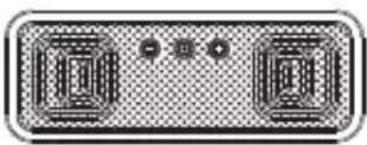
Speaker x 1
natural_image
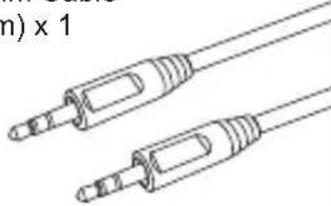
Illustration of a two-tone electronic device with no visible text or symbols3.5 mm Cable
(30cm) × 1
natural_image
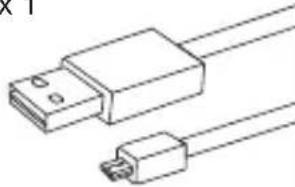
Line drawing of two coaxial audio/video cables with no text or symbolsMicro USB Cable
(80cm) × 1
natural_image
Line drawing of a USB connector with two connectors (no text or symbols)Carrying Case x 1
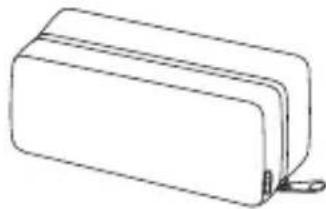
natural_image
Simple line drawing of a rectangular box with a small clip at the bottom (no text or symbols)Manual x 1
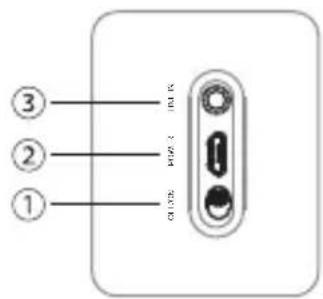
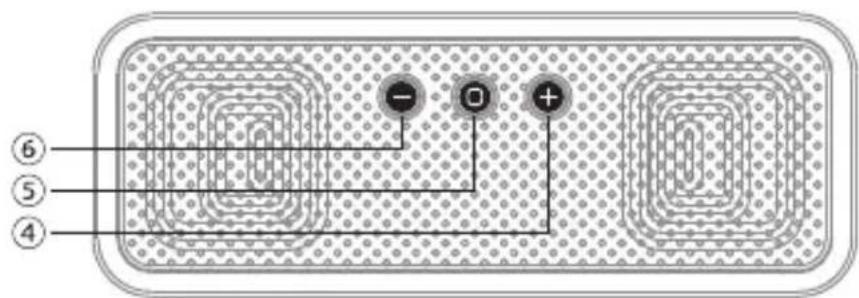
Function Diagram
① Power Switch
② Micro-USB Charging Port
③ 3.5 mm Audio Input
④ Volume up / Next Track
⑤ Multifunction button for Answer Phone / Pairing
⑥ Volume Down / Previous Track
Reconnection
Via Bluetooth
- Switch on Bluetooth on phone.
- Switch on S113 BT by sliding the power switch.
- S113 BT will auto reconnect. If not the case, repeat connection steps
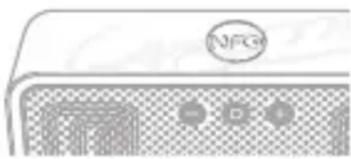
Via NFC
- Enable NFC on your phone
-
Switch on S113 BT by sliding the power button.
-
Tap your phone on the NFC tag. Connection is automatic
natural_image
Illustration of a stylized electronic device with a circular logo and three square buttons (no text or symbols)LED Light Signals
Blue
- Blue light flashing means the speaker device is on and not paired.
- Blue light flashing every five seconds means speaker is paired to a device.
Red
• Red light flashing means battery is low
• Red light on constantly means charging
Red & Blue
- When both the red and the blue lights are rapidly flashing, it means the speaker is searching for device to pair with.
Getting Connected
The S113 BT allows you to pair with your mobile device in three different ways:
A. Bluetooth Pairing
- Switch on S113 BT by sliding the power switch.
- Ensure that your S113 BT is not connected to another phone by turning off Bluetooth on other devices.
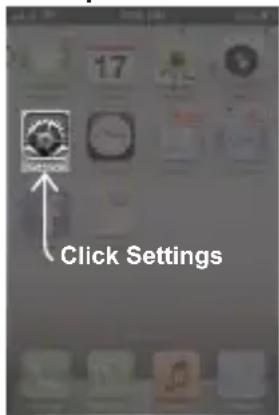
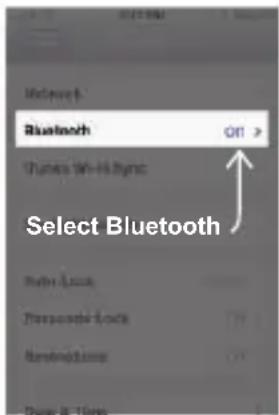
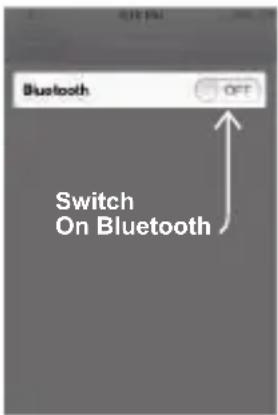
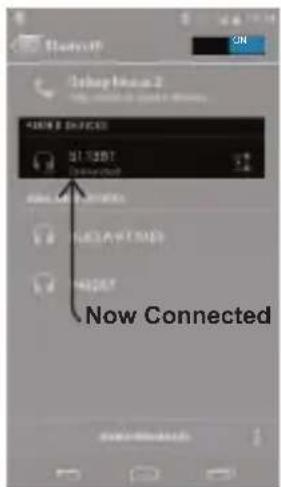
- Switch on Bluetooth on your phone and pair it with the speaker.
Example: iOS
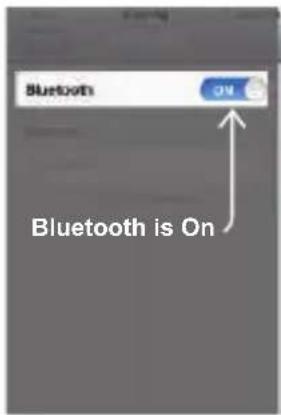
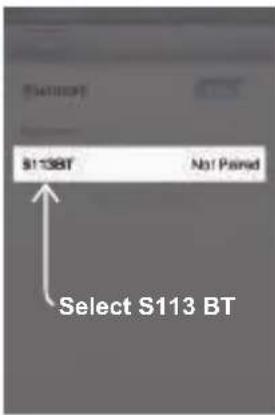
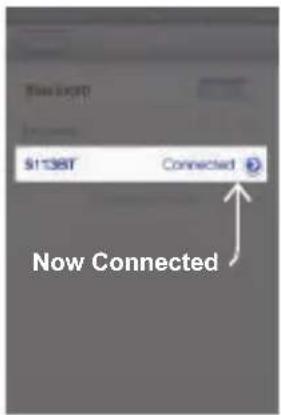
Example: Android 4.0
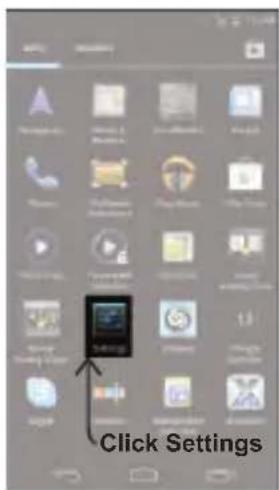
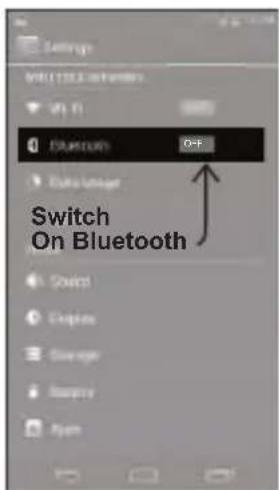
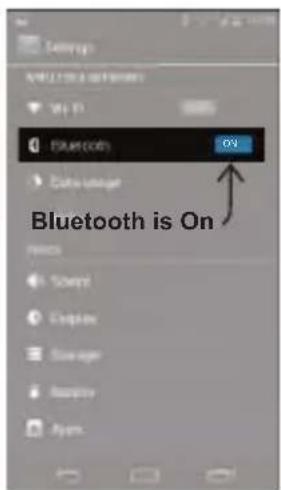
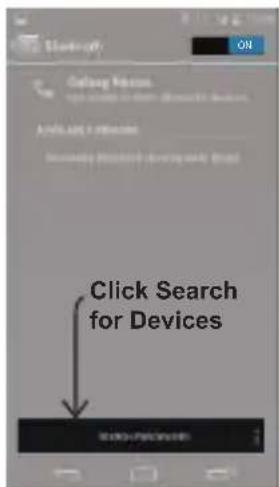
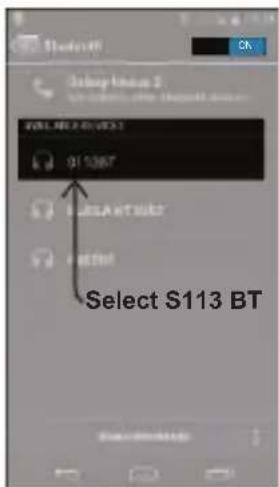
Notes:
- Pairing mode will last up to five minutes or until a device is found, two tones will sound to let you know when pairing has stopped.
- If you exceed the effective range of approx. 10M (33ft) the speaker will disconnect and will automatically reconnect if the speaker re-enters the effective range within ten minutes.
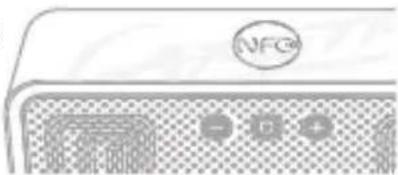
B. Connection via NFC
- Switch on the S113 BT speaker by sliding the power switch.
- Enable NFC on your mobile device.
- Tap your phone on the NFC tag and confirm the connection.
- Play music!
natural_image
Front view of a computer monitor with a circular logo and control buttons (no readable text or symbols)C. Connect via Cable
- Switch on S113 BT speaker by sliding the power switch.
- Insert one end of the 3.5mm audio cable into the speaker and the other end into your mobile device headphone's output.
- Play music!
Music Operations
• Volume up: one short press of the +
• Volume down: one short press of the
- Next track: while music is playing, press and hold the + until the track moves to the next track.
- Previous track: while the music is playing, press and hold the — until the start of the track replays. Quickly press and hold the — again to go to the previous track.
- Pause / Play: one short press and release of the multifunction button
Phone Operations
If the mobile device that is paired with the S113 BT speaker is a cellular phone you can:
- Answer Call: one quick press of the multifunction button ☐.
- End Call: one quick press of the multifunction button ☐.
- Reject Call: pressing and holding the multifunction button for three seconds or until you hear a tone that indicates this function has been completed.
- Voice Recognition: If supported by your mobile device, turn the voice recognition feature on, in standby mode press and hold the multifunction button for three seconds; a tone will sound to indicate activation. Say the name of who you would like to call and wait for the dial tone.
Charging
The S113 BT can be charged while switched on or off.
-
Insert the micro USB cable into the S113 BT and the USB side into a power source. (We recommend the Home Charger 4500).
-
When the red LED light is off the S113 BT is fully charged.
It is recommended to fully charge before initial use.
Restore to Factory Settings
To restore your speaker to factory settings:
- Switch the S113 BT on.
- Then press the - and o buttons simultaneously for 10 seconds until a low key beep is emitted.
- Switch the speaker off.
Reset
To reset your speaker
-
S113 BT can be reset while switched on or off
-
Keep pressing the + and then charge the S113 BT by insert the micro USB cable.
-
When the red LED on, the speaker is reset
Cautions
- Wireless connections are affected by obstructions such as walls and other devices.
- Keep S113 BT dry moisture may damage electronic components.
- Exposure to high temperature will shorten the life and damage electronic components.
- Opening / altering the S113 BT voids all product warranty.
- Rough handling may damage inside electronic components.

Like us on facebook
www.facebook.com/ARCTIC.en

© 2013 CSR plc and its group companies.
The aptX® mark and the aptX logo are trade marks of CSR plc or one of its group companies and may be registered in one or more jurisdictions
The Bluetooth® word mark and logos are registered trademarks owned by Bluetooth SIG, Inc., and any use of such marks by ARCTIC (HK) Ltd. is under license. Other trademarks and trade names are those of their respective owners.
FCC ID ZG8BSK10
This device complies with Part 15 of the FCC Rules. Operation is subject to the following two conditions: (1) this device may not cause harmful interference, and (2) this device must accept any interference received, including interference that may cause undesired operation.


© 2014 ARCTIC Switzerland AG. All Rights Reserved.
No part of this manual including the products described in it, may be reproduced, transmitted, stored in a retrieval system, or translated into any language in any form or by any means, except documentation kept by the purchaser for backup purpose, without the express written permission of ARCTIC Switzerland AG. In no event shall ARCTIC its directors or employees be liable for any indirect damages, incidental or consequential damages arising from any defect or error in this manual or product.
- S113 BT
- Packaging Contents
- Function Diagram
- Reconnection
- Via Bluetooth
- Via NFC
- LED Light Signals
- Blue
- Red
- Red & Blue
- Getting Connected
- Bluetooth Pairing
- Notes:
- Connection via NFC
- Connect via Cable
- Music Operations
- Phone Operations
- Charging
- Restore to Factory Settings
- Reset
- To reset your speaker
- Cautions
- Like us on facebook
- © 2013 CSR plc and its group companies.
- FCC ID ZG8BSK10
- © 2014 ARCTIC Switzerland AG. All Rights Reserved.
Brand : ARCTIC COOLING
Model : S113 BT
Category : Docking Station