
DTM3280 - Hi-Fi System PHILIPS - Free user manual and instructions

Find the device manual for free DTM3280 PHILIPS in PDF.

PHILIPS DTM3280 - Hi-Fi System
📄 32 pages English EN Download 💬 AI Question 10 questions ⚙️ Specs
Notice PHILIPS DTM3280 - page 1
Pick your language and provide your email: we'll send you a specifically translated version.
Product type Micro Hi-Fi system
Brand Philips
Model DTM3280
Output power 2 x 15 W RMS
Audio sources CD player, USB port, FM tuner
FM tuner FM stereo with RDS, 19 presets
File compatibility Audio CD, MP3-CD, WMA, MP3/WMA files via USB
Connectivity Auxiliary input (3.5 mm), USB port
Speakers 2 2-way speakers with bass reflex
Remote control Remote control included
Clock and alarm Built-in clock, alarm with snooze
Timer Sleep timer
Power supply 220-240 V, 50 Hz
Standby power consumption Less than 1 W
Dimensions (main unit) 260 x 90 x 250 mm (W x H x D)
Dimensions (speaker) 160 x 250 x 180 mm (W x H x D) (estimated)
Total weight Approximately 3.5 kg
Care and cleaning Unplug the device before cleaning, use a soft dry cloth
Safety Do not expose to moisture, do not place near a heat source
Spare parts and repairability Spare parts available through Philips after-sales service
General information Compact design suitable for home use

Frequently Asked Questions - DTM3280 PHILIPS

How do I set the time on the Philips DTM3280?
Press the CLOCK button on the remote control or the unit. Use the VOLUME + and VOLUME - buttons to set the hours, confirm with CLOCK, then set the minutes in the same way.
How do I use the alarm function?
Press and hold the ALARM button until the alarm symbol flashes. Select the source (CD, USB, FM) with SOURCE, then set the alarm time with VOLUME. Select the alarm mode (radio or buzz) by pressing ALARM.
How do I listen to FM radio?
Press SOURCE to select the FM mode. Use the TUNING + and TUNING - buttons to search for stations automatically or manually. To memorize a station, press PROG then press PROG again.
How do I connect an external MP3 player?
Use a 3.5 mm audio cable to connect the MP3 player's output to the AUDIO IN jack on the front of the unit. Press SOURCE until AUX is displayed. The sound will be played through the system's speakers.
How do I play USB files?
Insert a USB flash drive containing MP3 or WMA files into the USB port. Press SOURCE to select USB. Playback starts automatically. Use the VOLUME buttons to adjust the sound and the navigation buttons to select tracks.
How do I clean the system?
Always unplug the device before cleaning. Use a soft dry cloth to wipe the surfaces. Never use abrasive products or solvents. For the speakers, gently brush the grille if necessary.
What should I do if the sound is distorted?
Check if the volume is too high and reduce it with VOLUME -. Make sure the speakers are properly connected and that the cable is not damaged. If the distortion persists, test another source (CD or USB) to determine if the issue is from the source.
How do I replace the remote control batteries?
Open the battery compartment on the back of the remote control by sliding the cover. Remove the old batteries and insert two AAA batteries respecting the polarities. Close the cover by pushing it until it clicks.
The remote control does not work, what should I do?
Check the remote control's direction towards the sensor. Replace the batteries with new ones. Make sure no obstacle blocks the signal. If the problem persists, use the buttons on the unit to verify that the system works.
Can I use additional speakers?
The system is designed to work with the provided speakers. If you wish to replace the speakers, use speakers with an impedance of 6 ohms and suitable power to avoid damaging the amplifier.

User questions about DTM3280 PHILIPS

0 question about this device. Answer the ones you know or ask your own.

Ask a new question about this device

Your email remains private: it is only used to notify you if someone answers your question.

No questions yet. Be the first to ask one.

Download the instructions for your Hi-Fi System in PDF format for free! Find your manual DTM3280 - PHILIPS and take your electronic device back in hand. On this page are published all the documents necessary for the use of your device. DTM3280 by PHILIPS.

USER MANUAL DTM3280 PHILIPS
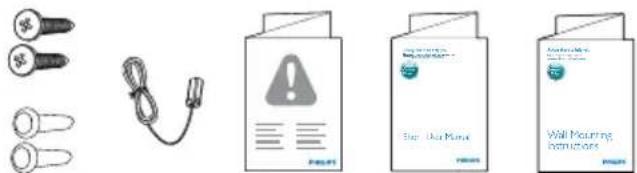
Illustration showing four different types of medical or dental equipment: a set of small keys, a cable with warning symbol, a clipboard labeled 'Bip: Use Menu', and a wall-mounted instructions box.

Specifications are subject to change without notice.

2014 © WOOX Innovations Limited.

All rights reserved.

Philips and the Philips' Shield Emblem are registered

trademarks of Koninklijke Philips N.V. and are used by WOOX

Innovations Limited under license from Koninklijke Philips N.V.
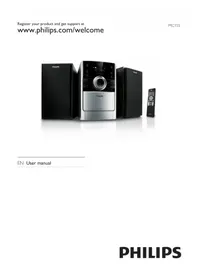
Table of contents Click a title to access it
Manual assistant
Powered by Anthropic
Waiting for your message
Product information

Brand : PHILIPS

Model : DTM3280

Category : Hi-Fi System