
KN-URC10B - Remote control KONIG - Free user manual and instructions
Find the device manual for free KN-URC10B KONIG in PDF.


| Product type | Universal remote control |
| Brand | Konig |
| Model | KN-URC10B |
| Category | Remote control |
| Dimensions (L x W x H) | 20 x 5 x 2 cm |
| Weight | 150 g |
| Power supply | 2 AAA batteries (not included) |
| Maximum range | 10 meters |
| Compatibility | TV, DVD, satellite, cable, amplifier |
| Programming function | Automatic and manual code search |
| Number of codes programmable | 1 device at a time |
| Code memory | Retains codes after battery change |
| Light indicator | Operation LED |
| Housing material | ABS plastic |
| Care and cleaning | Clean with a soft, dry cloth |
| Safety | Do not expose to moisture or liquids |
| Usage | Indoor use only |
| Repairability | Not user-serviceable |
| Country of manufacture | China |
| Warranty | 2 years |
Frequently Asked Questions - KN-URC10B KONIG
User questions about KN-URC10B KONIG
0 question about this device. Answer the ones you know or ask your own.
Ask a new question about this device
Download the instructions for your Remote control in PDF format for free! Find your manual KN-URC10B - KONIG and take your electronic device back in hand. On this page are published all the documents necessary for the use of your device. KN-URC10B by KONIG.
USER MANUAL KN-URC10B KONIG
Universal remote control
BEDIENUNGSANLEITUNG
OPERATING INSTRUCTIONS 9
MANUEL D'UTILISATION 15
MANUALE D'USO 21
The Ground Truth image displays a single, solid horizontal line. According to Rule 2 (UNDERSCORE & LINE RULES), this is a stylistic or background line, not a placeholder underscore. Therefore, the OCR result must ignore it and output nothing or only meaningful text. The provided OCR content is "____", which consists of four underscores. This is an incorrect interpretation of the line as a placeholder, violating the rule that stylistic lines must be ignored. The OCR has hallucinated underscores where none should exist based on the GT's visual context. Hence, the OCR result is inconsistent with the Ground Truth.
We congratulate you on the purchase of a König universal remote control. Your new remote control replaces the original remote control of your TV set.
Read all instructions carefully and retain the instructions for reference at a later date.
You can program your remote control using the operating instructions and the associated code and brand list, via the following methods:
a) by manual programming, by entering a four digit code from the code list,
b) by automatic programming, depending on the brand, by entering the three digit code from the brand list
c) by an automatic searching
d) or by programming the original remote control codes.
We recommend starting by using the manual programming method (a).
Inserting and replacing the batteries
Your KN-URC10B remote control is powered by two 3-Volt lithium batteries (CR 2032). Insert the batteries in accordance with the markings on the battery compartment. Please take extra care to ensure correct polarity. Dispose of the old batteries in accordance with local regulations.
Note ▲:
Your KN-URC10B has an internal memory to make sure that the programming is retained after changing the batteries.
We recommend that you always use new batteries. Never combine old and new batteries because the performance of your remote control and the service life of the batteries will be negatively affected.

General information:
Your KN-URC10B is fitted with a 5 second protection mechanism. When programming, you must press a button within a period of 5 seconds, otherwise the remote control reverts back to its regular operating mode.
Note ▲:
A short double flash of the signal LED confirms the input, a long flash indicates cancellation. If you enter a code number incorrectly, press any key and wait for a long flash of the signal LED. You can then continue entering according to the instructions.
Functional description
| Icon | TV function |
| ⏻ | TV Standby (switching on/off) |
| ⏻ | Signal LED |
| av | AV |
| f av | List of favourites |
| e pg | Electronic TV programme |
| i nfo | Info |
| ▲ | Cursor up |
| ▼ | Cursor down |
| ◀ | Cursor left |
| ▶ | Cursor right |
| ok | OK |
| a/d | Switching between the analogue and digital tuner |
| exit | Exit |
| opt | Opt |
| ○ | Red |
| ○ | Green |
| ○ | Yellow |
| ○ | Blue |
| vol ▲ | Volume+ |
| ↗ | Mute |
| prog ▲ | Programme+ |
| vol ▼ | Volume- |
| menu | Menu |
| prog ▼ | Programme- |
| ≡ | Switch video text on |
| □ | Switch video text off |
| ++ | 16:9 Display format |
| ● | |
| ◀◀ | |
| ▶II | |
| ■ | |
| ▶▶ |
Manual TV set programming
1) Switch your TV set on.
2) Look up the brand of your TV set under "TV" in the code list. Single or multiple 4 digit codes are shown for each brand.
3) Press and hold the TV Standby button) until the signal LED (fl ashes twice.
4) Use the number keys to enter the first four-digit code from the code list for the brand that you have selected. The signal LED (💡) flashes twice to indicate that the code has been accepted.
5) Test the functionality of your remote control using the TV standby button() and the AV button (av).
6) If the TV set does not respond, or only responds partially to the commands, repeat steps 3 to 5 using the next code from the code list.
7) If the TV set responds properly to all functions, your KN-URC10B is correctly programmed and can be used. Please note the code that was used for future reference.
My programming codes to use
TV
Automatic programming the TV set according to brand
As an alternative, and if the correct code for your TV set cannot be found for manual programming, you can use the automatic search function by brand for programming.
1) Switch your TV set on.
2) Look up the brand of your TV set in the brand list in the appendix to this instruction manual. There is a 3-digit brand code for each brand.
3) Press and hold the TV Standby button until the signal LED (fl ashes twice.
4) Use the number buttons to enter the code 1 0 0 3. The Signal LED (☐) flashes twice to confirm that the search mode has been activated.
5) Use the number keys to enter the three-digit brand code from the brand list for the brand that you have selected. The signal LED (①) flashes twice to indicate that the code has been accepted.
6) Hold down the TV Standby button(1) on your KN-URC10B until the TV set switches off. This process can take several minutes.
7) As soon as the unit has switched off, push the OK button to confirm the programming (ok) until the Signal LED (①) fl ashes twice.
8) Test the functionality of your remote control using the TV standby button() and the AV button (av). If the TV set responds properly to all functions, your KN-URC10B is correctly programmed and can be used.
Note:
It could happen, that during the search process, the KN-URC10B finds several codes to which your TV set responds, but where all buttons do not function for each code. In this case, the search process should be re-started (steps 3 to 9) until you obtain the best code. Re-starting the search process starts at the last saved programming.
Automatic TV search
As an alternative, or if neither manual programming nor automatic programming by brand has found the correct code for your TV set, you can use the automatic search function.
1) Switch your TV set on.
2) Press and hold the TV Standby button until the signal LED (①) flashes twice. If the button is not pushed long enough, the TV set switches off. In this case, start the programming again by switching the TV set on.
3) Use the number buttons to enter the code 1 0 0 1. The Signal LED (⏻) flashes twice to confirm that the search process has been activated.
4) Hold down the Standby button(1) on your KN-URC10B until the TV set switches off. This process can take several minutes.
5) As soon as the unit has switched off, push the OK button to confirm the programming (ok) until the Signal LED (①) flashes twice.
6) Test the functionality of your remote control using the TV standby button (☐) and the AV button (AV). If the TV set responds properly to all functions, your KN-URC10B is correctly programmed and can be used.
Note ▲:
It could happen, that during the search process, the KN-URC10B finds several codes to which your TV set responds, but where all buttons do not function for each code. In this case, the search process should be re-started (steps 2 to 6) until you obtain the best code. Re-starting the search process starts at the last saved programming.
Code reader
The code reader can be used to display the codes that you have found in the search process so that you can make a note of them:
1) Press and hold the TV Standby button) until the LED Signal (fl ashes twice.
2) Use the number buttons to enter the code 0 0 0 2. The Signal LED (⏻) fl ashes twice again.
3) Push 1 and count the number of times the Signal LED flashes; this is the first number.
4) Push 2 and count the number of times the Signal LED flashes; this is the second number.
5) Push 3 and count the number of times the Signal LED flashes; this is the third number.
6) Push 4 and count the number of times the Signal LED flashes; this is the fourth number.
Note △:
The Signal LED does not flash if the number is 0. The steps 3 to 6 can be carried out in any order and as many times as may be required.
Learn feature
Alternatively, or if either in case of manual programming or with automatic programming, the correct code for your equipment cannot be found, you may use the learn feature.
The learn feature may also be used if certain button functions of the original remote control are not included in the database.

Positioning the KN-URC10B and original remote control (Range test)
In order to ensure that the remote control can receive the signal, both remote controls should be placed opposite one another with their transmission diodes facing each other. The distance between both remote controls should not be greater than 5 cm.
You may use the range test to determine the optimal position for learning the codes:
1) Press and hold the TV Standby button) until the LED Signal (flashes twice.
2) Enter the code 0 0 1 1 using the numeric buttons. The signal LED flashes twice again.
3) Now, the signal LED lights up in orange and displays the quality of the signals received.
Now place the original remote control and press and hold any button on it.
Change the distance to the KN-URC10B remote control until the signal LED lights up in green.
Note:
Orange light indicates readiness and that the KN-URC10B is not receiving any signal. If the signal LED lights up in red, it means that the signal is too weak (too far away) or too strong (too near). If the signal LED lights up in green, it indicates optimal signal quality (optimal alignment for learning).
4) To end the range test, press the TV Standby button() that had been pressed earlier.
Note △:
The optimal alignment depends on the transmission strength of the signals by the original remote control and, hence, it may vary for each remote control. This is why you need to carry out the range test with each remote control from which you would like to learn in order to determine the optimal alignment for it.
Learning – Basic
1) Press and hold the TV Standby button) until the LED Signal (fl ashes twice.
2) Enter the code 0 0 0 9 using the numeric buttons. The signal LED flashes twice again.
3) Now, the signal LED lights up in green.
4) Press the button on the KN-URC10B remote control that you would like to teach, e.g. OKok).
5) The signal LED lights up in orange and indicates that the KN-URC10B remote control is ready to learn.
6) Press and hold the desired button on the original remote control until the green signal LED goes off.
Note :
Orange light indicates that the KN-URC10B is not receiving any signal.
If the signal LED lights up in red, it means that the signal is too weak (too far away) or too strong (too near).
7) You may repeat the steps 3 to 6 to teach (or programme) other buttons. To save and end the learning function, press the TV Standby button (⏻) that had been pressed earlier.
Note ▲:
If the buttons that have been learnt do not work properly with your equipment, or particularly if only every second button that you press works, please carry out Advanced Learning.
Learning - Advanced
1) Press and hold the TV Standby button) until the LED Signal (fl ashes twice.
2) Enter the code 0 0 1 0 using the numeric buttons. The signal LED flashes twice again.
3) Now, the signal LED lights up in green.
4) Press the button on the KN-URC10B remote control that you would like to teach, e.g. OKok).
5) The signal LED lights up in orange and indicates that the KN-URC10B remote control is ready to learn.
6) Press and hold the desired button on the original remote control until the green signal LED goes off.
Note:
Orange light indicates that the KN-URC10B is not receiving any signal.
If the signal LED lights up in red, it means that the signal is too weak (too far away) or too strong (too near).
7) Press and hold the same button on the original remote control once again until the green signal LED goes off.
8) You may repeat the steps 3 to 7 to teach (or programme) other buttons. To save and end the learning function, press the TV Standby button (⏻) that had been pressed earlier.
Button lock
You have the facility for deactivation of individual or not-required functions on the KN-URC10B remote control.
1) Press and hold the TV Standby button) until the signal LED (fl ashes twice.
2) Use the number buttons to enter the code 0 0 0 6. The Signal LED flashes twice again.
3) Push all the buttons, one after the other, whose functions that you wish to block.
4) Push the TV Standby button() to confirm.
Note ▲:
The numbers and the Standby button (⏻) cannot be blocked.
Note △:
If you want to reverse the key lock again, you need to fully reset the remote control. See function "Deleting settings (reset)".
Code blocking
You can activate the code block to prevent inadvertent programming of the KN-URC10B.
1) Press and hold the TV Standby button) until the signal LED (fl ashes twice.
2) Use the number buttons to enter the code 0 0 0 7. The Signal LED flashes twice again.
3) The remote control is now blocked for re-programming
Note ▲:
The fact that the code block is activated can be seen by the fact that the Signal LED ( Ⓥ ) on the KN-URC10B remote control fl ashes once long instead of twice short.
Note ▲:
Please repeat the steps 1 to 3 if you wish to de-activate the code block.
Deleting settings (reset)
- Press and hold the TV Standby button (⏻) until the signal LED (⏻) flashes twice.
- Use the number buttons to enter the code 0 0 0 0. Die Signal LED (⏻) flashes twice to confirm that your KN-URC10B remote control has been reset.
Note ▲:
This “Delete settings (reset)” function means that your KN-URC10B remote control will lose all its programming and is returned to the as-delivered condition.

Note on environmental protection
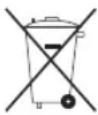
After the implementation of the European Directive 2002/96/EU in the national legal system, the following applies:
Electrical and electronic devices may not be disposed of with domestic waste. Consumers are obliged by law to return electrical and electronic devices at the end of their service lives to the public collecting points set up for this purpose or point of sale. Details to this are defined by the national law of the respective country. This symbol on the product, the instruction manual or the package indicates that a product is subject to these regulations. By recycling, reusing the materials or other forms of utilising old devices, you are making an important contribution to protecting our environment.
GUARANTEE
Your remote control is guaranteed for a period of two years from the date of purchase. Please consult the dealer in the event of a guarantee claim.
F
MANUEL D'UTILISATION
MANUAL DE INSTRUÇÕES
Controlo remoto universal König KN-URC10B



- INSERTING AND REPLACING THE BATTERIES
- NOTE ▲
- GENERAL INFORMATION
- MANUAL TV SET PROGRAMMING
- MY PROGRAMMING CODES TO USE
- AUTOMATIC PROGRAMMING THE TV SET ACCORDING TO BRAND
- AUTOMATIC TV SEARCH
- CODE READER
- NOTE △
- LEARN FEATURE
- POSITIONING THE KN-URC10B AND ORIGINAL REMOTE CONTROL (RANGE TEST)
- NOTE
- LEARNING – BASIC
- LEARNING - ADVANCED
- BUTTON LOCK
- CODE BLOCKING
- DELETING SETTINGS (RESET)
- NOTE ON ENVIRONMENTAL PROTECTION
- GUARANTEE
- F
- MANUEL D'UTILISATION
- MANUAL DE INSTRUÇÕES
- CONTROLO REMOTO UNIVERSAL KÖNIG KN-URC10B
Brand : KONIG
Model : KN-URC10B
Category : Remote control