
UTE-93DAB - Car radio ALPINE - Free user manual and instructions
Find the device manual for free UTE-93DAB ALPINE in PDF.


| Product Type | Digital Media Receiver (CD-less) |
| Brand | Alpine |
| Model | UTE-93DAB |
| Chassis Size | 1-DIN (180 x 50 x 160 mm) |
| Weight | Approx. 1.0 kg |
| Power Supply | 12V DC (car battery) |
| Maximum Power Output | 4 x 50 Watts |
| RMS Power Output | 4 x 22 Watts (per channel) |
| Radio Tuner | DAB+ / DAB / FM / AM |
| Bluetooth | Built-in (hands-free calling & audio streaming) |
| USB Port | Front USB (MP3/WMA/FLAC playback) |
| Auxiliary Input | 3.5 mm front AUX |
| Display | LCD with adjustable illumination |
| Steering Wheel Control | Compatible (requires adapter) |
| Equalizer | 9-band graphic EQ with presets |
| Audio Formats | MP3, WMA, FLAC, AAC, WAV |
| CD/DVD Playback | Not supported |
| Installation | Standard DIN mount, remove existing radio |
| Cleaning | Wipe with dry microfiber cloth; no solvents |
| Safety | Disconnect negative battery terminal before installation |
| Repairability | Authorized Alpine service centers only; no user serviceable parts |
| User Manual | Free download from Alps website (PDF, 132 pages) |
Frequently Asked Questions - UTE-93DAB ALPINE
User questions about UTE-93DAB ALPINE
0 question about this device. Answer the ones you know or ask your own.
Ask a new question about this device
Download the instructions for your Car radio in PDF format for free! Find your manual UTE-93DAB - ALPINE and take your electronic device back in hand. On this page are published all the documents necessary for the use of your device. UTE-93DAB by ALPINE.
USER MANUAL UTE-93DAB ALPINE
6830368735A.book Page 1 Monday, September 7, 2015 3:31 PM


FOR CAR USE ONLY/NUR FÜR AUTOMOBIL GEBRAUCH/POUR APPLICATION AUTOMOBILE UNIQUEMENT/PARA USO EN AUTOMÓVILES/SOLO PER L'UTILIZZO IN AUTOMOBILE/ENDAST FÖR BILBRUK/ALLEEN VOOR GEBRUIK IN DE AUTO/ТОЛЬКО ДЛЯ ИСПОЛЬЗОВАНИЯ В АВТОМОБИЛЯХ/ДО УŻYCIA TYLKO W SAMOCHODZIE
ALPINE
CD/DAB RECEIVER WITH ADVANCED BLUETOOTH
CDE-196DAB
DIGITAL MEDIA/DAB RECEIVER WITH ADVANCED BLUETOOTH
UTE-93DAB
Made for iPod iPhone


QUICK REFERENCE GUIDE SNABBGUIDE
A.Muang Samutprakarn, Samutprakarn 10280, Thailand
Designed by ALPINE Japan
Printed in Thailand (Y)
68-30368Z35-A


—01.01CDE196DAB-QRG.fm

ALPINE CDE-196DAB 68-30368Z35-A (EN/DE/FR/ES/IT/SE/NL/RU/PL)


6830368735A.book Page 2 Monday, September 7, 2015 3:31 PM


For details on all functions, refer to the Owner's Manual stored in the supplied CD-ROM. (As it is data CD, the CD cannot be used for playing back music and images on the player.) If required, an ALPINE dealer will readily provide you with a print out of the Owner's Manual contained in the CD-ROM.
Victoria 3803, Australia
Phone 03-8787-1200
ALPINE ELECTRONICS GmbH
Wilhelm-Wagenfeld-Str. 1-3, 80807 München, Germany
Phone 089-32 42 640
ALPINE ELECTRONICS OF U.K. LTD.
Alpine House
highway, Coventry www.alpine.co.uk
ALPINE ELECTRONICS France S.A.R.L.
6830368735A.book Page 1 Monday, September 7, 2015 3:31 PM
Contents / Inhalt / Contenu
Connections / Anschlüsse / Raccordements ..... 41
IMPORTANT
Please record the serial number of your unit in the space provided below and keep it as a permanent record.
SERIAL NUMBER:
INSTALLATION DATE:
INSTALLATION TECHNICIAN:
PLACE OF PURCHASE:
WICHTIG!
6830368735A.book Page 2 Monday, September 7, 2015 3:31 PM


WARNING
This symbol means important instructions. Failure to heed them can result in serious injury or death.
DO NOT OPERATE ANY FUNCTION THAT TAKES YOUR ATTENTION AWAY FROM SAFELY DRIVING YOUR VEHICLE. Any function that requires your prolonged attention should only be performed after coming to a complete stop. Always stop the vehicle in a safe location before performing these functions. Failure to do so may result in an accident.
KEEP THE VOLUME AT A LEVEL WHERE YOU CAN STILL HEAR OUTSIDE NOISES WHILE DRIVING. Excessive volume levels that obscure sounds such as emergency vehicle serons or road warming signals (train crossings, etc.) can be dangerous and may result in an accident. LISTENING AT LOUD VOLUME LEVELS IN A CAR MAY ALSO CAUSE HEARING DAMAGE.
DO NOT DISASSEMBLE OR ALTER. Doing so may result in an accident, fire or electric shock.
USE ONLY IN CARS WITH A 12 VOLT NEGATIVE GROUND. (Check with your dealer if you are not sure.) Failure to do so may result in fire, etc.
KEEP SMALL OBJECTS SUCH AS BATTERIES OUT OF THE REACH OF CHILDREN. Swallowing them may result in serious injury. If swallowed, consult a physician immediately. USE THE CORRECT AMPERE RATING WHEN REPLACING FUSES. Failure to do so may result in fire or electric shock.
DO NOT BLOCK VENTS OR RADIATOR PANELS. Doing so may cause heat to build up inside and may result in fire.

WARNUNG
6830368735A.book Page 3 Monday, September 7, 2015 3:31 PM


USE THIS PRODUCT FOR MOBILE 12V APPLICATIONS.
Use for other than its designed application may result in fire, electric shock or other injury.
DO NOT PLACE HANDS, FINGERS OR FOREIGN OBJECTS IN INSERTION SLOTS OR GAPS.
Doing so may result in personal injury or damage to the product.
MAKE THE CORRECT CONNECTIONS.
Failure to make the proper connections may result in fire or product damage.
BEFORE WIRING, DISCONNECT THE CABLE FROM THE NEGATIVE BATTERY TERMINAL.
Failure to do so may result in electric shock or injury due to electrical shorts.
DO NOT SPLICE INTO ELECTRICAL CABLES.
Never cut away cable insulation to supply power to other equipment. Doing so will exceed the current carrying capacity of the wire and result in fire or electric shock.
DO NOT DAMAGE PIPE OR WIRING WHEN DRILLING HOLES.
When drilling holes in the chassis for installation, take precautions so as not to contact, damage or obstruct pipes, fuel lines, tanks or electrical wiring. Failure to take such precautions may result in fire.
DO NOT USE BOLTS OR NUTS IN THE BRAKE OR STEERING SYSTEMS TO MAKE GROUND CONNECTIONS.
Bolts or nuts used for the brake or steering systems (or any other safety-related system), or tanks should NEVER be used for installations or ground connections. Using such parts could disable control of the vehicle and cause fire etc.
DO NOT INSTALL IN LOCATIONS WHICH MIGHT HINDER VEHICLE OPERATION, SUCH AS THE STEERING WHEEL OR SHIFT LEVER. Doing so may obstruct forward vision or hamper movement etc. and results in serious accident.
DAS GERÄT NUR AN EIN 12-V-BORDNETZ IN EINEM FAHRZEUG ANSCHLIESSEN.
6830368735A.book Page 4 Monday, September 7, 2015 3:31 PM


CAUTION
This symbol means important instructions. Failure to heed them can result in Injury or material property damage.
HALT USE IMMEDIATELY IF A PROBLEM APPEARS.
Failure to do so may cause personal injury or damage to the product. Return it to your authorized Alpine dealer or the nearest Alpine Service Centre for repairing.
HAVE THE WIRING AND INSTALLATION DONE BY EXPERTS.
The wiring and installation of this unit requires special technical skill and experience. To ensure safety, always contact the dealer where you purchased this product to have the work done.
USE SPECIFIED ACCESSORY PARTS AND INSTALL THEM SECURELY.
Be sure to use only the specified accessory parts. Use of other than designated parts may damage this unit internally or may not securely install the unit in place. This may cause parts to become loose resulting in hazards or product failure.
ARRANGE THE WIRING SO IT IS NOT CRIMPED OR PINCHED BY A SHARP METAL EDGE.
Route the cables and wiring away from moving parts (like the seat rails) or sharp or pointed edges. This will prevent crimping and damage to the wiring. If wiring passes through a hole in metal, use a rubber gromnet to prevent the wire's insulation from being cut by the metal edge of the hole.
DO NOT INSTALL IN LOCATIONS WITH HIGH MOISTURE OR DUST.
Avoid installing the unit in locations with high incidence of moisture or dust. Moisture or dust that penetrates into this unit may result in product failure.

VORSICHT
6830368735A.book Page 5 Monday, September 7, 2015 3:31 PM


natural_image
Line drawing of a computer monitor with control panel and drive unit (no text or symbols)This unit will enter a demonstration mode to display its various functions. There are two methods to close this mode.
Method 1:
"DEMO OFF" will prompt when you install and use this unit for the first time. Press ENTER within 20 seconds to put the Demo mode into standby state.
Method 2:
Setting DEMO MODE to OFF (standby state) or QUITE OFF (completely closed state) in General Setup.
- For details, please refer to Owner's Manual stored in the supplied CD-ROM.
6830368735A.book Page 6 Monday, September 7, 2015 3:31 PM


| English Deutsch Français | |||
| Turning Power OnPress any button (except ▲CDE-196DAB only) and ▲to turn power on. | EinschaltenDrücken Sie eine boilebige Taste (ausgenommen der Tasten ▲nur CDE-196DAB) und ▲um das Gerät anzuschalten. | Mise sous tensionAppuyez sur n'importe quel bouton (sauf ▲(CDE-196DAB uniquement) et ▲pour mettre l'appareil sous tension. | |
| Press and hold ▲and at least 2 seconds to turn off the unit. | Zum Ausschalten halten Sie ▲mindestens 2 Sekunden lang gedrückt. | Maintonez la toucho ▲ontimpéo pendant 2 secondes au moins pour mettre l'appareil hors tension. | |
| Changing the SourceTUNER → DAB+/DMB DISC USB AUDIO/iPod ^2 → BT AUDIO AUXILI TUNER+1 CDE-196DAB only.+2 Displayed only when the iPod/iPhone is connected. | Wechseln der TonquelleTUNER → DAB+/DMB DISC USB ARAUDIO/iPod ^2 → BT AUDIO AUXILI TUNER=1 Nur CDE-196DAB.=2 Wird nur angezeigt, wenn ein iPod/iPhone angeschlossen ist. | Changement de sourceTUNER → DAB+/DMB DISC USB ARAUDIO/iPod ^2 → BT AUDIO AUXILIARY TUNER=1 CDE-196DAB uniquement.+2 S'affiche uniquement lorsqu'un iPod/iPhone est connecté. | |
| Adjusting Volume Einstellen der Lautstärke Réglage du volume | |||
| Displaying the TextThe display will change every time the button is pressed. | Anzeigen von TextDie Anzelge wechselt mit jedem Tastendruck. | Affichage du texteL'affichage change chaque fois que vous appuyez sur cette touche. |


—01.04CDE196DAB-QRG.fm
6

ALPINE CDE-196DAB 68-30368Z35-A (EN/DE/FR)


6830368735A.book Page 7 Monday, September 7, 2015 3:31 PM
BASS ENGINE SQ Function / BASS ENGINE SQ-Funktion / Fonction BASS ENGINE SQ
| English Deutsch Français | ||
| With the BASS ENGINE SQ function on this unit, several parameters affecting Bass performance are adjusted simultaneously. The BASS ENGINE SQ Level adjustment varies these parameters uniformly for optimum Bass effect at different levels. | Mit der BASS ENGINE SQ-Funktion an diesem Gerät worden vorschiodone Parameter für die Bassloistung gleichzeitig angepasst. Mit der Anpassung des BASS ENGINE SQ-Pegels werden diese Parameter für einen optimalen Basseffekt auf unterschiedlichen Ebenen einheitlich eingestellt. | Grâce à la fonction BASS ENGINE SQ de cet appareil, il est possible do régler simultanément plusieurs paramètres liés aux performances des graves. Le réglage du niveau du mode BASS ENGINE SQ permet de varier ces paramètres uniformément pour un effet de graves optimal à différont niveaux. |
| About Setup when the external power amplifier is connected.In order to optimize the BASS ENGINE SQ, we recommend the following power amplifier setup. After setting up, you can adjust the BASS ENGINE SQ Level according to the music.1 Set gain of the power amplifier to “MIN”.2 Set the Crossover Mode Sector switch to “OFF”.3 Set the BASS ENGIN of this unit to “ON”, and the BASS ENGINE SQ Level to “+3”.4 Play a song of the genre you frequently listen to, and adjust gain of the power amplifier. | Informationen zur Einrichtung, wenn ein externer Endverstärker angeschlossen Ist.Zur Optimierung des BASS ENGINE SQ wird folgende Einrichtung des Endverstärkers empfohlen.Nach der Einrichtung können Sie den Pegel des BASS ENGINE SQ entsprechend der Musik anpasson.1 Stellen Sie die Leistung des Endverstärkers auf „MIN“ ein.2 Stellen Sie den Schalter für den Bereich der Frequenzweiche auf „OFF“ ein.3 Stellen Sie BASS ENGIN dieses Geräts auf „ON“ und den Pegel von BASS ENGINE SQ auf „+3“ ein.4 Geben Sie einen Titel Ihres häufig gehörten Genres wieder und passen Sie die Leistung des Endverstärkers an. | À propos de la configuration lorsque l'amplificateur de puissance externe est raccordé.Pour optimiser le BASS ENGINE SQ, nous recommandons la configuration d'amplificateur de puissance suivante.Après la configuration, vous pouvez régler le niveau de BASS ENGINE SQ en fonction de la musique.1 Réglez le gain de l'amplificateur de puissance sur « MIN ».2 Réglez le sélecteur du mode de transfertsur « O F F ».3 Réglez le BASS ENGIN de cet appareil sur « ON », puis le niveau de BASS ENGINE SQ sur « +3 ».4 Lisez un morceau du genre que vous écoutez fréquemment, puis réglez le gain de l'amplificateur de puissance. |


-01.04CDE196DAB-QRG.fm
7

ALPINE CDE-196DAB 68-30368Z35-A (EN/DE/FR)


6830368735A.book Page 8 Monday, September 7, 2015 3:31 PM


natural_image
Top-down schematic of a device casing with control panel and buttons (no text or symbols)| English Deutsch Français | |||||||
| 1 |  | Activate BASS ENGINE SQ mode.Press and hold to switch to BASS ENGINE SQ mode.BASS ENGINANUAL SET (Initial sotting) | Aktivieren Sie den BASS ENGINE SQ-Modus.Halten Sie die Taste gedrückt, um zum BASS ENGINE SQ-Modus zu wechseln.BASS ENGINANUAL SET(Anfangsinstellung) | Activez le mode BASS ENGINE SQ.Maintenez cette touche enfoncée pour passer au mode BASS ENGINE SQ.BASS ENGINANUAL SET (réglage initial) | |||
| 2.1 |  | Adjusting BASS ENGINE SQ level. | Display the BASS ENGINE SQ Level adjustment screen. | Passen Sie den BASS ENGINE SQ-Pegel an. | Zeigen Sie den BASS ENGINE SQ-Pegel-Einstellungsbildschirm an. | Réglage du niveau du mode BASS ENGINE SQ. | Affichez l'écran de réglage du niveau du mode BASS ENGINE SQ. |
| 2.2 | Select the desired level (0 - +6). (Initial sotting: +3) | Wählen Sie den gewünschten Pegel (0 - +6).(Anfangseinstellung: +3) | Sélectionnez le niveau de votre choix (0 - +6).(Réglage initial: +3) | ||||
| 3 |  | Enter. Drücken Sie zum Bestätigen | Enter. | Entrée. | |||
| • From Level 0 to Level 6, the effect of BASS ENGINE SQ increases level by level. | • Von Pegel 0 bis Pegel 6 steigert sich der Effekt der BASS ENGINE SQ von Pegel zu Pegel. | • Du niveau 0 au niveau 6, l'effet du mode BASS ENGINE SQ augmente progressivement. | |||||


-01.04CDE196DAB-QRG.fm
8

ALPINE CDE-196DAB 68-30368Z35-A (EN/DE/FR)


6830368735A.book Page 9 Monday, September 7, 2015 3:31 PM
Applying Alpine Tunelt App / Nutzen der Alpine Tunelt-App / Utilisation de l'application Alpine Tunelt

natural_image
Top-down schematic of a device casing with buttons and display panel (no text or symbols)6830368735A.book Page 10 Monday, September 7, 2015 3:31 PM


Adjusting the sound via the Smartphone / Anpassen des Klangs über das Smartphone / Réglage du son via le smartphone
6830368735A.book Page 11 Monday, September 7, 2015 3:31 PM


Receiving Notification / Empfangen von Benachrichtigungen / Reception de notifications
| English Deutsch Français | ||||
| 1 |  | Display the Notification Menu while receiving Notification from Facebook. | Zeigen Sie das Benachrichtigungsmenü während des Empfangs von Benachrichtigungen von Facebook an. | Affichez le Menu des notifications tout en recevant des notifications de Facebook. |
| 2 |  | Select a desired mode from LIKE* / REPLAY / NEXT / PREVIOUS / TTS VOLUME.* Not displayed when the received Notification is Message type. | Wählen Sie den gewünschten Modus aus unter LIKE* / REPLAY / NEXT / PREVIOUS / TTS VOLUME.* Nicht angezeigt, wenn die empfangene Benachrichtigung ein Meldungstyp ist. | Sélectionnez le mode de votre choix parmi LIKE* / REPLAY / NEXT / PREVIOUS / TTS VOLUME.* Ne s'affiche pas lorsque la notification reçue est un message. |
| 3 |  | Enter. Drücken Sie zum Bestätigen | Enter. | Entrée. |


—01.04CDE196DAB-QRG.fm
11

ALPINE CDE-196DAB 68-30368Z35-A (EN/DE/FR)


6830368735A.book Page 12 Monday, September 7, 2015 3:31 PM


6830368735A.book Page 13 Monday, September 7, 2015 3:31 PM


Radio

natural_image
Front view diagram of a computer monitor case with control panel and drive buttons (no text or labels)| English Deutsch Français | ||||
| 1 |  | Recalling the TUNER ModeSelect the TUNER mode. | Erneutes Aufrufen des TUNER-ModusWählen Sie den TUNER-Modus. | Rappel du mode TUNERSélectionnez le modo TUNER. |
| 2 |  | Changing the BandF(M)1 → F(M)2 → MW→F(M)1 | Wechseln des FrequenzbandsLW(F)(M)1 → F(M)2 → MW→F(M)1 | Changement de fréquenceLW(M)1 → F(M)2 → MW→F(M)1 |
| 3 |  | Presetting StationsAutomaticallyPress and hold for at least 2 seconds.The tuner will automatically seek and store 6 strong stations in the selected band. | AutomatischeSenderprogrammierungHalten Sie die Taste mindestens 2 Sekunden lang gedrückt.Der Tuner sucht und speichert automatisch die sechs stärksten Sender im ausgewählten Band. | Préréglage automatique des stationsAppuyez sur cette touche pendant au moins 2 secondes.Le tuner recherche et mémorise automatiquement les 6 stations les plus puissantes sur la gamme sélectionnce. |
| 4 |  | Tuning to Preset Stations Abrufen | eines gespeichertenSenders | Accord d'une station préréglée |


—01.04CDE196DAB-QRG.fm
13

ALPINE CDE-196DAB 68-30368Z35-A (EN/DE/FR)


6830368735A.book Page 14 Monday, September 7, 2015 3:31 PM


DAB/DAB+/DMB

natural_image
Front view line drawing of a computer monitor and keyboard (no text or symbols)6830368735A.book Page 15 Monday, September 7, 2015 3:31 PM


| 3 | Presetting Ensembles/Services AutomaticallyPress and hold for at least 2 seconds.The tuner will automatically seek and store up to 12 ensembles to the ensemble memory in the selected band. And the default service of ensemble 1 - 6 will be stored into preset buttons 1 to 6. | Automatisches Voreinstellen von Ensemble/ServiceHalten Sie die Taste mindestens 2 Sekunden lang gedrückt.Der Tuner sucht und speichert automatisch bis zu 12 Ensembles im Ensonblospeicher des ausgewählten Bandes. Und der Standardservice des Ensembles 1 - 6 wird auf den Speichertlasten 1 bis 6 gespeichert. | Mémorisation automatique d'un ensemble/serviceMaintenez cette touche enfoncée pendant au moins 2 secondes.Le tuner recherche et mémorise automatiquement jusqu'à 12 ensembles dans la mémoire d'ensemble de la bande sélectionnée. Le service par défaut des ensembles 1 à 6 est mémorisé sous les touches de préréglage 1 à 6. | |
| 4 | Tuning to Preset Service Components | Einstellen gespeicherter Servicekomponenten | Syntonisation des composants de service préréglés | |
| After presetting the ensembles, the stored ensembles can be switched by pressing ▶ IIThe service components of a selected ensemble con be switched by pressing ◄◀◀ ▶▶ | Nach dem Voreinstellen der Ensembles kann durch Drücken auf ▶◀◀ gespeicherten Ensemble gewechselt werden.Die Servicekomponenten eines ausgewählten Ensembles können durch Drücken von ◄◀◀ oder ▶◀◀ schaltet werden. | Après la configuration des groupes, les groupes enregistrés peuvent être activés en appuyant sur ▶◀◀Les composants de service d'un ensemble sélectionné peuvent être commutés en appuyant sur ◄◀◀ ▶▶▶ |


-01.04CDE196DAB-QRG.fm
15
ALPINE CDE-196DAB 68-30368Z35-A (EN/DE/FR)


6830368735A.book Page 16 Monday, September 7, 2015 3:31 PM


CD/MP3/WMA/AAC (CDE-196DAB only / Nur CDE-196DAB / CDE-196DAB uniquement)

natural_image
Top-down schematic of a device rear panel with buttons and display (no text or labels)6830368735A.book Page 17 Monday, September 7, 2015 3:31 PM


| English Deutsch Français | |||
| M.I.X. (Random Play)MIX FOLDER: Only files in a folder are played back in random sequence. (MP3/WMA/AAC)MIX ALL: The tracks are played back in random sequence.MIX OFF: Cancel | M.I.X. (Zufallswiedergabe)MIX FOLDER: Nur die Dateien in einem Ordner worden in zufälliger Reihenfolge wiedergegeben. (MP3/WMA/AAC)MIX ALL: Die Titel werden in zufälliger Reihenfolge wiedergegeben.MIX OFF: Beenden | M.I.X. (Lecture aléatoire)MIX FOLDER: Seuls les fichiers d'un dossier sont lus dans un ordre aléatoire. (MP3/WMA/AAC)MIX ALL: Les pistes sont lues dans un ordre aléatoire.MIX OFF: Annulation | |
| Repeat PlayRPT ONE: Only a track/file is repeatedly played back.RPT FOLDER: Only files in a folder are repeatedly played back. (MP3/WMA/AAC)RPT OFF: Cancel | Repeat-ModusRPT ONE: Nur ein Titel/eine Datel wird nochmals wiedergegeben.RPT FOLDER: Nur Dateien in einem Ordner worden nochmals wiedergegeben. (MP3/WMA/ AAC)RPT OFF: Beenden | Lecture répétéeRPT ONE: Une seule piste/fichier est lue d'une manière répétée.RPT FOLDER: Seuls les fichiers d'un dossier sont lus d'une manière répétée. (MP3/WMA/AAC)RPT OFF: Annulation | |
| Eject | Auswerfen | Éjection |


-01.04CDE196DAB-QRG.fm
17

ALPINE CDE-196DAB 68-30368Z35-A (EN/DE/FR)


6830368735A.book Page 18 Monday, September 7, 2015 3:31 PM


USB memory (Optional) / USB Speicher (optional) / Clé USB (en option)

6830368735A.book Page 19 Monday, September 7, 2015 3:31 PM


6830368735A.book Page 20 Monday, September 7, 2015 3:31 PM


Bluetooth®

natural_image
Top-down schematic of a device casing with internal components and buttons (no text or symbols)| English Deutsch Français | ||
| About BluetoothBluetooth is a wireless technology allowing communication between a mobile device or personal computer over short distances. This enables a hands-free call or data transmission between Bluetooth compatible devices. | Informationen zu BluetoothBluetooth ist eine Funktechnologie, die über kurze Strocken eine Kommunikation zwischen mobilon Geräten und PCs ermöglicht. Damit können Sie freihändig Anrufe tätigen oder Daten zwischen Bluetooth-kompatiblen Geräten übertragen. | A propos de BluetoothBluetooth est une technologie sans fil qui permet à un appareil mobilie et à un ordinateur de communiquer entre eux sur de courtes distances. Elle permet d'établir des communications mains libres et de transmettre des données entre des appareils compatibles Bluetooth. |


—01.04CDE196DAB-QRG.fm
20

ALPINE CDE-196DAB 68-30368Z35-A (EN/DE/FR)


6830368735A.book Page 21 Monday, September 7, 2015 3:31 PM


6830368735A.book Page 22 Monday, September 7, 2015 3:31 PM


6830368735A.book Page 23 Monday, September 7, 2015 3:31 PM


6830368735A.book Page 24 Monday, September 7, 2015 3:31 PM


Answering the Incoming Call / Annehmen eines eingehenden Anrufs / Répondre à un appel entrant
6830368735A.book Page 25 Monday, September 7, 2015 3:31 PM


6830368735A.book Page 26 Monday, September 7, 2015 3:31 PM


| English Deutsch Français | |||
| You can perform this operation only when a Voice recognition compatible Smartphone is connected. If the Smartphone is not compatible with the Voice recognition, “NO SUPPORT” is displayed for 2 seconds.The Voice recognition performance depends on the Smartphone and mounting location of the microphone. Please pay attention when the microphone is mounted.Voice recognition operation depends on the function of the Smartphone. For details, refer to the Owner’s Manual of the Smartphone.Please obey all local traffic laws while using this function. | Dieser Vorgang kann nur ausgeführt werden, wenn eine Verbindung zu einem für die Spracherkennung kompatiblen Smartphone besteht. Wenn das Smartphone nicht mit der Spracherkennung kompatibel ist, wird 2 Sekunden lang „NO SUPPORT“ angezeigt.Die Leistung der Spracherkennung hängt vom Smartphone und der Befestigungssposition des Mikrofons ab. Beachten Sie dies bei der Anbringung des Mikrofons.Der Spracherkennungsbetrieb hängt von der Funktion des Smartphones ab. Einzelheiten finden Sie in der Bedienungsanleitung des Smartphones.Beachten Sie bei Verwendung dieser Funktion alle geltenden Verkehrsregeln. | Lo reconnaissance vocale est disponible uniquement lorsque vous connectez un Smartphone compatible avec cette fonction. Si votre Smartphone n’est pas compatible avec la fonction de reconnaissance vocale, l’indication « NO SUPPORT » s’affiche pendant 2 secondes.Les performances de la reconnaissance vocale dépendent du smartphone et de l’emploi de montage du microphone. Soyez atenitif lors de l’installation du microphone.La reconnaissance vocale dépend des fonctionnalités du Smartphone. Pour obtenir de plus amples informations, reportez-vous au mode d’emploi du Smartphone.Veillez à respecter la législation en matière de circulation routière lorsque vous utilisez cette fonction. |


-01.04CDE196DAB-QRG.fm


6830368735A.book Page 27 Monday, September 7, 2015 3:31 PM
iPod/iPhone (Optional) / iPod/iPhone (optional) / iPod/iPhone (en option)

natural_image
Diagram showing a device connected to a smartphone via USB cable (no text or symbols present)| English Deutsch Français | |||
| An iPod/iPhone can be connected to this unit by using the Interface cable for iPod (included with iPod/iPhone). | Ein iPod/iPhone kann über das iPod - Schnittstellenverbindungskabel (im Lieferumfang des iPod/iPhone enthalten) an dieses Gerät angeschlossen werden. | Un iPod/iPhone peut être connecté à cet appareil à l'aide d'un câble d'interface pour iPod (inclus avec iPod/iPhone). | |
| Recalling the iPod SourceSelect the iPod Source. | Erneutes Abrufen der iPod-QuelleWählen Sie die iPod-Quelle. | Rappel de la source iPodSélectionnez la source iPod. | |
| Pause and Playback Pause und Wiedergabe Pause et lecture | |||


-01.04CDE196DAB-QRG.fm
27

ALPINE CDE-196DAB 68-30368Z35-A (EN/DE/FR)


6830368735A.book Page 28 Monday, September 7, 2015 3:31 PM


| English Deutsch Français | |||||||
| Selecting the desired songPress and release the [◀]to ship[▶]the beginning of the current song or the next song. | Auswählen des gewünschten TitelsDrücken Sie kurz [◀], um ▶ signAnfang des aktuellen Titels bzw. des nächsten Titels zu springen. | Sélection du morceau de votre choixAppuyez sur la touche [◀] pu▶▶] relâchez-la pour aller au début du morceau actuel ou du morceau précédent. | |||||
| Press and hold [◀]to fast▶]backward or fast forward through the current song. | Halten Sie für einen schnellen Rücklauf oder Vorlauf im aktuellen Titel [◀]▶▶▶▶▶▶▶▶▶▶▶▶▶▶▶▶▶▶▶▶▶▶▶▶▶▶▶▶▶▶▶▶▶▶▶▶▶▶▶▶▶▶▶▶▶▶▶▶▶▶▶▶▶▶▶▶▶▶▶▶▶▶▶▶▶▶▶▶▶▶▶▶▶▶▶▶▶▶▶▶▶▶▶▶▶▶▶▶▶▶▶▶▶▶▶▶▶▶▶▶> | Maintenez la touche [◀] enf▶▶▶▶▶▶▶▶▶▶▶▶▶▶▶▶▶▶▶▶▶▶▶▶▶▶▶▶▶▶▶▶▶▶▶▶▶▶▶▶▶▶▶▶▶▶▶▶▶▶▶▶▶▶▶▶▶▶▶▶▶▶▶▶▶▶▶▶▶▶▶▶▶▶▶▶▶▶▶▶▶▶▶▶▶▶▶▶▶▶▶▶▶▶▶▶▶▶▶> | 5×2 | Random Play Shuffle (M.I.X.)MIX ALBUM (Shuffle Albums):Album shuffle playbackplays back all songs in order,then randomly selects the next album.MIX SONG (Shuffle Songs):Song shuffle randomly playsback songs within a selectedcategory (playlist, album, etc.).MIX OFF : Cancel | Zufallswiedergabe (M.I.X.)MIX ALBUM (Zufallswiedergabe der Alben):Die Album-Zufallswiedergabe gibt alle Titel in der normalenRehenfolge wieder und wählt dann willkürlich das nächste Album aus.MIX SONG (Zufallswiedergabe der Titel):Die Titel-Zufallswiedergabe gibt die Titel innerhalb der ausgewählten Kategorie (playlist, album usw.) zufällig wieder.MIX OFF : Beenden | Lecture aléatoire (M.I.X.)MIX ALBUM (Lecture aléatoire des albums) :La lecture aléatoire de l'album lit tous les morceaux dans l'ordre, puis sélectionne au hasard l'album suivant.MIX SONG (Lecture aléatoire des morceaux) :Cette fonction lit de manière aléatoire les morceaux d'une catégorie choisie (liste de lecture, album, etc.).MIX OFF : Annulation |


—01.04CDE196DAB-QRG.fm
28

ALPINE CDE-196DAB 68-30368Z35-A (EN/DE/FR)


6830368735A.book Page 29 Monday, September 7, 2015 3:31 PM


6830368735A.book Page 30 Monday, September 7, 2015 3:31 PM


natural_image
Top-down schematic of a device casing with internal components and control buttons (no text or symbols)| Hierarchy 1 / Hierarchie 1 / Hierarchy 1 | Hierarchy 2 / Hierarchie 2 / Hierarchy 2 | Hierarchy 3 / Hierarchie 3 / Hierarchy 3 | Hierarchy 4 / Hierarchie 4 / Hierarchy 4 |
| Playlist / Playlist / Liste de lecture Song / Titel / Morceau — | |||
| Artist / Interpret / Artiste Album / Album / Album Song / Titel / Morceau — | |||
| Album / Album / Album Song / Titel / Morceau — | |||
| Song / Titel / Morceau — — | |||
| Podcast / Podcast / Podcast | Episode / Episode / Épisode | — | — |
| Genre / Genre / Genre Artist / Interpret / Artiste Album / Album / Album Song / Titel / Morceau | |||
| Composer / Komponist / Compositeur Album / Album / Album Song / Titel / Morceau — | |||
| Audiobook / Hörbuch / Livre audio — — | |||
| Genius Mix List / Genius Mix-Liste / Lisle Genius Mix | — | — | — |


30


—01.04CDE196DAB-QRG.fm

ALPINE CDE-196DAB 68-30368Z35-A (EN/DE/FR)


6830368735A.book Page 31 Monday, September 7, 2015 3:31 PM


| English Deutsch Français | ||||
| 1 |  | Activate the search selection mode. | Aktivieren Sie den Suchwahlmodus. | Activez le mode de sélection de recherche. |
| 2 |  | Select the desired search mode.PLAYLIST/ARTIST/ALBUM/SONG/PODCAST/GENRE/COMPOSER/AUDIOBOOK/GENIUS MIXThe display of search mode list varies depending on the setting of iPod LIST. | Wählen Sie den gewünschten Suchmodus.PLAYLIST/ARTIST/ALBUM/SONG/PODCAST/GENRE/COMPOSER/AUDIOBOOK/GENIUS MIXDas Display der Suchmodus-Liste variiert je nach Einstellung von iPod LIST. | Sélectionnez le mode de recherche de votre choix.PLAYLIST/ARTIST/ALBUM/SONG/PODCAST/GENRE/COMPOSER/AUDIOBOOK/GENIUS MIXL'affichage de la liste du mode de recherche dépend du paromètre défini dans iPod LIST. |
| 3 |  | Enter. Drücken Sie zum Bestätigen | Enter. | Entrée. |
| 4 |  | Select the desired title. Wählen Sie | den gewünschten Titel. | Sélectionnez le titre de votre choix. |


-01.04CDE196DAB-QRG.fm
31

ALPINE CDE-196DAB 68-30368Z35-A (EN/DE/FR)


6830368735A.book Page 32 Monday, September 7, 2015 3:31 PM


6830368735A.book Page 33 Monday, September 7, 2015 3:31 PM
Setting the Time / Einstellen der Zeit / Réglage de l'heure

natural_image
Top-down schematic of a device casing with control panel and buttons (no text or symbols)6830368735A.book Page 34 Monday, September 7, 2015 3:31 PM
6830368735A.book Page 35 Monday, September 7, 2015 3:31 PM


Tuning Range 87.5-108.0 MHz
MW TUNER SECTION
Tuning Range 531-1.602 kHz
LW TUNER SECTION
Tuning Range 153-281 kHz
DAB SECTION
Tuning Range BAND III 174.9-239.2 MHz
Tuning Range L-BAND 1,452.9-1,490.6 MHz
Sensitivity BAND III -98 dB
Sensitivity L-BAND -96 dB
S/N (with JIS-A) 85 dB
Distortion 0.1%
Difference of 0 dB
Output Level
GENERAL
Power Requirement 14.4 V DC
(11-16 V allowable)
Maximum Power Output 50 W × 4
Weight 1.4 kg (3 lbs 1 oz)
(CDE-196DAB)
1.1 kg (2 lbs 6 oz)
(UTE-93DAB)
FM TUNER-TEIL
6830368735A.book Page 36 Monday, September 7, 2015 3:31 PM
CHASSIS SIZE
Width 178 mm (7")
Height 50 mm (2")
Depth 161.5 mm (6–3/8")
Bluetooth SECTION
Bluetooth Specification Bluetooth v2.1 + EDR
Output Power +4 dBm Max. (Power
class 2)
Profile III ^P (Hands-Free
Profile)
A2DP (Advanced
Audio Distribution
Profile)
AVRCP (Audio/Video
Remote Control
Profile)
EINBAUMASSE
Breite 178 mm
Höhe 50 mm
Ticfe
161.5 mm
Bluetooth-TEIL
DIMENSIONS DU CHÂSSIS
Largcur 178 mm (7")
Hautcur 50 mm (2")
Profondeur 161,5 mm (6–3/8")
SECTION DE LA CLÉ Bluetooth
Spécifications Bluetooth Bluetooth v2.1 + EDR
6830368735A.book Page 37 Monday, September 7, 2015 3:31 PM


• Windows Media, and the Windows logo are trademarks, or registered trademarks of Microsoft Corporation in the United States and/or other countries.
- iPhone, iPod, iPod classic, iPod nano, and iPod touch are trademarks of Apple Inc., registered in the U.S. and other countries.
- "Made for iPod," and "Made for iPhone," mean that an electronic accessory has been designed to connect specifically to iPod, or iPhone, respectively, and has been certified by the developer to meet Apple performance standards. Apple is not responsible for the operation of this device or its compliance with safety and regulatory standards. Please note that the use of this accessory with iPod, or iPhone may affect wireless performance.
- The Bluetooth ^® word mark and logos are registered trademarks owned by Bluetooth SIG, Inc. and any use of such marks by Alpine Electronics, Inc. is under license.
- MPEG Layer-3 audio coding technology licensed from Fraunhofer IIS and Thomson. Supply of this product only conveys a licence for private, non-commercial use and does not convey a licence nor imply any right to use this product in any commercial (i.e. revenue-generation) real time broadcasting (terrestrial, satellite, cable and/or any other media), broadcasting/streaming via internet, intravets and/or other networks or in other electronic content distribution systems, such as pay-audio or audio-on-demand applications. An independent licence for such use is required. For details, please visit http://www.nyplicencing.com
• Android is a trademark of Google Inc.
• The Android robot is reproduced or modified from work created and shared by Google and used according to terms described in the Creative Commons 3.0 Attribution License.
6830368735A.book Page 38 Monday, September 7, 2015 3:31 PM


Installation
- When making connections to the vehicle's electrical system, be aware of the factory installed components (e.g. on-board computer). Do not tap into these leads to provide power for this unit. When connecting the CDF-196DAB/UTE-93DAB to the fuse box, make sure the fuse for the intended circuit of the CDF-196DAB/UTE-93DAB has the appropriate emperage. Failure to do so may result in damage to the unit and/or the vehicle. When in doubt, consult your Alpine dealer. - The main unit must be mounted within 35 degrees of the horizontal plane, back to front.

6830368735A.book Page 39 Monday, September 7, 2015 3:31 PM


1
Remove the mounting sleeve from the main unit. Slide the mounting sleeve into the dashboard and fix it with the metal shackles.

* If the installed mounting sleeve is loose in the dashboard, the pressure plates may be bent slightly to remedy the problem.
1
6830368735A.book Page 40 Monday, September 7, 2015 3:31 PM


2
When your vehicle has the Bracket, mount the long hex bolt onto the rear panel of the CDE-196DAB/UTE-93DAB and put the Rubber Cap on the hex bolt. If your vehicle does not have the Mounting Support, reinforce the head unit with the metal mounting strap (not supplied).
Metal Mounting Strap

- For the screw*, provide a proper screw to the chassis installing location.
3
Slide the CDE-196DAB/UTE-93DAB into the dashboard until it clicks. This ensures that the unit is properly locked and will not accidentally come out from the dashboard.
2
6830368735A.book Page 41 Monday, September 7, 2015 3:31 PM


Connections / Anschlüsse / Raccordements

flowchart
graph TD
    A["FUSE 10A"] --> B["(Black) / (Schwarz) / (Noir)"]
    A --> C["(Brown/Yellow) / (Braun/Gelb) / (Brun/Jeune) ADAPTIVE STEERING REMOTE CONTROL IN1"]
    A --> D["(Brown/Orange) / (Braun/Orange) / (Brun/Orange) ADAPTIVE STEERING REMOTE CONTROL IN2"]
    A --> E["(Pink/Black) / (Rosa/Schwarz) / (Fuse/Noir) AUDIO INTERRUPT IN"]
    A --> F["(Blue/White) / (Blau/Weiß) / (Bleur/Bianc) REMOTE TURN-ON"]
    A --> G["(Red) / (Hot) / (Rouge) IGNITION"]
    A --> H["(Black) / (Schwarz) / (Noir) GND"]
    A --> I["(Blue) / (Blau) / (Bleu) POWER ANT"]
    A --> J["(Orange) / (Orange) / (Orange) DIMMER"]
    A --> K["(Yellow) / (Golb) / (Jaune) BATTERY"]
    A --> L["(Green) / (Grün) / (Vort)"]
    A --> M["(Green/Black) / (Brun/Schwarz) / (Vert/Noir)"]
    A --> N["(White) / (Weiß) / (Bianc)"]
    A --> O["(White/Black) / (Weiß/Schwarz) / (Blanc/Noir)"]
    A --> P["(Grey/Black) / (Grau/Schwerzi) / (Gris/Noir)"]
    A --> Q["(Grey"] / (Grau) / (Gris)]
    A --> R["(Violet/Black) / (Violet/Schwarz) / (Violet/Noir)"]
    A --> S["(Violci) / (ViolciI) / (ViolciI)"]
    A --> T["(Black) / (Schwarz) / (Noir)"]
    U["RCA Extension Cable (Sold Separately)"] --> V["Output"]
    W["RCA Extension Cable (Sold Separately)"] --> X["Output"]
    Y["RCA Extension Cable (Sold Separately)"] --> Z["Output"]

flowchart
graph TD
    A["Antenna / Antenne / Antenne"] --> B["To adaptive steering remote control Interface box / An Schnittstellenbox für die adaptive Lenkradtembedienung / Au boîtier d'interfac de la télécommande au volant adaptative"]
    B --> C["To External unit / An externes Gerät / Vers l'apparell externe"]
    C --> D["To amplifier / An den Verstärker / Vers l'amplificateur"]
    D --> E["To the Instrument cluster illumination load / An das Belcuchtungskabel des Instrumentes / Vers le fil d'éclairage du combiné d'instrument"]
    E --> F["To power antenna / An die Motorantenne / Vers l'antenne électrique"]
    F --> G["Ignition Key"]
    G --> H["Battery"]
    H --> I["Speakers"]
    H --> J["3WAY system"]
    J --> K["To Vehicle Display Interface / An Displayschnittstelle des Fahrzeuge / Vers l'interface d'affichage du véhicule"]
    J --> L["Microphone / Mikrofon / Microphone"]
    L --> M["Speakers"]
    L --> N["2WAY system 3WAY system"]
    N --> O["Amplifier"]
    N --> P["Amplifier"]
    N --> Q["Amplifier"]
    N --> R["Subwoofers"]
    N --> S["Subwoofers"]
41

-01.05CDE196DAB-QRG.fm
ALPINE CDE-196DAB 68-30368Z35-A (EN/DE/FR)


6830368735A.book Page 1 Monday, September 7, 2015 3:31 PM


6830368735A.book Page 1 Monday, September 7, 2015 3:31 PM
INSTALLATIONSTEKNIKER:
INKÖPSSTÄLLE:


1

-01.02CDE196DAB-QRGTOC.fm

ALPINE CDE-196DAB 68-30368Z35-A (ES/IT/SE)


6830368735A.book Page 2 Monday, September 7, 2015 3:31 PM


ADVERTENCIA
6830368735A.book Page 3 Monday, September 7, 2015 3:31 PM


6830368735A.book Page 4 Monday, September 7, 2015 3:31 PM


PRUDENCIA
6830368735A.book Page 5 Monday, September 7, 2015 3:31 PM


Primeros pasos / Operazioni preliminari / Komma igång

natural_image
Line drawing of a computer monitor with control panel and drive buttons (no text or symbols)6830368735A.book Page 6 Monday, September 7, 2015 3:31 PM


| Español Italiano Svenska | |||
 | Encendido de la unidadPulse cualquier botón (excepto ▲solo CDE-196DAB) y ▲para onconder la unidad. | AccensionePremere qualsiasi tasto (ecotto ▲solo CDE-196DAB) e ▲per accendere l'unità. | Slå på strömmenTryck på valfri knapp (utom ▲endast CDE-196DAB) och ▲för att slå på strömmen. |
| Mantenga pulsado ▲urnte, al menos, 2 segundos para apagar la unidad. | Per spegnere l'unità, tenere premuto ▲per almeno 2 secondi. | Tryck och håll ▲ströckt i minst 2 sekunder för att stänga av enheten. | |
 | Cambio de la fuenteTUNER → DAB+/DMB DISC USB AUDIO/iPod ^2 → BT AUDIO AUXILI TUNER ^1 Solo CDE-196DAB. ^2 Aparece solo si hay un iPod/iPhone conectado. | Modifica della sorgenteTUNER → DAB+/DMB DISC USB AUDIO/iPod ^2 → BT AUDIO AUXILI TUNER ^1 Solo CDE-196DAB. ^2 Solo quando un iPod/iPhone è connesso. | Byta källaTUNER → DAB+/DMB DISC USB AUDIO/iPod ^2 → BT AUDIO AUXILIARY TUNER ^1 Endast CDE-196DAB. ^2 Endast när en iPod/iPhone är anslaten. |
 | Ajuste del volumen Regolazione del | volume Inställning av volymen | |
 | Visualización de textoEl visualizador cambiará cada voz que pulse ol botón. | Visualizzazione di testoIl display cambia ad ogni prossione del tasto. | TextvisningVisningen växlar varjo gång knappon trycks in. |


—01.04CDE196DABQRG.fm
6

ALPINE CDE-196DAB 68-30368Z35-A (ES/IT/SE)


6830368735A.book Page 7 Monday, September 7, 2015 3:31 PM


Función BASS ENGINE SQ / Funzione BASS ENGINE SQ / BASS ENGINE SQ-funktion
| Español Italiano Svenska | ||
| Con la función BASS ENGINE SQ de esta unidad, varios parámetros que afectan al rendimiento de graves se ajustan simultáneamente. El ajuste del nivel de BASS varla estos parámetros para obtener ol mejor efecto de graves en los distintos niveles. | Con la funzione BASS ENGINE SQ su questa unità, i diversi parametri che interessano le prestazioni dei bassi vengono regolati simultaneamente. Il livello di regolazione BASS modifica uniformomento questi parametri, por ottimizzare i bassi al diversi livelli. | Med BASS ENGINE SQ-funktionen på den här enheten justeras flera parametrar som påverkar basprestanda samtidigt. Justeringen av BASS-nivån variorar dessa parametrar uniformt för optimal bascoffekt på olika nivåcr. |
| Acerca de la configuración con el amplificador de potencia externo conectado.Para optimizar el BASS ENGINE SQ, recomendamos configurar el amplificador de potencia de la forma siguiente.Después de la configuración, puede ajustar el nivel de BASS ENGINE SQ en función del tipo de música.1 Ajuste la ganancia del amplificador de potencia en “MIN”.2 Ajuste el interruptor selector de modo de cruce en “OFF”.3 Ajuste el BASS ENGIN de esta unidad en “ON” y el nivel de BASS ENGINE SQ en “+3”.4 Reproduzca una canción del género que escuche más a menudo y ajuste la ganancia del amplificador de potencia. | Informazioni sull'impostazione con l'amplificatore di potenza esterno connesso.Por ottimizzare BASS ENGINE SQ, si consiglia di effettuare la seguente impostazione dell'amplificatore di potenza.In segundo all'impostazione è possibile regolare il livello di BASS ENGINE SQ in base al tipo di musica.1 Impostare il guadagno dell'amplificatore di potenza su “MIN”.2 Impostarelselettore di modalità crossover su “OFF”.3 Impostare la voce BASS ENGIN di questa unità su “ON” e il livello di BASS ENGINE SQ su “+3”.4 Riprodurre un brano di un genere che si ascolta di frequente e regolare il guadagno dell'amplificatore di potenza. | Om installation när den externa effektförstärkaren är ansluten.För att optimera BASS ENGINE SQ, rekommendorar vi följande effektförstärkarkonfiguration.Efter inställning kan cu justera BASS ENGINE SQ-nivån utifrån musiken.1 Ställ in effektförstärkarens förstärkning på “MIN”.2 Ställ in väljarenavdelningsfrekvens på “OFF”.3 Ställ in BASS ENGIN för den här enheten på “ON” och BASS ENGINE SQ-nivån på “+3”.4 Spela upp en lät av den genre som du ofta lyssna på och justera effektförstärkarens förstärkning. |


-01.04CDE196DABQRG.fm
7

ALPINE CDE-196DAB 68-30368Z35-A (ES/IT/SE)


6830368735A.book Page 8 Monday, September 7, 2015 3:31 PM

natural_image
Top-down schematic of a CD-ROM drive showing front panel, top view, and control buttons (no text or labels)| Español Italiano Svenska | |||||||
| 1 |  | Active el modo BASS ENGINE SQ.Pulse sin soltar para cambiar al modo BASS ENGINE SQ.BASS ENGINANUAL SET (Ajuste inicial) | Attivare la modalità BASS ENGINE SQ.Tenere premuto per passare alla modalità BASS ENGINE SQ.BASS ENGINANUAL SET( Impostazione iniziale) | Aktivera BASS ENGINE SQ-läget.Håll nedtryckt för att växla till BASS ENGINE SQ-läge.BASS ENGIN eMANUAL SET(Grundinställningar) | |||
| 2-1 |  | Ajuste del nivel de BASS ENGINE SQ. | Muestra la pantalla de ajuste del nivel de BASS ENGINE SQ. | Regolare il livello BASS ENGINE SQ. | Visualizzare la schormata di regolazione del livello BASS ENGINE SQ. | Justera BASS ENGINE SQ-nivån. | Visa skärmen för justoring av BASS ENGINE SQ-nivå. |
| 2-2 |  | Seleccione el nivel que desee (0 - +6).(Ajuste inicial: +3) | Selozionare il livello desiderato (0 - +6).(Impostazione iniziale: +3) | Välj önskad nivå (0 - +6).(Grundinställning: +3) | |||
| 3 |  | Pulse Intro para confirmar. Invio. Tryck "Enter". | |||||
| • Entre Nivel 0 y Nivel 6, el efecto de BASS ENGINE SQ aumento de un nivel en un nivel. | • Dal livello 0 al livello 6 l'effetto di BASS ENGINE SQ aumento di livello in livello. | • Från nivå 0 till nivå 6 ökar effekten för BASS ENGINE SQ nivå för nivå. | |||||


-01.04CDE196DABQRG.fm
8

ALPINE CDE-196DAB 68-30368Z35-A (ES/IT/SE)


6830368735A.book Page 9 Monday, September 7, 2015 3:31 PM


Utilización de la aplicación Alpine Tunelt / Applicazione Alpine Tunelt / Använda Alpine Tunelt-appen

natural_image
Top-down schematic of a computer monitor case showing front panel, screen, and keypad (no text or labels)| Español Italiano Svenska | ||
| La sintonización del sonido de esta unidad puede programarse desde un smartphone conectado. | La sintonizzazione del suono dell'unità può essere eseguita da uno smartphone connesso. | Den här enhetens ljudinställningar kan programmeras från en ansluten smartphone. |
| A través de esta unidad, también os posible recibir y responder a información del servicio Social Network Service (SNS) de Alpine, disponible a través del smartphone conectado. | Quosta unità permette anche di ricovore o rispondere ad informazioni provenienti dal servizio SNS (Social Network Service) di Alpine, accessibile tramite lo smartphone connesso. | Genom den här enheton är det också möjligt att ta emot och svara på information från Alpines Social Network Service (SNS) tillgängligt genom den anslutna smartphonen. |
| La aplicación Alpine Tunelt instalada debe iniciarse en el teléfono inteligente antes de conectarlo a la unidad principal. | Avviare l'applicazione Alpine Tunelt installata sullo smartphone prima di eseguire la connessione all'unità principale. | Den installerade Alpine Tunelt-appen bör startas på telefonen före anslutning till huvudenheten. |
| Para obtener más información, consulte el Manual del propietario del CD-ROM suministrado. | Per ulteriori informazioni, consultare il Manuale dell'utente reperibile sul CD-ROM fornito in dotazione. | För detaljer, se använderhandbok på den medflöljande CD-ROM-skvan. |


-01.04CDE196DABQRG.fm
9

ALPINE CDE-196DAB 68-30368Z35-A (ES/IT/SE)


6830368735A.book Page 10 Monday, September 7, 2015 3:31 PM


6830368735A.book Page 11 Monday, September 7, 2015 3:31 PM


Recepcion de notificaciones / Ricezione delle notifiche / Ta emot avisering
| Español Italiano Svenska | ||||
| 1 |  | Aparece el menú de notificación cuando se recibe una notificación de Facebook. | Visualizzare il menu Notifica durante la ricezione di una notifica da Facebook. | Visa notismenyn medan du får en notis från Facebook. |
| 2 |  | Seleccione el modo que desee entre las opciones LIKE* / REPLAY / NEXT / PREVIOUS / TTS VOLUME.* No aparece si la notificación recibida es un mensaje. | Selezionare la modalità desiderata tra LIKE* / REPLAY / NEXT / PREVIOUS / TTS VOLUME.* Non visualizzato quando la notifica ricevuta è di tipo Messaggio. | Välj ett önskat läge från LIKE* / REPLAY / NEXT / PREVIOUS / TTS VOLUME.* Visas inte när den mottagna notisen är av typen meddelande. |
| 3 |  | Pulse Intro para confirmar. Invio. Tryck "Enter". | ||


—01.04CDE196DABQRG.fm
11

ALPINE CDE-196DAB 68-30368Z35-A (ES/IT/SE)


6830368735A.book Page 12 Monday, September 7, 2015 3:31 PM


6830368735A.book Page 13 Monday, September 7, 2015 3:31 PM


Radio

natural_image
Front view diagram of a computer monitor with control panel and drive buttons (no text or labels)| Español Italiano Svenska | ||||
| 1 | Recuperación del modo TUNERSoleccione el modo TUNER. | Richiamare il modo TUNERSolezionare il modo TUNER. | Återkalla TUNER-lågetVälja TUNER-låget. | |
| 2 | Cambio de la banda F(M)1 F(M)2 F(M)3 MW F(M)1 | Modifica della banda LWF(M)1 F(M)2 F(M)3 MW F(M)1 | Växla band LWF(M)1 F(M)2 F(M)3 MW F(M)1 | |
| 3 | Almacenamiento automático de emisorasPülselo sin soltarlo durante al menos 2 segundos.El sintonizador buscará y almacenará automaticamente 6 emisoras de señal intensa en la banda seleccionada. | Preselezione automatica delle stazioniTenere premuto per almeno 2 secondi.Il sintonizzatore cerca e memorizza automaticamente 6 stazioni con segnale forte nella banda selezionata. | Förinställa stationer automatisktHäll nedtryckt i minst 2 sekunder.Mottagaren söker automatiskt upp och lagrar de sex starkaste stationerna i det valda bandet. | |
| 4 | Sintonía de emisoras memorizadas | Sintonia delle stazioni preselezionate | Inställning av förinställda stationer | |


—01.04CDE196DABQRG.fm
13

ALPINE CDE-196DAB 68-30368Z35-A (ES/IT/SE)


6830368735A.book Page 14 Monday, September 7, 2015 3:31 PM


DAB/DAB+/DMB

natural_image
Front view line drawing of a computer monitor and drive unit (no text or symbols)- Confirmo el tipo do antenna DAB (vondida por separado) antes do utilizar la función DAB/DAB+/DMB. Si se utiliza una antenna activa que necesita alimentarse de la unidad, ajuste DAB ANT en ON; si se utiliza una antenna pasiva que no necesita alimentarse de la unidad, asegúrese de ajustar DAB ANT en OFF; si no lo hace, podría producirse un error de funcionamiento. / Controllare il tipo di antenna DAB (vendula separatamente) prima di utilizzare la funzione DAB/DAB+/DMB. Se si utiliza un'antenna attiva che necessita dell'alimentazione di questa unita, impostare DAB ANT su ON; se si utilizza un'antenna passiva che non necessita di alimentazione da questa unità, assicurarsi di impostare DAB ANT su OFF; in caso contrario, potrebbero verificarsi problemi di funzionamento. / Bekrálta typen av DAB-antenn (säljs separat) innan du använder DAB/DAB+/DMB-funktionen. Om en aktiv antenn som behöver strömlörsörjning från enheten används, ställer du in DAB ANT på ON. Om en passiv antenn som inte behöver strömlörsörjning från enheten används, ställer du in DAB ANT på OFF, i annat fail kan ett fel uppsta.
| Español Italiano Svenska | ||||
| 1 |  | Invocación del modo DAB+/DMBSeleccione el modo DAB+/DMB.El Indicador de iliumina cuando se recibe la señal DAB. | Richiamo del modo DAB+/DMBSelezionare il modo DAB+/DMB.L'indicatore del illumina quando viene ricevuto un segnale DAB. | Hämta DAB+/DMB-lägetVälja DAB+/DMB-läget.D)-indikatom tänds när den en DAB-signal tas emot. |
| 2 |  | Cambio de la bandaDAB1 → DAB2 DAB3 DAB1 | Modifica della bandaDAB1 → DAB2 DAB3 DAB1 | Växla bandDAB1 → DAB2 DAB3 DAB1 |
14
ALPINE CDE-196DAB 68-30368Z35-A (ES/IT/SE)


-01.04CDE196DABQRG.fm


6830368735A.book Page 15 Monday, September 7, 2015 3:31 PM


| 3 |  | Almacenamiento automático de conjuntos/servicios en botones de memorizaciónPulse y mantenga presionado durante, al menos, 2 segundos.El sintonizador buscará y almacenará automáticamente hasta 12 conjuntos en la memoria del conjunto de la banda seleccionada. El servicio predoteminado del conjunto 1 - 6 se aimacenará en los botones de memorización del 1 al 6. | Preselezione automatica dell'ensemble/del servizioTenere premuto per almeno 2 secondi.Il sintonizzatore cerca e memorizza automaticamente fino a 12 ensemble nella memoria degli ensemble nella banda selezionata. Il servizio predefinito dell'ensemble 1 - 6 sarà memorizzato nei tasti di preselezione da 1 a 6. | Förinställa ensemble/kanal automatisktHäll intryckt i minst 2 sekunder.Mottagaren söker automatiskt upp och lagrar upp till 12 ensembler i ensembleminnet i det valda bandet.Standardkanalen för ensemble 1 - 6 lagras i snabbvalsknapparna 1 till 6. |
| 4 |  | Sintonización de componentes de servicio presintonizados | Sintonia dei componenti di servizio preselezionati | Inställning av förinställda servicekomponenter |
| Una vez preestablecidos los conjuntos, es posible cambiar de un conjunto guardado a otro pulsando ▶/|| .Los componentes de servicio de un conjunto seleccionado se pueden alternar pulsando |◀◀ o ▶▶. | Dopo aver preselezionato gli insiemi, gli insiemi memorizzati possono essere attivati premendo ▶/||.È possibile cambiare i componenti di servizio di un ensemble selezionato premendo |◀◀ ▶▶. | Effter att ha förbandsinställt ensemblerna kan man skifta sparade ensembler genom att trycka på ▶/|| .Servicekomponenterna för en vald ensemble kan växlas genom tryck på |◀◀ . ▶▶ | ||


15

-01.04CDE196DABQRG.fm

ALPINE CDE-196DAB 68-30368Z35-A (ES/IT/SE)


6830368735A.book Page 16 Monday, September 7, 2015 3:31 PM


CD/MP3/WMA/AAC (Solo CDE-196DAB / Solo CDE-196DAB / Endast CDE-196DAB)

natural_image
Top-down schematic of a device rear panel with buttons and display (no text or symbols)| Español Italiano Svenska | |||
| Pausa y reproducción Pausa e riproduzione Paus och uppspelning | |||
| Selección de la canción deseadaPulse y suolte ▶◀par▶▶tir elprincipio de la canción actual o de lalsiguiente. | Selezione del brano desideratoPremore c rilasciaro ▶◀er ▶▶laroall'inizio del brano corrente o del branosuccessivo. | Välja önskad låtTryck nor och släpp sodan ▶◀◀ för ▶▶Iatt hoppa till början av aktuell låt eller nästalåt. | |
| Pulse y mantenga presionado ▶◀◀ ▶▶Ipara el avanco o el retroceso rápido | Tenere premuto ▶◀per▶▶ledererapidamente in avanti o indietro. | Häll ▶◀◀ ▶▶▶ intryckt försnabbspola bakåt eller framåt. | |
| Selección de la carpeta deseada(MP3/WMA/AAC) | Selezione della cartelladesiderata (MP3/WMA/AAC) | Välja önskad mapp (MP3/WMA/AAC) | |
att


-01.04CDE196DABQRG.fm
16
ALPINE CDE-196DAB 68-30368Z35-A (ES/IT/SE)


6830368735A.book Page 17 Monday, September 7, 2015 3:31 PM


| Español Italiano Svenska | |||
| 5×4 | M.I.X. (Reproducción aleatoria)MIX FOLDER: Solo se reproducen en secuencia aleatoria los archivos incluidos en una carpeta. (MP3/WMA/AAC)MIX ALL: Las pistas se reproducen en secuencia aleatoria.MIX OFF: Cancelar | M.I.X. (riproduzione casuale)MIX FOLDER: Vengono riprodotti in ordine casuale solo i file presenti nella cartolla. (MP3/WMA/ AAC)MIX ALL: I brani vengono riprodotti in ordine casuale.MIX OFF: Annulla | M.I.X. (slumpvis uppspelning)MIX FOLDER: Spåren spelas i slumpvis ordning. (MP3/WMA/AAC)MIX ALL: Spåren spelas i slumpvis ordning.MIX OFF: Avbryt |
| Repetición de reproducciónRPT ONE: Solo se reproduce varias veces una pista/archivo.RPT FOLDER: Solo se reproducen varias veces los archivos incluidos en una carpeta. (MP3/WMA/ AAC)RPT OFF: Cancelar | Riproduzione ripetutaRPT ONE: Viene riprodotto ripetutamente un solo brano/ file.RPT FOLDER: Vengono riprodotti a ripetizione solo i file presenti nella cartella. (MP3/WMA/ AAC)RPT OFF: Annulla | Upprepad uppspelningRPT ONE: Upospeningen av endast ett spår/en fil upprepas.RPT FOLDER: Endast filor i on mapp upprepas. (MP3/WMA/AAC)RPT OFF: Avbryt | |
| Expulsar Espulsione Umatning |


—01.04CDE196DABQRG.fm
17

ALPINE CDE-196DAB 68-30368Z35-A (ES/IT/SE)


6830368735A.book Page 18 Monday, September 7, 2015 3:31 PM


Memoria USB (opcional) / Memoria USB (opzionale) / USB Minne (tillval)

- Si se conecta un dispositivo de memoria USB a esta unidad, se podrán reproducir los archivos MP3/WMA/AAC/FLAC guardados en el dispositivo de memoria USB. / Se un dispositivo di memoria USB è collegato a questa unità, i file MP3/WMA/AAC/FLAC memorizzati nel dispositivo USB possono essere riascoitati. / Om någon utrustring med USB-minne koppias till enheten kan de MP3/WMA/AAC/FLAC filer som finns lagrade i USB-minnet spelas upp.
| Español Italiano Svenska | |||
| Pausa y reproducción Pausa e riproduzione Paus och uppspelning | |||
| Selección de la canción deseadaPulse y suelte |◀par>●tir el principio de la canción actual o de la siguiente.Pulse y mantenga prosionado |◀◀ ▶▶| para el avance o el retroceso rápido. | Selezione del brano desideratoPremere e rilasciare |◀◀er ▶esare all'inizio del brano corrente o del brano successivo.Toncre premuto |◀◀per ▶pedore rapidamente in avanti o indietro. | Välja önskad låtTryck ner och släpp sedan |◀◀ för ▶▶| all hoppa till början av aktuell lät eller nästa lât.Håll |◀◀ ▶▶| intryckt för snabbspola bakåt eller Iramåt. | |


-01.04CDE196DABQRG.fm
18
ALPINE CDE-196DAB 68-30368Z35-A (ES/IT/SE)


6830368735A.book Page 19 Monday, September 7, 2015 3:31 PM


| Español Italiano Svenska | |||
| 5>6 | M.I.X. (Reproducción aleatoria)MIX FOLDER: Todas las canciones de la carpeta actual se reproducendo forma aleatoria.MIX ALL: Todas las canciones de la memoria USB se reproducende forma aleatoria.MIX OFF: Cancelar | M.I.X. (riproduzione casuale)MIX FOLDER: Tutti i brani contenuti nella cartolla corrente vongono riprodotti in sequenza casuale.MIX ALL: Tutti i brani contenuti nella memoria USB vengono riprodotti in sequenza casuale.MIX OFF: Annulla | M.I.X. (slumpvis uppspelning)MIX FOLDER: Alla spår i den aktuella mappen spelas upp i slumpvis ordning.MIX ALL: Alla spår i USB minnet mappen spelas upp i slumpvis ordning.MIX OFF: Avbryt |
| 6>4 | Repetición de reproducciónRPT ONE: Solo se reproduce varías vocos un archivo.RPT FOLDER: Solo se reproducen variss veces los archivos incluidos en una carpeta.RPT OFF: Cancelar | Riproduzione ripetutaRPT ONE: Viene riprodotto ripetutamente un solo file.RPT FOLDER: Vengono riprodotti ripetulamente solo i file contenuti in una cartella.RPT OFF: Annulla | Upprepad uppspelningRPT ONE: Endast en fil upprepas.RPT FOLDER: Endast filer i en mapp upprepas.RPT OFF: Avbryt |


-01.04CDE196DABQRG.fm
19

ALPINE CDE-196DAB 68-30368Z35-A (ES/IT/SE)


6830368735A.book Page 20 Monday, September 7, 2015 3:31 PM


Bluetooth®

natural_image
Top-down schematic of a device casing with internal components and control buttons (no text or symbols)| Español Italiano Svenska | ||
| Acerca de BluetoothBluetooth os una tecnologia inalámbrica que permite comunicarse entre un dispositivo móvil o un ordenador personal on distancias cortas. De este modo pueden realizarse llamadas manos libres o transmitir datos entre dispositivos compatibles con Bluetooth. | Informazioni sulla tecnologia BluetoothBluetooth è una tecnologia wireless che permette la comunicazione tra un dispositivo portatile o un personal computer a breve distanza. Questo consente di effettuare una chiamata in viva voce o la trasmissione di dati tra dispositivi compatibili con la tecnologia Bluetooth. | Om BluetoothBluetooth är en trädlös teknik som gör det möjligt för mobila enhector och/eller datoror att kommunicera över kortare avständ. Detta gör det möjligt att ringa "handsfree" eller skicka information mellan Bluetooth-kompatibla enheter. |


—01.04CDE196DABQRG.fm
20

ALPINE CDE-196DAB 68-30368Z35-A (ES/IT/SE)


6830368735A.book Page 21 Monday, September 7, 2015 3:31 PM


6830368735A.book Page 22 Monday, September 7, 2015 3:31 PM


| Español Italiano Svenska | ||||
| 2 | ||||
| La unidad principal mostrará la solicitud “PAIR”. Gire el Codificador giratorio para seleccionar “YES” y, a continuación, pulse ☑/ENTER. | L'autoradio chiederà “PAIR”. Ruotare il Codificatore rotante per selezionare “YES”, quindi premere ☑/ENTER. | Huvudenheten kommer att fråga om “PAIR”. Vrid Vridomkopplaren till “YES” och tryck sedan på ☑/ENTER. | ||
| 3 | Cuando se complete con éxito la sincronización, la unidad principal mostrará en pantalla “CONNECTED”. | Una volta completata l'associazione, verrà visualizzato “CONNECTED” sull'autoradio. | När hopkopplingen lyckas kommer ”CONNECTED” att visas på huvudenheten. | |


—01.04CDE196DABQRG.fm
22

ALPINE CDE-196DAB 68-30368Z35-A (ES/IT/SE)


6830368735A.book Page 23 Monday, September 7, 2015 3:31 PM


6830368735A.book Page 24 Monday, September 7, 2015 3:31 PM


Cómo responder a una llamada entrante / Risposta di una chiamata in entrata / Svara på inkommande samtal
| Español Italiano Svenska | |||
| Responda a la llamada.La llamada so iniciará. | Rispondere alla chiamata.La chiamata viono avviata. | Svara på samtalet.Samtalot startar. |
6830368735A.book Page 25 Monday, September 7, 2015 3:31 PM


6830368735A.book Page 26 Monday, September 7, 2015 3:31 PM


| Español Italiano Svenska | |||
| Puede realizar esta operación únicamente si ha conectado un Teléfono inteligente compatible con reconocimiento de voz. Si el Teléfono inteligente no es compatible con reconocimiento de voz, aparecerá "NO SUPPORT" en la pantalla durante 2 segundos.El funcionamiento del reconocimiento de voz depende del smartphone y del sitio donde esté ubicado el micrófono. Se debe tener en cuenta la posición de montaje del micrófono.El funcionamiento de reconocimiento de voz depende de la funcionalidad del Teléfono inteligente. Para obtener más información al respecto, consulte el Manual de operación del Teléfono inteligente.Siga todas las normativas locales de tráfico cuando utilice esta función. | È possibile eseguire questa operazione solo se il telefono Smartphone collegato dispone della funzione di riconoscimento vocale. Se il telefono Smartphone non dispone di questa funzione. "NO SUPPORT" verrà visualizzato per 2 secondi.Le prestazioni della funzione di riconoscimento vocale dipendono dalle caratteristiche dello smartphone e dalla posizione di installazione del microfono. Tenere presente questo aspetto durante l'installazione del microfono.Il funzionamento del riconoscimento vocale varia a seconda del telefono Smartphone in uso. Per informazioni dettagliate, vedere il Manual d'uso del telefono Smartphone.Durante l'utilizzo di questa funzione, rispetiare tutte le normative locali relative al traffico. | Du kan endast utföra den här åtgården när en röststyrningskompotibel Smart telefon är ansluten. Om mobiltelefonen inte är kompatibel med röststyrning, visas "NO SUPPORT" i 2 sekunder.Röststyrningens prestanda beror på din smartphone och mikrofonens montering splats.Var nogo när du monterov mikrofonen.Röststyrningsfunktionen beror på mobiletelefonens funktion. Detaljerad information finns i bruksanvisningen för mobiletelefonen.Följ alla gällande trafikregler när du använder den här funktioner. |


-01.04CDE196DABQRG.fm


6830368735A.book Page 27 Monday, September 7, 2015 3:31 PM

iPod/iPhone (opcional) / iPod/iPhone (opzionale) / iPod/iPhone (tillval)

natural_image
Diagram showing a device connected to a smartphone via cable, with no visible text or symbols
| Español Italiano Svenska | |||
| Es posible conectar un iPod/iPhone a esta unidad mediante el cable de interfaz para iPod (suministrado con el iPod/iPhone). | È possibile collegare un iPod/iPhone a quest’unità usando il cavo d’interfaccia per iPod (in dotazione con iPod/iPhone). | En iPod/iPhone kan anslutas till den här enheten via en gränssnittkabel för iPod (följer med iPod/iPhone). | |
| Recuperación de la fuente iPod Seleccione la fuente iPod. | Richiamare la sorgente iPod Selezionare la sorgente iPod. | Äterkalla iPod-källan Valj iPod-källan. | |
| Pausa y reproducción Pausa e riproduzione Paus och uppspelning | |||

—01.04CDE196DABQRG.tm
27

ALPINE CDE-196DAB 68-30368Z35-A (ES/IT/SE)


6830368735A.book Page 28 Monday, September 7, 2015 3:31 PM


| Español Italiano Svenska | |||
| Selección de la canción deseadaPulse y suelle ▲▲par▲●tir el principio de la canción actual o de la siguiente. | Selezione del brano desideratoPremere e rilasciare ▲◀er ▲●sare all'inizio del brano corrente o del brano successivo. | Välja önskad låtTryck ner och släpp sedan ▲◀◀ för ▲▶latt hoppa till början av aktuell låt eller nästa låt. | |
| Pulse y mantenga presionado ▲◀◀ ▲▶lpara avanzar o retroceder rápido en la canción actual. | Tenere premuto ▲◀per■presclare indistro o avanti velocemente il brano corrente. | Håll ▲◀◀ ▲▶l intryckt för snabbspola bakät eller framåt genom aktuell låt. | |
| 5× | Reproducción aleatoria (M.I.X.)MIX ALBUM (Reproducir álbumes de forma aleatoria):La reproducción aleatoria de álbumes reproduce todas las canciones en orden y, a continuación, selecciona el siguiente álbum de forma aleatoria.MIX SONG (Reproducir canciones de forma aleatoria):La reproducción aleatoria de canciones reproduce las canciones de una categoría selecciónada (lista do reproducción, álbum, ctc.),MIX OFF : Cancelar | Riproduzione casuale (M.I.X.)MIX ALBUM (Riproduzione casuale per album):Durante la riproduzione casuale album, tutti i brani vengorio riprodotti in ordine, quindi l'album successivo viene scelto a caso.MIX SONG (Riproduzione casuale per brano):La riproduzione casuale consente di riproduire in modo casuale i brani all'interno di una categoría selezionata (playlist, album e così via).MIX OFF : Annulla | Slumpvis uppspelning (M.I.X.)MIX ALBUM (Blanda album):Blandad albumuppspelning spolar upp alla låtar i ordning och väljer därefter nästa album slumpmässigt.MIX SONG (Blanda spår):Spela upp latarna i en viss kategori (spollista, album, ctc.) slumpmässigt.MIX OFF : Avbryt |
att


—01.04CDE196DABQRG.fm
28
ALPINE CDE-196DAB 68-30368Z35-A (ES/IT/SE)


6830368735A.book Page 29 Monday, September 7, 2015 3:31 PM


| Español Italiano Svenska | |||
| Reproducción aleatoriaReproducir todo de forma aleatoria1 Pulse ENTER para activar el modo de selección de búsqueda.2 Gire el Codificador giratorio para seleccionar SHUFFLEALL y, a continuación, pulse ENTER.SHUFFLEALL: Reproduce todas las canciones del iPod/ iPhone de forma aleatoria. No se repite ninguna canción hasta que no se hayan reproducido todas.• Para cancelar el modo Shuffle ALL, pulse ✗ 5 para seleccionar MIX OFF. | Riproduzione casuale di tutti i brani1 Premere ENTER per attivare il modo Selezione ricerca.2 Ruotare II Codificatore rotante per selezionare SHUFFLEALL, quindi premere ENTER.SHUFFLEALL: Shuffle ALL riproduce casualmente lutti i brani dell'iPod/iPhone. Tutti i brani vengono riprodotti una sola volta, fino a quando sono stati riprodotti tutti i brani.• Per annullare il modo Shuffle ALL, premere ✗ 5 per selezionare MIX OFF. | Slumpvis uppspelning av allt1 Aktivera söklåget genom att trycka på ENTER.2 Vrid Vridomkopplaren till SHUFFLEALL och tryck sedan på ENTER.SHUFFLEALL: Shuffle ALL spelar upp alla låtar i iPod/iPhone i slumpmässig ordning. Varje låt spelas endast upp en gång tills alla låtar har spelats upp.• Om du vill avbryto Shuffle ALL-låget trycker du på ✗ 5 för att välja MIX OFF. | |
| Repetición de reproducciónRPT ONE: Solo se reproduce varias voces una canción.RPT OFF: Cancelar | Riproduzione ripetutaRPT ONE: Viene riprodotto ripetutamente un solo brano.RPT OFF: Annulla | Upprepad uppspelningRPT ONE: Endast en låt spelas upp uppropat antal gångor.RPT OFF: Avbryt |


—01.04CDE196DABQRG.fm
29

ALPINE CDE-196DAB 68-30368Z35-A (ES/IT/SE)


6830368735A.book Page 30 Monday, September 7, 2015 3:31 PM


Búsqueda de la canción deseada (iPod/iPhone) / Ricerca di un brano (iPod/iPhone) / Söka efter önskat spår (iPod/iPhone)

natural_image
Top-down schematic of a device casing with internal components and control buttons (no text or symbols)| Jerarquía 1 / Gerarchia 1 / Hierarki 1 | Jerarquía 2 / Gerarchia 2 / Hierarki 2 | Jerarquía 3 / Gerarchia 3 / Hierarki 3 | Jerarquía 4 / Gerarchia 4 / Hierarki 4 |
| Lista de reproducción / Playlist / Spellista | Canción / Brano / Lát — — | ||
| Artista / Artista / Artist Album / Album | Album / Album Canción / Brano / Lát — | ||
| Album / Album / Album Canción | Brano / Lát — — | ||
| Canción / Brano / Lát — — — | |||
| Podcast / Podcast / Podcast Episod | o / Episodio / Episod — — | ||
| Género / Genere / Genre Artista / Artista / Artist Album / Album | Canción / Brano / Lát | ||
| Canciones / Compositore / Kompositör Album / Album / Album Canción / Brano / Lát — | |||
| Audiolibro / Audiobook / Ljudbok — — | |||
| Lista Genius Mix / Elenco Genius Mix / Genius Mix-lista | — | — | — |


—01.04CDE196DABQRG.fm
30

ALPINE CDE-196DAB 68-30368Z35-A (ES/IT/SE)


6830368735A.book Page 31 Monday, September 7, 2015 3:31 PM


| Español Italiano Svenska | ||||
| 1 |  | Active el modo de selección de búsqueda. | Attivazione del modo di selezione ricerca. | Aktivera läget för val av sökning. |
| 2 |  | Seleccione el modo de búsqueda deseado.PLAYLIST/ARTIST/ALBUM/SONG/PODCAST/GENRE/COMPOSER/AUDIOBOOK/GENIUS MIXLa lista de modos de búsqueda disponibles variará en función del ajuste seleccionado para iPod LIST. | Selezionare il modo di ricerca desiderato.PLAYLIST/ARTIST/ALBUM/SONG/PODCAST/GENRE/COMPOSER/AUDIOBOOK/GENIUS MIXLa visualizzazione dell'elenco della modalità di ricerca varia in base all'importazione di iPod LIST | Välj önskat sökningsläge.PLAYLIST/ARTIST/ALBUM/SONG/PODCAST/GENRE/COMPOSER/AUDIOBOOK/GENIUS MIXSökliustans uformning kan variera beroende på de inställningar som gjorts för iPod LIST. |
| 3 |  | Pulse Intro para confirmar. Invio. Tryck "Enter". | ||
| 4 |  | Seleccione el título deseado. | Selezionare il titolo desiderato. | Välj önskad titel. |


-01.04CDE196DABQRG.fm
31

ALPINE CDE-196DAB 68-30368Z35-A (ES/IT/SE)


6830368735A.book Page 32 Monday, September 7, 2015 3:31 PM


| Español Italiano Svenska | |||||||
| 5 |  | Pulse Intro para confirmar. | Modo de búsqueda Canción/Audiolibro/Genius Mix:Se reproduce la lista de canción/audiolibro/genius mix seleccionada. | Invio. | Modo di ricerca Brano/Audiobook/Genius Mix:Viene riprodotto il brano/audiobook/genius mix selezionato. | Tryck "Enter". | Lát/Ljudbok/Genius Mix-sökläge:Den valda lát/ljudbok/genius mix-listan spelas upp. |
| Modo de búsqueda do otros:Prosigue hasta el siguiente nivel jerárquico, Busque un título realizando los pasos 4 y 5 repetidamente. | Altro modo di ricerca:Passare al modo di ricerca del livello gerarchico successivo.Ricercare un titolo esoguendo più volte le operazioni descritte ai punti 4 e 5. | Sökläge för övrigt:Fortsättor till nästa hierarkrivä. Sök efter tittel genom att utföra stög 4 och 5 upprepade gånger. | |||||
| Tras mantener pulsado ENTER por lo menos 2 segundos en cada jerarquía (excepto la jerarquía de lista de canción, audiolibro y Genius Mix), todas las canciones de la jerarquía seleccionada se reproducirán.Si se realiza la búsqueda durante la reproducción M.I.X., el modo de reproducción M.I.X. se cancelará.. | Tenere prenuto ENTER per almeno 2 secondi in ciascoma gerarchia (eccetto la gerarchia Brano, Audiobook ed elenco Genius mix) per riproduurre tutti i brani della gerarchia selezionata.Se la ricerca viene effettuata durante la riproduzione M.I.X., il modo di riproduzione M.I.X. viene annullato. | När du hor hållit ENTER intrycki i minst 2 sekunder i varje hierarki (utom lår-, ljudboks- och Genius mix-listhierarki) så spelas allo látar i den valda hierarkin upp.När sökning görs under M.I.X.-uppspelning, avbryts M.I.X.- uppspehningslöget. | |||||


—01.04CDE196DABQRG.fm
32
ALPINE CDE-196DAB 68-30368Z35-A (ES/IT/SE)


6830368735A.book Page 33 Monday, September 7, 2015 3:31 PM


natural_image
Top-down schematic of a device casing with buttons and display panel (no text or symbols)| Español Italiano | Svenska | |||
| 1 | Active el modo SETUP.Púisolo sin soltarlo durante al menos 2 segundos. | Attivare il modo di SETUP.Tonore premuto por almone 2 secondi. | Aktivera SETUP-läget.Håll nedtryckt i minst 2 sekunder. | |
| 2 | Seleccione el modo GENERAL. | Selezionare il modo GENERAL. | Välj GENERAL-läget. | |
| 3 | Pulse Intro para confirmar. Invio. Tryck "Enter". | |||
| 4 | Seleccione el modo CLOCK ADJ. | Selezionare il modo CLOCK ADJ. | Välj CLOCK ADJ-läget. | |
| 5 | Pulse Intro para confirmar. Invio. Tryck "Enter". | |||


—01.04CDE196DABQRG.fm
33

ALPINE CDE-196DAB 68-30368Z35-A (ES/IT/SE)


6830368735A.book Page 34 Monday, September 7, 2015 3:31 PM
| Español Italiano | Svenska | |||
| 6 |  | Ajuste la hora. Regolazione delle ore. Justera timmarna. | ||
| 7 |  | Pulse Intro para confirmar.Repita el paso 6 y 7 para ajustar los minutos. | Invio.Ripetere la fase 6 e 7 per regolare i minuti. | Tryck "Enter".Upprepa steg 6 och 7 för att justera minuter. |
| 8 |  | Vuelva al modo normal.Püisolo sin solitarlo durante al menos 2 sogundos. | Tornare al modo normale.Tonere premuto per almeno 2 secondi. | Återgå till normalläge.Håll nedtryckt i minst 2 sekunder. |
34
ALPINE CDE-196DAB 68-30368Z35-A (ES/IT/SE)


6830368735A.book Page 35 Monday, September 7, 2015 3:31 PM


Especificaciones / Caratteristiche tecniche / Tekniska data
6830368735A.book Page 36 Monday, September 7, 2015 3:31 PM
TAMAÑO DEL CHASIS
Anchura 178 mm
Altura 50 mm
Profilo HFP (Hands-Free
Profile, profilo
vivavoce)
A2DP (Advanced
Audio Distribution
Profile)
AVRCP (Audio/Video
Remote Control
Profile)
CHASSIETS MÄTT
Bredd 178 mm
Höjd 50 mm
Djup 161,5 mm
Bluetooth
Bluetooth
Tekniska data
Uteffekt +4 dBm Max.
Profil HFP (Handsfree-
Bluetooth v2.1 + EDR
(effektklass 2)
profil)
A2DP (Advanced
Audio Distribution
Profile)
AVRCP (Audio/Video
Remote Control
Profile)


-01.04CDE196DABQRG.fm

ALPINE CDE-196DAB 68-30368Z35-A (ES/IT/SE)


6830368735A.book Page 37 Monday, September 7, 2015 3:31 PM


- Windows Media y el logotipo Windows son marcas comerciales o marcas registradas de Microsoft Corporation en Estados Unidos y/o en otros países.
- iPhone, iPod, iPod classic, iPod nano y iPod touch son marcas comerciales de Apple Inc. registradas en los Estados Unidos y en otros países.
- "Made for iPod, " y " Made for iPhone," significan que un dispositivo electrónico se ha diseñado pensando específicamente en su conexión a un iPod o iPhone, respectivamente, y que el fabricante garantiza su conformidad con los requisitos de rendimiento de Apple. Apple no se hace responsable del funcionamiento de este dispositivo o de su cumplimiento de las normas de seguridad o legales. Tenga en cuenía que el uso de este accesorio con iPod o iPhone puede afectar al rendimiento inalámbrico.
• La palabra Bluetooth ^39 y sus logotipos son marcas comerciales registradas propiedad de Bluetooth SIG, Inc. y todo uso que Alpine Electronics, Inc. hace de dichas marcas es bajo licencia. - Tecnología de codificación de audio MPEG Layer-3 con licencia de Frambofer HS y Thomson. El suministro de este producto solo cubre la licencia para uso privado y no comercial, y no implica una licencia ni ningún derecho de uso de este producto en ninguna difusión comercial (es decir, que genere ingresos) en tiempo real (terrestre, por satélite, por cable y/o otros medios), la difusión/reproducción mediante Internet, intranets y/o otras redes o mediante otros sistemas de distribución de contenido electrónico, como aplicaciones de audio de pago o previo petición. Es necesaria una licencia independiente para dicho uso. Si desea obtener más información, visite http://www.mp3licensing.com
- Android es una marca comercial de Google Inc.
-
El robot de Android se reproduce o modifica a partir de los trabajos creados y compartidos por Google y su uso se ajusta a las condiciones estipuladas en la licencia Creative Commons 3.0 Attribution.
-
Windows Media e il logo Windows sono marchi, o marchi registrati, di Microsoft Corporation negli Stati Uniti e/o altri paesi.
- iPhone, iPod, iPod classic, iPod nono e iPod touch sono marchi di Apple Inc., registrati negli Stati Uniti e in altri paesi.
- "Made for iPod," e "Made for iPhone," indicano che un accessorio elettronico è stato appositamente studiato per essere collegato rispettivamente all'ipod o all'iPhone ed è certificato dal produttore, che ne ha verificato la rispondenza agli standard prestazionali Apple. Apple non è responsabile del funzionamento del dispositivo, né della sua conformità agli standard di sicurezza e normativi. L'utilizzo di questo accessorio con l'ipod o l'iPhone può influire sulle prestazioni wireless.
- Il marchio e i loghi Bluetooth ^® sono marchi registrati di proprietà di Bluetooth SIG, Inc. e l'utilizzo di tali marchi da parte di Alpine Electronics, Inc. avviene su licenza.
- Tecnologia di codifica audio MPEG Layer-3 concessa in licenza da Fraunhofer IIS e Thomson. La forniura di questo prodotto trasferisce solo una licenza per l'uso privato e non commerciale; non trasferisce licenze né implica alcun diritto di usare questo prodotto per la trasmissione in tempo reale (terrestre, satellitare, via cavo e/o con eventuali altri mezzi) commerciale (vale a dire per la generazione di reddito), per la trasmissione/streaming via Internet, intronet e/o altre reli, o con altri sistemi di distribuzione di contenuto elettronico, quali applicazioni per audio a pagamento o audio su richiesta. Per tali usì è richiesta uno licenza a parte. Per ulteriori informazioni, visitare http://www.mp3licensing.com
• Android è un marchio di proprietà di Google Inc. -
Il robot Android è riprodotto o modificato a partire dal lavoro creato e condiviso da Google e utilizzato in bas alle condizioni descritte nella Creative Commons 3.0 Attribution License.
-
Windows Media och Windows-logotypen är varumärken eller registrerade varumärken som tillhör Microsoft Corporation i USA och/eller andra länder.
- iPhone, iPod, iPod classic, iPod nano och iPod touch är varumärken som tillhör Apple Inc., registrerade i USA och andra länder.
- "Made för iPod," och "Made för iPhone," innebär att ett elektroniskt tillbehör har konstruerats specifikt för anstutning till iPod eller iPhone och har certifierats av utvecklarna att uppfylla prestandokraven från Apple. Apple kon inte hållös onsvorig för funktionen på denna enhet eller dess överensstämnesse med säkerhets- och lagstudyade standarder. Lägg märke till att användning av detta tillbehör tillsammans med iPod eller iPhone kan påverka trädlösa prestanda.
- Bluetooth ^95 -märket och -logotyperna är registrerade varumärken som ägs av Bluetooth SIG, Inc. och all annan användning av sådana märken av Alpine Electronics, Inc. sker under licens.
- MPEG Layer-3-ljudkodningsteknik används på licens från Fraumhofer HS och Thomson. Med denna produkt medföljer en licens endast för privat, icke-kommerstell användning och det medföljer ingen licens (eller underförstådd rättighet) för kommersiell användning (dvs inkonstringande användning), sändning i realtid (jordbunden, satellä, kabel och/eller vilken som annan media), sändning/streaming via Internet, intranöt och/eller andra nätverk eller i andra distributionsystem för elektroniskt innehåll, t ex tillämpningar för betald appspelning av ludinnehåll eller ludinnehåll på begäran. Det krävs en speciell licens för sådon användning. Mer information frans på http://www.mplicensing.com
- Android är ett varumärke som tillhör Google Inc.
- Android-roboten är reproducerad eller modifierad från arbete som skapats och delats av Google och används enligt villkoren som beskrivs i Creative Commons Attribution 3.0 License.


-01.04CDE196DABQRG.fm
37
ALPINE CDE-196DAB 68-30368Z35-A (ES/IT/SE)


6830368735A.book Page 38 Monday, September 7, 2015 3:31 PM


Installation
6830368735A.book Page 39 Monday, September 7, 2015 3:31 PM


1
6830368735A.book Page 40 Monday, September 7, 2015 3:31 PM


2
6830368735A.book Page 41 Monday, September 7, 2015 3:31 PM


Conexiones / Collegamenti / Anslutningar

flowchart
graph TD
    A["(Negro) / (Nero) / (Svart)"] --> B["(Marrón/Amarillo) / (Marrone/Giallo) / (Brun/Gu)"]
    A --> C["(Marrón/Naranja) / (Marrone/Arancione) / (Brun/Orange)"]
    A --> D["(Rosa/Negro) / (Rose/Nerol) / (Rosa/Svart)"]
    A --> E["(Azul/Bianco) / (Blu/Bianco) / (Bla/Vit)"]
    A --> F["(Raja) / (Rosco) / (Rid)"]
    A --> G["(Negro) / (Nero) / (Svart)"]
    A --> H["(Azul) / (Blu) / (Bla)"]
    A --> I["(Naranja) / (Arancione) / (Orange)"]
    A --> J["(Amarillo) / (Giallo) / (Gu)"]
    A --> K["AUDIO INTERRUPT IN"]
    A --> L["REMOTE TURN-ON"]
    L --> M["IGNITION"]
    L --> N["GND"]
    L --> O["POWER ANT"]
    L --> P["DIMMER"]
    L --> Q["BATTERY"]
    Q --> R["(Verde) / (Verde) / (Grún)"]
    Q --> S["(Verde/Negro) / (Verde/Nero) / (Grún/Svart)"]
    Q --> T["(Blanco) / (Blanco) / (Vit)"]
    Q --> U["(Bianco/Negro) / (Bianco/Nero) / (Vit/Svart)"]
    Q --> V["(Ors/Negro) / (Grgio/Nero) / (Grà/Svart)"]
    Q --> W["(Gria) / (Grgio) / (Gria)"]
    Q --> X["(Violeta/Negro) / (Violeta/Nero) / (Violetb/Svart)"]
    Q --> Y["(Viola) / (Viola) / (Virolti)"]
    A --> Z["FUSE 10A"]
    Z --> AA["(Negro) / (Nero) / (Svart)"]
    Z --> AB["RCA Extension Cable (Sold Separately)"]
    Z --> AC["RCA Extension Cable (Sold Separately)"]
    Z --> AD["RCA Extension Cable (Sold Separately)"]

flowchart
graph TD
    A["Antenna / Antenna / Antenn"] --> B["A la caja de la interfaz de control remoto del volante adaptivo / Altia scotola di interfaccia del comando adattivo al volante / Till gränssnittsdosan för den adaptiva rattijärrstyrningen"]
    B --> C["A la unidad externa / All'unità esterna / Till extern enhet"]
    C --> D["Al amplificador / All'amplificatore / Till förstärkare"]
    D --> E["Al cable de iluminación del conjunto de instrumentos / Al cavo dell'illuminazione della plancla portastrumenti / Till instrumentklustreta belyeningeledning"]
    E --> F["A la antenna eléctrica / All'antenna automatica / Till motorantenn"]
    F --> G["Battery"]
    H["Ignition Key"] --> I["Speakers"]
    H --> J["Micrófono / Microfono / Mikrofon"]
    I --> K["2WAY system"]
    I --> L["3WAY system"]
    K --> M["Rear high range (L)"]
    K --> N["Front high range (L)"]
    K --> O["Front high range (R)"]
    K --> P["Rear high range (R)"]
    L --> Q["Mid range (L)"]
    L --> R["High range (L)"]
    L --> S["High range (R)"]
    L --> T["Mid range (R)"]
    M --> U["A la interfaz de visualización del vehículo / All'interfaccia display del veicolo / Till bilens displaygränssnitt"]
    N --> U
    O --> U
    P --> U
    Q --> V["A la interfaz de visualización del vehículo / All'interfaccia display del veicolo / Till bilens displaygränssnitt"]
    R --> V
    S --> V
    T --> V
    U --> W["Microfono / Microfono / Mikrofon"]
    V --> X["Speakers"]
    V --> Y["3WAY system"]
    X --> Z["Amplifier"]
    X --> AA["Amplifier"]
    X --> AB["Amplifier"]
    Y --> AC["2WAY system"]
    Y --> AD["3WAY system"]
41


-01.05CDE196DAB-QRG.fm

ALPINE CDE-196DAB 68-30368Z35-A (ES/IT/SE)


6830368735A.book Page 0 Monday, September 7, 2015 3:31 PM


6830368735A.book Page 1 Monday, September 7, 2015 3:31 PM
natural_image
Simple geometric diagram with a crosshair and a solid gray rectangle (no text or symbols)


6830368735A.book Page 2 Monday, September 7, 2015 3:31 PM


WAARSCHUWING
6830368735A.book Page 3 Monday, September 7, 2015 3:31 PM


natural_image
Simple geometric diagram with a crosshair and a solid gray rectangle (no text or symbols)

-01.03CDE196DAB-QRG.fm
3

ALPINE CDE-196DAB 68-30368Z35-A (NL/RU/PL)


6830368Z35A.book Page 4 Monday, September 7, 2015 3:31 PM


OPGELET
6830368735A.book Page 5 Monday, September 7, 2015 3:31 PM


natural_image
Line drawing of a computer monitor with control panel and drive unit (no text or symbols)natural_image
Simple geometric diagram with a black square and a crosshair symbol (no text or labels)

—01.04CDE196DAB-QRG.fm
5

ALPINE CDE-196DAB 68-30368Z35-A (NL/RU/PL)


6830368735A.book Page 6 Monday, September 7, 2015 3:31 PM


| Nederlands Русскii Polski | |||
 | Toestel inschakelenDruk op een willekeurige knop (behalve ▲ (alleen CDE-196DAB) en ▲) om de stroom in to schakelen. | Включение питанияЧтобы включить питание, нажмите любую кнопку (кроме ▲ только для CDE-196DAB) и ▲). | Mise sous tensionAppuyez sur n'importe quel bouton (sauf ▲ (tylko CDE-196DAB) et ▲ pour mettre l'appareil sous tension. |
| Houd ▲ edurende minstens 2 seconden Ingedrukt om het toestel uit te schakelen. | Нажмите и удерживайте кнопку ▲ неф менее 2 секунд, чтобы выключить устройство. | Maintenez la touche ▲ intincée pendant 2 secondos au moins pour mettre l'appareil hors tension. | |
 | De bron wijzigenTUNER → DAB+/DMB DISC USB AUDIO/iPod ^2 → BT AUDIO AUXILI TUNER ^*1 Enkel CDE-196DAB. ^*2 Wordt enkel weergegeven vanmeer de iPod/iPhone is aangesloten. | Выбор источника звукаTUNER → DAB+/DMB DISC USB AUDIO/iPod ^2 → BT AUDIO AUXILI TUNER ^*1 Только для CDE-196DAB. ^*2 Отображается только при подключении iPod/iPhone. | Zmiana źródła dźwięku (Source)TUNER → DAB+/DMB DISC USB AUDIO/iPod ^2 → BT AUDIO AUXILIARY TUNER ^*1 Ytiko model CDE-196DAB. ^*2 Te informacje są wyświetlane, tylko jeśli podłączono urządzenie iPod/iPhone. |
 | Volume aanpassen | Настройка уровня громкости | Regulacja głośności |
 | De tekst weergevenDe weergave wijzigt telkens als u op de knop drukt. | Отображение текстаСодержимое экрана меняется при каждом нажатии данной кнопki. | Wyświetlanie tekstuKazde naciśnięcie tego przycisku powoduje zmianę wyświetlanej informacji. |


-01.04CDE196DAB-QRG.fm
6

ALPINE CDE-196DAB 68-30368Z35-A (NL/RU/PL)


6830368735A.book Page 7 Monday, September 7, 2015 3:31 PM


natural_image
Simple geometric diagram with a crosshair and a solid rectangle (no text or symbols)

-01.04CDE196DAB-QRG.fm
7

ALPINE CDE-196DAB 68-30368Z35-A (NL/RU/PL)


6830368735A.book Page 8 Monday, September 7, 2015 3:31 PM


natural_image
Top-down schematic of a device casing with buttons and display panel (no text or symbols)| Nederlands Русский Polski | |||||||
| 1 |  | Schakel de stand BASS ENGINE SQ in.Schakel over naar de stand BASS ENGINE SQ door Ingedrukt te houden.BASS ENGIN MANUAL SET(Bogininstelling) | Активация режима BASS ENGINE SQ.Нажмите и удерживайте для перехода в режим BASS ENGINE SQ.BASS ENGIN MANUAL SET(начальная настройка) | Włączanie trybu BASS ENGINE SQ.Nacisnąć i przytrzymać, aby przełączyć w tryb BASS ENGINE SQ.BASS ENGIN MANUAL SET (ustawlenie początkowe) | |||
| 2-1 |  | Niveau BASS ENGINE SQ aanpassen. | Toon het aanpassingsachem Niveau BASS ENGINE SQ. | Pegyliровка уровня BASS ENGINE SQ. | Отобразите экран частойки уровня BASS ENGINE SQ. | Dostosowywa nie poziomu funkcji BASS ENGINE SQ. | Wyswietlić ekran dostosowywania poziomu funkcji BASS ENGINE SQ. |
| 2-2 |  | Selectoor het gewenste niveau (0 - +6).(Standaardinstelling: +3) | Выберите требуемый уровень (0 - +6).(Начальная настройка: +3) | Wybierz żądany poziom (0 - +6).(Ustawienie początkowe: +3) | |||
| 3 |  | Bevestig. Подтвердите нажатием. | Zatwierdź. | ||||
| • Von Niveau 0 tot Niveau 6 neemd het effect van BASS ENGINE SQ steeds meer toe. | • Значение параметра BASS ENGINE SQ увеличивается последовательно, от 0-го уровня до 6-го. | • Efekt funkcji BASS ENGINE SQ zwiększa się stopniowo w miarę wybierania poziomu od 0 do 6. | |||||


-01.04CDE196DAB-QRG.fm
8

ALPINE CDE-196DAB 68-30368Z35-A (NL/RU/PL)


6830368735A.book Page 9 Monday, September 7, 2015 3:31 PM
natural_image
Top-down schematic of a device casing with buttons and display panel (no text or symbols)| Nederlands Русckii Polski | ||
| U kunt de geluidalslemming van dit toeslei programmeren via een aangesloten smartphone.Via dit toostel kunt u ook informatie ontvangen on beantwoorden van de sociale netwerkdienst (SNS) van Alpine die beschikbaar is via de aangesloten smartphone.De gefinstalleerde Alpine Tunelt App moet gestart worden op de smartphone vooralcer u verbinding maakt met de hoofdeenheid.Raadpoleeg de gebruiksaanwijzing op de meegeleverde cd-rom voor meer informatie. | Параметры звука этого устройства можно zaprogrammировать с помощью podключенного смартфона.Кроме того, с помощью этого устройства можно обмениваться информацией со службой социальной сети Alpine (SNS), доступ к которой можно получить через podключенный смартфон.Установленное приложение Alpine Tunelt App необходимо запустить на смартфоне перед podключением к главному блоку.Подробную информацию см. в руководстве пользователя, сохраненном на прилагаемом диско CD-ROM. | Regulację dźwięku tego urządzenia można programować z poziłomu podłączonego smartfonu.Za pomocą tego urządzenia można również odbierać i odpowiadać na informacje z usługi Social Network Service (SNS) firmy Alpine, dostępnej za pośrednictwem podłączonego smartfonu.Przed podłączeniem do urządzenia głównego należy uruchomic na smartfonie aplikację Alpine Tunelt App.Aby uzyskać szczegółowe informacje należy zapoznać się z instrukcją obsługi zapisaną na dostarczonej płycie CD-ROM. |

natural_image
Simple geometric diagram with a crosshair and a solid rectangle (no text or symbols)

-01.04CDE196DAB-QRG.fm
9

ALPINE CDE-196DAB 68-30368Z35-A (NL/RU/PL)


6830368735A.book Page 10 Monday, September 7, 2015 3:31 PM


6830368735A.book Page 11 Monday, September 7, 2015 3:31 PM


natural_image
Simple geometric diagram with a crosshair and a solid rectangle (no text or symbols)

—01.04CDE196DAB-QRG.fm
11

ALPINE CDE-196DAB 68-30368Z35-A (NL/RU/PL)


6830368735A.book Page 12 Monday, September 7, 2015 3:31 PM


6830368735A.book Page 13 Monday, September 7, 2015 3:31 PM


natural_image
Front view line drawing of a computer monitor with control panel (no text or symbols)6830368735A.book Page 14 Monday, September 7, 2015 3:31 PM


DAB/DAB+/DMB

natural_image
Top-down schematic of a device rear panel with buttons and display (no text or labels)- Controloor hot typo DAB-antenna (afzonderlijk verkocht) voordat u do DAB/DAB+/DMB-functie gebruikt. Indien een activve antenne wordt gebruikt die stroomtoevoer van dit toestel nodig heeft, stolt u DAB ANT in op ON. Indien een passieve antenne wordt gebruikt die geen stroomtoevoer van dit toestel nodig heeft, moet u DAB ANT op OFF instellen. Als u dat niet doet, kan zich een storing voordoen./ Pроверьте тип antennys DAB (prodается отдельно), прежде чем использовать функциo DAB/ DAB+/DMB. B случае использования активной антенны, для которой требуется питание on данного устройства, установите для параметra DAB ANT значение ON; в случае использования пассивной антенны, для которой не требуется питание от данного устройства, установите для параметra DAB ANT значение OFF, в противном случае это может привести к неправильной работе./Przed użyciem funkcji DAB/DAB/+DMB należy potwierdzić typ anteny DAB (do nabycia oddzielnie). W przypadku użycia anteny aktywna wymagającej zasilania z tego urządzenia, należy ustawić opcję DAB ANT na ON; jeśli używana jest antena pasywnej niewymagająca zasilania z tego urządzenia, należy ustawić opcję DAB ANT na OFF, bo w przeciwnym wypadku może dojść do awarii.
| Nederlands Русский Polski | ||||
| 1 | [k64Y] | De DAB+/DMB-modusoproepenSelecteer de DAB+/DMB-modus.De indicator licht op wanneer het DAB-signaal wordt ontvangen. | Вызов режима DAB+/DMBВыберите режим DAB+/DMB.B случае приема сигнала DAB загорится индикатор). | Wiączanie trybu DAB+/DMBWybierz tryb pracy DAB+/DMB.Po odebraniu sygnału DAB wyświetlany jest wskaźnik. |
| 2 |  | De band wijzigenDAB1 → DAB2 DAB3 DAB1 | Изменение диапазона тюнераDAB1 → DAB2 DAB3 DAB1 | Zmiana pasma częstotliwości (Band)DAB1 → DAB2 DAB3 DAB1 |
14
ALPINE CDE-196DAB 68-30368Z35-A (NL/RU/PL)


-01.04CDE196DAB-QRG.fm


6830368735A.book Page 15 Monday, September 7, 2015 3:31 PM


natural_image
Simple geometric diagram with a crosshair and a solid black rectangle below (no text or symbols)

-01.04CDE196DAB-QRG.fm
15
ALPINE CDE-196DAB 68-30368Z35-A (NL/RU/PL)


6830368735A.book Page 16 Monday, September 7, 2015 3:31 PM


CD/MP3/WMA/AAC (Enkel CDE-196DAB / Только для CDE-196DAB / Tylko model CDE-196DAB)

natural_image
Top-down schematic of a device casing with buttons and display panel (no text or symbols)6830368735A.book Page 17 Monday, September 7, 2015 3:31 PM


natural_image
Simple geometric diagram with a crosshair and a solid black rectangle (no text or symbols)

-01.04CDE196DAB-QRG.fm
17

ALPINE CDE-196DAB 68-30368Z35-A (NL/RU/PL)


6830368735A.book Page 18 Monday, September 7, 2015 3:31 PM
6830368735A.book Page 19 Monday, September 7, 2015 3:31 PM


| Nederlands Русский Polski | |||
| 5>6 | M.I.X. (willekeurige weergave)MIX FOLDER : Alle nummers in de huidige map worden afgespeeld in willekeurige volgorde.MIX ALL : Alle nummers op het USB-geheugen worden afgespeeld in willekeurige volgorde.MIX OFF : Annuleren | M.I.X. (воспроизведение в случайном порядке)MIX FOLDER : Все композиции в текущей палке воспроизводится в случайном порядке.MIX ALL : Все композиции в USB-nakopitеле воспроизводятся в случайном порядке.MIX OFF : Отмена | M.I.X. (Odtwarzanie w przypadkowej kolejności)MIX FOLDER : Wszystkie utwory z bieżącego folderu są odtwarzane w kolejności losowej.MIX ALL : Wszystkie utwory znajdujące się w pamięci USB są odtwarzane w kolejności losowej.MIX OFF : Wyłączone |
| 6>4 | Repeat (herhaalde weergave)RPT ONE : Eón enkel bestand wordt herhaaldelijk afgespeeld.RPT FOLDER : Enkol bestandon uit een bepsaalde map worden horhaaldelijk afgespeeld.RPT OFF : Annuleren | Повторное воспроизведениеRPT ONE : Многократное воспроизведение только выбранного файла.RPT FOLDER : Многократное воспроизведение только файлов из выбранной палки.RPT OFF : Отмена | Odtwarzanie wielokrotneRPT ONE : Wyłącznie plik jest odtwarzany wielokrotnie.RPT FOLDER : Wyłącznie pliki w folderze są odtwarzane wielokrotnie.RPT OFF : Wyłączone |

natural_image
Simple geometric diagram with a crosshair and a solid rectangle (no text or symbols)


-01.04CDE196DAB-QRG.fm
19

ALPINE CDE-196DAB 68-30368Z35-A (NL/RU/PL)


6830368735A.book Page 20 Monday, September 7, 2015 3:31 PM


Bluetooth®

natural_image
Top-down schematic of a device casing with control panel and buttons (no text or symbols)| Nederlands Русский Polski | ||
| Over BluetoothBluetooth is een drasdioze technologie voor communicatie tussen een mobiel apparaat of een pc over korte afstand. Hierdoor kunt u handsfree bolken of gogovons ovorbrongen tussen apparaten die Bluetooth ondersteunen. | O технологии BluetoothBluetooth – это технология беспроводной связи, которая позволяет устанавливать связь между мобильным устройством или персональным компьютером на небольших расстояниях. С помощью этой технологии можно осуществить вызов по本月альному телефону с использованием функции “Свободные руки” или осуществить передачу данных между устройствами с поддержкой Bluetooth. | Bluetooth - informacjeBluetooth to technologia bezprzewodowa umożliwiająca komunikację między urządzeniami przenośnymi a komputeramił osobistymi znajdującymi się w niewielkiej odległości od siebie. Dzięki nie można nawiążywać połączenia lub przesyłać dane między zgodnymi urządzeniami w trybie głośnomówiącym. |


—01.04CDE196DAB-QRG.fm
20

ALPINE CDE-196DAB 68-30368Z35-A (NL/RU/PL)


6830368Z35A.book Page 21 Monday, September 7, 2015 3:31 PM


Koppelen met een Bluetooth-compatibel apparaat / Подключение к Bluetooth-совместимым устройствам / Łączenie z urządzeniami Bluetooth
natural_image
Simple geometric diagram with a crosshair and a solid rectangle (no text or symbols)


—01.04CDE196DAB-QRG.fm
21

ALPINE CDE-196DAB 68-30368Z35-A (NL/RU/PL)


6830368735A.book Page 22 Monday, September 7, 2015 3:31 PM


| Nederlands Русский Polski | ||||
| 2 | ||||
| De hoofdeenheid vraagt "PAIR". Draai aan de Draai-pulsgever om "YES" te selecteren en druk vervolgens op ENTER. | Головное устройство будет запрашивать "PAIR". Вращая Поворотный регулятор, выберите режим "YES", затем нажмите кнопку /ENTER. | Konsola główna poprosi o ustanowienie połączenia - komunikat „PAIR”. Przekręć Pokrętło kodera, aby wybrać pozycję „YES”, a następnie naciśnij przycisk CENTER. | ||
| 3 | Wanneer het koppelen succesvol is, wordt "CONNECTED" getoond op de hoofdeenheid. | Когда будет получен запрос кода от головного устройства, введите ПИН-код "0000" на Bluetooth-совместимом устройстве. | Na żądanie konsoli, wprowadź kod PIN „0000" w urządzeniu Bluetooth. | |
| Когда подключение успешно завершится, на головном устройстве будет отображаться "CONNECTED". | Gdy połączenie zostanie ustanowione, pojawi się komunikat „CONNECTED". | |||


-01.04CDE196DAB-QRG.fm
22
ALPINE CDE-196DAB 68-30368Z35-A (NL/RU/PL)


6830368735A.book Page 23 Monday, September 7, 2015 3:31 PM


6830368735A.book Page 24 Monday, September 7, 2015 3:31 PM


De inkomende oproep beantwoorden / Ответы на входящий вызов / Odbieranie połączeń przychodzących
6830368735A.book Page 25 Monday, September 7, 2015 3:31 PM


natural_image
Simple geometric diagram with a crosshair and a solid rectangle below (no text or symbols)

—01.04CDE196DAB-QRG.fm
25

ALPINE CDE-196DAB 68-30368Z35-A (NL/RU/PL)


6830368735A.book Page 26 Monday, September 7, 2015 3:31 PM


| Nederlands Русскни Polski | |||
| • U kunt enkel gebruikmaken van deze functie als er een smartphone verbonden is die spraakherkenning ondersteunt. Als de smartphone geen ondersteuwing biedt voor spraakherkenning, wordt "NO SUPPORT" gedurende 2 seconden weergegeven.• De werking van de spraakherkenning hangt of van het herkenningsbereik van de smartphone en de plaats voor de microfoon opgehangen is. Let hierop als de microfoon wordt gemonteerd.• Het gebruik van de spraakherkenning hangt of van de functies van de smartphone. Meer informatie kunt u vinden in de gebruiksaanwijzing van de smartphone.• Hond u aan alle plaatselijke verkeersregels bij het gebruiken van deze functie. | • Эту операцию можно выполнять только в случае podключения smartfона с поддержкой функции распознавания голоса. Если smartфон не поддерживает функцию распознавания голоса, в течение 2 секунд будет отображаться "NO SUPPORT".• Работа функции распознавания голоса зависит от smartfона и места установка микрофона. Обращайте внимание на расположяемые микрофона.• Выполнение операция распознавания голоса зависит от особенностей данной функции конкретного smartfона. Подробную информацию см. в руководстве пользователя smartfона.• При использованием данной функции неукоснительно соблюдайте местное законодательство о дорожном движении. | • Operację tę można wykonać tylko wtedy, gdy połączony jest Smartfon obsługujący funkcję rozpoznawania głона. Jezelt Smartfon nie obsługuje funkcji rozpoznawania głона, przed 2 sekundy będzie wyświetlany komunikat „NO SUPPORT”.• Wydajność rozpoznawania głона zależy od smartfona i miejsca, w którym zamontowany jest mikrofoon. Należy zwrócić uwagę na lokalizację mikrofona.• Działanie funkcji rozpoznawania głона zależy od modelu Smartfon. Szczegółowe informacje zawiera Instикacja użytkownika Smartfon.• Podeczas korzystania z tej funkcji należy przestrzegać lokalnych przepisów ruchu drogowego. |


-01.04CDE196DAB-QRG.fm


6830368735A.book Page 27 Monday, September 7, 2015 3:31 PM


natural_image
Diagram showing a device connected to a smartphone via cable, with no visible text or symbols6830368735A.book Page 28 Monday, September 7, 2015 3:31 PM


6830368735A.book Page 29 Monday, September 7, 2015 3:31 PM


| Nederlands Русский Polski | |||
 | Alles willekeurig weergeven1 Druk opENTERom de zoekmodus te activeren.2 Draai aan deDraai-pulsgever om SHUFFLEALL te selecteren en druk vervolgens opENTER.SHUFFLEALL:ALLE nummers op de iPod/iPhone worden in willekeurige volgorde afgespeeld. Een nummer wordt pas herhaald als alle nummers werden afgespeeld.• Om de modus voor het willekeurig afspelen van alle nummers te annuleren, druki u op5 om MIX OFF te selecteren. | При воспроизведении композиций в случайном порядке проигрываются все композиции1 Нажмите кнопкуENTER, чтобы активировать режим выбора вида поиска.2 Вращая Поворотный регулятор, выберите режим SHUFFLEALL, затем нажмите кнопку/ENTER.SHUFFLEALL:В режиме Shuffle ALL в случайном порядке воспроизводятся все композиции, которые содержатся в iPod/iPhone. Ни одна композиция не воспроизводится повторно до тех пор, пока не будут проиграны все композиции.• Для отмены режима Shuffle A1.1, нажамите кнопку5 и выберите значение MIX OFF | Odtwarzanie wszystkich utworów w przypadkowej kolejności1 Aby włączyć tryb wyboru wyszukiwania, nacisnąć przycisk/ENTER.2 Przekręć Pokrętło kodera, aby wybrać pozycję SHUFFLEALL, a następnie naciśnij przycisk/ENTER.SHUFFLEALL:Opcja odtwarzania losowego wszystkich utworów umożliwia odtwarzanie utworów z urządzenia iPod/iPhone w kolejności losowej. Utwór nie zostanie odtworzony ponownie dopókl wszystkie utwory nie zostaną wykorzystane.•Aby anułować tryb odtwarzania losowego wszystkich utworów, naciśnij 3 aby wybrać opcję MIX OFF. |
 | Repeat (herhaalde weergave)RPT ONE:Enkel een nummer wordt herhaald weorgegeven.RPT OFF:Annuloren | Повторное воспроизведениеRPT ONE:Повторно проигрывается только текущая композиция.RPT OFF:Отмена | Odtwarzanie wielokrotnereRPT ONE:Jeden utwór jest odtwarzany wielokrotnie.RPT OFF:Wylączone |


-01.04CDE196DAB-QRG.fm
29

ALPINE CDE-196DAB 68-30368Z35-A (NL/RU/PL)


6830368735A.book Page 30 Monday, September 7, 2015 3:31 PM


natural_image
Top-down schematic of a device casing with internal components and control buttons (no text or symbols)6830368735A.book Page 31 Monday, September 7, 2015 3:31 PM


| Nederlands Русский Polski | ||||
| 1 |  | Activeer de zoekselectiemodus. Активируйте режим выбора вида поиска. | Aktywować tryb wyboru wyszukiwania. | |
| 2 |  | Selecteer de gewenste zoekmodus.PLAYLIST/ARTIST/ALBUM/SONG/PODCAST/GENRE/COMPOSER/AUDIOBOOK/GENIUS MIX• De weergove van lijst met zoekmodussen hangt af van de insielling van de iPod LIST. | Выберите режим поиска.PLAYLIST/ARTIST/ALBUM/SONG/PODCAST/GENRE/COMPOSER/AUDIOBOOK/GENIUS MIX• Вид дисплея в режиме поиска зависит от настроек iPod LIST. | Wybierz tryb wyszukiwania.PLAYLIST/ARTIST/ALBUM/SONG/PODCAST/GENRE/COMPOSER/AUDIOBOOK/GENIUS MIX• Spособ wyświetlania listy trybów wyszukiwania zależy od ustawień opcji iPod LIST. |
| 3 |  | Bevestig. Подтвердите нажатием. | Zatwierdź. | |
| 4 |  | Selecteer de gewenste titel. Выберите нужную композицию. | Wybierz żądany tytuł. | |

natural_image
Simple geometric diagram with a black square and a crosshair symbol (no text or labels)

—01.04CDE196DAB-QRG.fm
31

ALPINE CDE-196DAB 68-30368Z35-A (NL/RU/PL)


6830368735A.book Page 32 Monday, September 7, 2015 3:31 PM


| Nederlands Pycskii Polski | |||||||
| 5 | [IMAGE] | Bevestig. | ZoekmodusNummer/Gesproken boek/Genius-mix:Het geselecteerdenummer/gesprokenoebk/genius-mixlijst wordtafgospood. | Подтвердитенажатием. | Режим поиска"Композиция/Аудиокнига/GeniusMix":Воспроизведениевыбранногопсикакомпозиций/аудиокниг/geniumix. | Zatwierdź. | Tryb wyszukiwaniautworów/książekaudio/mieszany:Wybrana listautworów/książekaudio/mieszanzostanieodtworzona. |
| Zoekmodusoverige:Gaat naar hotvolgende niveau indo hiérarchie. Zooknaar een titel doorstappen 4 on 5herhaaldelijk uit tevooren. | Другие режимыпоиска:Переход кследующемууровню иерархии.Поиск названияпутем повторноговыполнения шагов4 и 5. | Inne trybywyszukiwania:Przejście dokolejnego poziomuhierarchii.Wykonanie kolejnokroków 415umożlwiIwyszukiwanie wgtytułu. | |||||
| • Nadot ENTER gedurende münstens2 seconden inyedrukt hebt gehonden in elkehierarchie (nitgezonderd Nummer-, Gesprokenboek- en Genius-mixlijst-hierarchie), worden allenummers van de geselecteerde hiérarchieweergegeven.• Wonner u naar een nummer zoekt tijdensweergave meti M.I.X., wordt de ojspeelmodusM.I.X. geannuleerd. | • Если нажать и удерживать /ENTER неменсе 2 секунд в любой иерархии (заисключением иерархии стясков комполиций,аудиокниг и Genius mix), начнетсявоспроизведение всех комполиций извыбранной иерархии.• Когда поиск выполняется припронигрывании M.I.X., режим M.I.X.опмениется. | • Po naciśnięciu i przytrzymaniu przez 2 sekundyprzycisku /ENTER w określonej hierarchii(z wyjątkiem hierarchii listy Umwór, KsiążkaAudio i Genius mix), odtworzone zostanąwszystkie utwory z danej hierarchii.• W przypadku wyszukania utworu podczas gdyzałączony jest tryb M.I.X., tryb M.I.X. zostaniewyłączony. | |||||


-01.04CDE196DAB-QRG.fm
32
ALPINE CDE-196DAB 68-30368Z35-A (NL/RU/PL)


6830368735A.book Page 33 Monday, September 7, 2015 3:31 PM


natural_image
Top-down schematic of a device casing with control panel and buttons (no text or symbols)| Nederlands Русский Polski | ||||
| 1 |  | Activeer de SETUP-modus.Houd deze knop gedurende minstens 2seconden ingedrukt. | Активируйте режим SETUP.Нажмите и удерживайте кнопку не менее2 секунд. | Aktywuj tryb SETUP.Nacisnąć i przytrzymać przycisk przez conajmniej 2 sekundy. |
| 2 |  | Selecteer de GENERAL-modus. | Выберите режим GENERAL. | Wybierz tryb GENERAL. |
| 3 |  | Bevestig. Подтвердите нажатием | Zatwierdź. | |
| 4 |  | Selecteer de CLOCK ADJ-modus. | Выберите режим CLOCK ADJ. Wybierz tryb CLOCK ADJ. | |
| 5 |  | Bevestig. Подтвердите нажатием | Zatwierdź. | |
33
ALPINE CDE-196DAB 68-30368Z35-A (NL/RU/PL)


—01.04CDE196DAB-QRG.fm


6830368735A.book Page 34 Monday, September 7, 2015 3:31 PM
| Nederlands Русский Polski | ||||
| 6 |  | Pas het uur aan. Отрегулируйте часы. Ustaw godziny. | ||
| 7 |  | Bevestig.Hemaal stap 6 en 7 om de minuten aan te passen. | Подтвердите нажатием.Повторите шаги 6 и 7 для регулировки минут. | Zatwierdź.Powtórz kroki 6 I 7, aby ustawić minuty. |
| 8 |  | Keer terug naar de normale modus.Houd deze knop gedurende minstens 2 seconden ingedrukt. | Вернитесь в обычный режим.Нажмите и удерживайте кнопку не менее 2 секунд. | Wróć do trybu normalnego.Nacisnąć I przytrzymać przycísk przez co najmniej 2 sekundy. |


—01.04CDE196DAB-QRG.fm
34

ALPINE CDE-196DAB 68-30368Z35-A (NL/RU/PL)


6830368735A.book Page 35 Monday, September 7, 2015 3:31 PM


natural_image
Simple geometric diagram with a crosshair and a solid rectangle (no text or symbols)
-01.04CDE196DAB-QRG.fm

ALPINE CDE-196DAB 68-30368Z35-A (NL/RU/PL)


6830368735A.book Page 36 Monday, September 7, 2015 3:31 PM
FRAMEFORMAAT
Breedte 178 mm
Hooglc 50 mm
Diepte 161,5 mm
Bluetooth-GEDEELTE
Specificatie Bluetooth Bluetooth v2.1 + EDR
A2DP (Advanced Audio Distribution Profile)
AVRCP (Audio/Video Remote Control Profile)
РАЗМЕР КОРПУСА
Ширина
Высота
Глубина
178 MM
50 MM
161,5 MM
РАЗДЕЛ Bluetooth
Технические
6830368735A.book Page 37 Monday, September 7, 2015 3:31 PM


natural_image
Simple geometric diagram with a crosshair and a solid rectangle (no text or symbols)

-01.04CDE196DAB-QRG.fm
37

ALPINE CDE-196DAB 68-30368Z35-A (NL/RU/PL)


6830368735A.book Page 38 Monday, September 7, 2015 3:31 PM


6830368735A.book Page 39 Monday, September 7, 2015 3:31 PM


1
natural_image
Simple geometric diagram with a crosshair and a solid rectangle below (no text or symbols)

—01.05CDE196DAB-QRG.fm
39

ALPINE CDE-196DAB 68-30368Z35-A (NL/RU/PL)


6830368735A.book Page 40 Monday, September 7, 2015 3:31 PM


2
6830368735A.book Page 41 Monday, September 7, 2015 3:31 PM


6830368735A.book Page 42 Monday, September 7, 2015 3:31 PM
ALPINE CDE-196DAB 68-30368Z35-A (NL/RU/PL)

6830368735A.book Page 43 Monday, September 7, 2015 3:31 PM
ALPINE CDE-196DAB 68-30368Z35-A (NL/RU/PL)

6830368735A.book Page 44 Monday, September 7, 2015 3:31 PM
ALPINE CDE-196DAB 68-30368Z35-A (NL/RU/PL)
ALPINE Driving Middle Media Innovation
Declaration of Conformity
We, authorized representative in Europe, Alpine Electrons (Europe) GmbH
Wilhelm Wagenfeld Strasse 1-3, 50
certify and declare under our sole responsibility that the following product(s)
Product name Car Audio
Manufacturer: Alpine Electronics, Inc.
Model No. CDE-196DAB, UTE-93DAB
Installed module 14BT60
complies with the essential requirements and provisions of the following European Directives, based on the European
| Standards applied: | ||
| Directives | Applied Harmonized Standards | Test Report No. |
| EU Directives | EN300326V1.8.1 2012-06 10400800H | -C |
| EN 301 459-17 V2.2.1 | 10790664S | |
| EN 301 459-1 V1.9.2 | ||
| EN60950-1: 2006+A11: 2009+A1: 2010+A12: 2011+A2: 2013 | 10790665S | |
ALPINE ELECTRONIC1 INC.
| ln+1 (n=30, 24-3x, m=50, n=1, n=1) |
| ln+1 (n=30, n=1, n=1, n=1) |
| ln+1 (n=30, n=1, n=1, n=1) |
| ln+1 (n=30, n=1, n=1, n=1) |
No. AC146018


The technical documentation for this product is retained at the above manufacturer's location.
| Company | Alpine Electronics (Europe) GmbH |
| Address | Wilhelm Wagenfeld Strasse 1-3, 80807 Munich, Germany |
| Phone number | 49(0)89-324264-240 |
| FAX number | 49(0)89-324264-241 |
| Manufacturer | Alpine Electronics, Inc. |
| Signature | |
| Kyoto Hiruta, ManagerGlobal Engineering Strategy Office | |
| Date of issue | 26-Jun-15 |

6830368735A.book Page 46 Monday, September 7, 2015 3:31 PM
S/NO. LABEL

About the Rules of Bluetooth Electromagnetic Radiation Regulation

Declaration of Conformity


-01.05CDE196DAB-QRG.fm
ALPINE CDE-196DAB 68-30368Z35-A (NL/RU/PL)


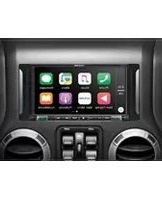


- ALPINE
- CD/DAB RECEIVER WITH ADVANCED BLUETOOTH
- CDE-196DAB
- DIGITAL MEDIA/DAB RECEIVER WITH ADVANCED BLUETOOTH
- UTE-93DAB
- ALPINE ELECTRONICS GmbH
- ALPINE ELECTRONICS OF U.K. LTD.
- ALPINE ELECTRONICS France S.A.R.L.
- Contents / Inhalt / Contenu
- IMPORTANT
- WICHTIG!
- WARNING
- WARNUNG
- USE THIS PRODUCT FOR MOBILE 12V APPLICATIONS.
- DO NOT PLACE HANDS, FINGERS OR FOREIGN OBJECTS IN INSERTION SLOTS OR GAPS.
- MAKE THE CORRECT CONNECTIONS.
- BEFORE WIRING, DISCONNECT THE CABLE FROM THE NEGATIVE BATTERY TERMINAL.
- DO NOT SPLICE INTO ELECTRICAL CABLES.
- DO NOT DAMAGE PIPE OR WIRING WHEN DRILLING HOLES.
- DO NOT USE BOLTS OR NUTS IN THE BRAKE OR STEERING SYSTEMS TO MAKE GROUND CONNECTIONS.
- DAS GERÄT NUR AN EIN 12-V-BORDNETZ IN EINEM FAHRZEUG ANSCHLIESSEN.
- CAUTION
- VORSICHT
- BASS ENGINE SQ Function / BASS ENGINE SQ-Funktion / Fonction BASS ENGINE SQ
- Applying Alpine Tunelt App / Nutzen der Alpine Tunelt-App / Utilisation de l'application Alpine Tunelt
- Radio
- DAB/DAB+/DMB
- CD/MP3/WMA/AAC (CDE-196DAB only / Nur CDE-196DAB / CDE-196DAB uniquement)
- USB memory (Optional) / USB Speicher (optional) / Clé USB (en option)
- Bluetooth®
- iPod/iPhone (Optional) / iPod/iPhone (optional) / iPod/iPhone (en option)
- Setting the Time / Einstellen der Zeit / Réglage de l'heure
- MW TUNER SECTION
- LW TUNER SECTION
- DAB SECTION
- GENERAL
- FM TUNER-TEIL
- CHASSIS SIZE
- Bluetooth SECTION
- EINBAUMASSE
- Bluetooth-TEIL
- DIMENSIONS DU CHÂSSIS
- SECTION DE LA CLÉ Bluetooth
- Installation
- 1
- 2
- 3
- ADVERTENCIA
- PRUDENCIA
- Primeros pasos / Operazioni preliminari / Komma igång
- Función BASS ENGINE SQ / Funzione BASS ENGINE SQ / BASS ENGINE SQ-funktion
- Utilización de la aplicación Alpine Tunelt / Applicazione Alpine Tunelt / Använda Alpine Tunelt-appen
- CD/MP3/WMA/AAC (Solo CDE-196DAB / Solo CDE-196DAB / Endast CDE-196DAB)
- Memoria USB (opcional) / Memoria USB (opzionale) / USB Minne (tillval)
- iPod/iPhone (opcional) / iPod/iPhone (opzionale) / iPod/iPhone (tillval)
- Búsqueda de la canción deseada (iPod/iPhone) / Ricerca di un brano (iPod/iPhone) / Söka efter önskat spår (iPod/iPhone)
- Especificaciones / Caratteristiche tecniche / Tekniska data
- TAMAÑO DEL CHASIS
- CHASSIETS MÄTT
- Bluetooth
- WAARSCHUWING
- OPGELET
- CD/MP3/WMA/AAC (Enkel CDE-196DAB / Только для CDE-196DAB / Tylko model CDE-196DAB)
- FRAMEFORMAAT
- Bluetooth-GEDEELTE
- РАЗМЕР КОРПУСА
- РАЗДЕЛ Bluetooth
- ALPINE Driving Middle Media Innovation
- Declaration of Conformity
Brand : ALPINE
Model : UTE-93DAB
Category : Car radio