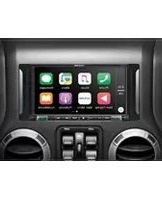
i407-WRA-JL - Car radio ALPINE - Free user manual and instructions
Find the device manual for free i407-WRA-JL ALPINE in PDF.


Pick your language and provide your email: we'll send you a specifically translated version.
| Product Type | Car Radio / Multimedia Receiver |
| Model | i407-WRA-JL |
| Brand | Alpine |
| Chassis Size | 1-DIN (Standard) |
| Display | 7-inch Touchscreen (approx) |
| Max Power Output | 4 x 50 Watts (Peak) |
| RMS Power Output | 4 x 20 Watts |
| Built-in Amplifier | Yes, Class D |
| Bluetooth | Yes, for hands-free and audio streaming |
| USB Input | Yes, front USB port |
| Auxiliary Input | 3.5mm front AUX |
| Radio Bands | FM / AM |
| RDS | Yes, Radio Data System |
| Audio Formats | MP3, WMA, AAC, FLAC |
| Video Playback | Not specified (likely no video output) |
| Dimensions (WxHxD) | 178 x 50 x 160 mm (approx) |
| Weight | 0.9 kg (approx) |
| Power Supply | 12V DC (car battery) |
| Detachable Faceplate | Yes, for theft prevention |
| Remote Control | Included |
| Steering Wheel Control Compatible | Yes (with optional adapter) |
| Maintenance | Clean with soft dry cloth; avoid liquids |
| Safety | Use fuses as specified; disconnect battery during installation |
| Spare Parts & Repairability | Contact Alpine service center; no user-serviceable parts inside |
| General Information | Designed for vehicles; ensure proper grounding |
Frequently Asked Questions - i407-WRA-JL ALPINE
How do I reset the Alpine i407-WRA-JL to factory settings?
Press and hold the Reset button (usually located behind the faceplate or on the front panel) for 5 seconds. Alternatively, use a thin object to press the reset hole. This will erase all settings and paired devices.
Can I connect my smartphone via Bluetooth?
Yes, the i407-WRA-JL supports Bluetooth for hands-free calling and audio streaming. Enable Bluetooth on your phone, search for devices, and select Alpine i407. Pair using code 0000 if prompted.
What audio formats are supported via USB?
The USB input supports MP3, WMA, AAC, and FLAC files. Ensure your USB drive is formatted as FAT32 and files are not DRM-protected.
How do I install the car radio?
First, disconnect the car battery negative terminal. Remove the old radio, connect the wiring harness (matching colors: red to accessory, yellow to constant 12V, black to ground), and slide the new radio into the DIN slot. Secure with the mounting sleeve and screws.
Why is there no sound from the speakers?
Check if the unit is muted or volume is low. Verify speaker wire connections (impedance 4-8 ohms). Also ensure the fader and balance settings are centered. If using an external amp, check its power.
Does this radio support Apple CarPlay or Android Auto?
The i407-WRA-JL model does not come with CarPlay or Android Auto. It is a standard multimedia receiver with Bluetooth and USB connectivity.
How do I clean the touchscreen?
Use a soft, lint-free cloth slightly dampened with water or a mild glass cleaner. Do not spray liquids directly on the screen. Avoid abrasive materials.
What is the detachable faceplate for?
The faceplate can be removed to deter theft. Press the Release button and slide the faceplate off. Store it safely when leaving the vehicle.
Can I use a steering wheel control adapter?
Yes, this Alpine model is compatible with aftermarket steering wheel control adapters (e.g., iDatalink Maestro or PAC SWI). You will need to program the adapter according to its instructions.
How do I update the firmware?
Check Alpine's official website for firmware updates for the i407-WRA-JL. Download the file to a USB drive, insert it into the radio's USB port, and follow the on-screen instructions. Do not turn off the ignition during update.
User questions about i407-WRA-JL ALPINE
0 question about this device. Answer the ones you know or ask your own.
Ask a new question about this device
No questions yet. Be the first to ask one.
Download the instructions for your Car radio in PDF format for free! Find your manual i407-WRA-JL - ALPINE and take your electronic device back in hand. On this page are published all the documents necessary for the use of your device. i407-WRA-JL by ALPINE.
USER MANUAL i407-WRA-JL ALPINE



Manual assistant
Powered by Anthropic
Waiting for your message
Product information
Brand : ALPINE
Model : i407-WRA-JL
Category : Car radio