
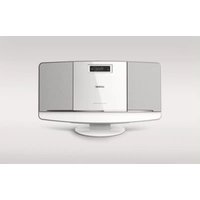
BTM2060W - Hi-Fi System PHILIPS - Free user manual and instructions
Find the device manual for free BTM2060W PHILIPS in PDF.


User questions about BTM2060W PHILIPS
0 question about this device. Answer the ones you know or ask your own.
Ask a new question about this device
Download the instructions for your Hi-Fi System in PDF format for free! Find your manual BTM2060W - PHILIPS and take your electronic device back in hand. On this page are published all the documents necessary for the use of your device. BTM2060W by PHILIPS.
USER MANUAL BTM2060W PHILIPS
DN Press and hold to store FM radio stations automatically.
CS Stoknutim a jockdømmi baltamatskly ulozite radové stainice R1. DA Tryk og hold nede far at gemme R1-radiottationer automatisk.
EN Press to select a preset radio station number.
EN Store FM radio stations manually
EN Draw and boot for 7 words to tune to a radio station with right retention autoretically.
EN Press to tune to a radio frequency step by step.
EN Press to allocate a preset number
EN Press to confirm a setting or selection.
EN Press to display information of RDS stations.
CS Stisknutiny zabrazlte informace o stanicičih BDS
DA Tryk for at flu vist aplyuringer ani ROS-stations
EN Switch between mono and stereo broadcast.
BL: Web User Data with PDF and StatusOberAgng
The image contains no legible text or symbols. According to Rule 4 (Edge Noise Strategy), since the ground truth is a low-resolution, pixelated graphic and does not contain any discernible characters or punctuation marks that can be reliably extracted. Therefore, the OCR result must reflect the absence of any content.
[No text detected]
[Non-Text]
![PHILIPS BTM2060W - [Non-Text] - 1](/content/2026/06/1272712/images/7a2a501f92f78b413475dfcb255a43ea4a15c768c0478670dca67b20d900f6aa.jpg)
EN4 To download the full user manual, visit www.philipsu.com/support.
www.phlliptics.com support
[NO TEXT]
![PHILIPS BTM2060W - [NO TEXT] - 1](/content/2026/06/1272712/images/3fe8ea7cab74859cfd468728d474fd57fe1262fdf6ca60b19ae7410356c5c9b7.jpg)
![PHILIPS BTM2060W - [NO TEXT] - 2](/content/2026/06/1272712/images/6f78419c5c6bb0a485aa0cf09a87ffc7bd0348df66820fc2d6b2e1330a7f89e1.jpg)
EN In standby mode, press and hold to activate clock setting mode.
EN Press to adjust 13/24 hour format, hour, minute, and select whether to synchronize time with RDS stations.
CS Stiskrutim nastavite 12/24hodinavj formult, hodiny minstý a vybenete, zda choete synchronizovat hodiny se stariocervi RDS.
3 5 7 9 PROD/CLDN SET
EN Press to confirm a selectio
EN Press to confirm settings.
EN Pray to adjust the hour air
CS Stisknutin nastava hodiny, minuty a hlasitost budíku
EN After alarm setting, press to activate or deactivate the alarm timer.
| Maximum Output Power 15 W | |
| Frequency Response | 63-1400 Hz, 3 dB |
| Signal to Noise Ratio | > 57 dBIA |
| Total Harmonic Distortion | <1% |
| PPI/Lit Input | 650 x 40 kHz |
| Data Diameter | 12 mm/cm |
| Support Disc | CDI-DA, CDLE, CD-RW, MP1-CD, VAPA-CD |
| Tuning Range | 87.5 - 100 Hz |
| Tuning Grid | 30 kHz |
| Sensitivity | |
| - Mono, 24 dB/5N Ratio | +23 dB* |
| - Stereo, 46 dB/5N Ratio | -313.5 dB* |
| Total Harmonic Distortion | <3% |
| Signal to Noise Ratio | +50 dB/A |
| Standard (Bluetooth) | Bluetooth Standard Version 2.1-FOR |
| Range (Bluetooth) | 100x (low speed) |
| AC Power | Max= 0.410(0.095-0.61)V, Input: 100V, 240V = 2000V, 0.67 A, Output: 5 Vrms= 9 mA |
| Operation Power Consumption | 15 W |
| Sterility Power Consumption | < 23.5 V |
| Dimensions: Main Line / HV x HV x Df: 400 x 22.5 x 98 mm | |
| Weight: Main Line | 3.2 kg |
![PHILIPS BTM2060W - [NO TEXT] - 3](/content/2026/06/1272712/images/2667577d6a8f4a80e466ebfdf60312bc0d3f104e50873bfa6ac49d5f65a3eaa4.jpg)
6.16%
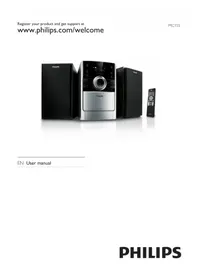
Brand : PHILIPS
Model : BTM2060W
Category : Hi-Fi System