Fifa 15 (Nintento Wii U) - Video game EA - Free user manual and instructions
Find the device manual for free Fifa 15 (Nintento Wii U) EA in PDF.


| Product type | Video game |
| Brand | EA |
| Model | FIFA 15 |
| Platform | Nintendo Wii U |
| Genre | Football / Sport |
| Publisher | EA Sports |
| Developer | EA Canada |
| Release date | September 23, 2014 |
| PEGI rating | 3+ |
| Number of local players | Up to 4 |
| Online multiplayer | Yes (up to 2 players) |
| Available languages | French, English, Spanish, German, Italian |
| Media | Wii U optical disc |
| Box dimensions | 13.5 x 1.5 x 19 cm |
| Box weight | 90 g |
| Power supply | Not applicable (disc-based game) |
| Game modes | Career, Ultimate Team, Tournament, Quick Match, Training |
| Care and cleaning | Wipe the disc with a soft cloth, avoid scratches |
| Safety | Suitable for children aged 3 and up |
Frequently Asked Questions - Fifa 15 (Nintento Wii U) EA
User questions about Fifa 15 (Nintento Wii U) EA
0 question about this device. Answer the ones you know or ask your own.
Ask a new question about this device
Download the instructions for your Video game in PDF format for free! Find your manual Fifa 15 (Nintento Wii U) - EA and take your electronic device back in hand. On this page are published all the documents necessary for the use of your device. Fifa 15 (Nintento Wii U) by EA.
USER MANUAL Fifa 15 (Nintento Wii U) EA
PLEASE CAREFULLY READ THE Wii™ OPERATIONS MANUAL COMPLETELY BEFORE USING YOUR Wii HARDWARE SYSTEM, GAME DISC OR ACCESSORY. THIS MANUAL CONTAINS IMPORTANT HEALTH AND SAFETY INFORMATION.
IMPORTANT SAFETY INFORMATION: READ THE FOLLOWING WARNINGS BEFORE YOU OR YOUR CHILD PLAY VIDEO GAMES.
WARNING - Seizures
- Some people (about 1 in 4000) may have seizures or blackouts triggered by light flashes or patterns, and this may occur while they are watching TV or playing video games, even if they have never had a seizure before.
- Anyone who has had a seizure, loss of awareness, or other symptom linked to an epileptic condition should consult a doctor before playing a video game.
- Parents should watch their children play video games. Stop playing and consult a doctor if you or your child has any of the following symptoms:
Convulsions Eye or muscle twitching Altered vision Loss of awareness Involuntary movements Disorientation
• To reduce the likelihood of a seizure when playing video games:
- Sit or stand as far from the screen as possible.
- Play video games on the smallest available television screen.
- Do not play if you are tired or need sleep.
- Play in a well-lit room.
- Take a 10 to 15 minute break every hour.
WARNING - Repetitive Motion Injuries and Eyestrain
Playing video games can make your muscles, joints, skin or eyes hurt. Follow these instructions to avoid problems such as tendinitis, carpal tunnel syndrome, skin irritation or eyestrain:
- Avoid excessive play. Parents should monitor their children for appropriate play.
• Take a 10 to 15 minute break every hour, even if you don't think you need it. - If your hands, wrists, arms or eyes become tired or sore while playing, or if you feel symptoms such as tingling, numbness, burning or stiffness, stop and rest for several hours before playing again.
- If you continue to have any of the above symptoms or other discomfort during or after play, stop playing and see a doctor.
CAUTION - Motion Sickness
Playing video games can cause motion sickness in some players. If you or your child feel dizzy or nauseous when playing video games, stop playing and rest. Do not drive or engage in other demanding activity until you feel better.
IMPORTANT LEGAL INFORMATION, led for use with
any unauthorized device. Use of any such device will invalidate your Nintendo product warranty. Copying of any Nintendo game is illegal and is strictly prohibited by domestic and international intellectual property laws. "Back-up" or "archival" copies are not authorized and are not necessary to protect your software. Violators will be prosecuted.

The Official Seal is your assurance that this product is licensed or manufactured by Nintendo. Always look for this seal when buying video game systems, accessories, games and related products.

Manufactured under license from Dolby Laboratories, Dolby, Pro Logic, and the double-D symbol are trademarks of Dolby Laboratories.

This game is presented in Dolby Pro Logic II. To play games that carry the Dolby Pro Logic II logo in surround sound, you will need a Dolby Pro Logic II, Dolby Pro Logic or Dolby Pro Logic IIx receiver. These receivers are sold separately.
Trademarks are property of their respective owners. Wii is a trademark of Nintendo. © 2006 Nintendo.
Licensed by Nintendo

CAUTION: WRIST STRAP USE
Please use the wrist strap to help prevent injury to other people or damage to surrounding objects or the Wii Remote in case you accidentally let go of the Wii Remote during game play.
Also remember the following:
- Make sure all players put on the wrist strap properly when it is their turn.
- Do not let go of the Wii Remote during game play.
• Dry your hands if they become moist. - Allow adequate room around you during game play and make sure that all areas you might move into are clear of other people and objects.
- Stay at least three feet from the television.
- Use the Wii Remote Jacket.
SYSTEM MENU UPDATE
Please note that when first loading the Game Disc into the Wii console, the Wii will check if you have the latest system menu, and if necessary a Wii system update screen will appear. Press OK to proceed.
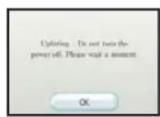
When the system menu is updated, unauthorized hardware and/or software modifications may be detected and unauthorized content may be removed causing the immediate or delayed inoperability of your console. Failure to accept the update may render this game, and future games, unplayable. Please note that Nintendo cannot guarantee that unauthorized software or accessories will continue to function with the Wii console after this or future updates of the Wii system menu.
COMPLETE CONTROLS
FIFA 15 supports a variety of control styles to fit your play style. You can choose to use only the Wii Remote™, the Wii Remote and the Nunchuk™, or the Classic Controller™. For controls using the Wii Remote, you can change control type to play with the Wii Remote pointer for passing and player runs. Each control style can fit a novice or a seasoned pro. Try them all to see what fits you!
NOTE: To change your control type, press the 1 Button or the L Button in the Side Select screen prior to a match or in the pause menu during play.
ALL PLAY CONTROLS
The All Play control style lets anyone pick up and play the game. Concentrate solely on the fundamentals of soccer while the CPU controls your on-pitch movement. Use the Pointer control type to direct passes to your teammates.
OFFENSE
| Shoot | B Button |
| Pass | A Button |
| Pause | + Button |
| Tricks | +Control Pad |
| Power-ups (Streets only) 1 Button | |
DEFENSE
| Standing tackle | B Button (hold to auto-tackle) |
| Slide tackle (11v11 only) Shake Will Remote | |
| Player switch | A Button (tap) (hold to 2nd man press) |
| Pause | + Button |
| Power-ups (Streets only) 1 Button | |
Wii REMOTE AND NUNCHUK
Connect a Nunchuk for greater control over the match.
OFFENSE
| Player movement and shot alm | Control Stick |
| Shoot | B Button |
| Chip shot | C Button and B Button |
| Ground pass | A Button (tap) |
| Lob pass | A Button (hold) |
| Through ball (ground) | C Button and A Button (tap) |
| Through ball (lofted) | C Button and A Button (hold) |
| Basic tricks | +Control Pad |
| Quick tactics | C Button and +Control Pad |

WWW.EASPORTS.COM/FIFA
OFFENSE(CONT.)
| Player runs | - Button |
| Sprint | Z Button |
| Pace control | C Button |
| Power-ups (Streets only) 1 Button | |
| Self-volley | Shake Nunchuk |
| Wall pass to self (Streets only) Shake Wii Remote | |
| Knock on (11v11 only) Shake Wii Remote | |
| Pause | + Button |
DEFENSE
| Player switch | A Button/+Control Pad |
| Standing tackle | B Button (tap) |
| Auto-tackle | B Button (hold) |
| Slide tackle (11v11 only) Shake Will Remote | |
| 2nd man press | A Button (hold) |
| Sprint | Z Button |
| Jockey | C Button |
| Keeper charge | - Button |
| Power-ups (Streets only) 1 Button | |
| Pause | + Button |
The controls below apply to the Classic Controller only. Connect your Classic Controller or Classic Controller Pro for more passing control over your team!
OFFENSE
| Player movement and shot aim | L Stick |
| Shoot | a Button |
| Chip shot | L Button and a Button |
| Ground pass | b Button |
| Lob pass | y Button |
| Through ball (ground) x Button | |
| Through ball (lofted) L Button and x Button | |
| Tricks | R Stick |
| Quick tactics | L Button and R Stick |
| Player runs | ZL Button |
| Sprint | R Button |
| Pace control | L Button |
| Power-ups (Streets only) ZR Button | |
| Self-volley | L Button and y Button |
| Wall pass To self (Streets only) | L Button and b Button |
| Knock On (11v11 only) L Button and b Button | |
| Pause | + Button |
| DEFENSE | |
| Player switch | L Button/R Stick |
| Standing tackle | b Button |
| Auto-tackle | b Button (hold) |
| Slide tackle (11v11 only) y Button | |
| 2nd man press | a Button |
| Sprint | R Button |
| Jockey | L Button |
| Keeper charge | x Button |
| Power-ups (Streets only) ZR Button | |
| Pause | + Button |
SET PIECES
FIFA 15 puts the control of set pieces into your hands!
DIRECT FREE KICKS - OFFENSE
▶ Aim your shot: Move the Control Stick to aim your shot. You can aim left and right or up and down to target the net.
▶ Power your shot: Hold the shooting button to power your free kick. When the desired power is reached, release the shooting button.
▶ Bend it in: The second meter is your curve. The left arrow represents bend strength toward the right and the right arrow represents bend strength toward the left. When the meter is at the desired bend angle, press the shooting button.
DIRECT FREE KICKS - DEFENSE
▶ Position your keeper: Move the Control Stick to move your keeper into position.
▶ Position the wall: Press right on the +Control Pad and left on the +Control Pad to move the wall right or left.
NOTE: To pass out of a free kick, press the pass button.
CORNER KICKS
▶ Play the ball: To play the ball, press the pass or shoot button. The amount of charge put on the ball determines who is targeted in the box.
▶ Fight for the ball: Move the Control Stick to fight for the best position, and then use the shooting button to either shoot the ball if on offense, or clear the ball if on defense.
NOTE: If you don't want to go for a volley attempt off the cross, you can instead trap the ball and set up a play in the box. To pass out of a corner kick, press the pass button.
PENALTY KICKS - SHOOTER
Aim your shot with the Control Stick, and charge the shooting button to take the shot.
PENALTY KICKS - KEEPER
Move the Control Stick to move your keeper on the line. Press the +Control Pad to try and distract the shooter!
THROW-INS
Press the +Control Pad to target a player to pass to, and press the pass button to throw the ball in to that player.


SAVING AND LOADING
FIFA 15 automatically saves your progress every time you return to the main menu, Streets to Stadium Central, Manager Central, Intercity Cup, or Tournament Central. Load previously saved games by selecting the corresponding mode and choosing LOAD.
PAUSE MENU
Press the + Button during a match to open the pause menu. The pause menu displays different options depending on what mode of play you're currently in.
Resume Match Resume play.
Instant Replay Scored an awesome goal and want to watch your player do it again? Use the onscreen button commands to view the replay. You can switch camera angles, zoom in and out, pan, and watch the play in forward or reverse.
Player Facts View the stats of your player in Be A Pro mode.
Quick Tactics Select your Quick Tactics for the match.
Awards Access all of the Awards and see how close you are to completing them.
Match Facts View stats about the current match.
Manage Team Swap or substitute players on the field. You can also switch to a new formation. Not available in street matches.
Side Select Players have the option to switch sides during play. You can also change your control type.
Game Settings Adjust SFX and Commentary Volume, Camera Zoom and Position, or toggle Player Names and Auto-Switching ON/OFF.
Quit Match/Forfeit Match End the match. Forfeiting a match in Streets to Stadiums, Be A Manager, and Tournament modes results in a 3-0 loss for your team.
Replay Match Play again with the same clubs and settings.
GAME MODES
INTERCITY CUP
Once you've conquered the Tournaments in FIFA 15, you can take it to the next level with the Intercity Cup. Build a club and battle it out with the elite teams from other cities.
POPULATION
FIFA 15 gives you a chance to take a city and put it on the map. As you complete certain criteria during gameplay, such as scoring with a header or taking your manager up to 80 prestige, you complete Awards. Every Award adds to your population. Awards can have Population Values of 250,000, 500,000, or 750,000. The larger your Population, the higher your city's level—up to a maximum of 52. As you earn Awards, your city grows and becomes even more cosmopolitan and fleshed out, in addition to players, kits, and 11v11 power-ups unlocking.
BE A MANAGER
Do you have what it takes to lead a club to the top? Select your favorite country, league, and team, and manage them from a respectable squad to club champions!
TRAINING
A good team can always be better. Take to the Training menu to grow your players' attributes and increase their overall rating. If you train attributes that positively benefit a player's position, then they will be more effective on the field, giving you a better chance of winning games. A strong training regimen is crucial when managing a team.
MEDICAL
Injuries are a fact of life. Sometimes games do not go as planned and players end up injured. Unattended injuries heal eventually, but treating these injuries heals your team faster and can save a player's career. In addition, the better your medical staff, the more efficient they are at treating injuries. Upgrade your medical center to increase the capacity and skill of your medical team.
TEAM CENTRAL
If you're going to be a manager, you have to be willing to keep track of every aspect of your team. Visit the Team Central menu in order to manage your team. Adjust your Quick Tactics, examine Player Roles, and stay on top of Player Growth for best results. When used in conjunction with Training, Team Central can help you turn a good team into a great one.
CLUB UPGRADES
Upgrading your club makes things easier to accomplish. You can upgrade Training to make player growth more efficient, or upgrade Medical so that your players heal faster, among other options.
HIT THE PITCH
Looking to get a quick match of regular club soccer in? Hit the Pitch gets you into a match with your favorite clubs – you can play on your own, against friends, or play together to take on the AI in a full-blown 11 on 11 match.
HIT THE STREETS
Take your game to the streets or even indoors in this 5 on 5 mode! Play with your favorite players from your favorite club or national team and take them on to one of seven different walled environments. Get out of your regular kit and put on a hoody, t-shirt, or jacket as you play this exciting mode on your own or with friends.
MATCH TYPES
Change your win condition in Hit the Streets:
Timed Choose how long you want your match to last. The team in the lead at the end wins. If the score is even, you go into Golden Goal mode—first to score wins!
Score Choose how many goals to play to—first to hit the target wins!
Tug of War Choose the goal differential to win by—first to be leading by that number of goals wins!
POWER-UPS
FIFA 15 incorporates power-ups as an arcade element to the Intercity Cup mode. Playing well earns you the power to dominate your opponent with special abilities. Activate your earned power-up by pressing the 1 Button or ZR Button.
NOTE: Power-ups do not represent real soccer.
POWER-UPS
Power Shot Shots are struck with maximum power. Opposing players are intimidated and dive out of the path of the ball.
Speed Burst Your players are given a speed boost, allowing them to push the pace of play.
Curve Shot Shots have the ultimate curve and twist toward the net with near perfect accuracy.
Slide Tackle Enables slide tackles in street gameplay—shake the Wii Remote to use them.
Super Shoulder Enables shoulder barges to dispossess your opponent of the ball. Shake the Wii Remote to use them.
Big vs. Little The team that applies this power grows in size while their opponents shrink. The bigger players become stronger, while the small players are weaker and unable to shoot or tackle with as much force.
Shockwave The team that applies this power-up sends a shockwave toward its opponents that knocks them down to the pitch. Be sure to take advantage of the open space while your opponent is out of play.
STREETS TO STADIUMS
Do you have the skills to become the next soccer phenomenon? Streets to Stadiums lets you create your own pro soccer player and have him rise to fame from the humble streets all the way to the big stage of club soccer.
CREATE PLAYER
Streets to Stadiums puts you into the game with the option to create a unique player. Choose from various customization options to create the player you will take to greatness! Change your player's face shape, body type, skin tone, hair, and eye color. More customization options are unlocked as you progress through your Pro career in Streets to Stadiums.
NOTE: You can continue to edit your player before and after a match by selecting his picture from the Streets to Stadiums Central screen.
UPGRADING ATTRIBUTES
The last step in creating your pro is assigning experience points (XP) to boost your player's attributes. You are given some to start off with, and performing well on the pitch earns you more XP to assign to your player. Assigning XP to attributes increases your player's overall rating, making it easier to complete tasks as you progress in the mode.
FAME MOMENTS
Prior to each match, you get to choose up to three tasks to complete for that match. You are also given a bonus task to complete each match. Choose carefully, as tasks you complete increase your fame rating, but incomplete tasks take away from your rating. Bonus tasks only add to your rating if completed—they do not take away from your rating if incomplete.
LEVELING UP
Success in Streets to Stadiums is primarily determined by your Fame Level. Completing Fame Moments earns you fame points that contribute to reaching the next Fame Level, which in turn provides your character with a reward. How far will you get in your pro career?
GAME BOOSTERS & PLAYER UPGRADES
Game Boosters and Player Upgrades are earned through your career by leveling up or through the Match Win Bonus Game (described below). Choose to play up to two Game Boosters prior to each match and give your team boosts for that match, or hold on to your Game Boosters to combine them later into more powerful boosts. Player upgrades unlock new ways for you to customize your created player. See what Game Boosters and Player Upgrades you have earned and played by going to Boosters & Upgrades from the Streets to Stadiums Central screen.
MATCH WIN BONUS GAME
As in real soccer, it's not just about the individual—you still need to help your team win matches. When you win a match, you are taken to a bonus game where you can win additional XP, Fame Points, or Game Boosters.
TOURNAMENT
Prove your status as the season's best by competing in a host of tournaments around the world. Select LOAD to continue a previous tournament, or select NEW to begin a new one. Select which tournament you'd like to compete in and the teams that you'd like to control, as well as the difficulty level of opposing teams. Each team in your chosen league or cup can be controlled by a human-player—great for multiplayer sessions!
OPTIONS CENTRAL
VIEW CREATED PLAYERS
Import or export your created players.
GAME SETTINGS
Adjust the Game Settings, Audio Settings, and Controls.
QUICK TACTICS
Adjust your in-game tactics and assign them to a button for ease of use.
SLOT MANAGEMENT
Delete unwanted Be A Manager, Streets to Stadiums, and Tournament files here.
TROPHIES WON
View the trophies earned through Streets to Stadiums, Be A Manager, and Tournament Modes.
MANAGE TEAMS & PLAYERS
Keep current on your rosters by trading players and managing teams.
CREDITS
View the game's credits.
TRAINING
Get a quick primer on the basics of how to play FIFA 15.
NEED HELP?
The EA Worlwide Customer Experience team is here to ensure you get the most out of your game—anytime, anywhere.
• Online Support & Contact Info
• Twitter & Facebook Support
For FAQs, help articles, and to contact us, please visit help.ea.com.
Need a quick tip? Reach out on Twitter to @askeasupport or post on facebook.com/askeasupport.
CONSENT TO USE OF DATA
EA knows that you care how information about you is collected, used and shared, and we appreciate your trust that we will do so carefully and sensibly. Information about our customers is an important part of our business, and EA would never sell your personally identifiable information to anyone. We and agents acting on our behalf do not share information that personality identifies you without your consent, except in rare instances where disclosure is required by law or to enforce EA's legal rights. When you play this game, EA and its affiliates may collect and store data from your computer or device. Information that EA and its affiliates collect includes technical and related information regarding your computer (or device) and operating system (including Internet Protocol Address and device IDs), as well as information about your Software usage (including but not limited to successful installation and/or removal, gameplay and usage statistics, system Interactions and peripheral hardware. If you play this game offline, this data will be transmitted to EA and its affiliates if and when you access online features and/or services. EA and its affiliates may use this information to improve their products and services, provide services to and communicate with you (including for marketing purposes), facilitate the provision of software updates, dynamically served content, and software support, and to trouble-shoot bugs or otherwise enhance your experience. IF YOU DO NOT CONSENT TO THIS COLLECTION AND USE OF INFORMATION, DO NOT INSTALL OR USE THE SOFTWARE.
This and all other data provided to EA and/or collected by EA in connection with your installation and use of this Software is collected, used, stored and transmitted by EA Inc., 209 Redwood Shores Parkway, Redwood City, CA 94065 in accordance with EA's Privacy Policy at www.ea.com. To the extent that anything in this section conflicts or is inconsistent with EA's Privacy Policy, the terms of the Privacy Policy shall control.
DISPUTE RESOLUTION BY BINDING ARBITRATION
The purpose of this Section is to provide a streamlined method for resolution of disputes between us if they arise. As discussed below in Section F, if we cannot resolve our disputes informally and you are awarded a sum at arbitration greater than EA's last settlement offer to you (if any), EA will pay you 150% of your arbitration award, up to \$5000 over and above your arbitration award.
PLEASE READ THIS CAREFULLY. IT AFFECTS YOUR RIGHTS.
A. Most of your concerns can be resolved quickly and to your satisfaction by logging into the EA customer support interface with your Account at http://support.ea.com/. In the unlikely event that EA cannot resolve a concern to your satisfaction (or if EA cannot resolve a concern it has with you after attempting to do so informally), then you and EA agree to be bound by the following procedure to resolve any and all disputes between us. This provision applies to all consumers to the fullest extent allowable by law, but expressly excludes residents of Quebec, Russia, Switzerland, Korea and the Member States of the European Union. The information is intended to be interpreted broadly. It covers any and all disputes between us ("Disputes"), including without limitation:
(a) claims arising out of or relating to any aspect of the relationship between us, whether based in contract, tort. statute, fraud, misrepresentation or any other legal theory;
(b) claims that arose before this Agreement of any prior agreement (including, but not limited to, claims relating to advertising):
(c) claims that are currently the subject of purported class action litigation in which you are not a member of a certified class; and
(d) claims that may arise after the termination of this Agreement.
The only disputes that are not covered by this Section are the following:
1) a claim to enforce or protect, or concerning the validity of, any of your or EA's (or any of EA's licensors') intellectual property rights.
2) a claim related to, or arising from, allegations of theft, piracy, or unauthorized use;
3) In addition, nothing in this Agreement shall prevent either party from initiating a small claims court action.
By entering into this Agreement, you and EA expressly waive the right to a trial by jury or to participate in a class action. With respect to this Section, references to "EA," "you," and "us" include our respective subsidiaries, affiliates, agents, employees, predecessors in interest, successors, and assigns, as well as all authorized or unauthorized users or beneficiaries of services or Software under this or prior agreements between us. This EULA evidences a transaction in interstate commerce, and thus the Federal Arbitration Act governs the interpretation and enforcement of this Section. This arbitration provision shall survive termination of this EULA.
B. Informal Negotiations/Notice of Dispute. You and EA agree to first attempt to resolve any Dispute informally before initiating arbitration. Such negotiations commence upon receipt of written notice from one person to the other ("Notice of Dispute"). Notices of Dispute must: (a) include the full name and contact information of the complaining party; (b) describes the nature and basis of the claim or dispute; and (c) set forth the specific relief sought ("Demand"). EA will send its Notice of Dispute to your billing address (if you provided it to us) or to the email address you provided to us. You will send your Notice of Dispute to Electronic Arts Inc., 209 Redwood Shores Parkway, Redwood City CA 94065, ATTENTION: Legal Department.
C. Binding Arbitrage. If you and EA are unable to resolve a Dispute through informal negotiations within 30 days after receipt of the Notice of Dispute, either you or EA may elect to have the Dispute finally and exclusively resolved by binding arbitration. Any election to arbitrate by one party shall be final and binding on the other. YOU UNDERSTAND THAT BY THIS PROVISION, YOU AND EA ARE FOREGOING THE RIGHT TO SUE IN COURT AND HAVE A JURY TRIAL. The arbitration shall be commenced and conducted under the Commercial Arbitration Rules of the American Arbitration Association ("AAA") and, where appropriate, the AAA Supplementary Procedures for Consumer Related Disputes ("AAA Consumer Rules"), both of which are available at the AAA website www.adr.org. Your arbitration fees and your share of arbitrator compensation shall be governed by the AAA Rules and, where appropriate, limited by the AAA Consumer Rules. If such costs are determined by the arbitrator to be excessive, or if you send EA a notice to the Notice of Dispute address above indicating that you are unable to pay the fees required to initiate an arbitration, then EA will promptly pay all arbitration fees and expenses. The arbitration may be conducted in person, through the submission of documents, by phone or online. The arbitrator shall be allowed to pay any additional money from any other actuator must follow applicable law and any award may be challenged if the arbitrator fails to do so. You and EA may illigate in court to compel arbitration, to stay proceeding pending arbitration, or to confirm, modify, vacate or enter judgment on the award entered by the arbitrator.
D. Restrictions. You and EA agree that any arbitration shall be limited to the Dispute between EA and you individually. To the full extent permitted by law: (a) no arbitration shall be joined with any other arbitration proceeding; (b) there is no right or authority for any Dispute to be arbitrated on a class action-basis or to utilize class action procedures; and (c) there is no right or authority for any Dispute to be brought in a purported representative capacity on behalf of the general public or any other persons. YOU AND EA AGRE THAT EACH MAY BRING CLAIMS AGAINST THE OTHER ONLY IN YOUR OR ITS INDIVIDUAL CAPACITY, AND NOT AS A PLAINTIFF OR CLASS MEMBER IN ANY PURPORTED CLASS OR REPRESENTATIVE PROCEEDING. Further, unless both you and EA agree otherwise, the arbitrator may not consolidate more than one person's claims, and may not otherwise precise over any form of a representative or class proceeding. If this specific provision is found to be unent forceable, then the entirety of this dispute resolution/arbitration provision shall be null and void. E. Location. If you are a resident of the United States, arbitration will take place at any reasonable location convenient for you. For residents outside the United States, arbitration shall be initiated in the County of San Mateo, State of California, United States of America, and you and EA agree to submit to the personal jurisdiction of that court, in order to compel arbitration, to stay proceeding pending arbitration, or to confirm, modify, vacate or enter judgment on the award entered by the arbitrator.
F. Recovery and Attorneys' Fees. If the arbitrator rules in your favor on the merits of any claim you bring against EA and issues you an award that is greater in monetary value than EA's last written settlement offer made before final written submissions are made to the arbitrator, then EA will:
(a) Pay you 150% of your arbitration award, up to \$5,000 over and above your arbitration award; and
(b) Pay your attorney, if any, the amount of attorneys' fees, and reimburse any expenses (including expert witness fees and costs)
that you or your attorney reasonably accrues for investigating, preparing, and pursuing your claim in arbitration
The attorney premium
The arbitrator may make rulings and resolve disputes as to the payment and reimbursement of fees, expenses, and the alternative payment and the attorney premium at any time during the proceeding and upon request from either party made within fourteen (1-4) days of the arbitrator's ruling on the merits.
The right to attorneys' fees and expenses discussed above supplements any right to attorneys' fees and expenses you may have under applicable law, although you may not recover duplicative awards of attorneys' fees or costs. EA waives any right it may have to seek an award of attorneys' fees and expenses in connection with any arbitration between us.
- Limitation on Arbitrator's Authority. The arbitrator may award declaratory or injunctive relief only in favor of the individual party seeking relief and only to the extent necessary to provide relief warranted by that party's individual claim.
H. Changes to Agreement. Notwithstanding any provision in this Agreement to the contrary, we agree that if EA makes any future change to this arbitration provision (other than a change to the Notice of Dispute address), you may reject any such change by sending us written notice within thirty (30) days of the change to the Notice of Dispute address provided above. By rejecting any future change, you are agreeing that you will arbitrate any dispute between us in accordance with the language of this provision.
LIMITED 90-DAY WARRANTY
NOTE: Warranty does not apply to digital download products
Electronic Arts Limited Warranty
Electronic Arts warrants to the original purchaser of this product that the recording medium on which the software program(s) are recorded the "Recording Medium" is free from defects in materials and workmanship for a period of 90 days from the date of purchase. If the Recording Medium is found to be defective within 90 days from the date of purchase, Electronic Arts agrees to replace the Recording Medium free of charge upon receipt of the Recording Medium at its service center, postage paid, with proof of purchase. This warranty is limited to the Recording Medium containing the software program that was originally provided by Electronic Arts. This warranty shall not be applicable and shall be void if, in the judgment of Electronic Arts, the defect has arisen through abuse, mistreatment or neglect.
This limited warranty is in lieu of all other warranties, whether oral or written, express or implied, including any warranty of merchantability or fitness for a particular purpose, and no other representation of any nature shall be binding on or obligate Electronic Arts. If any such warranties are incapable of exclusion, then such warranties applicable to this product, including implied warranties of merchantability and fitness for a particular purpose, are limited to the 90-day period described above. In no event will Electronic Arts be liable for any special, incidental, or consequential damages resulting from possession, use or malfunction of this Electronic Arts product, including damage to property, and to the extent permitted by law, damages for personal injury, even if Electronic Arts has been advised of the possibility of such damages. Some states do not allow limitation as to how long an implied warranty lasts and/or exclusions or limitation of incidental or consequential damages so the above limitations and/or exclusion of liability may not apply to you. In such jurisdictions, the Electronic Arts' liability shall be limited to the fullest extent permitted by law. This warranty gives you specific rights. You may also have other rights that vary from state to state.
Returns Within the 90-Day Warranty Period
Please return the product along with (1) a copy of the original sales receipt showing the date of purchase, (2) a brief description of the difficulty you are experiencing, and (3) your name, address and phone number to the address below and Electronic Arts will mail a replacement Recording Medium to you. If the product was damaged through misuse or accident, this 90-day warranty is rendered void and you will need to follow the instructions for returns after the 90-day warranty period. We strongly recommend that you send your products using a traceable delivery method. Electronic Arts is not responsible for products not in its possession.
EA Warranty Information
If the defect in the Recording Medium resulted from abuse, mistreatment or neglect, or if the Recording Medium is found to be defective after 90 days from the date of purchase. choose one of the following options to receive our replacement instructions:
Online Warranty Information: http://warrantyinfo.ea.com
EA Warranty Mailing Address:
Electronic Arts Customer Warranty, 7700 W Parmer Lane, Building C, Austin, TX 78729-8101
Notice
Electronic Arts reserves the right to make improvements in the product described in this manual at anytime and without notice.

© 2014 Electronic Arts Inc. EA, EA SPORTS and the EA SPORTS logo are trademarks of Electronic Arts Inc. Official FIFA licensed product. © The FIFA name and OLP Logo are copyright or trademark protected by FIFA. All rights reserved. Manufactured under license by Electronic Arts Inc. The Premier League Logo © The Football Association Premier League Limited 2006. The Premier League Logo is a trade mark of the Football Association Premier League Limited which is registered in the UK and other jurisdictions. The Premier League Club logos are copyright works and registered trademarks of the respective Clubs. All are used with the kind permission of their respective owners. Manufactured under licence from the Football Association Premier League Limited. No association with nor endorsement of this product by any player is intended or implied by the licence granted by the Football Association Premier League Limited to Electronic Arts. All other trademarks are the property of their respective owners.
VEUILLEZ LIRE ATTENTIVEMENT LE MANUEL D'OPÉRATION DE LA CONSOLE WiP' AVANT D'UTILISER VOTRE CONSOLE DE JEU, DISQUE DE JEU OU ACCESSOIRE Wii. LE PRÉSENT MANUEL CONTIENT DES INFORMATIONS IMPORTANTES DE SANTÉ ET SÉCURITÉ.
RENSEIGNEMENTS IMPORTANTS SUR LA SÉCURITÉ AU JEU : VEUILLEZ LIRE LES AVERTISSEMENTS SUIVANTS AVANT QUE VOUS OU VOTRE ENFANT NE JOUIEZ À DES JEUX VIDÉO.
COUPS FRANCS DIRECTS - EN DÉFENSE
Electronic Arts Customer Warranty, 7700 W Parmer Lane, Building C, Austin, TX 78729-8101
Avis
Electronic Arts Customer Warranty, 7700 W Parmer Lane, Building C, Austin, TX 78729-8101
Aviso
- WARNING - SEIZURES
- WARNING - REPETITIVE MOTION INJURIES AND EYESTRAIN
- CAUTION - MOTION SICKNESS
- IMPORTANT LEGAL INFORMATION, LED FOR USE WITH
- CAUTION: WRIST STRAP USE
- SYSTEM MENU UPDATE
- COMPLETE CONTROLS
- ALL PLAY CONTROLS
- WII REMOTE AND NUNCHUK
- WWW.EASPORTS.COM/FIFA
- SET PIECES
- DIRECT FREE KICKS - OFFENSE
- DIRECT FREE KICKS - DEFENSE
- CORNER KICKS
- PENALTY KICKS - SHOOTER
- PENALTY KICKS - KEEPER
- THROW-INS
- SAVING AND LOADING
- PAUSE MENU
- GAME MODES
- INTERCITY CUP
- POPULATION
- BE A MANAGER
- TRAINING
- MEDICAL
- TEAM CENTRAL
- CLUB UPGRADES
- HIT THE PITCH
- HIT THE STREETS
- MATCH TYPES
- POWER-UPS
- STREETS TO STADIUMS
- CREATE PLAYER
- UPGRADING ATTRIBUTES
- FAME MOMENTS
- LEVELING UP
- GAME BOOSTERS & PLAYER UPGRADES
- MATCH WIN BONUS GAME
- TOURNAMENT
- OPTIONS CENTRAL
- VIEW CREATED PLAYERS
- GAME SETTINGS
- QUICK TACTICS
- SLOT MANAGEMENT
- TROPHIES WON
- MANAGE TEAMS & PLAYERS
- CREDITS
- NEED HELP
- CONSENT TO USE OF DATA
- DISPUTE RESOLUTION BY BINDING ARBITRATION
- LIMITED 90-DAY WARRANTY
- COUPS FRANCS DIRECTS - EN DÉFENSE
- AVIS
Brand : EA
Model : Fifa 15 (Nintento Wii U)
Category : Video game