
Freedom Light II - Built-in kit HAMA - Free user manual and instructions
Find the device manual for free Freedom Light II HAMA in PDF.


| Brand | Hama |
| Model | Freedom Light II |
| Product Type | LED Recessed Kit |
| Usage | Recessed lighting for furniture or vehicles |
| Dimensions (diameter) | Approximately 10 cm |
| Recessed Depth | Approximately 4 cm |
| Weight | 200 g |
| Power Supply | 12 V DC |
| Power Consumption | 6 W |
| LED Type | White LED 4000 K |
| Luminous Flux | 500 lumens |
| Beam Angle | 120° |
| Main Functions | Accent lighting, dimmable (depending on dimmer) |
| Maintenance and Cleaning | Dust with a soft dry cloth |
| Safety | Do not immerse, use a suitable transformer |
| Installation | Recess into an 8 cm hole, clip fixing |
| Operating Temperature | -20 °C to +40 °C |
| Protection Rating | IP44 (protected against water splashes) |
| Material | ABS plastic, metal |
| Color | White, black |
| Spare Parts and Repairability | LED non-replaceable, external transformer replaceable |
| Warranty | 2 years |
Frequently Asked Questions - Freedom Light II HAMA
User questions about Freedom Light II HAMA
0 question about this device. Answer the ones you know or ask your own.
Ask a new question about this device
Download the instructions for your Built-in kit in PDF format for free! Find your manual Freedom Light II - HAMA and take your electronic device back in hand. On this page are published all the documents necessary for the use of your device. Freedom Light II by HAMA.
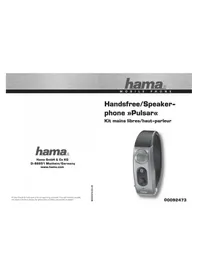
USER MANUAL Freedom Light II HAMA
natural_image
Line drawing of two identical mechanical devices with curved arms and connectors (no text or symbols)
natural_image
Line drawing of a closed container with lid and handle (no text or symbols)GB Operating Instructions D Bedienungsanleitung F Mode d'emploi E Instrucciones de uso
NL Gebruiksaanwijzing I Istruzioni per l'uso PL Instrukcja obsługi H Használati útmutató
RO Manual de utilizare CZ Návod k použití SK Návod na použitie P Manual de instruções
GB Operating Instructions
Thank you for choosing a Hama product!
Take your time and read the following instructions and information completely. Please keep these instructions in a safe place for future reference you sell the device, please pass these operating instructions on to the new owner.
Controls and displays
s1. Charging box
2. Charging box status LED
3. Earphones status LED
4. Multi-function touch sensor
5. Charging contacts
6. Microphone
7. USB-C connection

1. Explanation of warning symbols and notes
Warning

This symbol is used to indicate safety instructions or to draw your attention to specific hazards and risks.
Note

This symbol is used to indicate additional information or important notes
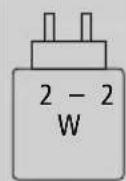
The power of the charger must range from a minimum power of 2.0 watt required by the radio system to a maximum power of 0.5 watt required to achieve the maximum charging speed.
The standardised USB interface means that a charger with a higher output power can also be used.

2. Package contents
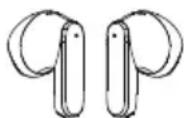
1 x "Freedom Light II" True Wireless Bluetooth phones
1x charging box
1x quick guide
1x warning and safety instructions

natural_image
Line drawings of electronic devices including a battery, warning sign, open book, and earbuds (no text or symbols present)
3. Safety notes
• The product is intended for private, non-commercial use only
- Use the product only for the intended purpose.
• Children should be supervised to ensure that they do not play with the product
- Do not use the product in areas in which electronic products are not permitted
- Do not attempt to service or repair the product yourself. Leave any and all service work to qualified experts
- Do not open the device or continue to operate it becomes damaged
- Do not bend or crush the cable.
- Do not drop the product and do not expose it any major shocks.
- Dispose of packaging material immediately in accordance with the locally applicable regulations.
- Do not modify the product in any way. Doing so voids the warranty
- Protect the product from dirt, moisture and overheating and use it in dry environments only
- Do not use the product in the immediate vicinity of heaters, other heat sources or in direct sunligh
- Only use the article under moderate climatic conditions.
- As with all electrical products, this device should be kept out of the reach of children!
- Do not operate the product outside the power limits given in the specifications
- Do not use the product in a damp environment and avoid splashing water
- While driving a car or using sports equipment, do not allow yourself to be distracted by your product and keep an eye on the traffic situation and your surroundings.
- The battery is permanently installed and cannot be removed; dispose of the product as a whole accordance with the statutory regulations
- Do not incinerate the battery or the product.
- Do not tamper with or damage/heat/disassemble the batteries/rechargeable batteries
- Do not use the product during the charging process!
Warning - rechargeable battery

- Only use suitable charging devices or USB ports to charge the product.
- Do not use defective chargers or USB ports and do not attempt to repair .them
- Do not overcharge the product or allow the battery to completely discharge.
- Avoid storing, charging and using in extreme temperatures and at extremely low atmospheric pressures (such as at high altitudes).
- When stored over a long period of time, batteries should be charged regularly (at least to every three months).
Warning - magnets

- This product generates magnetic fields. Individuals with cardiac pacemakers should ^0 consult a doctor before using this product as it may affect the pacemaker's proper function
- Do not store bank or similar cards with magnetic strips near the charging box or ht earphones. The data on the cards could be damaged or completely deleted.
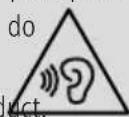
Warning - high volume

• High sound pressure!
• There is a risk of hearing damage.
• To prevent any loss of hearing, avoid listening at loud volumes for prolonged periods.
• Always keep the volume at a reasonable level.
do Loud volumes can damage hearing - even uct over short periods.
• Using this product limits your perception of
ambient noise For this reason, do not operate any vehicles or machines while using this product

4. Switch On/Off
ON
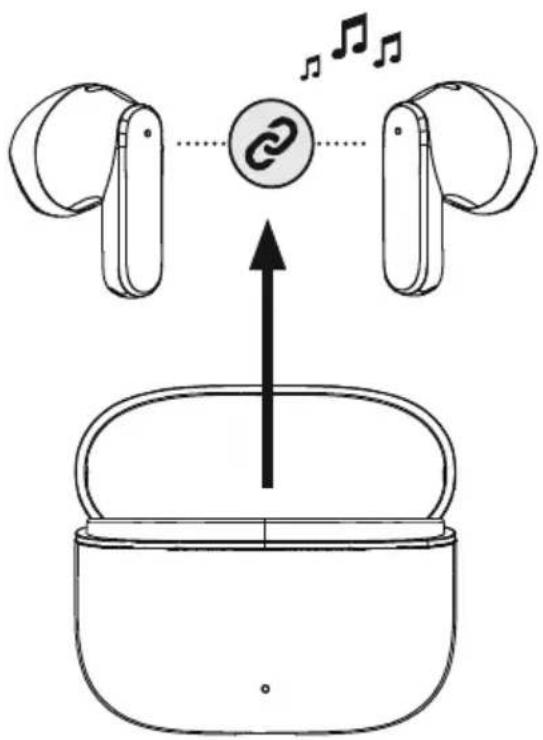
Remove the two earphones simultaneously from the charging box. Both earphones switch or automatically and start the pairing process.
Alternatively:
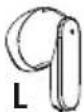


Press the multi-function touch sensor (4) on the left and right earphones for approx. 2-3 seconds until you hear a signal tone.
OFF
To switch them off, simply place the earphones back in charging box. Ensure that the earphones are inserted into the correct sides, using the L/R markings as a guide.
Alternatively:


With the earphones switched on, hold the multi-function touch sensor (4) on the left or right earphone down for approx. 5 second until you hear a signal sound

flowchart
graph TD
    A["ON"] --> B["Stablebuds Display"]
    B --> C["OFF"]
    style A fill:#f9f,stroke:#333
    style B fill:#ccf,stroke:#333
    style C fill:#cfc,stroke:#333
Note - Automatic product switch-off

The product is equipped with an automatic switch-off mechanism. If there is no connection to your device within 5 minutes, it switches itself off automatically.

5. Charging
Fully charge the earphones and the charging box once before using them for the first time.
1 Insert the earphones and connect the charging box

Place the earphones in the charging box. Ensure that the earphones are inserted into the correct sides, using the L/R markings as a guide
Connect a suitable USB-C charging cable to the charging socket (7) on the charging box.
Connect the free plug on the USB-C charging cable to a suitable USB charger. To do this, consult the operating instructions for the USB charger you are using.
2 Charging procedure for the charging box and earphones
The status LED on the charging box (2) flashes red during the charging process charging box is fully charged, the charging box LED (2) lights up red
It can take up to 2 hours (earphones and charging box) until the batteries are fully charged.

3 Battery capacity
Charging box
When the battery level is low (<20%), the status LED (2) flashes green four times and then goes out.
Earphones
When the battery is low (< 20%), the status LED (3) on the earphone flashes every 5 seconds twice in succession and you will hear a signal tone once every minute.
The actual battery life will vary depending on how you use the device, the settings and the ambient temperatures (rechargeable batteries have a limited life).
Note

If you have not used the product for a few months, it can take up to 15 - 30 minutes until status LED (2/3) lights up red during the charging .process

6. Bluetooth® pairing
Note - pairing

- Ensure that the Bluetooth-enabled device is switched on and that the Bluetooth is activated.
- Please refer to the operating instructions of your device for more information.
The earphones and the device should not be more than 1 metre apart. The shorter the distance, the better.
Ensure that the earphones are switched on.
flowchart
graph TD
    A["Device 1"] -->|Signal| B["Device 2"]
    B -->|Signal| C["Device 3"]
    C -->|Signal| D["Device 4"]
    D -->|Signal| E["Device 5"]
    style A fill:#f9f,stroke:#333
    style B fill:#ccf,stroke:#333
    style C fill:#cfc,stroke:#333
    style D fill:#fcc,stroke:#333
    style E fill:#ffc,stroke:#333
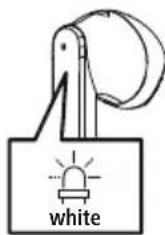
1 Check the status of the status LED (3)

If the status LED (3) on one of the earphones is flashing: the earphones are searching for a Bluetooth connection.

If the status LED (3) of an earphone is flashing and then goin out:
the earphones are already paired with a Bluetooth device.
2
Search using your device for the earphones (only required on the first connection)
Open the Bluetooth® settings on your device and wait until the list of found Bluetooth® devices shows Hama Freedom Light II.
Select Hama Freedom Light II and wait until the earphones are shown as connected in your device's Bluetooth® settings. You will hear a brief signal tone.

Note - Bluetooth password

Some devices require a password in order to connect to another Bluetooth ^® device.
- If your device requests a password to connect to the product, enter 0000.
6.1 Reset function
RESET

To reset the earphones to the factory settings, ensure that they are switched on and that there is no Bluetooth® connection with your device.
Tap the multi-function touch sensor (4) on the left or right earphone eight times. You will hear a brief signal tone
7. Control elements
Note

- Please be aware that your terminal device must support some functions if they are to be used.
- Please refer to the operating instructions of your device for more information.
7.1 Voice assistant function
Siri/Google

Tap the multi-function touch sensor (4) on the left or right earphone five times to initiate communication with Siri or the Google Assistant. You will hear a brief signal tone.
Note - Siri

Siri is only available on suitable devices running iOS 5 (iPhone 4s or later) or higher.
Note - Google Assistant

- The Google Assistant is only available on suitable devices running Android 5.0 or higher with Google Play Services, >1.5 GB of free memory and a minimum screen resolution of 720P.
- The Google Assistant App must be available on your device and be set as the default voice assistant.
7.2 Hands-free function
It is possible to use the earphones like a hands-free facility for your device.
1 Make a call
Dial the number directly via your device to make a call.
2 Accept a call


Tap the multi-function touch sensor (4) on the left or right earphone once to accept an incoming call.
3 Reject a call


To reject an incoming call, tap and hold the multi-function touch sensor (4) on the left or right earphone for around 2 seconds.
4 End a call


During the call, tap the multi-function touch sensor (4) on the left or right earphone once to end the call
5 Last number redial
You can redial the last number you called via the voice assistant function (7.1).


7.3 Audio playback
1 Start playback on your device.
2 Play / Pause
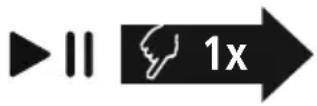

Tap the multi-function touch sensor (4) on the left or right earphone once to start or stop audio playback.
3 Next track


Tap and hold the multi-function touch sensor (4) on the right earphone for around 1-2 seconds to skip to the next track. You will hear a brief signal tone.
4 Previous track

Tap and hold the multi-function touch sensor (4) on the left earphone for around 1-2 seconds to skip to the previous track. You will hear a brief signal tone.
7.4 Volume control
The volume is controlled by the voice assistant function (7.1).
Alternatively, you can also control the volume via your device.
- Technical data
| Bluetooth® earphones | |
| Bluetooth technology Bluetooth | ® v5.3 |
| Supported profiles A2DP1.3.2,AVRCP1.6.2,SPP1.2.4,HFP1.8,HSP1.2.10 | |
| Frequency for Bluetooth transmissions | 2402 - 2480 MHz |
| Range < 10 m | |
| Rechargeable battery | |
| Battery type 3 | .7V Li polymer |
| Min. capacity of earphones / charging box | 33 mAh / 340mAh |
| Current consumption max. 5 V | --- 300mA |
| Charging time / earphones ~ 2 h | |
| Charging time / charging box ~h2 | |
| Standby * ~150 h | |
| Music time (charging box)* 5h (+15 h) | |
| Talk time (charging box)* 3 | h (+9 h) |
| Weight of earphones | approx. 4 g per earphone |
| Weight of charging tray incl. earphones | approx. 35 g |
* Once fully charged
9. Care and maintenance
Only clean this product using a lint-free, slightly damp cloth and do not use any harsh cleaners.
10. Warranty disclaimer
Hama GmbH & Co KG assumes no liability and provides no warranty for damage resulting from improper installation/mounting, improper use of the product or from failure to observe the operating instructions and/or safety notes
11. Service and support
Please contact Hama Product Consulting if you have any questions about this product.
Hotline: +49 9091 502-0 (German/English)
Further support information can be found here: support.com
12. Declaration of conformity
CE Hama GmbH & Co KG hereby declares that the radio equipment type [00221752, 00221753, 00221754, 00221755, 00221756, 00221757] is in compliance with Directive 2014/53/EU. The full text of the EU declaration of conformity is available at the following Internet
address:https://support.hama.com/00221752, https://support.hama.com/00221753,
https://support.hama.com/00221754, https://support.hama.com/00221755,
https://support.hama.com/00221756, https://support.hama.com/00221757
Frequency bands 2402MHz - 2480MHz
Maximum radio-frequency power transmitted 2.5 mW E.I.R.P.
13. Specifications according to Regulation (EU) 2023/826
Information regarding energy consumption can be found at:
https://support.hama.com/00221752, https://support.hama.com/00221753,
https://support.hama.com/00221754, https://support.hama.com/00221755,
https://support.hama.com/00221756, https://support.hama.com/00221757

natural_image
Line drawing of a closed electronic device with lid and base (no text or symbols)
natural_image
Line drawing of two abstract mechanical components with curved ends (no text or symbols)
H
3 Akkukapazität
Ladebox
https://support.hama.com/00221752, https://support.hama.com/00221753,
https://support.hama.com/00221754, https://support.hama.com/00221755,
https://support.hama.com/00221756, https://support.hama.com/00221757
https://support.hama.com/00221752, https://support.hama.com/00221753,
https://support.hama.com/00221754, https://support.hama.com/00221755,
https://support.hama.com/00221756, https://support.hama.com/00221757

F Mode d'emploi
natural_image
Line drawings of electronic devices including a USB flash unit, a warning sign, an open device with 'i' symbol, and two earbuds (no text or labels)

natural_image
Line drawing of two wireless earbuds with open lids, one closed and one with curved handles (no text or symbols)
Remarque - Assistant Google

https://support.hama.com/00221752, https://support.hama.com/00221753,
https://support.hama.com/00221754, https://support.hama.com/00221755,
https://support.hama.com/00221756, https://support.hama.com/00221757
https://support.hama.com/00221752, https://support.hama.com/00221753,
https://support.hama.com/00221754, https://support.hama.com/00221755,
https://support.hama.com/00221756, https://support.hama.com/00221757

natural_image
Line drawings of electronic devices including a USB flash unit, warning sign, open book, and earbuds (no text or symbols present)
https://support.hama.com/00221752, https://support.hama.com/00221753,
https://support.hama.com/00221754, https://support.hama.com/00221755,
https://support.hama.com/00221756, https://support.hama.com/00221757
https://support.hama.com/00221752, https://support.hama.com/00221753,
https://support.hama.com/00221754, https://support.hama.com/00221755,
https://support.hama.com/00221756, https://support.hama.com/00221757
natural_image
Line drawings of electronic devices including a USB flash unit, warning sign, open book, and earbuds (no text or symbols present)


natural_image
Line drawing of two wireless earbuds with open lids, one open and one closed (no text or symbols)
1 Controleer de status van de status-led (3)
hama.com/00221752, https://support.hama.com/00221753,
https://support.hama.com/00221754, https://support.hama.com/00221755,
https://support.hama.com/00221756, https://support.hama.com/00221757
Frequentieband(en) 2402MHz - 2480MHz
Maximaal radiofrequent vermogen 2.5 m W E.I.R.P.
13. Informatie overeenkomstig Verordening (EU) 2023/826
Informatie over het energieverbruik vindt u op:https://support.hama.com/00221752, https://support.hama.com/00221753,
https://support.hama.com/00221754, https://support.hama.com/00221755,
https://support.hama.com/00221756, https://support.hama.com/00221757

natural_image
Line drawing of two wireless earbuds with open lids, one open and one closed (no text or symbols)
https://support.hama.com/00221752, https://support.hama.com/00221753,
https://support.hama.com/00221754, https://support.hama.com/00221755,
https://support.hama.com/00221756, https://support.hama.com/00221757
https://support.hama.com/00221752, https://support.hama.com/00221753,
https://support.hama.com/00221754, https://support.hama.com/00221755,
https://support.hama.com/00221756, https://support.hama.com/00221757

natural_image
Line drawing of a closed electronic device with lid and base (no text or symbols)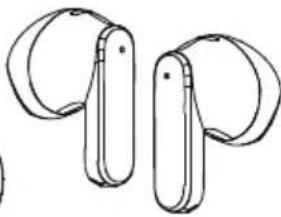
natural_image
Line drawing of two abstract mechanical or electronic components with curved ends (no text or symbols)
https://support.hama.com/00221754, https://support.hama.com/00221755,
https://support.hama.com/00221756, https://support.hama.com/00221757
https://support.hama.com/00221752, https://support.hama.com/00221753,
https://support.hama.com/00221754, https://support.hama.com/00221755,
https://support.hama.com/00221756, https://support.hama.com/00221757

natural_image
Line drawings of electronic devices including a USB flash unit, a warning sign, an open book with 'i', and two earbuds (no text or symbols present)

natural_image
Line drawing of two wireless earbuds with open lids, one open and one closed (no text or symbols)
https://support.hama.com/00221752, https://support.hama.com/00221753,
https://support.hama.com/00221754, https://support.hama.com/00221755,
https://support.hama.com/00221756, https://support.hama.com/00221757
Frekvenciasáv(ok) 2402MHz – 2480MHz
https://support.hama.com/00221752, https://support.hama.com/00221753,
https://support.hama.com/00221754, https://support.hama.com/00221755,
https://support.hama.com/00221756, https://support.hama.com/00221757

RO Manual de utilizare
natural_image
Line drawing of two wireless earbuds with open lids, one open and one closed (no text or symbols)
Avertizare - accumulator

Indicatie – Google Assistant

https://support.hama.com/00221752, https://support.hama.com/00221753,
https://support.hama.com/00221754, https://support.hama.com/00221755,
https://support.hama.com/00221756, https://support.hama.com/00221757
Banda/benzile de frecvente 2402MHz - 2480MHz
https://support.hama.com/00221752, https://support.hama.com/00221753,
https://support.hama.com/00221754, https://support.hama.com/00221755,
https://support.hama.com/00221756, https://support.hama.com/00221757

cz Návod k použití
natural_image
Line drawing of two wireless earbuds with open lids, one open and one closed (no text or symbols)
support.hama.com/00221752, https://support.hama.com/00221753,
https://support.hama.com/00221754, https://support.hama.com/00221755,
https://support.hama.com/00221756, https://support.hama.com/00221757
Kmitočtové pásmo/kmitočtová pásma 2402MHz – 2480MHz
https://support.hama.com/00221752, https://support.hama.com/00221753,
https://support.hama.com/00221754, https://support.hama.com/00221755,
https://support.hama.com/00221756, https://support.hama.com/00221757

natural_image
Line drawings of electronic devices including a USB flash unit, warning sign, open book, and two earbuds (no text or symbols)

natural_image
Line drawing of two wireless earbuds with open lids, one open and one closed (no text or symbols)
3 Kapacita batérie
Nabíjací box
https://support.hama.com/00221752, https://support.hama.com/00221753,
https://support.hama.com/00221754, https://support.hama.com/00221755,
https://support.hama.com/00221756, https://support.hama.com/00221757
https://support.hama.com/00221752, https://support.hama.com/00221753,
https://support.hama.com/00221754, https://support.hama.com/00221755,
https://support.hama.com/00221756, https://support.hama.com/00221757

natural_image
Line drawing of two wireless earbuds with open lids, one open and one closed (no text or symbols)
flowchart
graph LR
    A["Charging"] --> B["2h:00m"]
    B --> C["Discharge"]
1 Verifique o estado do LED de estado (3)

https://support.hama.com/00221752, https://support.hama.com/00221753,
https://support.hama.com/00221754, https://support.hama.com/00221755,
https://support.hama.com/00221756, https://support.hama.com/00221757
https://support.hama.com/00221752, https://support.hama.com/00221753,
https://support.hama.com/00221754, https://support.hama.com/00221755,
https://support.hama.com/00221756, https://support.hama.com/00221757

s Bruksanvisning
natural_image
Line drawings of electronic devices including a battery pack, warning sign, open book, and earbuds (no text or symbols present)
3. Säkerhetsinformation
https://support.hama.com/00221752, https://support.hama.com/00221753,
https://support.hama.com/00221754, https://support.hama.com/00221755,
https://support.hama.com/00221756, https://support.hama.com/00221757
Frekvensband 2 402 MHz–2 480 MHz
https://support.hama.com/00221752, https://support.hama.com/00221753,
https://support.hama.com/00221754, https://support.hama.com/00221755,
https://support.hama.com/00221756, https://support.hama.com/00221757

RUS
natural_image
Line drawings of electronic devices including a battery pack, warning sign, open book, and two earbuds (no text or symbols)
https://support.hama.com/00221752, https://support.hama.com/00221753,
https://support.hama.com/00221754, https://support.hama.com/00221755,
https://support.hama.com/00221756, https://support.hama.com/00221757
https://support.hama.com/00221752, https://support.hama.com/00221753,
https://support.hama.com/00221754, https://support.hama.com/00221755,
https://support.hama.com/00221756, https://support.hama.com/00221757

natural_image
Line drawings of electronic devices including a battery, warning sign, open book, and earbuds (no text or symbols present)


natural_image
Line drawing of two wireless earbuds with open lids, one open and one closed (no text or symbols)
3. Указания за безопасност
https://support.hama.com/00221752, https://support.hama.com/00221753,
https://support.hama.com/00221754, https://support.hama.com/00221755,
https://support.hama.com/00221756, https://support.hama.com/00221757
https://support.hama.com/00221752, https://support.hama.com/00221753,
https://support.hama.com/00221754, https://support.hama.com/00221755,
https://support.hama.com/00221756, https://support.hama.com/00221757

GR Οδηγίες χρήσης
natural_image
Illustration of electronic devices including a USB flash unit, a warning sign, an open book with 'i', and two earbuds (no text or symbols present)


natural_image
Line drawing of two wireless earbuds with open lids, one closed and one with curved handles (no text or symbols)
https://support.hama.com/00221752, https://support.hama.com/00221753,
https://support.hama.com/00221754, https://support.hama.com/00221755,
https://support.hama.com/00221756, https://support.hama.com/00221757
https://support.hama.com/00221752, https://support.hama.com/00221753,
https://support.hama.com/00221754, https://support.hama.com/00221755,
https://support.hama.com/00221756, https://support.hama.com/00221757

natural_image
Line drawing of two wireless earbuds with open lids, one open and one closed (no text or symbols)
https://support.hama.com/00221752, https://support.hama.com/00221753,
https://support.hama.com/00221754, https://support.hama.com/00221755,
https://support.hama.com/00221756, https://support.hama.com/00221757
https://support.hama.com/00221752, https://support.hama.com/00221753,
https://support.hama.com/00221754, https://support.hama.com/00221755,
https://support.hama.com/00221756, https://support.hama.com/00221757

FIN Käyttöohje
natural_image
Line drawings of electronic devices including a USB flash unit, warning sign, open book with 'i', and earbuds (no text or symbols)
3 Akun kapasiteetti
Latauskotelo
1 Tarkista tila-LEDin (3) tila

https://support.hama.com/00221752, https://support.hama.com/00221753,
https://support.hama.com/00221754, https://support.hama.com/00221755,
https://support.hama.com/00221756, https://support.hama.com/00221757
https://support.hama.com/00221752, https://support.hama.com/00221753,
https://support.hama.com/00221754, https://support.hama.com/00221755,
https://support.hama.com/00221756, https://support.hama.com/00221757
- GB Operating Instructions
- Controls and displays
- Explanation of warning symbols and notes
- Warning
- Note
- Package contents
- Safety notes
- Warning - rechargeable battery
- Warning - magnets
- Warning - high volume
- Switch On/Off
- Alternatively:
- Note - Automatic product switch-off
- Charging
- Insert the earphones and connect the charging box
- Charging procedure for the charging box and earphones
- Battery capacity
- Charging box
- Earphones
- Bluetooth® pairing
- Note - pairing
- Check the status of the status LED (3)
- 2
- Search using your device for the earphones (only required on the first connection)
- Note - Bluetooth password
- Reset function
- RESET
- Control elements
- Voice assistant function
- Note - Google Assistant
- Hands-free function
- Audio playback
- Volume control
- Care and maintenance
- Warranty disclaimer
- Service and support
- Declaration of conformity
- Specifications according to Regulation (EU) 2023/826
- Akkukapazität
- Ladebox
- F Mode d'emploi
- Remarque - Assistant Google
- Controleer de status van de status-led (3)
- Informatie overeenkomstig Verordening (EU) 2023/826
- RO Manual de utilizare
- Avertizare - accumulator
- Indicatie – Google Assistant
- cz Návod k použití
- Kapacita batérie
- Nabíjací box
- Verifique o estado do LED de estado (3)
- s Bruksanvisning
- Säkerhetsinformation
- RUS
- Указания за безопасност
- GR Οδηγίες χρήσης
- FIN Käyttöohje
- Akun kapasiteetti
- Latauskotelo
- Tarkista tila-LEDin (3) tila
Brand : HAMA
Model : Freedom Light II
Category : Built-in kit