Versa Sedan (2014) - Car NISSAN - Free user manual and instructions
Find the device manual for free Versa Sedan (2014) NISSAN in PDF.


User questions about Versa Sedan (2014) NISSAN
0 question about this device. Answer the ones you know or ask your own.
Ask a new question about this device
Download the instructions for your Car in PDF format for free! Find your manual Versa Sedan (2014) - NISSAN and take your electronic device back in hand. On this page are published all the documents necessary for the use of your device. Versa Sedan (2014) by NISSAN.
USER MANUAL Versa Sedan (2014) NISSAN
For your safety, read carefully and keep in this vehicle.
NISSAN NAVIGATION SYSTEM HELP-DESK CONTACT INFORMATION
For assistance or inquiries about the NISSAN Navigation System, or to order updated map data, contact the NISSAN NAVIGATION SYSTEM HELPDESK at:
- ADDRESS: P.O. Box 1588, Orem, UT 84059-992
• E-MAIL: Nissan-Navi-Info@navteq.com
• WEB SITE: www Numigation.com or www.nissan.ca
• PHONE: 1-888-661-9995
• HOURS: 6:00 AM to 5:00 PM (Pacific Time)
NISSAN CONSUMER AFFAIRS DEPARTMENT
For assistance or inquiries about the NISSAN warranty, service or general questions, contact the NISSAN Consumer Affairs Department at:
For U.S. customers
Nissan North America, Inc.
Consumer Affairs Department
P.O. Box 685003
Franklin, TN 37068-5003
1-800-NISSAN-1
(1-800-647-7261)
For Canadian customers
Nissan Canada Inc.
5290 Orbitor Drive
Mississauga, Ontario L4W 4Z5
1-800-387-0122
FOREWORD
Thank you for purchasing a NISSAN vehicle This user's manual is for the navigation system only. This manual contains operating instructions for the NISSAN Navigation System offered in your NISSAN vehicle.
Please read this manual carefully to ensure safe operation of the navigation system.
- Because of possible specification changes and optional equipment, sections of this manual may not apply to your vehicle.
- All information, specifications and illustrations in this manual are those in effect at the time of printing. NISSAN reserves the right to change specifications or design at any time without notice.
- Do not remove this manual from the vehicle when selling this vehicle. The next user of this navigation system may need the manual.
Tableof Contents
Introduction
Gettingstarted
Mapsettings
Navigation
Othersettings
Generalsysteminformation
Troubleshootingguide
Index
1 Introduction
Howtousethismanual....1 - 2
Forsafeoperation....1 - 2
Referencesymbols....1 - 2
Safetyinformation....1 - 2
Laserproduct....1 - 3
HOWTOUSETHISMANUAL
Thismanualusesspecialwords, symbolsand iconsthatareorganizedbyfunction.
Pleaserefertothefollowingitemstounderstand howtousethismanualproperly.
FORSAFEOPERATION

WARNING
Indicate the presence of a hazard that could cause death or serious personal injury. To avoid or reduce risk, the procedures must be followed precisely.

CAUTION
Indicate the presence of a hazard that could cause minor or moderate personal injury or damage to your vehicle. To avoid or reduce risk, the procedures must be followed carefully.

NOTE:
Indicatesitemsthathelpyouunderstand andmaximizetheperformanceofyour vehicle.lfignored,theymayleadtoamal-functionorpoorperformance.
REFERENCESYMBOLS

INFO:
Indicates information that is necessary for efficient use of your vehicle or accessories.

Referencepage:
Indicatesthetitleandpagethatyoushouldrefer to.
NAV:
This is an example of how a button on the control panel will be shown.
"Route":
Thisisanexampleofakey/itemdisplayedonthe screen.
SAFETYINFORMATION
This system is primarily designed to help you reach your destination, and it also performs other functions as outlined in this manual. However, you, the driver, must us the systems safely and properly. Information concerning road conditions, traffic signs and the availability of services may not always be up-to-date. The system is not a substitute for safe, proper and legal driving.
Beforeusingthenavigationsystem, pleaseread thefollowingsafetyinformation.Alwaysusethe systemasoutlinedinthismanual.

WARNING
●Tooperatethenavigationsystem, firstparkthevehicleinasafelocationandsettheparkingbrake.Operatingthesystemwhiledrivingcan distractthedriverandmayresultina seriousaccident.
- Donotrelyonrouteguidancealone. Alwaysbesurethatalldrivingmaneuversarelegalandsafeinorderto avoidaccidents.
- Do not disassemble or modify this system. If you do, it may result in accidents, fire electrical shock.
LASERPRODUCT
- If you notice any foreign objects in the system hardware, spill liquid on the system or notices smoke or a smell coming from it, stop using the system immediately and contact a NISSAN dealer. Ignorings such conditions may lead to accidents, fire or electrical shock.

CAUTION
- Donotusethissystemifyounotice anymalfunctionssuchasafrozen screenorthelackofsound.Continueduseofthesystemmayresultin accidents,fireorelectricalshock.
- Somestates/provincesmayhave lawslimitingtheuseofvideo screenswhiledriving. Usethissystemonlywhereitislegaltodoso.
- Extremetemperatureconditions[below-4°F(-20°C)andabove158°F (70°C)]couldaffecttheperformance of the system.

NOTE:
Donotkeepthenavigationsystemrunning withtheenginestopped.Doingsomay dischargethevehiclebattery.Whenyou usethenavigationsystem,alwayskeep theenginerunning.

WARNING
- Donotdisassembleormodifythis system.Therearenouserservice-ablepartsinthisnavigationsystem.
- If maintenance, adjustments and operations other than those specified in this manual are attempted, injury duetolaserradiation and exposure could occur.
RequiredXMSatellite
Radio, Nav Traffic and
NavWeatherXM
monthlysubscriptions
soldseparately.Not
availableinAlaska,
HawaiiorGuam.

Nav WEATHER
NavTrafficand
NavWeatherXMonly
availableinselect
markets.Formore
information, visit
www.siriusxm.com/navtraffic
and
www.siriusxm.com/navweather.
1-4 Introduction
2Gettingstarted
Controlbuttonsandfunctions....2 - 2
Controlpanel(TypeA)....2-2
Controlpanel(TypeB)....2 - 3
Steeringwheelswitch(TypeA)....2-4
Steeringwheelswitch(TypeB)....2-4
Steeringwheelswitch(TypeC)....2-5
Basicoperation....2-6
Functionsdisabledwhiledriving....2-6
Touchscreenoperation....2-6
Menuscreenoperation....2-7
Howtoinputcharacters....2-8
CONTROLBUTTONSANDFUNCTIONS

text_image
1 2 3 VOL PWR CAMERA TIME-SCNO ENTER AUDIO BACK MAP NAV MENU AUTO 4 5 6 7 8 LNV/2017CONTROLPANEL(TypeA)
1 VOL(volume)controlknob/PWR(power) button:
Rotateclockwisetoincreasethevolumeor counterclockwisetolowerthevolume.
Presstoturntheaudiosystemonoroff.
2 Touchscreendisplay
3 TUNE-SCROLLdial/ENTER/AUDIObutton:
Turntoscrollthroughtheitemsinalist. Presstoselectamenuitem.Whenthe screenisnotdisplayalistormenu,the knobisusedtocontroltheaudiosystem.
PresstheENTER/AUDIObuttontoselecta highlighteditemonthescreen.
4 BACKbutton:
Presstoreturntothepreviousscreenorto delete the last inputted letter if at touch key- board is displayed on the screen.
5 MAPbutton:
Presstodisplaythecurrentlocationmap screen.
6 NAVbutton:
PresstoaccessthefunctionsoftheNavigationsystem.
7 MENUbutton:
Presstoaccessthesystemsettings.
8 🟢 /D button:
Presstochangethedisplaybrightnessbetweendayandnightmodes. While the modeisbeingdisplayed, the brightness can be adjusted using the TUNE/SCROLLdial.
Pressandholdformorethantwoseconds toswitchthedisplaytoalargerdisplayof thedigitalclock.

"DISPLAYSETTINGS" (page5-3)
2-2Gettingstarted

text_image
1 2 3 4 5 6 7 8 ON OFF VOL FISH ON OFF MAP NAV MENU BACK TUNE AUDIOCONTROLPANEL(TypeB)
1 Touchscreendisplay
2 MAPbutton:
Presstodisplaythecurrentlocationmap screen.
3 NAVbutton:
PresstoaccessthefunctionsoftheNavigationsystem.
4 MENUbutton:
Presstoaccessthesystemsettings.
5 BACKbutton:
Presstoreturntothepreviousscreenorto deletethelastinputtedletterifatouchkey- boardisdisplayedonthescreen.
6 TUNEdial/AUDIObutton:
Turntoscrollthroughtheitemsinalist. Presstoselectamenuitem.Whenthe screenisnotdisplayalistormenu,the knobisusedtocontroltheaudiosystem.
Pressthedraltoselectahighlighteditemon thescreen.
7 🟢/2 button:
Presstochangethedisplaybrightnessbetweendayandnightmodes. While the modeisbeingdisplayed, the brightness can be adjusted using the TUNEdial.
Pressandholdformorethantwoseconds toswitchthedisplaytoalargerdisplayof thedigitalclock.

"DISPLAYSETTINGS" (page5-3)
8 VOL(volume)controlknob/ON-OFFbutton:
Rotateclockwisetoincreasethevolumeor counterclockwisetolowerthevolume.
Presstoturntheaudiosystemonoroff.
text_image
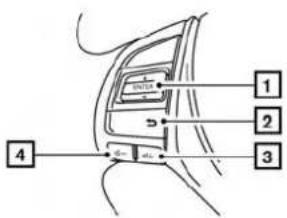
1 2 3 4Altima LNV2018 STEERINGWHEELSWITCH(TypeA)
1 ENTERbutton/tuningswitch
Scrollsupanddownthroughlistsandselectsthehighlighteditemonthescreen.
2 (back)button
Returnstothepreviousscreenordeletes
thelastinputtedletterifatouchkeyboarddis
displayedonthescreen.
3 Volumeincreasebutton
Increases the volume of the voice guidance given by the Navigation System if pressed while the voice guidance is speaking. If the volume increase button is pressed at any othertime, only the volume of the active screen (phone, SMS playback, Voice Recognition system [if so equipped], audiosystem) will be increased.
2-4Gettingstarted
4 Volumedecreasebutton Decreasesthevolumeofthevoiceguidance givenbytheNavigationSystemifpressed whilethevoiceguidanceisspeaking.Ifthe volumedecreasebuttonispressedatany othertime,onlythevolumeoftheactive screen(phone,SMS playback,VoiceRecognitionsystem[ifsoequipped],audiosystem)willbedecreased.
Formoreinformationabouttheaudiosystem, Bluetooth®Hands-FreePhoneSystemand VoiceRecognitionsystem(ifsoequipped),see thevehicle'sOwner'sManual.
flowchart
graph TD
    A["Battery"] --> B["1"]
    C["+ Gate"] --> D["2"]
    E["Power Supply"] --> F["-"]
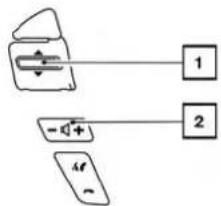
Titan LNV2391 STEERINGWHEELSWITCH(TypeB)
1 Tuningswitch
Scrollsupanddownthroughlistsandselectsthehighlighteditemonthescreen.
2 Volumecontrolbutton Increasesordecreasesthevolumeofthe voiceguidancegivenbytheNavigationSystemifpressedwhilethevoiceguidanceis speaking.Ifthevolumebuttonispressedat anyothertime,onlythevolumeoftheactive screen(phone,SMS playback,VoiceRecognition system[ifsoequipped],audiosystem)willbeadjusted.
text_image
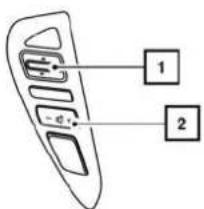
Diagram of a device panel with labeled ports and connections, showing two labeled components 1 and 2.SentraandVersaNote
LNV2395
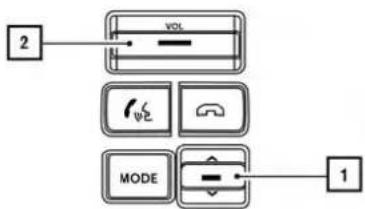
Formoreinformationabouttheaudiosystem, Bluetooth®Hands-FreePhoneSystemand VoiceRecognitionsystem(ifsoequipped),see thevehicle'sOwner'sManual.
flowchart
graph TD
    A["2"] --> B["VOLT"]
    B --> C["MODE"]
    C --> D["1"]
XterraandFrontier
LNV2399

text_image
1 SOURCENV200andVersaSedan
LNV2002
STEERINGWHEELSWITCH(TypeC)
1 Volumecontrolbutton Increasesordecreasesthevolumeofthe voiceguidancegivenbytheNavigationSystemifpressedwhilethevoiceguidanceis speaking.Ifthevolumebuttonispressedat anyothertime,onlythevolumeoftheactive screen(phone,SMS playback,VoiceRecognition system[ifsoequipped],audiosystem)willbeadjusted.
Formoreinformationabouttheaudiosystem, Bluetooth®Hands-FreePhoneSystemand VoiceRecognitionsystem(ifsoequipped),see thevehicle'sOwner'sManual.
BASICOPERATION
text_image
StateProv. MAINE 1274 1285 1296 1307 V1 S P I T U I D F A S D I G H I R I S A C V B N H S E M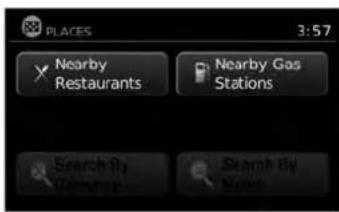
text_image
PLACES 3:57 Nearby Restaurants Nearby Gas Stations Search By Name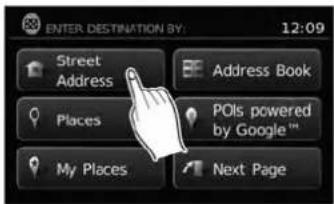
text_image
ENTER.DESTINATION BY: 12:09 Street Address Address Book Places POIs powered by Google™ My Places Next PageLNV2266LNV2267LNV2370
FUNCTIONSDISABLEDWHILE DRIVING
Toensuresafedriving, somefunctionscannotbe operatedorhavelimitedoperationwhenthevehicleismoving. Theon-screentextandkeysfor theserestrictedfunctionswillbe"grayedout"or mutedandcannotbeselectedwhiledriving.
Alltextinputscreensaregrayedoutwhilethe vehicleismoving. Otherfunctionsarelockedout dependingonvehiclespeed, thefunctionand thenumberoftimesafeatureisselected.
Whenamenuselectionisgrayedout, the feature is locked out until the system operating conditions are metto allow these selection.
Examplesoftouchscreenoperation
Selectinganitem:
When any itemistouched, then next screen is displayed.
2-6Gettingstarted
text_image
INFO SERVICES SETTINGS 4:26 Select Country for Service Entries to download 10 + Temperature Unit °F Distance Units Metric Deactivate Connected ServicesLNV2238LNV0921

text_image
Select City Name: 5:42 DENVER DEPAUVILLE DEPEW DEPOSIT DEPOSIT, TOWN OF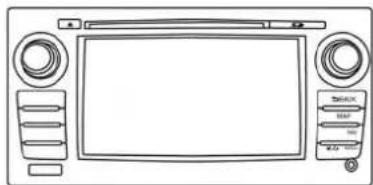
natural_image
Line drawing of a car front panel with control knobs and display screen (no text or symbols)LNV2019
Adjusting:
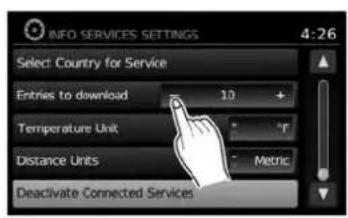
Touchthe“+”,“-”,“>”or“<”keytoadjusta setting.
Scrollingthroughamessageorlist:
Touchthe ▲ (up)or(down)keyson thescreenrepeatedlytoscrollthroughhamesageoralist.Whenscrollingalengthylist,you canalsotouchthescreenandslideyourfinger alongthescrollbarwhereshowntoscrollmore quickly.
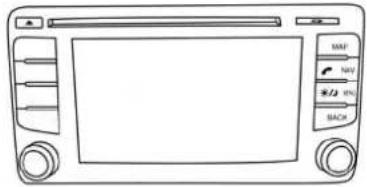
natural_image
Line drawing of a car front panel with control buttons and scroll wheel (no text or symbols)(TypeB)
LNV2397
Menuscreensandtheirpurpose
Pressoneoftheapplicationbuttonstoactivate thecorrespondingmenuscreen:
●NAV(Navigation)
•MENU
Howtoselectamenuitem
-
Asanalternativetousingthetouchscreen, turnthescrollingdialclockwiseorcounterclockwisetoscrollthroughthemenuitems untilthepreferreditemishhighlighted.
-
Toselect the preferred item, pressthe scrolling dial.
3.PresstheBACKor

BACKbutton.
The previous screen will be displayed and the changes will be saved.
2-8Gettingstarted
HOWTOINPUTCHARACTERS
Character(letterandnumber)input screen
Alphanumeric characters are used when setting a destination, searching for an address, editing stored locations, etc.

text_image
Street 123 / ABC List O W E R T Y U I O P D F G H J K L X C V B N M . TangkaLNV2205
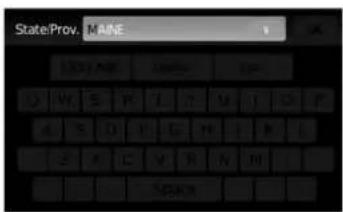
- Touchcharactersonthetouchkeyboard andtheywillappearinthefieldatthetopof thescreen. Whentheentryiscomplete, touchthe"OK"key.
Alternatively, usethescrollingdialtohigh-lightacharacterandpressthedialtoselect thatcharacter.

NOTE:
- PresstheBACKor

BACKbuttonto
deletethelastinputtedcharacterortoreturn tothepreviousscreenifnocharactershave beeninputted.
- Oneverycharacterentryscreen,thetouch keyboardwilldisplayonlythelettersthatare possibletoenterafterthecurrentletter.
- Symbolandnumberkeysareavailablewhen the"123/ABC"keyistouched.
- Touchthe"123/ABC"keytotogglethedisplaybetweenthetouchkeyboardforletters andthetouchkeyboardfornumbersand symbols.
- Todeletethelastentry, touch the "Delete" keyorholdittodeleteallentriesatonce.
- Afterfinalizing the entries, touch the "OK" keyortouch the "List" keyfor the completed listscreen.
NOTE:
- Ifaphraseisbeingenteredthathasbeenpreviouslyenteredintothesystem,thematched textmayappearinlightgray.Touch"OK"to searchforthematchedtext.Touch"List"to searchforboththematchedtextandentered text.
Gettingstarted2-9
MEMO
2-10 Gettingstarted
3Mapsettings
Maptypes....3-2
2-Dimensional(2D)view....3-2
3-Dimensional(3D)view.... 3 - 2
Screeninformation(2Dor3D)....3-3
Movingamap. 3 - 4
Returningtothecurrentvehiclelocation. 3 - 4
Mapoptionsmenuscreen....3 - 5
Changingthemapscale....3-6
Mapscale....3-6
Lookingatinformationonthemap. 3 - 6
Mapsymbols. 3-6
Mapsettingsforthemapscreen....3-8
Laneinformation....3-10
MapSD-card....3-11
HowtohandletheSD-card....3-12
SD-cardreplacement. 3-12
Howtoordermapdataupdates....3-12
Aboutthemapdata....3-12
End-userterms. 3-14
MAPTYPES
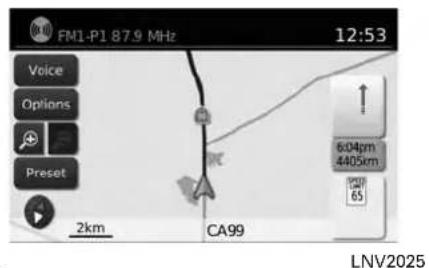
text_image
FM1-P1 87.9 MHz 12:53 Voice Options Preset 2km CA99 604pm 4405km LNV20252D
The2Dmapisatwo-dimensional(flat)representationofthemapdata,similartoaroadmap,focusedonthevehicle'sposition(vehicleicon).

"SCREENINFORMATION(2Dor 3D)"(page3-3)

"MAPSETTINGSFORTHEMAP SCREEN"(page3-8)
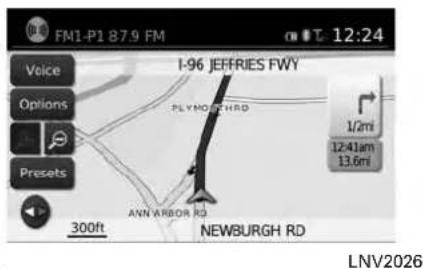
text_image
FM1-P1 87.9 FM 12:24 Voice Options Presets I-96 JEFFRIES FWY PLYMOCH RD ANN ARBOR RD 1/2mi 12:41am 13.6mi 300ft NEWBURGH RD LNV20263D
The3Dmapdisplaysthemapfromanelevated perspective, providingapanoramicviewovera longdistance.
Themapin3Dviewalwaysappearswiththecurrentforwarddirectionfacingup(headingup).

"SCREENINFORMATION(2Dor 3D)"(page3-3)

"MAPSETTINGSFORTHEMAP SCREEN"(page3-8)
3-2Mapsettings
text_image
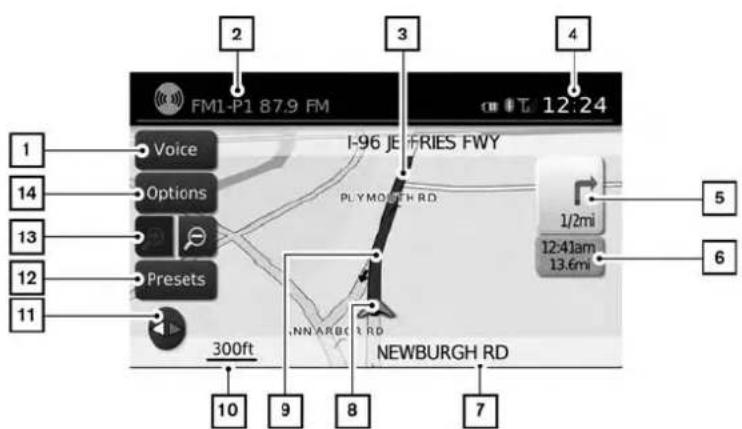
1 14 13 12 11 2 FM1-P1 87.9 FM Voice Options Presets 300ft 10 9 8 7 I-96 JE FRIES FWY PLYMORTH RD 1/2mi 12:41am 13.6mi NEWBURGH RD 12:24 5 6SCREENINFORMATION(2Dor3D)
1 "Voice"key
Touchtorepeathevoiceguidancewhilea routeisactive.Touchandholdfortwosecondstotogglethevoiceguidanceonoroff (buttonwillbegrayedoutwhenvoiceguidanceisturnedoff).Thisoptionisavailable onlywhenarouteisset.
2 Audioinformation
Indicatestheradiostation, CDtracknumber orotheraudioinformationcurrentlyplaying.
LNV2206
3 Nextmaneuverroadname Indicatesthenameofthenextroadinthe routeguidance.Thisisonlyshownifroute guidanceisactive.
4 Clock Indicatesthecurrenttime.
5 Directionindicatoranddistancetonextmaneuverontheroute
When route guidance is active but you have deviated from the route, this are displayed as a compassicon with an arrow indicating the destination direction.
When route guidance is active and you are on the route, this are indicate the distance (in miles or kilometers) to then next point and the turning direction at that point.
When the "Voice" key is not shown on the screen (such as when an audioscreen is displayed on the screen), touch the direction indicator to repeat the voice guidance while a route is active. Touch and hold for two second stot toggle the voice guidance on or off.
6 Estimated time of arrival and distance to destination or remaining time of travel and distance to destination.
Touchthisbuttontoswitchtheindicatorbetweenestimatedarrivaltimeandremaining traveltime. This indicatoronlyappearsonce thedestinationissetandtherouteguidanceisinitiated. Theestimatedarrivaltime may not switch to the estimated arrival time for the destination's timezone if at timezone line is crossed as part of the route.
7 Currentroadindicator
Thelocationofwherethecarispositioned.
8 Vehicleicon
Indicate the current location and direction of the vehicle.
Mapsettings3-3
MOVINGAMAP
9 Suggestedroute
Appearsasaboldbluelineduringroute guidance.
10 Scaleindicator
Indicatesthescaleofthemap.
11 Compassicon
Indicatesthedirectionofthemap.Touch thisicontoswitchthemapviewbetween theNorthUp,HeadingUp(oractualdirection)and3Dmodes.
12 "Presets"key
Thisoptiontogglesonandoffwiththe "Menu"keyanddisplaysatouchmenuof theradiopresetsonthescreen.Formore informationabouttheaudiosystem,seethe vehicleOwner'sManual.
13 Zoominandzoomoutkeys
Touchtozoomthemapinorout.
14 "Options"key
Touchthiskeytoaccessthemapoptions menuscreen.

"MAPOPTIONSMENU
SCREEN"(page3-5)

text_image
FM1.P1 87.0 MHz 12:53 Voice Options Preset 2km CA99 604pm 4485km 15LNV2207
Toscrollthemapineitherdirection:
-
Touchandreleasethescreenanywhereon themap.
-
Touch the screen again and move your finger along the screen in the direction you wish to scroll.
Afterreleasingandtouchingthemapagain,a markerwillbedisplayedatthepointtouched and,ifpossible,thepositiondetermined.
NOTE:
- Ifthemapisin3Dview,touchingthemapto scrollwillautomaticallyswitchthemaptothe 2Dviewandwillautomaticallyorientatethe mapNorthUp.
- Ifthemapisin2Dview, themapwillbeorientedNorthUp.
- When the current location of the vehicle is recognized, the streetnam will be displayed at the bottom of the screen. Whenscrolling a map and an areathatis notaroad, city or POI is touched, coordinates corresponding to the marker's position are displayed at the bottom of the screen.
RETURNINGTOTHECURRENTVE- HICLELOCATION
The basic mapscreen display the current location of the vehicle. The current location can be displayed again even after themapismoved, or after themenuscreen is displayed.
PresstheMAPbuttonortheBACKor BACKbuttonandthecurrentlocationwillbe displayedonthemap.

3-4Mapsettings
MAPOPTIONSMENUSCREEN
TheMapOptionsmenuallowsyoutoquickly storethecurrentposition,showpositioninformationordestinationinformation,andadjustthe mapsettings.

text_image
MAP OPTIONS 12:03 Places Along Route Show Entire Route on the Map Show Destination Information Store Current Position Show Position / GPS Information Map Setup LNV2031-
Touchthe "Options" keywhiletheroute guidancemapisdisplayed.
-
The following options are available for selection:
-PlacesAlongRoute Selecttochoosethetypesofplace to displayalongtheactiveroute.Available optionsaregasstations, restaurants, ATMs, parking, restareas, hotels, dealershipsandairports.

NOTE:
Someplacesofinterestondividedhighwaysmayshowtheequivalentplaceofinterestontheoppositesideoftheroad(suchasarestarea)asbeingcloserthantheplaceinyourtravelingdirection.Confirmlocationoftheplacebeforefollowingtheroute.
●ShowEntireRouteAlongMap Selecttodisplaytheentirerouteonthe screen. Theviewwillzoomtothenecessarylevelinordertoshowboththestart-ingpointanddestinationonthescreen.
●ShowDestinationInformation Selecttoshownformationsuchasthe addressandphonenumber(ifavailable) forthedestination.Ifwaypointsarealso partoftheroute,alistwilldisplaywith thedestinationandallwaypoints.Touch anitemtoseeinformationforthatdestinationorwaypoint.
- StoreCurrentPosition Selecttostorethecurrentposition.A keyboarddisdisplayedtoallowforanew nameforthelocationtobeenteredif desired.
●ShowPositionInformation Selecttodisplaythelatitude,longitude andaltitudeforthecurrentpositionofthe vehicle.
- MapSetup

"MAPSETTINGSFORTHE MAPSCREEN"(page3-8)
CHANGING THE MAP SCALE
text_image
FML-PT 87.9 MHz 12:53 Voice Options Preset 200 C499 RICHMON 440mm 6LNV2208
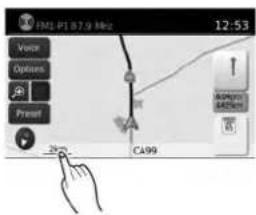
Whenzoominginorout,thescaleonthebottom leftsideofthescreenchangestoindicate the newscalelevel.
MAPSCALE
The following scales are available depending on themapview:
| 2Dview3Dview | |
| Perapproximately1/2inch(1cm) | Perapproximately1/2inch(1cm) |
| 150ft(50m)150ft(50m) | |
| 300ft(100m)300ft(100m) | |
| 600ft(200m)600ft(200m) | |
| 1/4mile(500m)1/4mile(500m) | |
| 1/2mile(1km)1/2mile(1km) | |
| 1 mile(2km)1 mile(2km) | |
| 2Dview3Dview | |
| 2.5mi(5km)— | |
| 5mi(10km)— | |
| 10mi(20km)— | |
| 25mi(50km)— | |
| 50mi(100km)— | |
| 100mi(200km) | — |
| 250mi(500km) | — |
LOOKING AT INFORMATION ON THE MAP
Icons of various categories of locations can be displayedonthemap.
MAPSYMBOLS
This navigation system uses symbols to display various types of facilities. The following icons are used on themapscreen:

Airport

Amusement Park

ATM

Automotive Dealership

Border Crossing

Bus Station

Business Facility

Car Rental

Casino

City Hall

Communtiy Center

Exhibition/Conference

Ferry Terminal

Golf Course

Highway Service

Historical Monument

Hospital

Infiniti Retailer

Marina

Movie Theater

Museum

Nissan Dealership

Parks and Recreation

Police

Post Office

School

Shopping Center

Ski Resort

Sports Center

Theater

Tourist Attraction

Tourist Office

Train Station

Winery
LNV2204
Mapsettings3-7
MAPSETTINGSFORTHEMAP SCREEN

text_image
MENU 12:07 Traffic Information POIs powered by Google™ Weather Google™ Send-To-Car Settings Voice Commands
text_image
SETTINGS Audio System Navigation Info Phone & Bluetooth XM
text_image
NAVIGATION SETUP 6:41 Map Settings Voice Guidance ON Volume - 9 + Show Estimated Time of Arrival Distance Units USOthersettingsareavailableforthemapscreen, suchasswitchingthemapvieworchangingthe mapdirection.
1.PresstheMENUbutton.
2. Touchthe"Settings"key.
- Touchthe "Navigation" key. 4. Touchthe "MapSettings" key.
Whenselected, thesystemwillofferthefollowingmapsettingoptions:
3-8Mapsettings
text_image
MAP SETUP 6:27 Map View 3D 20x North (1 Direction Up) Head Auto Zoom Only with a route Guidance Settings Show Places On Map LNV2074- MapView
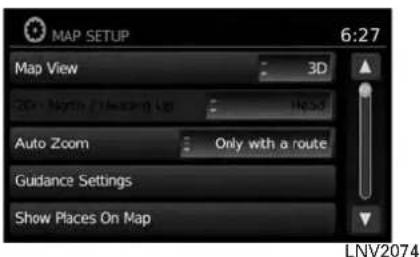
Touchthe"MapView"keytotogglebetweenthe2Dor3Dmapview.
●2DNorth/HeadingUp
Touchthe"2DNorth/HeadingUp"keyto togglethedisplaybetween"Head"and "North"forthe2Dmode.When"Head"is selected,thescreenshowsthemapinthe drivingdirection.When"North"isselected, thetopofthemapisalwaysorientated north.Thisoptioncanonlybeselected whenthe"MapView"issetto3D.
●AutoZoom
Touchthe "AutoZoom" keytochooseasettingforautomaticzooming.Availablesettingsare "Never", "Always" and "Onlywitha Route"
text_image
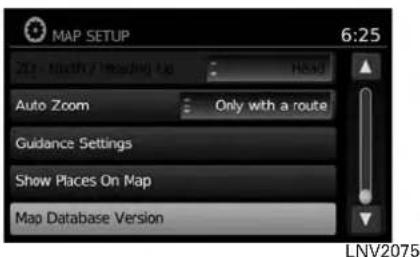
MAP SETUP 6:25 Auto Zoom Only with a route Guidance Settings Show Places On Map Map Database Version LNV2075●GuidanceSettings
Touchthe"GuidanceSettings"keytodisplayalistofffeaturesthatcanbeenabledordisabledonthemapscreen:
- SplitMapforFreewayExit Selecttotoggleonoroffthesplitview mapwhenapproachingafreewayexit.
●ShowLaneInformation Selecttotoggleonoroflaneinformation whenavailable.
●ShowSpeedLimit Selecttotoggleonoroffthedisplayof speedlimitinformationwhenavailable.
●MyPlacesAlert
SelecttocontroltheMyPlacesalert. Choose"Off"todisablethealert. Choose"ShowOnly"tohavethealert displayedonthescreen.Choose"Show &Beep" tohaveanaudiblebeepinadditiontothealertdisplayedonthescreen.
●SpeedLimitWarning
Selecttocontrolthespeedlimitalertthat activates when the vehicle speed is greaterthanthespeedlimitinformation forthecurrentlocation.Choose"Off" to disablethealert.Choose"ShowOnly" to havethealertdisplayedonthescreen.Choose"Show&Beep"tohaveanaudiblebeepinadditiontothealertdisplayedonthescreen.
●SpeedLimitSensitivity
Selectthesensitivitylevelforthespeed limitwarning.Chooseaaluebetween zeroand30.
●SpeedWarningforCurves
Selecttocontrolthealertthataactivates dependingonvehiclespeedandacurve intheroadahead.Choose"Off"todisablethealert.Choose"ShowOnly"to havethealertdisplayedonthescreen.Choose"Show&Beep"tohaveanaudiblebeepinadditiontothealertdisplayedonthescreen.
text_image
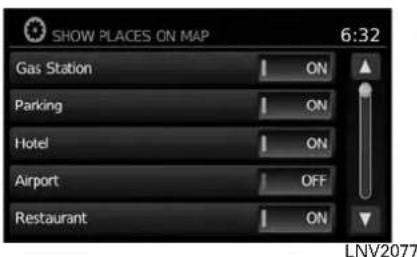
SHOW PLACES ON MAP 6:32 Gas Station ON Parking ON Hotel ON Airport OFF Restaurant ON LNV2077●ShowPlacesonMap
Touchthe "ShowPlacesonMap" keytoactivateordeactivatethedisplayofplaces iconsonthemap. Availableplacesaregas stations, parking, hotels, airports, restaurants, localtrainstations, hospitals, banksandautorepair.
Certainplaceiconswillappearasthebrand logoforthatplace. However, placesrepresented by abrandlogoonthemap may not necessarily benamedthesameasthe brandofthelogo.
text_image
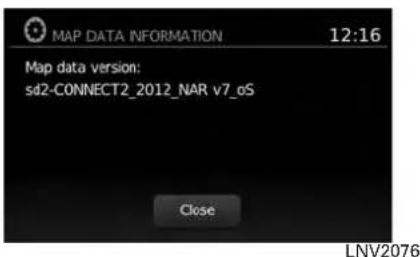
MAP DATA INFORMATION 12:16 Map data version: sd2-CONNECT2_2012_NAR v7_oS Close LNV2076●MapDataInformation
Touchthe"MapDataInformation"keyand thefollow-upscreenwilldisplaytheversion of thecurrentinstalledmap.

"MAPSD-CARD"(page3-11)
NOTE:
Amessagemaybedisplayedwhennew mapdataisavailable(ifsoequipped).If suchamessageisshown,contacta NISSANdealerformoreinformation.
LANEINFORMATION

text_image
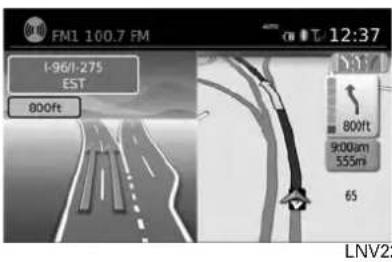
FM1 100.7 FM 12:07 I-96/I-275 EAST 1000ft 1000ft 8:30am 555mi 65 LNV2247Whenthevehicleisapproachingajunctionor interchange,thescreenswitchchestoasplitview. Laneinformationisgraphicallydisplayedonthe leftsideofthesplitscreenandiconsshowing the proper lanes for upcoming maneuvers are shownintheupperrightcornerbelowtheclock.
Thehighlightedlanesarethosefromwhichthe nextmaneuverontheroutewillbemade.Lanes displayedigrayarethosethatdonotfollowthe routeattheupcomingjunctionorinterchange. Theiconsintheupperrightcorneralsoindicate directionandmaychangeasthejunctionorinterchange approaches (for example, straight ahead,tostraightandthenright).
Oncethevehiclepassesthroughthejunctionor interchange, thescreenreturnstotheprevious view.
MAPSD-CARD
text_image
FM1 100.7 FM 1-96/1-275 EST 800ft 12:37 800ft 9000um 555m 65 LNV22
NOTE:
Laneinformationisnotavailableforall areas.Itwillonlybedisplayedinareas wherethenecessarymapdataisavailable.

NOTE:
Thenumberoflaneiconsintheupperright cornermaychangeasthejunctionorinterchangeapproachesduetoadifferencein thenumberofavailablelanes.

natural_image
Line drawing of a vintage electronic device front panel with control knobs and a display screen (no text or symbols)TypeA
LNV2180
The SD-cardslotislocatedonthefrontofthe unit.Whenyoupurchasethissystem,an SD-cardwithmapdataisprovided.

natural_image
Line drawing of a retro television set with control panel and mouse (no text or symbols)TypeB
LNV2388

NOTE:
●BeforeinsertingthemapSD-cardconfirm thatthereisnoSD-cardalreadyintheslot.
- TheSD-cardslotcanonlyreadtheSD-card withmapdataprovidedspecificallyforuse withthevehicle'snavigationsystem.ThesystemwillnotreadotherSD-cards.
- IfanSD-cardwithsomethingotherthanmap data(suchasmusic,picturesormovies)isinsertedintotheslot,theNavigationSystemwill notfunction.AmessagewillappearpromptingforthemapSD-cardtobereinserted.This messagewillnotappeariftheSD-cardisremovedwhileinaudiomode.Theaudiomode isnotaffectedbytheSD-card.
Mapsettings3-11
HOWTOHANDLETHESD-CARD
WhenhandlingtheSD-card,pleasebecareful andadheretothefollowinginstructions:

CAUTION
●HandletheSD-cardwithcare.Never touchthemetalcontacts.
- Donotuseanyconventionalcleaner, benzine,thinner,orantistaticspray.
- If you need to clean the SD-carduse asoftcloth.
●NeverattempttouseanSD-cardthat has been cracked, deformedorre-paired using adhesive. Doingsomay damagetheequipment.
- DonottrytobendtheSD-card.Do notuseanySD-cardthatisbentor cracked.
- Donotputonanystickerorwrite anythingontheSDcard.
- HandletheSD-cardcarefullytoavoid contaminationorflaws. Otherwise, thedatamaynotbereadproperly.
- DonotstoretheSD-cardinlocations exposedtodirectsunlight,orinhigh temperaturesorhumidity.
●AlwaysplacetheSD-cardinitsstor-agecasewhennotinuse.
SD-CARDREPLACEMENT
For additional SD-cardswithmapdata, contact the NISSANNavigationHelpdesk.
HOWTOORDERMAPDATAUP- DATES
Toorderupdatedmapdata,contacttheNISSAN NavigationHelpdesk.Seethecontactinformationontheinsidefrontcoverofthismanual.
ABOUTTHEMAPDATA
- Boschhascompiledthedigitizedmapdata intoausableformat.©2011RobertBosch GmbHHallrightsincompilationsoftware reserved.Duetotheproductiontimingofthe mapdata,somenewroadsmaynotbe included,orsomenamesandroadsmaybe differentfromthoseinuseatthetimethismap dataisused.
- Trafficcontrolandregulationdatausedinthis mapdatamaybedifferentfromthoseinuseat thetimethismapdataisused. Whendriving, followtheactualtrafficcontrolsignsandnoticesontheroads.
●Reproducingorcopyingthismapsoftwareis strictlyprohibitedbylaw.

WARNING
- Thisnavigationsystemshouldnotbe usedtoreplaceyourownjudgement. Noitinerarysuggestedbythisnavigationsystemshouldeveroverride anyfreewayregulations,yourown judgement,oraknowledgeofsafe drivingpractices.Donotfollowthe navigationsystem'ssuggesteditin- eraryifitwouldcauseyoutoperform adangerousorillegalact,placeyou inadangeroussituation,ortakeyou intoanareayouconsiderunsafe.
- The advice provided by the navigation system is to be regarded as a suggestion only. Theremay betimes when the navigation system displays the vehicle's location incorrectly, fails to suggest the shortest route, or fail to direct out your desired destination. Insuch instances, rely on your own judgment taking into account the driving conditions at the time.
- Donotusethenavigationsystemto locateemergencyservices.Thedata-basedoesnotcontainacomplete listingofemergencyservicessuchas policestations,firestations,hospitalsandwalk-inclinics.Pleaseeshow discretionandaskfordirectionsin suchinstances.
- Asthedriver, youaloneareresponsible for your drivingsafety.
- Inorderto avoid traffic accident, do not operate the system while driving.
-Inordertoavoidatrafficaccident, operatethesystemonlywhenthe vehicleisstoppedatasafeplace andtheparkingbrakeison.
-Inordertoavoidatrafficaccident ortrafficoffence,rememberthat actualroadconditionsandtraffic regulationstakeprecedenceover theinformationcontainedonthe navigationsystem.
- Thesoftware may contain in accurate or incomplete information dueto the passage of time, changing circumstances, and the sources of information used. Pleaserespect current traffic conditions and regulations at all times while driving.
-Whereactualroadconditionsand highway regulations differ from theinformationcontainedonthe navigationsystem,abidebythe highwayregulations.
-Keeptheamountoftimespent viewingthescreenwhiledrivingto astrictminimum.
The navigation system does not provide, nor represent in any way information on: traffic and highway regulations; technical aspects of the vehicleincludingweight,height,width,loadand speedlimits;roadconditionsincludinggrade, percentageofincline andsurfaceconditions; obstacles such as the height and width of bridgesandtunnels;andothercurrentdrivingor roadconditions.Alwaysrelyonyourownjudgementwhen drivingacar,taking intoaccountcurrentdrivingconditions.
The company trademarks used in this product to identify locations and business offices are the trademark of their respective owners. Their use does not represent sponsorship, approval or recommendation of this product by these companies.
END-USERTERMS
Thedata("Data")isprovidedforyourpersonal, internaluseonlyandnotforresale.Itisprotectedbycopyright,andissubjecttothefollowingtermsandconditionswhichareagreedtoby you,ontheonehand,andNISSANanditslicensors(includingtheirlicensorsandsuppliers)on theotherhand.
©2011 NAVTEQ. All rights reserved.
The Dataforareas of Canadain includes information taken with permission from Canadian authorities, including: © Her Majesty the Queen in Right of Canada, © Queen's Printer for Ontario, © Canada Post Corporation, GeoBase®, © Department of Natural Resources Canada.
NAVTEQholdsanon-exclusivelicensefromthe UnitedStatesPostalService®topublishand sellZIP+4®information.
©UnitedStatesPostalService®2009. Prices arenotestablished, controlledorapproved by the United States Postal Service ®. The following trademarks and registrations are owned by the USPS: United States Postal Service, USPS, and ZIP + 4.
The Datamay include or reflect data of licensors, including Her Majesty the Queen in the Right of Canada ("Her Majesty"), Canada Post
3-14 Mapsettings
Corporation("CanadaPost")andtheDepartment of Natural Resources Canada("NRCan").Such dataislicensedonan "asis"basis. Thelicensors, including Her Majesty, Canada Post and NRCan, makenoguarantees, representations or warranties respectings such data, either expressor implied, arising by law or otherwise, including but not limited to, effectiveness, completeness, accuracy or fitness for a particular purpose.
The licensors, including Her Majesty, Canada PostandNRCan, shall not beliable in respect of any claim, demand or action, irrespective of the nature of the cause of the claim, demand or action alleging any loss, injuryordamages, direct or indirect, which may result from the use or possession of the data or the Data. The licensors, including Her Majesty, Canada PostandNRCan, shall not beliable in any way for loss of revenues or contracts, or any other consequential loss of any kind resulting from any defect in the data or the Data.
EndUsershallindemnifyandsaveharmlessthe licensors,includingHerMajesty,CanadaPost andNRCan,andtheirofficers,employeesand agentsfromandagainstanyclaim,demandor action,irrespectiveofthenatureofthecauseof theclaim,demandoraction,allegingloss,costs, expenses,damagesorinjuries(includinginjuries resultingindeath)arisingoutoftheuseorpos- sessionofthedataortheData.
Termsandconditions
PersonalUseOnly:
YouagreetousethisDatatogetherwithNISSAN AutomotiveProductsforthesolelypersonal,non-commercialpurposesforwhichyou were licensed, andnotforservicebureau,timesharingorother similarpurposes.Accordingly,butsubjecttothe restrictionssetforthinthefollowingparagraphs, youmaycopythisDataonlyasnecessaryforyour personalusetoviewit,andsaveit,providedthat youdonotremoveanycopyrightnoticesthatappearanddonotmodifytheDatainanyway.You agreenottootherwisereproduce,copy,modify, decompile,disassembleorreverseengineerany portionofthisData,andmaynottransferordistributeitinanyform,foranypurpose,excepttothe extentsuchrestrictionsareexpresslyprohibitedor limitedbyapplicablelaw.
Restrictions:
Except where you have been specifically licensed todosobyNISSANandwithoutlimiting theprecedingparagraph,youmaynot:
a. usethisDatawithanyproducts,systems,or applicationsinstalledorotherwisecongnected toorincommunicationwithvehicles,capable of vehicle navigation positioning, dispatch, realtimerouteguidance,fleetmanagement orsimilarapplications;
b. usethis Data with or in communication with any positioning devices or an automobile wireless-connected electronic computer devices, including without limitation mobile phones, palmtop and handheld computers, pagers, and personal digital assistants or PDAs.
Warnings:
The Datamay contain inaccurate or incomplete information dueto the passage of time, changing circumstances, sources used and then nature of collecting comprehensive geographic data, any of which may lead to incorrect results.
No Warranty:
ThisDataisprovidedtoyou“asis,”andyouagreetouseitatyourownrisk.NISSANanditslicensors(andtheirlicensorsandsuppliers)makenoguarantees,representationsorwarrantiesofanykind,expressorimplied,arisingbylaworotherwise,includingbutnotlimitedto,content,quality,accuracy,completeness,effectiveness,reliability,fitnessforaparticularpurpose,usefulness,useorresultstobeobtainedfromthisData,orthattheDataorserverwillbeuninterruptedorerror-free.
DisclaimerofWarranty:
NISSANANDITSLICENSORS(INCLUDING THEIR LICENSORSANDSUPPLIERS)DISCLAIMANYWARRANTIES, EXPRESSOR IMPLIED, OF QUALITY, PERFORMANCE, MERCHANTABILITY FITNESS FOR APARTICULAR PURPOSE OR NON-INFRINGEMENT.
Some countries, locallaws and territories donot allow certain warranty exclusions, soto that extent the above exclusion may not apply to you.
DisclaimerofLiability:
NISSANANDITSLICENSORS(INCLUDING THEIR LICENSORSANDSUPPLIERS) SHALL NOTBELIABLETOYOU:INRESPECTOF ANYCLAIM,DEMANDORACTION,IRRESPECTIVEOFTHENATUREOFTHECAUSE OFTHECLAIM,DEMANDORACTIONAL-LEGINGANYLOSS,INJURYORDAMAGES, DIRECTORINDIRECT,WHICHMAYRESULT FROMTHEUSEORPOSSESSIONOFTHE INFORMATION; OR FOR ANY LOSS OF PROFIT, REVENUE, CONTRACTS OR SAVINGS, OR ANY OTHER DIRECT, INDIRECT,INCIDENTAL,SPECIALORCON-SEQUENTIALDAMAGESARISINGOUTOF YOURUSEOFORINABILITYTOUSETHIS INFORMATION, ANY DEFECT IN THE INFORMATION,ORTHEBREACHOFTHESE
TERMSORCONDITIONS, WHETHERINAN ACTIONINCONTRACTORTORTORBASED ONAWARRANTY, EVENIFNISSANORITS LICENSORS(ORTHEIRLICENSORS OR SUPPLIERS) HAVE BEEN ADVISED OF THE POSSIBILITY OF SUCH DAMAGES.
Some countries or local laws donotallow certain liability exclusions or damages limitations, so to that extent the abovemay not apply to you.
Exportcontrol:
Youagreenottoexportfromanywhereanypart oftheDataprovidedtoyouoranydirectproduct thereofexceptincompliancewith,andwithalllicensesandapprovalsrequiredunder,applicable exportlaws,rulesandregulations.
EntireAgreement:
The set terms and conditions constitute the entire agreement between NISSAN (and its licensors, including their licensors and suppliers) and you pertaining to the subject matter hereof, and supersedes in their entirety any and all written or oral agreements previously existing between us with respect to such subject matter.
MEMO
3-16Mapsettings
4Navigation
Aboutrouteguidance....4-2
Voiceguidanceduringrouteguidance....4-2
Navigationscreen.... 4 - 3
Basicoperation....4-3
Availablesettingitems....4 - 3
Routingoptions. 4 - 5
Settingadestination....4-6
Availabledestinationsettingmethods....4-7
Settingadestinationfromastreetaddress. 4 - 7
Settingadestinationfromplaces. 4-11
Searchingfornearbyrestaurantsorgasstations. 4-12
Searchingforplacesnearcurrentlocation.....4-13
Searchingforplacesinanothercity. 4-15
Searchingforplacesusing VoiceRecognition(ifsoequipped)....4-17
MyPlaces/User-definedpointsofinterest (POIs)....4-18
Settingadestinationfromtheaddressbook. . . . . . . 4-24
Settinganewentrytotheaddressbook.....4-24
Settinganentryasadestination....4-27
Settingadestinationfromtheaddressbook usingVoiceRecognition(ifsoequipped)....4-28
SettingadestinationfromPOIsPoweredby Google™ 4-28
Settinganintersectionasadestination. 4-30
Settingacitycenterasadestination. 4-33
Settingdestinationbymap....4-34
Trafficfeature....4-35 Displayingtrafficeventsalongroute....4-35
Trafficicons. 4-37
Trafficflowfeature. 4-37
Trafficsettings....4-37
Weatherfeature(TypeA)(UnitedStatesonly).... 4-39 Displayingweatherinformationonthe screen.... 4-39
Weatherfeature(TypeB)(Canadaonly). 4-41
Displayingweatherinformationonthe screen....4-41
Flightinformation(ifsoequipped)(Canadaonly). . . . 4-43
Fuelprices(ifsoequipped)(Canadaonly). 4-44
ABOUTROUTE GUIDANCE
Aftersettingthedestination,select"Start"tobeginrouteguidance.
During route guidance, the system navigates you through the guide points using visual and voice guidance.

CAUTION
- Thenavigationsystemvisualand voiceguidanceisforreferencepurposesonly.Thecontentsoftheguidancemaybeinappropriateddependingonthesituation.
- Whendrivingalongthesuggested route, followalltrafficregulations (forexample, one-waytraffic).

"Routeguidance"(page6-2)
flowchart
graph TD
    A["1"] --> B["2"]
    B --> C["3"]
    C --> D["4"]
    D --> E["Top Right"]
    style A fill:#f9f,stroke:#333
    style B fill:#ccf,stroke:#333
    style C fill:#cfc,stroke:#333
    style D fill:#fcc,stroke:#333
VOICEGUIDANCEDURINGROUTE GUIDANCE
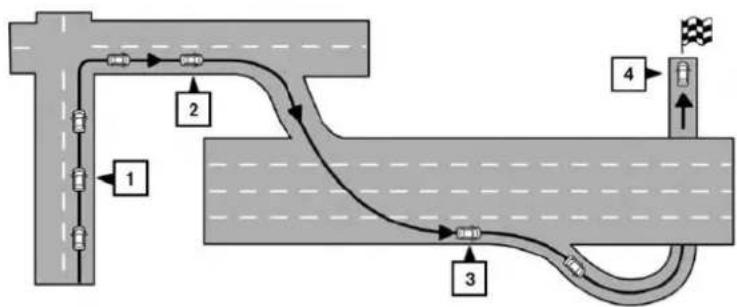
When approaching aguidepoint(intersectionor corner),destination,etc.,during routeguidance, voiceguidanceannouncestheremainingdistanceand/orturningdirection.
Touch "Voice" on the upper left of the screento repeat the voice guidance.
Exampleofvoiceguidance:
1 "Inaboutonequartermile(400meters),right (orleft)turn.""Right(orleft)turnahead."
LNV0943
2 "Inaboutonequartermile(400meters) freewayentranceonyourrightonto(road number and direction)." "Freeway entrance on your right onto (road number and direction)."
3 "In about one mile (1.6 kilometers), exit on your right." "Takethesecondexitonyour right."
4 "Youhavereachedyourdestination.Ending routeguidance."
4-2 Navigation
NAVIGATIONSCREEN
Severalmethodsareavailabletosetyour destination.
BASICOPERATION
- PresstheNAVbutton.

text_image
NAVIGATION 3:53 Destination Previous Destinations Home Routing Options Turn List Cancel Route LNV2047- Select the appropriate destination setting method by touching the screen or scrolling with the scrolling dial.
AVAILABLESETTINGITEMS
- Destination:
Setand/orsaveadestination.
Severalmethodsareavailabletosetyour destination.

"SETTINGADESTINATION" (page4-6)
●PreviousDestinations:
Searchesforadestinationfromthepreviousdestinationsinthedestinationmemory.
Upto50previousdestinationswillbeautomaticallystored.Ifthenumberofpreviousdestinationsexceeds50,theoldestonewillberemovedfromthelistandthenewestonewillbeadded.
Tomanuallydeleteapreviousdestination entry,selectanentryfromthelistandthen touchthe "Delete" key.Touch "DeleteAll" to deleteallpreviousdestinationsonthelist.
Touchthe"Save"keytoaddapreviousdestinationtotheaddressbook.
Previousdestinationscanalsobeselected usingtheNISSANVoiceRecognitionSystem(ifsoequipped):
- Pressthe

orbuttononthe
steeringwheel. Thesystemprovides promptsandwaitsforvoicecommands.
2.Say"Navigation".
3.Say"Previous".
- Speakthenumberofanentryonthedis- playedlisttochoosethatdestinationorsay "NextPage" to view more entries (if available).
Ifnorouteisset, routeguidanceiscalculated automatically. Ifarouteisset, say "ReplaceDestination" tousethechosenpreviousdestination in Step4 asthenew destination. Say "SetasWaypoint" to add thechosenpreviousdestination as away-point on the current route. Say "Showon Map" to show the chosen previous destination on themap.
FormoreinformationabouttheNISSAN VoiceRecognitionSystem,seethevehicle Owner'sManual.

NOTE:
Itisnotpossibletoretrievedeletedpreviousdestinationentries.
Home:
Yourhomeaddressscanbeenteredasa destination.
Homecanalsobesetasadestinationusingthe NISSANVoiceRecognitionSystem(ifso equipped):
- Press the ☑ or ☑ button on the steering wheel. The system provides prompts and waits for voice commands.
2.Say"Navigation".
3.Say"Home".
Ifahomelocationisset, routeguidancetothe homelocationiscalculatedautomatically.
FormoreinformationabouttheNISSANVoice RecognitionSystem,seethevehicleOwner's Manual.
- RoutingOptions:
Changesthesettingsthesystemusesto calculatetheroute.

"ROUTINGOPTIONS" (page4-5)

text_image
ROUTE LIST 2:13 ARIZONA ST 2:14 MERRIMAN RD 0.9 mi MERRIMAN RD 0.2 mi SCHOOLCRAFT RD 16.6 mi 196, JEFFRIES FWYLNV0945
-TurnList:
Touch"TurnList"todisplayalistofallturns ontheactiveroute.Touchanentrytosee moredetailedinformationaboutthatentry.

text_image
ROUTE LIST 1.3 mi, 3:41, MANHATTAN BRG 3:33 ListLNV0946LNV2059

text_image
ROUTING OPTIONS 4:15 Dynamic Guidance Route Type Minimize Freeways Minimize Toll Roads Minimize Ferries Prompt Fastest OFF OFF OFFROUTINGOPTIONS
- CancelRoute:
Touch"CancelRoute"tocanceltheroute guidance.

NOTE:
Ifrouteguidanceisnotactive,both"RoutingOptions"and"CancelRoute"cannotbe operated.
Thesettingsthesystemusestocalculatethe routetoadestinationcanbeadjustedtosuit yourneeds.
-
PressNAV.
-
Touch "Routing Options".
-
Adjust the setting stothed desired level.
●DynamicGuidance:
Setto"OFF"todisabletrafficinfo.Setto "Automatic"fortrafficalertstobecontrolled automatically.Setto"Prompt"fortraffic alertstobedisplayedwhenprompted.
-RouteType:
Setto "Fastest" to calculate the fastest route. Setto "Eco" to calculate the most economical route. Setto "Shortest" to calculate the route of shortest distance.
- MinimizeFreeways:
Toggleonorofftominimizetheuseoffree-waysonacalculatedroute.
- MinimizeTollRoads:
Toggleonorofftominimizetheuseoftoll roadsonacalculatedroute.
- MinimizeFerries:
Toggleonorofftominimizetheuseofferriesonacalculatedroute.
SETTINGADESTINATION

text_image
ROUTING OPTIONS 4:13 Route Type : Fastest Minimize Freeways OFF Minimize Toll Roads OFF Minimize Ferries OFF Minimize Seasonal Roads NeverLNV2060LNV2212LNV2372
- Minimize Seasonal Roads:
Settocontroltheuseofseasonalroadson acalculatedroute.Setto"Always","Never" or"WhenClosed".

text_image
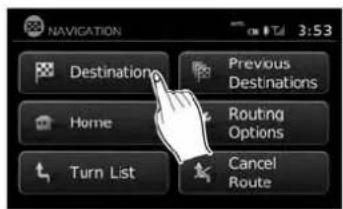
NAVIGATION 3:53 Destination Previous Destinations Home Routing Options Turn List Cancel RouteSeveralmethodsareavailabletosetyourdestination:
1.PresstheNAVbutton.
- Touch "Destination".

text_image
ENTER DESTINATION BY: 12:09 Street Address Address Book Places PCIs powered by Google™ My Places Next PageThemethodsforsettingadestinationareshown.
4-6Navigation

text_image
ENTER DESTINATION BY: 3:35 Intersection Map City Center Previous PageSETTINGADESTINATIONFROMA STREETADDRESS
• "MyPlaces"

"MYPLACES/USER-DEFINED PLACES"(page4-18)
- "AddressBook"

"SETTINGADESTINATION FROMTHEADDRESSBOOK" (page4-24)
LNV2039LNV2213 POIsPoweredbyGoogle™
Ifrouteguidanceisactive,youcanchoosehow tousethenewdestination.Select"AddasWaypoint"tokeepthecurrentdestinationandtoadd thecurrentdestinationasawaypointalongthe route.Select"Replace"tocancelthecurrent routeandreplacethecurrentdestinationwith thenewdestination.
AVAILABLEDESTINATIONSETTING METHODS
- "StreetAddress"

"SETTINGADESTINATION FROMASTREETADDRESS" (page4-7)
- "Places"

"SETTINGADESTINATION FROMPLACES"(page4-11)

"SETTINGADESTINATION FROMPOIsPOWEREDBY GOOGLE™"(page4-28)
●"Intersection"

"SETTINGANINTERSECTION ASADESTINATION" (page4-30)
●"CityCenter"

"SETTINGACITYCENTERAS ADESTINATION"(page4-33)
•“Map”

"SETTINGDESTINATIONBY MAP"(page4-34)
text_image
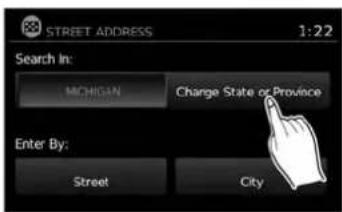
STREET ADDRESS 1:22 Search In: MICHIGAN Change State or Province Enter By: Street City1.PresstheNAVbutton.
- Touch "Destination".
3.Touch"StreetAddress".
- If the state or provinces hown on the screen is correct, proceed to step 6. If the state or provinces hown on the screen is not correct, touch "Change State/Province".
Navigation4-7

text_image
State/Prov. MAINE 9 OK 123 / ABC Delete List A S D F G H I L Z A C S B N M SpaceItispossibletochoose"City"atthisstepif youwanttomanuallyenterthecityname. However,thesystemcanautomatically narrowdownthecityinmostcaseswhen youenterthestreetnamefirst.Enteringby streetcanalsobusefulifyouareunsure ofthecity'scorrectspelling.
text_image
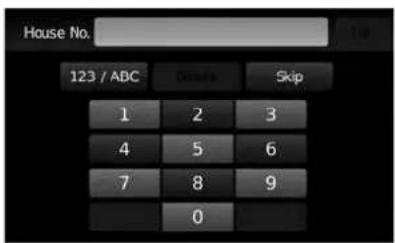
House No. 123 / ABC Denote Skip 1 2 3 4 5 6 7 8 9 0- Thedisplayshowsatouchkeyboardtoenterthehousenumberofthedestination.If thehousenumberisnotknown,touch "Skip" andadefaultlocationonthestreet willbeused.

"HOWTOINPUTCHARAC- TERS"(page2-8)

NOTE:
If you choose "Skip", a default location is chosen by the system and you will have a chancetochangethe position on the map is displayed. Seestep12 form more instructions on changing the default location.
text_image
Street 123 / ABC Taste List Q W E R T Y U I O P A S D F G H J K L Z X C V B N M . SpaceLNV2067LNV0955LNV0953
text_image
Select Street Name: 4:04 PORTLAND AVE PORTLAND AVE, N PORTLAND AVE, S PORTLAND CT PORTLAND PKY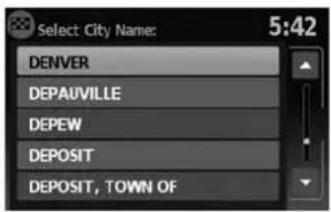
text_image
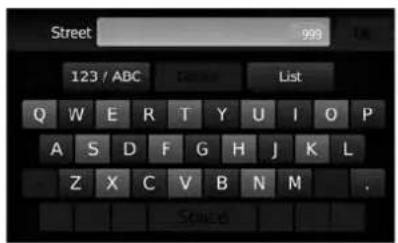
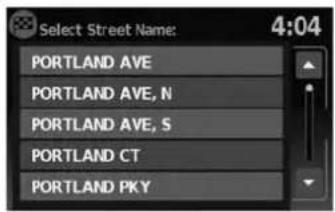
Select City Name: 5:42 DENVER DEPAUVILLE DEPEW DEPOSIT DEPOSIT, TOWN OF- Thedisplayshowsatouchkeyboardtoenterthestreetname.Enterthenameofthe street.Atanytime,touchthe"List"keyto displayalistofpossiblestreetnamesbased ontheletterscurrentlyentered.Whenthe numberofmatchesreducedtosixorless, thestreetlistwillbeshownautomatically.

"HOWTOINPUTCHARAC- TERS"(page2-8)
- Touchthestreetnameonthelist. 10. Ifthestreetnameyouchooseisfoundin
onlyonecityinthestate,thesystemwillautomaticallyproceedtostep11.However,if thestreetnameyouchooseisfoundinmultiplecitiesthroughoutthestate(for example,acommonnamesuchasMain Street),youwillneedtochoosethenameof thecitybytouchingitonthescreen.

text_image
City FARMINGTON HILLS 1 OK 123 / ABC Delete List Q W E B T Y U I O P A S B F G H I K L Z X C V B N N SpaceLNV2062LNV0957LNV2098
Ifthelistofcitiesistoolarge,youmaybeasked tospellthecitynametonarrowdownthenumberofmatches.

"HOWTOINPUTCHARACTERS" (page2-8)

text_image
Select House Number: 3:35 400 .. 598 401 .. 599 600 .. 698 601 .. 699 700 .. 798- If the house number entered in step 7 does not exist on the street-in the chosen city, "The house number is not available" will be displayed. Select "ShowMap" or "Change Number".

NOTE:
Youwillhaveachancetochangethepositionfromthedefaultlocationoncethe mapisdisplayed.Seestep12formoreinstructionsonchangingthedefault location.

text_image
Push "Start" to calculate route 12:07 Start CAN PK Y Calculating route Menu 50m WASHINGTON BLVD, WASHINGTON DC12.Amapofthedestinationisdisplayedonthe screen.Touch"Start"tocalculatetheroute.
Themapofthedestinationisalwaysdisplayedin 2DNorthUp.Oncethe"Start"keyistouched, thesystemreturnstothecurrentmapsettings.

NOTE:
If you did not enter an exact street address earlier in the process, the system will have chosen default location, either along the street or within a range of addresses on that street. Tomoveth map from that default position, touch the "Options" key. A message will be displayed as asking if you want to move or store the location.
Touch"Move"todisplayamapscreenthata- lowsyoutotouchanewlocationforthe destination.Touch"OK"whencomplete.
Touch"Store"tostorethelocationintheaddressbook.

"SETTINGANEWENTRYTOTHE ADDRESSBOOK"(page4-24)
AdestinationcanalsobesetfromastreetaddressusingtheNISSANVoiceRecognitionSystem(ifsoequipped):
- Pressthe orbuttononthe steeringwheel. Thesystemprovides promptsandwaitsforvoicecommands.
2.Say"Navigation".
3.Say"StreetAddress". - When prompted, say the name of the state or province. If the system cannot clearly interpret the name of the state or province, a list is provided with possible matches. Speak the number of the state or province displayed on the screen or say "SpellState" to spell the name of the state.
-
When prompted, say the name of the city. If the system cannot clearly interpret the name of the city, a list is provided with possible matches. Speak the number of the city displayed on the screen or say "Spell City" to spell the name of the city.
-
When prompted, say then a name of the street. If the system cannot clearly interpret the name of the street, alist is provided with possible matches. Speak then number of the street displayed on the screen or say "Spell Street" to spell then a name of the street.
-
When prompted, say the house number or say "No House Number" to display a default location on the chosen street within the chosen city. If the house numbers spoken is not on the chosen street, the system will notify you that the number is out of range and to state the number or say "No House Number".
Ifarouteisactive, say "ReplaceDestination" to replace the current destination with the new streetaddressorsay "SetasWaypoint" to set the new street address as a waypoint on the current route.
Ifarouteisnotset, say "SetasDestination" to setthenewstreetaddressasthedestination andbeginrouteguidance.
Say"ShowonMap"todisplay thenewstreetaddressonthemap.
FormoreinformationabouttheNISSANVoice RecognitionSystem,seethevehicleOwner's Manual.
SETTINGADESTINATIONFROM PLACES
Thesystemfeaturesadatabaseofplacessuch asrestaurants,hotels,banksandmoretoassist youinnavigation.Theseplacescan beset as destinations and the system can then calculate a route.

"MYPLACES/USER-DEFINED POINTSOFINTEREST(POIs)" (page4-18)
text_image
NAVIGATION 3:53 Destinations Previous Destinations Home Routing Options Turn List Cancel Route
text_image
ENTER DESTINATION BY: 12:09 Street Address Address Book Places POIs powered by Google™ My Places Next Page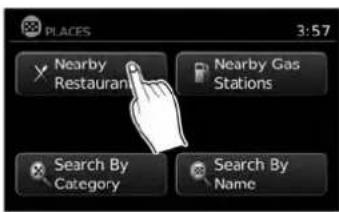
text_image
PLACES 3:57 Nearby Restaurants Nearby Gas Stations Search By Category Search By NameLNV2212LNV2373LNV2216
SEARCHINGFORNEARBYRESTAURANTSORGASSTATIONS
Whileawidevarietyofplacescanbesearched inthesystem,shortcutbuttonsareavailablefor restaurantsandgasstations.
- PresstheNAVbutton.
-
Touch "Destination".
-
Touch "Places". 4. Touch "NearbyRestaurants" or "Nearby
GasStations".
- Thesystemsearchesfordestinationswithin 50miles(80km)ofthecurrentposition.
4-12Navigation
text_image
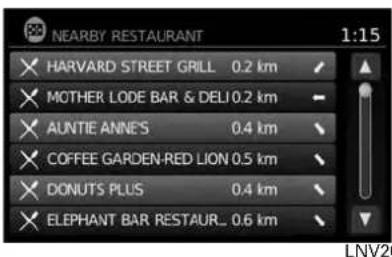
NEARBY RESTAURANT 1:15 HARVARD STREET GRILL 0.2 km MOTHER LODE BAR & DELI 0.2 km AUNTIE ANNES 0.4 km COFFEE GARDEN-RED LION 0.5 km DONUTS PLUS 0.4 km ELEPHANT BAR RESTAUR... 0.6 km LNV20- Placesareshownbasedonthestraightline distancetothecurrentposition.Thearrow ontherightshowsthedirectionofthe destination.Touchthedesireddestination onthelist.
text_image
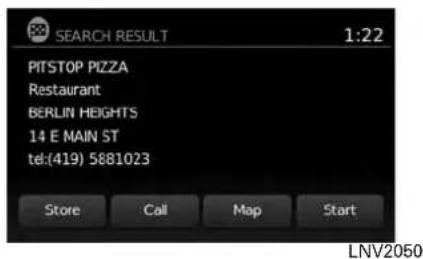
SEARCH RESULT 1:22 PITSTOP PIZZA Restaurant BERLIN HEIGHTS 14 E MAIN ST tel:(419) 5881023 Store Call Map Start LNV2050-
Adetailed description of the destination is provided.
-
PresstheBACKor → BACKbuttontogo backandpickanotherdestination.
- Touch"Store"tostorethedestinationinthe addressbook.
- Touch "Call" to call the destination (if a phone number is available) using the Bluetooth® Hands-Free Phone System. Seethe vehicle Owner's Manual form more information about the Bluetooth® Hands-Free Phone System.
- Touch"Map" to show a map of the destination.
- Touch "Start" to calculate etherout to the destination.

text_image
PLACES 3:57 Nearby Restaurants Nearby Gas Stations Search By Category Search By Name LNV2053SEARCHINGFORPLACESNEAR CURRENTLOCATION
- PresstheNAVbutton.
- Touch "Destination".
- Touch "Places".
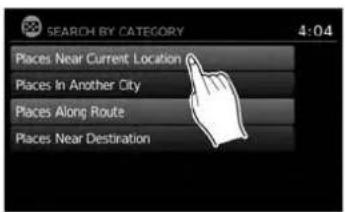
- Touch "SearchbyCategory".
text_image
SEARCH BY CATEGORY 4:04 Places Near Current Location Places In Another City Places Along Route Places Near DestinationIf you choose "ByName", you can search for places using as specific name. Thetouchkeyboard disshown.

"HOWTOINPUTCHARACTERS" (page2-8)

NOTE:
- Whensearching "ByCategory", thesystem 2052 will search for up to 200 matches within 50 miles (80 km) of the current position.
- Whensearching "ByName", thesystemwill searchforupto30matcheswithin50miles (80km)ofthecurrentposition.
- If the destination is not found within the 50 mile (80 km) search radius, you can search for places around specific city name.

"SEARCHINGFORPLACESINAN-OTHERCITY"(page4-15)

text_image
NEARBY RESTAURANT 1:15 HARVARD STREET GRILL 0.2 km MOTHER LODE BAR & DELI 0.2 km AUNTIE ANNE'S 0.4 km COFFEE GARDEN-RED LION 0.5 km DONUTS PLUS 0.4 km ELEPHANT BAR RESTAUR... 0.6 km- Destinationsareshownbasedonthedistancetotheselectedposition.Thearrowontherightshowsthedirectionofthedestination.Thedistanceshownisa straightlinedistance.
Touchthedesireddestinationfromthelist.
-
Touch "PlacesNearCurrentLocation".
-
Touch "ByCategory" or "ByName".
-
If you choose "ByCategory", you can browse destinations from a variety of categories and subcategories, including:
●Automotive
●Banking&Business
Emergency
Hotel/Motel
•Leisure
●PublicPlaces
- Restaurant
●Shopping
-Travel
4-14Navigation
text_image
SEARCH RESULT 1:22 PITSTOP PIZZA Restaurant BERLIN HEIGHTS 14 E MAIN ST tel:(419) 5881023 Store Call Map StartLNV2050LNV2053LNV2213
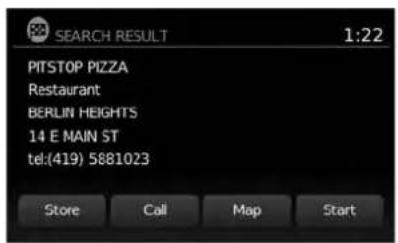
- Adetailed description of the destination is provided.
PresstheBACKor BACKbuttonto gobackandpickanotherdestinationor touch"Start"tohavethesystemcalculate theroutetothedestination.

text_image
PLACES 3:57 Nearby Restaurants Nearby Gas Stations Search By Category Search By NameSEARCHINGFORPLACESINAN- OTHERCITY
1.PresstheNAVbutton.
2. Touch "Destination".
3.Touch"Places".
4. Touch "SearchbyCategory" or "Searchby Name".
5. Touch "PlacesinAnotherCity".

text_image
STREET ADDRESS 1:22 Search In: MICHIGAN Change State or Province Enter By: Street City- Touch "ChangeState/Province" if the state or provinces shown is not correct.
text_image
State/Prov. MAINE 9 OK 123 / ABC Delete List A S D F G H I K L Z A E V B N M SpaceLNV2066LNV2062LNV0953
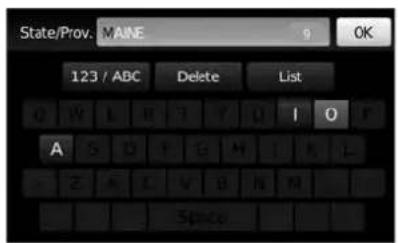
- If necessary, enter then a name of the state or province.
Thedisplayshowsthetouchkeyboard.

"HOWTOINPUTCHARAC- TERS"(page2-8)
Thekeyboardhasanintelligentspelling setting,soitexcludesnon-existing combinations.Onthetoprightofthe screen,thenumberofmatchesisshown.

text_image
City FARMINGTON HILLS 1 OK 123 / ABC Delete List Q W E R T Y U I D P A S D F G H I K L Z X C V B N M Space8.Touch"City".
9.Atouchkeyboarddisdisplayed.Enterthe nameofthedesiredcity.
text_image
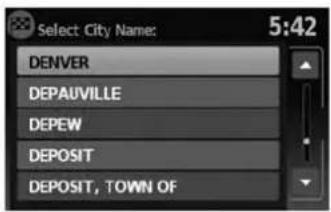
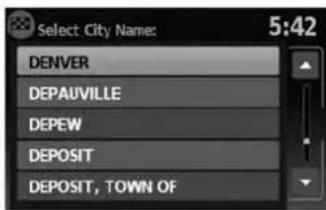
Select City Name: 5:42 DENVER DEPAUVILLE DEPEW DEPOSIT DEPOSIT, TOWN OFPress "List" at any time to display a list of remaining cities. Touch the desired city.
- If you chose "Search by Category" in Step4, you can browse destinations from a variety of categories and subcategories, including:
●Automotive
- Banking&Business
Emergency
Hotel/Motel
•Leisure
●PublicPlaces
Restaurant
- Shopping
-Travel
4-16Navigation
If you choose "SearchbyName" in Step 4, you can search for places using as specific name. The touch keyboard is shown.

"HOWTOINPUTCHARACTERS" (page2-8)

NOTE:
- Whensearching "ByCategory", thesystem willsearchforupto200matcheswithin 50miles(80km)ofthechosencity.
- Whensearching "ByName", thesystemwill searchforupto30matcheswithin50miles (80km)ofthechosencity.Ifnomatchesare found,touch "ChangeName"tosearchfor anothernameortouch "Google®"tosearch usingtheGoogle®Placesfunction.

"SETTINGAGOOGLE®PLACES DESTINATION"(page4-28)
text_image
NEARBY RESTALARANT 1:15 × HARVARD STREET GRILL 0.2 km × MOTHER LODE BAR & DELI 0.2 km × AUNTIE ANNE'S 0.4 km × COFFEE GARDEN-RED LION 0.5 km × DONUTS PLUS 0.4 km × ELEPHANT BAR RESTAUR_ 0.6 kmLNV2052LNV2050
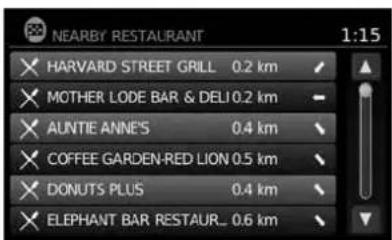
- Destinationsareshownbasedonthedistancefromtheselectedposition.Thearrow ontherightshowsthedirectionofthe destination.Thedistanceshownisa straightlinedistancefromthecitycenter.
Touchthedesireddestinationfromthelist.
text_image
SEARCH RESULT 1:22 PITSTOP PIZZA Restaurant BERLIN HEIGHTS 14 E MAIN ST tel(419) 5881023 Store Call Map Start- Adetailed description of the destination is provided.
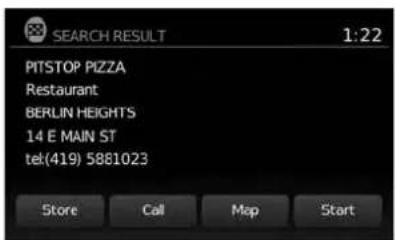
PresstheBACKor → BACKbuttonto gobackandpickanotherdestinationor touch"Start"tohavethesystemcalculate theroutetothedestination.
SEARCHINGFORPLACESUSING VOICERECOGNITION(ifso equipped)
Placescanbesetasdestinationsusingthe NISSANVoiceRecognitionSystem:
1.Pressthe

orbitononthe
steeringwheel. Thesystemprovides promptsandwaitsforvoicecommands.
2.Say"Navigation".
3.Say"Places".
Navigation
- Saythenameofthetypeofplacefromthe availablelistonthescreen:
GasStations
Restaurants
•ATMs
Parking
RestAreas
Hotels
●Dealerships
●Airports
-
Say "AlongRoute" tosearchforthedesired placesalongthecurrentroute. Say "Nearby" tosearchforthedesiredplaces closetothevehicle'scurrentlocation. Say "NearDestination" tosearchforthedesiredplacesneartheroute'sdestination.
-
Thesystemdisplaysalistofresultsfitting thesearchcriteria.Saythenumberofthe desiredentryonthelist.
Ifarouteisactive, say "ReplaceDestination" to replacethecurrentdestinationwiththenew streetaddressorsay "SetasWaypoint" toset thenewstreetaddressasawaypointonthecurrentroute.
Ifarouteisnotset, say "SetasDestination" to setthenewstreetaddressasthedestination andbeginrouteguidance.
Say "ShowonMap" to display thenewstreetaddressonthemap.
FormoreinformationabouttheNISSANVoice RecognitionSystem,seethevehicleOwner's Manual.
MYPLACES/USER-DEFINED POINTSOFINTEREST(POIs)
Apointofinterest(POI)intheMyPlacesdatabaseisaspecificlocationofinterestsuchasagasstationorbank.ThePOIconsistsofalongitudevalue,alatitudevalueandaname.
AdditionalPOIscanbeaddedtothesystemusingthevehicle'sUSBport.Formoreinformation aboutusingtheUSBport,seeyourvehicle's owner'smanual.
The POIscanbesetasadestinationorbesetup toactivatePOIwarningsthatdisplayapop-up messagewhenthevehicleapproachescertain areassuchashazardspotwarnings.
NOTE:
- Inordertosavetheuser-definedpointsofinterestdata,aUSBmassstoragedeviceis required.Theuser-definedpointsofinterest datacannotbesavedontheSD-cardwhich containsthenavigationdata.
- User-definedpointsofinterestarenotshown inthemaprepresentation.
- Thesystemrecognizestheuser-defined pointsofinterest(POI)dataandthenasksthe userviaapop-upmessageifthedataneeds tobedownloadedintothesystem.
- If you confirm the download, the available user Places in the system internal memory will be deleted and thenewones in the USB mass storage device will be downloaded into the internal memory of the system.
- The progress of the download is shown by a progress bar. Whentedownload is finished, the user is notified that the USB mass storage device can be removed.
4-18Navigation

text_image
File Edit View Window Help 1 -4.06%94, 53.800451 (Silverstone) Silverstone 2 3 4 5 6 7 8 1 2 3 4 Save As Scratch: mg/lits mg@Calcemings File name: Silverstone.com Save as type: 3x199-001*cm Save Cancel 5LNV1017
Creatinguser-definedpointsofinterest(POIs)
1 Longitude
2 Latitude
3 Name
4 Location/Foldertosave
5 Filename
POldatacanbedownloadedfromtheInternet orcreatedinasimpletexteditorinCSV(Comma SeparatedValues)fileformat.
TherearetwokindsofPOldatasupportedby thesystem:
-UserPOIs-user-definedpointsofinterest (POI)thatcanlaterbesetasadestination andfoundusingrouteguidance.
- POI-warnings-user-suppliedareassuchas hazardspotsthatthesystemdisplaysina pop-upwindowwhenthevehicleisapproachingthedesignatedarea.
Perform the following procedure to create your own User POIs:
- ConnectaUSBmassstoragedeviceto yourpersonalcomputer.
- Useastandardsoftwareprogramtocreate alistofPOIs.Makesurethesoftwarecan supporttheCSVfileformat.
- In the first column, enter the longitude value of the position of the POI.
- In these second column, enter the latitude value of the position of the POI.
- In the third column, enter the name of the POI. Information entered in the fourth column, such as address or phonenumber, will be appended to the name of the POI.
6.Addmorerowsifnecessary. - Savethefilewiththeextension.csv(for example, myplacesfile.csv).
NOTE:
Thenameofthe.CSVfilewillbeusedto createaMyPlacescategoryinthesystem. Createseparate.CSVfileswithdifferent namestocreateotherMyPlaces categories.
- MakesuretoselecttheUSBmassstorage deviceasthelocationtosave, usingtheexactfoldername "/myPOIs" forUserPOIsor "/myPOIs/myPOI warnings"
forPOI-warnings. Forexample, iftheUSB massstoragedevice'srootfolderisrepresentedbyf:/savethefiletothefolder "f:/myPOIs" forUserPOIsortothefolder "f:/myPOIs/myPOIwarnings"
forPOI-warnings.
- Connect the USB mass storage device to the vehicle's USB port. Form more information about the USB port, see your vehicle's Owner's Manual.
text_image
ENTER DESTINATION BY: 12:09 Street Address Address Book Places POIs powered by Google™ My Places Next Page
text_image
NAVIGATION SETUP 5:42 New User POIs are available on USB device. Download will overwrite current My Places entries. Download CancelLNV2374LNV1001
Addinguser-definedpointsofinterest (POIs)
Perform the following procedure to add your UserPOIstothesystem:
1.PresstheNAVbutton.
- Touch "Destination".
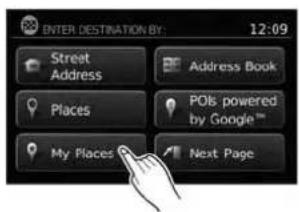
3.Touch"MyPlaces".
- IfaUSBmassstoragedevicewiththenew POldataisconnected,thesystemwillautomaticallyaskifyouwanttotransferthePOI data.Touch"Download"tobeginthetransferor"Cancel"tocanceltheprocedure.

NOTE:
NewPOldatawilloverwritePOldataal-readyintheinternalmemory.
4-20Navigation

text_image
NAVIGATION SETUP 5:42 Copying your places to the system. Please wait ... CancelLNV1002LNV2057LNV2098
- The POI data on the USB mass storage device is transferred to the vehicle.

NOTE:
A maximum of 8 MB of POI data can be added to the system.

text_image
MyPOI 1:41 San Francisco Houston Lake St. Chicago Chicago City Kentucky Miami-
Oncethedownloadprocessiscomplete, theavailablePOlsaredisplayedinaliston thescreen.
-
TouchthenameofaPOlonthelisttosetit asthedestination.

text_image
Push "Start" to calculate route 12:07 Start CAN PK Y Calculating route Menu N 50m WASHINGTON BLVD, WASHINGTON DC- Touch "Start" to calculate etheroute.
Navigation4-21

text_image
ENTER DESTINATION BY: 12:09 Street Address Places My Places Address Book POIs powered by Google™ Next Pagetext_image
MENU 12:07 Traffic Information POIs powered by Google™ Weather Google™ Send-To-Car Settings Voice CommandsDeletinguser-definedpointsofinterest(POIs)
Perform the following procedure to delete the user-defined POIs stored in the My Places memory:
- PresstheMENUbutton.
- Touch "Settings".
- Touch "Navigation".
4-22Navigation
text_image
NAVIGATION SETUP 6:38 My Places Settings Customize Travel Sp Show Position / GPS in Demo Mode ON Set Start Location for Demo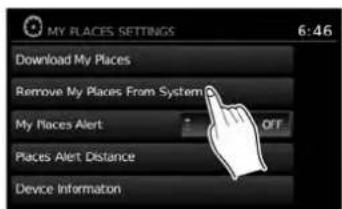
text_image
MY PLACES SETTINGS 6:46 Download My Places Remove My Places From System My Places Alert OFF Places Alert Distance Device InformationLNV2220LNV2221LNV2086
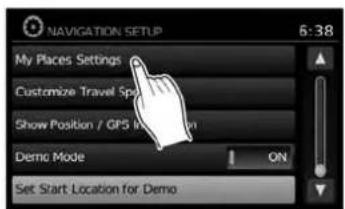
- Touch "MyPlacesSettings" 5. Touch "Remove MyPlaces From System".
6.Apop-upisdisplayedtoconfirmthatyou wanttodeleteallUserPOIs(MyPlaces) fromthesystem.Touch"Yes"todeletethe UserPOIsor"No"tocancel.
Otheroptionsareavailableonthe"MyPlaces Settings" screen:
●MyPlacesAlert Selecttoadjusthowalertsareprovidedwhen approachingadestinationsetbyMyPlaces. Choose "OFF"todisablethealert. Choose "ShowOnly"todisplaythealertonthe screen.Choose "Show&Beep"todisplaythe alertonthescreenandplayanaudiblesound.

text_image
MY PLACES ALERT DISTANCE 6:56 1000 ft 1/4 Mile 1/2 Mile 1 Mile 1.5 Miles 2 Miles-PlacesAlertDistance SelecttochoosefromtheavailablelistadistanceawayfromtheMyPlacesdestinationat whichtoactivatethealert.
●DeviceInformation
Selecttodisplaythedeviceinformation.
SETTINGADESTINATIONFROMTHE ADDRESSBOOK
This option allows youtosetandstorethedestination in the address book and set the stored destination to calculate a route.

text_image
ENTER DESTINATION BY: 12:09 Street Address Address Book Places Point by the Home" My Places Next Page
text_image
ADDRESS BOOK 2:41 Add New Entry BELLE TIRE LAKEPOINTE YAC MICHIGAN NATIONAL BANK NISSAN NORTH AMERICA PARKSIDE CREDIT UNIONLNV2376LNV2223
SETTINGANEWENTRYTOTHE ADDRESSBOOK
1.PresstheNAVbutton.
2. Touch "Destination".
3.Touch"AddressBook".
- Touch "AddNewEntry".
4-24Navigation

text_image
Add to Address Book Using: 14:27 Street Address Previous Destinations Current Destination Current PositionLNV0961LNV2046LNV2065
text_image
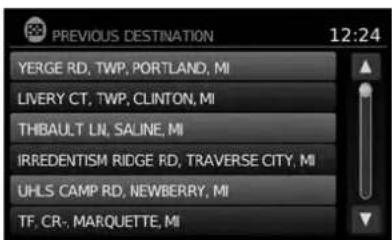
PREVIOUS DESTINATION 12:24 YERGE RD, TWP, PORTLAND, MI LIVERY CT, TWP, CLINTON, MI THBAULT LN, SALINE, MI IRREDENTISM RIDGE RD, TRAVERSE CITY, MI UHLS CAMP RD, NEWBERRY, MI TF. CR-, MARQUETTE, MI●"PreviousDestination"
This option allows you to save a destination in the address book from a location stored in the previous destination memory.
Touchthedestinationyouwouldliketosave intotheaddressbook.

text_image
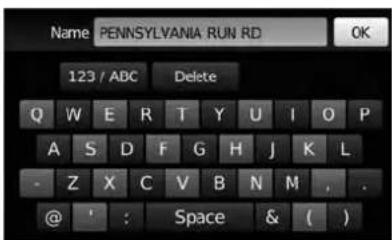
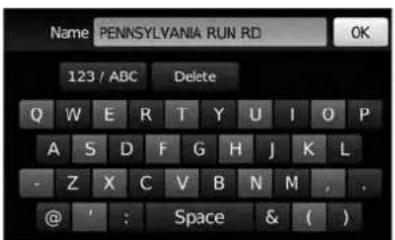
Name PENNSYLVANIA RUN RD 123 / ABC Delete Q W E R T Y U I O P A S D F G H J K L - Z X C V B N M , . @ ' : Space & ( )Thetouchkeyboardgivestheoptiontochange thenameoftheselecteddestination.
Touch"OK".Thesystemconfirmstheentryand addsittotheaddressbook.
Therearefourpossibilities shown:

NOTE:
Upto50addressbookentriescanbe stored.Ifthenumberofaddressbookentriesexceeds50,onemustbedeletedbeforethenewonecanbeadded.

"SETTINGANENTRYASADESTINATION"(page4-27)
- "StreetAddress"
Thisoptionallowsyoutosaveanewentry byselectingtheaddress.

"SETTINGADESTINATION FROMASTREETADDRESS" (page4-7)

text_image
Add to Address Book Using: 14:27 Street Address Previous Destinations Current Destination Current PositionLNV0964LNV2065LNV0965
text_image
Name PENNSYLVANIA RUN RD OK 123 / ABC Delete Q W E R T Y U I O P A S D F G H J K L - Z X C V B N M , . @ ' : Space & ( )- "CurrentDestination"
Thisoptionallowsyoutostorethecurrently setdestinationintheaddressbookwhena routeisactive. Thisoptionisonlyavailable whenarouteisactive.
Touch"CurrentDestination".
Thetouchkeyboardgivestheoptiontochange thenameofthedestination.
Touch "OK". Thesystemconfirmstheentryand addsittotheaddressbook.

text_image
Add to Address Book Using: 14:27 Street Address Previous Destinations Current Destination Current Position- "CurrentPosition"
Thisoptionallowsyoutosetthecurrentpositionasadestinationintheaddressbook.
Touch"CurrentPosition".
4-26Navigation
text_image
Name PENNSYLVANIA RUN RD 123 / ABC Delete Q W E R T Y U I O P A S D F G H J K L - Z X C V B N M , . @ ' : Space & ( )Insteadoftouching "AddNewEntry", you can touch any previously saved address.

text_image
ADDRESS BOOK 1:36 FARMINGTON RD FARMINGTON HILLS MICHIGAN Rename Delete AI Delete OKThe detailed description of the entry is shown. If information for the destination is not available, latitude and longitude coordinates will be shown.
You can rename or delete the entry. From this window, it is also possible to delete all entries in the address book. Touch "OK" to set the entry as a destination.

NOTE:
Touch"DeleteAll"todeletetheentireaddressbook.Aconfirmationscreenwillbe displayedtoverifythatyouwanttodelete theentireaddressbook.
Thesystemwillcalculatetheroutetothead-dresschosen.
SETTINGADESTINATIONFROM POISPOWEREDBYGOOGLE™
SETTINGADESTINATIONFROM THEADDRESSBOOKUSINGVOICE RECOGNITION(ifsoequipped)
EntriesintheaddressbookcanbesetasdestinationsusingtheNISSANVoiceRecognition System:
1.Pressthe

orbitononthe
steeringwheel. Thesystemprovides promptsandwaitsforvoicecommands.
2.Say"Navigation".
3.Say"AddressBook".
4. Saythenumberoftheentryintheaddress bookdisplayedonthescreen.
Ifarouteisactive, say "ReplaceDestination" to replacethecurrentdestinationwiththeaddress bookentryorsay "SetasWaypoint" tosetaddressbookentryasawaypointonthecurrent route.
Ifarouteisnotset, routeguidanceiscalculated totheaddressbookentry.
Say"ShowonMap"todisplaythelocationofthe addressbookentryonthemap.
FormoreinformationabouttheNISSANVoice RecognitionSystem,seethevehicleOwner's Manual.

text_image
NAVIGATION 3:53 Destination Previous Destinations Home Routing Options Turn List Cancel RouteLNV2212

NOTE:
Certainremotefunctionsrequirecompatiblephone,notincludedwithvehicle.CellularnetworkprovidedbyindependentcellularcompaniesnotwithinNissan's control.Cellularnetworknotavailablein allareas.NissanConnectGoogle™services requiressubscriptionandownerconsentto activate,subscriptionserviceforaperiod oftimeisincludedinvehicleprice,subscriptionavailableforpurchasethereafter. Standardtextrates,voiceminutes,roamingchargesand/ordatausagemayapply.
AdestinationcanbeenteredusingGoogle™ searchresults.Inorderforthisfeaturetobe used,anaccountmustfirstberegisteredfrom theInfoServicessettingsscreen.

"INFOSERVICESSETTINGS" (page5-6)
- PresstheNAVbutton.
- Touchthe "Destination" key.

text_image
ENTER DESTINATION BY: 12:09 Street Address Address Book Places POIs powered by Google™ My Places PageLNV2377
- Touch the "POIsPoweredbyGoogle™" key.

NOTE:
TheNISSANVoiceRecognitionSystem(if soequipped)canalsobeusedtoaccess thisfeature.Pressthe orbit tononthesteeringwheel,thenwhen prompted,say"Navigation"and"POIs PoweredbyGoogle™".Manualcontrols arethenusedtocontinue.

text_image
Search MCDONALDS 123 / ABC Delete Q W E R T Y U I O P A S D F G H J K L - Z X C V B N M . . @ ' : Space & ( ) LNV2064- Thedisplayshowsthetouchkeyboard.Enterthesearchterm.

"HOWTOINPUTCHARAC- TERS"(page2-8)
5.Alistofsearchresultsisdisplayed.Touch thedesiredentry.
text_image
SEARCH RESULT 1:22 PITSTOP PIZZA Restaurant BERLIN HEIGHTS 14 E MAIN ST tek(419) 5881023 Store Call Map Start LNV2050-
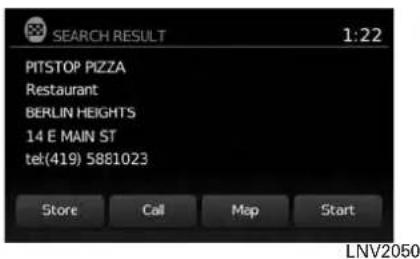
Adetailed description of the destination is provided.
-
PresstheBACKorBACKbuttontogo backandpickanotherdestination.
- Touch"Store"tostorethedestinationinthe addressbook.
- Touch "Call" to call the destination (if a phone number is available) using the Bluetooth® Hands-Free Phone System. See the vehicle Owner's Manual form more information about the Bluetooth® Hands-Free Phone System.
- Touch"Map" toshowamapofthe destination.
- Touch "Start" to calculate etherout to the destination.

NOTE:
Thisfeaturecanalsobeaccessed by pressingtheMENUbuttonandselecting "POIsPoweredbyGoogle™" or "Google™ Send-to-Car".
Placescanbesetasdestinationsusingthe NISSANVoiceRecognitionSystem(ifso equipped):
1.Pressthe

orbuttononthe systemprovides orvoicecommands.
2.Say"Navigation".
3.Say"Places".
4. Saythenameofthetypeofplacefromthe availablelistonthescreen:
●GasStations
Restaurants
•ATMs
●Parking
-RestAreas
Hotels
●Dealerships
●Airports
4-30Navigation
5.Say"AlongRoute"tosearchforthedesired placesalongthecurrentroute.Say "Nearby" to search for the desired places closetothevehicle'scurrentlocation.Say "NearDestination"tosearchforthedesired placesneartheroute'sdestination.
6. The systemdisplaysa listofresultsfitting the search criteria. Say the number of the desiredentryonthelist.
Ifarouteisactive, say "ReplaceDestination" to replacethecurrentdestinationwiththenew streetaddressorsay "SetasWaypoint" toset thenewstreetaddressasawaypointonthecurrentroute.
Ifarouteisnotset, say "SetasDestination" to set the new street address as the destination and begin route guidance.
Say"ShowonMap"todisplaythenewstreetaddressonthemap.
For more information about the NISSAN Voice RecognitionSystem, see thevehicleOwner's Manual.
SETTINGANINTERSECTIONASA DESTINATION

text_image
ENTER DESTINATION BY: 3:35 Intersection Map City Center Previous PageLNV2225
An intersection of two streets can be set as a destination. Tosetanintersectionasthedestination:
- PresstheNAVbutton.
2.Touch"Destination".
3.Touch"NextPage".
4.Touch"Intersection".
text_image
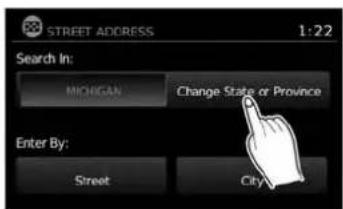
STREET ADDRESS 1:22 Search In: MICHIGAN Change State or Province Enter By: Street City- Touch "ChangeState/Province" if the state or province displayed is not correct.
LNV2226LNV2066LNV0953

text_image
State/Prov. MAINE 9 OK 123 / ABC Delete List A S O F G H I X E - Z Y C V B N M Space- If necessary, enter the name of the state or province.
Thedisplayshowsthetouchkeyboard.

"HOWTOINPUTCHARACTERS" (page2-8)
text_image
Select City Name: 5:42 DENVER DEPAUVILLE DEPEW DEPOSIT DEPOSIT, TOWN OF- Press "List" at any time and a list of remaining cities will be shown. Touch the desired city.
Navigation4-31

text_image
Street 123 / ABC Taste List Q W E R T Y U I O P A S D F G H J K L Z X C V B N M . SpaceLNV2067LNV0955LNV2229
8.Touch"Street".
Thedisplayshowsthetouchkeyboard.

"HOWTOINPUTCHARACTERS"(page2-8)
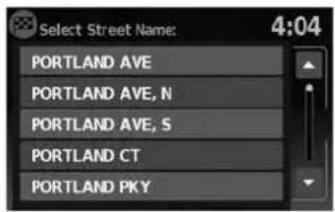
text_image
Select Street Name: 4:04 PORTLAND AVE PORTLAND AVE, N PORTLAND AVE, S PORTLAND CT PORTLAND PKY9.Touchthenameofthedesiredstreet.
10.Alistofintersectingstreetswillbeshownif sixorlessexist. Otherwise, thetouchkeyboardwillbedisplayedagainsothatthe nameofthesecondstreetintheintersectioncanbeentered.Enterthesecondstreet name.
- Select the intersecting street.
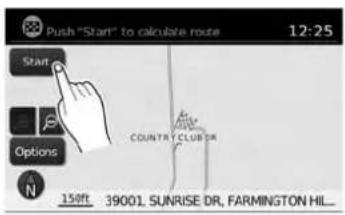
text_image
Push "Start" to calculate route 12:25 Start Options COUNTRY CLUB DR 150ft 39001 SUNRISE DR, FARMINGTON HIL_12.Touch"Start".
Theroutetotheintersectionwillbe calculated.
4-32Navigation
SETTINGACITYCENTERASADESTINATION

text_image
ENTER DESTINATION BY: 3:35 Intersection Map City Center Previous PageLNV2227LNV2066LNV2229
Thecenterofacitycanbesetasadestination. Tosetacitycenterasadestination:
1.PresstheNAVbutton.
2. Touch "Destination".
3.Touch"NextPage".
4. Touch "CityCenter".
5. If the states shown is not correct, touch "ChangeStateorProvince". Otherwise, proceed to step 7.

text_image
State/Prov. MAINE 9 OK 123 / ABC Delete List O W L F T F U I O A S O F D H I X L Z > C V B N M Space6.Enterthenameofthestateorprovince.The displayshowsthetouchkeyboard.

"HOWTOINPUTCHARAC- TERS"(page2-8)
Thekeyboardhasanintelligentspelling setting,soitexcludesnon-existing combinations.Onthetoprightofthe screen,thenumberofmatchesisshown.
7.Touch"City"
8.Enterthenameofthefirststreet.Thedis-
playshowsthetouchkeyboard.

text_image
Push "Start" to calculate route 12:25 Start Options COUNTRY CLUB DR 158ft 39001 SUNRISE DR, FARMINGTON HIL...- Touch "Start" to calculate etherout to the citycenter.
SETTINGDESTINATIONBYMAP

text_image
ENTER DESTINATION BY: 3:35 Intersection Map City Center Previous PageThesystemisautomaticallysettothe2D, North Upsetting.

text_image
Touch to mark destination: 12:10 MILDENCE STANDISHST STARK RD PLYMOUTH RD ELMIRAST LEONST FARIDALE ST N 600R- Scrollthemapandtouchthescreenatthe preferredlocation.
6.Touchthepositiondata.
7.Touch"OK".
Choose "Store" tostorethelocationintheaddressbook. Thetouchkeyboarddisdisplayedso thatanamefortheentrycanbestored.

text_image
Push "Start" to calculate route 12:25 Start Options COUNTRY CLUB DR 158ft 39001 SUNRISE DR, FARMINGTON HIL...Choose "Start" to calculate etheroute and begin routeguidanceto the chosen location.
4-34Navigation
TRAFFICFEATURE
TheNavigationSystemreceivestrafficinformationfromNavTraffictoinformyouoftrafficevents andguideyoutoanalternateroute.Traffic eventsincludeaccidents,roadconstruction, heavytrafficandotherfactorsthataffectthe routeahead.
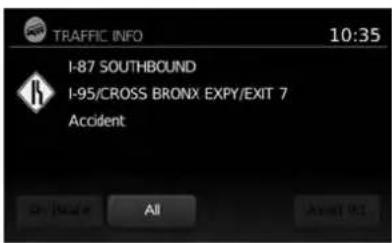
text_image
TRAFFIC INFO 10:35 I-87 SOUTHBOUND I-95/CROSS BRONX EXPY/EXIT 7 Accident On / Before All About 921
text_image
Select 2 roads then recalculate 12:58 Recalculate Route 7.8 I-96, JEFFRIES FWY 3.3 I-696, WALTER P REUTHER FW_ 0.0 ORCHARD LAKE RD 0.5 ORCHARD LAKE RD 1:11am W 11 MILE RDLNV2111LNV2106
DISPLAYINGTRAFFICEVENTS ALONGROUTE
Whenarouteisactive,presstheMENUbutton andthentouch"TrafficInformation"todisplay thetrafficeventnearestthecurrentvehicle location. Thelocationandnatureofthetraffic eventisdisplayedonthescreen. Threemenu optionsareavailableonthescreen.
•“OnRoute”
Touchthe"OnRoute"keytodisplayalistofall trafficeventsthatarepresentalongthecurrent route.Touchthelineofaspecificeventonthe screentoseemoredetailsaboutthatitem.

NOTE:
Thisfeaturecanalsobeaccessedusing theNISSANVoiceRecognitionSystem(if soequipped)bypassingthe orbutononthesteeringwheeland whenprompted,saying"Information"then "Traffic".

Navigation4-35
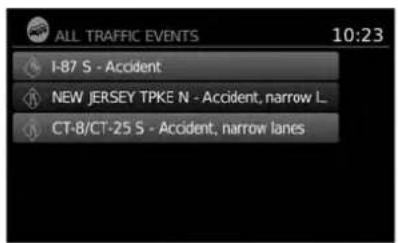
text_image
ALL TRAFFIC EVENTS 10:23 I-87 S - Accident NEW JERSEY TPKE N - Accident, narrow L. CT-8/CT-25 S - Accident, narrow lanestext_image
AVOID ROADS 12:54 Avoid Road Ahead Avoid Segment of Route List Use Road Ahead Last Road in Route List Please Traffic Event Settings●"AvoidRd."
•“All”
Touchthe"All"keytodisplayalistofalltraffic eventsinthearea,includingthosewhicharenot directlyalongthecurrentroute.Touchthelineof aspecificeventonthescreentoseemoredetailsaboutthatitem.
Touchthe"AvoidRd."keytodirectthenavigationsystemtoavoidtheareaimpactedbythe listedtrafficevent.Thenextscreenlisttwo options.

text_image
Set distance then Recalculate 12:57 Recalculate Route Avoid Distance - 0.0 mi +Touchthe"AvoidRoadAhead"keytoavoid the roadlistedonthetrafficevent.Youcanchoose thedistanceoverwhichthesystemavoid the affectedroad.Touchthe+"or"-keytoseth the distanceandthentouch"RecalculateRoute" to calculatethenewroute.
4-36Navigation
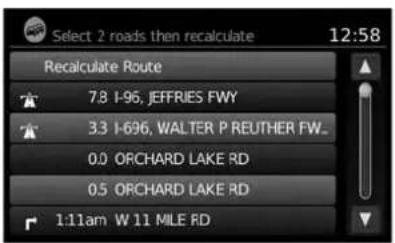
text_image
Select 2 roads then recalculate 12:58 Recalculate Route 7.8 I-95, JEFFRIES FWY 3.3 I-696, WALTER P REUTHER FW_ 0.0 ORCHARD LAKE RD 0.5 ORCHARD LAKE RD 1:11am W 11 MILE RDTouchthe"AvoidSegmentofRouteList"keyto avoidaseriesofroadsontheroutelistduetothe trafficevent.Theroutelistisdisplayonthe screen.Touchthenamesoftwestreetsonthelist toavoidthatportionoftherouteandthentouch "RecalculateRoute"tocalculatethenewroute.
TRAFFICICONS
The followingtrafficiconsareused:
:Accident
:Entrance/ExitClosed
! :Incident
i :Information
NarrowLanes
:RoadConstruction
:TrafficJam
NOTE:
Ablacklineisdrawnovertheroadand route(ifactive)toindicateroadconstructionareasandlength.
TRAFFICFLOWFEATURE
UsinginformationreceivedfromNavTraffic,the systeminformsyouoftrafficlevelsoncertain highwaysandroadsintheareaalongtheroute.
PresstheMAPbuttontodisplaythemapofthe currentvehiclelocation.Anyroadswithtraffic flowinformationwillappearcoloredasfollows:
●Green:trafficislightandmovingatnormal speeds.(>45mph)
●Yellow:trafficisheavyandmovingslowly. (10-45mph)
●Red:trafficisgridlockedandnotmoving. (<10mph)
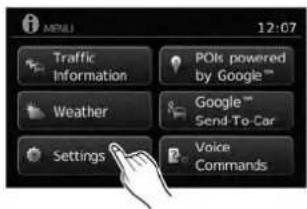
text_image
MTRELL 12:07 Traffic Information POIs powered by Google™ Weather Google™ Send-To-Car Settings Voice CommandsTRAFFICSETTINGS
Toaccessthesettingsforthetrafficfeature:
- PresstheMENUbutton.
- Touchthe "Settings" key.
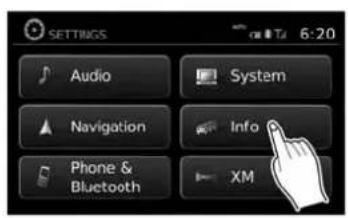
text_image
SETTINGS Audio System Navigation Info Phone & Bluetooth XM 6:20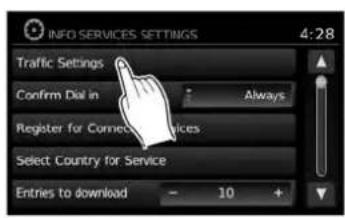
text_image
INFO SERVICES SETTINGS 4:28 Traffic Settings Confirm Dial in : Always Register for Connect Services Select Country for Service Entries to download - 10 +
text_image
TRAFFIC SETTINGS 4:34 Dynamic Guidance Prompt Show Traffic Incidents ON Show Traffic Flow ON Announce Traffic Alerts OFF- Touchthe "Info" key. 4. Touchthe "Traffic Settings" key. The following settings can be adjusted:
●DynamicGuidance
●ShowTrafficIncidents
●ShowTrafficFlow
- AnnounceTrafficAlerts
4-38Navigation
WEATHER FEATURE(Type A)(United States only)
NavWeatherXMinformationisasubscription serviceofferedbySiriusXMSatelliteRadio.
Thisserviceprovidesreal-timeinformationregardingcurrentweatherandforecastswhere available. Theweatherinformationisbroadcast tothevehiclebytheSiriusXMsatellites.

WARNING
NavWeatherXMinformationisnota substituteforattentivedriving. Weatherconditionschangeconstantly andemergencysituationscanarise withoutwarning.Relyingonlyon NavWeatherXMinformationcouldresultinseriouspersonalinjury.
XMNavWeatherinformationisavailableinlimitedmarkets.Tosubscribetoorcheckifthisservice is available in the area, call 1-866-635-2349 or access www.siriusxm.com/navweather.

text_image
MENU 12:07 Traffic Information POIs powered by Google™ Weather Google™ Send-To-Car Settings Voice CommandsLNV2379
DISPLAYINGWEATHERINFORMATIONONTHESCREEN
1.PresstheMENUbutton.
- Touch "Weather".
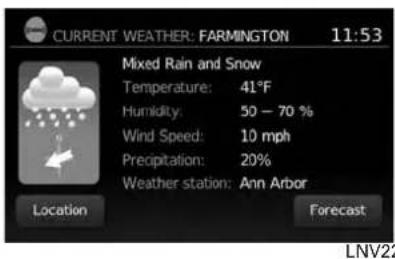
text_image
CURRENT WEATHER: FARMINGTON 11:53 Mixed Rain and Snow Temperature: 41°F Humidity: 50 - 70 % Wind Speed: 10 mph Precipitation: 20% Weather station: Ann Arbor Location Forecast LNV22ation
The weather conditions for the current location are displayed on the screen.

NOTE:
Insomeareas, the location name at the top of the screen may not match the locations shown for "WeatherStation" dueto differences in wherever weather information is collected.
Touch "Forecast" toseetheweatherforecastfor theselectedareaforthenextfivedays.

text_image
WEATHER FORECAST: FARMINGTON 12:05 Today 39°F 33°F Location Tomorrow 44°F 33°F 37°F 28°F 35°F 24°F Saturday 41°F 32°F TodayLNV2249LNV2251
Touch"Location"toviewweatherinformationfor adifferentlocation:

text_image
UPDATE LOCATION 12:06 Near Current Location New Destination In Another City- "NearCurrentLocation" Selecttoviewheatherinformationforthecurrentlocation.
- "NearDestination" Selecttoviewweatherinformationnearthe destinationofthecurrentroute.Routeguidancemustbeactiveforthisoptiontobe available.
- "InAnotherCity" Selecttoviewweatherinformationforadifferentcity.Followtheonscreenpromptsand characterinputscreenstoselectthedesired location.

NOTE:
Whentheweatherfunctionisaccessed for the first time of the day, the GPS location may not be used. If this occurs, touch the "Location" key to update the location.

NOTE:
Thisfeaturecanalsobeaccessedusing theNISSANVoiceRecognitionSystem(if soequipped)bypassingthe orbutiononthesteeringwheeland whenprompted,saying"Information"then "CurrentWeather"or"WeatherForecast".
WEATHERFEATURE(TypeB)(Canada only)

WARNING
Weatherinformationisnotasubstitute forattentivedriving.Weatherconditionschangeconstantlyandemergency situationscanarisewithoutwarning. Relyingonlyonweatherinformation couldresultinseriouspersonalinjury.

text_image
MENU 12:07 Traffic Information PCIs powered by Google™ Weather Google™ Send-To-Car Settings Next Page
text_image
CURRENT WEATHER: WINDSOR 12:05 Cloudy Temperature: 0°C Feels like: -4°C Wind: 9 mph Humidity: 74% Update ForecastLNV2380LNV2259
DISPLAYINGWEATHERINFORMATIONONTHESCREEN
1.PresstheMENUbutton.
- Touch "Weather".
The weather conditions for the current location are displayed on the screen.
Touch"Forecast" toseetheweatherforecast for theselectedareaforthenextfivedays.
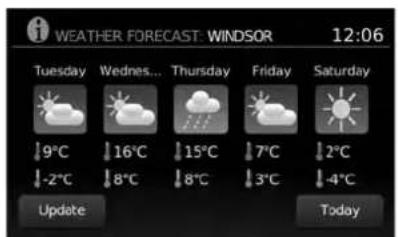
text_image
WEATHER FORECAST: WINDSOR 12:06 Tuesday Wednes... Thursday Friday Saturday 9°C 16°C 15°C 7°C 2°C -2°C 8°C 8°C 3°C -4°C Update TodayLNV2260LNV2251
Touch"Location"toviewweatherinformationfor adifferentlocation:

text_image
UPDATE LOCATION 12:06 Near Current Location New Destination In Another City- "NearCurrentLocation" Selecttoviewheatherinformationforthecurrentlocation.
- "NearDestination" Selecttoviewweatherinformationnearthe destinationofthecurrentroute.Routeguidancemustbeactiveforthisoptiontobe available.
- "InAnotherCity" Selecttoviewweatherinformationforadifferentcity.Followtheonscreenpromptsand characterinputscreenstoselectthedesired location.

NOTE:
Whentheweatherfunctionisaccessed for the first time of the day, the GPS location may not be used. If this occurs, touch the "Location" key to update the location.

NOTE:
Thisfeaturecanalsobeaccessedusing theNISSANVoiceRecognitionSystem(if soequipped)bypassingthe orbutiononthesteeringwheeland whenprompted,saying"Information"then "CurrentWeather"or"WeatherForecast".
FLIGHTINFORMATION(ifso equipped)(Canadaonly)
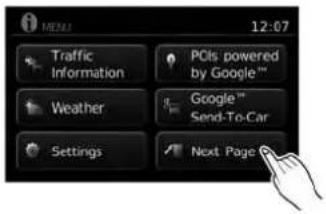
text_image
MEDIA 12:07 Traffic Information PCIs powered by Google™ Weather Google™ Send-To-Car Settings Next PageLNV2381LNV2257LNV2253
Todisplayflightinformationonthescreen:
1.PresstheMENUbutton.
2.Touch"NextPage".
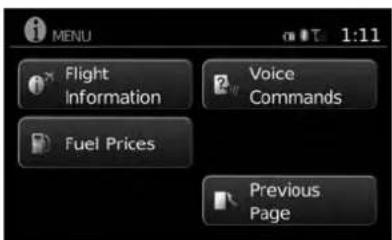
text_image
MENU Flight Information Fuel Prices Voice Commands Previous Page- Touch "FlightInformation".

NOTE:
Thisfeaturecanalsobeaccessedusing theNISSANVoiceRecognitionSystem(if soequipped)bypassingthe orbuttononthesteeringwheeland whenprompted,saying"Information"then "FlightInformation".
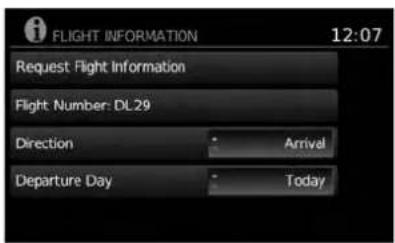
text_image
FLIGHT INFORMATION 12:07 Request Flight Information Flight Number: DL29 Direction Arrival Departure Day Today4.Touch"FlightNumber".

text_image
Flight No. 123 / ABC Delete Q W E R T Y U I O P A S D F G H J K L Z X C V B N M SpaceLNV2254LNV2252LNV2381
5.Entertheflightnumber.Thedisplayshows thetouchkeyboard.

"HOWTOINPUTCHARAC- TERS"(page2-8)

text_image
FLIGHT INFORMATION: DL29 9:14 Hartsfield-Jackson Atlanta International Airport Arrival: 20:15, Status: Scheduled Estimated: 20:11 Charles De Gaulle Airport OK-
Touch "RequestFlightInformation". Thiskey is only active if a flight number has been entered.
-
The flight information is displayed on the screen.
Whensearchingforflightinformation, the followingcriteriaareavailable:
- Direction Touchtoselect"Departure"or"Arrival".
-DepartureDay Touchtoselect"Today"or"Tomorrow".
FUELPRICES(ifsoequipped) (Canadaonly)
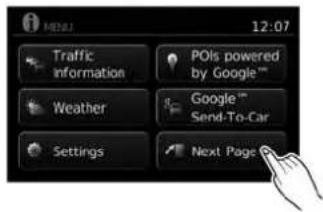
text_image
12:07 Traffic information POIs powered by Google™ Weather Google™ Send-To-Car Settings Next PageTodisplayfuelpricesatgasstationsinthesurroundingareaonthescreen:
1.PresstheMENUbutton.
2.Touch"NextPage".
4-44Navigation
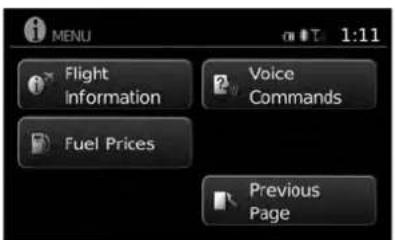
text_image
MENU Flight Information Fuel Prices Voice Commands Previous PageLNV2257LNV2255LNV2256
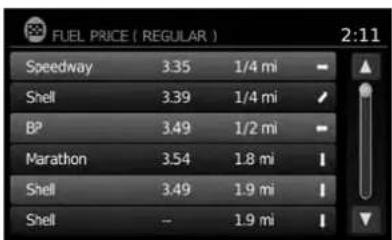
text_image
FUEL PRICE ( REGULAR ) 2:11 Speedway 3.35 1/4 mi Shell 3.39 1/4 mi BP 3.49 1/2 mi Marathon 3.54 1.8 mi Shell 3.49 1.9 mi Shell -- 1.9 mi3.Touch"FuelPrices".

NOTE:
Thisfeaturecanalsobeaccessed using theNISSANVoiceRecognitionSystem(if
soequipped)bypassingthe
orbuttononthesteeringwheeland whenprompted, saying "Information" then "FuelPrices".
4.Alistofgasstationsisdisplayedwiththe distanceanddirectiontoeachentry.Touch anentryonthescreentoviewinformation aboutthatgasstation.

text_image
FUEL PRICES 12:16 Shell 11475 Tecumseh Rd E, Windsor, ON 519-735-4805 SP91 - 129.40 Store Call Map Start- Thename, address and phonenumber of the gas station are displayed. If available, the prices for each grade of gasoline are also displayed. Touch "Store" to store the location in the address book. Touch "Call" to call the location using the Bluetooth® Hands-Free Phone System. Touch "Map" to view the location on themap. Touch "Start" to begin route guidance to the location.
MEMO
4-46Navigation
5Othersettings
Systemsettings....5-2
Touchscreenclick....5-3
Systembeeps....5-3
Resetsettings....5-3
Displaysettings....5 - 3
Display....5-3
Brightness....5-4
Clocksettings....5-4
Setclock....5-5
Languagesettings. 5 - 6
Infoservicessettings....5 - 6
SYSTEMSETTINGS
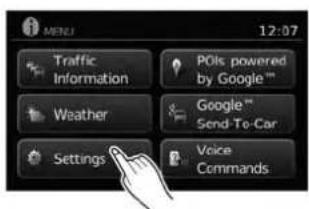
text_image
MENU 12:07 Traffic Information POIs powered by Google™ Weather Google™ Send To-Car Settings Voice CommandsThesystemcanbecustomizedaccordingto your preference.
1.PresstheMENUbutton.
2.Touch"Settings".
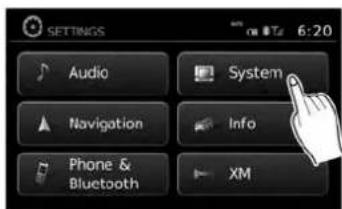
text_image
SETTINGS Audio System Navigation Info Phone & Bluetooth XM- Touch "System". 4. Select the preferred setting item on the
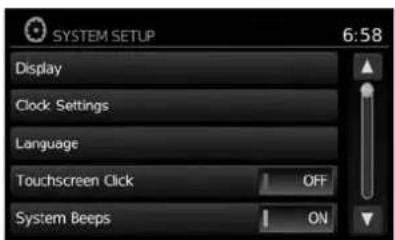
text_image
SYSTEM SETUP 6:58 Display Clock Settings Language Touchscreen Click OFF System Beeps ONscreenandthenextscreenwillbeshown. Youmayneedtousethescrollingdialorthe touchscreenscrollifmorethanone screenofoptionsisavailable.
The followingsettingsareavailable:
- Display

"DISPLAYSETTINGS" (page5-3)
- ClockSettings

"CLOCKSETTINGS"(page5-4)
●Language

"LANGUAGE SETTINGS" (page5-6)
5-2Othersettings
DISPLAYSETTINGS
- TouchscreenClick

"TOUCHSCREENCLICK" (page5-3)
- SystemBeeps

"SYSTEMBEEPS"(page5-3)
- "ResetAllSettings/Memory"

"RESETSETTINGS"(page5-3)
- Select the button of the preferred item and adjust the setting. Alternatively, use the scrolling dial or steering wheels scrolling switch (if so equipped).
6.PresstheBACKor BACKbuttonto returntothepreviousscreenorpressthe NAVbuttontoreturntothecurrentlocation mapscreen.
TOUCHSCREENCLICK
Usethissettingtochangetheaudibleconfirmationbetweentheonoroffpositionwhena screenbuttonistouched.
Selectthe"TouchscreenClick"keytotogglebetweenOnandOff.
SYSTEMBEEPS
Usethissettingtochangetheaudibleconfirmationwhen:
- abuttonontheunitispressedandheldfor abouttwoseconds, suchasthe 📋/D button.
- apop-upmessageappearsonthescreen.
Selectthe"SystemBeeps"keytotogglebetweenONandOFF.
RESETSETTINGS
Usethissettorestorethefactorydefault settings.
Touchthe"ResetAllSettings/Memory"keyand thenconfirmthemessage.Ifyouchoose"Yes", thesystemwillresetthesettingstothedefault settings.Ifyouchoose"No",thedefaultsettings willnotberestoredandthedisplayreturnstothe systemsettingsscreen.
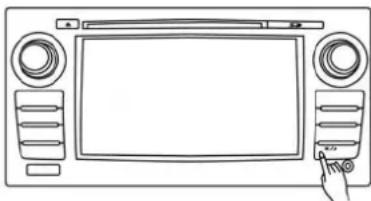
natural_image
Line drawing of a vintage home control panel with front, back, and side panels (no text or symbols)TypeA
LNV2181
DISPLAY
Switchingthedisplayonoroff
Thissettingallowsyoutoturnthedisplayonor off. Whenthedisplayisturnedoff, theclockwill stillbedisplayed.
Toturnoffthedisplay, pressthe
button.
Thedisplaywillswitchonwhen:
●the 📞/3 buttonispressed.
- anyotherbuttonispressed.
●receivingincomingcallsorduringaphone call.Whenthecallisended,thedisplayreturnstoclockdisplay.
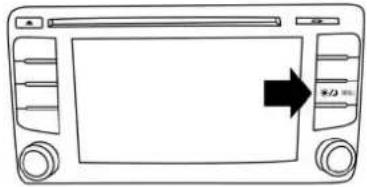
natural_image
Front view of a car dashboard with control buttons and a black arrow pointing to the screen (no text or symbols)TypeB
LNV2398
Voiceguidance(ifactive)continuesevenwhen thedisplayisturnedoff.
Pressandholdthe 📋/ Dj buttonformorethan twosecondstoswitchthedisplaytoalargerdisplayofthedigitalclock.
Changingday-nightbrightness
Pressthe 📋/D buttonforlessthantwosecondstotoggle:
- betweendayandauto(night)whenheadlightsareon.
- betweennightandauto(day)whenheadlightsareoff.
While the display is showing the current brightness mode, turn the TUNE/SCROLL dial to adjust the brightness.
Thedayornightmodecanalsobetoggledfrom theDisplaySettingsmenu.
5-4 Othersettings
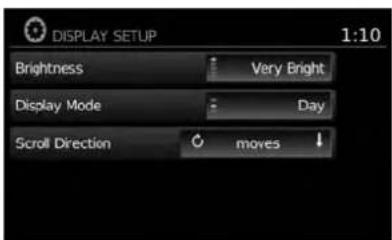
text_image
DISPLAY SETUP 1:10 Brightness Very Bright Display Mode Day Scroll Direction movesLNV2092LNV2088

text_image
CLOCK SETUP 12:31 Time Format 12 h Date Format DD/MM/YYYY Clock Mode Auto set Clock Massality: Daylight Savings Time OFFBRIGHTNESS
Thismenuallowsyoutoadjustthebrightnessof thescreen.
1.PresstheMENUbutton.
2. Touchthe"Settings"key.
3. Touchthe "System" key.
4. Touch the "Display" key.
5. Touch the "Brightness" key repeatedly. Each timethe key is touched the brightness modewill change as follows:
Very Bright → Bright → Default → Dark → VeryDark → VeryBright
6.Tosavethesetting,presstheBACK
or BACKbuttontoreturntothepre- viousscreen.
Thissettingallowsyoutomakeclock adjustments.
1.PresstheMENUbutton.
2. Touchthe "Settings" key.
3. Touchthe "System" key.
4. Touchthe "ClockSettings" key.
5. Select the preferred setting item and make an adjustment.
- "TimeFormat":
Touchthe"TimeFormat"keytochangethe clockformatbetween12-hourand24-hour.
- "DateFormat":
Touchthe"DateFormat"keytochooseone offiveavailabledateformats.
CLOCKSETTINGS
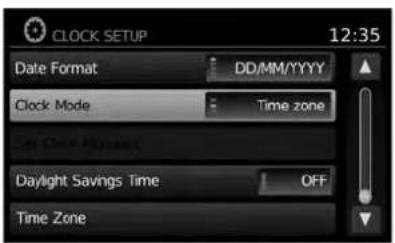
text_image
CLOCK SETUP 12:35 Date Format DD/MM/YYYY Clock Mode Time zone Daylight Savings Time OFF Time ZoneLNV2089LNV2
- "TimeZone":
Selectandtouchanappropriatetimezone of the current vehicle location to bypass the GPS satellite. This feature is only available if "TimeZone" is selected for "ClockMode".

NOTE:
If "DaylightSavingsTime"issetto"ON" andatimezoneischosenforanareathat doesnotobserveDaylightSavingsTime, the "DaylightSavingsTime" settingremains"On"andmustbeturnedoff manually.
- After adjusting the desired settings, press
theBACKor BACKbuttontoreturn tothepreviousscreen.Youcanalsopress theNAVbuttontoreturntothecurrentloca- tionmapscreenortheFM,AM,CDorAUX buttontoreturntothaeudioscreen.

text_image
SET CLOCK 8:01 Hour - 8 + Minute - 1 + Day - 22 + Month - 1 + Year - 2012 +SETCLOCK
Adjustthehour,minute,day,monthandyearusingthe"+"and"-"keys.
- "ClockMode":
Select"Manual"tomanuallysettheclock withthe"SetClockManually"key.Select "Auto"tohavetheclockautomaticallyadjustedbytheGPSsystem.Select"Time Zone"tohavethetimesettoaspecifictime zone.
- "SetClockManually":
Allowsyoutosettheclockmanually.This featureisonlyavailableif"Manual"isselectedfor"ClockMode".

"SETCLOCK"(page5-5)
●"DaylightSavingsTime":
Touchthe"DaylightSavingsTime"keyto toggledaylightsavingstimeonoroff.This featureisunavailableif"ClockMode"isset to"Auto".
LANGUAGE SETTINGSINFOSERVICESSETTINGS
Thissettingallowsyoutochangethelanguage usedbythesystem.
- PresstheMENUbutton.
- Touchthe "Settings" key.
- Touchthe "System" key.
- Touch the "Language" key.
- Select the appropriatelanguage. The available languages are:
-English
-Français
-Español
- The program loadingscreen is displayed. Upon completion, the start-up screen is automatically displayed.
NOTE:
Certainremotefunctionsrequirecompatiblephone,notincludedwithvehicle.CellularnetworkprovidedbyindependentcellularcompaniesnotwithinNissan's control.Cellularnetworknotavailablein allareas.NissanConnectGoogle™ services requiresubscriptionandownerconsentto activate,subscriptionserviceforaperiod oftimeisincludedinvehicleprice,subscriptionavailableforpurchasethereafter. Standardtextrates,voiceminutes,roamingchargesand/ordatausagemayapply.
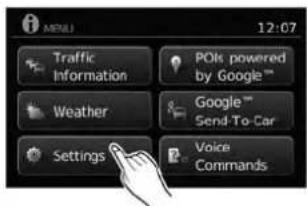
text_image
MTULI 12:07 Traffic Information POIs powered by Google™ Weather Google™ Send-To-Car Settings Voice CommandsLNV2378
- PresstheMENUbutton.
- Touchthe "Settings" key.
- Touch the "Info" key.
5-6 Othersettings

text_image
INFO SERVICES SETTINGS 4:28 Traffic Settings Confirm Dial in : Always Register for Connected Services Select Country for Service Entries to download - 10 +LNV2068LNV2069LNV2096
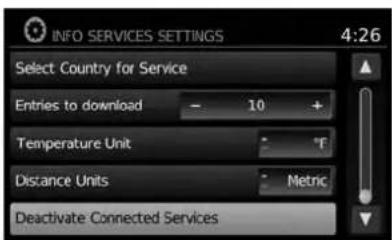
text_image
INFO SERVICES SETTINGS 4:26 Select Country for Service Entries to download - 10 + Temperature Unit °F Distance Units Metric Deactivate Connected Services- TrafficSettings

"TRAFFICSETTINGS" (page4-37)
- ConfirmDialIn
Selecttocontroltheconfirmationofdialinfor infoservices.Availableoptionsare"Always", "Never"and"Once".
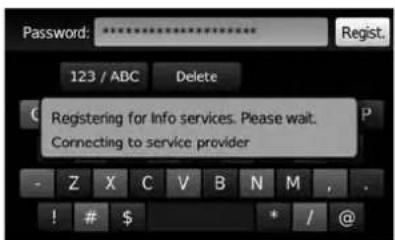
text_image
Password: ******** 123 / ABC Delete Registering for Info services. Please wait. Connecting to service provider - Z X C V B N M , . ! # $ * / @- RegisterforConnectedServices Selecttoregisterforconnectedservices.You willbepromptedtoenteryourUserIDand password.ThisstepmustbeperformedbeforeanyGoogle® services,flightinformation (ifsoequipped)orgasprices(ifsoequipped) areaccessible.Thisfeaturerequiresa Bluetooth® phonetobeconnectedtothe vehicle.SeethevehicleOwner'sManualfor moreinformationabouttheBluetooth® Hands-FreePhoneSystem.

NOTE:
Inordertoaccessinfoservices,anactive subscriptionforconnectedservices is required.ContactaNISSANdealerfor moreinformation.

text_image
Select country for dial-in num. 4:30 Andorra Argentina Canada USALNV2070
- SelectCountryforService
Selecttochoosetheappropriatecountryfor service.

NOTE:
Makesurethatthecorrectcountryforserviceisselectedafterdrivingacrossabordertoavoidinternationaldialingcharges.
- EntriestoDownload
Selecttoadjustthenumberofentriesto downloadwheninfoservicesarerequested. Bydefault, thesystemdisplaysixentries. The numberofentriescanbesetbetween1 and 20.
- TemperateUnit
SelecttotogglebetweendegreesFahrenheit andCelsius.
- DistanceUnits
Selecttotogglebetweenmilesand kilometers.
5-8 Othersettings
6Generalsysteminformation
Safetyinformation....6-2
Featuresofthisnavigationsystem....6-2
Routeguidance....6-2
Placesdirectory....6-3
Addressbook....6-3
NavTrafficinformation....6-3
Voiceguidance....6-3
Currentvehiclelocation....6 - 4
Displayofcurrentvehiclelocation....6 - 4
WhatisGPS(GlobalPositioningSystem)?......6-4
Detailedmapcoverage(MCA)forthe navigationsystem. 6 - 4
Whenagrayroadisdisplayonthemap. . . . . . . 6 - 4
Routecalculation....6-4
Routeguidance....6-6
Basicsofvoiceguidance....6-6
Directionsprovidedandthedistance to guidepoints. 6 - 6
Repeatingvoiceguidance. 6-6
Notesonvoiceguidance. 6 - 6
Howtohandlethedisplay....6-7
Characteristicsofaliquidcrystaldisplay....6-7
Maintenanceofthedisplay....6-8
SAFETY INFORMATION
This system is primarily designed to help you reach your destination, and it performs other functions as outlined in this manual. However the driver must us the systems safely and properly. Information concerning road conditions, traffic signs and the availability of services may not always be up to date. The system is not a substitute for safe, proper and legal driving.
Beforeusingthenavigationsystem, pleaseread thefollowingsafetyinformation.Alwaysusethe systemasoutlinedinthismanual.

WARNING
- When the driver want to operate the navigation system, first park the vehicle in as a felocation and set the parking brake. Operating the system while driving and distract the driver and may result in a serious accident.
- Donotrelyonrouteguidancealone. Alwaysbesurethatalldrivingmaneuversarelegalandsafeinorderto avoidaccidents.
-
Donotdisassembleormodify this system. If you do, it may result in accidents, fireorelectrical shock.
-
Donotusethissystemifyounotice anymalfunctionssuchasafrozen screenorlackofsound.Continued useofthesystemmayresultin accidents,fireorelectricalshock.
- Ifyounoticeanyforeignobjectsin thesystemhardware,spillliquidon thesystemornoticesmokeora smell,stopusingthesystemimmediatelyandcontactaNISSANdealer. Ignoringsuchconditionsmayleadto accidents,fireorelectricalshock.

CAUTION
- Somestatesorprovincesmayhave lawslimitingtheuseofvideo screenswhiledriving. Usethissystemonlywhereitislegaltodoso.

NOTE:
Donotkeepthenavigationsystemrunning withtheenginestopped.Doingsomay dischargethevehiclebattery.Whenyou usethenavigationsystem,alwayskeep theengine running.
FEATURES OF THIS NAVIGATION SYSTEM
ROUTEGUIDANCE
ThemainfeaturesoftheNISSANNavigation Systemarevisualguidanceandvoiceguidance inselectedmapcoverageareas.UtilizinganetworkofGPS(GlobalPositioningSystem) satellites,theNISSANNavigationSystemtracks thelocationonthemapandnavigatestoapreferredlocation.
Onceyousetthedestinationinamapcoverage area,theNISSANNavigationSystemwillcalculateroutefromyourcurrentlocationtoyourdestination.Thereal-timemapdisplayandturn-by-turnvoiceguidanceleadsthedriveralongthe route.Thesefeaturescanbeespeciallyhelpful whendrivingtounfamiliarlocations.
Thesystemmaybeunabletosetadestination and/orcalculatearoutewhenthedestinationis outsidethemapcoveragearea.Additionally, voiceguidancemaynotbeavailableifthedestinationisoutsidethemapcoveragearea.For moreinformationonhowtosetadestination,refertoSection4.
PLACESDIRECTORY
TheNISSANNavigationSystemoffersanextensivePlacesdirectoryinmapcoverageareas.This directoryincludesawidevarietyofdestinations. ByaccessingthePlacesdirectory,youcan searchforaddressesforadestination,andjust bypassingabutton,theNISSANNavigation Systemwillcalculatearoutetothedestination.
ThePlacesdirectoryhasmanyuses. For example, the directory can be sorted by the various types of restaurants near your current location. If you need a bank or a gas station, the NISSAN Navigation System can navigate you to the closest preferred location using the Places entered in the system.

"SETTINGADESTINATIONFROM PLACES"(page4-11)
ADDRESSBOOK
Theaddressbookcanstoreupto50locations frommapcoverageareasintoapersonal directory. Thisisespeciallyusefulforfrequently visitedlocations,suchasclients,relativesand friends. Theaddressbookfunctionallowseasy accesstofrequentlyvisitedlocationswhensettingthemasyourdestination.

"SETTINGADESTINATIONFROM THEADDRESSBOOK"(page4-24)
Whenavailable,theNavTrafficInformation broadcastmayhelptoavoiddelaysduetotraffic incidents.Trafficjams,roadwork,closedroads aroundthecurrentlocation,etc.arerepresented graphicallyonthemapbyiconsdepictingthe natureoftheevent.Incidentsontherouteare automaticallydisplayedwhentheyare approached.
TheNavTrafficInformationfeature, viatheguid-ancemode, mayhelptodetouraroundtraffic problems. Formoreinformation on the NavTraffic Informationfeature, refertosection4.
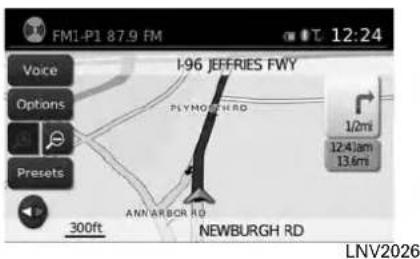
text_image
FM1-P1 87.9 FM 12:24 Voice Options Presets 300ft I-96 JEFFRIES FWY PLYMOUST RD ANN'ARBOR RD NEWBURGH RD 1/2mi 12:41am 13.6mi LNV2026VOICEGUIDANCE
Routeguidanceisprovidedthroughvoiceand visualinstructions. Voice guidanceannounces theappropriatedirectionswhenapproachingan intersectionatwhichyouneedtoturn.Torepeat thevoiceguidance,touchthe"Voice" key.
Thevoiceguidancecanbealternatelyenabled ordisabledbytouchingandholdingthe"Voice" keyonthescreenforabouttwoseconds.When thevoiceguidanceisdisabled,the"Voice"key onthescreenwillappeargrayedout.
CURRENTVEHICLELOCATIONROUTECALCULATION
DISPLAYOFCURRENTVEHICLE LOCATION
This navigationsystemcombinesthedataobtainedfromthevehicle(bygyrosensor)andfromGPS(GlobalPositioningSystem)satellitesto calculatethecurrentlocationofthevehicle.This positionisthendisplayedthroughoutrouteguidancetoadestination.
WHATISGPS(GlobalPositioning System)?
GPSisapositiondetectingsystemthatuses satellitesdeployedbytheU.S.government.This navigationsystemreceivesradiosignalsfrom threeormoredifferentsatellitesthathorin 13,049miles(21,000km)abovetheearthin space,anddetectsthepositionofthevehicleby utilizingtheprincipleoftriangulation.
DETAILEDMAPCOVERAGE(MCA) FORTHENAVIGATIONSYSTEM
Thissystemisdesignedtohelpyoureachyour destination,andalsoperformsotherfunctionsas outlinedinthismanual.However,you,thedriver, mustusethesystemsafelyandproperly.Informationconcerningroadconditions,trafficsigns andtheavailabilityofservicesmaynotalwaysbe up-to-date.Thesystemisnotasubstitutefor safe,proper,andlegaldriving.
6-4 Generalsysteminformation
MapdataisavailableontheprovidedSD-card. ForinformationaboutthemapSD-card,contact aNISSANdealerorcalltheNISSANNAVIGATIONSYSTEMHELPDESK.Seethecontactinformationontheinsidefrontcoverofthis manual.
Mapdataincludes2typesofareas:"Detailed coverageareas" providing all detailed road data and other area showing "Mainroadsonly".
NOTE:
Detailedmapdataisnotavailableinmany areasandisgenerallylimitedtoselectmajormetropolitanareas.
WHENAGRAYROADISDIS-PLAYEDONTHEMAP
- Route calculation may not be possible when a destination or the current vehicle location is near a gray road.
- Routeguidance(enlargedviewandvoice guidance)maynotbeavailableattheintersectionwheretheroadyourvehicleisdriving onandagrayroadintersect.
- Placesinformationandstreetnamesnear grayroadsarenotcontainedinthemapdata.
●TheNISSANNavigationSystemmaynotcalculatearouteifthecurrentvehiclelocationistoofarawayfromthedestination.Inthiscase, pleasedivideyourtripbyselectingoneortwointermediatedestinations.
- Toreachyourdestination, refertothemap screen. Always follow actual roads and regulations and drives safely.
- Thesuggestedroutemaynotbetheshortest, norareothercircumstancessuchatraffic jamsconsideredunlesstheNavTrafficis active.
- Because of the inevitable difference in road conditions and circumstances between the time you set this system and the time the information was produced for them a data, theremably discrepancies in roads and regulations. In such cases, follow the actual information available.
- During route calculation, themap will not scroll, however the vehicle icon will move with the actual vehicle's movement.
- Insomecases, after the calculation is complete, the calculated routemay not be immediately displayed.
- Ifyouscrollthemapwhilethesuggested routeisbeingdrawn, it may takemoretimeto finishdrawing.
- Ifwaypointsareset, thesystemcalculates multiplieroutesbetweenwaypointssimultaneously, and the following may result.
- If one section between waypoints cannot be calculated, none of the output will be displayed.
-Theroutemaynotconnectcompletelyat somewaypoints.
-TheroutemayrequireaU-turncloseto somewaypoints.
- Routecalculationmaynotbecompleted in the following cases.
-Ifthereisnomainroadwithinarangeof 1.5miles(2.5km)fromthevehicle,a messagewillthenappearonthescreen. Tryrecalculatingwhenthevehicleis closertoamainroad.
-Ifthevehicleistooclosetothedestinationoriftherearenoroadstothedestination,amessagewillthenappear onthescreen.
- Ifitisimpossibletoreachthedestination orwaypointsbecauseoftraffic regulations,etc.
-Iftheonlytargetroutetothedestination orwaypointsisextremelycomplicated.
- The following may occur when there is displayed.
- If you calculate route on a main road, the starting point of other out-of-may not exactly match the current vehicle location.
-Theendpointoftheroutemaynotexactly matchthedestination.
-If you calculate a route on an main road, the system may display a route from another main road. This maybe because the position of the vehicle icon is not accurate. In this case, park the vehicle in asafelocation and reset the vehicle icon, or continued driving to see if the position of the vehicle icon is automatically adjusted before recalculating the route.

"VEHICLEICON"(page7-3)
-Insomecases, thesystemshowsanindirectroutetothedestinationorwaypointsifyousetthemfromstoredorplacesinformation. Inordertocorrect, youmustbecarefulaboutthetraffic direction, especiallywhenlaneswithdifferenttraveldirectionsareshown separately,suchasinterchangesand serviceareas.
-Evenifthefreewaypreferenceissetto OFF,aroutethatusesthefreewaymay besuggested.
-EvenifthepreferenceissettoOFF,a routethat usesa ferryline maybe suggested.
-Ferrylines, excluding those that are only for pedestrians, bicycles and motorcycles, are stored in this system. Take into consideration the travel time required and operational condition before deciding whether to set a route.
ROUTEGUIDANCE
BASICSOFVOICEGUIDANCE
The voice guidance announces which direction to follow when approaching an intersection where aturnis required.
Aftersettingtheroute, select "Start" to begin routeguidance.
During route guidance, the system navigates you through the guide points using visual and voice guidance.

NOTE:
- Thenavigationsystemvisualandvoiceguidanceisforreferencepurposesonly. The contentsoftheguidancemaybeinappropriate dependingonthesituation.
- Theremaybesomecasesinwhichvoice guidanceandactualroadconditionsdonot correspond. Thismayoccurbecauseofdiscrepanciesbetweentheactualroadandthe informationonthemapdata,orduetothevehicle'sspeed.
- Incasevoiceguidancedoesnotcorrespond totheactualroadconditions,followtheinformationobtainedfromtrafficsignsornoticed ontheroad.
- Routeguidanceprovidedbythenavigation systemdoesnottakecarpoollanedrivinginto consideration,especiallywhencarpoollanes areseparatedfromotherroadlanes.
DIRECTIONSPROVIDEDANDTHE DISTANCESTOGUIDEPOINTS
Directionswilldiffer,dependingontheroad type.

INFO:
Distancesmayvary,dependingonthevehicle speed.
Notificationwhenapproachingthe destination
Ordinaryroad:
The voice guidance will warn you when approaching your destination. Toreach your destination precisely, referto themapscreen.
REPEATINGVOICEGUIDANCE
This function is available throughout the route guidance, from the time after the route calculation is completed until the vehicle arrives at the destination.
Touchthe"Voice"key.
Voiceguidancewillberepeated.

INFO:
- Ifyoutouchthe"Voice"keywhenyouhave deviatedfromthesuggestedroute,voice guidancewillannounce,"Proceedtothe highlightedroute."
- Ifyoutouchthe"Voice"keywhenyouaregoingthewrongdirection,voiceguidancewill announce:"Pleasemakea legalU-turn if possible."
NOTESONVOICEGUIDANCE
●Voiceguidanceinthissystemshouldberegardedasasupplementaryfunction.When drivingyourvehicle,checktherouteonthe mapandfollowtheactualroadsandtraffic regulations.
●Voiceguidanceisactivatedonlyforintersectionswithcertainconditions.
●Theremaybecaseswherethevehiclehasto turn,butvoiceguidanceisnotprovided.
- Voiceguidancecontentsmayvary,depending onthedirectionoftheturnandthetypeof intersection.
- The voice guidance timing will vary depending on the situation.
HOWTOHANDLETHEDISPLAY
- Whenthevehiclehasdeviatedfromthesuggestedroute,voiceguidanceisnotavailable. Thesystemwillnotannouncethistoyou.Refertothemapandrecalculatetheroute.
- Voiceguidancemaynotaccuratelycorrespondwithroadnumbersanddirectionsat freewayjunctions.
●Voiceguidancemaynotaccuratelycorrespondtostreetnamesatfreewayexits. - Thedisplayedstreetnamesmaysometimes differfromtheactualnames,or"UNKNOWN STREETNAME"maybedisplayed.
- VoiceguidanceisnotavailablewhenthefeatureisdisabledintheSETUPmenu.
- Voiceguidancewillstartwhenthevehicleentersthesuggestedroute.Refertothemapfor directionstothestartingpointoftheroute.
-
Whenapproachingawaypoint,voiceguidancewillannounce,"Youhavereachedyour intermediatedestinationonthe(left/right) side."Voiceguidancewillswitchtothenext sectionoftheroute.Whenvoiceguidanceis notavailable,refertothemapfordirections.
-
Insomecases, voiceguidanceendsbefore arrivalatthedestination. Refertothedestinationicononthemaptoreachthedestination.
- If the system recognizes on which sidethe destination (waypoint) is located, voice guidance will announce "ontheright/left" after announcing the arrival at the destination.
- Voiceguidancemaybepartiallyoperationalor inoperativeduetotheangleofroadsatan intersection.
- Becauseitisnotpossibletoconsiderdata concerningroadsthatareseasonallyavailable orunavailable,aroutemaybedisplayedthat doesnotmatchtheactualtrafficrestrictions. Besuretofollowtheactualtrafficrestrictions whiledriving.
- CanadaandAlaskacontainmanyroadswith incompletemapdata.Asaresult,when searchingforaroute,theroutemayinclude roadswithincompletedata.Inregionswhere roaddataisnotcomplete,voiceguidance maystopforlongperiodsoftime.Besureto followthe actualtraffic restrictionswhile driving.
Thedisplayisaliquidcrystaldisplayandshould behandledwithcare.

WARNING
Neverdisassemblethedisplay. Some parts utilize extremely highvoltage. Touchingthemmayresultinserious personalinjury.
CHARACTERISTICSOFALIQUID CRYSTALDISPLAY
- If the temperature inside the vehicle is especially low, the display will stay relatively dimor themovement of the images may be slow. These conditions are normal. The display will function normally when the interior of the vehicle has warmed up.
- Somepixelsinthedisplayaredarkeror brighterthanothers. Thisconditionisanin-herentcharacteristicofliquidcrystaldisplays, anditisnotamalfunction.
- Aremnantofthepreviousdisplayimagemay remainonthescreen. This screen burnisin- herentindisplays, and it is not a malfunction.

INFO:
Thescreenmaybecomedistortedbystrong magneticfields.
Generalsysteminformation
MAINTENANCEOFTHEDISPLAY

CAUTION
- Tocleanthedisplay,neverusea roughcloth,alcohol,benzine, thinner,anykindofsolvent,orpaper tissueswithchemicalcleaningagent. Theywouldscratchordeterioratethe panel.
- Donotsplashanyliquidsuchaswaterorcarfragranceonthedisplay. Contactwithliquidwillcausethesystemtomalfunctionanddamagethehardware.
Forcleaning, useadrysoftcloth. If additional cleaning is necessary, useasmallamount of neutral detergent with asoftcloth. Neverspray the screen with waterordetergent. Dampenthe cloth first, then wipethescreen.
6-8 Generalsysteminformation
7Troubleshootingguide
Basicoperations....7-2
Vehicleicon....7-3
MapSD-cardroutecalculationandvisualguidance...7-4
Voiceguidance....7-5
BASIC OPERATIONS
| SymptomPossiblecausePossiblesolution | ||
| Noimageisdisplayed.Thebrightnessisatthelowestsetting.Adjustthebrightnessofthedisplay. | ||
| Thedisplayisturnedoff. Pressthe 📋/ Dj buttontoturnonthedisplay. | ||
| Thesystemisinoverheatmodeduetoexcessive hightemperature. Waituntilthesystemcoolsdown. | ||
| Novoiceguidanceisavailable.orThevolumeistoohighortoolow. | Thevolumeisnotsetcorrectly,oritisturnedoff.Adjustthevolumeofvoiceguidanceorturnvoiceguidanceon. | |
| Nomapisdisplayedonthescreen.ThemapSD-cardisnotinserted.InsertthemapSD-cardcorrectly. | ||
| Ascreenotherthanmapscreenisdisplayed.PressMAP. | ||
| The screen is too dim. The movement is slow. | The temperature in the interior of the vehicle is low. Wait until the interior of the vehicle has warmed up. | |
| Somepixelsinthedisplayaredarkerorbrighterthanothers. | Thisconditionisaninherentcharacteristicofliquidcrystaldisplays. Thisisnotamalfunction. | |
| Somemenuitemscannotbeselected.Somemenuitemsbecomeunavailablewhilethevehicleisdriven. | Parkthevehicleinasafelocation,andthenoperatethenavigationsystem. | |

NOTE:
Locations stored in the Address Book and other memory functions may be lost if the vehicle's battery is disconnected or is discharged. If this occurs, servicethevehicle's battery as necessary and re-enter the information in the AddressBook.
VEHICLEICON
| SymptomPossiblecausePossiblesolution | ||
| Namesofroadsandlocationsdifferbetween2D and3Dmode. | Thisisbecausethequantityofthedisplayedinformationis reducedsothatthescreendoesnotbecomedifficulttoread.Thereisalsoachancethatnamesoftheroadsorlocations maybedisplayedseveraltimes,andthenamesappearingon thescreenmaybedifferentbecauseofaprocessing procedure. | Thisisnotamalfunction. |
| Thevehicleiconisnotdisplayedinthecorrect position. | Thevehiclewastransportedaftertheignitionswitchwas turnedoffbyaferryorcartransporter,forexample. | DrivethevehicleforawhileonaroadwhereGPSsignalscan bereceived. |
| Thepositionanddirectionofthevehicleiconmaybeincorrectdependingonthedrivingenvironmentsandthelevelsof positioningaccuracyofthenavigationsystem. | Thisisnotamalfunction.Drivethevehicleforawhiletoautomaticallycorrectthepositionanddirectionofthevehicleicon."CURRENTVEHICLELOCATION"(page6-4) | |
| Whenthevehicleistravelingonanewroad,the vehicleiconislocatedonanotherroadnearby. | Thesystemautomaticallyplacesthevehicleicononthenearestavailableroad,becausethenewroadisnotstoredinthe mapdata. | Updatedroadinformationwillbeincludedinthenextversionof themapSD-card. |
| Themapdoesnotscrollevenwhenthevehicleis moving. | Thecurrentlocationmapscreenisnotdisplayed.PresstheMAPbutton. | |
| Thevehicleiconisnotdisplayed.Thecurrentlocationmapscreenisnotdisplayed.PresstheMAPbutton. | ||
| TheGPSindicatoronthescreenremainsgray.GPSsigna | scannotbereceivedundercertainconditions,suchasinaparkinggarage,onaroadwithmanytall buildings,etc. | Driveonanopen,straightroadforawhile. |
| A sufficient number of GPS satellites is not available. | Wait for the satellites to move to locations available for the navigationsystem. | |
| Thelocationofthevehicleiconismisalignedfrom theactualposition. | Whenusingtirechainsorreplacingthetires,speedcalculationsbasedonthespeedsensormaybeincorrect. | Drivethevehicleforawhile(atapproximately19MPH[30km/h] forabout30minutes)toautomaticallycorrectthevehicleicon position.Ifthisdoesnotcorrectthevehicleiconposition,contactaNISSANdealer. |
| Themapdatahasamistakeorisincomplete(thevehicle iconpositionisalwaysmisalignedinthesamearea). | Updatedroadinformationwillbeincludedinthenextversionof themapdata. | |
Troubleshootingguide7-3
MAP SD-CARD ROUTE CALCULATION AND VISUAL GUIDANCE
| SymptomPossiblecausePossibles | Solution | |
| Themessage“Error”appears.TheSD-cardisnotrecognizedby | thesystem.ReplaceethemapSD-cardifyouseeanydamage. | |
| Intheautomaticreroutecalculation,thewaypointisnot included. | Awaypointthatyouhavealreadypassedisnotincludedintheauto- maticreroutecalculation. | Ifyouwanttogotothatwaypointagain,youneedto additbacktotheroute. |
| Route information is not displayed. | Route calculation has not yet been performed. | Set the destination and perform route calculation. |
| Thevehicleisnotonthesuggestedroute.Driveonthesuggestedroute. | ||
| Routeguidanceiscancelled.Turnonrouteguidance. | ||
| Theautomaticreroutecalculation(ordetourcalculation) suggeststhesamerouteastheonepreviously suggested. | Routecalculationstookpriorityconditionsintoconsideration,but thesameroutewascalculated. | Thisisnotamalfunction. |
| The suggested route is not displayed. | Roads near the destination cannot be calculated. | Reset the destination to a main or ordinary road, and recalculatetheroute. |
| Thestartingpointanddestinationaretooclose.Setamoredistantdestination. | ||
| Thestartingpointanddestinationaretoofaraway.Dividethetripbyselecting oneortwointermediate destinations,andperformroutecalculationsmultiple times. | ||
| Anindirectrouteissuggested.Iftherearerestrictions(suchasone-waystreets)onroadscloseto thestartingpointordestination,thesystemmaysuggestanindirect route. | Thesystemmaysuggestanindirectroutebecauseroutecalculation doesnottakeintoconsiderationsomeareassuchasnarrowstreets (grayroads). | Adjustthelocationofthestartingpointor destination. |
| Thesystemmaysuggestanindirectroutebecauseroutecalculation doesnottakeintoconsiderationsomeareassuchasnarrowstreets (grayroads). | Resetthedestinationontoamainorordinaryroad,and recalculatetheroute. | |
| Thelandmarkinformationdoesnotcorrespondtothe actualinformation. | Thismaybecausedbyinsufficientorincorrectdataonthemap SD-card. | UpdatedinformationwillbeincludedinthenextversionofthemapSD-card. |
| Thesuggestedroutedoesnotexactlyconnecttothe startingpointordestination. | There is no data for route calculation closer to these locations. | Set the starting point and destination on a main road, andperformroutecalculation. |
7-4 Troubleshooting guide
VOICEGUIDANCE
| SymptomPossiblecausePossiblesolution | ||
| Voiceguidanceisnotavailable.Insomecases,voiceguidanceisnotavailableevenwhenthe vehicleshouldmakeaturn. | Thisisnotamalfunction. | |
| Thevehiclehasdeviatedfromthesuggestedroute.Gobacktothesuggestedrouteorrequestroutecalculation again. | ||
| Voiceguidanceissettooff.Turnonvoiceguidance. | ||
| Theguidancecontentdoesnotcorrespondtothe actualcondition. | Thecontentofvoiceguidancemayvary,dependingonth typesofintersectionsatwhichturnsaremade. | Followalltrafficrulesandregulations. |
Troubleshootingguide7-5
MEMO
7-6 Troubleshooting guide
8Index
| A | H | Routeguidance |
| Addressbook. . . . . . . . . . . . . . . . . . . . . . . . . . . . . . . . . . . . . . . . . . . . . . . . . . . . . . . . . . . . . . . . . . . . . . . . . . . . . . . . . . . . . . . . . . . . . . . . . . . . . | Howtousethismanual | 1 - 2 S |
| B | L | Safetyinformation . . . . . . . . . . . . . . . . . . . . . . . . . . . . . . . . . . . . . . . . . . . . . . . . . . . . . . . . . . . . . . . . . . . . . . . . . . . . . . . . . . . . . . . . . . . . . . . . . . . |
| Basicoperations. . . . . . . . . . . . . . . . . . . . . . . . . . . . . . . . . . . . . . . . . . . . . . . . . . . . . . . . . . . . . . . . . . . . . . . . . . . . . . . . . . . . . . . . . . . . . . . . . . . | Languagesettings. . . . . . . . . . . . . . . . . . . . . . . . . . . . . . . . . . . . . . . . . . . . . . . . . . . . . . . . . . . . . . . . . . . . . . . . . . . . . . . . . . . . . . . . . . . . . . . . . . . Laserproduct. . . . . . . . . . . . . . . . . . . . . . . . . . . . . . . . . . . . . . . . . . . . . . . . . . . . . . . . . . . . . . . . . . . . . . . . . . . . . . . . . . . . . . . . . . . . . . . . . . . U | |
| C | M | User-definedpointsofinterest(POIs). . . . 4 - 1 8 |
| Clocksettings. . . . . . . . . . . . . . . . . . . . . . . . . . . . . . . . . . . . . . . . . . . . . . . . . . . . . . . . . . . . . Controlbuttonsandfunctions. . . . . 2 - 2 Currentvehiclelocation. . . . . . . . . . . . . . . . . . . . . . . . . . . . . . . . . . . . . . . . . . . . . . . . . . . . . . . . M y Places. | 3 - 4 V | |
| D | N | Vehicleicon. . . . . . . . . . . . . . . . . . . . . . . . . . . . . . . . . . . . . . . . . . . Voiceguidance. . . . . . . . . . . . . Voicerecognition..4-11,4-28,4-30,4-37,4-5,4-17,4-41,4-43,4-44,5-2 |
| Directionsprovidedandthedistancesto guide points. Displayofcurrentvehiclelocation. Display settings. | 6 - 6 P | |
| F | R | W |
| Featuresofthisnavigationsystem. . . . 6 - 2 Forsafeoperation. . . . . . . . . . . . . . . . . . Functionsdisabledwhiledriving. . . . 2 - 6 | Referencesymbols. . . . 1 - 2 Repeatingvoiceguidance. . . . 6 - 6 Returningtothecurrentvehiclelocation. . . 3 - 4 Routecalcultion. . . . 6 - 4 Routecalcultionandvisualguidance. . . 7 - 4 | WhatisGPS(GlobalPositioning System)?. 6-4 Whenagrayroadisdisplayonthemap.. 6-4 X |

Printing : August 2013 (04)
Publication No.: N14E LC2UU0
Printed in U.S.A.