Artista 165 - Sewing machine BERNINA - Free user manual and instructions
Find the device manual for free Artista 165 BERNINA in PDF.


User questions about Artista 165 BERNINA
0 question about this device. Answer the ones you know or ask your own.
Ask a new question about this device
Download the instructions for your Sewing machine in PDF format for free! Find your manual Artista 165 - BERNINA and take your electronic device back in hand. On this page are published all the documents necessary for the use of your device. Artista 165 by BERNINA.
USER MANUAL Artista 165 BERNINA
IMPORTANT SAFETY INSTRUCTIONS
When using an electrical appliance, basic safety precautions should always be followed, including the following.
Read all instructions before using this sewing machine.
When the machine is not in use, it should be disconnected from the electricity supply by removing the plug from the power outlet.
DANGER
Toreduce the risk of electric shock:
- An appliance should never be left unattended when plugged in.
- Always unplug this appliance from the electric outlet immediately after using and before cleaning.
WARNING
Toreduce the risk of burns, fire, electric shock or injury to persons:
- Do not allow to be used as a toy. Close attention is necessary when this appliance is used by or near children.
- Use appliance only for its intended use as described in this manual. Use only attachments recommended by the manufacturer as contained in this manual.
- Never operate this appliance if:
- it has a damaged cord or plug,
- it is not working properly,
- it has been dropped or damaged
-
it has fallen into water Return the appliance to the nearest authorized dealer or service center for examination, repair, electrical or mechanical adjustment.
-
Never operate the appliance with any air openings blocked. Keep ventilation openings of the sewing machine and foot controller free from accumulation of lint, dust and loose cloth.
-
Keep fingers away from all moving parts. Special care is required around the sewing needle.
-
Always use an original or recommended BERNINA stitch plate. The wrong plate can cause the needle to break.
-
Do not use bent needles.
-
Do not pull or push fabric while stitching. It may deflect the needle causing it to break.
-
Turn power switch to "0" when making any adjustments in the needle area, such as threading or changing the needle, threading the bobbin or changing the presser foot.
-
Always unplug the sewing machine from the electrical outlet when removing covers, lubricating or when making any other user servicing adjustments mentioned in this instruction manual.
- Never drop or insert any object into any opening.
- Do not use outdoors.
- Do not operate where aerosol (spray) products are being used or where oxygen is being administered
- To disconnect, turn all controls to the off ("0") position then remove the plug from the outlet.
- Do not unplug by pulling on the cord but grasp the plug before pulling.
- No responsibility will be taken for any possible damage as the result of misuse of the machine.
- This machine is provided with double insulation. Use only identical replacement parts. See instructions for Servicing of Double-Insulated machines.
SERVICING DOUBLE-INSULATED PRODUCTS
In a double-insulated product, two systems of insulation are provided instead of grounding. No means of grounding is provided on a double-insulated product nor should a means for grounding be added to the product. Servicing a double-insulated product requires extreme care and knowledge of the system and should only be done by qualified service personnel. Replacement parts for a double-insulated product must be identical to those parts in the product. A double insulated product is marked with the words "DOUBLE INSULATION" or "DOUBLE INSULATED".
The symbol □ may also be marked on the product.
SAVE THESE INSTRUCTIONS!
This sewing machine is intended for household use only.
BERNINA®
natural_image
Black-and-white photo of a man in a suit smiling while holding a sewing machine, gesturing with both hands (no visible text or symbols)Choosing a BERNINA Sewing & Embroidery System is a decision which will have a positive impact on your sewing for years to come.
Customer satisfaction has been the driving force of our family company for over 100 years and I intend to continue that tradition of delivering superb Swiss quality, future-orientated sewing technology and unrivaled customer service.
The new BERNINA family of creative sewing machines gives you the unique opportunity to select what you need to satisfy your sewing needs and requirements.
"Welcome
to the BERNINA family!"
As the name suggests, the "artista" range of computer sewing is pure artistry.
These machines provide unlimited scope for total sewing pleasure. They inspire creativity and allow you to translate your ideas into practical sewing of the finest quality.
In addition, a wide range of sewing accessories, together with sewing publications
H.P. fumm di
full of practical and creative ideas, add to the joy of sewing the BERNINA way.
It gives me great pleasure to welcome you into the BERNINA family.
H.P. Ueltschi
BERNINA Sewing
Machine Company
www.bernina.com
Fritz Gegauf Ltd. · BERNINA Sewing Machines · CH-8266 Steckborn/Switzerland
1 Safety Instructions
2 Foreword
4–5 Details of the machine
6–12 Setting up the machine
13–14 Stitch Summary
15 Presser feet
16–17 Practical stitches/buttonholes
18–21 General instructions
22–28 Functions
29 Messages
29–37 Buttonholes
37–38 Alphabets/numbers
38–43 Memory
44 Quilt stitches
45 Balance
46 Help
47–48 TC (Tutorial / Creative Consultant)
49 Smart function
50-61 Setup program
62 eco (ecology) function
62–65 Optional accessories
65–67 Needles, Thread, Fabric feed
68 Cleaning and maintenance
69 Troubleshooting
70 Glossary of terms
71–72 Index
Details of the machine

text_image
12 49 17 11 10 9 16 18 19 29 20 23 21 A 22 30 24 25 26 31 33 27 28 32 34 artista 165 BERNINA Made in Germanische 13 14 15 7 6 8 5 2 3 4 1Front view
text_image
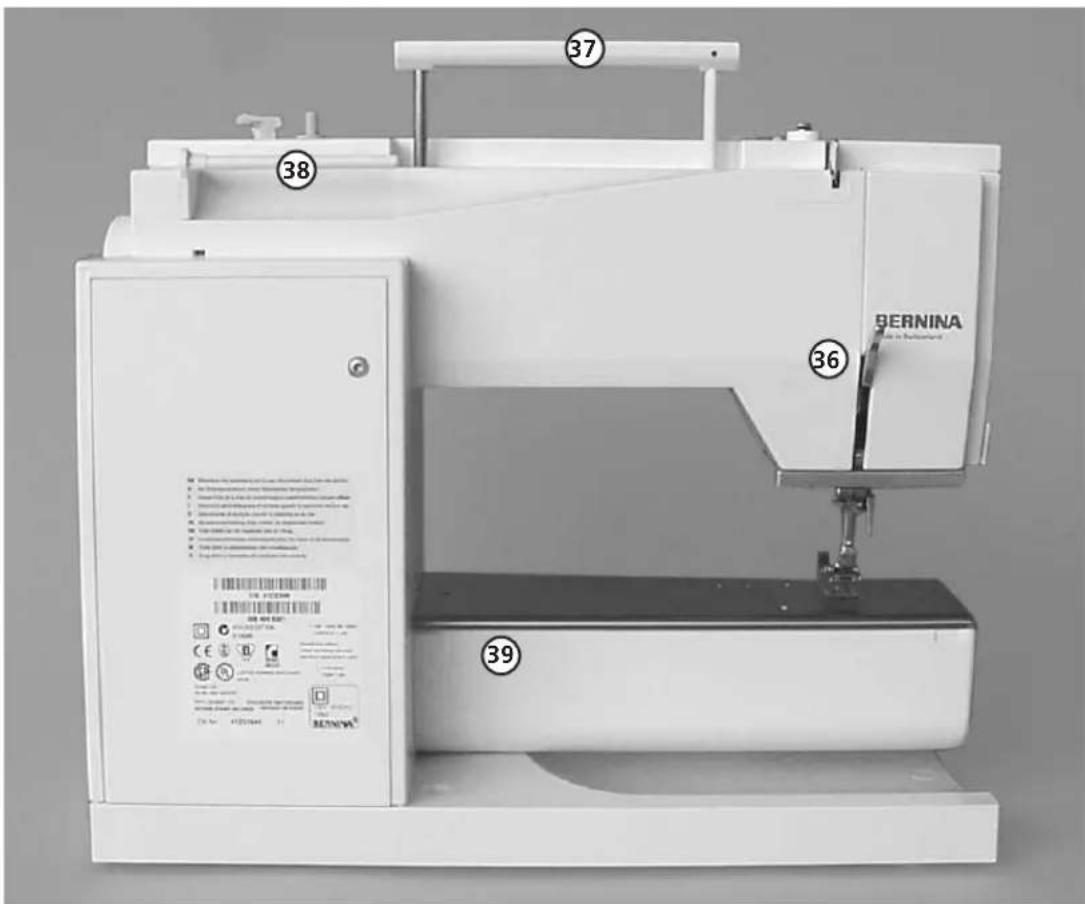
37 38 36 39 BERNINA Bergen in Switzerland 100.000 GB © 2015-04-20 © 2015-04-21 © 2015-04-22 © 2015-04-23 © 2015-04-24 © 2015-04-25 © 2015-04-26 © 2015-04-27 © 2015-04-28 © 2015-04-29 © 2015-04-30 © 2015-04-31 © 2015-04-32 © 2015-04-33 © 2015-04-34 © 2015-04-35 © 2015-04-36 © 2015-04-37 © 2015-04-38 © 2015-04-39 © 2015-04-40 © 2015-04-41 © 2015-04-42 © 2015-04-43 © 2015-04-44 © 2015-04-45 © 2015-04-46 © 2015-04-47 © 2015-04-48 © 2015-04-49 © 2015-04-50 © 2015-04-51 © 2015-04-52 © 2015-04-53 © 2015-04-54 © 2015-04-55 © 2015-04-56 © 2015-04-57 © 2015-04-58 © 2015-04-59 © 2015-04-60 © 2015-04-61 © 2015-04-62 © 2015-04-63 © 2015-04-64 © 2015-04-65 © 2015-04-66 © 2015-04-67 © 2015-04-68 © 2015-04-69 © 2015-04-70 © 2015-04-71 © 2015-04-72 © 2015-04-73 © 2015-04-74 © 2015-04-75 © 2015-04-76 © 2015-04-77 © 2015-04-78 © 2015-04-79 © 2015-04-80 © 2015-04-81 © 2015-04-82 © 2015-04-83 © 2015-04-84 © 2015-04-85 © 2015-04-86 © 2015-04-87 © 2015-04-88 © 2015-04-89 © 2015-04-90 © 2015-04-91 © 2015-04-92 © 2015-04-93 © 2015-04-94 © 2015-04-95 © 2015-04-96 © 2015-04-97 © 2015-04-98 © 2015-04-99 © 2015-05-00 © 2015-05-01 © 2015-05-02 © 2015-05-03 © 2015-05-04 © 2015-05-05 © 2015-05-06 © 2015-05-07 © 2015-05-08 © 2015-05-09 © 2015-05-10 © 2015-05-11 © 2015-05-12 © 2015-05-13 © 2015-05-14 © 2015-05-15 © 2015-05-16 © 2015-05-17 © 2015-05-18 © 2015-05-19 © 2015-05-20 © 2015 - BERNINABack view

text_image
36 41 40 50View from the left side
text_image
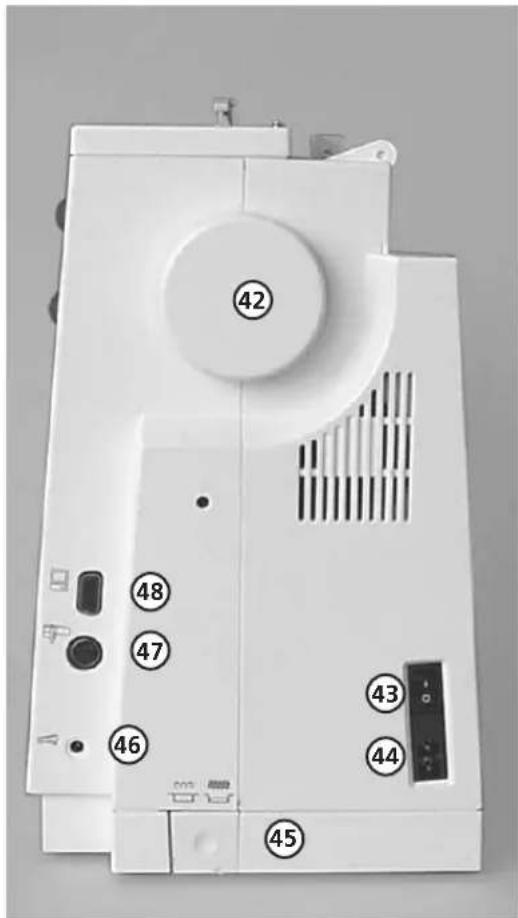
Labeled diagram of a sewing machine with numbered parts and control buttonsView from the right side
1 Bobbin cover
2 Stitch plate
3 Attachment base for optional accessories
4 Darning ring connection
5 Presser foot
6 Needle clamp
7 Thread guide
8 Needle threader
9 Thread take-up cover
10 Thread path
11 Thread take-up
12 Bobbin pre-tension
13 Quick reverse button
14 F (Favorite Function) button
15 Pattern end
16 Screen
17 Bobbin winder with on/off switch and thread cutter
18 Practical stitch button
19 Buttonhole button
20 Decorative stitch button
21 Alphabet button
22 External embroidery button
23 Quilt stitch button
24 clr (Clear) button
25 mem (Memory) button
26 Needle stop up/down
27 "?"(Help) button
28 TC (Tutorial/Creative Consultant) button
29 Stitch width knob
30 Stitch length knob
31 Needle position
32 smart button
33 setup button
34 eco (Ecology) button
35 FHS connection (optional accessory)
36 Presser foot lifter (manual)
37 Carrying handle
38 Spool pins
39 Sewing table socket
40 Thread cutter
41 Presser foot pressure dial
42 Handwheel
43 Power switch on/off
44 Power plug socket
45 Drop feed-dog
46 Foot control socket
47 Embroidery module connection
(optional accessory)
48 PC serial port
49 Tension adjustment
50 Magnifying glass holder
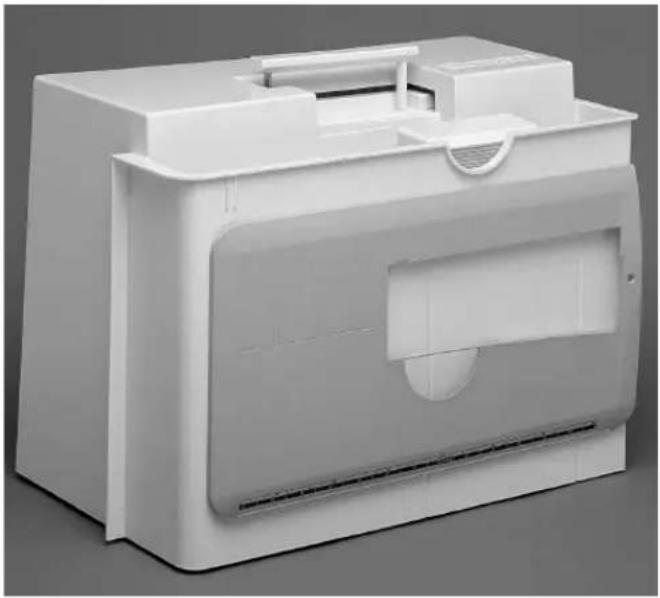
Carrying case
natural_image
White plastic printer case with open lid and side panel (no text or symbols visible)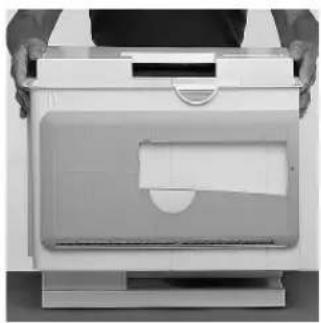
natural_image
Person opening a white paper printer with a blank cover (no visible text or symbols)Carrying case
- protects from dust and dirt
· compartment for accessories
Accessories
- foot control
· instruction manual - power cable
· warranty card
· FHS presser foot lifter (Free Hand System) - ruler for sewing table
- sewing table (attached)
- To remove the sewing table, lift slightly and remove.
Toremove the case
- grasp both sides
- pull up vertically
Accessory box

natural_image
Open plastic toolbox containing various electronic components and wiring (no visible text or labels)Standard accessories \*
- 4 b o b b i n s
· selection of 130/705H needles - seam ripper
· small screwdriver - brush
- seam guide
· r everse pattern foot No.1
· overlock foot No.2 - buttonhole foot No.3
· automatic buttonhole foot No.3A - zipper foot No.4
· blind stitch foot No.5
· embroidery foot No.6 - jeans foot No.8
· height compensating tool
· vertical spool holder pin - three spool discs
· foam pad
· Compensation plate for sewing buttonholes
*can vary from country to country
Important:
(USA/Canada only!)
Use only foot controller type LV1
with sewing machine models 165.
Power cable

natural_image
Exterior view of a white electronic device with labeled components (A, B, C), no visible text or symbols beyond labelsThe power cable is stored in the case
- plug A into machine
- plug B into electrical outlet
Foot control cable
- plug C into machine
Important! (USA/Canada only)
This sewing machine has a polarized plug (one blade wider than the other). To reduce the risk of electric shock, this plug is intended to fit only one way into a polarized outlet. If the plug does not fit fully in the outlet, reverse the plug. If it still does not fit, contact a qualified electrician to install the proper outlet. Do not modify the plug in any way.
Foot control

natural_image
3D illustration of a white electronic device with a downward arrow and cable, no text or symbols presentSewing speed
· control the sewing speed by depressing the foot control with your toe
- raise or lower the needle by tapping on the foot control with your heel
Use only foot controller type LV1 for sewing machine model 165 (USA/Canada only)

text_image
A B CCable tidy
· wind the cable round the spool
· insert the plug into A
When sewing
· unwind the cable to the desired length and slip into B or C
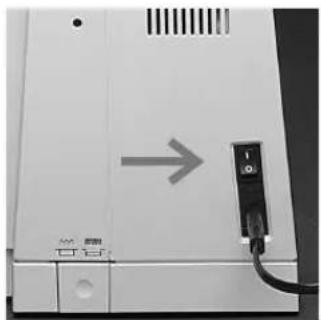
Power switch
natural_image
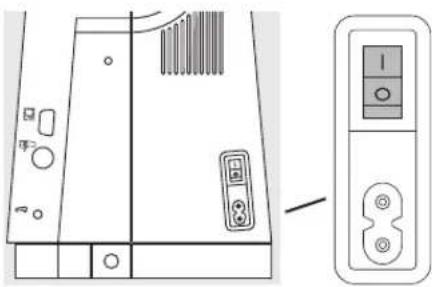
Close-up of a white electronic device with a gray arrow pointing to a black connector (no visible text or symbols)The power switch is on the handwheel side of the machine
1 the machine is switched on
0 the machine is switched off
The sewing light is switched on and off within the Setup program.
Refer to the safety instructions!
Sewing table

natural_image
Person operating a sewing machine with fabric being processed (no visible text or symbols)Larger sewing surface
· the sewing table increases the sewing surface
- f r ee arm for larger tubular items such as pant legs and waistbands
To attach
push over the free arm and press firmly so that it engages on the fixing lug (needle and presser foot fully raised)
To remove
· pull to the left
- remove
Seam guide
· insert into the groove (underside of table) from the right
- it can be freely adjusted over the whole width of the table
Scale
· number "0" corresponds to the centre needle position
FHS (Free Hand System) presser foot lifter
natural_image
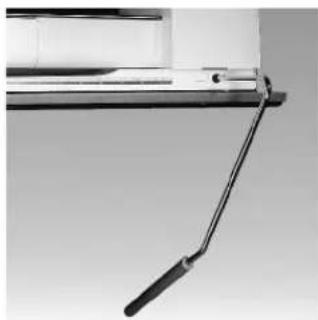
Close-up of a mechanical lever with a black handle and metallic frame (no text or symbols visible)Raising and lowering the presser foot.
- the presser foot lifter raises and lowers the presser foot
- push to the right with your knee
· the presser foot is raised and the feed-dogs are lowered simultaneously
· the feed-dogs come up automatically as soon as the first stitch is sewn
Attaching the presser foot lifter
· the presser foot lifter is stored in the case.
- insert the presser foot lifter into the opening in the base plate
· you should be able to operate the lifter in your normal sitting position.
Note:
Your dealer can adjust the position if necessary.
Winding the bobbin
natural_image
Illustration of a hand pointing at a small mechanical component with a ring, next to parallel lines (no text or symbols)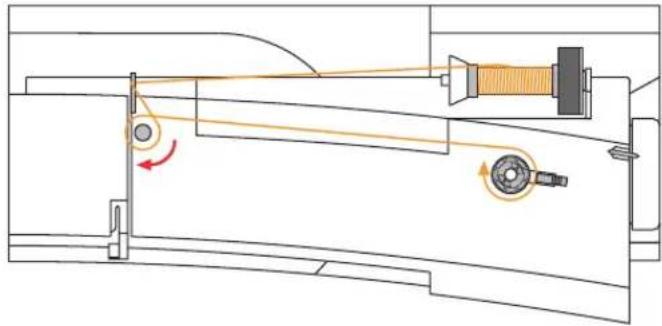
natural_image
Technical diagram of a mechanical assembly with pulleys and rotating components (no text or labels)
natural_image
Illustration of a hand holding a small object with a tool, next to a mechanical component (no text or symbols visible)Winding the bobbin
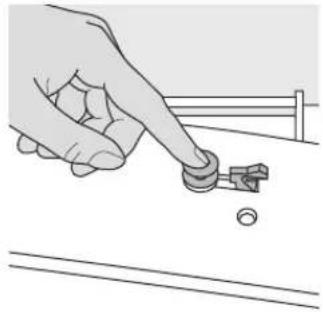
- turn power switch on
- place empty bobbin on spindle
Threading the bobbin
· following the direction of the arrow take thread through the rear guide and round the pre-tension stud
- wrap the thread around the inner bobbin two or three times and cut off any excess thread on the thread cutter
· p r ess the engaging lever against the bobbin
- press the foot control
the motor stops automatically when the bobbin is full
· r remove the bobbin
Thread cutter
· cut the thread on the thread cutter
Bobbin case
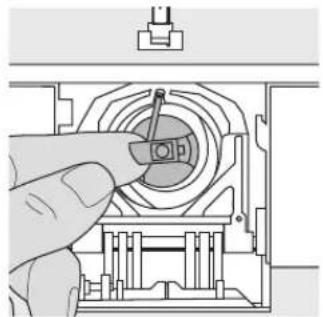
natural_image
Hand inserting a component into a mechanical housing (no text or symbols visible)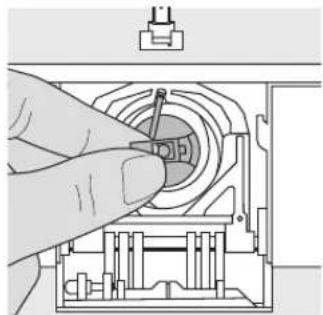
natural_image
Hand inserting a component into a mechanical housing (no text or symbols visible)
natural_image
Technical line drawing of a mechanical assembly with no visible text or symbolsTo remove
- raise the needle
· turn power switch to 0
· open the accessory box cover
· open the bobbin cover
· grasp the latch of the bobbin case - r remove case
To insert
· hold the bobbin case latch
· the opening on the case should be at the top
· insert so that it engages
· close the bobbin cover
- close the accessory box cover
Bobbin thread cutter
- insert the bobbin case
· take thread over cutter A - cut thread
Refer to the safety instructions!
Note:
For normal sewing, the bobbin thread does not have to be brought up as the loose end is just the right length to start sewing.
Inserting the bobbin
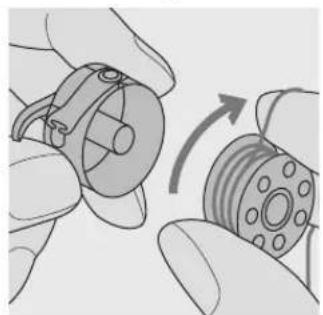
natural_image
Illustration of hands holding a mechanical component with a rotating arrow indicating rotation (no text or symbols)Insert the bobbin so that the thread runs clockwise.
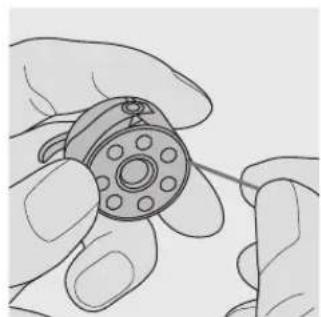
natural_image
Illustration of hands holding a mechanical component with pins (no text or symbols)Pull the thread counterclockwise into the slot.

natural_image
Line drawing of hands assembling a mechanical component with a pin (no text or symbols)Pull the thread to the left under the spring until it lies in the T-shaped slit at the end of the spring.
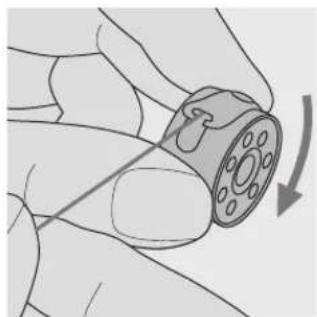
natural_image
Illustration of a hand holding a small mechanical component with a curved arrow indicating rotation (no text or symbols)The bobbin must turn clockwise when the thread is pulled.
Changing the needle
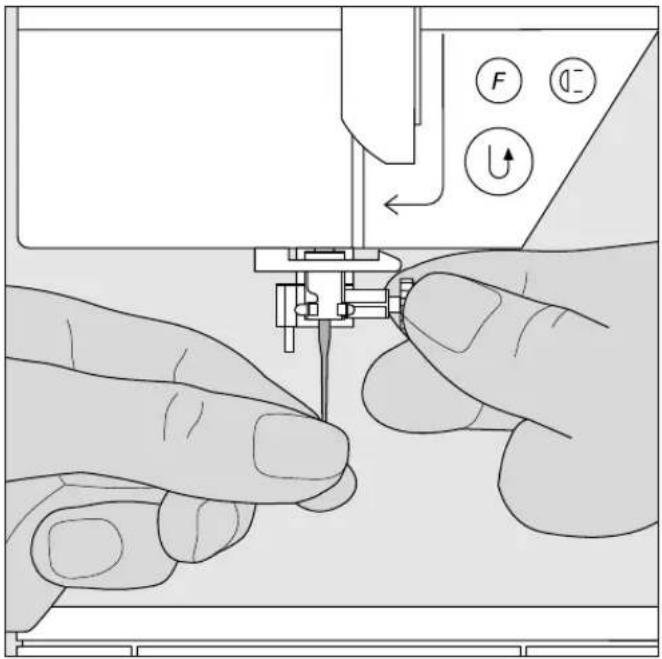
natural_image
Illustration of hands operating a sewing machine with no visible text or symbolsRemoving the needle
- raise the needle
· turn power switch to 0
· lower the presser foot
· loosen the needle clamp with the torx screwdriver
· pull the needle down to remove
Inserting the needle
· flat side of needle to the back
· insert the needle as far as it will go
· tighten the needle clamp
Refer to the safety instructions!
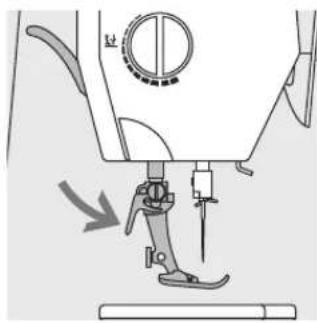
Changing the presser foot

natural_image
Diagram of a sewing machine needle with a circular dial and mechanical component (no text or symbols)Changing the presser foot
· raise the needle and presser foot
· turn power switch to "0"
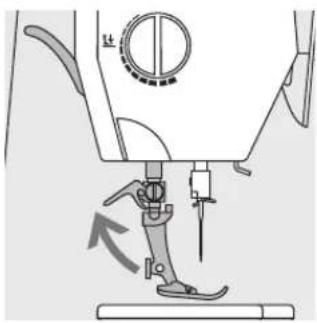
natural_image
Mechanical sewing machine diagram showing foot and sleeve components (no text or labels)Raising the lever
- raise the clamping lever
· r remove the presser foot
natural_image
Mechanical sewing machine diagram showing needle insertion and adjustment mechanism (no text or symbols)Attaching the presser foot
· guide the foot upwards over the cone
· p r ess the clamping lever down
Refer to the safety instructions!
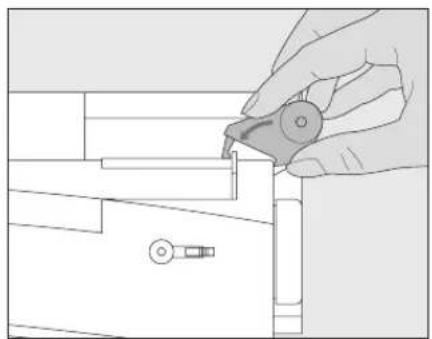
Supplementary spool pin (vertical)
Vertical spool pin
· the supplementary spool pin (vertical) is stored in the accessory box
- insert the pin from right to left in the opening
· to remove, pull to the right at the base of the spool pin
· essential sewing aid when using more than one thread, i.e. double needle, etc.
- threads wound onto spools in a stacked manner work best when feeding from a vertical spool pin
· using a vertical spool pin with metallic threads will help avoid fraying and splitting of the thread
natural_image
Line drawing of a hand holding a small mechanical component, no text or symbols present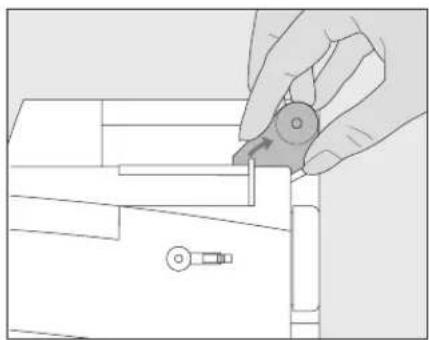
natural_image
Line drawing of a hand holding a small mechanical component (no text or symbols)Threading the upper thread
text_image
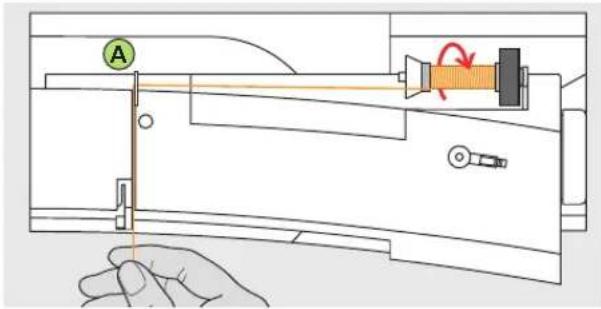
Technical diagram showing a hand operating a device with labeled components and directional arrows indicating motion or movement.Attaching the thread spool
- raise the needle and presser foot
· turn the power switch to «0» (off)
· attach the foam pad - place spool on pin (spool turns clockwise)
- attach the appropriate spool disc - diameter of spool disc is disc size. There must be no clearance between the disc and the spool
· take thread through rear guide A
· then into slit of upper thread tension
Down
- pull thread down to the right of the take-up cover to B
Up
- take thread up to the left of the cover to C in the direction of the arrow
Down
· take thread down and through guides D and E
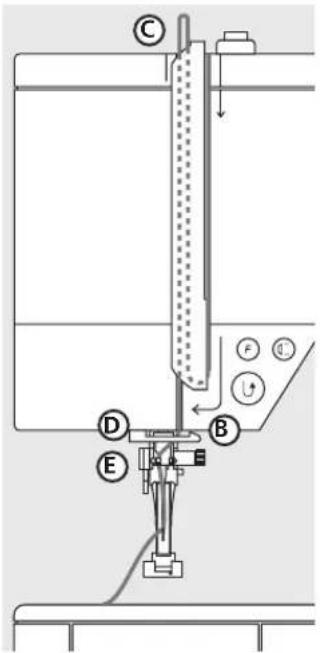
text_image
Technical diagram of a laboratory apparatus with labeled components A, B, C, D, E and directional arrows indicating flow or movement.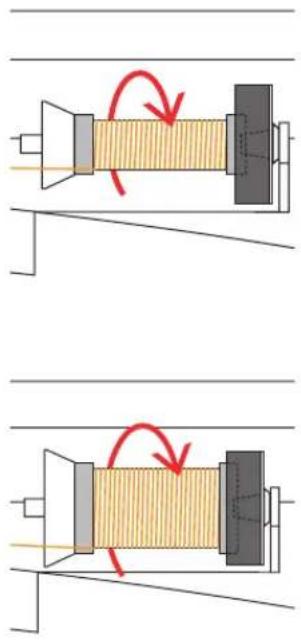
natural_image
Diagram showing two mechanical components with red curved arrows indicating motion or force direction (no text or symbols)Refer to the safety instructions!
Needle threader

natural_image
Technical line drawing of a mechanical assembly with a tool and component (no text or symbols)Thread in hook
- lower the presser foot
· lay the thread behind hook A and hold lightly
natural_image
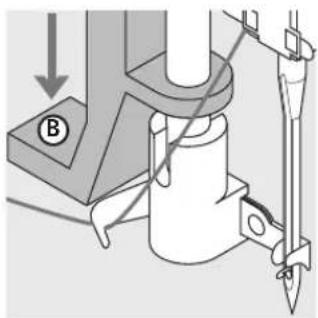
Mechanical assembly diagram showing a tool interacting with a cylindrical component (no text or symbols visible)Lever down
p r ess lever B down
natural_image
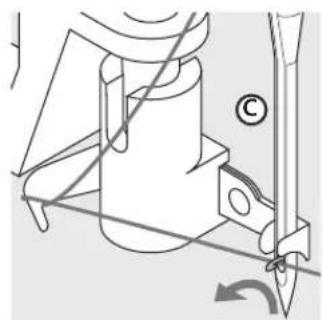
Technical line drawing of a mechanical assembly with no visible text or symbolsThread in front of needle
- take the thread in front of the needle C
• pass the thread from the bottom to the top of the needle until it catches in the hook
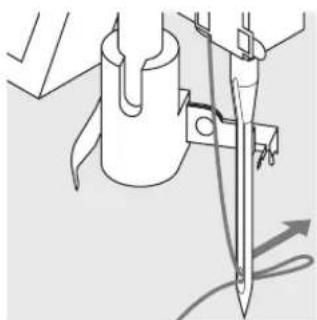
natural_image
Technical line drawing of a mechanical assembly with no visible text or symbolsLet go of lever and thread
· let go of lever B and thread
· pull the thread loop through the needle eye
Bringing up the lower thread
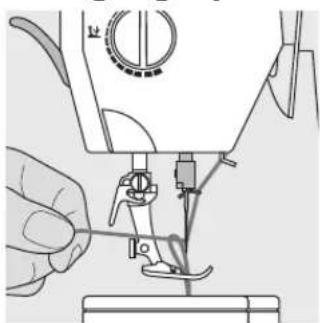
natural_image
Close-up of a sewing machine needle being sewn, with no visible text or symbolsBringing up the lower thread
· if bobbin thread is cut on the cutter (page 8), there is no need to bring it up
· hold the upper thread
· sew one stitch
- pull the upper thread to bring the lower thread up through the stitch plate hole
· take both threads through the slit on the presser foot to the back
- pull threads over the cutter
Note:
The bobbin thread must be brought up through the stitch plate for certain types of work. The length of thread is sufficient for most normal work if the lower thread cutter has been used.
Thread cutter

natural_image
Illustration of a sewing machine needle and handle assembly (no text or symbols)Thread cutter on head frame
- lower the presser foot and pull both threads from front to back over the cutter
- t he threads release as soon as the first stitch is sewn
Stitch Plate
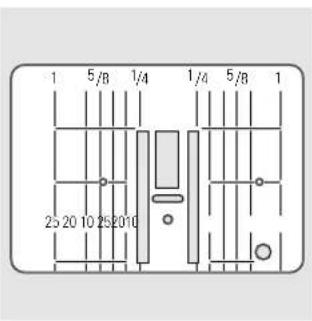
text_image
1 5/B 1/4 1/4 5/B 1 25 20 10 25 20 10Stitch plate markings
- the stitch plate is marked with vertical lines in mm and inches
· mm measurements are at the front
· inch measurements are at the back
· the measurements correspond to the distance from the needle to the line - needle insertion point is position 0 (center needle position)
- the mm/inch measurements are marked to the right and left
· the lines help to guide the fabric for perfectly spaced stitching
- the horizontal markings are helpful for sewing buttonholes, etc.
Feed-dog
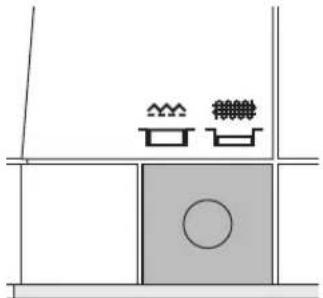
natural_image
Simple line drawing of a room with furniture and a circular object (no text or symbols)Button under the handwheel
Button flush with base plate = sewing position
· for all machine-fed sewing
Button depressed = feed-dog is lowered
· for free-hand sewing (darning, free-hand embroidery, free-hand quilting)
- for embroidery with the Embroidery Module
Presser foot pressure
natural_image
Technical line drawing of a mechanical device with no visible text or symbols
natural_image
Circular diagram with a central vertical division and curved segments, no text or symbols present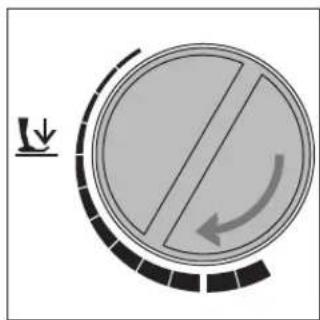
natural_image
Circular mechanical component with internal slot and curved arrow indicating rotation (no text or symbols)
natural_image
Circular diagram with directional arrows and a diagonal line, no text or symbols presentDial on head frame
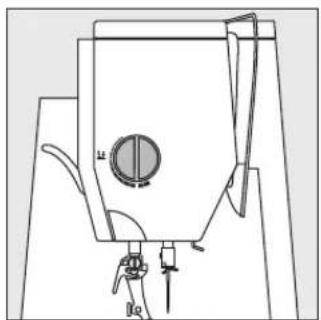
· the presser foot pressure dial is on the left of the head frame
Standard pressure
· for all normal sewing
Reduced pressure
· for jerseys and loose knits, quilting
· p r events fabric stretching
· adjust pressure so that the fabric still feeds correctly
Increased pressure
· for sheer, slippery lightweight fabrics, quilting
· improves fabric feed and prevents puckering
Thread tension
The tension is factory set for best possible sewing results using a 100 weight, 3 ply polyester thread (100/3). Other types and weights can affect the stitch, causing a need for a tension adjustment to get the best results.
Different threads, including embroidery and decorative threads, may require tension adjustments. The tensions should be adjusted to suit the thread, fabric and stitch.
text_image
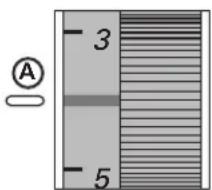
A 3 5Basic setting
· the basic setting is indicated when the red line on the tension adjustment wheel is in line with the marking A
· the tension does not need adjusting for normal sewing work
· for special sewing, the tension can be adjusted to suit the fabric
Example:
Tension Needle
Metallic thread approximately 3 90
Monofilament approximately 2–4 80
To reduce the tension
· Adjust to between 3 and 1
To increase the tension
· Adjust to between 5 and 10
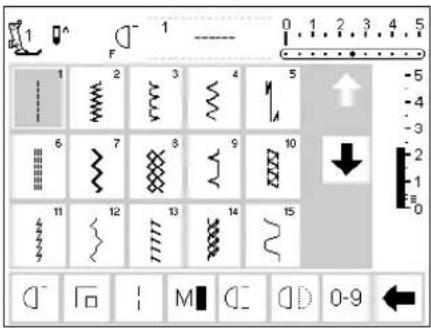
Practical stitches
text_image
1 F - 1 --- 0 1 2 3 4 5 1 2 3 4 5 6 7 8 9 10 11 12 13 14 15 0-9
text_image
1 F 1 0 1 2 3 4 5 16 17 18 19 20 21 22 23 24 N 25 51 52 53 54 55 0-9Buttonholes
text_image
3a F 51 51 52 53 54 55 56 57 58 59 60 61 62 b ? man 3 0-9Decorative stitches
text_image
1 ---- 101.. 5.5mm 301.. 5.5mm 401.. 5.5mm 601.. 5.5mm 701.. 5.5mm 901.. 5.5mm
text_image
1 F 101 0 1 2 3 4 5 101 102 103 104 105 ↑ -5 -4 -3 -2 -1 06 107 108 109 110 ↓ 111 112 113 114 115 0-9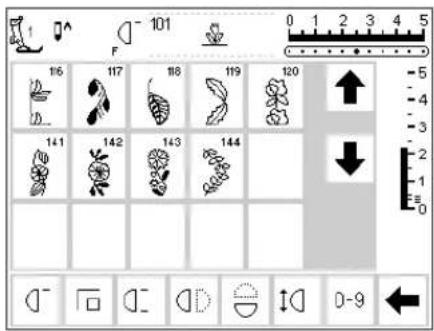
text_image
101 F 116 117 118 119 120 141 142 143 144 0-9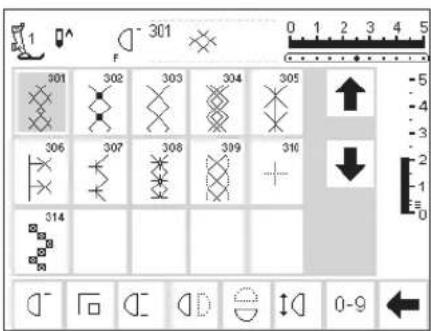
text_image
301 302 303 304 305 306 307 308 309 310 314 0-9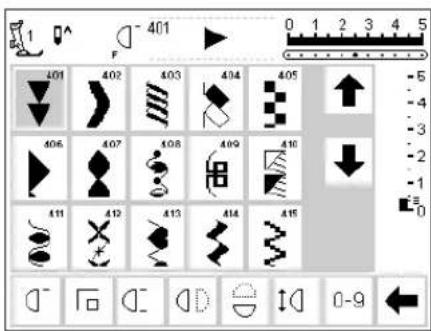
text_image
401 0 1 2 3 4 5 401 402 403 404 405 406 407 408 409 410 411 412 413 414 415 -5 -4 -3 -2 -1 0 0-9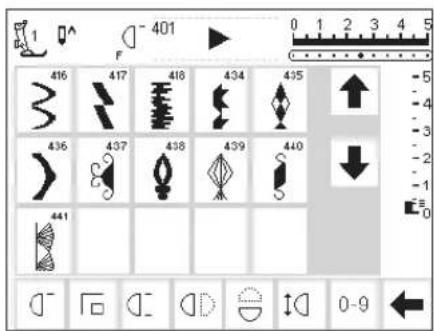
text_image
1 ^ F 401 0 1 2 3 4 5 416 417 418 434 435 436 437 438 439 440 441 -5 -4 -3 -2 -1 0 0-9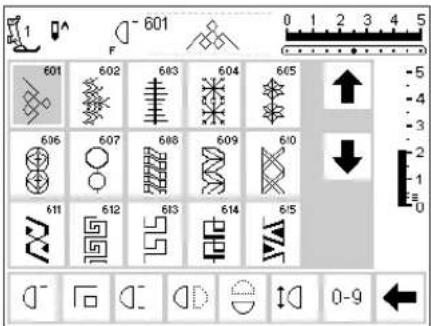
text_image
601 601 602 603 604 605 606 607 608 609 610 611 612 613 614 615 0-9
text_image
601 616 617 654 655 656 657 658 659 0-9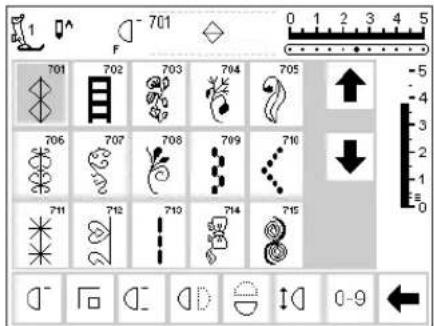
text_image
701 F 701 702 703 704 705 706 707 708 709 710 711 712 713 714 715 0-9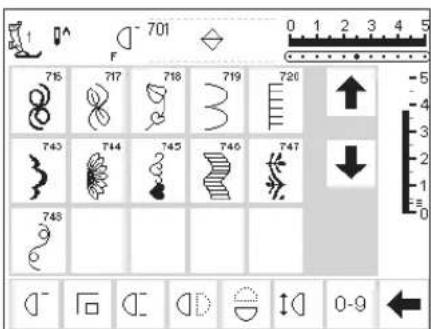
text_image
701 F 76 717 718 719 720 743 744 745 746 747 743 0-9
text_image
901 902 903 904 905 906 907 908 909 910 911 912 913 914 0-9Quilt stitches
text_image
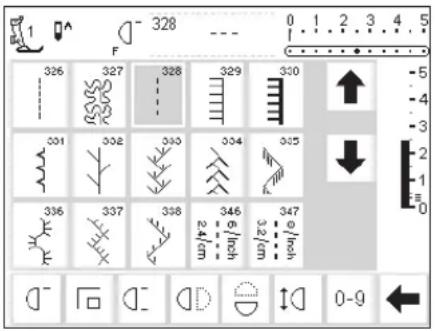
328 0 1 2 3 4 5 F 326 327 328 329 330 331 332 333 334 335 336 337 338 346 347 0-9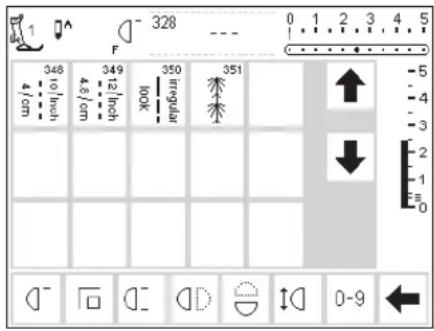
text_image
328 F 348 349 350 351 4 cm 4.5 cm 12 inch 100K irregular ↑ ↓ 0-9Alphabets

text_image
1 A 5.5mm A 5.5mm A 5.5mm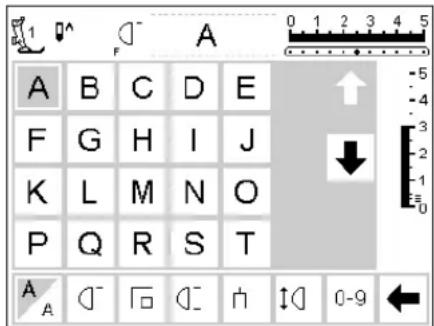
text_image
A B C D E F G H I J K L M N O P Q R S T A A 0-9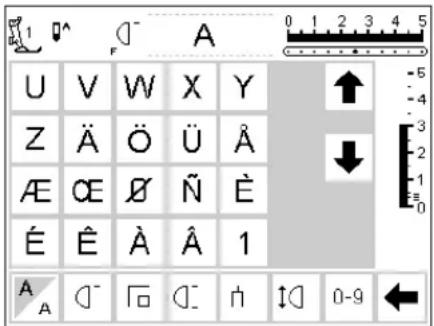
text_image
U V W X Y Z Ä Ö Ü Å Æ O E Ñ Ñ É Ê À Â 1 A - ∩ ∩ ∩ n ↑ 0-9 ←
text_image
2 3 4 5 6 7 8 9 0 _ - . ! + = & ÷ ? % A A - F A 0-9 ←
text_image
( ) [ ] A 0 1 2 3 4 5 -5 -4 ↑ ↓ 3 2 1 0 A A 0-9
text_image
A B C D E F G H I J K L M N O P Q R S T A A 0-9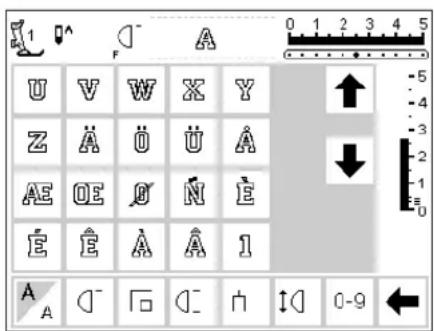
text_image
U V W X Y Z Ä Ü Ü Å AE OE Ö N E E E A A 1 A A - F - D - H ↓ 0-9 ←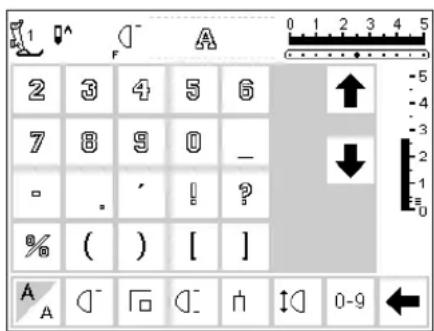
text_image
2 3 4 5 6 7 8 9 0 - ? - . , ! ? ? % ( ) [ ] A A 0-9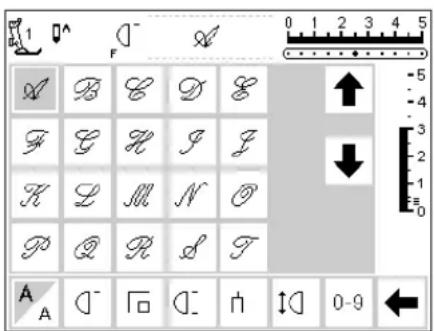
text_image
A B C D E F G H J Z K L M N O P Q R L T A A 0-9 0-9
text_image
1 F U T W X Y Z A O U X X E R Q N E E E X A 1 A C F G H I J K 0-9 ←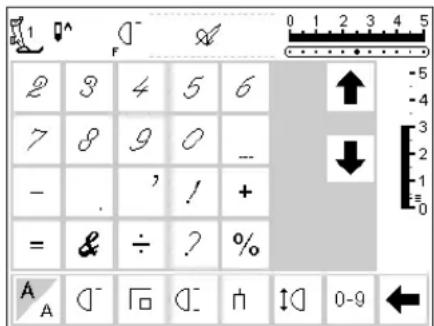
text_image
2 3 4 5 6 7 8 9 0 -- - , ! + = & ÷ ? %
text_image
( ) [ ] A 0-9 ← A 0-9Presser feet

natural_image
Mechanical component diagram showing a lever mechanism with no visible text or symbols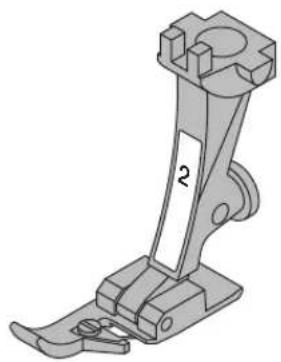
natural_image
Mechanical sewing machine component diagram showing a base and clasp mechanism (no text or symbols)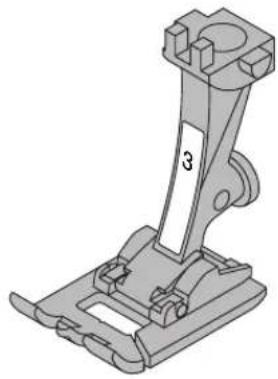
natural_image
Mechanical assembly diagram showing a bracket with mounting flanges and a labeled part (no text or symbols present)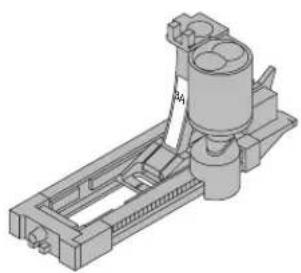
natural_image
3D mechanical assembly diagram showing a cylindrical component mounted on a frame with no visible text or symbols1
Reverse pattern foot with code
Practical and decorative stitches
natural_image
Mechanical component diagram showing a bracket with mounting base and handle (no text or symbols)2 Overlock foot
Overlock seams, hems, oversewing edges, narrow satin stitch

natural_image
Mechanical assembly diagram showing a bracket with a labeled part '5' (no text or symbols beyond the number)3 Buttonhole foot
Buttonholes
natural_image
Mechanical component diagram showing a bracket with a labeled part '6' (no text or symbols beyond the number)3A
Automatic Buttonhole foot
Buttonholes in flat materials, Darning program

natural_image
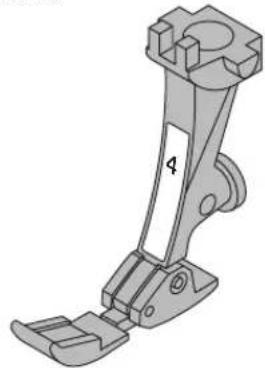
Mechanical component diagram showing a bracket with mounting holes and a labeled part '8' (no text or symbols beyond the label)4
Zipper foot
Sewing in zippers
Blind hems
Edge stitching
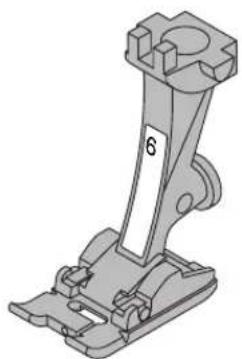
Embroidery, applique,
satin stitch seams, monograms
Straight stitching in thick, firm fabrics and over seams
5
Blind stitch foot
6
Embroidery foot
8
Jeans foot
BERNINA Special Presser Feet
The standard selection of presser feet covers most normal sewing requirements but we recommend the use of BERNINA specialty feet for specific sewing tasks such as quilting, heirloom sewing, home decorating, tailoring, etc.
They are available from your BERNINA dealer.
Samples of Specialty Presser Feet
natural_image
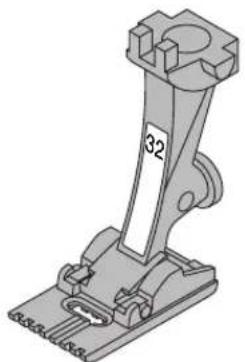
Mechanical component diagram showing a lever mechanism with no visible text or symbols32
Pintuck foot with 7 grooves
Used with a 2 mm double needle to stitch pintucks on medium weight fabrics such as fine wool and cotton
natural_image
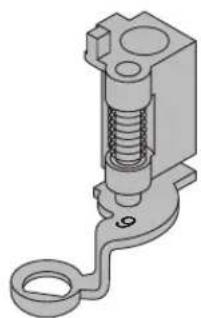
3D mechanical component diagram showing a spring-loaded actuator with a hook and housing (no text or symbols)9
Darning foot
Use with the feed dogs in a lowered position for darning, monograms, and freehand embroidery
Practical stitches
| 1 Straight stitchAll non-stretch fabrics. All straight stitch work. | 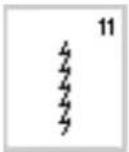 | 11 Super stretchOpen seam in all super-stretch fabrics such as Lycra, | |
| 2 Zig-zagMost fabric types. All simple zig-zag applications such as oversewing fine fabrics, attaching elastic, lace and appliqué. | 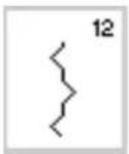 | 12 Gathering stitchMost types of fabric. Gathering with shirring elastic. Butted seams (edge to edge). | |
| 3 V ari-overlockPrimarily for fine jerseys, stretch overlock seams and hems. | 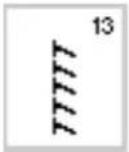 | 13 Stretch overlockMedium weight knits, toweling and firm wovens. Overlock seams, flat joining seams. | |
| 4 Running stitchMost types of fabric. Mending, patching, reinforcing seams. |  | 14 Jersey stitchNatural, blended or synthetic fabrics and delicate knits. Visible seams and hems. Mending jersey/interlock. | |
| 5 Securing stitchAll types of fabric. Secures the beginning and end of seams sewn with straight stitch. | 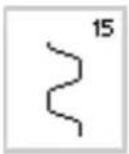 | 15 Universal stitchFirm fabrics such as felt and leather. Flat joining seams, visible seams, sewing on elastic, decorative seams. | |
| 6 T riple straight stitchReinforced seams in tough, heavy fabrics. | 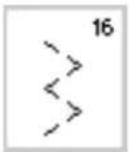 | 16 Sewn-out zig-zagOversewing woven fabrics, reinforcing edges, attaching elastic, decorative seaming. | |
| 7 T riple zig-zagReinforced seams in firm fabrics, visible hems and seams, decorative stitching, couching. |  | 17 Lycra stitchAll two-way stretch fabrics, flat joining seams and hems, reinforced seaming on underwear. | |
| 8 Honeycomb stitchMost types of interlock and smooth fabrics. Visible seams and hems. |  | 18 Stretch stitchAll stretch fabrics, open seam in sportswear. | |
| 9 Blind stitchMost types of fabric. Blind hems, shell edging on soft jerseys and fine fabrics, decorative seams. | 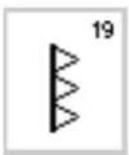 | 19 Reinforced overlockMedium to heavy weight knits and toweling, overlock seams, flat joining seams. | |
| 10 Double overlockAll types of knit. Sews and finishes edges in one operation. | 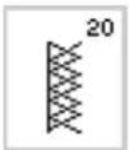 | 20 Knit overlockAll knits, machine or hand sewn. Overlock = sew and neaten in one. |
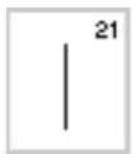
21 Basting
Basting seams, hems, etc.

24 Bar tack program
Reinforcing pocket edges, belt loops etc.
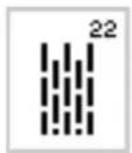
22 Simple darning program
Automatic darning in fine and medium weight fabrics.

25 Bar tack program
Reinforcing pocket edges, belt loops etc.
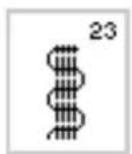
23 Reinforced darning program
Automatic darning in heavy weight fabrics.
For more information on using various practical stitches, refer to the artista 165 Sewing Manual, pages 2–20.
Buttonholes
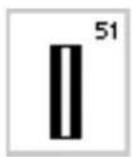
51 Standard buttonhole
Fine to medium weight fabrics. Blouses, shirts, trousers, bedlinen, etc.
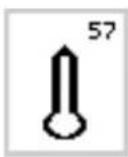
57 Keyhole buttonhole with pointed bartack
For non-stretch firm fabrics. Jackets, coats, leisure wear.

52 Standard buttonhole narrow (heirloom)
Fine to medium weight fabrics. Blouses, shirts, dresses, trousers, children's and baby clothes, doll clothes and heirloom.
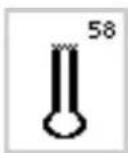
58 Keyhole buttonhole with horizontal bartack
For firm, non-stretch fabrics. Jackets, coats, leisure wear.
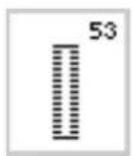
53 Stretch buttonhole
All stretch fabrics made from cotton, wool silk and synthetic fibers.
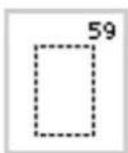
59 Straight stitch buttonhole
For reinforcing satin stitched buttonholes, making bound buttonholes, and stitching buttonholes leather or imitation suede.

54 Round buttonhole with normal bartack
For medium to heavy weight fabrics of all types. Clothing, jackets, coats, rainwear.

60 Button sewing on program
For buttons with 2 and 4 holes.

55 Round buttonhole with horizontal bartack
For medium to heavy weight fabrics of all types. Clothes, jackets, coats, rainwear.
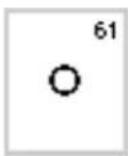
61 Narrow zig-zag eyelet
Opening for cords and narrow ribbons/bands, decorative work.
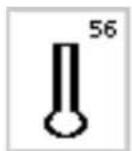
56 Keyhole buttonhole with normal bartack
Heavy weight, non-stretch fabrics. Jackets, coats, trousers, leisure wear, etc.
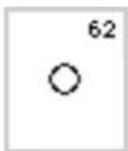
62 Straight stitch eyelet
Opening for cords and narrow ribbons.
For more information on stitching various types of buttonholes, refer to the artista 165 Sewing Manual, pages 21–30.
Screen
The artista is operated with a combination of external buttons and knobs and a touch screen.
text_image
Diagram showing front and side views of a device with labeled ports and buttons, including a control panel with 'I' and 'O'.Switch machine on
· power switch to "1"

text_image
Welcome artista 165 BERNINA® Sewing & Embroidery System Made in Switzerland © Fritz Cegouf Ltd./ BERNINA Sewing Machine Company CH - 8266 Steckborn / Switzerland www.bernina.comWelcome screen
- welcome
- appears for approximately 3 seconds
- can be omitted in the Setup program
text_image
A B C D E 1 F 1 ---- 0 1 2 3 4 5 1 2 3 4 5 G 6 7 8 9 10 ↓ 11 12 13 14 15 K J IPractical stitch screen
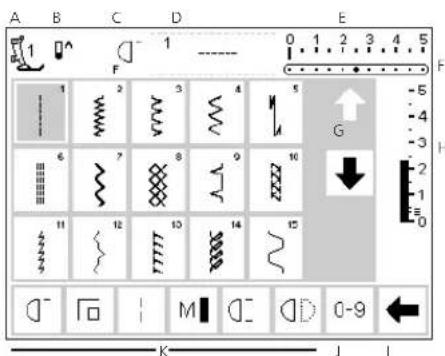
- the practical stitch screen appears immediately after the welcome - screen shows:
A - presser foot indicator
B - needle stop position
C - assigned "F" button function
D - selected stitch and number
E - stitch width (basic setting always visible)
F – needle position (11 possibilities)
G - up/down scroll arrows
H - stitch length (basic setting always visible)
I – scroll arrows for functions
J - stitch selection with numbers (selected stitch is highlighted)
K-functions
On screen stitch selection/stitch display/functions
text_image
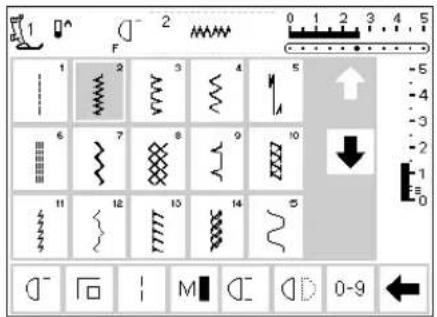
1 F 2 0 1 2 3 4 5 1 2 3 4 5 6 7 8 9 10 11 12 13 14 5 -5 -4 -3 -2 -1 0 -1 0-9Select a stitch
- touch the stitch of your choice
· the stitch is highlighted
· every stitch is displayed with its number

Altering the needle position
- press the right or left needle position button
· each press moves the needle one point to the right or left
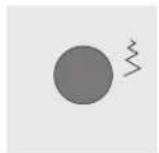
Altering the stitch width
· t urn the upper knob

Presser foot indicator
· the recommended presser foot is displayed by number
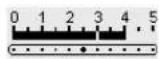
- altered width is shown on the stitch width bar (basic setting visible)
· stitch is displayed with altered setting
· the stitch width can be altered from 0–5.5 mm - stitch width bar automatically shows 0–5
Return to basic set- tings
- press the external clr button
· the stitch will revert to its basic settings

Altering the stitch length
- t urn the lower knob
Needle stop adjustment
- press the needle stop button
- a rrow points down
· the machine always stops with the needle down - p r ess needle stop button again – needle stop reverts to up (arrow points up)
text_image
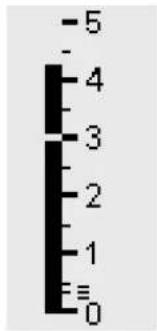
-5 - 4 3 2 1 ≡ 0- altered length is shown on the stitch length bar
· the basic setting will be visible (shown at 3mm) - stitch length can be altered from 0 mm to 5.5 mm on most stitches
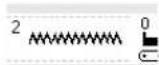
Display of selected stitch (to the left of stitch width bar)
- the stitch number is always visible in the center of the upper portion of the screen
- stitch number is displayed to the top left of the stitch graphic in the center of the upper portion of the screen
text_image
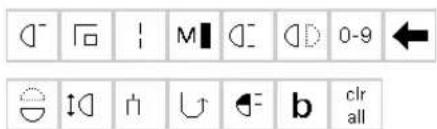
0-9 clr allSelecting functions
· touch the function of your choice
- the selected function is highlighted (a number of different functions can be selected simultaneously)
- touch the function toolbar arrow to scroll more functions
· activate another function if desired
- touch the toolbar arrow to scroll again
- the toolbar can be customized in Setup
· for more information functions, see
Pages 22.28
030787.52.04_0401_a165_EN
Stitch selection
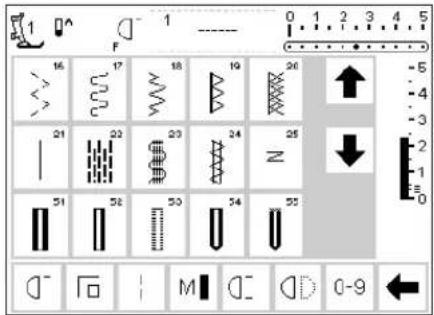
Stitches can be selected using one of the two methods listed below.
text_image
1 F 0 1 2 3 4 5 16 17 18 19 20 21 22 23 24 N 25 51 52 53 54 55 -5 -4 -3 -2 -1 0 D - F - M D - D 0-9 ←Direct selection by scrolling up/down
· touch the arrow (down)
· scroll the screen to view all stitches
· the top row disappears
· the next two rows move up
· a new row appears at the bottom
· touch the arrow (up)
· the first row of stitches appears again
- the scroll function (up/down) is used to find and view all the machine's stitches
· use when a visual search for a particular stitch is needed when the desired stitch is located, touch it to select
text_image
No. 911] del 1 2 3 4 5 esc 6 7 8 9 0 okSelect a stitch by number
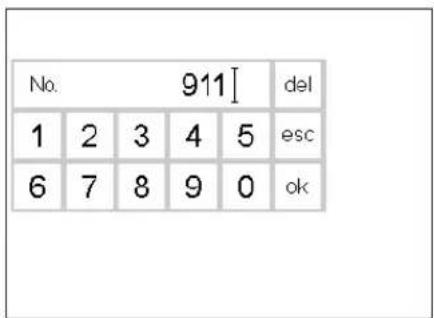
- touch the function "0-9"
· the screen changes to stitch numbers - touch numbers to select the stitch of your choice
· the number of the selected stitch appears in the top row
Correct
· to correct mistakes or deselect, touch del top right
· the cursor moves to the left and deletes the number
· select new number
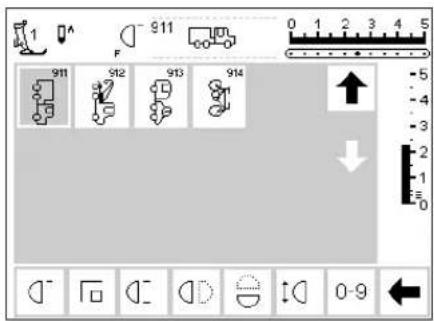
text_image
1 F 911 0 1 2 3 4 5 911 912 913 914 ↑ ↓ 0-9Confirm and go to next screen
- touch OK to confirm
- touch esc
- the screen displays the selected stitch
· the selected stitch is active (highlighted)
Back to previous screen
· touch esc
· the previous screen appears
· the stitch selected by number will be ignored
Note:
The screen does not react if an unavailable stitch number is entered.
Simple menu selection
Practical stitches

Buttonholes
External menu buttons
· p r ess a button
· the program is selected
· the first stitch/stitch program or stitch summary appears on the screen

Decorative stitches

Quilt stitches

Alphabets
Embroidery
text_image
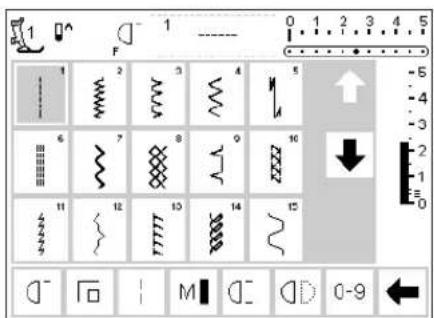
1 F 0 1 2 3 4 5 -5 -4 -3 6 7 8 9 10 11 12 13 14 15 -2 -1 0 D - F 1 M D D 0-9 ←Practical stitch button
· the practical stitch menu appears
- straight stitch top left is active
· 15 practical stitches appear on the screen
- use arrows to scroll for viewing additional stitches
text_image
3a F 51 51 52 53 54 55 56 57 58 59 60 61 62 -5 -4 -3 -2 -1 0 b ? man 3 0-9
text_image
1 101.. 5.5mm 301.. 5.5mm 401.. 5.5mm 601.. 5.5mm 701.. 5.5mm 901.. 5.5mm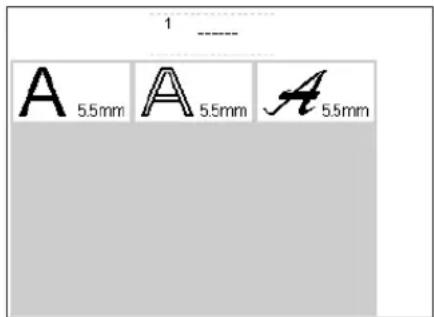
text_image
1 ---- A 5.5mm A 5.5mm A 5.5mm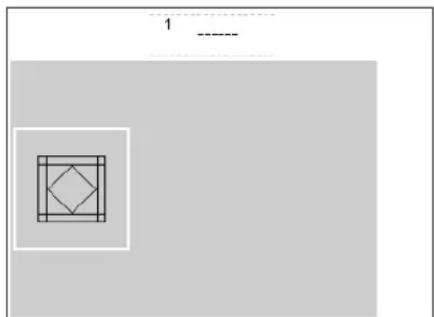
natural_image
Geometric diagram with nested squares and a diamond shape, no text or symbols present
natural_image
Two simple geometric shapes: a rectangle with a cutout and a flower-like figure, both on a plain background (no text or symbols)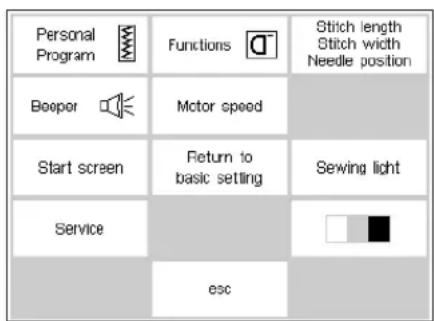
text_image
Personal Program Booper Motor speed Start screen Return to basic setting Service esc Stitch length Stitch width Needle position Sewing lightButtonhole button
- the buttonhole menu appears, including the eyelet and button sew-on programs
Decorative stitch button
· the decorative stitch menu appears
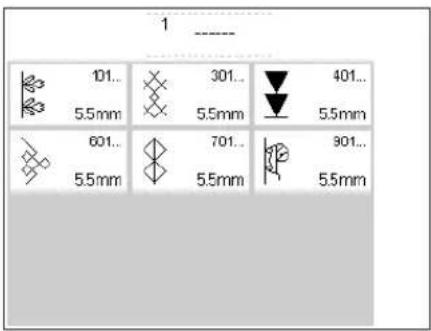
· pattern types can be selected
- 5.5 mm decorative stitches
- touch to select the desired stitch group
· the selected stitch group appears
Alphabet button
· the alphabet menu appears
- touch to select the alphabet of your choice
Quilt stitch button
· the menu appears
- touch symbol to activate quilt stitches
External connections
· the following accessories can be
connected to the machine
· embroidery module
· embroidery cards
· menu appears
- touch to select
Setup
- press the external Setup button
· menu appears - use Setup to customize your machine's settings
· stitches and functions can be combined to form a customized (Personal program) menu - customized menu (Personal program) can be saved
030787.52.04_0401_a165_EN
· saved customized menu (Personal program) can be opened at any time
· customized settings can be cancelled at any time
External function buttons
clr (Clear) button
- press the clr button
- stitch length, width and needle position will be returned to basic settings
most functions will be deleted (see individual functions)

mem (Memory)
· p r ess the mem button
· memory is open and appears on the screen
· the memory bar replaces the third row of stitches on the screen
· see chapter on Memory
- p r ess mem button to close
· for more information on using the memory, see pages 38–43
Needle stop adjustment
- the default setting of the needle is in the "up" position
· p r ess the needle stop button
· the on-screen arrow points down
· the machine will always stop with needle down - p r ess the needle stop button again to revert to needle stop up

"?" (Help)
· p r ess the Help button
· touch a stitch or function
· explanation for the selected stitch or function appears

TC (Tutorial/Sewing Consultant)
- press the button
· menu appears - Tutorial (instructions in brief)
- Creative Consultant (advice on fabric/needle/techniques)
- touch to select the desired menu
· the information selected is activated and the appropriate screen will appear

Needle position
- press the left or right needle position button
· the needle moves to the right or left
· total of 11 needle positions: 5 left, 5 right, center
Smart button
- press the Smart button
- the stitch is saved with all adjustments to width, length, and needle position
- select a new stitch, e.g. button-holes
- press the Smart button to return to the previous screen with saved settings
· use the Smart button to toggle between stitches as you work
Setup
- press Setup
· menu appears
· use Setup to customize your machine's settings
· stitches and functions can be combined to form a customized menu (Personal program)
· customized menu (Personal program) can be saved - saved customized menu (Personal program) can be opened at any time
· customized settings can be cancelled at any time

eco (ecology) button
· p r ess the eco button
· energy use by the machine is cut by 50%
· particularly useful for long interruptions in work
· all settings remain active; foot control is inactive
· screen saver is activated
- p r ess the eco button again to restore the sewing machine to normal function

Quick reverse button (above needle)
- press the quick reverse button
- secure the seam beginning and end – sews in reverse as long as button is depressed
· used to program buttonhole length
· used to program darning length
· used to switch to straight stitch securing program (Stitch no. 5)
· used to start/stop stitching with the embroidery module (special accessory)

Single Pattern (above needle)
- press the pattern end button
· machine stops at the end of the next stitch pattern sewn

F (Favorite function) button (above needle)
- this button can be individually programmed in Setup with a function of your choice
- selected function can be cancelled and reprogrammed at any time with another function
· personal program can be programmed into "F" button
· for more information on the Favorite function button, see page 54
On-screen functions
Fields are highlighted when functions are activated.
Activated functions can be cancelled individually by pressing a second time.
All selected functions can be cancelled simultaneously by pressing the external clr button.
Exceptions:
Needle stop and Double needle limitation. These functions must always be cancelled individually.
General functions
The following functions are found on various screens and programs of the artista sewing machine. They are consistently

Scroll up
- touch one or more times
· screen scrolls up to show more options - touch the symbol continuously to scroll quickly

Scroll down
- touch one or more times
· screen scrolls down to show more options - touch the symbol continuously to scroll quickly
used in the same manner for specific tasks when accessing and moving between different programs.
esc
ok
Closing special applications
· touch esc
· the special application closes
· r returns to previous screen
OK
- touch to confirm and activate adjustment/selection, e.g. thread tension change
- p r ogrammed adjustment/selection is ready to sew
Function toolbar
The following functions are available on the artista sewing machines. Any function which can be used in the selected program will appear on the screen in the bottom row. If there are more than eight (or four memory

Complete function toolbar as it appears in the practical stitch program.
Note: The scroll arrow and the 0–9 (stitch selection by number) will remain on the screen for easy access and will

Pattern begin
· touch symbol
· the needle moves to the beginning of a stitch or stitch combination
· field is highlighted but reverts to normal after 2 seconds or after beginning to sew
· if selecting Pattern begin for a memory combination, the cursor will appear to the right of the first stitch on-screen
Applications:
· embroidery, buttonholes, working in memory

Securing
- touch symbol
· individual stitches will be secured at the beginning and end with 4 stitches
· securing in memory: stitch and letter combinations will be secured at the beginning and end
Applications:
· sewing individual decorative stitches
· sewing individual letters
· sewing stitch combinations and words

Long stitch
- touch symbol
· machine sews every second stitch (max. stitch length 10 mm)
· can be activated for all practical and decorative stitches except buttonholes
· functions and stitches can be combined
· can be saved in memory
· does not operate with the embroidery module (special accessory)
Applications:
· combine with straight stitch to baste
· combine with triple straight stitch for topstitching
functions), the remaining ones will be hidden and can be accessed by using the arrow in the lower right corner to scroll. When a hidden function is active, the arrow will flash.

Hidden functions that can be accessed by scrolling with the arrow.
never be hidden. A total of eight functions (or four regular and four memory functions) will shown on-screen.

Motor speed 14 , 12 , 34 , 44
- touch symbol one or more times to select speed
· selected speed is displayed - r reduces or increases the motor speed
· will sew the selected maximum speed with the foot control fully depressed
Applications:
· adjust speed for decorative sewing machine work such as freehand embroidery or freehand quilting and when more control is desired for the sewing task
· when children are sewing

Pattern end 1–9
- touch symbol one or more times to select number required
- 1 = machine stops at the end of an individual stitch or stitch combination
- 2–9 = machine stops at the end of a stitch or stitch combination after the number of repeats selected
Applications:
· sewing individual motifs
· combine with practical stitches and decorative sewing

Horizontal mirror image
· touch symbol
· machine sews selected the stitch in horizontal mirror image (left/right – determined by the sewing direction)
· can be saved in memory
Applications:
· decorative stitching
· pattern combinations in memory
Stitch selection by number
- touch number symbol
- select stitch by touching the appropriate number combination
Applications:
- quick selection of individual stitch
- quick selection for stitch combination in memory
Scroll
- touch one or more times to view more functions
Applications:
· view all available functions
· combine functions with stitches for individual motifs or in memory
Vertical mirror image
- touch symbol
- machine sews selected stitch in vertical mirror image (up/down – determined by the sewing direction)
- can be saved in memory
Applications:
· decorative stitching
· pattern combinations in memory

Pattern extension 2–5x
- touch one or more times
- the numbers 2–5 appear depending on the type of stitch selected
- the length of selected stitch will be increased by 2–5 times
· lengthened stitches can be programmed in memory
Applications:
· lengthen existing patterns without affecting the stitch density
· combine stitches

Double needle limitation
- touch one or more times to select number from 2 to 5
· the numbers represent the distance between the needles in mm - the stitch width will be limited automatically
- this prevents the needles from hitting the presser foot or stitch plate, avoiding needle breakage
· can be saved in memory
Applications:
- sewing pintucks
- hemming knits
· decorative stitching
Note: There is one additional function, Hemstitch Needle Limitation, available for placement on the function toolbar (see Functions in Setup, page 26). This can be placed on the toolbar using the Setup program (see page 54).

Continuous reverse sewing
- touch symbol
· sews the selected stitch in reverse
· darning with straight or running stitch
· decorative stitching on sleeves or trouser legs
· quilting
Application:
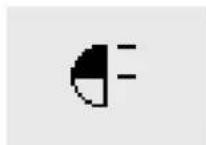
Half pattern
- touch symbol
· machine automatically stops at the halfway point of the stitch pattern - when stitching is resumed, the pattern is completed and the first half of the next pattern is stitched before the machine automatically stops again
· use Single pattern to stop at the end of the second half of the stitch pattern
Application:
· turning corners
· altering decorative stitches for a new look
Balance
- touch symbol to open balance screen
· correct forwards and reverse stitches
Applications:
· adapting practical and decorative stitches to various types of fabrics
· altering decorative stitches for a new look
· adapting buttonholes to different fabrics
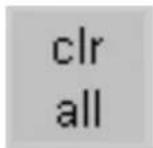
Clear All
· clears all settings that were changed except those that were changed using the Setup program
· r returns to default settings
- Settings affected:
Continuous Reverse
Long Stitch
Pattern End
Securing Function
Horizontal Mirror Image
Vertical Mirror Image
Pattern Extend
Balance
Stitch Length
Stitch Width
Needle Position
Half Pattern
Double Needle Limitation
Hemstitch Needle Limitation
Needle Stop Position
Motor Speed
Alphabet Size
Stored Buttonholes
Functions in Setup
The functions below are found in the Setup program of the artista sewing machine. They are accessed by pressing the external Setup button on the front of the machine and then
touching Functions on the screen. These functions are used when setting the features and functions of the machine to your personal requirements.
Pers. Pro.
Personal program
· touch symbol
· personal screen appears
Applications:
· quick method to open personal program
reset
Reset
· touch symbol
· personal settings are reverted to basic settings

Delete functions
- touch symbol
- delete functions

Insert functions
- touch symbol
- insert functions
The function below is available in the Setup program of the artista sewing machine. It is a sewing function used from the sewing screens; however, it will not show up on
the toolbar at the lower edge of the screen unless specifically placed there. For more information, see pages 53–55.

Hemstitch (wing) needle limitation
· will not show up on the toolbar unless it is inserted by the user
· can be installed in the Setup program
· the stitch width is limited automatically
- needle position limited to center
- p r events the needle hitting the presser foot or stitch plate – no needle breakage
Application:
· hemstitching
· decorative stitching.
Functions in Memory
check
Check
- touch symbol
· memory contents are displayed
Application:
- check and correct memory contents
del
Delete
· touch symbol
- delete individual stitches or letters to the left of the cursor
- delete stitch combinations
Application:
· corrections in memory
- delete complete memories
mem 1
Select memory
· the opened memory is displayed with its number
- touch to display the contents of the memory bank
- touch esc to close memory bank
- p r ess the external mem button to close memory
Applications:
· working in memory
· saving stitch combinations
Store
· touch symbol
- saves individual stitches, stitch combinations and letters in memory
Applications:
· saving programs
Scroll left
· touch symbol one or several times
· memory contents are scrolled backwards
store


Scroll right
- touch symbol one or several times
· memory contents are scrolled forwards

Edit memory contents
- touch symbol
· correct, edit stitches, letters or numbers to the left of the cursor
· insert functions, mirror image - touch symbol again to close edit screen
Applications:
· correcting, changing memory contents
Functions in Editing
The following functions become available in the center of the screen when the edit function is selected. All functions on the toolbar (except del) will become inactive
when the edit function is selected and will reactivate when the edit function is closed.

Motor speed
- touch symbol one or more times to select speed
- selected speed is displayed
- full speed is 880 stitches per minute (unless the basic setting has been changed in the Setup program)
- r reduces or increases the sewing speed ^1/4 at a time (1/4, ^2/4, ^3/4, ^4/4)

Vertical mirror image
- touch symbol
· machine sews selected stitch in vertical mirror image
· alteration of selected stitch is shown on-screen

Securing function
- touch symbol
- the end of the last stitch in the memory will be secured with 4 tiny stitches

Pattern Extend 2–5x
· touch one or more times
- the numbers 2–5 appear depending on the type of stitch selected
· the length of selected stitch will be increased by 2–5 times
· the stitch density is not affected
· lengthened stitches can be programmed in memory

Memory sub-division
- touch symbol
· the memory has up to 255 sections or banks
· each bank can be subdivided as desired
· total memory (all banks together) holds 1023 stitches

Balance
- touch symbol to open balance screen
· correct forwards and reverse stitches

Long stitch
- touch symbol
· machine sews every second stitch (max. stitch length 10 mm)
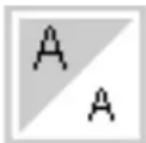
Letter size
- touch one or more times
· one half of field is highlighted
· the gray section visually indicates the letter size: large (5,5 mm) or small (4 mm)

Horizontal mirror image
- touch symbol
· machine sews selected stitch in horizontal mirror image
· alteration of selected stitch is shown on-screen
Buttonhole program functions
The functions below appear on the function toolbar at the lower edge of the screen when any buttonhole (stitches 51–62) is selected.
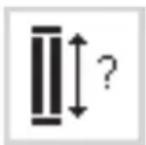
Buttonhole length – direct length entry
- touch symbol to open number screen
- Buttonhole length = buttonhole opening in mm
Application:
· use this method if you know the size of your button
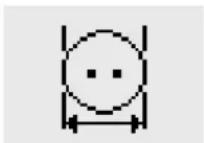
Buttonhole length – on screen measurement
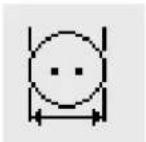
- touch symbol to open measuring screen
· hold button to bottom lower left corner of screen and use the stitch width knob to measure it - buttonhole length will be programmed with 2mm added automatically
Application:
· simple method to determine buttonhole size
man
Manual buttonhole
· touch symbol
· follow procedure (4–6 steps, depending on buttonhole type)
Application:
· for individual manually sewn buttonholes
· to repair existing buttonholes
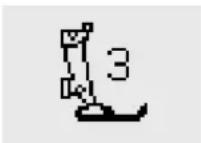
Stitch counter buttonhole
· select buttonhole
- touch symbol
- stitch counter buttonhole will be activated
Alphabet program functions
The following functions will appear in the lower left corner of the screen when a letter of an alphabet is
selected. It will reduce the number of normal functions shown on the toolbar by one, causing it to be hidden.

Letter size
- appears in toolbar when any letter or character of one of three styles of alphabets is selected
- touch one or more times
· one half of field is highlighted
· the gray section visually indicates the letter size: large or small
Applications:
- size selection
· works in memory (letters do not have to be reprogrammed but can be resized using the edit function)
Messages
The following messages may appear on the screen of the artista sewing machine during certain operations. They are reminders, warnings, or confirmations about the function or stitch being selected. Below is a list
of the messages pertaining to the sewing machine (see embroidery manual for messages that pertain to the embroidery module) and the appropriate responses.
MESSAGE RESPONSE
Please check the upper thread. Check to see if the needle thread has run out or has
broken. Rethread the needle thread if needed. Machine will not sew until this is corrected.
The bobbin winder is on. Check to see if bobbin winder is on. If the bobbin winder
is on, the foot pedal is inactive and the machine will not sew. Disengage the winder if needed. Machine will not sew until this is corrected.
Note: This message will appear when winding a bobbin; touch esc to clear it from the screen.
Do you really want to delete the Confirms the delete command before any stitches or contents of this memory? functions are erased from memory. Touch OK to continue
with the deletion process; touch esc to abort the process.
Personal Program memory is full. To save a stitch, an already saved stitch must be deleted.
Memory is full. To save a stitch, an already saved stitch must be deleted.
Buttonholes
Buttonholes are practical closures which can also be used for a decorative effect. The artista165 provides a very versatile selection.
text_image
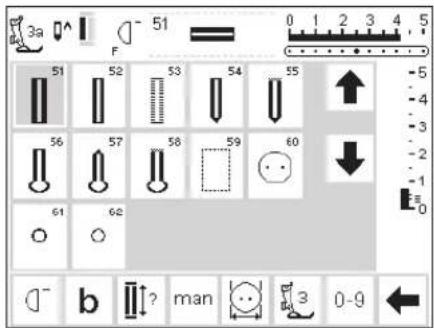
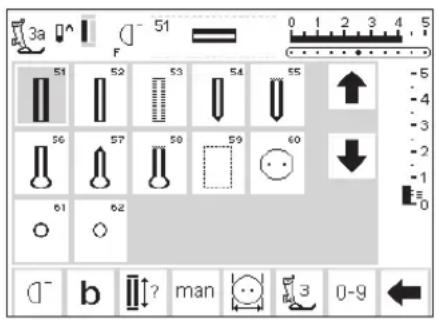
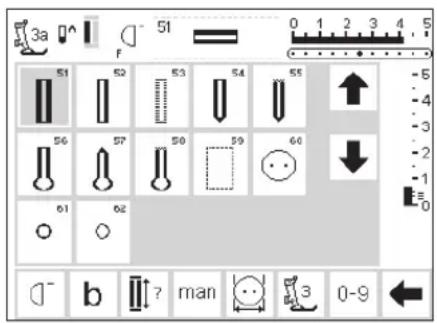
3a F 51 0 1 2 3 4 5 51 52 53 54 55 56 57 58 59 60 61 62 b ? man 3 0-9Buttonholes/Button sewing on program/eyelets
- press the external Buttonhole button (to the right of screen)
· screen shows an overview of all buttonhole and eyelet types
51 standard
· 52 narrow (heirloom)
· 53 stretch
· 54 round with normal bartack
· 55 round with horizontal bartack
· 56 keyhole with normal bartack
· 57 keyhole with pointed bartack
· 58 keyhole with horizontal bartack
· 59 straight stitch buttonhole
All buttonholes can be sewn and programmed in a variety of ways.
· 60 button sew-on program
· 61 zig-zag eyelet
· 62 straight stitch eyelet
Select buttonhole/button sew-on program/eyelet
· touch symbol
- selected buttonhole, eyelet or button sew-on program is activated
- If one of the buttonholes (51–62) is activated, all functions are reset to the default settings
The following buttonholes and related stitches are found on the buttonhole screen.
For additional information on uses for each type, see page 17.

51 Standard buttonhole
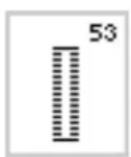
53 Stretch buttonhole
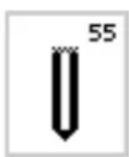
55 Round buttonhole - horizontal bartack
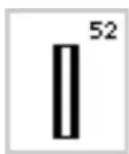
52 Narrow buttonhole (heirloom)

54 Round buttonhole - normal bartack

56 Keyhole buttonhole – normal bartack
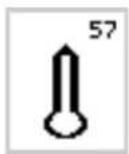
57 Keyhole buttonhole – pointed bartack

59 Straight Stitch buttonhole
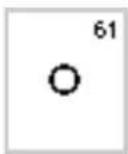
61 Eyelet – narrow zigzag
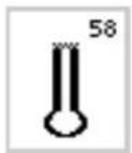
58 Keyhole buttonhole - horizontal bartack
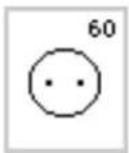
60 Button Sew-on program
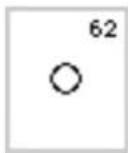
62 Eyelet – straight stitch
Automatic buttonholes (standard and stretch)

natural_image
3D mechanical assembly diagram showing a lever mechanism with no visible text or symbolsFor buttonhole example, refer to the artista 165 Sewing Manual, page 25.

Sewing the first bead
- the sewn section will be displayed on the screen (to the right of the presser foot indicator)
- sew the first bead forwards, stop the machine at the desired length
Both beads are sewn in the same direction.
Buttonhole length = buttonhole opening in mm
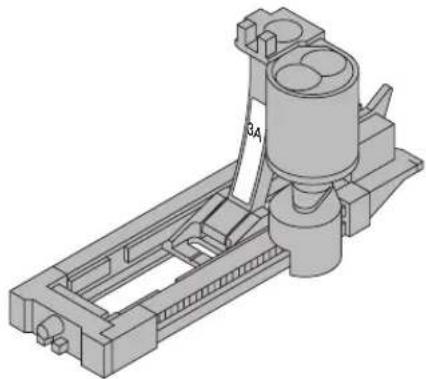
Note: the automatic buttonhole foot 3A must lie flat on the fabric, i.e. not on a seam allowance, otherwise the length will not be measured accurately.
Automatic buttonhole
· the lens on the buttonhole foot 3A will register the length that you determine automatically
· for making buttonholes from 4–29 mm length

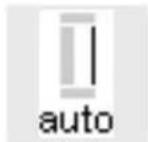
Programming the buttonhole
· p r ess and release the quick reverse button
· auto appears in buttonhole symbol = length is programmed
· machine sews straight stitch backwards
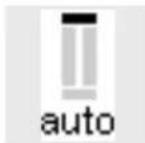

Auto buttonhole
· machine sews first
bartack automatically
· machine sews second bead forwards
· machine sews second bartack automatically
· machine sews securing stitches automatically
· machine stops and returns automatically to the beginning of the buttonhole
- all subsequent buttonholes will be sewn automatically to the same length (without pressing the quick reverse button)
Buttonhole Leveler (optional accessory)
When sewing a buttonhole using Automatic Buttonhole Foot No. 3A on an uneven area (such as over a seam allowance), use the Buttonhole Leveler. This accessory will create a smooth surface for the foot and help make a perfect buttonhole.
Automatic buttonholes (round and keyhole)
natural_image
3D mechanical assembly diagram showing a cylindrical component mounted on a frame with no visible text or symbolsBoth beads of the buttonhole are sewn in the same direction.
Buttonhole length = buttonhole opening in mm

Sewing the first straight stitches
- the sewn section will be displayed on the screen (to the right of the presser foot indicator)
- sew straight stitches forwards, stop the machine at the desired length
Programming the buttonhole
- press the quick reverse button
- when auto appears under the buttonhole symbol, the buttonhole is programmed

text_image
auto auto auto auto auto autoNote: The graphics shown on the screen are the same as for a standard buttonhole (see above) when stitching a round or keyhole buttonhole
For buttonhole example, refer to the artista 165 Sewing Manual, page 26.
Auto buttonhole
· machine sews circle or eye automatically
· machine sews the first bead backwards automatically
· machine sews straight stitches forwards up to circle or eye
· machine sews 2nd bead backwards automatically
· machines sews bar tack automatically
· machines sews securing stitches automatically
· machine stops and returns automatically to the beginning of the buttonhole
- all subsequent buttonholes will be sewn automatically to the same length (without pressing the securing button)
Automatic buttonhole (all types) Direct entry length

natural_image
3D mechanical assembly diagram showing a cylindrical component mounted on a frame with no visible text or symbolsIf the desired length of a buttonhole is known, it can be directly entered into the machine (in millimeters).
When using the Automatic button-hole foot No. 3A for stitching keyhole buttonholes, the maximum length that should be entered is 24 mm. That leaves room for the keyhole, which the machine will add automatically.
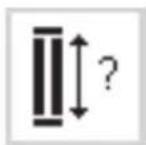
Open number screen
- buttonholes can be sewn to a specific length with the automatic buttonhole foot 3A
· select type of buttonhole - touch buttonhole with question mark symbol

text_image
4-20mm mm dol 1 2 3 4 5 esc 6 7 8 9 0 okEnter the length
· numbers 1–0 appear on the screen
· enter the buttonhole length (4–29 mm) with numbers
- the length appears to the right of the buttonhole symbol
- touch OK to confirm, screen changes automatically Buttonhole length = buttonhole opening in mm
Corrections:
- touch del to delete wrong numbers
Back to buttonhole menu
- touch esc

On-screen display
"auto" below the buttonhole symbol indicates that the buttonhole is programmed
Automatic buttonhole (standard and stretch) Length calculated from button

natural_image
3D mechanical assembly diagram showing a cylindrical component mounted on a frame structure (no text or symbols visible)The buttonhole size can be determined by holding a button on the screen. The length will be determined by the machine and displayed on the screen.

Open calculation screen
· select buttonhole
- touch button size function
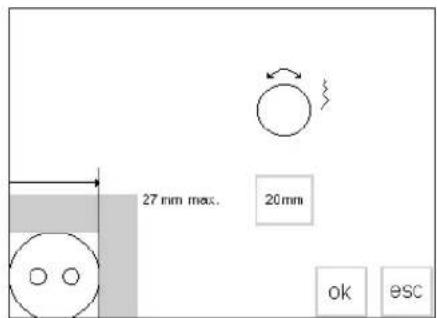
text_image
27 mm max. 20mm ok escDetermine button size
· a scale appears on the screen
· hold the button (4–27 mm) against the bottom left corner of the screen
- use the external stitch width knob to move the vertical line on the screen, changing the size of the box around the button
- the buttonhole size is shown in mm on the right, e.g. 20 mm
Back to buttonhole menu
- touch OK to confirm and return to buttonhole screen
Buttonhole size
- the computer calculates the buttonhole size from the button diameter
- 2 mm are added automatically to take the bartacks of the buttonhole into account
Corrections for thick buttons
· for buttons which are particularly thick, e.g. raised buttons etc., do not move the vertical line right up to the edge of the button
move it to within about 1–4 mm of the right edge of the button, depending on the button height
Recommendation
- sew a test buttonhole on a scrap of the fabric and interfacing you intend to use
· cut buttonhole open - push button through hole
· correct the size if necessary
Stitch counter buttonholes (all types)
natural_image
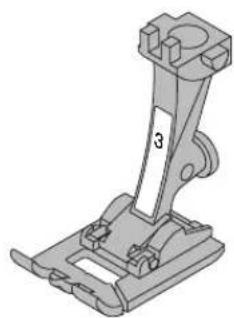
Mechanical assembly diagram showing a bracket with mounting flanges and a labeled part (no text or symbols present)The first bead of the buttonhole is sewn forward and the second, backwards.
Stitch using Buttonhole Foot No.3 or Automatic Buttonhole Foot No.3A; and sew at a consistent speed.
The appearance of a stitch counter buttonhole can vary on different types of fabric so it must be reprogrammed for different fabrics.
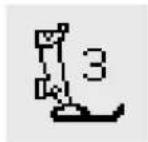
Presser foot
· select buttonhole
- touch the presser foot No.3 symbol
- the machine registers that the stitch counter program has been selected
· the buttonhole length is now measured by the stitch counter, i.e. number of stitches


1st bead length
- sew the first bead, stopping the machine at the desired buttonhole length
- press and release the quick reverse button on the frame


Bartack, 2nd bead
- the machine sews the end of the buttonhole and automatically switches to stitching the reverse bead
- Continue stitching the reverse bead, stopping when the needle is even with the beginning of the buttonhole
- press and release the quick reverse button

Bartack, securing stitches
- the machine sews 5 bartack stitches and secures the buttonhole automatically - auto appears under the graphic of the buttonhole on the screen - the buttonhole is now programmed - all subsequent buttonholes will be sewn as programmed
Changes
- the buttonhole must be reprogrammed after altering the stitch length, width, or balance
For buttonhole example, refer to the artista 165 Sewing Manual, page 27.
Buttonhole corrections (all types)
The following adjustments can be made to a buttonhole and will remain in effect until the machine is turned off.
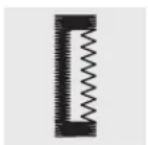
Buttonhole too wide
· to reduce the width of the buttonhole, reduce the stitch width
Bead density
· increase or reduce the stitch length by approximately 2 steps to achieve the desired effect
Balancing the beads
- balance will influence the bead and the eye density - balance affects both beads and the eye

Permanent adjustments can be made using the Setup program (see pages 50–61).

Open balance screen
- select buttonhole - touch Balance - balance ↑ to increase the density - balance ↓ to reduce the density - sew buttonhole until area to be corrected is reached. Adjust balance. Continue sewing. The correction will be incorporated in all subsequent buttonholes.
Recommendation:
· always test sew on the piece of fabric you intend to use

Delete balance adjustments
· p r ess clr or touch reset
For additional information about buttonholes, refer to the artista 165 Sewing Manual, pages 21–28.
Buttonhole in Long Term Memory

natural_image
3D technical illustration of a mechanical assembly with no visible text or symbolsOne buttonhole of each type may be saved in special buttonhole memory banks. This does not affect the standard memory of the machine.
Long term saving of buttonhole programs is only possible for button-holes originally stitched as auto-length buttonholes (see pages 29–32).
Once the length of the buttonhole is determined, the programmed buttonhole can be saved using the store function on the toolbar.
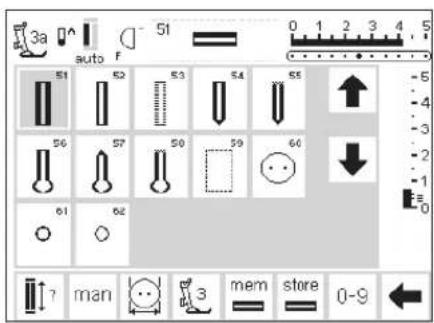
text_image
3a auto F 51 S1 S2 S3 S4 S5 56 S7 S0 S9 60 61 62 ↑ man 3 mem store 0-9 ←Saving the Buttonhole (Store)
- p r ogram the desired automatic buttonhole according to the directions on pages 29–32
- touch store on the function toolbar

Recalling the Saved Buttonhole
· select the desired buttonhole style
- touch mem
- touch the buttonhole length or button measurement function to recall the saved buttonhole
· the length of the buttonhole will appear on the screen
Changing the Saved Buttonhole
· select the desired buttonhole style
· touch mem
- touch the buttonhole length or button measurement function to recall the saved buttonhole
· change the length, and touch OK to confirm
- touch store
- programming a new length overrides the existing stored one
Manual 4–6 step buttonholes

text_image
3a F 51 51 52 53 54 55 56 57 58 59 60 61 62 b ? man 3 0-9Manual buttonholes are ideal when making single buttonholes or for repairing existing buttonholes. The number of steps depends on the type of buttonhole selected.
Note: A manual buttonhole cannot be saved.
Open buttonhole screen
· select buttonhole
· touch the man function
man
text_image
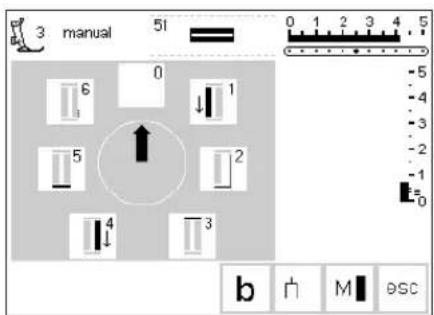
3 manual 51 0 6 ↓ 1 5 ↑ 2 4 3 b M escStep symbols
- step symbols appears on the screen for the buttonhole selected
- the arrow in the circle is on "0" when the buttonhole is selected
· standard buttonhole has 6 steps
· r ound buttonhole has 4 steps - keyhole buttonhole has 4 steps
For buttonhole example, refer to the artista 165 Sewing Manual, page 28.
Sewing a Four-step Buttonhole (round and keyhole)
text_image
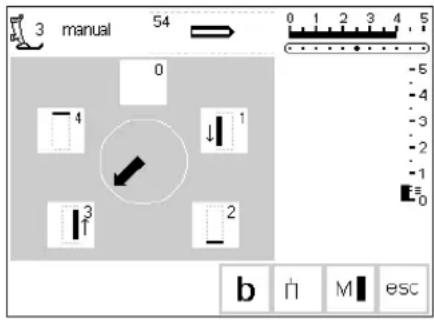
3 manual 54 0 -5 -4 -3 -2 -1 E=0 b 门 M escNote: The graphics shown above will appear on the screen for both the round and keyhole buttonholes.
Sewing a 4-step buttonhole
- touch "1"
· sew the 1st bead
· stop the machine at the desired length
· touch "2"
· machine sews the keyhole or eye
· touch "3"
· machine sews the 2nd bead in reverse - stop machine at the first stitch
- touch "4"
· machine sews the top bartack and securing stitches before stopping automatically
· length of beads is determined by the user
· bartack, keyhole, and securing stitches are preprogrammed
· use an awl to punch the keyhole before cutting the buttonhole open
Leave program
· touch esc
· screen reverts to buttonhole screen
esc
Sewing a Six-step Buttonhole
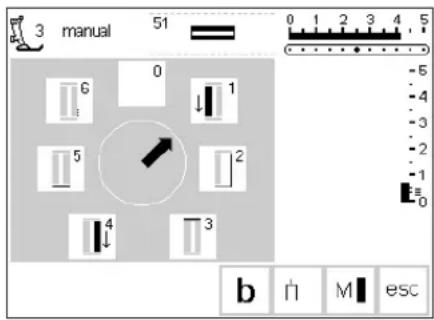
Note: The graphics shown on the screen (see below) are the same when stitching the standard, narrow, and stretch buttonholes.
text_image
3 manual 51 6 0 ↓ 1 5 2 4 3 b ↑ M esc
text_image
3 manual 51 6 0 ↓ 1 5 → 2 4 3 b ↑ M escSewing a 6-step buttonhole
· touch "1" on the screen
· symbol shows section of button to be sewn
· sew the 1st bead
- stop stitching at the desired length
Sewing the buttonhole
· touch "2"
· machine sews straight stitch backwards
· stop machine at the first stitch
· touch "3"
· machine sews the top bartack and stops automatically
· touch "4"
· machine sews the second bead in the forward direction
- stop machine
- touch "5"
· machine sews the bottom bartack and stops automatically
· touch "6"
· machine sews securing stitches and stops automatically
· length of beads is determined by the user
· bartacks and securing stitches are preprogrammed
esc
Leave program
- touch esc
· screen reverts to buttonhole screen
Straight stitch buttonholes
text_image
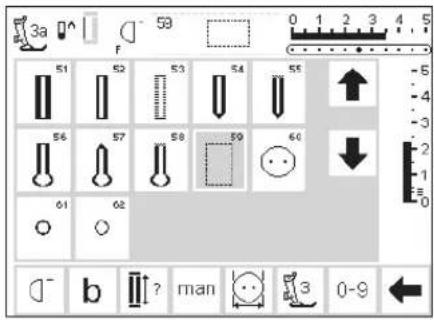
3a F 59 0 1 2 3 4 5 51 52 53 54 55 56 57 58 59 60 61 62 b ? man 3 0-9Straight stitched buttonholes are particularly useful for reinforcing satin stitched buttonholes on all soft and loosely woven fabrics such as wool, or for buttonholes which are subject to extreme wear. They are also useful for stitching bound buttonholes and reinforcing buttonhole openings in leather, vinyl, or felt.
Straight stitched buttonholes
· select stitch No. 59
· the sequence is determined by the presser foot used
- this program functions exactly the same as the corresponding buttonhole program which will be stitched over the straight stitched buttonhole
- Automatic buttonhole foot No.3A – programming is exactly the same as for the auto buttonhole
program (page 29–32) - Buttonhole foot No.3 – programming is exactly the same as for the stitch counter buttonhole program (page 32–33).
Alter the distance
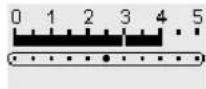
· alter the stitch width if the distance between the two rows of stitching is too narrow or too wide
Cutting buttonholes open
natural_image
Illustration of a hand holding a needle inserted into a tissue (no text or symbols visible)Seam ripper
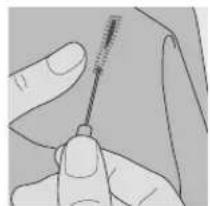
· use the seam ripper to cut the buttonhole open, starting at each end and working towards the middle

natural_image
Simple 3D illustration of a tool with a handle and base, no text or symbols presentButtonhole cutter and block
- place the fabric on a piece of wood
· position the cutter in the center of the buttonhole - press the handle of the cutter to punch the buttonhole
Button sew-on program

text_image
18 F 60 0 1 2 3 4 5 51 52 53 54 55 ↑ -5 -4 -3 -2 -1 -0 56 57 58 59 60 ↓ -1 -2 -3 -4 -5 61 62 b ? man 3 0-9 ←Buttons with 2 and 4 holes can be sewn on by machine.
Button sew-on program
· select stitch 60
- the button sew-on foot No.18 is available as a special accessory
- the distance (shank) between the button and fabric can be adjusted as desired

natural_image
Technical line drawing of a sewing machine needle and base mount (no text or symbols)For button sew-on example, refer to the artista 165 Sewing Manual, page 29.
Sew button on
2-hole buttons
- adjust the stitch width if necessary to equal the distance between the holes of the button
· machine stops automatically at the end of the program - w ind thread ends around the thread under the button to create a thread shank
4 hole buttons
- adjust the stitch width if necessary to equal the distance between the holes of the button
· sew the two front holes
· move work forwards
· sew two back holes
· wind thread ends around the thread under the button to create a thread shank
Eyelet program
text_image
1 F 61 0 0 1 2 3 4 5 S1 S2 S3 S4 S5 56 S7 S8 S9 40 61 62 b man 3 0-9Eyelets
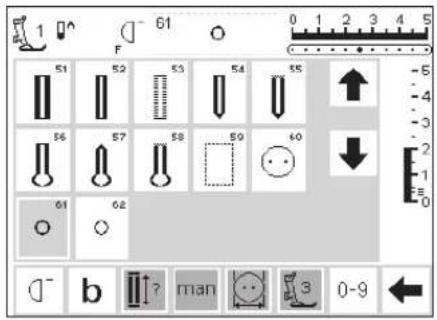
- select eyelet
· 61 zig-zag eyelet
· 62 straight stitch eyelet
Sewing the eyelet
· machine stops automatically at the end of the program
Punching the eyelet
· use an awl to punch the hole in the eyelet
For eyelet examples, refer to the artista 165 Sewing Manual, page 30.
Alphabets/numbers
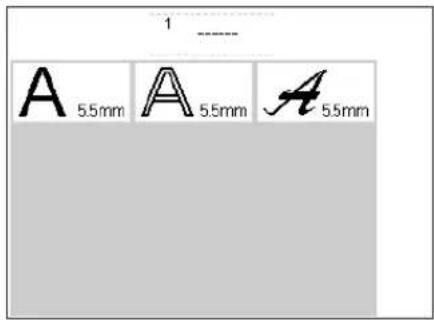
text_image
1 ---- A 5.5mm A 5.5mm A 5.5mmThere is a choice of three different alphabet styles.
Alphabets
· p r ess the external Alphabet button
· the Alphabet menu appears
· screen shows:
Block letters
· Double block letters
· Upper case italics
- touch to select the desired style
· the selected style is activated
Each alphabet can be sewn in two sizes.
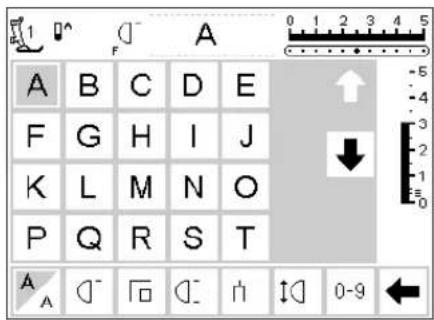
text_image
A B C D E F G H I J K L M N O P Q R S T A A 0-9Screen: Letter selection
- the presser foot indicator and needle stop symbol are in the usual positions
· scroll up and down to select letters and numbers
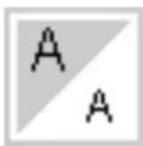
Alter size
- when an alphabet is selected the larger size is activated
- touch symbol
· the highlighted area changes
· this indicates that the smaller size is active
· touch symbol again
· the larger size is now active
For alphabet example, refer to the artista 165 Sewing Manual, page 43.
Programming letters/numbers
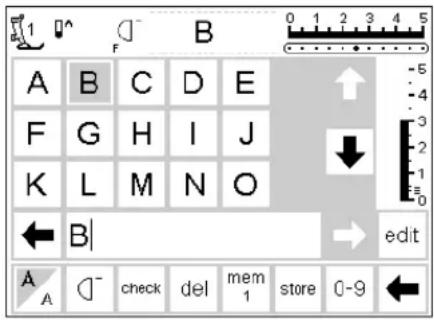
text_image
A B C D E F G H I J K L M N O ← B | → edit A A check del mem 1 store 0-9 ←Programming
- open memory
- touch to select letter
· the letter appears in memory
· the cursor moves to the right behind the letter
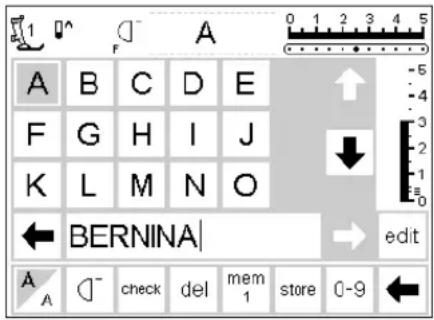
text_image
A B C D E F G H I J K L M N O ← BERNINA | → edit A A check del mem 1 store 0-9 ←Continue programming
- touch to select the next letter
- the letter appears in memory
· continue in this manner
· for additional information on saving in memory, see pages 38–43
For alphabet example, refer to the artista 165 Sewing Manual, page 43.
Memory
Stitches, letters and numbers can be programmed, saved and corrected in memory.
The memory has a capacity of 1023 stitches that can be divided into 255 memory segments or banks. The memory banks are as large as required, depending on the number of stitches that are saved in each one.
The memory is long-term, i.e. contents remain saved until they are deleted or overwritten. Power disconnections or long periods of non-use do not have any effect on the memory contents.
Any alterations to stitch length, stitch width, and needle position should be made before entering the stitch into memory.
In contrast to the stitch menu, selected stitches are shown turned 90° counter clockwise in the memory bar. The sewing direction is always from left to right on the memory bar.
For memory examples, refer to the artista 165 Sewing Manual, pages 41–43.
Open Memory
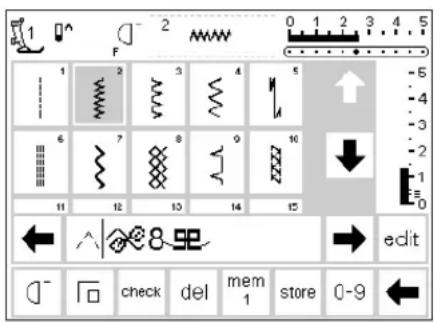
text_image
1 F 2 0 1 2 3 4 5 1 2 3 4 5 6 7 8 9 10 11 12 13 14 15 ← ↑ ← → edit check del mem store 0-9 ←Open Memory
- press the external mem button
- the memory bar appears on the screen
- the third row of stitches disappears from the screen
· scroll up and down to view these and further stitches - the cursor appears as a vertical line in the memory bar
- all changes (programming, inserting functions, corrections) affect the character to the left of the cursor
· the function toolbar at the bottom of the screen changes automatically to include those functions appropriate for memory
· the opened memory bank is indicated by its number in the bottom bar
Programming stitches

text_image
101 F 101 102 103 104 105 106 107 108 109 110 111 112 113 114 115 edit check del mem 1 store 0-9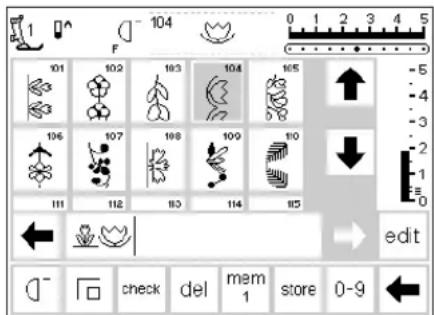
text_image
104 F 101 102 103 104 105 106 107 108 109 110 111 112 113 114 115 edit check del mem store 0-9
text_image
1 F - 104 101 102 103 104 105 106 107 108 109 110 111 112 113 114 115 edit check del mem store 0-9Programming
- select the desired stitch
· make any desired adjustments to stitch width, stitch length, and needle position
· open the memory by pressing the external mem button - touch mem 1 to access the memory storage screen
Note: if the machine has been turned off since the last time the memory feature was used, mem 1
Continue programming
· select the next desired stitch
· the stitch appears in the mem field
· continue in this manner
· start sewing; when the foot control is pressed, the cursor will go to the beginning of the stitch combination for sewing the complete grouping
Note: if the contents of the memory have been changed using the edit function (page 40), the Pattern begin function must be selected to start the stitching at the beginning of the combination.
Scroll memory
· scroll arrows are to the right and left of the memory bar
- touch to view the programmed contents either forward or backward
· to close the memory, press the external memory button
· if the stitch combination has not been saved, a message screen will appear asking if you would like to save it
will show on the screen when the memory is activated. If the machine has not been turned off, the last memory bank opened will show.
· select an empty memory bank
- touch OK to return to the previous screen
· select the desired stitch
· the stitch appears in the mem field
· the cursor moves to the right as stitches are selected
· use Pattern end to stop automatically
Toolbar function – Pattern end will stop after the selected number of combinations have been stitched External button – Pattern end will stop after stitching the stitch pattern to the left of the cursor
· to save, touch store
· store will blink once to indicate it is saving
Programming stitches by number
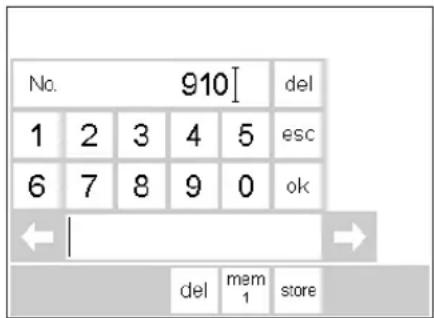
text_image
No. 910[ del 1 2 3 4 5 esc 6 7 8 9 0 ok ← | → del mem store
text_image
No. 911 [ del 1 2 3 4 5 esc 6 7 8 9 0 ok ← [ ] del mem storeStitches by number
· open memory
· touch function 0–9
· numbers appear on the screen
· the memory bar remains visible
- touch numbers to select stitch
· the number selected appears above the other numbers
Confirm and continue programming
· touch OK to confirm
· the stitch selected appears in the memory bar
- touch store to save in memory
· select the next stitch by pressing the appropriate number and proceed as above
Correct
· touch delete if you make a mistake
· the cursor moves to the left and deletes the number
· select new number
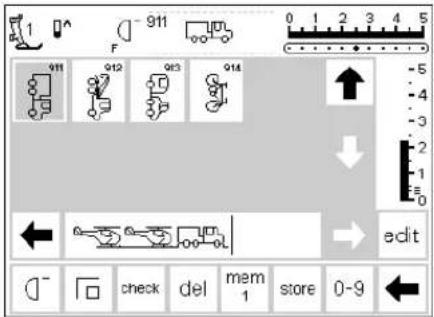
text_image
1 F 911 912 913 914 edit check del mem store 0-9Back to stitch screen
- touch esc
- the screen reverts to the stitch screen which includes the selected stitch
· the selected stitch is activated (highlighted)
Editing memory contents
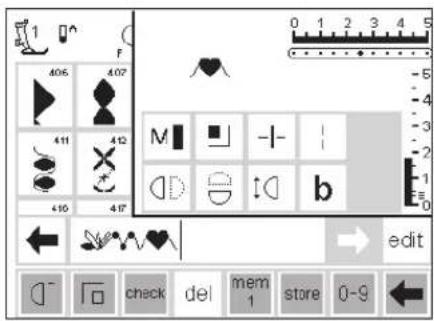
text_image
1 F 406 407 M + - b edit check del mem store 0-9Stitches with functions
· stitches can be modified after being programmed into memory
- p r ogram the first two stitches normally
- touch edit
- all available functions appear in the top right section of the screen
- the last stitch in memory (left of cursor) appears above the editing functions
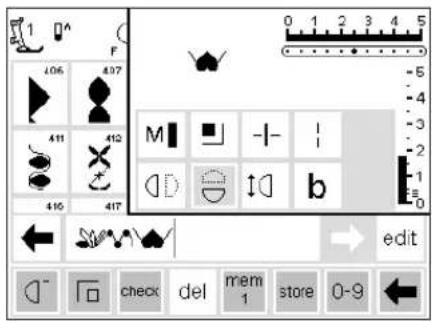
text_image
1 F 106 437 M -1- 1 411 412 D b 416 417 edit check del mem 1 store 0-9Inserting functions, e.g. mirror image
- place the cursor to the right of the stitch to which mirror image is to be applied
- touch edit
· select mirror image in the functions screen - the stitch will be shown in mirror image
· the same procedure for insertion applies to all functions
· touch edit to close

text_image
1 F 406 407 M - - b edit check del mem 1 store 0-9Visible functions (in memory bar)
· the securing function appears as a function in the memory bar
- delete unwanted functions from the memory bar before continuing with programming
- touch edit to close functions
Memory functions
The following functions become available in the center of the screen when the edit function of the memory feature is selected. All functions on the toolbar (except del)
will become inactive when the edit function is selected and will reactivate when the edit function is closed. For more information on these functions, see pages 27.
Motor Speed
Long Stitch

text_image
Securing Function Horizontal Mirror Image Memory Sub-division Vertical Mirror Image Pattern Extend Letter Size BalanceView memory contents
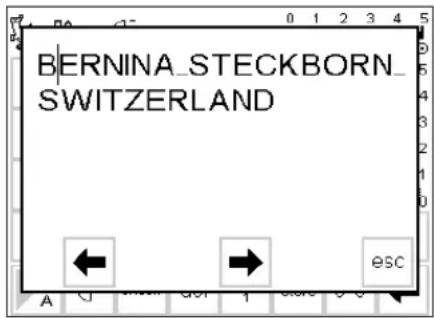
text_image
BERNINA_STECKBORN_ SWITZERLANDView memory contents
- touch check
· the memory contents appear in a window
· the cursor is visible - the cursor can be moved into position with the arrows for editing applications
· after viewing, touch esc
· the window closes and the memory bar appears
· the cursor is in exactly the same place as it was in the view window
Corrections in memory
Rule:
All changes and corrections are always made to the left of the cursor.

text_image
A B C D E F G H I J K L M N O ← BERNIN → edit A A check del mem 1 store 0-9 ←Deleting the last programmed stitch/letter
- touch del
- the last stitch entered (left of cursor) is deleted

text_image
A B C D E F G H I J K L M N O ← BE NINA → edit A A check del mem 1 store 0-9 ←Deleting a stitch/letter within a memory
- place the cursor to the right of the
stitch to be deleted - touch del
- the stitch to the left of the cursor is deleted

text_image
1 F R F G H I J K L M N O P Q R S T ← BERNINA → edit A A check del mem 1 store 0-9 ←Inserting a stitch in memory
- place cursor where the stitch is to be inserted
· select stitch/letter - the new stitch is inserted to the left of the cursor
Saving memory contents/leave memory
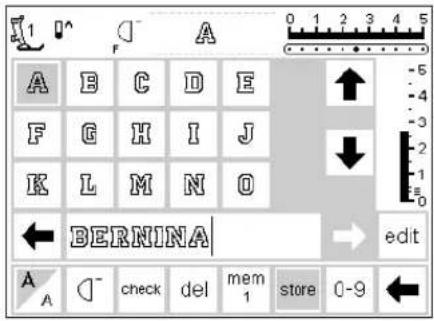
text_image
1 A F A B C D E F G H I J K L M N O ← BERNINA → edit A A check del mem 1 store 0-9 ←Save and leave memory
- touch store
· the contents are saved - the memory can be opened and viewed at any time
- touch external mem button
Turning off machine without saving
· memory contents will be lost if the machine is turned off without touching store
Open individual memory
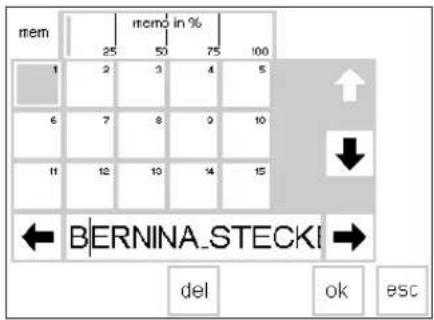
text_image
mem 25 50 75 100 1 2 3 4 5 6 7 8 9 10 11 12 13 14 15 ← BERNINA_STECKI → del ok BSCReturning to a previously programmed memory bank
· open memory by pressing the external mem button
- touch mem 1 on the functions toolbar
Note: if the machine has been turned off since the last time the memory feature was used, mem 1 will show on the screen when the memory is activated. If the machine has not been turned off, the last memory bank opened will show.
· an overview of the memory banks appear on the screen
· the open memory bank is highlighted (dark gray)
- the occupied memory banks are displayed in light gray
· empty memory banks are shown in white
· memory banks can be scrolled if more than 15 are occupied (can be up to 255 memory banks)
· select an occupied memory bank
· the contents are shown in the memory
- touch esc to return to the previous screen
· the contents of the selected memory remain active
· you can sew, insert, or correct these contents
Note: Contents of memory should be sewn from a stitch screen, not the memory storage screen.
Memory capacity
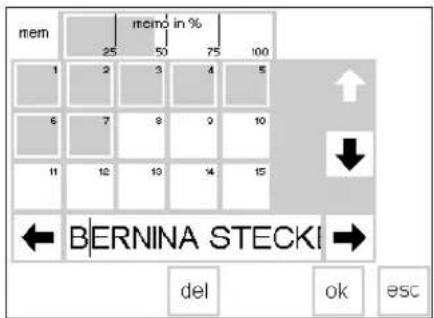
text_image
mem 25 50 75 100 1 2 3 4 5 6 7 8 9 10 11 12 13 14 15 ← BERNINA STECKI → del ok escOpen mem screen
· open memory by pressing the external mem button
- touch mem on the functions toolbar
· the memory bank screen appears
· the total capacity used by stored stitch patterns is shown in % in the top row
· total capacity of all memory banks together is 1023 stitches
Memory sub-division
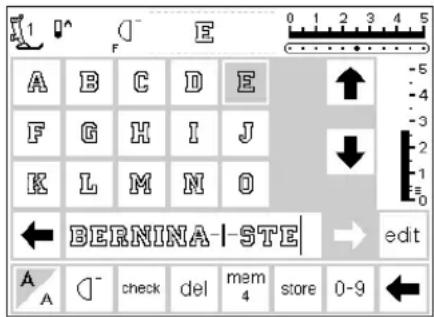
text_image
A B C D E F G H I J K L M N O ← BERNINA-STE → edit A A - check del mem 4 store 0-9 ←Note: Fabric should be repositioned as needed to stitch each section of the memory.
Memory sub-division
- the contents of a memory can be sub-divided as desired, e.g. name, street, town, etc. by using the edit feature
· p r ogram the name
· p r ogram the street - touch edit
- place cursor after the last letter of the name
· select Memory Sub-division - the sub-divider is inserted to the left of the cursor
· the characters belong to the one memory (e.g. mem 4) but are totally independent of one another so they can be sub-divided as desired
Sewing
· activate Pattern begin and sew
Note: when Pattern begin is activated, the cursor will move to the right of the first letter in that memory bank. Stitching will start with the letter to the left of the cursor
· the machine only sews the contents of that particular sub-division
· to sew the next section, place the cursor in anywhere in that section
- begin sewing; when the foot control is pressed, the cursor will go to the beginning of the stitch combination for sewing the complete grouping
Note: if the contents of the memory have been changed using the edit function (page 40–41), the Pattern begin function must be selected to start the stitching at the beginning of the combination.
- if a section is to be sewn only once, touch Pattern End 1 on the function toolbar
Deleting memory
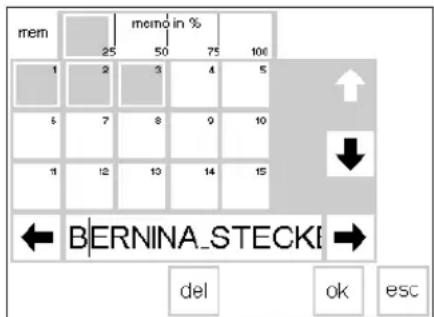
text_image
mem 25 memo in % 50 75 100 1 2 3 4 5 6 7 8 9 10 11 12 13 14 15 BERNINA_STECKI del ok escDelete memory
· open memory (press external button)
- touch mem on the functions toolbar
· an overview of the memories appears
- touch memory of choice (e.g. mem 3)
· touch del
- a message will appear asking if you really want to delete the contents of the memory
· touch yes
· the memory contents are deleted - touch esc to return to the previous screen
Quilt stitches

natural_image
Geometric diagram with nested squares and a central diamond shape, no text or symbols presentMenu selection: Quilt stitches
- press the external "Quilt Stitches" button
· menu appears - touch symbol
- quilt stitches appear
Decorative quilt stitches
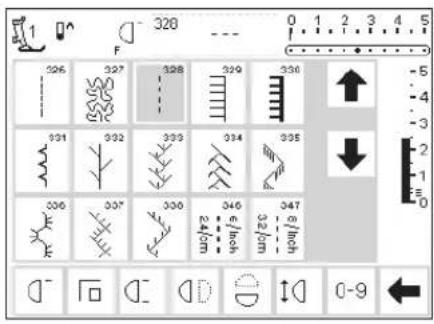
text_image
1 F 326 327 328 329 330 331 332 333 334 335 336 337 338 339 340 341 342 343 344 345 346 347 348 349 350 351 352 353 354 355 356 357 358 359 360 361 362 363 364 365 366 367 368 369 370 0-9Quilt stitches
-
selection of various stitches which are particularly suitable for quilting, piecing, applique, and crazy patchwork:
· 326 Short Straight Stitch
· 327 Stippling Stitch
· 328 Hand-look Quilting Stitch
· 329 Blanket Stitch
· 330 Heavy Blanket Stitch
· 331 Blindstitch
· 332 Feather Stitch
· 333–338, 351 Feather Stitch Variations
· 346–350 Quilting Stitch Variations -
touch to select desired stitch
- the stitch is activated
- all normal information and functions are visible on the screen
- stitch length and width can be adjusted as desired
Balance
All stitches are checked and fully adjusted before the machine leaves the factory.
Different fabrics, threads, stabilizers, and interfacings can affect programmed stitches so that sometimes they might not close or they might overlap, i.e. they are too wide or too narrow.
These effects can be corrected with the electronic balance so that the
stitch formation can be adjusted where necessary to suit the fabric. There are 50 vertical steps.
Open Balance
- touch function b
- if the function is not visible on screen, touch the arrow in the function toolbar to scroll through all the available functions

Balance for practical and decorative stitches
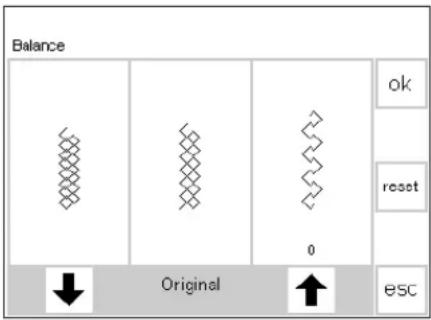
text_image
Balance ok reset 0 Original escIf the stitch looks like this, use this arrow to correct it.
If the stitch looks like this, use this arrow to correct it.
When sewing soft fabrics such as jersey or tricot, the fabric tends to stretch under the presser foot which also stretches the stitch being sewn. For example, the Honeycomb stitch opens up and is too long. Thicker fabrics might cause the stitch to overlap, making it too short. Correcting with balance is very simple.
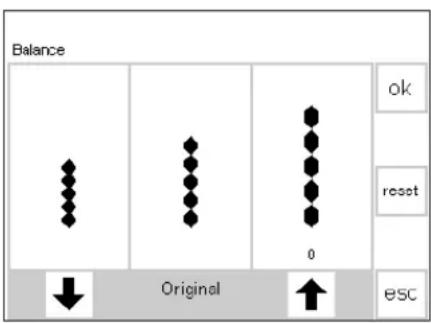
text_image
Balance ok reset 0 Original escIf the stitch looks like this, use this arrow to correct it.
If the stitch looks like this, use this arrow to correct it.
Corrections
Stitch too long:
- touch the arrow shown on the right (approximately 3)
· the number of steps activated will be shown directly above the arrow - the stitch will be shortened
· the change is not shown on screen - 2–5 steps are normally sufficient to correct the stitch (max. 50 steps)
- sew a test and make additional corrections if needed
Stitch too short:
- p r oceed as above, using the arrow on the left
- sew a test and make additional corrections if needed
Balance
· select any stitch
- touch b to activate balance; balance screen appears
- when adjusting practical stitches, a graphic of the honeycomb stitch appears in the center of the screen (this is used as the example for all practical stitches)
- when adjusting decorative stitches, a graphic of the satin stitched oval appears in the center of the screen (this is used as the example for all decorative stitches)
- t wo malformations are displayed on either side of the stitch – left too short and right too long
- the arrows at the bottom of the screen show in which direction the stitch must be corrected
Returning to stitch screen
· after all corrections are made, touch OK to confirm the changes and return to the stitch screen
- touching reset will return the stitch to the same condition as when the balance function was opened
- before selecting a new stitch, press the external clr button to close balance, otherwise it will affect all subsequent stitches
Help
The Help program provides on-screen explanations about individual stitches and all functions, eliminating the need to refer regularly to the instruction manual. The information shown corresponds to information in the instruction manual, but is quicker and easier to find electronically.
No matter which screen is displayed, the help feature for stitches and functions can be opened. Touch esc to return to the previous screen.

Opening help
- press the external ?-button
· select the desired stitch or function - a clock on the screen shows that the computer is searching for the desired information
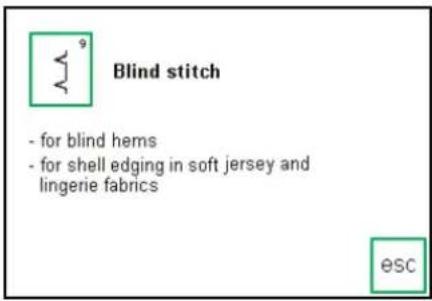
text_image
Blind stitch - for blind hems - for shell edging in soft jersey and lingerie fabrics escHelp screen/Stitches
· the screen offers the following information:
- name of the stitch
- suitable fabrics
- brief listing of main applications

text_image
Vertical mirror image - machine sews the stitch pattern mirrored (flipped) vertically (end to end) Applications - balance and placement of decorative patterns within a project - can be used in conjunction with Mirror Image right/left escHelp screen/Functions
· the screen offers the following
information:
- name of the function
- explanation
· brief listing of main applications

text_image
escBack to previous screen
- touch esc
- Help is closed
· the previous screen appears
Note:
The Help program can be opened at any time without affecting the work at hand.
Tutorial
In computer language, tutorial means self-help. The tutorial provides concentrated on-screen information
about various aspects of the machine.

External TC button
· p r ess the external TC button

text_image
Tutorial Creative consultant escMenu
· the following menu appears:
Tutorial
Creative Consultant
- touch Tutorial
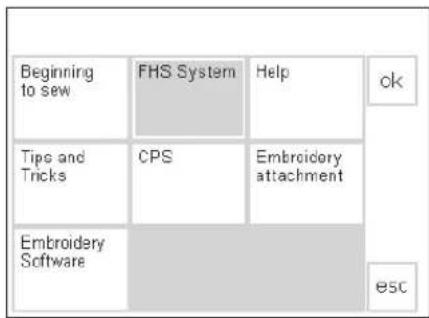
text_image
Beginning to sew FHS System Help ck Tips and Tricks CPS Embroidery attachment Embroidery Software escSubjects
· the Tutorial sub-menu appears:
· Beginning to Sew
· FHS system
- Help
· Tips and Tricks
· CPS
- Embroidery module
- Embroidery Software
- touch to select the desired subject
· touch OK to confirm
· to change subjects, touch esc to return to menu
FHS (Free Hand System) presser foot lifter
- the presser foot lifter raises and lowers the presser foot
- insert the presser foot lifter into the opening in the base plate
- press the presser foot lever to the right to raise and lower the presser foot
- the feed-dog is lowered simultaneously
- the feed dog is raised as soon as the first stitch is sewn
esc
Information
- a clock on the screen shows that the computer is searching for the desired information
· i nformation about the subject of your choice appears on the screen - touch esc to close the screen and return to the menu
Creative Consultant
The Creative Consultant provides information and help for a variety of sewing needs.
After entering the type of fabric and technique you wish to use, the Creative Consultant provides suggestions regarding needles, presser feet, interfacings, special
settings, etc. The suggested presser feet are not necessarily standard with the machine but may be special accessories which can be obtained from your BERNINA dealer.

External TC button
- press the external TC button

text_image
Tutorial Creative consultant esc| Fine fabrics | Medium fabrics | Firm fabrics | ||
| Silk Silky-Polyester | Woven cotton | Heavy Denim | ↑ | ok |
| Rayon | Wool | Drapery | ↓ | |
| Single knit jersey | Cotton double knits | Upholstery | ||
| Batiste | Silk suiting | Canvas | esc | |

text_image
Scaming Overcasting Topstitching ok Buttonhole Zipper Decorative work Machine quilting Free motion machine quilting Applique ESC
text_image
Presser foot 3A 3c Needle 60-80 H-M Feed dog up ok Thread tension 3 Presser foot pressure Stabilizer Yes Buttonhole cord Bobbin case (finger) esc
Menu
- the following menu appears:
Tutorial
Creative Consultant
· touch Creative Consultant
Fabric menu
· 3 columns of fabric types are displayed
· light-weight fabrics
· medium-weight fabrics
· heavy-weight fabrics
· the most commonly used fabrics are listed in the three columns
Techniques menu
· several common sewing techniques appear on-screen:
· Seaming
- Overcasting
- Topstitching
- Buttonhole
- Zipper
• Decorative work (decorative stitches)
- Machine quilting
· Freemotion machine quilting
· Appliqué
Information, special suggestions, thread tension
- the screen displays settings and suggestions for the type of fabric and technique you have chosen:
- Presser foot number(s)
- Needle size and type
- Feed dog position
- Thread tension
- Presser foot pressure
- Stabilizer needed
- Special suggestion
· there may be several suggestions for the presser foot and needle type
· some presser feet suggested may be special accessories which are particularly suitable for the chosen technique (they may not be standard accessories, but can be purchased separately)
Back to selected stitch
- touch OK to confirm
- the machine will automatically go to the appropriate practical stitch screen with the correct stitch automatically selected
· if the fabric you wish to use is not listed, select a similar type of fabric
· use the arrows to scroll up and down for all choices
- touch to select the desired fabric
· touch OK
- touch to select the desired technique
· if the technique you want to use is not listed, select a similar technique - touch OK to confirm and move to the information screen
· select the presser foot and needle according to your particular wishes and preferences
- a stabilizer will be suggested if it is required to suit the technique and fabric
- p r ovides a reminder to use buttonhole cord (gimp) if necessary to reinforce a buttonhole
· if decorative work was selected, the machine will go to the first screen of decorative stitches with stitch 101selected
· sewing can begin immediately
· the suggested stitch can be changed at any time
Smart Function
Sometimes you have to interrupt a task at hand to complete another piece of sewing which must be done before you can carry on any further.
The Smart function was designed specifically for the purpose of "remembering" the machine's current settings so that you can return to them later.
The screen in which you are working with all the settings you made can be saved and easily re-opened.
Saved settings in the Smart Function are lost when the machine is turned off.
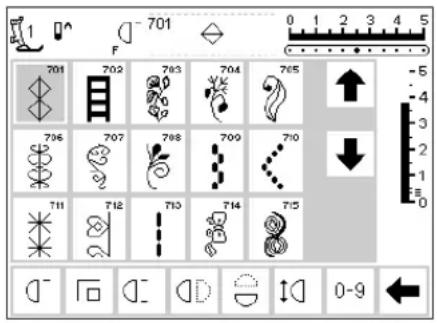
text_image
701 F 701 702 703 704 705 706 707 708 709 710 711 712 713 714 715 0-9
Application
· you have created and stored something in memory
· you have tested or completed some of the work
· you plan to finish at a later time
Saving the screen with the Smart Function
- press the external Smart button
- the screen, complete with all the settings (stitch, functions, memory etc.) is saved

text_image
3a F 51 51 52 53 54 55 56 57 58 59 60 61 62 b ? man 3 0-9Second Task
· switch to any appropriate stitch menu for another task
· complete this task
Smart Function – back to screen
- press the external Smart button
· the original screen appears - all settings are exactly as you left them and you can carry on with your original task
Setup Program
The Setup program allows you to personalize the screen to suit your own requirements and preferences.
You can change basic settings permanently and program the F (Favorite function) button on the head frame (above the needle). There are numerous possibilities – check the headings and decide what you want to do.
All changes made in the Setup program will be saved, even when the machine is turned off.
The machine can be reset and returned to the factory settings at any time.
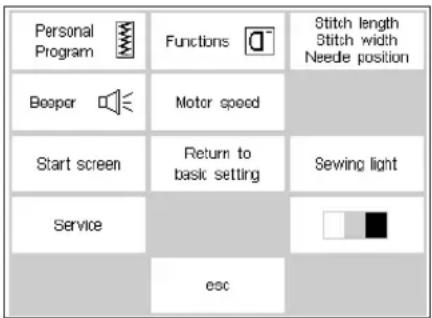
text_image
Personal Program Booper Functions Motor speed Start screen Return to basic setting Service esc Stitch length Stitch width Needle position Sewing lightSetup
- press the external Setup button
- the menu appears
· you can alter any of the features listed
· the original settings can be reset at any time
Menu
- the menu lists all those features which you can alter to suit your requirements:
- Personal Program
- Functions
- Stitch length/width/needle position
- Beeper
- Motor speed
-
Start screen
-
Return to basic settings
· Sewing light - Service
· Screen Contrast
· personal settings remain saved even when the machine is turned off - the machine can be reset to its original settings or reprogrammed with desired settings at any time
Functions in Setup
The functions at the right are found in the set-up program of the artista sewing machine. They are accessed by pressing the external set-up button on the front of the machine
and then touching Functions on the screen. These functions are used when personalizing the screen to your requirements and preferences.
Pers. Pro.
Personal program
· touch Personal program
· your Personal
program is activated
· this function can be
programmed in the
Setup program
Application:
· move this function to the toolbar for a fast way to access your Personal program

Changing the screen
- touch arrow
- r removes functions from the Setup program
Insert functions in Setup
- touch arrow
- inserts functions into the Setup program

reset
Back to basic settings
- t ouch reset
- all changes in the Setup program are returned to basic settings
Personal Program
Use the Personal program to design a screen with the stitches you use most often. Whether it is made up of stitches for a certain type of sewing, such as heirloom or garment, or just your favorite decorative stitches, this screen will make it easy and quick to sew any project.
When inserting stitches into the Personal program, variations (different stitch widths, stitch lengths, and needle positions) of all stitches may be entered into the Personal program.
Alphabets cannot be stored in the Personal program.


text_image
Personal Program Beeper Start screen Service esc Functions Motor speed Return to basic setting Stitch length Stitch width Needle position Sewing lightSetup
-
press the external Setup button
· menu appears -
touch Personal Program
· Personal Program screen appears
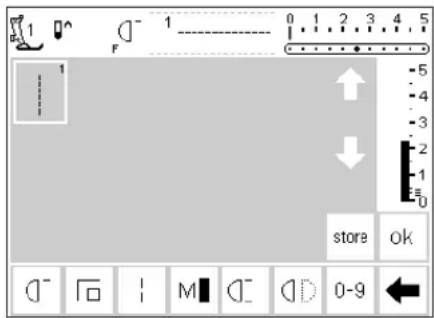
text_image
0 1 2 3 4 5 F store ok 0-9Personal program (programming first stitch)
· straight stitch always appears as the first stitch
· personal selections can now be entered in the "empty" screen
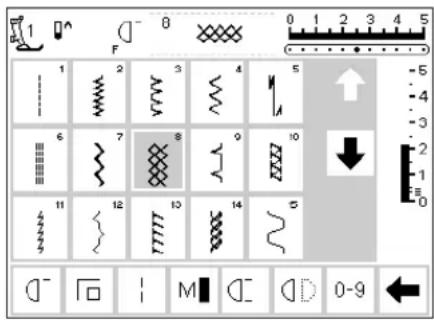
text_image
1 F 8 0 1 2 3 4 5 1 2 3 4 5 6 7 8 9 10 11 12 13 14 15 0-9Inserting stitches
- press the Practical stitches external button
· select Honeycomb stitch (stitch 8)

text_image
1 F 8 0 1 2 3 4 5 1 8 store ok -5 -4 -3 -2 -1 E 0 M D D 0-9Personal screen
· the screen changes to the Personal Program
· Honeycomb stitch appears
- touch store to save the stitch in your personal program
- when a new stitch is programmed, it will be inserted automatically after the last stitch
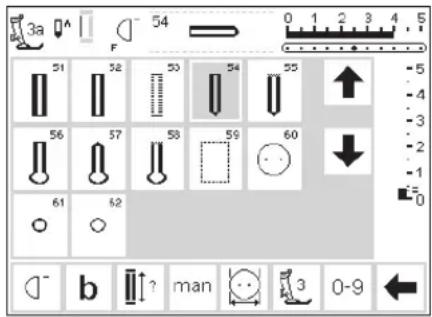
text_image
3a 54 0 1 2 3 4 5 F 51 52 53 54 55 ↑ -5 -4 -3 -2 -1 60 56 57 58 59 61 62 b ? man 3 0-9 ←Inserting the second stitch
- press the external Buttonhole button
- touch the round buttonhole (stitch 54)
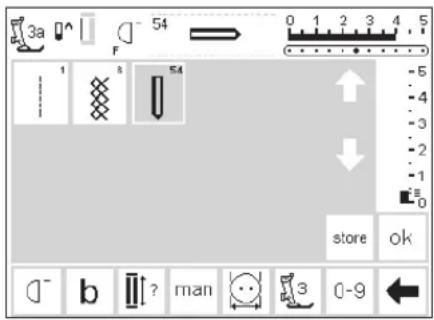
text_image
3a F 54 0 1 2 3 4 5 1 8 54 store ok b ? man 3 0-9Personal screen
· screen changes to personal program
· the round buttonhole appears on the screen
- touch store to save the buttonhole in your personal program
· continue programming in this manner until all desired stitches are selected
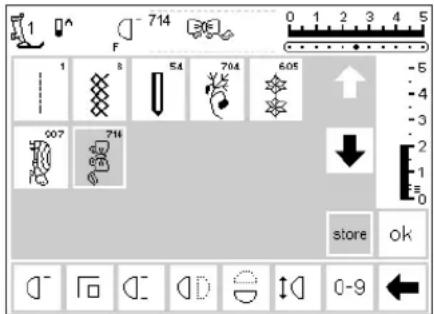
text_image
1 F 714 54 704 605 1 8 54 704 605 5 - 4 - 3 - 2 - 1 - 0 store okPersonal program (additional stitches)
· the top row of five spaces is occupied
· the 6th stitch appears in the next row
· you can program upto 60 stitches in the personal program
- if more than 15 are programmed, the arrows can be used to scroll the screen in the standard program

Save and close
- touch OK
· screen closes and Setup menu appears - touch esc to close
- r returns to the last stitch screen opened with the last selection still highlighted
Personal program function
- to open your personal program, the Personal Program function must be inserted in the function toolbar (see pages 53–55)

Favorite function
· for even easier access, your personal program can be programmed into the Favorite function button located on the frame of the machine above the needle (see page 54)
Deleting stitches from the Personal Program
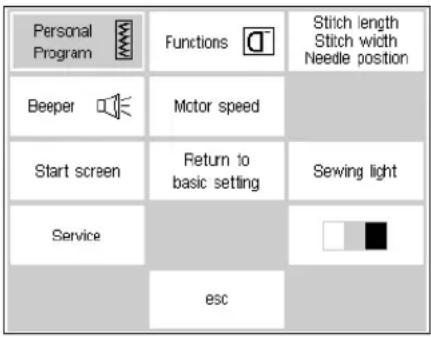
text_image
Personal Program Beeper Motor speed Start screen Return to basic setting Service esc Stitch length Stitch width Needle position Sewing lightSetup menu
- press the external Setup button, menu appears
· select personal program
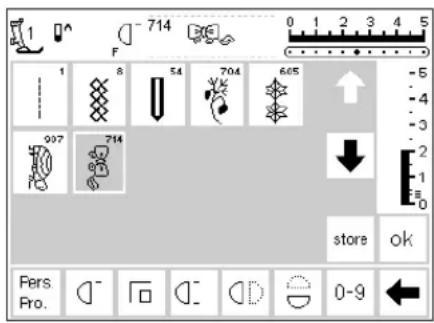
text_image
F 714 0 1 2 3 4 5 1 8 54 704 605 907 714 store ok Pers. Pro.Personal screen
· personal screen appears
· select stitch to be deleted (will be highlighted)

Delete the stitch
- press the external clr button
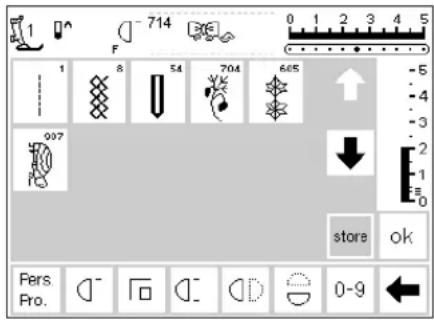
text_image
714 F 1 8 54 704 605 907 store ok Pers. Pro.Stitch deleted
- the stitch is deleted
· all remaining stitches move back one space
· touch store to save the changes

Close
· touch OK
- the screen closes
- Setup menu appears
Programming functions
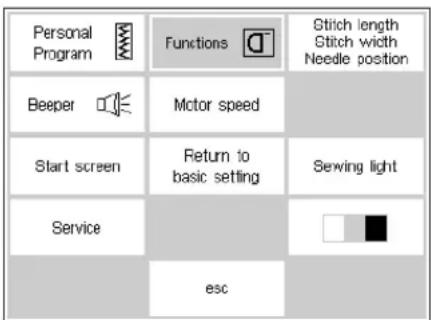
text_image
Personal Program Beeper Motor speed Start screen Return to basic setting Servicing light Service esc Stitch length Stitch width Needle positionSetup menu
- press the external Setup button
· menu appears - touch Functions
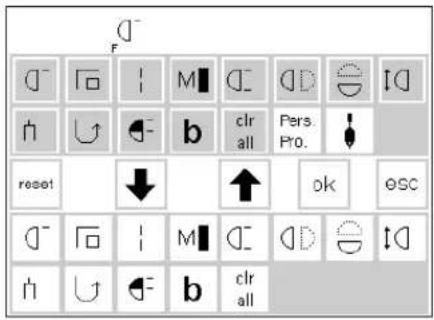
text_image
D F D - F | M | C - D | E | I D h U + b clr all Pers. Pro. reset ↓ ↑ ok osc D - F | M | C - D | E | I D h U + b clr allFunctions screen
-
all functions available appear on the screen
· the bottom two rows of functions are the same as those that are active in the practical stitch screen (includes functions that may be hidden on the stitch screen) -
these functions can be used in any screen
· all functions in the lower rows are active
· the upper two rows of functions correspond to the lower functions
· the arrows in the center row are used to move functions
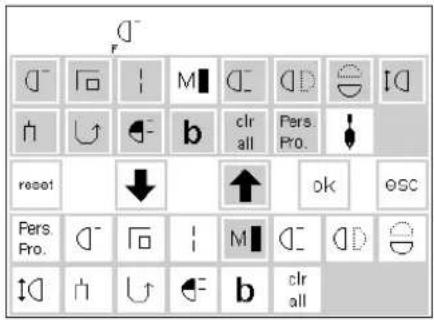
text_image
D⁻ f⁻ M I C⁻ D D E I D h h ↑ b clr all Pers. Pro. reset ↓ ↑ ok osc Pers. Pro. D⁻ F O M I C⁻ D D S h h ↑ b clr allRemoving functions
· select Motor Speed in the lower two rows
- touch the up arrow
- the function disappears from the lower rows
· the function has now been transferred to the upper rows and will no longer appear on individual screens, such as the practical stitch screen
- the function is highlighted in the upper rows and has been deactivated (removed) from the lower ones
· move and deactivate other functions in the same way
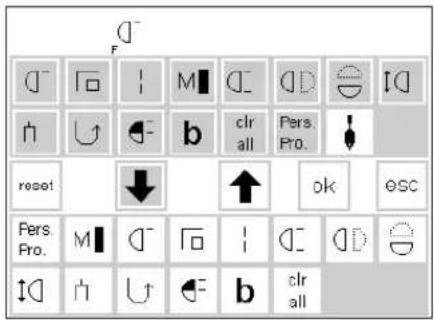
text_image
D F M C D E I D h U b clr Pers. all All Pro. reset ↓ ↑ ok esc Pers. Pro. M C F I C D G h U b clr allInsert function
- a r removed function can be reinstated at any time
- select Motor Speed in the upper rows
- touch the down arrow
- the function is moved to the first position in the function toolbar in the lower rows
· all other functions move one space to the right
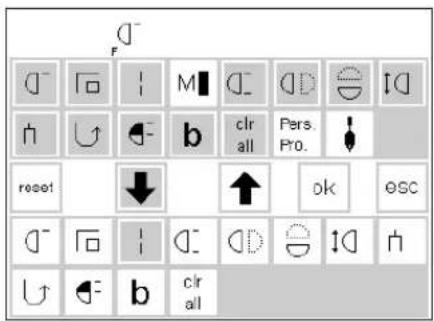
text_image
D⁻ F C⁻ F M C⁻ D E I h U B clr all Pers. Pro. reset ↓ ↑ ok esc C⁻ F I C⁻ D E I h U B clr allInsert new function between two existing functions
- a new function can be inserted between two existing functions
· select a function from the upper rows - touch the position in the bottom rows where you want to insert the function
· touch the down arrow
· the function will be transferred to the selected position
- t he replaced function (the one you selected) and all others will move one space to the right

text_image
Diagram showing a mechanical or fluid system with labeled components including F, U, and C- symbolsProgram F (Favorite Function) button
· select any function (including the Personal Program) from the top two rows
- p r ess the external F button (above the needle)
· p r ess the down arrow
· the F button is now programmed
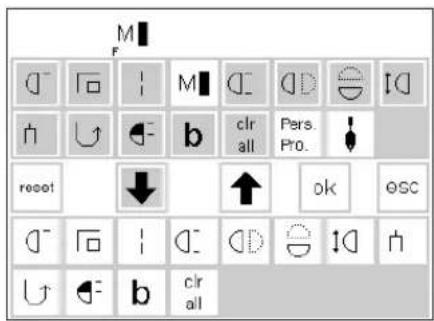
text_image
M F D - F | M | C | D | E | I | h U b clr all Pers. Pro. reset ↓ ↑ ok osc D - F | C | D | E | I | h U b clr all- the programmed function is displayed on the screen to the right of the needle stop position symbol
- it can be reprogrammed in the same manner as often as you like
reset
Return all functions to basic settings
- t ouch reset
- all functions will be returned to their original positions except the Favorite function button on the head frame
Save changes and close
· touch OK
- changes are saved
· screen closes
- Setup screen appears
· to reprogram the Favorite function button, follow the same steps
· the new function will replace the old
Changing basic settings for stitch width, stitch length and needle positions

text_image
Personal Program Beeper Start screen Service Functions Motor speed Return to basic setting esc Stitch length Stitch width Needle position Serving lightOpen Setup
- select stitch for which you want to alter the width, length, and/or needle position
- press the external Setup button
· menu appears - select stitch length, stitch width, needle position
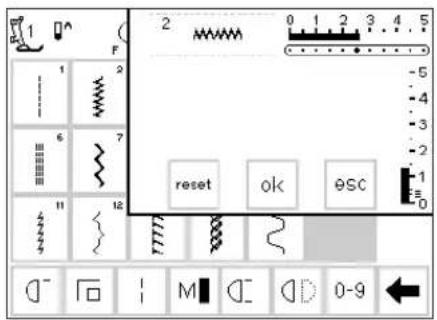
text_image
1 F 2 0 1 2 3 4 5 -5 -4 -3 -2 reset ok 9SC -1 0 12 M C D 0-9Changing the settings
· the stitch width, length and needle position screen appears
· alter the stitch width and length settings using the external controls
· alter the needle position with the external buttons
- touch OK to save
· to return to basic settings, touch reset
- touch esc to close Setup and return to the last selected stitch screen
Beeper
| Personal Program | Functions | Stitch length Stitch width Needle position |
| Booper | Motor speed | |
| Start screen | Return to basic setting | Sewing light |
| Service | ||
| esc |
| Stitch pattern | Functions | Feed dog high/low |
| Upper thread control | Sewing foot up/down | |
| Bobin winder motor | Embroidery end | |
| on off 1 2 3 ok | ESC | |
| Stitch pattern | Functions | Feed dog high/low |
| Upper thread control | Sewing foot up/down | |
| Thread winder motor | Embroidery end |

Setup menu
- press the external Setup button, menu appears
· touch Beeper - beeper menu appears
Audio signals
· audio signals can be applied to the following:
· stitches
- functions
· feed-dog raised/lowered (for embroidery)
· upper thread control
- position of presser foot (for embroidery)
Adding a signal
· select desired item from the menu
- touch on
- touch the number pad until the number of beeps you want (1, 2, or 3) is highlighted
Save and close
· touch OK
- changes are saved
- screen closes
- Setup screen appears
· bobbin winder
· embroidery end
· audio signals can be turned on and off
· the number of repeats can be selected
· the number of beeps can be set at 1, 2, or 3
Deleting a signal
· select desired item from the menu
· touch off
· the audio signal is turned off for this feature
Changing the motor speed
| Personal Program | Functions | Stitch length Stitch width Needle position |
| Booper | Motor speed | |
| Start screen | Return to basic setting | Sewing light |
| Service | ||
| esc |
| 1 | 2 | |||||||
| 6 | 7 | |||||||
| 11 | 12 | |||||||
Setup menu
- press the external Setup button, menu appears
- touch Motor Speed
- menu appears
Change the maximum motor speed
- touch the arrows to alter the maximum sewing speed (880 stitches/minute is the basic setting)
- a reduction or increase in the motor speed is reflected in this number
· each touch of an arrow increases or decreases the number of stitches per minute by 10
· any change of the maximum speed affects all 4 speeds ( ^1/4 , ^1/2 , ^3/6 , ^4/4 ) = slower or faster at all four levels
ok
Save and close
- touch OK to confirm the change
- touch esc to return to the Setup menu
- touch esc to return to the last selected stitch menu
Back to basic settings
· follow the directions above to enter the motor speed menu
- touch reset to revert to factory settings
Start screen on and off
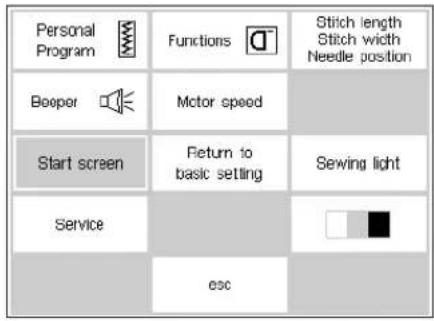
text_image
Personal Program Booper Start screen Service Functions Motor speed Return to basic setting Esc Stitch length Stitch width Needle position Sewing lightSetup menu
· p r ess the external Setup button
· menu appears
· touch Start Screen

text_image
Welcome artista 165 BERNINA® Sewing & Embroidery System Made in Switzerland on off ok escTurn start screen off
- start screen appears
· the start screen can be turned on or off
· touch off - the start screen will not appear next time the machine is turned on
· the practical stitch menu will appear immediately when the machine is turned on
Turn start screen on
- touch on
- the start screen will appear every time the machine is turned on, followed automatically by the practical stitch menu
ok
Return to basic settings
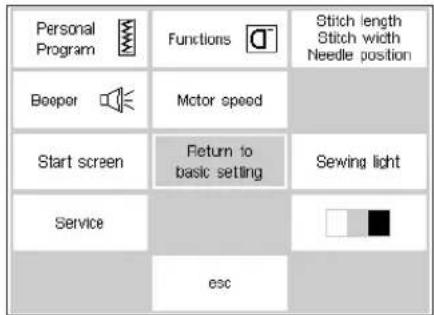
text_image
Personal Program Booper Start screen Service Functions Motor speed Return to basic setting Esc Stitch length Stitch width Needle position Sewing lightSave and close
- touch OK to confirm the change
- touch esc to return to the Setup menu
- touch esc to return to the last selected stitch menu
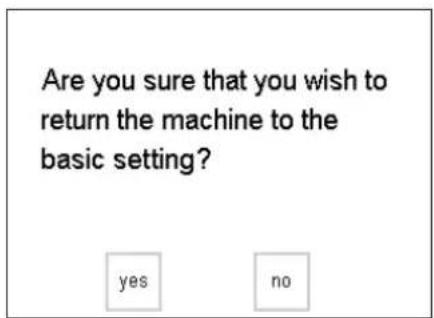
text_image
Are you sure that you wish to return the machine to the basic setting? yes noSetup menu
- press the external Setup button, menu appears
- touch Return to Basic Settings
· a message will appear asking you to confirm that you want to return the machine to the basic settings
- touch yes; the Setup screen reappears
· a clock shows on the screen indicatig that all changes in Setup are being reversed
- touch no; the Setup screen reappears
· all existing changes to Setup remain in effect
Please switch off and on your machine.
- a message will appear switch off and on your machine
· the factory settings are restored
Sewing light
| Personal Program | Functions | Stitch length Stitch width Needle position |
| Booper | Motor speed | |
| Start screen | Return to bask setting | Sewing light |
| Service | ||
| esc |
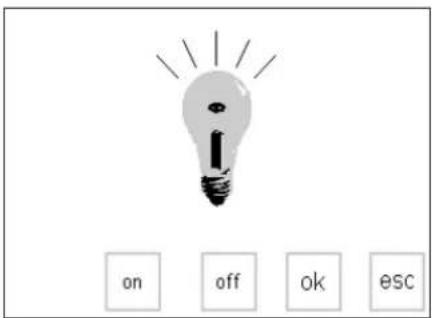
text_image
on off ok esc
Setup menu
- p r ess the external Setup button, menu appears
· select Sewing Light
Switch light on/off
- touch on
· light will be on continuously when machine is turned on - touch off
· light will not come on at all
Save and close
- touch OK to confirm the change
- touch esc to return to the Setup menu
- touch esc to return to the last selected stitch menu
Service
The service function of the Setup program gives information about the version of software in the artista and lets you make calibration adjust-
ments to the screen and hoop of the embroidery module (special accessory).
Version Information
The version screen shows information about the version of software loaded into the sewing machine and embroidery module (special accessory). This
information is helpful if you are asking questions of the dealer or if you plan to upgrade the software.
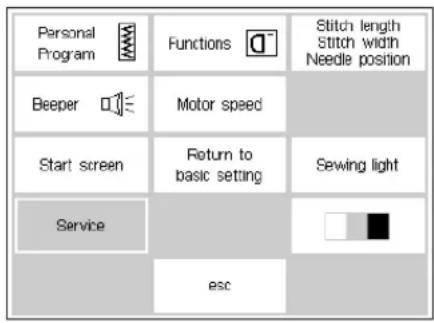
text_image
Personal Program Beeper Start screen Service Functions Motor speed Return to basic setting esc Stitch length Stitch width Needle position Sewing lightSetup menu
- press the external Setup button, menu appears
- touch service
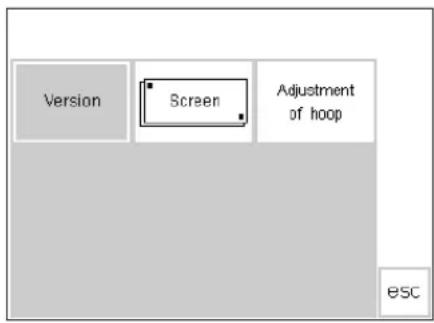
text_image
Version Screen Adjustment of hoop escService Screen
· service screen appears
· select version
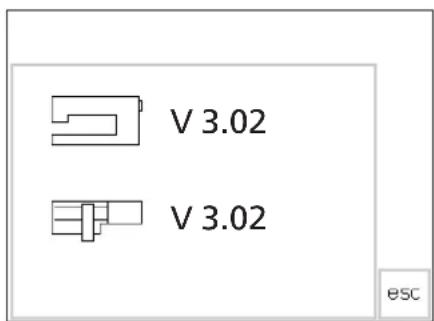
text_image
V 3.02 V 3.02 escVersion information
- version screen appears
· shows the version of software loaded into the artista sewing machine
· shows the version of software loaded into the embroidery module (special accessory), if applicable - the embroidery module must be connected to the machine to show the version on the screen
· the version of software in the sewing machine and in the embroidery module must be the same for optimum results
- touch esc to return to the previous screen
Screen Calibration
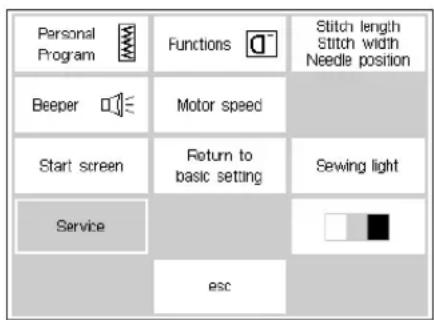
text_image
Personal Program Beeper Start screen Service Functions Motor speed Return to basic setting esc Stitch length Stitch width Needle position Sewing lightCalibrating the screen is important for making on-screen selections by touch. If the screen is not calibrated, you may touch one selection and the machine will read one next to it. For precision touch selection, the screen may be calibrated.
Setup menu
- press the external Setup button, menu appears
- touch Service
Note: The screen is calibrated at the factory, but shipping and transporting may affect it.
The screen only needs to be calibrated if there is a problem with precision touching.
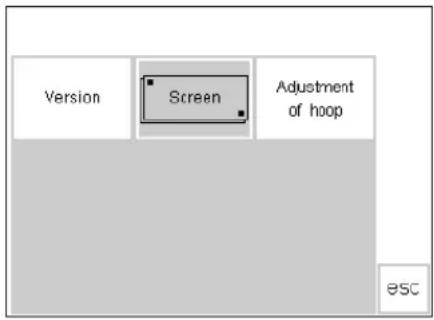
text_image
Version Screen Adjustment of hoop ESCService Screen
- service screen appears
· select screen - select this screen if the on-screen buttons do not react properly when selected (touched)

natural_image
Simple diagram showing two hands pointing at three black circles on diagonal lines, no text or symbols present.Calibration
- screen calibration screen appears
- p r ess each black point in the center, one after the other
- it is not important which point is selected first
· the machine will beep when the dots are touched to let you know contact was made
· will automatically go back to the previous screen - touch esc to return to the setup screen
- touch esc to return to last selected stitch screen
Important Note: When calibrating the screen, take care to touch the black dots only. If the screen is miscalibrated by touching any area other than the black dots, it may require a technical adjustment by an authorized technician.
Embroidery hoop adjustment
This adjustment calibrates the needle to the center of the embroidery hoop and is only needed the first time the embroidery module
(special accessory) is being used. The hoop adjustment can only be activated if the Embroidery Module is attached

text_image
Personal Program Beeper Start screen Service Functions Motor speed Return to basic setting esc Stitch length Stitch width Needle position Sewing lightSetup menu
- press the external Setup button
· menu appears - touch service

text_image
Version Screen Adjustment of hoop ESCService Screen
- service screen appears
· select Adjustment of hoop
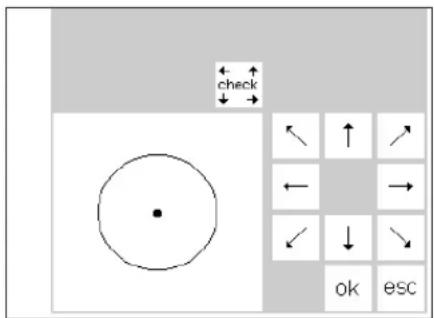
text_image
← ↑ ← ↓ check ← ↑ ← → ← ↓ ok escHoop adjustment
· hoop adjustment screen appears
· connect the embroidery module to the machine
- attach the large hoop to the embroidery module
- insert the embroidery template into the hoop
- touch check – the machine reads the hoop position; the needle should be positioned exactly over the center point of the template
· if it is not, adjust with the arrows - it is only necessary to adjust the hoop once – the same setting changes will apply to all the hoops

Save and close
- Touch OK – close the screen
- Touch esc - close Setup
- Touch check in Layout 1 – close embroidery hoop adjustment
Screen contrast
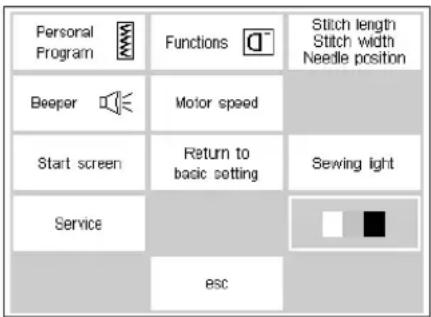
text_image
Personal Program Beeper Motor speed Start screen Return to basic setting Service esc Stitch length Stitch width Needle position Sewing lightThe contrast of the screen can be adjusted for easier viewing.
Setup menu
- press the external Setup button, menu appears
- touch contrast (lower right of screen)
- contrast screen appears
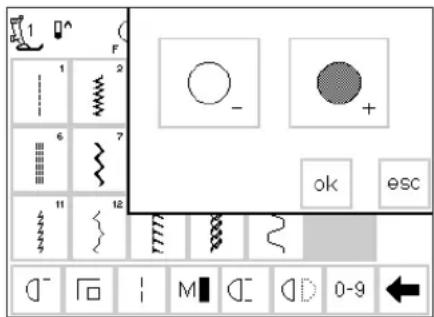
text_image
Cropped interface of a software toolbar with icons, labels, and control buttonsAdjust contrast
- two adjustments are provided to adjust the contrast (- = lighter, + = darker)
- touch to increase or reduce the contrast
· the original screen is visible on the left to control and check the adjustments as they are being made

Save and close
· touch OK
· changes are saved
· screen closes
- Setup menu appears
Leave Setup program
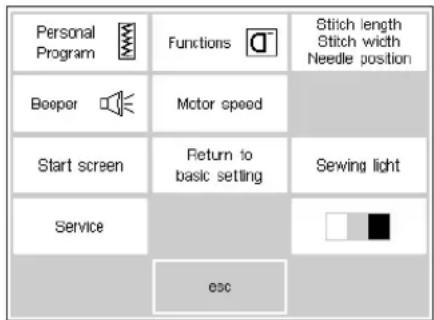
text_image
Personal Program Booper Start screen Service esc Functions Motor speed Return to basic setting Stitch length Stitch width Needle position Sewing lightLeave Setup menu
- touch esc
- Setup is closed
- changes are saved
· changes remain saved when the machine is turned off
eco (ecology) function
The green eco (ecology) function button on the front of the machine saves energy when the machine is not in use, but you don't want to turn it off and lose the settings. It can be compared to the sleep feature on a computer.
If the eco function is activated, the machine uses about 50% less energy. The screen in which you are currently working, all memory contents, and any other functions which you have selected remain active. The screen
goes dark and details are just visible. Once you begin working again, the machine will be returned to its normal state.
Besides saving energy, the eco function is also a child safety device. Once the eco function is activated, the machine is "locked" and the foot control is inactive. The machine will only sew after turning off the eco function (pressing the button once), returning it to the last active screen.

Eco function
- touch the external eco button
· energy used will be reduced by 50%
· useful when interrupting work for longer periods
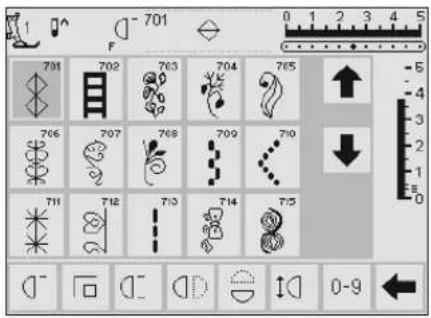
text_image
701 F 701 702 703 704 705 706 707 708 709 710 711 712 713 714 715 0-9Screen
· screen goes dark, details are just visible
- the machine will not sew in eco mode, it is "locked"
- all settings remain
- foot control will not operate the machine

Return to sewing
- touch the eco button
· machine returns to normal function
· the eco function is cleared when the machine is turned off
Optional accessories
The following pages offer information about additional accessories and attachments available for the artista sewing machine. These accessories will add to the capabilities and versatility of the machine,
offering unlimited possibilities for expressing your creativity.
Ask your Bernina dealer for more details!
CPS Program (optional accessory)
CPS Program (Customized Pattern Selection)
This program allows you to replace a variety of stitches on your sewing computer AND replace designs and alphabets within the embroidery module (optional accessory).
The CPS program allows you to personalize your sewing machine to suit your preferences and sewing requirements. And you can do it as often as you want.
Ask your BERNINA dealer for further details!
Embroidery module (optional accessory)
Embroidery module (optional accessory)
The embroidery module is a wonderful addition to your sewing machine, offering you unlimited possibilities to use your imagination and creativity to their full extent. It provides the possibility of sewing a wonderful array of large motifs in full color. The module attaches to the free arm and is connected to the right side of the machine in the connecting socket provided; it comes preprogrammed with 18 assorted motifs. When
selected, they appear on the screen and can be sewn immediately. You can position, mirror image, enlarge and reduce the motifs.
Additional embroidery motifs, covering a wide range of subjects are available on cards. Just insert a card into the embroidery module, select, and sew!
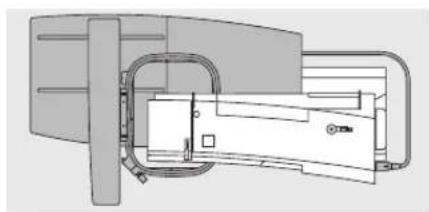
natural_image
Technical diagram of a mechanical device with internal components and mounting holes (no text or symbols)Connecting the embroidery module
· turn the sewing machine off
- remove the accessory box or sewing table
- position the module on the back of the free arm
- push the engaging lugs into the base plate of the machine (back right)
A detailed instruction manual is supplied with the embroidery module.
- insert the plug in the connection on the right side of the machine (embroidery module symbol)
· turn sewing machine on
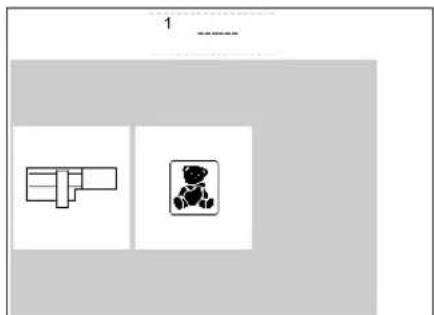
natural_image
Two simple line drawings of objects, one with a rectangular cutout and the other with a bear-like figure (no text or symbols)Designs
· embroidery menu appears
- touch the embroidery module symbol to access the preprogrammed designs
- touch the teddy bear symbol to access designs from cards (extra accessories – see page 64)
· the position, size, and density of the motifs can be altered
· designs can mirror imaged, as well as rotated
- a detailed instruction manual is supplied with the embroidery module.
Embroidery cards (optional accessory)
Preprogrammed embroidery design cards covering a wide range of subjects can be used in conjunction with the embroidery module.
Each card is devoted to one particular theme. New cards are introduced on a regular basis so that you can build
up a diverse library of beautiful motifs, each relating to a specific subject or theme.
The cards are inserted into the embroidery module. You can then view the motifs on the screen of your sewing machine.
natural_image
Diagram showing a hand inserting a small object into a device panel (no text or symbols visible)Inserting the card
· turn the sewing machine off
- insert the card into the slot in the module
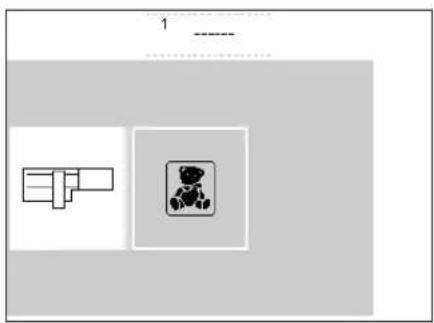
natural_image
Simple diagram with two rectangular shapes and a central icon, no text or symbols presentEmbroidery card menu
· the embroidery menu appears
· touch the teddy bear symbol

text_image
1 2 3 4 5 6 7 8 9 escEmbroidery motifs on the card
· the first motif screen appears
· each motif is numbered
· scroll to view further motifs
- select and sew the same as for stitches programmed on the embroidery module
artista Embroidery Software (optional accessory)
BERNINA Software comes in a variety of levels enabling you to choose the software right for you. All are Windows based, easy to learn and fun to use.
Artlink comes with 24 designs, including many licensed designs. This Software has the ability to rotate, re-scale, mirror image and preview designs before they are sewn.
Editor provides a powerful base for the designer software. It comes with 211 designs and 42 alphabets giving you the creative freedom to edit existing designs and personalize them. Add Auto-Designer for automatic digitizing capabilities with a single click beginning with your own artwork. Move to the Designer level to have manual digitizing tools, plus the ability to use your Windows True Type
fonts in your embroideries. Add Cross-Stitch at any level to do cross stitch embroidery by machine. Add PhotoSnap to be able to stitch a picture at the Auto-Designer level and on. Choose one software package for your embroidery needs or have it all with DesignerPlus.
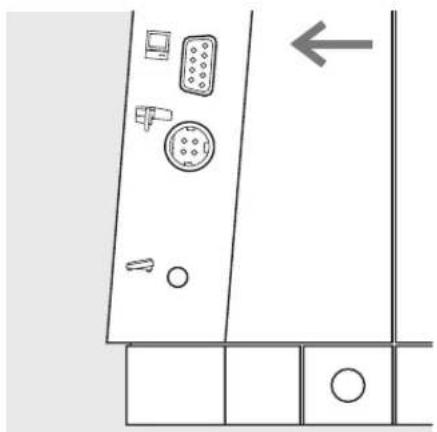
natural_image
Pure architectural floor plan lines without any text, numbers, or symbolsConnection cable
- turn the machine off before attaching the cable
- insert the cable into the appropriate socket on the right side of the machine (PC symbol)
· turn the machine on
Detailed instruction manuals are supplied with the artista software programs.
Important facts about sewing machine needles
Sewing machine, needle and thread
Your Bernina uses needle system 130/705H.
Needle and thread
The most commonly sold needles are nos. 70–120. The finer the needle, the lower the number. The table shows you which needle is suitable for which threads. The needle size select must correspond to the thread size.
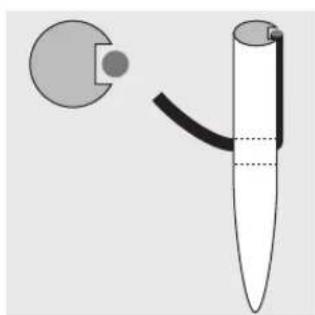
natural_image
Diagram of a pen-like tool with a curved handle and circular inset showing a small object (no text or symbols)
natural_image
Diagram of a pen-like tool with a curved handle and circular inset, no text or symbols presentCorrect needle/thread combination
When sewing, the thread runs in the long groove on the needle.
Unsatisfactory needle/thread combination
If the needle is too fine the groove on the front cannot accommodate the thread and faulty stitching occurs.
| Needle/ thread table 70 80 90 100 110-120 | |||||
| Darning thread | ○ | ○ | |||
| Embroidery thread | ○ | ○ | |||
| Mercerized cotton thread | ○ | ○ | |||
| Synthetic thread | ○ | ○ | |||
| Thick threads, synthetic merc. thread | ○ | ○ | |||
| Buttonhole thread for decorative seams (cordonnet) | ○ | ○ | |||
Needle and fabric / Condition of needle
The needle must be in perfect condition. Problems can occur with damaged needles.

natural_image
Simple line drawing of a pointed tool or probe with a rectangular slot on the tip (no text or symbols)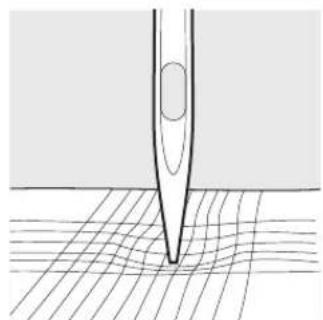
natural_image
Diagram of a pipette tip interacting with a grid surface (no text or symbols)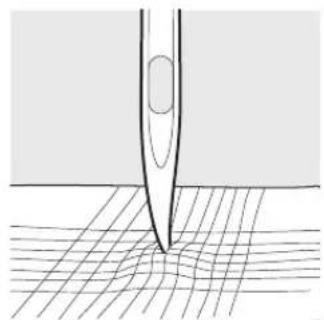
natural_image
Diagram showing a tool tip interacting with a grid surface, no text or symbols presentbent needle blunt needle burred needle
Important facts about sewing machine needles
Special materials are easier to sew if the appropriate needle is used. Special needles are available at your BERNINA dealer.
Needle table Description Needle point Suitable for
| Standard 130/705H Normal point, Universal needle for woven, needle slightly rounded synthetic and natural fibers, e.g. linen, chiffon, batiste, organdy, wool, satin, decorative stitching, embroidery |  | |||
| Special 130/70H-SES Fine ball point Fine knits, especially for synthetic needles fibers |  | |||
| 130/705H-SUK Medium ball point | Heavier knits in synthetic or natural fibers |  | ||
| 130/705H-S | Medium ball point, stretch | Special needle for delicate of difficult stretch fabrics |  | |
| Jeans needles | 130/705H-J | Very fine point | Overalls, heavy linen, denim, canvas. Pierces dense fabrics easily |  |
| Leather needle | 130/705 H-LR+H-LL | Cutting point | Natural and synthetic leather, plastic, coated and waxed fabric |  |
| Double needle | 130/705 H/TWI | Needle distance 1.6, 2.0, 2.5, 3.0, 4.0 | Visible hems in stretch fabrics, pintucks, decorative sewing |  |
| Triple needle | 130/705 H/TRI | Needle distance 2.5, 3.0 | Decorative sewing |  |
| Hemstitch needle | 130/705H/HE | wide needle | Hemstitching in fine fabrics |  |
Feed-dog and fabric feed
Feed-dog and stitch length
With each stitch the feed-dog moves forward by one step.
The length of this step is determined by the stitch length selected. With an extremely short stitch length, the steps are also short. The fabric moves under the foot quite slowly, even at full sewing speed. Buttonholes, satin stitch and decorative stitches are all sewn with a very short stitch length.
Important

natural_image
Abstract pattern of parallel horizontal lines on a plain background (no text or symbols)Let the fabric feed evenly!
natural_image
Abstract pattern of horizontal black lines on white background (no text or symbols)Pulling or pushing will result in gaps.
natural_image
Abstract pattern of horizontal black and white stripes on a light gray background (no text or symbols)Holding back will result in knots.
Height compensation tool
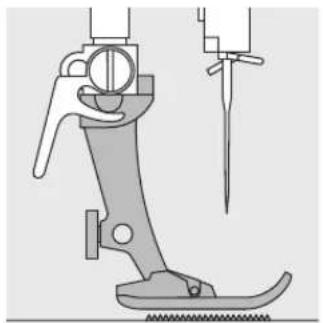
natural_image
Technical line drawing of a mechanical device with a handle and screw base (no text or symbols)The feed-dog can work normally when the foot is level.
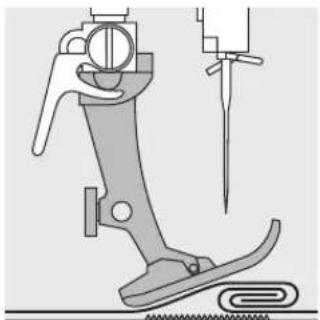
natural_image
Technical illustration of a sewing machine foot and chain, showing mechanical components and a needle inserted (no text or symbols)If the foot is at an angle, e.g. when sewing over thick to thin or vice-versa, the feed-dog can not grip and feed the fabric and the work sticks.
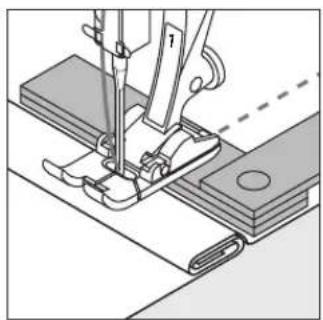
natural_image
Technical line drawing of a sewing machine needle stitching fabric (no text or symbols)To solve this problem, place one, two or three compensating plates as required behind the needle under the presser foot.
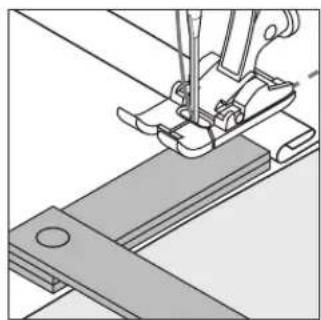
natural_image
Technical line drawing of a sewing machine needle and base plate (no text or symbols)To correct the height in front of the foot, place one or more plates to the right of the foot next to the needle. Sew until the foot is level again and remove the plates.
Feed-dog and sewing corners

natural_image
Simple line drawing of a vertical object with horizontal bars and a small circle, no text or symbols present.The gap between the two rows of teeth is relatively large due to the width of the stitch plate hole.

natural_image
Pure technical diagram showing a vertical structure with dashed line indicating reference, no text or symbols presentWhen sewing corners only a small section of the fabric is actually on the feed-dog so that it cannot grip the fabric well.
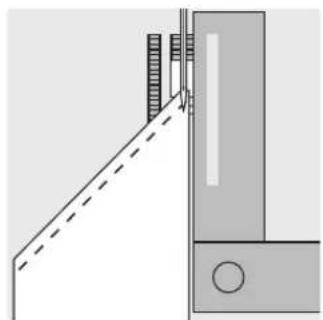
natural_image
Pure technical diagram showing a vertical wall and adjacent door with dashed lines indicating alignment or clearance (no text or symbols)Correct this by placing one or more compensating plates as close as possible to the edge of the fabric.
Cleaning
If the machine is stored in a cold room, it should be brought to a warm room about 1 hour before use.
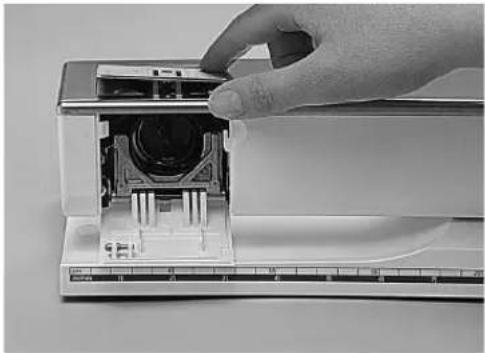
natural_image
Hand inserting a component into a device with a ruler for scale (no visible text or symbols)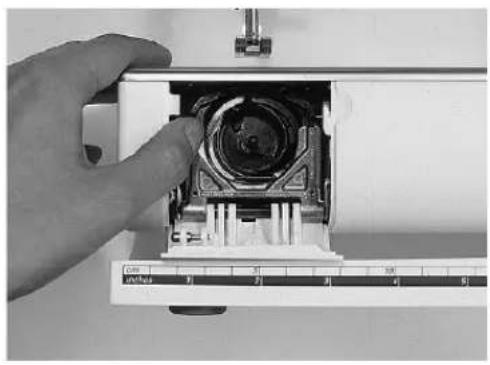
natural_image
Close-up of a hand inserting a mechanical component into a cylindrical device, with a ruler for scale (no visible text or symbols)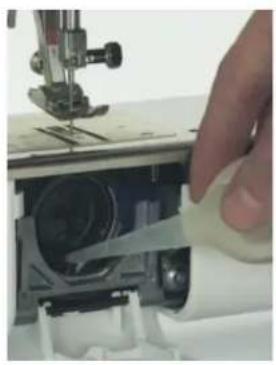
natural_image
Close-up of a hand using a sewing machine to adjust or install a circular component (no visible text or symbols)Cleaning
Periodically remove thread fluff and remnants which collect under the stitch plate.
· turn power switch to 0
- remove presser foot and needle
· open the free-arm cover
- press the stitch plate down back right
- lift and remove it
· clean the area with the brush
- r eplace the stitch plate
Cleaning the hook
· power switch to 0
- r remove the bobbin case
· p r ess the lower release lever to the left
· fold down the semi-spherical locking strap with black hook race cover
· r remove the hook
clean the hook using the brush provided or a cotton swab. The use of any sharp instrument could damage the hook.
- insert the hook, turning the handwheel if necessary until the hook driver is on the left
- close the black hook race cover and locking strap, the pawl must engage
· check by turning the handwheel
· insert the bobbin case
Lubricating
For machines with the metal CB-hook system, lightly oil (1-2 drops) the hook race. After replacing the bobbin case and bobbin, sew off the machine on scrap fabric to prevent oil from getting on your work. Machine should be oiled each time it is cleaned.
Important!
Never use oil, alcohol or solvents of any kind on any part of the machine!
Cleaning the screen
- wipe with a damp cloth
Cleaning the machine
· wipe with a damp cloth
· if really soiled, wipe with a solution of water and a few drops of soap liquid
Replacing the Sewing Light

natural_image
Close-up of a mechanical assembly with a U-shaped knob and metal components (no visible text or symbols)Please refer to the safety instructions!
Contrary to an ordinary bulb, the CFL sewing light has a better illumination and a longer life.
Caution:
Please note that a defective CFL sewing light must ONLY be replaced by an authorized technician. The sewing computer must be brought to an authorized BERNINA dealer!
Trouble shooting
In most cases you will be able to identify and remedy faults by checking the following.
Check whether:
· the upper and lower threads are threaded correctly
- the needle is inserted as far up as possible with the flat side to the back
- the needle size is correct – check the needle/thread table
- the machine is clean – brush out any thread fluff
· the hook race is clean
· any threads are trapped between the tension discs or under the bobbin case spring
Upper thread breaks
· the upper thread tension is too tight.
- the needle is not designed to be used with the selected thread. Check the chart on page 65–66 and the Creative Consultant.
· the needle has been inserted incorrectly. The flat side
of the shank must be to the back.
· the needle is bent or blunt.
· poor quality, knotted or dried out thread has been used.
· use the correct spool disc.
· stitch plate or hook tip damaged. Take your machine to your BERNINA dealer.
Lower thread breaks
· the lower thread tension is too tight.
- the bobbin is jamming in the bobbin case. Remove and replace the bobbin.
- the hole in the stitch plate has been damaged by the needle. This must be polished by a Bernina Certified Technician.
· the needle is blunt or bent.
Skipped stitches
· wrong needles used. Use only 130/705H system.
- the needle is blunt, bent or incorrectly inserted. Push right to the top when inserting.
- the needle point does not suit the fabric being sewn. If necessary use a ball point for knitted fabrics and cutting point for hard leather.
Needle breaks
- needle clamp screw loose.
- fabric taken out forwards instead of behind the presser foot.
- when sewing over thick area, the fabric was pushed with the needle still in the fabric.
· poor quality thread, unevenly wound or knotted.
Faulty stitching
- r remnants of thread between the tension discs.
· r emnants of thread under the bobbin case spring. - t he thread is still threaded in the finger of the bobbin case.
· incorrect threading. Check upper and lower threads. - use the correct spool disc.
Machine fails to run or runs slowly
- plug not fully inserted.
- power switch in off (0) position.
· machine has been standing in a cold room.
· bobbin winder still switched on.
Machine sews in reverse
reverse sewing function is still activated.
Defective sewing light
Please note that it is forbidden to change the new CFL-sewing light by a unauthorized person. For Models with this new CFL-sewing light, the light can ONLY be replaced by an authorized Bernina Dealer.
Glossary of terms
check · to preview the contents of a memory bank
clr (clear) · remove or restore settings, back to basic settings
cursor · on-screen positioning marker (vertical line)
· used in memory for marking deletions, insertions, etc.
customized · customer-oriented, individualized, personalized
Delete · Delete/clear the previous command
edit · alter, modify
esc (escape) · close screen/program, return to previous or start screen
help · an integrated program providing brief information and help concerning functions and specific stitches
memory · sewing machine program to store stitches and combinations of stitches, letters and numbers for recall at any time
menu · summary of program contents, e.g. stitches, functions from which selections can be made
ok · t o confirm a task or selection before continuing
outline · stitches with outer contours which are not filled in
PC Embroidery Software · User friendly program designed especially for our customers
- PC program for use in conjunction with our embroidery module to edit, mirror image and resize existing motifs. You can also use it to create and convert your own designs into beautiful embroidery.
scroll · to move the screen up or down to view
Setup · sequences and settings which can be altered and adapted to suit your personal preferences
smart · program which saves the stitch and all settings in use during interruptions. Toggle between two stitches.
software · computer programs
store · save in memory for recall at any time
toolbar · a term used for on-screen groups, e.g. functions
touch screen · screen which operates the machine by touch
tutorial · self-help program for learning about various machine features
update · load new software onto machine
upgrade · load new software onto machine
Index
A
Accessory box 6
Alphabets/numbers 37–38
-alter size 37
- programming 38
Alphabet programming functions 28
B
Balance 45
Bobbin – winding, inserting 8
Bringing up the lower thread 10
Bulb, replacing 68
Buttonhole program functions 28
·button measurement 28
·direct length entry 28
-manual buttonhole 28
-stitch counter buttonhole 28
Buttonholes 29–37
·auto round and keyhole 31
·auto standard and stretch 30
·auto with direct length entry 31
·buttonhole corrections 33
·long-term memory 34
-manual 4–6 step buttonholes 34–35
-on-screen button measure 32
-stitch counter buttonhole 32-33
·straight stitch buttonholes 36
Buttonholes, applications
Button sew-on program 36
C
Carrying case
Cleaning, maintenance
Contents
CPS program
Creative Consultant
·Fabric menu
- Techniques menu
D
Details of the machine
E
eco function
Editing functions
·balance
·letter size
·long stitch
·mirror image
·motor speed 27
·pattern extend
·securing end of stitch
·sub-division
Embroidery cards
Embroidery module
External stitch buttons
-alphabet button
·buttonhole button 21
·decorative stitch button
·external connections
·practical stitch button
·quilt stitches button
- Setup button
External function buttons 22–23
·clr button
·eco button
·F (Favorite Function) button
·Help
·mem button
- needle position
-Needle stop adjustment
·Pattern end
-Quick reverse button
- Setup button
·Smart button
·TC button
Eyelet program
F
F (Favorite function) button
Fabric feed, thread, needle
Feed dogs and fabric feed
Feed dogs
FHS Free Hand System 7
Foot control
Functions, memory
·check
·delete
·edit memory 27
·select memory
store
·scroll left
·scroll right 27
Functions in Setup
Functions, on-screen selection
G
General functions
·esc
·OK
-Scroll down
-Scroll up
Glossary of terms
H
Help program
L
Letters/numbers
M
Maintenance, cleaning
Memory
·Corrections in memory 41
-Deleting memory 43
- Functions 40–41
·Open memory 38
-Open individual memory 42
-Memory capacity 42
-Programming stitches 39
- Programming stitches by number 39
- Programming with functions 40
- Save/leave memory 42
-Sub-division 43
·View memory contents 41
Messages, on-screen
N
Needle threader
Needle, changing
Needle, thread, fabric feed 65–67
Needle position, altering 19
Needle stop 19
0
Optional accessories
P
PC Embroidery Software
Power cable
Power switch
Practical stitches, applications
Presser feet
-Reverse pattern foot No.1 15
·Overlock Foot No. 2 15
-Buttonhole foot No.3 15
·Auto buttonhole foot No.3A 15
-Zipper foot No.4 15
-Blind stitch foot No.5 15
·Embroidery foot No.6 15
·Jeans foot No.8 15
| Presser feet, special 15, 63 | ·Securing | 24 |
| Presser foot pressure 11 | ·Stitch selection by number | 25 |
| Presser foot, changing 9 | ·Vertical mirror image | 25 |
| Presser foot indicator 19 | Touch screen selection | 18–21 |
| Programming letters/numbers 38 | Troubleshooting | 69 |
Tutorial/Creative Consultant 47–48
Q
Quilt stitches 44
S
Safety instructions 1
Screen 18
Selecting on-screen functions 19
Setup 50–61
·Beeper 56
- Embroidery hoop adjustment 60
·F (Favorite function) button 54
-Functions, programming 53–55
- Functions in Setup 50
·Motor speed 56
-Needle position 55
·Personal program 51–53
-Return to basic settings 57
- Save and leave Setup 61
·Screen Calibration 59–60
·Screen Contrast 61
-Service 58
·Sewing light 58
-Start screen 57
- Stitch width, length 55
-Version Information 59
Sewing machine needles 65–66
Sewing table 7
Smart function 49
Standard accessories 6
Stitch width/length, altering 19
Stitch plate 11
Stitch selection, on-screen 19–20
Stitch selection by number 20
Stitch summary 13–14
·alphabets 14
-buttonholes 13
·decorative stitches 13
·practical stitches 13
- quilt stitches 14
Supplementary spool pin 9
T
Thread cutter 11
Threading upper thread 10
Thread, needle, fabric feed 65–67
Thread tension, altering 12
Touch screen functions 24–26
·Balance 25
·Clear All 25
-Continuous reverse sewing 25
·Double needle limitation 25
·Hemstitch (wing) needle 26
- Half pattern 25
·Horizontal mirror image 24
·Long stitch 24
·Motor speed 24
-Pattern begin 24
-Pattern end 24
-Pattern extension 25
-Scroll 25
Sewing Manual artista 165
natural_image
Assorted sewing tools including scissors, thread spool, and ruler on a white background (no text or symbols)2–5 Straight stitch, Zig-zag
6 Altered memory
7–11 Practical stitch seams
12, 13 Sewing knits
14 Zippers
15 Long stitch function
16 Basting stitch
17 Blind hem
18, 19 Elastic, cord
20 Bartack program
21–28 Buttonholes
29 Button sew-on program
30 Eyelets
31–34 Mending/darning
35 Decorative stitches
36 Cross stitches
37–39 Quilt stitches
40 Decorative stitches combined with functions
41–43 Practical and decorative stitches in memory
44 Balance
45 Index
Straight stitch
Stitch: Straight Stitch No. 1
Needle: size and type suitable for the fabric selected
Thread: cotton or polyester
Feed-dog: up (sewing position)
Presser foot: Reverse pattern foot No. 1 Jeans foot No. 8 (for sewing denim)
Straight stitch
· the machine is ready to sew as soon as it is turned on
· after the welcome screen (3 seconds), the machine automatically goes to the practical stitch screen with the pre-selected Straight Stitch highlighted
Screen
· suggests using Reverse pattern presser foot No.1
· basic settings (length and width) for Straight Stitch are preset at 2.25mm (length) and 0mm (width)
- basic settings as well as altered settings are always visible on the screen

natural_image
Close-up of a textured fabric with vertical black lines, no visible text or symbolsA B C
A straight stitch with length of 2.25mm preset length
B straight stitch with altered stitch length
C straight stitch with altered needle positions

natural_image
Simple gray circle with a dashed vertical line to the right side (no text or symbols)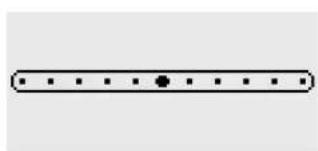
natural_image
Simple horizontal line with evenly spaced dots and a central dot (no text or symbols)
Alter the stitch length
· the stitch length can be altered while sewing
· turn the external stitch length knob to the right to lengthen
· turn the external stitch length knob to the left to shorten
Change the needle position
- push the external needle position buttons to change the needle position so stitching can be placed exactly where it is desired
· each push of the button moves the needle one position in the direction of the symbol - < five positions to the left
-
five positions to the right
· total of 11 positions, including center
· excellent for edgestitching, topstitching, and making tucks
Securing with Quick Reverse
· p r ess the quick reverse button and the machine sews in reverse
- r elease the button and the machine sews forward

TIPS
Adjust the stitch length to suit the fabric:
e.g. use a longer stitch length (approximately 3mm - 4mm) with denim, shorter length(2mm - 2.5mm) with batiste
Adjust the stitch length to suit the thread:
e.g. use a longer stitch length (approximately 3mm - 5mm) when sewing with cordonnet thread for top stitching
Activate needle stop down
· p r events the fabric slipping when you stop to adjust it
030787.52.04_0401_a165_EN
Securing stitch
_1
Stitch:
Needle:
Thread:
Feed-dog:
Presser foot:
Securing stitch No. 5
size and type suitable for the fabric selected
cotton or polyester
up (sewing position)
Reverse pattern foot No. 1
Securing program
· for all fabrics
· secures beginning and end of seam
· r everse stitching is exactly on top of the seam, preventing puckers
Stitch selection
- touch stitch No. 5
- quick reverse symbol will appear on-screen as a reminder to use it when ending the seam
Screen
· suggests using reverse pattern presser foot No.1
· basic settings (length and width) for Straight Stitch are preset at 2.5mm (length) and 0mm (width)
Beginning the seam
· machine secures the seam automatically (4 stitches forward, 4 stitches reverse)
· machine continues straight stitching

Ending the seam
- when coming to the end of the seam, press and release the quick reverse button above the needle
· machine will secure the seam automatically (4 stitches forward, 4 stitches reverse)
· machine stops automatically when securing is complete
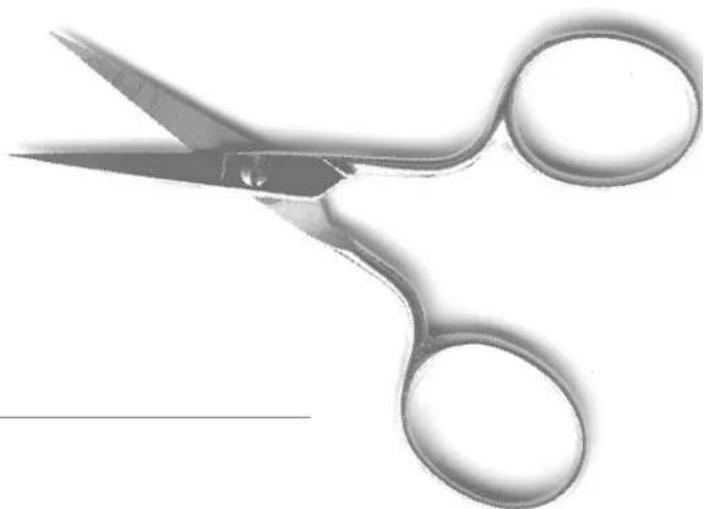
natural_image
Close-up of a pair of scissors with metallic blades and handles (no text or symbols visible)
TIP
Seaming
· quick and easy securing at beginning and end of seam
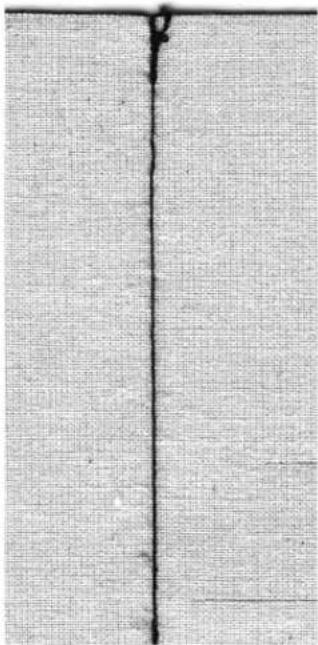
natural_image
Close-up of a textured fabric surface with a vertical seam or seam, no visible text or symbols.Edge stitching
Stitch:
Needle:
Thread:
Feed-dog:
Presser foot:
Straight Stitch No. 1
size and type suitable for the fabric selected
cotton, polyester, or cordonnet (topstitching)
up (sewing position)
Reverse pattern foot No. 1 or Blindstitch Foot No.5 or
Edgestitch Foot No.10 (optional accessory)

natural_image
Mechanical sewing machine diagram showing needle and handle mechanism (no text or symbols)- place finished or folded edge of fabric against the guide of the foot
· select needle position at desired distance from the edge
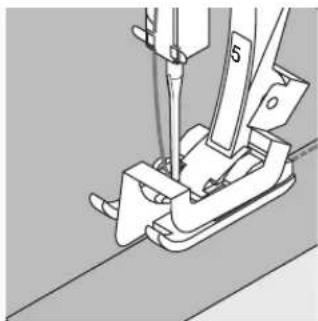
natural_image
Mechanical assembly diagram showing a cutting tool and bracket (no text or symbols)Hem edges
- place edge of fold (inside upper edge of hem) against the guide on the foot
- select a needle position that places the stitching along the upper edge of the folded hem
Foot 5 – use any left or far right needle position
Foot 10 – use any left or right needle position
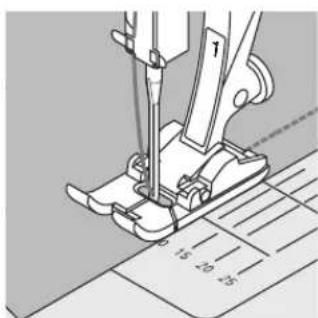
natural_image
Mechanical sewing machine needle stitching a printed sheet (no text or symbols visible)Wide edge stitching
Needle position
· any needle position can be used for this stitching
· different needle positions will place the stitching at various distances from the edge of the fabric
Presser foot
· r everse pattern foot No. 1
Guiding the fabric
Presser foot as a guide:
- align the edge of the presser foot with the finished or folded edge of the fabric
Stitch plate as a guide:
· guide the folded edge along the markings on the stitch plate for stitching 1cm–3cm from the edge Quilting/Seam guide as a guide: - insert the quilting/seam guide bar into the hole on the back of the presser foot shank
· adjust as desired, measuring from the needle - tighten the screw
· guide the finished or folded edge of the fabric along the quilting/seam guide
· to sew parallel lines, guide the quilting/seam guide bar along a previously sewn line of stitching
natural_image
Close-up of textured fabric with vertical seam lines (no text or symbols)
natural_image
Close-up of a textured gray surface with two vertical black lines, no text or symbols visible.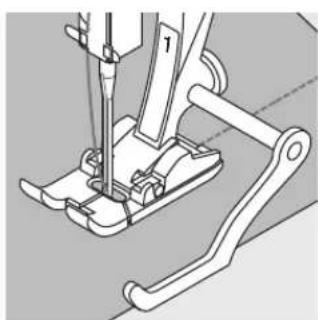
natural_image
Mechanical assembly diagram showing a sewing machine needle inserted into a base, with no visible text or symbols.Zig-zag stitch
Stitch:
Needle:
Thread:
Feed-dog:
Presser foot:
Zig-zag No. 2
size and type suitable for the fabric selected
cotton or polyester
up (sewing position)
Reverse pattern foot No. 1
Zig-zag applications
· for all fabric types
· for finishing raw edges
· for decorative work
Stitch selection
- touch stitch No. 2
Screen
· suggests using reverse pattern presser foot 1
· basic settings (length and width) for Zigzag Stitch are preset at 1.5mm (length) and 3.5mm (width)
· basic settings as well as altered settings are always visible on the screen
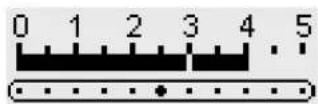
Altering the stitch width
· the stitch width can be altered while sewing
· turn the external stitch width knob to the right to make the stitch wider
· turn the external stitch width knob to the left to make the stitch more narrow
· move the knob in a smooth, gentle rotation for a smooth tapering of the stitch
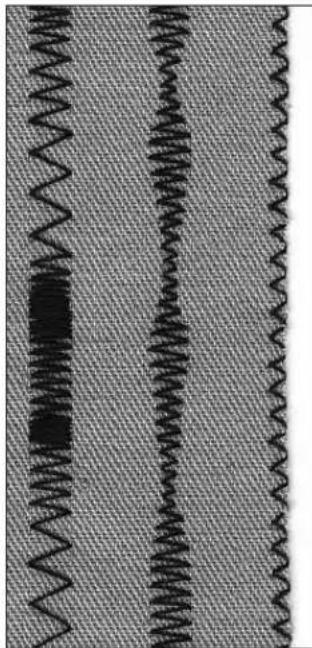
natural_image
Close-up of a textured fabric with vertical wavy patterns and a dark central spot (no text or symbols)B
AC
A zigzag stitch with altered stitch length
B zigzag stitch with altered stitch width
C fabric edges finished with zigzag stitch
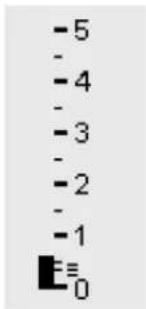
text_image
-5 - -4 - -3 - -2 - -1 ≡ 0Alter the stitch length
· the stitch length can be altered while sewing
· turn the external stitch length knob to the right to lengthen
· turn the external stitch length knob to the left to shorten
· move the knob in a smooth, gentle rotation for a smooth transition of the stitch length

Satin stitch
· short stitch length setting indicated by parallel lines
- filled-in stitch used for applique, cutwork, embroidery, and other decorative applications
Oversewing edges
· good edge finish for most types of fabric
· guide edge of fabric into the center of the presser foot
- needle goes into fabric on one side and over the edge into the air on the other
- do not select too wide a width or too long a stitch – the edge should lie flat and not roll

TIPS
Oversewing edges with Zig-zag
· if edges roll, use the Vari-overlock stitch and foot No.2
Embroidery with satin stitch
· experiment with adjusting the stitch width for new decorative effects
Altered Memory
Stitch: Any selected stitch
Needle: size and type suitable for the fabric selected
Thread: cotton or polyester
Feed-dog: up (sewing position)
Presser foot: Reverse pattern foot No. 1
Altered Memory
· for all stitches and fabrics
- altered stitch length and width settings are saved automatically
- sew a stitch (e.g. zig-zag stitch)
· select and sew a second stitch (e.g. straight stitch)
- when the first stitch (zig-zag), is recalled, all altered settings remain
· particularly useful when alternating between two applications, such as seaming and edge finishing
- the altered memory can hold as many stitches as needed
- the altered memory is lost when the machine is turned off
Altering the basic settings
· select zig-zag stitch No. 2
· alter stitch width to 5mm
· alter stitch length to 1mm
- sew a line of the altered zigzag stitch
· select running stitch No. 4
· alter stitch width to 5mm
· alter stitch length to 1mm
· sew a line of the altered running stitch
Altered settings remain active
· select zig-zag stitch No. 2
- altered settings remain active
· sew a line of the altered zigzag stitch
· select running stitch No. 4
· altered settings remain active
· sew a line of the altered running stitch
Return to basic settings
· Method 1: press the external clr button
· Method 2: alter the stitch width and length manually
- Method 3: turn machine off – altered settings will not be saved

natural_image
Two vertical, coiled black wavy lines on a textured gray background (no text or symbols)A B
A altered zigzag stitch changed to altered running stitch
B changed back to altered zigzag stitch and then changed again to altered running stitch

TIPS
Altering stitch width and length
- the width and length of all stitches can be adjusted to suit the fabric and type of sewing. Very convenient when sewing a project which may require using the same stitches repeatedly.
Changing Stitches
· alternating between sewing seams and finishing edges is easy with altered settings for many stitches, which remain altered once set
Practical stitch seams
Open seams
Seams which are pressed open
- seam allowance width as wide as desired
- seam lies flat
- seam does not stretch
Suggested stitches:
· straight, narrow zigzag, super stretch, and triple zigzag
Application:
· primarily for woven fabrics
· works for most types of sewing projects, including clothing, home accessories, and crafts
Closed seam (overlock seams)
Seams which cannot be pressed open
· sewn and finished in one operation
· narrow seam allowances
Suggested stitches:
· vari-overlock, double overlock, and jersey
Application:
· primarily for knits and jerseys
· excellent for knit clothing, lingerie, and bed linens
natural_image
Simple line drawing of a metal pin or string (no text or symbols)
natural_image
Simple line drawing of a metal fastener (no text or symbols)Flat joining seams
Seams where the edges are overlapped and then sewn
· stitching is on the seam allowances
Suggested stitch:
· s tretch overlock
Application:
· particularly good for terry cloth
· also good for beachwear, leisure wear, and lingerie
Zig-zag seam
[NO TEXT]
Stitch: Zig-zag stitch No. 2
Stitch width: approximately 1mm
Stitch length: approximately 0.5mm
Needle: universal, ballpoint, or stretch as needed
Thread: cotton or polyester
Feed-dog: up (sewing position)
Presser foot: Reverse pattern foot No. 1
Open seam applications
· stitch has more "give" than a straight stitch
· use for knits, outer wear, children's knit clothes
- seam lies flat and is not bulky
- allows a garment to be let out
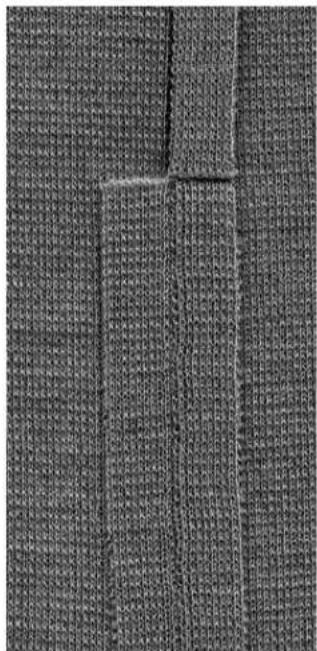
natural_image
Close-up of a textured fabric with vertical seam and rectangular cutouts (no text or symbols)Triple Straight Stitch seam
Stitch: Triple Straight Stitch No. 6
Needle: 80–90 universal or jeans
Thread: polyester
Feed-dog: up (sewing position)
Presser foot: Reverse pattern foot No. 1
Jeans foot No. 8
Open seam
· durable seam for firm and densely woven fabrics such as denim and corduroy
· r einforced seam for garment areas subject to hard wear
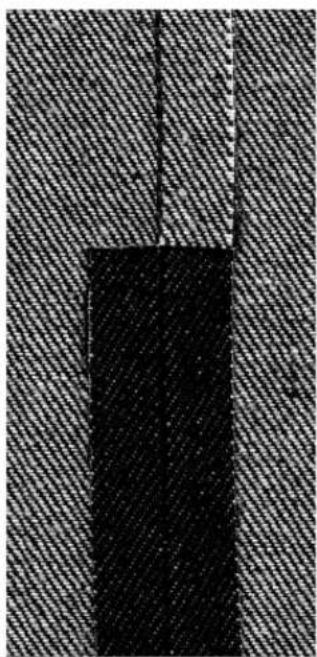
natural_image
Close-up of a textured surface with a vertical dark rectangle and diagonal striped pattern (no text or symbols)
TIP
For heavy layers or very densely woven fabrics
Use the height compensating tool to help foot sew smoothly and evenly when joining seams.
Stretch/Super stretch seam
Stitch: Super stretch No. 11 or Stretch No. 18
Needle: universal, ballpoint, or stretch as needed
Thread: cotton or polyester
ed-dog: up (sewing position)
Reverse pattern foot No. 1
Open seam
· stretch seam for knit fabrics
- ideal for sports and leisure wear
- seam lies flat and is not bulky
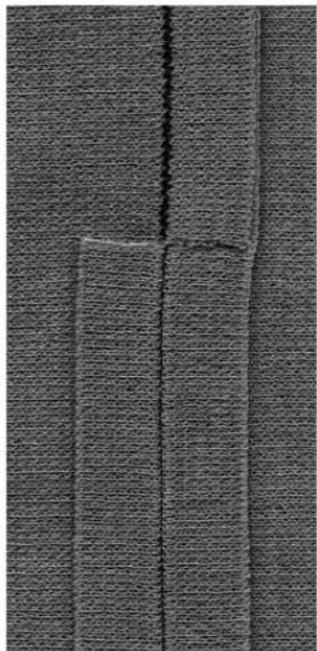
natural_image
Close-up of a textured fabric with vertical seam and rectangular cutout (no text or symbols)
TIPS
Knits and jersey
· use a new needle to prevent damaging the fabric fibers
Sewing stretch fabrics
- if necessary use a stretch ball point needle (130/705H-S); needle point slides between the fibers
Prevent stretching
· to prevent the stretching of the seam while being sewn, reduce the presser foot pressure to suit the fabric
030787.52.04_0401_a165_EN
Vari-overlock seam

Stitch:
Needle:
Thread:
Feed-dog:
Presser foot:
Vari-overlock No. 3
size and type suitable for the fabric selected
cotton or polyester
up (sewing position)
Overlock foot No. 2

natural_image
Technical line drawing of a sewing machine needle and foot (no text or symbols)Closed seam
· stretchy seam in fine, soft knits such as silk jersey and interlock
Sewing
- guide the raw edge along the pin on the overlock foot - the stitch will form over the pin and over the edge of the fabric

natural_image
Close-up of a textured fabric with a vertical decorative border (no visible text or symbols)
TIPS
Knits and jersey
· use a new needle to prevent damaging the fabric fibers
Sewing stretch fabrics
· if necessary use a stretch needle (130/705H-S); the point slides easily between the fibers
Double overlock seam/Jersey overlock seam


Stitch:
Needle:
Thread:
Feed-dog:
Presser foot:
Double Overlock No.10 or Jersey Overlock No.20
size and type suitable for the fabric selected
cotton or polyester
up (sewing position)
Overlock foot No. 2

natural_image
Technical line drawing of a sewing machine needle and foot (no text or symbols)Closed seam
· overlock seam in loose knits and cross seams in knits and jerseys
Sewing
· guide the raw edge along the pin on the overlock foot
- the stitch will form over the pin and over the edge of the fabric
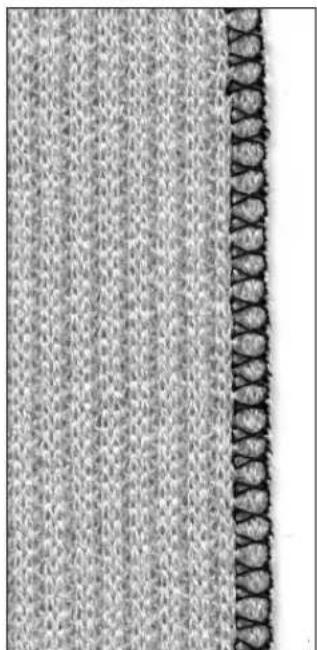
natural_image
Close-up of a textured fabric with a vertical seam or seam, showing no visible text or symbols.
TIPS
Knits and jersey
· use a new needle to prevent damaging the fabric fibers
Sewing stretch fabrics
- if necessary use a stretch ball point needle (130/705H-S); the point slides easily between the fibers
030787.52.04_0401_a165_EN
Stretch overlock seam/Reinforced overlock seam

Stitch:
Needle:
Thread:
Feed-dog:
Presser foot:
Stretch Overlock No. 13 or Reinforced Overlock No. 19
universal, ballpoint, or stretch as needed
cotton or polyester
up (sewing position)
Reverse pattern foot No. 1 or Overlock foot No. 2
Closed seam
- overlock seam in coarse or loose knits
Sewing
- sew stretch overlock along the fabric edge
- the stitch should go over the edge of the fabric on the right swing of the needle
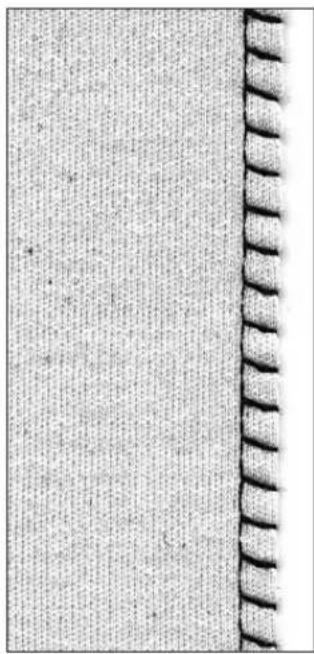
natural_image
Close-up of a textured fabric with a vertical seam or edge, showing no visible text or symbols.
TIP
Prevent stretching
- to prevent the stretching of the seam while being sewn, reduce the presser foot pressure to suit the fabric
Flat joining seam
Stitch: Stretch Overlock No. 13
Needle:
Thread:
Feed-dog:
Presser foot:
universal, ballpoint, or stretch as needed
cotton or polyester
up (sewing position)
Reverse pattern foot No. 1
Flat joining seam
- fabric edges are overlapped and the stitch is placed on the seam allowance
· p r oduces a very flat, durable seam
· ideal for fluffy, thick materials such as terry cloth, felt and leather
Sewing
· sew stretch overlock along the fabric edge
- the stitch should go over the edge of the top layer of fabric on the right swing of the needle
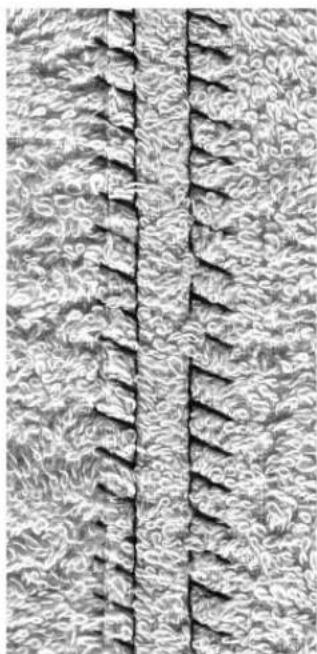
natural_image
Close-up of a textured fabric surface with vertical seam lines (no text or symbols)
TIPS
Fabric and thread
- use a matching thread color, for less visibility in fluffy fabrics
Thick seam
· particularly suitable for fabrics in which a normal straight stitch seam would stretch open
030787.52.04_0401_a165_EN
Hems with practical stitches
Preparation
· fold and press hem; baste if desired
Sewing
· sew hem at desired depth (right side)
- trim excess fabric (wrong side)
Visible hem with Jersey stitch

Stitch: Jersey stitch No. 14
Needle: universal, ballpoint, or stretch as needed
Thread: cotton or polyester
Feed-dog: up (sewing position)
Presser foot: Reverse pattern foot No. 1
Visible stretch hem
· for all types of cotton, wool, synthetic and mixed fiber jerseys

TIPS
Knits and jersey
· use a new needle to prevent damaging the loops of the knit fabric
Sewing stretch fabrics
- if necessary, use a stretch needle (130/705H-S); the point slides easily between the fibers
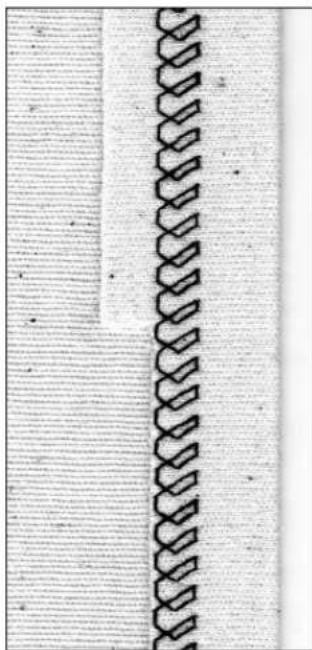
natural_image
Close-up of a woven textile or fabric edge with interlocking loops (no text or symbols visible)Visible hem with Triple Zig-zag

Stitch: Triple Zig-zag No. 7
Stitch width: 2.5 mm – 5 mm depending on fabric
Stitch length: basic setting
Needle: universal or jeans
Thread: cotton or polyester
Feed-dog: up (sewing position)
Presser foot: Reverse pattern foot No. 1
Strong visible seam
· for firm, densely woven fabrics, particularly good for denim and canvas
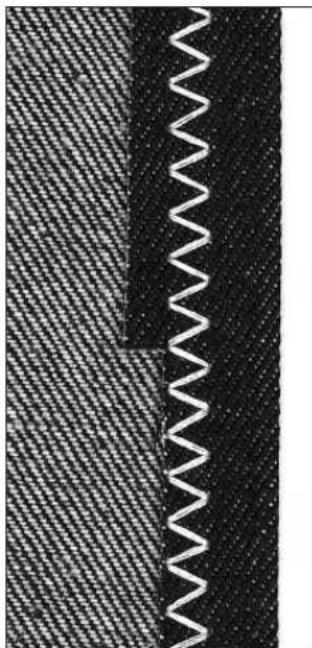
natural_image
Close-up of a woven fabric with a zigzag seam, showing distinct banding patterns (no text or symbols)
TIPS
Hems on fabrics which may ravel
· finish the raw edge of the hem; do not trim them after sewing
Sewing firm, hard fabrics
· use a jeans needle for better penetration
030787.52.04_0401_a165_EN
Sewing knits
Important tips for sewing knit fabrics
Start with a new needle
- blunt needles can damage knits
Use a stretch needle (130/705 H-S) if necessary
· the needle point slides easily between the fibers
Use a fine sewing thread
· coarse threads can damage knits and cause holes when the garment is washed
When basting, use a darning thread
- very lightweight (80 weight) darning thread is easier to remove once the seam is complete
Sew a test, when necessary
· the elasticity of knit fabrics varies greatly
- adjust basic settings to suit the fabric, the seam should be as stretchy as the fabric
· for greater elasticity:
- use a shorter stitch length
- use a wider stitch width
(only one of these adjustments may be necessary)
Presser foot pressure
- soft, loose knits can wave when sewn: reduce the pressure until the seam lies flat the machine must still feed the fabric properly
Honeycomb stitch edges

Stitch: Honeycomb stitch No. 8
Needle: universal, ballpoint, or stretch as needed
Thread: cotton or polyester
Feed-dog: up (sewing position)
Presser foot: Reverse pattern foot No. 1
Honeycomb stitch edges
· for all cotton, wool, synthetic and mixed fiber knits
Preparation
· turn the raw edge under by 1 cm ( 38 ); press and baste if desired
Sewing
· s ew from the right side
- trim excess fabric from the wrong side

Balance/corrections
- Stitch is too open – make the stitch shorter by touching the "up" (↑) balance arrow several times
- Stitch is overlapping – make the stitch longer by touching the "down" (↓) balance arrow several times
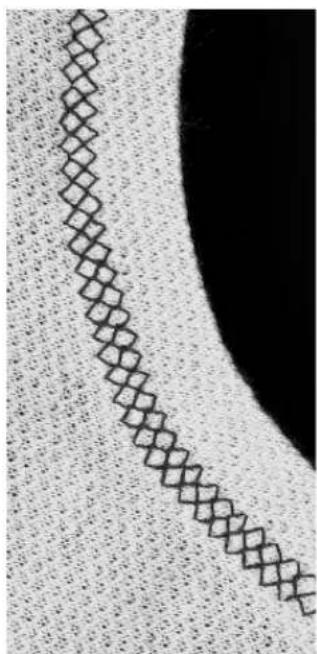
natural_image
Abstract pattern with diagonal diamond shapes on a textured background, no text or symbols present
TIPS
Needle stop down
- needle stays in fabric when pivoting around curves (neck edges and armholes)
Presser foot pressure
- reduce pressure if hem stretches
Ribbing with overlock seam

Stitch:
Needle:
Thread:
Feed-dog:
Presser foot:
Vari-overlock No. 3
size and type suitable for the fabric selected
cotton or polyester
up (sewing position)
Overlock foot No. 2
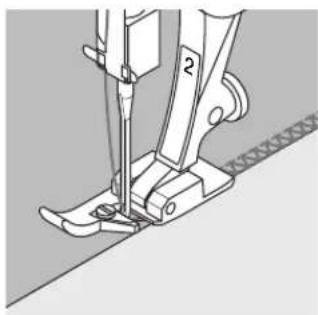
natural_image
Technical line drawing of a sewing machine needle and foot (no text or symbols)Ribbing with overlock seam
· for all fine cotton, synthetic and mixed fiber knits
Preparation
· fold ribbing in half
· pin and baste to opening, front edge to outside
Sewing
- sew Vari-overlock over the raw edge
· guide the raw edge along the pin of the foot
· the stitch will form over the pin and over the edge of the fabric
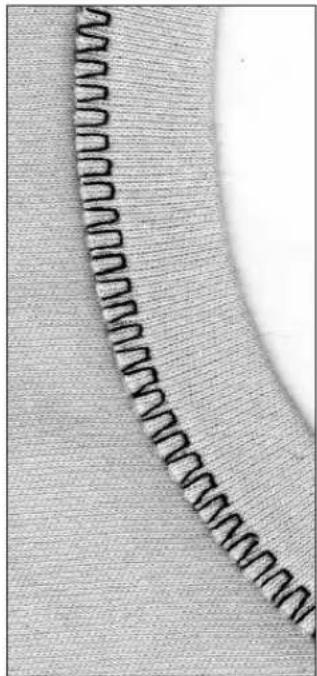
natural_image
Close-up of a fabric with a wavy seam or seam pattern, no visible text or symbols
natural_image
Close-up of a pair of scissors with metal handles, no text or symbols visibleZippers
Stitch:
Needle:
Thread:
Feed-dog:
Presser foot:
Needle position:
Straight stitch No. 1
size and type suitable for the type of fabric selected
cotton or polyester
up (sewing position)
Zipper foot No. 4
far right or far left
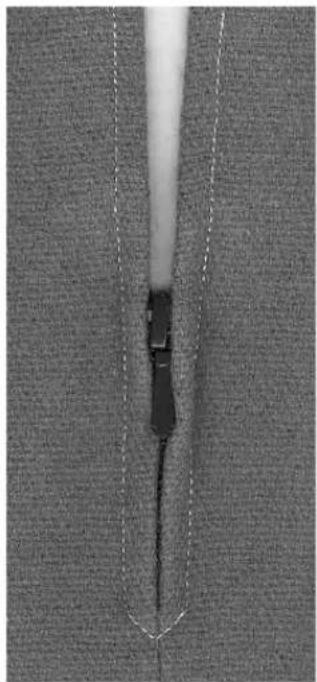
natural_image
Close-up of a garment zipper with stitching pattern (no text or symbols visible)Preparation:
- baste or pin zipper in place
· fabric edges should meet over the center of the zipper
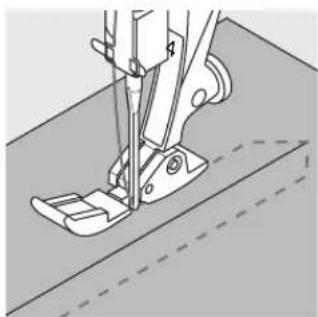
natural_image
Technical line drawing of a sewing machine needle stitching fabric (no text or symbols)Sewing
- sew both sides of zipper from bottom to top
- needle position should be fully to the right on one side and and fully to the left on the other
· edge of presser foot runs next to zipper teeth - position the foot so the needle stitches along the edge of the zipper teeth
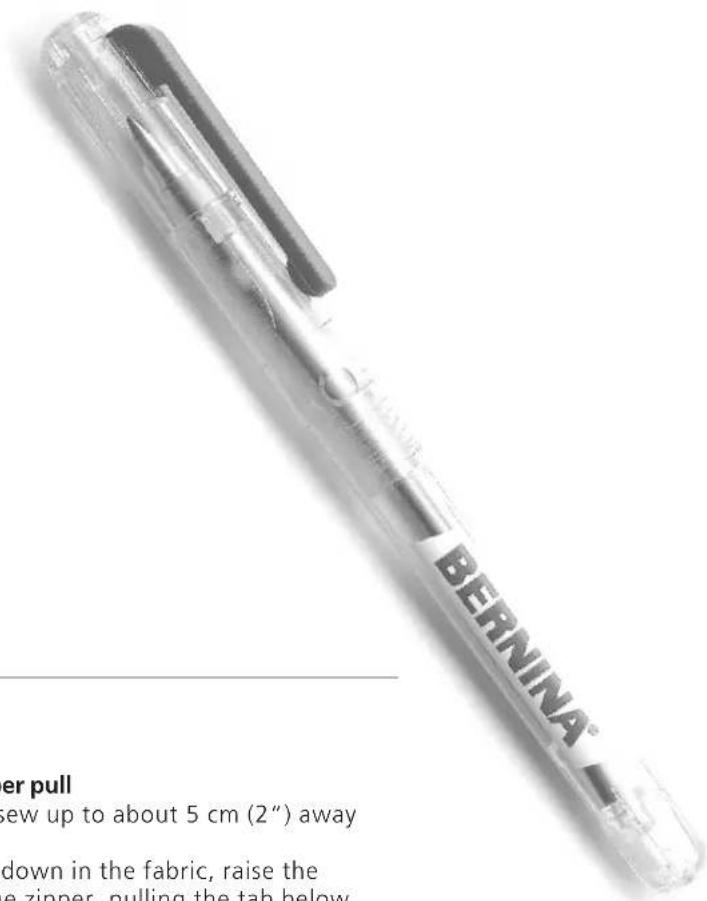
text_image
BERNINA® er pull crew up to about 5 cm (2") away down in the fabric, raise the e zipper, pulling the tab below
TIPS
Tosew around the zipper pull
- close the zipper and sew up to about 5 cm (2") away from the pull
- stop with the needle down in the fabric, raise the presser foot. Open the zipper, pulling the tab below the needle; lower the foot and continue to sew
Starting to sew
· hold the thread firmly when starting to sew
- pull the fabric gently behind the needle for a few stitches
Dense fabric
· for even stitch formation, use a 90 or 100 needle
Long stitch function
This function works with the straight stitch to produce a longer than usual stitch.
The machine sews every second stitch when the Long stitch function is activated. The longest stitch possible is 10 mm when the stitch length is set at 5mm.
For decorative top stitching, the Long stitch function can be combined with Triple Straight stitch.
Stitch: Straight stitch No. 1 or Triple Straight Stitch No. 6 Needle: size and type suitable for the fabric selected Thread: cotton or polyester Stitch length: 3.5 mm – 5 mm Feed-dog: up (sewing position) Presser foot: Reverse pattern foot No. 1 Function: Long stitch

Long stitch
· for all work where a longer stitch is desired · for topstitching
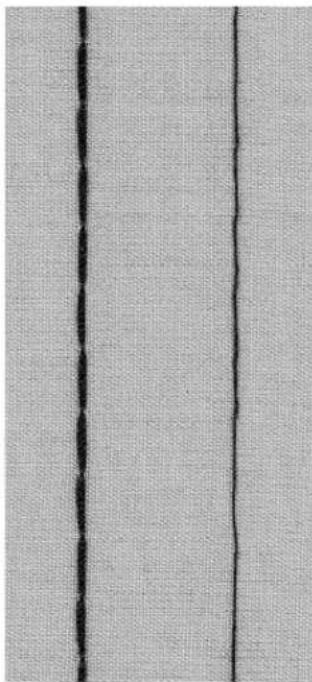
natural_image
Close-up of a textured fabric with two vertical black lines (no text or symbols)

Basting stitch
This feature is a stitch rather than a function (such as the long stitch). When this stitch (No. 21) is selected, the machine stitches a straight stitch, sewing every fourth one. The longest stitch possible is 20 mm when the stitch length is set at 5mm.
Stitch: Basting stitch No. 21
Needle: size and type suitable for the fabric selected Thread: cotton or polyester
Stitch length: 3.5mm – 5mm Feed-dog: up (sewing position)
Presser foot: Reverse pattern foot No. 1
Basting stitch
· for all work where a very long stitch is desired
· quick and easy basting of seams, hems, etc.
· easy to remove

natural_image
Simple line drawing of a pair of metal fasteners (no text or symbols)
natural_image
Two elongated metal clips with circular ends, no text or symbols present
TIPS
Securing a basted seam
· to secure basting stitches, sew a few normal length straight stitches at the beginning and end of the seam
Basting
- use a fine darning thread; it is easier to remove after the seam has been sewn
Blind hem

Stitch:
Needle:
Thread:
Feed-dog:
Presser foot:
Blindstitch No. 9
size and type suitable for the fabric selected
cotton, polyester, or silk
up (sewing position)
Blindstitch foot No. 5
Blind hem
· for invisible hems in medium to heavy cotton, wool and mixed fiber fabrics
Preparation
· finish the raw edges as desired
· fold the hem and baste or pin in place
· fold the garment back over the right side of the fabric to expose the finished lower edge
- place the work under the presser foot (see drawing) with the guide positioned against the folded back fabric
Sewing
· the needle should just pierce the edge of the fold
· adjust the stitch width to suit the fabric
· after sewing about 10 cm (4"), check both sides of fabric and adjust the stitch width if necessary
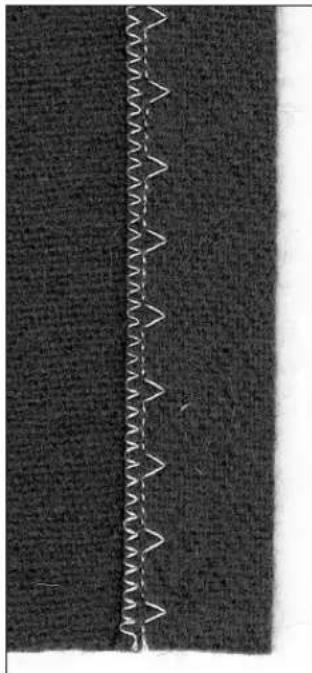
natural_image
Close-up of a dark fabric with a white zigzag seam or seam pattern on the left side (no text or symbols)
text_image
wrong side of fabric wrong side of fabricright side of fabric
Sewing on narrow elastic with Universal stitch

Stitch: Universal stitch No. 15
Stitch width: depends on width of elastic
Needle: type and size to sui
Thread: cotton or polyester
Feed-dog: up (sewing position)
Presser foot: Reverse pattern foot No. 1
or Embroidery foot No. 6
Sewing on elastic
· for gathering long lengths of fabric, frills and flounces in fine fabrics
- works well for gathered sleeve edges and neck openings
Preparation
· cut elastic to length required
Sewing
· oversew the elastic, adjusting the stitch width to be slightly wider than the elastic
- needle must not pierce the elastic
· after sewing, adjust the gathers evenly

TIPS
Secure the beginning and end of elastic
- sew a few straight stitches backward and forward to secure the elastic
Quick hem finish
· for children's or doll clothing
· sew sleeve edges with elastic before sewing seams
Sewing on shirring elastic/cord with Gathering stitch
Stitch: Gathering stitch No. 12
Needle: size and type to suit the fabric selected
Thread: cotton or polyester
Feed-dog: up (sewing position)
Presser foot: Buttonhole foot No. 3
Shirring elastic/cord
· for gathering long lengths of fabric
Preparation
· cut shirring elastic or cord double the length of the edge
· fold in half lengthways
- hook over the center toe on the buttonhole foot
· take both ends of the cord under the foot to the back
Sewing
- sew a few stitches
- lift the elastic or cord at the front and pull towards you
- leave ends behind the presser foot
· oversew cord without stitching into it
· after sewing, pull the cord to gather the fabric - stretch elastic while sewing; the more it is stretched, the tighter the gathers
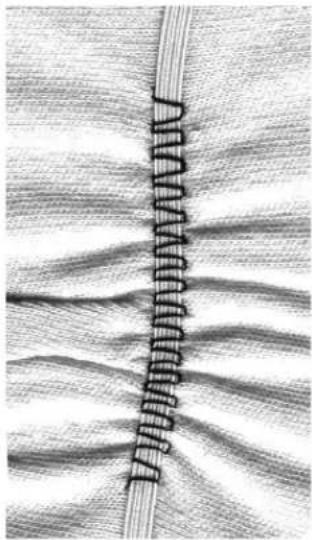
natural_image
Close-up of a woven fabric with visible fiber texture and a vertical seam (no text or symbols)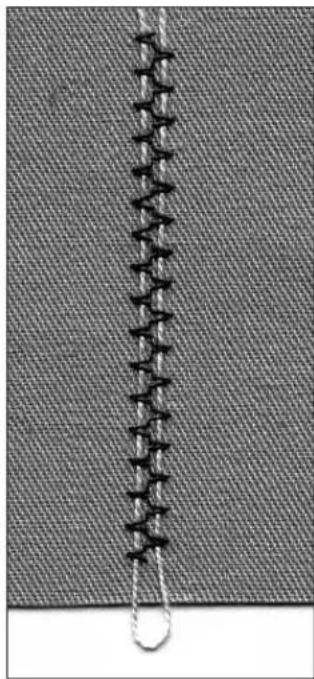
natural_image
Close-up of a knitted fabric with visible stitching and a loop detail (no text or symbols)
TIPS
Securing beginning and end
- sew a few stitches with the feed-dog lowered
Presser foot pressure
· increase the foot pressure, if necessary, for better feeding of the fabric and cord
Sewing on wide elastic
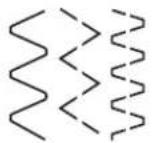
Stitch:
Running stitch No. 4 or Sewn-out Zig-zag No. 16 or Lycra stitch No. 17
Stitch length:
adjust to suit elastic
Needle:
size and type to suit the fabric selected
Thread:
cotton or polyester
Feed-dog:
up (sewing position)
Presser foot:
Reverse pattern foot No. 1
Wide elastic
· for edges on sportswear and lingerie
Preparation
· cut elastic to length required
· divide fabric edge and elastic into 4 equal sections and mark
· pin elastic to raw edge, matching markings
Sewing
· s tretch the elastic to fit the raw edge while sewing
- trim excess fabric close to the stitching

natural_image
Close-up of a fabric with wavy seam pattern, no visible text or symbols

Bartack program
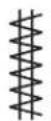
Z
Stitch:
Needle:
Thread:
Feed-dog:
Presser foot:
Bartack program No. 24 or Buttonhole bartack No. 25
size and type to suit the fabric selected
cotton, polyester, or rayon
up (sewing position)
Reverse pattern foot No. 1
Bartack program
- for reinforcing seams subject to heavy wear such as those on pockets, jackets, jeans, and overalls
· use for attaching ribbons to a quilt for tying
Buttonhole bartack
- for reinforcing buttonhole bartacks
Sewing
· the machine starts top left with the bartack program
- the machine stops automatically at the end of the program
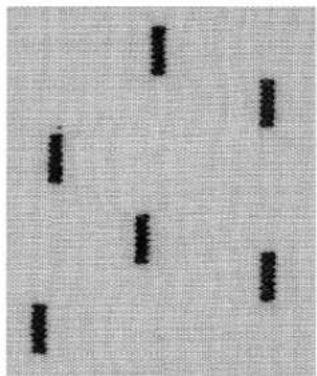
natural_image
Abstract pattern of black vertical lines on a textured gray background (no text or symbols)Important information on buttonholes
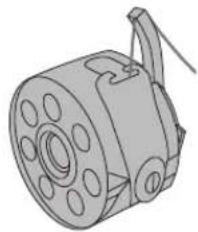
natural_image
Technical line drawing of a mechanical component with circular holes and a handle (no text or symbols)Thread tension
· thread the finger of the bobbin case
· the bobbin tension will be slightly tighter than normal
· this gives a slightly rounded appearance to the beads, making the buttonhole more attractive

natural_image
Simple line drawing of a folded paper or document with three vertical lines and a base (no text or symbols)Manual buttonholes
· stitched using Buttonhole foot 3
- the buttonhole length of manually stitched buttonholes must be marked on the fabric in the appropriate position
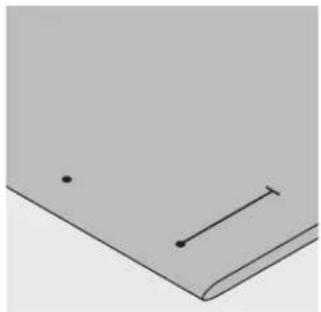
natural_image
Simple line drawing of a folded paper or document with two dots and a horizontal line (no text or symbols)Automatic buttonholes
· stitched using Automatic buttonhole foot 3A
· mark the length of the first buttonhole
· after sewing the first buttonhole, the length for all subsequent buttonholes is automatically programmed
· mark the starting point of all subsequent buttonholes
- Buttonhole length = buttonhole opening in mm

natural_image
Two dark rectangular objects placed vertically on a textured gray background (no text or symbols)Test sewing
· always sew a test on the fabric(s) you will use with the same interlining, interfacing, and stabilizers
· select the same buttonhole type
- sew the buttonhole in the same direction on the fabric (with or against the grain)
Corrections
To adjust the bead width:
· alter the stitch width
Altering the stitch length:
· any alterations to the stitch length affect both beads (making them more or less dense)
· always stitch a new sample to reprogram the buttonhole after any changes are made to the stitch length
Balance for automatic/manual buttonholes
· any balance alterations affect both beads
Balance for stitch counter buttonholes
· any balance alterations affect the first (left) bead:
Bead too dense- if the first bead looks like
A, use the "down" arrow to correct it
Bead not dense enough – if the first bead looks like
B, use the "up" arrow to correct it
· always stitch a new sample to reprogram the buttonhole after any changes are made to the balance
Clear balance
· p r ess the external clr button

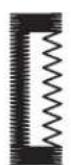
A

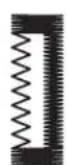
B
Corded Buttonhole
- gimp cord reinforces buttonholes and enhances their appearance
- the loop of the cord should be at the end of the buttonhole most subject to wear or where the button is sewn on
- position the work accordingly
· gimp cord is particularly recommended for standard and stretch buttonholes
Suitable cords:
· Perle yarn No. 8
· strong hand sewing thread
· fine crochet yarn
- gimp cord
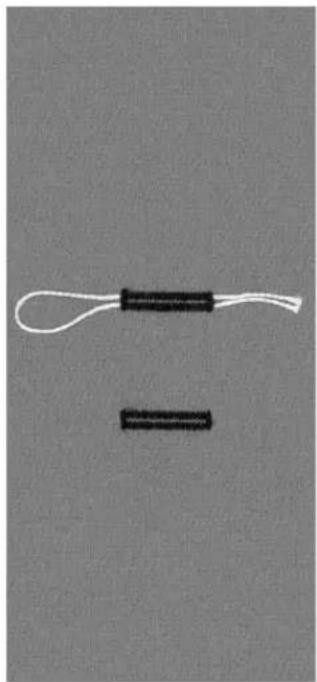
natural_image
Two black cylindrical objects with white handles, one looped and one rectangular, against a plain gray background (no text or symbols)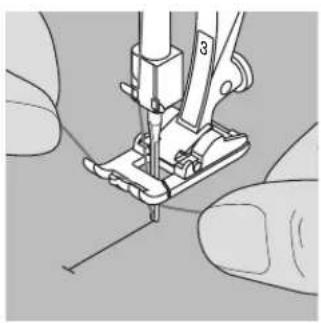
natural_image
Close-up of hands operating a sewing machine needle (no text or symbols visible)Hooking the cord onto presser foot No. 3
· insert the needle at the beginning of the buttonhole
- raise the presser foot
· hook the cord over the center toe of the foot

natural_image
Close-up of a sewing machine needle stitching fabric (no text or symbols visible)- place both ends of the cord in the grooves on the sole of the foot and pull them to the back
- lower the presser foot
Sewing
· sew the buttonhole in the usual manner
· do not hold the cord tightly
- the buttonhole will form over the cord, covering it
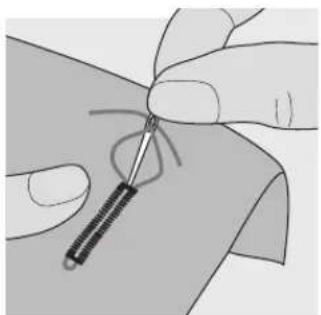
natural_image
Close-up of hands holding a stringed object with a coiled spring-like object, no text or symbols visibleSecuring the cord
- pull the cord through the buttonhole until the loop disappears into the end of it
· pull the ends of the cord through to back of the fabric - knot or secure with stitches
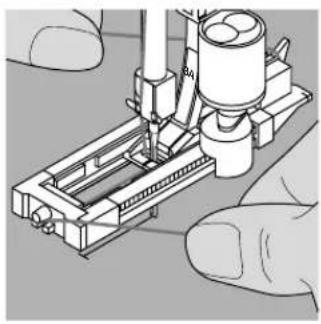
natural_image
Illustration of a mechanical assembly with hands operating it (no text or symbols visible)Hooking the cord in the automatic buttonhole foot No. 3A
· insert the needle at the beginning of the buttonhole
· raise the presser foot
· guide the cord under the foot to the right
· hook the cord over the pin at the back of the foot
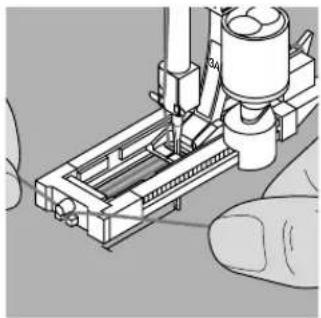
natural_image
Illustration of a mechanical assembly with a hand operating a tool (no text or symbols visible)- bring the cords to the front of the foot
- pull each end into one of the notches at the front of the foot
Sewing
· sew the buttonhole in the usual manner
· do not hold the cord
· the buttonhole will form over the cord, covering it
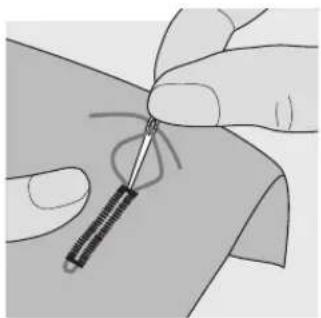
natural_image
Close-up of hands holding a small object with a string, no visible text or symbolsSecuring the cord
- pull the cord through the buttonhole until the loop disappears into the end of it
- pull the ends of the cord through to back of the fabric
· knot or secure with stitches

natural_image
Illustration of a finger holding a needle inserted into a body area (no text or symbols)Cutting buttonholes open
· using the seam ripper, cut from the ends towards the middle
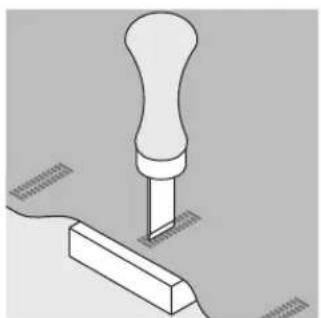
natural_image
Isometric illustration of a screwdriver pressing a wooden block with a handle (no text or symbols)Buttonhole cutter and block (special accessory)
- place the fabric on a piece of wood
- place the cutter in the center of the buttonhole
- press the handle of the cutter to open the buttonhole

natural_image
Two black cylindrical objects with white leads, one looped and one rectangular, against a plain gray background (no text or symbols)Straight stitch buttonholes
Straight stitch buttonholes are useful as a foundation for satin stitched buttonholes on soft and loosely woven fabrics that fray easily. The buttonhole beads and bartacks of the second (satin stitched) buttonhole will cover the straight stitching.
They are also good for stitching bound buttonholes and reinforcing buttonhole openings on leather, vinyl, and felt.

natural_image
Two simple vertical rectangular shapes on a textured gray background (no text or symbols)
Stitch: Straight stitch buttonholes No. 59
Needle: size and type suitable for the fabric selected
Thread: cotton or polyester
Feed-dog: up (sewing position)
Presser foot: Buttonhole foot No. 3 or Automatic Buttonhole Foot No. 3A
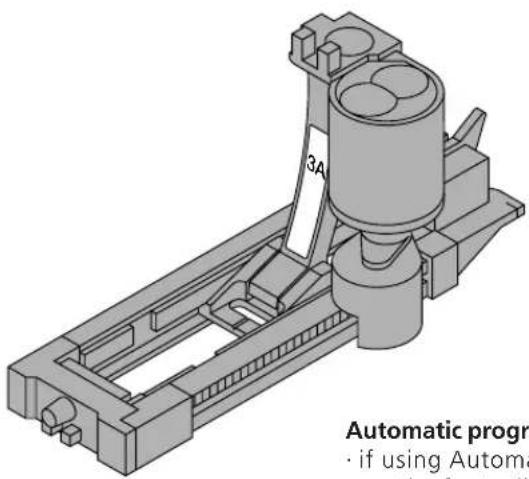
text_image
3A Automatic progr · if using AutomatAutomatic program with Automatic buttonhole foot No.3A
- if using Automatic buttonhole foot No. 3A, the sensor on the foot will automatically register the length of the buttonhole so it can be duplicated
text_image
Technical diagram showing a mechanical assembly with labeled components F, U, and C, and directional arrows indicating flow or movement.Sewing the automatic buttonhole program
- sew the first line of straight stitches forward until the desired length is reached
· p r ess and release the quick reverse button
· auto appears = length is programmed
· machine completes the buttonhole program automatically - all subsequent buttonholes will be stitched to the same length (without pressing the quick reverse button)
- the distance between the stitched lines can be adjusted with the stitch width
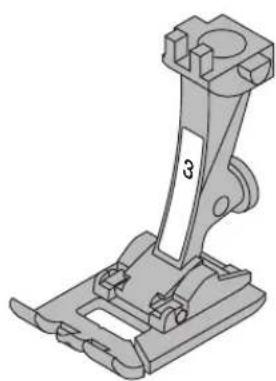
natural_image
Mechanical component diagram showing a bracket with mounting flanges and a labeled part '3' (no text or symbols beyond the number)Stitch counter program with buttonhole foot No. 3
- select function presser foot 3 for stitch counter buttonholes
- Buttonhole foot No.3 will register the number of stitches in the buttonhole
Sewing the stitch counter buttonhole program
- sew the first bead, stop stitching at the desired length
· p r ess and release the quick reverse button
· continue sewing; the machine will stitch the end of the buttonhole and then the second bead in reverse
· stop stitching when the needle reaches the first stitch
· p r ess and release the quick reverse button
· machine sews the horizontal bar and securing stitches
· machine stops automatically
· auto appears on the screen
· each subsequent stitched buttonhole will be sewn to the same length as the programmed buttonhole
Automatic buttonholes (all types)
Both beads are sewn in the same direction Buttonhole length = buttonhole opening in mm
Stretch buttonholes are particularly effective on all knit fabrics because the double overlock stitch used for the beads stretch with the fabric while keeping its shape.
Note: The automatic buttonhole foot No.3A must lie perfectly flat on the fabric. If the foot lies on a seam, the length cannot be measured accurately.
Stitch: Buttonhole (all types)
Needle: size and type suitable for the fabric selected
Thread: cotton or polyester
Feed-dog: up (sewing position)
Presser foot: Automatic buttonhole foot No. 3A
Automatic buttonhole
· the lens on automatic buttonhole foot No.3A
automatically registers the length of the buttonhole for exact duplication
- buttonholes from 4 - 29 mm can be sewn

text_image
3A Sew the first be · the stitching se · the right of thSew the first bead
- the stitching sequence is displayed on the screen (to the right of the presser foot symbol)
- sew the first bead forward, stopping at the desired length
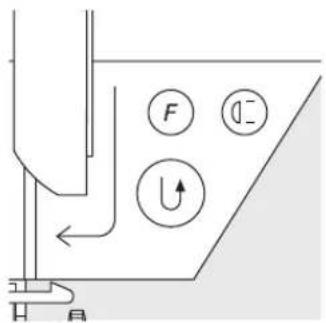
text_image
Diagram showing a fluid system with labeled components including F, U, and directional indicatorsProgram the buttonhole
· p r ess and release the quick reverse button
· auto appears on the screen to indicate that the buttonhole length is programmed
· continue sewing; the machine completes the buttonhole and stops automatically
Auto buttonhole
· machine stops in position to begin the next buttonhole
- r eposition the fabric and sew; all subsequent buttonholes will be sewn automatically to the same length (without pressing the quick reverse button)

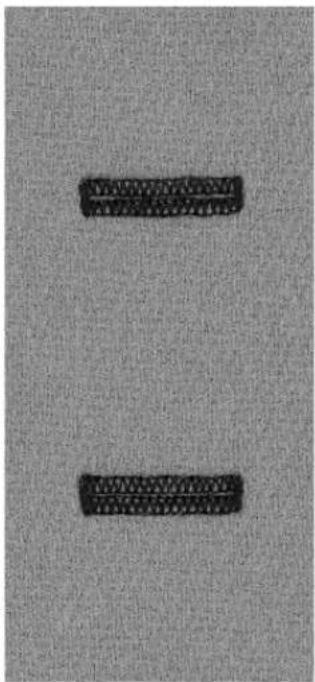
text_image
A. 100% A. 100%
TIPS
Exact duplicates
the auto function ensures that each buttonhole will be exactly the same length as the previous one
Marking
· mark only the beginning of the buttonholes – a real time saver!
Sewing speed
- sew at moderate speed for best results
- sew all buttonholes at the same speed for a consistent bead density
Automatic round and keyhole buttonholes
Both beads are sewn in the same direction. Buttonhole length = buttonhole opening in mm

Stitch:
Needle:
Thread:
Feed-dog:
Presser foot:
Round buttonholes Nos. 54–55 and keyhole buttonholes Nos. 56–58 size and type suitable for the fabric selected cotton or polyester up (sewing position) Automatic buttonhole foot No. 3A
Automatic buttonhole
- the lens on automatic buttonhole foot No.3A automatically registers the length of the buttonhole for exact duplication
- buttonholes from 4–29 mm can be sewn
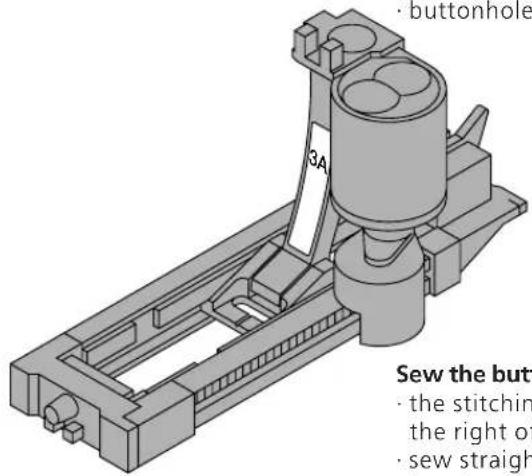
text_image
buttonhole 3A Sew the butt · the stitching the right of · sew straight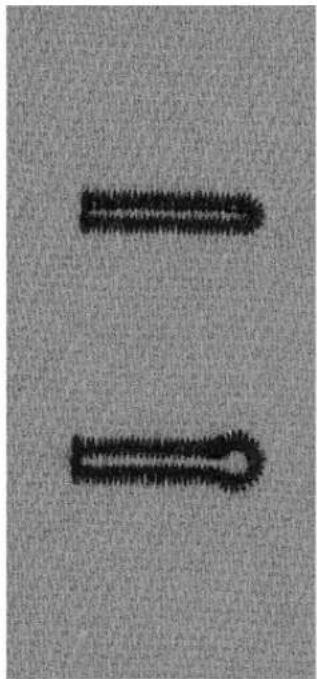
natural_image
Two black textured objects resembling stylized arrows or tools on a gray background (no text or symbols)Sew the buttonhole
- the stitching sequence is displayed on the screen (to the right of the presser foot symbol)
- sew straight stitches forward, stopping at the desired length
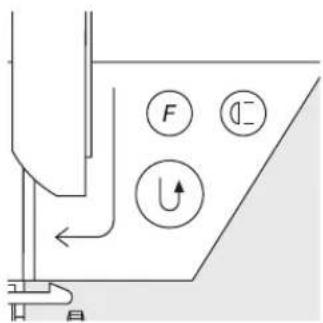
text_image
Diagram showing a fluid system with labeled components including F, U, and directional indicatorsProgram the buttonhole
· p r ess and release the quick reverse button
- auto appears on the screen to indicate that the buttonhole length is programmed
· continue sewing; the machine completes the buttonhole and stops automatically
Auto buttonhole
· machine stops in position to begin the next buttonhole
- r eposition the fabric and sew; all subsequent buttonholes will be sewn automatically to the same length (without pressing the quick reverse button)
Important:
· if you make a mistake, press the Pattern Begin function
- the machine reverts to the beginning of the buttonhole


TIPS
Exact Duplicates
- the auto function ensures that each buttonhole will be exactly the same length as the previous one
Marking
· mark only the beginning of the buttonholes – a real time saver!
Double sewn keyhole buttonholes
· keyhole buttonholes can be sewn twice on thick fabrics
· after sewing the first buttonhole, do not move the work
· simply tap the foot control once to begin sewing again
Stitch counter buttonholes for all buttonhole types (can not be saved in memory)
The first (left) bead is sewn forwards, the second (right) bead is sewn in reverse.
Stitch:
Needle:
Thread:
Feed-dog:
Presser foot:
Buttonholes (all types)
size and type suitable for the fabric selected
cotton or polyester
up (sewing position)
Buttonhole foot No. 3

Stitch counter buttonholes
- Select the stitch counter buttonhole function
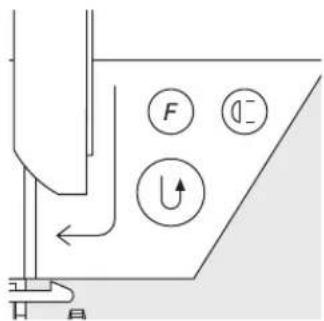
text_image
Diagram showing a mechanical or fluid system with labeled components: F, U, and directional arrows indicating flow or movement.Length of first bead
· sew the first bead, stopping at the desired length
· p r ess and release the quick reverse button
Bartack, second bead
- bottom bartack and second bead are sewn in reverse
- stop machine at the first stitch
· p r ess and release the quick reverse button
Bartack, securing stitches
· machine sews the top bartack and securing stitches
· machine stops automatically
· auto appears on the screen
· the buttonhole is programmed and saved
· each subsequent buttonhole will be sewn identically
Corrections
- r eprogram the buttonhole if any alterations to the stitch width, length, or balance have been made
Programmed buttonhole on a different fabric
· different fabrics and interfacings can affect the look of a stitch counter buttonhole
· if you are using a new material, program the buttonhole again
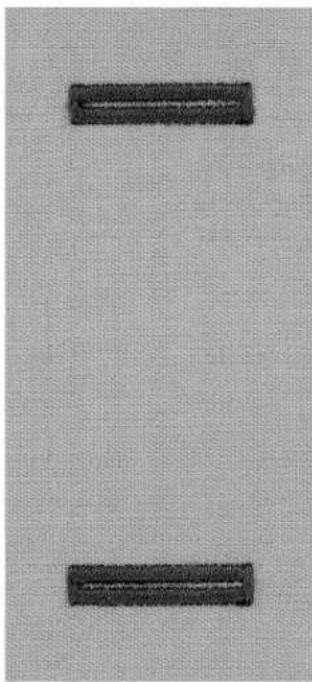
natural_image
Two black rectangular buttons placed vertically on a textured gray background (no text or symbols)
TIPS
More buttonholes with presser foot No. 3
· ideal for buttonholes which are difficult to sew with the larger foot of Automatic buttonhole foot No.3A
Beautiful buttonholes
- keep the speed consistent for beads of equal density
· sew at a moderate speed for best results
Marking
· mark only the beginning of the buttonholes – a real time saver!
030787.52.04_0401_a165_EN
Manual 4/6-step buttonholes (all types)
Sewing buttonholes manually is ideal if you only need to sew one; also for repairing existing buttonholes.
The number of steps depends on the type of buttonhole. A manually sewn buttonhole cannot be saved.
Stitch: any buttonhole
Needle: size and type suitable for the fabric selected
Thread: cotton or polyester
Feed-dog: up (sewing position)
Presser foot: Buttonhole foot No. 3
man
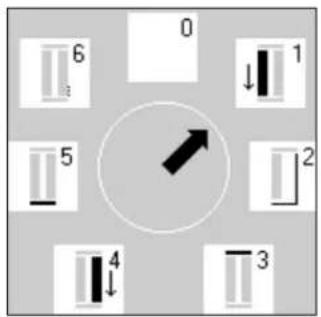
text_image
0 6 1 5 2 4 3Open the program
· select the type of buttonhole desired (stitches 51–59)
· select the manual buttonhole function from the toolbar
Step symbols
· the step sequence is shown on the screen:
· standard buttonhole has 6 steps
· round buttonhole has 4 steps
· keyhole buttonhole has 4 steps
- the arrow in the circle is on "0" when the buttonhole is first selected
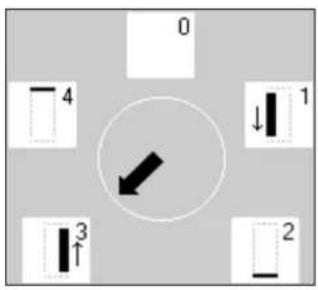
text_image
0 4 1 3 2Sewing a 4 or 6 step buttonhole
- touch 1 on the screen and sew the first bead
- stop the machine at the desired length
- touch 2, sew
· continue in this manner until the buttonhole is complete
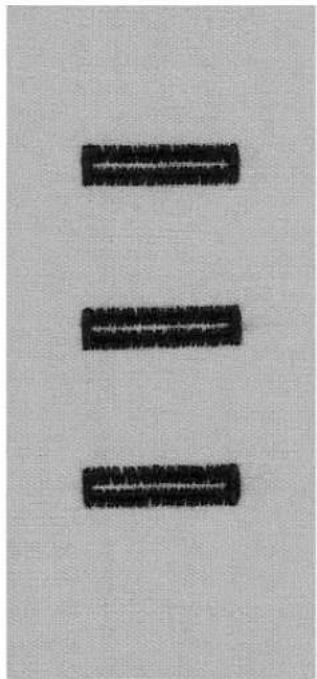
text_image
Three black rectangular blocks arranged vertically on a textured gray background, with visible text fragments.Button sewing-on program

Stitch: Stitch width: Needle: Thread: Feed-dog: Presser foot:
Button sew-on program No. 60 depends on the distance between the holes size and type suitable for the fabric selected cotton or polyester down (darning position) Button sew-on foot No. 18 (optional accessory)
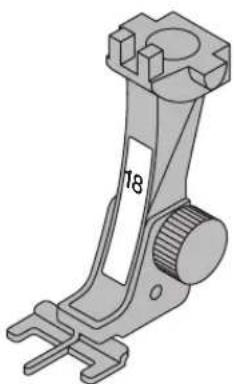
natural_image
Mechanical component diagram showing a lever mechanism with no visible text or symbolsButton sew-on program
· sews buttons with 2 and 4 holes
- the shank (thread length between button and fabric) can be made shorter or longer as required
- buttons being sewn on for decorative purposes only can be stitched without forming a thread shank

natural_image
Close-up of two button designs: a black circular button and a white circular button with black letter 'Z' on a textured gray background (no text or symbols beyond the letter)2-hole button
· select Button Sew-on program
- check distances between holes with the handwheel
· adjust stitch width if necessary
· hold the threads when starting to sew
- sew; machine stops automatically when program is completed
· machine is automatically ready for the next button
Beginning and ending threads
· t he threads are secured and can be trimmed
For secure results:
· cut the upper thread close to the button
- pull both bobbin threads until the upper thread is visible on the wrong side
- trim bobbin thread (knot if desired)
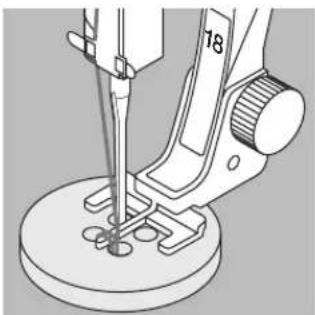
natural_image
Technical line drawing of a sewing machine needle and base mount (no text or symbols)4-hole button
· sew the front holes
- carefully move the button forward
· sew the back holes

TIPS
Sewing on buttons by machine
- a real time saver, especially when several of the same type buttons must be sewn on, e.g. shirts, blouses, etc.
Shortening zippers
- a zipper which is too long can be secured simply and quickly using the button sew-on program
030787.52.04_0401_a165_EN
Zigzag Eyelets

Stitch:
Needle:
Thread:
Feed-dog:
Presser foot:
Zig-zag Eyelet No. 61
size and type suitable for the fabric selected
cotton, polyester, or rayon
up (sewing position)
Reverse pattern foot No. 1
Zig-zag Eyelet
- ideal opening for cords and narrow ribbons
· attractive decorative elements for clothing, crafts, etc. - cannot be programmed into memory
Sewing eyelets
- select eyelet stitch No. 61
· position fabric under the presser foot and sew
· machine stops automatically when finished
· machine is automatically ready for the next eyelet
Punching eyelets
· use an awl or punch to cut open the eyelet
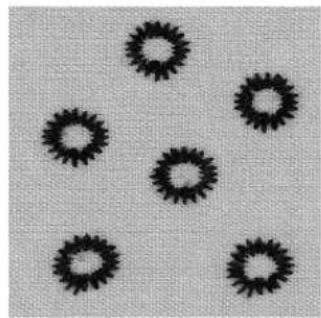
natural_image
Five black circular patterns on a textured gray background (no text or symbols)Straight Stitch Eyelets

Stitch:
Needle:
Thread:
Feed-dog:
Presser foot:
Straight Stitch Eyelets No. 62
size and type suitable for the fabric selected
cotton, polyester, or rayon
up (sewing position)
Reverse pattern foot No. 1
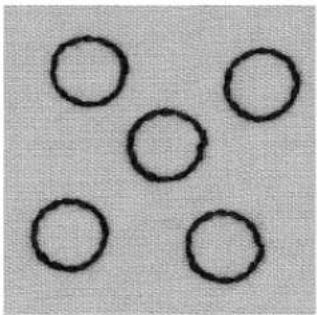
natural_image
Five simple black circles arranged in a triangular pattern on a light gray background (no text or symbols)
natural_image
Metallic metal pin or screwdriver with a circular end (no text or symbols visible)Straight Stitch Eyelet
· ideal opening for cords and narrow ribbons
· attractive decorative elements for clothing, crafts, etc.
- cannot be programmed into memory
Sewing eyelets
· select eyelet stitch No. 62
- position fabric under the presser foot and sew
· machine stops automatically when finished
· machine is automatically ready for the next eyelet
Punching eyelets
· use an awl or punch to cut open the eyelet
natural_image
Simple line drawing of a pendulum-like object with a curved arm and hook (no text or symbols)
natural_image
Simple line drawing of a metal ping pong paddle (no text or symbols)
TIPS
Eyelets
· ideal for eyes on soft toys, dolls and puppets
Decorative eyelets
- use decorative thread to introduce an attractive element when combined with other embroidery or decorative stitches
Elastic Edges
[NO TEXT]
Stitch: Zig-zag stitch No. 2
Stitch width: approximately 5mm
Stitch length: 1 mm - 1.5 mm
Needle: size and type suitab
Thread: cotton or polyester
Feed-dog: up (sewing position)
Presser foot: Reverse pattern foot No. 1
Elastic edges
· use on knit garments to re-form out-of-shape edges
Sewing
· guide double length of shirring elastic along the edge
of the fabric, stretching the elastic slightly
· oversew the elastic with a zig-zag stitch
· do not sew through the elastic, only over it
· adjust elastic after sewing is complete to regain the correct shape and size
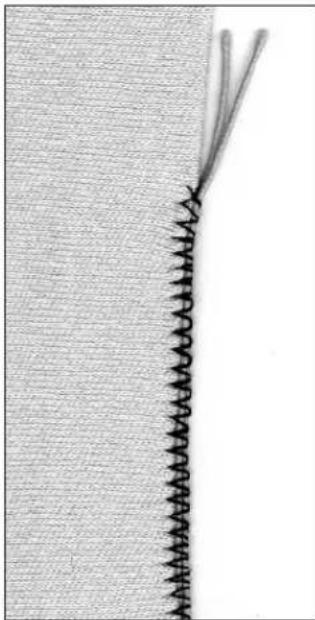
natural_image
Close-up of a knitted fabric with two threads, no visible text or symbols
natural_image
Close-up of a black thread spool with a curved wire extending from its tip, labeled 'No. 30' at bottom (no other text or symbols)Reinforced edges on woven fabrics

Stitch:
Needle:
Thread:
Feed-dog:
Presser foot:
Honeycomb stitch No. 8 or Running stitch No. 4 size and type suitable for the fabric selected lightweight darning thread up (sewing position) Reverse pattern foot No. 1
Reinforcing edges
· good for work clothes, table linen, towels, etc.
· use a cord to match the color of the fabric
Suitable cords
· perle yarn
- fine crochet yarn
· strong hand-sewing thread
· gimp
Sewing
· oversew edges with Honeycomb or Running stitch
· oversew a cord along the edge for added reinforcement
- if necessary, sew a second row somewhat in from the edge
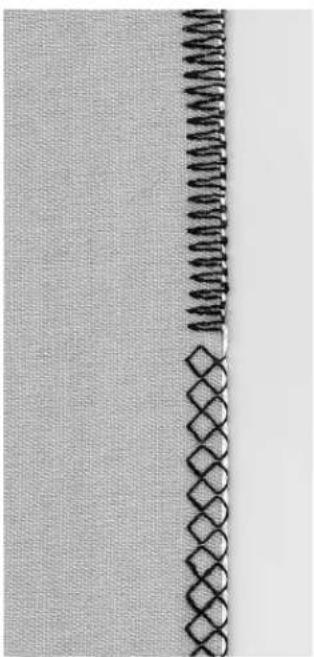
natural_image
Close-up of a woven fabric with a vertical seam and diamond pattern (no text or symbols)Patches on knits and jersey

Stitch: Jersey stitch No. 14
Needle: size and type suitable for the fabric selected
Thread: lightweight darning thread
Feed-dog: up (sewing position)
Presser foot: Reverse pattern foot No. 1
Covering worn or damaged areas
· particularly suitable for stretchy fabrics, lingerie
Preparation
· do not cut damaged area
· r ound off the edges of the patch to retain flexibility
· pin and baste to right side
Sewing
- place patch over worn area
- sew over edge
· sew a second row inside the first if desired
· cut away damaged area
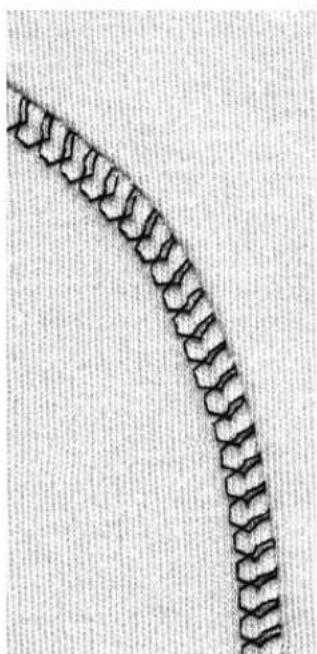
natural_image
Close-up of a curved, segmented biological structure resembling a worm or larva (no text or symbols visible)
TIPS
Knits
· use a new needle to prevent damage of the fabric loops
Sewing stretch fabrics
- if necessary use a stretch needle (130/705 H-S); point slides easily between the fibers
Prevent stretching
· to prevent the stretching of the seam while being sewn, reduce the presser foot pressure to suit the fabric
030787.52.04_0401_a165_EN
Automatic darning
Stitch:
Needle:
Thread:
Feed-dog:
Presser foot:
Simple Darning Program No. 22 or Reinforced Darning Program No. 23
size and type suitable for the fabric selected
lightweight darning thread
up (sewing position)
Automatic buttonhole foot No. 3A
Reverse pattern foot No. 1
Preparation
· stretch fine fabrics into a darning or embroidery ring to prevent distortion

Simple Darning Program No. 22
· r eplaces threads along the lengthwise grain in all fabrics
· use with Reverse pattern foot No.1
- touch foot 3 on the toolbar across the lower part of the screen
· sew the first row
- p r ess and release the quick reverse button at the desired length; this programs the first length
· sew the second row
- p r ess and release the quick reverse button; this programs the second length
· continue sewing; the machine stops automatically

Reinforced Darning Program No. 23
- r eplaces threads along the lengthwise and crosswise grains in all fabrics
· use with Automatic buttonhole foot No. 3A
· insert the needle in the top left of the worn area
· sew the first vertical row - p r ess and release the quick reverse button at the desired length; this programs the length needed
· continue sewing; the machine stops automatically when finished
Large areas
- r eposition the work under the foot to continue covering the worn area
· begin sewing; the program will repeat (length is saved)
Corrections
- if the darning becomes distorted, correct with the Balance function (see page 44)

natural_image
Two black rectangular shapes on a textured gray background, no text or symbols visibleManual darning
Stitch:
Needle:
Thread:
Feed-dog:
Presser foot:
Straight stitch No. 1
size and type suitable for the fabric selected
lightweight darning thread
down (darning position)
Darning foot No. 9 (optional accessory)
Darning holes or worn areas
- r eplaces threads with the lengthwise and the crosswise grains in all fabrics
Preparation
- stretch fabric into darning ring (optional accessory) to prevent distortion
· use of the slide-on sewing table is recommended
Sewing
· move the darning ring smoothly and without using pressure
· work from left to right
Stitch over the hole
· sew the first rows to cover the hole (not too close)
· turn work by a quarter turn - 90°
Cover the first rows
- sew over the first rows – not too close for a soft finish
· turn work by a half turn -180°
Complete darning
- loosely and in same direction as 2nd rows
Method for tubular items
- first step in a horizontal direction
· second and third steps in lengthways direction
When you have mastered the technique
· work the rows in irregular lengths so that the turns are "lost" in the fabric
Stitching hints
· move the hoop as if writing the letters "L" or "M"
· when changing direction, move in curves, avoiding points
· this prevents holes and thread breakage
· do not sew in circles; these do not mimic the fabric threads
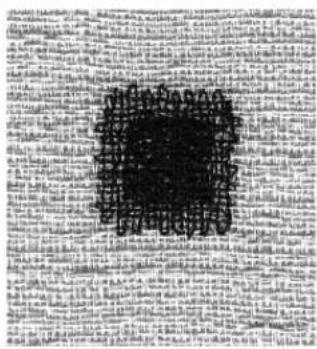
text_image
Scanned text of a formal letter or document with dense, illegible handwritten or typed characters.
natural_image
Pure diagram of a coiled tube or coil with a central circular element (no text or symbols)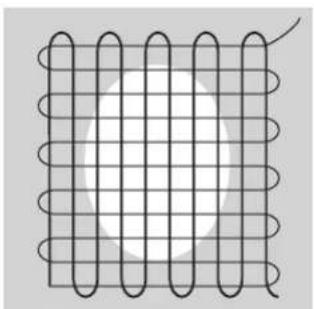
natural_image
Diagram of a coiled wire mesh with a central circular hole (no text or symbols)
natural_image
Pure diagram of a coiled spring inside a grid, without any text, numbers, or symbols.
natural_image
Three rows of wavy, coiled or knotted line patterns with intersecting lines (no text or symbols)
TIPS
Thread breaks
- if thread breakage is a problem, it could be that the ring is not being moved smoothly
Poor stitch formation
- if the thread is lying on top of the fabric, the ring is being moved too quickly
- if there are knots on the underside of the fabric, the ring is being moved too slowly
Decorative stitches
Stitch:
Needle:
Thread:
Feed-dog:
Presser foot:
Any decorative stitch
embroidery needle in a size suitable for the fabric selected cotton or rayon embroidery
up (sewing position)
Reverse Pattern foot No. 1 or
Embroidery foot No. 6 or
Open embroidery foot No. 20 (optional accessory)
Decorative stitches
· for all fabrics
· for embellishing and decorative work
Stitch selection
· p r ess the external menu button for Decorative stitches
· select the desired stitch group from the screen (groups 100, 300, 400, 600, 700, and 900 are 5mm stitches)
· select the desired stitch
Screen
- selected stitch is highlighted
· suggests foot No.1; use foot No. 6 or No. 20 for heavy, compact stitches
- basic settings (length and width) are automatically set, but can be altered
Altering the stitch width
· alter the look of the stitch by adjusting the width
· turn the external stitch width knob to the right to widen the stitch
· turn the external stitch width knob to the left to narrow the stitch
- both the basic settings and the altered settings will be visible on the screen
Altering the stitch length
· alter the look of the stitch by adjusting the length
· turn the external stitch width knob to the right to lengthen the stitch
· turn the external stitch width knob to the left to shorten the stitch
- both the basic settings and the altered settings will be visible on the screen

natural_image
Abstract pattern of black wavy lines with floral-like shapes on a textured background (no text or symbols)A B C
A decorative stitch with preset width and length
B decorative stitch with reduced width
C decorative stitch with shortened length

text_image
-5 - -4 - -3 - -2 - -1 ≡ 0
TIP
Altering the basic settings
· the stitch can be adjusted as desired
- adjust the size of the stitch to suit the size of the item being sewn, e.g., reduce the width for small items such as doll clothes
Cross stitches
Stitch:
Needle:
Thread:
Feed-dog:
Presser foot:
Cross stitches Nos. 301-309, 314 or Cross stitch No. 310
size and type suitable for the fabric selected
cotton or rayon embroidery
up (sewing position)
Reverse pattern foot No. 1 or
Open embroidery foot No. 20 (optional accessory)
Cross stitch
- a useful and attractive addition to sewing projects of all types
· combine cross stitches with other decorative stitches
Sewing
- sew and combine stitches 301–309, 314 in the same manner as all other decorative stitches
310
Large cross stitch No. 310 (1st section)
· sew the first section
· machine stops automatically in the center
- the machine stops with the needle down in the fabric even if the needle stop indicates "up"
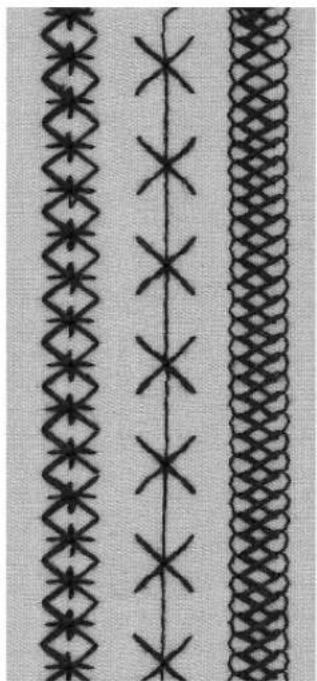
natural_image
Three distinct patterned textile or textile designs with diamond and cross motifs, no text or symbols present.310
· a curved arrow appears on the screen next to the needle stop indicator
- the arrow is a reminder to turn the fabric 90^ before stitching the second part of the stitch
Large cross stitch No. 310 (2nd section)
- sew the second section
- the machine stops automatically at the end and is ready to begin the next cross stitch
Hand-look quilt stitch
|
Stitch: Quilt stitch No. 328, 346–350
Needle: size and type suitable for the fabric selected
monofilament
Upper thread:
Bobbin thread:
Feed-dog:
Presser foot:
30 weight, 2 ply cotton
up (sewing position)
Reverse pattern foot No. 1 or
Walking foot No. 50 (optional accessory)
Hand-look quilt stitch
· for all fabrics and all types of work where the look of a hand sewn running stitch is desired
Sewing test
· the bobbin thread comes through to the top of the fabric
- 1 stitch is visible (cotton thread), 1 stitch is invisible (monofilament thread) to give a hand stitched effect
Upper thread tension
· the upper thread tension is set automatically
· adjust if necessary to suit the fabric
Balance
· adjust if necessary
Sewing
· can be sewn with any needle position

natural_image
Vertical dashed line on a textured gray background, no text or symbols present
natural_image
Close-up of a pair of scissors with metal handles, no text or symbols visible
TIPS
Perfect corners
· activate Pattern end when approaching corner; when the machine stops automatically, sink the needle (if needed) and pivot the work
Monofilament hints
· if the monofilament thread breaks, sew more slowly and/or reduce the upper thread tension slightly
030787.52.04_0401_a165_EN
Decorative quilt stitches
Stitch: Quilt stitches Nos. 326–338, 351
Needle: size and type suitable for the fabric selected
Thread: cotton or rayon embroidery
Feed-dog: up (sewing position)
Presser foot: Reverse pattern foot No. 1
Straight stitch No. 326
- a short straight stitch (2mm)
· particularly suitable for piecing patchwork
Quilt stitches
- suitable for all fabrics and quilting
- especially applicable for crazy quilting
Balance
· adjust if necessary
Sewing
· select quilt stitch and sew
- all quilt stitches can be combined and programmed in memory
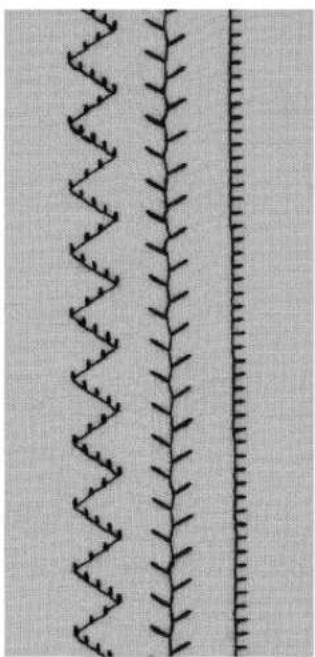
natural_image
Close-up of two vertical fabric strips with zigzag patterns, no text or symbols presentFreehand quilting
Stitch: Straight stitch No. 1
Needle: size and type suitable for the fabric selected
Thread: cotton or monofilament
Feed-dog: down (darning position)
Presser foot: Darning foot No. 9 (optional accessory) or
Quilting foot No. 29 (optional accessory)
Freehand quilting
· f or all freehand quilt work
Preparation
· pin and baste top layer, batting, and lining together
- attach the slide-on sewing table or place machine in a cabinet
Holding the work
· start in the center and work out toward the edges
· hold the fabric with both hands like an embroidery frame
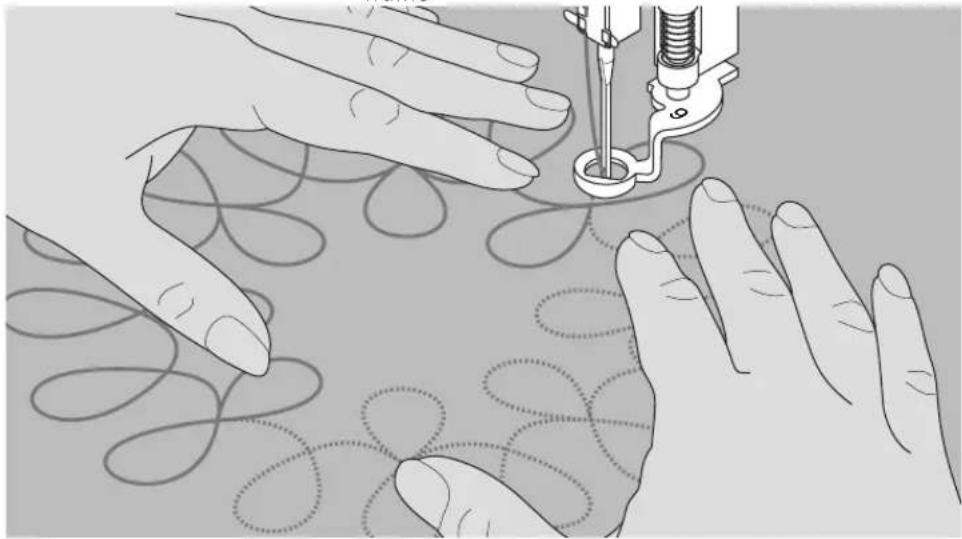
natural_image
Illustration of hands using a sewing machine to create a patterned fabric (no text or symbols present)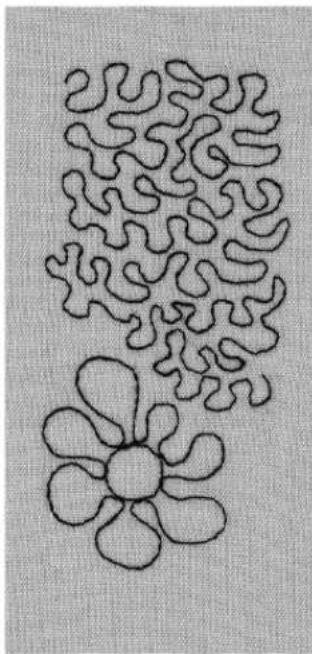
natural_image
Abstract line drawing of two stylized flower-like shapes with no text or symbolsQuilting a design
- turn the work using smooth, round movements to form the design of your choice (either freehand or following a template)
Stipple quilting
· this technique covers the entire surface of the fabric
· the lines of stitching are rounded without any sharp corners; they never cross or touch one another

TIPS
Freehand quilting and darning
· both techniques are based on the same free-motion principles
Thread breaks
• usually as a result of sudden or jerky movements – move the fabric smoothly and at an even pace
Poor stitch formation
· if the thread forms loops, the work is being moved too quickly
· if knots are forming on the underside, the work is being moved too slowly
Monofilament hints
· if the monofilament thread breaks, sew more slowly and/or reduce the upper thread tension slightly
030787.52.04_0401_a165_EN
Using decorative stitches with functions
Stitch:
Needle:
Thread:
Feed-dog:
Presser foot:
Any decorative stitch
size and type suitable for the fabric selected
cotton or rayon embroidery
up (sewing position)
Reverse pattern foot No. 1 or
Embroidery foot No. 6 or
Open embroidery foot No. 20 (optional accessory)
Combining basic settings and functions
- you can achieve some exciting effects by combining basic settings with various functions
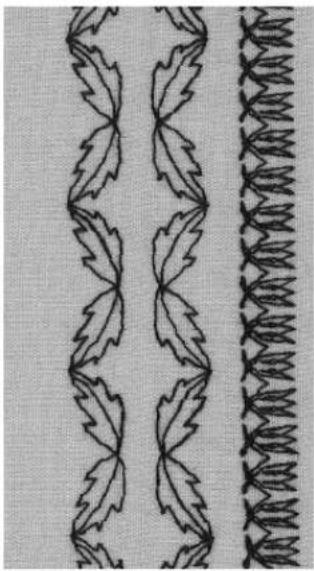
natural_image
Two decorative patterned fabric strips with leaf-like and zigzag designs (no text or symbols)

Horizontal mirror image
Vertical mirror image
Pattern end 1–9x
Half pattern


Balance
Long stitch function
Double needle limitation 2–5 mm
Wing needle limitation

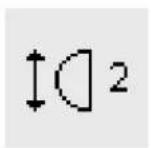
Continuous reverse sewing
Pattern extend 2–5x
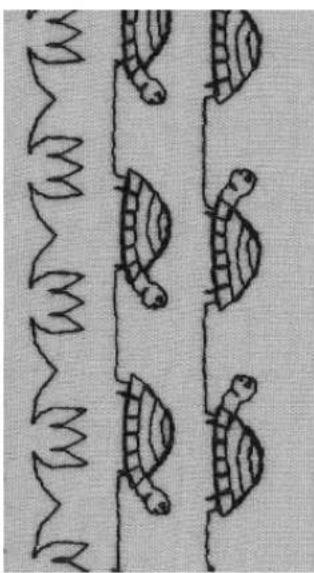
natural_image
Illustration of a line with cartoon fish and a wavy line, no text or symbols presentBalance
- use balance to obtain variations on stitches
- the stitch will be stretched open or compressed, depending on the number of balance steps
· for additional information on the balance function, see page 44
Method
· select stitch
· select function
- several functions can be activated for one stitch
Deleting functions
· p r ess the external clr button
- delete special functions individually by touching the appropriate symbol

TIPS
Variations with basic settings and functions
• before starting a new combination, clear all functions previously used
Decorative stitches on single layer fabric
· always use stabilizer
- r remove stabilizer after sewing
Activate needle stop down when sewing long rows of stitches
- needle stays in fabric when stopping to reposition work
Single Pattern
- the machine stops automatically at the end of each individual stitch pattern
Practical and decorative stitches in memory
· the memory capacity is 1023 individual stitch patterns
· the memory has 255 banks
· each bank can be sub-divided as desired
- most practical and decorative stitches as well as letters and numbers can be combined, programmed, and saved in memory
- exceptions: buttonholes
- all saved stitches remain in the memory when the machine is turned off
- all saved stitches and combinations can be recalled at any time
Programming practical and decorative stitches
· open the memory by pressing the external mem button
- touch mem 1 to access the memory storage screen
· select an empty memory bank
- touch OK to return to the previous screen
· select the desired stitch
· the stitch appears in the mem field
· select the next desired stitch
· continue in this manner until the desired combination of stitches has been programmed
· to save, touch store

natural_image
Decorative line with repeating black and white floral or butterfly motifs on a textured gray background (no text or symbols)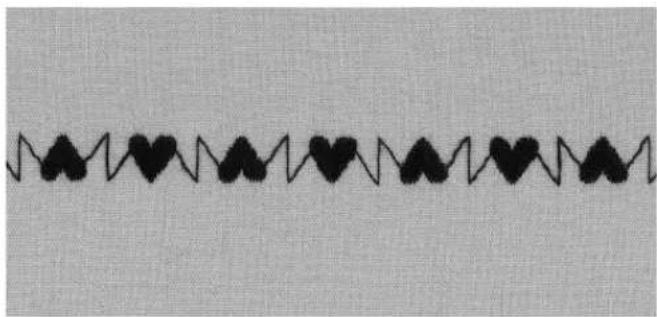
natural_image
Black heart-shaped line pattern on a textured gray background (no text or symbols)
natural_image
Decorative wavy line pattern with leaf-like motifs, no text or symbols presentExample of programmed stitch combination
· select a memory bank following the directions above
- touch stitch 407 one time
- touch stitch 102 one time
- touch stitch 711 one time
- begin stitching; the stitches will continuously alternate
· to save, touch store
Examples of programmed stitch with function
· select a memory bank following the directions above
- touch stitch 413 one time
· activate vertical mirror image
· touch stitch 413 one time
- begin stitching; the stitches will continuously alternate facing up and down
- to save, touch store
- select a memory bank following the directions above
- touch stitch 104 one time
· activate vertical mirror image
· touch stitch 104 one time - begin stitching; the stitches will continuously alternate facing up and down
· to save, touch store
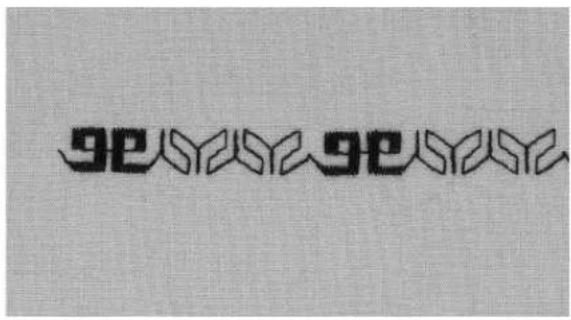
natural_image
Decorative pattern with repeating geometric motifs on a textured background (no text or symbols)Stitch combination as single repeat
- select a memory bank following the directions on the previous page
- touch stitch 409 one time
- touch stitch 616 two times
· on the toolbar, activate Pattern end 2 - stitch; the machine stops automatically at the end of the second combination of stitches
- to save, touch store
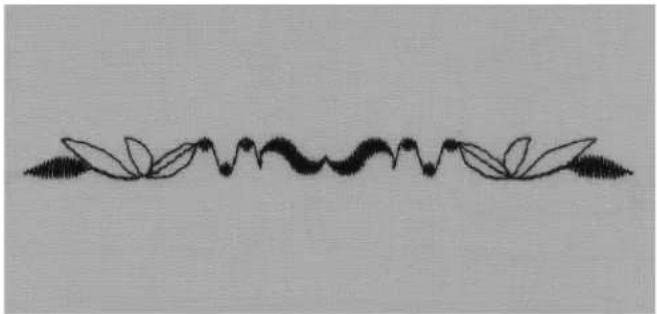
natural_image
Decorative floral divider line with leaf motifs (no text or symbols)Stitch combination with mirror image as single repeat
- select a memory bank following the directions on the previous page
- touch stitch 109 one time
· touch stitch 414 one time
· activate horizontal mirror image - touch stitch 414 one time
· activate horizontal mirror image - touch stitch 109 one time
· on the toolbar, activate Pattern end 1 - stitch; the machine stops automatically at the end of the combination of stitches
· to save, touch store
Letters and numbers in memory
· the memory capacity is 1023 individual stitch patterns
· the memory has 255 banks
· each bank can be sub-divided as desired
· most practical and decorative stitches as well as letters and numbers can be combined, programmed, and saved in memory
- exceptions: buttonholes and eyelets
- all saved stitches remain in the memory when the machine is turned off
- all saved stitches and combinations can be recalled at any time
Programming letters and numbers
· open the memory by pressing the external mem button
· touch mem 1 to access the memory storage screen
· select an empty memory bank
- touch OK to return to the previous screen
· select the desired letter
· the letter appears in the mem field
· select the next desired letter
· continue in this manner until the desired combination of letters has been programmed
· to save, touch store
BERNINA
BERNINA
2002
2002
FG
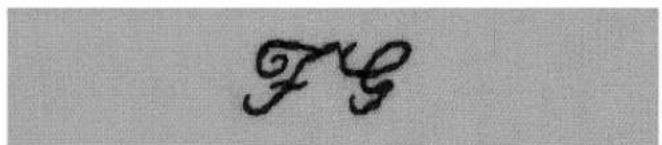
text_image
FGExamples of programming letters
- select a memory bank following the directions above
- press the external alphabet button
- touch the block letter alphabet
- touch the appropriate letters to spell "BERNINA"
· on the toolbar, activate Pattern end 1 - begin stitching; the letters will continuously stitch, automatically stopping after the "A"
- to save, touch store
- for double length letters, select Pattern the Extend 2x function before programming
Examples of programming numbers
· follow the directions above for programming letters, selecting numbers instead
- begin stitching; the numbers will continuously stitch, automatically stopping after the last one
·to save, touch store
Examples of programming small monograms
- select a memory bank following the directions above
- press the external alphabet button
- touch the 5mm script alphabet
· touch the desired letters
· on the toolbar, activate Pattern end 1 - begin stitching; the letters will continuously stitch, automatically stopping after the last one
· to save, touch store

Securing
· select the Securing function
· the first and last letters will be secured
Balance
All stitches are tested and adjusted before the machine leaves the factory; however, shipping and transporting can affect the setting of the balance function.
Different fabrics, threads and stabilizers can distort the stitch patterns so that they are too long (do not close properly) or too short (have a condensed appearance).
The electronic balance function can be used to correct these distortions so that stitches can be adjusted for a perfect formation on the fabric of your choice.
Stitch: all stitches
Needle: all types, 70–110
Thread: all threads
Feed-dog: up (sewing position)
Presser foot: as indicated on screen
Test sewing
- it is always a good idea to test sew with the materials you intend to use – fabric, stabilizer and threads

Open balance
- touch the arrow on the functions toolbar
· scroll the functions
· touch "b"
Balance and practical stitches/decorative stitches
- soft fabrics such as jerseys and tricot have a tendency to stretch under the presser foot
- stitches such as Honeycomb may therefore not close correctly
· this can be corrected with the balance function
Balance for practical stitches
- the stitch as it should look, e.g. Honeycomb, is in the center of the screen
- possible stitch distortions are shown to the right and left of the correct stitch
· the arrows at the bottom of the screen show in which direction the stitch should be corrected
Note: the honeycomb stitch graphic will be seen on-screen for all practical stitches
Corrections
- touch the appropriate arrow to balance the stitch
- the number of steps is shown above the arrow
- 2–5 steps are normally sufficient to balance practical stitches (max. 50 steps)
Balance for decorative stitches
- the method is the same as for practical stitches Note: the satin stitched oval graphic will be seen on-screen for all decorative stitches
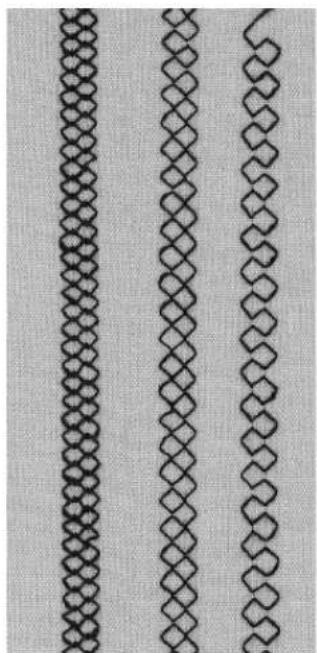
natural_image
Three identical black diamond-shaped chain link patterns on a light textured background (no text or symbols)overlapping balanced open stitch stitch stitch
Index
| A | H | S |
| Auto buttonholes 25 | Honeycomb stitch edges 12 | Securing program (straight stitch) 3 |
| Auto round and keyhole buttonholes 26 | Sewing knits 12,13 | |
| Automatic darning program 33 | J | Stitch counter buttonholes 27 |
| Straight stitch buttonholes 24 | ||
| Straight stitch with securing program 3 | ||
| B | Jersey overlock seam 9 | Straight stitch 2 |
| Stretch overlock seam 10 | ||
| Balance practical/decorative stitches 44 | L | Stretch/Super stretch seam 8 |
| Bar tack program 20 | Letters and numbers in memory 43 | |
| Basting 16 | Long Stitch 15 | T |
| Blind hem 17 | ||
| Button Sew-on program 29 | Triple straight stitch seam 8 | |
| Buttonholes 21–28 | M | |
| Manual buttonholes 28 | U | |
| C | Manual darning 34 | |
| Memory – letters and numbers 43 | Universal stitch – sewing on elastic 18 | |
| Contents 1 | Memory – practical and decorative stitches 41–43 | |
| Cross stitches 36 | ||
| V | ||
| D | N | Vari-overlock – ribbing 13 |
| Darning programs 33 | Numbers and letters in memory 43 | Vari-overlock seam 9 |
| Darning, mending 31–34 | ||
| Decorative stitches in memory 41–43 | ||
| Decorative stitches with functions 40 | P | Z |
| Decorative stitches 35 | ||
| Double overlock seam 9 | Personal (altered) memory 6 | Zig-zag stitch 5 |
| Practical stitch hems 11 | Zippers 14 | |
| Practical stitch seams 7–10 | ||
| E | Practical stitches in memory 41–43 | |
| Edge stitching 4 | ||
| Edges of knits with elastic 31 | Q | |
| Elastic – sewing on 18, 19 | ||
| Eyelets, straight stitch 30 | Quilt stitches 38 | |
| Eyelets, zig-zag 30 | Quilt/hand look stitches 37 | |
| F | R | |
| Flat joining seam 10 | Reinforced darning program 33 | |
| Freehand quilting 39 | Reinforcing edges on woven fabrics 32 | |
| Ribbing with overlock 13 | ||
| G | ||
| Gathering stitch – sewing on elastic/cord 18 |