Allison PCAI8530BN - Lighting Quoizel - Free user manual and instructions
Find the device manual for free Allison PCAI8530BN Quoizel in PDF.


User questions about Allison PCAI8530BN Quoizel
0 question about this device. Answer the ones you know or ask your own.
Ask a new question about this device
Download the instructions for your Lighting in PDF format for free! Find your manual Allison PCAI8530BN - Quoizel and take your electronic device back in hand. On this page are published all the documents necessary for the use of your device. Allison PCAI8530BN by Quoizel.
USER MANUAL Allison PCAI8530BN Quoizel
natural_image
Illustration of various tools including a ladder, pliers, screwdriver, and eraser (no text or symbols present)LightSourceTools Required
40W LED
⚠️ Warnings and Cautions
Turn off the electricity at the circuit breaker before installation. Consult a licensed electrician if in doubt about installation.
Turn off power to the fixture and allow the bulbs to cool before replacing.
Package Contents
Preparation: Identify and inspect all parts before beginning the installation.
Missing or damaged parts? Contact your original place of purchase.
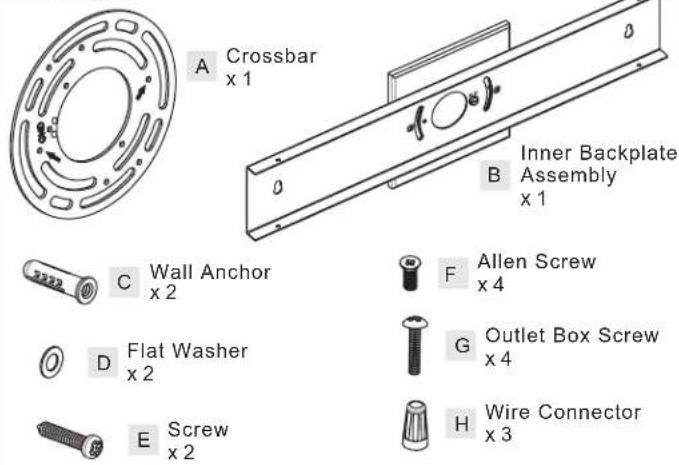
PARTS BAG
text_image
Crossbar x 1 Inner Backplate Assembly x 1 Wall Anchor x 2 Allen Screw x 4 Flat Washer x 2 Outlet Box Screw x 4 Screw x 2 Wire Connector x 3
text_image
Bracket x 2 Glass x 2 Fixture Body x 1Table of Contents
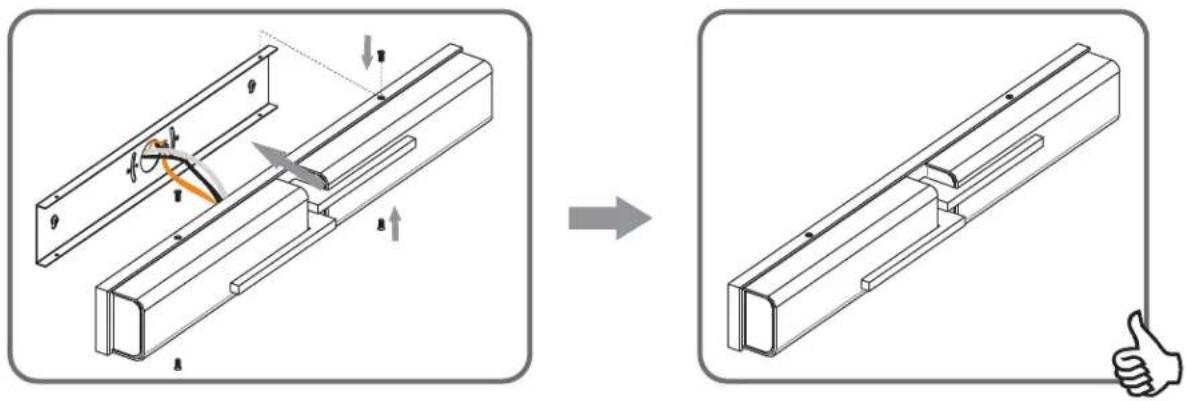
Bracket, Glass Inner Backplate & Fixture Body Wiring Assembly

natural_image
Technical illustration of a mechanical assembly with no visible text or symbols
natural_image
Simple line drawing of a mechanical bracket or plate with no text or symbols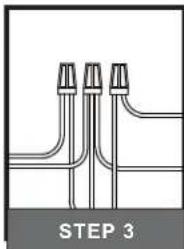
natural_image
Pure diagram of three parallel pipe fittings with no text or symbols, labeled 'STEP 3' at bottom (no other text or symbols)Fixture Body
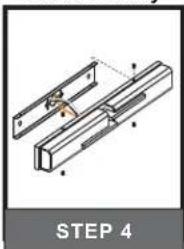
natural_image
Technical line drawing of a mechanical assembly with no visible text or symbolsSTEP 1


Remove screws from Bracket Install Glass to Bracket
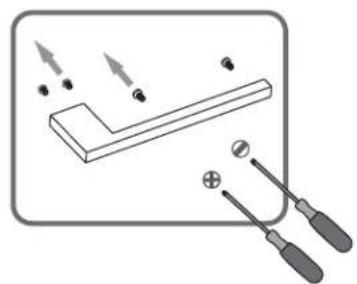
natural_image
Diagram of a simple electrical circuit with two switches and a resistor, no text or symbols present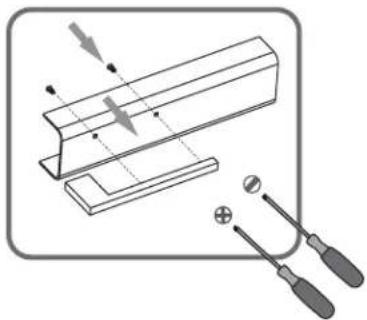
natural_image
Diagram of a mechanical setup with tools and a cutting board, no text or symbols present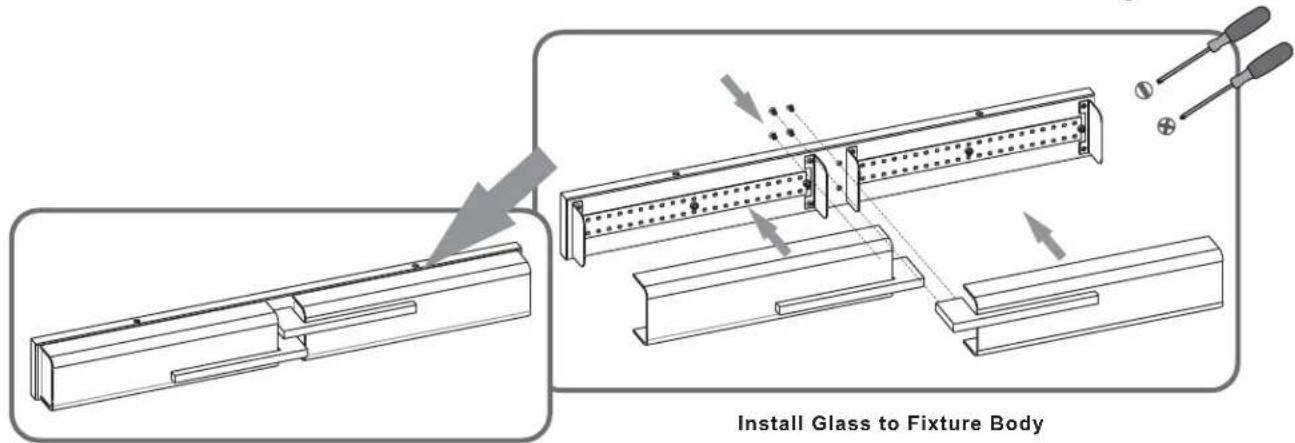
text_image
Install Glass to Fixture Body
STEP 2
OPTION 1 With Outlet Box


Install Crossbar Install Inner Backplate

text_image
Technical diagram showing mechanical assembly with labeled parts and a Level indicator for assembly reference.Assembly to Crossbar

natural_image
Technical diagram showing mechanical assembly with components and motion arrows (no text or symbols)STEP 2 (Continued)
OPTION 2 Without Outlet Box
1
Remove Square Backplate
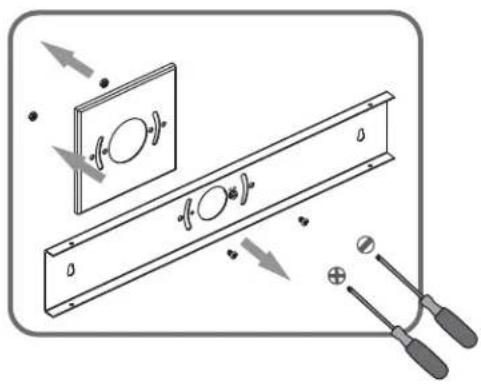
natural_image
Diagram showing a mechanical assembly with arrows indicating motion, no text or symbols present2
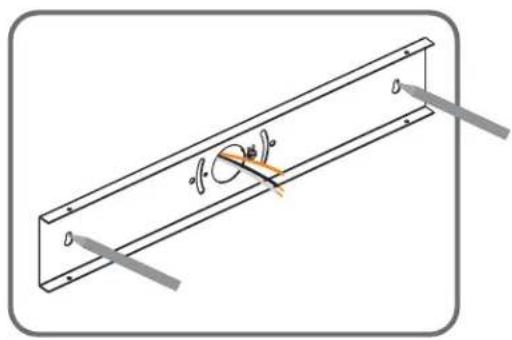
Mark Anchor Holes
Location on the Wall
text_image
a b3
Drill Holes for Anchors from marks

text_image
1/4" Drill Bit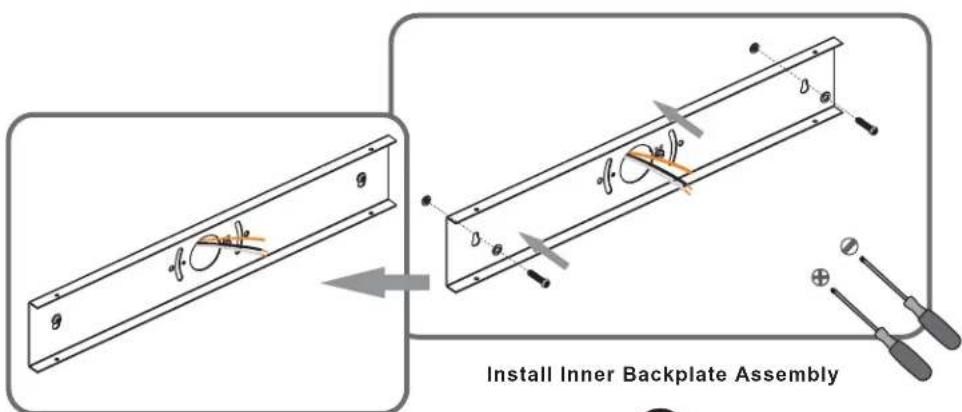
text_image
Install Inner Backplate Assembly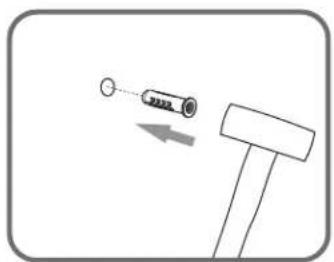
natural_image
Simple line drawing of a hammer striking a spring with an arrow indicating motion (no text or symbols)Install Wall Anchors
5
4
STEP 3

text_image
White wire (neutral) from outlet box White wire from fixture Black or Red wire (hot) from outlet box Black wire from fixture Bare or Green ground wire from outlet box Ground wire from Fixture *Green Ground Screw on crossbar optionalSTEP 4