P-OHCP-02 - Tripod Proaim - Free user manual and instructions
Find the device manual for free P-OHCP-02 Proaim in PDF.


User questions about P-OHCP-02 Proaim
0 question about this device. Answer the ones you know or ask your own.
Ask a new question about this device
Download the instructions for your Tripod in PDF format for free! Find your manual P-OHCP-02 - Proaim and take your electronic device back in hand. On this page are published all the documents necessary for the use of your device. P-OHCP-02 by Proaim.
USER MANUAL P-OHCP-02 Proaim
natural_image
Mechanical frame structure with adjustable supports and mounting brackets (no text or symbols visible)
What's In The Box
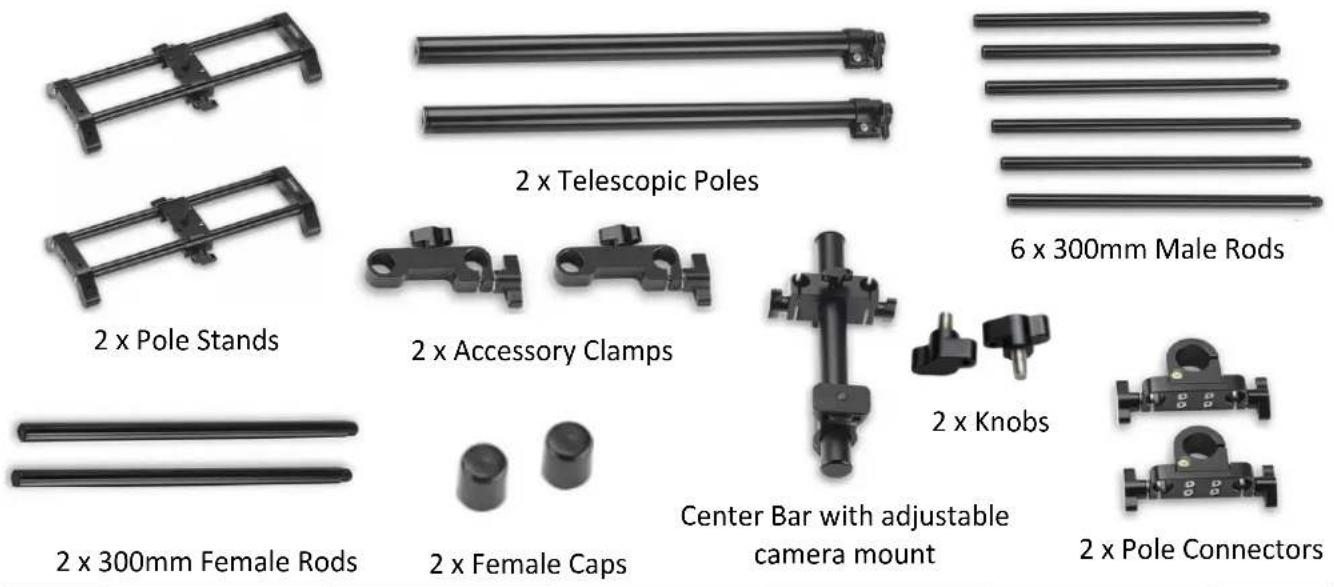
Please inspect the contents of your shipped package to ensure you have received everything that is listed below.
text_image
2 x Pole Stands 2 x Telescopic Poles 6 x 300mm Male Rods 2 x 300mm Female Rods 2 x Accessory Clamps 2 x Female Caps Center Bar with adjustable camera mount 2 x Knobs 2 x Pole ConnectorsAll rights reserved.
No part of this document may be reproduced, stored in a retrieval system, or transmitted by any form or by any means, electronic, mechanical, photo-copying, recording, or otherwise, except as may be expressly permitted by the applicable copyright statutes or in writing by the Publisher.
text_image
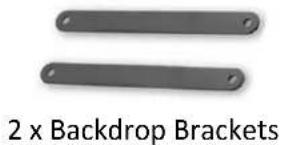
2 x Backdrop Brackets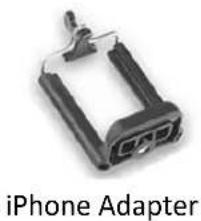
natural_image
Close-up of an iPhone adapter component (no text or symbols visible on the device body)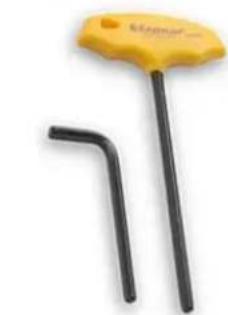
natural_image
Yellow and black tool with a handle, resembling a key or wrench (no text or symbols visible)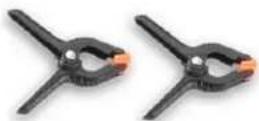
2 x Plastic Clips

BS100
1 x 3/16" L-Type Allen key
1 x 4mm T-Type Allen key
INDEX
| Sr. No | Particulars | Page No. |
| 1. 4ft Versatile Overhead Camera Setup 4 | ||
| 2. | Telescopic Poles & Pole Stand Assembly | 4 |
| 3. | Height Adjustment | 4-5 |
| 4. Pole Connector Assembly 5 | ||
| 5. | Male & Female Rods Assembly | 5 |
| 6. | Center Bar Assembly | 6 |
| 7. | Accessory Clamps Assembly | 6-7 |
| 8. | Backdrop Brackets Assembly | 7-8 |
| 9. | Center Bar Positioning | 8 |
| 10. | Center Bar Height Adjustment | 8 |
| 11. | Camera Setup | 9 |
| 12. | iPhone Adapter Assembly | 9-10 |
| 13. | BS100 Mounting | 10 |
| 14. | Final Setup | 11 |
4ft Versatile Overhead Camera Setup
Telescopic Poles & Pole Stand Assembly
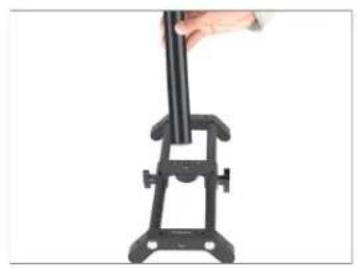
- Insert the telescopic pole into the pole stand.
• After inserting the pole stand, tighten the knob on the bottom side of the telescopic pole. - Repeat the same process for inserting the second telescopic pole into the pole stand.
natural_image
Hand holding a black mechanical device with a vertical rod, mounted on a stand (no text or symbols visible)
natural_image
Hand holding a vertical black object mounted on a stand, no visible text or symbols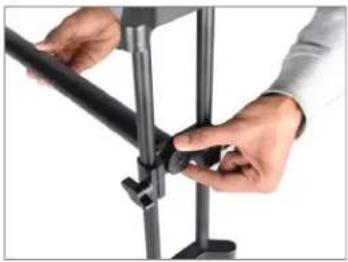
natural_image
Close-up of hands installing or adjusting a black metal bracket (no text or symbols visible)
natural_image
Two vertical metal legs with base supports, no text or symbols presentHeight Adjustment
- Loosen the knob on the pole stand and adjust the height per your requirement and re-tighten the knob.
- After adjusting the height, use the 3/16" Allen Key to tighten the knob securely.
- Repeat the same process for height adjustment of the second pole.
• To adjust the pole stand, you can loosen or tighten its knobs.

natural_image
Hand adjusting a metallic cylindrical component with a handle (no text or symbols visible)
natural_image
Hand adjusting a black vertical pole with a small clamp (no text or symbols visible)
natural_image
Close-up of a hand holding a metal clip against a white background (no text or symbols visible)
natural_image
Two vertical metal rods with base supports, no text or symbols present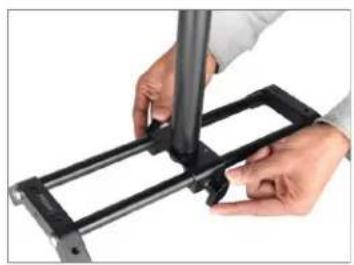
natural_image
Close-up of hands assembling a black metal frame with a cylindrical tool (no text or symbols visible)- Adjust the position of the pole stand per your requirement.
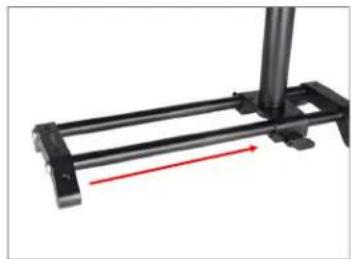
natural_image
Mechanical assembly with black frame and red directional arrow (no text or symbols)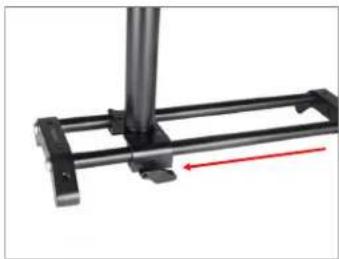
natural_image
Mechanical assembly diagram showing a metal frame with a red directional arrow indicating motion (no text or symbols)Pole Connector Assembly
- Loosen the bolt of the pole connector using a 4mm T-Type Allen key and mount it on the pole stand.

natural_image
Close-up of hands holding a small yellow object with a black clip, no visible text or symbols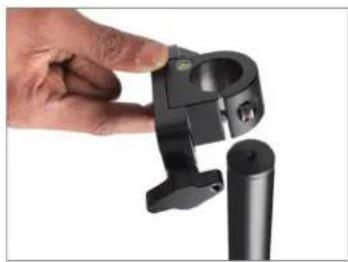
natural_image
Close-up of a hand adjusting a black mechanical clamp or bracket component (no visible text or symbols)• After mounting the pole connector, re-tighten the bolt.
- Repeat the same process for the second pole connector.

natural_image
Close-up of hands using a tool to apply yellow adhesive onto a black tripod stand (no text or symbols visible)
natural_image
Close-up of a black tripod-mounted camera mount with adjustment knobs and a green indicator light (no text or symbols visible)Male & Female Rods Assembly
- Insert the two 300mm male rods into the 300mm female rods and tighten them securely.
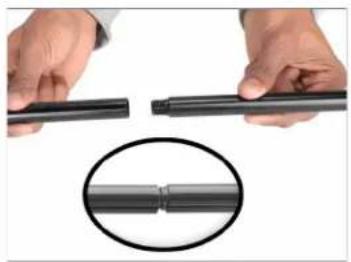
natural_image
Close-up of hands holding a black cylindrical object with a magnified inset showing a coiled cable (no text or symbols visible)
natural_image
Close-up of two hands holding a black cylindrical object against a white background (no text or symbols visible)- Repeat the same process for inserting the remaining rods.
NOTE: Add or remove the rods per your requirement.

natural_image
Two parallel horizontal lines, no text or symbols presentCenter Bar Assembly
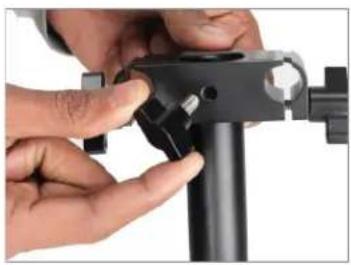
- Insert both side knobs into the Center Bar.
natural_image
Close-up of hands adjusting a black mechanical component with a tool (no visible text or symbols)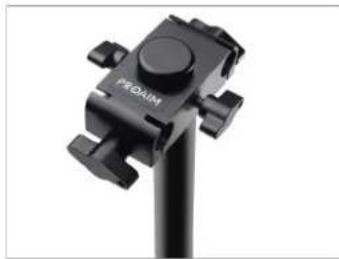
natural_image
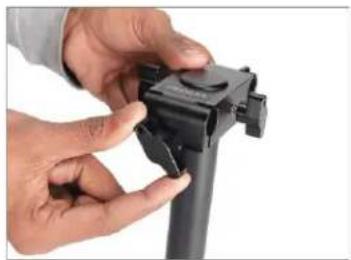
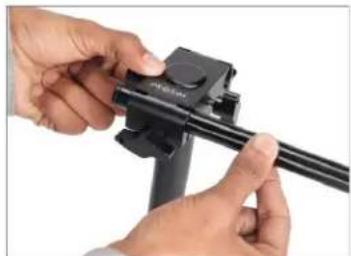
Close-up of a black PEGAM camera mount with adjustable knobs and a circular head (no text or symbols visible)- Loosen the side knob of the Center Bar and insert the rod.
natural_image
Close-up of hands adjusting a black mechanical component (no visible text or symbols)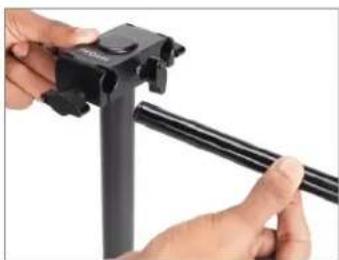
natural_image
Close-up of hands adjusting a black tripod-mounted camera frame with a cable (no text or symbols visible)• After inserting the rod, securely tighten the knob.
natural_image
Close-up of hands adjusting a black tripod-mounted camera mount (no visible text or symbols)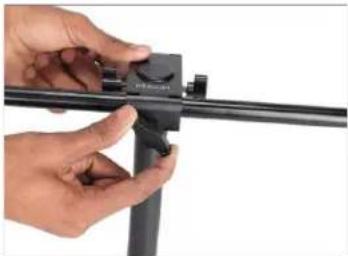
natural_image
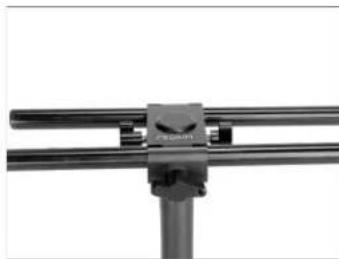
Close-up of hands adjusting a black mechanical component (no visible text or symbols)- Repeat the same process for inserting the second rod.
natural_image
Close-up of a mechanical clamp or bracket with two parallel metal rods (no visible text or symbols)Accessory Clamps Assembly
- Loosen the knob of the Accessory Clamp and insert the rods into it.

natural_image
Close-up of hands assembling a black mechanical component (no visible text or symbols)
natural_image
Close-up of a hand holding a black mechanical clip with two cylindrical components, no visible text or symbols• After inserting the rods, tighten the knob securely.
- Loosen both knobs of the pole connector and insert both rods with clamp accessory into the pole connector, as shown in the image.
• After inserting the rods, re-tighten the pole connector knobs.
- Repeat the same process for inserting the other end of the rods into the pole connector.
- Insert female caps onto the ends of male rods and tighten them securely.
• Similarly, insert female caps to the other side of the rods.

natural_image
Hand holding a black mechanical clip attached to a metal frame (no text or symbols visible)
natural_image
Pure mechanical linkage diagram without any text, numbers, or symbols
natural_image
Close-up of a hand adjusting a black mechanical clamp or bracket (no text or symbols visible)
natural_image
Hand holding a black tripod-mounted camera frame with adjustment knobs (no text or symbols visible)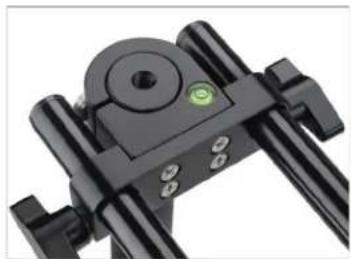
natural_image
Close-up of a black mechanical device with adjustment knobs and a green circular indicator (no visible text or symbols)
natural_image
Close-up of a black tripod-mounted camera with a hand adjusting the top panel (no visible text or symbols)
natural_image
Close-up of a black tripod-mounted camera frame with a hand inserting a small object (no text or symbols visible)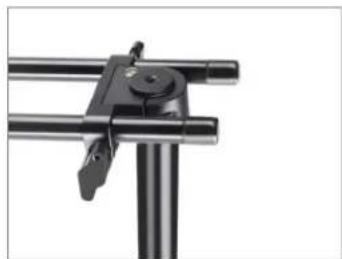
natural_image
Close-up of a mechanical clamp or lever mechanism with metal rods and a handle (no text or symbols visible)Backdrop Brackets Assembly
- Remove the top knob from the accessory clamp.
- Insert backdrop brackets into the accessory clamp, ensuring the threads match. Insert and tighten the knob.

natural_image
Close-up of a hand adjusting a black metal frame with a clip (no text or symbols visible)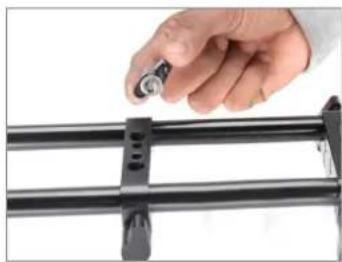
natural_image
Hand holding a small metallic object attached to a black metal frame (no text or symbols visible)
natural_image
Hand holding a black metal clamp or bracket over a metal rail (no text or symbols visible)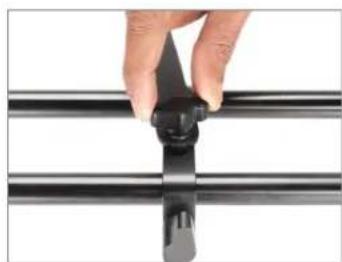
natural_image
Close-up of a hand holding a black plastic clip against a metal frame (no text or symbols visible)Feature: The knob can be loosened or tightened for adjusting the backdrop brackets.

natural_image
Hand holding a black metal tool with a clip, against a white background (no text or symbols visible)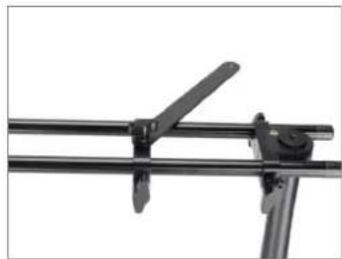
natural_image
Close-up of a metal frame with a diagonal support and lever mechanism (no text or symbols visible)Center Bar Positioning
- To adjust the position of the Center Bar, loosen its knobs and adjust the Center Bar per your requirement.
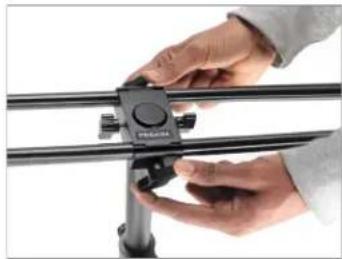
natural_image
Close-up of hands adjusting a camera frame with a black adjustment knob (no visible text or symbols)Different Positioning of Center Bar
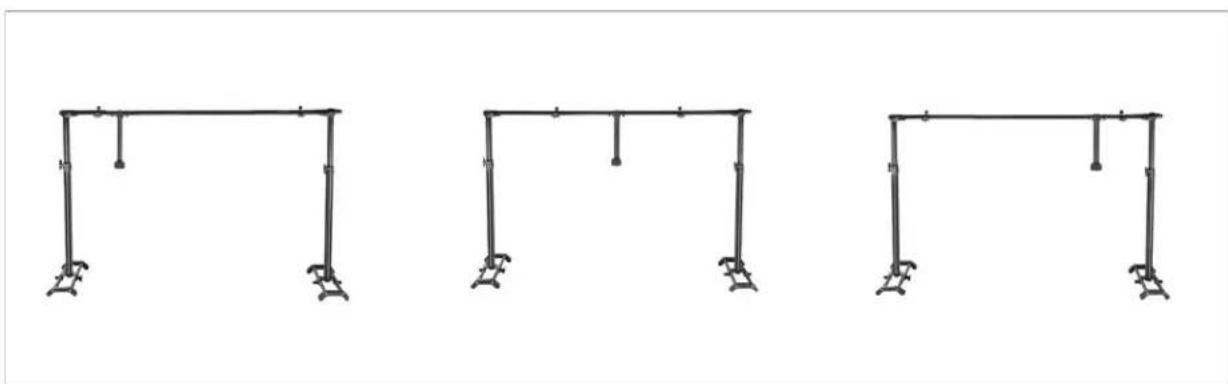
natural_image
Three identical line-drawn structural supports with vertical supports and support columns, arranged horizontally (no text or symbols)Center Bar Height Adjustment
- To adjust the height of the center bar, loosen its knobs.
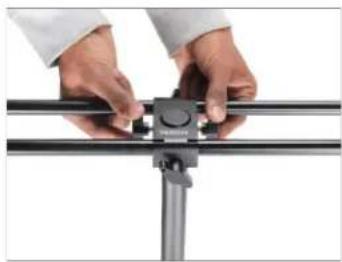
natural_image
Close-up of hands adjusting a metal bracket with a circular component (no text or symbols visible)• After positioning it per your requirement, re-tighten its knob.
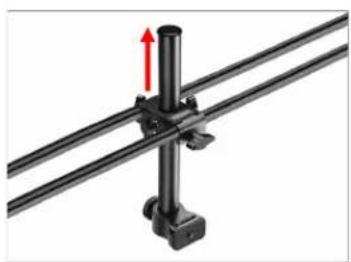
natural_image
Mechanical assembly diagram showing a vertical rod mounted on two parallel rods with a red arrow indicating force direction (no text or symbols)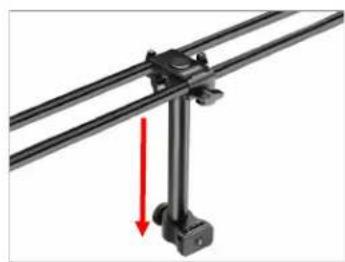
natural_image
Mechanical assembly diagram showing a lever mechanism with a red arrow indicating motion direction (no text or symbols present)
Camera Setup
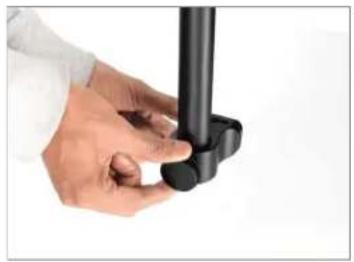
- Loosen the knob on the camera mounting platform and position it per your requirement.
- Attach the Camera (Not Included) to the camera mounting platform and lock it securely.
- Your Camera is securely mounted.
- Use the two plastic clips to clamp your backdrop to the brackets.
NOTE: The Overhead Camera Platform does not include the backdrop and other Related Accessories.
natural_image
Close-up of a hand holding a black cylindrical object against a white background (no text or symbols visible)
natural_image
Close-up of hands holding a DSLR camera and a handheld device (no visible text or symbols)
natural_image
Mechanical linkage assembly with two parallel metal rods and a central vertical bolt (no text or symbols visible)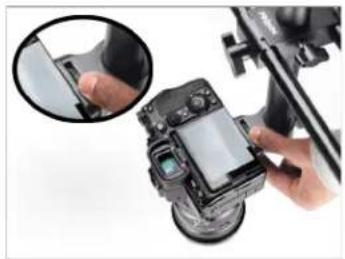
natural_image
Close-up of a DSLR camera being adjusted for a screen, with a hand adjusting the lens (no visible text or symbols)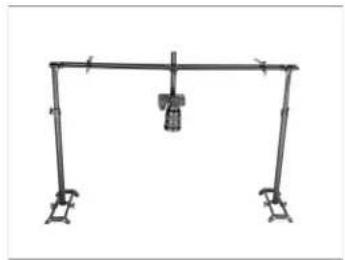
natural_image
Simple line drawing of a structural frame with supports and a central support (no text or symbols)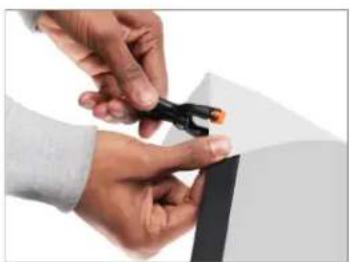
natural_image
Close-up of hands holding a small black object with orange tip, against white background (no text or symbols visible)
natural_image
Close-up of a mechanical device with black clamps and a small orange component (no visible text or symbols)iPhone Adapter Assembly
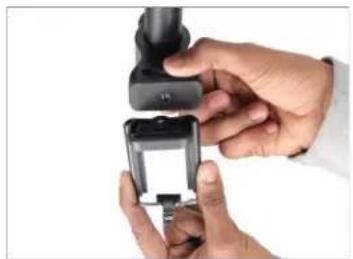
- Securely attach the iPhone Adapter to the camera mounting platform on the center bar.
natural_image
Close-up of hands holding a small black handheld device with a white top, against a plain white background (no text or symbols visible)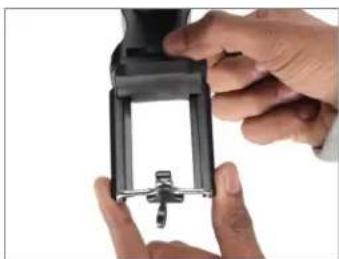
natural_image
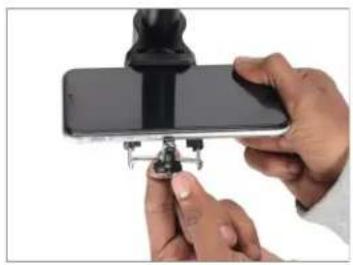
Close-up of hands holding a black mechanical device with a small protrusion (no visible text or symbols)- Slide the iPhone Adapter and mount your iPhone (Not Included) on it.
natural_image
Close-up of hands holding a smartphone with a black tripod stand (no visible text or symbols)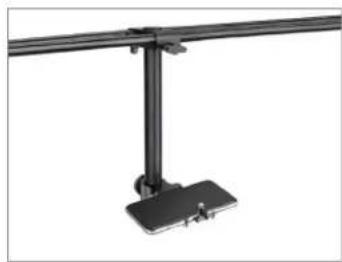
natural_image
Mechanical support bracket with mounting base (no text or symbols visible)BS100 Mounting
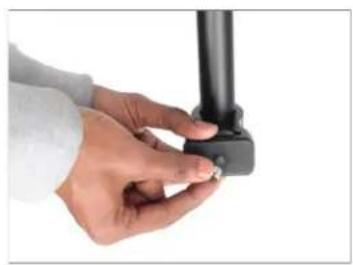
- Attach the BS100 to the Camera Mount on the Center Bar.
NOTE: The Centre Bar, with an adjustable Camera Mount featuring a 1/4"-20 knob, is compatible with most Cameras. We include a conversion adapter for 3/8"-16 mounting for added flexibility, offering wide compatibility.
natural_image
Close-up of hands holding a black cylindrical object with a small circular mark on the base (no text or symbols visible)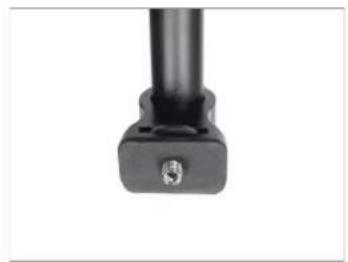
natural_image
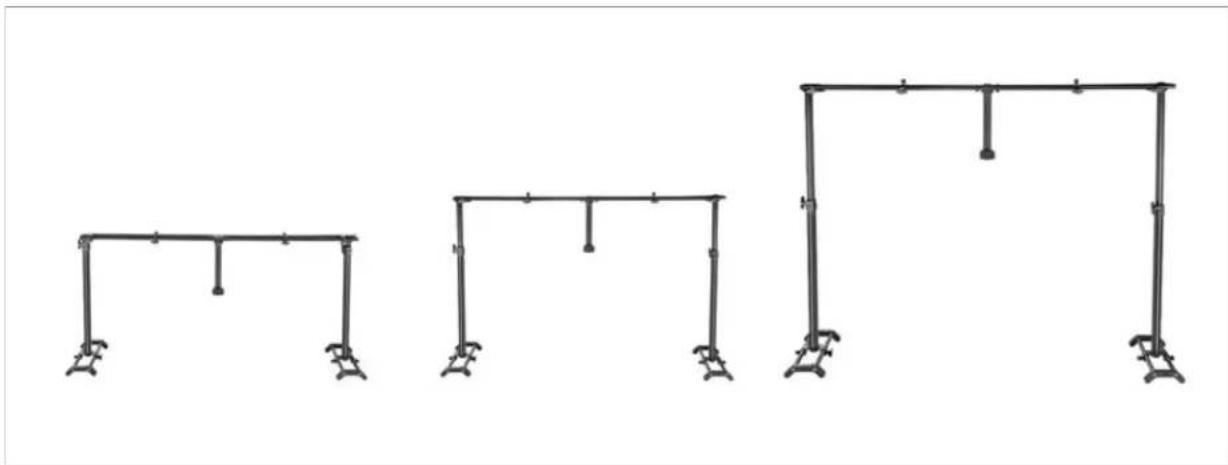
Close-up of a black mechanical component with a small circular feature and a small hole, against a white background (no text or symbols visible)Height Adjustable Telescopic Pole
natural_image
Three identical structural frame diagrams with vertical supports and horizontal beams, no text or symbols present.YOUR PROAIM 4FT VERSATILE OVERHEAD CAMERA PLATFORM SYSTEM ALL DRESSED UP AND READY TO GO!

natural_image
Man working at a desk with digital camera setup and recording equipment (no visible text or symbols)(SHOWN WITH OPTIONAL ACCESSORIES)
Warranty: We offer one year warranty for our products from date of purchase. Within this period of time, we will repair it without charge for labor or parts. Warranty doesn't cover transportation costs nor does it cover a product subjected to misuse or accidental damage. Warranty repairs are subjected to inspection and evaluation by us.
Liability: We are not liable for damage caused by products that we do not supply or from mishandling in transit, accident, misuse, neglect, lack of care of the product, or service by anyone other than our company.
Contact Us: In case of any kind of dissatisfaction, please Contact us immediately and we promise our utmost support and care until you use our product.