ErgoReach EP9 - Laptop stand Rocstor - Free user manual and instructions
Find the device manual for free ErgoReach EP9 Rocstor in PDF.


User questions about ErgoReach EP9 Rocstor
0 question about this device. Answer the ones you know or ask your own.
Ask a new question about this device
Download the instructions for your Laptop stand in PDF format for free! Find your manual ErgoReach EP9 - Rocstor and take your electronic device back in hand. On this page are published all the documents necessary for the use of your device. ErgoReach EP9 by Rocstor.
USER MANUAL ErgoReach EP9 Rocstor
natural_image
Technical line drawing of a mechanical arm assembly with two vertical supports and mounting feet (no text or symbols)User Manual
Y10N013-B1
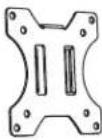
VESA Compatible 75x75 100x100
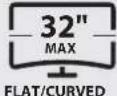
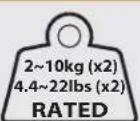
Package Content
 |  |  |
| A | x1B | x2C |
 |  | 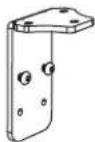 |
| x1D | x2E | x1F |
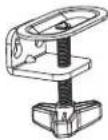 | 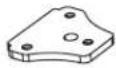 |  |
| x1G | x1H | x1I |
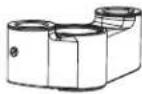 |  |  |
| x1J | x1K | x2L |
 |  |  |
| M6x12 - x3M | M6x18 - x3N | 4mm - x1O |
 | ||
| 6mm - x1P |
Package Content
| x2 | ||
 M4x12 - x4 M4x12 - x4 | 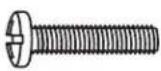 M4x16 - x4 M4x16 - x4 |  M5x12 - x4 M5x12 - x4 |
 M5x16 - x4 M5x16 - x4 |  D5 - x4 D5 - x4 |  Ø15xØ8x5 - x4 Ø15xØ8x5 - x4 |

The following tools are required for proper installation:


Pen
Drill and bit Phillips ScrewdriverWrench
1

text_image
O N D B
2
Clamp Mounting
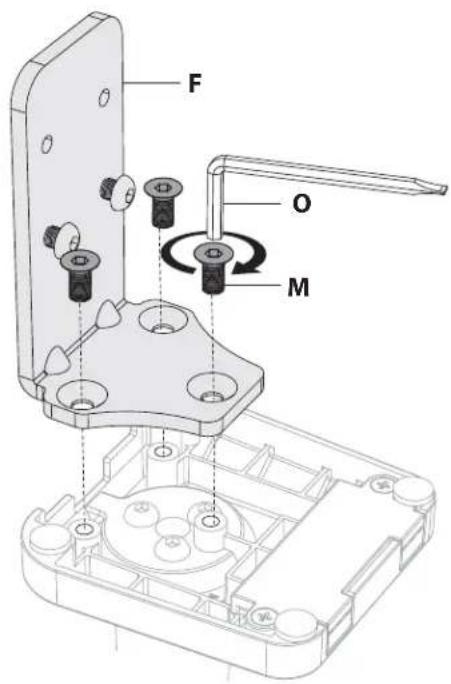
text_image
F O MOR
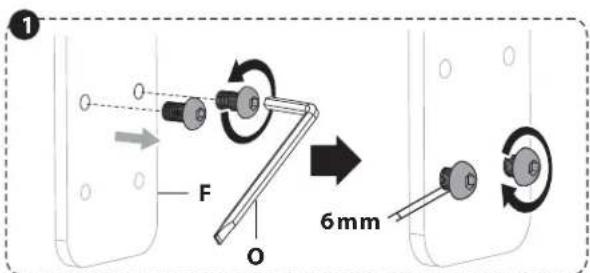
text_image
1 O F O 6mm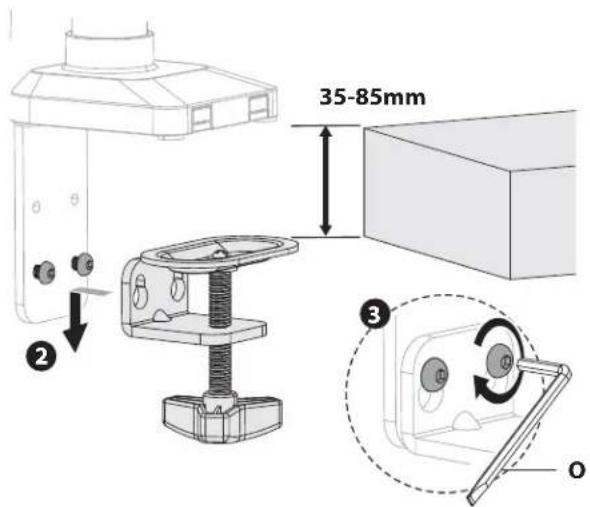
text_image
35-85mm ② ③ O
text_image
10 -35mm ① G ② O
natural_image
Technical illustration of a mechanical assembly with a component inserted into a housing, showing a circular motion indicator (no text or symbols present)2
Grommet Mounting

text_image
O M HDesktop with Existing Through-Hole.
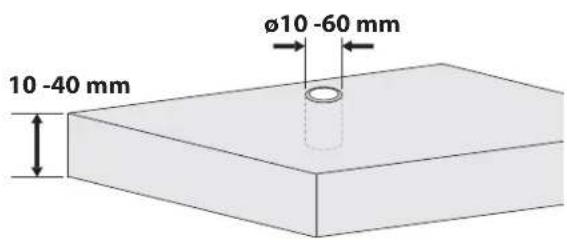
text_image
10 -40 mm Ø10 -60 mmOR

text_image
Ø 10 mm (Ø 3 / 8") 10 -40 mm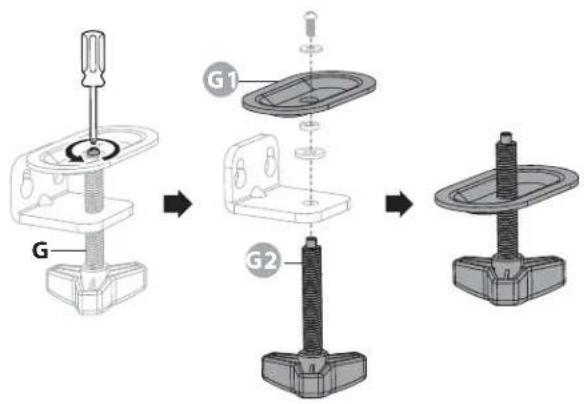
text_image
G G1 G2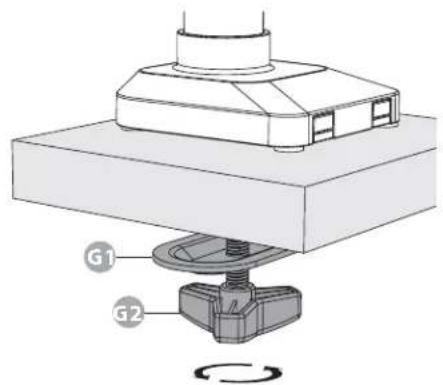
text_image
G1 G23

4
text_image
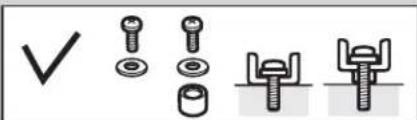
Diagram showing four types of bolt and nut assembly symbols: checkmark, threaded fastener, bolt with nuts, and fastener with fastener.
text_image
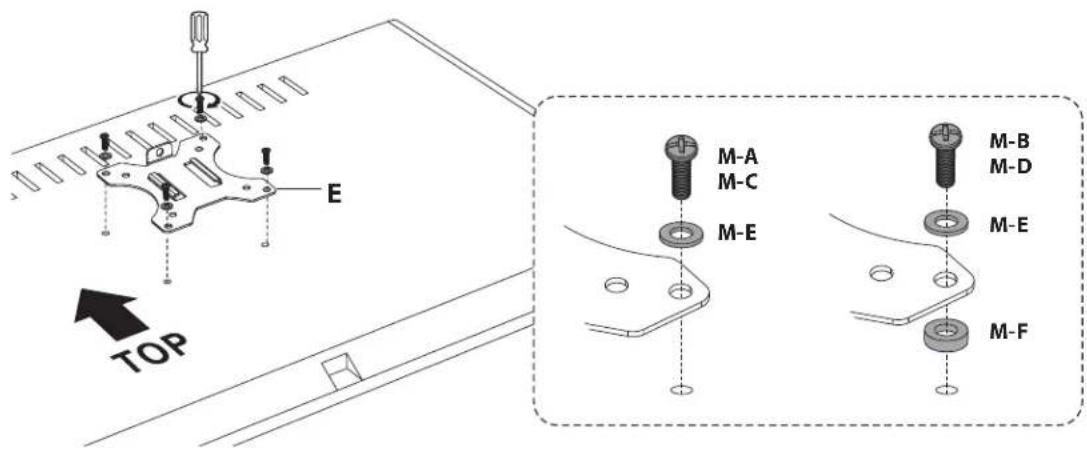
E TOP M-A M-C M-E M-B M-D M-E M-F5


text_image
Technical diagram showing a mechanical assembly with a bracket and a close-up of the component being adjusted, including a circular inset labeled 'L'.6

text_image
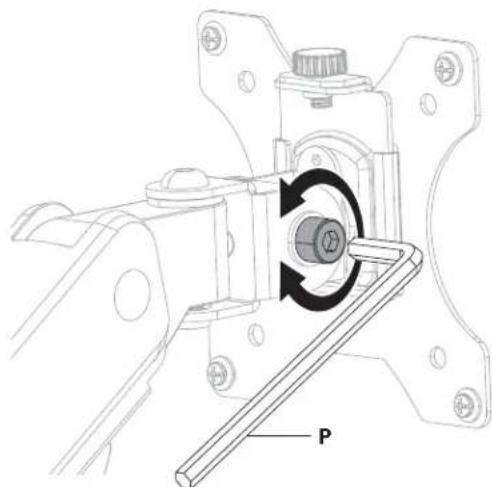
P early balance the arm with monitors mounted, adjust theTo properly balance the arm with monitors mounted, adjust the spring tension using the supplied Allen Key as follows:
First, position and firmly hold the arm as shown. Ask for assistance should you require it.

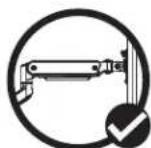


CAUTION: To avoid damage to monitors or mount, always keep the arm as shown while making adjustments. Again, ask for assistance if required.

If the arm drops, turn the adjustment screw clockwise until it stays in place.
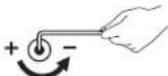
If the arm rises, turn the adjustment screw counter-clockwise until it stays in place.

CAUTION: DO NOT over tighten the screws.


natural_image
Illustration of a hand holding a rectangular object with a curved arrow indicating rotation, enclosed in a dashed circle (no text or symbols)
text_image
Technical diagram showing mechanical assembly with labeled parts and directional arrows indicating movement or force8
natural_image
Mechanical assembly diagram showing a rotating component with a labeled part 'P' (no text or symbols beyond label)Note: If the display does not stop at your desired position, tighten the screws as shown.

natural_image
Illustration of a hand pressing down on a tablet screen with an arrow indicating rotation (no text or symbols)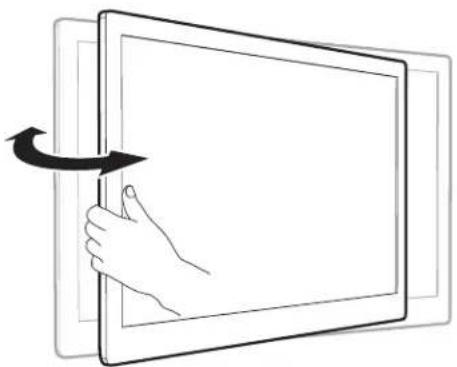
natural_image
Illustration of a hand interacting with a tablet screen, showing a curved arrow indicating rotation (no text or symbols present)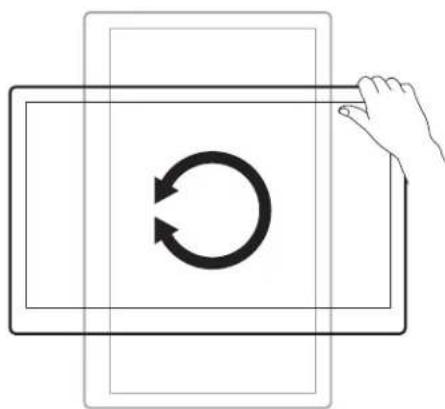
natural_image
Diagram showing a hand interacting with a circular arrow symbol inside a rectangular frame (no text or labels)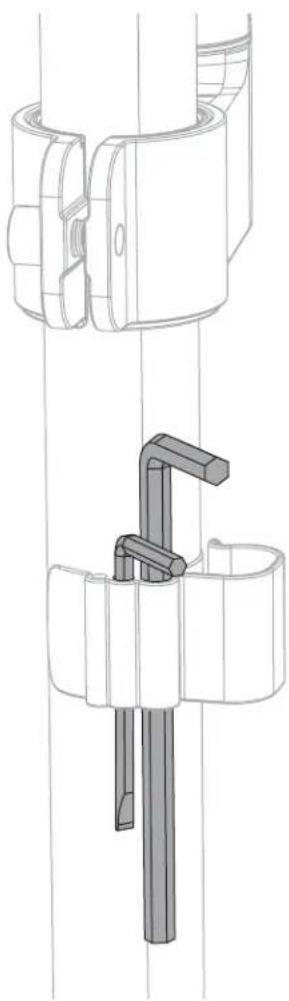
natural_image
Technical line drawing of a mechanical clamp or bracket assembly (no text or symbols)Safety Seguridad Sécurité SicurezzaSicherheitVeiligheid

EN
WARNING: Given the potential variability of mounting surface materials, it is crucial to verify that the mounting surface is sufficiently robust to support the installed product and equipment.
WARNING! Stored Energy Risk. The arm mechanism is under tension and will autonomously elevate when attached equipment is detached. Consequently, NEVER disengage equipment unless the arm has reached its utmost position! Neglecting this directive could lead to severe personal injury and/or equipment damage.
ES
EN CAUTION: Ensure that the bolt is perfectly centered in the hole. To securely attach the arm and prevent equipment damage, the plate must make contact with the underside of the desk on both sides of the hole.
Note: For support and warranty information, when contacting Rocstor customer service, please reference the serial number.
ES Nota: Para obtener información de soporte y garantía, al contactar con el servicio de atención al cliente de Rocstor, por favor, mencione el número de serie.
FR Note: Pour obtenir des informations sur le support et la garantie, lors de la prise de contact avec le service client de Rocstor, veuillez mentionner le numéro de série.
DE Hinweis: Für Informationen zum Support und zur Garantie, geben Sie bitte bei der Kontaktaufnahme mit dem Rocstor-Kundenservice die Seriennummer an.
JA 注意: サポートおよび保証情報については、Rocstorカスタマーサービスに連絡する際に、シリアル番号をご参照ください。
ZH **注意:**如需支持和保修信息,请在联系Rocstor客户服务时提供序列号。
NL Let op: Voor ondersteuning en garantie-informatie, vermeld bij contact met de klantenservice van Rocstor alstublieft het serienummer.
IT Nota: Per informazioni sul supporto e sulla garanzia, quando contattate il servizio clienti Rocstor, vi preghiamo di fare riferimento al numero di serie.
TR Not: Destek ve garanti bilgileri için Rocstor müşteri hizmetleriyle iletişime geçerken lütfen seri numarasını belirtiniz.
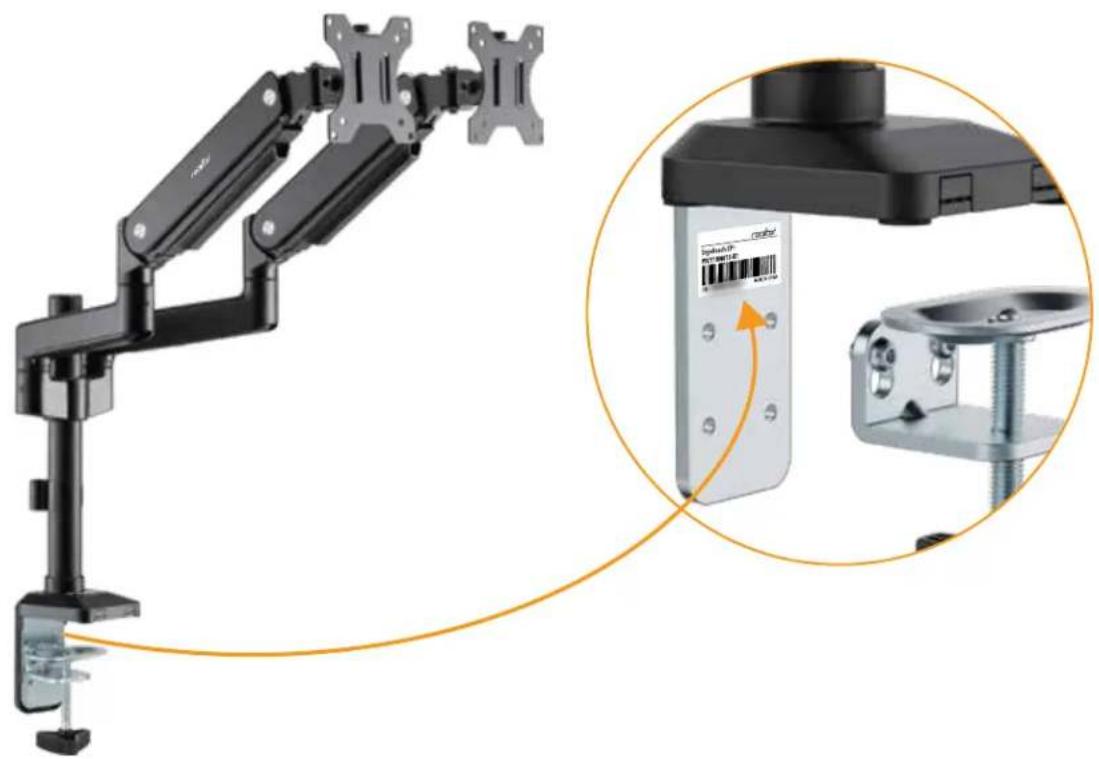
natural_image
Mechanical arm assembly with attached device and close-up view of a mechanical component (no visible text or symbols)Five-Year Factory Warranty
Rocstor provides a Limited Factory Warranty which applies to products you have purchased for commercial Household use in the ordinary course of your business.
Terms of warranty
Rocstor warrants its ErgoReach and ErgoCenter product series to be free from defects in materials and workmanship for a period of five years from the date of purchase. Rocstor's obligation under this warranty coverage is limited to repairing or replacing, at its sole discretion, any such defective products. This warranty does not apply to equipment that has been damaged by accident, negligence, or misapplication or has been altered or modified in any way. In the event Rocstor repairs or provide a replacement of a defective product or part, the warranty does not extend the original warranty period. Rocstor reserves the right to repair or replace any parts under warranty as new or factory re manufactured.
Non-transferable warranty
This warranty extends only to the original purchaser who must have properly registered the product. The product may be registered at the Rocstor Web site, https://rocstor.com/customer-support/warranty registration.
Exclusions
If Rocstor tests or examines the alleged defect in the product and finds that the damages or defects do not exist or were caused by a third party or an end user's misuse, improper installation or testing, or negligence, then Rocstor shall not be liable under the warranty. Furthermore, unauthorized attempts to repair or modify the product by wrong or inadequate electrical connection or voltage, inadequate or inappropriate site operation conditions, repair, installation corrosive area or atmosphere, a change in location or operating conditions or use, repair by non-Rocstor designated personnel, exposure to the elements, fire, Acts of God, theft, or equipment installation not recommended or contrary to Rocstor's specifications or recommendations. Warranties will be void and Rocstor will not be liable if the product serial number is tampered with, altered, removed, defaced or any other cause beyond the range of intended use.
Contact Information
Corporate Headquarters
12979 Arroyo Ave
San Fernando, CA 91340 - USA
Office: +1 (818) 727-7000
Email: info@Rocstor.com
Technical Support / RMA
Hours: 9:00 am - 5:00 pm PST
Mon - Fri (excluding holidays)
Tell: +1 (818) 727-7000 (Domestic and Internationals)
Email: support@Rocstor.com
Sales Info
Hours: 8:00 am - 5:00 pm PST
Mon - Fri (excluding holidays)
Tell: +1 (818) 727-7000 (Domestic and Internationals)
Email: support@Rocstor.com
Corporate, Government and Academic Customers
Our Corporate Sales Team's goal is to help our U.S.A. and Canadian customers find a storage solution that best serves their needs. We will help you determine your best purchasing options. For more information please contact the appropriate department below or call us at +1 (818) 727-7000.
General sales information: sales@Rocstor.com
Corporate sales information: corporate_sales@Rocstor.com
Educational sales information: academic_sales@Rocstor.com
Federal, State & Local government sales information: government_sales@Rocstor.com
Resellers/Business Development/OEM Partners
All Channel National and International Resellers, VARs, Consultants ...
contact Rocstor Channel Sales: call: +1 (818) 727-7000
Email: reseller_info@Rocstor.com
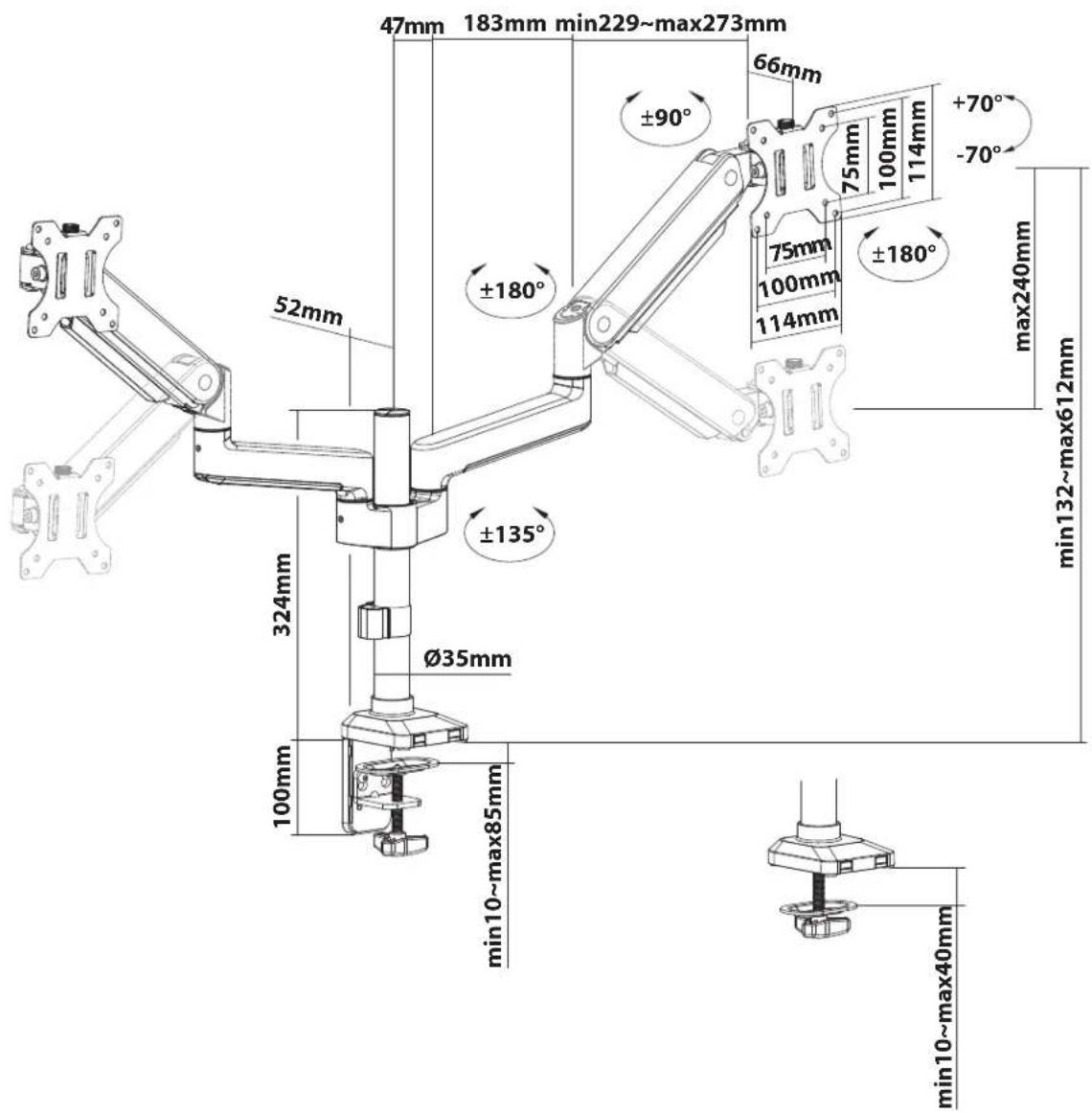
Dimensions (mm)