
KH 205 - Wireless intercom SILVERCREST - Free user manual and instructions
Find the device manual for free KH 205 SILVERCREST in PDF.


| Product type | Wireless intercom (doorbell) |
| Brand | SILVERCREST |
| Model | KH 205 |
| Receiver power supply | 2 x 1.5 V AA/Mignon/LR6 batteries |
| Transmitter power supply | 1 x 12 V 23A battery |
| Transmission frequency | 433 MHz |
| Range | 100 m in open field |
| Ringer sound level | Min. 73 dB(A) at 1 m (max. setting) |
| Number of melodies | 16 |
| Signal types | Optical, acoustic or both |
| Package contents | Receiver, transmitter, bracket, screws, wall plugs, nameplates, manual |
| Batteries included | 2 AA batteries, 1 23A battery |
| Maintenance | Clean with a dry or slightly damp cloth, no harsh chemicals |
| Recycling | Do not dispose of with household waste, follow local regulations |
| Warranty | 3 years |
| Safety | Do not open, keep out of reach of children, use only in dry indoor environments |
Frequently Asked Questions - KH 205 SILVERCREST
User questions about KH 205 SILVERCREST
0 question about this device. Answer the ones you know or ask your own.
Ask a new question about this device
Download the instructions for your Wireless intercom in PDF format for free! Find your manual KH 205 - SILVERCREST and take your electronic device back in hand. On this page are published all the documents necessary for the use of your device. KH 205 by SILVERCREST.
USER MANUAL KH 205 SILVERCREST
Safety instructions 3
The appliance parts 5
Taking the appliance into use 6
Maintenance 10
Cleaning and Care 10
Disposal 11
CE Conformity 12
Importer 12
Warranty and Service 13
Read these operating instructions carefully before using the appliance for the first time and preserve this booklet for later reference. Pass this booklet on to whoever might acquire the appliance at a future date.
Intended Use
This appliance serves as a radio doorbell system for wireless visitor signalisation and thus makes possible the operation of a door bell without wiring. The appliance is intended for domestic use only, not for commercial or industrial applications. No warranty is provided for damages resulting from improper use of the appliance!
Items supplied
1 Receiver
1 Sender
2 1.5 V Batteries, Type "AA/Mignon/LR6"
1 12 V Battery, Type 23A
1 Stand for the receiver
2 Screws for fixing the sender on to the assembly plate
5 Nameplates
2 Wallplugs with screws for sender assembly
1 Wallplug with a screw for receiver suspension
1 Operating manual
Power supply
Receiver: 2 × 1.5 ~V Type "AA/Mignon/LR6"
Sender: 1 × 12V Type 23A
Transmission frequency: 433 MHz
Range: 100 mtrs (Free-space range)
Ring-tone volume: min. 73dB(A) in 1 m (on max. setting)
Safety instructions
- Do not permit children to handle electrical appliances without supervision, as they cannot correctly assess the possible dangers of injury.
- Check the appliance and all parts for visible damages. If the appliance is damaged, arrange for it to be checked by Customer Services.
- NEVER open the appliance. There are no user-serviceable elements inside.
Risk of accidents and injury!
-
This appliance is not intended for use by individuals (including children) with restricted physical, physiological or intellectual abilities or deficiencies in experience and/or knowledge unless they are supervised by a person responsible for their safety or receive from this person instruction in how the appliance is to be used. Children should be supervised to ensure that they do not play with the appliance.
-
Keep batteries well away from children. Children can put batteries into their mouths and swallow them. If a battery is swallowed, medical assistance must be sought IMMEDIATELY.
- For the handling of batteries please observe the following:

Risk of explosion!
- Do not throw batteries into a fire.
- Do not recharge the batteries.
- Never open batteries, never solder or weld batteries. The risk of explosions and injuries exists!
- Regularly check the condition of the batteries. Leaking batteries can cause damage to the appliance.
- If you do not intend to use the appliance for an extended period, remove the batteries.

Damage on the appliance
- Avoid the simultaneous usage of batteries of varying types resp. capacities.
- Do not use any aggressive chemical substances for cleaning.
- NEVER submerse the appliance in water. Wipe it only with a slightly damp cloth.
- Protect the receiver against moisture. Use it only in dry rooms, do not use it when it is raining outdoors or when close to liquids.
- Ensure that, when the receiver is in use, it cannot become wet or moist and that it cannot be damaged.
Receiver (Fig. A)
Signal indicator
Synchronisation button, Receiver
3 Button for melody selection
Speaker
Stand
Volume regulator
Signal type switch (optical/acoustic)
8 Battery compartment - receiver
Loop for suspension of the receiver
10 Battery compartment cover - receiver
Sender (Fig. B)
1 Bell button
12 Nameplate
Indicator for signal confirmation
14 Battery compartment - sender
Synchronisation button - sender
Assembly plate - sender
Taking the appliance into use
Take the appliance out of the carton and remove all packaging materials.
Inserting the batteries in the receiver
Open the battery compartment ⑧ on the rear of the appliance.
Insert 2 × 1.5 ~V batteries of the type "AA/Mignon/LR6" as per the insertion markings shown in the battery compartment ⑧.
Replace the battery compartment cover 10.
The appliance now switches automatically into the synchronisation mode. Press the synchronisation button on the receiver to provisionally leave this mode.
Inserting the battery in the sender
Remove the assembly plate 16 from the sender.
Insert a 12 V battery, Type 23A as per the insertion markings shown in the battery compartment ①.
Pay attention to correct poling of the batteries, otherwise the appliance will not function and could even be damaged.
Should the performance of the appliance diminish or fall away completely, it means the batteries are exhausted.
The used batteries should then be changed for new ones of the same type.
Take note that, after changing the batteries, the appliance MUST be synchronised once again.
Selecting the signal type
The receiver can indicate the reception of a door-ring signal either optically, acoustically or optically and acoustically. To select, bring the signal type switch ① into the desired position:
- only acoustic ring indications, the selected melody sounds,
- only optical ring indications, the signal indicator blinks,
- optical and acoustic ring indications.
Adjusting the signal sound volume
To select the desired signal sound level bring the volume regulator 6 into the required position:
Lower volume level
2 - Medium volume level
- Higher volume level.
Selecting the call melody
There are 16 different call melodies stored in the appliance.
Repeatedly press the button for melody selection 3.
When the desired melody sounds, stop the selection. The appliance will utilise the last melody it played as the call melody.
Synchronising the sender and receiver
The sender and receiver in this doorbell system can communicate with each other over a number of different frequencies. Therefore, several doorbell systems can be operated within the appliance range without them disturbing each other. The precondition for this is that the sender and receiver within a system are working on the same frequency. For this, you must synchronise the appliances as follows:
Press the synchronisation button on the receiver ②. The red signal indicator now glows.
Now press the synchronisation button on the sender ⑤. The indicator ⑥ on the sender blinks a few times, then it goes out.
Now press the bell button 11.
If the synchronisation has been a success, the receiver notifies you of the programmed call signal. The appliances then conclude the synchronisation mode. Should the receiver not react as described, repeat the synchronisation.
The sender shows, with a brief glowing of the indicator when being activated, the transmission of the signal to the receiver.
Installing the appliance
Select a suitable positioning for the sender, close to your outer door.
Using the assembly plate 6 of the sender, mark the positions required for the two boreholes (spacing approx. 68~mm ) and then bore the holes for the enclosed wall-plugs (S6).
Screw the assembly plate 16 onto the wall.
Carefully slide the plastic covering over the nameplate to the side and then remove it.
Write the name(s) of the residents on the plate ② and then replace the plastic covering.
Place the sender on the assembly plate 16 and secure it, with the enclosed small screws, to the assembly plate 16.
You can install the receiver at a suitable location either suspended by its loop or make use of the stand Bear in mind that the given range refers to the free-space range. If being utilised in a building, this range is reduced quite distinctly.
To suspend the receiver, fix the enclosed screw, with the wallplug, at a suitable location on the wall and hang the appliance from it.
Important!
NEVER open any parts of the doorbell system! Arrange for the appliance to be repaired by specialists only.
The appliance is maintenance-free. No form of maintenance, either on or in the appliance, is intended for execution by the user. In the event of malfunction or apparent damage, make contact with Customer Services. If the appliance is not to be in use for an extended period, remove the batteries.
Cleaning and Care
Important!
- NEVER submerge the appliance or its components in water or other fluids!
- Do not allow any liquids to penetrate into the appliance housing. If they do, there is a risk that the appliance could be damaged.
Cleaning the appliance:
Clean the appliance only with a dry or lightly moistened cloth. Do not use aggressive cleaning agents! These could damage the plastic upper surfaces.
In the event of the batteries leaking acids, put on a pair of protective gloves. Then clean the battery compartment and the battery contacts with a dry cloth.
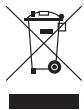
Do not, under any circumstances, dispose of the appliance in your household refuse. This appliance is subject to the provisions of European Guidelines 2002/96/EC.
Sender and receiver units
- Arrange for the product, or parts of it, to be disposed of by a professional disposal company or by your communal waste facility.
- Observe the currently applicable regulations. In case of doubt, please contact your waste disposal centre.
Batteries/rechargeable batteries
- Used batteries/rechargeable batteries may not be disposed of in household waste.
- Batteries can contain poisons which are damaging to the environment. Therefore, dispose of the batteries/ rechargeable batteries in accordance with statutory regulations.
- Every consumer is legally obligated to surrender batteries/ rechargeable batteries to a community collection centre in their district or to a dealer. The purpose of this obligation is to ensure that batteries are disposed of in a non-polluting manner.

Dispose of all packaging materials in an environmentally friendly manner.
CE Conformity
This appliance conforms with the fundamental requirements and other relevant regulations of the R&TTE Directive 1999/5/EC. A complete copy of the original conformity declaration is available from the importer.
Importer
KOMPERNASS GMBH
BURGSTRASSE 21
44867 BOCHUM, GERMANY
www.kompernass.com
You receive a 3-year warranty for this device as of the purchase date. The appliance has been manufactured with care and meticulously examined before delivery. Please retain your receipt as proof of purchase. In the case of a warranty claim, please make contact by telephone with our service department. Only in this way can a post-free dispatch of your goods be assured.
The warranty covers only claims for material and manufacturing defects, not for worn parts or for damage to fragile components, e.g. buttons or batteries. The device is intended solely for private domestic use, not for commercial applications.
In the event of misuse and improper handling, use of force and interference not carried out by our authorized service branch, the warranty will become void.
Your statutory rights are not restricted in any way by this warranty.
GB DES Ltd
Tel.: 0870/787-6177
Fax: 0870/787-6168
e-mail: support.uk@kompernass.com
Kompernass Service Ireland
Standard call rates apply. Mobile operators may vary.
e-mail: support.ie@kompernass.com
- Undgå at anvende batterier af forskellig type eller kapacitet.
- Brug/DD: aggressive, aggressive, aggressive, aggressive, aggressive, aggressive, aggressive, aggressive, aggressive, aggressive, aggressive, aggressive, aggressive, aggressive, aggressive, aggressive, aggressive, aggressive, aggressive, aggressive, aggressive, aggressive, aggressive, aggressive, aggressive, aggressive, aggressive, aggressive, aggressive, aggressive, aggressive, aggressive, aggressive, aggressive, aggressive, aggressive, aggressive, aggressive, aggressive, aggressive, aggressive, aggressive, aggressive, aggressive, aggressive, aggressive, aggressive, aggressive, aggressive, aggressive, aggressive
- Laeg aldrig dorklokken ned i vand. Rengor den kun med en let fugtet klud.
- Beskyt modtageren mod fugt. Anvend den kun i tøre rum,/DDke ved nedbør udendørs ell er i nærheden af væsker.
- Sørg for, at modtageren ikke bliver vår erler fugtg under drug eller kan beskadiges.
Modtager (fig. A)
Indstilling of signaltype
- Intended Use
- Items supplied
- Safety instructions
- Risk of accidents and injury!
- Risk of explosion!
- Damage on the appliance
- Receiver (Fig. A)
- Sender (Fig. B)
- Taking the appliance into use
- Inserting the batteries in the receiver
- Inserting the battery in the sender
- Selecting the signal type
- Adjusting the signal sound volume
- Selecting the call melody
- Synchronising the sender and receiver
- Installing the appliance
- Important!
- Cleaning and Care
- Cleaning the appliance:
- Sender and receiver units
- Batteries/rechargeable batteries
- CE Conformity
- Importer
- GB DES Ltd
- E Kompernass Service Ireland
- Modtager (fig. A)
- Indstilling of signaltype
Brand : SILVERCREST
Model : KH 205
Category : Wireless intercom