SHARP UP-3515 - Printer

UP-3515 - Printer SHARP - Free user manual and instructions

Find the device manual for free UP-3515 SHARP in PDF.

📄 337 pages English EN Download 💬 AI Question 10 questions ⚙️ Specs
Notice SHARP UP-3515 - page 4
View the manual : Français FR English EN
Pick your language and provide your email: we'll send you a specifically translated version.
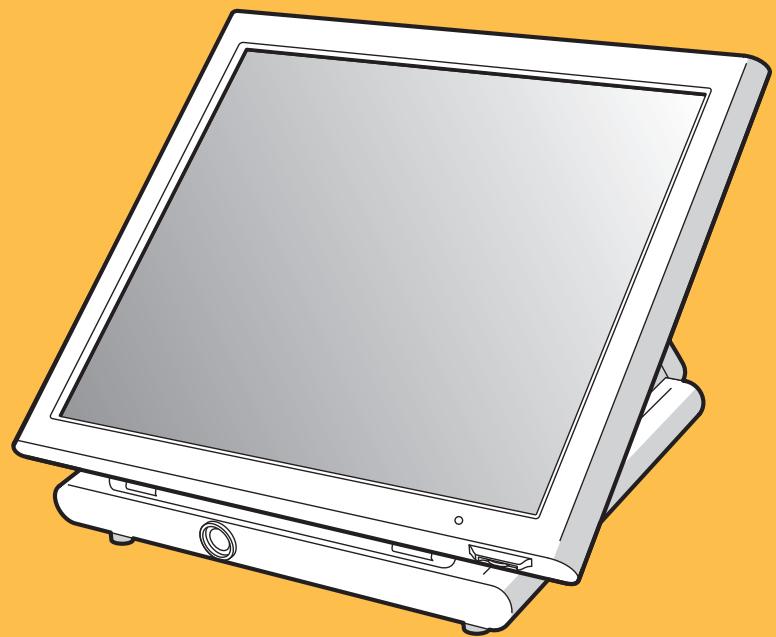
Product type Point of Sale (POS) terminal with integrated printer
Dimensions (W × D × H) 370 mm × 320 mm × 320 mm
Weight Approximately 7 kg (without AC adapter)
Power supply Official (nominal) voltage and frequency; power consumption 65 W max
Screen Color touch LCD 381 mm (15"), resolution 1024 × 768 pixels
Customer display Optional: pole display or integrated display
Backup memory Rechargeable battery pack; retention time about 1 month (at 25°C)
Operating temperature 0 °C to 40 °C
Noise level 58.2 dB(A) (max 77.5 dB(A) when cash drawer opens)
Included accessories AC adapter, AC cable, footrest, support sheets, screws, magnetic core
Maintenance and cleaning Use a dry, soft cloth; never use solvents (benzine, thinner)
Safety Disconnect the power plug for complete shutdown; use only the supplied adapter
Repairability Contact an authorized dealer; do not attempt to repair yourself
Operating modes REG, OFF, OP X/Z, X1/Z1, X2/Z2, PRICE, PGM1, PGM2, AUTO KEY, SD CARD
Employee identification Contactless keys (126 max), employee code (255 max), entry keys (10 max), WMF keys (127 max)
Item management PLU/EAN, departments, menus, condiments, launches, set meals, open bins
Accepted payments Cash, check, credit, foreign currency, tips
Reports Daily X/Z reports, periodic, by employee, by department
Data storage SD card for backup and loading of programs and sales
Options Customer display, cash drawer, contactless keys, RAM memory card, EFT interface
General information Fluorescent lamp containing mercury; recycle according to local regulations

Frequently Asked Questions - UP-3515 SHARP

How to turn on the UP-3515 terminal?
Set the mode switch on the back to the ON (I) position after connecting the terminal to the wall outlet. The power indicator lights up in the lower right corner of the screen.
What to do if an error message appears on the screen?
A warning beep and an error message appear. Touch the [CLEAR] key to cancel the error, then take appropriate measures (check the entered amount, contact the manager if necessary).
How to clean the touch screen?
Use a dry, soft cloth. Never use solvents such as benzine or thinner, as they may discolor or damage the housing.
The terminal does not turn on, what to check?
Check that the wall outlet is powered, the power cable is properly connected, the AC adapter connector is plugged in, and the mode switch is set to ON (I).
How to install paper rolls in the integrated printer?
Refer to the printer manual. Open the printer cover, insert the paper roll in the correct direction, and close the cover ensuring the paper comes out properly.
How to change the operating mode (REG, PGM, etc.)?
Touch the [MODE] key on the touch screen to display the mode selection window. Select the desired mode (REG, X1/Z1, PGM1, etc.) by touching its name. To return to REG mode, touch [EXIT].
How to associate an employee with the terminal?
Use one of the methods: contactless key placed on the switch, entering the employee code (up to 4 digits) followed by [CLK#], or touching a [CLK n] key. A password may be required.
How to back up sales data to SD card?
Switch to SD CARD mode via [MODE], insert the SD card into the slot, select the [SAVING] menu, choose the data type (sales, programming, etc.), then confirm with [OK].
What to do in case of power failure during a sale?
The terminal retains data in memory thanks to the built-in rechargeable battery. Once power is restored, it returns to its normal state and ongoing operations are preserved.
How to configure the customer display?
The customer display can be a pole display (optional) or an integrated display. Configuration is done in programming (PGM2 mode) in the 'Device Config' menu. Consult your authorized dealer for installation.

User questions about UP-3515 SHARP

0 question about this device. Answer the ones you know or ask your own.

Ask a new question about this device

The email remains private: it is only used to notify you if someone responds to your question.

No questions yet. Be the first to ask one.

Download the instructions for your Printer in PDF format for free! Find your manual UP-3515 - SHARP and take your electronic device back in hand. On this page are published all the documents necessary for the use of your device. UP-3515 by SHARP.

USER MANUAL UP-3515 SHARP

MANUEL D'INSTRUCTIONS

SHARP UP-3515 - 1

CAUTION: Please observe the following when an optional drawer is used.

The drawer unit should be securely fitted to the supporting platform to avoid instability when the drawers are open.

CAUTION:

The socket-outlet shall be installed near the equipment and shall be easily accessible.

VORSICHT:

For a complete electrical disconnection pull out the mains plug.

VORSICHT:

[CLK n] (Inscription)

2.5 [X/QTY] 650 [Department 6]

5 [X/QTY] 600 [AMOUNT] 5 [DEPT#]

2 [PLU 00001]

2 [X/QTY] 860 [AMOUNT] [PLU 00001]

2 [X/QTY] 1 [PLU_EAN]

3 [X/QTY] 4901780438532 [PLU_EAN]

[CASH_TOTAL]

Affichage

0001
PLU00001
2x1.002.00
PLU00001
3x8.7026.10
DPT.01
CASH93.55
***TOTAL93.55

Entres multiplicatives successives

750 [Department 6]
350
Pour achieve l'opération →[Department 8]

Affichage

2001
1x7.507.50
DPT.06
1x3.503.50
DPT.08
CASH11.00
***TOTAL11.00

- Ventes de non-rotation

Entree PLU direct: [Direct PLU key]

[HALF_PINT] 2 [X/QTY] [PLU 00001]

[HALF_PINT] [PLU 00002]

[CASH_TOTAL]

Affichage

0001
2x0.601.20
PLU00001
1x0.700.70
PLU00002
CASH1.90
***TOTAL1.90

Ventes spéciales

ROOM#S0001
03/06/20087:37CLERK0001
1x6.506.50
PLU00008
1x6.806.80
PLU00007
CASH20.70
***TOTAL20.70
ROOM#50001
03/06/20087:37CLERK0001
1x6.506.50
PLU00008
1x6.806.80
PLU00007
CASH20.70
***TOTAL20.70

Manipulation des touches
1002 [GLU]
[B.S._AMOUNT]
Affichage

ENTER AMOUNT PARTIAL PAY
BACK SPACECLEAR
789
456
123
000
CANCELENTER

250 [ENTER]

GCU10020001
1x2.502.50
PLU00003
1x25.1025.10
PLU00002
PARTIAL PAY2.50
***TOTAL2.50

[CASH_TOTAL]

GLU#10020001
PLU00003
1x25.1025.10
PLU00002
PARTIAL PAY2.50
CASH2.50
***TOTAL2.50
BS RETURN or NBAL

[NBAL]

0001
***TOTAL 0.00
0001
1x46.5046.50
PLU00003
EXCH11.550220
US 107.74
CASHUS120.00
CHANGE7.90
CHANGE7.90
[PLU 00002]
[PLU 00003]
[SUBTOTAL]
[CASH_TOTAL]

Affichage

0001
1x6.206.20
PLU00002
1x1.001.00
PLU00003
SER.CHRG0.72
CASH7.92
***TOTAL7.92

NOTA

14:00 - 16:00: AFTERNOON (SHIFT4)

16:00 - 19:00 : EVENING (SHIFT5)

19:00 - 23:00 : NIGHT (SHIFT6)

→[GR.DISCHASHFTn]→[SUBTOTAL]

[PLU 00002]
[GR.DISC_SHIFT 1] [PLU 00003]
[GR.DISC_SHIFT 1] [SUBTOTAL]
[GROUP_DISC% 1]
[CASH_TOTAL]

Affichage

2001
1x1.001.00
PLU00003
SUBTOTAL2.00
-10.00%
GDSC×1-0.20
CASH1.80
***TOTAL1.80

Points de prime

Manual assistant
Powered by Anthropic
Waiting for your message
Product information

Brand : SHARP

Model : UP-3515

Category : Printer