PL-SA-LTEPCS - TV amplifier Premiertek - Free user manual and instructions
Find the device manual for free PL-SA-LTEPCS Premiertek in PDF.


User questions about PL-SA-LTEPCS Premiertek
0 question about this device. Answer the ones you know or ask your own.
Ask a new question about this device
Download the instructions for your TV amplifier in PDF format for free! Find your manual PL-SA-LTEPCS - Premiertek and take your electronic device back in hand. On this page are published all the documents necessary for the use of your device. PL-SA-LTEPCS by Premiertek.
USER MANUAL PL-SA-LTEPCS Premiertek
Dual Band 4G LTE Signal Repeater Kit
User Manual
Part#: PL-SA-LTEPCS
I. Overview
The 4G Signal repeater is an extremely efficient device which used to make up the less coverage and expand the scope of base stations, cover the blind area of mobile phone network.
Signal repeater is suitable in which the weak or blind mobile signal location, such as remote mountainous, residential area, underground shopping mall, parking lots, supermarket, hotel, elevator, home, office, industrial and mining enterprise, etc. for indoor mobile phone signal amplification.
There is a significant improvement for a drop calls caused by weak signal which blocked by mountains or buildings. Using a signal repeater is the most economic and effective way to improve the mobile phone signal and eliminate drop calls.
II. Features of Product:
1, Suitable for all kinds of small indoor weak signal or blind area.
2. Improve the coverage of receiving and transmitting cellphone signal.
3, Easy and flexible installation.
4, High anti-interference ability with advanced digital filtering technique.
5, Mini design with environmental protection.
III. Application

Train

Family House

Small Department

Boat

Underground Parking Lot

Theater

Elevator
IV. Diagram of Products
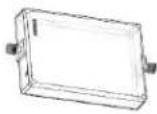 Signal booster Signal booster | 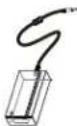 power supply power supply | 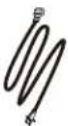 power line power line |
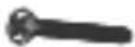 Installation screws for booster Installation screws for booster | 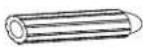 Rubber plug Rubber plug |  5 meter cable 5 meter cable |
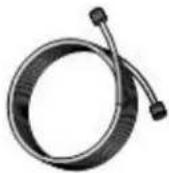 15 meter cable 15 meter cable |  Ceiling Antenna Ceiling Antenna |  Outdoor Yagi Antenna Outdoor Yagi Antenna |
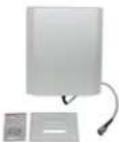 Indoor Panel antenna(Optional)Part# ANT-P702707 Indoor Panel antenna(Optional)Part# ANT-P702707 | 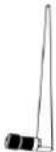 Dipole Antenna(Optional) Dipole Antenna(Optional) | |
V Technical specification
| Item | Specification | |
| Frequency | Uplink: | Downlink: |
| 746-756/1850-1910MHz | 777-787/1930-1990MHz | |
PL-SA-LTEPCS User Manual
| Input power range | -60 ~-30dBm | |
| Max output power | 10dBm | 20dBm |
| Gain | 60dBm | 65dBm |
| Impedance | 50Ω | |
| Power supply | AC110/220—DC+5V | |
| Installation position | Indoor | |
VI. Installation Guide

text_image
Outdoor antenna 15 meters cable Indoor antenna 1 4 meters cable 6 meters cable indoor antenna 2 Speaker Power supply Consumitiveness receivable1、Installation for outdoor antenna

text_image
15 meters cable outdoor antenna hexagonal screw Wall or Pole 15 meters cable installation diagramAttention: ① In order to get a better signal, outdoor antenna should be face to the BTS or locate in a high position with better signal.
② There should be a mackintosh in the connection of outdoor antenna and cables.
2、Installation for Signal repeater

text_image
dual band booster 5 meters cable power supply power line Rubber plug Fix screw
text_image
15 meters cable connect outdoor antenna BTS MS 5 meters cable connect indoor antennaAttention : Avoid hot, direct sun, humid location for signal repeater. Do not put the product in a closed environment.
3、Installation for indoor ceiling antenna (panel antenna optional)

text_image
indoor panel antenna Bracket Screw
text_image
step 2: push down the antenna to make it hanging with mounting brackets step 1: Installation Bracket Installation diagramAttention: A high and central position for the coverage would be the best location for indoor antenna.
4、Installation for indoor dipole antenna (Optional)

text_image
5 BLS MS .5 meters cableVII Guide for LED indicators

text_image
Power ALM 10dBm 5dBm 0dBmA. There are five indicator lights each indicates the Power, Alarm and Signal Strength as the picture shown. B. There are three colors of the indicator lights: Yellow, green and blue. They are on behalf of three kinds of signal strength as the picture shown. If any frequency can reach these three levels, the corresponding indicator lights will always being on.
c. Power lights should always being on.(Green)
D. Either the equipment is self-excited or input signal overload, the alarm light will be flashing and the power off. The equipment will restart after 30 seconds. After 5 times restarting, the light will be on. It will restart again after 1 hour. If it is still abnormal after the above steps, the alarm indicator light will be flashing.
VIII FAQ
| Faults | Solutions |
| LED indicator do not light after installation | Check if the power supply of repeater is normal. |
| Power supply is normal, indicator (U) and (P) flashing or lighting constantly in the same time | Check all the connections, and the distance between indoor and outdoor antenna is over 10 meters. |
| After installation, power supply is normal, but signal is also not good. | (1) checking whether all the connections installed as the installation guide(2) If connection are right, then make sure whether the outdoor antenna face the BTS and get a good signal. |
| After installation, the signal of cellphone is good, but can not hear each other clear or intermittent in the phone call | (1) Checking the installation of indoor antenna and connection of cables(2) Adjust the location of indoor antenna to make sure a better signal for mobile phone. |

Attention
1 Keep the distance of indoor and outdoor antenna over 10 meters if there is no buildings to block the signal. Prohibit the distance between indoor and outdoor antenna within 10 meters which will cause the uncommon working condition for repeater.
2 Glass and plank are usually considered as not a blocker since the small effect to the loss of signal.
3 The standard power supply we attached is AC100V-240V ;
4 Modification of power adapter and other electronic parts which would cause broken or uncommon for product are not allowed.
5 This product is for indoor use, temperature under -20--+45°C ,avoid humid and water drop.