PLS0900 - Fitness Equipment True - Free user manual and instructions
Find the device manual for free PLS0900 True in PDF.


User questions about PLS0900 True
0 question about this device. Answer the ones you know or ask your own.
Ask a new question about this device
Download the instructions for your Fitness Equipment in PDF format for free! Find your manual PLS0900 - True and take your electronic device back in hand. On this page are published all the documents necessary for the use of your device. PLS0900 by True.
USER MANUAL PLS0900 True
natural_image
Black fitness exercise machine with adjustable arms and legs, no visible text or symbols on the device itself.IMPORTANT!
All products shown are prototype. Actual product delivered may vary.
Product specifications, features, and software are subject to change without notice.
For the current owner's manual and documents in additional languages please visit https://truefi.tness.com/support/user-manuals/
IMPORTANTE!
Since its founding in 1981, TRUE Fitness has been built on two core guiding principles: Build the highest quality products and support them with superior service. Today, TRUE is the global leader in premium fitness equipment for the commercial and residential markets.
Over the years, the fitness industry has changed, new markets have sprung up, and the needs of our customers have evolved, but those principles remain constant, and we remain ever-vigilant in working to achieve them.
In keeping with our values, TRUE has always strived to equip our machines with the latest technology and safety features since the beginning, giving our customers the very best exercise experience possible while providing peace of mind.
As your dedicated partner, we will do whatever it takes to keep your facility going strong. Our experienced team provides end-to-end service, from facility planning and maintenance to providing your machines with the newest technologies. You can count on TRUE Fitness for the best service in the industry, provided by a team focused on optimizing the life of your equipment.
Contacting Our Support Team
Before you contact TRUE, we recommend gathering the serial number, model number, and a brief description of the reason for your request. After you have all the pertinent information, we suggest you contact your selling dealer or local service company to set up an appointment. If you are not familiar with who is in your area, you can visit https://shop.truefitness.com/store-locator/ and use our store locator to obtain the contact information for the closest dealer.
If you still need help, please contact our product support team.
| Address TRUE Fitness | Attn: Product Support865 Hoff RoadSt. Louis, MO 63366 |
| Phone 800.883.8783 | |
| Email service@truefi tness.com | |
| Hours of Operation Monday - Thursday 8:30am - 6:00pm (CST)Friday 8:30am - 5:00pm (CST) | |
Contacting Our Sales Team
Interested in owning more TRUE products? Please contact us with any product inquires so that we may direct you to the appropriate sales representative to help answer your questions.
| Address TRUE Fitness | Attn: Sales Department865 Hoff RoadSt. Louis, MO 63366 |
| Phone 800.426.6570 | |
| Email sales@truefi tness.com | |
| Hours of Operation Mon | day - Friday 8:30am - 5:00pm (CST) |
Reporting Freight Claims or Parts Damage
Unfortunately, sometimes materials can be damaged during shipment. If materials are damaged during shipment, please follow the guidelines below to determine the appropriate process for you to follow.
Severe Damage—Obvious damage to external packaging and internal product.
Please refuse the shipment and it will be returned to TRUE by the carrier. Contact TRUE product support by calling 800.883.8783 or sales support by calling 800.426.6570 Monday-Friday during normal business hours to notify us that the shipment has been refused. Once we have received the damaged shipment, a replacement shipment will be sent to you. If the shipment comes in multiple boxes, only refuse boxes with damage.
Slight Damage—Minimal damage to external packaging with unknown internal damage to product.
If the shipment has minimal damages and you are not sure if the actual product is damaged, you must sign the bill of lading as damaged when accepting the shipment. Once you have opened the box and you have determined something is indeed damaged, please gather the serial number, model number, description of damage, and photos of damage. Please make sure the photos include the damaged product as well as the damaged box the product arrived in. Contact TRUE product support (service@truefitness.com // 800.883.8783) or TRUE sales support (sales@truefitness.com // 800.426.6570) Monday-Friday during normal business hours.
Concealed Damage—No damage to external packaging but internal damage to product.
You may receive a shipment that looks intact and discover once the box has been opened that there are hidden damages. Please notify the carrier immediately. TRUE will not be able to file a claim if the carrier is not notified in a timely manner. Once you have called the carrier you will need to gather the serial number, model number, description of damage, and photos of damage. Contact TRUE product support (service@truefitness.com // 800.883.8783) or TRUE sales support (sales@truefitness.com // 800.426.6570) Monday-Friday during normal business hours.
TABLE OF CONTENTS
SAFETY INSTRUCTIONS
IMPORTANT SAFETY INSTRUCTIONS—SAVE THESE INSTRUCTIONS....7
GENERAL CARE AND MAINTENANCE....9
COMMERCIAL MAINTENANCE SCHEDULE....10
COMPLIANCES....10
DIMENSIONS AND WEIGHTS....11
LABEL LOCATIONS....12
WARNING AND INTENDED USE LABELS....12
ASSEMBLY INSTRUCTIONS
PREASSEMBLY CHECKLIST....14
ASSEMBLY STEPS....16
PREVENTATIVE MAINTENANCE
DAILY INSPECTION AND MAINTENANCE....22
WEEKLY INSPECTION AND MAINTENANCE....22
OTHER SCHEDULED PREVENTATIVE MAINTENANCE....22
CLEANING THE EQUIPMENT....23
WARRANTY INFORMATION
COMMERCIAL LIMITED WARRANTY....24
IMPORTANT SAFETY INSTRUCTIONS—SAVE THESE INSTRUCTIONS
! FACILITY AND USER SAFETY PRECAUTIONS
- Review and understand all of the warning labels affixed to this machine and on the facility safety sign.
- Be certain that the machine operation is understood before it is used. Refer to the instructional procedure label affixed to the machine.
- Make sure all users are properly trained on how to use this equipment. If this machine is being used in a commercial setting, end users may not have access to this owners manual. It is the responsibility of the facility to instruct users as to the proper usage of the equipment as well as making them aware of potential hazards. Maximum user weight is 400 lbs / 182 kg.
- Use each machine only for the intended exercise. Do not allow anyone to invent exercises not included on the instructional procedure label or the intended use label.
- Do not modify the machine.
- This equipment meets industry safety standards for stability when used for the intended exercise. Do not allow straps, resistance bands or other means to be attached to the framework of this machine to perform stretching or body weight exercises. This can result in machine instability and lead to serious crushing injuries.
- Keep children away from this equipment. Adults should closely supervise use by teenagers.
- It is recommended that users receive a thorough medical exam before commencing an exercise program. All medical issues should be reviewed to ensure that weight training will not aggravate pre-existing medical conditions.
- If the machine appears damaged or inoperable, contact a facility staff member to place an "OUT OF ORDER, DO NOT USE" sign on the machine until it is repaired. Only use TRUE supplied replacement components to service this machine.
- Instruct users not to wear loose or dangling clothes or have headphone wires hanging when using this equipment.
- Do not attempt to free any jammed assemblies by yourself as this may cause injury.
- On Plate Loaded and Free Weight machines:
Use of spotter(s). Instruct users to seek the advice of the facility staff as to the appropriate use of spotters when lifting. More than one spotter may be required depending upon the amount of weight being lifted.
- Instruct users to load weight plates evenly and carefully to avoid tipping equipment and crushing injuries.
If the machine is equipped with safety stops or catches, inspect them and verify their proper operation before use and make sure they are securely in place before using or exiting the machine. Be certain members are instructed on how to operate and adjust all safety mechanisms.
- This equipment is designed for standard olympic size weight plates with a 50mm bore (1.9").
Do not exceed the maximum weight capacity of the machine. Maximum plate size is 45 lbs (25 kg).
- On Selectorized and Cable equipped machines:
Do not allow users to perform any exercise by holding the end of the cable and/or the cable end fitting. Use only appropriate handles or attachments properly connected to the cable end.
Do not high-pin or double-pin the weight stack. Do not allow the machine to be used if the top plate or weight stack is pinned in a raised position. Use an assistant and carefully return the machine to the proper position with the cap plate resting on the top weight. Inspect the entire length of the cable to ensure that it is properly seated in all of the pulley grooves.
Do not allow the use of weight plates or dumbbells to be used as a means to add additional weight to the weight stacks. Use only the TRUE adder weight system specifically designed for the machine.
INSTALLATION SAFETY PRECAUTIONS
- Read this installation manual entirely before assembling this equipment.
- Verify that there is adequate space surrounding this piece of equipment for safe access and operation. Installation must meet ADA requirements for accessibility.
- Install this piece of equipment on a solid level surface that does not deviate more than 1/8" over a 10' distance (or as defined and required by local building and architectural codes.)
- TRUE strongly recommends that all equipment be anchored to the floor to prevent movement and increase stability.
Due to the wide variation of flooring on which the unit can be installed, contact a qualified contractor to determine an appropriate fastening system for your floor.
Use 3/8" diameter hardware (10 mm) to anchor the machine. Anchors should have a minimum pull out force of 220 lb (110 kg) for each position.
When attaching the machine to the floor, if there is a gap between the machine foot and the floor, do not use the anchor to remove the gap as this can cause the machine frame to deform. Instead, place a shim between the bottom of the foot and the floor, then tighten the anchor.
○ Anchoring holes are provided on the feet of the frame. All anchoring locations must be used when anchoring the equipment to the floor.
- DO NOT install any fitness equipment near a pool, hot tub or other damp locations. Corrosion caused by installation in these locations can lead to premature failure of components.
- Be sure all hardware is tight before using this machine.
- Some assembly materials may come preassembled in the carton. Refer to the Assembly Instructions for more information on disassembling any assembly materials before beginning assembly.
MAINTENANCE SAFETY PRECAUTIONS
- Refer to the maintenance schedule table in this manual for when to perform maintenance.
- Check the function of your machine DAILY by verifying the following:
If equipped with cables, inspect cables and end fittings for any signs of wear. Replace if worn, frayed, or damaged with TRUE replacement components.
○ Verify that all adjustments are possible and carried out with ease. Make sure that each adjustment pin inserts completely into each position without binding.
- Verify that safety catches and stops are in proper working order and engaged.
- Verify that the exercise is performed smoothly, free of noise, and/or binding.
- If equipped with a weight stack, verify that the proper weight selector pin is in place.
- Check the function of your machine WEEKLY by verifying the following:
- Nuts, Bolts, and Fasteners: check tightness weekly. If any hardware has become loose, retighten it, use Loctite® Threadlocker 242, or both.
- Frames and Lifting Arms: Inspect weekly for integrity and function. Replace any component at first signs of wear. Use only TRUE supplied components.
- Replace any warning label at the first sign of wear. Labels and the facility safety sign may be obtained from TRUE.
GENERAL CARE AND MAINTENANCE

IMPORTANT
Preventative maintenance is crucial to maintaining the function and safety of this equipment. Your facility must establish written guidelines for preventative maintenance and keep written or online records of the maintenance performed on these products. As a minimum, the items presented in the SAFETY section of this document and the items that follow here, should be included in your maintenance program.
- Cables (if equipped)—inspect end fittings daily for wear. Inspect the entire length of the cable weekly. Replace cables at the first sign of wear and on an annual basis. If the cable tension has been adjusted, be certain that the cable nut is tight.
- Nuts, bolts, and fasteners—check tightness weekly. If any hardware has become loose, retighten and/or use Loctite® brand Threadlocker 242. Be sure all hardware is tight before using the machine.
- Safety catches—inspect catches, stop rods and their associated fasteners. Tighten any loose hardware and replace any components at first signs of wear.
- Frames—sweat, disinfecting sprays and spills can lead to corrosion which may lead to premature failure of components. Wipe all machines down with a damp cloth and dry completely each day. This includes painted parts, chrome parts and upholstered pads.
- Painted and chrome plated parts—use Simple Green with a dilution of 32:1 or similar cleaner for light dirt and grime. Use Turtle Wax Polishing Compound or a good car polish to remove heavier dirt and grease as well as for polishing. DO NOT use solvents, lacquer thinner, acetone or finger nail polish remover. For scuffs and marks that are not removed by the above methods use a soft scrub cleanser. Make sure all parts are dry upon completion.
- Weight stack enclosures (shrouds) (if equipped)—wipe down with a damp cloth as needed.
- Exercise instruction labels—clean with soap and water as needed.
- Guide rods (if equipped)—wipe all dirt and dust from the guide rods before applying a light application of Tri-Flow™ or other tefl on spray lubricant. Spray the Tri-Flow™ on a rag and then wipe the guide rods with the rag. DO NOT use oil lubricants such as WD-40.
CAUTION: Tri-Flow™ will stain carpet and clothing.
- Bronze bushings—check monthly for signs of wear and replace as needed.
- Linear bearing shafts—wipe any accumulation of dust or other contaminants from the shafts on a weekly basis. Apply a thin layer of a Tefl on® (PTFE) grease on a weekly basis. TRUE recommends Magnalube® brand.
- When replacing any component, use only TRUE supplied parts.
- Be sure all hardware is tight before using the machine.
Retain these instructions for future reference. If you have any questions, do not hesitate to contact your TRUE dealer or TRUE product support (service@truefi tness.com // 800.883.8783).
COMMERCIAL MAINTENANCE SCHEDULE
| Commercial Maintenance Schedule | ||||||
| Daily | Weekly | Monthly | 6 Months | Annually | ||
| Inspect cables for wear, tension, and proper connection if equipped. Replace at the first sign of wear. | X | |||||
| Inspect cable length and cable end fittings. Replace at the first sign of wear. | X | |||||
| Inspect all nuts and bolts and tighten if needed. X | ||||||
| Inspect safety catches, stop rods, and their fasteners. Replace at the first sign of wear. | X | |||||
| Inspect all anti-slip surfaces and replace as needed. | X | |||||
| Inspect all adjustment pins, weight stack pins, set screws, gas shocks, snap links, and pulleys if equipped. | X | |||||
| Inspect all accessory bars and handles. X | ||||||
| Inspect all safety and instructional decals. X | ||||||
| Inspect all weight stack shields if equipped. X | ||||||
| Clean guide rods and lubricate with a tefl on lubricant if equipped. | X | |||||
| Clean and condition upholstery. X | ||||||
| Clean and polish frame. X | ||||||
| Clean and polish chrome. X | ||||||
| Lubricate pivot bearings and linear bearings. X | ||||||
| Replace cables if equipped. X | ||||||
COMPLIANCES
This equipment complies with all applicable codes and regulations. For a complete list of compliances, please visit www.truefi.tness.com.
DIMENSIONS AND WEIGHTS
• ASSEMBLED DIMENSIONS (W X D X H)
55.5" x 70" x 37.5" / 141 cm x 177.8 cm x 95.2 cm
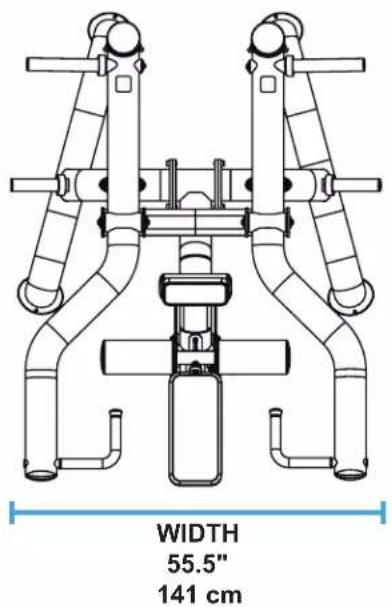
text_image
WIDTH 55.5" 141 cm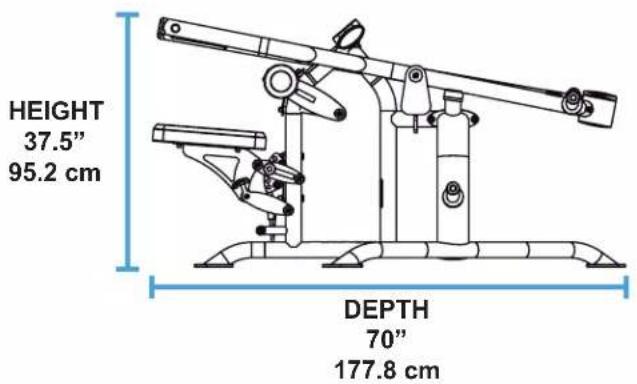
text_image
HEIGHT 37.5" 95.2 cm DEPTH 70" 177.8 cm- PRODUCT WEIGHT
364 lbs / 165 kg
• MAXIMUM USER WEIGHT
400 lbs / 182 kg
• MAXIMUM LOAD (USER WEIGHT + WEIGHT PLATES)
1480 lbs / 671.3 kg
| POST CAPACITY | ||||
| Number of Active Posts | Max 45LB. Plates Per Active Post | Number of Storage Posts | Max 45LB. Plates Per Storage Post | Total Number of Weight Plates Allowed |
| 2 | 6 | 2 | 6 | |
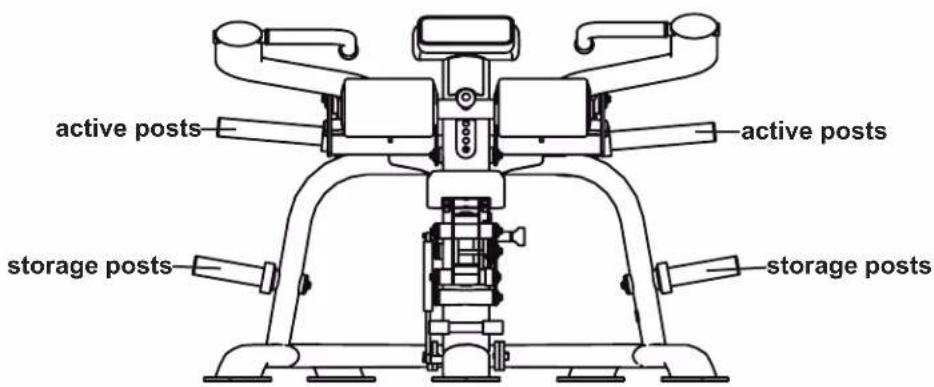
text_image
active posts active posts storage posts storage posts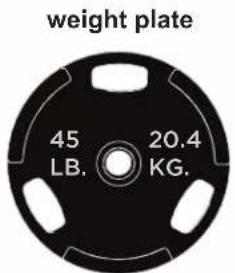
text_image
weight plate 45 LB. 20.4 KG.LABEL LOCATIONS
| Item | Description Qty | |
| 1 | LBL-ADJ-SPL013 (Adjustment Knob) 2 | |
| 2 | LBL-ADJ-SPL010 (Adjustment Arrow) 1 | |
| 3 | LBL-ADJ-PLS027 (Seat Adjustment) 1 | |
| 4 | LBL-WRN-PLS002 (Plate Weight) 2 | |
| 5 | B2065 (Pop Pin Warning) 2 | |
| 6 | LBL-PRO-PLS900 (Placard) 1 | |
| 7 | LBL-WRN-PLS001 (General Warning) 1 | |
| 8 | LBL-MTN-PLS001 (Maintenance) | 1 |
| 9 | LBL-LOG-010BK (Logo) | 1 |
| 10 | SPL-00-LBLSN (Serial Number) | 1 |

text_image
Technical diagram of a robotic device with numbered components, shown in two views (left and right) with Chinese labels.WARNING AND INTENDED USE LABELS
WARNING: Replace all labels that may be worn, damaged, or missing.
To replace any worn or missing decals contact TRUE product support (service@truefitness.com // 800.883.8783).
| Description Image | |
| LBL-ADJ-SPL013 (Adjustment Knob) |  |
| LBL-ADJ-SPL010 (Adjustment Arrow) |  |
| LBL-ADJ-PLS027 (Seat Adjustment) | 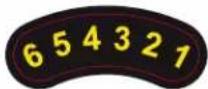 |
| LBL-WRN-PLS002 (Plate Weight) |  |
| B2065 (Pop Pin Warning) | 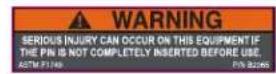 |
| LBL-PRO-PLS900 (Placard) | 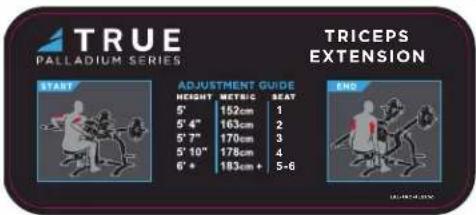 |
| LBL-WRN-PLS001 (General Warning) | 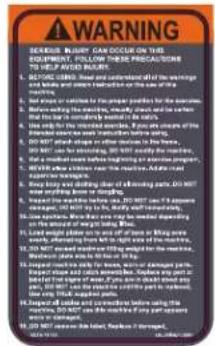 |
| LBL-MTN-PLS001 (Maintenance) |  |
| LBL-LOG-010BK (Logo) |  |
| SPL-00-LBLSN (Serial Number) | 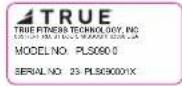 |
PREASSEMBLY CHECKLIST
CAUTION:
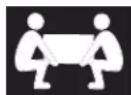
Use caution when assembling this product.
Unpacking and assembling this product requires two or more people.
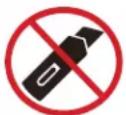
Use caution when unpacking this product. Avoid damage to the product and product pads.
DO NOT use a box cutter. DO NOT slice into the packaging.
VERIFY BOX CONTENTS
IMPORTANT! Please verify all box contents. If you have questions, or if there are any missing parts, contact product support (service@truefi tness.com // 800.883.8783).
| TOOLS NEEDED FOR ASSEMBLY | |
| Wire Cutters or Scissors (used in unboxing the machine) | 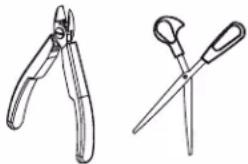 |
| #2 Phillips Screwdriver or Electric Screwdriver (both are optional in unboxing the machine) |  |
| 5/16" and 3/8" Allen Wrenches (or ratcheting socket wrench with hex bits - ball end recommended) |  |
| Rubber Mallet |  |
| BOX CONTENTS | ||
| Item Image Qty | ||
| Center Frame Assembly |  | 1 |
| Right Side Frame Assembly |  | 1 |
| Left Side Frame Assembly | 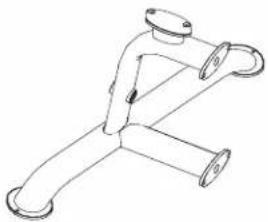 | 1 |
| BOX CONTENTS | ||
| Item Image Qty | ||
| Right Arm Assembly |  | 1 |
| Left Arm Assembly 1 |  | |
| Active Weight Post Assemblies (Long) | 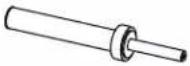 | 2 |
| Storage Weight Post Assemblies (Short) | 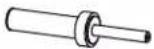 | 2 |
| Seat Pad Assembly |  | 1 |
| Roller Pad Assembly |  | 2 |
| Pad Kit Hardware Bag | 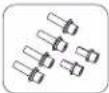 | 1 |
| Manual 1 |  | |
ASSEMBLY STEPS
STEP 1—ASSEMBLE FRAME
| Tools Used in this Step | |
| 3/8" Allen Wrench | 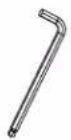 |
| Parts Used in this Step | ||
| PART# DESCRIPTION | ION QTY | |
| PLS-09-MFR125X ASSEMBLY, PLS0900 LEFT FRAME 1 | ||
| PLS-09-MFR025X ASSEMBLY, PLS0900 RIGHT FRAME 1 | ||
| PLS-09-MFR230X ASSEMBLY, CTR PLS0900 SEAT FRAME 1 | ||
| C 640A SHCS, 1/2"-13 X 1", BLK 8 | ||
| C 750B LOCK WASHER, 1/2MED.SPLIT, BLACK BED 8 | ||
- Remove and set aside the preassembled socket head cap screws and lock washers from the base frame assemblies.

text_image
C 750B C 640A- Using two people, carefully line up the right and left side frame assemblies with the seat frame assembly and fi nger tight the previously removed socket head cap screws and lock washers.

natural_image
Mechanical assembly diagram showing pipe connections and directional arrows (no text or symbols)NOTE: As you align the parts together, it helps to use the styrofoam from the packaging to place under the frame pieces.
STEP 1—ASSEMBLE FRAME CONTINUED
- When all 8 socket head cap screws and lock washers are finger tight, use a 3/8" allen wrench to fully tighten.

natural_image
Technical line drawing of a mechanical device with attached clamps and a magnified inset showing a yellow curved component (no text or symbols)STEP 2—ATTACH PADS TO SEAT FRAME
| Tools Used in this Step | |
| 5/16" Allen Wrench | 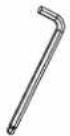 |
| Parts Used in this Step | ||
| PART# DESCRIPTION QTY | ||
| PLS0900 PAD KIT P | AD KIT PLS 1 | |
| PAD KIT HARDWARE | ||
| C 624A SHCS, 3/8"- | 16, 1-1/4" BLACK 4 | |
| C 749B LOCK WAS | HER, 3/8", BLK ZP 6 | |
| C 754B WASHER, FL | LAT, 3/8" SAE, BLK 4 | |
| C1256 LPSHCS, 3/8 | "-16 X 1" E-COAT 2 | |
| SPL-11-ADJ157 ROLLER PAD WASHER 2 | ||
- Using a 5/16" allen wrench, attach the four socket head cap screws, lock washers, and flat washers to secure the seat pad assembly to the seat frame assembly.
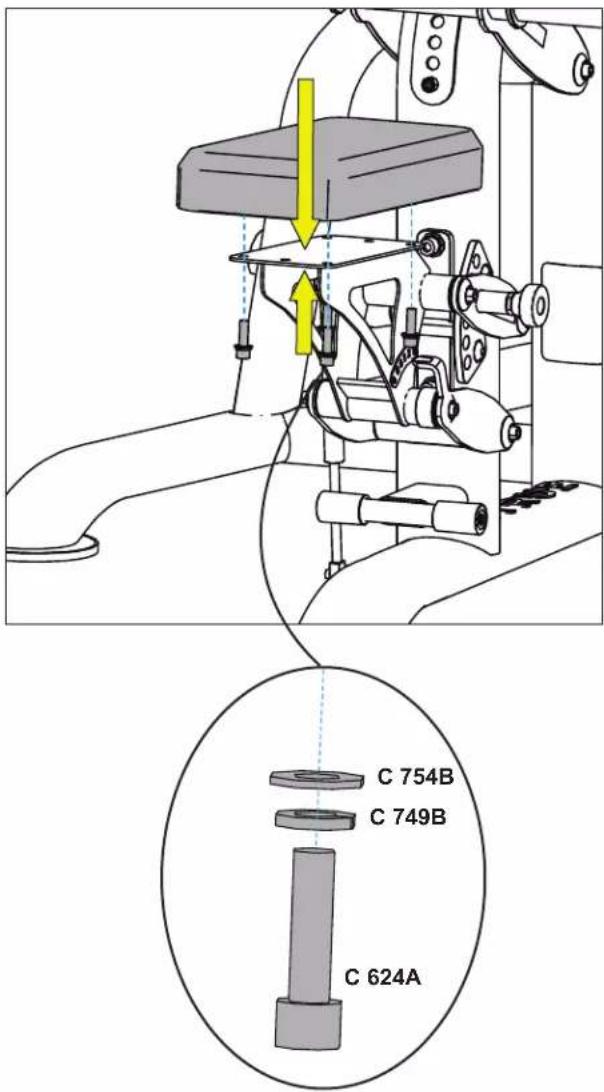
text_image
C 754B C 749B C 624A- Using a 5/16" allen wrench, attach the two socket head cap screws, lock washers, and flat washers to secure the two roller pad assemblies to the center frame assembly.
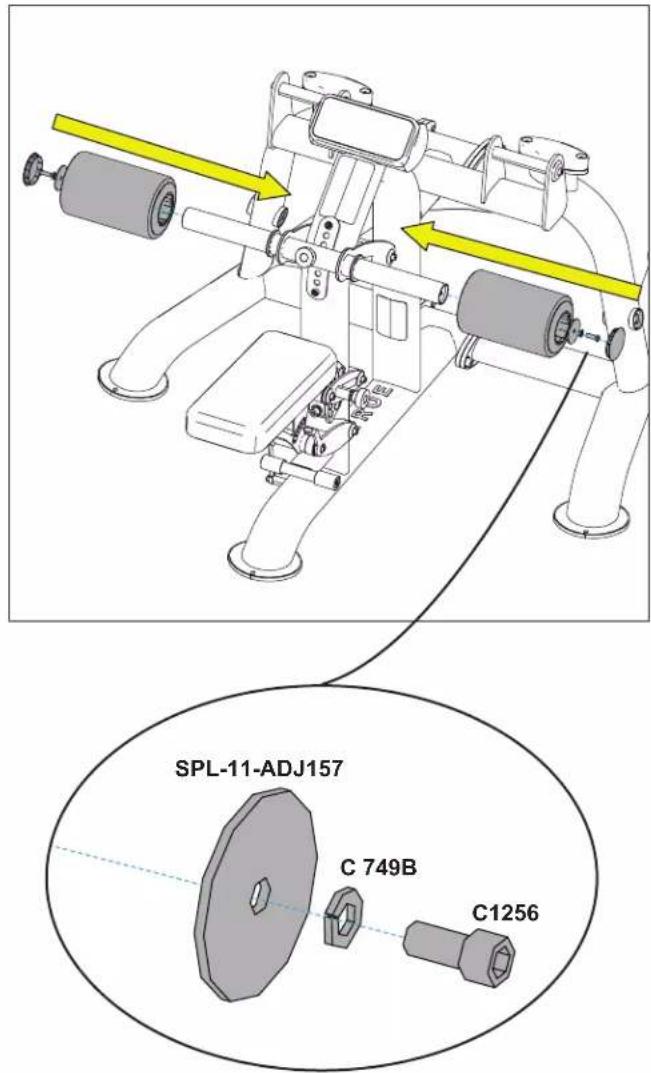
text_image
SPL-11-ADJ157 C 749B C1256STEP 3—ATTACH ARMS
| Tools Used in this Step | |
| 5/16" Allen Wrench |  |
| Rubber Mallet | 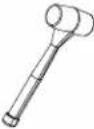 |
| Parts Used in this Step | ||
| PART# DESCRIPTION | ION QTY | |
| PLS-09-ARM115X ASSEMBLY, PLS0900 USER LEFT ARM 1 | ||
| PLS-09-ARM015X | ASSEMBLY, PLS0900 USER RIGHT ARM | 1 |
| PLS-01-AXL001 | AXLE, PIVOT | 2 |
| PLS-00-CAP005 | ALM BOLT CAP | 4 |
| C 622A | SHCS, 3/8"-16 X 3/4" | 4 |
| C 749B | LOCK WASHER, 3/8", BLK ZP | 4 |
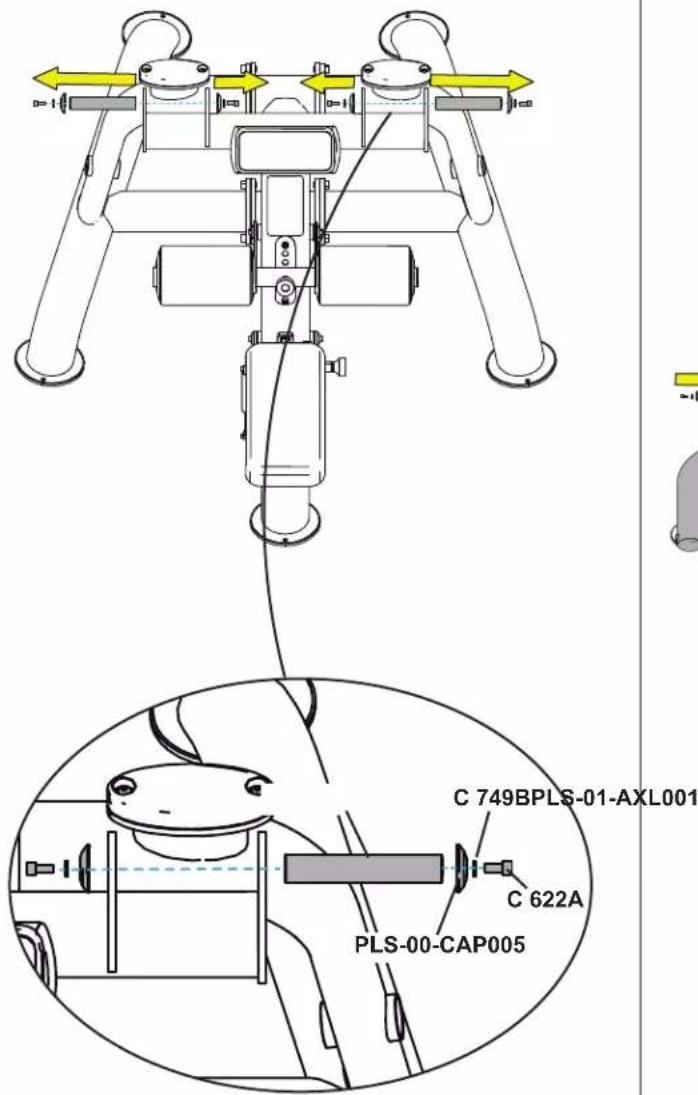
- Using a 5/16" allen wrench, remove and set aside the socket head cap screws, lock washers, caps, and axles from the right and left frame assemblies.
text_image
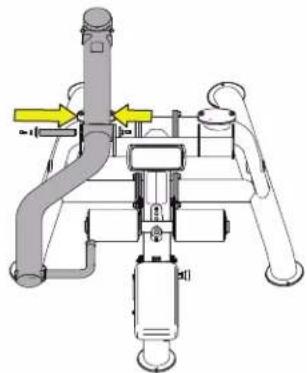
C 749BPLS-01-AXL001 C 622A PLS-00-CAP005- Using two people, carefully attach the arms:
A. Place the left arm assembly in between the brackets of the left frame assembly.
B. Line up flat edge of the axle with the flat edge of the frame/shaft and using a rubber mallet, lightly tap the axle into the shaft.
C. Using a 5/16" allen wrench, attach the socket head cap screws, lock washers, and caps to secure the left arm to the left frame.
D. Repeat for the right arm.
PLS-09-ARM115X PLS-09-ARM015X
natural_image
Mechanical assembly diagram showing pipe connections and support structures (no text or labels)
natural_image
Mechanical assembly diagram showing two vertical pipes connected to a central component with a yellow arrow indicating direction (no text or symbols)
text_image
fl at edge of axle fl at edge of shaftSTEP 4—ATTACH WEIGHT POST ASSEMBLIES
| Tools Used in this Step | |
| 5/16" Allen Wrench | 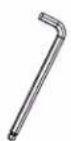 |
| Rubber Mallet | 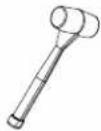 |
| Parts Used in this Step | ||
| PART# DESCRIPTION QTY | ||
| PLS-00-PST000X ASSEMBLY, PLS WEIGHT HORN (ACTIVE-LONG) 2 | ||
| PLS-00-PST020X ASSEMBLY, WEIGHT HORN (STORAGE-SHORT) 2 | ||
| PLS-00-CAP005 ALM BOLT CAP 4 | ||
| C 749B LOCK WAS HER, 3/8", BLK ZP 4 | ||
| C 622A SHCS, 3/8"-16 X 3/4" 4 | ||
- Using a 5/16" allen wrench, remove and set aside the socket head cap screws, lock washers, and caps from the active and storage weight post assemblies.

text_image
PLS-00-PST000X LONG PLS-00-CAP005 C 749B C 622A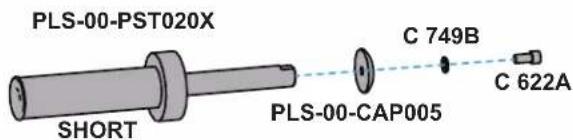
text_image
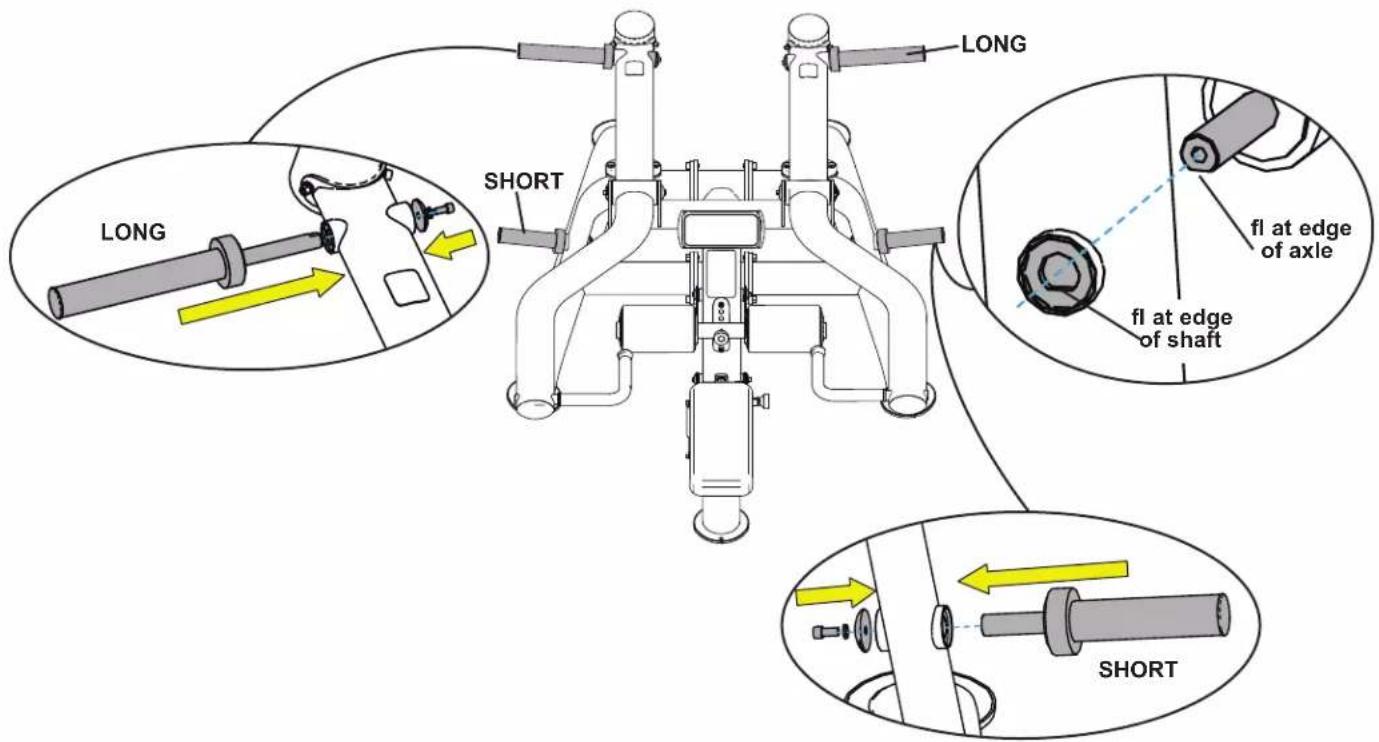
PLS-00-PST020X SHORT PLS-00-CAP005 C 749B C 622A- Attach the active (long) weight post assemblies to the arm assemblies and attach the storage (short) weight post assemblies to the side frame assemblies:
A. Line up flat edges of the weight post axles with the flat edges of the shafts and using a rubber mallet, lightly tap the weight post axles into the shafts.
B. Using a 5/16" allen wrench, attach the socket head cap screws, lock washers, and caps to secure the weight post assemblies to the frame.
text_image
LONG SHORT LONG fl at edge of axle fl at edge of shaft SHORTSTEP 5—VERIFY ALL ADJUSTMENTS FUNCTION AS INTENDED
Pull the pop pin out and place it into each of the adjustment holes for both the center pad assembly and the seat assembly.
NOTE: The pad and seat assembly both have six adjustment holes.
IMPORTANT! Verify the pin inserts in and out of each hole completely.

text_image
pop pin pop pinSTEP 6—REMOVE PROTECTIVE FILM FROM LOGO
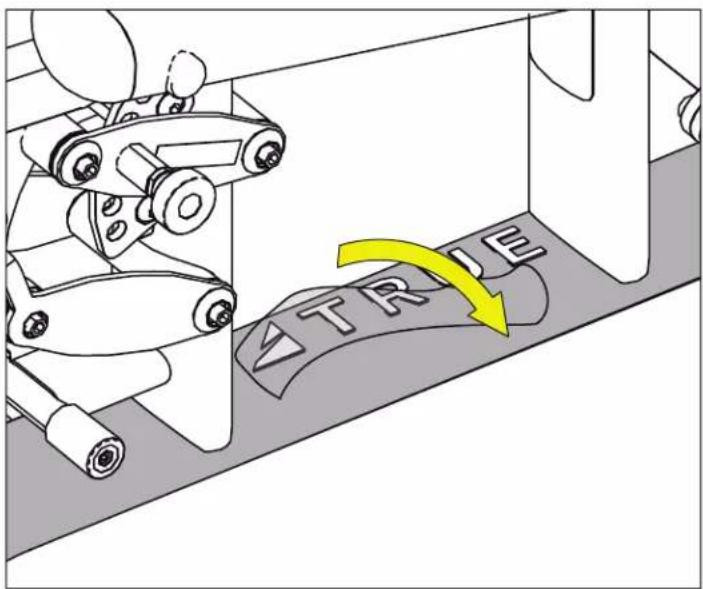
text_image
TR LEPREVENTATIVE MAINTENANCE
Preventative maintenance is crucial to maintaining the function and safety of this equipment. Your facility must establish written guidelines for preventative maintenance and keep written or online records of the maintenance performed on these products. As a minimum, the items presented in the Safety Instructions section of this document and the items that follow here, should be included in your maintenance program.
IMPORTANT! Always purchase replacement parts from TRUE. Many parts are tested and manufactured specifically for TRUE equipment. Use of unapproved parts may cause serious injury and/or void the limited warranty.
DAILY INSPECTION AND MAINTENANCE
The following items are critical to the safety of users and maintenance staff as well as ensuring the optimum performance of the machines. These inspections should be performed each day before the equipment is subject to use. TRUE is not responsible for performing or scheduling regular maintenance or inspections.
- Inspect for cleanliness. Wipe and dry the upholstery, frame, and chrome. (See cleaning the equipment.)
- Inspect all adjustment pins, weight stack pins, set screws, gas shocks, snap links, and pulleys if equipped.
- Inspect all safety and instructional decals.
- Inspect all weight stack shields if equipped.
- Verify that rubber hand grips are intact and secure.
- Verify that anti-skid foot grips are intact and secure.
WEEKLY INSPECTION AND MAINTENANCE
The following items are critical to the safety of users and maintenance staff as well as ensuring the optimum performance of the machines. These inspections should be performed each week. TRUE is not responsible for performing or scheduling regular maintenance or inspections.
- Verify that the adjustment pop pins retract easily and fully engage (when released) into each adjustment disc hole/slot. The pop pins are spring loaded so they should return to the engaged position when you release the knob.
- Verify that the adjustment pin disengages and engages freely when actuating the adjustment mechanism. Be sure that the adjustment pin inserts fully into the adjustment disc.
- Verify that all hardware is tight and that associated frame members are secure. Apply a few small drops of a thread locking compound such as Loctite® on any loose bolts.
- Inspect frame for integrity and function. Replace any components at the first sign of wear with only TRUE supplied parts.
OTHER SCHEDULED PREVENTATIVE MAINTENANCE
TRUE recommends that scheduled maintenance be performed by a qualified service technician. Please contact your dealer or visit www.truefitness.com to contact a local TRUE authorized service technician.
Monthly
Clean guide rods and lubricate with a Teflon grease if equipped with guide rods.
Every 6 Months
Lubricate pivot bearing and linear bearings with lithium grease.
CLEANING THE EQUIPMENT
Daily Cleaning
Wipe all machines with a water dampened cloth and dry completely. This includes painted parts, chrome plated parts (except guide rods), plastic parts, and upholstered pads. It is important not to leave parts damp. This will increase the potential for corrosion to occur.
▲CAUTION: Certain anti-bacterial cleaners and other harsh cleaning agents can induce corrosion on the machine components. These solutions can also dry out and cause cracking and splitting on the upholstery.
Heavy Duty Cleaning
- Guide Rods (if equipped)—Clean and lubricate with a Teflon Spray. Be sure to coat the entire guide rod. Spraying lubricant into the cap plate bushings is also recommended.
- Chromed Adjustment Tubes—Wipe away dust and dirt before applying a Teflon spray lubricant. TRUE recommends using Tri-Flow™ or a similar brand.
- Linear Bearings—Clean the linear shaft and lubricate (as required) with Teflon based grease. Keeping linear bearings clean and lubricated is critical to long life and good performance.
- Painted Frames—If you have scuff marks, grease or a heavy dirt buildup on frame components, start with a mild soap solution or a diluted solution of a product such as Simple Green with a dilution of 32:1. If you cannot remove the marks using those methods, use a car polish/cleaner. DO NOT use solvents such as lacquer thinner, mineral spirits or acetone. For deeper scuff marks, use an automobile finish rubbing compound.
- Upholstery—For heavy duty cleaning, use a mild soap solution. This method should be sufficient in the majority of instances. In severe stain cases, you can use a solution of 5-10% household bleach diluted with water. Be sure to test an inconspicuous area first. DO NOT use chemical cleaners on the vinyl upholstery. You can also use a lanolin based hand cleaner to clean your upholstery. Wipe off after cleaning with a damp cloth and thoroughly dry.
- Plastic Parts—Use a mild soap solution to clean dirt and grease marks.
- Labels—Use a mild soap solution to clean dirt and grease marks.
- Shrouds—Use a mild soap solution to clean dirt and grease marks.
CAUTION: Do not use any acidic cleaners. Doing so will weaken the paint or powder coatings and may void the TRUE Warranty. Never pour or spray liquids on any part of the equipment. Allow the equipment to dry completely before using.
CAUTION: If you determine that the equipment needs service, make sure that the equipment cannot be used inadvertently and ensure other users know that the machine needs service.
To order parts or to contact a TRUE authorized service representative, please visit www.truefitness.com.
WARRANTY INFORMATION
PLS0900 LIMITED WARRANTY
Save Time and Register Online! Activate Multiple Warranties at truefi tness.com
All TRUE® Fitness products are distributed by TRUE and are warranted to the original registered product purchaser and the parts of the TRUE product (the "Product") listed below, under normal use and service, shall be free of manufacturing defects in workmanship and materials only for the period of time beginning from the original date of purchase set forth below.
| WARRANTY ITEM DURATION | |
| Frame* 10 Years | |
| PartsBearings, Bushings, and Weight PlatesGuide Rods and PulleysCables and BeltsCosmetics, Coatings, Grips, and Upholstery | 5 Years5 Years1 Year90 Days |
| LaborFrameBearings, Bushings, and Weight PlatesGuide Rods and PulleysCables and BeltsCosmetics, Coatings, Grips, and Upholstery | 1 Year1 Year1 Year1 Year90 Days |
NOTES:
• Warranty valid for USA and Canada only.
- Failure to register this product will result in no servicing or authorization of parts to be shipped.
- Buying after-market products from a 3rd party will result in voided warranty.
- This product is intended for Light Commercial use which includes non-dues paying facilities where usage does not exceed 8 hours per day. If this product will not be used in this particular setting, please contact TRUE as this warranty is void.
DO NOT RETURN TO THE RETAILER
TRUE limited warranty service may be obtained by contacting the authorized TRUE dealer from whom the Product was purchased. If the dealer from whom the Product was purchased, is no longer an authorized TRUE dealer, TRUE limited warranty may be obtained by contacting TRUE Product Support:
• service@truefitness.com
800.883.8783
Monday - Thursday 8:30am - 6:00pm (CST)
Friday 8:30am - 5:00pm (CST)
FRAME
*This limited warranty on the structural frame does not include paint or coatings. The frame is defined as the serialized base of the unit and does not include any parts that can be removed. Warranty applies to the value of the frame only and does not cover labor, shipping, or other costs associated with removal or replacement of the covered unit. Frame warranty shall not exceed seven years after discontinuation of this specific model.
PARTS
The parts are warranted for defects in material and workmanship for fi ve years with one year labor warranty. Cables and belts are warranted for defects in material and workmanship for one year with one year labor warranty. This limited warranty does not cover damage or equipment failure resulting from or caused by improper assembly/installation, failure to follow instructions and warnings in the owner's manual, accident, misuse, abuse, unauthorized modification, or failure to provide reasonable and necessary maintenance.
REASONABLE AND NECESSARY MAINTENANCE
Failure to perform proper maintenance as specified in the owner's manual will void this limited warranty. Proof/receipts of necessary maintenance may be required within 30 days of requested warranty part or service.
WEAR ITEMS
The cosmetic parts, coatings, grips and upholstery are warranted for defects in material and workmanship for 90 days with labor warranty to match the parts warranty period. This limited warranty does not cover damage or equipment failure resulting from or caused by improper assembly/installation, failure to follow instructions and warnings in the owner's manual, accident, misuse, abuse, unauthorized modification, or failure to provide reasonable and necessary maintenance. This limited warranty will apply to, but may not be limited to, plastic covers, shrouds, caps, badges, overlays, paint, coatings, soft step inserts, and grips.
LABOR
Labor is covered for the specified period of time from the date of purchase, unless otherwise expressed within this limited warranty as long as a TRUE authorized service provider performs the service. Service that requires over 50 miles of travel may be subject to additional charges.
PLS0900 LIMITED WARRANTY
Save Time and Register Online!
Activate Multiple Warranties at truefi tness.com
THE TRUE LIMITED WARRANTY IS SUBJECT TO AND WILL BE IN ACCORDANCE WITH THE CONDITIONS SET FORTH BELOW:
- This limited warranty is valid for the United States and Canada only.
- This product is intended for specified use. If this product will not be used in the specified setting, please contact TRUE as this warranty is void, unless otherwise stated and within this warranty.
- This limited warranty gives you specific legal rights, and your rights may vary from state to state.
- This limited warranty is in lieu of all other warranties of any kind either expressed or including but not limited to implied warranties of merchant.
- This limited warranty can be processed only if the warranty registration form is completed on-line; or if the attached form is filled in, signed by the original purchaser, and mailed to TRUE within 30 days of purchaser's receipt of this Product. The serial number must be intact on the Product for this limited warranty to be valid.
- TRUE will neither assume nor authorize any person to assure for us any other obligation or liability concerning the sale of this Product. Under no circumstances shall TRUE be liable under this warranty, or otherwise, of any damage to any person or property, including any lost profits or lost savings, for any special, indirect, secondary, incidental, or consequential damages arising out of the use of or inability to use this Product.
- Failure to register this product within 30 days of purchase will result in no servicing or authorization of parts to be shipped.
- Installation or download of any 3rd party or after-market products will result in voided warranty. Includes but not limited to electrical and mechanical parts, software, or applications.
- TRUE will ship to any authorized service provider any new or rebuilt replacement part or component, or at our option, replace or refund the Product. Replacement parts are warranted for the remaining portion of the original warranty period.
- No one is authorized to change, modify, or extend the terms of this limited warranty.
- This limited warranty applies to the Product only while the Product remains in the possession of the original purchaser and is not transferable.
-
This limited warranty becomes VALID ONLY if the Product is initially assembled/installed by a TRUE authorized dealer/technician (if anyone other than a TRUE authorized dealer/technician initially assembles and installs the Product, this limited warranty will be void unless the written authorization of TRUE is first obtained).
-
This limited warranty does not cover damage or equipment failure resulting from or caused by improper assembly/installation, failure to follow instructions and warnings in owner's manual, accident, misuse, abuse, unauthorized modification, or failure to provide reasonable and necessary maintenance (as referenced in the owner's manual). Proof/receipts of necessary maintenance may be required within 30 days of requested warranty part or service.
- This limited warranty applies only to the cost of repair or replacement of parts and does not include labor (beyond the above warranty period), transportation, service, return, and freight charges associated there with except as expressly specified herein.
- This limited warranty shall not apply to: Service calls to correct installation of the equipment or instruction to owners on how to use the equipment; or any labor costs incurred beyond the applicable labor warranty period.
- This limited warranty, which is given expressly and in lieu of all other express warranties, constitutes the only warranty made by TRUE.
- ANY IMPLIED WARRANTY, INCLUDING WITHOUT LIMITATION THE WARRANTIES OF MERCHANTABILITY AND FITNESS FOR A PARTICULAR PURPOSE, IS LIMITED IN DURATION AND REMEDY TO THE TIME PERIOD COVERED BY THE LIMITED WARRANTY. SOME STATES DO NOT ALLOW LIMITATIONS ON HOW LONG AN IMPLIED WARRANTY LASTS, SO THE ABOVE LIMITATION MAY NOT APPLY TO YOU.
- THE REMEDIES DESCRIBED HEREIN ARE YOUR SOLE AND EXCLUSIVE REMEDIES AND TRUE'S ENTIRE LIABILITY FOR ANY BREACH OF THIS LIMITED WARRANTY. TRUE'S LIABILITY SHALL UNDER NO CIRCUMSTANCES EXCEED THE ACTUAL AMOUNT PAID BY YOU FOR THE PRODUCT, NOR SHALL TRUE UNDER ANY CIRCUMSTANCES BE LIABLE FOR ANY CONSEQUENTIAL, INCIDENTAL, SPECIAL OR PUNITIVE DAMAGES OR LOSSES, WHETHER DIRECT OR INDIRECT. SOME STATES DO NOT ALLOW THE EXCLUSION OR LIMITATION OF INCIDENTAL OR CONSEQUENTIAL DAMAGES, SO THE ABOVE LIMITATION OR EXCLUSION MAY NOT APPLY TO YOU.
NOTE TO AUTHORIZED WARRANTY LABOR
PROVIDERS—Warranty labor reimbursement or warranty parts rights may not be transferred to, or reassigned to, a third party without the express written consent of TRUE. Even jobbing out warranty labor requires TRUE's written approval.
PLS0900 LIMITED WARRANTY
Save Time and Register Online!
Activate Multiple Warranties at truefi tness.com
PLATE LOADED STRENGTH SERIAL NUMBER:
The PLS0900 comes with one serial number on the base of the machine. Please write down your serial number below and keep for your records.
PLEASE KEEP THIS FOR YOUR RECORDS
RETAIN THIS PORTION
BASE SERIAL NUMBER:

text_image
base serial number location
TRUE
TRUE FITNESS TECHNOLOGY, INC 865 HOFF RD, ST LOUIS MISSOURI 68366 USA
MODEL NO: PLSXXXX
SERIAL NO: 23-PLSXX00000
Thank you for purchasing a TRUE product. To validate the TRUE product warranty the fast and easy way, please go online now to truefitness.com and register your product. The information you provide will never be distributed to any other individuals or agencies for any purpose. If you prefer to mail your warranty card, have the owner of the product complete the information below and return it to TRUE Fitness within 30 days from the date of equipment installation.
IMPORTANT! Failure to register this product will result in no servicing or authorization of parts to be shipped.
To mail your warranty information, please fill in the information below and mail to: Service Dept., TRUE Fitness, 865 Hoff Road, St. Louis, MO 63366 (or save postage and register online at www.truefitness.com).

Warranty Registration
Base Serial Number
Purchase Date
Company (if applicable)
Customer Name (First and Last)
Email Address
Phone Number
Street Address City
State
Postal Code Country
TRUEFITNESS.COM
TRUE®
INTEGRITY MATTERS


TRUE Fitness Technology, Inc | 865 Hoff Road, St. Louis, MO 63366
© 2023 TRUE. All Rights Reserved.
PLS0900 Owner's Manual, Assembly Guide, and Warranty Card
(MAN-PLS0900 REV01)