SLSPSKT100 - Solar panel SereneLife - Free user manual and instructions
Find the device manual for free SLSPSKT100 SereneLife in PDF.


User questions about SLSPSKT100 SereneLife
0 question about this device. Answer the ones you know or ask your own.
Ask a new question about this device
Download the instructions for your Solar panel in PDF format for free! Find your manual SLSPSKT100 - SereneLife and take your electronic device back in hand. On this page are published all the documents necessary for the use of your device. SLSPSKT100 by SereneLife.
USER MANUAL SLSPSKT100 SereneLife
natural_image
Illustration of a white pickup truck with solar panel array on its side, alongside a smaller white pickup truck (no text or symbols)★★★☆★★★
☆☆☆☆□□V*☆☆□□□*□□V*☆□□V*□□V*
100W with 3 ft. 11AWG Cable Set and 30A PWM Controller with LCD Screen
USER MANUAL
Please read the manual carefully before installing or operating the Portable Mono Solar Panel Starter Kit to prevent personal injury or damage to the components. Contact Technical support for any questions concerning the installation.
INTRODUCTION
This manual provides the installation and operation instructions for users:
- Please carefully read this manual before installation, operation and maintenance of our solar system. This manual includes all the important information and data, and in order to guarantee the good performance of this system, please strictly follow the instructions in this manual.
- We are not responsible for any consequences caused by wrong installation or operation which does not correspond to this manual.
- Please keep this manual for future reference. In case of any questions or need further assistance, please contact us or our agencies as well.
STORAGE & OPERATING CONDITIONS
Storage
To avoid potential dangers, the following notes must be followed:
- Storage environment should be ventilated and dustless.
- Relative humidity is less than 90% , and no water droplets.
- Keep away from fire or any corrosive substances.
Operating Conditions
Operating Temperature
- Controller and inverter: -20^ - 50^ (-4°F - 122°F)
• Solar panel: -40°C - 85°C (-40°F - 185°F)
SAFETY PRECAUTIONS
• Installation staffs should use insulating equipment (e.g. insulating shoes, insulating gloves) to avoid electric shock.
- Solar panel is heavy and should always be handled by two people, and it contains glass, which can be easily broken if mistreated, such as place heavy loads or drop objects on its surface.
- When working at height, appropriate protective safety equipment as recommended by local safety codes (e.g. hard hat, scaffolding, safety rope) should be used.
- Do not install the module if the back sheet or glass is damaged because there is an electrical and fire risk.
- Do not attempt any installation in adverse weather conditions (e.g. high winds, rain or when ice or snow is present).
PACKING LIST
natural_image
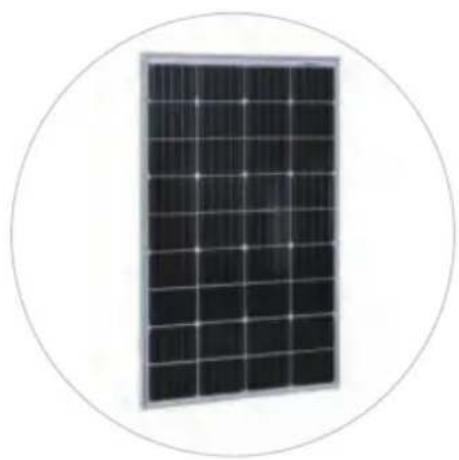
Close-up of a solar panel with grid pattern, enclosed in a circular border (no text or symbols visible)100W Solar Panel *1

Mounting brackets
*1set
Wire fixer
*10pcs
Controller 30A*1pc

Extension lead
11AWG * 20ft
Fuse 15A*1pc

Battery lead
11AWG * 8ft
INSTALLATION WITH ROOF RACK
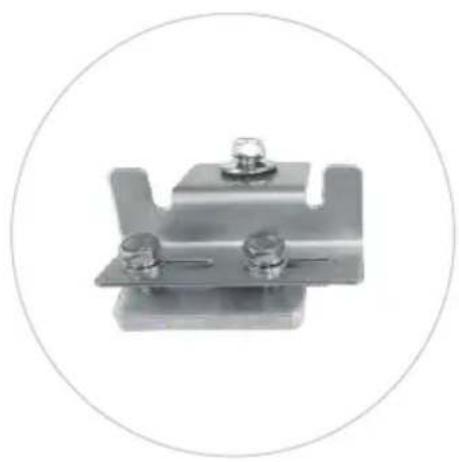
natural_image
Metal mechanical component with two bolts and a U-shaped bracket, enclosed in a circular border (no text or symbols)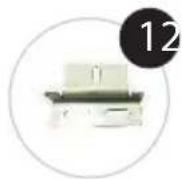
Z-shape bracket
*4pcs
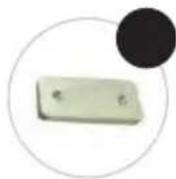
Double nut
aluminum plate
*4pcs

∅8 Bolt (M8*16)
*4pcs

∅8 Nylon lock nut
*4pcs
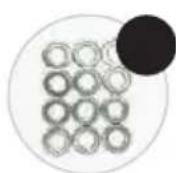
∅8 Bolt flat mat
*12pcs
∅8 Bolt (M8*25)
*8pcs

∅8 Bolt spring washer
*8pcs
∅8 Big Bolt flat mat
*4pcs
Step 1:
The connection of solar panel and Z-shape bracket.
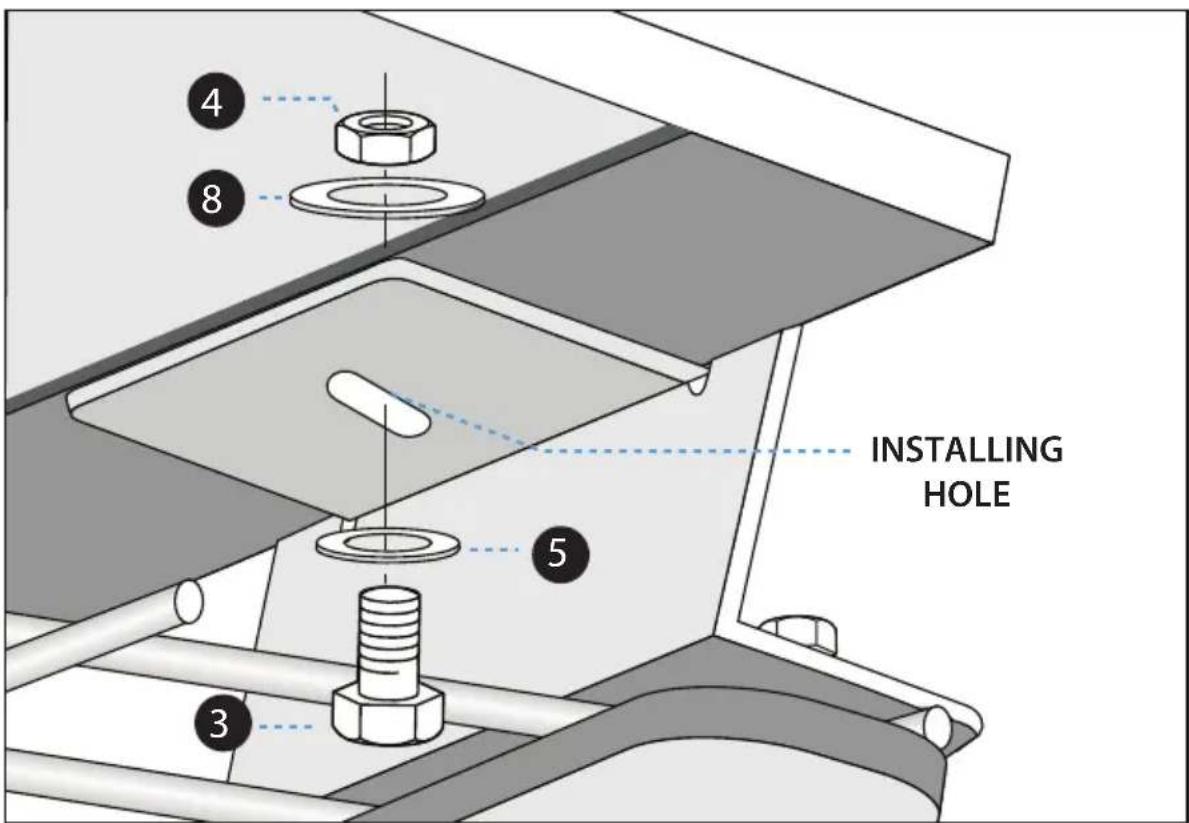
text_image
INSTALLING HOLEStep2:
Connection of Z-shape bracket, double nut aluminum plate and roof rack.
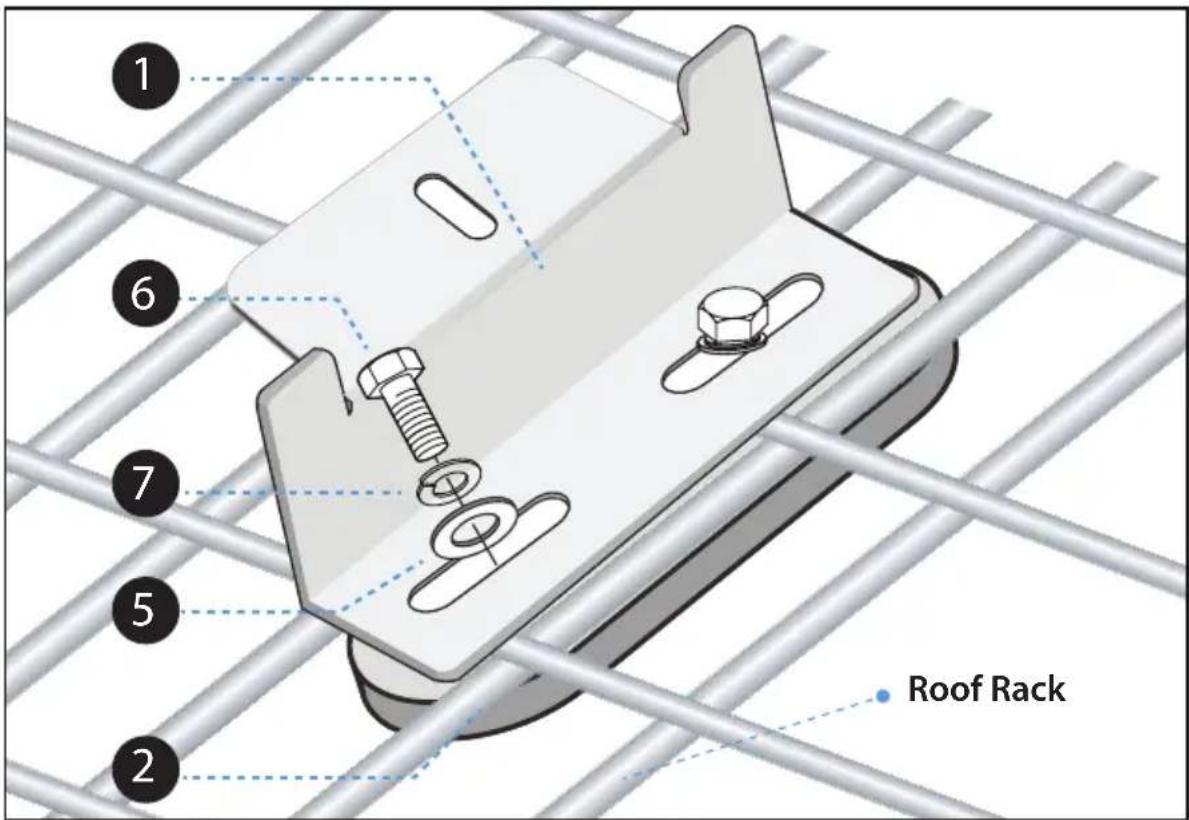
text_image
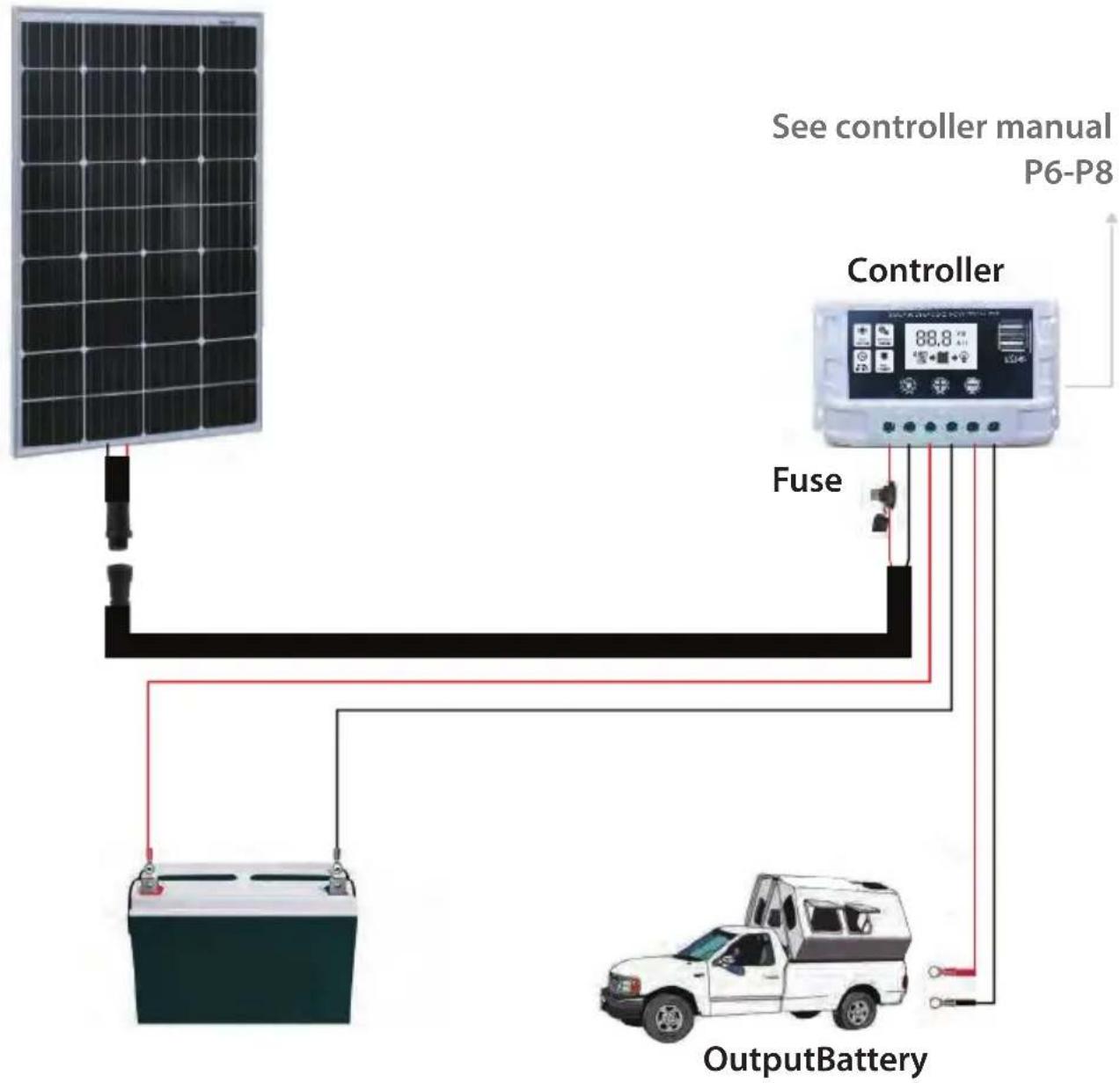
1 6 7 5 2 Roof RackStep3:
System Wiring as follows
Solar Panel
text_image
See controller manual P6-P8 Controller Fuse OutputBatteryINSTALLATION WITHOUT ROOF RACK
Refer to the above installation guide, and 2 double nut plate are not used.
APPLICATION CASES
Our solar system can be widely used in RV, 4WD, tourist car, yacht and roof power generation system, etc.
MAINTENANCE
- Solar panels are generally self-cleaning, but in particularly dry areas or where panel tilt is minimal, dust and other substances such as bird droppings can build up over time and impact on the electricity amount generated by the panels. Clean the panel surface with a soft cloth or sponge using clean and neutral water. Other ways of cleaning may scratch the surface coating on the glass.
- In order to maximize system performance and ensure long lifetime and minimize risks, periodic maintenance must be carried out by qualified professionals.
This maintenance must include but it is not limited to:
Verification of system isolation;
Verification of the integrity of electrical and mechanical connections;
Wiring is securely connected and free of corrosion.
SOLAR PANEL SPECIFICATION
Solar panels convert solar energy into electricity.
Parameter
| Pmax (W) | 100 | Cell Type | MONO |
| Vmp (V) | 18.8 | Dimension | 35.4 * 26.4 * 1.4 (Inch) |
| Imp (A) | 5.32 | Cable Length | 35.4 (Inch) |
| Voc (V) | 23.1 | Type of Connector | Aviation connector |
| Isc (A) | 5.85 | Weight | 15.3 (lbs) |
Dimension: Inch
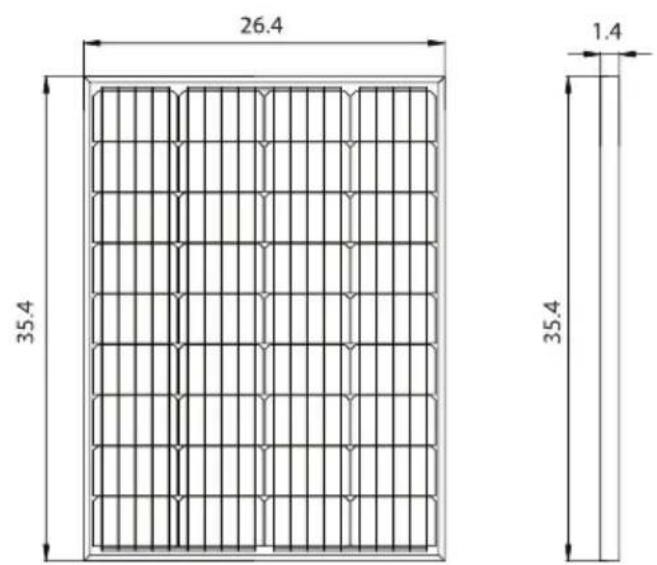
text_image
26.4 35.4 1.4 35.4
text_image
26.4 24.6 35.4 20.3 35.4 1.4 4-0.35*0.55 Waterproof Connector (-) (+) 45°FRONT SIDE BACK
CONTROLLER MANUAL
SAFETY INSTRUCTIONS
- This controller is a 12V/24V controller. Make sure your battery has enough voltage (12V/24V) for the controller to identify the correct battery type before first installation.
• Install the controller as close as possible to the battery to avoid voltage drop caused by long wire and affect normal voltage judgment. - The controller is suitable for 12V/24V lead-acid batteries, lithium-ion batteries and LiFePO4 batteries. Please note that the corresponding battery type (default lead-acid batteries) is selected in the menu.
- This controller can only use solar panel as charging source. Do not use DC or other power sources.
- This controller will be heated when it is operating. Please pay attention to installing the controller on a flat, well-ventilated surface.
PRODUCT FEATURES
- The main control chip of industrial level is adopted.
- Large LCD display, adjustable parameters.
- Complete three-stage PWM charging management.
- Build-in over-current/short-circuit protection, open-circuit protection and reverse connection protection are all self-recovery type without damaging the controller.
- Dual MOS anti-backfilling circuit, low heat release.
LCD DISPLAY/KEY

text_image
VOLTAGE TEMPERATURE DISPLAY AREA 88.8 V °C A H HOUR AMPERE SOLAR PANEL LOAD SYMBOL CHARGING SYMBOL SOLID ON: BULK CHARGE FLASHING: FLOAT CHARGE BATTERY CAPACITY OUTPUT SYMBOL| MENU:Switch between different interface, or to enter/exit parameter setting by pressing and hold. | |
| + | UP:Press to increase value |
| - | DOWN:Press to decrease value |
SYSTEM CONNECTION
- Connect the battery to the controller with the correct polarity.
- Connect the solar module to the controller with the correct polarity.
- Connect the load to the controller with the correct polarity.
The reverse order applies when uninstalling!
Improper sequence can damage the controller!

text_image
133 mm 126 mm SOLAR CHARGE CONTROLLER 88.8 V H MCU CONTROL SETTABLE VOLTAGE HOLE- FILTER FULL PROTECT 50 mm 70 mmINTERFACE / SETTINGS
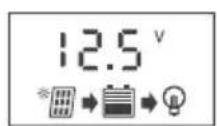
Main interface. It can display battery voltage, battery power, charging and discharging status. Press the MENU key to enter the next interface.
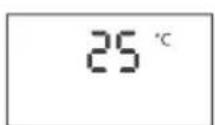
Temperature interface. If the temperature of the controller rises due to over-current or poor heat dissipation during operation, it will stop working and return to normal when the temperature falls back.
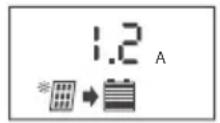
Charging current interface.

Discharging current interface.
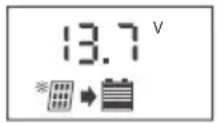
Charging voltage adjustment interface. When the battery voltage rises to the set voltage, it will maintain constant voltage charging. Press and hold the MENU key to make the number flicker, and press UP/DOWN to the required voltage, then long press MENU key to exit.

Low-voltage recovery adjustment interface. When the controller cuts off the load due to low-voltage, the load will be connected until the battery voltage rises again to the set voltage. The setting method is the same as above.
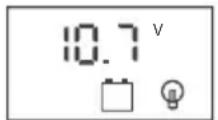
Low-voltage disconnect interface. When the battery voltage is lower than this voltage, the controller automatically cuts off the load output. The setting method is the same as the above.

Load working mode adjustment interface. The setting method is the same as above. 24H means the controller will supply power to the load for 24 hours. 0H means light-controlled mode. 1-23H means after the light mode is on, you can adjust the time control from 1 to 23 hours to delay shutdown. The setting method is the same as above.
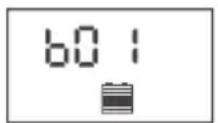
Battery type setting interface.
B01=LEAD-ACID, 12V B02=LITHIUM ION, 3x3.7V=11.1V
B03= LIFePO4, 4x3.2V=12.8V
The setting method is the same as above.
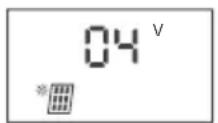
D2D trigger value (solar panel voltage)
When the load mode is set to light control or time control, the controller will detect the voltage of solar panel to judge whether to turn on the light. The higher the value is, the earlier the light will turn on at dusk. The setting method is the same as above.

D2D trigger delay value (Unit: second)
When the controller detects that the voltage of solar panel is lower than the set trigger value, it delays 10S to turn on the load.
This time value can be used to prevent the night car lights or lightning interference leading to wrong judgment and turn off the lights.
Default value is recommended. The setting method is the same as above.

Short circuit protection setting interface. Some inductive or capacitive loads will have large current at the start-up moment, which may trigger shortcircuit protection of the controller. Therefore, the short-circuit protection function can be turned off manually. The default is the closed status. The setting method is the same as above. SC.F is closed and SC.N is open.
ABNORMAL INTERFACE
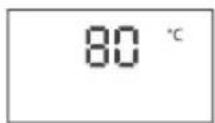
High temperature abnormal interface, when the controller detects that the temperature is too high, it will enter standby mode and it will not charge or discharge. It will wait for the temperature to fall back and resume work. Press any key to exit the shutdown interface directly and enter the normal working status.
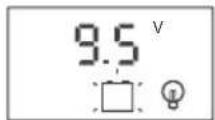
Low-voltage protection interface. Empty battery symbol flashing means the battery is discharged lower than the LVD voltage and the controller will cut off the load output. The user should charge the battery in time to restore it to 12.6V (lead acid), and the controller will automatically re-start the load. Or press any button in this interface to exit the low-voltage protection status.

Over-current or short-circuit protection.
The load symbol flashing mean an output over-current or short-circuit protection occurs. The controller now will disable the output and wait for 30s delay then try to recover again. User should check and troubleshoot in time.
FAQ
Q: Why won't my solar panel display charging when connected?
A: Check whether the connection of solar panels is correct, whether there is reverse connection, whether the voltage of solar panels is higher than that of batteries, and whether solar panels are blocked that causes voltage drop. Under normal circumstances, 12V batteries should use solar panels with rated voltage of 18V.
Q: Why is my charging current very low?
A: The higher the power of solar panels, the stronger the sun, and the larger the charging current. Conversely, incorrect voltage, shadow occlusion will cause the current to decrease. In addition, when the battery voltage is high, it will enter the floating charging status, and the charging current will become smaller and smaller.
Q: Why my load does not work?
A: The reasons that cause the load not to work may include incorrect setting of the load working mode, such as setting light control but asking why the load does not work during the day, insufficient battery power leading to the controller cut off the load, or the load is not well connected, disconnected, burn-out of the load, etc.
Q: What if I don't have enough time to use electricity?
A: If the power generated by the solar panels is less than the daily power consumption of the loads, it will cause the situation that income is not enough. It is suggested to add solar panels to cope with extreme rainy weather. In addition, it can increase the capacity of batteries, reduce the wattage of loads or work time to balance the whole system.
Q: Why does a full battery run out of power after a short use?
A: Batteries are close to scrap and it can be tested simply. For example, after discharging, the battery is charged with solar panels or power supply, the voltage will rise quickly, then the battery will be disconnected, and then the battery will drop quickly with load, which indicates that the performance of the battery has declined. In that case, new batteries should be replaced.
TECHNICAL PARAMETER
| VOLTAGE | 12V/24V | |||
| RATED CURRENT | 10A | 15A | 20A | 30A |
| MAX INPUT | <50V | |||
| BATTERY TYPE | LEAD-ACID 12VB01 | LITHIUM ION 11.1VB02 (3*3.7V) | LIFeP04 12.8VB03 (4*3.2V) | |
| CHARGING VOLTAGE | 13.7V | 12.6V | 14.6V | |
| LOW-VOLTAGE DISCONNECT | 10.7V | 9V | 10V | |
| LOW-VOLTAGE RECONNECT | 12.6V | 10.5V | 12V | |
| USB OUTPUT | 5V/2A | |||
| STANDBY CURRENT | <12mA | |||
| WORKING TEMP | -35~+60°C | |||
| SIZE / WEIGHT | 133*70*33mm /150g | |||
- All grey color voltage X2, while using 24V system.
- Product specifications are subject to change without prior notice.
What's in the Box:
• (1) 100W Mono Solar Panel
• (1) Sets of Mounting Brackets
• (10) Wire Fixers
• 3 ft. 11 AWG Cable Set (Connected already with Solar Panel Junction Box)
• 20 ft. 11 AWG Sheathed Cable Set with Aviation Connector
• 8 ft. 11 AWG PV Cable Set with Ring Terminal
- 15A Fuse
• 30A PWM Controller
Features:
- Includes 30A PWM Controller with LCD Screen
- Portable and Easy Set-Up
- Sleek Design for Aesthetic Quality
• Grade A Mono Solar Cells
• Higher Module Conversion Efficiency - Optimally Generate about 33.4Ah in 12V Battery or 400WH per Day
- Anodized Aluminum Frame to Protect Solar Cells & Convenient for Installation
- Foam Box for Safe Transport and Easy Storage
- Dust Tight and Waterproof with IP67 Rating
- Set Up in Just 5 Minutes for Solar Starters
• Used for Marine, Dry Camp, RVs, and Other Off-grid Applications
Technical Specs:
• Power Supply: 100W
- Fuse: 15A
- Short-Circuit Current (Isc): 5.85A
- Open-Circuit Voltage (Voc): 23.1V
• Maximum Power Current (Imp): 5.32A
- Battery Type: 12V Lead-acid and Lithium-ion Batteries (Battery Not Included in the System)
• Cell Type: High-Efficiency Monocrystalline
- Operating Temperature: Controller and Inverter: -20^ - 50^ (-4°F - 122°F)
• Solar Panel: -40^ - 85^ ( -40^ - 185^ )
- Controller Voltage: 12V/24V
- Max. Input: < 50V
- USB Output: 5V/2A
- Standby Current: < 12mA
- Type of Connector: Aviation Connector
- Wire/Cable Length: 35.4 -inch
- Product Dimension: 35.4" x 26.4" x 1.4"-inches

WARNING:
This product can expose you to a chemical or group of chemicals, which may include "Lead" which is known in the state of California to cause cancer, birth defects, or other reproductive harm. For more info, go to https://www.p65warnings.ca.gov/.
SereneLife
Questions? Issues?
We are here to help!
Phone: (1) 718-535-1800
Email: support@pyleusa.com