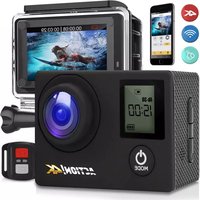
SL4KDSBK - Camera SereneLife - Free user manual and instructions
Find the device manual for free SL4KDSBK SereneLife in PDF.


| Product Type | Action Camera |
| Brand | SereneLife |
| Model | SL4KDSBK |
| Dimensions | 2.3 x 1.6 x 0.8 inches (58 x 41 x 20 mm) |
| Weight | 0.13 lbs (59 g) |
| Image Sensor | Sony 16MP CMOS |
| Lens | 6G F2.0, f=1.1mm, 170° wide angle (fish-eye) |
| Display | 2.0-inch LCD screen |
| Video Resolution | 4K@30fps, 2.7K@30fps, 1080p@60fps, 720p@90/60/30fps |
| Photo Resolution | Up to 16MP (16MP, 12MP, 8MP, 5MP, 2MP) |
| Video File Format | MP4 (H.264) |
| Photo File Format | JPEG |
| Battery | Li-ion 3.7V 900mAh, removable |
| Battery Life | Approx. 90 minutes (Wi-Fi on) |
| Charging | Via USB (computer or USB charger) |
| Memory Card | Micro SD up to 64GB, Class 10 required |
| Wi-Fi | Built-in, 2.4GHz (XDV app) |
| Wireless Remote | 2.4G remote control included |
| Waterproof Case | Up to 30 meters (98 ft) depth |
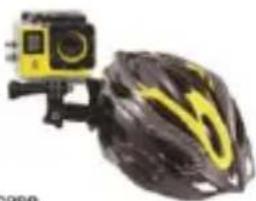
| Mounts | Handlebar, helmet, base mounts, clips, straps |
| HD Output | Yes (HDMI? Manual mentions HD-out) |
| USB | USB 2.0 (data/charging) |
| Modes | Video, Photo, Slow-Motion, Time-lapse, Loop Recording, Burst |
Frequently Asked Questions - SL4KDSBK SereneLife
User questions about SL4KDSBK SereneLife
0 question about this device. Answer the ones you know or ask your own.
Ask a new question about this device
Download the instructions for your Camera in PDF format for free! Find your manual SL4KDSBK - SereneLife and take your electronic device back in hand. On this page are published all the documents necessary for the use of your device. SL4KDSBK by SereneLife.
USER MANUAL SL4KDSBK SereneLife
natural_image
Blue digital camera with LCD screen and lens, no visible text or symbols on device body
natural_image
Black and red handheld device with a digital display and control buttons (no visible text or symbols)ACTION! CAM
SLDV4K
WARNING!!!
1) This is a high-precision product, please do not let it fall or strike.
2) Please do not let the camera be close to any objects with strong magnetic field, such as magnet and power-driven machine. In addition, please avoid objects with high radio wave be near to the camera. Because a strong magnetic field may cause a product to break down or destroy the image and sound.
3) Please do not put the camera in a place with high temperature or direct sunshine.
4) Please choose a Micro SD card with brands, because we cannot guarantee an ordinary card for regular use.
5) To avoid any lost of data, please do not let the Micro SD card be close into any strong magnetic field.
6) When charging up the battery, if the product gives out heat and smoke or gives off a peculiar smell, please unplug the power immediately to prevent fire.
7) Please keep out children near from the product when charging, because the power cable may cause them stifle or suffer from electric shock.
8) Please place the product in a dry, shady and insulated area.

MULTI-PURPOSE

natural_image
Simple icon of a person riding a bicycle inside a blue circle (no text or symbols)OUTDOOR SPORT

natural_image
Simple green circular icon with a white sailboat silhouette (no text or symbols)MARINE SPORT

natural_image
Purple circular icon with a white stylized bird or mask design (no text or symbols)DIVING HOME

natural_image
Simple house icon inside a gray circle (no text or symbols)SECURITY
PRODUCT FEATURES
- Waterproof case is convenient for you to take a photo in water sports and up to 30 meters deep waterproof.
- Photography
- Slow photography
- The max resolution of video is 4K @30fps / 1080p @60fps
- Wide-angle 160deg. HD camera lens.
• 16-megapixel HD lens - Low power consumption and be used for about 90 minutes when WIFI is open.
- Super HD 2.0-Inch screen display, it can rebroadcast wonderful video.
- The battery is removable and replaceable to extend its life.
• Video recording while charging at the same time.
• HD-out: High Definition output. - Can support 64GB memory card.
- Pattern video recording up to 4k @1080p / 720p (264 Video Pattern Recording)
- Camera modes: normal, auto, timer, and sports
• Video modes: normal, loop and stop-motion
- Mini appearance: optional colors, supports APP upgrade for long-distance.
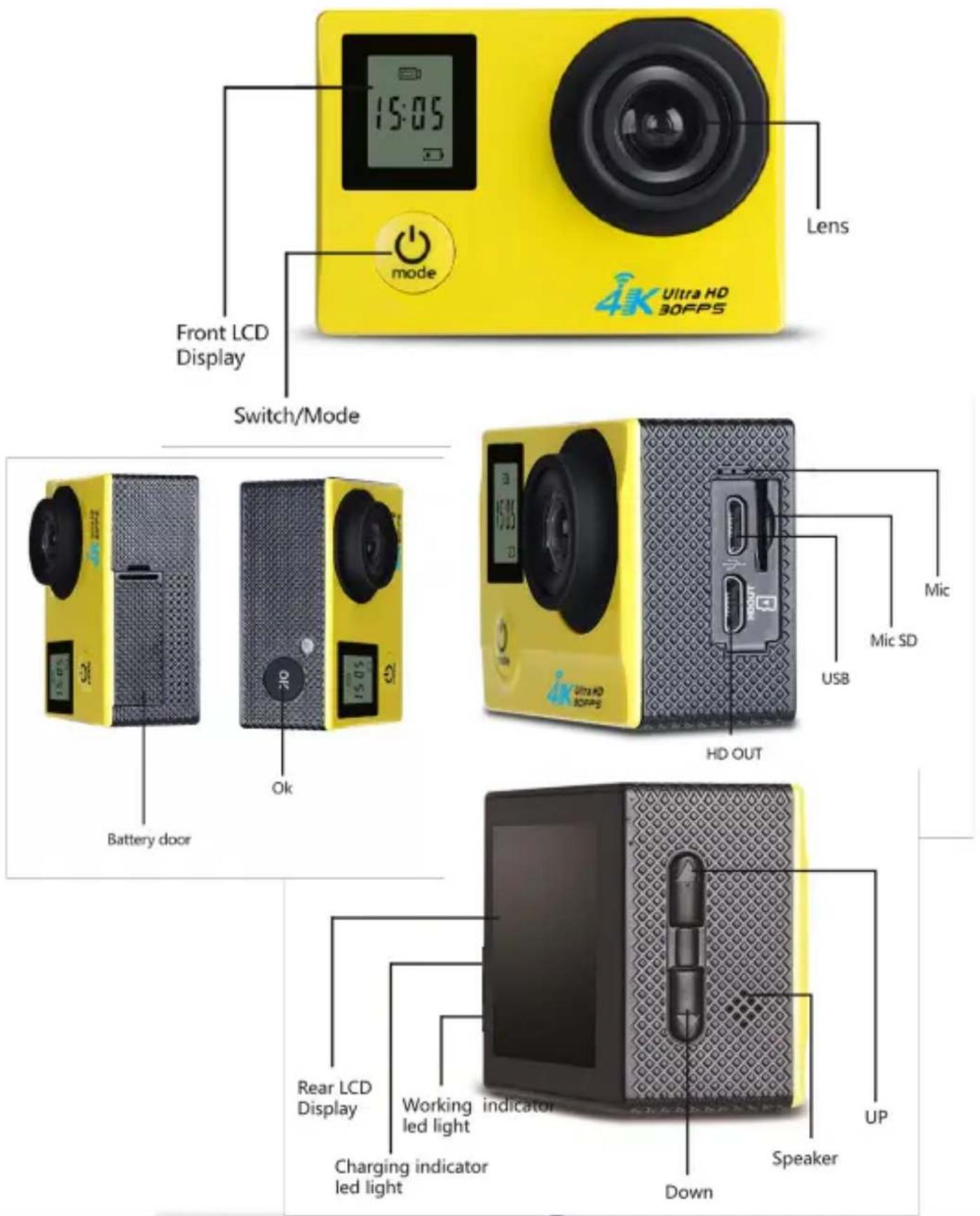
Attention: Please choose a high-quality Micro SD card for proper usage of this device. It is suggested to re-format the Micro SD card first on your computer before using it on the device.
2. Installation of the battery
a) Slide down the battery cover then switch-ON.
b) Follow the indicators on the battery, make sure to put the plus (+) and minus (-) sign same on the device.
c) For the quantity electricity of the battery, please see the diagram for reference.
d) Slide down the battery cover to take out the battery.
3. Charging the Battery
If a recording is in progress and the battery reaches 0%, the device will automatically save the file then switch-OFF.
To charge the battery:
a. Connect the camera to a computer or USB charger.
b. The Charging Status Light remains ON while the battery is charging.
c. The Charging Status Light will turn OFF when the battery is fully charged.
4. Switching ON and OFF the camera
a) Press the power button for about 3-5 seconds to power ON the device.
b) To switch OFF the device, press the button again for 3-5 seconds.
5. Turning ON/OFF Wi-Fi
a) To turn ON Wi-Fi, half-press the up key. The LED light will turn to flashing red.
b) To close the Wi-Fi, half-press again the UP button until the flashing red light is out.
6. Changing the mode
When the device is powered ON, you can find the modes by pressing the power/mode button in front of the camera.
Mode settings will appear on the LCD, use the up and down button to select your preferred mode.
7. LED Light Indicators
Blue LED light: Working
Wi-Fi: Flashing Red, the device is connecting to a Wi-Fi.
Bright Red light, Wi-Fi is connected. No light. Wi-Fi is OFF.
Battery: Bright Red light, means charging. No light, the device has an empty battery.
8. How to capture an image and its photographic options a) Photography and Video Settings.
If the camera is on Video Mode, press the OK button to start the recording. There will be a sign flashing that the device is recording. Press again the OK button to stop the recording.
b) Taking Picture Settings
Switch ON the device, Go to the Mode Options to select the Camera Mode. On the upper left corner of the screen has a camera icon, press it to enter to the camera mode. Press the OK button to take pictures.
Picture-Taking Mode: Normal, Timer (3 seconds, 5 seconds,
10 seconds, 20 seconds), Automatic (3 seconds, 10 seconds, 15 seconds, 20 seconds, 30 seconds), Trajectory (3P / S, 5P / S, 10P / S).
c) Slow Photography and Slow Photographic Settings
On camera mode, select the shooting mode, and then select slow photography. Press the OK button to start recording. An icon will appear on the bottom of the screen means the device is recording. To stop recording, press again the OK button. Slow Photography Mode: 1080p/60fps, 720p/90fps
d) How to Remove Storage and Playback
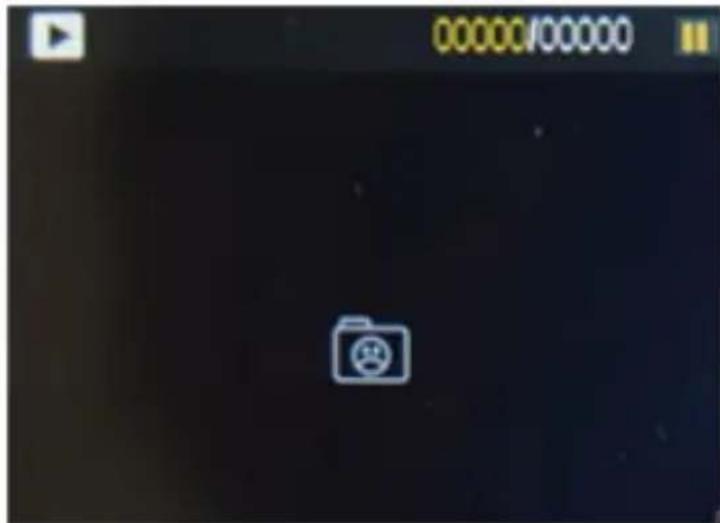
To playback a recorded file, use the USB/DATA cable and connect it through the device and the computer to play. Copy the file to the computer. The second way is to take out the Micro SD card, from the device then use the USB cable and copy the file to the computer.
Delete a File: On the file playback screen, press the OK button for 3-5 seconds, then you can delete a single file.
9. Installation and Use of the Wi-Fi
Before using the Wi-Fi function, it suggested to install the "XDV" application on your Smartphone.
Note: Android users can download the application on the Google-Play store and IOS users can download it thru the AppStore.
Connection Procedure:
a) After switching ON the device, press the UP key then a "WIFI" message
will appear on the screen. The Wi-Fi light will flash meaning it is connecting.
b) On your Smartphone or tablet's Wi-Fi settings go to connect to the network called "Action Cam" followed by a series of numbers. Enter the password "1234567890".
c) Open the "XDV" application on your Smartphone/tablet to preview the shooting screen of the device along with the remote video, camera, file playback, download, delete, and share menus.
d) On the application installation, your Smartphone must meet the required specifications: for Android users it must have a 4.1 Software update (Jellybean) and for iOS must have an IOS7 software update. Just follow and agree with the series of pop-ups to complete the installation.
Tip: When a poor operation of this device was caused by any accident or phenomenon, it is advisable to have the battery re-installed.
- Capturing Video + Photos
To capture photos or record videos, just press he OK/Shutter button.
- Storage/Micro SD Cards
This camera is only compatible with 4GB, 16GB, 32GB up to 64GB Micro SD card capacities as well as with Micro SDHC and SDXC memory cards. This device requires Micro SD Cards with class 10-speed ratings. It is suggested to use brand name memory cards for maximum reliability most specially during high-vibration activities.
ACCESSORIES


natural_image
Close-up of a mechanical device with no visible text or symbols
natural_image
Yellow and black photo camera with digital display and camera lens (no visible text or symbols)
natural_image
Yellow digital camera with black lens and display screen (no visible text or symbols)camera

natural_image
Exterior view of a mechanical device with mounting base and circular component (no visible text or symbols)
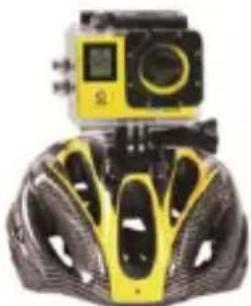
natural_image
Yellow and black bicycle helmet with camera module (no visible text or symbols)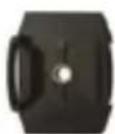

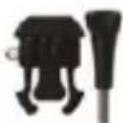

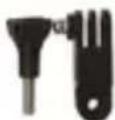


natural_image
Product photo of a yellow and black camera module next to a yellow helmet (no visible text or symbols)helmet pedestal pedestal 1/long pole short pole/support 3 short pole/support 2 waterproof case

MODES
- Modes (Video, Photo and Slow-Motion)
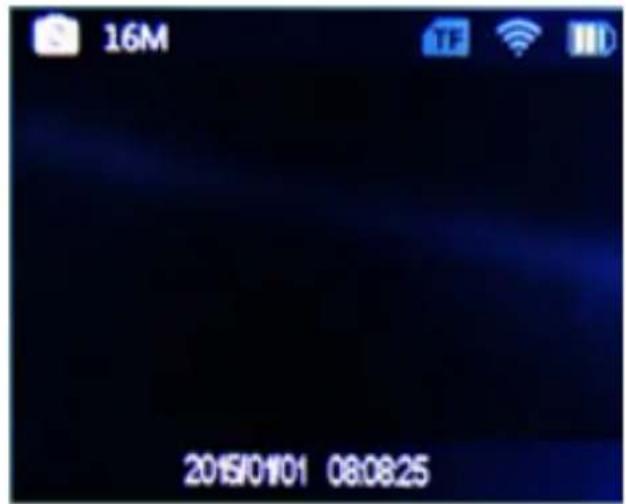
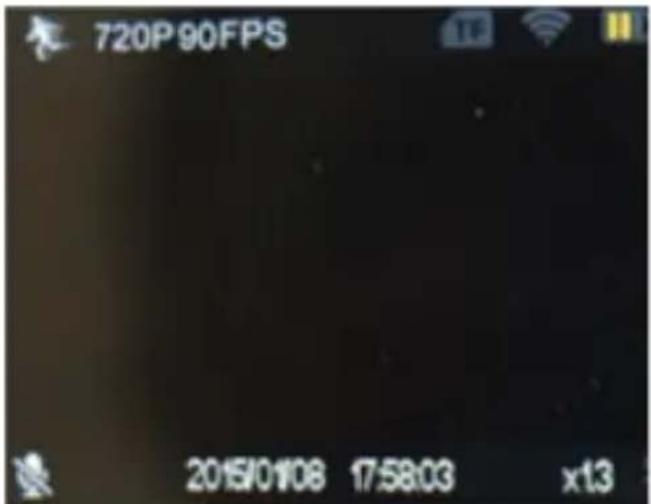


2. Playback (Video & Image View)
3. Settings (Video, Photo, and System Settings)
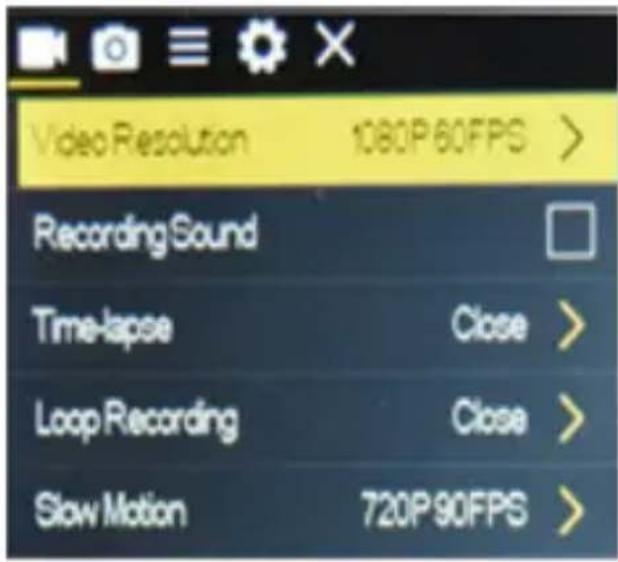
To access to Video Settings, go to the Setting mode and press the OK button. To access the Photo Settings, go to the Setting mode ,then press Mode but ton to choose the photo setting and press the OK button.
a) Video Settings
- You can then choose different types of Movie Size: 4k@30fps, 2.7k@30fps, 1080P@60pfs, 1080P@30fps, 720P@90fps/720P@60fps/720P@30fps
- You can also choose Recording Sound, Time-lapse, Loop Recording, Slow Motion.
b) Photo Settings
You can select different resolutions up to 16 Mp. You can also choose Timed, Auto, and DramaShot.

4K Ultra HD WiFi Camera, 1080p+ Sports Action Camera & Camcorder
Features:
- Super Compact Mini Cam + Camcorder
- Record 4K Ultra HD Video & Snap Super Crisp Images
- Unique 'Slow-Motion' Video Capture Mode
• Built-in WiFi for Wireless Connectivity & Control - Connect to the App & Control via Your Smartphone
• Lightweight & Portable Picture Processing Power
• Full Color 2.0" LCD Display Screen - Front Panel Mini LCD Notification Display
- Integrated Microphone for Audio Recording
- Ability to Instantly Playback Your Recordings On-Screen
• Built-in Rechargeable Battery (Removable) - Micro SD Memory Card Slot
- Easily Save & Share Your Recordings
• HD Video Output for Connecting to TV/Display Monitor - Includes 2.4G Wireless Remote Control & Mounting Accessory Kit
*Also Compatible with Most GoPro Accessories - Battery-Saving Automatic Power Off
- Compatible with Mac & PC
The 'XDV' App:
• Control the Cam via Your Smart Device
- Remotely Record Videos & Snap Pics
- Easy-to-Use & Free to Download
• Available for iPhone & Android
Video Recording:
- Simple One-Button Record Ability
- Selectable Video Resolution: 4K Ultra
HD, 2.7K, 1080p, 720p - Record Modes: Time Lapse, Loop Recording
- File Format: .mp4
Image Capture:
- Simple One-Button Image Capture Ability
- Photo Modes: Delay Auto-Timer, Photo Burst Shooting
- Selectable Image Resolution: 16MP, 12MP, 8MP, 5MP, 2MP
- File Format: .jpeg
What's in the Box:
- HD 4K Cam
- Waterproof Case
• 2.4G Wireless Remote Control
• Data Transfer/USB Charging Cable - Handlebar & Helmet Mounts
• Universal Base Mounts - Adjustable Support Clips
- Double-Sided Adhesive Stickers
- Fastening Straps
Technical Specs:
• Image Sensor: Sony Full Color 16MP CMOS
- Cam Lens: 6G (F2.0/f=1.1mm), 220x360
- Rechargeable Battery: Li-Battery 3.7V, 900mAh
- Viewing Angle: 170 Degree Wide Angle, Fish-eye
• Light Frequency: 50/60Hz
• Video Compression: H.264
- USB Type: 2.0
- Maximum Micro SD Card Support: 64GB
*Requires Class 10 Memory Card Type Dimensions (L x W x H): 2.3'' x 1.6'' x 0.8''
• Camera Weight: 0.13 lbs
SereneLife
ACTION! CAM
- WARNING!!!
- MULTI-PURPOSE
- PRODUCT FEATURES
- Installation of the battery
- Charging the Battery
- To charge the battery:
- Switching ON and OFF the camera
- Turning ON/OFF Wi-Fi
- Changing the mode
- LED Light Indicators
- How to capture an image and its photographic options a) Photography and Video Settings.
- b) Taking Picture Settings
- c) Slow Photography and Slow Photographic Settings
- d) How to Remove Storage and Playback
- Installation and Use of the Wi-Fi
- Connection Procedure:
- ACCESSORIES
- MODES
- Playback (Video & Image View)
- Settings (Video, Photo, and System Settings)
- a) Video Settings
- b) Photo Settings
- 4K Ultra HD WiFi Camera, 1080p+ Sports Action Camera & Camcorder
- Features:
- The 'XDV' App:
- Video Recording:
- Image Capture:
- What's in the Box:
- Technical Specs:
- SereneLife
- ACTION! CAM
Brand : SereneLife
Model : SL4KDSBK
Category : Camera