SMS-10DT - TV Stand Auray - Free user manual and instructions
Find the device manual for free SMS-10DT Auray in PDF.


User questions about SMS-10DT Auray
0 question about this device. Answer the ones you know or ask your own.
Ask a new question about this device
Download the instructions for your TV Stand in PDF format for free! Find your manual SMS-10DT - Auray and take your electronic device back in hand. On this page are published all the documents necessary for the use of your device. SMS-10DT by Auray.
USER MANUAL SMS-10DT Auray
Desktop Studio Monitor Stand with Base
(Pair)
Owner's Manual

natural_image
Black metal stand with a flat top and adjustable arm, no visible text or symbols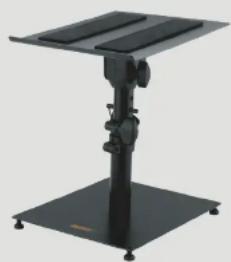
natural_image
Black metal stand with adjustable arm and base, no visible text or symbolsThank you for choosing Auray.
Auray's SMS-10DT sturdy freestanding Studio Monitor Stands elevate your studio monitors off the desktop and into ideal monitoring position whether you're working in a home or pro studio.
Ideal for 5-inch monitors, each stand features all-steel construction and can support monitors up to 45 pounds. The height of each stand adjusts from 10 to 14.5 inches above the desk. Ergonomic knobs control height and tilt adjustment, with a locking pin for added security. A weighted 9.75 × 11.75 -inch steel base features height-adjustable nonslip feet for total stability on any tabletop or uneven surface.
Precautions

- Please read and follow these instructions and keep this manual in a safe place.
- Handle this product with care.
- Keep this product away from water and any flammable gases or liquids.
• Make sure that this product is intact and that there are no missing parts.
• Make sure everything is secure before proceeding. - Do not exceed the maximum load capacity.
- Keep fingers clear of the telescoping joint when adjusting height.
• To avoid damage to your monitor stand, be careful not to
Overview
Monitor plate 1
Safety pin and lanyard 7
EVA pads 2
Locking knob B
Bracket 3
Base shaft 9
Tilt lock 4
Baseplate
Adjustable shaft 5
Feet
Safety holes 6
Also Included: Open-end wrench Hex wrench

text_image
Labeled diagram of a desktop monitor stand with numbered parts for identificationAssembly Instructions
1 Remove the bolt from the adjustable shaft. Lay the monitor plate upside down on a flat surface.
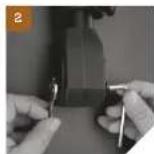
2. Slide the adjustable shaft's plastic fitting into the monitor plate bracket. Push the bolt through the hole nearest the monitor plate. Hold the nut in place with the open-end wrench, and tighten the bolt with the hex wrench.
3. Unscrew the tilt locking knob, and slide the bolt through the bracket's tilt slot. Replace the tilt locking knob.
4. Screw the feet into the base plate, and then screw the shaft onto the base plate's mounting stud until secure.
5. Attach the EVA pads to the monitor plate by removing the protective strip to expose the glue surface. Place the pads on the monitor plate either in vertical or horizontal orientation.




Operating Instructions
Adjusting the Height
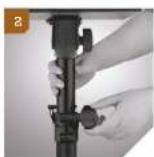
- Loosen the locking knob.
- Raise or lower the monitor plate, and insert the locking pin through the holes.
- Lower the shaft until it rests on the locking pin. Tighten the locking knob until secure. 2
Mounting Monitors
First, make sure the stand doesn't wobble or rock. Adjust the height of each foot by turning it clockwise or counterclockwise until all four feet make contact with the desktop.
Important! Always support the monitor plate with one hand when you loosen the tilt lock to make an adjustment.
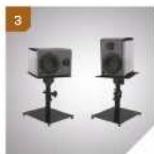
- Mount the monitor on the monitor plate in horizontal or vertical orientation.
- Loosen the tilt lock and adjust the monitor's angle. Make sure the mounting plate's lip is on the lower side of plate's angle


One-Year Limited Warranty
This AURAY product is warranted to the original purchaser to be trees from detects in materials and workmanship under normal consumer use for a period of one (1) year from the original purchase due or thirty (30) days after replacement, whichever occurs later. The warranty provider's responsibility with respect to this limited warranty shall be limited solely to repair or replacement, at the provider's discretion, of any product that fails during normal use of this product in its intended manner and in its intended environment. Inoperability of the product or party(s) shall be determined by the warranty provider. If the product has been discontinued, the warranty provider reserves the right to replace it with a model of equivalent quality and function.
This warranty does not cover damage or defect caused by misuse, neglect, accident, attention, abuse, improper installation or maintenance. EXCEPT AS PROVIDED HEREIN. THE WARRANTY PROVIDER MAKES NEITHER ANY EXPRESS WARRANTIES SUB ANY IMPLIED WARRANTIES, INCLUDING BUT NOT LIMITED TO ANY IMPLIED WARRANTY OF MERCHANTABILITY OR FITNESS FOR A PARTICULAR PURPOSE. This warranty provides you with specific legal rights, and you may also have additional rights that vary from state to state.
To obtain warranty coverage, contact the Aunay Customer Service Department to obtain a return merchandise authorization ("RMA") number, and return the defective product to Aunay along with the RMA number and proof of purchase. Shipment of the defective product is at the purchaser's own risk and expense.
For more information or to arrange service, visit www.awayasud.com or call. Customer Service at 212-581-2353.
Product warranty provided by the Gradius Group.
www.geduagroup.com

AURAY*
A Grades Group Board
AURAY is a registered trademark of the Gradus Group. © 2022 Gradus Group LLC.
All Rights Reserved.
083
Specifications
Minimum height: 10 in (254 cm)
Maximum height: 14.25 in. (362 cm)
Load capacity: 4.5 lb. (204 kg)
Plate dimensions: 9.75 × 11.75 in (2x8·398cm)