
Gaming 986S - Computer Case LC-Power - Free user manual and instructions
Find the device manual for free Gaming 986S LC-Power in PDF.


| Product Type | Computer Case |
| Brand | LC-Power |
| Model | Gaming 986S |
| Dimensions (H x W x D) | 482 x 223 x 467 mm |
| Weight | Estimated 7 kg |
| Motherboard Compatibility | ATX, micro ATX, mini ITX |
| Power Supply Support | ATX PSU (not included) |
| Drive Bays - 3.5" | 5 |
| Drive Bays - 2.5" | 3 (compatible with HDD/SSD) |
| Front Fans | 3 x 120 mm (not included) |
| Top Fans | Compatible with 120 mm fans (not included) |
| Rear Fan | 1 x 120 mm (compatible) |
| Front I/O Ports | USB 3.0, USB 2.0, HD Audio |
| Side Panel | Tempered glass |
| Material | Steel chassis, tempered glass side panel |
| Expansion Slots | 7 (standard ATX) |
| Max GPU Length | Approx. 350 mm |
| Max CPU Cooler Height | Approx. 160 mm |
| Maintenance | Clean with dry cloth; keep vents clear of dust |
| Safety | Keep away from water; use with grounded outlet; avoid sharp edges |
| Spare Parts | Contact LC-Power support for replacement fans, screws, panels |
| Repairability | Modular design; user-replaceable fans and PSU |
| General Info | Gaming oriented case with good airflow and cable management |
Frequently Asked Questions - Gaming 986S LC-Power
User questions about Gaming 986S LC-Power
0 question about this device. Answer the ones you know or ask your own.
Ask a new question about this device
Download the instructions for your Computer Case in PDF format for free! Find your manual Gaming 986S - LC-Power and take your electronic device back in hand. On this page are published all the documents necessary for the use of your device. Gaming 986S by LC-Power.
USER MANUAL Gaming 986S LC-Power
natural_image
Exterior view of a black server rack unit with ventilation slots and a hexagonal pattern on the side (no text or symbols visible)Thank you for purchasing this case from LC-Power.
Please read this manual before usage.
Specifications may be subject to change without prior notice.
- Specification
| Size 482 x 223 x 467 mm (h x w x d) |
| M/B ATX / micro ATX / mini ITX |
| HDD 5x 3.5" HDD;3x 2.5" HDD/SSD |
| PSU ATX |
| Fans Front: 3x 120 mm |
| M5*10 TP3===>16pcs(FAN*16)6#*4===>27pcs(MB*10,3.5"HDD*13,Power*4) |
2. Installation
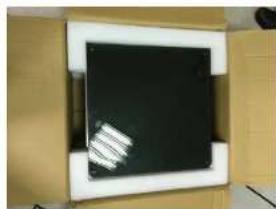
2-1.1 Open the box

natural_image
Open cardboard box containing a square metallic panel or cover, no visible text or symbols.2-1.2 Take out the glass side panels 2-1.3 Take out the chassis
natural_image
Exterior view of a modern office building (no signage)
natural_image
Interior view of a cardboard box containing an open black plastic enclosure with visible internal compartments (no text or symbols)2-2.1 Front case fan installation

natural_image
Close-up of a black metal panel with circular cutouts and mounting holes (no visible text or symbols)
natural_image
Black plastic electrical connector with two square cutouts and mounting holes (no text or symbols visible)
natural_image
Close-up of a metallic panel with four circular cutouts and bolt holes (no text or symbols visible)
natural_image
Top-down view of a multi-pin computer fan with visible internal circuitry and wiring (no text or symbols)
natural_image
Close-up of a hand adjusting a black CPU fan with visible cooling effect (no text or symbols)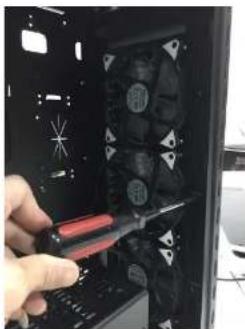
natural_image
Hand using a screwdriver to adjust internal components in a black computer tower case (no visible text or symbols)2-3 Top case fan installation
Press the fans to the top bracket to fix it

natural_image
Close-up of two black industrial fans with visible blades and ventilation grilles (no text or symbols)
natural_image
Close-up of a computer fan with visible blades and a hand adjusting the fan (no text or symbols)
natural_image
Close-up of a computer fan with visible blades and circuitry (no text or symbols)2-4. 3.5" HDD installation
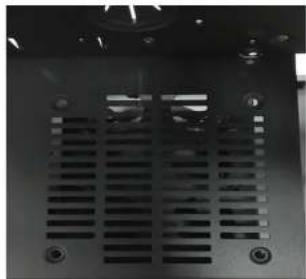
2-5. 1 Fan installation on the back side of the HDD bracket
natural_image
Close-up of a black electronic device with ventilation grilles and mounting holes (no visible text or symbols)
natural_image
Interior view of a computer chassis with visible wiring and a central control panel (no readable text or symbols)2-5.2 Mainboard installation with stand-off am screws

natural_image
Interior view of a computer tower case showing CPU socket, drive bays, and memory drives (no visible text or labels)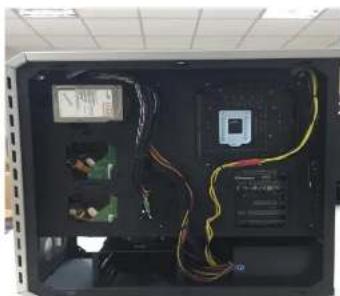
natural_image
Interior view of a computer case with visible circuit boards, wires, and a central display (no readable text or symbols)- Front I/O Connector
| Motherboard Case cable connector | |
| USB 3.0 | |
 | |
| USB 2.0 | |
 | |
| HD Audio | |
 | |
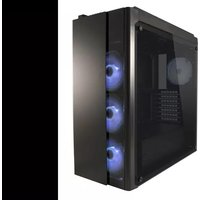


Brand : LC-Power
Model : Gaming 986S
Category : Computer Case