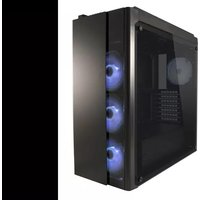
ATX Gaming 993B - Computer Case LC-Power - Free user manual and instructions
Find the device manual for free ATX Gaming 993B LC-Power in PDF.


| Product Type | Computer Case |
| Brand | LC-Power |
| Model | ATX Gaming 993B |
| Form Factor | Mid Tower |
| Motherboard Support | ATX, Micro-ATX, Mini-ITX |
| Dimensions (H x W x D) | Approx. 450 x 200 x 400 mm |
| Weight | Approx. 4.5 kg |
| Material | Steel, Tempered Glass Side Panel |
| Drive Bays (Internal 3.5"/2.5") | 2x 3.5", 2x 2.5" (or combo) |
| Expansion Slots | 7 |
| Fan Support (Front) | 3x 120mm or 2x 140mm |
| Fan Support (Rear) | 1x 120mm |
| Radiator Support (Front) | Up to 360mm |
| PSU Compatibility | Standard ATX PSU (bottom mount) |
| Maximum GPU Length | Up to 350 mm |
| Maximum CPU Cooler Height | Up to 160 mm |
| Front I/O Ports | USB 3.0 x2, USB 2.0 x2, HD Audio, Power, Reset |
| Window | Tempered Glass Side Panel |
| Dust Filters | Front, Top, Bottom (removable) |
| Cleaning Instructions | Use a soft, dry cloth; avoid liquids; clean filters regularly |
| Safety Features | Rounded edges, rubber grommets, secure glass panel |
Frequently Asked Questions - ATX Gaming 993B LC-Power
User questions about ATX Gaming 993B LC-Power
0 question about this device. Answer the ones you know or ask your own.
Ask a new question about this device
Download the instructions for your Computer Case in PDF format for free! Find your manual ATX Gaming 993B - LC-Power and take your electronic device back in hand. On this page are published all the documents necessary for the use of your device. ATX Gaming 993B by LC-Power.
USER MANUAL ATX Gaming 993B LC-Power
Gaming 993B / 993W – Covertaker

natural_image
Exterior view of a black server or computer tower case with three blue-lit circular components, no visible text or symbols on the main body.Thank you for purchasing this case from LC-Power.
Please read this manual before usage.
Specifications may be subject to change without prior notice.
- Specification
| Size 473 x 215 x 47 | 0 mm (h x w x d) |
| M/B ATX / micro AT | TX / mini ITX |
| HDD 5x 3.5" HDD; | 3x 2.5" HDD/SSD |
| PSU ATX | |
| Fans Front: 3x 120 | mmTop: 2x 120 mmInside: 1x 120 mmBack: 1x 120 mm |
| Water cooling(if no fans are mounted) | Front: 360 mmTop: 240 mmRear: 120 mm |
| Expansion Slots 7 | |
| Screw bags Cable tie | 80mm: 5pcsMB Stand off 6# 5H 8*4.5L==>10pcsM3*5==>6pcs(2.5"HDD*6)Black screws for side panel M4*5==>8pcsM5*10 TP3==>16pcs(FAN*16) |
6#*4===>27pcs(MB*10,3.5"HDD*13,Power*4)
2. Installation
2-1.1 Open the box

natural_image
Square metallic object with textured surface inside a white box, placed on a beige cardboard box (no text or symbols visible)2-1.2 Take out the glass side panels 2-1.3 Take out the chassis

natural_image
Open cardboard box containing a black rectangular electronic component with reflective surface (no visible text or symbols)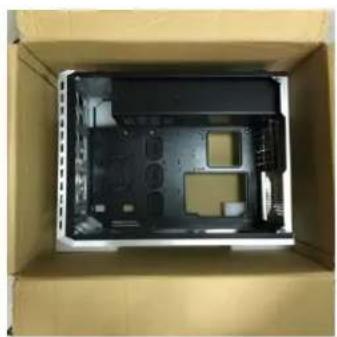
natural_image
Interior view of a cardboard box containing an open black plastic case with visible internal compartments and mounting holes (no text or symbols)2-2.1 Front case fan installation

natural_image
Close-up of a black CPU fan with visible blades and wiring (no text or symbols)1) Fix the fans to the case chassis.
2-3. 3.5" HDD installation
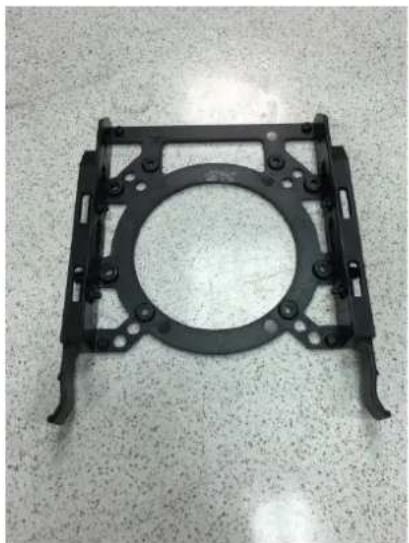
Press the HDD into the bracket to fix it
natural_image
Black plastic mechanical bracket with circular center and mounting holes, placed on a textured surface (no text or symbols visible)

natural_image
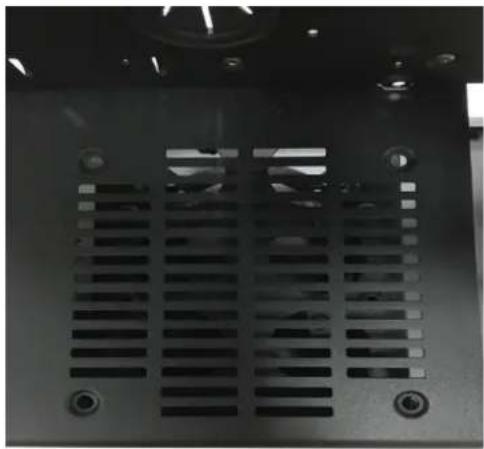
Close-up of a hard disk computer case on a textured surface (no visible text or symbols)2-4. 1 Fan installation on the back side of the HDD bracket
natural_image
Close-up of a black industrial machine ventilation grille with mounting holes (no visible text or symbols)
natural_image
Interior view of a computer tower case with visible wiring and a LAN 8005T device (no readable text or symbols beyond branding)2-5.2 Mainboard installation with stand-off am screws

natural_image
Interior view of a computer tower case showing internal CPU socket and drive bays (no visible text or labels)Additional 3x 3.5" HDD on MB tray

natural_image
Interior view of a computer rack with visible circuitry, wires, and components (no text or symbols)Additional 3x 2.5" HDD/SSD on MB tray
2-6 Tempered glasses side panel installation
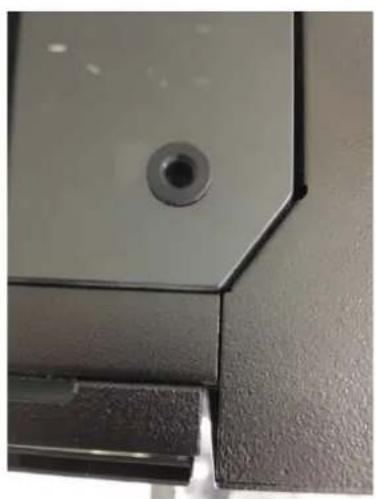
Alight 4 screw holes to washer and fasten screws
natural_image
Close-up of a black mechanical component with a circular hole and a small white object inserted (no visible text or symbols)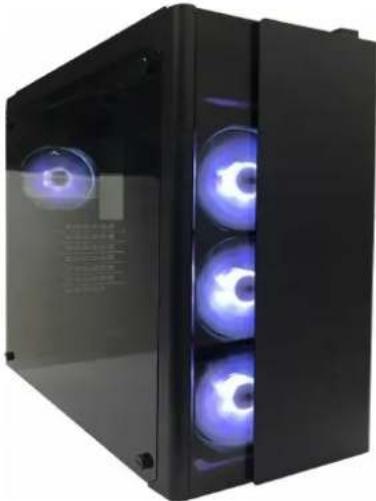
natural_image
Black server unit with three blue-lit circular fans, no visible text or symbols on the device itself.- Front I/O Connector
| Motherboard Case cable connector | |
| USB 3.0 | |
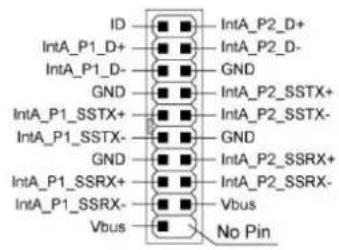 | 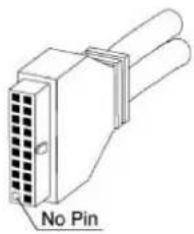 |
| HD Audio | |
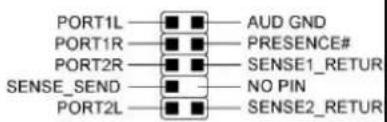 |  |
The product has a two year warranty period from the date of purchase, service issues will be handled by your dealer. If the case is damaged due to improper operation, the warranty period expires immediately.
Check www.lc-power.com or contact us by e-mail at support@lc-power.com.
Silent Power Electronics GmbH,
Formerweg 8,
47877 Willich,
Germany

POWER


- Installation
- 2-1.1 Open the box
- 2-1.2 Take out the glass side panels 2-1.3 Take out the chassis
- 2-2.1 Front case fan installation
- 2-3. 3.5" HDD installation
- 2-4. 1 Fan installation on the back side of the HDD bracket
- 2-5.2 Mainboard installation with stand-off am screws
- Additional 3x 3.5" HDD on MB tray
- Additional 3x 2.5" HDD/SSD on MB tray
- 2-6 Tempered glasses side panel installation
Brand : LC-Power
Model : ATX Gaming 993B
Category : Computer Case