CE-CP0011-S1 - Laptop cooler Siig - Free user manual and instructions
Find the device manual for free CE-CP0011-S1 Siig in PDF.


User questions about CE-CP0011-S1 Siig
0 question about this device. Answer the ones you know or ask your own.
Ask a new question about this device
Download the instructions for your Laptop cooler in PDF format for free! Find your manual CE-CP0011-S1 - Siig and take your electronic device back in hand. On this page are published all the documents necessary for the use of your device. CE-CP0011-S1 by Siig.
USER MANUAL CE-CP0011-S1 Siig
natural_image
Abstract geometric logo with a white circle and black line on a teal background, no text or symbols present.SIIG®
Connectivity Solutions You Can Trust!™
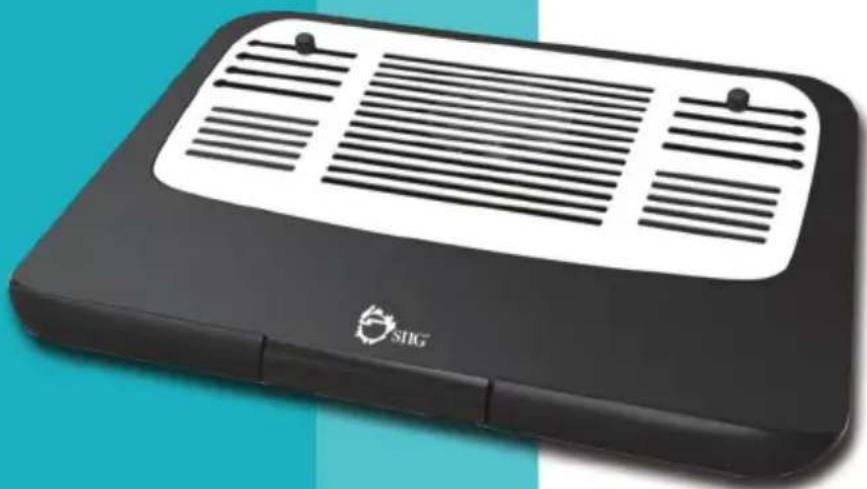
Ergonomic Multi-Angle Tilted
Laptop Cooling Pad
natural_image
Black electronic device with ventilation grille and 'SHG' logo, no visible text or symbols on bodyIntroduction
The Ergonomic Multi-Angle Tilted Laptop Cooling Pad supports tri-level height adjustment allowing for ergonomic positioning for a comfortable reading and typing experience. Air mesh cushion base provides added support and comfort while on your lap.
Specifications
- Laptop size: Up to 17"
- Fan size: 80mm
- Rated voltage: 5V DC
• Fan speed: 1700RPM (+/-10%) - Noise level: 20dBA
• Built-in cable length: 1.51ft - Material: Plastic
(w/ aluminum face plate and air mesh cushion base)
- Color: Black
• Dimensions: 15.75" (W) x 1.69" (H) x 11.81" (D)
- Weight: 2.20 lbs
Package Contents
- Ergonomic Multi-Angle Tilted Laptop Cooling Pad
- User Reference Guide
Product Layout

text_image
USB powered fan Rubber riser Rubber riser Aluminum face plate Laptop holderFigure 1: Front side
text_image
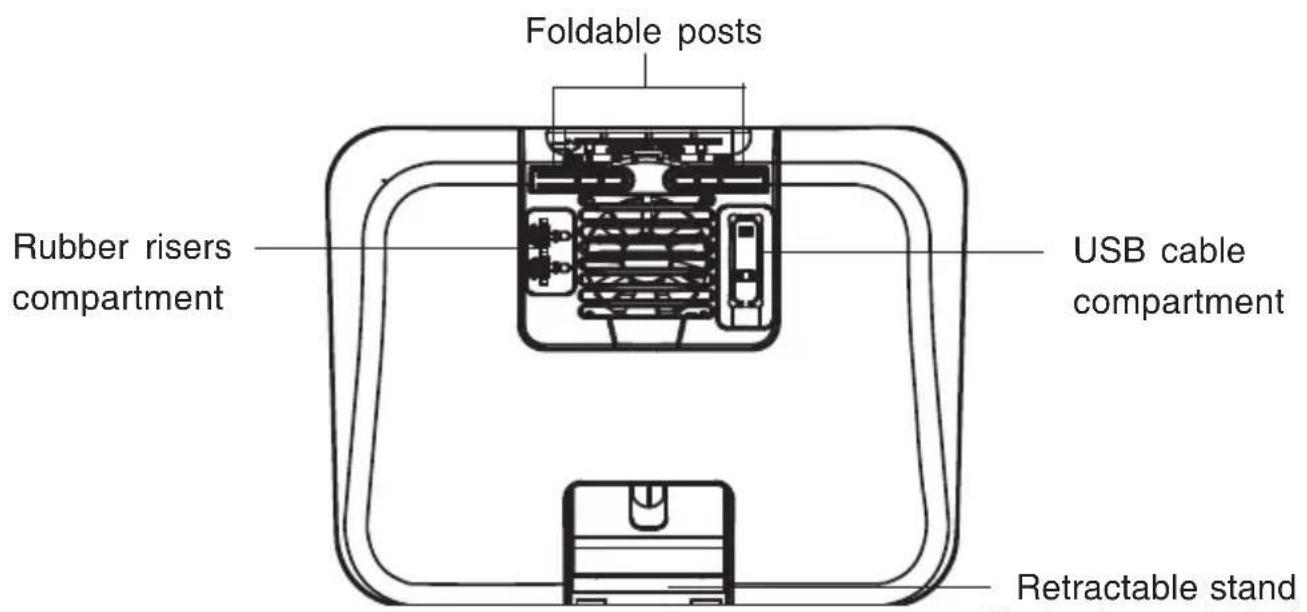
Foldable posts Rubber risers compartment USB cable compartment Retractable standFigure 2: Rear side
User Instructions
* Using on lap
- Take the rubber risers out from the bottom compartment.
- Slip the rubber risers into the track and adjust its position according to the size of your laptop.
- Connect the cooling fan's built-in power cable to a USB port of your laptop for power.
- Put the laptop with cooling pad on your lap and enjoy.

natural_image
Diagram of a device with an attached cable and internal components, showing a close-up view of the cable (no text or symbols present)
natural_image
Diagram of a device with a sensor array and an inset showing a cylindrical component (no text or symbols)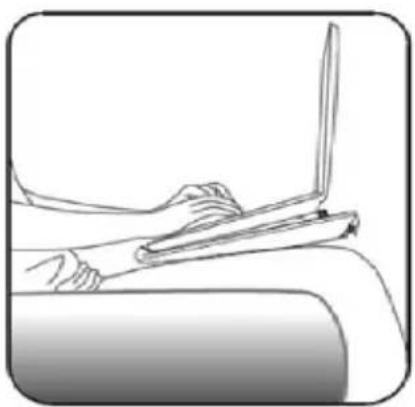
natural_image
Line drawing of a person using a laptop on a couch (no text or symbols)Figure 3
* Using on desktop
- Adjust the height of the cooling pad:
Open the foldable posts or pull out the retractable stand

natural_image
Simple line drawing of a rectangular device with internal components and a separate base (no text or symbols)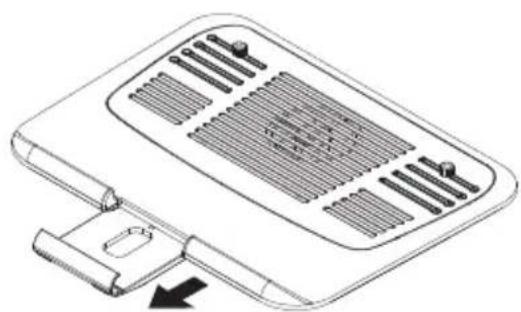
natural_image
Line drawing of a portable electronic device with ventilation grilles and a USB port (no text or symbols)Figure 4
The following steps show how to assemble the retractable stand with the cooling pad:
First step: Align with the arrow and slip into the track. Make sure it's joined securely.
Second step: Open the retractable stand and insert the position shaft to the trench.

flowchart
graph TD
    A["Raw Material Input"] --> B{Check Point}
    B -->|①| C["Product Assembly"]
    C --> D["Output"]
    style A fill:#f9f,stroke:#333
    style D fill:#bbf,stroke:#333
Figure 5
- Refer to step 1 to 3 on page 4 for details.
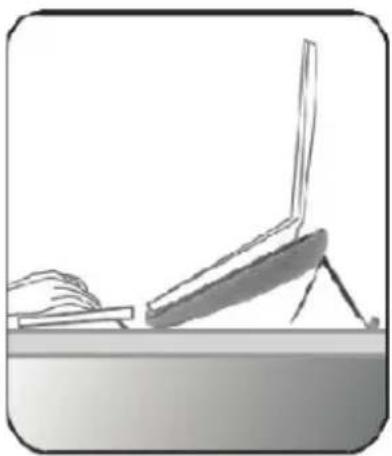
- Put the laptop with cooling pad on the desktop and enjoy ergonomic viewing angles.
natural_image
Simple line drawing of a desk with a laptop and a hand resting on it (no text or symbols)Figure 6
*Tablet stand
The retractable stand can also be used as a tablet stand to hold your tablet or iPad.

natural_image
Diagram showing a folding tool and its internal structure, with no visible text or symbols* Open and insert the position shaft to the trench
* Put your tablet or iPad in place
Technical Support and Warranty
QUESTIONS? SIIG's Online Support has answers! Simply visit our website at www.siig.com and click Support. Our online support database is updated daily with new drivers and solutions. Answers to your questions could be just a few clicks away. You can also submit questions online and a technical support analyst will promptly respond.
SIIG offers a 2-year manufacturer warranty with this product. This warranty covers the original purchaser and guarantees the product to be free of any defects in materials or workmanship for two (2) years from the date of purchase of the product. This warranty is not transferable and is available only to the original purchaser of the product.
SIIG will, at our discretion, repair or replace (with an identical product or product having similar features and functionality) the product if defective in materials or workmanship. This warranty gives you specific legal rights, and you may also have other rights which vary from state to state. Please see our web site for more warranty details.
If you encounter any problems with this product, please follow the procedures below.
A) If it is within the store's return policy period, please return the product to the store where you purchased it.
B) If your purchase has passed the store's return policy period, please follow these steps to have the product repaired or replaced.
Step 1: Submit your RMA request.
Step 2: After obtaining an RMA number, ship the product.
- You are responsible for the cost of shipping to SIIG. Ship the product to the following address:
SIIG, Inc.
6078 Stewart Avenue
Fremont, CA 94538-3152, USA
RMA #: ____
- SIIG will ship the repaired or replaced product via Ground in the U.S. and International Economy outside of the U.S. at no cost to the customer
04-1085A