GA-449HVQA - Fridge LG - Free user manual and instructions
Find the device manual for free GA-449HVQA LG in PDF.


User questions about GA-449HVQA LG
0 question about this device. Answer the ones you know or ask your own.
Ask a new question about this device
Download the instructions for your Fridge in PDF format for free! Find your manual GA-449HVQA - LG and take your electronic device back in hand. On this page are published all the documents necessary for the use of your device. GA-449HVQA by LG.
USER MANUAL GA-449HVQA LG
natural_image
Illustration of a refrigerator with a wavy face and a broken handle, connected to a crossed-out battery (no text or symbols)natural_image
Cartoon illustration of a refrigerator with a 'He' sign and a surprised expression, next to a sofa (no text or symbols)natural_image
Illustration of two children playing with wind turbines, no text or symbols presentnatural_image
Cartoon illustration of a person hanging from an open refrigerator with a 'HBT' sign, indicating heat or urgency (no text beyond the label)natural_image
Cartoon illustration of a refrigerator with a sad face and a broken refrigerator (no text or symbols)natural_image
Cartoon illustration of a smiling refrigerator and a person running away (no text or symbols)natural_image
Cartoon illustration of a smiling refrigerator and a girl opening a door (no text or symbols)natural_image
Illustration of three workers in hard hats pulling a large rectangular object (no text or symbols)natural_image
Cartoon illustration of a smiling book character with arms crossed out, waving hands (no text or symbols)natural_image
Illustration of a child opening a refrigerator with a smiling face (no text or symbols)natural_image
Cartoon illustration of a distressed refrigerator with arms and legs, no text or symbols presentnatural_image
Illustration of a refrigerator with an open door and a hand holding a scroll, showing the interior and exterior views (no text or symbols present)natural_image
Diagram of a person installing or adjusting a floor plan inside a storage cabinet (no text or symbols)
natural_image
Illustration of two empty storage shelves filled with milk bottles, no text or symbols presentnatural_image
Pure technical line drawing of a mechanical assembly with layered components and no text or symbolsnatural_image
Diagram of a mechanical or electrical component with layered structure and a top-mounted device (no text or symbols)natural_image
Pure diagram of two adjacent rectangular panels with internal compartments, no text or symbols presentnatural_image
Diagram of a mechanical assembly with a rotating component and directional arrows (no text or symbols)Примечание
text_image
Diagram showing two labeled containers with arrows indicating process steps, likely illustrating a storage or cleaning procedure.text_image
Technical diagram showing a device with labeled components 3, 4, and directional arrows indicating assembly or movement.text_image
Diagram showing two labeled objects (1 and 2) placed on a shelf, with arrows indicating direction of movement or force.text_image
Diagram showing a hand holding a tray with labeled parts 3 and 4, indicating a process or device setup.Осторожно
natural_image
Diagram of hands holding a device inside a container with an arrow indicating motion (no text or symbols)natural_image
Diagram of a refrigerator interior showing two stacked compartments with no text or symbolsnatural_image
Symbol of a trash bin with crossed lines indicating no waste or discharge (no text or labels)Возможные причины
| Introduction | Registration | 32 |
| Important Safety Instruction | 32 | |
| Identification of Parts | 40 | |
| Installation | Climatic class | 41 |
| Installation | 41 | |
| Starting | 41 | |
| Operation | Display Panel For Temperature Control | 42 |
| Opti Fresh Zone | 45 | |
| Super/Express Freezer | 46 | |
| Vacation | 47 | |
| Lock/Child lock | 48 | |
| Door Alarm | 49 | |
| Ice Making | 49 | |
| Defrosting | 49 | |
| Half Shelf | 50 | |
| Wine Rack | 50 | |
| Suggestion On Food storage | Storing Food | 51 |
| Care and Maintenance | General Information | 52 |
| Extract/Install drawer | 53 | |
| Extract/Install shelf | 54 | |
| Refrigerator work features | 54 | |
| Lamp Replacement | 55 | |
| To Reverse the Doors | 55 | |
| Cleaning | 56 | |
| Trouble Shooting | Trouble Shooting | 57 |
| Disposal of your old appliance | 58 |
The working life of this set is 7 years since the date of delivery to consumer.
Introduction
Registration
The model and serial number are found on the outer side of this unit. This number is unique to this unit and not available to others. You should record requested information here and retain this guide as a permanent record of your purchase. Staple your receipt here.
Date of Purchase : ____
Dealer Purchased From: ____
Dealer Address :
Dealer Phone No. :
Model No.:
Serial No. :
Important Safety Instruction
To avoid any risk of personal injury, material damage or incorrect use of the appliance, be sure to observe the following safety precautions. (After reading these owner's instructions, please keep them in a safe place for reference). Remember to hand them over to any subsequent owner.
Warning
Indicates that a danger of death or serious injury exists
Caution
Indicates that a risk of personal injury or material damage exists
In a case of defying manual owner regulation, manufacturer do not account warranty liability
Warning
- This fridge-freezer must be properly installed and located in accordance with the Installation Instruction before it is used.
- Do not disassemble, repair or alter the appliance. It may cause fire or abnormal operations, which way lead to injury.
- To reduce the risk of fire, electric shock, or injury to persons when using your product, basic safety precautions should be followed.
1. When connecting the power
The dedicated outlet should be used.
• Using several devices at one outlet may cause fire.
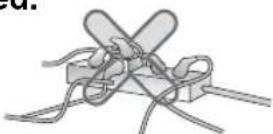
Do not allow the power plug to face upward or to
be squeezed at the back of the fridge-freezer.
Water may be flown into or the plug may be damaged, which causes fire or electric shock.
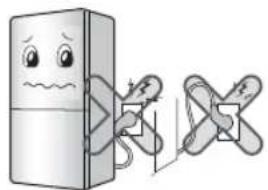
natural_image
Illustration of a refrigerator with a sad face and a wavy line, connected to a crossed-out door (no text or symbols)Do not allow the power cord bent or pressed by the heavy object to be damaged.
It may damage the power cord to cause fire or electric shock.

natural_image
Cartoon illustration of a refrigerator with a 'NO' sign and a phone beside it (no text or symbols on the refrigerator itself)Do not change the power cord and do not change its length
It causes electric shock or fire by the electric damage of the power cord or others.
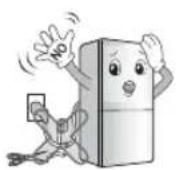
If the supply cord is damaged, it must be replaced by the service agent or a similarly qualified person in order to avoid a hazard.
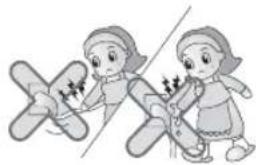
Do not pull out the cord or touch the power plug with wet hands.
- It may cause electric shock or injury.
natural_image
Illustration of two girls interacting with a large airplane (no text or symbols)Remove water or dust from the power plug and insert it with the ends of the pins securely connected.
Dust, water or unstable connection may fire or electric shock.

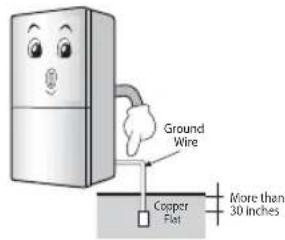
Make sure of grounding.
The incorrect grounding may cause breakdown and electric shock.
text_image
Ground Wire Copper Flat More than 30 inchesWhen the power cord or the power plug is damaged or the holes of the outlet are loosed, do not use them.
It may cause electric shock or short circuit to make fire.

2. When using the fridge-freezer
Do not place the heavy object or the dangerous object, flower vase, cup, cosmetics, medicine or any container with water on the fridge-freezer.
When opening or closing the door it may be dropped to cause injury, fire or electric shock.

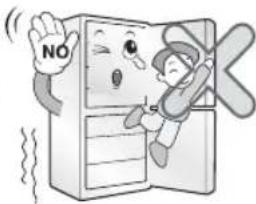
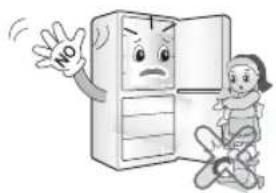
Do not cling to the door or the shelves of the door or the home bar of the freezer or the cool chamber.
It may make the fridge-freezer fallen down or damage the hands.
Especially, do not allow the children to do the above.
natural_image
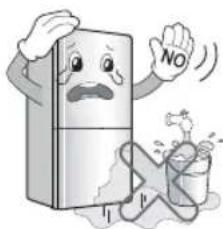
Cartoon illustration of a child hanging from an open refrigerator with a 'NO' sign, no text or symbols presentDo not install the fridge-freezer in the wet place or
the place which water or rain splashes.
Deterioration of insulation of electric parts may cause electric leakage.
text_image
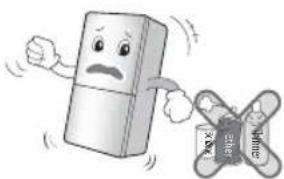
NODo not use or store inflammable materials ether,
benzene, alcohol, medicine, LP gas, spray or cosmetics near or in the fridge-freezer.
It may cause explosion or fire.
natural_image
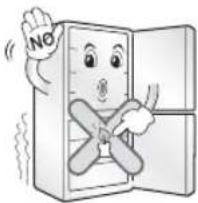
Cartoon illustration of a smiling refrigerator and a broken bottle (no text or symbols)Do not place the lit candle within the fridge-freezer
to deodorize.
It may cause explosion or fire.
natural_image
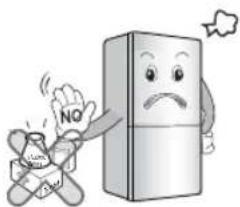
Cartoon illustration of a smiling refrigerator with a 'NO' sign and a crossed-out door (no text or symbols on the refrigerator itself)Do not store the medicine or the academic
materials at the fridge-freezer.
When the material with the strict temperature control is stored, it may be deteriorated or it may make an unexpected reaction to cause any risk.
natural_image
Cartoon illustration of a refrigerator with a sad face and a 'NO' sign, accompanied by a crossed-out food item (no text or symbols on the main image)Avoid the heating devices.
It may cause fire.

natural_image
Cartoon illustration of a distressed refrigerator and a box with steam rising (no text or symbols)Do not put any living animal in the fridge-freezer.

text_image
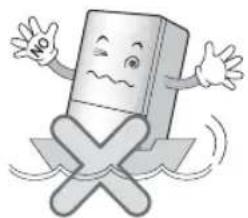
NOUse the submerged fridge-freezer after checking it.
It may cause electric shock or fire.

natural_image
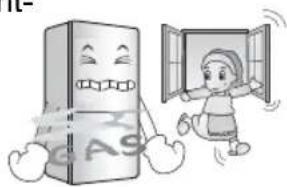
Cartoon illustration of a smiling refrigerator and a worker (no text or symbols)When gas is leaked, do not touch the fridge-freezer or the outlet and ventilate the room immediately.
In this fridge-freezer uses natural gas (isobutene, R600a) as the environmentfriendly refrigerant, even a small its amount (80\~90g) is combustible. When the gas is leaked by the severe damage during delivering, installing or using the fridge-freezer, any spark may cause fire or burn.
For further operation, contact the service center.
natural_image
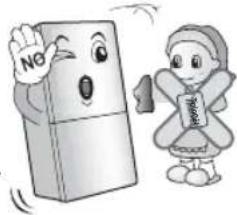
Cartoon illustration of a smiling refrigerator and a person opening a door (no text or symbols)Do not spray water at the outside or the inside of the fridge-freezer or do not clean it with benzene or thinner.
Deterioration of insulation of electric parts may cause electric shock or fire.
natural_image
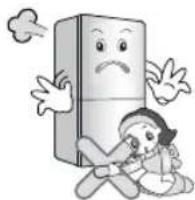
Cartoon illustration of a smiling refrigerator and a girl holding a book (no text or symbols)Do not insert the hands into the bottom of the fridge-freezer.
The iron plate of the bottom may cause injury.
natural_image
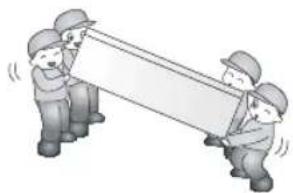
Cartoon illustration of a distressed refrigerator with a sad face and a person lying on the floor (no text or symbols)Carry the fridge-freezer with the handle bar at the
bottom of the front and the top of the rear.
Otherwise, your hands may be slipped to cause injury.
natural_image
Illustration of three workers in hard hats pulling a large banner (no text or symbols)Because opening or closing the door of the fridge-freezer may cause injury to the person around it, be careful, please.
Opening or closing the door may cause feet or hands to be caught in the chink in door or the child to be get hurt by the corner.
natural_image
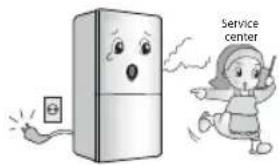
Cartoon illustration of a distressed refrigerator with a happy expression and a girl reacting in fear (no text or symbols)When any strange smell or smoke is detected from the fridge-freezer, disconnect the power plug
immediately and contact to the service center.
It may cause fire.
text_image
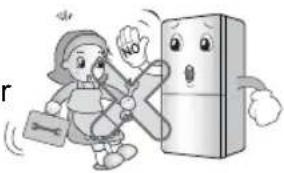
Service centerDo not allow any person except the qualified engineer to disassemble, repair or alter the fridge-freezer.
It may cause injury, electric shock or fire.
natural_image
Cartoon illustration of a child running with a backpack and a surprised refrigerator (no text or symbols)Do not use the fridge-freezer for non-domestic purpose (storing medicine or testing material, using at the ship, etc.).
It may cause an unexpected risk such as fire, electric shock, deterioration of stored material or chemical reaction.
natural_image
Cartoon illustration of a smiling pencil character with arms and legs crossed out, no text or symbols present.When disposing the fridge-freezer, remove the packing materials from the door, leave the shelves in place.
It may cause to lock out the child.

natural_image
Cartoon illustration of a child opening a refrigerator with a smiling face (no text or symbols)Install the fridge-freezer on the solid and level floor.
Install the fridge-freezer on a plane surface to prevent it's falling down and injury or death.
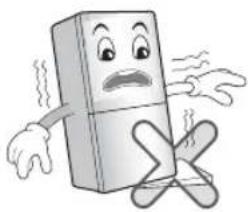
natural_image
Cartoon illustration of a distressed refrigerator with arms and legs crossed (no text or symbols)Do not insert the hands or the metal stick into the exit of cool air, the cover, the bottom of the fridge-freezer, the heatproof grill (exhaust hole) at the backside.

natural_image
Cartoon illustration of a person standing on a phone screen with a 'NOO' sign, next to a box with a cross symbol (no text or symbols on the main image)It may cause electric shock or injury.

Caution
When you want to dispose the fridge-freezer, contact to the down-block office.
The refrigerant and insulation blowing gas used in the appliance require special disposal procedures. Ensure that none of the pipes on the back of the appliances are damaged prior to disposal.

text_image
Down-block officeViolating this direction may cause injury or damage house or furniture. Always be careful, please.
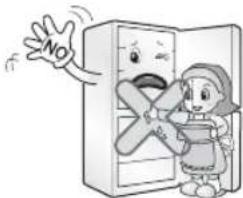
Do not touch food or containers at the freezer with wet hands. It may cause frostbite.
text_image
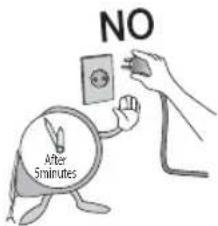
NOWait for 5 minutes or longer when reconnecting the plug. It may cause the operation of the freezer to fail.
text_image
NO After 5minutesDo not put bottle in the freezer. It may freeze the contents to break the bottle to cause injury.

Pull out the power plug not by grasping the cord but the plug of its end.
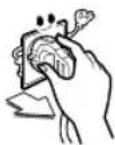
Extraction by the cord may cause electric shock or short circuit and fire.
The supply plug of the refrigerator-freezer should be placed in easy accessible position for quick disconnection in emergency.
If the appliance is not to be used for a long time, pull out the power plug. Any deterioration in the insulation may cause fire.
Do not let children touch or play with the control panel on the front of the appliance.
Danger
The appliance is not intended for use by persons (including children) who have limitation of physical, sensual or mental capabilities or at absence of life experience or knowledge if they are not under the control or are not instructed about use of the appliance by the person responsible for their safety. Children should be under the control for a non-admission of game with the appliance.
- Keep ventilation openings, in the appliance enclosure or in the built-in structure, clear of obstruction.
- Do not use mechanical devices or other means to accelerate the defrosting process, other than those recommended by the manufacturer.
- Do not damage the refrigerant circuit.
- Do not use electrical appliances inside the food storage compartments of the appliance, unless they are of the type recommended by the manufacturer.
Warning

As a refrigerant is R600a or R134a.
Look at the label with the technical data on the inner side of the refrigerating chamber to detect what refrigerant is used in your refrigerator. Isobutane (R600a) is a natural gas with high environmental compatibility, but it is also combustible. When transporting and installing the appliance, care should be taken to ensure that no parts of the refrigerating circuit are damaged.
Refrigerant squirting out of the pipes could ignite or cause an eye injury. If a leak is detected, avoid any naked flames or potential sources of ignition and air the room in which the appliance is standing for several minutes.
In order to avoid the creation of a flammable gas air mixture if a leak in the refrigerating circuit occurs, the size of the room in which the appliance may be sited depends on the amount of refrigerant used. The room must be 1m^2 in size for every 8g of R600a refrigerant inside the appliance. The amount of refrigerant in your particular appliance is shown on the identification plate inside the appliance.
Never start up an appliance showing any signs of damage. If in doubt, consult your dealer.
Identification of Parts

text_image
Lamp Jet Cooling Glass Shelf Wine Rack Glass Shelf Big Dairy Corner Glass Shelf Deodorizer Vitamin kit Vegetable Drawer Opti Fresh Zone Ice Tray Ice Box (Optional) Room plus Vodka Rack Freezer Drawer Removable Plinth Leveling Screw Dairy Corner Egg Tary Door Basket Guide Bottle Door Basket Guide Bottle Door Basket Handle Freezer Door Basket Pizza NokNote
If you find some parts missing from your unit, they may be parts only used in other models. (i.e. the "Miracle Zone" is not included in all models) Specification of the refrigerator can be changed by the Company-manufacturer without prior Notice.
Climatic class
The appliance is designed to operate in a limited range of ambient temperature, depend on climatic zones. You are not allow to go for any lower, either from the top of the range. Climatic class of your appliance marked on the Label specification with technical description in inner side of the refrigeration compartment.
| Climatic class | Admissible ambient temperature |
| SN | +10°C до 32°C |
| N | +16°C до 32°C |
| ST | +18°C до 38°C |
| T | +18°C до 43°C |
Installation
- Select a good location.
Place your fridge-freezer where it is easy to use. - Avoid placing the unit near heat sources, direct sunlight or moisture.
- To ensure proper air circulation around the fridge -freezer, please maintain sufficient space on both the sides as well as top and maintain at least 2 inches (5 cm) from the rear wall.
- Please, do not remove the round stickers on the back side of the refrigerator. They are performing decoration functions by closing technological holes.
- To avoid vibration, the unit must be leveled. If required, adjust the leveling screws to compensate for the uneven floor.
The front should be slightly higher than the rear to aid in door closing. Leveling screws can be turned easily by tipping the cabinet slightly.
Turn the leveling screws counterclockwise (←) to raise forward part of a refrigerator, clockwise (→) to lower it. - Before use clean your fridge-freezer thoroughly.
- Install accessories such as ice cube box, etc., in their proper places. They are packed together to prevent possible damage during shipment.
- Connect the power supply cord (or plug) to the outlet. Don't double up with other appliances on the same outlet.
Starting
When your fridge-freezer is installed, allow it 2-3 hours at normal operating temperature prior to filling it with fresh or frozen foods. If power plug is disconnected, allow 5 minutes delay before restarting.
Your fridge-freezer is now ready for use.
Display Panel For Temperature Control
Adjusting the temperatures and functions
Your fridge-freezer has controls that let you regulate the temperature in the fridge and freezer compartments.
Model: GA-4*9B**A
< Exterior Type 1 >
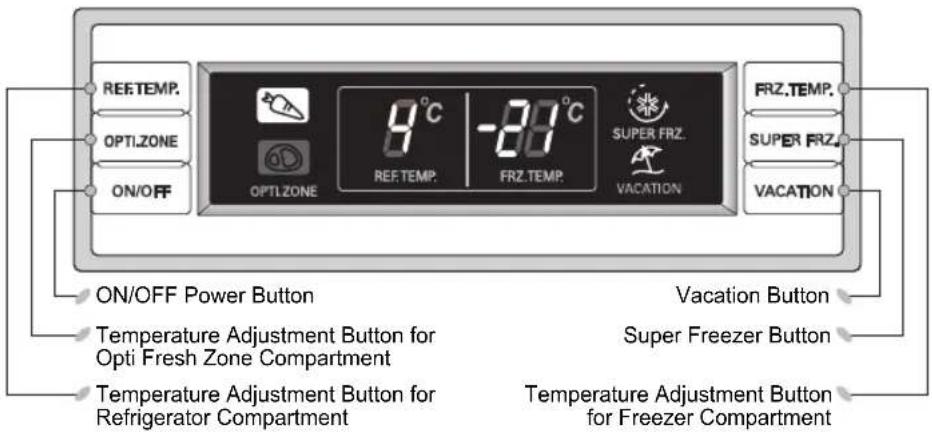
text_image
REF.TEMP. OPTI.ZONE ON/OFF 8°C REF.TEMP. -80°C FRZ.TEMP. SUPER FRZ. VACATION FRZ.TEMP. SUPER FRZ. VACATION ON/OFF Power Button Vacation Button Temperature Adjustment Button for Opti Fresh Zone Compartment Super Freezer Button Temperature Adjustment Button for Refrigerator Compartment Temperature Adjustment Button for Freezer Compartment< Exterior Type 2 >

text_image
REE TEMP. LOCK ON/OFF REE TEMP. 1 2 3 4 5 Min/Max Max FRZ. TEMP. 1 2 3 4 5 SUPER FRZ. VACATION FRZ. TEMP. SUPER FRZ. VACATION ON/OFF Power Button Lock Button Vacation Button Super Freezer Button Temperature Adjustment Button for Refrigerator Compartment Temperature Adjustment Button for Freezer CompartmentModel: GA-4*9U**A
< Exterior Type 1 >
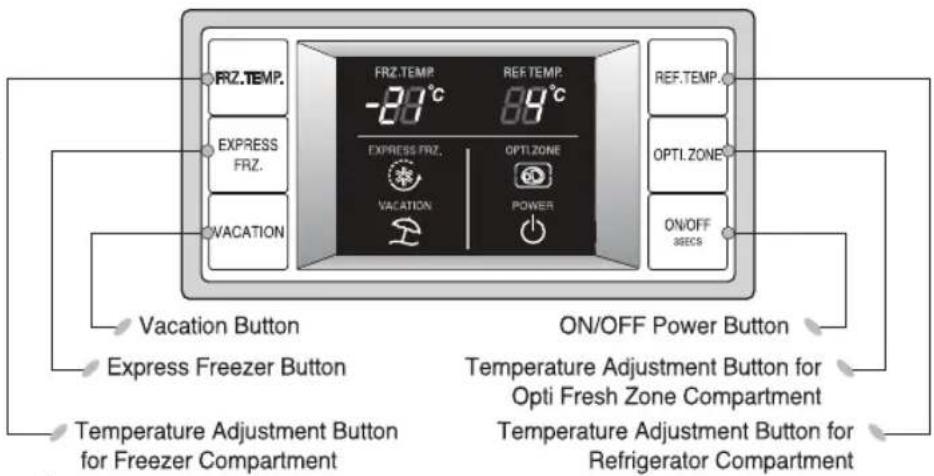
text_image
FRZ.TEMP. EXPRESS FRZ. VACATION FRZ.TEMP. -20°C EXPRESS FRZ. VACATION REF.TEMP. 89°C OPTI.ZONE POWER ON/OFF SECS Vacation Button Express Freezer Button Temperature Adjustment Button for Opti Fresh Zone Compartment Temperature Adjustment Button for Refrigerator Compartment ON/OFF Power Button
text_image
Model: GA-4*9U**A < Exterior Type 2 > FRZ.TEMP. EXPRESS FRZ. VACATION FRZ.TEMP. REF.TEMP. EXPRESS FRZ. Child LOCK VACATION POWER ON/OFF Power Button Vacation Button Express Freezer Button Child Lock Button Temperature Adjustment Button for Freezer Compartment Temperature Adjustment Button for Refrigerator Compartment For all models < Interior Type > ON/OFF Power Button 1 Min 2 3 4 5 REF.TEMP. Temperature Adjustment Button for Refrigerator CompartmentHow to adjust the temperature in the refrigerator and freezer compartment
The initial Temperature of the Freezer and Refrigerator Compartment is -21^ and 4^ respectively. You can now adjust the temperature of the compartments as you want.
Model: GA-4*9B**A
< Exterior Type 1 >
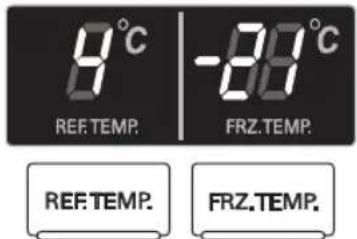
text_image
8°C REF.TEMP. -88°C FRZ.TEMP. REF.TEMP. FRZ.TEMP.< Exterior Type 2 >

text_image
REF.TEMP. 1 2 3 4 5 Min Max FRZ.TEMP. 1 2 3 4 5 REF.TEMP. FRZ.TEMP.When you press the temperature control button, the temperature of the Freezer or Refrigerator part is change by 1 degree.
- When you press the temperature control buttons, the temperature of Refrigerator and Freezer compartment is repeated in the following order. Refrigeration
Compartment :
$$ 3 \rightarrow 4 \rightarrow 5 \rightarrow 1 \rightarrow 2 $$
Freezer Compartment :
$$ 3 \rightarrow 4 \rightarrow 5 \rightarrow 1 \rightarrow 2 $$
- Lower number means higher temperature setting in each compartment
The initial temperature:
- of freezer compartment → 3
- of refrigerator compartment → 3
Model: GA-4*9U**A
< Exterior Type 1 >


< Exterior Type 2 >



When you press the temperature control button, the temperature of the Freezer or Refrigerator part is change by 1 degree.

- When you press the temperature control buttons, the temperature of Refrigerator and Freezer compartment is repeated in the following order. Refrigeration
Compartment :
$$ 4 \rightarrow \bullet \rightarrow 2 \rightarrow \bullet \rightarrow 8 $$
Freezer Compartment :
$$ - 2 1 \rightarrow \bullet \rightarrow - 2 4 \rightarrow \bullet \rightarrow - 1 8 $$
- Lower number means higher temperature setting in each compartment
- The initial temperature of freezer and refrigerator compartment is -21 and 4 respectively.
For all models
< Interior Type >

text_image
1 2 3 4 5 Min Max REF. TEMP.
When you press the temperature control buttons, the temperature of Refrigerator and Freezer compartment is repeated in the following order.
Refrigeration Compartment :
$$ 3 \rightarrow 4 \rightarrow 5 \rightarrow 1 2 $$
Note
The actual inner temperature varies depending on the food status, as the indicated setting temperature is a target temperature, not actual temperature within refrigerator. Refrigeration function is weak in the initial time. Please adjust temperature as above after using refrigerator for minimum 2\~3 days.
Opti Fresh Zone Temperature Transition Corner (Optional)
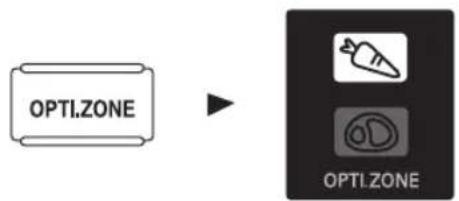
By pressing the button, store meat (at relatively low conservation temperature) or other types of food to be defrosted, raw fish, etc...
The temperature of the Opti fresh zone's compartment is always okay.
Method to use
Pressing "OPTI ZONE" button start operation with lamp ON and pressing it again stops the operation.
Model: GA-4*9B**A < Exterior Type 1 >
< In selecting "Opti Fresh Zone ON">
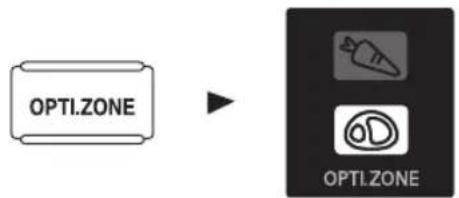
text_image
OPTI.ZONE OPTI.ZONE< In selecting "Opti Fresh Zone OFF">
text_image
OPTI.ZONE OPTI.ZONEModel: GA-4*9U**A < Exterior Type 1 >
< In selecting "Opti Fresh Zone ON" >

text_image
OPTI. ZONE OPTI.ZONE< In selecting "Opti Fresh Zone OFF" >

text_image
OPTI. ZONE OPTI.ZONEOperation
Super/Express Freezer
- Please select this function for prompt freezer.
- This function is used when you want to freeze the foods quickly. Press the “SUPER FRZ.” (Super Freezer) or the “EXPRESS FRZ.” (Express Freezer) button once, and then the quick freezer operation starts with the lamp on.
- The Super Freezer operation takes about 3 hours. When its operation ends, it automatically returns to the previous temperature setting. If you want to stop the quick freeze operation, press the “SUPER FRZ.” or the “EXPRESS FRZ.” button once more, the lamp goes out, and the Super Freezer or the Express Freezer operation stops and the refrigerator returns to the previous temperature setting.
Model: GA-4*9B**A




In selecting "Super Feezer ON"
In selecting "Super Feezer OFF"
Model: GA-4*9U**A


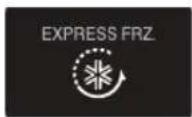
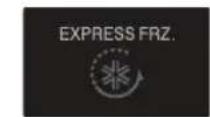
In selecting "Express Freezer ON"
In selecting "Express Freezer OFF"
- The arrow mark graphic remains at the "ON" status after flickering for 4 times when selecting Super Freezer is turned "ON".
Operation
Vacation
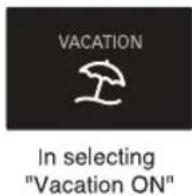
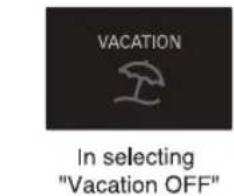
This function makes the fridge-freezer work in a power saving mode which is useful for when you are away on holiday, by reducing energy consumption as much as possible.
Pressing "VACATION" starts operation with lamp "ON" and pressing it again stops the operation.
Model: GA-4*9B**A


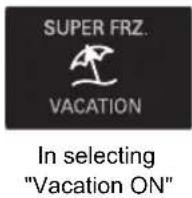

Model: GA-4*9U**A


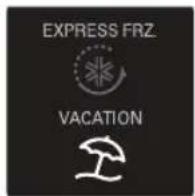

text_image
VACATION In selecting "Vacation OFF"Note
When the Vacation mode is "ON", the other buttons will not operate. When you come back from vacations, press the vacation mode off so that other buttons work and the refrigerator returns to previous temperature setting.
Operation
Lock/ Child Lock
Model: GA-4*9B**A < Exterior Type 2 >
Model: GA-4*9U**A < Exterior Type 2 >
"ON / OFF" Function
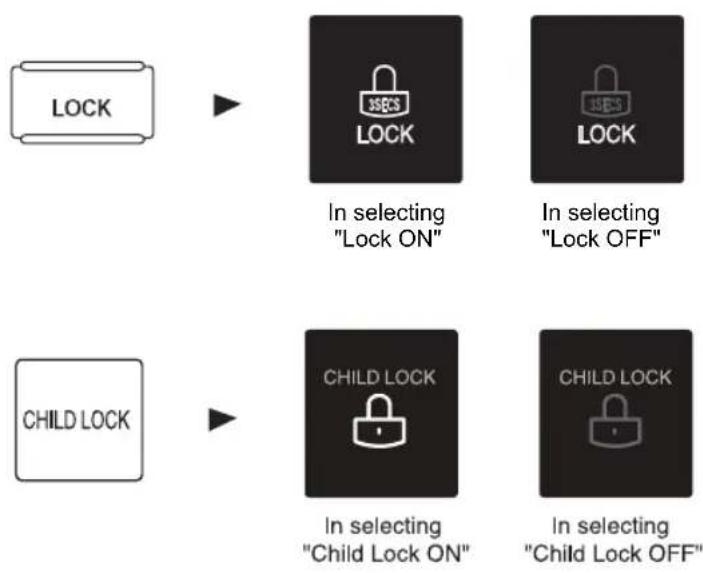
- When "LOCK" or "CHILD LOCK" is activated, pressing the other buttons would not work.
- "Locking" or "Un-Locking" is repeated whenever pressing the "LOCK" or the "CHILD LOCK" button. (For "Locking" or "Un-Locking" press the "LOCK" or the "CHILD LOCK" button for 3 sec).
Switching on and off the appliance
Switch off
- Press the "ON/OFF" button over 3 seconds to switch for defrosting, cleaning and no use of long term.
• The outside lamp (display) is turned off. - The inside lamp is "ON", When open the door.
Switch on
- Press the "ON/OFF" button over 3 seconds to switch the appliance.
Operation
Door Alarm
Ice Making
Note
Tip
Defrosting
- When the door of the fridge is left opened for a while, the alarm sounds. Please contact with the local service center if warning continue to sound even after closing the door.
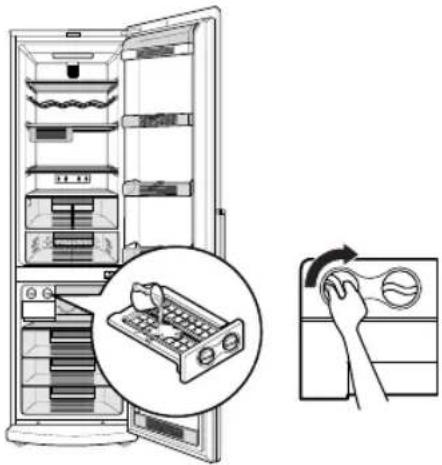
- Fill water in ice making box of the ice making corner. If water is fully filled the ice will not be separated well and water can be dropped to make ice lumped.
- Ice will be dropped into the ice storage bin by rotating ice separation handle of ice making compartment.
- Rotating the ice separation handle before ice is fully frozen may cause the remaining water drop into the ice storage bin to lump the ice together.
• To remove ice cubes easily, run water on the tray before twisting.
natural_image
Illustration of a refrigerator with open doors and a hand cleaning the interior (no text or symbols)- The refrigerator uses an automatic defrosting system. Frost, forming on the back wall of the compartment melts, when the Cyclically working compressor is switched off, and turns to water drops. Melt water runs down to the drain tray, gets to the container in the compressor through the tube. It is necessary (at least once in 3 months) clean the drain hole to ensure unobstructed drainage of melt water to the container.
- To defrost and clean the freezing compartment, unplugging the refrigerator or selecting 'On/Off' switch and removing products from the freezing compartment. Open the door of the freezing compartment for 1 hour, collect melt water with a sponge and wash the compartment and rub it dry.
Operation
Half Shelf (Optional)
- To place high objects, for example, bottles, it is necessary to take out the front half of the shelf. Lift it a little and drag it to yourself. Make the same operations in the reverse order to restore to a full shelf.
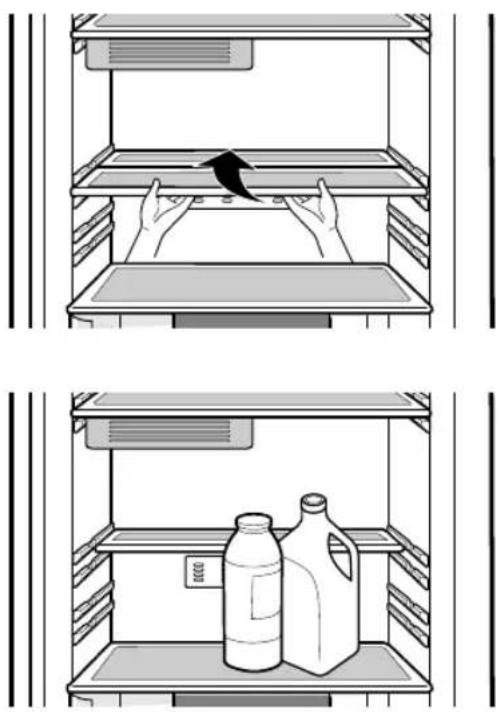
Wine Rack (Optional)
- Bottles can be stored laterally with this wine corner. Then you can invert the wine rack and place it on the shelf. This will enable more shelf-place.
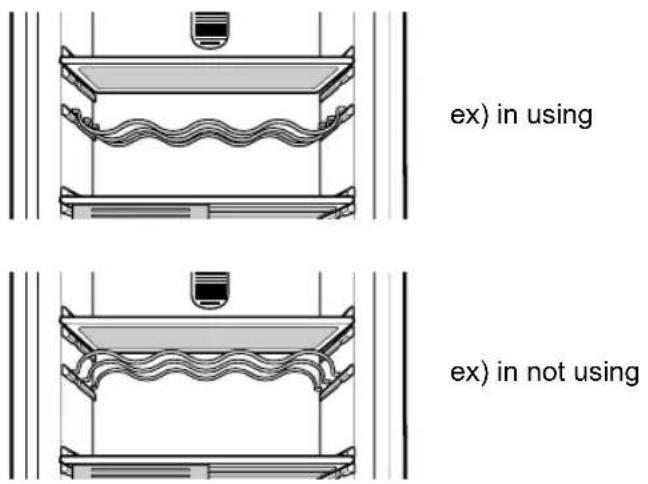
ex) in using
ex) in not using
Caution
Storing Food
- Do not store food which goes bad easily at low temperature, such as banana, and melon.
- Allow hot food to cool prior to storing. Placing hot food in the fridge-freezer could spoil other food, and lead to higher electric bills.
- When storing the food, use a container with a lid. This prevents moisture from evaporating, and helps food to keep its taste and nutrients.
- Do not block air vents with food. Smooth circulation of cold air keeps fridge-freezer temperature even.
- Do not attach product to the inner wall of the refrigerator (the gap should be 3-4 cm). This prevents from normal circulation of cold air inside of refrigeration department and forward to making of ice on the inner backside.
- Do not open the door frequently. Opening the door lets warm air enter the fridge-freezer, and cause temperature to rise.
- Never keep too many foods in door rack, as this may stop the door from fully closing.
- Do not store bottles in the freezer compartment - they may break when frozen.
- Do not refreeze food that has been thawed. This causes loss of taste and nutrition.
- Do not store pharmaceutical products, scientific materials or other temperature sensitive products in the refrigerator. Products that require strict temperature controls must not be stored in the refrigerator.
- Freezer Door Basket, marked ** is -12^ compartment, that is suitable for sort term storage of frozen food.
- If you want to quick freeze new food, you put it middle drawer of freezer compartment, and then press the Express Freezer button.
General Information
Power Failure
If You Move
- 1\~2 hour power failure does no harm to the foods stores. Try to avoid opening and closing the door too frequently.
• Take out foods from the fridge-freezer and firmly fix the loose items with tape.
- Turn the leveling screws until they stop before moving the fridge-freezer. Otherwise the screw may scratch the floor or the fridge-freezer cannot move.
Anti Condensation Pipe
- The Anti-Condensation pipe is installed around the front side of fridge-freezer as well as on the partition between fridge compartment and freezer compartment to prevent dewing, which is heating during the operation of compressor.

text_image
Anti-Condensation PipePlate rear
- When a refrigerator is working a Plate rear can be significantly warm. This phenomenon is explained by the design feature of a refrigerator.
Middle drawer of freezer compartment
- If large quantities of food are to be stored in the freezer, a middle drawer of freezer compartment can be taken out of the appliance and the food can be stored directly right over the food stacked from the lower drawer. To remove one of the freezer drawers, pull out all the way, lift at the front and remove.

natural_image
Diagram showing a mechanical or architectural component with directional arrows indicating motion (no text or symbols present)Note
If you keep the fridge-freezer in a hot, and humid place, frequently open its door or put a lot of vegetables in it, dew may form in it, which has no effect on its performance.
Remove the dew with dust cloth free from care.
Extract / Install drawer
- To take the lower drawer from the refrigerator compartment, it is necessary at first to take out the lower basket from a door with raising it upwards (1). Then a few to raise and extract a drawer from the guides (2).
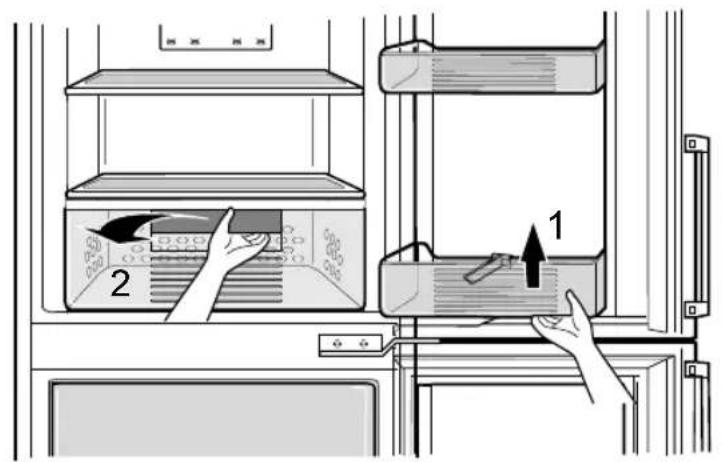
text_image
Diagram showing a hand placing a component into a storage unit with labeled parts and directional arrows- To take a cover drawer, it is necessary to raise it a little (3) and to pull on (4).
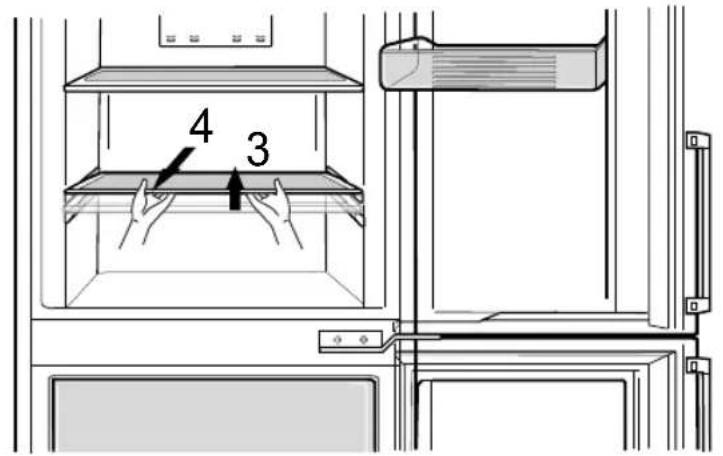
text_image
4 3- When drawer installation back, it is necessary to make similar actions in with return sequence.
- If wrong extraction, damage of internal parts of a refrigerator is possible.
Note
Warranty does not cover mechanical damage (cracks, chips, dents and etc.) caused by the breaking of the rules of storage, transportation, operation, maintenance of the refrigerator, or application too much physical force.
Extract/Install shelf
- To extract the shelf from refrigerator, at first – lift up it (1), and then – pull it out side (2). In case of wrong extracting of the shelf, the damages of inner surfaces of refrigerator possible.

text_image
2 1• To install shelf into refrigerator follow similar: lift up front side of the shelf at the angle (3) and then insert it inside (4). In case of wrong installing of the shelf, the damages of inner surfaces of refrigerator possible.

text_image
4 3Caution
Don't apply a overwhelming effort and brute force on drawer and shelves - it could damage the refrigerator!
Warning
Refrigerator work features
As a result of thermal strain for components of a refrigerator appliance can be heard crackling noise that is not a defect and doesn't affect efficiency of the appliance. This special sound when the thermo-regulator and compressor and turned on is a normal state, which appears during the working process of appliance's electric installation.
The gas refrigerant produces a slight noise even when the compressor is not running (this is not a defect).
While refrigerator appliance working process can be heard:
- flick of the temperature relay;
- murmur of refrigerant flowing round cycle;
- cracking noise because of the materials deformation by temperature.
All that is not defect and doesn't affect efficiency of the appliance.
Care and Maintenance
Lamp Replacement
natural_image
Diagram of hands holding a smartphone inside a container, with an arrow indicating the device's rotation (no text or symbols present)
Caution
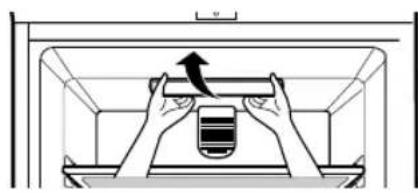
- Unplug the power cord from the outlet.
- Remove the room lamp lid by taking down while pulling its back projection.
- Remove the lamp by turning it counterclockwise and replace new one.
- Assemble in reverse order of disassembly. Replacement bulb must be the same specification as original.
- You must check the O-RING, which is made by rubber and prevent electric spark.
- Don't touch the lamp, in case of light on the long time. Because it can be very hot.
Note
To Reverse the Doors
- Lamp capacity is MAX 30W.
- The lamp will remain "ON" for 7 minutes if the door is left open and then it is "OFF" for safety. (If you reopen the door, the lamp is "On".)
- Your fridge-freezer is designed with reversible doors, do that they may open from either the left of right hand side to suit your kitchen design.

Caution
However, When you want to reverse the doors, you must be calling to service agent.
Before Cleaning
Exterior
Interior
Cleaning
Be sure to unplug the power.
If you want to take out an opti fresh zone drawer of a refrigerator, Take out the drawer after remove a basket in front of drawer.
Clean the outside of the fridge-freezer with a soft cloth soaked with hot water or liquid detergent. If you use a detergent, be sure to wipe it with a clean wet cloth.
If snow layer more than 3mm forms in the freezing compartment or cooling compartment.
It can be removed with the plastic spatula, included in the delivery set, the refrigerator should be unplugged for defrosting and clean.
To clean the interior freezer room easily. Above all things draw off a middle freezer drawer and empty the rest of freezer drawers before defrosting.

natural_image
Diagram of a refrigerator interior showing three shelves with no text or symbolsThe snow layer hinders cold transfer to products, increases cooling time and reduces quality of products, raising power consumption.
It is prohibited to use metal objects for snow layer removal. It is recommended to clean the freezing compartment after each defrosting, but at least twice a year.
If small ice on the inner side cooling chamber does not prevent from normal operation of the refrigerator, it doesn't required to delete Optionally, you can remove it by ice scrap, but no more than 1 times in a month. Change temperature of the refrigerator department, by increasing temperature to 1-2 C.

Caution
After Cleaning

Warning
It is prohibited to scrape the surface of an freezing evaporator with metal and sharp objects for snow layer removal.
Check that the power cord is not damaged, power plug has not overheated, and that the power plug is tightly inserted into the outlet.
Be sure to dry the appliance with a cloth after washing it with water. Do not use abrasive, petroleum, benzene, thinner, hydrochloride acid, boiling water, rough brush, etc, as they may damage parts of the fridge-freezer.
Trouble Shooting
Problem
Fridge-Freezer does not operate
Fridge or Freezer Compartment Temperature too warm
Vibration or Rattling or Abnormal Noise
Frost or Ice Crystals on frozen Food
Frost or Ice on the innerside of the refrigerator
Before calling for service, check this list or call in Support service of clients(p. 59). It may save your time and expense. This list includes common occurrences that are not the result of defective workmanship or materials in this appliance.
Possible Causes
• Power plug may be unplugged from the electric outlet.
Plug it in securely.
• House fuse has blown or circuit breaker has tripped.
Check and/or replace fuse and reset circuit breaker.
- Power cut.
Check house lights.
• Temperature control not set on proper position. Refer to Temperature Control section.
- Appliance is placed close to heat source.
- Warm weather-frequent door openings.
- Door left open for a long time.
- Package holding door open or blocking air duct in freezer compartment.
- The floor on which the fridge-freezer is installed may be uneven or the fridge-freezer may be unstable.
Make it even by rotating the leveling screw.
- Unnecessary objects placed in the back side of the fridge-freezer.
- Door may have been left ajar or package holding door open.
- Too frequent or too long door openings.
- Frost within package is normal.
• The products put too close to the inner side of the refrigerator.
Refer to Storing Food section.
- In the refrigerator compartment is set up low temperature conditions.
Refer to Cleaning section.
- Door may have been left ajar or package holding.
Trouble Shooting
Problem
Moisture forms on Cabinet Surface
Moisture collects inside
Fridge has odor
Door not closing properly
Interior light does not work
natural_image
Symbol of a trash bin crossed with no text or numbers, representing waste sorting or disposal (no text present)Possible Causes
- This phenomenon is likely to occur in a wet space. Wipe it with a dry towel.
- Too frequent or too long door openings.
- In humid weather, air carries moisture into fridge when doors are opened.
- Foods with strong odors should be tightly covered or wrapped.
- Check for spoiled food.
- Interior needs cleaning. Refer to CLEANING section
- Food package is keeping door open. Move packages that keep door from closing.
- Fridge-freezer is not level. Adjust the leveling screws.
- The floor on which the fridge-freezer is installed may be uneven or the fridge-freezer may be unstable. Slightly raise the front side with the leveling screw.
- No power at outlet.
• Light lamp needs replacing. Refer to the Lamp Replacement section
DISPOSAL OF YOUR OLD APPLIANCE
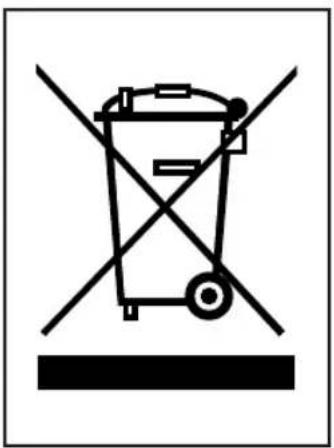
- When this crossed-out wheeled bin symbol is attached to a product it means the product is covered by the European Directive 2002/96/EC.
- All electrical and electronic products should be disposed of separately from the municipal waste stream via designated collection facilities appointed by the government or the local authorities.
- The correct disposal of your old appliance will help prevent potential negative consequences for the environment and human health.
- For more detailed information about disposal of your old appliance, please contact your city office, waste disposal service or the shop where you purchased the product.