
SM-N920W8 - Cellphone SAMSUNG - Free user manual and instructions
Find the device manual for free SM-N920W8 SAMSUNG in PDF.
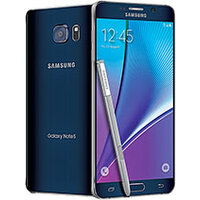



| Product type | Mobile phone |
| Brand | SAMSUNG |
| Model | SM-N920W8 (Galaxy Note 5) |
| Dimensions | 153.2 x 76.1 x 7.6 mm |
| Weight | 171 grams |
| Screen type | Super AMOLED |
| Screen size | 5.7 inches |
| Screen resolution | 2560 x 1440 pixels (QHD) |
| Processor | Exynos 7420 Octa-core (4x2.1 GHz Cortex-A57 + 4x1.5 GHz Cortex-A53) |
| RAM memory | 4 GB |
| Internal storage | 32 GB / 64 GB / 128 GB (depending on version) |
| Battery | Lithium-ion 3000 mAh (non-removable) |
| Power supply | Charger 5V/2A or 9V/1.67A (Adaptive Fast Charging) |
| Rear camera | 16 MP, f/1.9 aperture, optical stabilization |
| Front camera | 5 MP, f/1.9 aperture |
| Connectivity | LTE, Wi-Fi 802.11 a/b/g/n/ac, Bluetooth 4.2, NFC, USB 2.0 (Type-C 1.0) |
| Sensors | Accelerometer, gyroscope, proximity, compass, barometer, fingerprint |
| Special features | S Pen, Samsung Pay, Always-on Display, Samsung KNOX |
| Operating system | Android 5.1.1 (Lollipop), upgradable to 7.0 Nougat |
| Care and cleaning | Wipe with a soft, dry cloth; avoid chemicals and liquids |
| Security | Fingerprint sensor, Samsung KNOX, security updates |
| Spare parts | Available through authorized service center; battery not user-replaceable |
Frequently Asked Questions - SM-N920W8 SAMSUNG
User questions about SM-N920W8 SAMSUNG
0 question about this device. Answer the ones you know or ask your own.
Ask a new question about this device
Download the instructions for your Cellphone in PDF format for free! Find your manual SM-N920W8 - SAMSUNG and take your electronic device back in hand. On this page are published all the documents necessary for the use of your device. SM-N920W8 by SAMSUNG.
USER MANUAL SM-N920W8 SAMSUNG
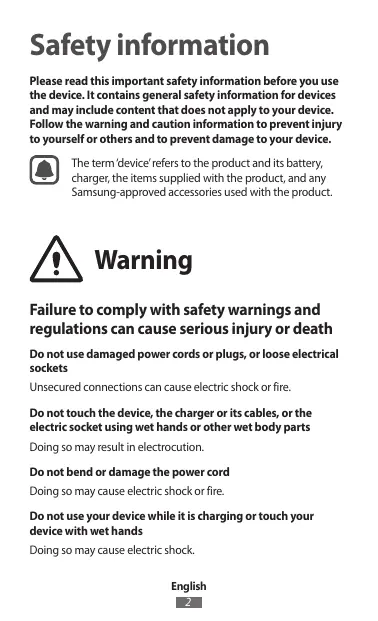
Please read this important safety information before you use the device. It contains general safety information for devices and may include content that does not apply to your device. Follow the warning and caution information to prevent injury to yourself or others and to prevent damage to your device.

The term 'device' refers to the product and its battery, charger, the items supplied with the product, and any Samsung-approved accessories used with the product.

Warning
Failure to comply with safety warnings and regulations can cause serious injury or death.
Do not use damaged power cords or plugs, or loose electrical sockets.
Unsecured connections can cause electric shock or fire.
Do not touch the device, the charger or its cables, or the electric socket using wet hands or other wet body parts.
Doing so may result in electrocution.
Do not bend or damage the power cord.
Doing so may cause electric shock or fire.
Do not use your device while it is charging or touch your device with wet hands.
Doing so may cause electric shock.
Do not directly connect together the charger's positive and negative terminals.
Doing so may cause fire or serious injury.
Do not use your device outdoors during a thunderstorm.
Doing so may result in electric shock or device malfunction.
Use manufacturer-approved batteries, chargers, accessories, and supplies.
- Using generic batteries or chargers may shorten the life of your device or cause the device to malfunction. They may also cause a fire or cause the battery to explode.
- Use only Samsung-approved battery and charger specifically designed for your device. Incompatible battery and charger can cause serious injuries or damage to your device. Samsung cannot be responsible for the user's safety when using accessories or supplies that are not approved by Samsung.
Do not carry your device in your back pockets or on your waist.
- The device may be damaged, explode, or result in a fire if too much pressure is applied to it.
- You may be injured if you are bumped or fall.
Do not drop or cause an impact to the charger or the device.
Handle and dispose of the device and charger with care.
- Never dispose of the battery or device in a fire. Never place the battery or device on or in heating devices, such as microwave ovens, stoves, or radiators. The device may explode when overheated. Follow all local regulations when disposing of used battery or device.
- Never crush or puncture the device.
- Avoid exposing the device to high external pressure, which can lead to an internal short circuit and overheating.
Protect the device, battery and charger from damage.
- Avoid exposing your device and battery to very cold or very hot temperatures. Extreme temperatures can damage the device and reduce the charging capacity and life of your device and battery.
- Do not directly connect together the battery's positive and negative terminals and prevent them from coming into contact with metal objects. Doing so may cause the battery to malfunction.
- Never use a damaged charger or battery.
Do not store your device near or in heaters, microwaves, hot cooking equipment, or high pressure containers.
The battery may leak. - Your device may overheat and cause a fire.
Do not use or store your device in areas with high concentrations of dust or airborne materials.
Dust or foreign materials can cause your device to malfunction and may result in fire or electric shock.
Prevent the multipurpose jack and the small end of the charger from contact with conductive materials, such as liquids, dust, metal powders, and pencil leads.
Conductive materials may cause a short circuit or corrosion of the terminals, which may result in an explosion or fire.
Do not bite or suck the device or the battery.
- Doing so may damage the device or result in an explosion or fire. Children or animals can choke on small parts.
- If children use the device, make sure that they use the device properly.
Do not insert the device or supplied accessories into the eyes, ears, or mouth.
Doing so may cause suffocation or serious injuries.
Do not handle a damaged or leaking Lithium Ion (Li-Ion) battery.
For safe disposal of your Li-ion battery, contact your nearest authorised service centre.

Caution
Failure to comply with safety cautions and regulations can cause injury or property damage.
Do not use your device near other electronic devices.
- Most electronic devices use radio frequency signals. Your device may interfere with other electronic devices.
- Using an LTE data connection may cause interference with other devices, such as audio equipment and telephones.
Do not use your device in a hospital, on an aircraft, or in automotive equipment that can be interfered with by radio frequency.
- Avoid using your device within a 15 cm range of a pacemaker, if possible, as your device can interfere with the pacemaker.
- To minimise possible interference with a pacemaker, use your device only on the side of your body that is opposite the pacemaker.
- If you use medical equipment, contact the equipment manufacturer before using your device to determine whether or not the equipment will be affected by radio frequencies emitted by the device.
- On an aircraft, using electronic devices can interfere with the aircraft's electronic navigational instruments. Make sure the device is turned off during takeoff and landing. After takeoff, you can use the device in flight mode if allowed by aircraft personnel.
- Electronic devices in your car may malfunction due to radio interference from your device. Contact the manufacturer for more information.
Do not expose the device to heavy smoke or fumes.
Doing so may damage the outside of the device or cause it to malfunction.
If you use a hearing aid, contact the manufacturer for information about radio interference.
The radio frequency emitted by your device may interfere with some hearing aids. Before using your device, contact the manufacturer to determine whether or not your hearing aid will be affected by radio frequencies emitted by the device.
Do not use your device near devices or apparatuses that emit radio frequencies, such as sound systems or radio towers.
Radio frequencies may cause your device to malfunction.
Turn off the device in potentially explosive environments.
- Turn off your device in potentially explosive environments instead of removing the battery.
- Always comply with regulations, instructions and signs in potentially explosive environments.
- Do not use your device at refuelling points (petrol stations), near fuels or chemicals, or in blasting areas.
- Do not store or carry flammable liquids, gases, or explosive materials in the same compartment as the device, its parts, or accessories.
If you notice strange smells or sounds coming from your device or the battery, or if you see smoke or liquids leaking from the device or battery, stop using the device immediately and take it to a Samsung Service Centre.
Failure to do so may result in fire or explosion.
Comply with all safety warnings and regulations regarding mobile device usage while operating a vehicle.
While driving, safely operating the vehicle is your first responsibility. Never use your mobile device while driving, if it is prohibited by law. For your safety and the safety of others, use your common sense and remember the following tips:
- Get to know your device and its convenience features, such as speed dial and redial. These features help you reduce the time needed to place or receive calls on your mobile device.
- Position your device within easy reach. Make sure you can access your wireless device without taking your eyes off the road. If you receive an incoming call at an inconvenient time, let your voicemail answer it for you.
- Suspend calls in heavy traffic or hazardous weather conditions. Rain, sleet, snow, ice, and heavy traffic can be hazardous.
- Do not take notes or look up phone numbers. Jotting down a "to do" list or flipping through your address book takes attention away from your primary responsibility of driving safely.
- Dial sensibly and assess the traffic. Place calls when you are not moving or before pulling into traffic. Try to plan calls when your car will be stationary.
- Do not engage in stressful or emotional conversations that may be distracting. Make the person you are talking to aware that you are driving and suspend conversations that could potentially divert your attention from the road.
Care and use your device properly
Keep your device dry
- Humidity and liquids may damage the parts or electronic circuits in your device.
- Do not turn on your device if it is wet. If your device is already on, turn it off and remove the battery immediately (if the device will not turn off or you cannot remove the battery, leave it as-is). Then, dry the device with a towel and take it to a service centre.
- This device has internal liquid indicators fitted. Water damage to your device may void the manufacturer's warranty.
Store your device only on flat surfaces
If your device falls, it may be damaged.
The device can be used in locations with an ambient temperature of 0°C to 35°C. You can store the device at an ambient temperature of -20°C to 50°C. Using or storing the device outside of the recommended temperature ranges may damage the device or reduce the battery's lifespan.
- Do not store your device in very hot areas such as inside a car in the summertime. Doing so may cause the screen to malfunction, result in damage to the device, or cause the battery to explode.
- Do not expose your device to direct sunlight for extended periods of time (on the dashboard of a car, for example).
- The battery can be stored separately in locations with an ambient temperature of 0°C to 45°C.
Do not store your device with metal objects, such as coins, keys, and necklaces.
- Your device may be scratched or may malfunction.
- If the battery terminals come into contact with metal objects, this may cause a fire.
Do not store your device near magnetic fields.
- Your device may malfunction or the battery may discharge from exposure to magnetic fields.
- Magnetic stripe cards, including credit cards, phone cards, passbooks, and boarding passes, may be damaged by magnetic fields.
Do not use your device or applications for a while if the device is overheated.
Prolonged exposure of your skin to an overheated device may cause low temperature burn symptoms, such as red spots and pigmentation.
Do not use your device with the back cover removed.
The battery may fall out of the device, which may result in damage or malfunction.
If your device has a camera flash or light, do not use it close to the eyes of people or pets.
Using a flash close to the eyes may cause temporary loss of vision or damage to the eyes.
Use caution when exposed to flashing lights.
While using your device, leave some lights on in the room and do not hold the screen too close to your eyes. Seizures or blackouts can occur when you are exposed to flashing lights while watching videos or playing Flash-based games for extended periods. If you feel any discomfort, stop using the device immediately. If anyone related to you has experienced seizures or blackouts while using a similar device, consult a physician before using the device.
- If you feel discomfort, such as a muscle spasm, or disoriented, stop using the device immediately and consult a physician.
- To prevent eye strain, take frequent breaks while using the device.
Reduce the risk of repetitive motion injuries
When you repetitively perform actions, such as pressing keys, drawing characters on a touch screen with your fingers, or playing games, you may experience occasional discomfort in your hands, neck, shoulders, or other parts of your body. When using your device for extended periods, hold the device with a relaxed grip, press the keys lightly, and take frequent breaks. If you continue to have discomfort during or after such use, stop using the device and consult a physician.
Protect your hearing and ears when using a headset

- Excessive exposure to loud sounds can cause hearing damage.
- Exposure to loud sounds while walking may distract your attention and cause an accident.
- Always turn the volume down before plugging the earphones into an audio source and use only the minimum volume setting necessary to hear your conversation or music.
- In dry environments, static electricity can build up in the headset. Avoid using headsets in dry environments or touch a metal object to discharge static electricity before connecting a headset to the device.
- Do not use a headset while driving or riding. Doing so may distract your attention and cause an accident, or may be illegal depending on your region.
Use caution when using the device while walking or moving
- Always be aware of your surroundings to avoid injury to yourself or others.
- Make sure the headset cable does not become entangled in your arms or on nearby objects.
Do not paint or put stickers on your device
- Paint and stickers can clog moving parts and prevent proper operation.
- If you are allergic to paint or metal parts of the device, you may experience itching, eczema, or swelling of the skin. When this happens, stop using the device and consult your physician.
Do not use the device if it is cracked or broken
Broken glass or acrylic could cause injury to your hands and face. Take the device to a Samsung Service Centre to have it repaired.
Install mobile devices and equipment with caution
- Ensure that any mobile devices or related equipment installed in your vehicle are securely mounted.
- Avoid placing your device and accessories near or in an airbag deployment area. Improperly installed wireless equipment can cause serious injury when airbags inflate rapidly.
Do not drop your device or cause impacts to your device
- Your device may be damaged or may malfunction.
- If bent or deformed, your device may be damaged or parts may malfunction.
Ensure maximum battery and charger life
- Batteries may malfunction if they are not used for extended periods. Over time, unused device will discharge and must be recharged before use.
- Disconnect the charger from power sources when not in use.
- Use the battery only for their intended purposes.
- Follow all instructions in this manual to ensure the longest lifespan of your device and battery. Damages or poor performance caused by failure to follow warnings and instructions can void your manufacturer's warranty.
- Your device may wear out over time. Some parts and repairs are covered by the warranty within the validity period, but damages or deterioration caused by using unapproved accessories are not.
When using the device, mind the following:
- Hold the device upright, as you would with a traditional phone.
- Speak directly into the microphone.
Do not disassemble, modify, or repair your device.
- Any changes or modifications to your device can void your manufacturer's warranty. If your device needs servicing, take your device to a Samsung Service Centre.
- Do not disassemble or puncture the battery, as this can cause explosion or fire.
- Turn off the device before removing the battery. If you remove the battery with the device turned on, it may cause the device to malfunction.
When cleaning your device, mind the following:
- Wipe your device or charger with a towel or an eraser.
- Clean the battery terminals with a cotton ball or a towel.
- Do not use chemicals or detergents. Doing so may discolor or corrode the outside of the device or may result in electric shock or fire.
Do not use the device for anything other than its intended use.
Your device may malfunction.
Avoid disturbing others when using the device in public.
Allow only qualified personnel to service your device.
Allowing unqualified personnel to service your device may result in damage to your device and will void your manufacturer's warranty.
Handle SIM cards, memory cards, or cables with care.
- When inserting a card or connecting a cable to your device, make sure that the card is inserted or the cable is connected to the proper side.
- Do not remove a card while the device is transferring or accessing information, as this could result in loss of data and/or damage to the card or device.
- Protect cards from strong shocks, static electricity, and electrical noise from other devices.
- Do not touch gold-coloured contacts or terminals with your fingers or metal objects. If dirty, wipe the card with a soft cloth.
- Inserting a card or connecting a cable by force or improperly may result in damage to the multipurpose jack or other parts of the device.
Ensure access to emergency services.
Emergency calls from your device may not be possible in some areas or circumstances. Before travelling in remote or undeveloped areas, plan an alternative method of contacting emergency services personnel.
Protect your personal data and prevent leakage or misuse of sensitive information.
While using your device, be sure to back up important data. Samsung is not responsible for the loss of any data. - When disposing of your device, back up all data and then reset your device to prevent misuse of your personal information. - Carefully read the permissions screen when downloading applications. Be particularly cautious with applications that have access to many functions or to a significant amount of your personal information. - Check your accounts regularly for unapproved or suspicious use. If you find any sign of misuse of your personal information, contact your service provider to delete or change your account information. - In the event your device is lost or stolen, change the passwords on your accounts to protect your personal information. - Avoid using applications from unknown sources and lock your device with a pattern, password, or PIN.
Do not distribute copyright-protected material.
Do not distribute copyright-protected material without the permission of the content owners. Doing this may violate copyright laws. The manufacturer is not liable for any legal issues caused by the user's illegal use of copyrighted material.
Malware and viruses
To protect your device from malware and viruses, follow these usage tips. Failure to do so may result in damages or loss of data that may not be covered by the warranty service.
- Do not download unknown applications.
- Do not visit untrusted websites.
- Delete suspicious messages or email from unknown senders.
- Set a password and change it regularly.
- Deactivate wireless features, such as Bluetooth, when not in use.
- If the device behaves abnormally, run an antivirus program to check for infection.
- Run an antivirus program on your device before you launch newly-downloaded applications and files.
- Install antivirus programs on your computer and run them regularly to check for infection.
- Do not edit registry settings or modify the device's operating system.
Specific Absorption Rate (SAR) certification information
For more information, visit www.samsung.com/sar and search for your device with the model number.
Correct disposal of this product

(Waste Electrical & Electronic Equipment)
(Applicable in countries with separate collection systems)
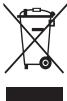
This marking on the product, accessories or literature indicates that the product and its electronic accessories (e.g. charger, headset, USB cable) should not be
disposed of with other household waste.
To prevent possible harm to the environment or human health from uncontrolled waste disposal, please separate these items from other types of waste and recycle them responsibly to promote the sustainable reuse of material resources.
Household users should contact either the retailer where they purchased this product, or their local government office, for details of where and how they can take these items for environmentally safe recycling.
Business users should contact their supplier and check the terms and conditions of the purchase contract. This product and its electronic accessories should not be mixed with other commercial wastes for disposal.
This product is RoHS compliant.
Correct disposal of batteries in this product

(Applicable in countries with separate collection systems)
The marking on the battery, manual or packaging indicates that the battery in this product should not be disposed of with other household waste. Where
marked, the chemical symbols Hg, Cd or Pb indicate that the battery contains mercury, cadmium or lead above the reference levels in EC Directive 2006/66.
The battery incorporated in this product is not user replaceable. For information on its replacement, please contact your service provider. Do not attempt to remove the battery or dispose it in a fire. Do not disassemble, crush, or puncture the battery. If you intend to discard the product, the waste collection site will take the appropriate measures for the recycling and treatment of the product, including the battery.
Disclaimer
Some content and services accessible through this device belong to third parties and are protected by copyright, patent, trademark and/or other intellectual property laws. Such content and services are provided solely for your personal non-commercial use.
You may not use any content or services in a manner that has not been authorised by the content owner or service provider.
Without limiting the foregoing, unless expressly authorised by the applicable content owner or service provider, you may not modify, copy, republish, upload, post, transmit, translate, sell, create derivative works, exploit, or distribute in any manner or medium any content or services displayed through this device.
"THIRD PARTY CONTENT AND SERVICES ARE PROVIDED "AS IS." SAMSUNG DOES NOT WARRANT CONTENT OR SERVICES SO PROVIDED, OTHERWISE EXPRESSLY OR IMPLIEDLY, FOR ANY PURPOSE. SAMSUNG EXPRESSLY DISCLAIMS ANY IMPLIED WARRANTIES, INCLUDING BUT NOT LIMITED TO, WARRANTIES OF MERCHANTABILITY OR FITNESS FOR A PARTICULAR PURPOSE. SAMSUNG DOES NOT GUARANTEE THE ACCURACY, VALIDITY, TIMELINESS, LEGALITY, OR COMPLETENESS OF ANY CONTENT OR SERVICE MADE AVAILABLE THROUGH THIS DEVICE AND UNDER NO CIRCUMSTANCES, INCLUDING NEGLIGENCE, SHALL SAMSUNG BE LIABLE, WHETHER IN CONTRACT OR TORT, FOR ANY DIRECT, INDIRECT, INCIDENTAL, SPECIAL OR CONSEQUENTIAL DAMAGES, ATTORNEY FEES, EXPENSES, OR ANY OTHER DAMAGES ARISING OUT OF, OR IN CONNECTION WITH, ANY INFORMATION CONTAINED IN, OR AS A RESULT OF THE USE OF ANY CONTENT OR SERVICE BY YOU OR ANY THIRD PARTY, EVEN IF ADVISED OF THE POSSIBILITY OF SUCH DAMAGES."
Third party services may be terminated or interrupted at any time, and Samsung makes no representation or warranty that any content or service will remain available for any period of time. Content and services are transmitted by third parties by means of networks and transmission facilities over which Samsung has no control. Without limiting the generality of this disclaimer, Samsung expressly disclaims any responsibility or liability for any interruption or suspension of any content or service made available through this device.
Samsung is neither responsible nor liable for customer service related to the content and services. Any question or request for service relating to the content or services should be made directly to the respective content and service providers.
Please read the important safety information before using the device. It contains general safety information for devices and may include material that applies to your device. Follow the warnings and cautions to prevent injury to yourself and others and to prevent damage to the device.

a 1
()()()
a 1

a aaii i 10
ciklil
g21 1 g21 1 g21
alall jlll llll clll llll jlll jlll
ailll lai pia jn daa n jyll aie
piaiuii jai gali liai iiaiaiaiaiaiaiaiaiaiaiaiaiaiaiaiaiaiaiaiaiaiaiaiaiaiaiaiaiaiaiaiaiaiaiaiaiaiaiaiaiaiaiaiaiaiaiaiaiaiaiaiaiaiaiaiaiaiaiaia
jia 1
∴ OE BC
jai jaiill aiy jylyl ay jayil alal yjailall
ie jlll laii i jia sii biliu aalil ai yj
e i j 1 1 1 1 1 1 1 1 1 1 1 1
dill sbjbal (g) U gswall caw 12 j sbjbal

1 1
Therefore, the area of triangle ACD equals the area of triangle COD plus the area of triangle BDO minus the area of triangle CDA.
j 1
is global.
j 1 1
a 1
Aasill sll plssol selal gail jall xai
ie 1y jy. lill yj ii y jy jll
j jy jy jy jiy jiy jiy jiy jiy jiy jiy jiy jiy jiy jiy jiy jiy jiy jiy jiy jiy jiy jiy jiy jiy jiy jiy jiy jiy jiy jiy jiy jiy jiy jiy jiy jiy jiy jiy jiy jiy jiy jiy jiy
ailllglal 10g j aie 12.0r
dLus clogjoo jai jai aai 2jay Jua
aal aalaae
aaiill lglao
Culwglg 2gog 10 gailll Cwglg
cill llll llll llll llll lllllllllllllll
yjy j
Jg 1
C. α = 2, α = - 1
Jusll Juauiuuiy Juauiy Juaill Cuaie! Jua y
(SAR)

Information
Safety
Please read the safety information before using the device. This safety information applies to the device and may include information about your device. Follow the safety information to prevent injury to yourself or others, and to prevent damage to your device.

The device and its battery, charging equipment, accessories, and all related equipment are manufactured by Samsung.

Warning
Failure to follow safety warnings may result in serious injury or death.
Do not use damaged power cords or power plugs, or loose electrical sockets.
Unsafe use may cause electric shock or fire.
Do not expose the battery charger, the charging device, the power cord, or the electrical contacts to moisture or wet conditions.
This could cause an electric shock.
Do not bend or damage the electrical cable.
This could cause an electric shock or fire.
Do not use the device if it is damaged, and do not touch it with wet hands.
This could cause an electric shock.
Do not connect the positive and negative terminals of the battery to the charging device with reversed polarity.
This could cause a fire or serious injury.
Do not use the device during a thunderstorm.
This could cause an electric shock or damage to the device.
Use only batteries, charging devices, accessories, and spare parts approved by Samsung.
Using non-approved batteries or charging devices could be dangerous to the device or cause damage. This could cause a fire or explosion of the battery. Use only Samsung batteries and charging devices specifically designed for your device. Using incompatible batteries or charging devices could cause serious injury or damage to the device. Samsung is not responsible for the safety of third-party accessories or consumables that are not approved by Samsung.
Do not carry the device in your pocket with sharp objects such as keys or coins.
• The device could be damaged, explode, or cause a fire if it is exposed to high temperatures or flammable materials. - You could be injured if you drop it.
Do not drop or subject the charging device to impact.
The device has been manufactured under strict quality control.
Never immerse the device in water. Never immerse the device in other liquids, such as cleaning agents or radiator fluids. The device may be damaged. After any accidental immersion, dry the device thoroughly before using it again.
Never disassemble or puncture the device. Use the device only for its intended purpose, as described in the user manual.
Charge the device, the battery, and the charging device only as directed.
Keep the device and the battery away from high temperatures. High or low temperatures may damage the device or cause the battery to leak or explode. Do not expose the battery to direct sunlight or place it near heat sources. This may cause battery damage. Never use a damaged charging device or battery.
Do not leave the device near heaters, microwave ovens, stoves, or containers with high voltage.
The battery may leak. The device may overheat and catch fire.
Do not use or store the device in containers with flammable substances.
Flammable substances may cause the device to malfunction or catch fire.
Prevent contact between the charging device's connector and metal objects such as coins, keys, or jewelry.
Metal objects may cause short circuits and corrosion on the contacts, which can lead to fire or electric shock.
Do not drop or shake the device or the battery.
This may damage the device or cause a fire or explosion. - The device contains small parts. - If the device is dropped, immediately turn it off and have it inspected.
Do not use the device or its accessories in wet or dusty environments.
This may cause malfunction or serious damage.
Rechargeable lithium-ion (Li-Ion) battery
The battery must be charged only with the specified charger. Do not use any other charger.

Warning
Failure to follow these instructions may result in damage to the device or personal injury.
Do not use the device near other electronic devices.
Electronic devices may use radio signals. Your device may receive interference from other electronic devices. Using the device in close proximity to other devices may cause interference, for example, with audio equipment.
Do not use the device in hospitals, airplanes, or automobile equipment that may be affected by radio signals.
The possibility of using the device in medical equipment is limited, as it may affect the operation of the equipment. If you use medical equipment, consult with the manufacturer and follow the instructions before using the device, to ensure that the equipment is not affected by radio signals emitted by the device.
In some cases, using electronic devices may interfere with electronic medical equipment and pacemakers. Turn off the device in hospitals and near medical equipment. After use, you can turn the device back on. - Electronic equipment may not work properly when exposed to interference from the device. Consult the manufacturer for more information.
Do not place the device on soft surfaces or
This may damage the casing or impair its functions.
If you use a hearing aid, consult the manufacturer for information about interference.
Radio signals emitted by your device may cause interference with hearing aids. Before using the device, consult the manufacturer to ensure that the hearing aid is not affected by radio signals emitted by the device.
Use the device away from other devices or equipment, using radio signals, such as audio systems or radio receivers.
Radio signals may cause damage to the device.
Warning: This device is intended for use in areas with potentially explosive atmospheres.
In order to avoid the risk of explosion, the device must only be used in non-explosive environments. Follow the instructions and warnings for use in potentially explosive atmospheres. Do not use the device in areas where flammable gases or vapors may be present. Do not leave or store the device in places where it may be exposed to high temperatures or direct sunlight.
If you notice any unusual smell or sound coming from the device or battery, or if you see any leakage or damage, stop using the device and contact Samsung service center immediately.
Otherwise, you may risk fire or explosion.
Use only approved accessories and batteries. Do not use incompatible accessories or batteries with this device.
The device contains magnets. Keep it away from credit cards, medical devices, and other items that may be affected by magnets. Never use the device with a damaged battery or if it shows signs of damage. Keep the device away from other magnetic media to avoid data loss.
Follow these guidelines to use your device safely and conveniently. These guidelines may not cover all possible situations, but they are important for the proper use and maintenance of your device. • Place your device on a stable surface. Adjust it so that you can view the screen comfortably without straining your neck. Before using the device, ensure that it is properly installed. • Avoid using the device while driving or operating machinery. Distractions can be dangerous. • Do not use your phone while driving. Always prioritize safety on the road. • Do not use your device near water or in wet conditions. Keep it dry to prevent damage. • Do not expose the device to extreme temperatures or direct sunlight. • Keep the device away from children and pets. • Do not disassemble the device. • Do not use the device if it is damaged. • Follow all warnings and instructions provided by the manufacturer.
Use and handle your device properly
Keep the device dry
Humidity and liquids can damage the electronic components of the device. - Do not use the device while it is charging. If the device is charging, unplug it and remove the battery immediately (if the battery is removable). If the battery is not removable, turn off the device and let it dry. - This device is equipped with a moisture sensor. Do not expose the device to water or other liquids, as this may cause damage.
Store the device only on a flat surface
If the device falls, it may be damaged.
The device can be operated at ambient temperatures from 0°C to 35°C. It can be stored at ambient temperatures from -20°C to 50°C. The device is not intended for use in explosive atmospheres. The ambient temperature range may affect the battery life.
Do not store the device in hot places, such as in a car or near a radiator. This may damage the screen, and the device may be damaged or the battery may leak. Do not expose the device to direct sunlight for extended periods of time (e.g., on the dashboard of a car). The battery can be stored separately in places with ambient temperatures between 0°C and 45°C.
Do not store the device with metal objects, such as coins, keys, or jewelry.
Your device may be damaged. If the battery comes into contact with metal objects, this may cause a short circuit.
Do not leave the device near magnetic fields.
The device may be affected by magnetic fields. Magnetic cards, including credit cards, phone cards, passes, and door cards, may be damaged by magnetic fields.
Use the device and accessories for their intended purpose only.
Battery and device temperature warnings: The device may become hot during charging or normal use. Avoid prolonged skin contact.
Do not use the device near water or in wet conditions.
The battery may leak if damaged or improperly used.
If the camera flash or light is used, do not use it directly in front of people's eyes.
Using the flash or light close to the eyes may cause temporary vision impairment.
Precautions when using the flash light.
Turn off the flash light when using the device, and do not point it directly at people's eyes. The flash light is very bright and may cause temporary vision impairment. If you experience any discomfort, stop using the device immediately. - If the flash light is used near the eyes, it may cause temporary vision impairment. If you experience discomfort, such as muscle spasms or disorientation, stop using the device and consult a doctor. For your safety, avoid using the device while driving.
There is a risk of injury from repetitive motion.
This device may cause discomfort to some people when used for a long time. If you experience discomfort during such use, stop using the device immediately.
Protect your hearing and ears when using headphones.

- Recommended volume and listening time may damage hearing. Listening at high volume for a long time may cause hearing damage.
Before using the device, read the instructions carefully. In a dry environment, the device may generate static electricity. Use the device in a dry environment to avoid static discharge, which may cause discomfort. Do not use the device while driving a vehicle. This may distract your attention and cause an accident, which could be dangerous.
Remove the device from your ear when you hear a ringing sound.
In some situations, the device may produce a loud sound. Make sure the volume is not set too high before using it.
Do not drop or place heavy objects on the device.
Drops and impacts may damage the moving parts and impair normal functioning. If you are allergic to metal or other materials, you may feel irritation on your skin. If this occurs, stop using the device and consult your doctor.
Do not use the device if it is cracked or broken.
A cracked screen may cause injury. Take the device to a Samsung service center for repair.
Do not attempt to repair the device yourself.
- Ensure that the device and its accessories are kept away from small children. The device contains small parts that may be a choking hazard. Improper use of the device may cause serious injury if swallowed.
Do not expose the device to water or allow it to get wet.
Your device may be damaged or may not work properly. If it is dropped or damaged, the device may be damaged and may not function correctly.
Use the maximum volume of the battery and the device.
Before using the device, read this manual carefully and keep it for future reference. With the included power adapter, the device must be connected to the power supply. Unplug the charging cable from the device when not in use. Use the battery only for its intended purpose.
The device complies with the essential requirements of the applicable EU directives. Failure to follow the safety instructions and warnings may void the warranty. The device can be used with the remote control. The warranty does not cover damage caused by improper use, accidents, or unauthorized modifications, nor does it cover accessories.
When using the device, pay attention to the following:
Do not place the device near heat sources or in direct sunlight. Keep it away from moisture and dust.
Do not disassemble, modify, or repair the device yourself.
Any repairs or modifications to the device may void the warranty. If your device needs repair, contact an authorized service center. Do not expose the battery to high temperatures or fire, as this may cause explosion or injury. Turn off the device before removing the battery. If you remove the battery while the device is on, it may damage the device.
When carrying the device, pay attention to the following:
The device and the charging device should be kept clean. Clean the battery contacts with a dry cloth. Do not use chemical solvents or abrasive cleaners. This may damage the housing of the device and may cause electric shock or fire.
Do not use the device for any purpose other than its intended use.
The device may be damaged.
Keep the device away from children and other people when using it in public places.
Use only qualified service personnel to service the device.
If you allow the device to be serviced by unqualified personnel, it may be damaged and the warranty may be void.
Working with SIM cards, memory cards, and cables.
When inserting a card or connecting a cable to the device, make sure the battery is installed correctly and the cable is connected to the correct port. Do not remove the card while the device is processing data, as this may damage the card or the device. - Keep the card away from children. - Do not touch the card contacts with your fingers or metal objects. If the card is dirty, wipe it with a soft cloth. - Insert the card or connect the cable according to the instructions. Improper use may damage the device.
In case of emergency, when the situation requires immediate action, it is possible that the device may not be able to establish a connection. Before leaving the area or zone without infrastructure, consider alternative methods for contact with the technical department in emergency situations.
Always keep important information, as well as use the device. Samsung is not responsible for the loss of your data. - When disposing of the device, remove all personal data and then turn off the device to prevent misuse of your personal information. Carefully read the instructions for use, especially when the device is in use. Pay special attention to the instructions that have many functions for understanding the information provided. It is recommended to consult the manual for proper use and maintenance. If the device is not functioning properly, contact the service provider for assistance. In case the device is damaged, change the password on your account to protect your information. Follow the instructions and recommendations for using the device with the battery, password, and PIN.
Do not distribute copyrighted material
Do not distribute copyrighted material without the permission of the owner. Unauthorized use may lead to violation of copyright laws. The manufacturer is not responsible for any legal consequences resulting from improper use of copyrighted material.
Intended use
To protect the device from unintended use, follow the instructions. Failure to follow these rules may lead to damage or loss of data, which may not be covered by warranty.
Do not use unknown accessories. Do not use damaged cables. Use only approved accessories and chargers. - Do not use the device with damaged or broken parts, such as Bluetooth, when not in use. - Update the software regularly to check for security. Use the device with the latest software to ensure proper functioning and security. - Do not modify the device's software or hardware, as this may void the warranty.
Information about certification for specific absorption rate (SAR)
For more information, visit www.samsung.com/sar and search for your device model.
Proper disposal of the product (Waste Electrical & Electronic Equipment)


(Applicable in the European Union and other European countries with separate collection systems)
(Applicable in countries with separate collection systems)
The markings on the product, the accessories supplied by the manufacturer, the product and its accessories (e.g., power supply, cables, USB cable) must be checked for damage.
Dispose of them.
Do not dispose of the product with household waste. The product is designed for professional use. Separate the product from other waste for environmentally safe recycling or disposal, in accordance with local regulations.
Household appliances must be disposed of separately from general waste. Contact your local waste management authority for information on how to properly recycle the device to protect the environment.
The product must be used in accordance with the operating instructions and the purchase agreement. This is not a consumer product and should not be used by individuals other than trained professionals.
Proper disposal of batteries and product

(if the system includes a separate battery)
The battery symbol on the product, its accessories or packaging indicates that the battery must not be disposed of with household waste. The batteries are marked with the chemical symbols for lead, mercury, or cadmium.
The battery contains substances that are subject to the control requirements of Directive 2006/66/EC of the European Parliament and of the Council.
The product and its batteries must not be disposed of as unsorted municipal waste. For information on recycling, contact your local waste management authority. Do not attempt to open or disassemble the battery. Do not short-circuit or incinerate the battery. If you need to dispose of the product, return it to the collection point or to the product's manufacturer, including the battery.
Disclaimer
This product and its documentation are provided 'as is' without warranty of any kind, either express or implied, including but not limited to the implied warranties of merchantability and fitness for a particular purpose. The entire risk as to the use, quality, and performance of this product is with the user. Should the product prove defective, the user assumes the cost of all necessary servicing, repair, or correction. In no event shall the manufacturer be liable for any direct, indirect, incidental, special, exemplary, or consequential damages (including, but not limited to, procurement of substitute goods or services; loss of use, data, or profits; or business interruption) however caused and on any theory of liability, whether in contract, strict liability, or tort (including negligence or otherwise) arising in any way out of the use of this product, even if advised of the possibility of such damage.
Samsung does not warrant that the operation of the product or service will be uninterrupted or error-free. Samsung is not responsible for any errors or omissions in the product or service, regardless of whether the error or omission is caused by Samsung or any third party. Samsung makes no warranties, express or implied, including, but not limited to, any implied warranties of merchantability, fitness for a particular purpose, or non-infringement. Samsung shall not be liable for any direct, indirect, incidental, special, consequential, or punitive damages, or any loss of profits or revenues, whether incurred directly or indirectly, or any loss of data, use, goodwill, or other intangible losses, resulting from (i) the use or inability to use the product or service; (ii) any conduct or content of any third party on the product or service; (iii) any content obtained from the product or service; or (iv) unauthorized access, use, or alteration of your transmissions or content, whether based on warranty, contract, tort (including negligence), or any other legal theory, whether or not Samsung has been informed of the possibility of such damage.
The service may be interrupted from time to time, and Samsung does not warrant that it will be available at any particular time. The service is provided on an "as is" and "as available" basis. Samsung may modify, suspend, or discontinue the service at any time without notice. Samsung shall not be liable for any damages arising from the use of or inability to use the service, including but not limited to direct, indirect, incidental, special, consequential, or punitive damages.
Samsung does not provide any warranty or support for the product or service. If you have any questions or concerns regarding the product or service, please contact the relevant provider of the product or service.
Safety Information
May cause fire or serious injury.
Do not use the device outdoors during a thunderstorm.


4.15 4.20 4.25 4.30 4.35 4.40
1 1 1 1 1 1 1 1 1 1 1 1 1 1 1 1 1 1 1 1 1 1 1 1 1 1 1 1 1 1 1 1 1 1 1 1 1 1 1 1 1 1 1
∴ S ΔACD = S ΔCOD + S ΔBDO - S ΔBOC
a 1
a a a a a a a a a a a a a a a a a a a
- The dot product of vectors a and b is equal to the product of their magnitudes.
aai jia jia jia jia jia jia jia jia jia jia jia jia jia jia
(3)2022-2022(5).
424 40 1. 424 40
.25
a 1
A
Jai Cai Jao, jia jia jia jia jia jia jia jia jia jia jia
sui sglg gnuibla ggljda Suji 1,2
jra jra jra jra jra jra jra jra jra jra
.2g j 1
jLs jS jS iJ S
gai jia bujui Jaa Lai y jiu jiu ci jS gsi ci

Batteries and chargers contain materials that are hazardous to health and the environment. Dispose of batteries and chargers separately from household waste. Do not dispose of batteries and chargers in fire or water. Do not puncture or damage batteries. Do not expose batteries to high temperatures. Do not use batteries if they are damaged or leaking. Keep batteries out of reach of children. If a battery is swallowed, seek medical advice immediately. Do not short-circuit batteries. Do not mix old and new batteries or batteries of different types. Do not charge non-rechargeable batteries. Do not overcharge batteries. Do not leave batteries on charge for extended periods. Do not use batteries in devices that are not intended for them. Do not carry batteries loose in pockets or bags. Do not drop batteries. Do not disassemble batteries. Do not modify batteries. Do not dispose of batteries in the trash. Recycle batteries and chargers at designated collection points. Follow local regulations for battery disposal.
Protect the battery, the charger, and the device from damage.
Remove the battery and charger from the device before cleaning or storing. Do not use abrasive cleaners or solvents. Do not immerse the device in water. Keep the device dry. Do not expose the device to rain or moisture. Do not use the device near water. Do not place the device on soft surfaces that may block ventilation. Do not cover the device while charging. Do not use the device if it is damaged. Do not attempt to repair the device yourself. Contact qualified service personnel for repairs. Do not use the device in explosive atmospheres. Do not use the device near flammable materials. Do not dispose of the device in fire. Do not dispose of the device with household waste. Recycle the device at designated collection points. Follow local regulations for electronic waste disposal.
Do not use the device if it is damaged or has been dropped, or if the power cord or plug is damaged. Contact qualified personnel for inspection and repair.
The appliance must be repaired by qualified personnel. Unauthorized modifications or repairs may cause hazards.
Do not immerse the device or the power cord in water or any other liquid. Do not use it near water.
The device and its accessories must be kept out of reach of children and pets to prevent injury or damage.
Before connecting the device to the power supply, check that the voltage matches the local power supply. Use only with the correct voltage, frequency, and current rating.
The accessories must be used only with the specified device to avoid damage or injury.
Do not operate or store the device or the appliance in humid conditions.
WARNING: To reduce the risk of fire, electric shock, or injury, follow these instructions. - Children should be supervised to ensure that they do not play with the appliance. If the device is not in use, store it out of reach of children.
Do not leave the device or the appliance unattended while in use.
1
.
T- y winnn n 19n,ynon, nioo iannn
.0000000000000000000000000000
DUNN DNTI, WNNWUW DUTT
.
yD7 100000000000000000000000000000000000000
nIN,
X
y
y
y
,
nno nnnuh 100
y
y
.0000
nTnNTNNTNNTNNTNNTNNTNNTN
JN XIN7 N7W IN YOWON NNN 7N7N
"wnn nn nnnn" (xnnn nn nn nn)
.
yDn Dn Dn Dn Dn Dn Dn Dn Dn
nnnnnnnnnnnnnnnnnnnnnnnnnnnnnnnnnnnnnnnnnnnnnnnnnnnnnnnnnnnnnnnnnnnnnnnnnnnnnnnnnnnnnnnnnnnnn
nniow nown by wwn nn nonx
17 17 17 17 17 17 17 17 17 17
ynnn nn nnnn nn nn nnnn
n 35oC-0oC
yinnwnnnnixinw.50C-20°Cny
IN IN IN IN IN IN IN IN IN IN
nion"
JINN NNNN NNNN NNNNNNN
n nn nnnn nn nnnn nn nnnn nn
nion nn nnnn nn nnnn nn
nunnuuynnnnnnnn
45°C-0°C

1
y
.27 1
D
1970 1970 50
.19n7nnn nn nnnn nT
wnnnn n, nn, n
nnnnnnnnnnnnnnnnnnnnnnnnnnnnnnnnnnnnnnnnnnnnnnnnnnnnnnnnnnnnnnnnnnnnnnnnnnnnnnnnnnnnnnnnnnnnnnnnnnnnnnnnnnn
nwn nnn nn nnn nnn nnn
.Samsung w
y
.771X
Nnnnnnnnnnnnnnnnnnnnnnnnnnnnnnnnnnnnnnnnnnnnnnnnnnnnnnnnnnnnnnnnnnnnnnnnnnnnnnnnnnnnnnnnnnnnnnnn
n nn nnnn nn
.
.
y
ywnn nn nnnnnnnnnnnnnnnnnnnnnnnnnnnnnnnnnnnnnnn
nTJXnnnnn nn
1 1
Bluetooth
Registry
SAR
__SUPPIMER__


Pb Hg, Cd
.EC 2006/66
y
.
n nn nn nnn ninn
y
1
.
Samsung.
y Samsung- 1 y Samsung- y Samsung- y Samsung- y Samsung- y Samsung- y


Warning
Battery and the use of a variety of tools, such as: (1) the use of a computer to prepare and analyze data; (2) the use of a computer to prepare and analyze data; and (3) the use of a computer to prepare and analyze data.
If the battery is used for the first time, it must be fully charged. The battery is a lithium-ion battery. If the battery is not used for a long time, it will discharge, and the battery may be damaged (if the battery is not charged for a long time, it may be damaged). When the battery is fully charged, it will automatically stop charging. The battery is protected against overcharging, over-discharging, and short circuits. The battery should be stored in a cool, dry place.
Do not dispose of the battery in fire.
Do not disassemble the battery; it may cause a short circuit.
The battery can be charged at an ambient temperature of 0°C to 35°C. The battery can be discharged at an ambient temperature of -20°C to 50°C. If the battery is used at temperatures outside this range, the battery may be damaged or the battery life may be shortened. It is recommended to take appropriate measures.
The battery should be kept away from direct sunlight and high temperatures. If the battery is exposed to high temperatures, it may cause a fire or explosion. Do not place the battery near a heat source or in a car on a hot day.
The battery can be stored at an ambient temperature of 0°C to 45°C.
Do not store the battery in a place with high humidity or near metal objects.
Do not use the battery if it is damaged or leaking. Batteries may leak if they are damaged.
KypblfblHb3dbiMarHHTl epictpexKaHbHa caKaTaMaHb3
KpybIyIbHbIcI tEmeJIyAkyIbMyKMHN EMEeBaparMgNHTTI epiTepeD3aepdIb3dAhyIbMyKMH. MarHITXI KOJAaTbI KapTaNAP, OHbI IiUHe De HeCHe KapTaNAPbI, TeLEFOH KapTAANAPbI, 6BaHK ecenaiBbICy KitaIIaAsbKe HcOyTuAHObl MarHITXI ePCTepeacePiHEN 3aKbMHaMbY MyMKH.
KyBbIbIbIbIaAMADAH BtIC KbIbIbIc KteC, KyBbIbIbI MeH KocIbIaAMabPi b4iak yayknt naadAAhKaB KOyTbMbIbI
Tepirj3e 7aamadah Tbc Kb3bn KETekn Kpyb/nyb Taak yakbt60nb accp etc, Kb3bl Daaptk Hemece TmHemTe TcMkTy TEmHr TemNepatyp Kyiri 6Befinepi naia 60baJa.
KypbIbIbHbApTkblKaNaIbIaIbIHraH Kynde naIdaHaBbI3
Batapey KpybIbIyIaDH TycIN kerin, 3akMbIayfA HEMecE ABybcKymBC ictemyeR kenyI yMmIKH.
Erep KpybIHyBnIa3 Kamape HEMece Iaam 60Ca, OHbIaMdpAbyH NEMece XHaayaparabHn Ke3eJepke XHaKbH NaiadlanahBaH3
KajpkBjIbn kB3eKajPkHn PndaJaNhydAn yakBHTua KepMei KaJbY hemeCe K3eJepHe iinR KeJy MymKIn.
Kapkbpafan XapbkKa wbikKaHda caKtbik WapalapbIn naJaIaNy
Kpyb/nybHn3 naJahnaHbRHaJa, 6eMJIge 6ip3aXjapk, KaIdbpIyHbN3 XJHe KApBxKdE3HKeTtAByT JxAkHIn TcSAmhBn3. BéHHeNepDi Keipin OtbprFaHa Hemece XapbikKa Heri3dEnre ObHbAaDpIy 3yakYBaKbI YnHaFAdJx KApBkPaFae HxaBbIka BbKCaHb3, TybpN KaHy Emece 6yblfPbIaNbI MyMkh. Erp KOnaJIb3dkTbIc Ce3HCenH3,KybI/fHbI NaJaAlaNbHyb6IpDen ToKtTaBnH3.
Erep cIe 6aHaihBtbi Biepey uKcac KpybIhBnI naIaanHaRHaJ aYCTAMaNAP Hemece eChrpeepoBolAnB oLoJIa, KpybIbHbI naIaanDAH aAdbHbD aDaripErden Keuec albHbnI. Erep 6blncket ctna3MaCb CnRbTb BnHfAcb3bDkTb Ce3IChHe3 Hemece 6aBtTah aadacBaHc, KpyBflbHn naaianadhyb IbipDen ToKtatahBbXhane Dapirepre xabapacBaHc. K83 aybMbayu YIiH KyDyBnHbN aIaIaNHaHnHa JxI yIiNCTep xaaHcbJ.
KanTanaama apekETTepdHbIaTbHJxkapaATapdbH, TayekenlHi asaTIy
Nephenedip 6aCy, kAkaTAp aHaTaBnHy Cypetih CayacTabtBnH3b6EH cany CmYrBtpekEeTpeRi KaHTanan opBuHaTaHJa, KOlanDpaBtH3da, MOhBuH3da, hKtPaTbBuH3da HEMeCE HeH3dH B6Ac KHeJIKeTIpeH HnBafCBeH3DaTe C3HfH3M MMyHK. KByPbIbnH y3ak Y8aKtJ PnaiAnaH3Da, KByPbIbnHb6O c7cTar, nepHENepaKApBnHbGacBnH3, coCohx HmY13ic XacaHb3. MyHdai KOnlaHbc6 BaPbCbHda Hemece OaDH KeHH KOnaLcBb3DbK, XaFNaRcca, KByPbIbnHbI NaiAaHaNy ToKTaBnH, dapirePeDE HKeCEc AInbH3.
Tatrynurhaa nai naadana hain Ke3de ecty Muyei3d i Kahe KYnakaktpbH3dbAi Koprba3h

IImaJaAanTbc KattbIbIyabIcIbIapIbyrApEcyT KaJIeTIHINJ 3AkhMmAnlyhBa cEBen BoJyIy MymKIn. Yi'zhu jin Kele Xie TaKan Ka dTaTb bDb6TcBap Hn3a4pBb13db yAabPbH, anata KbA hbn KeNl MyMkhN.
The device is intended for use in household and similar applications. It is possible to use it in places such as staff kitchens in shops, offices, and other workplaces, as well as in farmhouses, by clients in hotels, motels, and other residential environments, and in bed and breakfast type environments. However, it is not intended for use in industrial or commercial settings.
Before using the device, read the safety instructions carefully.
Do not use the device if the power cord or plug is damaged. If the cord is damaged, it must be replaced by the manufacturer, its service agent, or a similarly qualified person to avoid a hazard.
Keep the device and its cord out of reach of children.
This device is intended for household use only.

(For electric and electronic appliances) (For use in EU countries only) This symbol indicates that this product should not be treated as household waste. Instead, it should be handed over to the applicable collection point for the recycling of electrical and electronic equipment.
By ensuring this product is disposed of correctly, you will help prevent potential negative consequences for the environment and human health, which could otherwise be caused by inappropriate waste handling of this product. For more detailed information about recycling of this product, please contact your local city office, your household waste disposal service, or the shop where you purchased the product.
If you have any questions or concerns about the product, please contact the manufacturer or its service agent.
The product is designed for normal household use. It is not intended for commercial or industrial use.
This device is not intended for use by persons (including children) with reduced physical, sensory, or mental capabilities, or lack of experience and knowledge, unless they have been given supervision or instruction concerning use of the appliance by a person responsible for their safety.

(For use in EU countries only)
Batteries must be disposed of properly. Do not dispose of batteries in fire. Do not expose batteries to excessive heat. Do not short-circuit batteries. If the battery leaks, avoid contact with skin and eyes. If contact occurs, rinse with water and seek medical advice.
The device is not intended for use by children or infirm persons without supervision.
This device is not intended for use by persons (including children) with reduced physical, sensory, or mental capabilities, or lack of experience and knowledge, unless they have been given supervision or instruction concerning use of the appliance by a person responsible for their safety. Children should be supervised to ensure that they do not play with the appliance.
Do not immerse the device in water.
The university is an educational institution that provides higher education, and it is a place where students can develop their intellectual abilities. The university also conducts research and provides various services. The university has the right to use the materials and services provided by the university for any purpose, and it is not responsible for any damages that may occur. The university is not responsible for any damages that may occur as a result of the use of the materials and services provided by the university, including but not limited to, any errors, omissions, or inaccuracies in the materials, or any loss or damage arising from the use of the materials.
The university is not responsible for any damages that may occur as a result of the use of the materials and services provided by the university, including but not limited to, any errors, omissions, or inaccuracies in the materials, or any loss or damage arising from the use of the materials. The university is not responsible for any damages that may occur as a result of the use of the materials and services provided by the university, including but not limited to, any errors, omissions, or inaccuracies in the materials, or any loss or damage arising from the use of the materials.
The university is not responsible for any damages that may occur as a result of the use of the materials and services provided by the university, including but not limited to, any errors, omissions, or inaccuracies in the materials, or any loss or damage arising from the use of the materials. The university is not responsible for any damages that may occur as a result of the use of the materials and services provided by the university, including but not limited to, any errors, omissions, or inaccuracies in the materials, or any loss or damage arising from the use of the materials.
Samsung is not responsible for any damages that may occur as a result of the use of the materials and services provided by the university, including but not limited to, any errors, omissions, or inaccuracies in the materials, or any loss or damage arising from the use of the materials. The university is not responsible for any damages that may occur as a result of the use of the materials and services provided by the university, including but not limited to, any errors, omissions, or inaccuracies in the materials, or any loss or damage arising from the use of the materials.
An extension to the set of all functions
Based on the maximum weight on the battery
- You can also use the battery without charging it before use. When it is empty, you can charge it using the charger. Remove it from the charger when it is fully charged. Use the battery only for its intended purpose.
Change the battery only as described in the manual to ensure proper operation of the device. Follow the instructions carefully to avoid voiding your warranty. Your device should be used in accordance with the manual. Any modifications or repairs not approved by the manufacturer may void the warranty and the device may not function properly.
To use the device, read the instructions first.
Keep the device clean and dry. Do not expose it to moisture or liquids.
Do not disassemble, modify, or repair the device yourself.
If the device is damaged, contact the Samsung service center for repair. Do not disassemble or attempt to repair the device yourself. Do not use the device if the battery is damaged. Remove the battery before cleaning. If you remove the battery while the device is on, it may cause malfunction.
To remove the device, read the instructions first.
- Remove the device or the battery cover. Clean the battery contacts with a dry cloth. Do not use chemicals or liquids. Doing so may cause corrosion or damage to the device.
Use the device only for its intended purpose.
Your device may not function properly.
Be careful when using the device in public places.
Allow only qualified personnel to service your device.
Servicing by unqualified personnel may cause damage and void your warranty.
Handle SIM cards, memory cards, and cables with care.
When inserting a card or connecting a cable to the device, ensure the card or cable is oriented correctly. Do not force the card or cable, as this may damage the device. Keep the card contacts clean and avoid touching them with your fingers or metal objects. If the card is not inserted correctly, remove it and reinsert it. Improper insertion or connection may cause damage to the device.
Ensure proper use in all situations.
NIOJIHTIe 3a NTNIH CNYAUY d BaIHOTypeJ MEOK6eMH NEMA d 6bIDAT BO3MOKHO BO HEKN IONDPAJIN a NIOKOHNTOF. IpeJ NATYBHe b OdJaNEENH INI HEPABREHNIOI NODPAJI, iCNIAHINAPte pESERBMeTcO 3a KOHAKTOc COpeCONOHATd 3aONJKeEN 3a NTNIH NOIINs
3a7nIeTteRi BwIitreNnuHNI nodauOnu, n cPneUe npoteKyuBaBe IIN 3nOytnoPbAa H cyUBTeBtENHIN hIOpMaFm
Плкогостеси на уугедот, уberеет ce leда К��нарговп розерьна корима на ВашITE вадки подату. Samsung не оюrogовен за ryбешених камы подату. Kora cakatra da ro otcraptanire Baushot ypeD, haparabe tepesbHna konijda o Baushitne noataou, notoa pecetimaje ro Baushot ypeD za da cnpteHTre norperehuyno utorpeba o Baushatnu hnnin noataou. BnMnAteHNO pnpOHTaIro npNkA3OT co OOBAYBaHa kora pnpE3eMAPE anpKnAciu. OCoEHO 6bepnTne pOe3NaHbKa co AnnKpaun cnn KMaATP nPcIETan do Mhory fynKmni npDn3naJahjKo KNHnHnBa HauWite nHnHnND npatoCIO. - Pebohno npopejbajre i Ra Bauimte cmmTe 3a NaeObopejbe iinn CommTeHnaYnptpe6a. AhoJaheTakKoBn GInO 3NaHkA hZNoToNpTeBa H Bauimte IyHHn NoDatoQuri, KOhtankPajre ro BaWimte ONepatop da Ra I bIupiuei npnomehei Bauimte noDatoQni 3aMEKTAPA. BcNojaiJa 0a 3y6tBe 1mJ da Bvi 6kpeyJeNed, ycpOtePnoMeHertae Tn0nKHeHaeBa HauWite CmetNi 3a zauTniHa BaHauTi NnHnQadOtIo. Избенилье ща корис trade an�нками сд поенэдати вскову рankувский щьоанину лесу зашилка и пIN.
He pacnpoctpahybajte matepnjannco 3aunrtenn ABTopcn npaba
He paccroctpanshyajeMaterpnjcoa3aunitreniaatotpcckn npaba 6e3dozbaOn o cointebneKHTo npabaata. PpaeejeRtoToa, mokeJde rnI npekpwiWte zakoHme 3a atotpckn npaba. Ppon3bDnTnOte no eBoporeno 3a kakri Gmio npaonrnpaauae npred3bVkAnoi od mieranlnta yntorpe6aHa materpnjco co zauattneniahtoatpcckn npaba.
UTeTeH cofoTBeP u Bpucn
3a da ro 3a aotitnthe Da Hauhot ypeo od otetehen coTcBtehr n Bpuycn, cnedeTe rOnbeCobet Ta KOpCTHeN Bo cnpotBHMO koe da JoJe da oOotyBaHne mnn 3ary6a hNoNDaTOU hnoMe koe da ne e NOKPHNO coparanhjata
He npe3emajte heno3HaTn anJinkaaun. He nocetybajte HeoobepnIBN INHTepHET-CTpaHnU. Ia6pmuente Tm comhtnentne npakan imn npakopite od e-noutata od Henothamcrtncapakane. - NocTaBeteNo3nHkaMmHyBaJte ja peoOBHO. • Ελεθχιπαρίβητη Φι Εδεκμινητης ὅπικηκι,ΚΑΚΟ ΜΙΤΟ e ΜΙβιθουθ,ΚΑσα Ε ές Α Ωυγήσερεδα. Akyo peodot yfHKIOHnIPA 6bHOPMaHNo, cKHeIPaJIte ro 3a HINFekcIM co aHTNHUPycha nOpPAMA. Czhenpajro ro BaHutov yeped co aHTMHpyca nporpama nepd da CTaPyrBaTO HOBOP3EMEHNAIAPKINsA nJauNBoJn. IHNCTANPajte antheHINBcYNpO ranna HauKoHT KOMJIyTeR pNebDOHO CKeHnPajte co HNt3a npOBepKaOnd iNfKeekm. Hemjoje da ro htmenebte pirnctaport IHH da ro MoDkIphicpate opatebnHHTNCTCNH MaYpeod.
Информами за SAR (Specific Absorption Rate) ceptmФкатOT
3a Naobeke InhOpopmaui, nocetete www.samsong.com/sar nro6apajte ro Bawotje npcopepaBauhe na HEROBOT 6poj ha moed.
PpabnHNo denoHnpaBe Ha oOBJ npOn3BOD
CamaBap 63xJ3n3a3r8y xo1b0yTu7yNb TbToHO4 LooYyAax 3cB3n ran rapaxad Yxpr3k6BoHNo.
Tay tya, z3h3r3n3y, z3h3r3n3yH hKa6eBn yta3c3b3 naxiHaahbl 3aIyypt HOtOH TAP 3c3b3 6MeHHX33 eep HOtOH X3c3p36 yJY xyp.
If the burner does not ignite, check the gas supply.
Burner should be clean, free of debris.
If the burner does not light, check the gas valve.
Do not use the burner without proper ventilation, and do not leave it unattended.
If the burner does not light, check the gas.
In case of emergency, turn off the gas supply.
If the gas does not ignite, it may be necessary to replace the igniter.
Always keep the burner area clean and free of grease.
If the burner does not ignite, it may be necessary to clean the igniter.
Use only approved replacement parts, such as hoses and regulators.
If the burner does not ignite after several attempts, check the gas pressure and the igniter. If the problem persists, contact a qualified technician. Do not attempt to repair the burner yourself. If you smell gas, turn off the gas supply and ventilate the area. Do not use the burner until the problem is resolved. If the burner is used with a propane tank, ensure the tank is properly connected and the valve is open.
Do not use the burner without proper ventilation.
If the burner flame is yellow, it may indicate incomplete combustion. If this occurs, turn off the burner and have it serviced.
Do not use the burner if it is damaged.
Do not use the burner if it is leaking gas.
Tap ytac 60non 3n3nngyir yctxar sopnoorcoaand 3333 a 6yj xnn. Tap yap 30n 3n3nngyir 6bnu ndoihoohbl 3yyu, axnaiaan 3yyk, xanaayp7r k3m3x anaahg xpar3cang 3343cnBn 6xabHbN 6byTab. Tap ytc 3xt xanaan 3d6b3px aohytnai. Aunniadcan 3ai 3c3bnr np ytcBx gaXdaq tyxahn opOn Hytart Ynuinnd 6yjdpM xypMnI dargak MeD. - Rap yTcBt B8aJaxN, 0oJnx BoIoxry. - Etodioo BoHIOHO xIo5ooC yYX, t3x XaIaXaXy prj36 kOIOxToyn rap TycbI rAdbN 3x EHTepd aapantHaD DBy eptYN.
Do not use damaged or cracked power cords or plugs, nor cords that have been repaired or spliced.
If you use an extension cord, make sure it is rated for the power requirements of the device and is in good condition.
Turn off the power and unplug the device before cleaning or servicing. Do not use the device near water or in damp conditions. Do not use the device with wet hands.
Do not use the device if it has been dropped or damaged, or if it has been exposed to water or other liquids.
Radio waves can interfere with the operation of the device.
Turn off the device in potentially explosive atmospheres.
In potentially explosive atmospheres, turn off the device. Do not remove the battery. In potentially explosive atmospheres, follow all instructions and warnings. Do not use the device near fuel or chemical containers, or in areas where blasting operations are in progress. Do not store or carry flammable liquids, gases, or explosives in the same compartment as the device.
If you notice smoke, unusual odors, or strange sounds coming from the device or its charger, immediately stop using the device and contact the Samsung Service Center.
Otherwise, a fire or explosion may occur.
Follow the safety instructions and usage guidelines for the device when using it near water.
Follow the safety instructions and warnings provided with the device. Never use the device while charging if it is prohibited by law. Always observe safety precautions and follow the recommended guidelines.
Dialing a number while driving can distract you from your main responsibility: safe driving. It is recommended to make calls only during stops or before starting your journey. Try to make calls when the vehicle is not in motion. Do not engage in complex or emotional conversations that could distract you. Inform your interlocutors that you are driving and that a call may be interrupted by road conditions.
Use the device and maintain it properly
Avoid getting the device wet
Moisture and liquids can damage the device's electronic components. - Do not immerse the device in water. If the device gets wet, turn it off and remove the battery (if the device or battery is removable, do not use excessive force). Dry the device with a cloth and contact the service center. - The device is equipped with built-in batteries. Moisture entering the device can cause electric shock or damage, and may void the warranty.
Place the device only on flat surfaces
If the device falls, it may be damaged.
The device can be used at ambient temperatures from 0 to 35°C. It can be stored at temperatures from -20 to 50°C. Storing the device at lower or higher temperatures may damage it or reduce the battery's lifespan.
Do not expose the device to elevated temperatures, for example in a car parked in the sun. This may cause the screen to malfunction, damage the device, or lead to an explosion. Do not place the device near open flames or direct sunlight (e.g., on the dashboard of a car).
- The battery can be charged at ambient temperatures from 0 to 45 °C.
Avoid contact of the device with metal objects, such as keys, coins, or tools.
Damage to the device may occur, which could lead to a malfunction. Contact of the battery contacts with metal objects may cause a short circuit.
Do not store the device near sources of magnetic fields.
Exposure to strong magnetic fields may cause the device to malfunction or the battery to discharge. Magnetic fields can also damage cards with magnetic stripes, such as credit cards, phone cards, or access cards.
In case of a device malfunction, contact the manufacturer.
Do not disassemble the device or attempt to repair it yourself.
Do not use the device without the back cover.
The battery may explode, which could cause injury or damage.
If the device is equipped with a flash, do not use it near flammable materials.
This may cause temporary or permanent vision impairment or eye damage.
Protect your eyes when using the device.
Do not hold the device too close to your eyes. When using the flash, always keep a safe distance. Prolonged use of the flash may cause eye strain or damage. If you experience any discomfort, stop using the device immediately.
- If anyone in your household has epilepsy or has experienced seizures triggered by flashing lights, consult a doctor before using the device.
- If the device is dropped, damaged, or if liquid gets inside, immediately stop using the device and disconnect it from the power source. Take regular breaks during use.
Remember the risk of injury when using the device.
When using the device for long periods, such as typing on the keyboard or swiping with your finger, you may experience occasional discomfort in your hands, arms, neck, or other parts of your body. If you continue using the device, it is recommended to take breaks, stretch, and relax your hands and arms without strain, and periodically take breaks. If discomfort occurs during or after use, stop using the device.
Protect your hearing when using the headset.

Prolonged exposure to sound at very high volume may cause hearing damage. Always lower the volume before using the headset, and avoid using it at high volume for extended periods.
Each time before putting on the headset, check the volume level. Set the minimum volume level at which you can still hear your surroundings or music. In conditions of low humidity, static electricity may build up on the headset. If the air is dry, do not use the headset, or before each use, touch a metal object to discharge any static electricity. - Do not use the headset while driving or operating machinery. This may distract you and lead to an accident; it may also be dangerous in your environment.
Be careful when using the device while walking or running.
To avoid injury, always assess your surroundings. Make sure the device is securely attached and not in the way of your movements.
Do not disassemble the device or attach stickers to it.
- The device and its accessories should be used in a normal manner. Prolonged exposure to the device's metal parts may cause skin irritation or burns. In such a case, immediately stop using the device and consult a doctor.
Do not use the device if it is damaged or broken.
Different types of glass have different properties. Handle the device with care to avoid damage.
Carefully install mobile devices and equipment.
Make sure that the device and equipment installed in the vehicle are securely fastened. Do not place the device or equipment in a way that could interfere with safe driving. Improper installation may lead to serious injury or damage.
Do not drop the device and avoid strong impact on it.
The device is designed for use with the UNI C60B and its operation. If the instructions are not followed, the device may be damaged, and the manufacturer is not responsible for its operation.
Ensure maximum battery life and proper device setup.
- The battery can be damaged if the charger is not used correctly.
- If a fully charged battery is not used, it will discharge over time.
- After charging the battery, always disconnect the charger from the outlet. Use the battery only for its intended purpose. To ensure maximum device and battery life, follow all instructions in this manual. Damage caused by improper use of the device, resulting from non-compliance with the instructions, will void the warranty. Over time, the device may require maintenance. Repairs and maintenance of the device are covered by the warranty, while damage caused by the use of non-original accessories is not.
When using the device, remember the following:
- Hold the device vertically, like a tube of toothpaste. Speak into the microphone of the device.
Do not attempt to disassemble, repair, or modify the device yourself.
Any changes to the device may affect its performance and void the warranty. If the device requires service, contact the nearest Samsung service center. Do not disassemble the battery or expose it to moisture, as this may cause a short circuit. Before replacing the battery, turn off the device. Replacing the battery while the device is on may cause damage to the device.
When using the device, remember the following:
- Use the charger and the device only with the appropriate cable.
- Clean the battery contacts with a dry cloth or a soft brush.
- Do not use chemicals or solvents. This may cause discoloration or corrosion of the device surface, and may also lead to electric shock or fire.
Use the device only for its intended purpose.
Otherwise, malfunctions may occur.
Follow the rules of etiquette when using the device in public places.
Entrust repairs of the device only to qualified specialists.
Unqualified repairs may lead to device damage and termination of warranty obligations.
Be careful when handling SIM cards, memory cards, and cables.
When inserting memory cards or connecting a cable, make sure it is done correctly. Do not remove the card while data is being transferred, as this may result in data loss or damage to the device. • Keep the device away from liquids and moisture; do not use it in the rain or near water. • Do not touch the gold contacts of the memory card with your fingers or metal objects. Wipe the card with a soft cloth if it gets dirty. Insert the card correctly; incorrect insertion may cause damage to the device or the card.
Emergency calls
In some areas, the network may not support emergency calls. If the device is not connected to a network, you may need to use another method to contact emergency services.
Take data security seriously. Avoid using unsecured or unauthorized access to important information.
- Do not forget to regularly back up your data. Samsung is not responsible for any data loss.
- It is recommended to create a backup copy of your data before performing any operations, such as updating software or resetting settings. When downloading, carefully read the information about the programs. Pay special attention to programs that have access to device functions or your personal data. Regularly check your accounts for suspicious activity. If you notice any signs of suspicious activity, contact your service provider or change your passwords immediately. In case of loss or theft of the device, contact your service provider to block the device and protect your data.
- Avoid using the device with damaged or unauthorized accessories. Use the device only with approved chargers, batteries, and cables.
Copyright notice
Distribution of materials protected by copyright without the permission of the copyright holder is prohibited. This is a violation of copyright law. The manufacturer is not responsible for any illegal use of materials protected by copyright.
Wireless Router
Protect your device from unauthorized access and high-speed internet. Use these features. Unauthorized access to your device can lead to data corruption, warranty void, and service interruption.
Do not use unknown accessories. Do not visit unreliable websites. - Report suspicious messages or emails immediately. - Set a password and change it regularly. - Disable unused wireless functions, such as Bluetooth, if they are not used. Perform a security check of the device using antivirus software. - Before installing third-party applications, check the device for viruses. • Install antivirus software on your computer and regularly perform security checks. - Do not make changes to the registry or operating system of the device.
Information about the Specific Absorption Rate (SAR)
To determine the SAR value of your device, go to www.samsung.com/sar and search for your device by model number.
Correct disposal of the product

This marking on the product, accessories, or literature indicates that the product and its electronic accessories (e.g.,
charger, headset, USB cable) should not be disposed of with other household waste.
Disclaimer
Some content and services accessible through this device belong to third parties and are protected by copyright, patent, trademark, and/or other intellectual property laws. Such content and services are provided solely for your personal, non-commercial use. You may not use any content or services in a manner that has not been authorized by the content owner or service provider. Without limiting the foregoing, unless expressly authorized by the applicable content owner or service provider, you may not modify, copy, republish, upload, post, transmit, translate, sell, create derivative works, exploit, or distribute any content or services available through this device in any manner.
The content of the Services may be provided under license. Samsung does not grant any express or implied warranties, including implied warranties, for the use of such content or services. Samsung disclaims all implied warranties, including (but not limited to) warranties of merchantability, fitness for a particular purpose, and non-infringement. Samsung does not guarantee the accuracy, effectiveness, timeliness, legality, or completeness of the content or services available on the device, or in any other way, including but not limited to, Samsung shall not be liable for any damages, whether in contract or tort, direct, indirect, incidental, consequential, punitive, or special damages, including attorney fees, costs, or other expenses, arising out of or in connection with the use of the content or services (or in connection with it), contained in the content or services, or as a result of the use of the services provided by you or third parties, even if you have been advised of the possibility of such damages.
Subject to applicable laws and regulations, Samsung does not provide any warranty that the content or services will be uninterrupted or error-free. The content and services are provided on an "as is" basis and are subject to change without notice. Samsung has no control over the content and services provided by third parties. Samsung expressly disclaims any liability for any interruption or temporary unavailability of the content or services provided by third parties.
Samsung also does not bear any responsibility for the maintenance, repair, or service related to the content or services. Any questions or requests for service related to the content or services should be directed to the respective content or service provider.
- __SUPPIMER__
JANNAH JIYANTUANJAYANTUANJAYANTUAN (SAR) JITUANJAYANTUANJAYANTUAN www.samsung.com/sar uacnunu JITUANJAYANTUANJAYNTUANu
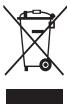
(2017年全国春季)
()
Nannnnnna (1)

Hg Cw Pb wuunnunneunnnnnaeunnnn nn nnnnnn nn nnnnnnnnnnnnnnnnnn ne eEC 2006/66 mnnnnnnnnnnnnnnnnnnnnnnnnnnnnnnnnnnnnnnnnnnnnnnnnnnnnnnnnnnnnnnnnnnnnnnnnnnnnnnnnnnnnnnnnnnnnnnnnnnnnnnnnnnnnnnn nn nannnennn nn nannn nn nannn nn nannn nn nannn nn nannn nn nannn nn nannn nn nannn nn nannn nn nannn nn nannn nn nannn nn nannn nn nannn nn nannn nn nannn nn nannn nn nannn nn nannn nn nannn nn nannn nn nannn nn nannn nn nannn nn nannn nn nennn nn nannn nn nannn nn nannn nn nannn nn nannn nn nannn nn nannn nn nannn nn nannn nn nannn nn nannn nn nannn nn nannn nn nannn nn nannn nn nannn nn nannn nn nannn nn nannn nn nannn nn nannn nn nannn nn nannn nn nannn nn
__SUPPIMER__
Safety information
The device may cause damage or malfunction. Improper use may cause damage to the device or malfunction.
To ensure maximum battery life, charge the device fully before first use.
The battery may not provide reliable performance if not used according to the instructions. The device may be damaged or malfunction if used improperly. Follow the instructions in the manual to ensure proper battery usage. Damage or malfunction caused by improper use may void the warranty. Through the device's design, it is protected against overcharging and short circuits. The warranty does not cover damage caused by using non-approved accessories or by improper use.
- After using the device, you will receive the following instructions.
Keep the device upright, as you would with a normal phone. Do not speak directly into the microphone.
Do not disassemble, modify, or repair the device.
Any changes or modifications made to the device may void the warranty. If the device requires repair, contact the Samsung service center. Do not disassemble the battery or insert objects into it, as this may cause damage or fire. Turn off the device before removing the battery. If the device is turned off while the battery is being removed, it may cause malfunction.
After using the device, you will receive the following instructions.
- Protect the device from moisture, dust, or damage. Do not use the device with wet hands or in a humid environment, as this may cause a short circuit or damage to the device.
- Use only the original battery or charger. This may lead to loss of color in the display or damage to the device, or injury from electric shock if not used properly.
Dispose of the device according to its intended use.
This may cause malfunction of the device.
Start with the device off and follow the instructions.
Unauthorized personnel should not operate the device, as this may lead to loss of warranty and repair costs.
Handle SIM cards, memory cards, or cables with care.
When inserting a card or connecting a cable, ensure that the card or cable is inserted or connected correctly. Do not remove the card during data transfer, as this may lead to data loss or damage to the card or device. Protect the card from strong impacts, static electricity, or electrical discharges. Do not touch the metal contacts with your fingers. If the card is dirty, wipe it with a soft cloth. Inserting the card or connecting the cable incorrectly may lead to malfunction of the device or damage to the device.
Accessories and batteries
Using unauthorized accessories or batteries may cause damage to the device or injury. Contact your service provider for approved accessories and batteries.
Protect your data and prevent unauthorized use of personal information
When using the device, ensure that you back up important data. Samsung is not responsible for the loss of any data. To protect your personal information, use the security features of the device. Set a screen lock or password to prevent unauthorized access. Regularly check your device for updates and use only trusted sources. Be cautious with unknown links or attachments, and contact your service provider if you suspect any security issues.
If you lose your device or it is stolen, change your passwords and contact your service provider to block the device. Do not use the device for illegal purposes, and only use it according to the instructions.
Do not disclose materials protected by copyright.
The reproduction, transfer, distribution or storage of part or all of the contents in any form without the prior written permission of Samsung Electronics is prohibited. Please comply with the laws governing copyright and intellectual property rights. Samsung Electronics shall not be liable for any errors or damages arising from the unauthorized use of materials protected by copyright.
Trademarks and Copyrights
All other trademarks and copyrights are the property of their respective owners. For further information, please refer to the relevant sections of this manual or the product's official website.
Do not use incompatible programs. Do not use illegal copies of software. If you need to update the software or firmware, please contact the manufacturer or visit the official website. Enable Bluetooth only when necessary. If the device is not functioning properly, restart it or reinstall the software. If the problem persists, contact the manufacturer's support. Install the software on a computer with the recommended specifications and run it in a safe environment. Do not modify the registry or the operating system of the device.
Information about Specific Absorption Rate (SAR)
To reduce exposure to radio waves, visit the website www.samsung.com/sar to find the SAR value for your device and model.
Correct disposal of the product

[Waste Electrical and Electronic Equipment] (Applicable in countries that have adopted separate collection systems)
This marking on the product, accessories, or literature indicates that the product and its electronic accessories (e.g., charger, headset, USB cable) should not be disposed of with other household waste.
To prevent possible harm to the environment or human health from uncontrolled waste disposal, please separate these items from other types of waste and recycle them responsibly to promote the sustainable reuse of material resources.
Household users should contact the retailer where they purchased the product or their local government office for details on where and how they can take these items for environmentally safe recycling.
Business users should contact their supplier and check the terms and conditions of the purchase agreement. This product and its electronic accessories should not be mixed with other commercial wastes for disposal.
Disposal of the battery

(Applicable in countries that have adopted separate collection systems)
The marking on the battery, manual, or packaging indicates that the battery should not be disposed of with other household waste. The chemical symbols Hg, Cd, or Pb indicate that the battery contains mercury, cadmium, or lead above the reference levels.
Dispose of used batteries according to the regulations in Directive 2006/66/EC.
The battery must not be replaced by the user. For information on replacement, contact the service center. Do not remove or dispose of the battery improperly. Do not disassemble or puncture the battery. If you need to replace the battery, contact the service center for proper disposal of the battery.
Disclaimer of Warranties
All content and services accessible through this device are the property of their respective owners and are protected by copyright, patents, trademarks, and/or other intellectual property laws. Such content and services are provided solely for personal, non-commercial use. You may not use any content or service in any manner that has not been authorized by the owner or provider of the content or service. Without limiting the foregoing, unless expressly authorized by the owner or provider, you may not modify, copy, republish, upload, post, transmit, translate, sell, create derivative works, exploit, or distribute any content or services available through this device.
"THE CONTENT AND SERVICES ARE PROVIDED 'AS IS'. SAMSUNG DOES NOT MAKE ANY EXPRESS OR IMPLIED WARRANTIES WITH RESPECT TO THE CONTENT OR SERVICES SO PROVIDED. SAMSUNG DISCLAIMS ANY IMPLIED WARRANTIES, INCLUDING BUT NOT LIMITED TO WARRANTIES OF MERCHANTABILITY, FITNESS FOR A PARTICULAR PURPOSE, OR NON-INFRINGEMENT. SAMSUNG DOES NOT WARRANT THE ACCURACY, VALIDITY, OR COMPLETENESS OF ANY CONTENT OR SERVICES MADE AVAILABLE THROUGH THIS DEVICE, NOR THAT THEY WILL BE FREE OF ERRORS. UNDER NO CIRCUMSTANCES, INCLUDING NEGLIGENCE, SHALL SAMSUNG BE LIABLE FOR ANY DIRECT, INDIRECT, INCIDENTAL, SPECIAL, OR CONSEQUENTIAL DAMAGES, OR ANY DAMAGES WHATSOEVER, ARISING OUT OF OR IN CONNECTION WITH THE USE OF ANY CONTENT OR SERVICES, EVEN IF SAMSUNG HAS BEEN ADVISED OF THE POSSIBILITY OF SUCH DAMAGES."
The content and services may be interrupted or terminated at any time, and SAMSUNG does not warrant that any content or service will remain available for any period. The content and services are transmitted via networks and transmission facilities that are not under SAMSUNG's control. Without limiting the generality of this disclaimer, SAMSUNG expressly disclaims any liability for any interruption or suspension of any content or service made available through this device.
The company is not responsible for any damage or injury caused by improper use of the product or failure to follow the instructions. Any claims for service or repair must be made in accordance with the warranty or service agreement, and may be subject to the terms and conditions of the warranty or service contract.


Therefore, the area of triangle OBC equals the area of triangle COD plus the area of triangle BOC.
Therefore, the area of triangle APQ equals the area of triangle AQP plus the area of triangle QPQ.
Therefore, angle MQ is 90 degrees.
Therefore, it is exactly x,y and x2 + y2 - 4x + 3 = 0 and x ≠ 1
1
1 5
y 1
Therefore, angle BAC = 120 degrees + 25 degrees.
4
s s
1
Therefore, the area of triangle ACD equals the area of triangle COD plus the area of triangle DCE minus the area of triangle BDE.
C 1
J
Therefore, angle C = 180°
11
121
L
12
15.4.2.1.
y
C1
11
Therefore, the area of triangle APQ equals the area of triangle AQP plus the area of triangle QPQ.
Therefore, 13 < u < 21.

C
L
J 1
S S S S S S S S S S S S S S S S S
Cuiyua jia jiaue Sikjiluyi jia jia 5e jia uu
ua + 1 = ux + uy + 1
- S ΔAOB = 1/2( S ΔOBC + SΔBOC)
a a
Sul 100
1 50
(3)

15 15
(Applicable in countries with separate collection systems)
The symbol shown on the product indicates that the product must not be disposed of with ordinary household waste. When disposed of, the chemical symbols Hg, Cd, or Pb indicate that the battery contains mercury, cadmium, or lead above the reference levels set by the European Union Directive 2006/66.
Directive of the European Union 2006/66.
The battery in this product is not a waste item that the user can replace. For information on repair, warranty, or service, contact the service provider. Do not dispose of the battery or product in fire. Do not throw, puncture, or damage the battery. If you intend to dispose of this product, the collection point will have appropriate measures for recycling and disposal, including the battery.
Warranty Disclaimer
This disclaimer applies to all content and services provided by third parties, including but not limited to text, images, audio, video, trademarks, and/or other intellectual property. The content and services are provided for personal, non-commercial use only. You are not permitted to use any content or service beyond the scope expressly authorized by the content or service provider. Unless otherwise expressly permitted by the content or service provider, you may not modify, copy, republish, upload, post, transmit, translate, sell, create derivative works based on, or distribute any content or service in any form or by any means.
THIRD-PARTY SERVICES AND CONTENT ARE PROVIDED "AS IS." SAMSUNG MAKES NO WARRANTIES, EXPRESS OR IMPLIED, REGARDING THE CONTENT OR SERVICES PROVIDED, WHETHER OR NOT FOR ANY PARTICULAR PURPOSE. SAMSUNG EXPRESSLY DISCLAIMS ANY IMPLIED WARRANTIES, INCLUDING BUT NOT LIMITED TO, WARRANTIES OF MERCHANTABILITY OR FITNESS FOR A PARTICULAR PURPOSE. SAMSUNG DOES NOT WARRANT THE ACCURACY, VALIDITY, TIMELINESS, LEGALITY, OR COMPLETENESS OF ANY CONTENT OR SERVICE PROVIDED ON THIS DEVICE. IN NO EVENT SHALL SAMSUNG BE LIABLE, WHETHER IN CONTRACT OR TORT, FOR ANY INDIRECT, INCIDENTAL, SPECIAL, OR CONSEQUENTIAL DAMAGES, OR FOR ANY LOSS OF PROFITS, REVENUE, DATA, OR OTHER DAMAGES ARISING OUT OF OR IN CONNECTION WITH ANY INFORMATION CONTAINED HEREIN OR THE USE OF ANY CONTENT OR SERVICE BY YOU OR ANY THIRD PARTY, EVEN IF ADVISED OF THE POSSIBILITY OF SUCH DAMAGES.
Third-party services and content may be terminated or suspended at any time. Samsung has no role in ensuring that any service or content will continue to be available for any period of time. Third-party services and content are provided through networks and transmission facilities over which Samsung has no control. Except as expressly provided in this limited warranty, Samsung disclaims any and all liability or responsibility for any interruption or suspension of any service or content.
Samsung is not responsible or liable for customer service related to third-party content and services. Any questions or requests regarding third-party content or services should be directed to the respective content or service provider.

- WARNING
- DO NOT DIRECTLY CONNECT TOGETHER THE CHARGER'S POSITIVE AND NEGATIVE TERMINALS
- DO NOT USE YOUR DEVICE OUTDOORS DURING A THUNDERSTORM
- USE MANUFACTURER-APPROVED BATTERIES, CHARGERS, ACCESSORIES, AND SUPPLIES
- DO NOT CARRY YOUR DEVICE IN YOUR BACK POCKETS OR ON YOUR WAIST
- DO NOT DROP OR CAUSE AN IMPACT TO THE CHARGER OR THE DEVICE
- HANDLE AND DISPOSE OF THE DEVICE AND CHARGER WITH CARE
- PROTECT THE DEVICE, BATTERY AND CHARGER FROM DAMAGE
- DO NOT STORE YOUR DEVICE NEAR OR IN HEATERS, MICROWAVES, HOT COOKING EQUIPMENT, OR HIGH PRESSURE CONTAINERS
- DO NOT USE OR STORE YOUR DEVICE IN AREAS WITH HIGH CONCENTRATIONS OF DUST OR AIRBORNE MATERIALS
- PREVENT THE MULTIPURPOSE JACK AND THE SMALL END OF THE CHARGER FROM CONTACT WITH CONDUCTIVE MATERIALS, SUCH AS LIQUIDS, DUST, METAL POWDERS, AND PENCIL LEADS
- DO NOT BITE OR SUCK THE DEVICE OR THE BATTERY
- CAUTION
- FAILURE TO COMPLY WITH SAFETY CAUTIONS AND REGULATIONS CAN CAUSE INJURY OR PROPERTY DAMAGE
- DO NOT USE YOUR DEVICE IN A HOSPITAL, ON AN AIRCRAFT, OR IN AUTOMOTIVE EQUIPMENT THAT CAN BE INTERFERED WITH BY RADIO FREQUENCY
- DO NOT EXPOSE THE DEVICE TO HEAVY SMOKE OR FUMES
- IF YOU USE A HEARING AID, CONTACT THE MANUFACTURER FOR INFORMATION ABOUT RADIO INTERFERENCE
- DO NOT USE YOUR DEVICE NEAR DEVICES OR APPARATUSES THAT EMIT RADIO FREQUENCIES, SUCH AS SOUND SYSTEMS OR RADIO TOWERS
- TURN OFF THE DEVICE IN POTENTIALLY EXPLOSIVE ENVIRONMENTS
- COMPLY WITH ALL SAFETY WARNINGS AND REGULATIONS REGARDING MOBILE DEVICE USAGE WHILE OPERATING A VEHICLE
- CARE AND USE YOUR DEVICE PROPERLY
- KEEP YOUR DEVICE DRY
- STORE YOUR DEVICE ONLY ON FLAT SURFACES
- THE DEVICE CAN BE USED IN LOCATIONS WITH AN AMBIENT TEMPERATURE OF 0°C TO 35°C. YOU CAN STORE THE DEVICE AT AN AMBIENT TEMPERATURE OF -20°C TO 50°C. USING OR STORING THE DEVICE OUTSIDE OF THE RECOMMENDED TEMPERATURE RANGES MAY DAMAGE THE DEVICE OR REDUCE THE BATTERY'S LIFESPAN
- DO NOT STORE YOUR DEVICE WITH METAL OBJECTS, SUCH AS COINS, KEYS, AND NECKLACES
- DO NOT STORE YOUR DEVICE NEAR MAGNETIC FIELDS
- DO NOT USE YOUR DEVICE OR APPLICATIONS FOR A WHILE IF THE DEVICE IS OVERHEATED
- DO NOT USE YOUR DEVICE WITH THE BACK COVER REMOVED
- IF YOUR DEVICE HAS A CAMERA FLASH OR LIGHT, DO NOT USE IT CLOSE TO THE EYES OF PEOPLE OR PETS
- USE CAUTION WHEN EXPOSED TO FLASHING LIGHTS
- REDUCE THE RISK OF REPETITIVE MOTION INJURIES
- PROTECT YOUR HEARING AND EARS WHEN USING A HEADSET
- USE CAUTION WHEN USING THE DEVICE WHILE WALKING OR MOVING
- DO NOT PAINT OR PUT STICKERS ON YOUR DEVICE
- DO NOT USE THE DEVICE IF IT IS CRACKED OR BROKEN
- INSTALL MOBILE DEVICES AND EQUIPMENT WITH CAUTION
- DO NOT DROP YOUR DEVICE OR CAUSE IMPACTS TO YOUR DEVICE
- ENSURE MAXIMUM BATTERY AND CHARGER LIFE
- WHEN USING THE DEVICE, MIND THE FOLLOWING
- DO NOT DISASSEMBLE, MODIFY, OR REPAIR YOUR DEVICE
- WHEN CLEANING YOUR DEVICE, MIND THE FOLLOWING
- DO NOT USE THE DEVICE FOR ANYTHING OTHER THAN ITS INTENDED USE
- AVOID DISTURBING OTHERS WHEN USING THE DEVICE IN PUBLIC
- ALLOW ONLY QUALIFIED PERSONNEL TO SERVICE YOUR DEVICE
- HANDLE SIM CARDS, MEMORY CARDS, OR CABLES WITH CARE
- ENSURE ACCESS TO EMERGENCY SERVICES
- PROTECT YOUR PERSONAL DATA AND PREVENT LEAKAGE OR MISUSE OF SENSITIVE INFORMATION
- DO NOT DISTRIBUTE COPYRIGHT-PROTECTED MATERIAL
- MALWARE AND VIRUSES
- SPECIFIC ABSORPTION RATE (SAR) CERTIFICATION INFORMATION
- CORRECT DISPOSAL OF THIS PRODUCT
- CORRECT DISPOSAL OF BATTERIES IN THIS PRODUCT
- DISCLAIMER
- (SAR)
- INFORMATION
- SAFETY
- FAILURE TO FOLLOW SAFETY WARNINGS MAY RESULT IN SERIOUS INJURY OR DEATH
- CHARGE THE DEVICE, THE BATTERY, AND THE CHARGING DEVICE ONLY AS DIRECTED
- DO NOT LEAVE THE DEVICE NEAR HEATERS, MICROWAVE OVENS, STOVES, OR CONTAINERS WITH HIGH VOLTAGE
- DO NOT USE OR STORE THE DEVICE IN CONTAINERS WITH FLAMMABLE SUBSTANCES
- PREVENT CONTACT BETWEEN THE CHARGING DEVICE'S CONNECTOR AND METAL OBJECTS SUCH AS COINS, KEYS, OR JEWELRY
- DO NOT DROP OR SHAKE THE DEVICE OR THE BATTERY
- RECHARGEABLE LITHIUM-ION (LI-ION) BATTERY
- FAILURE TO FOLLOW THESE INSTRUCTIONS MAY RESULT IN DAMAGE TO THE DEVICE OR PERSONAL INJURY
- DO NOT USE THE DEVICE NEAR OTHER ELECTRONIC DEVICES
- DO NOT USE THE DEVICE IN HOSPITALS, AIRPLANES, OR AUTOMOBILE EQUIPMENT THAT MAY BE AFFECTED BY RADIO SIGNALS
- DO NOT PLACE THE DEVICE ON SOFT SURFACES OR
- IF YOU USE A HEARING AID, CONSULT THE MANUFACTURER FOR INFORMATION ABOUT INTERFERENCE
- USE THE DEVICE AWAY FROM OTHER DEVICES OR EQUIPMENT, USING RADIO SIGNALS, SUCH AS AUDIO SYSTEMS OR RADIO RECEIVERS
- WARNING: THIS DEVICE IS INTENDED FOR USE IN AREAS WITH POTENTIALLY EXPLOSIVE ATMOSPHERES
- USE AND HANDLE YOUR DEVICE PROPERLY
- KEEP THE DEVICE DRY
- STORE THE DEVICE ONLY ON A FLAT SURFACE
- THE DEVICE CAN BE OPERATED AT AMBIENT TEMPERATURES FROM 0°C TO 35°C. IT CAN BE STORED AT AMBIENT TEMPERATURES FROM -20°C TO 50°C. THE DEVICE IS NOT INTENDED FOR USE IN EXPLOSIVE ATMOSPHERES. THE AMBIENT TEMPERATURE RANGE MAY AFFECT THE BATTERY LIFE
- DO NOT STORE THE DEVICE WITH METAL OBJECTS, SUCH AS COINS, KEYS, OR JEWELRY
- DO NOT LEAVE THE DEVICE NEAR MAGNETIC FIELDS
- USE THE DEVICE AND ACCESSORIES FOR THEIR INTENDED PURPOSE ONLY
- DO NOT USE THE DEVICE NEAR WATER OR IN WET CONDITIONS
- IF THE CAMERA FLASH OR LIGHT IS USED, DO NOT USE IT DIRECTLY IN FRONT OF PEOPLE'S EYES
- PRECAUTIONS WHEN USING THE FLASH LIGHT
- THERE IS A RISK OF INJURY FROM REPETITIVE MOTION
- PROTECT YOUR HEARING AND EARS WHEN USING HEADPHONES
- REMOVE THE DEVICE FROM YOUR EAR WHEN YOU HEAR A RINGING SOUND
- DO NOT DROP OR PLACE HEAVY OBJECTS ON THE DEVICE
- DO NOT ATTEMPT TO REPAIR THE DEVICE YOURSELF
- DO NOT EXPOSE THE DEVICE TO WATER OR ALLOW IT TO GET WET
- USE THE MAXIMUM VOLUME OF THE BATTERY AND THE DEVICE
- WHEN USING THE DEVICE, PAY ATTENTION TO THE FOLLOWING
- DO NOT DISASSEMBLE, MODIFY, OR REPAIR THE DEVICE YOURSELF
- WHEN CARRYING THE DEVICE, PAY ATTENTION TO THE FOLLOWING
- DO NOT USE THE DEVICE FOR ANY PURPOSE OTHER THAN ITS INTENDED USE
- KEEP THE DEVICE AWAY FROM CHILDREN AND OTHER PEOPLE WHEN USING IT IN PUBLIC PLACES
- USE ONLY QUALIFIED SERVICE PERSONNEL TO SERVICE THE DEVICE
- WORKING WITH SIM CARDS, MEMORY CARDS, AND CABLES
- DO NOT DISTRIBUTE COPYRIGHTED MATERIAL
- INTENDED USE
- INFORMATION ABOUT CERTIFICATION FOR SPECIFIC ABSORPTION RATE (SAR)
- PROPER DISPOSAL OF THE PRODUCT (WASTE ELECTRICAL & ELECTRONIC EQUIPMENT)
- PROPER DISPOSAL OF BATTERIES AND PRODUCT
- SAFETY INFORMATION
- PROTECT THE BATTERY, THE CHARGER, AND THE DEVICE FROM DAMAGE
- DO NOT USE THE DEVICE IF IT IS DAMAGED OR HAS BEEN DROPPED, OR IF THE POWER CORD OR PLUG IS DAMAGED. CONTACT QUALIFIED PERSONNEL FOR INSPECTION AND REPAIR
- DO NOT IMMERSE THE DEVICE OR THE POWER CORD IN WATER OR ANY OTHER LIQUID. DO NOT USE IT NEAR WATER
- BEFORE CONNECTING THE DEVICE TO THE POWER SUPPLY, CHECK THAT THE VOLTAGE MATCHES THE LOCAL POWER SUPPLY. USE ONLY WITH THE CORRECT VOLTAGE, FREQUENCY, AND CURRENT RATING
- DO NOT OPERATE OR STORE THE DEVICE OR THE APPLIANCE IN HUMID CONDITIONS
- DO NOT LEAVE THE DEVICE OR THE APPLIANCE UNATTENDED WHILE IN USE
- Y
- NNO NNNUH
- WNNNN N, NN, N
- N NN NNNN NN
- SAR
- N NN NN NNN NINN
- DO NOT DISPOSE OF THE BATTERY IN FIRE
- DO NOT STORE THE BATTERY IN A PLACE WITH HIGH HUMIDITY OR NEAR METAL OBJECTS
- KYPBLFBLHB3DBIMARHHTL EPICTPEXKAHBHA CAKATAMAHB
- KYBBIBIBIBIAAMADAH BTIC KBIBIBIC KTEC, KYBBIBIBI MEH KOCIBIAAMABPI B4IAK YAYKNT NAADAAHKAB KOYTBMBIBI
- KYPBIBIBHBAPTKBLKANAIBIAIBIHRAH KYNDE NAIDAHABBI
- EREP KPYBIHYBNIA3 KAMAPE HEMECE IAAM 60CA, OHBIAMDPABYH NEMECE XHAAYAPARABHN KE3EJEPKE XHAKBH NAIADLANAHBAH
- KAPKBPAFAN XAPBKKA WBIKKAHDA CAKTBIK WAPALAPBIN NAJAIANY
- KANTANAAMA APEKETTEPDHBIATBHJXKAPAATAPDBH, TAYEKENLHI ASATIY
- TATRYNURHAA NAI NAADANA HAIN KE3DE ECTY MUYEI3D I KAHE KYNAKAKTPBH3DBAI KOPRBA3H
- BEFORE USING THE DEVICE, READ THE SAFETY INSTRUCTIONS CAREFULLY
- KEEP THE DEVICE AND ITS CORD OUT OF REACH OF CHILDREN
- THIS DEVICE IS INTENDED FOR HOUSEHOLD USE ONLY
- THIS DEVICE IS NOT INTENDED FOR USE BY PERSONS (INCLUDING CHILDREN) WITH REDUCED PHYSICAL, SENSORY, OR MENTAL CAPABILITIES, OR LACK OF EXPERIENCE AND KNOWLEDGE, UNLESS THEY HAVE BEEN GIVEN SUPERVISION OR INSTRUCTION CONCERNING USE OF THE APPLIANCE BY A PERSON RESPONSIBLE FOR THEIR SAFETY
- DO NOT IMMERSE THE DEVICE IN WATER
- AN EXTENSION TO THE SET OF ALL FUNCTIONS
- BASED ON THE MAXIMUM WEIGHT ON THE BATTERY
- TO USE THE DEVICE, READ THE INSTRUCTIONS FIRST
- TO REMOVE THE DEVICE, READ THE INSTRUCTIONS FIRST
- USE THE DEVICE ONLY FOR ITS INTENDED PURPOSE
- HANDLE SIM CARDS, MEMORY CARDS, AND CABLES WITH CARE
- ENSURE PROPER USE IN ALL SITUATIONS
- A7NIETTERI BWIITRENNUHNI NODAUONU, N CPNEUE NPOTEKYUBABE IIN 3NOYTNOPBAA H CYUBTEBTENHIN HIOPMAFM
- HE PACNPOCTPAHYBAJTE MATEPNJANNCO 3AUNRTENN ABTOPCN NPABA
- UTETEH COFOTBEP U BPUCN
- ИНФОРМАМИ ЗА SAR (SPECIFIC ABSORPTION RATE) CEPTMФКАТOT
- PPABNHNO DENOHNPABE HA OOBJ NPON3BOD
- DO NOT USE THE BURNER IF IT IS LEAKING GAS
- IF YOU USE AN EXTENSION CORD, MAKE SURE IT IS RATED FOR THE POWER REQUIREMENTS OF THE DEVICE AND IS IN GOOD CONDITION
- DO NOT USE THE DEVICE IF IT HAS BEEN DROPPED OR DAMAGED, OR IF IT HAS BEEN EXPOSED TO WATER OR OTHER LIQUIDS
- TURN OFF THE DEVICE IN POTENTIALLY EXPLOSIVE ATMOSPHERES
- FOLLOW THE SAFETY INSTRUCTIONS AND USAGE GUIDELINES FOR THE DEVICE WHEN USING IT NEAR WATER
- USE THE DEVICE AND MAINTAIN IT PROPERLY
- AVOID GETTING THE DEVICE WET
- PLACE THE DEVICE ONLY ON FLAT SURFACES
- THE DEVICE CAN BE USED AT AMBIENT TEMPERATURES FROM 0 TO 35°C. IT CAN BE STORED AT TEMPERATURES FROM -20 TO 50°C. STORING THE DEVICE AT LOWER OR HIGHER TEMPERATURES MAY DAMAGE IT OR REDUCE THE BATTERY'S LIFESPAN
- AVOID CONTACT OF THE DEVICE WITH METAL OBJECTS, SUCH AS KEYS, COINS, OR TOOLS
- DO NOT STORE THE DEVICE NEAR SOURCES OF MAGNETIC FIELDS
- IN CASE OF A DEVICE MALFUNCTION, CONTACT THE MANUFACTURER
- DO NOT USE THE DEVICE WITHOUT THE BACK COVER
- IF THE DEVICE IS EQUIPPED WITH A FLASH, DO NOT USE IT NEAR FLAMMABLE MATERIALS
- PROTECT YOUR EYES WHEN USING THE DEVICE
- REMEMBER THE RISK OF INJURY WHEN USING THE DEVICE
- PROTECT YOUR HEARING WHEN USING THE HEADSET
- BE CAREFUL WHEN USING THE DEVICE WHILE WALKING OR RUNNING
- DO NOT DISASSEMBLE THE DEVICE OR ATTACH STICKERS TO IT
- DO NOT USE THE DEVICE IF IT IS DAMAGED OR BROKEN
- CAREFULLY INSTALL MOBILE DEVICES AND EQUIPMENT
- DO NOT DROP THE DEVICE AND AVOID STRONG IMPACT ON IT
- ENSURE MAXIMUM BATTERY LIFE AND PROPER DEVICE SETUP
- WHEN USING THE DEVICE, REMEMBER THE FOLLOWING
- DO NOT ATTEMPT TO DISASSEMBLE, REPAIR, OR MODIFY THE DEVICE YOURSELF
- FOLLOW THE RULES OF ETIQUETTE WHEN USING THE DEVICE IN PUBLIC PLACES
- ENTRUST REPAIRS OF THE DEVICE ONLY TO QUALIFIED SPECIALISTS
- BE CAREFUL WHEN HANDLING SIM CARDS, MEMORY CARDS, AND CABLES
- EMERGENCY CALLS
- TAKE DATA SECURITY SERIOUSLY. AVOID USING UNSECURED OR UNAUTHORIZED ACCESS TO IMPORTANT INFORMATION
- COPYRIGHT NOTICE
- WIRELESS ROUTER
- INFORMATION ABOUT THE SPECIFIC ABSORPTION RATE (SAR)
- CORRECT DISPOSAL OF THE PRODUCT
- THE DEVICE MAY CAUSE DAMAGE OR MALFUNCTION. IMPROPER USE MAY CAUSE DAMAGE TO THE DEVICE OR MALFUNCTION
- THE BATTERY MAY NOT PROVIDE RELIABLE PERFORMANCE IF NOT USED ACCORDING TO THE INSTRUCTIONS. THE DEVICE MAY BE DAMAGED OR MALFUNCTION IF USED IMPROPERLY. FOLLOW THE INSTRUCTIONS IN THE MANUAL TO ENSURE PROPER BATTERY USAGE. DAMAGE OR MALFUNCTION CAUSED BY IMPROPER USE MAY VOID THE WARRANTY. THROUGH THE DEVICE'S DESIGN, IT IS PROTECTED AGAINST OVERCHARGING AND SHORT CIRCUITS. THE WARRANTY DOES NOT COVER DAMAGE CAUSED BY USING NON-APPROVED ACCESSORIES OR BY IMPROPER USE
- KEEP THE DEVICE UPRIGHT, AS YOU WOULD WITH A NORMAL PHONE. DO NOT SPEAK DIRECTLY INTO THE MICROPHONE
- ANY CHANGES OR MODIFICATIONS MADE TO THE DEVICE MAY VOID THE WARRANTY. IF THE DEVICE REQUIRES REPAIR, CONTACT THE SAMSUNG SERVICE CENTER. DO NOT DISASSEMBLE THE BATTERY OR INSERT OBJECTS INTO IT, AS THIS MAY CAUSE DAMAGE OR FIRE. TURN OFF THE DEVICE BEFORE REMOVING THE BATTERY. IF THE DEVICE IS TURNED OFF WHILE THE BATTERY IS BEING REMOVED, IT MAY CAUSE MALFUNCTION
- DISPOSE OF THE DEVICE ACCORDING TO ITS INTENDED USE
- START WITH THE DEVICE OFF AND FOLLOW THE INSTRUCTIONS
- ACCESSORIES AND BATTERIES
- PROTECT YOUR DATA AND PREVENT UNAUTHORIZED USE OF PERSONAL INFORMATION
- DO NOT DISCLOSE MATERIALS PROTECTED BY COPYRIGHT
- TRADEMARKS AND COPYRIGHTS
- INFORMATION ABOUT SPECIFIC ABSORPTION RATE (SAR)
- DISPOSAL OF THE BATTERY
- DISCLAIMER OF WARRANTIES
- WARRANTY DISCLAIMER
Brand : SAMSUNG
Model : SM-N920W8
Category : Cellphone