CR9926 - Radio ROBERTS - Free user manual and instructions
Find the device manual for free CR9926 ROBERTS in PDF.


User questions about CR9926 ROBERTS
0 question about this device. Answer the ones you know or ask your own.
Ask a new question about this device
Download the instructions for your Radio in PDF format for free! Find your manual CR9926 - ROBERTS and take your electronic device back in hand. On this page are published all the documents necessary for the use of your device. CR9926 by ROBERTS.
USER MANUAL CR9926 ROBERTS
Sound for Generations
text_image
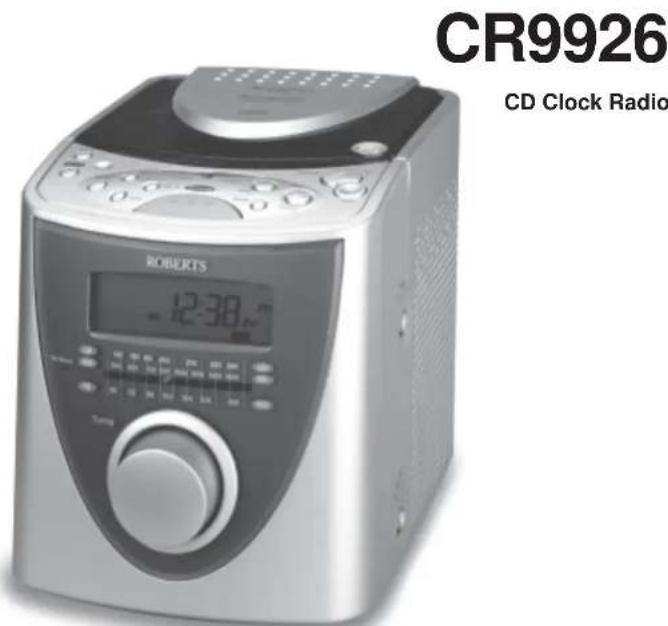
CR9926 CD Clock Radio ROBERTS 12:30Please read this manual before use
Important Information.... 1
Controls....2-4
Display 5
Switching on and setting the time.... 6
Listening to the radio 7
Compact discs 8
Inserting a CD 8
Playing a CD 9
Selecting a track 10
Search function 10
Playback modes 10
Programmed play 11
Replacing previously programmed tracks 12
Erasing a programme 12
Alarm operation 12
Setting the alarm time.... 12
Wake to CD.... 13
Wake to radio.... 13
Wake to buzzer 14
Snooze control 14
Automatic weekend cancel 14
Sleep timer 15
Headphones....15
General 16
Mains Supply 16
Specification 17
Guarantee 18

Warning
CLASS 1 LASER PRODUCT means that the laser's construction makes it inherently safe so that the legally prescribed maximum permissible radiation values can never be exceeded
Caution: Using any equipment or devices other than those described and specified in these operating instructions, or tampering with the unit in any way, can result in dangerous exposure to radiation.
Controls
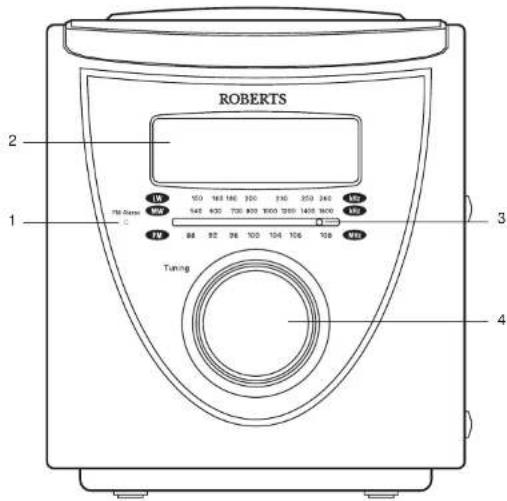
(Front)
text_image
ROBERTS 2 1 Tuning 3 4- FM stereo indicator
- CD/Clock display
- LED dial pointer
- Tuning control
If you need any further advice, please call our Technical Helpline on : 020 8758 0338 (Mon-Fri)
Controls
(Top)
- Time button
- Weekend cancel button
- On/Off button
- Sleep button
- Alarm 1 button
- Alarm 2 button
- F.Rev button

text_image
ROBERTS CR 1915 Sound Cube CD Clock Radio 40th Progressive Alert System 11 12 13 14 15 16 17 18 19 5 6 7 8 9 10 11 12 13 14 15 16 17 18 20 21 22 23 24 25 26 27 28 29 30 31 32 33 34 35 36 37 38 39 40 41 42 43 44 45 46 47 48 49 50 51 52 53 54 55 56 57 58 59 60 61 62 63 64 65 66 67 68 69 70 71 72 73 74 75 76 77 78 79 80- F. Fwd button
- CD Open/Close button
- Stop button
- Volume up button
- Volume down button
- Play/pause button
- Mode button
- Snooze button
Controls

text_image
(Right side) 21 20 20 32 Node 74 Mn Lm- Waveband switch
- Function switch

text_image
(Left side) 22 23- Reset button
- Headphone socket
If you need any further advice, please call our Technical Helpline on : 020 8758 0338 (Mon-Fri)
Display

text_image
RANDOM PROGRAM REPEAT 1 ALL 88-88-88 PM MON TUE WED THU FRI SAT SUN WEC c i b j a ka. Day of week indicators
b. Pause Indicator
c. Play indicator
d. Random indicator
e. Program indicator
f. CD track and time indicators
g. Repeat indicator
h. Sleep indicator
i. Alarm 1 indicator
j. Alarm 2 indicator
k. Weekend cancel indicator
I. PM indicator
Switching on and setting the time
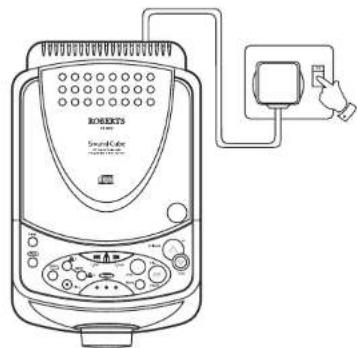
- Place the unit on a flat surface. Plug the mains lead into a wall socket and switch on.
- Press and hold down the Time button.
- Whilst holding down the Time button set the correct time using the F.Fwd and F.Rev buttons. The clock will start counting as soon as buttons are released. The clock uses a 12 hour display with a PM indicator. Ensure that the correct 12 hour cycle is selected.
- To set day of week press and hold down the Snooze button.
- Whilst holding down the Snooze button set the correct day of week using the F.Fwd and F.Rev buttons.
natural_image
Line drawing of a portable electric stove with control panel and power cord (no text or symbols)


If you need any further advice, please call our Technical Helpline on : 020 8758 0338 (Mon-Fri)
Listening to the Radio
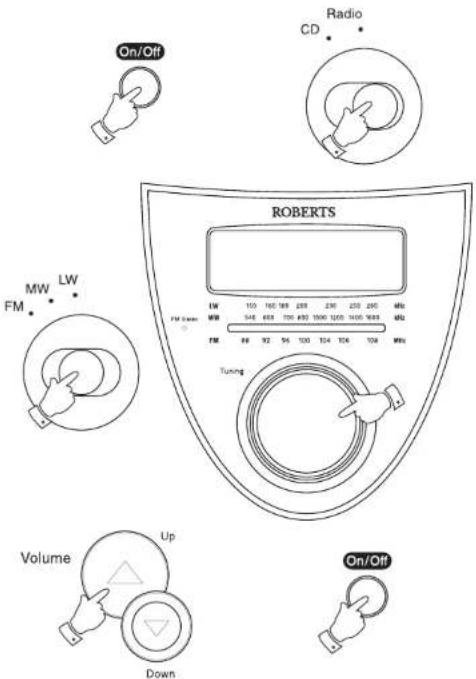
- Switch on your CD clock radio by pressing the On/Off button.
- Set the Function switch to the Radio position. The Led dial pointer will light up.
- Set the Waveband switch to the required waveband.
- Tune in to the desired station by rotating the Tuning control. The station frequency is indicated in the dial scale.
- Adjust volume using the Volume Up and Down buttons.
- The Wire aerial located on the rear of your CD clock radio is for FM reception. The wire should be fully extended and positioned for optimum reception.
- For MW and LW reception there is a built in ferrite aerial. Rotate your CD clock radio to the position giving best reception.
- The radio can be switched off by pressing the On/Off button.
text_image
On/Off Radio CD MW FM LW TW FM Tuning Volume Up Down ROBERTS 150 160 188 288 230 250 290 dts 548 668 700 890 1000 1200 1400 1600 dts 86 92 94 100 104 106 108 mts On/OffCompact discs
Use only Digital Audio CDs which have the

Never write on a CD or attach any sticker to the CD. Always hold the CD at the edge and store it in its box after use with the label facing up.
To remove dust and dirt, breathe on the CD and wipe it with a soft, lint-free cloth in a straight line from the centre towards the edge.
Cleaning agents may damage the CD
Do not expose the CD to rain, moisture, sand, or to excessive heat. (e.g. from heating equipment or in motor cars parked in the sun).

natural_image
Illustration of two hands performing a circular motion with an arrow indicating direction (no text or symbols)Inserting a CD
-
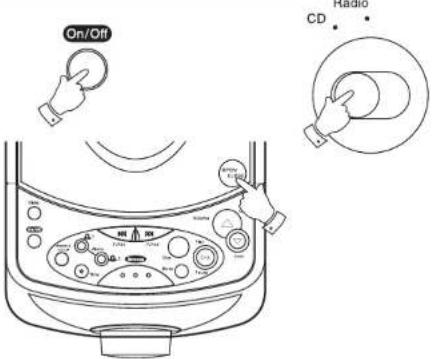
Switch on your CD clock radio by pressing the On/Off button.
-
Set the Function switch to CD.
-
To open the CD compartment, press the CD Open/Close button.
-
Insert an Audio CD, printed side facing up. Close the door. The CD player will scan the contents of the CD, the total number of tracks and time will appear on the display.
Note: If you press play and have not inserted a CD, 'no disc' will appear on the display.
text_image
On/Off CD RadioIf you need any further advice, please call our Technical Helpline on : 020 8758 0338 (Mon-Fri)
Playing a CD
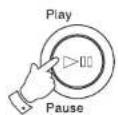
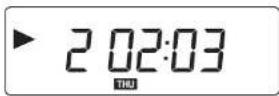
- Press the Play/Pause button to start playback. The display will show the Play Indicator, track number and elapsed time.
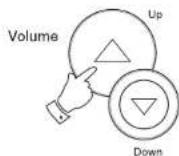
- Set the Volume control to the required setting.
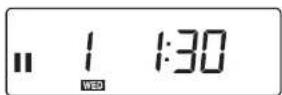
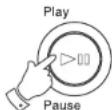
- To pause playback press the Play/Pause button. The Pause indicator will appear and elapsed time will flash in the display. To resume playback press the Play/Pause button again. The display will show the Play indicator and elapsed time.
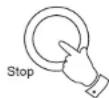
- To stop playback, press the Stop button. The display will show total number of tracks and time.
- To remove the CD, press the CD Open/Close button. The CD door should only be opened when the CD is in Stop mode.




Selecting a track
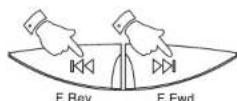
- Whilst the CD is playing, press and release either the F.Fwd or F.Rev to change to the desired track.
- You can also change tracks when the player is in stop mode. Change to the desired track using the F.Fwd or F.Rev buttons. Press the Play button to play selected track

Search function
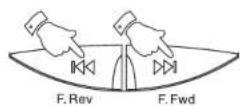
- Whilst the CD is playing, press and hold down either the F.Fwd or F.Rev buttons. Release the button when the desired part of the track is reached.
Playback modes
The Mode button allows you to select different CD playback modes in the following order:-

These modes can only be selected or changed during CD playback.

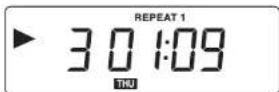
- Whilst the CD is playing press the Mode button once to repeat the current track. The Repeat 1 indicator will appear in the display.
- Press the Mode button again to repeat all tracks on the CD. The Repeat All indicator will appear in the display.


If you need any further advice, please call our Technical Helpline on : 020 8758 0338 (Mon-Fri)
- Press the Mode button again to play all tracks on the CD in random order. The Random indicator will appear in the display.
- Press the Mode button again to return to normal play. The Random Indicator will be removed from display.
- Pressing the Stop button will stop the CD and return the CD player to normal play mode.


Programmed play
By programming the player you can play up to 20 tracks in any desired order.
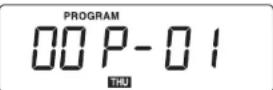
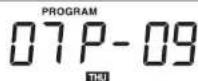
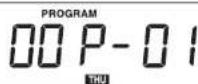
- Whilst the CD is in STOP, press the Mode button. The Programme Indicator will start to flash. The display will show program number on the right and track number on the left.
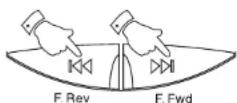
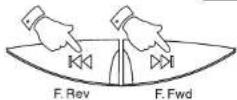
- Select the first track using the F.Fwd or F.Rev buttons. Store this track by pressing the Mode button.
- The Programme number will automatically change to '02'.
- Repeat the above steps until you have completed your program. Press the Play/Pause button to commence play of the selected tracks.
Note: Random play is disabled during Programmed play. It is possible to play one or all the tracks of a program by pressing the Repeat button during program play.



Replacing previously programmed tracks
- Whilst the CD is in STOP, repeatedly press the Mode button until the display shows the program step you wish to replace.
- Select the required track using the F.Fwd or F.Rev buttons.
- Press the Mode button to store the change.


Erasing a programme
- Whilst the CD is in STOP, press the Mode button. The Programme Indicator will flash.
- Press the Stop button to erase the programme. Programmes are also erased by:- Opening the CD door, moving the Function switch to the 'Radio' position and if the power supply is interrupted in any way.


Alarm operation
Your clock radio has three alarm types, CD, Radio and Buzzer. The alarms gradually increase in volume. This function is known as Progressive Alarm System.
Setting the alarm time
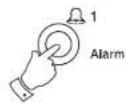
- Press and hold down the Alarm 1 or Alarm 2 buttons. Whilst holding down the Alarm 1 or Alarm 2 buttons set the alarm time using the F.Fwd or F.Rev buttons.
The clock uses a 12 hour display with a PM indicator. Ensure that the correct 12 hour cycle is selected.
If you need any further advice, please call our Technical Helpline on : 020 8758 0338 (Mon-Fri)


Wake to CD
- Slide the Function switch to CD and insert a CD into compartment.
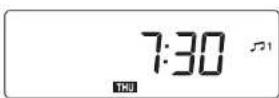
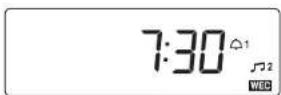
- Repeatedly press and release the Alarm 1 or Alarm 2 buttons until the 🎨1 or 🎨 indicators appear in the display.
- Your CD clock radio will switch on and the CD will play at the alarm time set. The CD will play for a maximum of 90 minutes. Whilst the alarm is active the 1 or indicators will flash in the display.
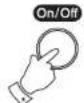
- To switch off CD alarm until the next day press the On/Off button.

text_image
CD Radio 7:30 121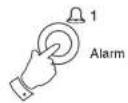
Wake to radio
- Slide the Function switch to Radio.
- Repeatedly press and release the Alarm 1 or Alarm 2 buttons until the 📂1 indicators appear in the display.
- Your CD clock radio will switch on and the Radio will play at the alarm time set. The Radio will play for a maximum of 90 minutes. Whilst the alarm is active the ☐1 or ☐2 indicators will flash in the display.
- To switch off Radio alarm until the next day press the On/Off button.

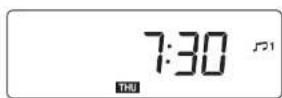

Wake to buzzer
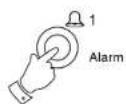
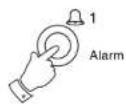
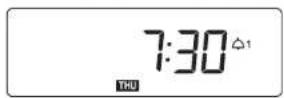
- Repeatedly press and release the Alarm 1 or Alarm 2 buttons until the indicators appear in the display.
- Your CD clock radio will switch on and the Buzzer will sound for a maximum of 90 minutes. Whilst the alarm is active the indicators will flash in the display.
- To switch off Buzzer alarm until the next day press the On/Off button.

Snooze control
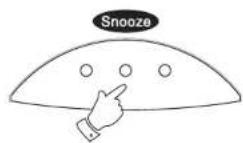
- The CD, Radio or Buzzer alarms can be silenced for 5 minutes by pressing the Snooze button. This sequence can be repeated within the 90 minute alarm period.
Automatic Weekend Alarm Cancel (W.E.C.)
The alarms can be automatically cancelled at weekends.
- To activate e the weekend cancel function, press the Weekend Cancel button. The Weekend Cancel indicator will light up in the display.
- Press the Weekend Cancel button again to turn off the indicator and disable this function.

If you need any further advice, please call our Technical Helpline on : 020 8758 0338 (Mon-Fri)
Sleep timer
- CD or Radio can be set to switch off automatically after a preset time has elapsed.
- Set the Function switch to the CD or Radio position.
- Repeatedly press and release the Sleep button until the desired time is reached (maximum 90 minutes in 10 minute steps). The Sleep Indicator will light up in the display.
- The CD or radio will switch off after the sleep time has elapsed.
- To cancel the sleep function before the preset time has expired, press the On/Off button.
Headphones socket
A 3.5mm Headphone Socket located on the left side of you CD radio cassette is provided for use with either headphones or an earpiece. Inserting a plug into the socket automatically mutes the internal loudspeaker.

text_image
CD Radio Sleep On/Off :90
natural_image
Line drawing of a computer monitor with attached earphones and cable (no text or symbols)General
Do not allow this unit to be exposed to water or steam. It is recommended that the FM band be used wherever possible as better results in terms of quality and freedom from interference will usually be obtained than on the MW or LW bands.
Mains supply
The CR9926 will operate from a supply of AC 230 volts, 50Hz only.
For your convenience this product is supplied with a plug which is fitted with a fuse of the appropriate rating. If the plug supplied is not suitable for your socket outlet, it should be removed by unscrewing the plug top, the terminal screws and removing the cable.
The correct style of plug to suit your household together with a correctly rated fuse should be fitted.
IF IN DOUBT - CONSULT A QUALIFIED ELECTRICIAN
IMPORTANT. DO NOT make any connection to the larger terminal which is marked with the letter E or by the safety earth symbol by coloured
Green or Green-and-yellow.
The wires in the mains lead are coloured in accordance with the following codes :-
BLUE - NEUTRAL
BROWN - LIVE
As these colours may not correspond with the coloured markings identifying the terminals in your plug, proceed as follows:-

text_image
Brown (Live) Blue (Neutral) N E (Earth) L 3 amp CordThe wire coloured BLUE must be connected to the terminal marked N or coloured BLACK.
The wire coloured BROWN must be connected to the terminal marked L or coloured RED.
Fuse
This apparatus must be protected by a 3A fuse (BS1362) In a 13A plug (BS1363). If another type of plug is used a 5A fuse should be fitted in the plug, adaptor or distribution board.
IF IN DOUBT - CONSULT A QUALIFIED ELECTRICIAN.
Reset button
If your CD clock radio fails to operate correctly, or some digits on the display are missing or incomplete carry out the following procedure:-
With the aid of a suitable implement (the end of a paper clip) press the reset button located on the left side of you CD clock radio for at least 5 seconds, this will reset the microprocessor and clock time The display will flash 12:00 requiring a reset of the time, day of week and alarm times.
If you need any further advice, please call our Technical Helpline on : 020 8758 0338 (Mon-Fri)
Specifications
Power Requirements
Mains AC 230 volts, 50Hz
Batteries
\~ only
Circuit Features
Loudspeaker 2 x 77mm 8ohms
Output Power 2 x 1.5 Watts into 8ohms
Headphone Socket 3.5mm diameter
Aerial System FM Telescopic aerial
MW Built-in Ferrite aerial
Frequency Coverage
FM 87.5 - 108MHz
MW 522 - 1620kHz
LW 144 - 281kHz
LW Built-in Ferrite aerial
ROBERTS RADIO LIMITED
PO BOX 130
MEXBOROUGH
SOUTH YORKSHIRE
S64 8YT
The Company reserves the right to amend the specification without notice.
Guarantee
This instrument is guaranteed for twelve months from the date of delivery to the original owner against failure due to faulty workmanship or component breakdown, subject to the procedure stated below. Should any component or part fail during this guarantee period it will be repaired or replaced free of charge.
The guarantee does not cover:
- Damage resulting from incorrect use.
- Consequential damage
- Receivers with removed or defaced serial numbers.
Procedure:
Any claim under this guarantee should be made through the dealer from whom the instrument was purchased. It is likely that your Roberts' dealer will be able to attend to any defect quickly and efficiently, but should it be necessary the dealer will return the instrument to the company's service department for attention. In the event that it is not possible to return the instrument to the Roberts' dealer from whom it was purchased, please contact Roberts Radio Technical Services department at the address shown on the rear of this manual before taking further action.
These statements do not affect the statutory rights of a consumer.
If you need any further advice, please call our Technical Helpline on :
020 8758 0338 (Mon-Fri)
ROBERTS RADIO TECHNICAL SERVICES DEPARTMENT
97-99 Worton Road
Isleworth Middlesex
TW7 6EG
Technical Helpline:- 020 8758 0338 (Mon-Fri)
Issue 1
CE