CD9913 - Radio ROBERTS - Free user manual and instructions
Find the device manual for free CD9913 ROBERTS in PDF.


User questions about CD9913 ROBERTS
0 question about this device. Answer the ones you know or ask your own.
Ask a new question about this device
Download the instructions for your Radio in PDF format for free! Find your manual CD9913 - ROBERTS and take your electronic device back in hand. On this page are published all the documents necessary for the use of your device. CD9913 by ROBERTS.
USER MANUAL CD9913 ROBERTS
Sound for Generations

natural_image
Black-and-white photo of a portable electronic device with a digital display and antenna (no visible text or symbols on the device body)CD9913
Stereo CD Radio Cassette Recorder
Please read this manual before use
Important Information .... 1
Controls....2-5
Battery Operation 6
Mains Operation.... 6
Listening to the radio - FM 7
Listening to the radio - Medium and Long wave 8
Compact discs 9
Inserting a CD 9
Playing a CD 10
Selecting a track 10
Search function 10
Playback modes.... 11
Programmed play 12
Checking a programme.... 12
Erasing a programme 12
Adding tracks to a programme 13
Replacing previously programmed tracks.... 13
Playing a programme 13
Listening to cassette tapes 14
Recording from the radio 15
Recording from CD 16
Preventing accidental erasure 17
Cleaning tape heads 17
Specification....18
Guarantee Back cover
text_image
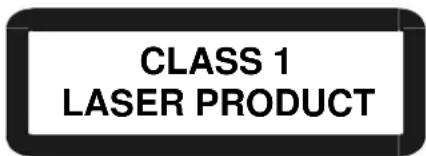
CLASS 1 LASER PRODUCTWarning
CLASS 1 LASER PRODUCT means that the laser's construction makes it inherently safe so that the legally prescribed maximum permissible radiation values can never be exceeded
Caution: Using any equipment or devices other than those described and specified in these operating instructions, or tampering with the unit in any way, can result in dangerous exposure to radiation.
text_image
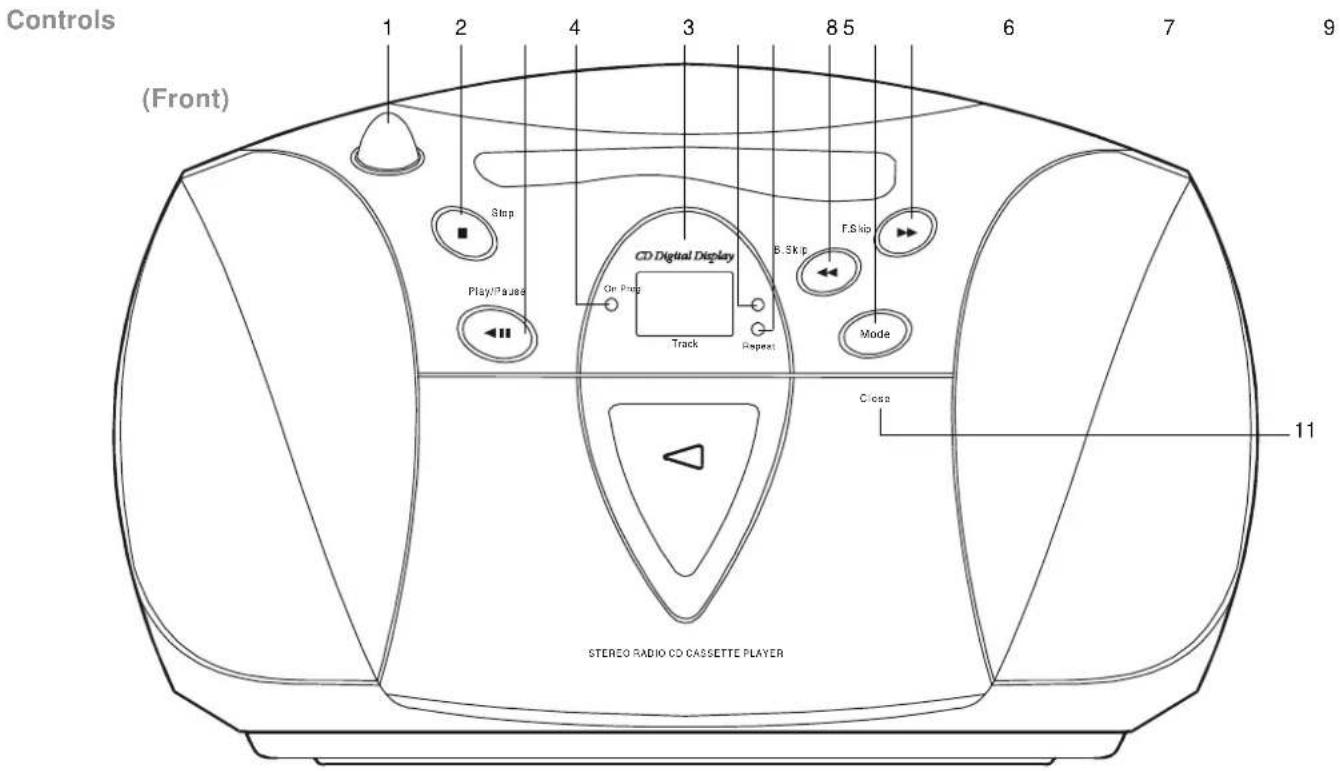
Controls (Front) 1 2 4 3 8 5 6 7 9 Stop Play/Pause CD Digital Display On Ping Track Repeat B.Skip F.Skip Mode Close 11 STEREO RADIO CD CASSETTE PLAYER- Volume control
- CD Stop button
- CD Play/Pause button
-
Power indicator
-
CD display
- Programme indicator
- Repeat indicator
-
Backward skip button
-
Mode button
- Forward skip button
- Cassette door
If you need any further advice, please call our Technical Helpline on :-
020 8758 0338 (Mon-Fri)
Controls
text_image
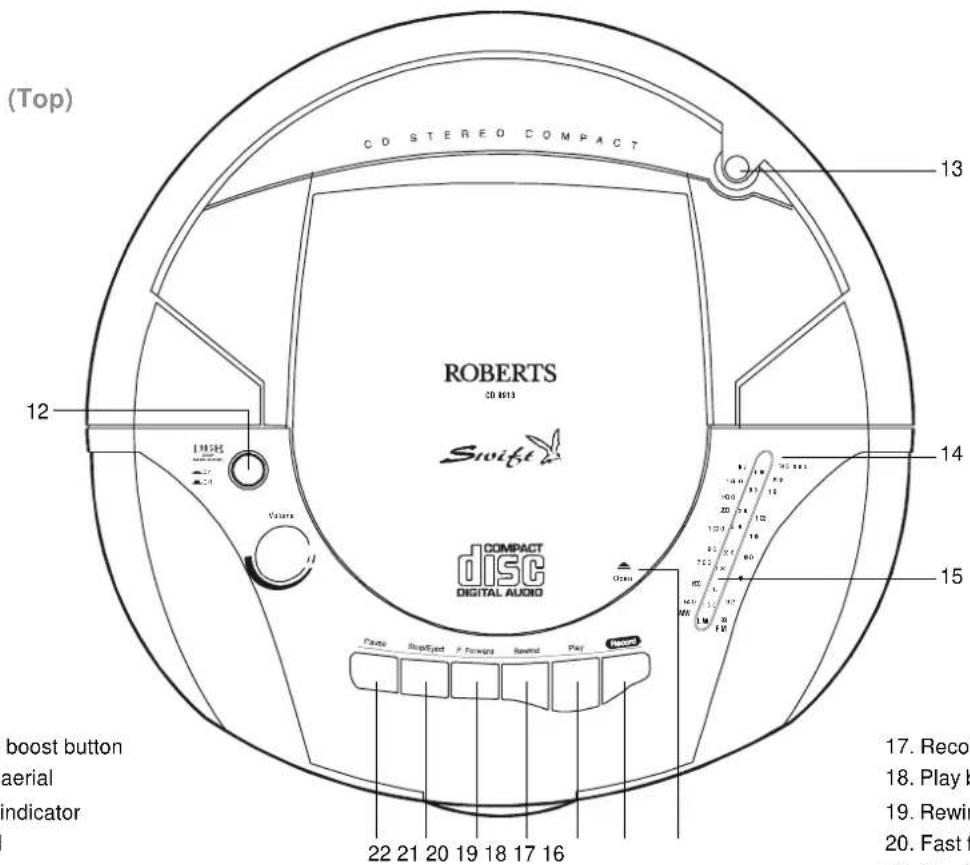
(Top) CD STEREO COMPACT ROBERTS CD 8513 Swift COMPACT DISC DIGITAL AUDIO 12 13 14 15 boost button aerial indicator 22 21 20 19 18 17 16 17. Record 18. Play b 19. Rewin 20. Fast f- Deep bass boost button
13.Telescopic aerial - FM stereo indicator
- Tuning dial
-
CD lid
-
Record button
-
Play button
-
Rewind button
-
Fast forward button
-
Stop/Eject button
-
Pause button
Controls

text_image
(Right side) 23 Tuning Wave and FW LW 24 25- Tuning control
- Battery compartment (on rear)
- Waveband selector
If you need any further advice, please call our Technical Helpline on :-
020 8758 0338 (Mon-Fri)
Controls
text_image
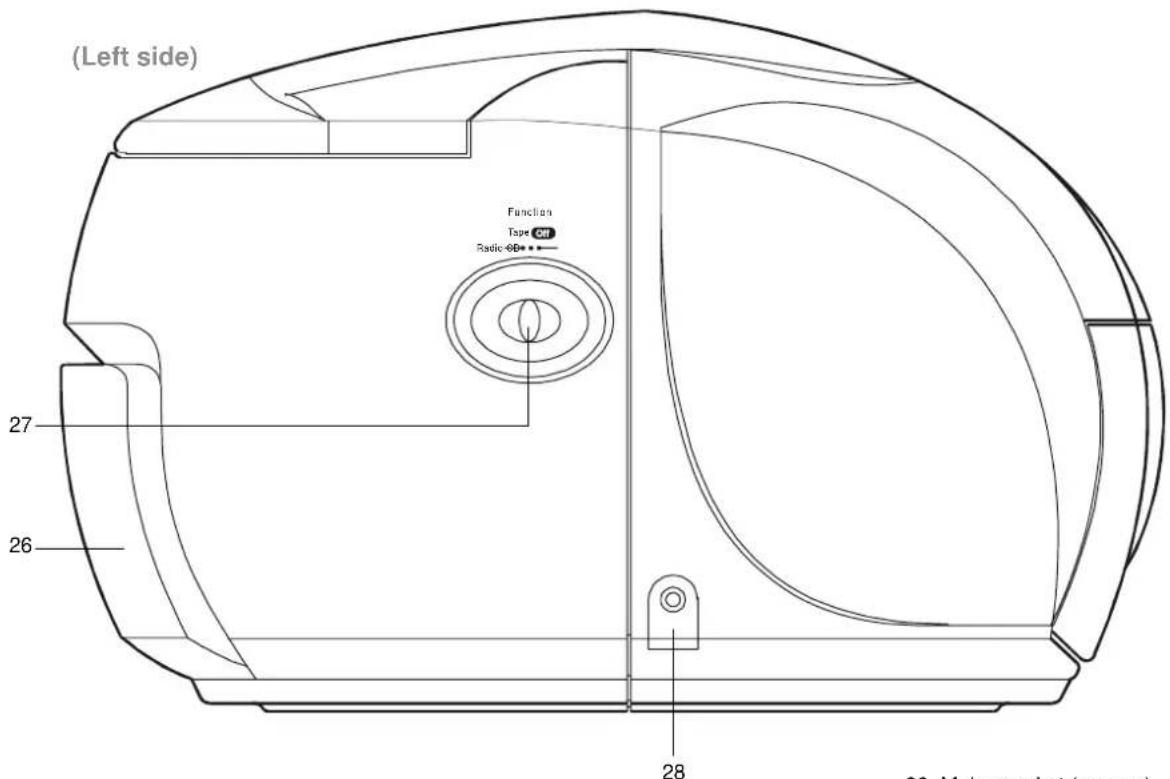
(Left side) Function Tape CHT Radio-6D 27 26 28 30. Main panel (or part)- Mains socket (on rear)
- Function switch
- Headphone socket
Battery operation
- Remove the Battery cover on the rear of your CD radio cassette by pushing the catches in the direction of the arrows.
- Insert eight LR14 (C size) batteries into the spaces in the compartment. Take care to ensure all batteries are inserted with the correct polarity as shown inside the battery compartment. Replace the battery cover.
- Reduced power, distortion, and a 'stuttering' sound are all signs that the batteries may need replacing. If your CD radio cassette is not to be used for any extended period of time it is recommended that the eight LR14 (C size) batteries are removed from the radio.
We would recommend for economy that the CD9913 is used on the mains whenever possible with battery operation for occasional or stand-by use only.

text_image
ULTRA BASSMains operation
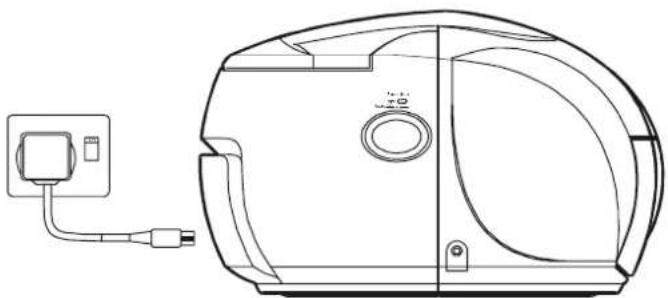
- Place your CD radio cassette on a flat surface.
- Plug the mains lead into the socket located on the rear of your CD radio cassette ensuring that the plug is pushed fully into the socket.
- Plug the other end into a mains wall socket and switch on.
If you need any further advice, please call our Technical Helpline on :020 8758 0338 (Mon-Fri)
natural_image
Line drawing of a vacuum cleaner with attached electrical outlet (no text or symbols)Listening to the radio - FM
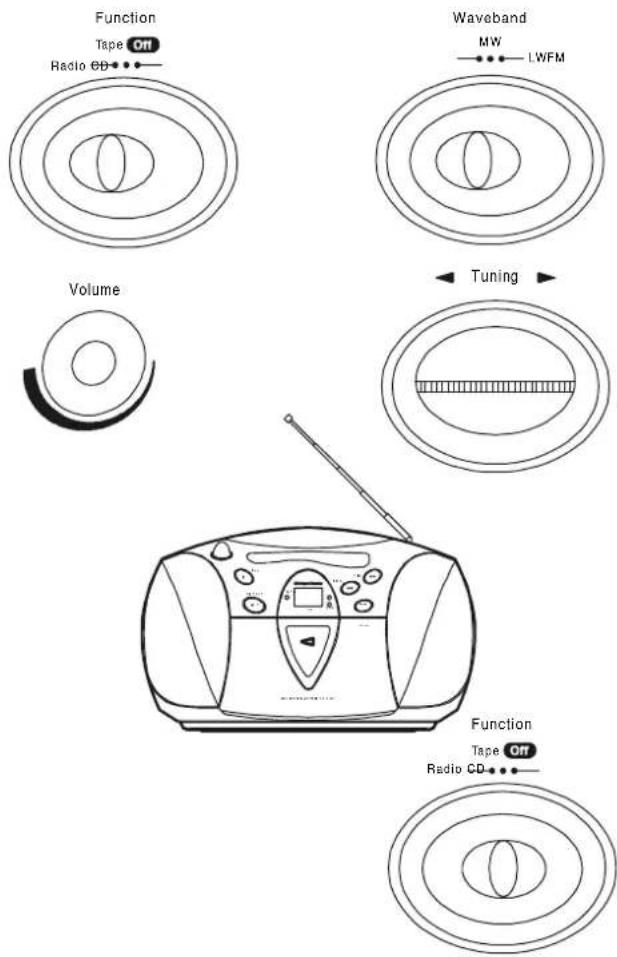
- Set the Function switch to the 'Radio' position. The Power indicator will light up.
- Select 'FM' using the Waveband switch.
- Adjust the Volume control until a hissing sound is heard.
- The Telescopic aerial which is only operational on FM, should be fully extended.
- Carefully tune to the desired station using the Tuning control.
- Angle and rotate the Telescopic aerial to a position giving the best reception. A knuckle joint at the base of the aerial allows this movement and an angle of 45 degrees will usually be satisfactory. The FM band is marked in Megahertz (MHz).
- To receive stereo broadcasts set the FM mode switch located on the rear of your CD radio cassette to the 'Stereo' position the Stereo indicator will light up. If the station being received is weak some hiss may be audible, to reduce the hiss set the FM mode switch to the 'Mono' position to return to mono operation.
- Adjust the Deep bass boost switch to the required position.
- To switch off the radio set the Function switch to the 'Tape Off' position.
text_image
Function Tape Off Radio CD Waveband MW LWFM Volume Tuning Function Tape Off Radio CDListening to the radio - Medium and Long wave
- Set the Function switch to the 'Radio' position.
- Select 'MW' or 'LW' using the Waveband switch.
- Adjust the Volume control until a hissing sound is heard.
- Carefully tune to the desired station using the Tuning control.
- Rotate your CD radio cassette for optimum reception.
- The MW and LW bands are marked in kilohertz (kHz).
- Adjust the Deep bass boost switch to the required position.


- To switch off the radio set the Function switch to the 'Tape Off' position.

text_image
Function Tape Off Radio CD Volume Waveband MW LWFM Tuning Function Tape Off Radio CDIf you need any further advice, please call our Technical Helpline on :020 8758 0338 (Mon-Fri)
Compact discs
Use only Digital Audio CDs which have the

Never write on a CD or attach any sticker to the CD. Always hold the CD at the edge and store it in its box after use with the label facing up.
To remove dust and dirt, breathe on the CD and wipe it with a soft, lint-free cloth in a straight line from the centre towards the edge.
Cleaning agents may damage the CD
Do not expose the CD to rain, moisture, sand, or to excessive heat. (e.g. from heating equipment or in motor cars parked in the sun).

natural_image
Illustration of hands performing a circular motion or maneuvering motion with a directional arrow (no text or symbols)Inserting a CD
- Set the Function switch to CD. The Power indicator will light up.
- If you select CD and have not inserted a CD, 'no' appears on the display.
- To open the CD compartment, push the CD door on the edge marked Open
- Insert an Audio CD, printed side facing up. Close the door. The CD player will scan the contents of the CD and the total number of tracks will appear on the display.

text_image
Function Tape ON Radio @0 CD Digital Display On Ping no Track Repeat ROBERTS Swift Track OpenPlaying a CD
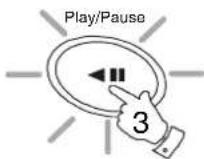
- Press the Play/Pause button to start playback. The Play/Pause button will light up and the display shows the track number.
- Set the Volume and Deep bass boost controls to the required settings.
- To pause playback press the Play/Pause button. The Play/Pause button will flash. To resume playback press the Play/Pause button again.
- To stop playback, press the Stop button. The total number of CD tracks will then appear on the display.
- To take out the CD, open the CD door by pushing the edge marked Open. The CD door should only be opened when the CD is in Stop
Play/Pause
Play/Pause
Track

ting a track
-
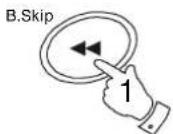
W ^1 st the CD is playing, press either the F.skip or B.skip buttons 2 to change to the desired track. You can also skip tracks when the Track player is in stop mode. Skip to the desired track using the F.skip or B.skip buttons.
-
Press the Play/Pause button to play the selected track.
Search function
- Whilst the CD is playing, press and hold down either the F.skip or B.skip buttons. Release the button when the desired part of the track is reached.
If you need any further advice, please call our Technical Helpline on :020 8758 0338 (Mon-Fri)
B.Skip

Playback modes
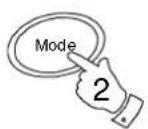
The Mode button allows you to select different CD playback modes in the following order:-

These modes can only be selected or changed during CD playback.
- Whilst the CD is playing press the Mode button once to repeat the current track. The Repeat indicator will light up.
- Press the Mode button again to repeat all tracks on the CD. The Repeat indicator will flash.
- Press the Mode button again to play all tracks on the CD in random order. The display indication toggles between the track number and a moving symbol. The tracks are played in random order until all tracks have been played.
- Press the Mode button again to return to normal play. The display will return to showing current track number.
Random mode is not possible during playback of a CD programme. - Pressing the Stop button will stop the CD and return the CD player to normal play mode.

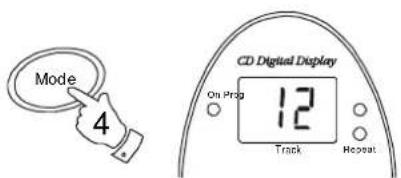
text_image
Mode 4 CD Digital Display On Prop 12 Track Repeat
Programmed play
By programming the player you can play up to 21 tracks in any desired order.
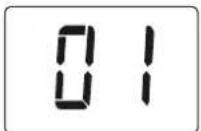
- Whilst the CD is in STOP mode, press the Mode button. The Programme indicator will start to flash and the display will show '01'.
- Select the first track using the F.skip or B.skip buttons. The track number flashes on the display and the Programme indicator lights up. Store this track by pressing the Mode button.
- The Programme indicator will flash and the display will show '02'.
- Repeat the above steps until you have completed your program. Press the Play/Pause button to commence play of the selected tracks.
king a programme
list the CD is in STOP mode, press the Mode button. The gramme indicator will flash
- Less the Play/Pause button to start playback of the programme.
- Repeatedly press and release the F.skip button to step through the programme. The display will show the programmed track numbers and playback of the respective track will start.
Erasing a programme
- Whilst the CD is in STOP mode, press the Mode button. The Programme indicator will flash.
- Press the Stop button to cancel the programme. Programmes are also erased by:- Opening the CD door, moving the Function switch to the 'Tape/Off' or 'Radio' positions and if the power supply is interrupted in any way.
If you need any further advice, please call our Technical Helpline on :-
020 8758 0338 (Mon-Fri)
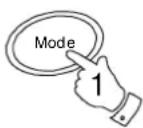
Adding tracks to a programme
- Whilst the CD is in STOP mode, press the Mode button repeatedly until the display shows the first empty memory location (the largest number)
- You can now add tracks (up to 21) to the sequence as described earlier.

Replacing previously programmed tracks
- Whilst the CD is in STOP mode, press the Mode button repeatedly until the display shows the programme step you wish to replace.
- Select the track you want to enter in its place using the F.skip or B.skip buttons.
- Press the Mode button to store the track.
- Press the Play/Pause button to start playback of the programme.
Playing a programme
- Whilst the CD is in STOP mode, press the Mode button, the Programme indicator will flash.
- Press the Play/Pause button, play will commence with the first track of the programme and finish with the last track of the programme.
- Whilst playing a programme it is possible to change to the next or previous track in the programme using the F.skip or B.skip buttons.
Listening to cassette tapes
- Set the Function switch to the 'Tape' position.
- Press the Stop eject button to open the Cassette compartment.
- Insert a pre-recorded cassette with the tape surface uppermost and the side with the desired recording facing towards you.
- Close the Cassette compartment.
- Depress the Play button and adjust the Volume control to suit your personal taste.
- Adjust the Deep bass boost switch to the required position.

text_image
DBB Cause Use the Fast forward or Rewind buttons to lock specific part of Record On Radio GD Off 8 12 ou wish to temporarily stop the playback depress the Pause tion. When you are r dy to resu 5 playback press the Pause button a se nd time. 9. To stop the tape and switch off your CD radio cassette press the Stop/ Eject button.
If you need any further advice, please call our Technical Helpline on :020 8758 0338 (Mon-Fri)
Recording from the Radio
- Set the Function switch to the 'Radio' position.
- Tune in to the desired station.
- Adjust the Volume control to suit your requirements.
- Insert a blank cassette with the tape surface uppermost and the side you wish to record on facing towards you.
- Depress the Record button to commence recording.
- The recording level is set automatically and is not affected by the setting of the Volume control.
- To stop the recording press the Stop/Eject button.
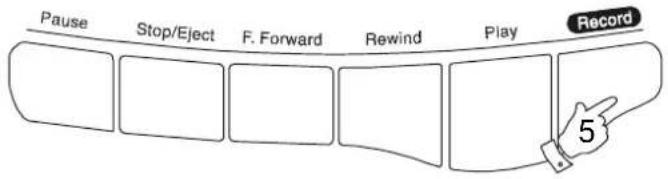
flowchart
graph LR
    A["Pause"] --> B["Stop/Eject"]
    B --> C["F. Forward"]
    C --> D["Rewind"]
    D --> E["Play"]
    E --> F["Record"]
    F --> G["5"]

flowchart
graph LR
    A["Pause"] --> B["Stop/Eject"]
    B --> C["F. Forward"]
    C --> D["Rewind"]
    D --> E["Play"]
    E --> F["Record"]
    style A fill:#f9f,stroke:#333
    style F fill:#f9f,stroke:#333
Recording from CD
- Set the Function switch to the 'CD' position.
- Insert a CD into the compartment.
- Insert a blank cassette with the tape surface uppermost.
- Depress the Record button to commence recording. The CD will start automatically (CD syncro start)
- The recording level is set automatically and is not affected by the setting of the Volume control.
- To stop the recording press the Stop/Eject button.

flowchart
graph LR
    A["Pause"] --> B["Stop/Eject"]
    B --> C["F. Forward"]
    C --> D["Rewind"]
    D --> E["Play"]
    E --> F["Record"]

text_image
Function Tape Off Radio GB•••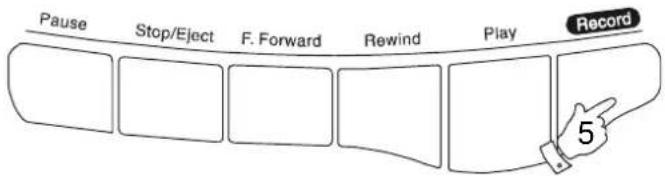
flowchart
graph LR
    A["Pause"] --> B["Stop/Eject"]
    B --> C["F. Forward"]
    C --> D["Rewind"]
    D --> E["Play"]
    E --> F["Record"]
    F --> G["5"]
If you need any further advice, please call our Technical Helpline on :020 8758 0338 (Mon-Fri)
Preventing accidental erasure
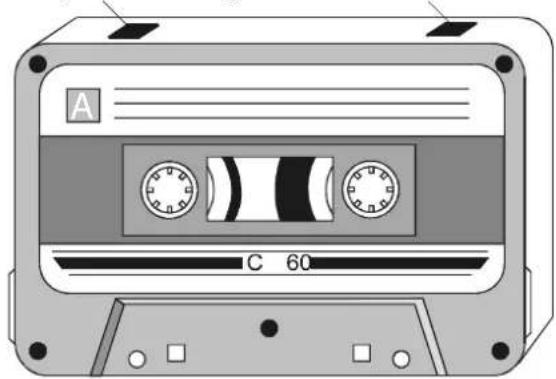
- To safeguard your recordings against accidental erasure, break off the appropriate tab on the cassette as shown.
- There is one tab for each side of the cassette. This will prevent the Record button from being pressed.
- To restore the cassette to normal, seal the tab openings with a small piece of self-adhesive tape.
Safety tab side A Safety tab side B
natural_image
Illustration of a vintage cassette tape with two dials and a labeled section (no text or symbols beyond labels)Cleaning tape heads
The binder and oxide from magnetic tapes can accumulate on the pinch roller (A) the capstan shaft (B) and also the heads (C and D). This will impair the sound quality.
To clean these parts proceed as follows:-
- Turn off the power to the unit.
- Press the Stop/Eject button.
- Press the Play button and the heads will be clearly seen.
- Clean the surfaces (A, B, C, D) with a lint free rag or cotton swab soaked in alcohol. Press the stop/eject button as soon as cleaning is over.

text_image
A B C DSpecifications
Power Requirements
Mains AC 230 volts, 50Hz only
Batteries 8 x LR14 (C size)
Circuit Features
Loudspeaker 2 x 77mm 8ohms
Output Power 2 x 1.6 Watts into 4ohms
Headphone socket 3.5mm dia
Aerial System FM Telescopic aerial
MW Built-in Ferrite aerial
Frequency Coverage
FM 87.5-108MHz
MW 522-1620kHz
LW 144-281kHz
LW Built-in Ferrite aerial
ROBERTS RADIO LIMITED
PO BOX 130
MEXBOROUGH
SOUTH YORKSHIRE
S64 8YT
The Company reserves the right to amend the specification without notice.
If you need any further advice, please call our Technical Helpline on :-
020 8758 0338 (Mon-Fri)
Guarantee
This instrument is guaranteed for twelve months from the date of delivery to the original owner against failure due to faulty workmanship or component breakdown, subject to the procedure stated below. Should any component or part fail during this guarantee period it will be repaired or replaced free of charge. The guarantee does not cover:
- Damage resulting from incorrect use.
- Consequential damage.
- Receivers with removed or defaced serial numbers.
N.B. Damaged or broken telescopic aerials will not be replaced under guarantee.
Procedure:
Any claim under this guarantee should be made through the dealer from whom the instrument was purchased. It is likely that your Roberts' dealer will be able to attend to any defect quickly and efficiently, but should it be necessary the dealer will return the instrument to the company's service department for attention. In the event that it is not possible to return the instrument to the Roberts' dealer from whom it was purchased, please contact Roberts Radio Technical Services department at the address shown below before taking further action.
These statements do not affect the statutory rights of a consumer.
ROBERTS RADIO TECHNICAL SERVICES DEPARTMENT
97-99 Worton Road
Isleworth Middlesex
TW7 6EG
Technical Helpline:- 020 8758 0338 (Mon-Fri)
Issue 1
CE