XAVB2602v2 - Power adapter NETGEAR - Free user manual and instructions
Find the device manual for free XAVB2602v2 NETGEAR in PDF.


| Type of Product | Powerline Adapter Kit (pair) |
| Brand | NETGEAR |
| Model | XAVB2602v2 |
| Dimensions (each) | 90 x 55 x 35 mm (3.5 x 2.2 x 1.4 in) |
| Weight (each) | Approximately 150 g (5.3 oz) |
| Power Supply | Built-in AC plug, 100-240V, 50/60Hz |
| Data Rate | Up to 200 Mbps |
| Ethernet Ports | 1 x 10/100 Mbps RJ-45 per adapter |
| Security | 128-bit AES encryption with secure pairing button |
| Main Functions | Extend wired network through electrical wiring, plug and play |
| Indicators | Power, Powerline, Ethernet LEDs |
| Operating Temperature | 0°C to 40°C (32°F to 104°F) |
| Storage Temperature | -10°C to 70°C (14°F to 158°F) |
| Humidity | 10% to 90% RH non-condensing |
| Maintenance | Keep clean and dry; clean with a soft, dry cloth |
| Safety | Do not disassemble; avoid water and high humidity; unplug during electrical storms |
| Spare Parts / Repairability | No user-serviceable parts; contact NETGEAR support for issues |
| General Information | Designed for indoor use; complies with local electrical regulations |
Frequently Asked Questions - XAVB2602v2 NETGEAR
User questions about XAVB2602v2 NETGEAR
0 question about this device. Answer the ones you know or ask your own.
Ask a new question about this device
Download the instructions for your Power adapter in PDF format for free! Find your manual XAVB2602v2 - NETGEAR and take your electronic device back in hand. On this page are published all the documents necessary for the use of your device. XAVB2602v2 by NETGEAR.
USER MANUAL XAVB2602v2 NETGEAR
Connect with Innovation™
Powerline 200 Nano PassThru XAVB2602 Installation Guide
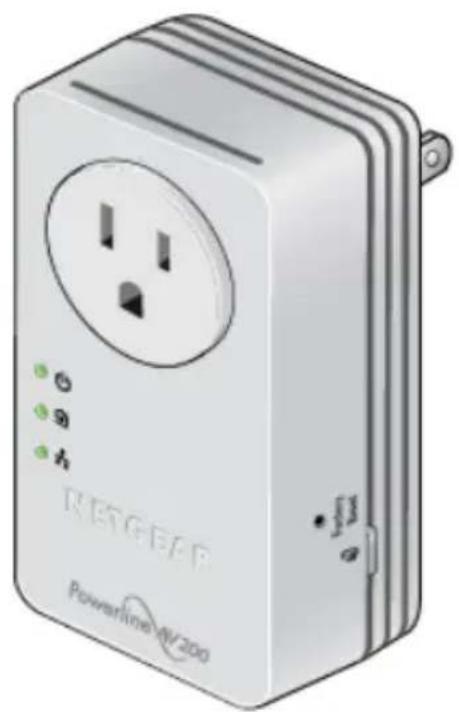
natural_image
Illustration of a Powerline NV 200 power strip device with two outlets and three indicator lights (no text or symbols on the device body)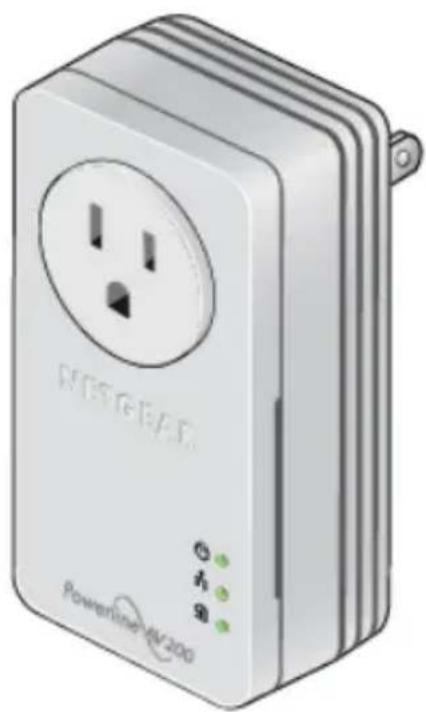
natural_image
Illustration of a powertrain EV200 device with two outlets and three indicator lights (no text or symbols on the device body)© 2012 NETGEAR, Inc. All rights reserved.
No part of this publication may be reproduced, transmitted, transcribed, stored in a retrieval system, or translated into any language in any form or by any means without the written permission of NETGEAR, Inc.
DO NOT stack equipment, or place equipment in tight spaces or in drawers. Be sure your equipment is surrounded by at least 2 inches of air space.
For indoor use only in all EU countries and Switzerland.
Technical Support
Thank you for choosing NETGEAR. To register your product, get the latest product updates, or get support online, visit us at http://support.netgear.com.
Phone (US & Canada only): 1-888-NETGEAR
Phone (Other Countries):
See http://support.netgear.com/app/answers/detail/a_id/984.
Trademarks
NETGEAR, the NETGEAR logo, and Connect with Innovation are trademarks and/or registered trademarks of NETGEAR, Inc. and/or its subsidiaries in the United States and/or other countries. Information is subject to change without notice. Other brand and product names are registered trademarks or trademarks of their respective holders. © 2012 NETGEAR, Inc. All rights reserved.
Statement of Conditions
In the interest of improving internal design, operational function, and/or reliability, NETGEAR reserves the right to make changes to the products described in this document without notice. NETGEAR does not assume any liability that may occur due to the use or application of the product(s) or circuit layout(s) described herein.
Package Contents
natural_image
Illustration of a white electrical outlet device with two outlets and a power plug (no text or symbols visible)XAV2602 and XAV1601 Powerline Adapters
natural_image
Illustration of a white wireless power outlet device with a circular socket and indicator lights (no text or symbols visible)Ethernet cables (2)
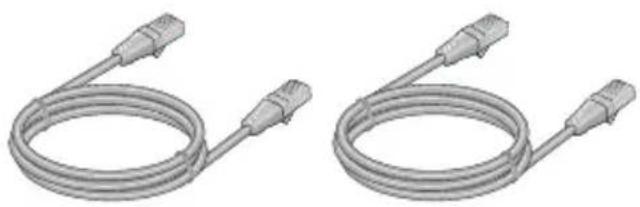
natural_image
Two identical gray cable connectors with connectors, shown side by side (no text or symbols)Products sold in some locations include a Resource CD.
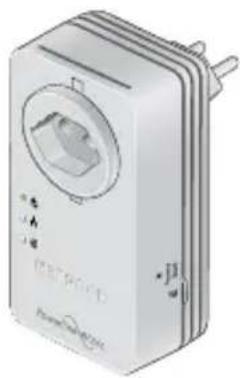
Your XAV2602 Powerline adapter may look like one of these:
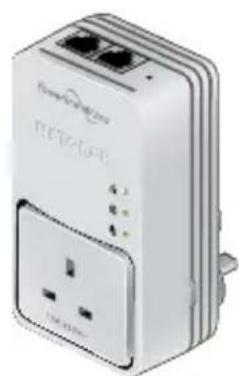
natural_image
White wireless router device with two ports and a power outlet (no visible text or symbols)UK
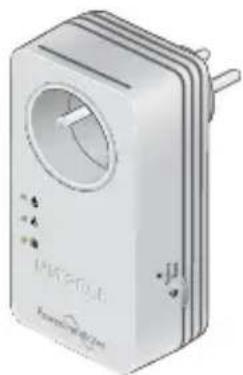
natural_image
Illustration of a white wireless router device with ports and a central display (no text or symbols visible)France Germany/Europe
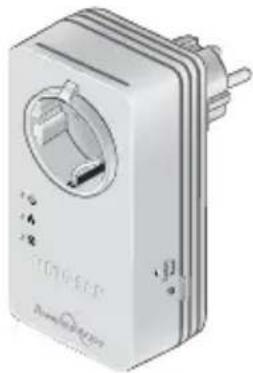
natural_image
Illustration of a white electronic device labeled 'TDTHEEP' with ports and connectors (no readable text beyond branding)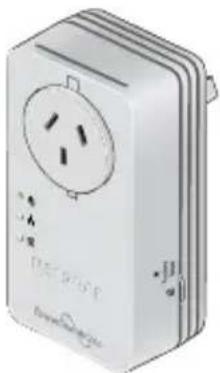
natural_image
Illustration of a white electrical outlet device with three slots and a central socket (no text or symbols visible)Australia
natural_image
Illustration of a white electronic device with a circular button and ports, no visible text or symbols.Switzerland
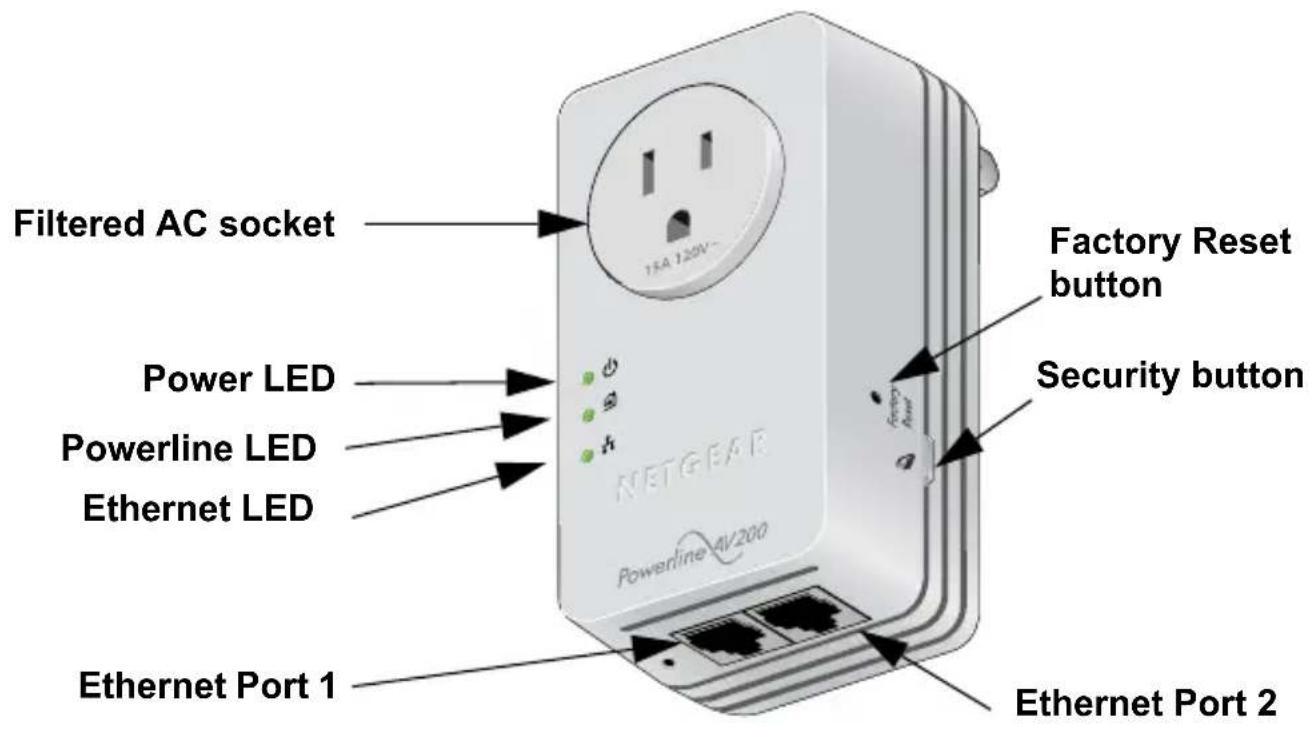
XAV2602 Hardware Features
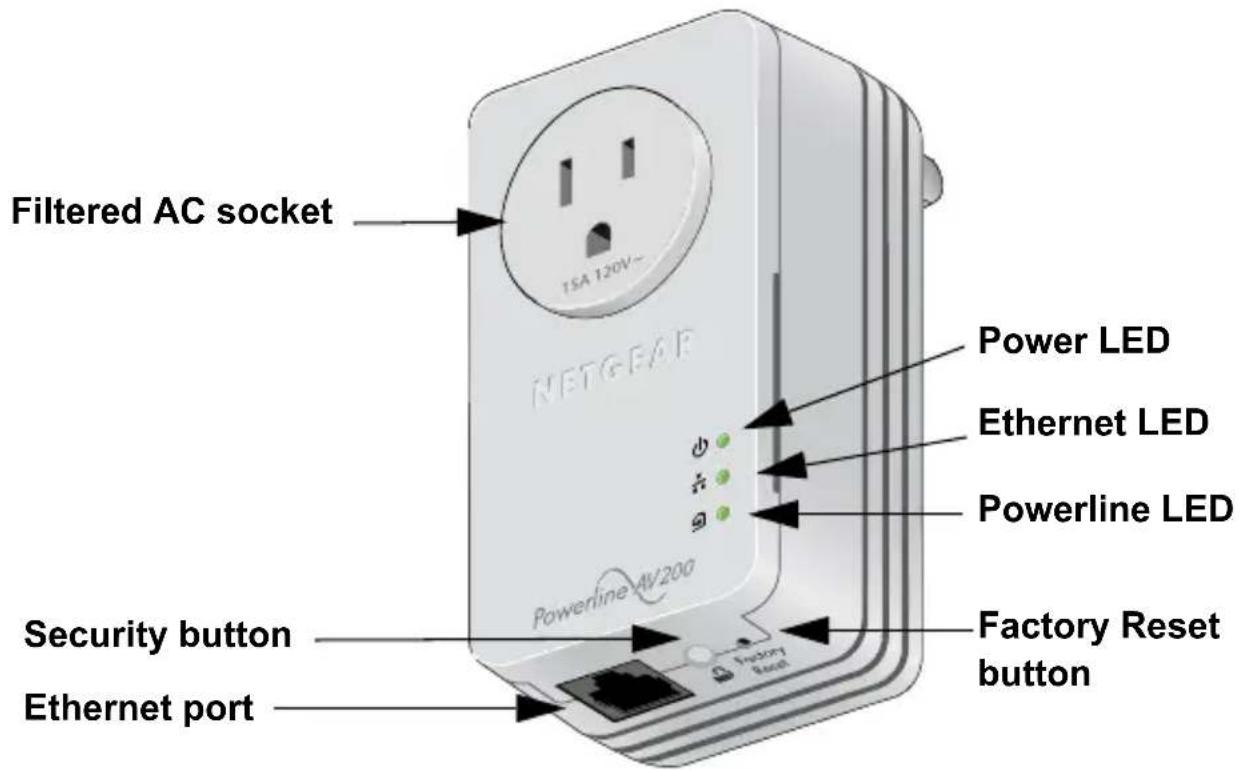
XAV1601 Hardware Features
LEDs
The LEDs indicate the status of your Powerline adapters.
- When you plug in the adapter, the Power LED lights up and turns green.
- The adapter is not active when no Ethernet link occurs for more than 10 minutes. The adapter enters power saving mode and the Power LED turns amber.
- The Ethernet LED lights up when you connect a powered-on Ethernet device to at least one Ethernet port.
- The Powerline LED turns on when the adapter detects at least one other compatible Powerline device.
The Pick A Plug feature lets you pick the electrical outlet with the strongest link rate, indicated by the color of the Powerline LED:
- Green: Link rate > 80 Mbps (Best)
- Amber: Link rate > 50 and < 80 Mbps (Better)
- Red: Link rate < 50 Mbps (Good)
Install Your Powerline Adapters Room 1
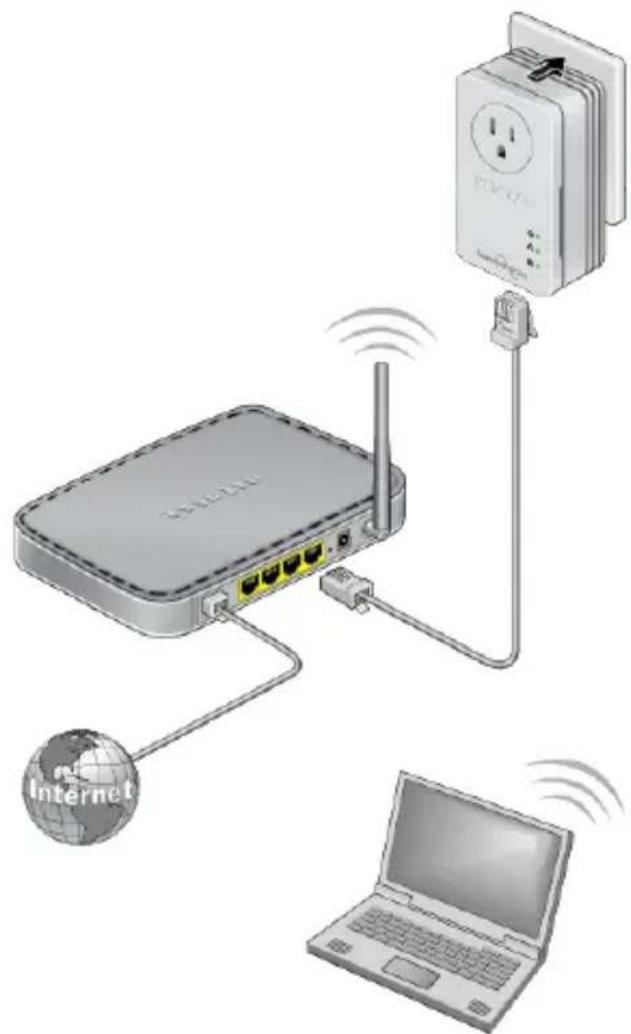
This room has an XAV1601 Powerline adapter connected to a router.
Room 2 This room has an XAV2602 Powerline Adapter.
The ports use Quality of Service (QoS) to prioritize traffic. Port 1 on the left is the high-priority video port.
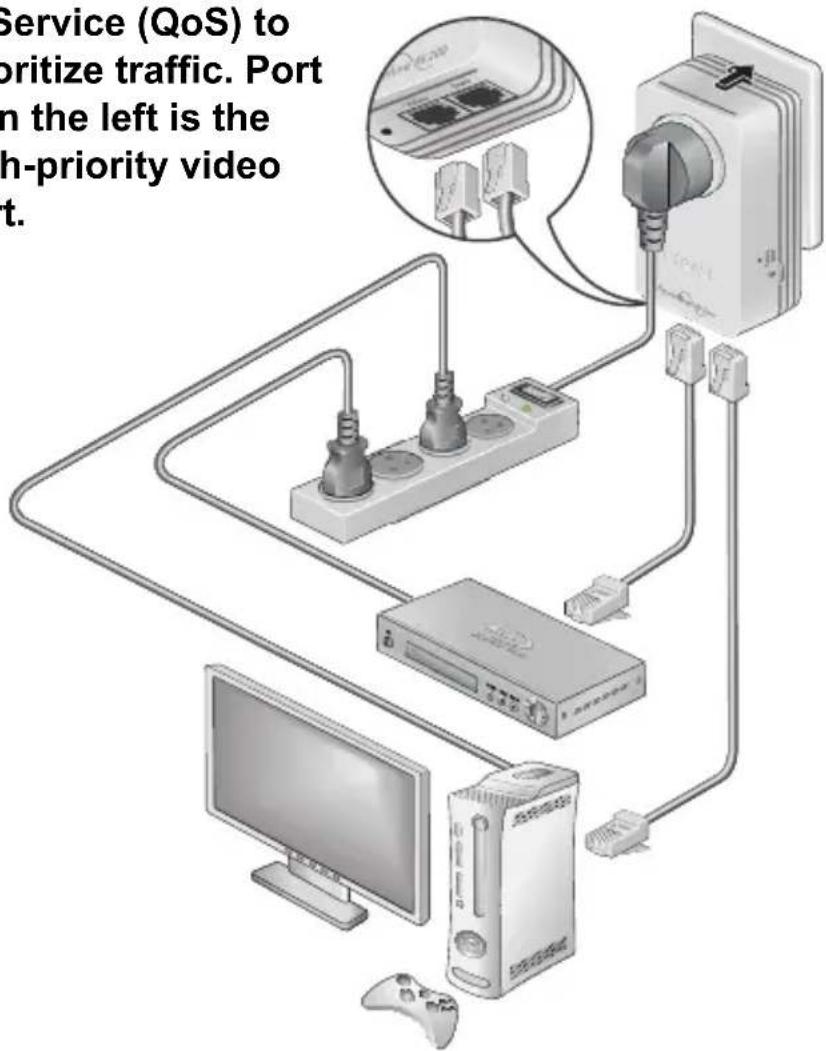
The filtered AC socket removes some electrical noise. Plugging a nearby device into the filtered AC socket improves performance.
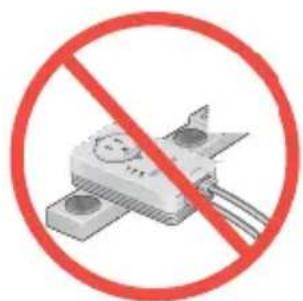
You can plug a power strip into the filtered outlet, but do not plug your Powerline adapter into a power strip.
Secure Your Powerline Network
A Powerline network forms when at least two compatible Powerline devices communicate. After the Powerline network is up and running, you can use the Security buttons on the adapters to add encryption to your Powerline network.
NETGEAR recommends that you secure your Powerline network to protect your personal information and media from unwanted access.
If you do not set up security on your network, anyone nearby with a Powerline network can potentially use their connection to gain access to your network and information you send over the Internet. Setting up security is especially relevant in settings such as apartment buildings, office buildings, dorm rooms, and other populated areas.
CAUTION:
Do not press the Security button until each adapter has powered up and its Power LED is solid green. Pressing this button too soon can temporarily disable Powerline communication. If this occurs, use the Factory Reset button to return the Powerline adapter to its factory default settings.
To secure your Powerline network:
- Make sure the Power LED is solid green. If it is amber, connect a device to one of the Ethernet ports so the adapter exits power saving mode.
- On the first Powerline adapter, press its Security button for 2 seconds. The Power LED blinks green while the adapter is setting up security.
- Within 2 minutes, go to the next Powerline adapter and press its Security button for 2 seconds.
After security is set, the Power LED turns solid green. The adapter can communicate over the network. The Powerline LED is blinking or solid.
Technical Support
Thank you for selecting NETGEAR products.
After installing your device, locate the serial number on the label of your product and use it to register your product at: https://my.netgear.com.
Registration is required before you can use the telephone support service. Registration through the NETGEAR website is strongly recommended.
Go to http://support.netgear.com for product updates and web support.
For additional information about setting up, configuring, and using your Powerline 200 Nano PassThru, see the User Manual.
For complete DoC, visit the NETGEAR EU Declarations of Conformity website at: http://support.netgear.com/app/answers/detail/a_id/11621/
For GNU General Public License (GPL) related information, visit the NETGEAR support site at: http://support.netgear.com/app/answers/detail/a_id/2649
Safety Information
- AC input:100-125V\~, 0.2A max in North America and 200-250V\~, 0.2A max in other regions, for the XAVB2602.
• Operating temperature: 0C to 40C - The socket-outlet shall be installed near the equipment and be easily accessible.
• Powerline adapter ratings (maximum load):
EU: 16A 250V \~ FR: 16A 250V \~
UK: 13A 250V \~ AU: 10A 250V \~
NA: 15A 125V \~ Swiss: 10A 250V \~ - Only power cords are allowed to be inserted into the filtered AC outlet; no other equipment with a direct plug-in is allowed. The power cord needs to be a maximum of 1 m long and a minimum of 0.75 mm square of cross-sectional area.
-
Do not plug devices into the Powerline adapter filtered AC outlet that exceed the product ratings. The output voltage of the filtered AC outlet is the same as the power outlet that the Powerline adapter is plugged into. To help avoid damaging your system, be sure that the attached devices are electrically rated to operate with the power available in your location.
-
If the input AC voltage is less than 125Vac, the device plugged into the filtered AC socket of the Powerline adapter might not perform as well as expected.
- DO NOT PLUG MAJOR HOME APPLIANCES into the filtered AC socket or into an attached power strip. The device is not intended to be used with home appliances such as air conditioners, power tools, space heaters, fans, hair dryers, ovens, or refrigerators.
- Check the electrical current for any appliance used with the device, and do not exceed home and product outlet ratings and electrical requirements.
Compatible NETGEAR Powerline Devices
Your Powerline adapter can share a Powerline network with these compatible NETGEAR devices: XAV101, XAV1004, XAV2001, XAV2101, XAV1101, XAV1301, XAV1601, XAV2501, XAV5001, XAV5501, XAV5601, XAV5004, and XAVN2001.
For a complete list of HomePlug AV certified devices, go to www.homeplug.org/certified_products.
Compliance
This symbol was placed in accordance with the European Union Directive 2002/96 on the Waste Electrical and Electronic Equipment (the WEEE Directive). If disposed of within the European Union, this product should be treated and recycled in accordance with the laws of your jurisdiction implementing the WEEE Directive.
NETGEAR, Inc.
350 East Plumeria Drive
San Jose, CA 95134, USA

201-14901-02

June 2012