Styleshaver QS6162 - Lawn mower PHILIPS - Free user manual and instructions
Find the device manual for free Styleshaver QS6162 PHILIPS in PDF.


User questions about Styleshaver QS6162 PHILIPS
0 question about this device. Answer the ones you know or ask your own.
Ask a new question about this device
Download the instructions for your Lawn mower in PDF format for free! Find your manual Styleshaver QS6162 - PHILIPS and take your electronic device back in hand. On this page are published all the documents necessary for the use of your device. Styleshaver QS6162 by PHILIPS.
USER MANUAL Styleshaver QS6162 PHILIPS
natural_image
Exterior view of a Philips electric toothbrush (no text or symbols on body)フィリップ ス
スタイルシェー バー
品番
QS6162/32
取扱説明書
保証書付
保証書は、この取扱説明
書の最終ページについて
おりますので販売店で 記
入を 受 け てく だ さ い 。
natural_image
Line drawing of a handheld hairdryer device with control panel and buttons (no text or symbols)本体
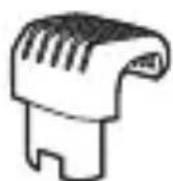
ヒゲコーム
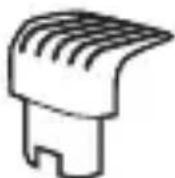
ディテールコーム
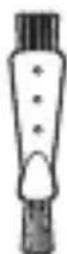
クリー 二 ングブラシ
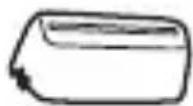
保護キャップ
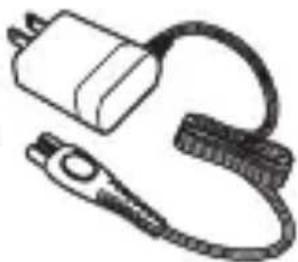
natural_image
Simple line drawing of a plug and cable with no text or symbols充電アダプタ
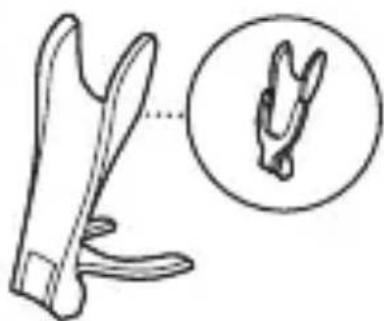
natural_image
Illustration of a pair of scissors with a magnified inset showing the blade structure (no text or symbols)充電スタンドソフトポーチ
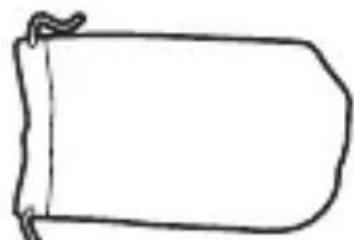
natural_image
Simple line drawing of a rounded rectangular shape with a curled corner (no text or symbols)Guidance in English 23\~41
●保証
保証とアフターサービス 43
仕様 44
無料修理規定 46
保証書 ...... 最終ページ
必ずお守り ください
安全上のご注意
natural_image
Simple line drawing of a mechanical component with grooves and a notch (no text or symbols)ヒゲコーム
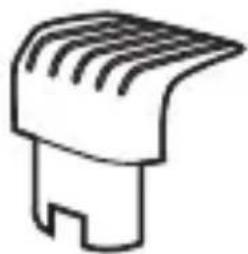
natural_image
Simple line drawing of a mechanical component with grooves and a notch (no text or symbols)ディテールコーム
充電スタP9ド▶
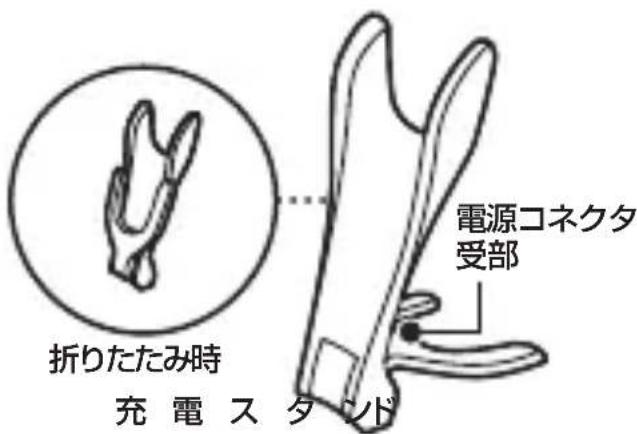
natural_image
Simple line drawing of a mechanical component with no text or symbolsクリー ニングブ ラシ
ソフトポーチ
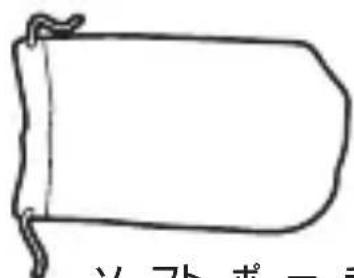
ソフトポーチ
充電の仕方
お客様による充電池の交換はできません。
この商品は通常1瞬間充電です。
満充電で約75分使用できます。
充電専用タイプ
natural_image
Illustration of a handheld device with a black arrow indicating motion (no text or symbols)natural_image
Simple line drawing of a handheld device with a starburst symbol on the handle (no text or labels)natural_image
Illustration of a camera device and its internal control panel (no text or symbols)natural_image
Diagram showing a hand pressing down on a surface with an upward arrow, no text or symbols presentnatural_image
Simple line drawing of a mechanical component with no text or symbolsnatural_image
Illustration of a hand using a handheld device to interact with a device (no text or symbols visible)natural_image
Hand holding a small object with a downward arrow, no visible text or symbols[トリマ15m(m)の使い方]
natural_image
Simple line drawing of a device with a lid and handle (no text or symbols)上面图
背面側
(前方)
![PHILIPS Styleshaver QS6162 - [トリマ15m(m)の使い方] - 1](/content/2026/06/1205137/images/8d0958987ef5632f26f904f71a709a1aefd4b234892cd772484ffef94c767941.jpg)
正面側
natural_image
Hand holding a pen with a downward arrow (no text or symbols)natural_image
Line drawings of a person's face showing two different angles (no text or symbols)natural_image
Illustration of a person interacting with a device (no text or symbols visible)natural_image
Simple line drawing of a handheld device with a circular button and pointer (no text or symbols)natural_image
Simple line drawing of a hand holding a branch with no text or symbolsnatural_image
Illustration of a hand holding a tool with a knife inserted (no text or symbols visible)![PHILIPS Styleshaver QS6162 - [トリマ15m(m)の使い方] - 2](/content/2026/06/1205137/images/c7f50070f14efd9da600aa952a6044b7651608e10dadaf7c594820a2566afbac.jpg)
注意
natural_image
Illustration of a hand holding a tool with an eraser, showing mechanical components and an upward arrow (no text or symbols)natural_image
Illustration of a hand holding a tool with an eraser and upward arrow (no text or symbols)natural_image
Diagram showing a hand holding a small object before and after transformation (no text or symbols)リチウムイオン電池のリサイクルについて
natural_image
Illustration of a hand holding a tool with a mechanical component (no text or symbols visible)3 カバーを取り外します。
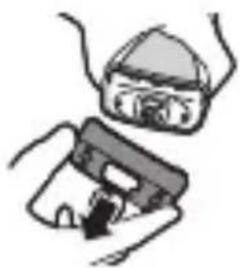
natural_image
Illustration of hands using a device to interact with a device (no text or symbols visible)natural_image
Diagram showing a mechanical device with an arrow indicating upward motion, no text or symbols presentIntroduction
Congratulations on your purchase and welcome to Philips! To fully benefit from the support that Philips offers, register your product at www.philips.com/welcome.
Generaldescription(Fig.1)
1 Trimminghead
2Regulartrimmingside(32mm)
3Precisiontrimmingside(15mm)
4Guidinggroove
5Hairlengthsettingselector
6 Trimmingheadon/offbutton
7Travellockindication
8Shavingheadon/offbutton
9Shavinghead
10Batterystatusindicator
11 Regulartrimmingcomb
12Precisiontrimmingcomb
13Chargingstand
14Adapterwithsmallplug
15Protectioncap
16Cleaningbrush
17Storagepouch
Important
Read this user manual carefully before you use the appliance and save it for future reference.
Danger
- Keeptheadapterdry.
Warning
- Check if the voltage indicated on the adapter corresponds to the local mains voltage before you connect the appliance.
- The adapter contains a transformer. Do not cut off the adapter to replace it with another plug, as this causes a hazardous situation.
- This appliance can be used by children aged from 8 years and above and persons with reduced physical, sensory or mental capabilities or lack of experience and knowledge if they have been given supervision or instruction concerning use of the appliance in a safe way and understand the hazards involved. Children shall not play with the appliance. Cleaning and user maintenance shall not be made by children without supervision.
- Children shall not play with the appliance.
Caution
- Use, charge and store the appliance at a temperature between 5^ C and 35^ C.
- Do not charge the appliance in the storage pouch.
- Only use the adapter and the charging stand supplied.
- Never immerse the appliance in water or any other liquid. Only rinse the appliance under the tap to clean it.
- If the appliance is subjected to a major change in temperature, pressure or humidity, let the appliance acclimatise for 30 minutes before you use it.
- If the adapter or the charging stand is damaged, always have it replaced with one of the original types in order to avoid a hazard.
- Do not use the appliance if the shaving head or one of the trimming combs is damaged or broken, as this may cause injury.
- This appliance is only intended for trimming and dry shaving facial hair (beard, moustache and sideburns).

natural_image
Simple line drawing of a showerhead spraying over water (no text or symbols)Compliancewithstandards
- The appliance complies with the internationally approved IEC safety regulations and can be safely used in the bath or shower.
- This Philips appliance complies with all applicable standards and regulations regarding exposure to electromagnetic fi elds.
Charging
Charging normally takes approx. 1 hour.
When the appliance is fully charged, it has an operating time of 75 minutes.
Batterystatusindicator:
- When the battery status indicator fl ashes white, the battery is charging.
- When the battery status indicator lights up white continuously, the battery is fully charged. This indication is shown for 30 minutes. Then the battery status indicator goes out.
- When the battery status indicator fl ashes orange, the battery is almost empty (approx. 10 minutes of operating time left).
- When the battery status indicator fl ashes orange quickly, the battery is empty. You have to charge the appliance before you can use it again.
Note: The appliance can only be charged in the charging stand.
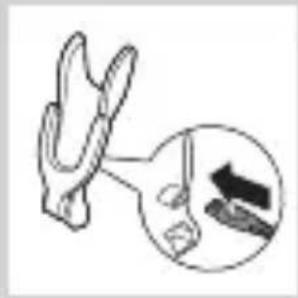
natural_image
Illustration of a pliers with an inset showing a magnified view of the blade (no text or symbols)1 Insert the small plug into the charging stand.
Note: The small plug is easiest to insert when the charging stand is folded.
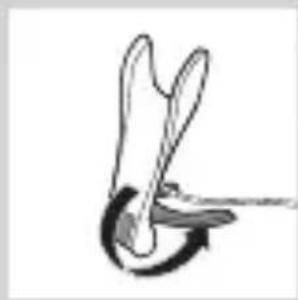
natural_image
Simple line drawing of a tool or tool interacting with a curved mechanical component (no text or symbols)2 Unfold the charging stand ('click').
3 ut the adapter in the wall socket.
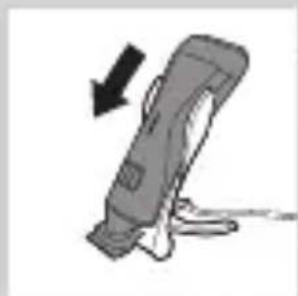
natural_image
Illustration of a handheld device with a black arrow indicating motion (no text or symbols)4 ut the appliance in the charging stand.
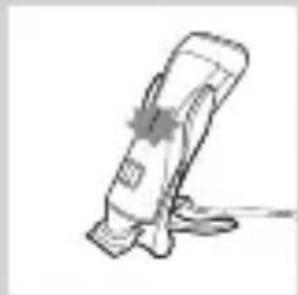
natural_image
Simple line drawing of a medical device with a cross mark on the handle (no text or symbols)The battery status indicator starts to flash white to indicate that the battery is charging. When the battery is fully charged, the battery status indicator lights up white continuously.
Usingtheappliance
You can use the appliance to trim or dry shave facial hair (beard, moustache and sideburns). This appliance is not intended for shaving or trimming lower body parts.
Tip: Take your time when you first start to shave. You have to acquire practice with the appliance. Your skin also needs some time to adjust to the procedure.
Trimmingwithcomb
The trimming combs allow you to trim to different lengths.
Start at the highest setting to acquire practice with this appliance.
See the table below for an overview of the hair length settings and the corresponding hair lengths.
Setting Hair length after trimming
| 1 | 1 mm - 3/64 inch |
| . | 1.5 mm - 1/16 inch |
| 2 | 2 mm - 5/65 inch |
| . | 2.5 mm - 3/32 inch |
| 3 | 3 mm - 1/8 inch |
| 4 | 4 mm - 5/32 inch |
| 5 | 5 mm - 3/16 inch |
| 6 | 6 mm - 1/4 inch |
| 7 | 7 mm - 9/32 inch |
| 8 | 8 mm - 5/15 inch |
| 9 | 9 mm - 3/8 inch |
| 10 | 10 mm - 13/32 in |
| * no comb = 0.5mm | |
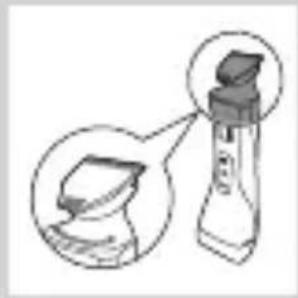
natural_image
Illustration of a spray bottle with a lid, showing a magnified view of its tip (no text or symbols present)1 Hold the appliance in the trimming position, with the trimming head pointing upwards and the shaving head pointing downwards.
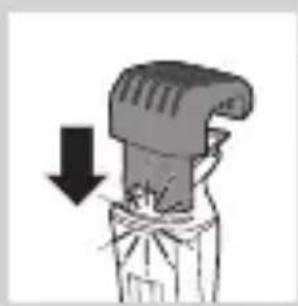
natural_image
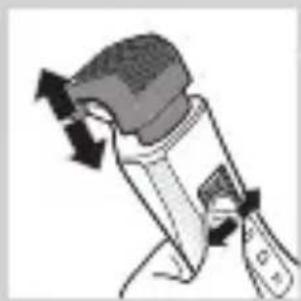
Illustration of a mechanical component with a downward arrow indicating compression or disassembly (no text or symbols)2.lide the comb into guiding groove of the appliance ('click').
natural_image
Illustration of a mechanical device with directional arrows indicating motion (no text or symbols)3 press the hair length setting selector and then move it from left to right or right to left to select a setting.
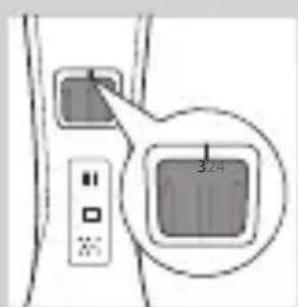
- The line above the hair length setting selector shows which setting you have selected.
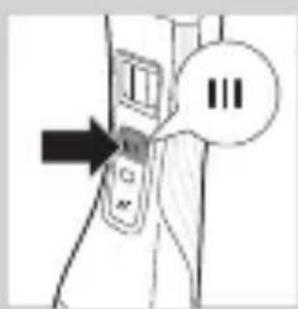
4 press the trimming head on/off button once to switch on the trimming head.
The on/off button lights up to indicate that the trimming head is operating.
ENGLISH
natural_image
Illustration of a hand pressing down on a surface with an upward arrow, no text or symbols present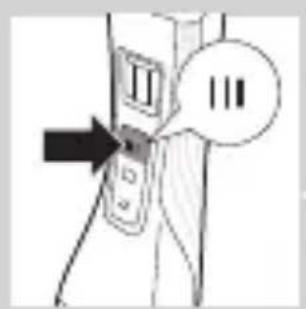
natural_image
Diagram of a mechanical device with an upward arrow indicating motion (no text or symbols present)5 To trim the hair, move the trimming comb through the hair slowly.
Tips
- Always make sure that the tips of the trimming comb points in the direction in which you move the appliance.
- Make sure that the fl at part of the trimming comb is always in full contact with the skin to obtain an even hair length result.
- Since hair grows in different directions, you need to move the appliance in different directions as well (upward, downward or across).
- You can switch on the trimming head while the shaving head is operating. If you do this, the shaving head is switched off immediately.
- Trimming is easier when the skin and hair are dry.
6 When you are fi nished, press the trimming head on/off button again to switch off the trimming head.
Trimmingwithoutcomb
The comb keeps the trimming head at a set distance from your head. You can use the trimming head without comb. If you use the trimming head without comb, your hair is cut off close to the skin (approx. 0.5 mm).
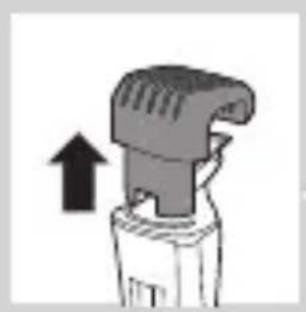
To remove the comb, pull it off the appliance.
Never pull at the fl exible top of the comb. Always pull at the bottom part.
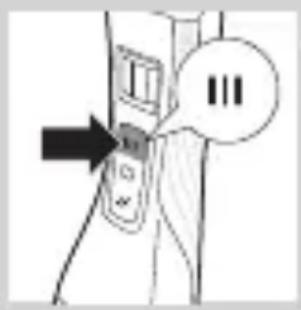
2 press the trimming head on/off button to switch on the trimming head.
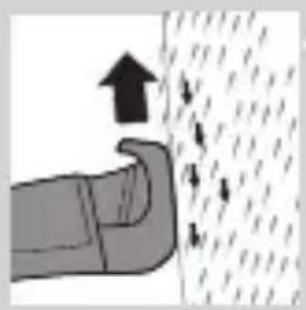
3 Hold the appliance with the trimming head pointing upwards and make downward strokes with the regular side of the trimming head.
Using the precisionside of the trimming head
natural_image
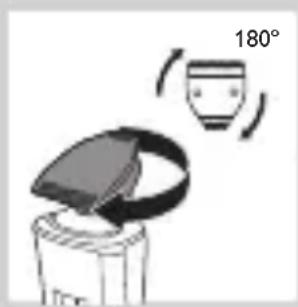
Simple line drawing of a container with a lid and a cup, showing a 180° angle indicator (no text or symbols on the diagram itself)The precision trimming head is only half as wide as the regular trimming head. It therefore allows more precise styling of the area around the ears, the sideburns and also around the mouth and under the nose.
1 To use the precision side of the trimming head, simply turn the trimming head until the precision side points towards the front of the appliance.
2 press the trimming head on/off button to switch on the trimming head.
3 Hold the appliance with the trimming head pointing upwards and make downward strokes with the precision trimming head.
Shaving
Before you use the shaving head, always check it for damage or wear. If the shaving head is damaged or worn, do not use it, as injury may occur. Replace a damaged shaving head before you use it again (see chapter ‘Replacement’).
Shavingtipsandtricks
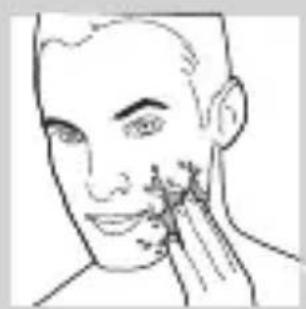
- The shaving head is suitable for both wet and dry use. Use the shaving head with shaving gel or foam
ENGLISH
natural_image
Line drawing of a human face with a finger pointing to the cheek area (no text or symbols)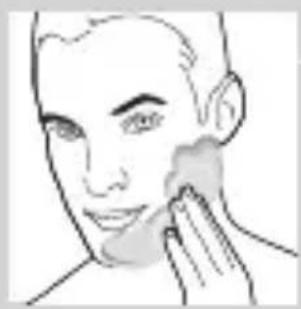
natural_image
Line drawing of a person applying product to their ear (no text or symbols)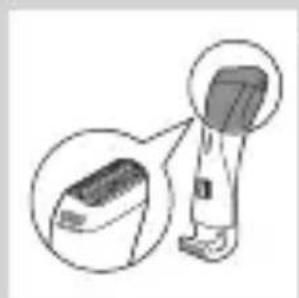
natural_image
Diagram of a handheld electronic device with an inset close-up view showing internal components (no text or symbols)for extra skin comfort, or use the shaving head dry for extra convenience.
Note: We advise you to use the shaving head with shaving gel or foam when you use it for a wet shave. Do not use thick shaving cream or shaving oil with this shaver.
- For optimal shaving results, make circular movements during use.
- Make sure that the shaving head is in full contact with the skin.
- You can switch on the shaving head while the trimming head is operating. If you do this, the trimming head is switched off immediately.
- Your skin may need 2 or 3 weeks to get accustomed to the Philips shaving system.
Wetshaving
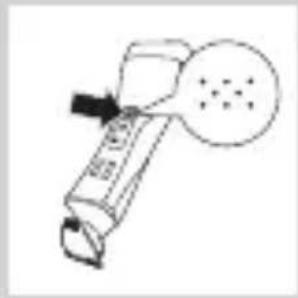
1 Apply some water to your skin.
2 Apply shaving foam or shaving gel to your skin.
3 Inse the shaving unit under the tap to ensure that the shaving unit glides smoothly over your skin.
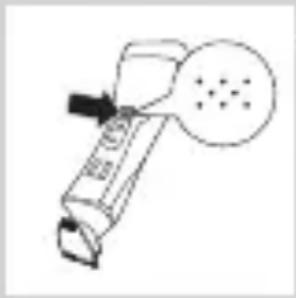
4 Hold the appliance in the shaving position, with the shaving head pointing upwards and the trimming head pointing downwards.
natural_image
Simple line drawing of a handheld device with a circular button and dotted pattern (no text or symbols)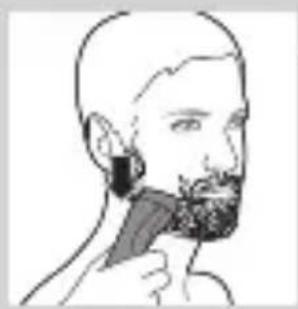
natural_image
Line drawing of a person brushing their beard with a toothbrush (no text or symbols)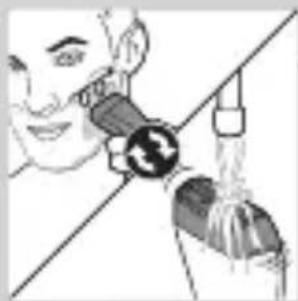
natural_image
Illustration of a person using a handheld device to interact with another person (no text or symbols visible)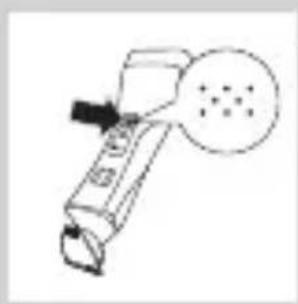
natural_image
Simple line drawing of a handheld device with a circular button containing dots (no text or symbols)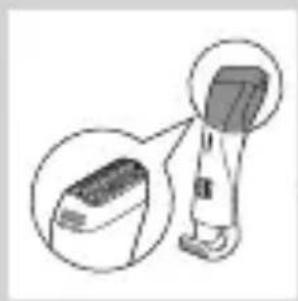
natural_image
Illustration of a handheld electronic device with an inset close-up view (no text or symbols)5 press the shaving head on/off button once to switch on the shaving head.
The on/off button lights up to indicate that the shaving head is operating.
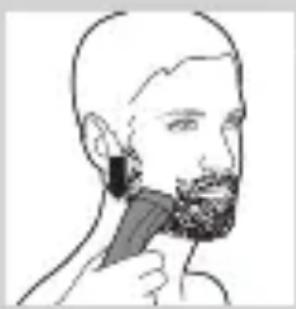
6 Place the shaving head on the skin and move the appliance against the direction of hair growth while you press it lightly.
Note: Rinse the shaving head under the tap regularly to ensure that it continues to glide smoothly over your skin.
7 To switch off the shaving head after use, press the shaving head on/off button again.
8 Clean the shaving head (see chapter ‘Cleaning and maintenance’, section ‘Quick cleaning the shaving head after wet shaving’).
Note: Make sure you rinse all foam or shaving gel off the shaver.
Dryshaving
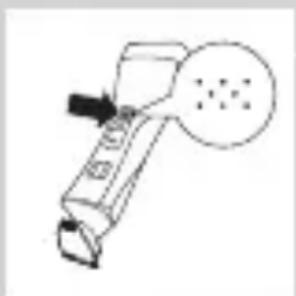
1 Hold the appliance in the shaving position, with the shaving head pointing upwards and the trimming head pointing downwards.
ENGLISH
natural_image
Simple line drawing of a handheld device with a circular button and dotted pattern (no text or symbols)2 press the shaving head on/off button once to switch on the shaving head.
The on/off button lights up to indicate that the shaving head is operating.
natural_image
Line drawing of a person's beard and toothbrush (no text or symbols)3 Place the shaving head on the skin and move the appliance against the direction of hair growth while you press it lightly.
natural_image
Simple line drawing of a handheld device with a circular button and dotted pattern (no text or symbols)4 o switch off the shaving head after use, press the shaving head on/off button again.
Overloadprotection
If you press the trimming head or shaving head too hard onto your skin or if its cutters gets blocked (e.g. by clothes etc.), the on/off button of the blocked trimming head or shaving head fl ashes quickly and the appliance switches off automatically. Remove whatever is blocking the cutters before you use the appliance again.
Cleaningandmaintenance
Clean the appliance after every use.
Never use compressed air, scouring pads, abrasive cleaning agents or aggressive liquids such as petrol or acetone to clean the appliance.
Only clean the appliance and the adapter with the cleaning brush supplied.
Note: The trimming head and shaving head do not need any lubrication.
Cleaningthetrimminghead
1 witch off the appliance.
2ull the comb off the trimming head.
3 Clean the trimming head under the tap.
Cleaningthetrimmingheadconnector
Note: Make sure that you clean the trimming head connector at least once every three months.
1 witch off the appliance.
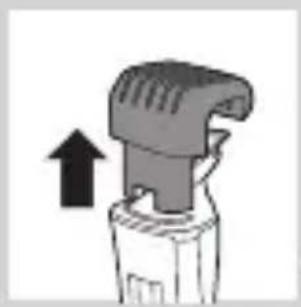
2 Gently pull the trimming head off the appliance.
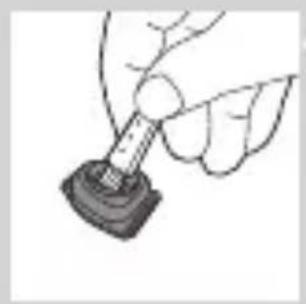
3 remove the hairs from the inside of the trimming head connector with the cleaning brush.
natural_image
Close-up of a mechanical component with an upward arrow indicating motion (no text or symbols)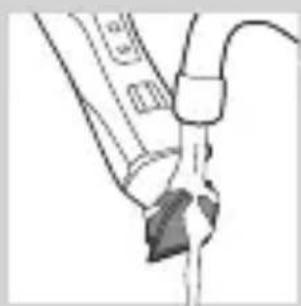
natural_image
Simple line drawing of a tool interacting with a surface (no text or symbols)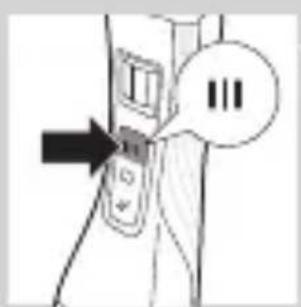
natural_image
Illustration of a bottle with a lid and an arrow indicating upward motion (no text or symbols)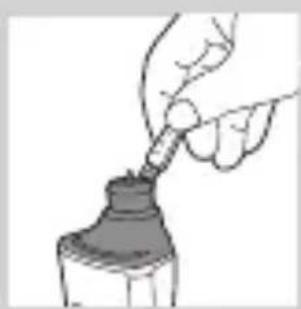
natural_image
Illustration of a hand pouring liquid into a bottle (no text or symbols)ENGLISH
natural_image
Illustration of a hand holding a small object with a circular base, resembling a stylus or tool (no text or symbols present)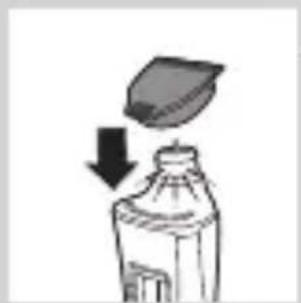
natural_image
Illustration of a bottle with a lid and arrow indicating downward motion (no text or symbols)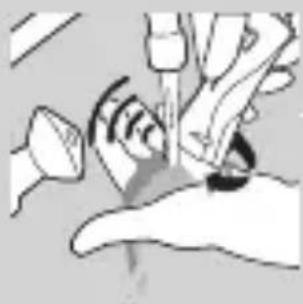
natural_image
Illustration of a hand holding a medical device with a sensor symbol (no text or labels)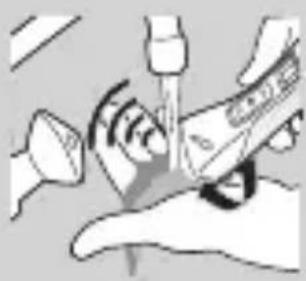
natural_image
Illustration of a hand using a tool to interact with a device, showing signal waves and components (no text or symbols)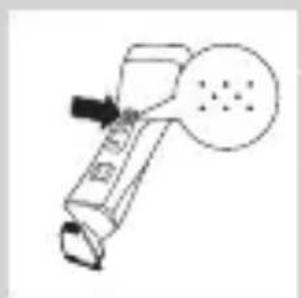
natural_image
Simple line drawing of a handheld device with a circular button and dotted pattern (no text or symbols)4 Clean the inside of the trimming head with the cleaning brush.
5 After cleaning, put the trimming head back onto the appliance.
Quick cleaning of the shaving head after wet shaving or shaving with shaving foam
1 Cup your hand under a running tap and fill it with water.
2 witch on the appliance and hold the shaving head in the water collected in your cupped hand.
The running motor will help clean the inside of the shaving head.
- Love the shaving head around until all visible foam has disappeared.
Note: The shaving head is fragile. Handle it carefully. Replace the shaving head if it is damaged.
Thoroughlycleaningoftheshavinghead
1 switch off the appliance.
natural_image
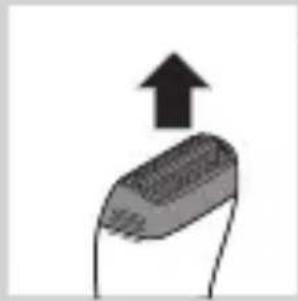
Simple illustration of a USB flash drive with an upward arrow (no text or symbols)2ull the shaving head off the appliance.
Note: The shaving head is fragile. Handle it carefully. Replace the shaving head if it is damaged.
natural_image
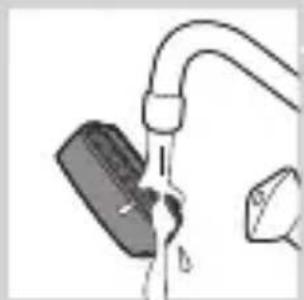
Simple line drawing of a faucet with a submerged object (no text or symbols)- Rinse the shaving head with lukewarm water.
Do not clean the shaving head with the cleaning brush, as this may cause damage.
natural_image
Illustration of a hand holding a small object with a black arrow pointing to it (no text or symbols present)4 remove hairs from the cutters with the cleaning brush.
Note: Do not brush the cutters in a different direction then indicated, as this may cause damage.
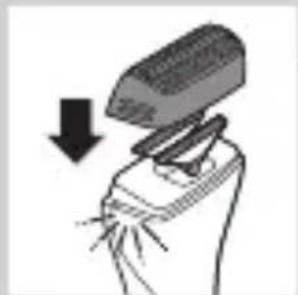
natural_image
Illustration of a hand holding a tool with a pencil, showing a downward arrow (no text or symbols)5 After cleaning, snap the shaving head back onto the appliance ('click').
Replacement
In case of frequent use, replace the shaving foil and the cutters every year.
Shavingfoil
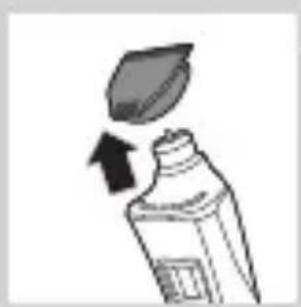
1ull the shaving head off the appliance.
2 Remove the old shaving foil from the shaving head.
- nap the new shaving foil into the shaving head ('click').
Cutters
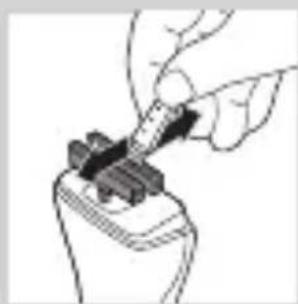
1 Pull the shaving head off the appliance.
2 Remove the cutters.
3. Snap the new cutters onto the appliance ('click').
Storage
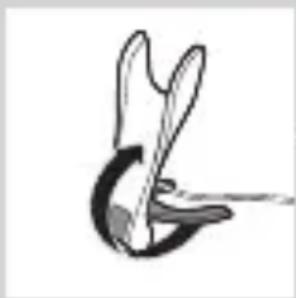
You can fold the charging stand for easy travelling or storage.
natural_image
Abstract black-and-white line drawing of a stylized tool or device (no text or symbols)1 To fold the charging stand: fold the base of the charging stand against the appliance holder.
natural_image
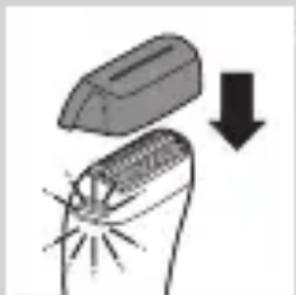
Diagram showing a welding process with a tool and a downward arrow indicating compression (no text or symbols)2 Put the protection cap on the shaving unit.
Travellock
The appliance has an integrated travel lock which prevents the appliance from accidentally being switched on during travel.
1 To activate the travel lock, press and hold the trimming head on/off button, the shaving head on/off button or both for at least 4 seconds while the travel lock indication fl ashes 3 times.
The travel lock is only activated when the indication lights up continuously.
2 To deactivate the travel lock, press and hold the trimming head on/off button, the shaving head on/off button or both for at least 4 seconds while the travel lock indication fl ashes 4 times.
The travel lock is now deactivated and the appliance switches on.
Note: You can also deactivate the travel lock by charging the appliance.
Orderingaccessories
To buy accessories or spare parts, visit www.shop.philips.com/service or go to your Philips dealer. You can also contact the Philips Consumer Care Centre in your country (see the worldwide guarantee leaflet for contact details).
Environment
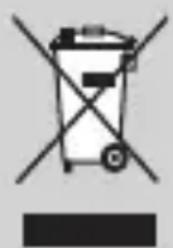
- Do not throw away the appliance with the normal household waste at the end of its life, but hand it in at an official collection point for recycling. By doing this, you help to preserve the environment.
- The built-in rechargeable battery contains substances that may pollute the environment. Always remove the battery before you discard and hand in the appliance at an official collection point. Dispose of the battery at an official collection point for batteries. If you have trouble removing the battery, you can also take the appliance to a Philips service centre. The staff of this centre will remove the battery for you and will dispose of it in an environmentally safe way.
Removingtherechargeablebattery
Only remove the rechargeable battery if it is completely empty.
1 Disconnect the appliance from the mains and let the appliance run until the motor stops.
2 remove the shaving head and the cutters from the appliance.
3 Undo the four screws of the top cover with a screwdriver.
4 remove the cover.
5 Insert a screwdriver under the back panel and remove the panel.
6 Insert the screwdriver under the cover of the basic body and remove the cover.
Now you see a printed-circuit board.
7 Break the battery from the printed-circuit board.
Be careful, the battery strips are very sharp.
Guaranteeandsupport
If you need information or support, please visit www.philips.com/support or read the separate worldwide guarantee leafl et.