FS33 - Video projector Barco - Free user manual and instructions
Find the device manual for free FS33 Barco in PDF.


User questions about FS33 Barco
0 question about this device. Answer the ones you know or ask your own.
Ask a new question about this device
Download the instructions for your Video projector in PDF format for free! Find your manual FS33 - Barco and take your electronic device back in hand. On this page are published all the documents necessary for the use of your device. FS33 by Barco.
USER MANUAL FS33 Barco
natural_image
Close-up of a green-lit optical lens with concentric rings and a small circular base (no text or symbols visible)addendum
FS & PROJECTORS

This addendum contains a description of the special features which are different from a standard type projector. Please refer to the main user guide of the product for important information about safety precautions and the set-up and use of the projector. Make sure to read both the standard user guide and this addendum carefully before you operate the projector.

When referring to the term FS33 in this document, it means that the content is applicable for following Barco products:
The FS33 IR is a state of the art NVG (Night Vision Goggle) stimulation LED projector which include a fourth LED light chip that emits infrared light beyond the range visible to the human eye. The product is capable of visualizing night-time and limited-visibility scenario simulation as well as visible day-time or pitch black scenarios from the common display engine in order to have a true-to-life simulation. The FS33 IR is single channel input and handles the content through one of the input connectors (HDMI/DVI/VGA). The infrared wavelength is optimized for the performance of the optics in the projector and the night vision goggles present in the market today. The projector's solid-state light source provides a completely constant light output over time, eliminating the need for recalibration, reducing maintenance and total cost of ownership to a minimum.
FEATURES
• NVG stimulation by a fourth Infrared LED
• 1920x1080 and 1920x1200 resolution
- Dimmable to extreme low lumens output of the visible RGB display
- Project visible display for daytime images
- Project infrared display only, no visible image to the unaided human eye
- Simultaneous project visible and infrared for limited visibility scenario
- Smear reduction sequence
• Infrared power adjustments
MENUS
BrilliantColor™ sequences:
There are 5 sequences to choose in the REALCOLOR menu. These displays differently when it comes to sequence modes for color points versus lumens output.
• Vizsim
- Graphics
- HighBrightness
• Darktime 6ms (smear reduction)
• Darktime 8ms (smear reduction)
IR menu:
A separate IR menu which works with each BrilliantColor™ sequence listed above, controls the infrared and visual RGB performance.
IR LED enable: Turns infrared LED on/off.
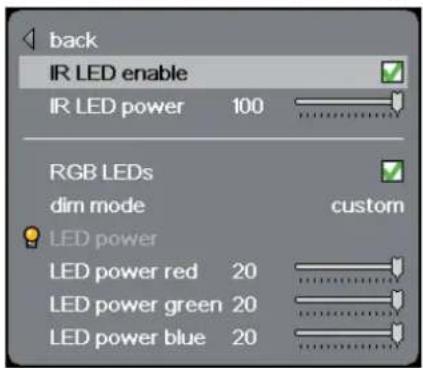
text_image
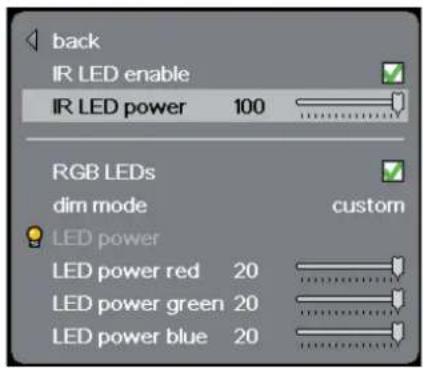
back IR LED enable IR LED power 100 RGB LEDs dim mode custom LED power LED power red 20 LED power green 20 LED power blue 20IR LED power: Adjusts the intensity of infrared LED.
text_image
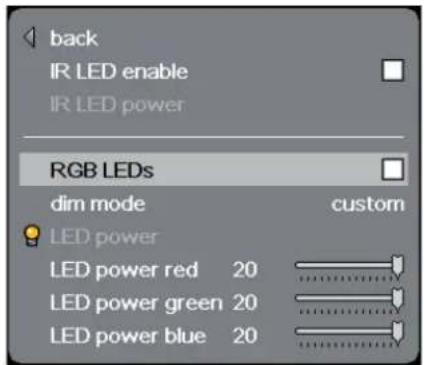
back IR LED enable IR LED power 100 RGB LEDs dim mode custom LED power LED power red 20 LED power green 20 LED power blue 20RGB LEDs disable: Turns visible RGB LED's on/off.
text_image
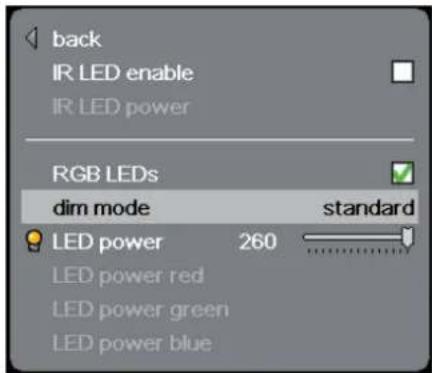
back IR LED enable IR LED power RGB LEDs dim mode custom LED power LED power red 20 LED power green 20 LED power blue 20Dim mode standard: Dimming options from full to minimum with color processing turned on so the white point is kept constant throughout the range. Appropriate use for daytime and evening scenarios.
text_image
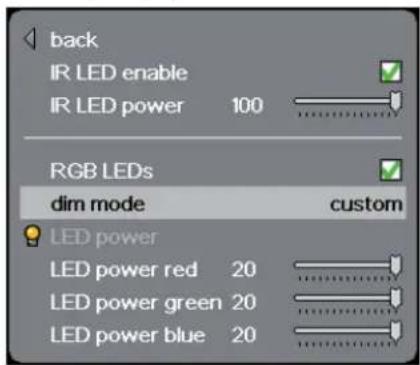
back IR LED enable IR LED power RGB LEDs dim mode standard LED power 260 LED power red LED power green LED power blueDim mode custom: Dimming scheme for limited visibility scenarios, enabling the user to separately adjust the values of the R, G and B intensity in order to tune in the low light visibility matching the projected content.
text_image
back IR LED enable IR LED power 100 RGB LEDs dim mode custom LED power LED power red 20 LED power green 20 LED power blue 20!
For basic operations, set-up and safety precautions, please refer to the main user guide included with the product.
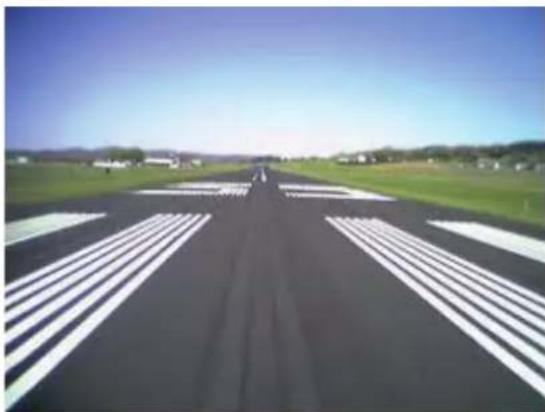
The FS33 IR is capable of displaying both daytime images, as well as night vision stimulated content using the fourth infrared chip in the display engine. By operating and adjusting the dedicated IR Menu options described in the MENU section, the projector is able to display the full spectrum of the simulation scenarios (see examples below).
natural_image
Aerial view of a long straight road with white crosswalk markings, flanked by green fields and distant buildings under a clear blue sky (no text or symbols visible).- Daytime scenario: Bright scenarios with high lumens output with crisp colors showing all details. Typically full power to the RGB LED's and no power to the fourth infrared LED.
natural_image
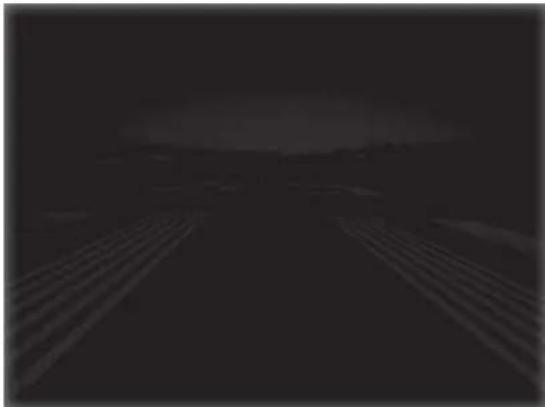
Dark, low-light outdoor scene with diagonal light streaks and distant buildings (no visible text or symbols)- Evening scenario: Low illuminated scenarios at evening/dusk where the picture is dimmed by adjusting the RGB LED's. Fewer details are visible to the unaided human eye compared to daytime scenarios.

natural_image
Aerial view of a road with parallel white stripes under a dark green sky, distant hills visible in the background (no text or symbols)- Limited visibility scenario: Night time image, where the visible RGB LED is dimmed to very low lumens output by using the custom IR menu. Details are barely soon with the human eye. Using the infrared LED and NV goggles in addition gives full spectrum NV simulation modus. For pitch black scenarios the visible RGB LED's are turned off, only keeping the infrared LED showing the content.

If you start in infrared only mode and do not have your NV-goggles available in terms of being able to see and navigate the menus: Press 4 times on the LIGHT button on the keypad and the visible RGB field turns on.
COMPATIBILITY
Examples of supported Night Vision-goggles:
(not a complete list, a selection of the most common in the market today)
- Gen 1
- Gen 2
- Gen 2+ Russian
- Gen 2+
- Gen 2 SuperGen
- Gen 2 XD-4
- Gen 2 XD-4 ONYX
- Gen 2 XD-4AG
• Gen 2 XD4AG ONYX - Gen 2 XR5
- Gen 2 XR5 ONYX
- Gen 2 XR5AG
- Gen 2 XR5AG ONYX
- Gen 3 Commercial
- Gen 3 Premium
- Gen 3 Pinnacle
- Gen 4
- Gen 4 Gated/ IT
PRODUCTION ADDRESS
Habornveien 53
Model certification name:
GP3