WD-1030 - Wi-Fi Antenna Comtrend - Free user manual and instructions
Find the device manual for free WD-1030 Comtrend in PDF.


User questions about WD-1030 Comtrend
0 question about this device. Answer the ones you know or ask your own.
Ask a new question about this device
Download the instructions for your Wi-Fi Antenna in PDF format for free! Find your manual WD-1030 - Comtrend and take your electronic device back in hand. On this page are published all the documents necessary for the use of your device. WD-1030 by Comtrend.
USER MANUAL WD-1030 Comtrend
Initial Installation
In order for your computer to recognize the USB Adapter, a driver (mandatory) and configuration utility (highly recommended) must first be installed.
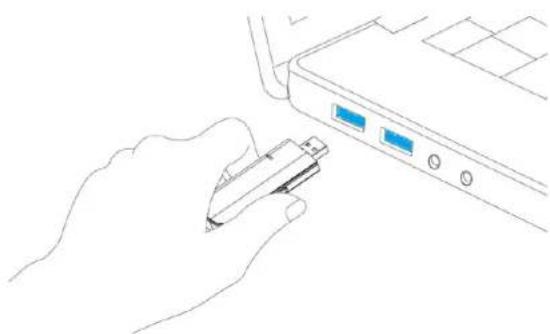
- Power on your computer. Insert the USB Wireless Adapter into an available port (USB 3.0 preferable) on your PC/laptop.
natural_image
Line drawing of a hand inserting a USB into a device (no text or symbols)- Insert the Installation CD into the CD/DVD drive of your computer, and run the 'Setup.exe' program. The description below is based on Windows XP operating system.
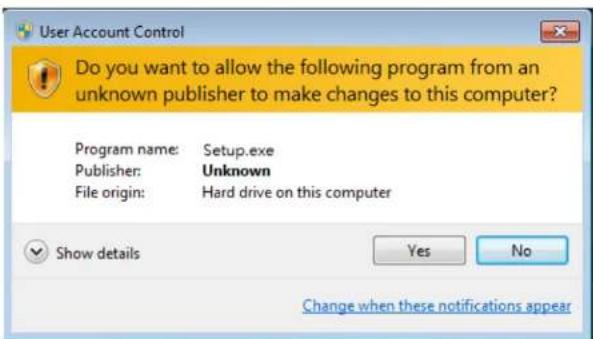
(Note: On a Windows7/Windows 8 computer, you may see a UAC (User Account Control) window popup to warn you that this program is going to make changes to your computer, click 'Yes' to continue).
- Read the end user license agreement and click 'I accept the terms of the license agreement' and 'Next' to accept the license agreement.
![Mediatek Wireless LAN - InstallShield Wizard License Agreement Please read the following license agreement carefully. End-User License Agreement Copyright (C): [2014] Mediatek Inc. All Rights Reserved. Thank you for purchasing and/or using Mediatek product. Please read the End-User License Agreement "Agreement" carefully and agree to comply with the terms of the Agreement before downloading, installing, copying or using the software of Mediatek ("Software"). By downloading, including, copying or using the Software, include or in part, you agree to be bound by the terms of this Agreement. SOFTWARE LICENSE All rights and interests of the Software being to Mediatek. The Software is protected by applicable copyright laws and international copyright treaties, as well as other Intellectual property laws and treaties. The Software is licensed, not sold. 1. GRANT OF LICENSE. The Agreement grants you the following rights: (1) Installation and Use You may install and use an unlimited number of copies of the Software. (2) Reproduction and Distribution You may reproduce and distribute an unlimited number of copies of the Software, provided that each copy shall be a true and complete copy, including all copyright and trademark notices, and shall be accompanied by a copy of this Agreement. Copies of the Software may be distributed only with your own product. 2. OTHER RIGHTS AND LIMITATIONS I accept the terms of the license agreement I do not accept the terms of the license agreement InstallShield Back Next > Cancel](/content/2026/06/1199404/images/6fb600c1ac6452943f5f991f061fdec34ba4a237e07c67a202dbe095348c3a8c.jpg)
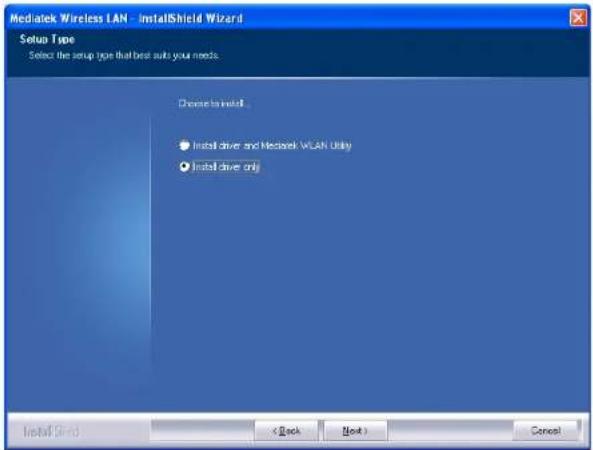
- We recommend installing the driver and WLAN utility option if the adapter is being installed on this computer for the first time. If you want to update the driver only, choose 'Install driver only'. Click 'Next' to continue.
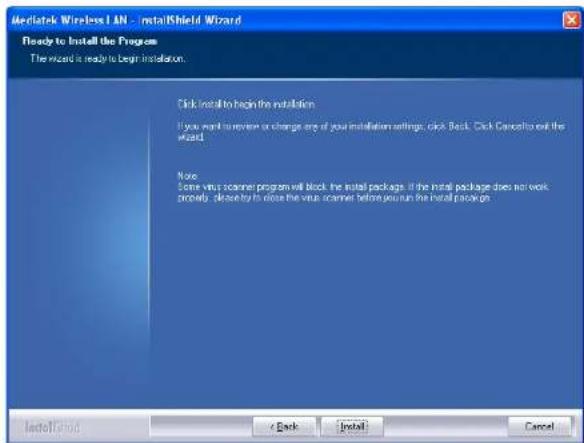
- Click 'Install' to begin the installation.
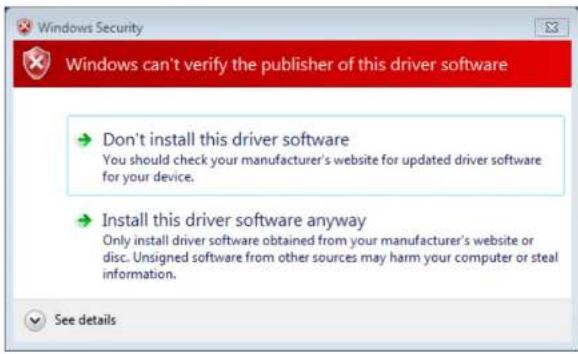
- If you see this message below, click 'Install this driver software anyway' to continue.
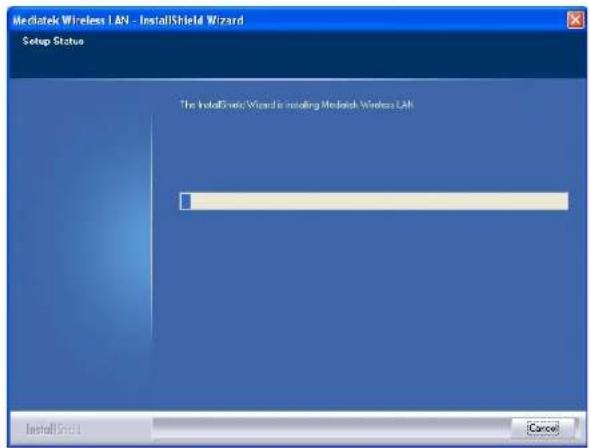
- Please be patient while installation is in progress, this may require a few minutes.
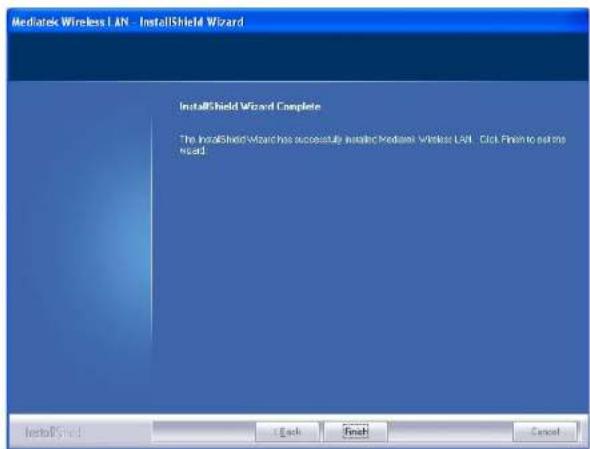
- When you see this message, please click 'Finish' to complete the installation process.

Connecting to the Internet
Note: If your wireless router/access point does not support Wi-Fi Protected Setup (WPS) then please skip steps 9-11 and refer to the user manual to connect your adapter to your router/access point.
- View the list of available networks via Site Survey from your PC/laptop.
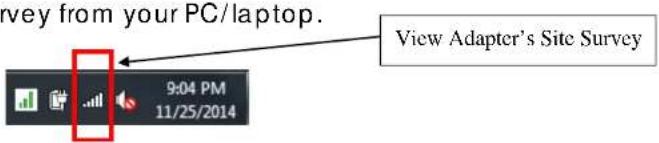
- If you already have an active network adapter (e.g. The 11n adapter already included in your laptop), then select the new "Wireless Network Connection" matching this adapter 11ac adapter.
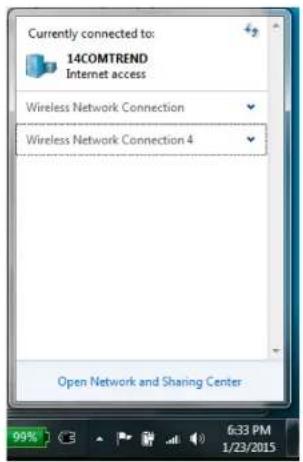
- Select the router/access point to which you would like to connect.
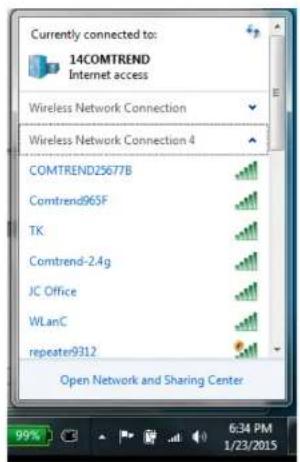

You are Done! Enjoy your WiFi!
NOTE: For instructions on additional features, visit our online User Manual: http://us.comtrend.com/products/public/product/home-networking/wd-1030.html
QR code