
TM-3770 - Vacuum Cleaner Gabor - Free user manual and instructions
Find the device manual for free TM-3770 Gabor in PDF.


| Product Type | Tilting Wall Mount for Flatscreen TVs |
| Brand | Gabor |
| Model | TM-3770 |
| Compatible Screen Size | 37-70 in. (94-177.8 cm) |
| Max Weight Capacity | 176 lb (80 kg) |
| Depth from Wall | 2.1 in. (54 mm) |
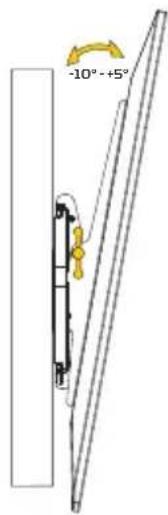
| Tilt Adjustment | -10° to +5° |
| Universal Mounting Pattern | 75 x 75 mm (min) to 404 x 640 mm (max) |
| Material | Steel |
| Weight | 7.05 lb (3.2 kg) |
| Installation Type | Wood stud or solid concrete wall |
| Included Hardware | Mounting screws (M5, M6, M8), wall screws, wall anchors, spacers, washers, hex key, bubble level |
| Tools Required | Power drill, Phillips screwdriver, tape measure, stud finder, pencil, drill bits (3/16 in. for wood, 3/8 in. for drywall/concrete) |
| Post-Installation Adjustment | Horizontal fine-tuning with hex key at top of brackets |
| Locking Bar | Yes, with padlock hole for extra security |
| Safety Features | Requires installation by qualified professional; not for metal studs or cinderblock |
| Cleaning Instructions | Use mild detergent solution, wipe dry with soft cloth |
| Warranty | One-year limited warranty from original purchase date |
| Customer Support | www.madebygabor.com or 212-594-2353 |
Frequently Asked Questions - TM-3770 Gabor
User questions about TM-3770 Gabor
0 question about this device. Answer the ones you know or ask your own.
Ask a new question about this device
Download the instructions for your Vacuum Cleaner in PDF format for free! Find your manual TM-3770 - Gabor and take your electronic device back in hand. On this page are published all the documents necessary for the use of your device. TM-3770 by Gabor.
USER MANUAL TM-3770 Gabor
with Post-Installation Adjustment
for 32-55 in. / 37-70 in. TVs
User Manual
Thank you for choosing Gabor.
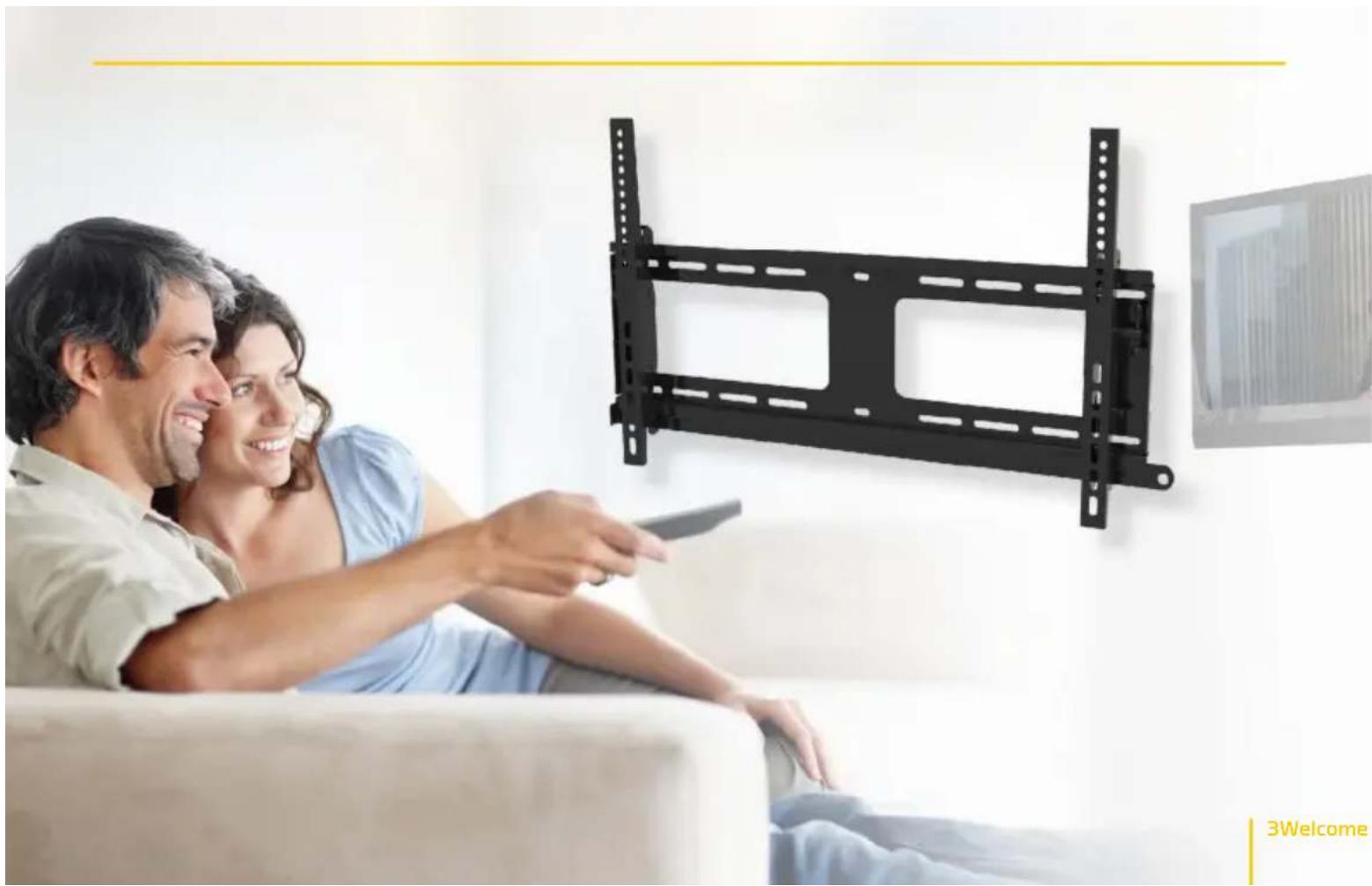
The Gabor TM-3255 and TM-3770 tilting wall mounts offer rugged and durable support for flatscreen monitors that weigh up to 176 pounds (80 kg). This TV mount's low 2.1 in. (54 mm) profile assures that your screen will hang practically flush against the wall. Adjustment screws are integrated into the design so you can fine-tune your screen's horizontal position even after it's attached and secured to the mount.
natural_image
A couple watching a wall-mounted black plastic panel mounted on a white sofa in a living room (no text or symbols visible)3Welcome
PRODUCT SPECIFICATIONS
- Depth from mounting source:
2.1 in. (54 mm)
- Compatible flat-panel screen size:
TM 3255:32-55 in. (81.28-139.7 cm)
TM-3770:37-70 in.(94-177.8 cm)
- Adjustment: -10^ , +5^ of tilt
• Universal Mounting Pattern:
TM-3255: 75 × 75 mm (min.)
404×440 mm (max.)
TM-3770: 75 × 75 mm (min.)
404×640mm [max.]
• Max weight capacity: 176 lb. (80 kg)
- Material: Steel
- Weight:
TM-3255: 6.15 lb. (2.8 kg)
TM-3770: 7.05 lb. (3.2 kg)
TOOLS REQUIRED FOR INSTALLATION
- Power drill
• Phillips screwdriver
- Tape measure
- Wall stud finder
- Pencil
• 3/16 in. (4.5 mm) drill bit (for Wood installation)
- 3/8 in. (10 mm) drill bit (for drywall and concrete installation)
PRODUCT CONTENTS
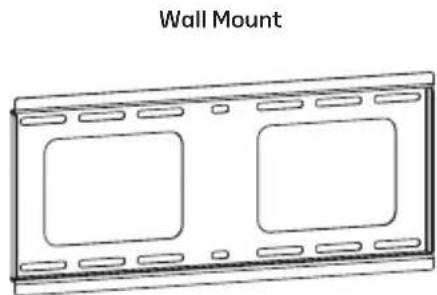
Supplied Parts & Hardware
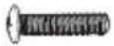
A M5×14 Screw
B M6×14 Screw
c M8×20 Screw
D M6×30 Screw
E M8×40 Screw
F Rectangle Washer
G 5 mm Spacer
H 15 mm Spacer
I Wall Screw
J Wall Anchor
K Round Washer
natural_image
Line drawing of a wall-mounted device with two rectangular cutouts (no text or symbols)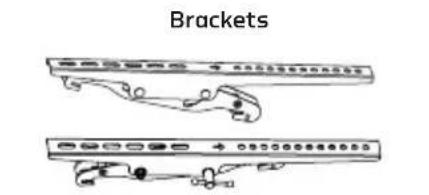

Hex Key Bubble Level

natural_image
Simple line drawing of a right-angle bracket and a rectangular object (no text or symbols)| Mount Hardware | Wall Hardware | ||
 |  |  | I ×4 |
 |  |  | |
 |  |  | J ×4 |
 |  |  | |
 |  | K ×4 | |
 |  | ||
ATTACHING BRACKETS TO THE SCREEN
Determine whether screws A, B, or C fit the threaded holes on the back of your screen.
Note: The screw should go in easily with hand-turning. If the screw slides into the hole, or force is needed to screw it in, select a different size.
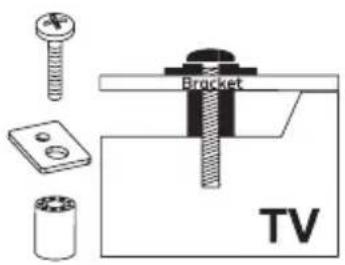
Using spacers
Two different sizes of spacers are included with this wall mount.
Use screws D or E and spacers if the back panel of your screen is recessed or rounded, or to allow space between the screen and the wall for cables.
Place one or any combination of spacers (G) or (H) between the screen and the bracket.
-
Align the screw holes with the mounting holes on your screen. The brackets should be positioned with the small, round screw holes at the top of the screen.
-
Attach the brackets, using washers (F) and screws.

ATTACH THE WALL PLATE TO THE WALL
Wood Stud Installation
- Use a stud finder to locate the studs in your wall, and mark the locations with a pencil.
Note: It's important to find both edges of the stud, so you can drill a pilot hole in the center of the stud.
-
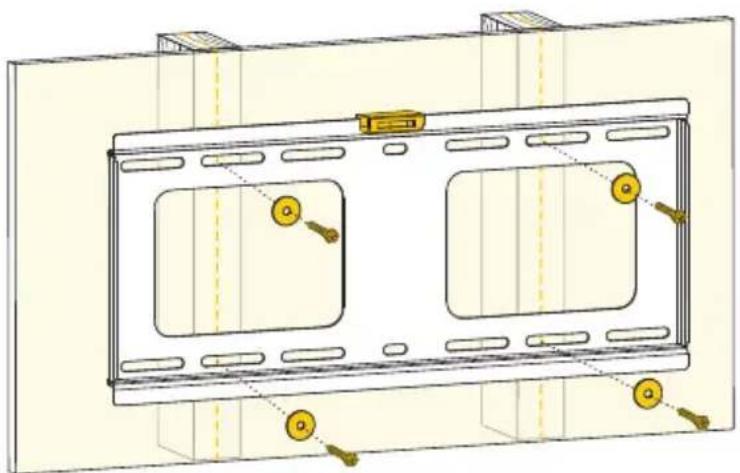
Place the wall mount over your pencil marks. Use the included leveler to make sure the wall mount is straight. Mark the appropriate wall mount holes with a pencil.
-
Use a 3/16 in. (4.5 mm) drill bit, and drill holes approximately 2.2 in. (55 mm) deep into the studs.
-
Attach the wall mount to the wall with screws (I) and washers (K) until mount is held in place, but do not completely tighten the screws.
Important! Do not use wall anchors when installing the wall mount onto wood studs.
- Check the horizontal orientation by placing the bubble level on the top edge of the wall mount.
If the mount isn't perfectly horizontal, gently tap the side that needs adjustment.
- Once the wall mount is straight, tighten the screws until the mount secure.
natural_image
Technical line drawing of a two-panel TV frame with mounting holes and control buttons (no text or symbols)Drywall and Concrete Wall Installation
- In the area where you want to mount your screen, use the leveler to ensure the wall mount is straight, and mark the appropriate mount holes with a pencil.
-
Use a 3/8 in. (10 mm) drill bit, and drill holes approximately 2.4 in. (60 mm) deep into the wall, and insert the anchors [J] into the holes.
-
Attach the wall mount to the wall with screws (I) and washers (K) until the wall mount is held in place, but do not completely tighten the screws.
- Check the horizontal orientation by placing the bubble level on the top edge of the wall mount.
If the mount isn't perfectly horizontal, gently tap the side that needs adjustment.
- Once the wall mount is straight, tighten the screws until the mount secure.

natural_image
Technical diagram of a mechanical assembly with two rectangular components and mounting holes (no text or symbols)MOUNTING THE SCREEN TO THE WALL MOUNT
- Lift the screen up to the wall mount, and hang the screen from the top hooks of the brackets.
Important! We recommend that two people perform this step.
- Use the tilt tensions knobs on both bracketsto adjust the tension onthe tilting mechanism.

USING THE LOCKING BAR
-
For extra security, align the locking bar with the bottom hooks of the brackets, and slide it in from the right side behind the screen. The corner tab of the locking bar should face out, away from the wall.
-
Insert a lock into the hole at the end of the locking bar.

natural_image
Diagram of a mechanical device with a padlock inserted into a lock mechanism, showing internal components and motion direction (no text or symbols)12 Installation Instructions
POST-INSTALLATION ADJUSTMENT
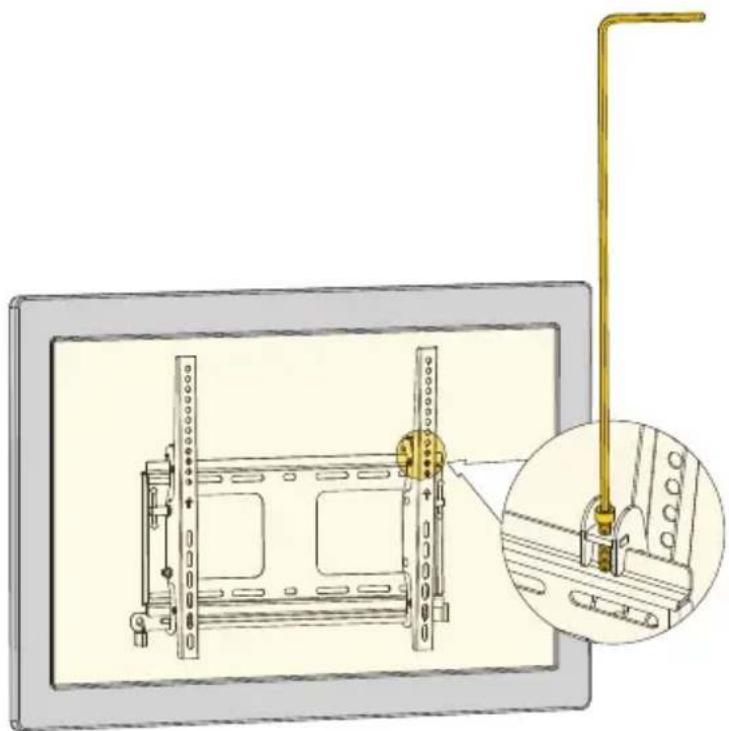
Adjustment screws are located at the top of each bracket.
Once your screen is mounted on the wall mount, use the included bubble level to check the horizontal orientation of your screen. If necessary, use the included hex key to turn the adjustment screws until the bubble is between the two level lines.
natural_image
Technical illustration of a mounted device with a highlighted lever and inset detail view (no text or symbols)13Installat
SAFETY WARNINGS
1 Do not use this product for any flat-panel screen device other than what it is intended for; the exact specifications, size parameters, and weight limits are found both on the product box and in the instruction manual.
2 It is strongly recommended that this product be installed by a qualified professional or installation contractor; Gabor takes no responsibility for any product damage or personal injury resulting from mishandling, incorrect mounting, faulty assembly, or improper use of this product.
3 This product has been designed specifically for mounting directly on wooden studs or concrete walls; depending on wall type and material, the use of additional appropriate mounting hardware and/or accessories such as heavy-duty anchors may be required.
4 The supplied mounting hardware is not intended for use on metal studs or cinderblock walls, and may not be appropriate for old or weak walls; it is best to consult with a qualified professional to determine whether your walls are capable of supporting this mount.
5 This product must always be mounted directly to center of wooden wall studs or on a solid concrete wall to properly support the weight of the device; the wall may require reinforcement prior to mounting (i.e., metal studs, plaster on lath, or irregular spacing of studs), which should be determined by a qualified professional.
6 Do not mount this device on structures that may be affected by vibrations or noticeable impacts; do not install near a heater, fireplace, or any other source of direct heat energy.
7 It is recommended that at least two people perform the installation process to prevent injury from mishandling or dropping of the product and/or flatscreen device; proper safety gear and tools must be utilized at all times when installing this product.
8 When installing this product, be sure to refer to the mounting instructions detailed in this manual; failure to abide by the mounting instructions may void the product warranty.
9 This product may contain small parts which can possibly pose a choking hazard; keep out of reach of children and pets.
10 When cleaning this product, use only a mild detergent solution, and quickly wipe dry with a soft cloth.
11 All images are for illustrative purposes only.
CUSTOMER SUPPORT
For more information or to arrange service, visit www.madebygabor.com or call Customer Service at 212-594-2353.
Product warranty is provided by the Gradus Group. www.gradusgroup.com
Gabor is a registered trademark of the Gradus Group.
© 2019 Gradus Group LLC. All Rights Reserved.
ONE-YEAR LIMITED WARRANTY:
This GABOR product is warranted to the original purchaser to be free from defects in materials and workmanship under normal consumer use for a period of one (1) year from the original purchase date or thirty (30) days after replacement, whichever occurs later. The warranty provider's responsibility with respect to this limited warranty shall be limited solely to repair or replacement, at the provider's discretion, of any product that foils during normal use of this product in its intended manner and in its intended environment. Inoperability of the product or part(s) shall be determined by the warranty provider. If the product has been discontinued, the warranty provider reserves the right to replace it with a model of equivalent quality and function.
This warranty does not cover damage or defect caused by misuse, neglect, accident, alteration, abuse, improper installation or maintenance. EXCEPT AS PROVIDED HEREIN, THE WARRANTY PROVIDER MAKES NEITHER ANY EXPRESS WARRANTIES NOR ANY IMPLIED WARRANTIES, INCLUDING BUT NOT LIMITED TO ANY IMPLIED WARRANTY OF MERCHANTABILITY OR FITNESS FOR A PARTICULAR PURPOSE. This warranty provides you with specific legal rights, and you may also have additional rights that vary from state to state.
To obtain warranty coverage, contact the Gabor Customer Service Department to obtain a return merchandise authorization ("RMA") number, and return the defective product to Gabor along with the RMA number and proof of purchase. Shipment of the defective product is at the purchaser's own risk and expense.


GABOR
A Gradus Group Brand


- Thank you for choosing Gabor.
- PRODUCT SPECIFICATIONS
- TOOLS REQUIRED FOR INSTALLATION
- PRODUCT CONTENTS
- Supplied Parts & Hardware
- ATTACHING BRACKETS TO THE SCREEN
- Using spacers
- ATTACH THE WALL PLATE TO THE WALL
- Wood Stud Installation
- Drywall and Concrete Wall Installation
- MOUNTING THE SCREEN TO THE WALL MOUNT
- USING THE LOCKING BAR
- POST-INSTALLATION ADJUSTMENT
- SAFETY WARNINGS
- CUSTOMER SUPPORT
- ONE-YEAR LIMITED WARRANTY:
Brand : Gabor
Model : TM-3770
Category : Vacuum Cleaner