U-1310 - Network adapter ST Lab - Free user manual and instructions
Find the device manual for free U-1310 ST Lab in PDF.


User questions about U-1310 ST Lab
0 question about this device. Answer the ones you know or ask your own.
Ask a new question about this device
Download the instructions for your Network adapter in PDF format for free! Find your manual U-1310 - ST Lab and take your electronic device back in hand. On this page are published all the documents necessary for the use of your device. U-1310 by ST Lab.
USER MANUAL U-1310 ST Lab
USB 3.1 Type-C to HDMI Adapter
User Manual
Ver. 1.00
All brand names and trademarks are properties of their respective owners.
Contents:
Chapter 1: Introduction......3
1.1 Product Introduction ...... 3
1.2 Features .... 3
1.3 System Requirements ....4
1.4 Package Contents......4
Chapter 2: Getting Started ....5
2.1 Driver Installation....5
2.1.1 Installation for Windows 5
2.1.2 Installation for Mac OS X 6
Chapter 1: Introduction
1.1 Product Introduction
This USB 3.1 Type-C to HDMI Adapter provides high throughput using the USB 3.1 bus and supports the high definition monitors with high resolution and high refresh rate. The USB 3.1 Type-C Adapter allows you to connect your MacBook with USB-C port to a HDMI Display. Simply connect the adapter to the USB-C port on your MacBook and then to your TV or project via a HDMI cable.
1.2 Features
-
Add- on monitor, LCD or projector through the latest USB 3.1 Gen 1 (5 Gbps) technology and USB Type-C port
● Supports suspend and wake-up modes
● Functionality: primary, extended or mirror
● Supports widescreen aspect ratio of 16:9 Full HD 1080 video streaming
● Resolution: up to 2048 x 1152 @ 32-bit color -
HDMI output
● Cable port: USB Type-C / HDMI (19 pin) - Allows multiple connection in a single PC
● Audio output through HDMI - Bus Powered – no external power supply needed
1.3 System Requirements
- Windows® 7/8 (32/64 bit); Mac OS X 10.6 or above
● Available USB Type-C port
1.4 Package Contents
● 1 x USB Type-C to HDMI Adapter
- 1 x Driver CD
● 1 x User Manual
Chapter 2: Getting Started
2.1 Driver Installation
2.1.1 Installation for Windows
- Insert the provided CD into your disk drive. The CD-ROM will start automatically. The following screen will show up and please click “Install Driver”.
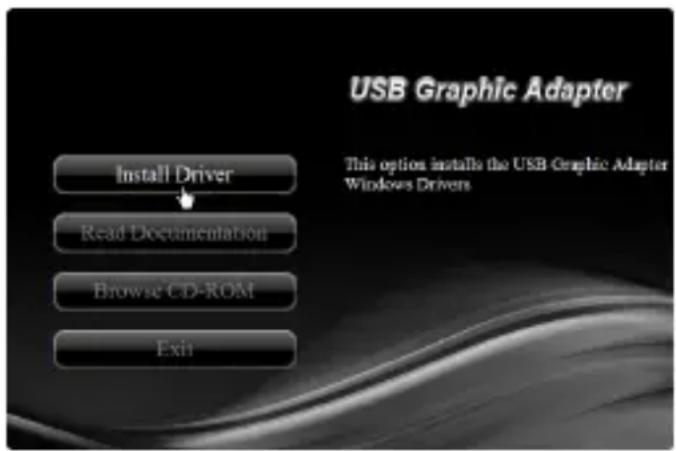
*Note: Actual image may vary
Note: If the install program doesn't run automatically, please locate and double-click on the Autorun.exe file in the CD to launch the install program.
- Please click "USB 2.0 to HDMI".
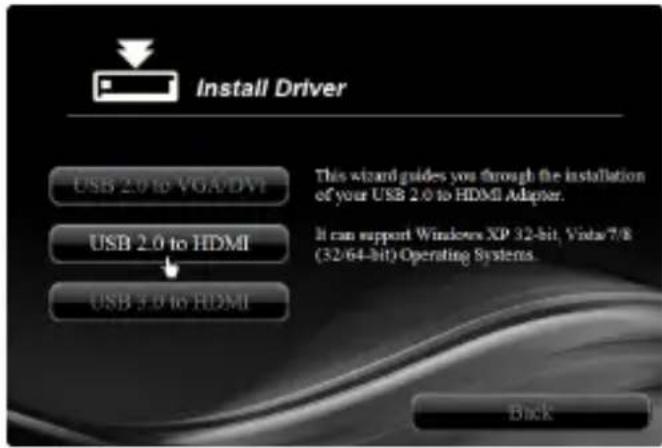
*Note: Actual image may vary
- Follow the instructions on screen to install the driver.
2.1.2 Installation for Mac OS X
- Insert the provided CD into your CD-ROM drive.
- Double-click the “USB Graphics” disc icon, double-click “Drivers” folder.
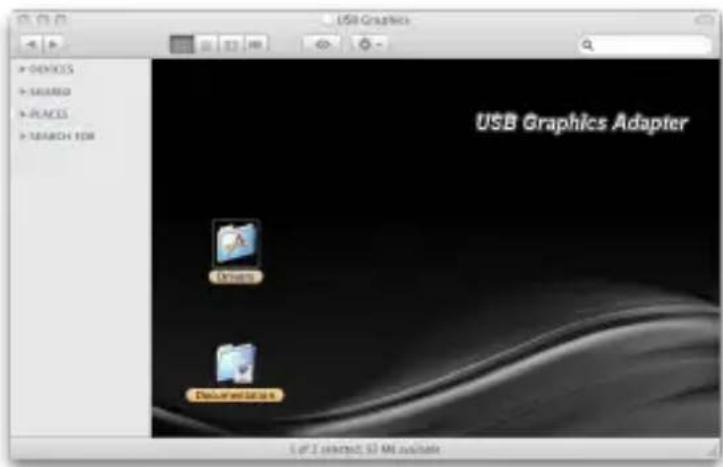
*Note: Actual image may vary
- Double-click “USB 2.0/3.0 to HDMI Adapter” folder, and then double click “Mountain Lion & Lion & Snow Leopard Installer” file to launch the installer.
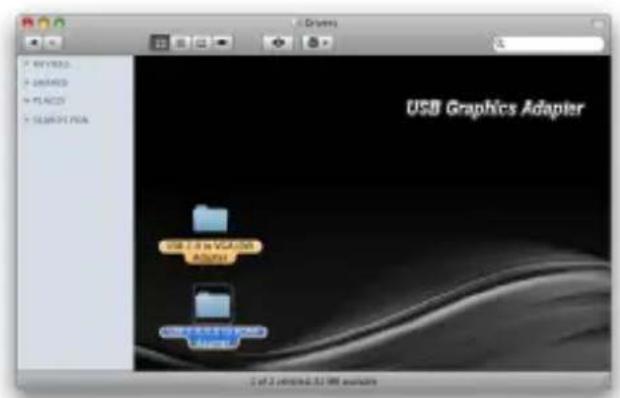
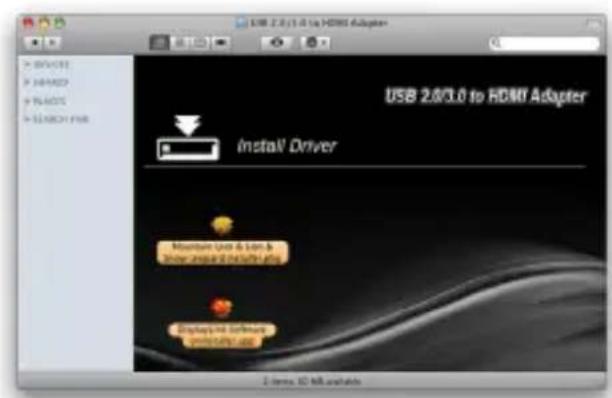
*Note: Actual image may vary
- Follow the instructions on screen to install the driver. After driver installation is complete, you must restart your computer.