283TPD - USB Drive Xantech - Free user manual and instructions
Find the device manual for free 283TPD Xantech in PDF.


| Product Type | IR Emitter (Twin-Plug Designer Emitter) |
| Model | 283TPD |
| Brand | Xantech |
| Plug Type | 2 x 3.5mm Mono-Mini Plugs (Gold Plated) |
| Isolation | Diode isolation for independent IR paths |
| Dimensions | Approx. 1 x 1 x 0.5 in (25 x 25 x 12 mm) |
| Weight | Approx. 3 g (0.1 oz) |
| Power Supply | Passive (no external power required) |
| IR Signal Path | Directed towards emitter only; transparent to external IR handheld commands |
| Adhesive Mounting | Clear adhesive layer on bottom; replaceable with double-sided tape included |
| Optional Shield | Model 28DES (sold separately) for blocking external IR |
| Typical Applications | Single source controlled from two IR systems (e.g., home theater and multi-room controller) |
| Compatible Controllers | Xantech MRC44, MRAUDIO4X4CTL, BXAUDIO4X4CTL, and others with 3.5mm mono output |
| Maintenance | Wipe with dry cloth; avoid liquid cleaners |
| Safety | None required; low-voltage passive device |
| Spare Parts / Repairability | Double-sided adhesive tape; optional 28DES shield; not user serviceable otherwise |
| Warranty | Limited Lifetime warranty (original consumer purchase) |
| Documentation | Installation instructions included |
Frequently Asked Questions - 283TPD Xantech
User questions about 283TPD Xantech
0 question about this device. Answer the ones you know or ask your own.
Ask a new question about this device
Download the instructions for your USB Drive in PDF format for free! Find your manual 283TPD - Xantech and take your electronic device back in hand. On this page are published all the documents necessary for the use of your device. 283TPD by Xantech.
USER MANUAL 283TPD Xantech
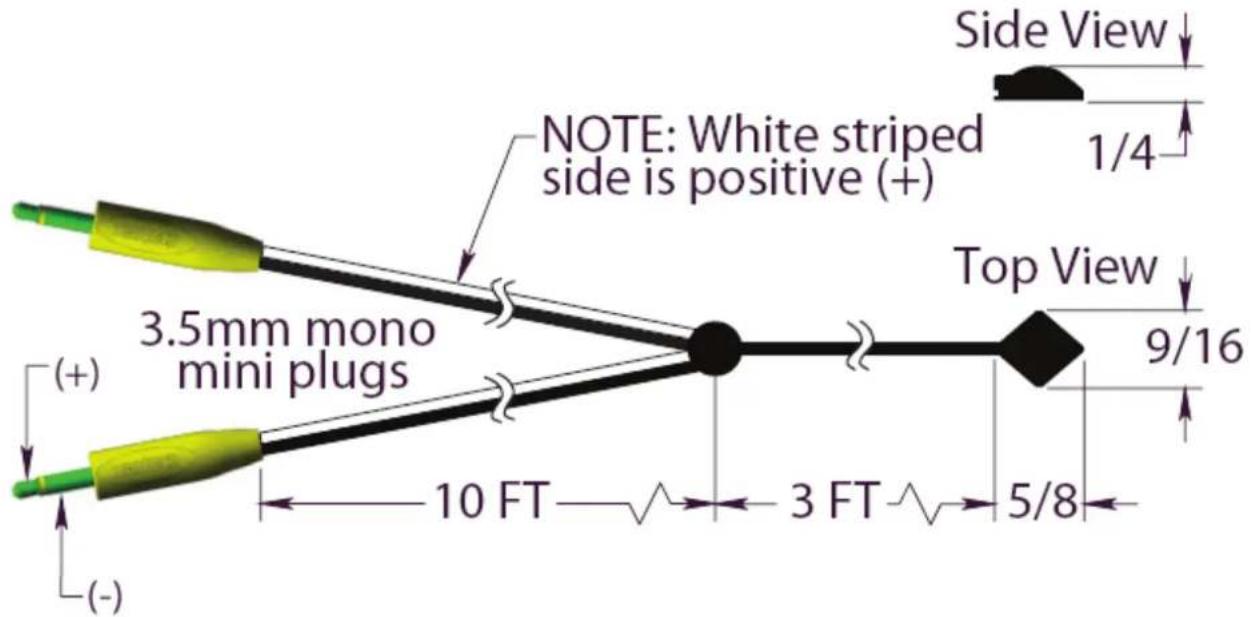
The 283TPD “Twin-Plug” Designer Emitter is based on Xantech’s standard 283D Designer Emitter with two 3.5mm Mono-Mini plugs each with ‘diode’ isolation. The twin plug feature allows a single emitter to be shared by two IR sources. For instance, one mouse emitter can now be connected to both an IR receiver and a Xantech Multi-Zone Controller without having to place two emitters on the front of the IR controlled source component.
Internally, the 283TPD contains components that are designed to keep the IR signal path directed towards the emitter only, allowing both control systems to be completely isolated. The plugs are gold plated to increase durability and connectivity.
INSTALLATION
ATTACHING THE EMITTERS TO IR SENSOR WINDOWS
- Each emitter has a clear adhesive layer on the bottom flat surface of the shell.
- Simply peel off the adhesive cover and affix the emitter to the center of the IR sensor window on the controlled component's front panel.
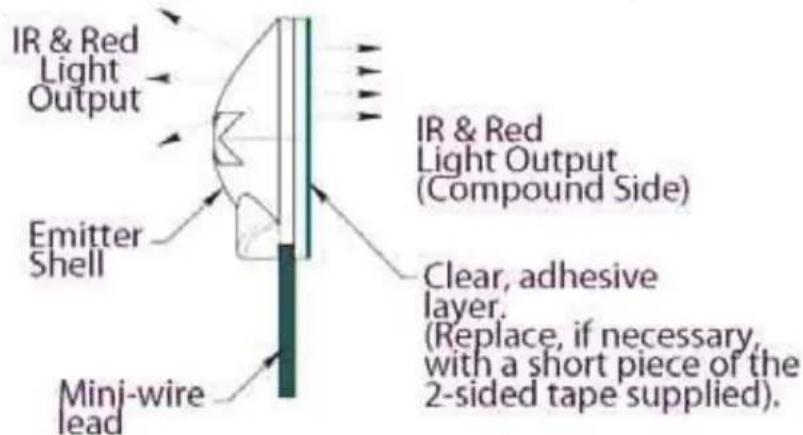
- In some cases it may be difficult to find the location of the IR sensor on the component. Consult the owner's manual of the unit, or the manufacturer, for the exact IR sensor window location.
- Double-sided adhesive tape is included. If you move the emitter to a different component, use this tape to replace the current adhesive layer for the best adhesion.
- The shell, though dark in appearance, is transparent to infrared light, allowing commands from a handheld remote control to pass through it. This permits direct control of the equipment from a handheld remote as well as from the 283TPD.
BLACK (IR OPAQUE) EMITTER SHIELD
- An optional shield, available from Xantech as model 28DES, fits over the emitter head and the sensor window of the controlled component. It prevents unwanted external IR signals from passing through or leaking past it.
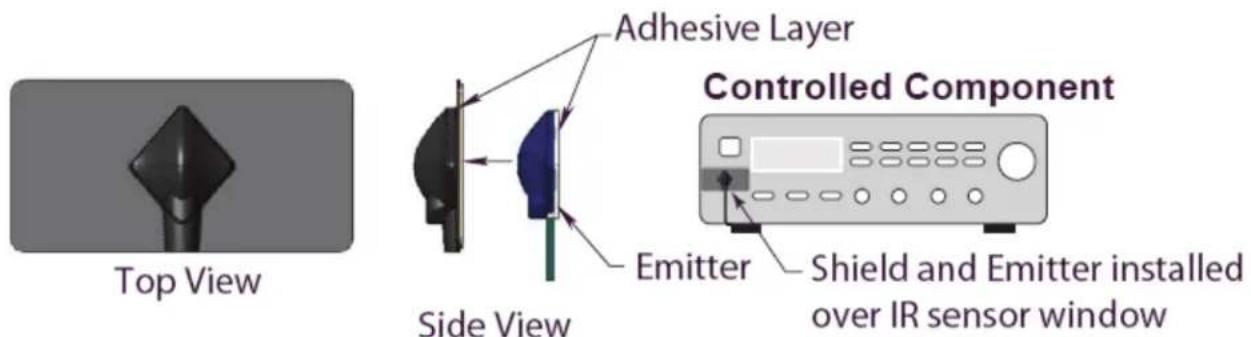
- Use the 28DES when you want the equipment to respond only to the 283TPD, such as in zone controlled systems.
INSTALLATION SETUP #1
Home Theater \ Multi-Room Controller
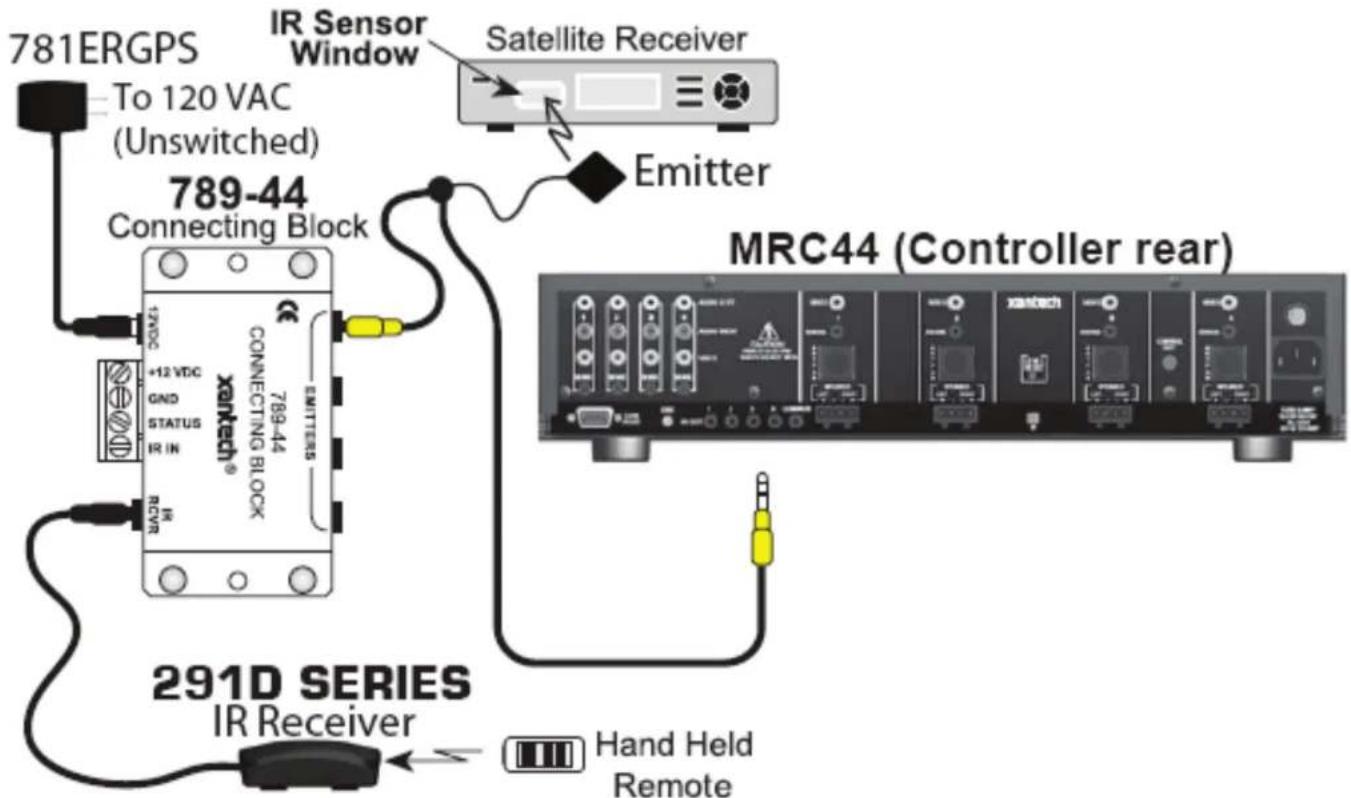
The setup below shows two IR signals connected to a single source. This allows the source to be controlled from two areas. One mono plug goes to the connecting block. The other mono plug is connected to the MRC44 Controller.
INSTALLATION SETUP #2
Expanded Multi-Room Controller
The setup below shows two MRAUDIO4X4 Controllers connected in Expansion mode. Expansion mode doubles the number of zones while using the same number of sources. The benefit of the 283TPD is that you only need to place one emitter at each source. One mono plug is connected to the ‘master’ controller. The other mono plug is connected to the ‘slave’ controller. This application can apply to the entire product line of Xantech controllers.
MRAUDIO4X4CTL or BXAUDIO4X4CTL (master)
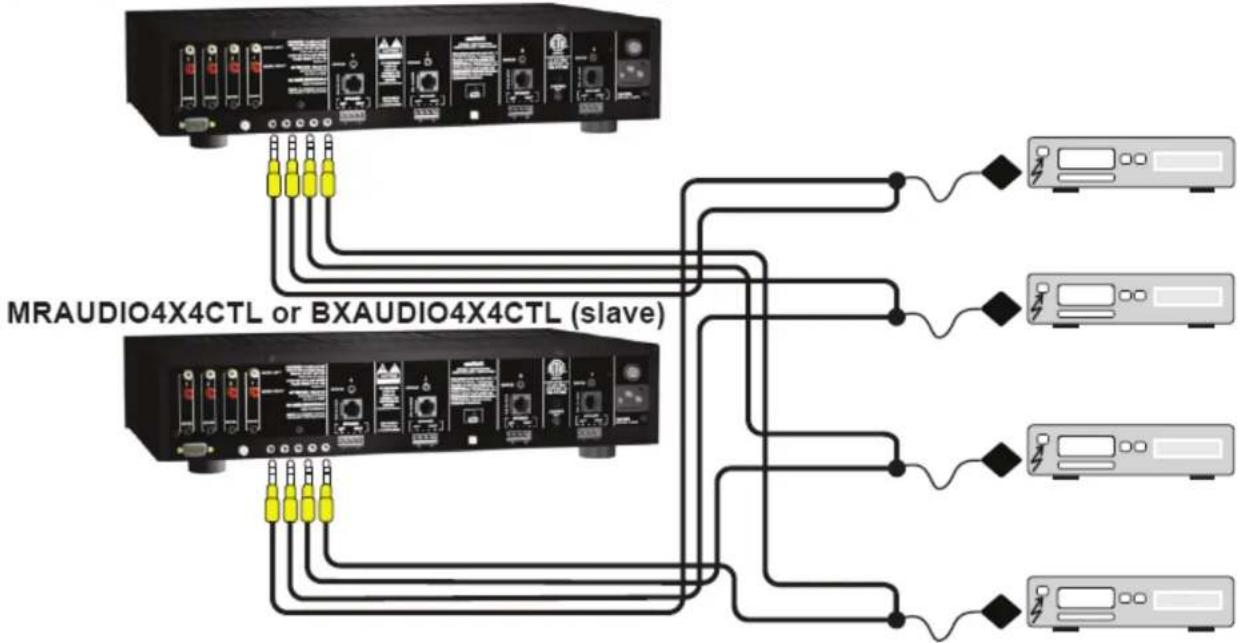
flowchart
graph TD
    A["MRAUDIO4X4CTL or BXAUDIO4X4CTL (slave)"] --> B["Client 1"]
    A --> C["Client 2"]
    A --> D["Client 3"]
    A --> E["Client 4"]
    A --> F["Client 5"]
Limited Warranty
Xantech® warrants its products to be free of defects in materials or workmanship. This is a Limited Lifetime warranty from the date of purchase by the original consumer. Any products returned to Xantech and found to be defective by Xantech within the warranty period will be repaired or replaced, at Xantech's option, at no charge. Xantech will not be responsible for the actual cost of installation or removal of the product, nor for any incidental or consequential damages. Some states do not allow the exclusion or limitation of incidental or consequential damages, so the above limitation may not apply to you. This warranty gives you specific legal rights. You may have additional legal rights that vary from state to state.
Xantech Corporation
13100 Telfair Ave. 2F, Sylmar CA 91342 | Xantech.com
Installation Instructions, 283TPD © 2008 Xantech Corporation
Document # 08905171A
This document is copyright protected. No part of this manual may be copied or reproduced in any form without prior written consent from
Xantech Corporation. Xantech Corporation shall not be liable for operational, technical, or editorial errors/omissions made in this document.
Brand : Xantech
Model : 283TPD
Category : USB Drive