RC-FC500B - Protection pluie pour appareil photo Ruggard - Free user manual and instructions
Find the device manual for free RC-FC500B Ruggard in PDF.


User questions about RC-FC500B Ruggard
0 question about this device. Answer the ones you know or ask your own.
Ask a new question about this device
Download the instructions for your Protection pluie pour appareil photo in PDF format for free! Find your manual RC-FC500B - Ruggard and take your electronic device back in hand. On this page are published all the documents necessary for the use of your device. RC-FC500B by Ruggard.
USER MANUAL RC-FC500B Ruggard
Fabric Rain Cover for Canon and select Nikon DSLRs
- Fits lenses from 7"-14" long and lens diameters of 4"-4.5"
User Manual
Designed for use with longer lenses, this durable and water-resistant rain cover protects your Canon DSLR camera or Nikon DSLR camera with a square viewfinder from conditions like rain, dust, and mud, so you can shoot in almost any weather condition. The rain cover's control window provides full visibility of your camera's monitor and top and rear controls. The window features a port for the included eyepieces, so you can enjoy an unobstructed view through your camera's viewfinder. The rain cover is easy to set up and remove, allows full access to your camera, and won't take up a lot of space in your photo bag.

text_image
RG • GO ANYWHERE • SUILT TOWITHSTAND THE TOGERS OF NATURES • GO- Please read and follow these instructions and keep this manual in a safe place.
- Do not attempt to take apart or repair this product.
- Make sure that this product is intact and that there are no missing parts.
- Water may enter the rain cover through the seam in the window and the neck strap slits. If the camera or lens comes into contact with water, wipe it dry immediately.
- When the rain cover is wet, do not leave it attached to the camera and lens.
- The camera's built-in flash and accessories like an external flash cannot be used when the rain cover is attached.
- On some cameras, the rain cover may obstruct the camera's display-off sensor and white-balance metering sensor, and these functions may be unavailable.
Specifications
- Dimensions: 32.3" × 29.9" (82 × 76 cm)
- Weight (rain cover only): 4.3 oz. (122 g)
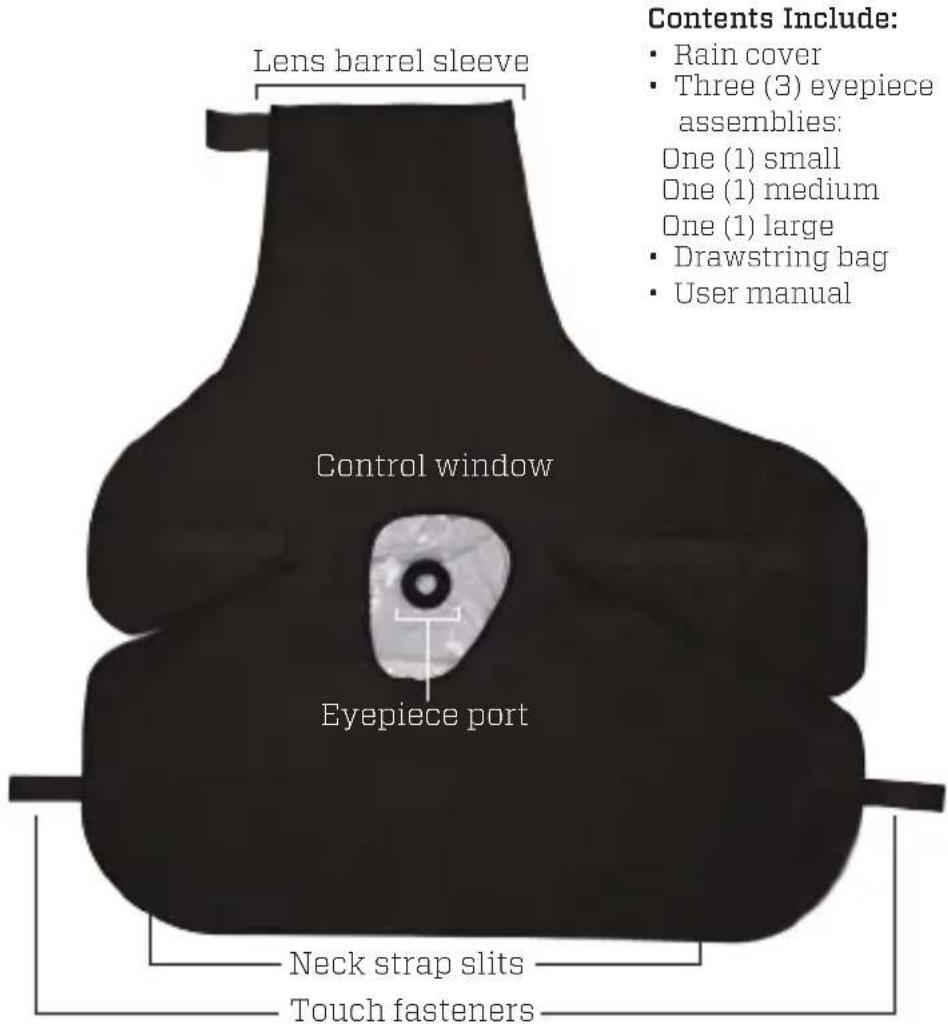
text_image
Lens barrel sleeve Control window Eyepiece port Neck strap slits Touch fasteners Contents Include: • Rain cover • Three (3) eyepiece assemblies: One (1) small One (1) medium One (1) large • Drawstring bag • User manual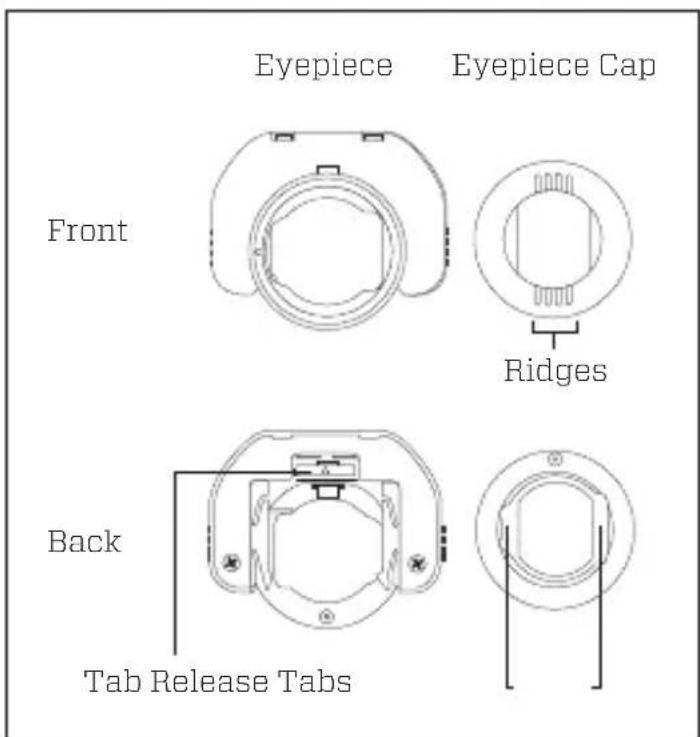
text_image
Eyepiece Eyepiece Cap Front Ridges Back Tab Release TabsBefore you install one of the included eyepiece assemblies, you will need to determine which one fits your camera. The rain cover comes with three sizes of eyepiece assembly (small, medium, and large).
- Remove your camera's eyepiece by pinching the eyepiece and pulling it up and off your camera's viewfinder.
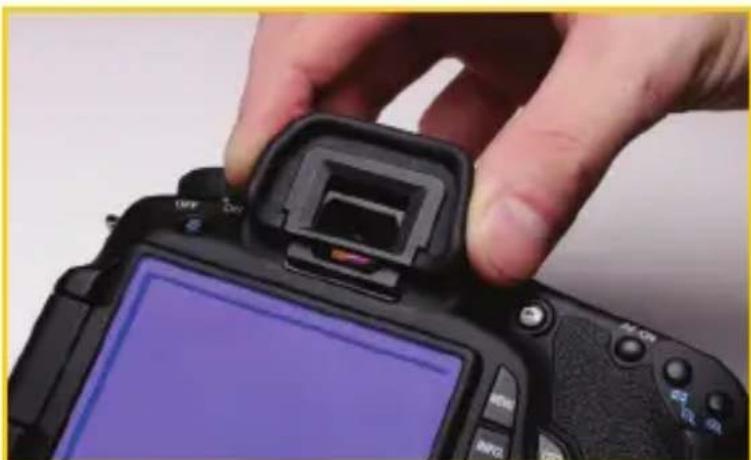
natural_image
Close-up of a hand holding a black DSLR camera with a port jack, showing the lens and screen (no visible text or symbols)- Mount one of the included eyepiece assemblies by sliding the eyepiece onto your camera's viewfinder until it locks into place. Repeat this process as necessary until you find the eyepiece that best fits, and then remove it from your camera.

natural_image
Close-up of hands holding a black DSLR camera module with adjustment knobs (no visible text or symbols)- Separate the eyepiece assembly by pulling the tab release on the eyepiece and rotating the eyepiece cap.
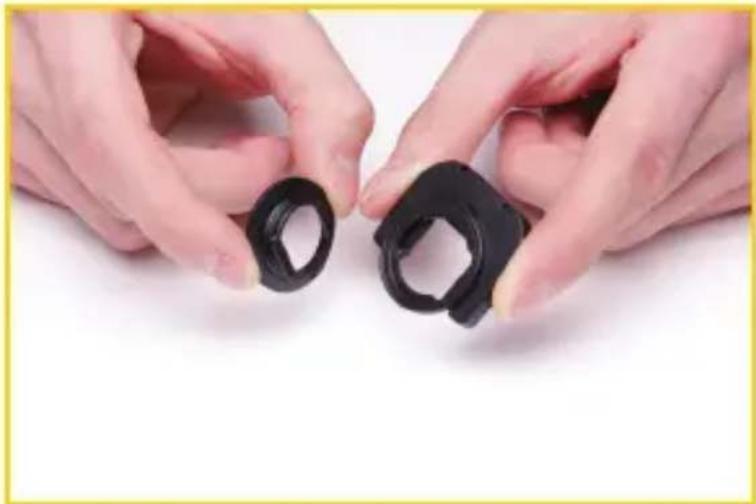
natural_image
Close-up of two hands holding black plastic clips (no text or symbols visible)- Lay the rain cover flat, with the lens barrel sleeve facing away from you and all the touch-fasteners unfastened. Place the eyepiece cap in the port with the ridge lines in the cap at the 9 and 3 o'clock positions.
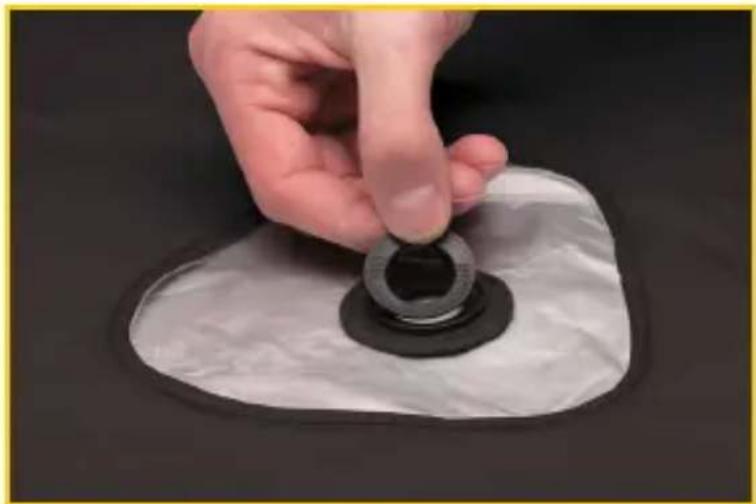
natural_image
Hand holding a circular mechanical component on a white base, no visible text or symbols- Flip the rain cover over, making sure the lens barrel sleeve is facing away from you, and check the inside of the cover to make sure the larger of the two tabs on the eyepiece cap is at the 6 o'clock position. If necessary, rotate the eyepiece cap 180^ .
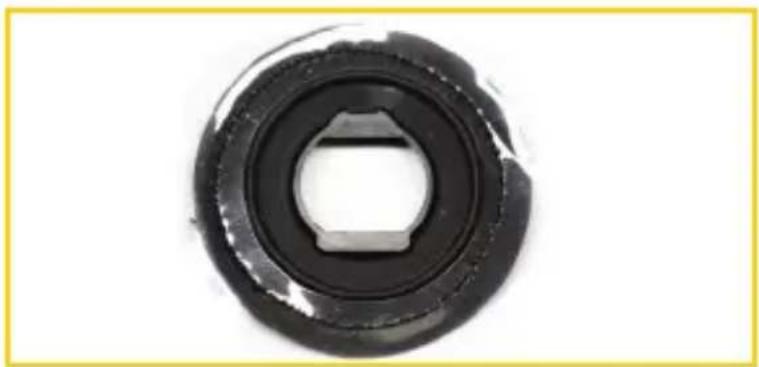
natural_image
Circular mechanical component with a central square hole and flange, shown against a plain white background (no text or symbols)- Place the eyepiece on the eyepiece cap so the tab release on the eyepiece is at the 9 o'clock position. Hold the eyepiece cap in place with one hand while using the other hand to press and rotate the eyepiece a quarter-turn clockwise until you feel it lock into place.
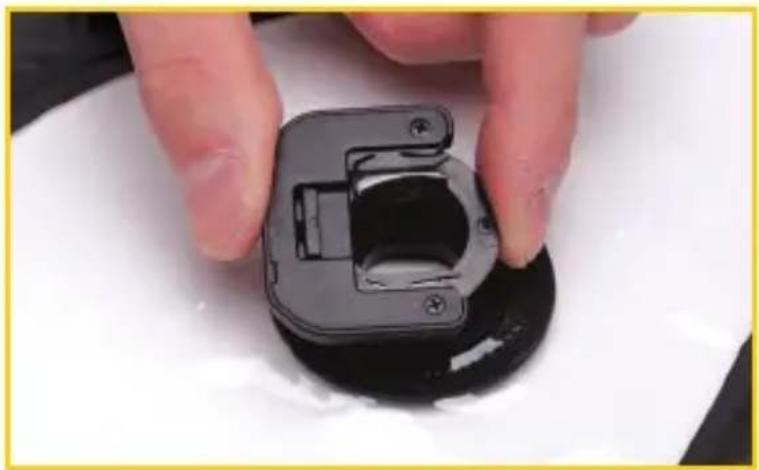
natural_image
Close-up of hands holding a black plastic mechanical component, no visible text or symbols- With the lens mounted on your camera, insert your camera's lens barrel into the lens barrel sleeve.
Tip: For best results, use this rain cover in combination with a lens hood (sold separately). Attach the hood to your lens before inserting it into the lens barrel sleeve.

natural_image
Person adjusting a black and silver camera body part, no visible text or symbols- Mount the eyepiece assembly on your camera by sliding the eyepiece onto your camera's viewfinder until it locks into place. If necessary, gently twist the eyepiece until the camera lines up correctly with the rain cover.
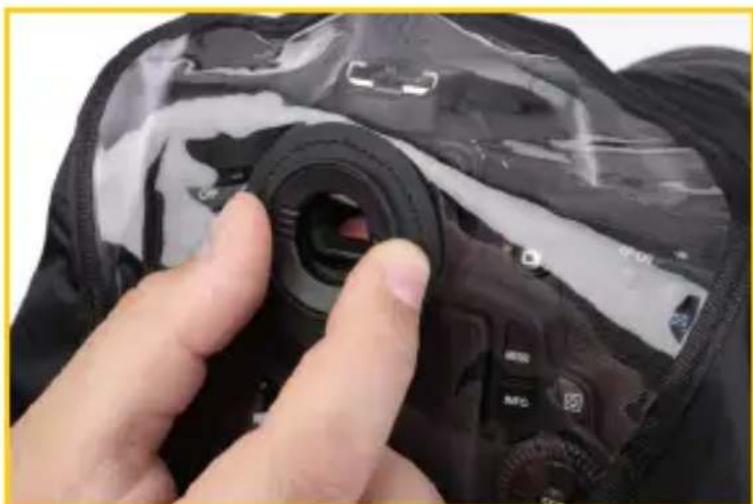
natural_image
Close-up of a hand adjusting a camera lens on a black fabric bag (no visible text or symbols)- Match up the end of the lens barrel with the end of the lens barrel sleeve, and adjust the touch fastener around the lens for a snug fit.
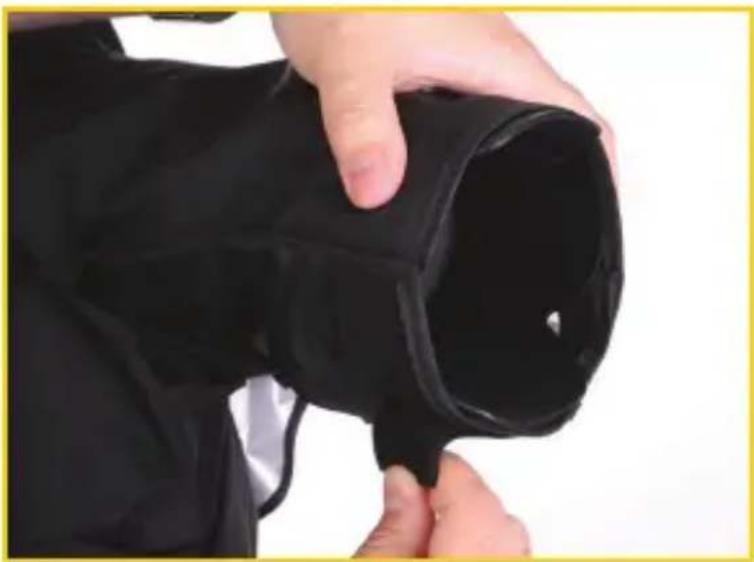
natural_image
Close-up of a hand holding a black cylindrical object with a small hole, against a plain white background (no text or symbols visible)- Fasten the touch fasteners on the sides and bottom of the rain cover. If you are using a neck strap, make sure it protrudes from the slits at the tops of the side touch-fasteners.
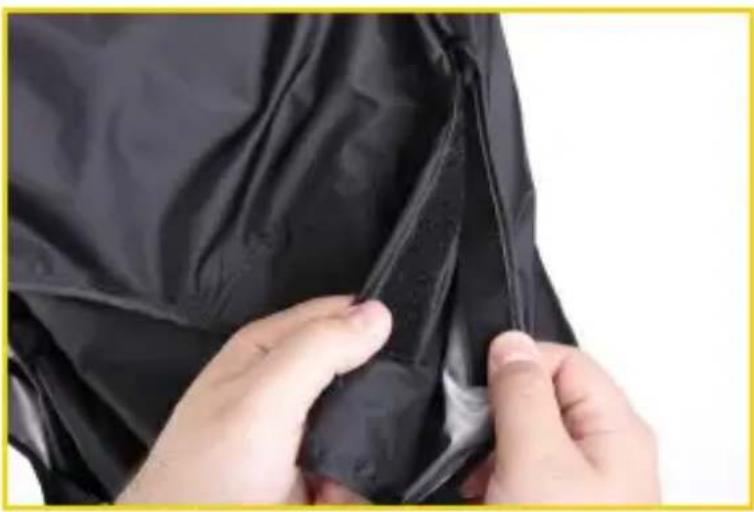
natural_image
Close-up of hands adjusting a black fabric garment with visible stitching (no text or symbols)If you plan on shooting handheld photography, insert your hand through the bottom opening of the rain cover to hold your camera.
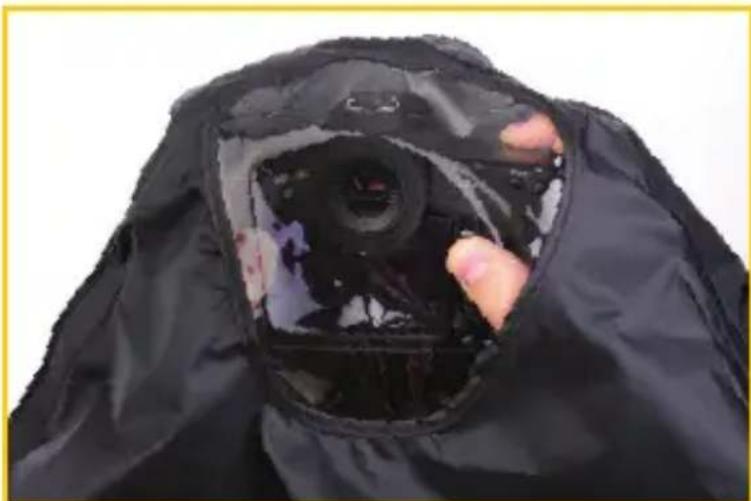
natural_image
Close-up of a black hooded garment with a transparent lid and hand inserting a lens into the opening (no visible text or symbols)If you are going to use a tripod, mount your camera on the tripod through the bottom opening of the rain cover.
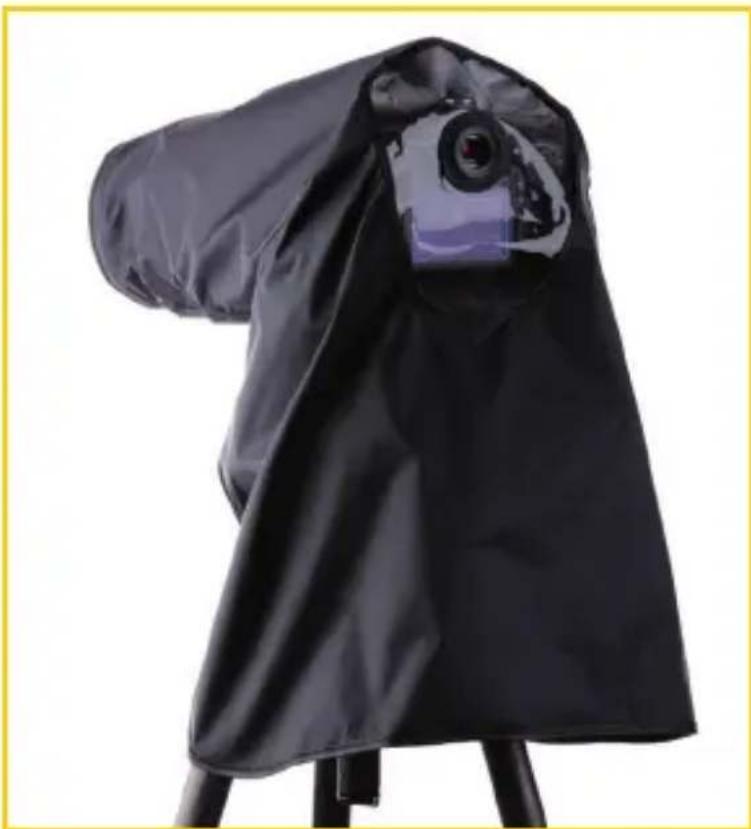
natural_image
Black fabric umbrella with a camera lens on top, mounted on a stand (no text or symbols visible)This RUGGARD product is warranted to the original purchaser to be free from defects in materials and workmanship under normal consumer use for a period of one (1) year from the original purchase date or thirty (30) days after replacement, whichever occurs later. The warranty provider's responsibility with respect to this limited warranty shall be limited solely to repair or replacement, at the provider's discretion, of any product that fails during normal use of this product in its intended manner and in its intended environment. Inoperability of the product or part(s) shall be determined by the warranty provider. If the product has been discontinued, the warranty provider reserves the right to replace it with a model of equivalent quality and function.
This warranty does not cover damage or defect caused by misuse, neglect, accident, alteration, abuse, improper installation or maintenance. EXCEPT AS PROVIDED HEREIN, THE WARRANTY PROVIDER MAKES NEITHER ANY EXPRESS WARRANTIES NOR ANY IMPLIED WARRANTIES, INCLUDING BUT NOT LIMITED TO ANY IMPLIED WARRANTY OF MERCHANTABILITY OR FITNESS FOR A PARTICULAR PURPOSE. This warranty provides you with specific legal rights, and you may also have additional rights that vary from state to state.
To obtain warranty coverage, contact the Ruggard Customer Service Department to obtain a return merchandise authorization (“RMA”) number, and return the defective product to Ruggard along with the RMA number and proof of purchase. Shipment of the defective product is at the purchaser’s own risk and expense.
For more information or to arrange service, visit www.ruggard.com or call Customer Service at 212-594-2353.

RUGGARD™ A Gradus Group Brand
Product warranty provided by the Gradus Group.
www.gradusgroup.com
RUGGARD is a registered trademark of the Gradus Group. © 2014 Gradus Group LLC. All Rights Reserved.

text_image
R3© Copyright 2014 Gradus Group
www.ruggard.com