DS-245V2 - Surveillance DoubleSight - Free user manual and instructions
Find the device manual for free DS-245V2 DoubleSight in PDF.


User questions about DS-245V2 DoubleSight
0 question about this device. Answer the ones you know or ask your own.
Ask a new question about this device
Download the instructions for your Surveillance in PDF format for free! Find your manual DS-245V2 - DoubleSight and take your electronic device back in hand. On this page are published all the documents necessary for the use of your device. DS-245V2 by DoubleSight.
USER MANUAL DS-245V2 DoubleSight
natural_image
Computer monitor displaying a blue spiral rose wallpaper, no visible text or symbols on the screen or background.USER'S MANUAL
DoubleSight™ DS-245V2 LCD MONITOR
For the latest updates and more information, visit our website at www.doublesight.com
Trademarks
DoubleSight, DoubleSight Displays, the DoubleSight logo, and other DoubleSight trademarks are the property of DoubleSight Displays and may be registered in the United States and/or other countries.
Microsoft, Windows, and the Microsoft logo are trademarks or registered trademarks of Microsoft Corporation in the United States and/or other countries Apple and Macintosh are trademarks or registered of Apple Computer, Inc. in the United States and/or other countries. Energy Star is a U.S. registered trademark. All other product names, logos, designs, or titles mentioned within this manual may be trademarks of their respective owners.
Disclaimer
DOUBLESIGHT DISPLAYS MAKES NO WARRANTY, EITHER EXPRESS OR IMPLIED, REGARDING THIS MANUAL AND THE INFORMATION CONTAINED HEREIN.
DOUBLE SIGHT DISPLAYS HEREBY EXPRESSLY DISCLAIMS ANY IMPLIED WARRANTIES OF MERCHANTABILITY OR FITNESS FOR ANY PARTICULAR PURPOSE AND UNDER NO CIRCUMSTANCES SHALL DOUBLESIGHT DISPLAYS BE LIABLE FOR ANY INCIDENTAL, CONSEQUENTIAL, OR SPECIAL DAMAGES, WHETHER BASED ON TORT, CONTACT, OR OTHERWISE, ARISING OUT OF OR IN CONNECTION WITH THIS MANUAL, INFORMATION CONTAINED HEREIN, OR THE USE THEREOF.
Copyright 2003–2012 DoubleSight Displays. All rights reserved. This manual may not be copied, photocopied, reproduced, translated, or converted to any electronic form in whole or in part without prior written consent of DoubleSight Displays.
DoubleSight Displays reserves the right to make any modification to this manual or the information contained herein at any time without notice. DoubleSight Displays assumes no responsibility for errors or omissions in this manual. For the latest modifications and more information, visit our website at http://www.doublesight.com
First Edition: December 2012
DoubleSight Displays
17155 Von Karman Avenue, Suite 102
Irvine, CA 92614
TEL: 1-877-TwoLCDs(1-877-896-5237) (U.S. only)
E-mail: info@doublesight.com
Correct posture for effective use of the LCD monitor.
Placement
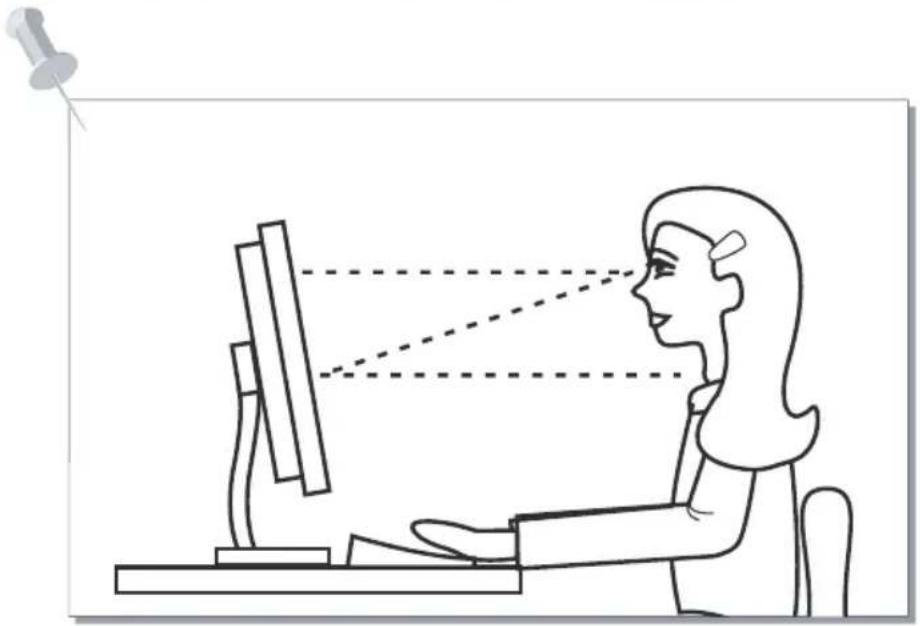
Correct placement and adjustment of the monitor can reduce eye, shoulder, and neck fatigue. Check the following when you position the monitor.
Keep the top of the monitor screen slightly below eye level. Your eyes should look slightly downward when viewing the middle of the screen.
natural_image
Line drawing of a person using a computer with a magnifying glass, showing perspective projection (no text or symbols)Position your monitor no closer than 16 inches no further away than 30 inches from your eyes. The optimal distance is 25 inches.
Index
Prior to use
Safety Precautions 5
Components Name & Introduction 8
Connection & Installation
Connecting the Monitor to a Computer 11
OSD(On Screen Display) screen select & control
Adjusting the Monitor Screen 14
Additional Information
Recommendations 16
Troubleshooting 17
Supported Mode Table 18
Power Save Mode 18
Product Specification 19
※ Limited Warranty
※ Regulatory Information
This device has passed the electromagnetic wave test and may be used in any place including residential areas.

Ignoring the safety precautions may lead to accidents causing injury or fatality and structural damage.
Cautions are categorized into two types, "Warning" and "Caution" depending on their level of importance.

Warning: May lead to accidents causing serious human injury

Caution: May lead to minor accidents and damage
Do not use a damaged power cord or plug, or connect to a loose power outlet. Doing so may cause electric shock or fire.

text_image
WarningDo not pull the power cord when unplugging the power, and do not touch the power plug with wet hands. Doing so may cause electric shock or fire.

text_image
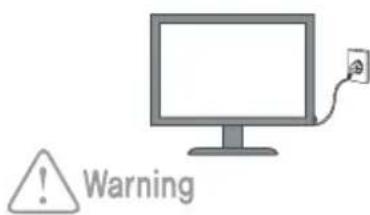
WarningConnect the power plug to grounded power outlets only. Failure to do so may cause electric shock or injury.
text_image
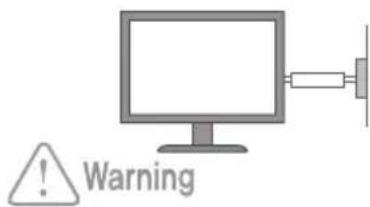
WarningInsert the power plug securely into the outlet. Insecure and unstable electrical contact may lead to fire.

text_image
WarningDo not bend the power cord excessively or allow the cord to be compressed under a heavy object. Doing so may cause electric shock or fire.
text_image
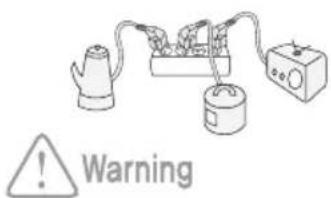
WarningDo not connect more than one plug to a single wall outlet. Doing so may lead to fire.
text_image
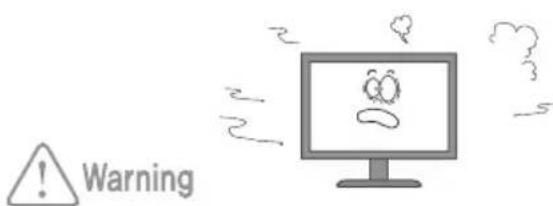
WarningProvide sufficient space between the monitor and the wall for ventilation (cooling). Overheating may lead to fire.


Make sure that the ventilation holes are not covered by fabrics, curtains, other clothes like material, etc.

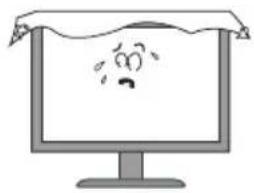
natural_image
Cartoon illustration of a computer monitor displaying a sad face with a frowning expression (no text or symbols)Safety Precautions
Place the monitor on a firm flat surface and be careful when handling the monitor.
Mishandling the product may cause short circuits and damage the product or cause injury.

Warning
natural_image
Illustration of a computer monitor with a cartoon face icon on the screen (no text or symbols)Do not place candles, lighted cigarettes, or other heat-radiating objects on the monitor or near the monitor.
Doing so may lead to fire.

Warning

natural_image
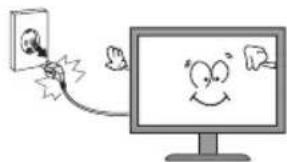
Cartoon illustration of a computer monitor with a sad face and smoke, next to a toaster (no text or symbols)Disconnect the power when cleaning the product.
Failure to do so may cause electric shock or fire.
natural_image
Cartoon illustration of a computer monitor with a smiling face and a small figure emerging from its screen (no text or symbols)
Warning
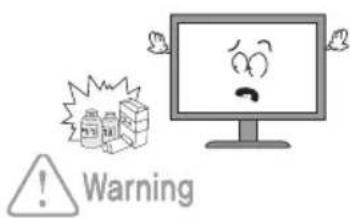
Do not use flammable sprays or substances near the product.
Doing so may lead to explosion or fire.
text_image
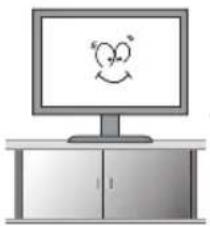
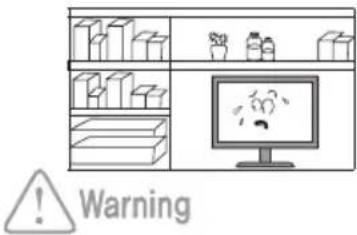
WarningDo not place the product in a place where the ventilation is poor (eg. inside a cabinet).
Doing so may lead to fire.
text_image
WarningSet the PC to match the resolution and frequency of the monitor.
24" Types - 1920 X 1200 @ 60Hz

natural_image
Simple cartoon-style drawing of a smiling face on a computer monitor (no text or symbols)
Caution
Safety Precautions

Set the PC to activate power save mode (DPMS) when the monitor is not used for a while. Set the screen saver function and select a type that maintains motion in the whole screen.
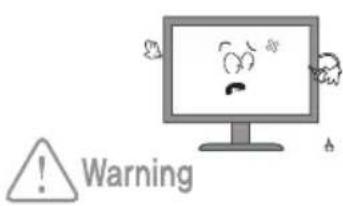
Do not insert metallic objects into the ventilation holes. They may cause electric shock or fire.
Do not allow children to climb onto the product or hang on it. The product may fall over and cause serious injury.
Do not attempt to dismantle, repair, or modify the product yourself. This may cause fire or electrical fail ures.
text_image
Warning
text_image
Warning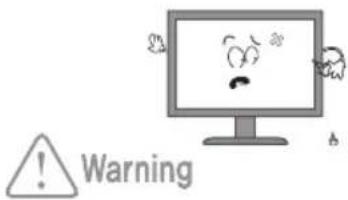
text_image
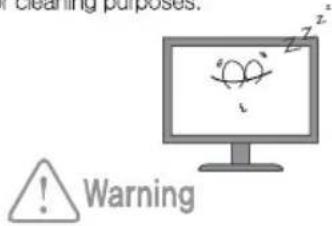
WarningUnplug the monitor when not using for a long period of time.
Dust build-up on the product (near the vents) may cause overheating and lead to fire. Use a dry soft cloth for cleaning purposes.
text_image
Cleaning purposes. ! WarningCarefully unplug the monitor if you see any signs of smoke or smell odor of burning.
Contact the manufacturer for further information.
text_image
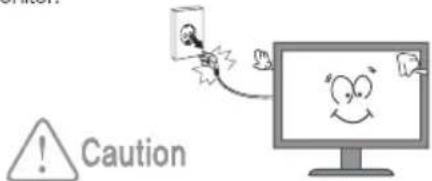
WarningUse a soft dry cloth to clean the monitor, and unplug it before cleaning.
Do not use any chemical solutions on the monitor for cleaning purposes. Do not use a wet cloth on the monitor.
text_image
CautionDo not spray water directly onto the product. It may cause electrical faults or fire.

text_image
WarningDo not install the monitor where water (rain) drops can enter the enclosure, or where there is oil or humidity.
It may cause electrical faults, fire, or lead to damage to the monitor.

text_image
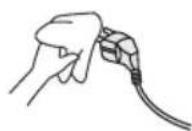
WarningClean any dirt, dust or water from the power plug contacts.
They may cause electrical faults or fire.

Components Name & Introduction
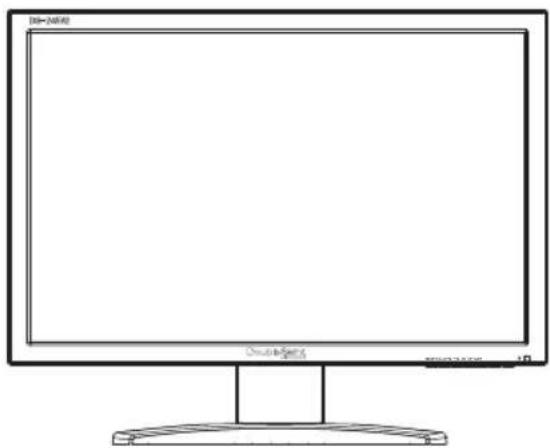
※ Check if all the components are included in the package. Contact the sales outlet if any components are missing
* Contact the sales if you wish to purchase optional extras.
Actual components may look different from the pictures below.
natural_image
Line drawing of a computer monitor with a blank screen and stand (no text or symbols)Monitor
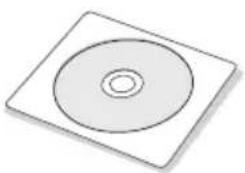
natural_image
Simple 3D illustration of a square disc with a circular center, no text or symbols present.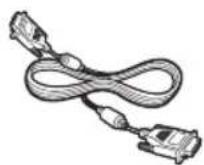
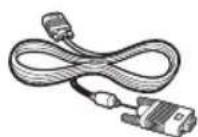
DVI-D CableManual CD VGA Cable


AC Adaptor
Power CordAudio Cable
(PC Input Cable)
FRONT

text_image
DS-245V2 DoubleSent SELECT MENU VOL+ VOL- BRI HOT AUTO① SELECT : Input Source Select / OSD SubMenu Exit
② MENU : OSD Menu On, Off / OSD SubMenu Select
③ VOL+ : Volume Up / OSD Menu Up, Channel Up
④ VOL- : Volume Down / OSD Menu Down, Channel Down
⑤ BRI HOT : Adjusts Brightness / Contrast
⑥ AUTO : In RGB mode, AUTO Adjust In Progress
⑦ POWER : Power On / Off
* Actual Image May Vary
REAR

text_image
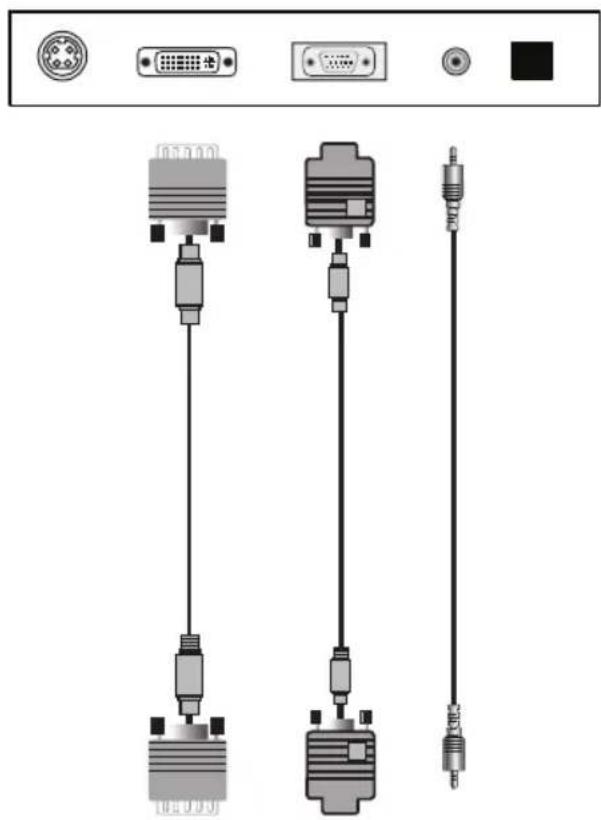
DVI-D VGA AUDIO IN SP DIFPOWER ① ② ③ ④ ⑤① Power input Connector
② DVI Input Connector
③ VGA Input Connector
④ Audio Input Connector
⑤ SP DIF(For Digital Audio)
* Actual Image May Vary
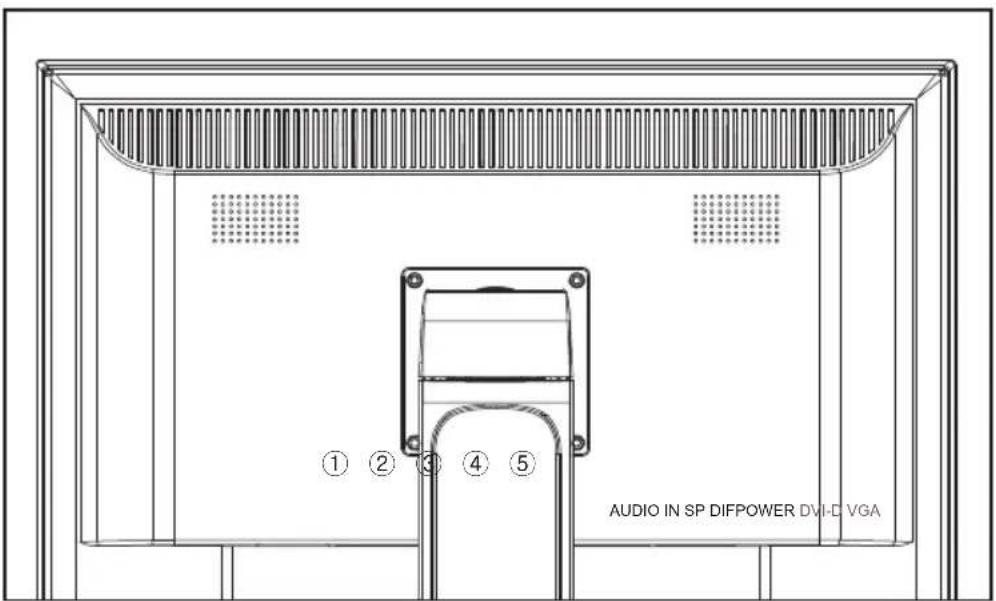
text_image
AUDIO IN SP DIFPOWER DVHD VGA ① ② ③ ④ ⑤AUDIO IN SP DIFPOWER DVI-D VGA
natural_image
Diagram of three connected audio equipment units (DGA, GND, and IHD) with connectors and ports, no text or symbols present.
natural_image
Front view of a server rack unit with ports, switches, and indicator lights (no visible text or labels)COMPUTER
How to adjust monitors
OSD Functions Description
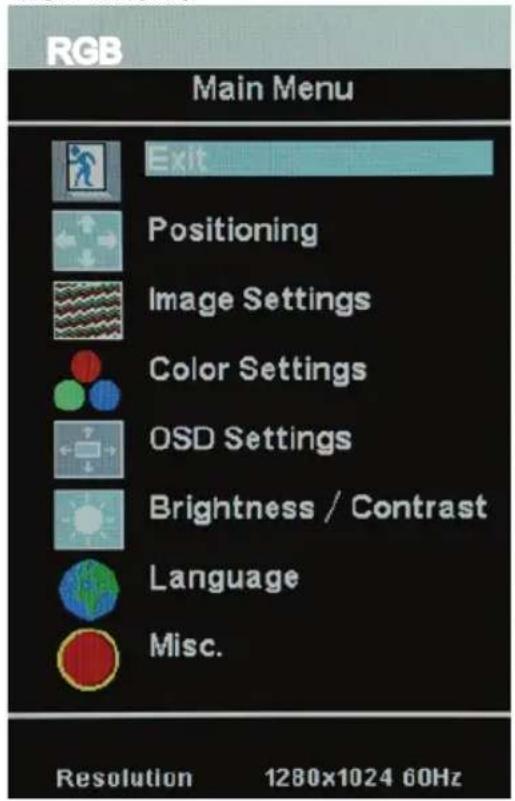
Press MENU button to open OSD Menu window.
Press VOL+ and VOL- buttons to navigate through different menus and press MENU again to select.
OSD Menu
text_image
RGB Main Menu Exit Positioning Image Settings Color Settings OSD Settings Brightness / Contrast Language Misc. Resolution 1280x1024 60Hz(while in RGB mode)
Positioning, Image Settings, OSD Settings, and Misc. options are available.
Note!
While in DVI mode, Positioning and Image-Settings are not available.
Brightness/Contrast
text_image
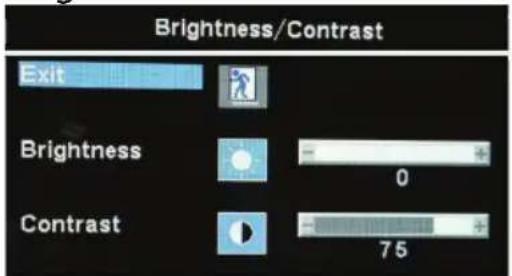
Brightness/Contrast Exit Brightness 0 Contrast 75Brightness/Contrast.
- Press 'BRI HOT' button on the monitor to adjust the Brightness and Contrast of the Display.
How to adjust monitors
OSD Functions Description
Positioning

text_image
Positioning Exit Horizontal Vertical 50 50Positioning.
- Horizontal : Moves entire screen from Left and Right. (Not available in DVI mode)
- Vertical : Moves entire screen from Top to Bottom. (Not available in DVI mode)
Image Settings

text_image
Image Settings Exit Auto Adjust Press Menu Pixel Clock 50 Phase 25Image Settings.
- Auto Adjust : Automatically adjusts screen's Horizontal and Vertical position and screen display to optimal quality.
- Pixel Clock : Adjusts the frequency of the screen. Ranges from 0\~100.
- Phase : Adjusts the screen to fine-tune. Ranges from 0\~100
How to adjust monitors
OSD Functions Description
Color Settings

text_image
Color Settings sRGB Preset 9300K Preset 6500K Preset User Preset Exit Red +100 Green +100 Blue +100Color Settings.
- sRGB, 9300K, 6500K : Lets you select a preset color temperature.
- 9300K : Cool Tone - 6500K : Warm Tone
- Can adjust three colors, red, green and blue, individually, if User Preset is selected.
On Screen Display(OSD)
text_image
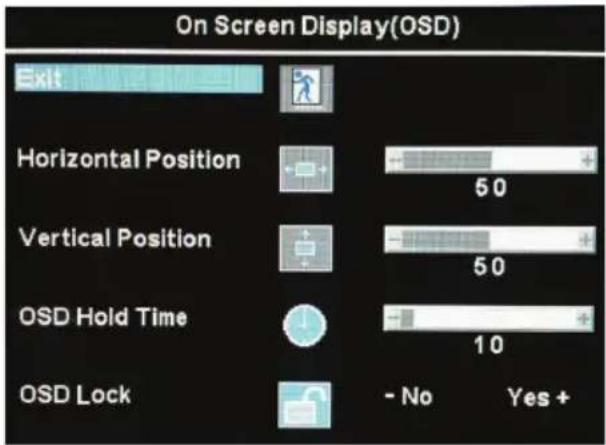
On Screen Display(OSD) Exit Horizontal Position 50 Vertical Position 50 OSD Hold Time 10 OSD Lock - No Yes +On Screen Display Settings.
- Horizontal Position : Adjusts OSD screen left or right.
- Vertical Position : Adjusts OSD screen upwards or downwards.
- OSD Hold Time : Adjusts OSD time on screen, 0\~60 seconds.
- OSD Lock : Locks the OSD functions.
How to adjust monitors
OSD Functions Description
Language

text_image
Language Exit English Español Français Deutsch 한국이Language.
- Selects OSD languages.
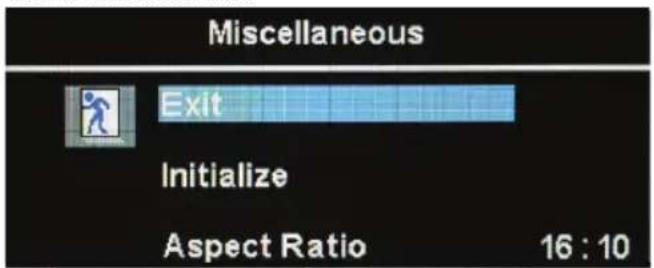
Miscellaneous
text_image
Miscellaneous Exit Initialize Aspect Ratio 16 : 10Miscellaneous.
- Initialize : Contents established by user comes to the initial value.
- Aspect Ratio : Adjusts screen ratio (4:3, 16:9).
To enjoy optimal display
- Due to the TFT-LCD monitor panel's characteristics, the optimal resolution is limited to monitor size. Other resolution settings may decrease the display quality. Therefore is recommended that the optimal resolution be used.
Optimal 24" resolution by screen size (type) 24" types: 1920 X 1200 @ 74.5KHz
- The product may output a display of up to 1 PPM (one pixel per million) brighter or dimmer due to technical limitations in LCD Panel manufacturing. This characteristic does not affect the performance of the product.
Number of pixels by LCD panel size: 24" types : 6,912,000 pixels
-
Use a soft dry cloth with a special cleansing solution for cleaning the monitor. Do not apply excessive force when cleaning the display panel. Using excessive force may leave marks.
-
Run the "Auto" (Auto-Adjust) function when dissatisfied with the display quality. This will enhance the quality. However, use the fine-tuning facility (phase/frequency control) if noise remains after automatic adjustment.
-
Having the monitor display fixed images may leave after-images or unwanted marks on the screen. Set the monitor power save mode from the PC or use a screen saver to protect the monitor.
Effects of Surroundings
The monitor position and location may affect viewing quality.
- Do not place an amplifying speaker near the monitor.
- Maintain at least 3 feet distance from any electronic appliances such as radios, fans, clicks, and telephones.
| Problem | Solution |
| Color appears abnormal. It is in black and white. | Reconnect the PC connecting cables.Insert the PC's video card correctly.Re-boot the PC.Set the video card again after referring to the video card manual. |
| The displayed screen position suddenly changes or tilts inward. | Use the screen control to adjust the displayed screen shape.Set the resolution and/or frequency on the video card (refer to the supported mode table).Differences in the signal period of the video card may cause changes in the displayed position from time to time. Use the screen control functions to correct the displayed screen position. |
| Displays 16 colors only. The color has changed after replacing the video card. | Windows ME/XP/Vista/7/8: Re-set the color from the Control panel ->Display -> Setting Re-install the video card driver. |
| Power indicator lamp blinks orange. | Monitor is in Sleep Mode |
| Cannot control the screen with the buttons on the front of the monitor. | Contact technical support |
| There are colored spots on the screen. | There may be a few colored (red, green, white, black) pixel spots on the screen during use. This is a natural characteristic in LCD panels. It is not a malfunction and does not affect the monitor's performance. |
| The power indicator lamp is off. | Check if the power cable is intact. Reconnect the power cable correctly if necessary. |
| The "No Cable" message appears on the screen. | Check if the connection between the PC and monitor is intact.Reconnect the cable correctly if necessary. |
| The 'Non Support Mode' message appears on the screen. | The output signal from the video card exceeds the monitor's maximum resolution or frequency limit. Set the maximum resolution and frequency to suit the product limits. |
| The screen appears to be sliding downward. | Check the connection between the PC and monitor. Re-connect if necessary. |
| The screen is unclear. | Run the auto-adjusting function. |
| The screen appears unstable and flickers.The screen leaves shadows. | Check it the computer or video card output resolution and frequency is set within the limits. Re-set the screen display by referring to the resolution information and standard supported mode table. |
| The screen is too bright or dark. | Use the brightness or contrast controls to adjust the display. |
| The color on the screen is not uniform. | Use the color density control to set the color. |
| Lines appear on the screen and the screen flickers. | Turn off any cordless phones, hair dryers, electrical drills etc. that are in use. |

Caution
Use a soft dry cloth to clean the product.
Use a clean cloth with a special screen cleanser.
- Do not scratch the monitor panel with your fingernails or other sharp objects.
- Do not use flammable substances such as benzene or paint thinner on the product. Do not use a wet cloth.
- Do not use acetone, benzene, or paint thinner on the product.
Supported Mode Table
| Resolution | Horizontal frequency (KHz) | Vertical frequency (Hz) |
| 640 x 480 | 31.47 kHz | 60 Hz |
| 35.00 kHz | 67 Hz | |
| 37.86 kHz | 72 Hz | |
| 37.50 kHz | 75 Hz | |
| 800 x 600 | 35.16 kHz | 56 Hz |
| 37.88 kHz | 60 Hz | |
| 48.08 kHz | 72 Hz | |
| 46.88 kHz | 75 Hz | |
| 1024 x 768 | 48.36 kHz | 60 Hz |
| 56.48 kHz | 70 Hz | |
| 57.70 kHz | 72 Hz | |
| 60.02 kHz | 75 Hz | |
| 1280 x 1024 | 67.98 kHz | 60 Hz |
| 79.98 kHz | 75 Hz | |
| 75.00 kHz | 60 Hz | |
| 74.04 kHz | 60 Hz | |
| 1600 x 1200 | 74.48 kHz | 60 Hz |
| 1920 x 1200 | 74.50 kHz | 60 Hz |
Power Save Mode
This monitor comes with a power save function that activates when the monitor has not been used for a while. Power consumption is reduced in power save mode, and this is indicated by the power indicator lamp's color. Pressing a key on the keyboard or mouse turns the monitor back on. However this function is only enabled when the monitor is connected to a PC that has a power save function.
The power save function operates as described below.
| Power save mode | Normal mode | Stand by mode |
| Power indicator lamp color | Green | Red |
| Power Consumption | Max 100W | Below 2W |
| Specification | ||
| LCD | Visible Screen Area | 518.4(H) x 324.0(V) 24.0 Inch |
| Pixel Pitch | 0.270(H) x 0.270(W) | |
| Maxium Visible Angle | 89°/ 89°/ 89°/ 89°(Top/Bottom/Left/Right) | |
| Displayed Color | 16.7M | |
| Response Time | 5 msec (GTG) | |
| Brightness | 400cd/m2 | |
| Contrast Ratio | 1000:1 | |
| Recommended Resolution | 1920 x 1200 (60Hz) | |
| Video Signal | Horizontal Frequency | 30KHz ~ 94KHz |
| Vertical Frequency | 56Hz ~ 75Hz | |
| Power | AC | 100V - 240V, 50Hz/60Hz |
| Power Consumption | Max 100W, Power Save Mode below 2W | |
| Dimensions/ Weight | W: 562mm H: 425mm D: 220mm(including stand) / 17.3 lbs | |
| Operating Environment | Operation: 0 to +40°C, humidity: 20-80% (non-condensing)Storage: -20 to +60°C, humidity: 8-95% (non-condensing) | |
※ The above specifications may vary to improve performance without prior notice.
Pivot Function
Tilt
Tilt feature allows for Monitor to be positioned for best viewing angle.

natural_image
Simple line drawing of a mechanical lever with a rotating arm (no text or symbols)How to use
- Hold Monitor securely at top and bottom of screen
- Push/Pull to adjust to desired angle
Swivel
Left or Right adjustments offer the added convenience to customize work space. fixed support.

natural_image
Pure mechanical diagram showing a cross-shaped component with rotational arrow, no text or symbols presentHow to use
- Hold Monitor securely on the left and right sides
- Move Monitor left or right according to user preference
Limited Warranty
INTRODUCTION
This Warranty covers DoubleSight Displays's ("DSD") DS-245 Series DoubleSight 24" LCD Monitors ("Product") sold by DSD or DSD's authorized resellers. DSD provides a limited warranty for the originally purchased Products for use, not resale ("Original Purchase"), located in the United States No DSD authorized reseller may claim any right or interest under this limited warranty.
Notice
DoubleSight Displays now includes a 3 year standard warranty for DS-245 Series model only from Original Date of Purchase.
Thank you for your support!
DoubleSight Displays
LIMITED WARRANTY
DSD warrants this Product to be free from defects in material and workmanship for a period of three (3)years from the date of Original Purchase. Spare parts are warranted for ninety (90) days. Subject to the conditions set forth below, if a Product proves to be defective in material or workmanship during the warranty period, DSD will, at its sole option, repair or replace the Product with a similar Product. Replacement Product or parts may include remanufactured or refurbished parts or components and will meet the specifications of the original parts or unit.
This warranty is extended by DSD only to the original purchaser ("you") of the Product and is not transferable. During the warranty period, DSD shall provide you with limited telephone technical support providing assistance to you solely for the purpose of defining any problem. Repair or replacement of the Product is limited to the United States.
CUSTOMER RESPONSIBILITIES
As the original purchaser you have thirty (30) days in which to review the contents of the Product's packaging for any missing or broken items. After the first thirty (30) days of ownership, beginning from the date of Original Purchase, a charge will be incurred for replacement of any item you, the original purchaser, may wish to order from DSD. Such charges will include handling and shipping costs incurred for delivery of any such items.
WARRANTY EXCLUSIONS
This warranty does not cover:
- Any Product on which the serial number has been defaced, modified or removed.
- Damage, deterioration or malfunction resulting from:
A. Accident, disaster, misuse, neglect, fire, water, lightning, or other acts of nature, unauthorized product modification, or failure to follow instructions and environment specifications supplied with the Product.
B. Repair or attempted repair by anyone not authorized by DSD.
C. Customer supplied interfacing.
D. Improper site preparation and maintenance.
E. Damage to or loss of any programs, data or removable storage media.
F. Software or data loss occurring during repair or replacement.
G. Any damage of the Product due to shipment.
H. Removal or installation of the Product.
I. Causes external damage to the Product, such as electric power fluctuations or failure.
J. Use of supplies or parts not meeting DSD's specifications.
K. Normal wear and tear.
L. Subjecting the Product to displaying of fixed images for a long periods of time resulting in image persistence (afterimage effects) or image burn-in.
M. Any other cause which does not relate to a product defect.
- Removal, installation, and set-up service charges.
HOW TO OBTAIN WARRANTY SERVICE
- For information on warranty service, call DSD customer service toll-free in the U.S.A. by calling 1-888-897-8869, or email DSD at support@doublesight.com.
- To obtain warranty service, you will be required to provide
A. The original dated sales slip.
B. Your name.
C. Your address.
D. The serial number of the product.
E. A description of the problem.
- Bring or ship the Product prepaid and insured in the original container, with the associated accessories, to the DSD depot repair site. All Products returned to the DSD depot repair site for service MUST have prior approval which may be obtained by calling the telephone number above.
DISCLAIMER OF WARRANTIES
THERE ARE NO WARRANTIES, EXPRESS OR IMPLIED, WHICH EXTEND BEYOND THE DESCRIPTION CONTAINED HEREIN. THE WARRANTIES CONTAINED HEREIN ARE IN LIEU OF ALL OTHER WARRANTIES EXPRESS OR IMPLIED, INCLUDING, BUT NOT LIMITED TO, THE IMPLIED WARRANTY OF MERCHANTABILITY AND FITNESS FOR A PARTICULAR PURPOSE. DSD MAKES NO OTHER EXPRESS OR IMPLIED WARRANTY OR CONDITION WHETHER WRITTEN OR ORAL. SOME STATES DO NOT ALLOW THE EXCLUSION OF IMPLIED WARRANTIES SO THE ABOVE EXCLUSIONS OR LIMITATIONS MAY NOT APPLY TO YOU. THIS WARRANTY GIVES YOU SPECIFIC LEGAL RIGHTS AND YOU MIGHT ALSO HAVE OTHER RIGHTS THAT VARY FROM STATE TO STATE.
EXCLUSIVE REMEDIES
THE REMEDIES PROVIDED IN THIS STATEMENT OF LIMITED WARRANTY ARE YOUR SOLE AND EXCLUSIVE REMEDIES IN NO EVENT, WILL DOUBLESIGHT DISPLAYS BE LIABLE FOR DIRECT, INDIRECT, INCIDENTAL, CONSEQUENTIAL, OR OTHER TYPES OF DAMAGES RESULTING FROM ANY BREACH OF WARRANTY, OR CONTRACT OR ANY TORT (INCLUDING NEGLIGENCE) OR UNDER ANY OTHER LEGAL THEORY, INCLUDING LOST PROFIT, DOWNTIME, GOODWILL, DAMAGE TO OR REPLACEMENT OF EQUIPMENT AND PROPERTY, AND ANY COSTS OF RECOVERING, REPROGRAMMING, OR REPRODUCING ANY PROGRAM OR DATA SORTED IN OR USED WITH THIS PRODUCT EVEN IF DSD OR A DSD AUTHORIZED RESELLER FOR THIS PRODUCT HAS BEEN ADVISED OF THE POSSIBILITY OF SUCH DAMAGES, OR FOR ANY CLAIM BASED ON ANY THIRD PARTY CLAIM. DSD LIABILITY WILL BE NO MORE THAN THE AMOUNT YOU PAID FOR THE PRODUCT THAT IS THE SUBJECT OF A CLAIM. THIS IS THE MAXIMUM AMOUNT FOR WHICH DSD WILL BE RESPONSIBLE SOME STATES DO NOT ALLOW THE LIMITATION OR EXCLUSION OF LIABILITY FOR INCIDENTAL OR CONSEQUENTIAL DAMAGES SO THE ABOVE EXCLUSIONS OR LIMITATIONS MAY NOT APPLY TO YOU.
This Product is warranted in accordance with the terms of this limited warranty. You are cautioned that Product performance is affected by system configuration, software, the application, customer data, and operator control of the system, among other factors. While DSD Products are considered to be compatible with many systems, specific functional implementation by the original purchaser of the Product may vary. Therefore, suitability of a Product for a specific purpose or application must be determined by the original purchaser and is not warranted by DSD.
Regulatory Information
FCC Compliance
This device complies with Part 15 of the FCC Rules. Operation is subject to the following two conditions: (1) This device may not cause harmful interference, and (2) this device must accept any interference received, including interference that may cause undesired operation. This equipment has been tested and found to comply with the limits for a Class B digital device, pursuant to Part 15 of the FCC Rules.
These limits are designed to provide reasonable protection against harmful interference in a residential installation. This equipment generates, uses and can radiate radio frequency energy and, if not installed and used in accordance with the instructions, may cause harmful interference to radio communications. However, there is no guarantee that interference will not occur in a particular installation.
If this equipment does cause harmful interference to radio or television reception, which can be determined by turning the equipment off and on, the user is encouraged to try to correct the interference by one or more of the following measures:
- Reorient or relocate the receiving antenna.
- Increase the separation between the equipment and receiver.
- Consult the dealer or an experienced radio/TV technician for help.
- Connect the equipment to an outlet on a circuit different from that to which the receiver is connected.
FCC WARNING
To assure continued FCC compliance, the user must use a ground power supply cord and the provided shielded video interface cable with bonded ferrite cores. If a BNC cable is going to be used, use only a shielded BNC (5) cable. Any unauthorized changes or modifications not expressly approved by the party responsible for compliance could void the user's authority to operate this device.
User Information
Users may find the following booklet, prepared by the Federal Communications
Commission, helpful: "How to Identify and Resolve Radio-TV Interference Problems."
This booklet is available from the U.S. Government Printing Office, Washington, D.C. 20402
DoubleSight
DISPLAYS
www.doublesight.com
DoubleSight Displays
17155 Von Karman Avenue, Suite 102
Irvine, CA 92614
TEL: 1-877-TwoLCDs(1-877-896-5237) (U.S. only)
E-mail: info@doublesight.com