
Nexoos 551 - NAS Soyntec - Free user manual and instructions
Find the device manual for free Nexoos 551 Soyntec in PDF.


| Product Type | Multi-Card Reader/Writer |
| Model | Soyntec Nexoos 551 |
| Interface | USB 2.0 (backward compatible with USB 1.1/1.0) |
| Compatible Memory Cards | CF, SD, MMC, MS, XD, Micro SD, Mini SD, and many more (see manual for full list) |
| Power Supply | USB bus powered (low power consumption) |
| LED Indicator | Yes, power/activity status LED |
| Supported Operating Systems | Windows 98SE/ME/2000/XP/Vista, Linux, Mac OS X |
| Dimensions | Approximately 10 x 5 x 2 cm |
| Weight | Approximately 50 g |
| Cable Length | Approximately 50 cm |
| Warranty | 36 months (3 years) |
| Maintenance | Keep dry and clean; avoid dust and moisture |
| Safety | Follow general electronic device precautions; avoid liquid contact |
| Repairability | User replaceable cable; no other user-serviceable parts |
Frequently Asked Questions - Nexoos 551 Soyntec
User questions about Nexoos 551 Soyntec
0 question about this device. Answer the ones you know or ask your own.
Ask a new question about this device
Download the instructions for your NAS in PDF format for free! Find your manual Nexoos 551 - Soyntec and take your electronic device back in hand. On this page are published all the documents necessary for the use of your device. Nexoos 551 by Soyntec.
USER MANUAL Nexoos 551 Soyntec
Soyntec thanks you for purchasing your new Nexoos card reader. We wish you enjoy using it.
Nexoos is the most complete and versatile solution for reading/writing on the multiple memory cards available on the market, taking advantage of its USB 2.0 connection.
We suggest you read this user manual to enjoying this product in a safe way and with the best performance.
FEATURES
○ High-speed USB 2.0 connection. Compatible with USB 1.1/1.0.
- Low power consumption makes it perfect for laptop computers.
○ Compatible with most memory cards on the market
- Features a status LED indicator
○ Compatible with Windows VISTA / XP / 2000 / 98SE / ME / LINUX and MAC OS X
COMPATIBLE WITH:
| CF I (Compact Flash Type I) | XD-Digital Film MS (Memory Stick) | |
| CF I Pro XD H MS PRO | ||
| CF I Pro II XD M MS MG (Magic Gate) | ||
| CF I Elite Pro XD Picture Card MS PRO MG High Speed | ||
| CF I Ultra II XD-Premium Memory MS PRO MG Extreme III | ||
| CF I Ultra x Shoot&Store XD MS Duo | ||
| CF I Extreme SD 40X | MS PRO Duo | |
| CF I Extreme III | SD 60X | MS PRO Duo MG Ultra II |
| CF I 40X HS/WA | SD 80X | MS Pro Duo MG High Speed |
| CF I 80 WA | SD 133X | MS PRO Magic Gate |
| CF I 133 WA | SD (Secure Digital Card) | MS Duo Magic Gate |
COMPATIBLE WITH:
| CF II (Compact Flash Type II) | SD Elite Pro MS PRO Duo Magic Gate |
| CF II Micro Drive SD Ultra II MS Select Function | |
| CF II Magicstor SD Ultra II Plus MS ROM | |
| CF Ultimate SD Extreme MMC (Multimedia Card) | |
| Shoot&Store CF SD Extreme III Shoot&Store MS | |
| CF-Digital Film SD Ultimate DV RS-MMC* | |
| CF-Premium Memory SD 150X MMCmicro* | |
| CF-Industrial | SD Ultra |
| M2 Ultimate Version | Gaming SD |
| MMC II | Shoot&Store SD |
| Gaming PRO Duo | Mini-SD |
| Memory Stick Micro* | Mini-SD 80X |
| Micro SDHC 8GB | Micro-SD (TransFlash) |
COMPATIBLE WITH:
| Micro SDHC 32BG SD | High Speed (class 2) Ultra II | Mobile Mini-SD |
| Mini SDHC 16GB SD High | High Speed (class 4) Ultra II | Mobile Micro-SD* |
| MS PRO Duo MG Mobile Ultra II | SD High Speed (class 6) RS | MMC High Speed |
| Micro-SD 80X SD High | Speed (class 8) iNAND 8GB | /32GB |
| * Requires adaptor bundled with the card. | MS Duo MG HIGH SPEED | |
PRODUCT CONTENTS:
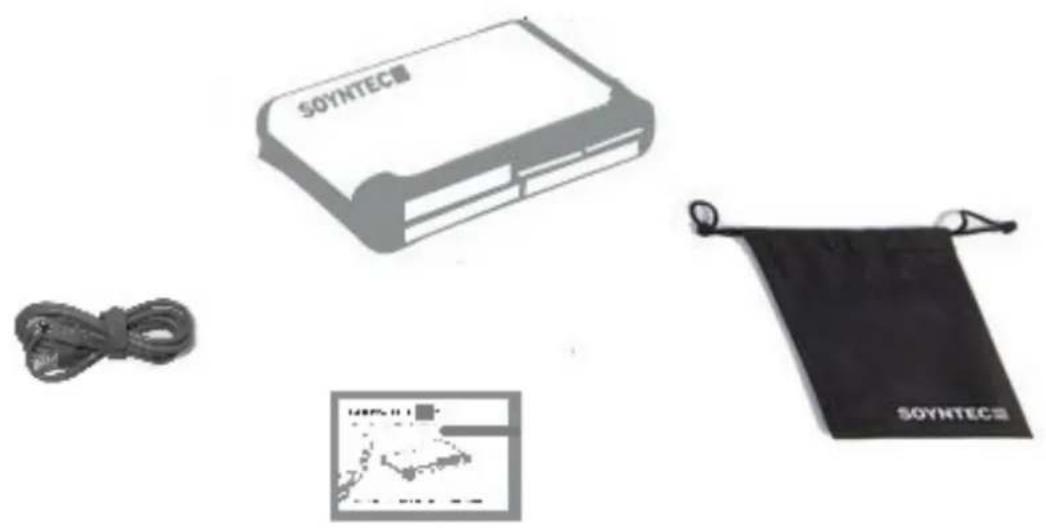
CARD READER INSTALLATION
Please note that in order to install the Nexoos 550 card reader you need a free USB connector in your computer.
Follow these steps to install it:
-
If your operating system is Windows 95, please download the drivers from our webpage: www.soyntec.com
If your operating system is Windows 98 / VISTA / XP / ME / 2000 / LINUX or MAC OS X, you don't need to install the drivers. -
Connect the card reader to a free USB connector using the USB cable provided.
-
Reboot the computer if requested to finish the installation.
SPECIAL GUARANTEE
Energy Sistem guarantees that your product does not have any material, design or manufacture defect and provides 36 month guarantee.
Guarantee procedure:
- Visit the Support section at http://support.soyntec.com and select your product to view the FAQ (Frequently Asked Questions). The solution to your problem is very likely to have been already published there. You will also be able to download user manuals, user guides, drivers and updates.
- If you cannot find an appropriate solution in the Support section, you may send us your enquiry or warranty service request using this mail: support@soyntec.co.uk
SPECIAL GUARANTEE
- You may also reach by phone at the warranty service number 902 294 294. Make sure to have your purchase receipt or invoice and the product's serial number at hand when you call.
- Alternatively, you may prefer to contact the distributor from which you purchased the product, presenting them the receipt or invoice.
Specifications are subject to change without notice.
© 2008/09 by Energy Sistem Soyntec. All rights reserved.
Trademarks
All company, brand and product names are trademarks or registered trademarks of their respective companies.
CE
AGREEMENT DECLARATION
Supplier Name: Energy Sistem Soyntec S. A.
Address: Pol. Ind. Finestrat C/ Calpe esq. C/ Alicante S/N, 03509 Finestrat Alicante
Tel: 902 388 388
Fax: 902 119 034
NIF: A53107488
We declare under our own exclusive responsibility the product agreement:
Soyntec® Nexoos 550 Series ™
Manufacturing country: China


Brand : Soyntec
Model : Nexoos 551
Category : NAS