
160780 - Loudspeaker MANHATTAN - Free user manual and instructions
Find the device manual for free 160780 MANHATTAN in PDF.


| Product Type | Powered Speaker System |
| Brand | MANHATTAN |
| Model | 160780 (2300 Series) |
| Output Power (RMS) | 3 W x 2 |
| Frequency Response | 160 Hz - 20 kHz |
| Signal-to-Noise Ratio | ≥ 65 dB |
| Total Harmonic Distortion | ≤ 0.3% |
| Impedance | 4 Ohms |
| Driver Diameter | 3 in (7.6 cm) |
| Connector Type | 3.5 mm audio jack |
| Dimensions (H x W x D) | 87 x 92 x 155 mm |
| Power Source | AC power cord included |
| Magnetic Shielding | Yes (fully shielded) |
| Compatibility | Computers, LD, CD, VCD players |
| Installation | Plug and play, connect to audio source and power |
| Safety Precautions | Keep away from heat, moisture; do not open |
| Cleaning | Wipe with a dry cloth |
| Repair | Contact a qualified technician |
| Power Off | Turn off and unplug when not in use |
Frequently Asked Questions - 160780 MANHATTAN
User questions about 160780 MANHATTAN
0 question about this device. Answer the ones you know or ask your own.
Ask a new question about this device
Download the instructions for your Loudspeaker in PDF format for free! Find your manual 160780 - MANHATTAN and take your electronic device back in hand. On this page are published all the documents necessary for the use of your device. 160780 by MANHATTAN.
USER MANUAL 160780 MANHATTAN
natural_image
Two black audio/video speakers with power spout and brand logo (no visible text or symbols on devices)
MANHATTAN
BRINGING COMPUTERS TO LIFE
MAN-160780-UM-0606-02
INTRODUCTION
Thank you for purchasing the MANHATTAN® 2300 Series Speaker System, Model 160780. These speakers feature internally powered amplifiers, making them compatible with computers and LD, CD and VCD players, including portable versions of such devices.
These speakers are completely shielded in terms of magnetization, and so will not interfere with the performance or operation of your computer or TV monitor.
INSTALLATION & SETUP
CAUTION: Prior to the installation of your speakers, please read the following safety guidelines to help prevent damage to any electrical components or harm to users.
- Do not place this product or any of its parts near heat or potential heat sources, nor in any moist or damp environment.
- Do not hit, drop or mishandle electrical components in such a way as to loosen, break or otherwise render inoperative any interior or exterior parts.
-
Do not remove the back panel except as directed by a qualified technician in order to minimize the possibility of electrical shock. If in need of repair or inspection, bring the speaker(s) to a professional repair person.
-
Should liquids or other materials (including fragments of broken parts) get inside the speaker cabinet, immediately shut power off to the speaker and have it professionally inspected and/or repaired before further operation.
-
Turn off the power and unplug from power source when the system is not in use.
-
Connect the speakers to the Output port of the audio source.
- Plug the power cord into your power source.
- Turn all the function knobs to their original or minimum positions; push the power button to indicate On.
- Adjust the control knobs for the desired effect (clockwise to increase, counterclockwise to decrease).
- Turn all the function knobs to their original or minimum positions; push the power button to indicate Off when the system is not in use.
SPECIFICATIONS
RMS output power 3 W x 2
Frequency response 160 Hz - 20 kHz
Signal-to-noise ratio (S/N) ≥ 65 dB
Total harmonic distortion (THD) ≤ 0.3%
Impedance (front, center, rear) 4 Ohms
Diameter, driver(s) (front, center, rear) 3 in. (7.6 cm)
Connector(s), (included) 3.5 mm
Dimensions 87 x 92 x 155 mm

MANHATTAN

BRINGING COMPUTERS TO LIFE
www.manhattan-products.com
Are you completely satisfied with this product? Please contact your MANHATTAN ^® dealer with comments or questions.
Copyright © MANHATTAN All products mentioned are trademarks or registered trademarks of their respective owners.


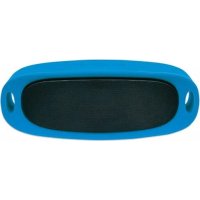

Brand : MANHATTAN
Model : 160780
Category : Loudspeaker